All Activity
- Past hour
-
First of all, I am very excited to be finally seeing an attempt at this outside of the native Blu-ray player, unlike on Apple TV for example basically no-one ended up supporting it. When playing on 1080p SDR 1080p25 and 1080p24 work flawlessly, however when trying to play 4K HDR 24Hz content, the TV is incorrectly reading it as 3D. Keeping in mind this, it works fine with some content when 3D is manually turned off, but some content just straight up does not play either way, which I could narrow down to potentially being a bug with Dolby Vision Profile 7.6 which should just be ignored and one example of HEVC Level 5.2 being tagged while it's in reality nowhere close to 5.1 limits.
-
 Subzeroldx joined the community
 -
 Sefa.simsek joined the community
 -
 赵磊 joined the community
 -
 Zoe09 joined the community
 -
 mingyi98 joined the community
 -
 wilson38839 joined the community
 -
 Carolina9806 joined the community
 -
 Riorina joined the community
 -
 VgcFEVETvjcfMFuQo joined the community
 -

Bug report/feature request: Dolby TrueHD 7.1 transcodes into 192 kBit/s mp3 for Chrome client
AV1Opus replied to AV1Opus's topic in General/Windows
Ahh, I hope that will be fixed upstream at some point. -
 yogiyogesh joined the community
 -

Default Subtitles Not Automatically Selected
emby.trace706 replied to emby.trace706's topic in Android
Is the issue that I have multiple English subtitle tracks, so it is just picking the first one instead of the default one? The Default track is the previously selected track, but that is not carrying over to the next episode. -
I would like to know as well. Seems like we get very little responses on this issue. I currently have to use the Infuse app to work around this but Infuse isn't free.
- Today
-
Ya no está disponible la aplicación de Emby en Samsung?
Embyconnect290876547444 replied to Embyconnect290876547444's topic in Spanish
Mexico And they don't use any VPN. -
As a work around is there a way I can force transcoding of all audio into a compatible format on the Roku?
-

Ya no está disponible la aplicación de Emby en Samsung?
FrostByte replied to Embyconnect290876547444's topic in Spanish
Not all countries have the app in store. So, if your friends live in another country or are using a VPN then they may not see it in the store. -

Emby for Android TV: Move "Subtitle Offset" popup to top of screen
Viper_21 replied to Viper_21's topic in Feature Requests
v3.5.28 Last updated:Jan 21, 2026 -
Great We should be auto mapping tuner channels to guide channel numbers. Is it a simple setup with one zip code guide data ? Maybe the channels were not present before in the guide Would need to say an emby server log for a guide refresh completed before the manual mapping to see if there are clues as to why they were not auto mapped
-
The solution was already given, although within the wrong context. @crusher11 Ungroup your multi-version movie, edit the metadata of the single movies so they are the same, re-group the movies.
-

OpenSubtitles not working, shows "There was an error processing the request" error yet "Success" in Emby log
GrimReaper replied to SolidSnake289's topic in General/Windows
That doesn't appear to be an admin user but a regular one, otherwise you'd have a lot more options in the dropdown there. -

OpenSubtitles not working, shows "There was an error processing the request" error yet "Success" in Emby log
SolidSnake289 replied to SolidSnake289's topic in General/Windows
Would you please clarify what you mean by "Movie Detail screen"? If you mean, just the window/menu that's displayed after selecting the movie from the Movie library, then, there's no "edit/download subtitles" option in that list: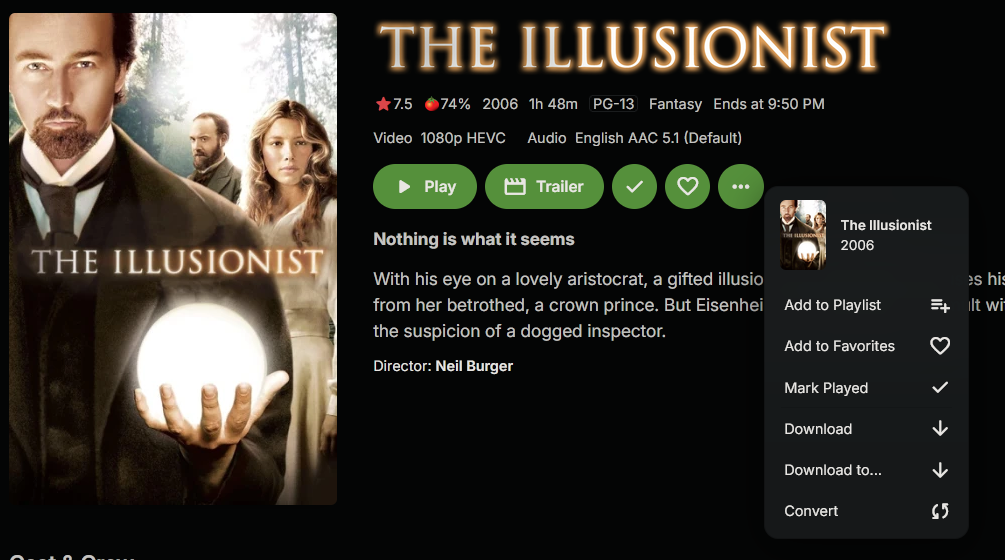
- Yesterday
-

Moved media Library to new location. Some media's metadata points to old Paths and won't play.
beefsnack replied to beefsnack's topic in General/Windows
elaborate please? in the settings section of the individual folder options? side note: I've also noticed it's been taking an extremely long time for new data to load up too. -

I think my server was hacked
darkassassin07 replied to edvinmorales@hotmail.com's topic in General/Windows
It's not super common anymore, but I have run into it a few times. "in those cases they should recognize why something failed" ..... You've been around here long enough to know that doesn't happen, lol -
This is a partial log of a stutter just now (at 22:46): " 2026-03-14 22:46:04.358 Info PlaystateService-0HNK075FQ06NV:00000989: http/1.1 POST http://192.168.2.22:8096/Sessions/Playing/Progress. Source Ip: host7, UserAgent: Emby for Kodi Next Gen/11.1.27 2026-03-14 22:46:04.358 Info PlaystateService-0HNK075FQ06NV:00000989: http/1.1 Response 204 to host7. Time: 1ms. POST http://192.168.2.22:8096/Sessions/Playing/Progress. 2026-03-14 22:46:14.366 Info PlaystateService-0HNK075FQ06NV:0000098C: http/1.1 POST http://192.168.2.22:8096/Sessions/Playing/Progress. Source Ip: host7, UserAgent: Emby for Kodi Next Gen/11.1.27 2026-03-14 22:46:14.366 Info PlaystateService-0HNK075FQ06NV:0000098C: http/1.1 Response 204 to host7. Time: 1ms. POST http://192.168.2.22:8096/Sessions/Playing/Progress. 2026-03-14 22:46:24.380 Info PlaystateService-0HNK075FQ06NV:00000990: http/1.1 POST http://192.168.2.22:8096/Sessions/Playing/Progress. Source Ip: host7, UserAgent: Emby for Kodi Next Gen/11.1.27 2026-03-14 22:46:24.380 Info PlaystateService-0HNK075FQ06NV:00000990: http/1.1 Response 204 to host7. Time: 1ms. POST http://192.168.2.22:8096/Sessions/Playing/Progress. 2026-03-14 22:46:34.389 Info PlaystateService-0HNK075FQ06NV:00000993: http/1.1 POST http://192.168.2.22:8096/Sessions/Playing/Progress. Source Ip: host7, UserAgent: Emby for Kodi Next Gen/11.1.27 2026-03-14 22:46:34.389 Info PlaystateService-0HNK075FQ06NV:00000993: http/1.1 Response 204 to host7. Time: 0ms. POST http://192.168.2.22:8096/Sessions/Playing/Progress. 2026-03-14 22:46:36.471 Info App: ValidatePhysicalRoots completed validating 100787 Series F:\Extracted\Series 2026-03-14 22:46:36.471 Info App: ValidatePhysicalRoots start validating 160140 Series Z:\Series 2026-03-14 22:46:36.988 Info App: ValidatePhysicalRoots completed validating 160140 Series Z:\Series 2026-03-14 22:46:36.988 Info App: ValidatePhysicalRoots start validating 281715 Series F:\Series 2026-03-14 22:46:37.023 Info App: ValidatePhysicalRoots completed validating 281715 Series F:\Series 2026-03-14 22:46:37.023 Info App: ValidatePhysicalRoots start validating 230558 userplaylists C:\Users\mark_\AppData\Roaming\Emby-Server\programdata\data\userplaylists 2026-03-14 22:46:37.028 Info App: ValidatePhysicalRoots completed validating 230558 userplaylists C:\Users\mark_\AppData\Roaming\Emby-Server\programdata\data\userplaylists 2026-03-14 22:46:37.028 Info App: ValidateTopLibraryFolders validating 99825 Movies 2026-03-14 22:46:37.028 Info App: ValidateTopLibraryFolders validating 100789 TV shows 2026-03-14 22:46:37.028 Info App: ValidateTopLibraryFolders validating 104041 Collections 2026-03-14 22:46:37.028 Info App: ValidateTopLibraryFolders validating 127120 Playlists 2026-03-14 22:46:44.397 Info PlaystateService-0HNK075FQ06NV:00000997: http/1.1 POST http://192.168.2.22:8096/Sessions/Playing/Progress. Source Ip: host7, UserAgent: Emby for Kodi Next Gen/11.1.27 2026-03-14 22:46:44.398 Info PlaystateService-0HNK075FQ06NV:00000997: http/1.1 Response 204 to host7. Time: 1ms. POST http://192.168.2.22:8096/Sessions/Playing/Progress. 2026-03-14 22:46:54.409 Info PlaystateService-0HNK075FQ06NV:0000099A: http/1.1 POST http://192.168.2.22:8096/Sessions/Playing/Progress. Source Ip: host7, UserAgent: Emby for Kodi Next Gen/11.1.27 2026-03-14 22:46:54.410 Info PlaystateService-0HNK075FQ06NV:0000099A: http/1.1 Response 204 to host7. Time: 1ms. POST http://192.168.2.22:8096/Sessions/Playing/Progress. 2026-03-14 22:47:04.418 Info PlaystateService-0HNK075FQ06NV:0000099E: http/1.1 POST http://192.168.2.22:8096/Sessions/Playing/Progress. Source Ip: host7, UserAgent: Emby for Kodi Next Gen/11.1.27 2026-03-14 22:47:04.418 Info PlaystateService-0HNK075FQ06NV:0000099E: http/1.1 Response 204 to host7. Time: 1ms. POST http://192.168.2.22:8096/Sessions/Playing/Progress. " The only thing I see in the Emby Server log where something of activity happens and when the stutter occurs. I also checked the Kodi log file (without debug though, mind you), but there didn't seem to be anything happening there. Looks like Emby is trying to validate A LOT of things. How can I decrease this, or better yet: fix it?
-

Emby - Season posters replaced by Season 1 dropbox?
mausfield replied to embyzone's topic in General/Windows
All these outstanding bugs and devs choose to spend time needlessly changing UI -
The apps use HTML too. The dashboard is simply a different page (and is also accessible through the apps). What are you afraid of? If your users are not admins is that not sufficient for you? Paul
-

Emby for Android TV: Move "Subtitle Offset" popup to top of screen
Luke replied to Viper_21's topic in Feature Requests
Hi, what version number are you running? -
Updated Emby Server and now no longer able to connect to server
Luke replied to davide999's topic in MacOS
@davide999 Hi there, let's look at an example. Please attach the information requested in how to report a media playback issue. Thanks! -

Latest Emby Windows App Frequently Hangs While Starting
pwhodges replied to saj's topic in Windows & Xbox
This is a well-known issue. FWIW, I haven't had it at all with the current beta. Paul -
https://forum.kodi.tv/showthread.php?tid=383227
-
@iON22we already do this, but the remote server hosting the content sends back the 555 error on the retry: 2025-12-13 01:13:52.192 Info SharedHttpPipelineSource: Opening SharedHttpPipelineSource Live stream from Http-http://host4/x_path1_x/x_path5_x/x_path13_x/x_path14_x 2025-12-13 01:13:52.192 Info HttpClient: GET http://host4/x_path1_x/x_path5_x/x_path13_x/x_path14_x 2025-12-13 01:13:52.289 Info HttpClient: Http response 555 from http://host4/x_path1_x/x_path5_x/x_path13_x/x_path14_x after 97ms. Headers Access-Control-Allow-Origin=*, Date=Sat, 13 Dec 2025 06:13:53 GMT, Server=Apache2, Transfer-Encoding=chunked 2025-12-13 01:13:52.290 Error SharedHttpPipelineSource: Give up retries copying live stream http://host4/x_path1_x/x_path5_x/x_path13_x/x_path14_x No more retries allowed. So that's what we need to know, is why they're sending it back.
-

Emby Very high memory utilization impacting other Synology Apps/Services
Didiflix replied to Didiflix's topic in Synology
Thanks for the prompt answer. Let's see how it goes.
- 4 replies
-
- 1
-

-
- memory
- high memory usage
- (and 1 more)
-

Emby Theater v3.0.20 (Server v4.9.3.0) Homescreen Horiz. navigation broken
Symen_4ab replied to d00zah's topic in Windows & Xbox
FYI, I managed to fix this by cloning the https://github.com/MediaBrowser/emby-theater-windows/ repo, building the solution, and replacing the content of %appdata%\Emby-Theater\system\x64\electron with the freshly built one. Don't forget to make a backup of your files if you want to try this. -

Server access problem. Windows11
Jim_Messenger replied to Jim_Messenger's topic in Android TV / Fire TV
I now have a version of Emby on FStick that does not use "Connect". The basic "Connect to Server", Host, Port - CONNECT. Enter IP Address - Unable to Reach Server. I don't need https etc etc ? Just 192.xxx.x.xxx ? Using the same Firestick I can drop back to the first screen whereby I can access my sons Emby 5 miles away !! And I can still access my Server from Samsung Tablet. I can literally run a movie on the tablet whilst the FStick "Unable to Reach Server" Four feet away. Going Insane Jim