All Activity
- Past hour
-
 VickyWiery joined the community
 -

Filters preferences on user profile instead of stored locally
Luke replied to madblam's topic in Feature Requests
Yea this is a good way of doing it. A little verbose, especially if it wraps to multiple lines on a small screen. But it’s effective. -
 Noya13 joined the community
 -
 Bonkersspy joined the community
 -
 Theflash1990 joined the community
 -
I completely understand, and want to be able to achieve exactly the same. This worked in the early Emby beta to assign a tag to that collection, but they removed that option in an update. I believe this might still be available under the hood, for example to add a subtitle is still possible to achieve even though Emby removed that option from the native menus. I have focused on other things for the plugin, but now might be a good time to start investigate this a bit more!
-
 15677273370 joined the community
 -
15677273370 joined the community
-
 nathanseadragon2010 joined the community
 -
 tzengedu joined the community
 -
 userg22982 joined the community
 -
 coyisgood joined the community
 -

Stream audio cuts out randomly on Samsung TV
horstepipe replied to griam01's topic in Samsung Smart TV
Hello @SamES i just found this thread while looking for reporting a about this problem which a user with a Samsung tv reported to me. Is it still true that you can’t troubleshoot that? Audio transcoding is enabled for that user, so if Samsung tv has problems with aac >160kb bit rate it should be converted by the server? this does not seem to happen. BR -

Filters preferences on user profile instead of stored locally
crusher11 replied to madblam's topic in Feature Requests
-
-
Hi. There is already an option for this in Display Settings.
-
The Roku will always show the forced ones. Their player takes that tag literally and forces the display of those subs.
- Today
-

Filters preferences on user profile instead of stored locally
ebr replied to madblam's topic in Feature Requests
Even if it was a week later? -
@Luke I am running Emby 4.9.3 on a WD My Cloud EX 2 Ultra, OS 5. I see there is a new/updated version 4.10.?? Is this newer version ok to run on my NAS? How do I get the newer version? It may help me with these pesky playlist issue(s) I am experience, do you think so? I also attached the server log, hoping this will let you see my problem embyserver (4).txt
-
I did not check my other two Apple TV's yet, but the main one I use had this issue as well. Did mostly the same troubleshooting, restarting apple tv, force closing app, re-installing app, rebooting/confirming Onkyo sound setting, and asked my friend of shared server if there were issues on their side and there wasn't. Googled the issue this was top of the search feed and can confirm as well: I was able to get audio to work only if I changed Audio Format in the Apple TV settings. It was set to auto as well and changing it to Convert to Dolby Digital or Stereo made it work.
-
Hey Luke. So at least I know I'm not doing something wrong! I'll look forward for this to be implemented in an update, hopefully soon.
-
I already did this a few weeks ago and it worked. The movie appeared in two versions to choose from in Emby. I recreated the MKV file (there was a problem during the initial creation) and now the file no longer appears in Emby.
-

Hide Playlists from Included In & Group Albums by Release Type + Decade
GrimReaper replied to user24's topic in General/Windows
The more complex the code introduced, the more likely it is some unexpected/unintended results will occur down the line. That said: v0.8 - Complete GUI overhaul (you won't be able to skip over Import Mode now ) emby_album_tag_importer.py -

embyforkodi (next-gen) 12.X.X support
danzigman replied to quickmic's topic in Emby For Kodi Next Gen
I was experimenting with the Home Screen Companion plugin, which requires at least the Emby Server 4.10.0.8 or better (i.e., beta). But I think Emby for Kodi (I tried the latest stable, beta, and public testing versions) does not work well with beta versions of the server: the scanning freezes at a certain point. There's no problem for the latest stable version of the server. Is there an Emby for Kodi version that works with beta versions of the server? (I'm trying the HSC plugin because Kodi takes up too much storage. And Kodi tends to slows down when I move its data to an attached fast USB drive.) -
I was able to resolve the issue. I just accessed the TrueNas Jail and ran: pkg update -f pkg install dotnet8 libass fontconfig freetype2 mbedtls3 fribidi gnutls iconv opus sqlite3 libtheora libva ocl-icd libvorbis webp libzvbi libraw ImageMagick6 tesseract intel-media-sdk libunwind libinotify openssl icu krb5 libexif libjxl libheif libimagequant openexr openjpeg orc pango tiff This reinstalled the dependencies. After a restart of the Emby server, the Software decoders were present and my movies played.
-

LG G5 dropped DTS again, and Emby didn't work...?
uniQ168 replied to TurkeyMan's topic in LG Smart TV
Any update on this? -
Having a blast with the plugin so far! As well as with the home screen customization from the Emby server beta. One request, I'm looking for the possibility to show a list of only a couple of specific collections. Not the content, but the actual collections like how they show up when you add "collections" to your home screen. To give some context, I have a couple of collections with the name of certain streaming services, and in those collections I have all content that would normally be visible on that platform. Besides that, I also have a whole bunch of different collections, for top 250 movies, popular movies, trending movies, etc. Right now, it is only possible to show a list of ALL collections on the home screen, but I would like to only show the streaming services collections. Would it be possible to have this feature via your plugin? I tried filtering via "tag & collection" on those collections, and adding the created collection to the homescreen, but that just creates a new collection with all the content in it. So kind of like this: The problem right is, as I said, that if I create more collections, they also show up in this list.

-
Hi, ich nutze virtuell tv nun eine Woche aber phasenweise startet der stream einfach nicht. Ich lasse direkt streamen im playlist Live Modus. Manchmal funktioniert es sofort und manchmal muss ich den Stream 2-3 starten bis der Stream läuft. Wenn ich die Datei normal suche und abspiele klappt es sofort. Manchmal funktioniert danach auch der Stream. gibt es dafür eine bessere Lösung ?
-

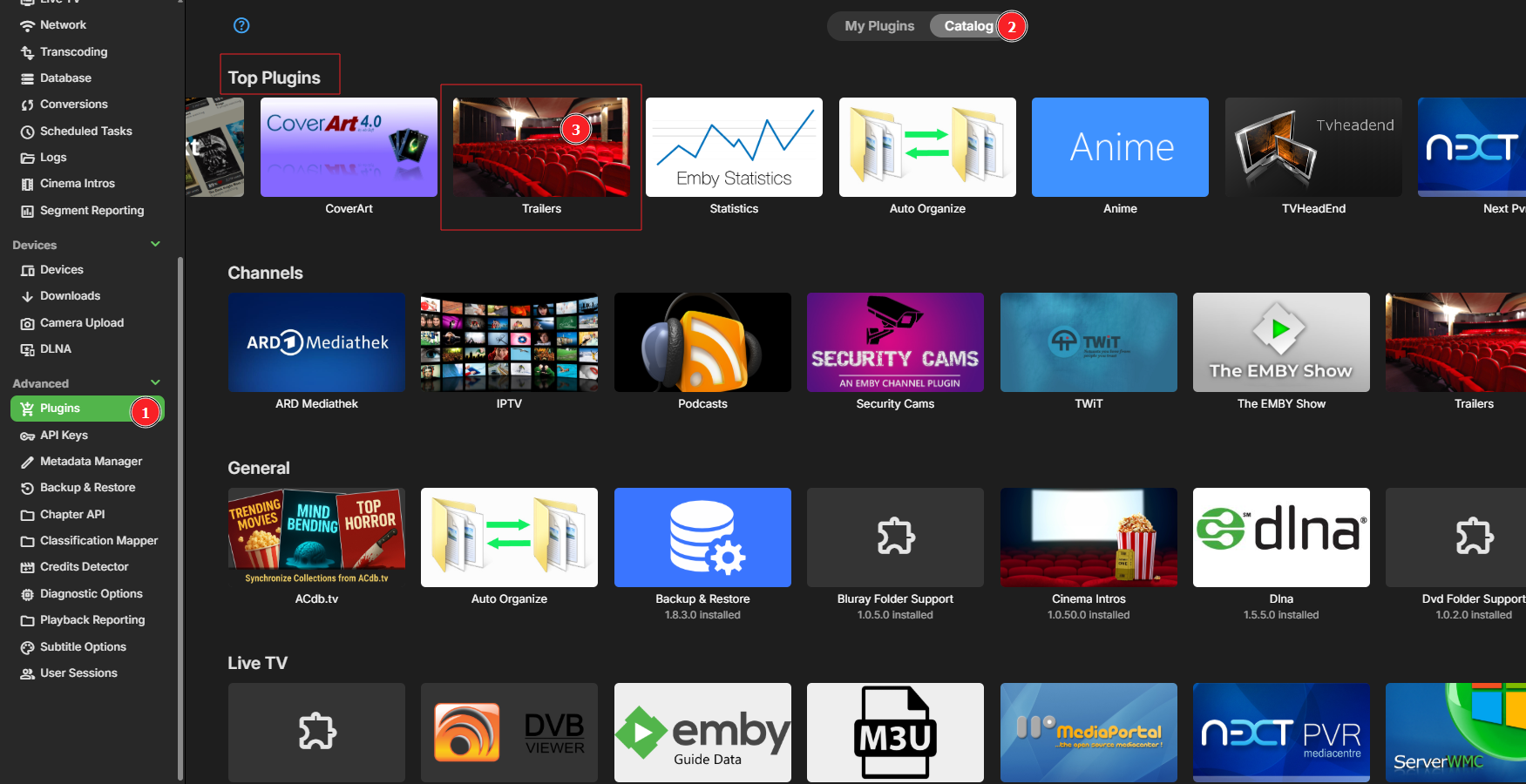
Keine Cinema-Intros (Trailer-Plugin) trotz Enby-Premiere
HerrGott replied to HerrGott's topic in German
Danke. Manchmal sieht man den Wald vor lauter Bäumen nicht... Es gibt jetzt Trailer unter "Neueste Trailers": Wenn ich einen Trailer anklicke, verschindet der Eintrag und der blaue Kreis dreht und dreht ... sich.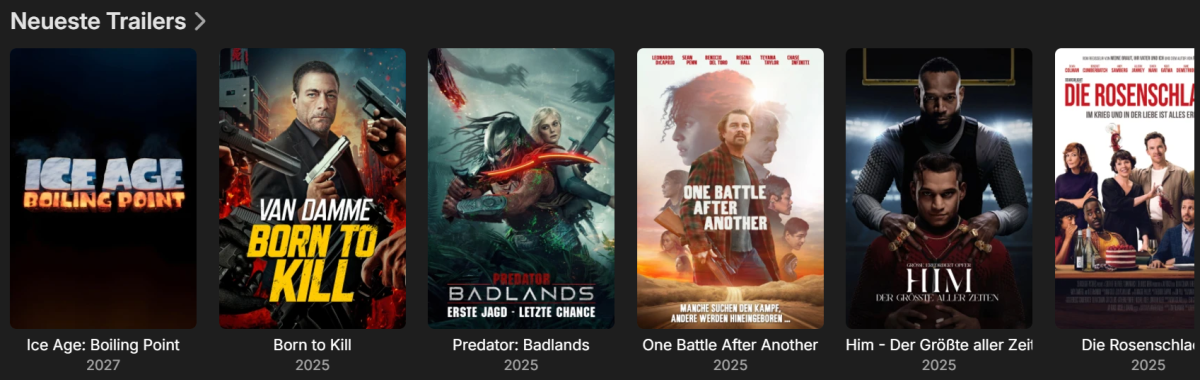
-
It depends... I remove all forced flags from my MKV files using the attached script, which will process all files in a directory given on the command line or in response to a prompt. I specify it in the post-processing slot in Handbrake, because that program adds forced flags when you specify default flags, which is a major source of this trouble. Paul unforce.cmd
-
Also ich benutze ein Synology DS 925+ in einem Docker. Theoretisch sollte die Hardware dafür ausreichen oder ? Jetzt gerade erst musste ich im Browser 3x auf einen VT Channel klicken ehe der Stream wirklich läuft. Aktuell benutze ich einen Windows PC, Iphone u. Apple TV
-

Keine Cinema-Intros (Trailer-Plugin) trotz Enby-Premiere
Neminem replied to HerrGott's topic in German
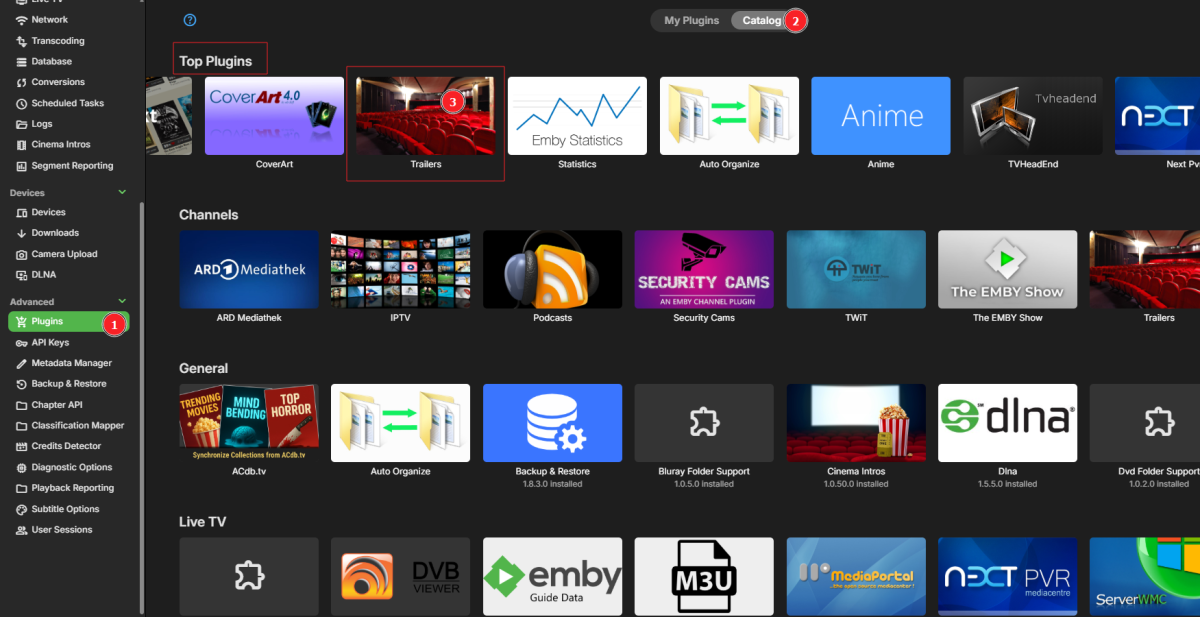
-
Anzeige der Wiedergabeliste in der Windows App ist leer
HerrGott replied to HerrGott's topic in German
Keine Ahnung... -

SRT subtitles not displaying, other unknown subtitles are displaying
pwhodges replied to davesurfer's topic in Roku
"goto :eof" means what in other languages may for instance be called "return" - both for the internal procedure and the command as a whole. Or looking at it another way, "call" pushes the current context onto the stack before jumping, and "goto :eof" pops the last context off the stack and returns to it. I think the Windows command line language is possibly the worst of the many I have studied over the last sixty years. Paul -
Ich habe das Problem so gelöst, dass ich den Remote-Ordner gelöscht und anschließend neu erstellt habe.