All Activity
- Past hour
-
 carlaaa.rosellooo joined the community
 -
 Oomsin joined the community
 -

Plugin: Ginjaninja Tools - Guest Star Cleaner - Remove guest stars from episodes if credited on series
ginjaninja replied to ginjaninja's topic in Plugins
get in there! imagine what i can achieve in the next 3 years.
-
 QLTHH joined the community
 -
Server: 4.9.5.0 (Linux) Client: Emby for Roku 4.1.65, Roku OS 15.2.4 (Roku Streaming Stick 4K) Playback: audio transcoded to AAC, video stream-copied (video reports as Direct Play), subtitles delivered as HLS On transcoded playback, pausing and resuming causes the video to "jump back" and replay a few seconds, after which the subtitles are permanently out of sync for the rest of playback. It recurs on every pause/resume cycle and the jump back usually occurs within 30 seconds of resuming (Running out a client-side cache?). Selecting a different subtitle track during playback re-aligns everything until the next pause/resume cycle, at which point it happens again. If only one subtitle track exists, the video must be stopped and restarted to re-sync everything. The logs suggest that upon resume, emby relaunches the transcode process with a seek offset which is probably causing the noticeable jump back, but the subtitle stream doesn't get the memo. You also can't turn the current subtitle track "off and back on" as a solution. You have to do something that causes the server to re-issue the subtitle stream for the current position. So I guess turning off a subtitle track just disables the visual display but the stream stays alive somewhere and never gets corrected. Re-displaying it just shows the same stream with the same problem. I'd prefer to send log files via PM. I have the server log for the time in question as well as four ffmpeg jobs. All available upon request.
-
 mwangu joined the community
 -
 Danielazagra joined the community
 -
 ShirleyGlynn joined the community
 -
 cristima joined the community
 -

Plugin: Ginjaninja Tools - Consistent Season Images - Help to ensure all images are part of the same set
GrimReaper replied to ginjaninja's topic in Plugins
-
 Arycita joined the community
 -
 StaffJAD joined the community
 -
Plugin: Ginjaninja Tools - Consistent Season Images - Help to ensure all images are part of the same set
ginjaninja posted a topic in Plugins
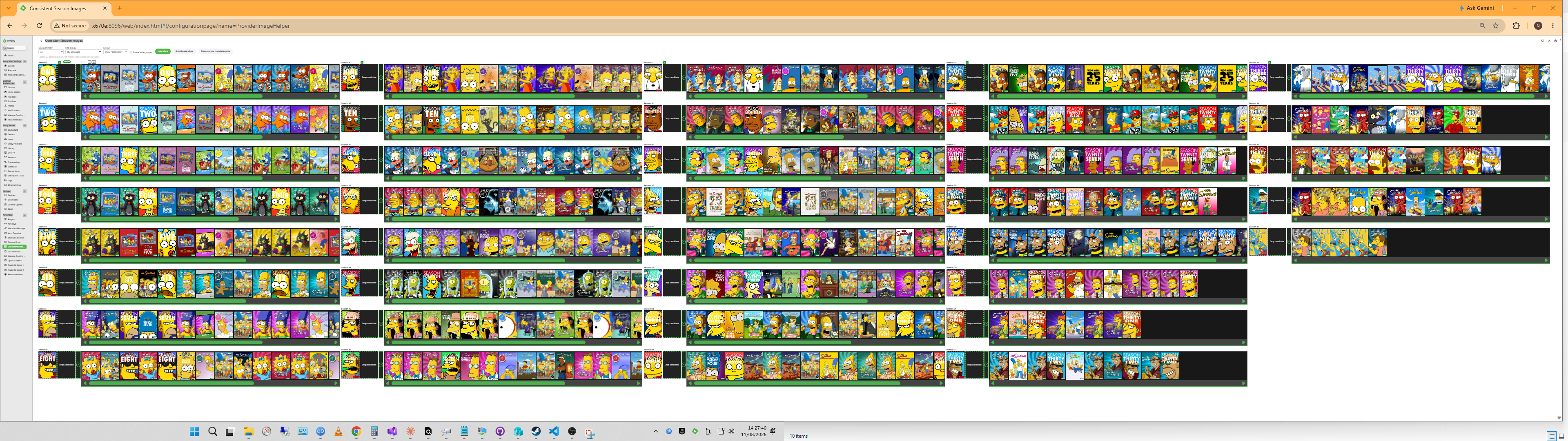
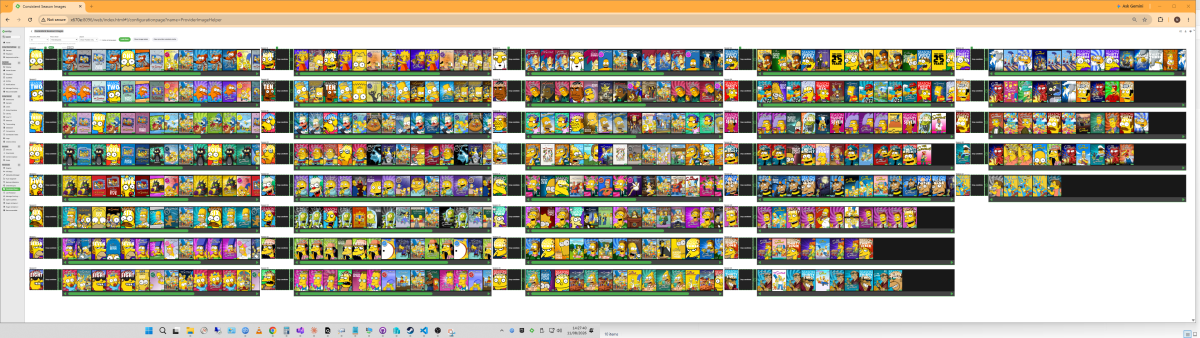
Purpose and Function For people who cant sleep if their metadata isnt right. Enumerate shows with missing season artwork. Present all seasons simultaneously and make it easy to scan the providers for a consistent set. Multiple compare columns if high quantity is making it hard to find the consistent style available for every season. Greatly speed up finding artwork from the same sets across posters and banners and all seasons. Scrolling 1 season scrolls all seasons, to make it easier to find the consistent images. Can add multiple panes to see more seasons side by side, People with large screens and good eyesight might get all 37 seasons of the Simpsons on 1 page! Metadata caching and lazy loading to improve responsiveness and feel. Getting Started Watch video. Choose a filter ((S) means include shows with missing specials.), Choose a show. Build out 1 or more comparison sets and then apply the winning set. Or just apply individual images. ConsistentSeasonImages.mp4 Disclaimers Vibe coded with ai, backup before 1st use, until tested. (All season images posters and banners for 1 tv show can be targetted for replacement at the same time- 'fairly benign'). I am running on live. Download https://github.com/ginjaninja1/ConsistentTVSeasonImages 0.1.0.1ConsistentTVSeasonImages.dll Changes Known issues Issues and Suggestions Welcome. Let me know how you get on, is there anyone else out there with a "problem". Roadmap I wonder if ai can find consistent sets for you. Please get in touch if you have experience of how to approach that. Other Info Plugin stores cache in \programdata\cache\consistent-tv-season-images\ (good to know if you want to reset/uninstall)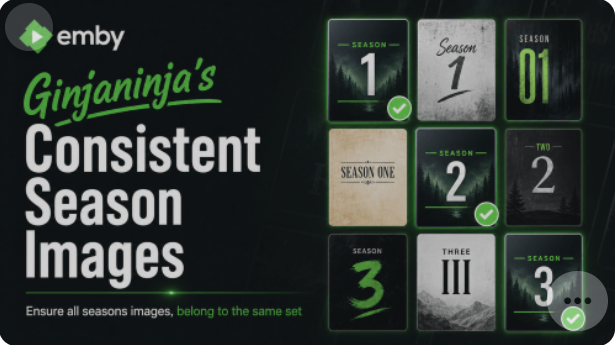
- 1 reply
-
- 1
-

-
- ginjaninjatools
- plugin
- (and 3 more)
- Today
-
The folder structure needs to be Games > Console (like Nintendo 3DS) > Game Title. After fixing that, you can also check how game localization companies handle file naming for a clean library; I use their services for organizing my own ROMs and they made it simple. Once the folders match the guide, games should show up in the web app.
-
This is app version
-

Folder images missing in Emby Theater (3.0.20/21 Legacy)
abegreen replied to scottpro's topic in Windows & Xbox

-

Emby Server for Windows: MSI installer missing?
GeorgeCalli replied to GeorgeCalli's topic in General/Windows
Thanks everyone for the quick and helpful responses. I realised I was confused about the Windows service part - I didn’t actually need it at all. The normal Windows installation was correct, and everything is now up and running properly. Appreciate the prompt assistance from all of you. -
Your comment around code access and approval seem entirely reasonable to me. It obviously not an easy solution. (otherwise i am sure the team would have maximised client plugin functionality already i am guessing, given the potential improvment opportunities that could help everyone). Thanks for chatting it through, it doesnt hurt for the team to be aware that there is a desire to do more at the client end, as the Emby team's thinking and store policies develop.
-
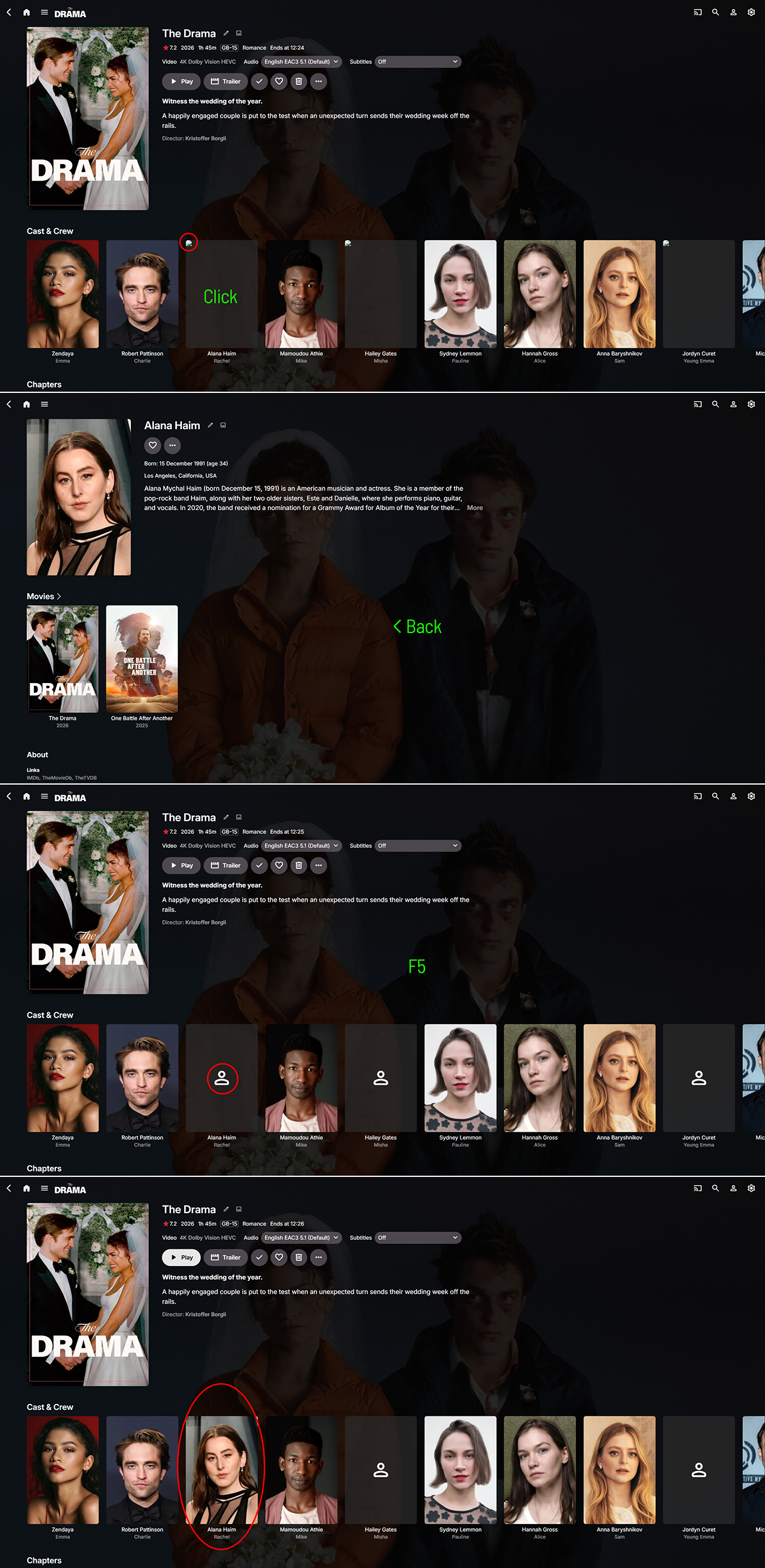
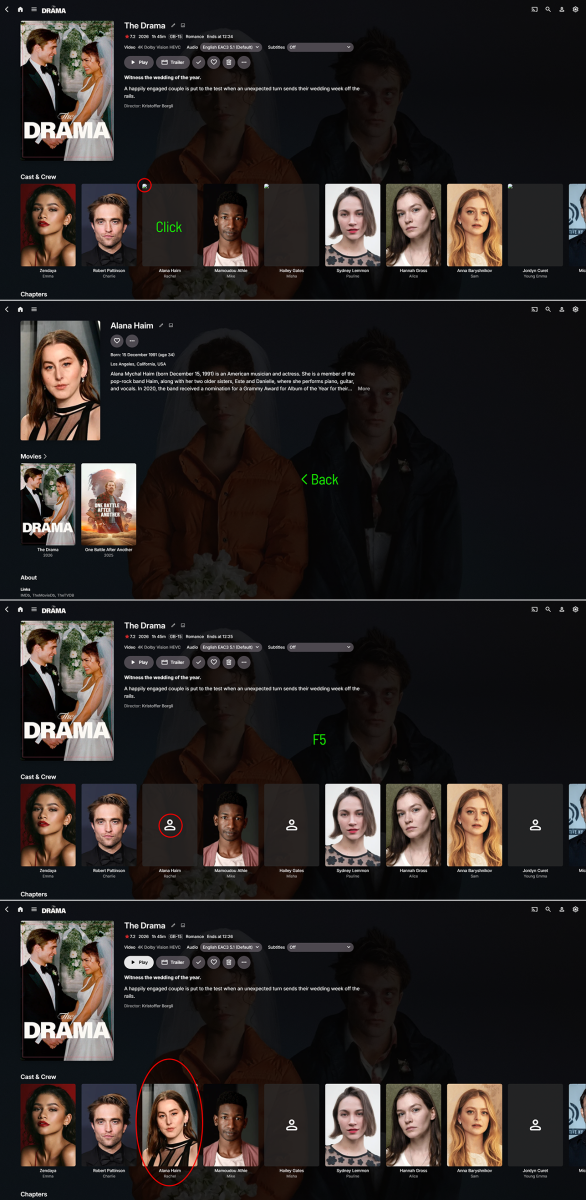
Here are screenshots of what is happening. 1. I add a movie to the library 2. I open the movie page 3. Inside there are always some random photos missing 4. When I click on actor's page then go back and press F5 the photo shows up. embyserver.txt
-
I will provide the logs, but since you've moved my question to a new thread could you please move it to Server because this issue is presents on all player platforms and on web admin page as well.
-

Markers - "as a schedule task and when media is added" - not working.
adolfotregosa replied to adolfotregosa's topic in Linux
I added more episodes manually and waited, but the 'Detect Episode Intros' task did not run, so the 'Skip Intro' button isn't showing up. The task is not being executed automatically when media is added. embyserver.txt -
any update on this (as my prolem is still existing) ?
-

Introducing Traxx, an Android music app built for Emby music libraries
GrimEvil replied to Hauzz's topic in Third Party Apps
Hi do we have a newer version or an update as I believe the test app has expired? -
@PX_54?
-

Status of Dolby Vision Profile 5.0 transcoding?
HawkXP71 replied to HawkXP71's topic in General/Windows
Thank you for the update. One thing I have thought of, would it be possible to setup the "conversion" flow to be setup by the user for applications being run? Meaning, we (as users) provide the steps to run, and it could work into the flow? -

Shield suddenly having issues playing 4k files.
Bigmack3000 replied to Bigmack3000's topic in Android TV / Fire TV
It's been 18 months... -
Indeed, it's the same problem; above all, synchronization takes ages and can even block access (slowing down the server).
- Yesterday
-
I'm considering to convert from Plex to Emby, and noticed something weird trying out Live TV with the Emby for Android client installed on my Google TV. When watching TV, you can fast-forward past the current time, which pauses the video, but it's a pain to try to scroll back to try to get back to "current time" when streaming Live TV. Is there a trick to using this? I'd love to see a "return to Live" button next to the timeline in the OSD. I haven't tested this in any other client yet, so I'm not sure if its specific to the Android app or not. Thanks!
-

Verizon Fios killing my CableCard: Options? Ideas?
jcbeaver76 replied to jcbeaver76's topic in Live TV
its Windows and whatever release was listed on the download page. I'll try the prerelease Edit: Nope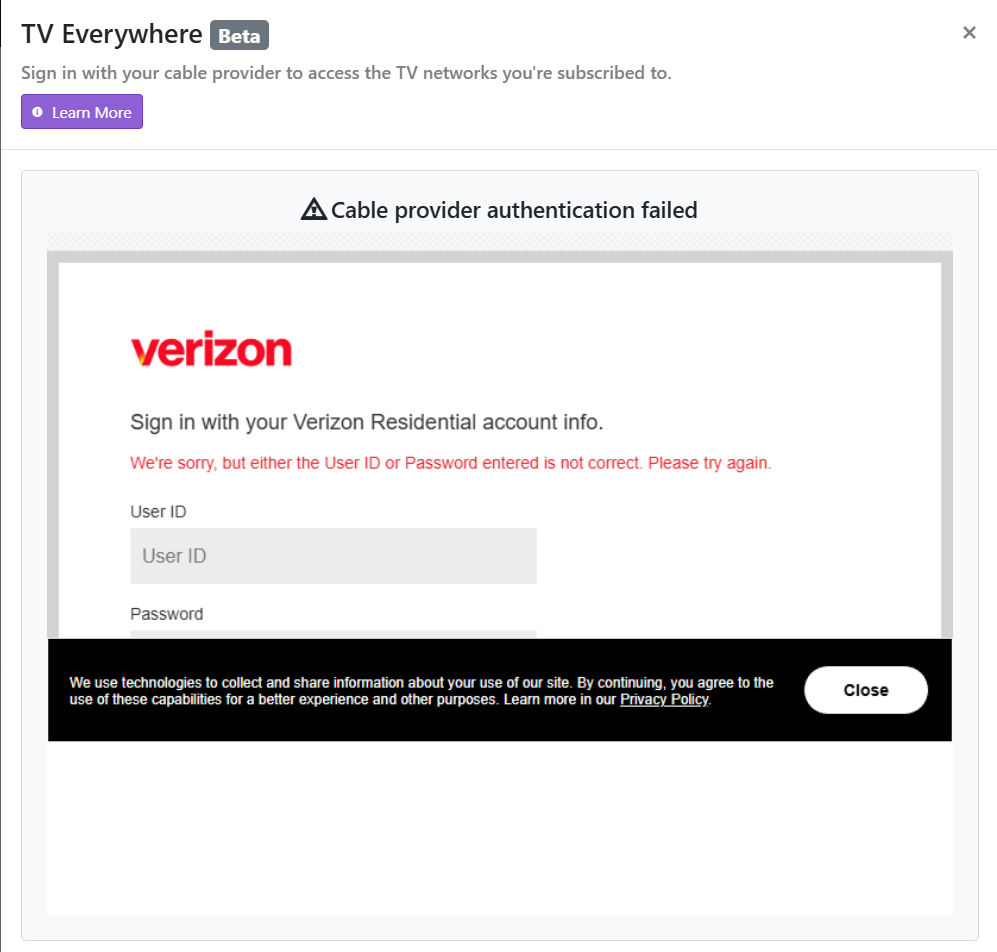
-
Did you download the stable server? I think that TVE will only work with the pre-release version, but I might be wrong.
-
Verizon Fios killing my CableCard: Options? Ideas?
jcbeaver76 replied to jcbeaver76's topic in Live TV
Sounds like a good idea, except right now I'm trying to setup CDVR and it won't take my FIOS credentials, which I know work. -
@jcbeaver76 ChannelsDVR makes an excellent backend for Emby. Once you have the sources set up in CDVR, you create an M3U tuner in Emby, then copy the M3U and EPG links from CDVR to configure the tuner in Emby.
-
Thanks for following up.
-
So thank god for AI I guess Got deepseek taking a look at my setup and it got to this in the end... UPDATE: found the root cause of the "random pauses" + System.IO.IOException: Input/output error Long story short: it was the NFS mount version, not disk/space/network. After weeks of chasing it, I can now reproduce it on demand and have a fix that is verified. ROOT CAUSE - Emby runs in a Proxmox LXC; the movie files come from a Synology NAS over NFS (mount points defined in /etc/fstab on the Proxmox host and bind-mounted into the LXC). - The mounts used NFSv4.1 with default locking (local_lock=none). .NET/Emby takes a flock (share-lock) on the media file when it opens it for streaming. On NFSv4.1 that flock is forwarded to the server as an NFSv4 byte-range lock. - The Synology server periodically drops that lock state (lease/stateid expiration). The kernel client then logs: "NFS: <nas ip>: lost 1 locks", and every subsequent read through the locked file fails with EIO -- which Emby surfaces as System.IO.IOException: Input/output error and a playback pause until the file is re-opened. PROOF (reproduced while the NAS was fully online, cold cache, so no NAS power schedule involved) - Every Emby "Input/output error" event matched 1:1 with a kernel "lost 1 locks" event (same second, 97/97 on the worst evening). - Deterministic repro on the host: open the movie file, take flock(), read continuously. * NFSv4.1 + flock -> EIO partway through the file + "lost 1 locks" * NFSv4.1 without flock -> full file reads fine * NFSv4.1 + nolock -> still fails (kernel silently maps nolock to local_lock=none) * NFSv4.1 + local_lock=all -> still fails (NFSv4 client ignores this option -> /proc/mounts still shows local_lock=none) * NFSv4.0 + flock -> full 5.8 GB file reads fine, no "lost 1 locks" So neither nolock nor local_lock help on NFSv4.1 -- the only reliable fix I found was dropping the NFS protocol version from 4.1 to 4.0 for these mounts. FIX APPLIED In /etc/fstab change "/path nfs defaults 0 0" to "/path nfs defaults,vers=4.0 0 0", unmount and remount, then verify: /proc/mounts should show vers=4.0.