All Activity
- Past hour
-
 edistream26 joined the community
 -
 Calsal joined the community
 -

Cannot use EMBY Connect in Vivaldi browser on Android phone or on Windows 11.
JeremyR posted a topic in Web App
First, used to do this all the time because the Brower app let me do some things that the windows or android app didn't do, not germane here. Second, my roku and android emby apps are connected through Emby Connect and are working just fine. Third, I checked the address in the server information on the web app and it is my router's address. I checked port forwarding and that address is correct, too. Roku and Emby windows and Emby Android apps are working so those addresses had to be correct since I always use Emby Connect. Fourth, I use Emby.media/connect and use name and password in Emby Connect AND up pops my server list. That's how I got the Emby IP of record. Fifth, I get a long wait and then an large error statement saying can't reach my emby server try again later. Sixth, get on my emby app on my android phone with network disconnected so it has to go off the network the Emby server is on. Connects in seonds. Seventh, do the same thing on my Window 11 laptop connected to my phone so not on the same internal network (I do LOVE your flexibility). Same route, same select server, same try again later. -
Hello everyone, I’m the developer of Ear Wax, an Alexa music player that lets you play the music in your own library using voice commands. Ear Wax works with both Emby and Plex, multiple providers, one command set. Ear Wax Select is the optional subscription tier, with additional features designed to make listening to and controlling your music even better. I’m looking for 8–10 Emby users to beta-test Ear Wax Select. Selected testers will receive complimentary access to Ear Wax Select during the beta. The test will run for up to 30 days. If we uncover a serious issue, I may pause or conclude the beta early so it can be fixed. What I’m asking testers to do I want testers to explore the Ear Wax Select features listed below and let me know how well they work with different Emby libraries and Alexa devices. I’m looking for people who will: Use Ear Wax Select regularly during the beta. Test several of its features. Report bugs and confusing behavior, including the voice command used, what you expected, and what happened. Share an honest summary of their experience in the Emby forum when the beta ends. This is a request for honest feedback, not a guaranteed positive testimonial. There is no obligation to subscribe after the beta. Ear Wax Select features to test Forgotten Favorites Ear Wax already lets you mark the current track as a favorite. Ear Wax Select adds a forgotten-favorites option. When you ask Ear Wax to play your favorites, it may ask whether you want to hear favorites you have not played in the last 30 days. Say “yes” to play those less-recently heard favorites. Say “no” to play your usual randomized Favorites selection. Artist Name Spelling Sometimes Alexa or Ear Wax cannot locate an artist even though the artist is in your Emby library. When that happens, Ear Wax Select can prompt you to spell the artist’s name. This recovery option works when requesting a specific artist and when requesting a track by a specific artist. If the artist exists in your library and you can spell the name, Ear Wax gets another chance to find and play the music. Playback Metadata and Artwork Ear Wax Select can include the track title, artist, album, and album artwork during playback on compatible Alexa display experiences. Artwork depends on a secure artwork image being available from your Emby server. Genre Exceptions You can ask Ear Wax to play music while excluding a genre. For example: “Alexa, ask Ear Wax to play some music except Holiday.” You can also exclude a genre while music is already playing: “Alexa, ask Ear Wax for no more Holiday music.” In both examples, Holiday is the genre being excluded. Enhanced What’s Playing Ask: “Alexa, ask Ear Wax what is this?” In addition to the track title, artist, and album, Ear Wax Select can provide more listening context—such as the source of the selection, the track’s position in the queue, and recovery or repeat information when available. Provider Switching If you use both Emby and Plex, Ear Wax Select lets you switch the active provider while keeping the same Ear Wax command set. Testing this feature is optional; you do not need a Plex server to participate in this Emby beta. Interested? Please reply to this thread or send me a private message. It would help if you briefly include: The Alexa device or devices you use for music. The approximate size of your Emby music library. The types of music you normally listen to. Whether you can test regularly during the next 30 days. I’ll select 8–10 testers with a mix of devices, library sizes, and listening habits. Thank you for helping me test and improve Ear Wax Select.
-
 Gjrr joined the community
 -
 TonyMartin joined the community
 -
 lxqll joined the community
 -
 Jo888 joined the community
 -
 zoepaigebarry joined the community
 -
 ebrayke joined the community
 -
 Amelya6666 joined the community
 -
 Noorani joined the community
 -
How are your files named and organized?
-
OK yea that's a little more complicated because the guide has to have it's own embedded scrolling. So putting it onto a screen that also scrolls vertically would make it awkward to use. For instance you would try to scroll the screen and the guide would end up scrolling, or vice versa.
-
Can you please show and tell us what you did? What were the cgnat results?
- Today
-
So with Hercules I found that it was weirdly combining the two with the Disney Hercules. I split the files and it is doing fine now. And after the 11th time refreshing the Metadata all the other files started showing up to.
-
I did exactly what the guild said, I check it several times, it connects fine untill my android device is not connected to my home network exactly
-
Thanks, I was asking that. Reasonably new to Emby and still getting used to the interface and the way it works.
-
What exactly in the guide did you try? And what exactly happened?
-
There isn't a way to put the entire guide on the home screen if that's what you're asking for.
-
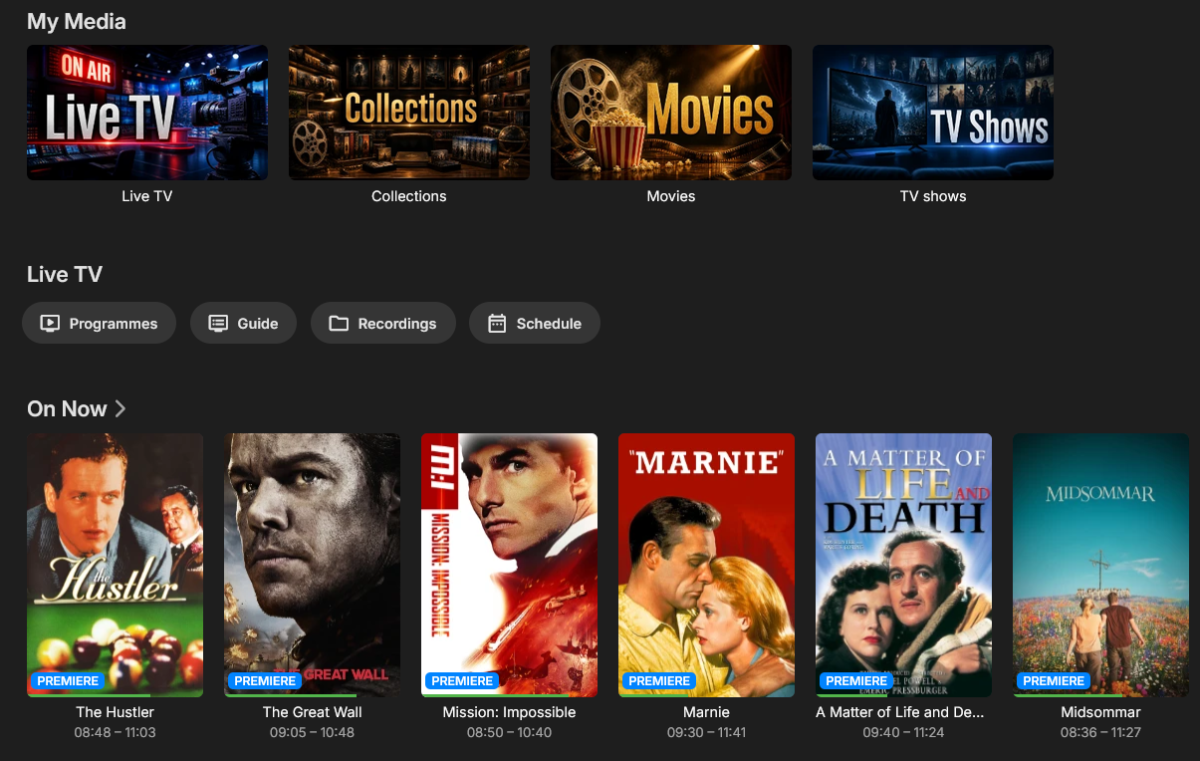
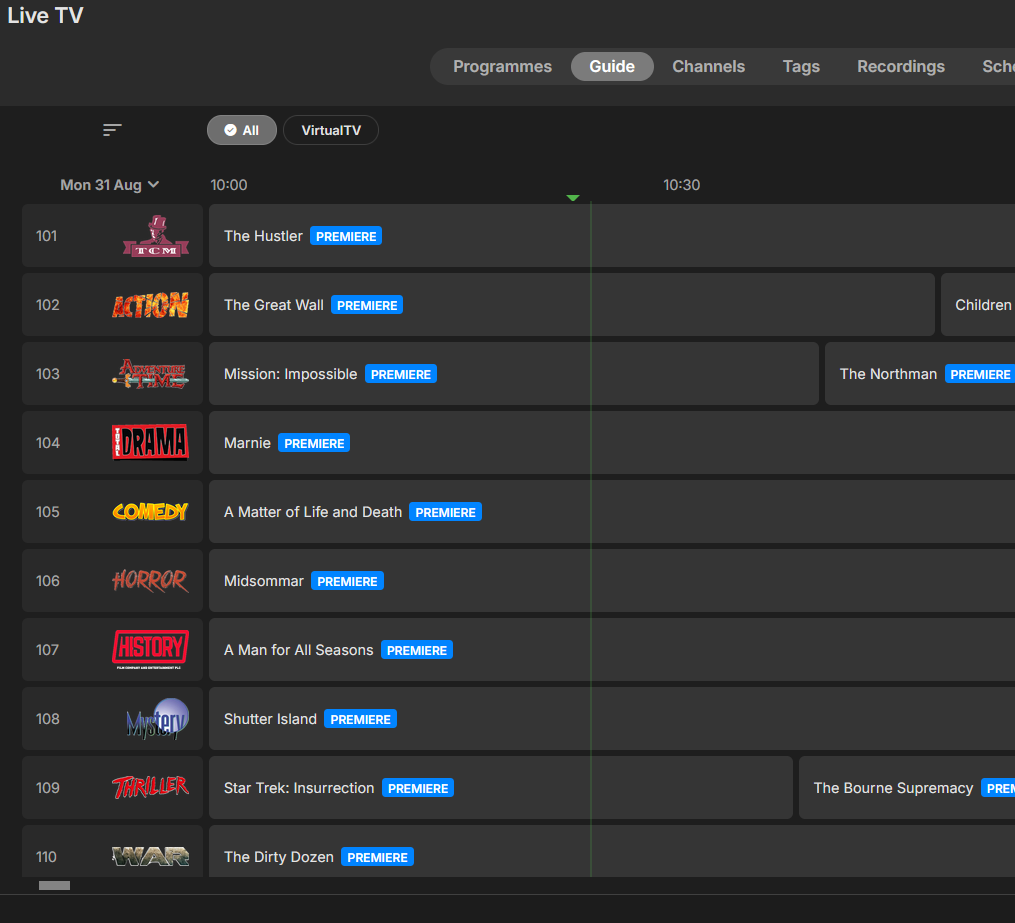
Hi Luke, Thanks for responding quickly. Yes, the default shows the "On Now" as a group of posters indicating what is playing on each channel. Is there a way of replacing this with the full guide for those channels?
-
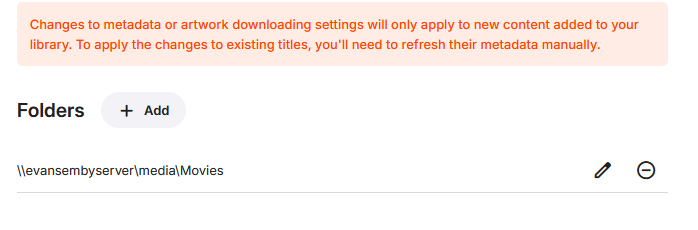
The library directory is going to the Movies folder. I made subfolders of the letters given the number of movies I have so I can sort quicker. And when I go directly to the folder it is in it plays fine. I am refreshing the metadata again now and will post the log soon.
-
Yes I tried that a couple times.
-
Just a guess. Is your library pointed to media/movies? Or did you point to each subdirectory like this: media/movies/a media/movies/b The library directory will search subdirectories so you don't need to list every alphabet. Having so many subdirectories may cause an issue. I have not tested that. I just put movies/ Hercules (2014) and not bother with each letter. You can sort by title. Why do you need so many subdirectories? Your log file shows that the older Hercules (1983) was found, but not your new version from 2014. Either it's listed in another subdirectory and that is not covered by the library. Or you have so many subdirectories listed that it takes a lot of time to refresh. Did you go to the admin / library and click on the threedots of the library that has this new movie and select scan the files from the drop down?11 Also possible, there might be something wrong with the media copy. Be sure it plays in another 3rd party player or if it's AV1 and AAC it should play even in a browser.
-
HI there, can you please provide a specific example? How to Report a Problem Thanks !
-
Hi, as opposed to what do they see now?
- Yesterday
-
Hello, I have been using my Emby Server for a couple of years now. I put a few movies up today, and for some reason the Server stopped identifying new movies. For example: I put Hercules (2014) in the proper folder and it is not appearing in Emby. When I go to Report, it identifies the folder exist but I still cannot play the film through Emby. I have refreshed metadata, rebooted Emby, and restarted my computer and none have worked. Please tell me if I am missing something. embyserver(5).txt
-

Emby v2.3.17 & RTX 5080: Automatic HDR not triggering (stuck in SDR output)
softworkz replied to ALLSTAR1986's topic in Windows & Xbox
I'm glad to hear that it's working for you again. We'll have to find a way to detect this situation and warn about it in the app accordingly. Thanks a lot for the feedback, -
Hi all, I have set up Virtual TV plugin with about 30 channels and would like to show these channels in "Guide" view by default for all users on the home screen (similar to Pluto TV). I am specifically referring to the "On Now" section of the home page. Is that possible?
-

Emby v2.3.17 & RTX 5080: Automatic HDR not triggering (stuck in SDR output)
ALLSTAR1986 replied to ALLSTAR1986's topic in Windows & Xbox
Thanks, that was the problem. It must be a new Windows feature I hadn't seen it before but as always, this feature ends up making the workflow worse. I've now disabled it directly in the registry. -
Media Browser has been a great name over the past several years but we feel we have outgrown it. It is no longer descriptive of what we really are and carries with it some preconceptions in the minds of both people who may have heard about or used us in the past and new people who have never heard of us. We want to change that. Google It.
-
Hi, it’s not an image file. It is rendered inline as an svg.