All Activity
- Past hour
-
 DelaneyBulas joined the community
 -
 Avratz joined the community
 -
 MadridIRON18 joined the community
 -
 jinao1 joined the community
 -
HAHAHAHHAHAHA
-
 jinao joined the community
 -
 Brx88 joined the community
 -
Read this to setup remote access. Connecting from Client Apps | Emby Documentation
-
 Zjxxjz joined the community
 -
 DelaneyBulas1217 joined the community
 -
 Shankar171 joined the community
 -
 万科王先生 joined the community
 -
Hallo zusammen, Ja bei mir läuft es auch besser (Beta 4.10.0.4) am Smartphone getestet. Fire TV (Cube) und Web teste ich am Wochenende
-
It comes up on Windows inside the home. Remotely, it does not. Neither through the Android app or Windows.
-
I will do this and report back
- Today
-
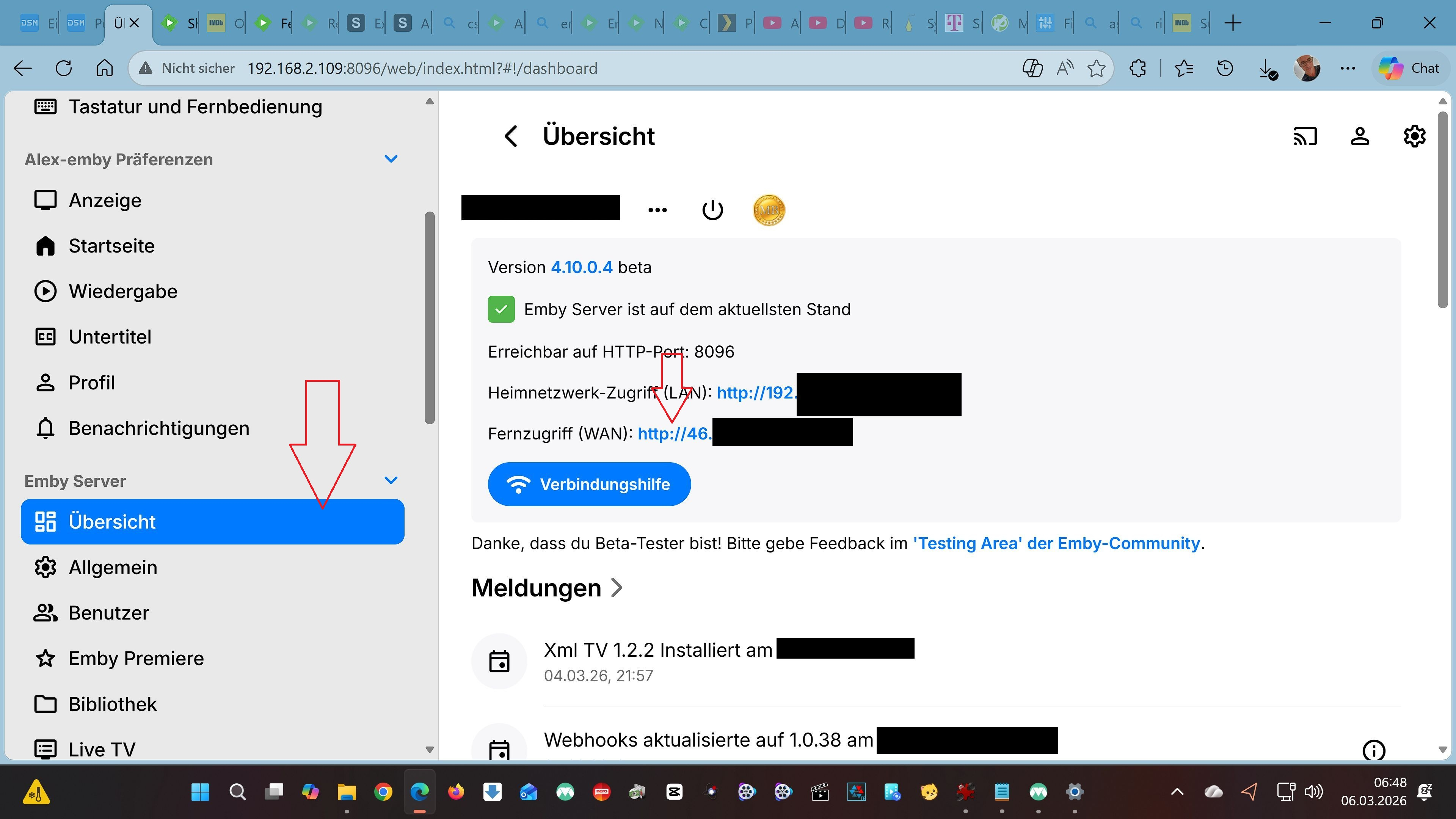
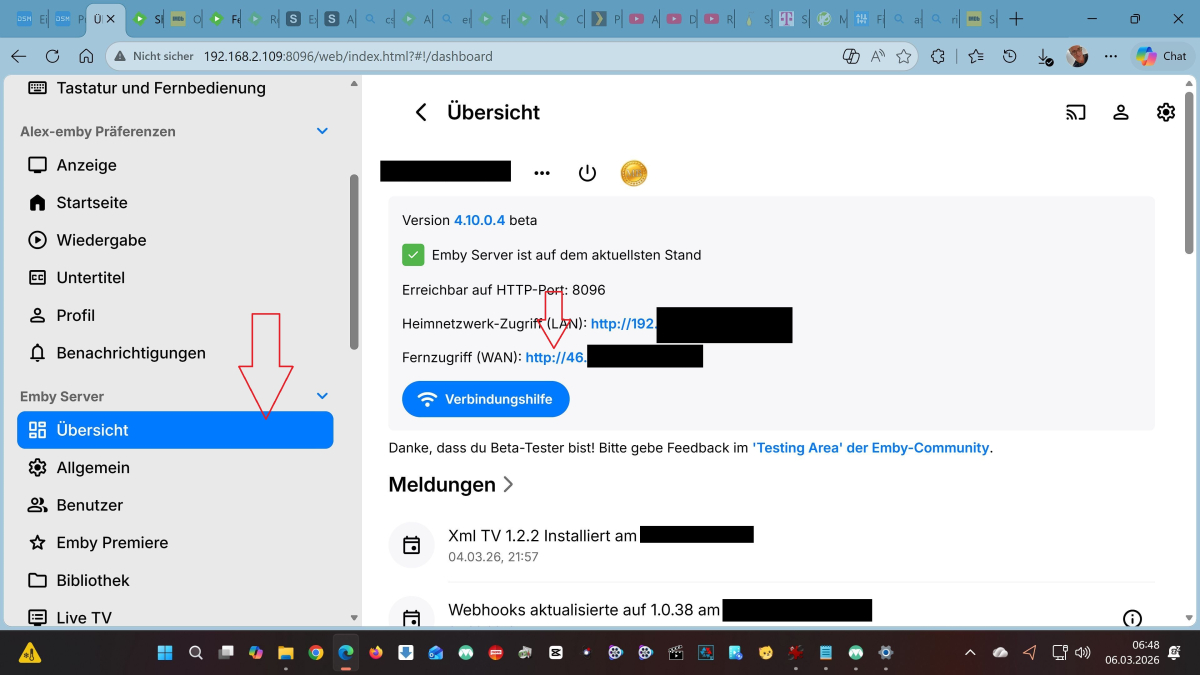
Hallo, Ich bin kein Experte und habe seit Anfang des Jahres mich auch mehr mit meiner Synology beschäftigt. Erst war es JellyFin das läuft im Heim Netzwerk und draußen ... Ständig kein Server ... Dann Plex das läuft und von draußen mit dem Plex Pass auch ohne Probleme. Aber Emby habe ich erst seit ca einer Woche und es ist so einfach zu installieren und im Heimnetzwerk bzw von draußen darauf zuzugreifen. Warum versuchst du es eigentlich über Quickconnect ? Gehe auf "Übersicht" und dort auf die WAN Nummer ... In der Android App meldest du dich mit deinen Emby Daten und dieser WAN Nummer an. LÄUFT Über Quickconnect laufen bei mir auch nur die Synology Apps File Station Audio Station ect Probiere es mal LG Alex
-

Subtitles Not Displaying on Chromecast After Starting Next Episode/Movie
gebruiker replied to gebruiker's topic in General/Windows
Will do. -

Fernzugriff WAN - täglich neu einstellen / verbinden
NCC1701A replied to NCC1701A's topic in Synology
Hallo zusammen, Aktuell habe ich immer noch die selbe IP Adresse. Ich bin mir nicht sicher warum. -

Fire tv stick and hybrid hdr10+/DV files now work?
kaledi replied to kaledi's topic in Android TV / Fire TV
Wow, great work. Thought it was a limitation of the device. -

issues with library, extras, movie listings
LostInTheFold replied to Sorahl's topic in General/Windows
I wanted to let you know that I moved the "extras" titles into the "trailers" folder and that seemed to solve the problem. So the summary of this is that the trailers folder does not have the same issue as the extras folder. Perhaps someone could look into how those two folders are treated. From my perspective, I have found a work around although it isn't the most perfect. I can live with it. If you do end up fixing it, posting to this thread would be great. -
Transcoded streaming over mobile network with the iOS app
-

C# equivalent of REST API postSessionsPlayingStopped
softworkz replied to pünktchen's topic in Developer API
@pünktchen I had actually tried to look it up on the same day you posted, expecting that I could just let you know which steps the server is taking when responding to REST request, but it turned out that there's no easy answer, unfortunately. The REST API might not need a SessionId - but it still has something that a plugin doesn't have: An authorization through the token header. I haven't followed all the way through, but the rough picture is this: The request is received, code path goes somewhere deep into auth and session stuff and when it returns, it "magically" has all the information that is needed.. (a Sessionxxxx object). Maybe @Lukecan explain better.. (that' s why I didn't respond) -
@Lukewhat do you want to hear from me? Still the same problem, I described in the first post.
-
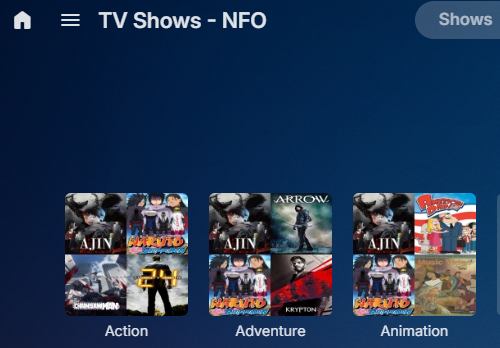
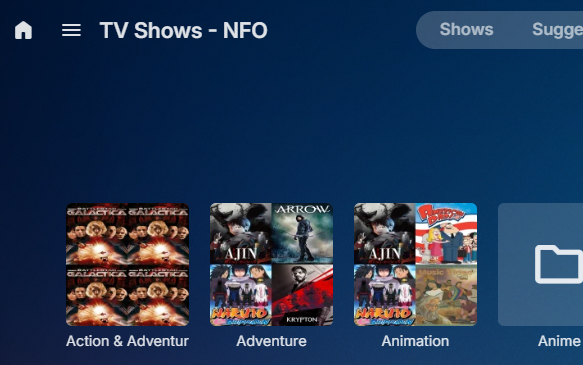
Has everything actually been Refreshed as the clearly show items being remapped. But testing this it remapped 42 items from Action to Action & Adventure per the map setting and removed Action from that library. Per this library nonexistent before map Action 42 items Did the quickest method and only refreshed said items, items moved from Action to Action & Adventure and deleted Action. Took a little time as a refresh of content takes a while depending on how many items you are doing (about 20 minutes for only these 42 items). Only issue I ran into was I had a couple items that were LOCKED so I had to manually unlock them to updated the metadata.



-
@sa2000
-

embyforkodi (next-gen) 11.X.X support
quickmic replied to quickmic's topic in Emby For Kodi Next Gen
Do you mean the multi-version naming? Depends on the skin which info are presented, but the names should be accurate, if the names are "correct" on Emby server. Or are you asking about an indicator in the view/browse lists which movies have mutliversion? This is also up to the skin and usually there is a special icon for multiverions. The name after " - " is the multiversion name. (The mediasource name). The Label before the " - " must exactly math the folder, so Emby detects the multiversion automatically and no manual grouping is necessary.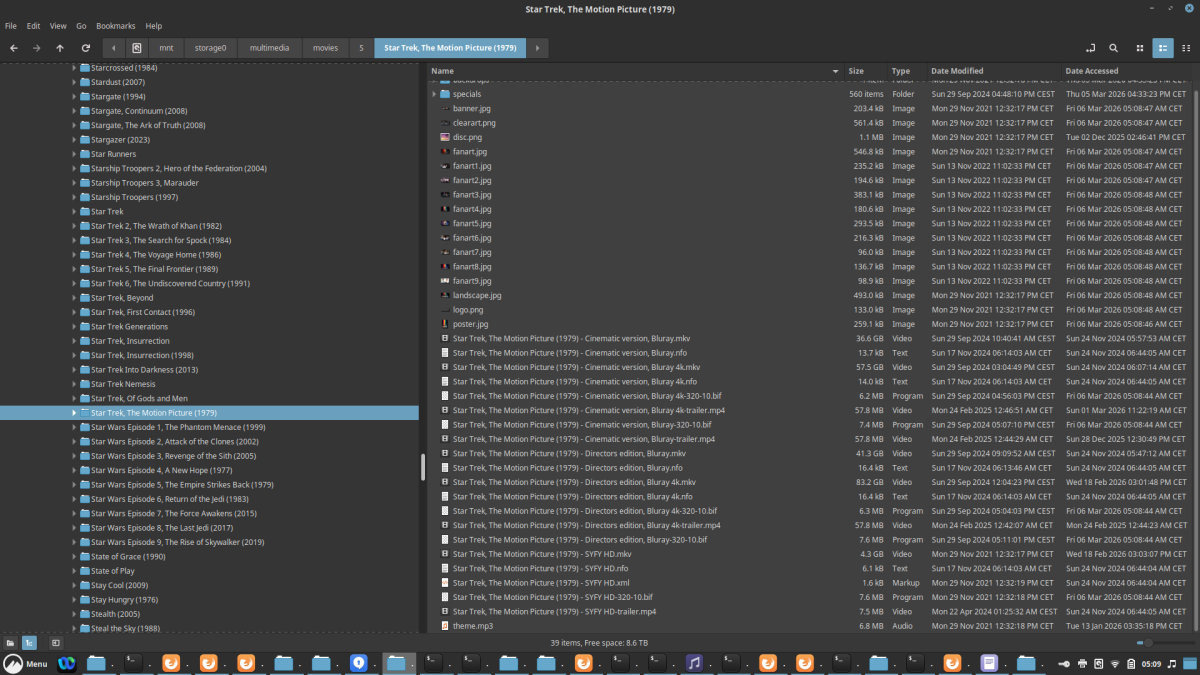
-
The fact that mapping several genres into one does not result in the shows being aggregated into the one genre and the "mapped" genres do not disappear.
-
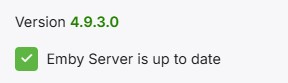
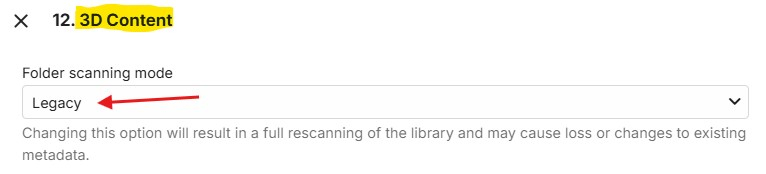
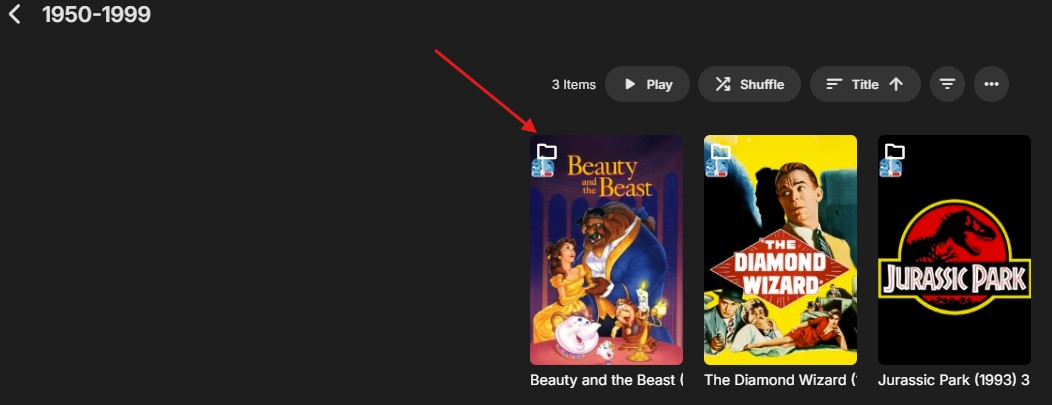
Greetings... I am currently running Emby 4.9.3.0 (non-beta) and set one of my folders to "Legacy" scanning. I scanned the folder and still have the same appearance of the little folder in the upper left corner and my CoverArt still no longer works on these as they did in the past. Just giving you an update.
-
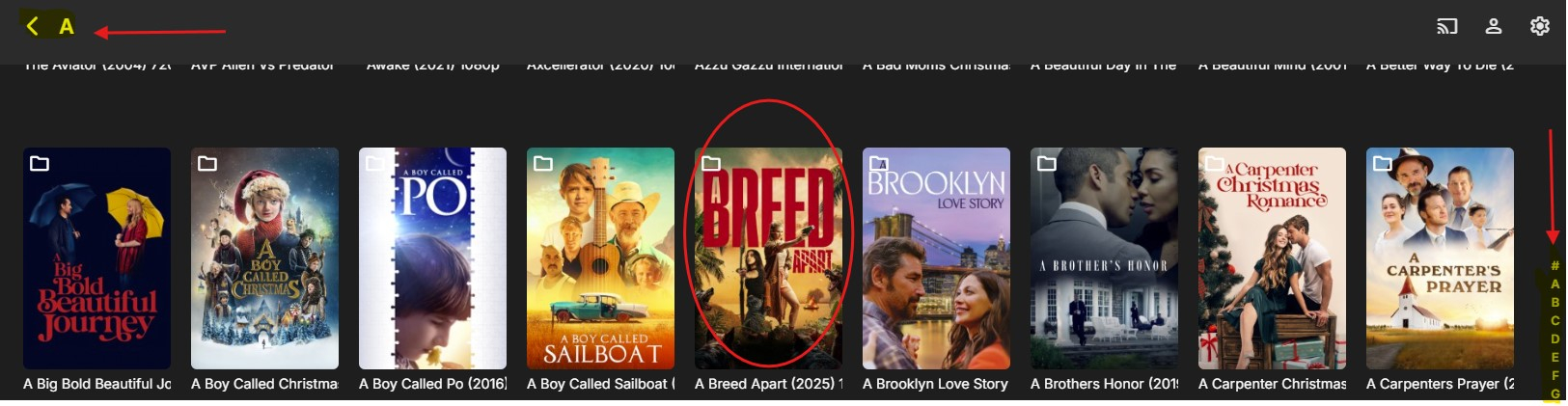
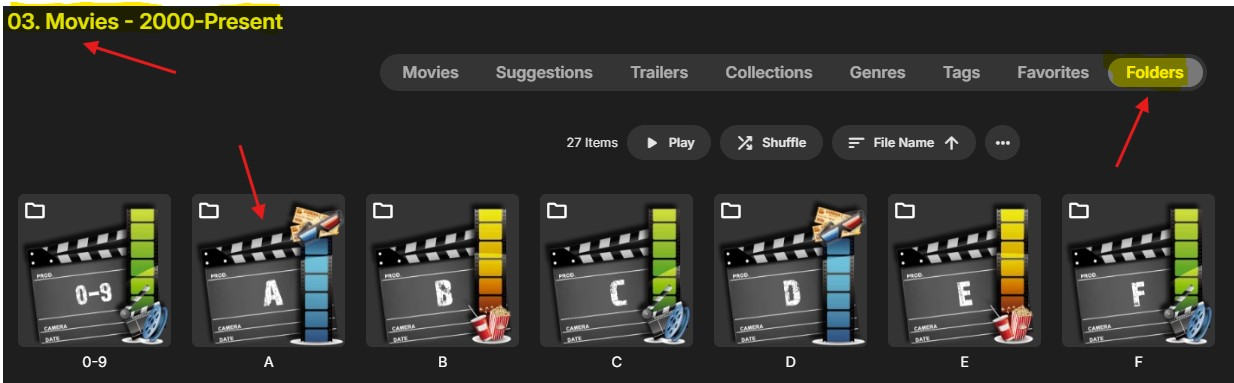
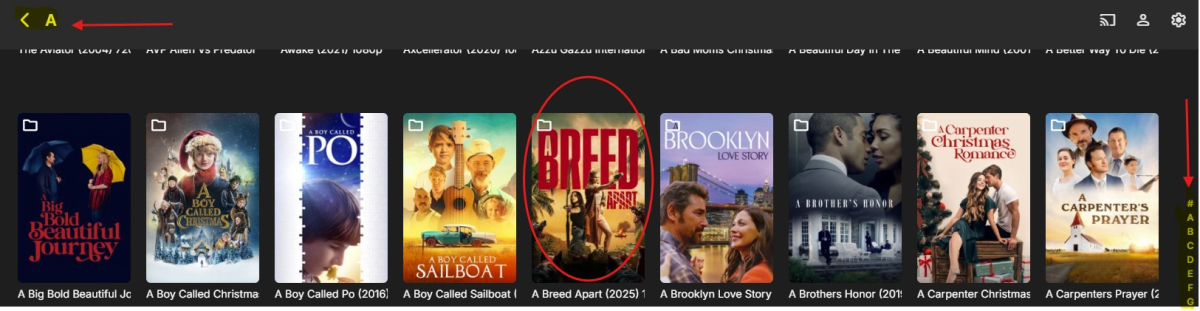
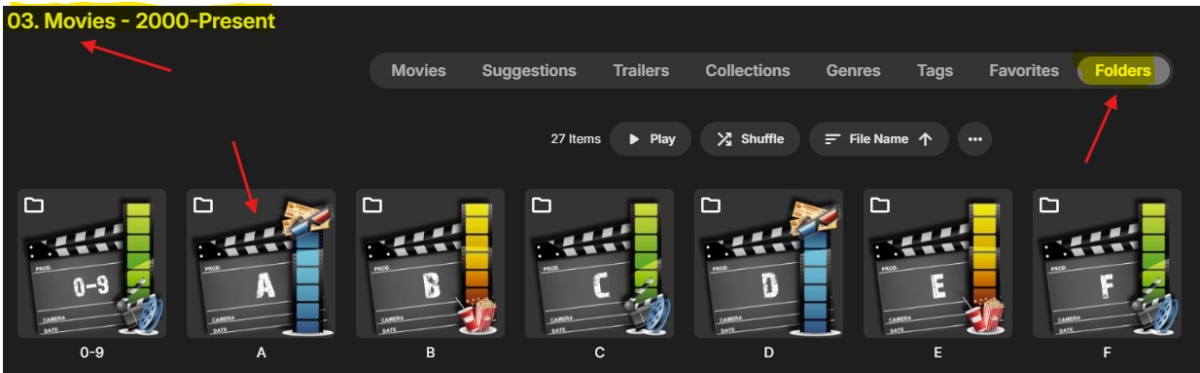
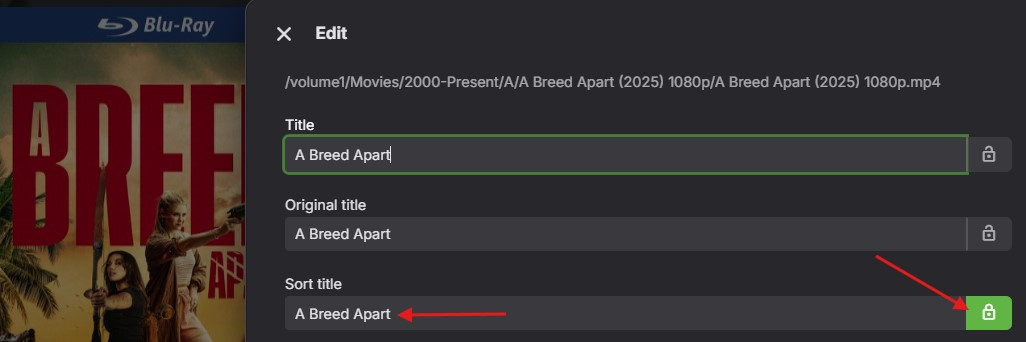
I think I found another issue with this release. As you know my entire library is based on the folder view. My structure is as follows (example)... Folder <Movies> / <2000-Present> / <A> / <A Breed Apart (2025) 1080p> / A Breed Apart (2025) 1080p.mkv When adding a new video, I always check my folders to ensure there are no letters of the alphabet to the right of the windows as shown below. However, since it's been a while since I added any new content, I only just noticed I now have letters of the alphabet to the right, where there should be non, as each folder represents one letter of the alphabet. In the past, I would check after I added new content and if I found a letter other than the letter of the folder, I knew I made a mistake and corrected it. I just spent the last few hours, removing videos and trying to fix this. It just will not sort on with certain words in the front. In this example, the sorting now longer seems to work, even when I set the SORT TITLE to "A Breed Apart".... it still sorts on the B not the A. As you can see below, I have set the sort title to "A Breed Apart" and locked it and it still will not sort on that now, for some reason. The Letters/Words I found just will not sort are: -----> A, The, Der, Dos, El (I prefer these to remain in the front on sorting) -----> The (Sorts correctly, I put it at the end of a video in SORT TITLE (example: A-Team, The) and it works fine. Is there a way we can have a setting to remove/add words to the global sorting of a folder. Thanks in advance.
-
Hi, please let us know how things go. Thanks.
-
I hope it's a big update, I'm ready.
-
Hi, yes bulk edit features are planned for future updates. Thanks for the feedback.
-

Started having problems watching my PVR and saved videos on Roku
Luke replied to AmericanMike's topic in Roku
Hi, can you please provide a new log example? Thanks ! -
The Emby Trakt “Get PIN “ feature isn’t working. “Cloudflare: Bad Gateway, Trakt.tv Error 502” embyserver-63908006399.txt embyserver-63908092799.txt embyserver-63908179199.txt embyserver-63908239611.txt hardware_detection-63908239678.txt embyserver.txt
-
can i make all lists default to parental rating and community rating visible?
Luke replied to Nzzer0's topic in General/Windows
Hi, yes. Having some server side control over this is something we’d like to do.