All Activity
- Past hour
-

version 4.9.1.80 - Add option to group notifications???
Teredactle replied to Teredactle's topic in General/Windows
Is there a workaround for this, grouping notifications for one a day? I fell that this will never ever be changed to be able to set once a day notifications -
 Gozde joined the community
 -
Thanks for posting @visproductionand I'm not saying it's easy, I don't know. My limited experience with running SQL statements tells me things can get very complex. However, it seems this request is just pushed aside for other things; everyone wants something, it's my own opinion that this should be prioritized. Others agree, others don't agree.
-
 Mohammed Almohiny joined the community
 -
 Ailli.j joined the community
 -
 Mjeedsaeed joined the community
 -
 Giliwhite joined the community
 -
 Rouk1 joined the community
 -
 d4promo joined the community
 -
 Annaeden joined the community
 -
 DavidTheBurke joined the community
 -
 Crsydiablue joined the community
 -
I Agree, the font size is too small, I'll push out an update hopefully tomorrow (If I don't find anything else), the update addresses a bunch of things, typical bug fixes, some enhancements, return of disabled features that needed refinements, etc. I've pretty much completed it, but need to QA check it, then I want to do another round of QA checks tomorrow when I haven't been drinking
-
Can you try chrome or edge and see how that compares?
-

Emby premiere member unable to access Emby server on android tv, android phone and lg tv via apps.
ebr replied to sk818's topic in Android
On the same network or remote? Are you sure the IP address didn't change? Are you sure it is running? Can you access from the machine with the server using a browser and localhost? - Today
-
It happens about once a day.
-
Hi, there is nothing obvious here. Has it happened again?
-
Hi, we are looking into that. Thanks.
-
Hi, most of our apps allow you to view the live tv guide while watching something. Have you tried that?
-
Haven't played with this for a few days, some updates: v1.3 Clear Method section updated (Clear Specific/Replace Specific buttons added, with modals and dropdown selections) Color accents reworked Selection logic refined RT/ROON mapping modals Map to fields are also dropdowns now (unique tags available in Emby based on current selection) emby_album_tag_importer.py
-
Just looking if this can be implemented into the application or is this already there and i just don't see where to configure. I would like to see that when you are watching a tv show and you want to see what is coming up in the Guide you do not have to exit the TV Show you are watching to see what is on the Guide. Right now if you want to see whats on the guide it stops playing the tv show and takes you to the guide. I do use another program at this time and it has the guide and the show you are watching in the menu and then when you click the channel again it opens the channel on the full tv screen. Then if you click the back button on the remote it takes you back to the guide while still being able to watch the tv show while search in the guide for other show coming up and then you have the option to click that show to remind you it is coming up. Thanks
-
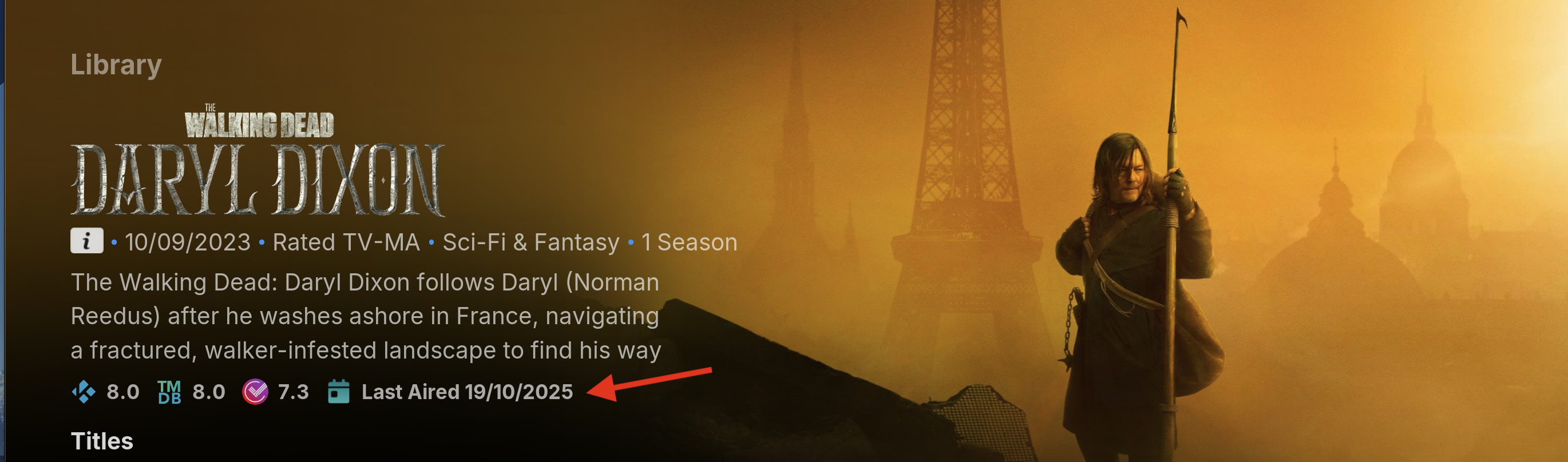
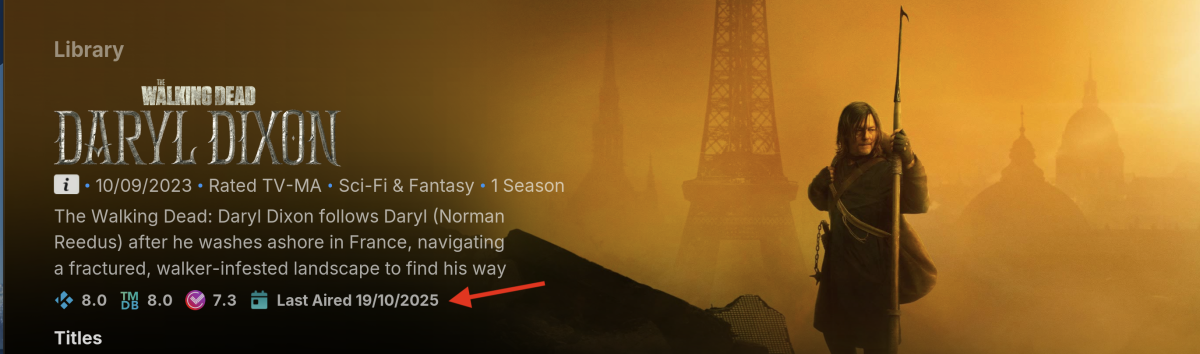
would it be possible to add a "Last Aired" date to the Quick Info section for TV shows in Emby to display when the most recent episode aired. Benefits of "Last Aired" date: See how recently a show aired Determine if a series is canceled, on hiatus, or returning Identify series finale air dates Complement "First Aired" and upcoming episodes info "Last Aired" provides a quick way to check a show's status. It would make Emby's TV show pages even more helpful at a glance. Thanks Example:
-

Emby premiere member unable to access Emby server on android tv, android phone and lg tv via apps.
sk818 replied to sk818's topic in Android
My server -

Emby Theme: Retro Navy & Gold (W/ Seasonal Themes)
MediaEmby1968 replied to Aleas's topic in Web App CSS
I've downloaded the latest version and I'll try it out. But I wanted to ask you a question. At the end of a movie's information page, for example, in the multimedia section. How can I change the font size in that specific area? I've attached a screenshot with the text circled, and I'm referring to the part that's in blue. Thanks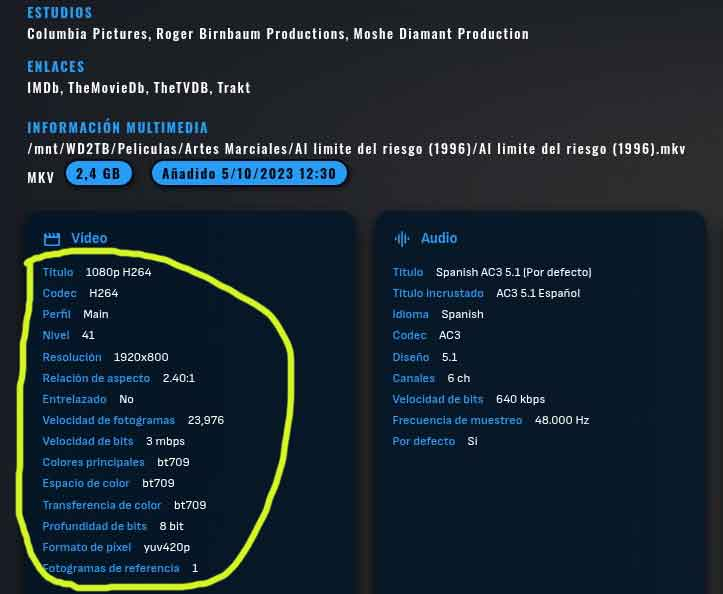
-
There's no Sort Title option in the Metadata Editor.
-

Screen jumping sizes when forwarding recordings
Jmackay82 replied to Jmackay82's topic in Amazon Alexa
I can confirm this issue is resolved on latest beta -
New Emby Beta server v4.10.0.10.
-
OK, so I will have to wait for it to be fixed again or do I need to report this somewhere else?
-

Playback Error: No compatable streams (Samsung/LG only it seems?)
doonze replied to doonze's topic in General/Windows
@LukeNo, it seems to be anything that needs transcoding. Tried like 10+ different files, even ones that worked in the past just fine And like I said, the weird thing is it seems to come and go. It won't work for a few hours for them, then will start working again. Just weird. And out of the blue. And Roku, Android, web (even ones at the problem locations) work fine. Even transcoding. I checked that those systems were generating ffmpeg logs on the exact same files at the exact same location during the times the Samsung/LG systems were throwing errors -
If you look at picture 1,2,3 you can see that it took the album and broke it into two pieces. The third screen shot shows that it randomly used the folder name for the album name (even though the tag in the album name is correct. This happened consistently across 20-30 albums. Half the album would be named by the tag and half would be named by the folder name. If you manually edit it in the metadata editor or hit refresh metadata it does nothing and always remembers that folder name for random track names as 'another album'. If you then look at the 4th screen shot, all that was done is renaming the folder to .old then letting it refresh itself. It then put everything in one album name and read all the tags correctly. Once it does this you can then rename the folder back the way it was and hit refresh metadata and it is all perfect. I just went through this with about 20 albums. Rename the folder, refresh the parent folder metadata, rename it back, refresh again. The only thing I can think is that when the album is initially scanned perhaps there are random tracks that are 'incomplete' (they were still being downloaded) but even if that was the case I don't understand why a manual refresh would not correct the names. It's as if the refresh metadata command never actually checks the files but rather just looks for "data that it does not have already" when it should, instead, re-read all the files entirely and change everything based upon the file data.
-
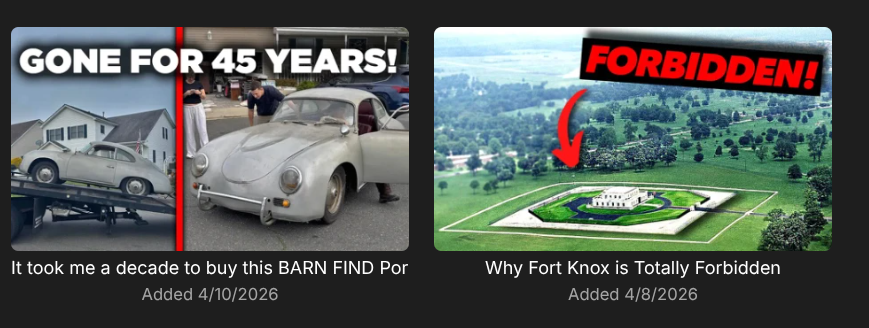
Ideally I want to see it as simply a date that the video was downloaded, like it is currently working on the web client.
-

Playback Error: No compatable streams (Samsung/LG only it seems?)
Luke replied to doonze's topic in General/Windows
HI, is the issue only with this one video? -
HI, using the metadata editor for a track.
-
BUG: Chinese Subtitles Displayed as Boxes on Apple TV After Updated
Luke replied to zeroooo's topic in Apple TV
Hi there, let's look at an example. Please attach the information requested in how to report a media playback issue. Thanks! -
I am saying that on the grid you control what is shown. Right now it lacks what you've provided. We will add that. It will work similar to the web app. "The gap" is the distance between images when shown on the grid. The Roku allows titles to wrap and any extra space in "the gap" will be taken by the title. If the title is disabled then "the gap" will close and reduce to just the fields you have selected. Only titles are allowed to wrap. When titles are selected as fields it will always create "the gap" at 5 lines. This is purely to allow the titles to wrap into the excess space and make it easier for you to browse. The web app is not doing this yet. In the future, you will also be able to do this on rows and exactly as you described is how it will work. Sort by date created and date created field automatically appears. On the row right now you see 2 lines of text. When sorting is allowed you gain a 3rd line which can show the extra field. You can see this right now if you go to collections and choose to group by media type. It will change the view from grid to a rowlist. On the grid you cannot see the date created because the field is missing. But on the row it will show as a duration ago. Do you expect to see the "Date Created" as simply a date. Or are you expecting to see a duration ago? as date: Friday, April 10th 2026 @ 11:00 PM as duration ago: 10 hours 44 minutes 32 seconds ago Presently it shows as duration ago. But we can change this and make it adaptable if you expected to see the exact date.