All Activity
- Past hour
-
 13477860341zy joined the community
 -
-
 OtakuPolion joined the community
 -
 davidcs joined the community
 -
 Jino2026 joined the community
 -
 TVMIGUEL joined the community
 -
 Sarina.balas joined the community
 -
 Bianca16 joined the community
 -
 1730959502 joined the community
 -

La versión 1.0.50 de LG no soluciona el problema en los televisores antiguos
gagomezdevesa replied to gagomezdevesa's topic in LG Smart TV
En el caso concreto, se trata de una TV LG C16 de 2021 -
 Bigil joined the community
 -
 aixiansheng joined the community
 -
I tried to run locally and it was still slow 7s to startup Also I ran commands to Bypass Rclone & Emby # Clear caches first! curl -u usenet:[pass] \ -r 0-2000000 \ -o /dev/null \ -s -w "TTFB (Altmount + Usenet): %{time_starttransfer} seconds\n" \ "http://localhost:8080/webdav/movies/Forrest.Gump.1994.REMASTERED.1080p.BluRay.X264-AMIABLE/Forrest.Gump.1994.REMASTERED.1080p.BluRay.X264-AMIABLE.mkv" and ran to Bypass Emby # Clear caches first! time head -c 2000000 /mnt/altmount/movies/Forrest.Gump.1994.REMASTERED.1080p.BluRay.X264-AMIABLE/Forrest.Gump.1994.REMASTERED.1080p.BluRay.X264-AMIABLE.mkv > /dev/null and borth results are: TTFB (Altmount + Usenet): 0.000000 seconds and real 0m0.007s user 0m0.000s sys 0m0.004s so I'm not sure anymore what cause the 2s thing
-
Samsung client at least doesn't seem to support it. My GFX card is sweating because of the transcodes from my family with Samsung TVs.
-
I tested it wtih: rclone: path: /config password: "" salt: "" rc_enabled: true rc_url: "" rc_port: 5573 rc_user: admin rc_pass: admin rc_options: {} mount_enabled: true vfs_name: altmount mount_options: {} # Set to INFO temporarily per Bunty's setup to verify it works, can change to ERROR later log_level: INFO # Permissions uid: 1000 gid: 1000 umask: "002" allow_other: true allow_non_empty: true read_only: false # ========================================== # BUNTY'S CACHE SETTINGS # ========================================== vfs_cache_mode: full cache_dir: /config/cache vfs_cache_max_size: 100G # Kept your 100G limit vfs_cache_max_age: 168h # Bunty's 7 days (168 hours) vfs_cache_poll_interval: 10s vfs_cache_min_free_space: 1G vfs_disk_space_total: 1G # ========================================== # BUNTY'S BUFFER & CHUNK SETTINGS # ========================================== buffer_size: 64M # Bunty uses a large RAM buffer vfs_read_chunk_size: 16M # Bunty's sweet-spot for WebDAV TTFB vfs_read_chunk_size_limit: 1G # Caps exponential growth vfs_read_ahead: 128M # Bunty's balanced read-ahead vfs_read_chunk_streams: 4 # ========================================== # BUNTY'S METADATA / DIR CACHE # ========================================== dir_cache_time: 1h # Bunty's 1-hour directory cache attr_timeout: 1h # Matching dir_cache_time # ========================================== # BUNTY'S NETWORK SETTINGS # ========================================== transfers: 8 checkers: 8 timeout: 1h # ========================================== # SYSTEM TWEAKS (Kept from your setup) # ========================================== syslog: true no_mod_time: true no_checksum: true async_read: true vfs_fast_fingerprint: true use_mmap: true links: false but still same results 2-3s
-
I was happy with 2-3s so I don't know if it's possible to lower it further, but I think it depends on the transfer rate. Though, the cached files will start playing instantly since they are available locally.
-
It took me 2-3s but mostly 2s, can we get lower?
- Today
-
You need to optimize rclone mount. You have many settings that are not needed at all, chunk reading and others. keep it simple and use only --buffer-size=64M \
-
Hello I have some movies with already encrusted subtitles (hardcoded) on them. I would like maybe by adding an info in the filename to display in the library that this movie has already a subtitle in it. Is something like this possible ? Thanks for your support !
-
Option is in library options, that is correct, but it does not work at all. When u search manually for subtitles there is no indicator for hash on subtitles match like before at all.
-
I will add a donate button a little later. Please note that while i appreciate it A LOT, you don't have to donate and it is only if you really want to.
-
Reviewing the thread, I note that you state that external access hasn't worked for a couple of years. To my mind this makes it more likely that either there has been an IP address change that slipped past you , or that you have indeed been put behind cgNAT by your ISP. How do you access you server externally - do you use your WAN IP address directly, or do you have a domain name (maybe from a dynamic DNS server)? Have you checked for cgNAT? If your router tells you that your WAN address is 100.etc (more detail is then needed to confirm), or in any "local" address range, then you are. If you go to a website like https://whatismyipaddress.com/ do you get the answer you expect (i.e. does it match what your router tells you, and what Emby shows in the dashboard)? Using a site like https://canyouseeme.org/ does the port you use for accessing Emby show as open or not? You mentioned that Plex continues to work. Note that Plex has a built-in mechanism for getting around cgNAT - this involves going via their servers, so Emby does not replicate this so as not to compromise your privacy. Paul
-
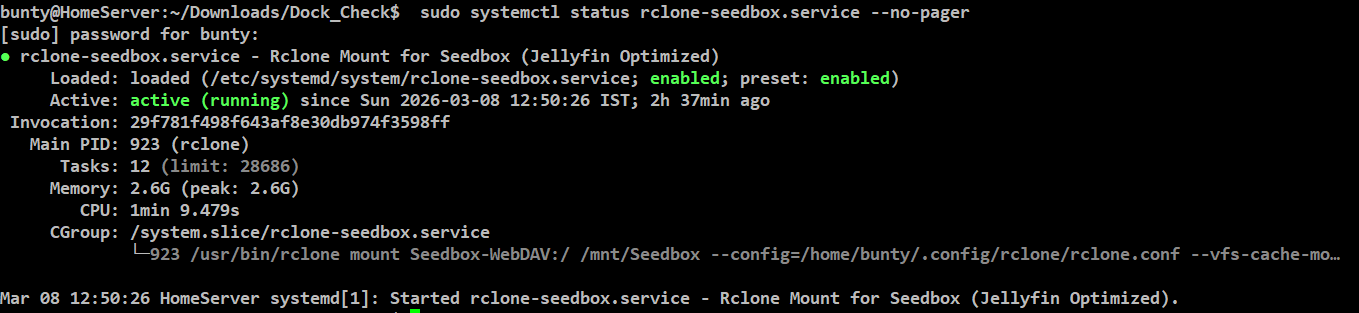
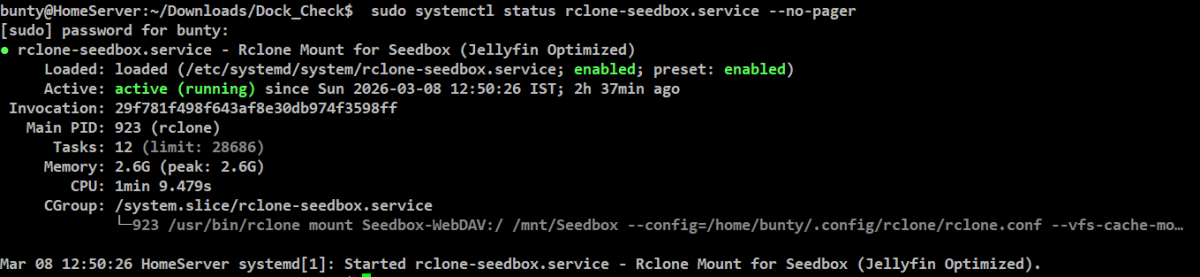
I had similar slow start-up issue, I have mounted my seedbox to my home server and play from it. This is my setting, you might need to change the names in it. With this setting its working fine for months, no delay in stream response. What my settings below does is mounts the seedbox, which is a WebDAV mount, I also have a cache directory setup so that rewinds are faster and its kept for 7 days, so within 7 days if same content is played then there will not be any need to stream from the seedbox again, it will play locally. You will need to use your user name, group name, mount location, rclone mount name to customise it for yourself. I think this will solve your issue. Persistent Rclone Seedbox Mounting through WebDAV automation [Unit] Description=Rclone Mount for Seedbox (Jellyfin Optimized) After=network-online.target Wants=network-online.target StartLimitIntervalSec=60 StartLimitBurst=5 [Service] Type=simple User=bunty Group=bunty ExecStart=/usr/bin/rclone mount Seedbox-WebDAV:/ /mnt/Seedbox \ --config=/home/bunty/.config/rclone/rclone.conf \ --vfs-cache-mode=full \ --cache-dir=/media/bunty/CCL-1TB/rclone-cache \ --vfs-cache-max-size=500G \ --vfs-cache-max-age=168h \ --dir-cache-time=1h \ --vfs-read-chunk-size=16M \ --vfs-read-chunk-size-limit=1G \ --vfs-read-ahead=128M \ --buffer-size=128M \ --transfers=8 \ --checkers=8 \ --allow-other \ --umask=002 \ --uid=1000 \ --gid=1000 \ --log-file=/home/bunty/rclone-mount.log \ --log-level=INFO ExecStop=-/bin/fusermount -uz /mnt/Seedbox Restart=on-failure RestartSec=10 LimitNOFILE=65536 TimeoutStopSec=20 [Install] WantedBy=multi-user.target Save the file as rclone-seedbox.service in /etc/systemd/system/ sudo systemctl daemon-reload sudo systemctl enable rclone-seedbox.service sudo systemctl restart rclone-seedbox.service sudo systemctl status rclone-seedbox.service --no-pager if everything goes alright then you will see something like this, and then you restart the emby container or the server itself and see if stream start-up time is fixed
-
I fixed a problem where it didn't read the time limits set in some cases and it all works on my end as it should. See if it fixed it for you. WatchingEye.dll
-

Remote access to Emby Server as admin via VPN issues
Neminem replied to jerkrl's topic in General/Windows
Not really, unless you have different vlan's in your network. Like op has, where he has VPN vlan and local vlan. I have 4 vlan's in my network VPN / local / Docker and IOT, and I don't want any IOT devices to talk to my server. -
 NewKevin changed their profile photo
 -
But, I do have a mesh system connected with the eero, different brand. Is there a way to maybe do it through there instead?
-
Giving information as I know it. Went through the emby help steps for external network. uPnP is enabled in both. eero is a router. What do you mean by scanner on the phone? eero doesn't have a web interface, it is app base.
-
Still waiting on full support for this in all client apps. @Lukedo you have a list of client apps that support this server side option, and the one's that don't?
-
Remove internet trailers and test it for awhile.
-
mine always have been random though
-
As has been pointed out many times, trailers for many people are far from random. Especially concerning local trailers.
-
It may well be random for upcoming movies; I don't select those so I don't know. It's not random for older movies, as Luke indirectly confirmed above.
-
i would love it if we could put in a link to trailer channels of movies on you-tube that would be epic for this
-
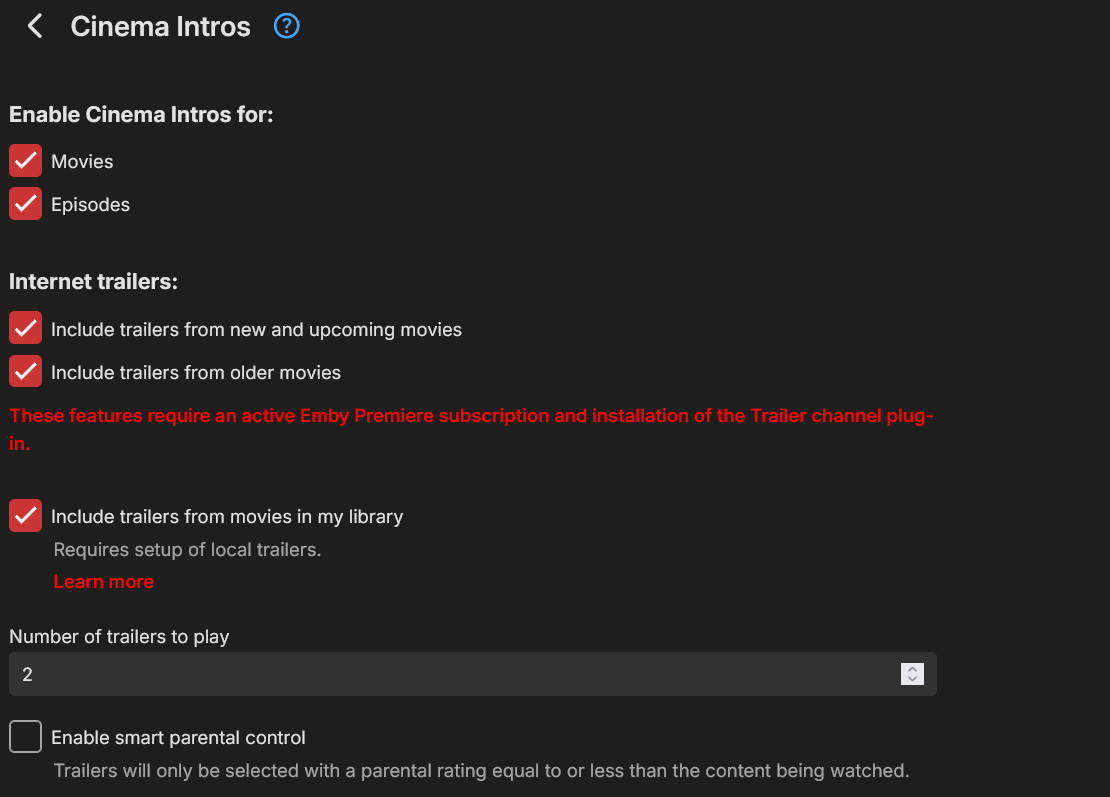
you go into the cinema intro section on emby dashboard ares left side panel and in there you can select to have trailers from new and upcoming movies or trailers from old movies. this will give you whatever movie trailers are out currently at random it doesn't show whatever the genre of the movie it is playing in it does in fact show random trailers for all type of genres. below is a screenshot of my setup and it shows movie trailers of all kinds in any movies
-
.thumb.png.1ddf135ad99a72646a26d671a28ffe35.png)
Minor AppleTV Bug: Duplicated items in a playlist fail to display more than once on AppleTV
ZanderKeen posted a topic in Apple TV
Issue: After creating a custom playlist and adding a movie more than once, the movie fails to show duplicated within the playlist order on apple tvos devices. It only shows up once in the first position of the playlist when it was added. However the playlist does show the movie duplicated/added more than once on the web version. Server version: Stable 4.9.3.0 TVOS version: 2.0.3.2 Apple TV model: A1842 Server Logs: irrelevant To reproduce: Create a custom playlist, add several movies while repeating one of the movies in particular more than one time (in my case, every other movie with a random movie between it). Open the custom playlist and each movie seems to only appear once in the first order position it is added. Expected Results: The movie added again as a duplicate to a playlist is expected to be repeated in the custom playlist, like it does on the web version. Actual Results: Movie only displays once per-playlist on apple tvos. Priority: Low @SamES