All Activity
- Past hour
-
 HayesCJ joined the community
 -
 Dougie78 joined the community
 -
 rafcm16 joined the community
 -
 Milana_anna joined the community
 -
 davidmarsa11111 joined the community
 -
 JaniceMyers joined the community
 -
 carlostiktok joined the community
 -
 eudy09.2006. joined the community
 -
 Luismi11 joined the community
 -
As was rightly said: everyone has their own tastes. For example, I don't like the overabundance of yellow. Personally, I'd prefer to keep the icons and movie titles white. I'd also like to see TV series seasons displayed as a solid line rather than a drop-down list. That said, I offer my deepest gratitude and respect to the theme's author, as after my own tweaks, it looks a hundred times better to me than Emby's default settings. Thanks again for all your hard work!
-
 Zyzz_msv joined the community
 -
 tvsatelital changed their profile photo
 -
Users get locked out after several consecutive failed attempts.
-
REPLACE+MAP does that in a single step. Granted, it's only a few seconds difference, but still.
-
Hi, did you take a look at the movie naming guide? Movie Naming There is a link to this in Emby Server when you are setting up your library.
-
Hi, not in the current 4.9 release version, but coming in 4.10:
-

Two weeks of troubleshooting paid off – Docker solution for my Emby on UGREEN
Luke replied to Blueskies278's topic in General/Windows
Hi, what are emby cache resets? -
Hi, did you try playing the 1080p version? Does it actually direct play? And how is the quality setting configured in the app?
-
Emby crashing on almost every movie on Shield TV Pro
Luke replied to adnaan77's topic in Android Server
Hi there, please attach the Emby server log from when the problem occurred: How to Report a Problem Thanks! - Today
-

Apple TV App cannot connect via DDNS on port 8096, while iOS app and browsers work
famarch replied to famarch's topic in Apple TV
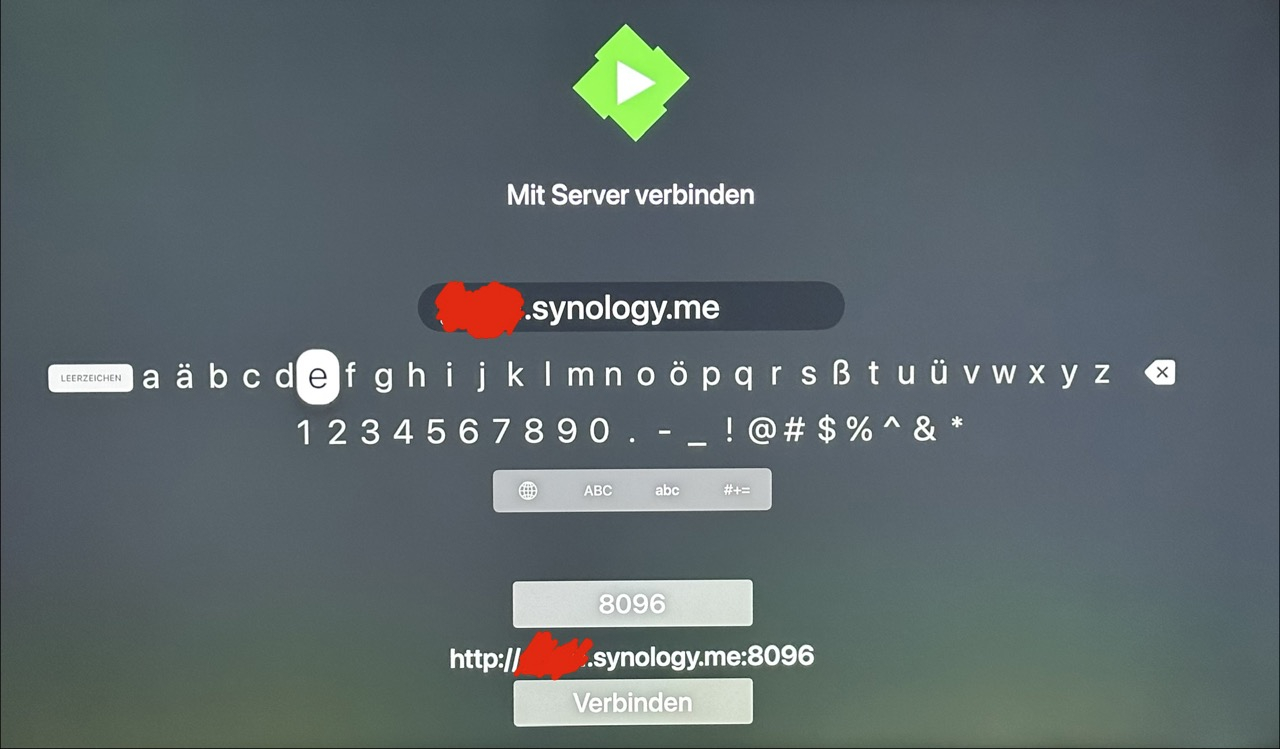
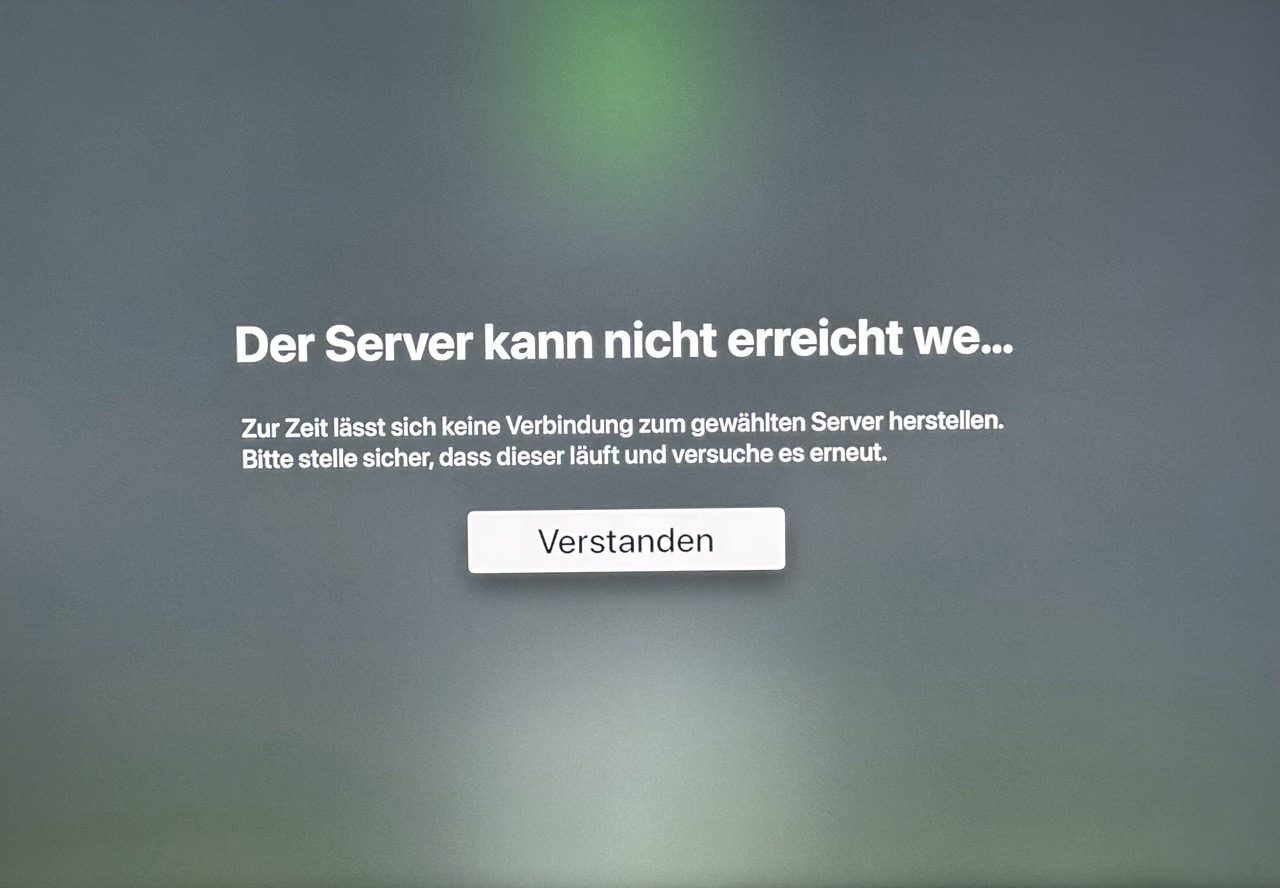
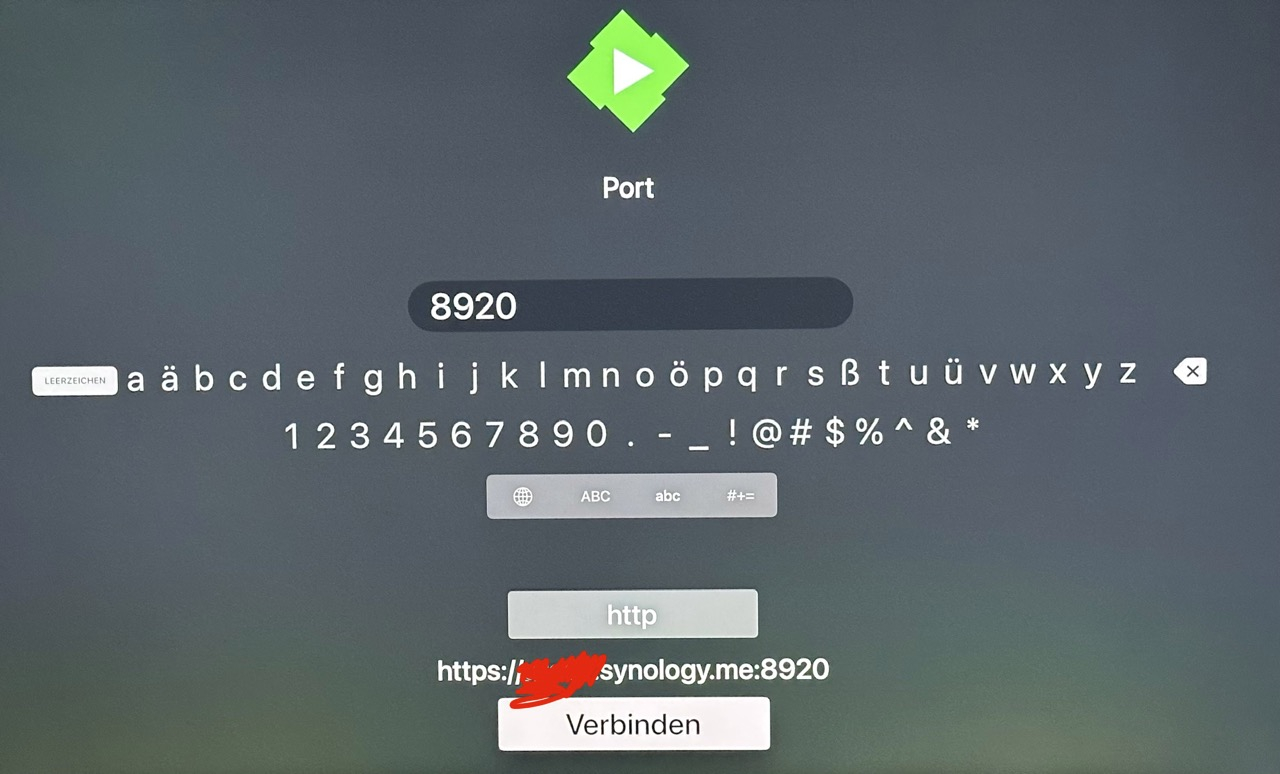
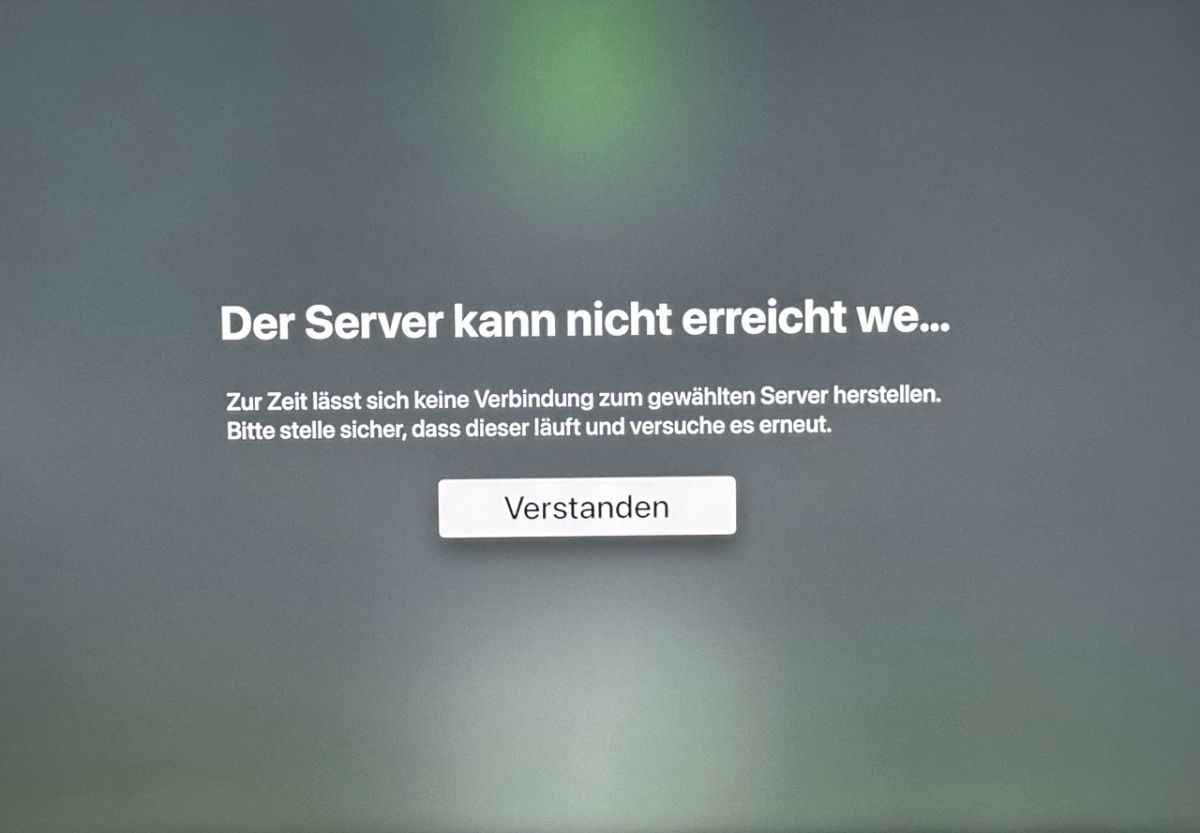
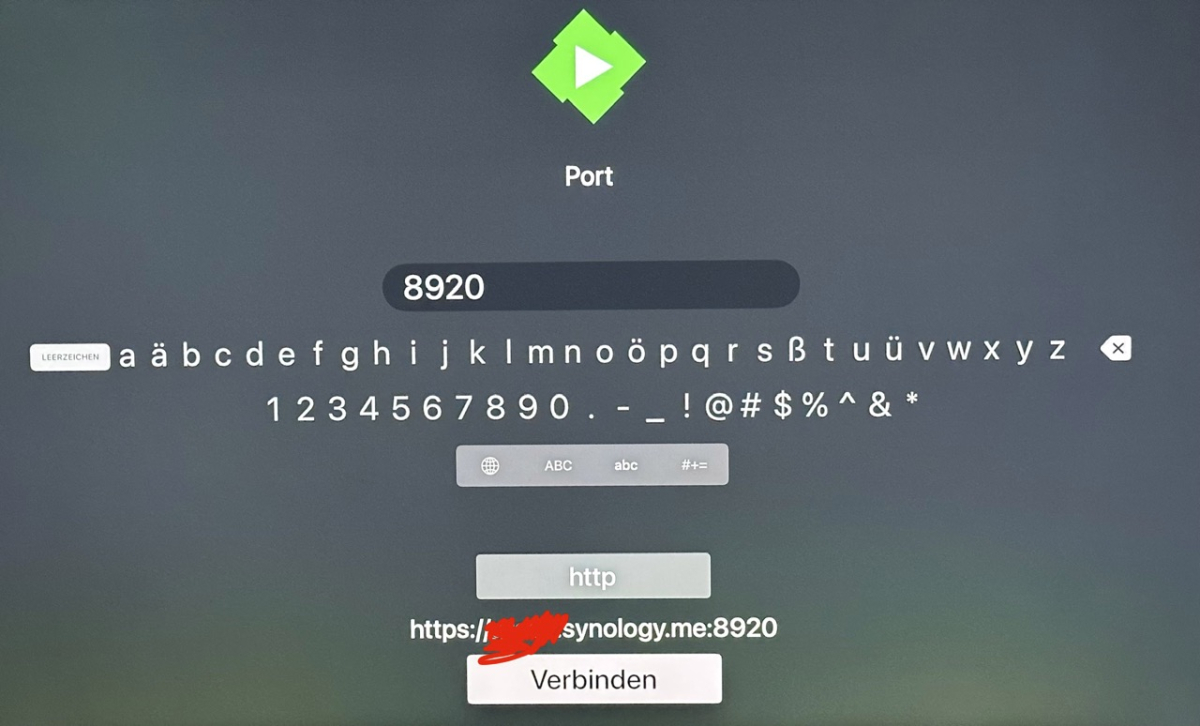
Hello, thank you for your replies. Here are some more precise details about the issue. Setup: - Emby Server 4.9.3.0 - Synology DS1819+ - DSM 6.2.4-25556 Update 8 - Apple TV A2169 with tvOS 26.4 - iPhone 14 Pro with iOS 26.3.1 - MacBook Pro with macOS 26.3.1 The Emby server is located at a different site and therefore in a different LAN than the Apple TV, iPhone and MacBook Pro. So these are external/remote access tests. How I initiate the connection on Apple TV: I add the server manually in the Apple TV Emby app via “Connect to Server”. I manually enter the hostname and port. After pressing Connect, the app shows that the server cannot be reached. Screenshots are attached. What works: - MacBook Pro: Safari and Firefox can reach the server externally - iPhone 14 Pro: Safari can reach the server externally - iPhone 14 Pro: Emby iOS app can also reach the same server externally What does not work: - Apple TV: Emby app cannot connect to the same server when entered manually Tested connection methods: 1. http://xxxxx.synology.me:8096 - works on MacBook Pro in Safari / Firefox - works on iPhone in Safari - works on iPhone in the Emby app - does not work in the Apple TV Emby app 2. http://xx.xx.xx.xx:8096 - works on MacBook Pro in Safari / Firefox - works on iPhone in Safari - works on iPhone in the Emby app - does not work in the Apple TV Emby app 3. https://xxxxx.synology.me:8920 - tested after installing a valid certificate - works on MacBook Pro in Safari / Firefox - works on iPhone in Safari - works on iPhone in the Emby app - does not work in the Apple TV Emby app 4. https://xx.xx.xx.xx:8920 - also tested for completeness - in Safari, this shows the expected certificate warning because the certificate matches the hostname, not the raw IP - after manually accepting the warning, the connection still works in Safari - in the iOS and appleTV app, this fails with “Unable to reach server" - which is expected, since app-based clients typically do not offer the same certificate warning override/handling that a browser does Additional note regarding network tests: I tested both - through normal Wi-Fi via router/modem - and through iPhone hotspot So this was not just one single network path. About DNS: I can check the exact DNS server settings on the devices if needed. However, DNS resolution itself does not seem to be the main issue anymore, because: - the DDNS hostname works on MacBook Pro and iPhone - the Emby iOS app also works with the same DDNS hostname - and even direct IP tests on Apple TV also fail Thanks in advance for any ideas.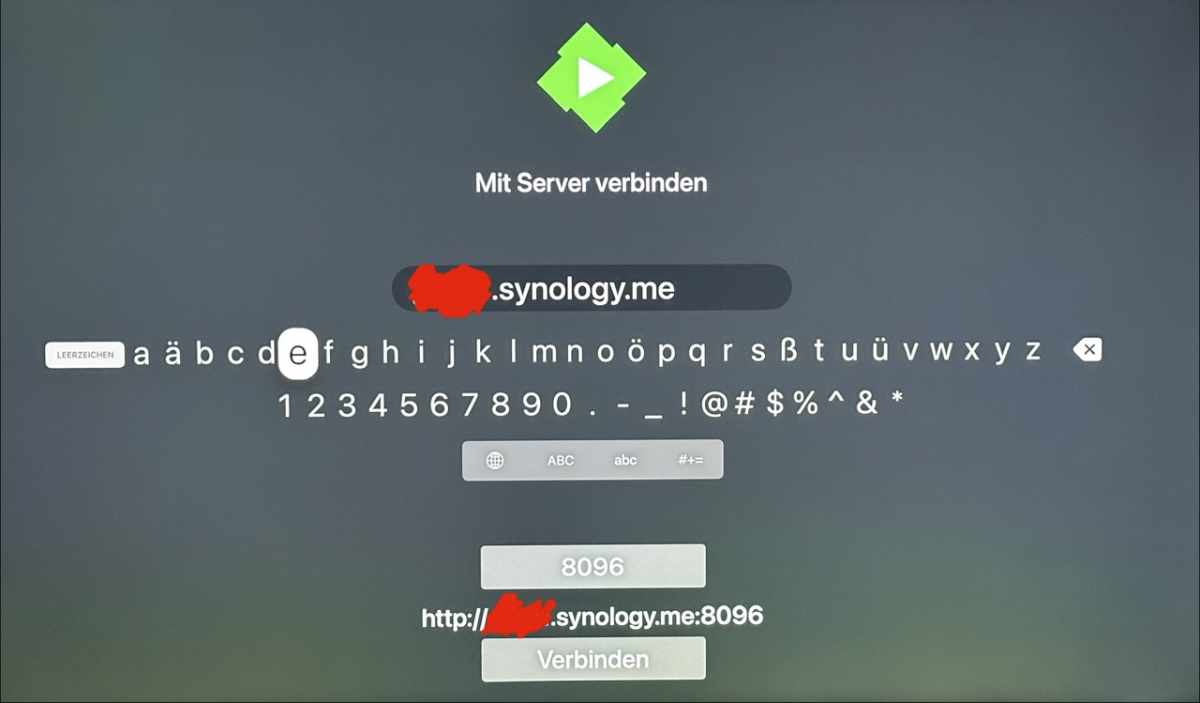
-
NOTE: My server auto-updated to 4.10.0.10. King of Queens and Highway to Heaven succeeded! I'll try a few more.
-
Updates: Ability to set a custom background image. Section 1 Changes: If you customized your CSS, you could keep your section 1 and just update section 2 on down. but here are the important things that were added or changed so you can modify accordingly. New variables added /* --- GLOBAL BACKGROUND IMAGE --- */ /* OPTION 1 Use Theme Defaults */ --global-bg-image: radial-gradient(circle, var(--navy-mid-solid) 25%, var(--navy-base-solid) 85%); /* Default Theme Colors */ /* OPTION 2: Use a background image at full brightness (Set to your prefered image)*/ /* --global-bg-image: url("https://static.vecteezy.com/system/resources/previews/024/396/102/large_2x/a-view-from-space-to-a-galaxy-and-stars-universe-filled-with-stars-nebula-and-galaxy-panoramic-shot-wide-format-elements-of-this-image-furnished-by-nasa-free-photo.jpg"); /* Full brightness image */ /* OPTION 3: Use a background image but dimmed down (Set to your prefered image) */ /* --global-bg-image: linear-gradient(rgba(0,8,20,0.7), rgba(0,8,20,0.7)), url("https://static.vecteezy.com/system/resources/previews/024/396/102/large_2x/a-view-from-space-to-a-galaxy-and-stars-universe-filled-with-stars-nebula-and-galaxy-panoramic-shot-wide-format-elements-of-this-image-furnished-by-nasa-free-photo.jpg"); /* Image with 70% Navy dimming */ Emby Navy and Gold v4.115.css
-
Entiendo cual es el motivo, soy desarrollador y diseñador UX/UI, precisamente por eso no he podido evitar notar el detalle. Hay muchas cosas que me encantaría proponer, incluso participar, pero me centro en el motivo de la consulta. De momento he detectado que resulta un problema en la versión web y en la app de Samsung. En esas dos versiones el vídeo queda excesivamente oscuro para que se distinga nada coherente. Lo comento únicamente por la posibilidad de aplicar el fondo semi-transparente al resto de elementos por encima del fondo y así dejar un espacio en el que se pueda apreciar bien el vídeo. Es una posibilidad, sin duda se pueden plantear otras muchas, pero tampoco pido que se rediseñe todo el conjunto. El objetivo original de la consulta era saber si se puede configurar de otra manera por parte del usuario y de no ser así tan solo informar que en esas dos versiones se ve muy mal si hay vídeo de fondo.
-

Emby Theme: Retro Navy & Gold (W/ Seasonal Themes)
MediaEmby1968 replied to Aleas's topic in Web App CSS
Ok. I'll try it tomorrow. I'll let you know. -
Drop this hotfix at the bottom of section 12 and adjust to the image you want. Anything custom should be in section 12, or the very bottom of the CSS. I'll look into making background images a variable. ** Removed Hotfix It's in the Update Below, plus it didn't take into account when a backdrop was being shown so the 2 images bled into each other. ** If you have other issues, please let me know, and also if all this resolves the features you did not like.
-
Updates: Fixed an issue with the watched / favorites having an odd halo effect on the media details page (Hover State) Fixed table view watched / unwatched / favorites indicator. (Hover State) Fixed watched background when hovering over media cards. Section 1 Updates: None Emby Navy and Gold v4.114.css
-
Emby Theme: Retro Navy & Gold (W/ Seasonal Themes)
MediaEmby1968 replied to Aleas's topic in Web App CSS
I'll run those tests you mentioned, but tomorrow. This is the code I use for the background image in settings. /* ------------------------- Añadir imagen de fondo en - Inicio y Configuracion -------------------- */ div.homeSectionsContainer, div.view-settings-settings, div.settingsContainer {background-image: url("/web/modules/themes/ballerina-1080.jpg"); background-repeat: no-repeat; background-position: center; background-size: cover; background-attachment: fixed; } -
Update this variable to none --backdrop-anim-toggle: none; /* Set to 'imgZoomFadeIn' to ENABLE the backdrop animation, or 'none' to DISABLE it */ That was the header changes set these variables: --header-blur: var(--retro-navy); /* Set to 'none' for a completely clear header, or var(--blur-heavy) / var(--blur-light) to enable frost */ --header-bg: transparent; /* Set to 'transparent' for a completely clear header, or use a translucent color to enable frost */ --header-border: none; /* Set to 'none' to disable, or var(--standard-border-thickness) solid var(--gold-alpha-15) to enable */ --header-content-padding: 0px; /* Media details header padding, push the content down from the header */ Can you show me a screenshot where the icons are not changing colors? How are you setting the background image? If there are opacity issues with backdrops (being too dark or too light) you can adjust this, comments explain, just change the 0.5 to a lower value to brighten it up. --backdrop-bg-color: rgba(var(--pure-black-rgb), 0.5); /* DIMMING - COLOR / OPACITY (Increase to 0.8 for darker, decrease to 0.4 for lighter) */ So, these are a lot of changes you are doing to your variables, which is exactly why moving forward on any updates I'm highlighting what has changed in section 1, so you only need to update section 2 on down. but you do need to pay close attention to the new section 1 update notes to make changes
-
I have two versions of each movie that are capable of direct play in Firefox: a 720p MP4 (H264/AAC) and a 1080p WEBM (VP9/Opus). The 720p version is always displayed as default, even on screens that are capable of 1080p or better. Is this the expected behavior? It's not really a big deal, but I was under the impression that Emby picks the best fully compatible option for the player as the default. It would be nice if it did that in this case.
-
Emby Theme: Retro Navy & Gold (W/ Seasonal Themes)
MediaEmby1968 replied to Aleas's topic in Web App CSS
Hi, it's not just the animations, which I personally don't like very much. There are several changes I've noticed that led me to revert to version 100, which is the one I used and still use. In this latest version, the background is animated. On the home screen, when scrolling down, a window appears at the top, in the Home and Favorites section, which didn't appear before. When I changed the main color, the icons also changed, but not here (I don't know if it's because I partially removed that image when scrolling, but it wasn't appearing). And some colors in general haven't changed either... I haven't been able to set a background image in settings; I used to be able to. And the background images appear darker underneath. Because of these things, I decided to stay on version 100, but please don't take it the wrong way; the theme is very well done. We all have our own tastes, and that's why changes are better on a personal level. It's better to ask how to change something and set it up to my liking. Thanks for all your hard work. I use it as a theme for working on the server; I don't watch movies or series on the PC, which is where I have it. -
Changed. Adjusted. Increased from max 10 to max 25 You understanding was correct, log entries were not linked to mode used but to operation performed instead; it is now, whether single- or multi-tag entry, they'll always be color-coded according mode used. I am one of those people (traffic light syndrome): for me GREEN is absolutely safe (ADD mode gets that by default) - and RED is absolutely unsafe/danger. Everything else falls between those two extremes. Experimented with ORANGE for REPLACE mode - didn't like it, here's one with PURPLE accent. v1.4 Selection fields adjusted Headers renamed Dropdown size adjusted Color accents reworked Log entries colored according mode selected emby_album_tag_importer.py
-

.nfo problem after upgrading server to 4.9.3.0
robbie1407 replied to robbie1407's topic in General/Windows
hi there, i think it was the file structure as i had programmes in year folders in a mixed category. once i made the category movies it was ok. thanks -
Temporary fix is use infuse. Connect to your Emby or Plex library and it works for now.
-
@yocker- this one loads just fine. thanks !
-
Yes I use the same path on Plex. I can't get my head around this one.
-
If you are talking about the popout effects, as the comments and update notes say you can totally disable that effect. Just change these variables to this: /* MEDIA CARD POPOUT EFFECTS --- */ --popout-perspective: none; /* Effects can be made when hovering over media cards to disable use "none" or to enable use "1000px" */ --popout-transform: none; /* Effects can be made when hovering over media cards to disable use "none" or to enable use "scale(1.05) rotateX(4deg) translateY(-5px)" */ --popout-shadow: none; /* Effects can be made when hovering over media cards to disable use "none" or to enable use "0px 20px 30px var(--black-alpha-90), var(--shadow-glow-standard)" */ If it's something else, please let me know what the issue is so I can address it. But just about every change that happened you have the ability to control. For the font size you can drop this at the end of section 12. /* ============================================================ HOTFIX: MEDIA STREAM INFO FONT RESIZING ============================================================ */ html[class*="theme-"] body .mediaInfoAttributeLabel, html[class*="theme-"] body .mediaInfoAttributeValue { font-size: 1.15em !important; line-height: 1.5 !important; } html[class*="theme-"] body .mediaStreamInnerCardFooter h3 { font-size: 1.45em !important; margin-bottom: 12px !important; letter-spacing: 0.5px !important; } html[class*="theme-"] body .mediaStreamInnerCardFooter { padding: 1.2em !important; } html[class*="theme-"] body .mediaInfoAttributeValue { white-space: normal !important; word-break: break-all !important; }