






















Emby for Android TV 2.5 Rolling out Now

Entry posted by ebr in Emby
79 views
Emby for Android TV 2.5: A Fresh Look, More Everyday Convenience
Emby for Android TV 2.5 is rolling out now! Due to popular demand, we've decided to bring some new life to the old app. We’re refreshing the app with a more modern look and adding thoughtful features that make browsing, organizing, and enjoying your media easier—all while keeping the familiar navigation designed for your TV and remote.
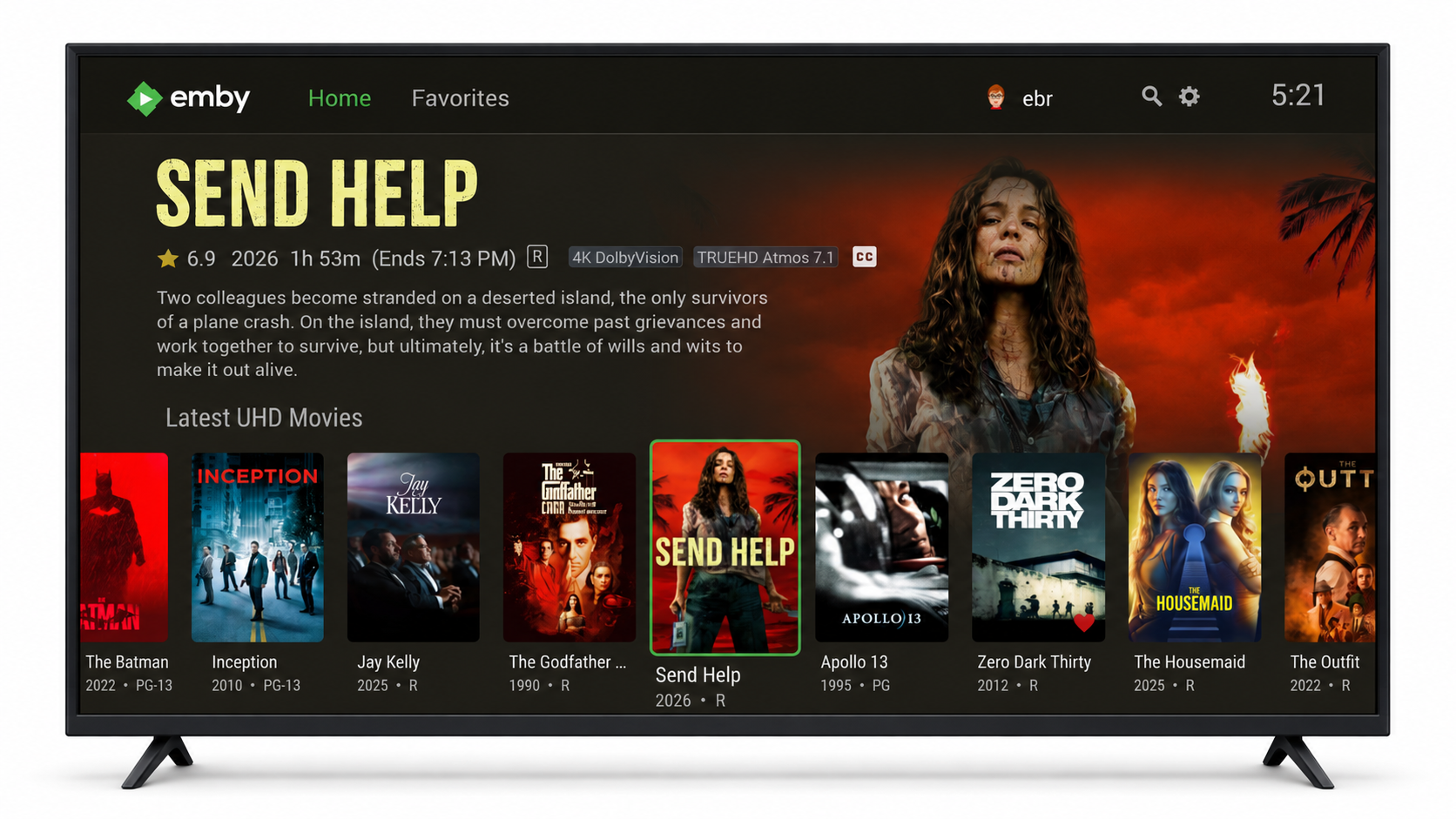
You’ll notice updated menus and dialogs throughout the app, along with a richer presentation for your library. In the default theme, the background picks up colors from the displayed artwork, helping the whole screen feel more cohesive. Title logos now extend to the home screen, giving your movies and shows more of their own visual identity.
The improvements go beyond appearance. This release brings new ways to explore your library and makes common actions more convenient:
-
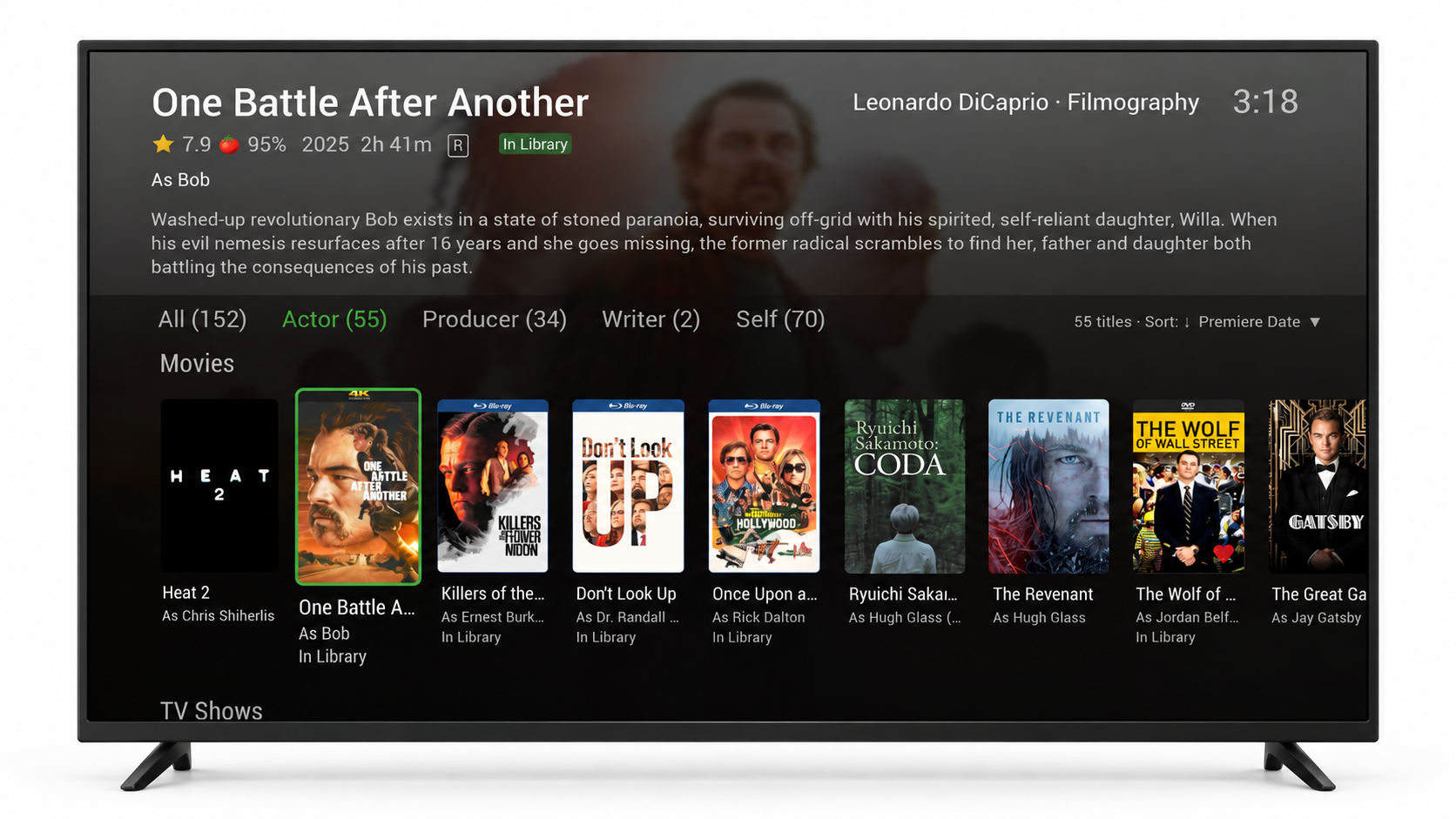
Explore filmographies. Curious about an actor’s other work? Open the new Filmography view from their person page to browse movies and shows, sort by name or release date, and filter by their role. Titles already in your library can be opened or played directly from this view; other titles are clearly identified as outside your library.
-
Build collections and playlists with fewer steps. Add to Collection is now available from the context menu. Both collection and playlist actions remember your five most recent destinations, giving you shortcuts to the ones you’re using.
-
Browse with better sorting. More sort options and ascending or descending ordering give you greater control over your library views. Relevant sort information—such as IMDb ratings—appears beneath posters so you can see it as you browse.
-
See how many episodes are waiting. A new optional setting displays unwatched counts on episode cards in Next Up and Continue Watching. It’s a handy way to see how much you have left to watch without leaving the home screen.
We’ve also paid attention to the smaller details. The user selection screen focuses on the last signed-in user, subtitle searches put your recently used languages first, and you can use your remote’s arrow buttons to move between the last and first Spotlight items.
For those watching HDR or Dolby Vision in a dark room, a new setting dims playback controls and menus on compatible HDR displays. Choose the dimming level that feels comfortable for your setup, or turn it off.
Alongside these additions, version 2.5 includes fixes for series recordings, sign-in behavior, and other navigation and display issues.
Thank you to everyone who tried the beta and shared feedback. Your suggestions helped shape this release, and we’re excited to bring these improvements to more living rooms.
Enjoy Emby for Android TV 2.5, and let us know what you think in the Emby Community.
-
 4
4
1 Comment
Recommended Comments
Create an account or sign in to comment
You need to be a member in order to leave a comment
Create an account
Sign up for a new account in our community. It's easy!
Register a new accountSign in
Already have an account? Sign in here.
Sign In Now