Jump to content

The new Emby app for Windows & Xbox


softworkz

17207 views

image.png Long Promised — Long Awaited — Finally Here!

We are excited to announce the first release of our all-new range of Emby apps, starting today with Windows and Xbox. With a fully redeveloped native foundation, this update delivers improvements across the board: from remote control and gamepad support to background downloading (Windows), as well as refresh and HDR mode switching, and most importantly, enhanced video playback.

The new app also comes with a name change from Emby Theater to simply Emby.

The name is the only simplification though: On Windows it supersedes and replaces both current apps, "Emby Theater Desktop" and "Emby Theater" from the Windows store, combining the best of both in a single app. It provides enhanced video playback driven by MPV player under the hood, like and even better than "Emby Theater Desktop", and the Download features which were previously available in the Windows store app only.
A primary design goal has been to ensure that users of either previous app encounter no drawbacks when moving to the new version.
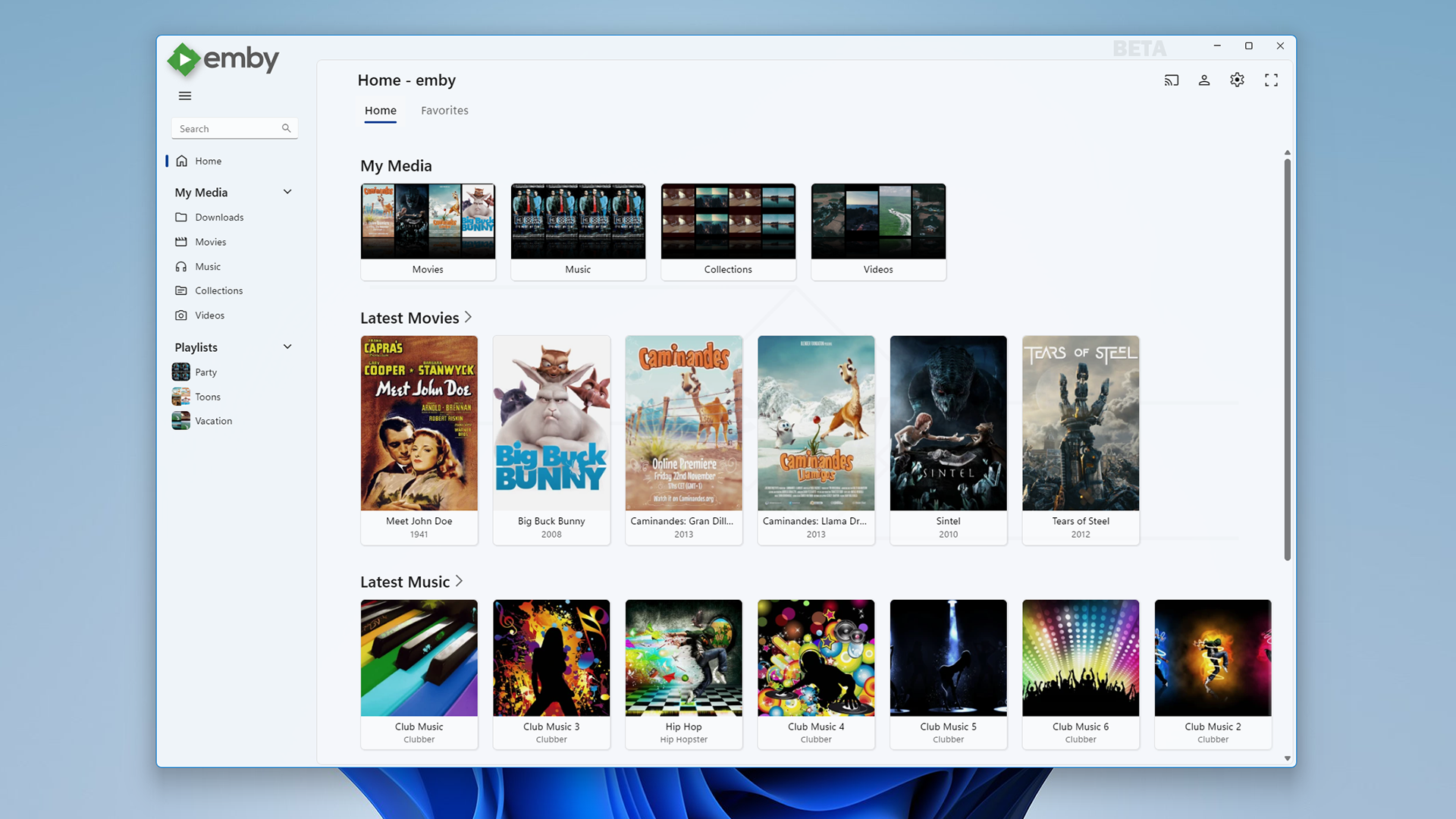
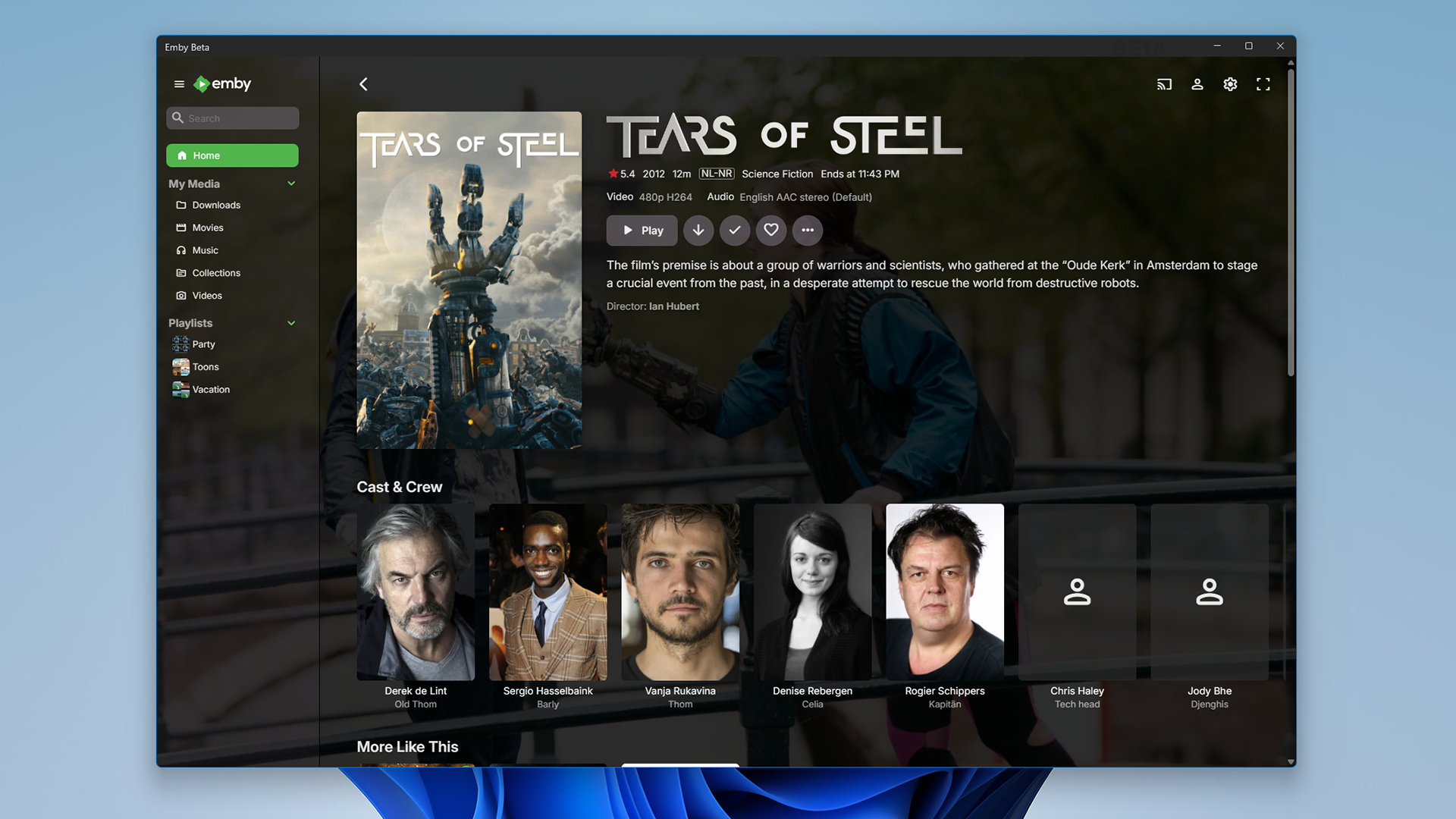
image.pngimage.png


Video Playback (Windows)

Video options in the previous ET Desktop app were not always straightforward. The new Emby app adopts a fundamentally different approach to video playback configuration, which accommodates to a range from least to most knowledgeable users by boiling quality options down to three simple and easy understandable presets alongside a custom mode which allows to control all the underlying options in detail. The main presets are:

  • High Quality
    A no-compromise choice for the best possible quality, regardless of resource usage. Recommended for powerful PCs with high-end GPUs. Video decoding and filtering occur in software for optimal quality, and output scaling uses custom GPU shaders.
     
  • Balanced
    The default and recommended choice for most users. Similar to ET Desktop and a standalone MPV player with default settings.
     
  • Efficiency Mode
    MPV player is generally focused on quality rather than power saving, and even with the Balanced preset, you can get short of energy rather quickly when running on batteries.
    This mode is not built-in or available in the regular MPV player. All video operations are fully performed in hardware while scaling at the video output (no shaders/gpu kernels) gets disabled.

Too simplistic for you? Enter the Customize mode where you can control all options in detail to find your perfect setup.
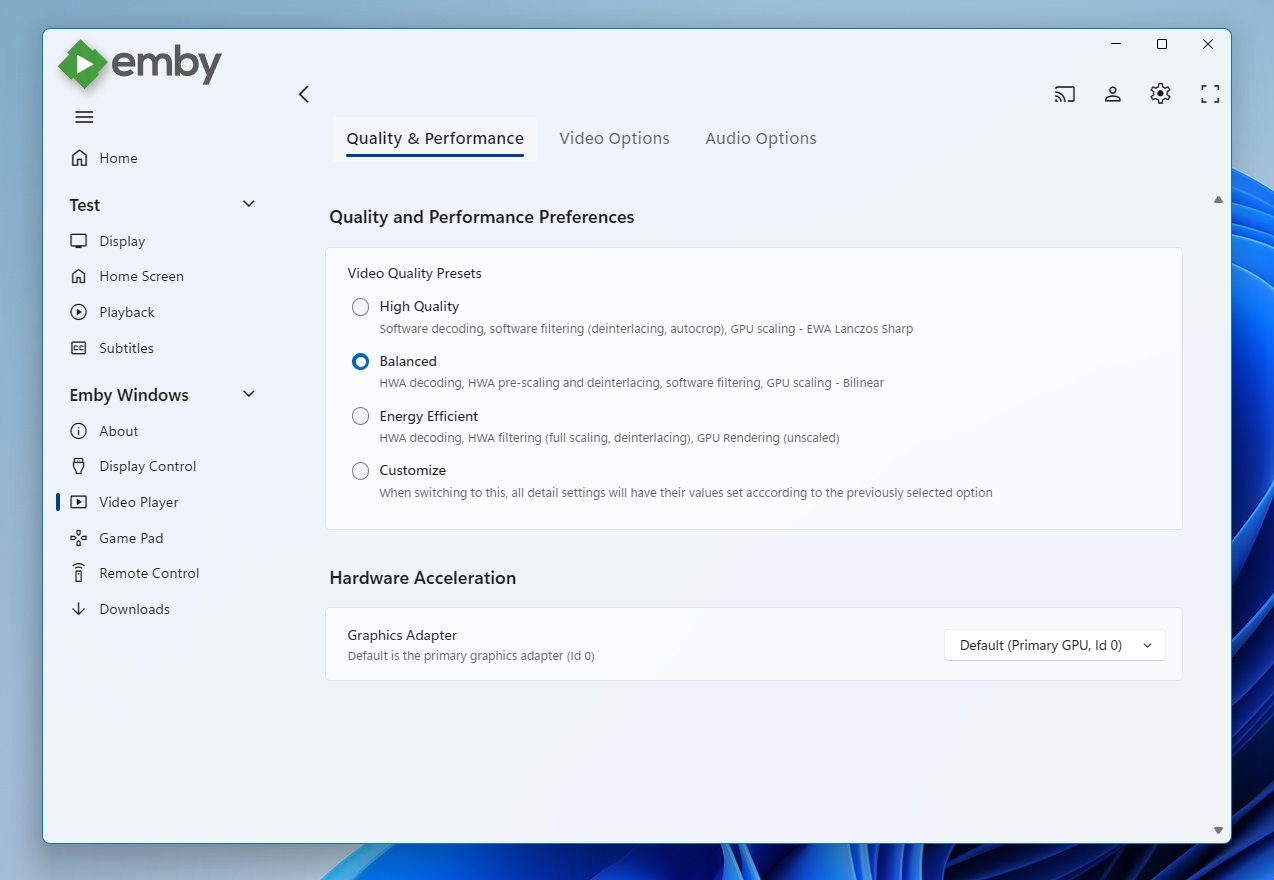
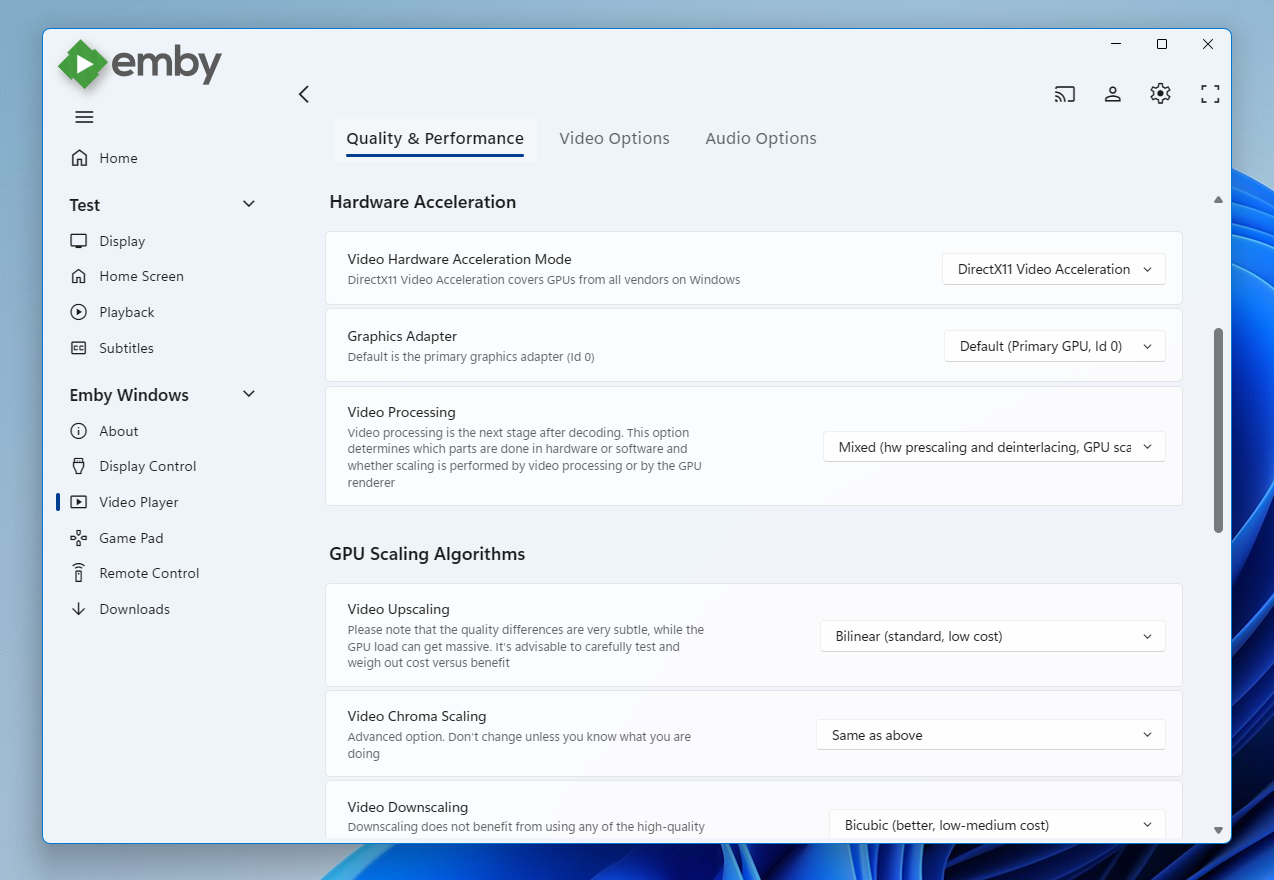
image.pngimage.png


Video Playback (Xbox)

In the new Xbox app, we have a new playback implementation which is based on ffmpeg and takes place of the HTML video playbaback which which had limited codec and format support. By combining ffmpeg decoding with elements from Windows Media capabilities, it combines the best of both worlds: The rich format and codec support from ffmpeg and the built-in hardware acceleration of the Xbox for playing 4k  and HDR videos in the best possible way
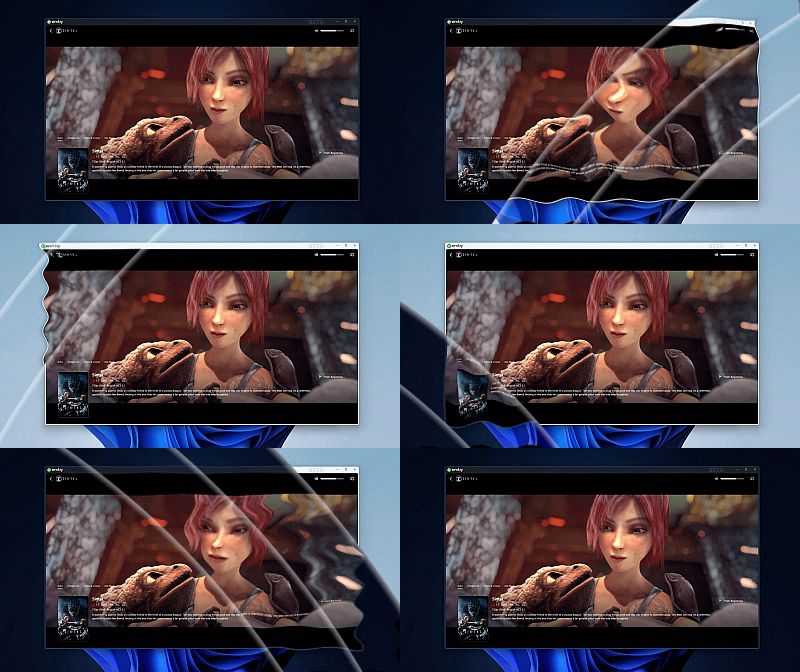
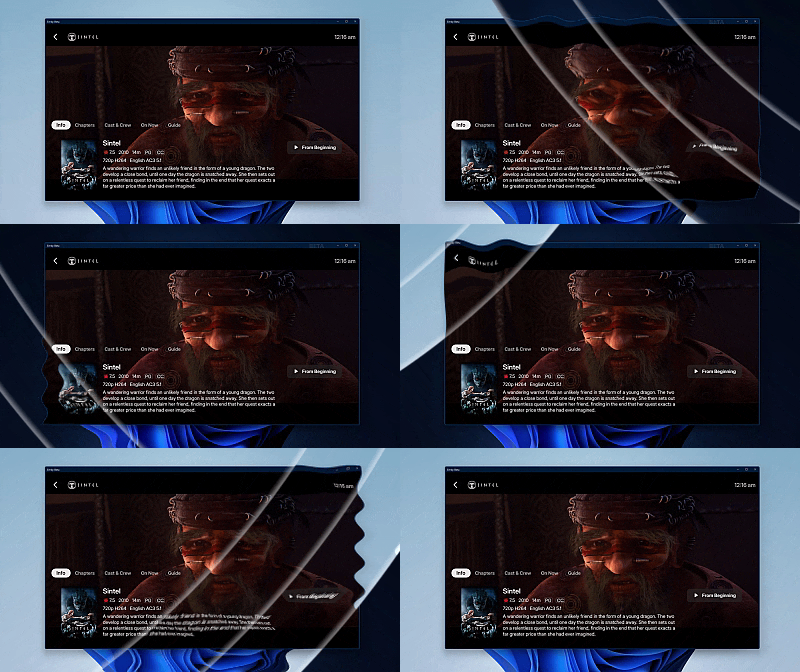
Sintel_DarklightWipe1.gifSintel_DarklightWipe2.gif


Automatic Refresh and HDR Mode Switching (Windows & Xbox)

Refresh rate switching is now as simple as enabling or disabling a single option. The new app can track its window position across multiple monitors and adapt the refresh rate accordingly. On both Windows and Xbox, it can also automatically toggle HDR mode based on the video content and the capabilities of your monitor and graphics hardware.
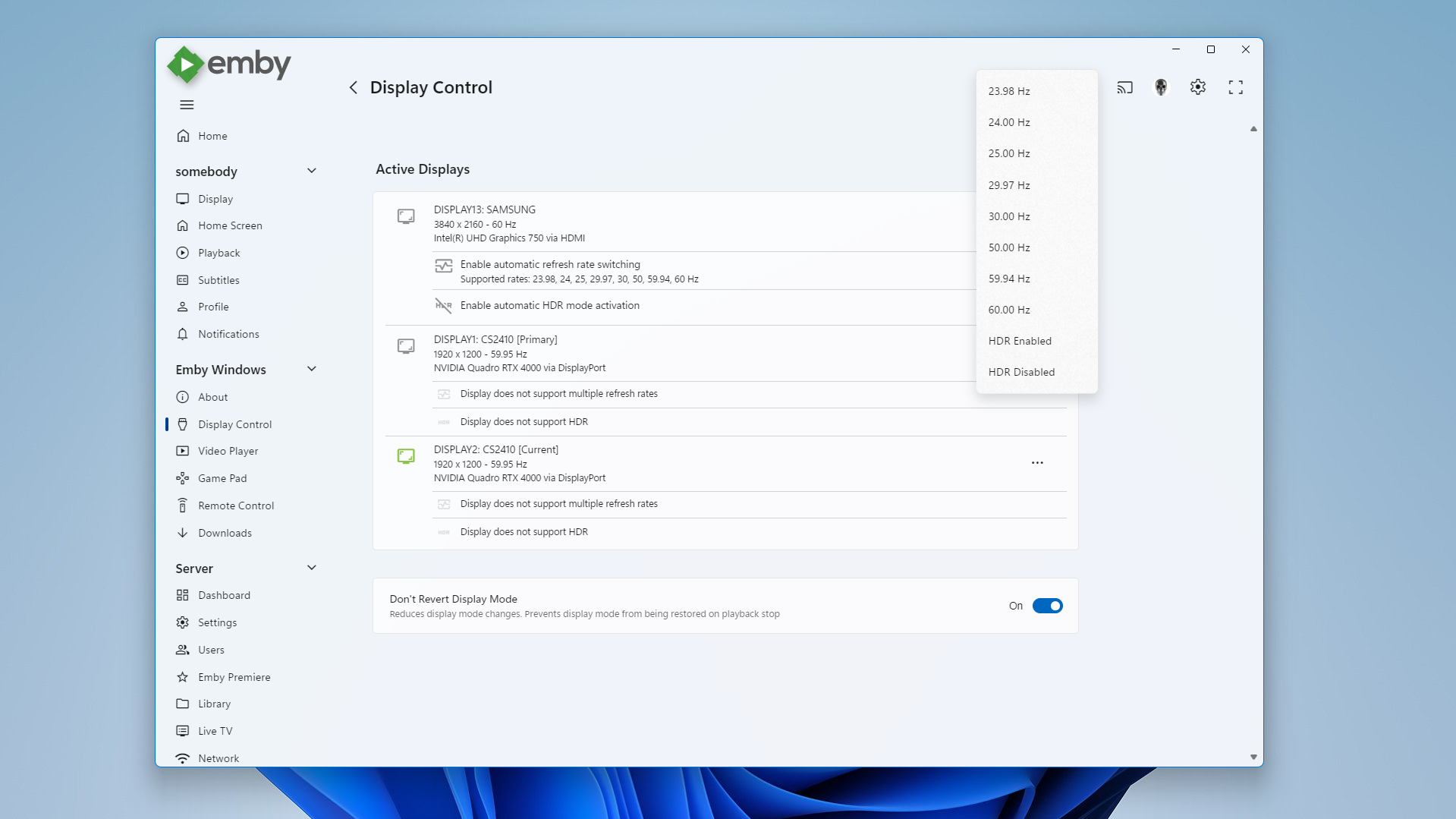
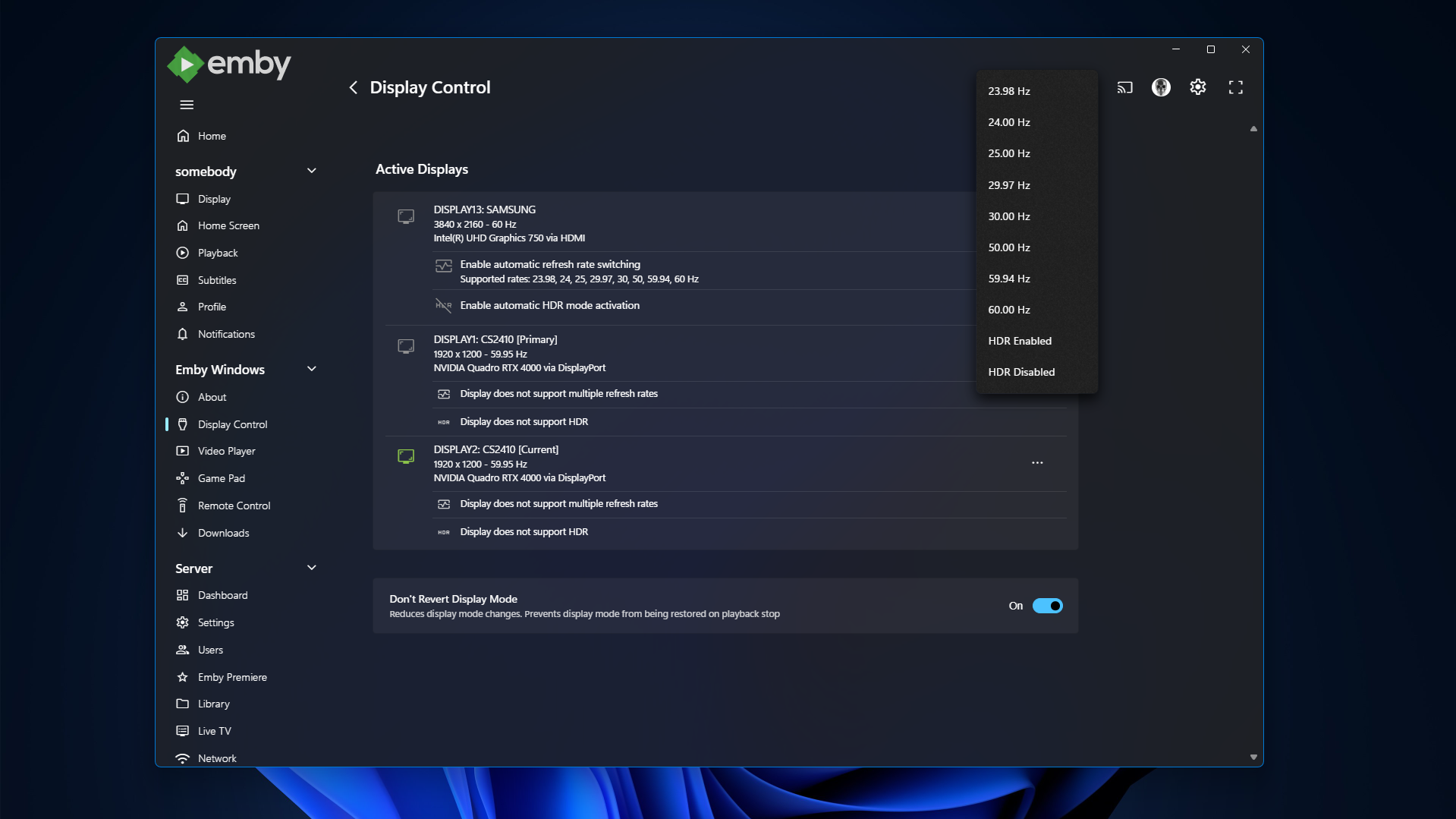
image.pngimage.png


Download Feature (Windows)

With the download feature, you can transfer media from your Emby Server to your client device in a suitable format and size, so you can enjoy your media when you're on the road or without an online connection and even automatically synchronize items based on the watched status.

The new Windows app implements this with a completely different approach. Instead of periodically polling and running in the background, it uses Windows Push Notifications for server-side activation and the Windows BITS (Background Intelligent Transfer) service for downloads. As a result, the app runs only briefly whenever the server notifies it about newly available items or when BITS reports a completed download.  If you don't use this feature, nothing runs in the background at all.


Enhanced Support for Remote Control and Gamepad Input (Windows & Xbox)

Remote Control support has been extended to cover almost all functions defined in the Windows Media Center remote button schema. For game controllers, mapping has also been expanded to assign functions to all available controls. New options pages provide a reference for button assignments and allow you to test inputs to ensure everything works as intended.
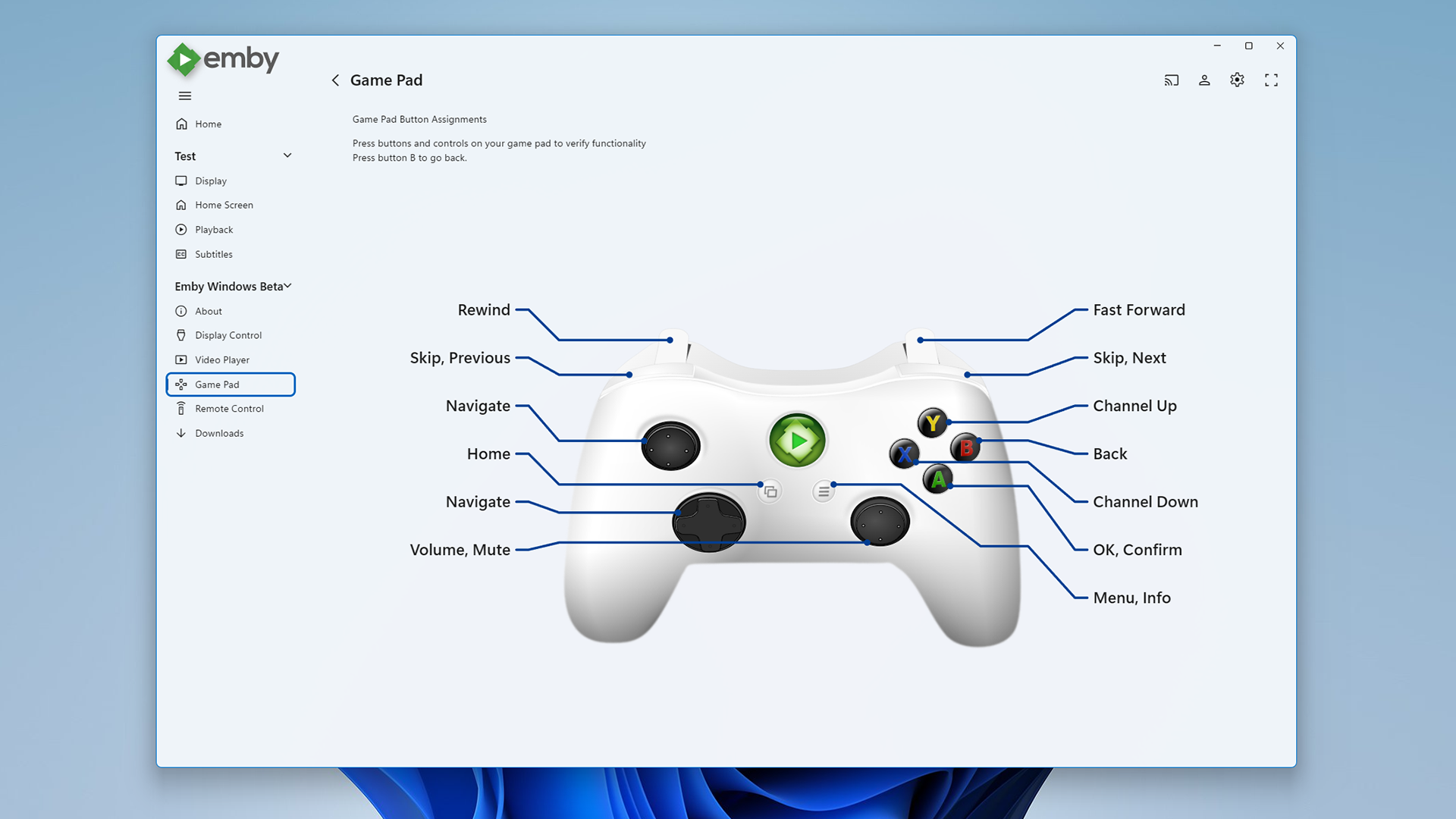
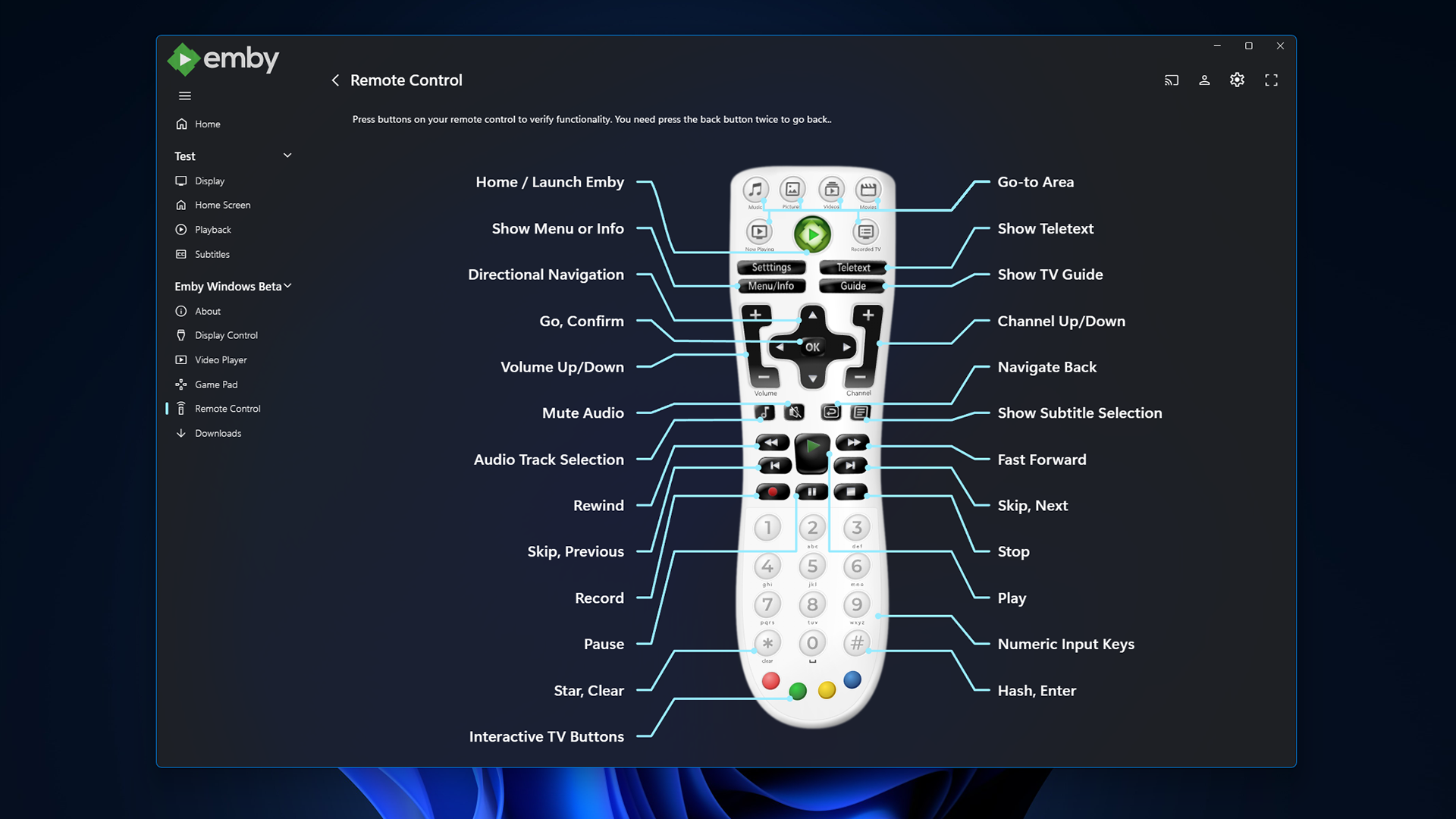
gamepad_winligh.pngremotecontrol_windark.png


Windows Theme (Windows)

As a visual highlight, the Windows app features a new and exclusive Windows theme with Mica material background (Win 11) and seamless integration with your Windows desktop appearance, matching theme colors and dark/light switching accordingly.
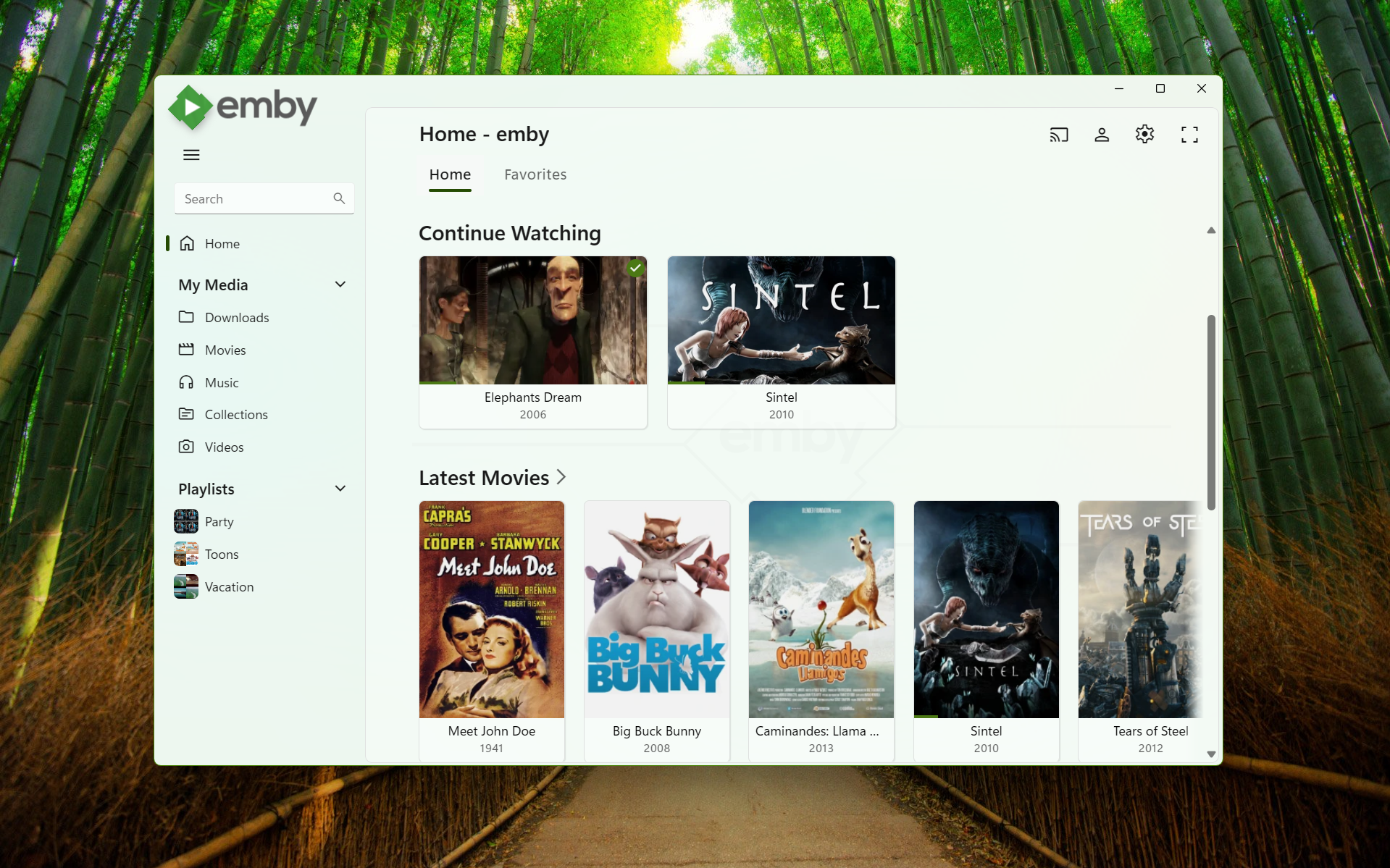
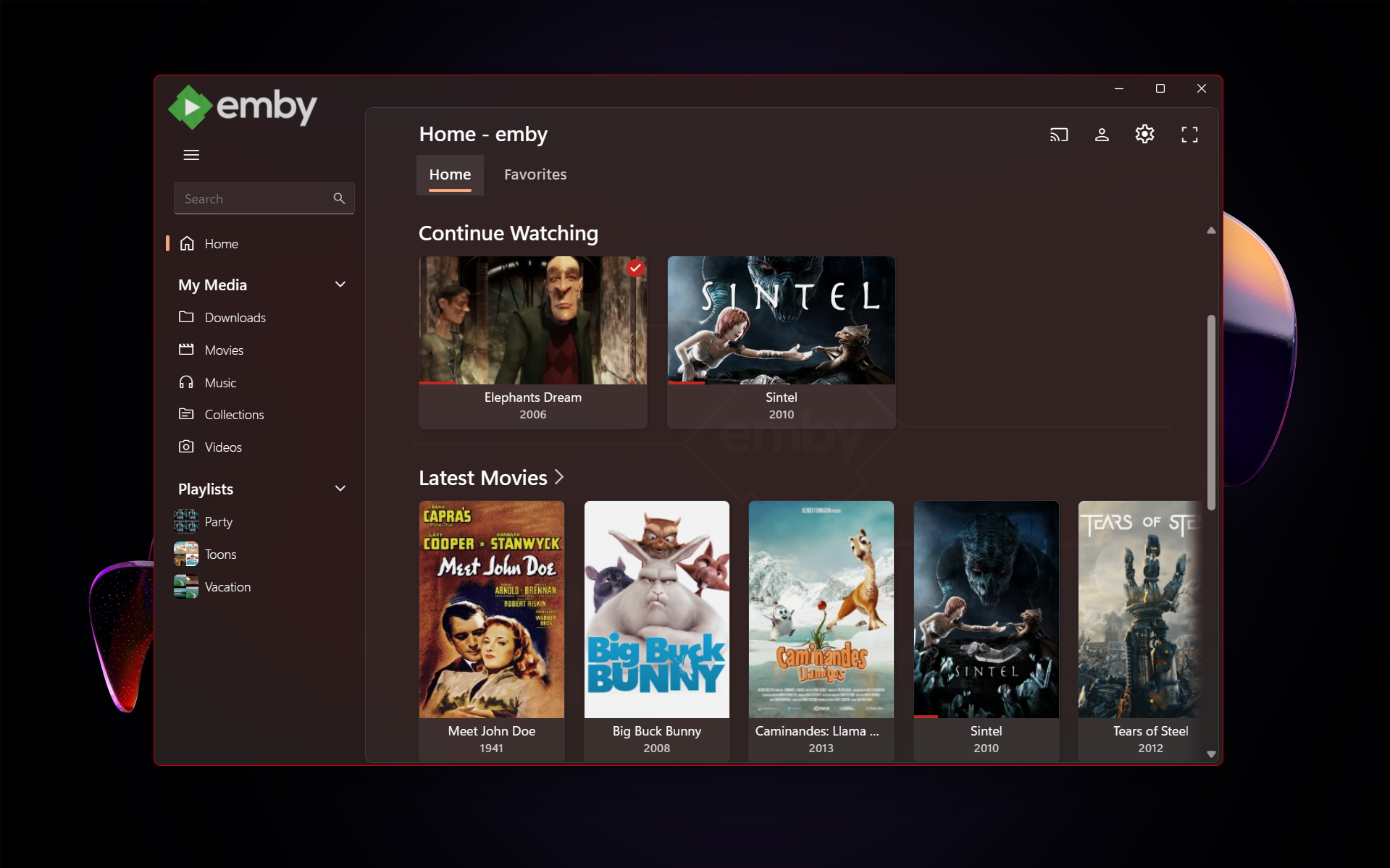
image.pngimage.png


High Contrast Themes (Windows)

As part of the Windows theme, the new Emby app also supports the Windows High Contrast settings. Fonts adjust in size and weight for better visibility, and fewer — but thicker—lines are drawn to enhance readability for those who need it.
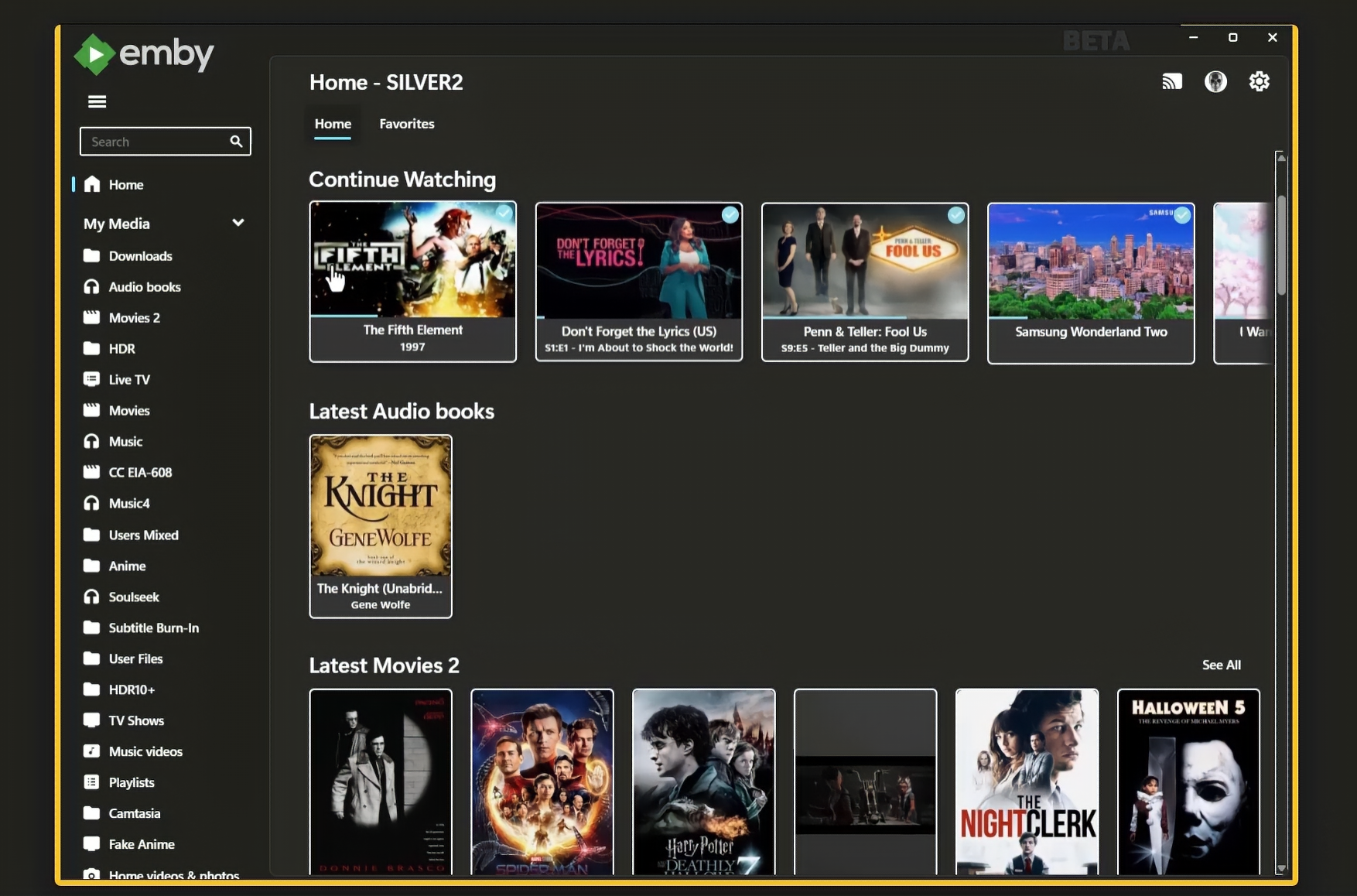
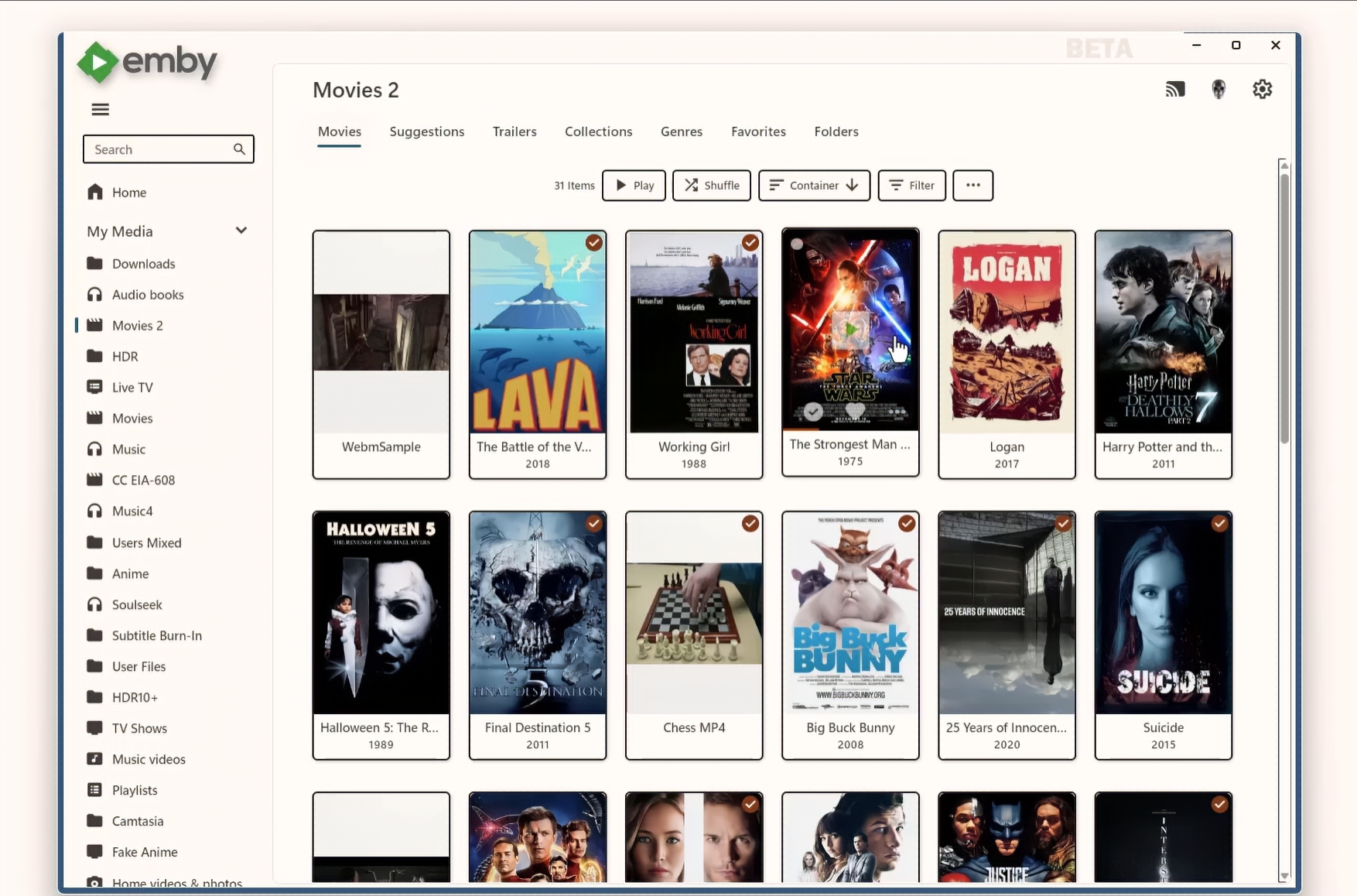
image.pngimage.png


image.png

Edited by softworkz

  • Like 20
  • Thanks 4

52 Comments


Recommended Comments


Asazen

Posted

Wonderful update of the Windows App, perfect aesthetic display without any bugs (both the Android and TV versions have bugs in the interface) one thing that I loved (which the others should implement, Android, TV, etc.) is the super complete "Statistics for nerds" and the real-time video bitrate..!! Thank you very much


estadisticas para nerds.png

  • Like 1
visproduction

Posted

SW,
Edition    Windows 10 Home
Version    22H2
Installed on    ‎4/‎22/‎2023
OS build    19045.5247
Experience    Windows Feature Experience Pack 1000.19060.1000.0

Emby web works on this server.  It could be that I need to be admin to run the install.  I have not tried that.  I'm happy to test further to see if something like that is the cause.

Steven

Posted

This is fantastic. What a Christmas present! Thank you 😊

  • Like 1
Solal

Posted

Thanks for the new app.

Don't really where to bug report but I found a bug.

The subtitles parameters don't work (at least for background and transparency).

See photo's attached.

Capture d’écran 2024-12-22 132619.png

Capture d’écran 2024-12-22 132455.png

Lojik Supreme

Posted

I'm soo stoked for this! I noticed the icon change on my Xbox and took a wild guess what it meant! Now I can go through my backlog of 4K movies I want to watch! Thank you!

marktaff

Posted

On 12/19/2024 at 5:42 PM, softworkz said:

The next official app from this code base is Emby Linux, the beta is starting right now. 

If I can help testing, let me know.  Pretty keen on this, as current emby linux won't play anything.

Operating System: Kubuntu 24.10
KDE Plasma Version: 6.1.5
KDE Frameworks Version: 6.6.0
Qt Version: 6.6.2
Kernel Version: 6.11.0-13-generic (64-bit)
Graphics Platform: Wayland
Processors: 4 × Intel® Core™ i5-5250U CPU @ 1.60GHz
Memory: 14.6 GiB of RAM
Graphics Processor: Mesa Intel® HD Graphics 6000

Peter Nent

Posted (edited)

GREAT work !, giving the Windows+xBox Emby client a new and future-proof foundation: GREAT. (although I have found some bugs which I'll report in the apropriate forum)

Thnx & best regards, Peter

Edited by Peter Nent
  • Like 1
softworkz

Posted

New version is out:

Asazen

Posted

On 12/22/2024 at 1:29 PM, Solal said:

Thanks for the new app.

Don't really where to bug report but I found a bug.

The subtitles parameters don't work (at least for background and transparency).

See photo's attached.

Capture d’écran 2024-12-22 132619.png

Capture d’écran 2024-12-22 132455.png


True, I checked it based on your comment, the styles do not work well, the "drop shadow" options do not work, the black highlight always appears around the text even if you select "None"

softworkz

Posted

There's a clash of interests here unfortunately. What you are seeing are the subtitle options which are shared across apps and saved per user.
I had favored app-specific subtitle options instead which are showing those parameters only, which are effective for the app, but couldn't get it agreed upon.

Sorry!

wookie_jmc

Posted

Attempting to install through the MS store fails. 

I really wish you offered a different install method as the MS store is completely borked for me. 

  • Like 1
Xairoo

Posted

On 12/19/2024 at 11:58 PM, softworkz said:

Hiding the animation does NOT speed up the startup. Startup is not delayed by the animation, the animation is there to cover the long startup. 

I've added an explanation to the FAQ: 


Startup times:

  • Plex: 4 seconds (10.000 items)
  • Emby: 10 seconds (less than 200 items)

Would be better to improve the startup instead of spending time to add an animation - sorry!

visproduction

Posted

7 hours ago, Xairoo said:

Would be better to improve the startup instead of spending time to add an animation - sorry!

For other company projects that insist on heavy pages, I have used preload, after a setTimeout delay, for image content below the visible area of a homepage.  This may help top area images on the home page load quicker.
Javascript example: https://stackoverflow.com/questions/65857290/how-do-i-add-a-delay-to-preloader-so-the-preloader-will-display-even-after-page

I assume that smaller versions of the posters are already in cache. 

  • Are these cached smaller version images made on demand? 
  • I assume they are stored on the server for all users? 
  • Can the posters in the top area of the home page be made earlier and cached?  
     
anonynot

Posted

Overall it seems like a good update, but how do I actually locate the executable? Everything is now hidden behind M$ store install nonsense, even after going into the store apps directory I only see Emby.Client.WinUI.exe and it doesn't actually launch anything. I've been using theatre with steam big picture, and would like to keep being able to launch it without having to pull out a keyboard.

  • Like 1
ALLSTAR1986

Posted

Is it now possible to consume HDR10+ and Dolby Vision content on the PC? The same question also applies to the xboxseries x.


I would be very happy if you can use the internal player of emby on the Zidoo media players. But this could not do an automatic frameswitch.

softworkz

Posted

7 hours ago, anonynot said:

Overall it seems like a good update, but how do I actually locate the executable? Everything is now hidden behind M$ store install nonsense, even after going into the store apps directory I only see Emby.Client.WinUI.exe and it doesn't actually launch anything. I've been using theatre with steam big picture, and would like to keep being able to launch it without having to pull out a keyboard.

It's pretty easy. I have added instructions for this to the FAQ: 


softworkz

Posted

2 hours ago, ALLSTAR1986 said:

Is it now possible to consume HDR10+ and Dolby Vision content on the PC? The same question also applies to the xboxseries x.

Yes for both.

What works on Windows but not on Xbox is tone mapping for Dolby Vision, i.e. playing DoVi content on non-DoVi displays with proper colors.

ALLSTAR1986

Posted

54 minutes ago, softworkz said:

Yes for both.

What works on Windows but not on Xbox is tone mapping for Dolby Vision, i.e. playing DoVi content on non-DoVi displays with proper colors.

Hello, so HD Audio Passthtough worked but HDR10+ was not displayed on my Samsung S95C, only normal HDR. My PC is the Geekom GT1 Mega with the latest hardware.

renegeed

Posted

The subtitles for my media are much smaller compared to Emby Theater, I don't appear to be able to change them to a different size within the settings. Doesn't react to my changes.


New Emby:

image.png.a2f56cf58f0cf9df3a2d18a508b18a7f.png


Old Emby Theather Desktop (non-store):

image.png.22e2fb90df64fd50193870e8b0cd4dd4.png


Other than that things I've noticed:

- No close button when maximized.

- Program takes quite a while to load.

anonynot

Posted

23 hours ago, softworkz said:

It's pretty easy. I have added instructions for this to the FAQ: 


Thanks, for anyone else using steam big picture you will notice that the path in the FAQ is not allowed to be added due to permissions. Since I don't like changing permissions on things without fully understanding what the implications are I worked around it with the following:

1. Make a txt file and rename it to Emby.exe - no content needed
2. Make an emby.bat file with EmbyClientWinUI
3. Make an emby.vbs file with the line

CreateObject("Wscript.Shell").Run "emby.bat", 0, True

4. In steam, add the dummy exe then go to properties and change the target to the .vbs file

Now it's in the library and will launch with no cmd window shown

e2zippo

Posted (edited)

Cool stuff, and a really good update! Hope to see all the new options on the TV apps as well later on!

Edited by e2zippo
  • Thanks 1
dhoad

Posted

how do i get the app


Luke

Posted

17 minutes ago, dhoad said:

how do i get the app


Hi, you can install the Emby Windows app using the Windows store.

quorn23

Posted

On 12/19/2024 at 6:15 PM, AngelSing said:

It is evident that the application startup is much slower than the previous version and the web version. As I mentioned before, I am now sharing a video that demonstrates this situation.


Just looking at the new app as i'm planning on reinstalling a windows device. Emby Theater is snappy and works fine and fast, surprised this is the only in here about this. Please give us an option to disable the splash fully, having to wait an additional 10 seconds every time opening the app now is rather off putting. Even if you you "skip" it with manual interaction the app just sits there. Please rework the start up time.


Is there still a download link for Emby Theater available? Searching for it brought me to this thread.

  • Thanks 1
softworkz

Posted

1 hour ago, quorn23 said:

. Please give us an option to disable the splash fully, having to wait an additional 10 seconds every time opening the app now is rather off putting. Even if you you "skip" it with manual interaction the app just sits there. Please rework the start up time.

Please see the FAQ in the forum.


Create an account or sign in to comment

You need to be a member in order to leave a comment

Create an account

Sign up for a new account in our community. It's easy!

Register a new account

Sign in

Already have an account? Sign in here.

Sign In Now
×
×
  • Create New...