Tone Mapping Curve: Clip
Clipping leaves in-range values alone and replaces every value above the output ceiling with that ceiling.
Clipping puts a hard ceiling on a value. Below the ceiling it keeps the value unchanged; above it, every input becomes the same maximum.
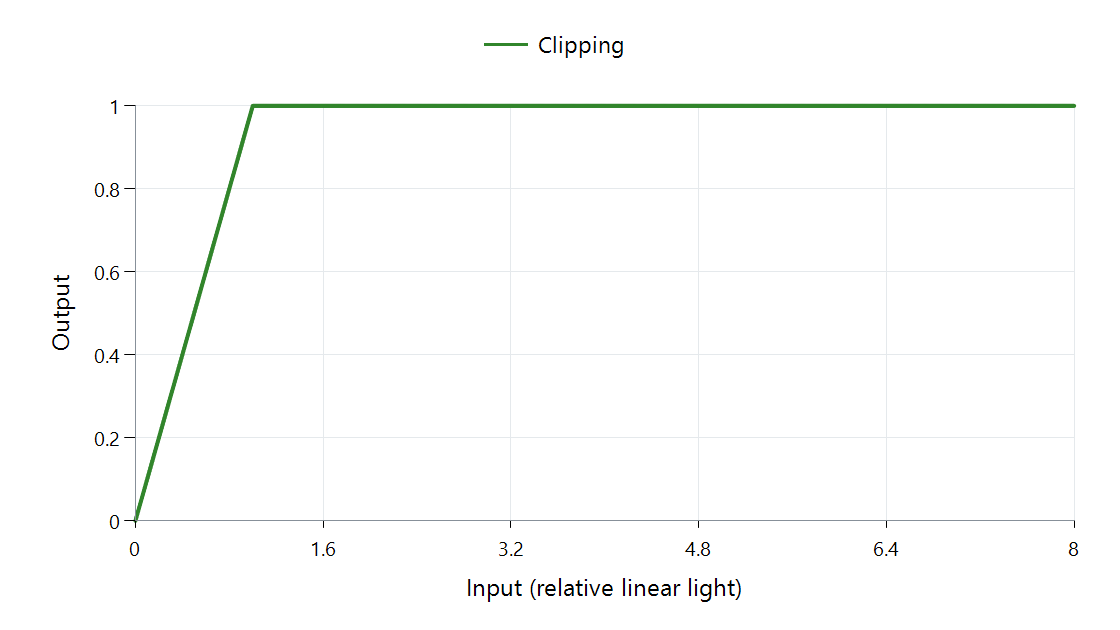
FFmpeg 8.1 clip mapping with scale parameter 1. Both axes use relative linear light for neutral gray; output white is 1.
The flat section is the important part. Three parts of a bright cloud with inputs of 2, 4, and 8 all become 1. The cloud's positions remain, but the brightness differences that made its texture visible disappear.
| Input | Output |
|---|---|
| 0.2 | 0.2 |
| 1 | 1 |
| 2 | 1 |
| 8 | 1 |
A highlight roll-off bends toward the limit gradually, leaving output space for some of those differences. It starts changing the values before they reach the ceiling. Clipping preserves the in-range part exactly and spends none of that range on brighter values.