Vulkan subtitle overlay
Vulkan overlay uses synchronized device images and a compute shader; subtitle rasterization, format matching and colour interpretation remain separate requirements.
Vulkan represents image processing through device resources and explicitly submitted work. For subtitle composition, a compute shader can read the video and a prepared subtitle image, then write a combined picture.
The text has already been rendered by the time it reaches this boundary. Fonts, script shaping and cue interpretation are jobs upstream of the image shader.
Two compatible images enter the examined filter
The overlay_vulkan filter in Emby FFmpeg 5.1-emby_2023_06_25_u1 accepts two Vulkan video inputs. At initialization, its source rejects main and overlay frames whose underlying software pixel formats differ. “Both are Vulkan frames” therefore does not establish that they form an accepted pair.
A CPU-generated RGBA subtitle layer is not automatically compatible with a differently represented video surface. Preparing it requires an accepted format and suitable device images. That conversion must preserve transparent regions and the intended colour values.
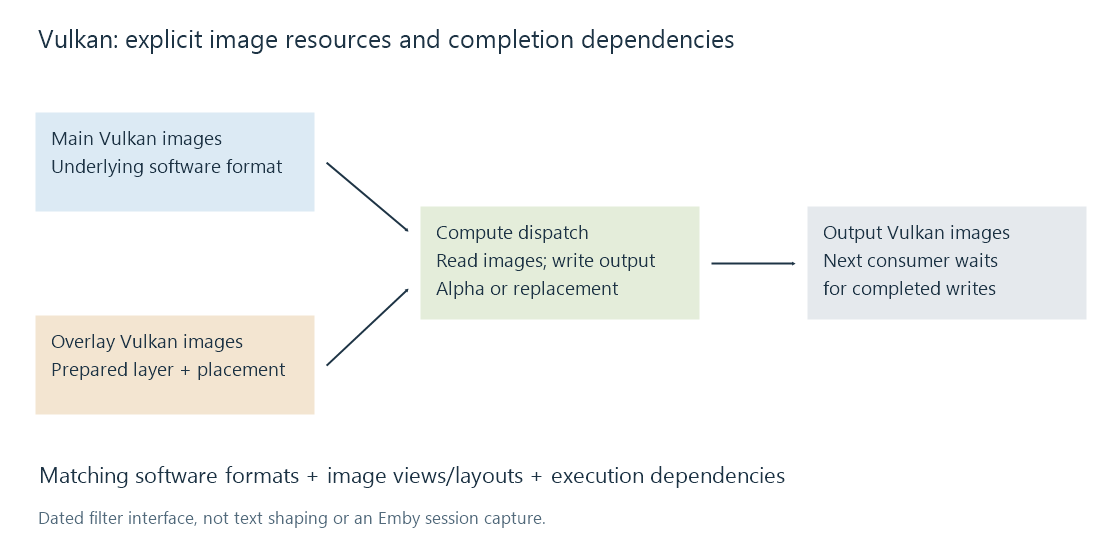
The filter derives overlay offsets and sizes separately for luma and subsampled chroma planes. A position expressed in full-resolution picture coordinates cannot simply be copied unchanged into every plane.
Transparent edges need the right shader branch
The source contains both a replacement shader and an alpha shader. In the replacement branch, samples inside the overlay rectangle replace the corresponding video samples. Outside it, the main image is retained.
The alpha branch calculates a weighted combination, corresponding to S × a + V × (1 − a) for subtitle sample S, main sample V and coverage a. It sets the resulting alpha to one for the opaque output. The source chooses the branch from the configured input format's alpha flag.
This is arithmetic on the supplied sample representation. It does not, by itself, prove a linear-light blend or perform an HDR-to-SDR tone map. Range, transfer function and colour conversion must be established elsewhere in the graph.
Completion is part of the interface
The examined code creates image views, changes image layouts for shader reading/writing, records a compute dispatch and submits it with dependencies on the input and output frames.
Those steps allow the shader to read completed input data and let subsequent processing observe the output. Being on the same device does not remove this ordering requirement.
This dated source explains one implementation. The Vulkan API's availability, enabled filters in the actual binary and the selected session graph determine whether an Emby route can use it. See hardware subtitle pipelines for how that device stage fits into the complete picture route.