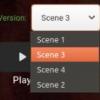
Pizarro 0 Posted May 4, 2020 Posted May 4, 2020 Is there a proper bug tracker? It's not important, but I was wondering if there was a bug tracker where I can check for (or raise) small issues? I assume that I can't get a copy of the code, so its not like I can just propose what the fix should by myself. e.g. like the "Version" functionality not always correctly sorting its return data. (see my user image, as I'm not allowed to add it here) This might be an unsorted set, sorted by the wrong thing (e.g. timestamp) or just a list/database that is returned by "insert order". Scenario: Create a film with different versions (you will probably get them to appear in order). e.g. "Film - Scene 1.ext", "Film - Scene 2.ext", etc Copy "Scene 2" to a different folder. Delete "Scene 2" from the original folder. Move the copied "Scene 2" back into the original folder. Click "Scan Library Files..." and check the ordering of the versions. They should be no longer sorted.
crusher11 1336 Posted May 4, 2020 Posted May 4, 2020 Versions are sorted by which will play easiest, not by name.
Pizarro 0 Posted May 4, 2020 Author Posted May 4, 2020 err... What does "play easiest" mean? Anyway, what I noticed was I could get them in "1, 2, 3, 4" order. But by copying, deleting and moving a single file, I can get the order to change. That basically means that either the order the code processes/stores files is important, or some property of the file changes (e.g. copying the file will change the timestamp). For the same files/filenames, a user would expect the UI to be consistent.
crusher11 1336 Posted May 4, 2020 Posted May 4, 2020 Well for example if you have 4K and 1080p versions, an HD TV will default to the 1080p version and a 4K TV will default to the 4K version. Same consideration is applied to bitrate, codec, etc.
Solution Luke 43245 Posted May 4, 2020 Solution Posted May 4, 2020 That's correct, it's based on what will play the most efficiently on the device you're playing from. I think there's a good chance we'll provide you with more control over this in future updates, but that's what it does right now. 1
Pizarro 0 Posted May 6, 2020 Author Posted May 6, 2020 Thanks for explaining that. So, as I can get the list to display in any order I want (by moving/copying files), they are all considered to "play the same". Thus, it then defaults to the order that the files were scanned by the software.
CBers 7738 Posted May 6, 2020 Posted May 6, 2020 Well for example if you have 4K and 1080p versions, an HD TV will default to the 1080p version and a 4K TV will default to the 4K version. Same consideration is applied to bitrate, codec, etc. That's not always the case. https://emby.media/community/index.php?/topic/85829-1080p4k-dropdown-options-nvidia-shield-tv/

Recommended Posts
Create an account or sign in to comment
You need to be a member in order to leave a comment
Create an account
Sign up for a new account in our community. It's easy!
Register a new accountSign in
Already have an account? Sign in here.
Sign In Now