Leaderboard




Popular Content
Showing content with the highest reputation on 06/11/26 in Posts
-
Yes. That's the latest that isn't broken.2 points
-
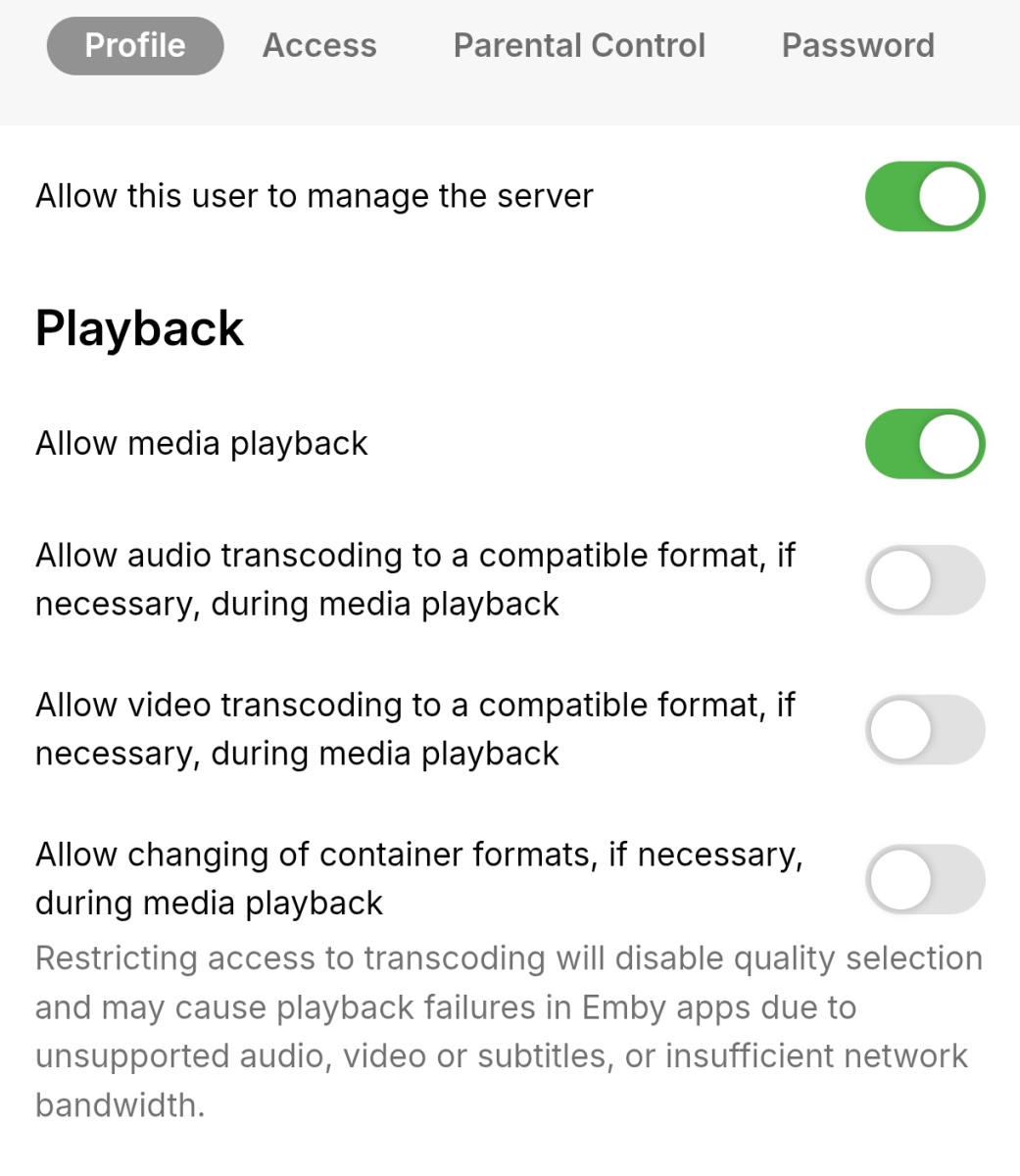
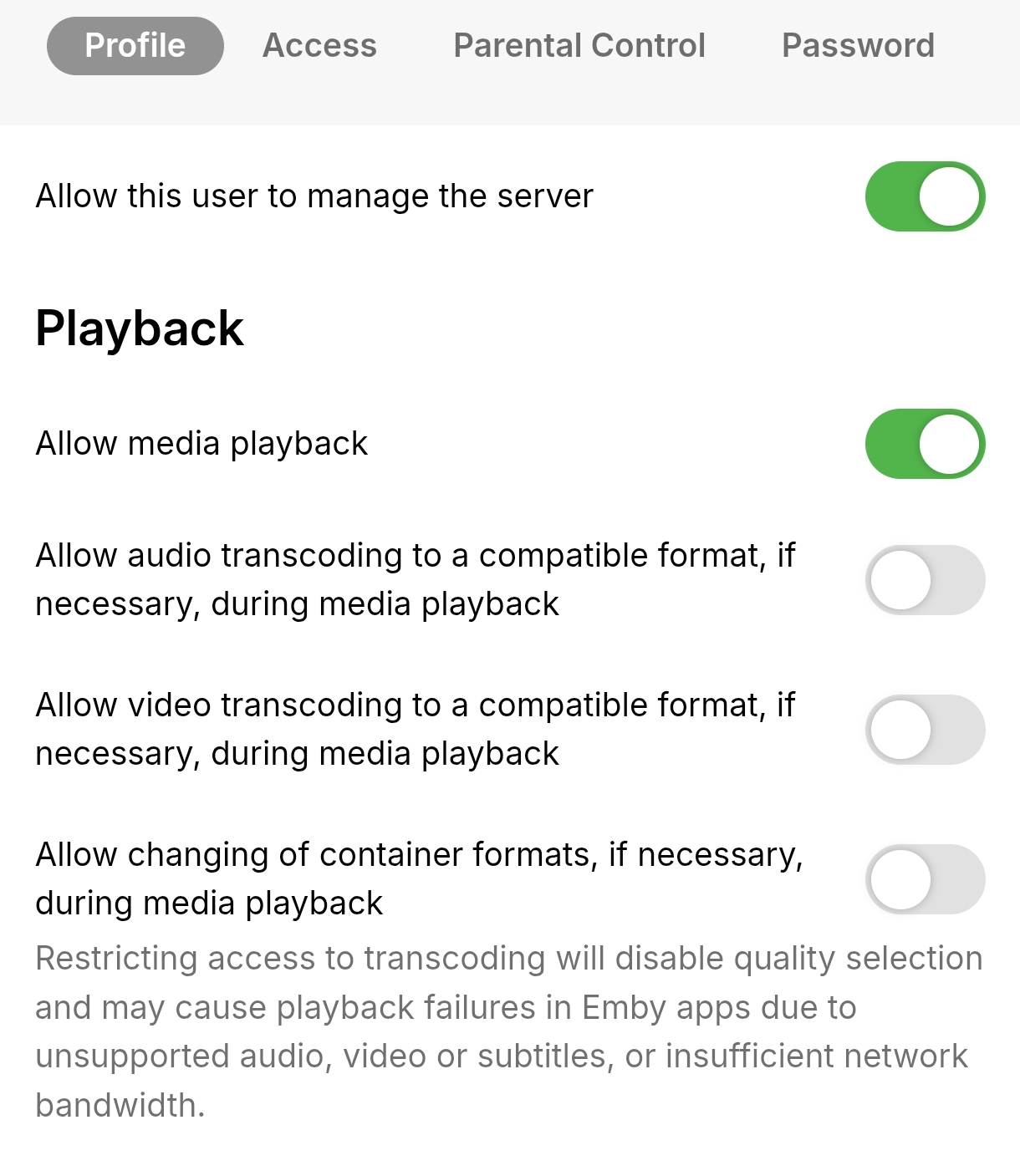
I went into the user management settings on the server and disabled all options related to audio/video transcoding and container format changes for my user. After doing this, the same AV1 videos that previously triggered transcoding now play via Direct Play on the Android TV client. For reference, I have extracted the relevant portion of the Emby server logs (not the complete log) showing this behavior. embyserver.txt
 2 points
 -
I think I found the problem... I try to fix it.2 points
-
This could be an option that could be added to the new home screen options in the beta server.2 points
-
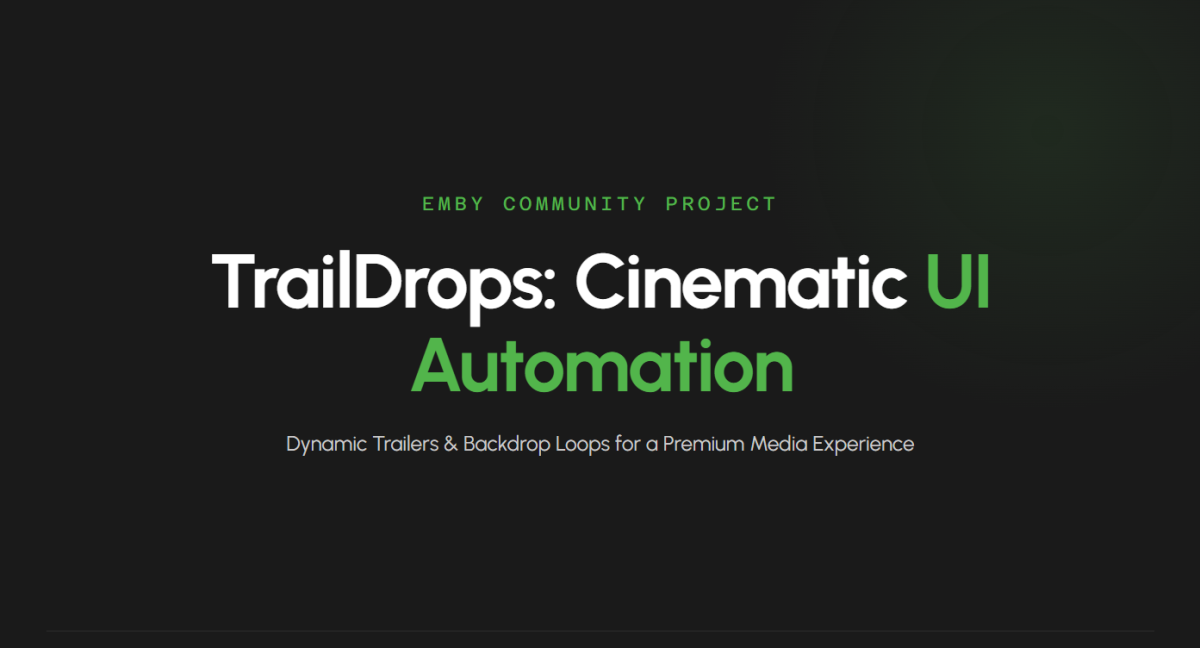
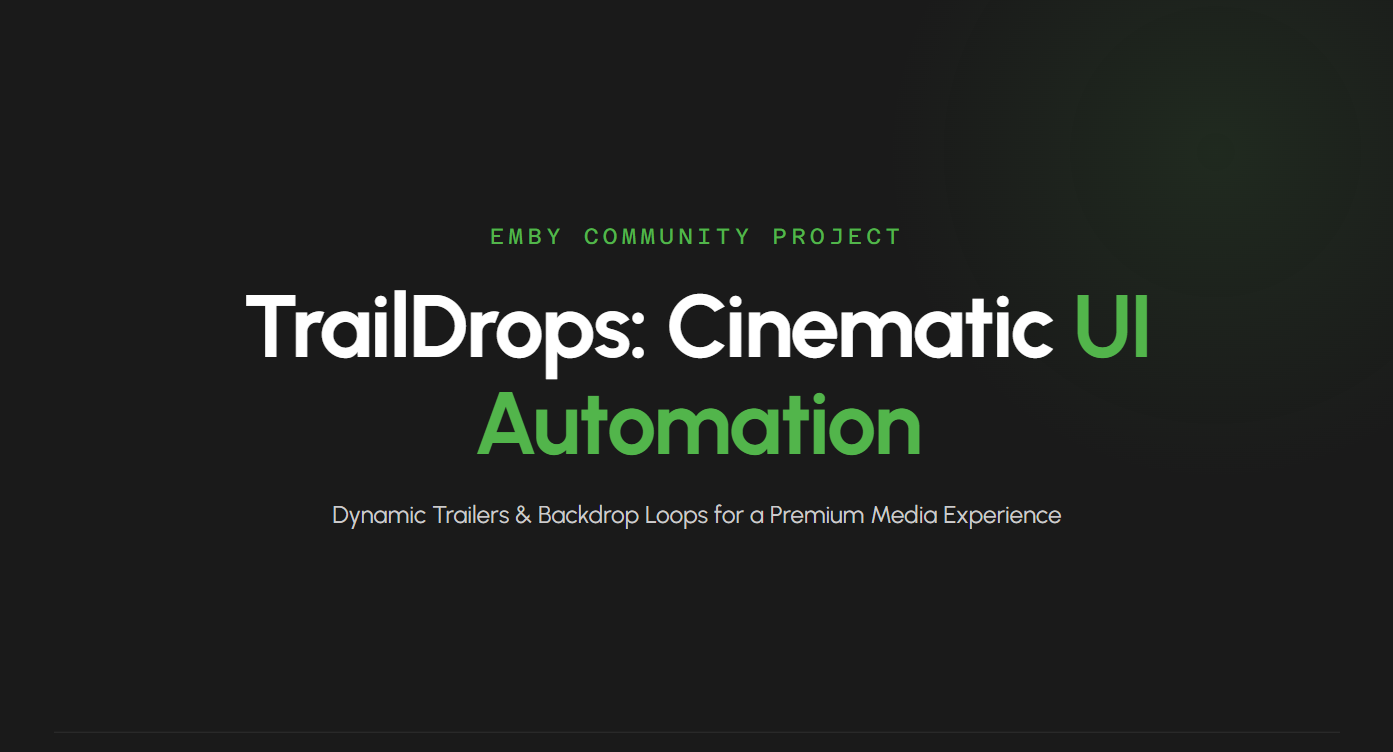
TrailDrops: UI Automation Qu'est-ce que ça fait ? Le script scanne automatiquement votre dossier racine et génère deux types de fichiers pour chaque série (si la fonction "Theme Videos" d'Emby est active) : Un Trailer Multi-extraits (Dynamique) : Au lieu de prendre un seul bloc, le script extrait 3 moments clés différents dans le premier épisode (par exemple : à la 5e, 10e et 15e minute) et les fusionne proprement grâce aux filtres complexes de FFmpeg. Résultat : une bande-annonce de 1m15 super dynamique qui montre vraiment de quoi parle la série, sans spoiler (le script cible la saison 1 en priorité). Testé sur Films, Séries, Mangas RAS Un Backdrop en boucle (Arrière-plan animé) : Une séquence plus courte (ex: 30 secondes), extraite plus tard dans l'épisode pour éviter les logos d'intro, parfaite pour tourner en boucle derrière l'interface d'Emby. Pourquoi cette méthode change tout ? Contrairement à d'autres outils ou scripts tiers qui vont chercher des bandes-annonces sur YouTube (avec le risque constant de liens morts, de mauvaise qualité, ou d'erreurs de langue), TrailDrops ne se trompe jamais. Puisqu'il extrait ses courts segments directement depuis vos propres fichiers de films ou d'épisodes, vous avez la garantie absolue d'obtenir un trailer et un fond d'écran animé 100 % fidèles à votre média, dans la bonne version (VF/VOSTFR) et avec une qualité d'image identique à votre source. Aucune erreur possible de correspondance, tout est généré en local ! Comment ça marche ? Le script utilise la puissance de FFmpeg. Pour le backdrop, il fait une copie directe de flux (ultra rapide, pas de perte de qualité). Pour le trailer, il ré-encode rapidement les transitions pour éviter tout écran noir ou désynchronisation audio. Comment l'utiliser ? Télécharger le Powershell sur GitHub https://github.com/pmspr4100/TrailDrops Modifiez $AnimeRootFolder avec votre dossier de travail et $FFmpegPath avec le chemin de votre FFmpeg. Lancez-le en PowerShell. Il va ignorer ce qui est déjà fait, donc vous pouvez le relancer quand vous ajoutez des séries. N'hésitez pas à me faire vos retours, si vous avez des idées de filtres FFmpeg pour améliorer les transitions, ou des suggestions pour l'intégration Emby ! Vive l'automatisation ! Un petit dépôt GitHub va bientôt arriver.
 1 point
 -
Hi. This is expected. The TV app is not looking for the AV1 codec. The standard app does support it though.1 point
-
Was just going to reply actually as my new TCL TV has arrived and Emby works perfectly thank you1 point
-
OK, the biggest problem lately seems to be there are no images, then there are images. Just checked and it is working again. I guess I'll wait and see what happens since this is the first time this has happened ever in almost a year. There is no place in my Live TV setup or section under settings where I see the ability to choose anything for image source.1 point
-
OK we'll take a look at it. Thanks.1 point
-
hi Both old and new apps are working as they should again Thanks1 point
-
Yes, it worked.1 point
-
Got it, will try again after I am done with this meeting1 point
-
Let us know if resolved.1 point
-
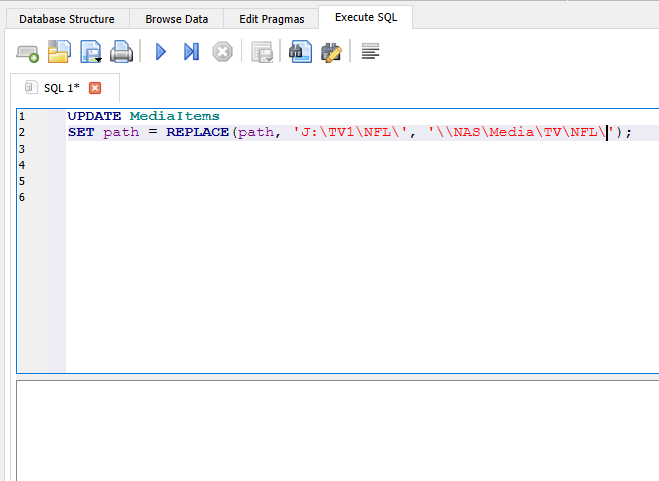
My bad... my bad... my bad. UPDATE MediaItems SET path = REPLACE(Images, 'J:\TV1\NFL\', '\\NAS\Media\TV\NFL\'); I haven't done SQL in a very long time, my apologies. Luckily though, that command not running didn't break anything, just didn't update anything.1 point
-
Turns out there is one more table that has a path so you must update it also. You can just modify the above command and hit run again. It is the Images table. Also, make sure the case sensitivity as these functions are case sensitive UPDATE MediaItems SET path = REPLACE(Images, 'J:\TV1\NFL\', '\\NAS\Media\TV\NFL\');1 point
-
Shutdown EMBY. Make a copy of your library.db file.... then for good measure, copy your copy to another location then probably one more time to be on the safe side. Open library.db in dbbrowser for SQL Lite (free and open source) Navigate to Execute SQL tab and type the following: UPDATE MediaItems SET path = REPLACE(path, 'J:\TV1\NFL\', '\\NAS\Media\TV\NFL\'); Be mindful of the backslashes there and make sure they are correct. Again recommend change NAS to ip address but your call. (screenshots below) Click on Run (where you see the stop icon with X it should be a run icon instead) and be patient, be very patient until you see on the bottom the screen: Close DB Browser, it will ask you the save the project, you don't have to then it will prompt you save changes to the database itself. Hit Save and close. Cross your fingers and launch EMBY. Now the standard disclaimers and caveats that your are pretty much on your own with this method and it's obviously not approved by anyone, but worth a shot if you really to take the risk. Go check your paths at the library level and at check a few items directly in system metadata to confirm changes. Play a file or 5 to confirm.
 1 point
 -
I will give a go and provide any feed back of course1 point
-
You may want to send a log showing the error from the Android TV client to ebr1 point
-
I'll send you the log in one or two hours! I'm using the default skin. The reason I tried resetting Kodi because previously (long before this problem occured or I noticed) I tried a couple of different skins but in the end I stayed with the original skin, but that meant that Kodi had a lot of addons installed I didn't needed, so that's why I tried resetting it to get rid of those addons and start fresh.1 point
-
Yes. I pressed the Select button twice on the Shield's remote (not frantically, there was at least 2-3 seconds between button presses). The first press brought up the Kodi interface/overlay, the second stopped the live TV. No. In the log I uploaded I just stopped the live TV but previously I tried switching channels without stopping. If I remember correctly when I switched channels the HDHomeRun didn't start using a different tuner; instead the broadcast switched to the new channel on tuner0 but when the I stopped the TV broadcast the channel stuck to that tuner just the same. After stopping the channel I tried to start another TV stream, then the new stream would start up on tuner1 because tuner0 was already playing the previously "stopped" channel. No. No. No. Additional information: - I tried Emby for Kodi Next Gen versions .13 and .18 also but the same problem persisted with those as well. After each version change I performed a factory reset in the addon. - At first I had Kodi 21.2 installed when I noticed this behaviour. I then updated to 21.3 but that didn't fix the problem. I even tried resetting Kodi and setting up everything new too.1 point
-
TheIntroDB plugin is now in the official Emby plugin catalog! You can find it under the general section1 point
-
1 point
-
OK the log has some errors coming from Gracenote's server. I would keep an eye on it and see if it continues to persist. @sa2000can report it to them if it does.1 point
-
Hi, yes these are all good ideas that we can look at adding. Thanks.1 point
-
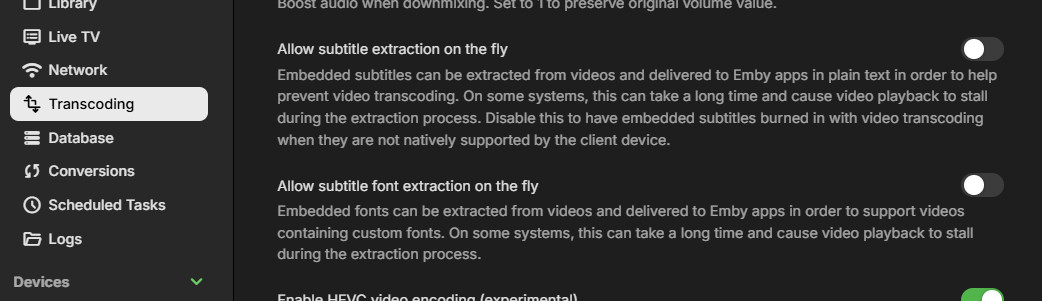
HI, yes it is. The browser video players don't support embedded subtitle streams, so it has to be supplied separately by the server.1 point
-
You have some control over this in the Transcoding menu: And yes, extracted subtitles are converted to VTT. Paul
 1 point
 -
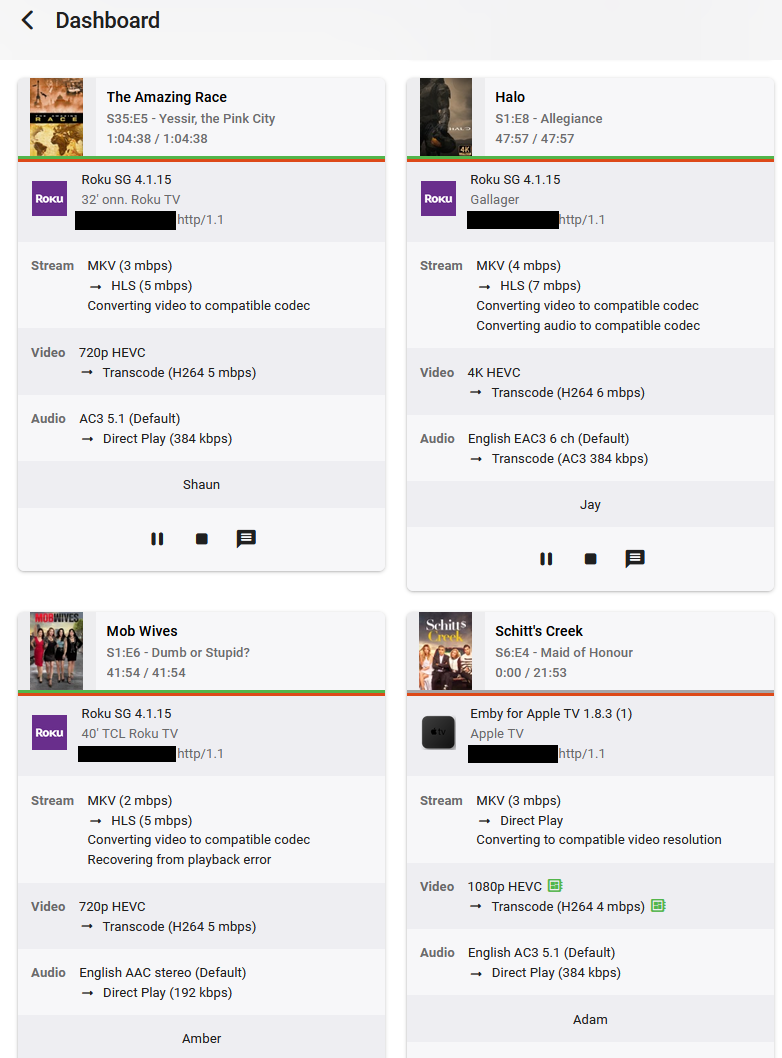
I've been having issues with the server after the last few updates. I'll get clients with stuck streams, and often the streams will bounce between what is showing and something else entirely different. Pressing pause/stop doesn't do anything, the only way to remove these from the dashboard is to restart the Emby server. Is this a known issue, is there a fix?
 1 point
 -
Good evening. This issue does not just happen on Roku. I just had a stream get stuck on a Samsung TV where it was bouncing back and forth between the final seconds of the movie being watched. I had to click the stop button for it to go away. It was also driving CPU usage up for the Emby process. Log is included. Is this fixed in beta? Emby Server Version: 4.9.5.0 embyserver.txt1 point
-
More than likely what you're seeing is for the web app the embedded srt subtitles are being delivered as a VTT so they're "external" and can therefore adjust the offset. On a device that is direct playing the file the offset can't be adjusted for embedded srt.1 point
-
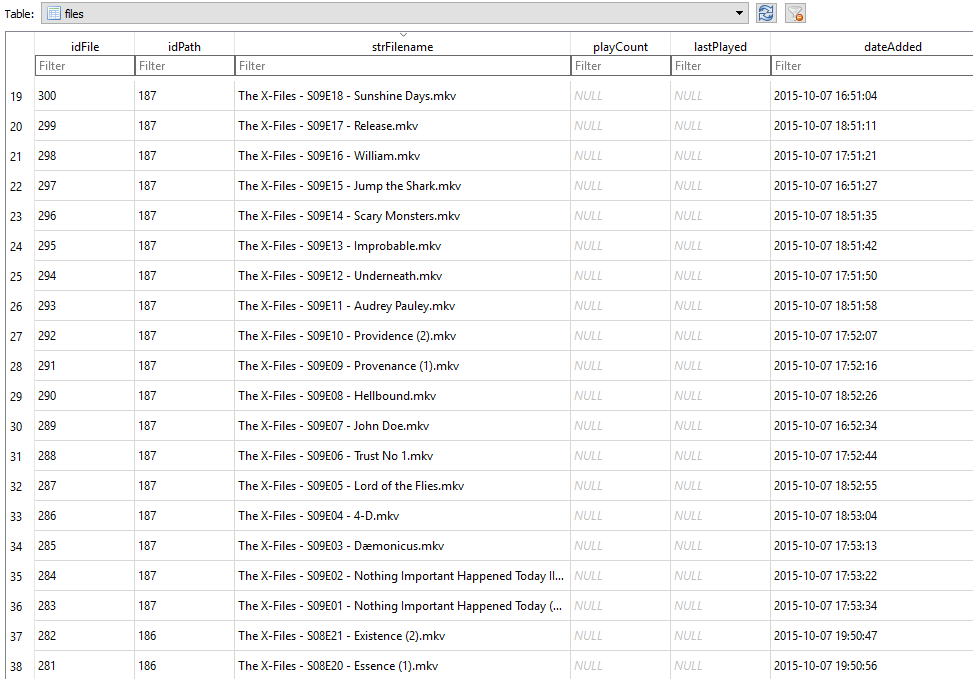
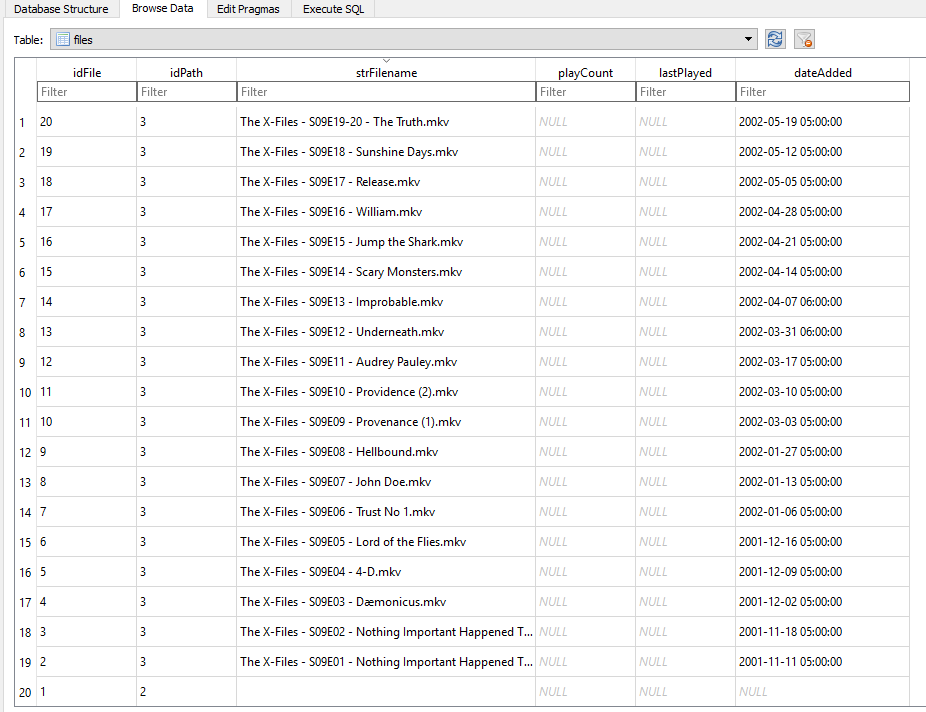
Is it possible to have have Emby use the files modified date instead of its creation date? Here's an example, the image below is from Kodis videodb when files are added from Emby And this is Kodis videodb when Kodi scans the files in Sonarr can change the files date to when it was aired which is great when adding loads of old shows so recently added doesnt get filled up with stuff aired a while back. I might not have explained this well though . . .
 1 point
 -
When Echo A is playing playlist A and "Alexa Next" is issued on Echo B, Echo A moves to next track. When Echo A is playing playlist A and "Alexa Ask m.b home play Next" is issued on Echo B, Echo B plays what is presumably the next track in playlist A session, Echo A continues to play out the song it is on but doesnt move onto the next song. You can repeat this vice versa and steal the session back to Echo A. interesting.... I guess we just need to know how to interact with alexa and code for two use cases. Multiple different listening sessions in the house A single listening session in the house, potentially moving between devices... [and potentially in the future ... multiroom simultaneous output , half joking]1 point
-
Ok so I don't have the same content to test against (it was too big and I needed space.) BUT I did test against known channels that produced this error in the past and I had no issues at all. Thank you so much (all of you) for your hard work. It is greatly appreciated!1 point
-
Hi, it's hard to say if it will resolve your issue, but it might. The updated stable release has newer drivers. The beta has newer drivers and will have an updated ffmpeg build in the near future.1 point
-
Hi Luke, I'm no longer having any problems with the current version.1 point
-
That's my plan. I think there's something odd with Docker networking (I'm now experiencing an oddity in another container on a different machine) that's well outside the scope of this forum. If I ever figure it out, I'll post a follow-up. Until then, we can consider this closed.1 point
-
Привет всем. Проблема решена установкой впн на роутер.1 point
-
Привет всем! Такая же проблема с плагинами в каталог не зайти крутиться кружок загрузки. Версия Эмби 4.9.4.1 бета. Вижу в логе обращение по адресу https://www.mb3admin.com/admin/service/EmbyPackages.json - Пробую зайти с компа и ничего не загружается . Включаю VPN и вуаля json загрузился . Вот и ответ Блокировка всеми нами любимого Роскомнадзора однозначно ( А почему именно он, да потому что VPN к которому подключаюсь находится в российском Дата-центре ) . . Как же это все уже достало. Буду пробовать прокидывать на сервак.1 point
-
Hello! I'm having the same problem. Plugins aren't showing up in the catalog. They're constantly loading. The catalog was loading a week ago. Is this related to the blocking?1 point
-
I figured out the problem by accident: the hard drive on which the movies were based started failing with bad sectors. I was in a hurry to post questions on the forum. But, thank you so much for the feedback1 point
-
It has nothing to do with what software you use. I have a Prime. Your cable provider sends the channel stream to the tuner a certain way. For me on Comcast, some channels are 1080i 30fps, others 720P 60FPS And some channels are still mpeg2 and not H264.1 point
-
I don't like the answer... :> but I understand... Thanks for checking up Luke.1 point
-
Мой провайдер предоставил белый ip адрес.0 points














.thumb.png.225edb9636a79b10cd220c27f59990f3.png)