Leaderboard




Popular Content
Showing content with the highest reputation on 05/08/26 in Posts
-
This FR is about to graduate from kindergarten. Mom and dad must be so proud.3 points
-
It works perfectly here. Show us the exact naming of your files, and we'll explain what's wrong. Paul
 3 points
 -
Hi Emby community, I’m happy to share SubZ, an Emby server plugin for subtitle translation and bilingual subtitle generation using LLM APIs. What SubZ does: Translates subtitles into your target language via LLM API Supports embedded/external subtitle workflows Generates srt or styled ass output Supports manual target execution (single file or folder) Includes a lightweight status page for runtime monitoring(Optional) Project links: GitHub: https://github.com/Sandings/SubZ Credit / Acknowledgement: Special thanks to @dexus for the original community discussion and inspiration: Subtitle translation using local LLM or API calls - Very accurate language - cheap. Thanks to everyone in the Emby community for feedback and testing support.1 point
-
@Killface69Thank you for advancing this project for Emby. I've been using it and overall it has been great. I see that you have a new branch "nightly_feature_emby_overlays_3" in your Github repository. Do you recommend that testers switch over to it? Did something fundamentally change in that branch?1 point
-
You beautiful beast, it's working magnificently at first glance. Thank you1 point
-
I would assume it would've already been implemented if it were a simple fix - but that's only my assumption, I honestly have no idea, question for the Devs.1 point
-
Indeed, thanks for all your hard work and dedication. And best of luck with the new family member! Still playing with Ollama and playlists but they are awesome additions.1 point
-
Good luck with the delivery and congratulations.1 point
-
OK, a lot to unpack here so apologies that this will be lengthy. For the sake of clarity when I refer to "Emby Connect" I am referring to the general central infra the dev team has together which all internet connected personal Emby instances already report in to. So does not need to be the pre existing "Emby Connect" service if we're being overly literal. But token exchange would most likely rely on a central server. And given we'd be exchanging tokens for the sake of "connecting to emby", calling it part of "Emby Connect" seems fairly logical and straight forward for users to understand. The Emby Connect servers wouldn't need to keep a track of IP's or domains so you've nothing to worry about there. The 'Short lived" in 'short lived token" really means seconds to a couple minutes. After that the token is expired anyway so unusable. So it would simply be purged from the Emby Connect servers. As with Emby Connect already, you need to be willing to trust Emby Connect to some degree to use this feature. And again! Your Emby server is not "private". It is already reporting in to the central servers regularly so it's not like it's existence and details are only known to you. The devs already have a bunch of info about your server (at least its UUID, License, Number of users, obviously IP because the connection to the central server comes from somewhere. Likely a lot more.) Having emby admins needing to spin up nginx to host a webpage with a QR coded URL is not the point here at all if that's what you're referring to in the first paragraph. Its definitely not secure if some kind of deep linking were enabled to allow for emby login (reminder emby login is what this feature is about). We're trying to remove friction, not have people spin up entirely new services adding more friction to hosting/using emby. As an example, I have about 15 people using my emby instance. At least every couple of months one of those 15 friends or family gets a new phone, TV, ipad, streaming device etc. Every single time I see about 3-5 failed logon attempts on my server. And those are only the ones where they typed in the URL correctly, so who knows how many attempts there really were! I also get the inevitable "How do I log into Emby again?" because they've typed their local emby instance username into the Emby Connect fields which obviously didn't work. These are the "normal" users (not the admins) who simply do not care enough to remember the app setup steps each time. They've got better things to think about and just want to hit the happy green icon and watch their shows. I also doubt I have one of the larger user bases. Sounds like your setup is only you using it so you're not really the target of this feature. As for "worthwhile" that's totally subjective so I won't get into any debate on that. ebr and Luke both mentioned the request is being looked at so i guess ultimately they'll decide if it is worth it not us. This feature request is clearly not for you so you have the benefit of never having to use it if it gets created and you can be happy as pie logging in with your domain/port/username/password! The simple fact that this thread exists however, shows there is clearly a desire to have this friction point in UX resolved, even if only commented on by a small few (I suspect the main userbase of this feature wouldn't even know these forums exist because they would be the completely non-technical friends and family of the person who is running the Emby instance). For some context, QR code login like we are discussing is the primary login method Apple uses for Apple TV. Username / Password is reserved as a backup, though admittedly not exactly Apples for Apples (if you don't mind the pun!) but pretty close. And Apple kind of have some experience in UX. Certainly more than you or I! And yes you are correct, URL/port/username/password login does indeed work. But just as a mule also works perfectly fine as a mode of transport, I still want a Ferrari. No-one it trying to take your mule from you. Again, based on what you're saying this feature is not for you. And that's absolutely fine and you'd never have to use it and can spend the rest of your days content! But so avidly objecting to the idea without really having spent time with anyone who has had this friction is a strange hill to die on my friend. Hope this helps give you a little more understanding of the friction point this feature would solve!1 point
-
How exactly are you trying to do that, could you list the steps? Also, how are your files named and organized on your filesystem?1 point
-
Confirmed, happens on Kodi 21, not sure about Kodi 22... Confirmed, I need a workaround... Works on my setup, but I'll check again. I'll review it... At least it should not lag when no theme is playing, but probably not possible to fix the playback. That's under Kodi's control. Maybe I find a workaround. Thanks for the review, very appreciated.1 point
-
plugin.service.emby-next-gen-12.4.9 Add a few translations again resource.language.zh_cn.zip1 point
-
Ran into a few issues with 12.4.19, so I did a complete Kodi reset and started clean. Win11, Kodi 21.3, Emby 4.9.3.0, E4K 12.4.19, TvTunes not installed The following appeared immediately following the first sync and persisted no matter what I messed with. All tested with both stock Estuary and Mod V2. E4K in add-on mode. TV Show watched status - not syncing. All episodes for all shows appear marked watched in Kodi (Emby keeps proper status) These are all related to theme playback: UI lag when Theme playback (audio) is enabled, regardless of whether a theme is currently playing. Note that I have "Change display rate to match source" enabled and set to "On Start/Stop", and the UI is behaving as if the refresh rate were set to < 60fps when themes are enabled. Theme playback controls not effective. E.g. If themes are enabled, they will play on items on the Home screen, movie list, etc. regardless of the individual setting being enabled/disabled. Theme playback on Home screen items causes refresh - Example, highlighting a TV show appearing under "Random Shows" - Theme playback begins for 1-2 seconds, then widget refreshes and loads a new set of random shows. Will repeat indefinitely. Does not happen when themes are disabled. I've been using a very early version of 12.x for a while so apologies if I've missed that any of these are already known issues. Have rolled back to 11.x and everything is working properly. Thanks again for all your hard work!1 point
-
It'll be a week tomorrow so I'll rephrase, using the above question; Has WebSocket keepalive been lowered to a real world websocket timeout or made configurable in a released server version? If yes, which version and where is the setting? If no, is it still planned?1 point
-
Completely agree. Let me shortly describe what i went through past few days. I had Premiere for 10 years, bought lifetime and than extended lifetime. So i had 45 devices with new (wrong) calculation. I have like 20 ppl family and friends. On top of my premiere licensees around 10 people BOUGHT / UNLOCKED androidTV apps when it was possible. In last week i started to change apps form TV version to new unified android. At the end, emby server blocked alot of people because "i was over the limit ) Simply unbelievable and not possible in any universe. i had 45 + 10 unlocked. And that super mega feature where emby need 7-8 days to drop old device is super dumb if u ask me. Anyways i needed to wrote this just to show where emby devs have gone...., and how they are simply killing their user base. Jellyfin is already installed, heavy testing ongoing, really good results for now. Alot of new quality apps are available, just search for it, moofin, fladder , etc... For anyone interested, only thing jellyfin cant do right now is very big music library, there are some small issues if u have really big music library, everything else is on par with emby, or even better (spotlight for example).1 point
-
I can't say I have noticed older Roku TVs that people think are smart, they have very slow chips, example I had to lower the quality down to 10 or less so that the channels would play. When it was set to a higher setting example 30 or Auto, it tried to send 20 MB to the TV and it just showed a blank black screen and sometimes with the circle going around the middle.. after lowering it it played without any issue. I suppose with some Android TVs that have older slow chips this could also be the same possibility. I ran across some really really slow TVs before that took several minutes just to play and then sit there and stuttered. On those particular TVs, I just don't see any need to use the smarts of those devices. Every single one that was ran into that had those issues the person ended up getting a cheap Roku stick and the problem was solved. I only say Roku stick because they're cheap and a lot of people are cheap. I highly recommend at least a newer version 4K fire stick with voice remote. But if somebody wants the best box for the job I always recommend Nvidia streaming box. The Nvidia has solved a lot of buffer issues with several people. It is super fast, it has a lot of graphic cores and has some really good upscaling ability. My favorite is the AI upscaling. It can take a 480 or a 720 picture and upscale it. Everybody that has gotten the Nvidia box has been very happy with it no complaints. In fact they just updated it a few weeks ago.1 point
-
Like I said on android, apple and windows yes we can, and we already have the middleware to do that. You can't build your own middleware though for browser based playback. Every library that you see out there is ultimately just based on the html video element.1 point
-
Sadly it does sound like you could probably improve the experience on a lot of platforms by increasing the buffer a bit, but that would require you to implement your own video player middleware which I see now would be a massive undertaking. So I guess it just is what it is for now.1 point
-
I see. Well I've nothing more to say then. If this is the best it can be then that's that.1 point
-
Their web player demo is just a wrapper around the html video element, and the html video element does not have any buffer size control.1 point
-
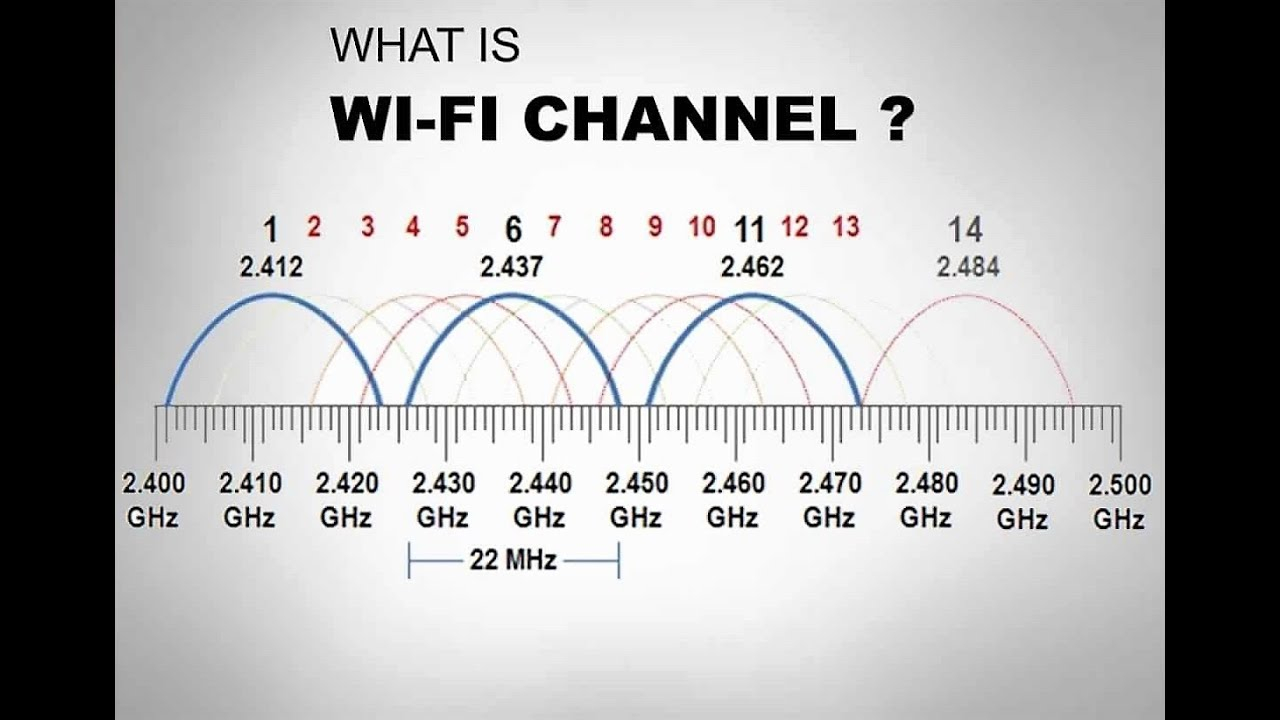
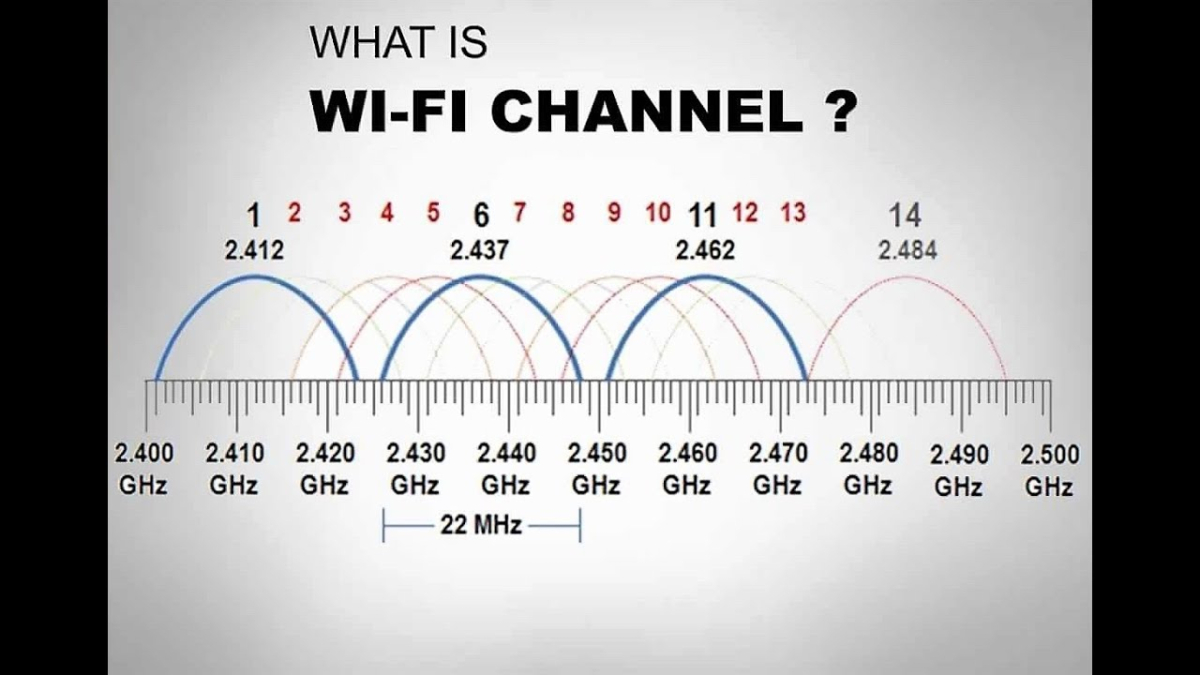
Sir, if somebody sold to you the idea that WIFI is perfect, then he lied to you. It is basically normal radio. The same your parents used to hear their music in their car. And there is interference if someone else is sending on the same channel. And your WIFI-card in your device works exactly the same as an old radio. It is receiving _every traffic_ on this channel you set it to and then only decides later if the packages it received were meant for you. Yes, also the traffic from your neighbor on this channel, the traffic of some kids drone that is playing outside, and also passing by cars that have wifi on this channel. If you want solid connections try to always use cabled LAN, if possible. And if you want somewhat solid WIFI connections, first what you do is choose an empty channel. And here is another catch: WIFI channels overlap unfortunately by design. That means on 2.4Ghz-Band you effectively can only choose channel 1, 6 and 11. And if you have so called "smart devices" all connected through WIFI then create a seperate WIFI-network on different channel just for those smart devices (which is anyway good practice). And just to be clear: I've got my emby&data at a remote place, not in my LAN, - that means my communication packages go through public communication lines to a city quite far away, and i nonetheless don't have any problems with buffering or stuttering. Those "drops" that you are describing are certainly not normative, especially not in a LAN, but i wouldn't even accept them on my WAN (into the public internet). You need to fix your internal network. And also that you claim that "leaving the WIFI-network" somehow brings your router down, i have never before heard of such a behaviour, and i don't think this is what really is happening. Edit: If you have a quite big area to cover, a big house or something, it would be maybe also a good idea to change to a WIFI-system that has a central controller. A system with a central controller can manage the seamless transition from the area of one AP (access point) to another and it also can manage resources "intelligently" by distribute clients. I know that Ubiquity Unifi does this, but i heard that TP-Link also has such a system by now. This might make your WIFI-experience better.
 1 point
 -
Yes, but most platforms don't provide control over this. For example, the web app uses the browser video player, roku uses the roku video player, smart tv apps use the system video player. They don't expose any buffer size control to developers so you get whatever the system provides. It is really only on devices where we embed our own player that we could do this, e.g. android, windows and iOS/apple tv (to some extent). For apple devices I say to some extent because although we do embed our own player, we prioritize using the device's native player for any media that it can handle.1 point
-
In order for it to work like other streaming apps since those seem to work for you and you're pointing at the buffer on emby.. emby uses a different type of stream than those other apps. It requires a constant data stream. Example, you may have a fiber line with 1000 MB up and down but you got a Wi-Fi router, your daughter has a laptop a phone and her own TV connected to the Wi-Fi she decided she wants to update her Sims game and wants to download 20 gigs at Max speed. Her laptop can only take 20 to 30 MB from your router leaving you with a trickling speed to watch emby with. Yes routers are supposed to prioritize video and audio but they don't always work. And then your lady friend wife whatever, has her phone and tablet connected at the same time, she decides it's time to go to work, she walks out the front door jumps in the car, her Wi-Fi signal on her phone goes down to -85 or worse which is trickling between losing the connection.. it stutters the hole wi-fi system and now all the devices are all trickling on 1 MB. And then as she pulls away and loses signal it disconnects causing a 3 to 5 second Wi-Fi pause on all the devices. Before completely disconnecting and the Wi-Fi routers then actually able to spit out 20 to 30 MB again. And then you wonder why? Because you have one Wi-Fi name on a dual band router and even though it's supposed to separate and switch everything between 2G and 5G it still got his glitches and still has everybody running on 2G or you're in the middle of a football game and multiple devices at the location are switching between 2G and 5G causing glitching on the Wi-Fi. And then if you don't have fast internet and you got DSL which seems to run like crap when streaming emby unsteady copper wires going down the road. Or if you're trying to get by with cheap internet because of a budget, now you're capped out with Wi-Fi problems because you need to have separate names for your 2G and 5G. And then you're trying to run it on a budget device that may not have a dedicated video card. So now your transcoding on a device that is not strong enough to transcode on top of all these other issues. I'm not saying that this is your scenario, but I'm sitting in an example for everything that can possibly go wrong including everything going wrong at the same time. If you don't diagnose it and start from the beginning, you're going to scratch your head blame it on a buffer from the client and still wonder why YouTube plays fine. The dev team has not implemented an adjustable buffer on the client side since the beginning, and to be quite honest with you I don't see them wasting their time on adding the option to resolve problem or problems that can be resolved by fixing the actual issues. They would have to rewrite the complete streaming code, and I believe that would break a lot of devices and would not be backwards compatible. I do not see them rewriting the streaming code to adjust a client to try to prevent buffering from ongoing issues.1 point