Leaderboard




Popular Content
Showing content with the highest reputation on 04/25/26 in Posts
-
I know this thread is kind of dead but I do wonder if there is still an interest in this feature via a plug-in. Because I've been working pretty hard on something but don't want to put the work into trying to get it out unless there is actual interest in it. Let me know any thoughts.
 1 point
 -
Is there plans on the roadmap for OpenID. I have searched but not found any indication this is in development. With many admins taking up SSO through Authelia or Authentik to enhance security it would be great for Emby to support it. One of the easier open standards is OpenID which the aforementioned support. Users could continue to use LDAP if they wish while others can use the arguably better SSO experience.1 point
-
Hello all, I'll be honest, not sure where this belongs nor if this will be / become an issue moving forward. Please read and make your own determination. I won't pretend I understand it all myself as I have never ran into this issue. https://arstechnica.com/gadgets/2026/04/lawsuits-licensing-and-royalties-are-complicating-4k-video-support-in-gadgets/ Best,1 point
-
I would like to see the ability to change the Accent color on the Apple TV Emby app similar to how other devices can. I know there are less accents on the Apple TV but there still are some. For Example the the Live TV Guide play head is green and it cannot be changed unfortunately.1 point
-
Awww sorry, thought noone had read it before. After clearing the cache the behaviour was back to normal.1 point
-
Thanks a lot1 point
-
That would probably be pretty easy to fix, I’ll put it on the to-do list! Edit: asked for help on an issue but i managed to fix it1 point
-
Not currently but perhaps in the future.1 point
-
I would really like to see ReplayGain support for music. I cast music via Chromecast using Symfonium. Although Symfonium has support for RG it would be a lot nicer to have this running on the Emby server.1 point
-
Try this. I did make a couple adjustments that should also help w/ tearing when switching between those 2 states. Emby Navy and Gold v5.8.1.css1 point
-
The new version is simply --- FANTASTIC --- Now I just need to adjust the colors to my liking.1 point
-
Done. Thanks1 point
-
THANKS. This is exactly what I was looking for, except I didn't expect anyone to program it for me. I just wanted to see if it had been done before and use whatever the previous person used. THANK YOU for going above and beyond! Rick1 point
-
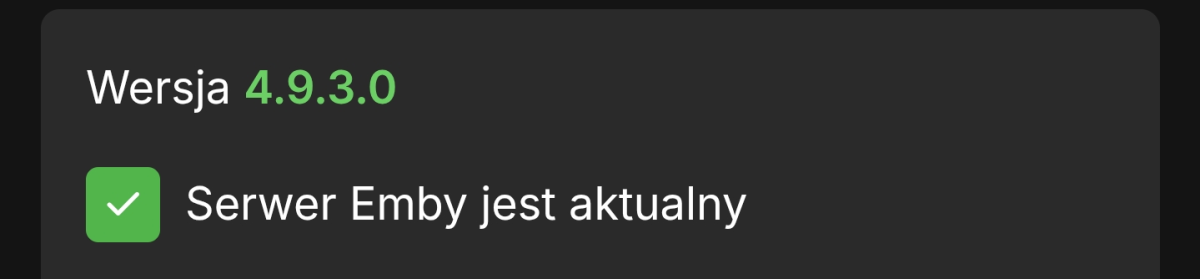
This is not a beta version. 4.9.3.0
 1 point
 -
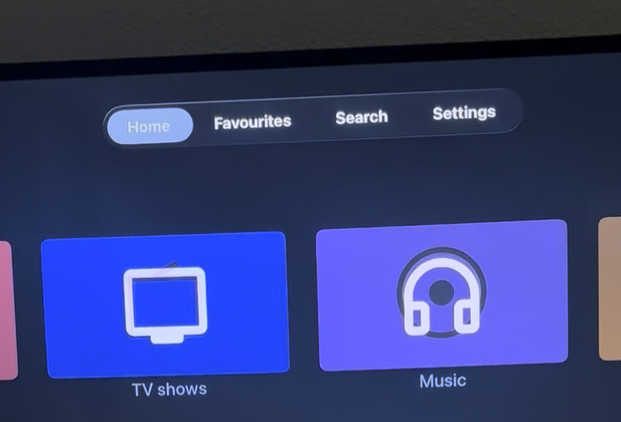
@SamESThe last time we looked at the poster images ("flickering" of generic background image), and this got fixed (thanks again). Now I experience the same with the library images. I am not sure if this is new or I just missed to report it last time (sorry). I created some library images, and then I noticed it. It would be great if you could implement the fix also for the library images. Image and video are attached. Emby ATV app version: 2.0.5 (3) Apple TVOS version: 26.3 Thanks a lot ATV_UI_1.mov
 1 point
 -
Plex supports both methods: 1) Inline: OR 2) Organized in Subdirectories: Local Files for Movie Trailers and Extras | Plex Support You just happened to opt for Inline, which doesn't necessarily need to have equivalent/comparable feature in Emby, they're not same software; Emby is not a Plex-clone, it is its own platform with its own features and its own set of rules - it just provides high-compatibility with Plex-setups, but it'll never be 1:1. That said, it shouldn't take more than a couple of minutes to put together a script that'll recursively go through those folders and move extras to their respective category subfolder and/or overarching Extras subfolder; gimme a few and I should have something workable. Edit: Here you go. Python 3.10+ required. Test it on a single folder or small subset of folders first (Dry-run included). extras_mover.py1 point
-
Please try 12.4.181 point
-
Sounds like the other topics. I can see how Missing is really an on demand search now so it will take forever but upcoming should last at least a day. But really depends on ones dataset. 'Upcoming TV' option in Emby taking forever to display any information... - General/Windows - Emby Community1 point
-
Awesome! Thank you so much!1 point
-
Yes, I replied back on March 14 that after I manually mapped the guide data that the issue was much better.1 point
-
You'd think the path being literally named 'system/info/public' would make it pretty clear: this is system information, that is intended to be publicly visible.... As for the dashboard HTML pages loading: they consist entirely of publicly available information (anyone can run an emby server and see what that html is, it's identical across all emby servers of the same version, and you can run whatever version you want). All the actual private information (the settings you've configured, your api keys, etc) doesn't load into those pages unless actually supplied with valid authentication information and you can't modify them either. Perhaps these could redirect to the login page, just for ease of use when loading a bookmark while unauthenticated; but it's not a securiry concern. The server name is displayed on the login page as Luke mentioned. The serverid is used to keep the server select page from being cluttered with duplicate entries for the same server whenever servers change connection info (dynamic IPs or changing configurations), and the server version helps match compatible client versions with the server. Nothing here is unintentionally exposed and nothing here is a risk or concern.1 point
-
Many thanks for your reply, you are right, i unplugged my usb hard drive to transfer the Emby files, its all working now1 point
-
Oh nice ! I didn't think to check on user preferences ! I was looking on general preference / mediatheque preference. That's perfect ! Thanks a lot1 point
-
That error isn't actually about thumbnails — it's a generic Emby/SQLite issue. The stack trace shows: → SQLiteException: Busy: database is locked So what's happening: the plugin's image provider downloads the thumbnail fine (that part is just HTTP, never touches the DB). But when Emby then tries to save the refreshed item back to library.db, the database is locked by another writer, the whole refresh aborts, and the just-fetched image never gets written into the ItemImages table. Easiest thing to try first — but before you touch anything, make a full copy of your Emby programdata folder as a backup (just copy/paste the whole folder somewhere safe while Emby is stopped). Stop Emby. Go to your Emby programdata folder (the one containing library.db). If the files library.db-wal and library.db-shm exist, delete them. If they don't exist, just skip this step — nothing to do. (Never delete library.db itself!) Start Emby again. In Emby go to Dashboard → Scheduled Tasks and make sure no other library scan/refresh is running in parallel. Pause them if needed. Trigger a metadata refresh on the YouTube library only and check if the "database is locked" errors are gone. Also, could you tell me: How are you running Emby? (Docker, native install on Linux/Windows, Synology/QNAP NAS package, unRAID, TrueNAS, etc.) Where does the programdata folder live? (local SSD/HDD, network share like NFS/SMB, external USB drive, NAS volume…?)1 point
-
Thank you, that was it. I had my account set to "AO/RP/UR/X/XXX", thinking that would allow everything. I switched to the blank entry and now see the new title.1 point
-
The situation is till having regularly. I reported that it was happening more sports, but it is happening with programs like news as well. I have exhausted all ideas.1 point
-
tl/dr: Cloudflare Proxy started blocking transcoding from happening on my Emby server on Samsung/LG TV's. Roku TV's (TCL and Hisense tested) still worked fine. As did android and web. Turning off Proxied in CF fixed my remote users' issues with Samsung/LG TVs. As it still works on many other TV's apps, and users could still direct stream content, I suspect something weird in a new CERT CF started using 3/4/26. My users didn't report the problem till about 5 days later, but if I had to guess they didn't cut over to the new cert on 3/4, but most likely the day my users started seeing issues. Strangely, it was hit and miss for the first 2 days, then 100% not working for anything that needed transcoding. @luke Sorry, I was writing an edit to my above post just as you sent your reply. The problem is in Cloudflare. A LOT has changed in Cloudflare since that post you linked to above it seems, as not all those screens/options exist anymore. And I was not aware CF would block streaming, but it HAD been working for two years. However, I'm not thinking that's actually what is going on as it seems only transcoding is not working, as my users are able to view anything that can actually direct steam on their TV's just fine even through CF. And other TV's and apps have no issue streaming and transcoding through CF. If CF was blocking video everything should have stopped working for all TV's/APPS, etc. Anyway, taking CF out of the picture, aside from DNS resolution, has resolved the issue for my users. I simply turned off "Proxied" and my emby subdomain now shows "DNS only" for that subdomain. Pretty much turning off Proxied completely takes CF out of the picture, and all CF does is pass back my IP address now. I had cache turned off anyway (what that post talked about) and all that CF was really doing was masking my physical IP from the internet. I had all other "features" of CF turned off. I liked that as it made my server harder to find/attack. But as SOMETHING in that process was jacking up transcoding working (or even starting) on my server, I'll take the security hit and just keep it off. Informational for anyone who searches this issue and runs across this post: CF Proxy works like this. USER > CLOUDFLAIR IP ADDRESS/STUFF YOU HAVE IT SET TO DO > YOUR SEVER. The IP address the user sees and the CERTS it sees are CF's IP's and CERTS. Hiding your server behind it's back, so to say. CF DNS ONLY (no proxy) USER > YOUR SERVER. All CF does is serve up the DSN record for your domain (your IP). User can see the IP address of your sever as well as your certs. Masking my IP/certs is why I use/used CF proxy at all, but.... oh well. It had helped in the number of attacks my server sees. But I have only two subdomains exposed now so the impact should be limited. I hope this help someone else as I can't be the only person using CF and seeing issues. Some may not be impacted till they pull a new cert from CF.1 point
-
I’ve been dealing with this issue for quite some time, so it’s good to hear it’s being addressed. As a temporary workaround, I created a script that pings the API every minute. If the API stops responding, it force closes the server along with any active ffmpeg processes, then restarts everything automatically. I had to put this in place because when the server hangs after certain searches, it can remain stuck for 10 minutes or more, during which time no other users are able to access the server. If i can help in any way, let me know:)1 point
-
Any update on this? A couple of short concurrent searches are enough to lock up the server entirely.1 point
-
Installed version 4.10.0.7 beta just to see if the sqlite updates would help, sadly searching is still sporadically unreliable. Still looking forward to a fix, hopefully soon.1 point
-
I'm an avid user of the Missing Episodes feature. For those who don't know it, it can be found via Metadata Manager -> Views -> Missing Episodes. This section will then gather all the individual episodes that are missing from the shows on Emby. Before 4.9.3.0, we could use the "Lock this item to prevent future changes" function on tv shows, so that they wouldn't appear in the Missing Episodes section. Since 4.9.3.0, a bug has been fixed and now that functionality no longer works. Previous thread: .Considering I have many older digitized shows, of which I will probably never get the first seasons or only want the latest seasons or where the reporting (remote dataset) doesn't apply or is for another region. For example I have a boxset of "How It's Made", containing 5 seasons. Missing Episodes now reports I'm missing 25 seasons, about 800 episodes, greatly polluting this view. Not to mention other long running shows like South Park or Bold and the Beautiful. Can we have a functionality to "skip missing episodes for this show" (via a checkbox or so)?1 point
-
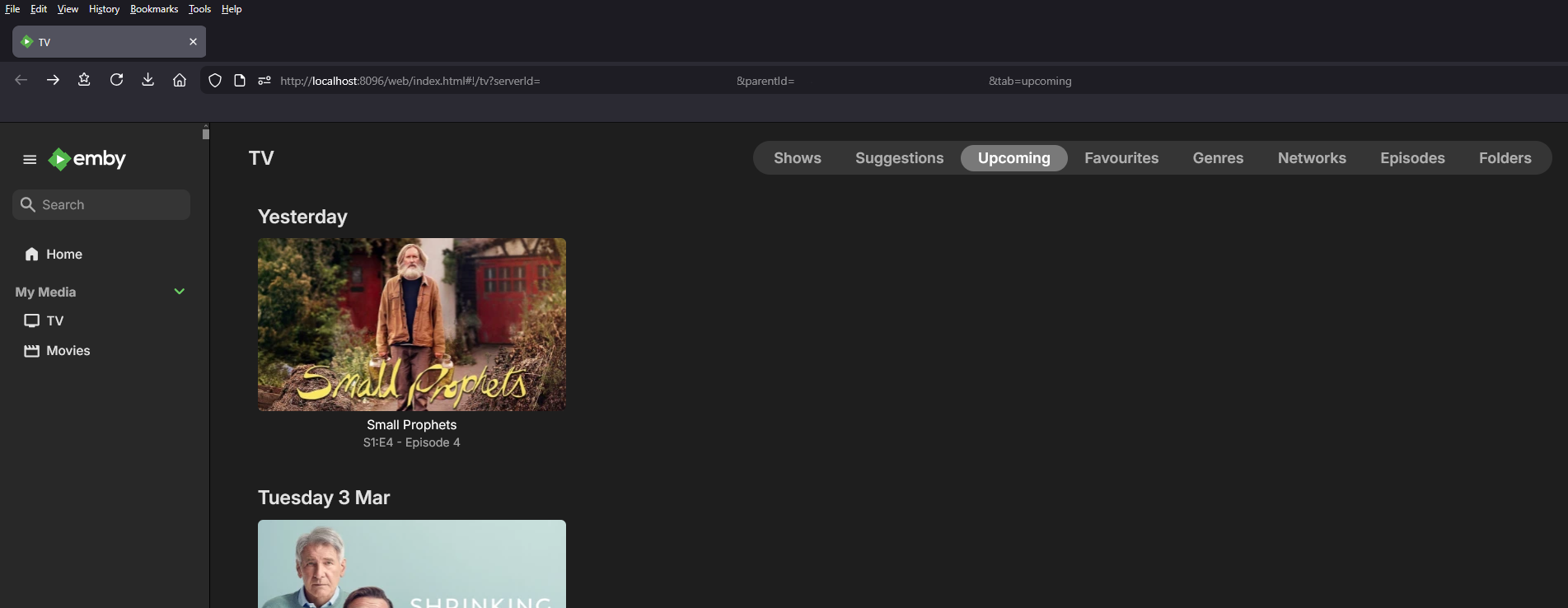
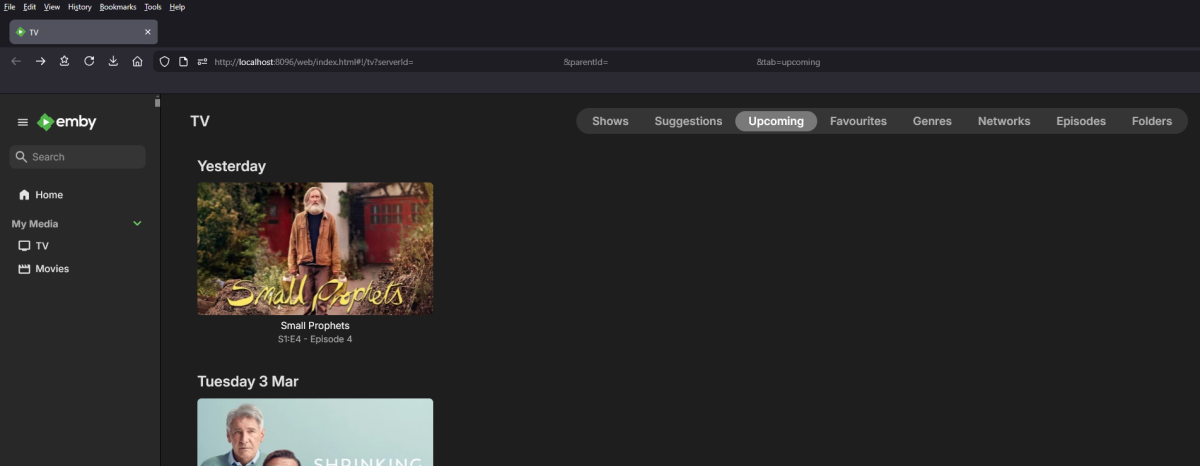
Hi guys, hoping some of you techies or someone on the dev team can please help and let me know if the problem I'm having is normal behaviour or something my end needs to be fixed! I've always had a shortcut in my Windows taskbar that when clicked on takes me directly to the 'Upcoming' TV section on my Emby server so I can check daily which new TV shows from my library I need to check for new episodes etc. The problem is this link takes 15+ minutes to display any upcoming TV show information that I'm pretty sure used to display quite quickly! If after a few minutes of waiting in frustration I refresh the web page I can see a red warning message flash on and off the screen in the background which makes me think there is something definitely wrong? I've attached some screenshots below (with the server ID and Parent ID removed) if someone could please take a look to see if there are any formatting errors contained in the link to see if it's pointing to the correct place Emby expects in order to get the 'Upcoming TV' information? Also what is the easiest way currently to find out what your 'ServerID' and 'ParentID' details are that's needed to get the above 'Upcoming TV' link to work correctly? Grateful for any helpful advice please guys and huge thanks in advance
 1 point
 -
This is in't about image loading, it's about actually pulling the items and data from the server. We pull those in chunks rather than everything the user has in their library as that would make every page load slow. The brief/pause flicker is the tvOS framework binding the new items which causes it to relayout/rfresh the view. We could eliminate it by loading every item data on page load, but that causes other issues/delays.1 point