Leaderboard




Popular Content
Showing content with the highest reputation on 04/24/26 in Posts
-
Looks like Emby can't find the files you are trying to play. Have you changed/moved the files or library path?2 points
-
The second run was super fast—just 15 seconds.2 points
-
Hmmm, vom Gedankengang klingt das für mich nicht nach Film, sondern eher nach Serie, da die Serien- oder "Gemischte Inhalte" Bibliotheksart das am ehesten widerspiegeln. Serie: The Avengers -> Staffel 1 Phase 1(/2/3..) -> Episoden Filme mit einem Tagging für S01E03, um präzise die Reihenfolge zu steuern. Um das umzusetzen, könntest du auch mit strm Files arbeiten, um die Filme nicht doppelt abzulegen. Du könntest auch alles als strm Files in eine Samlung packen, so dass die Filme doppelt wären. Dadurch kannst du die strm Duplikate bearbeiten wie du magst (Stichwort SortTitle), um dadurch die Sortierung in der Sammlung anzupassen. Für die Unterteilung der Phasen könntest du Dummy-Filme hinzufügen, um sie als Trenner im Format 2x3 verwenden, wie im Screenshot drunter.
 2 points
 -
Hi, I’m having repeated crashes with the Emby app on Apple TV 4K. The app closes instantly during playback, but the server shows no errors and continues running normally. My setup: Apple TV 4K Model : A2843 tvOS version: 26.3 Emby for tvOS version: 2.0.3 Emby Server version: 4.9.3.0 Network: Wired Playback mode: Direct Play Video file: MKV with external SRT subtitle (but crash happens even without subtitles) What happens: Playback starts normally After a few minutes, the Emby app closes itself No error message No buffering No server-side warnings Server logs show only “client disconnected” The same file plays perfectly on Plex on the same Apple TV What I already tried: Disabled Match Frame Rate on Apple TV Reinstalled Emby app Restarted Apple TV Tried multiple files Tried with and without subtitles No transcoding involved (Direct Play only) Additional notes: Plex plays the exact same file without any issues This looks like a tvOS client crash (possibly mpv/libmpv related) ebr asked me to post here so the issue can be tracked properly. If needed, I can provide logs, timestamps, or test additional builds. Thanks.1 point
-
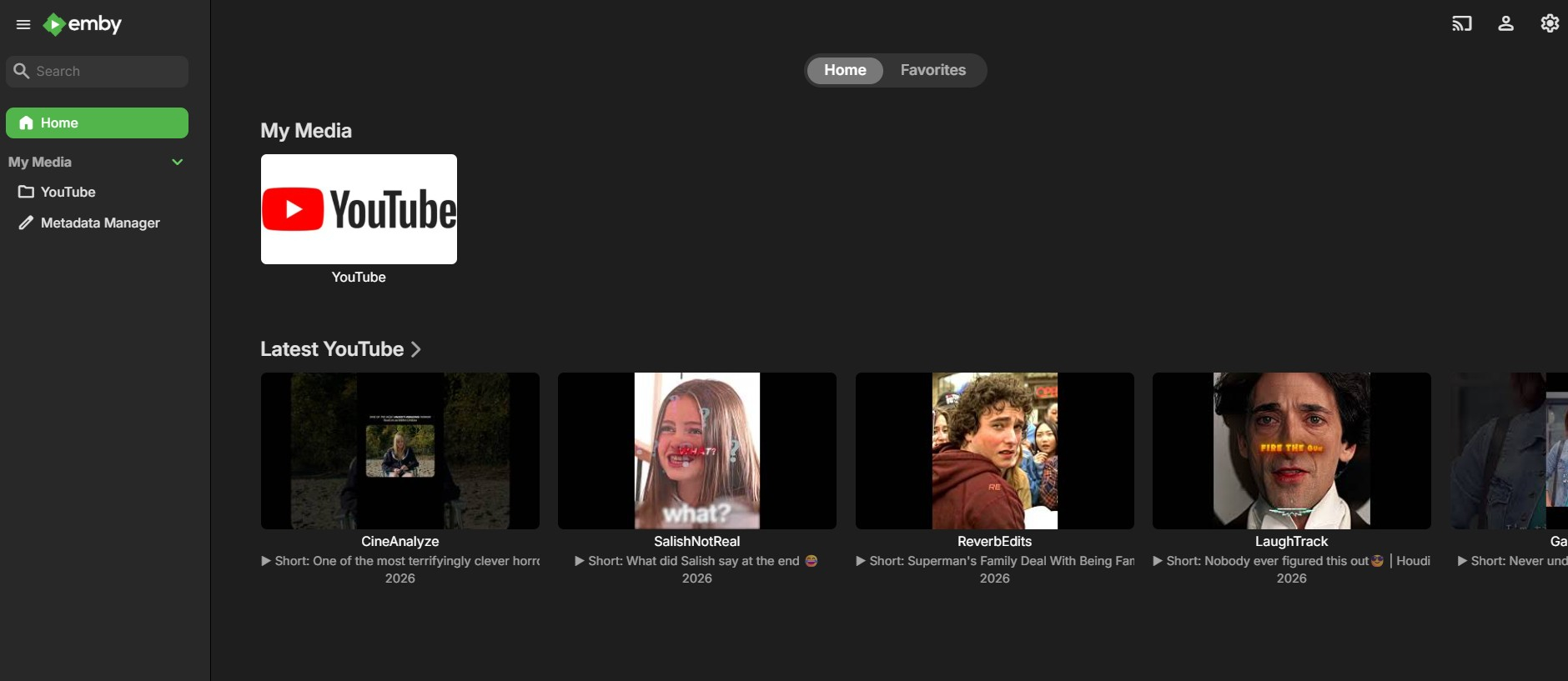
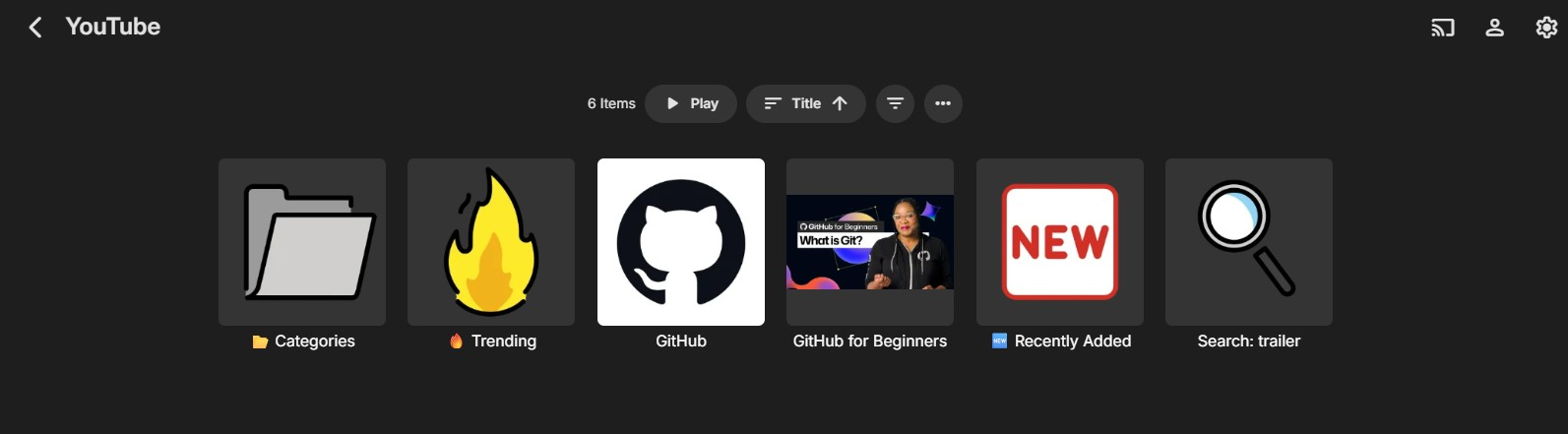
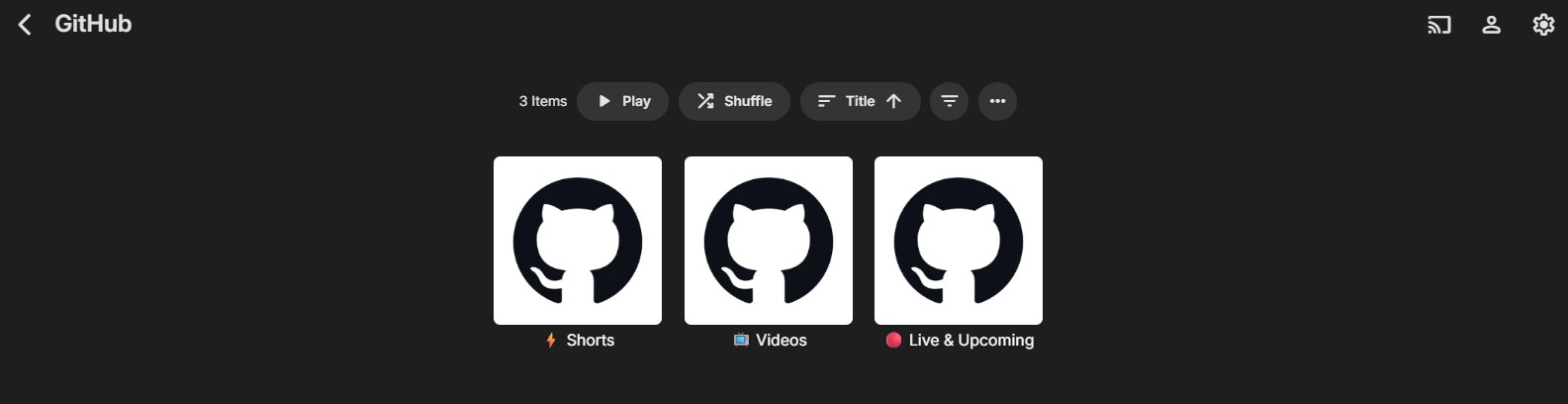
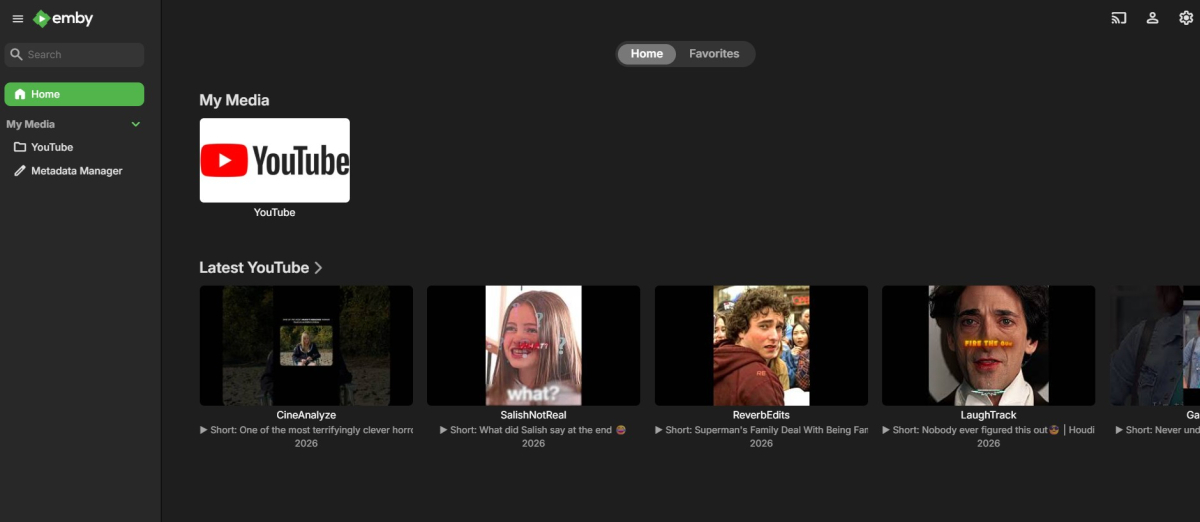
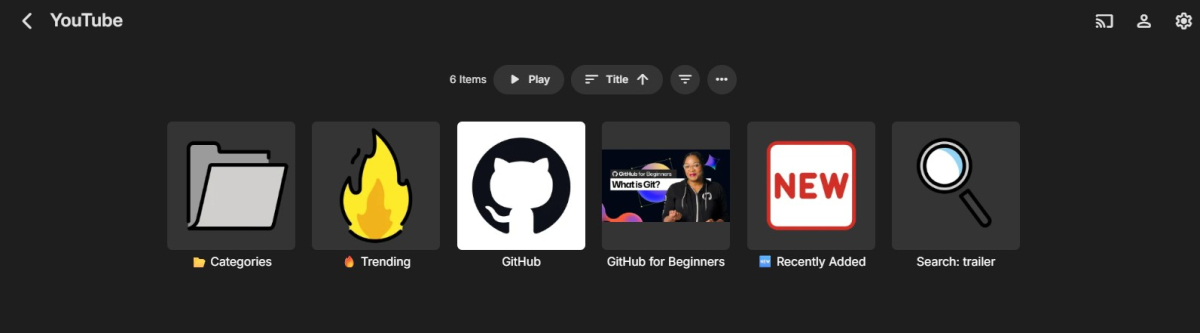
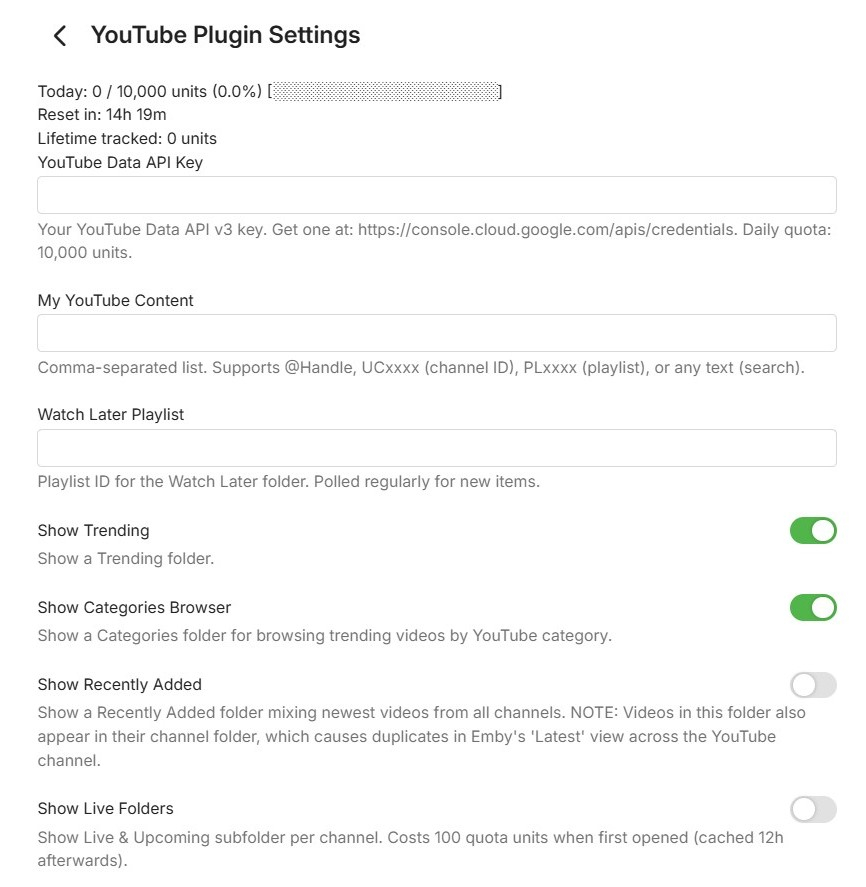
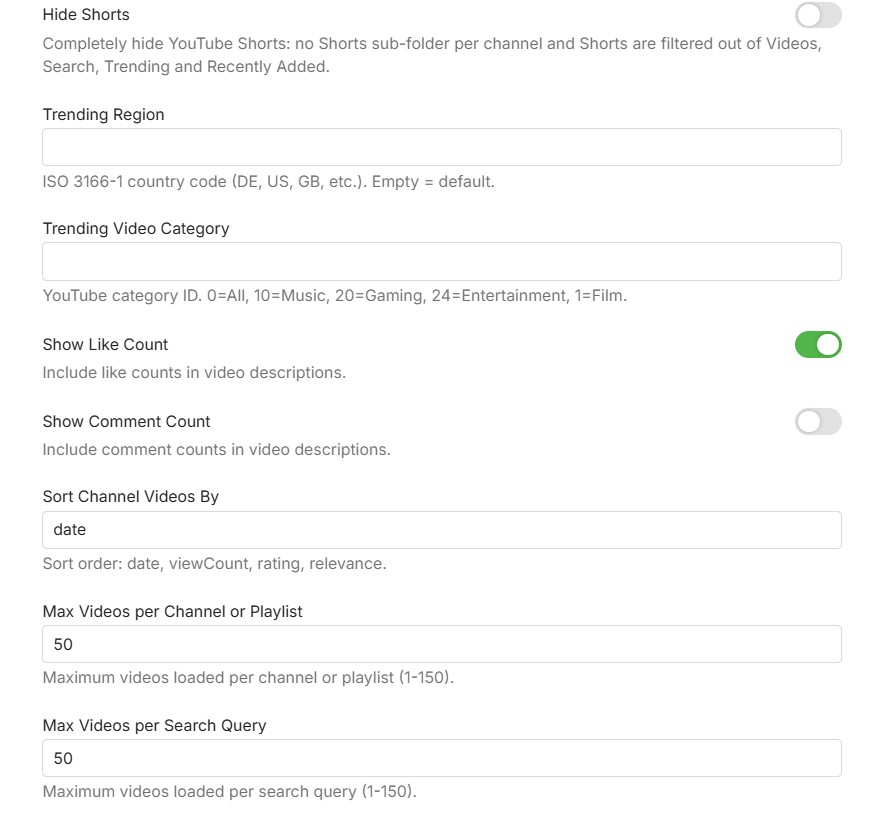
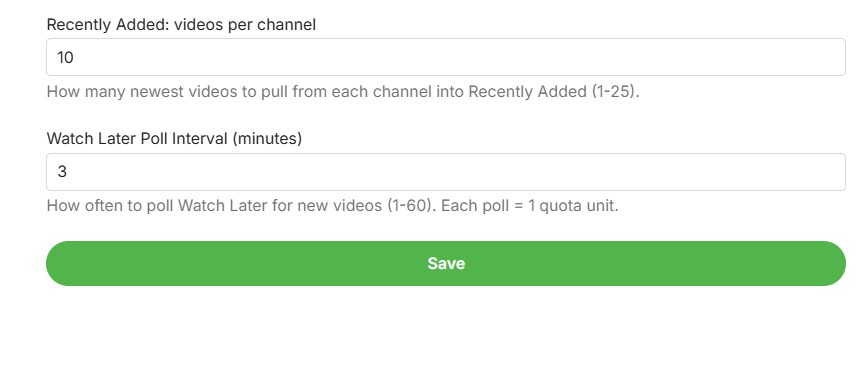
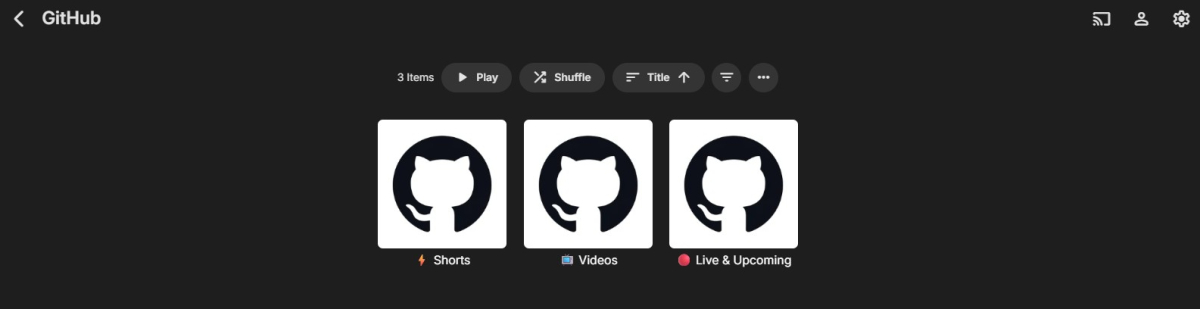
Hi everyone, I would like to share a beta version of my YouTube plugin for Emby. This plugin is focused on clean integration using the official YouTube Data API v3 and embedded YouTube playback. Main plugin overview inside Emby: What the plugin can do: Browse YouTube channels, playlists, and search results directly in Emby Support @handles, UC channel IDs, PL playlist IDs, and free-text search Channel subfolders for Videos, Shorts, and Live/Upcoming Trending view with region/category options Recently Added view across configured channels Optional Watch Later polling Optional Hide Shorts toggle to fully remove Shorts from browsing views Quota tracking shown in the plugin settings Plugin settings: Requirements: Emby Server 4.9 or newer YouTube Data API v3 key Known limitations: Playback uses the YouTube watch page in the embedded web player Resume position cannot be reliably forced by the plugin in this playback mode Audio track/language behavior is controlled by YouTube account/browser settings, not by plugin-side URL forcing Download: Get the latest release from https://github.com/eliasbruno124-dev/Emby-Youtube-Plugin Thank you for testing and helping improve the plugin.
 1 point
 -
I first spoke about this bug on a thread in the Linux page and have just gotten around to raising this as a bug report on GitHub, though I'm not sure how actively that's monitored. Posting here as well in case it's a better route to the right people, like @Luke --- Environment Emby Server: 4.9.3.0 OS: Ubuntu Server 24.04 LTS Hardware: Intel i5-12500, Intel UHD 770 (VAAPI / QuickSync) IPTV source: ErsatzTV 26.3.0 (Docker), HLS Segmenter mode Client: Emby for Android 3.5.28 --- What's happening When playing a Live TV channel via an HLS/IPTV source, Emby detects a significantly inflated stream bitrate and triggers ContainerBitrateExceedsLimit, forcing unnecessary transcoding of a stream that should be eligible for direct play. ErsatzTV is configured to encode at 1200 kbps video + 128 kbps audio (~1.33 Mbps total). The HLS manifest advertises a correct BANDWIDTH= value consistent with this. However, Emby's Live TV pipeline detects the stream at 4,192,000 bps (~4.2 Mbps) - more than 3x the actual encode bitrate. From the transcoding logs, Emby is summing bitrate values read from the probed TS stream headers: Video stream: BitRate 4,000,000 Audio stream: BitRate 192,000 Container total: Bitrate 4,192,000 These values do not reflect the actual encode settings. Emby appears to be trusting stream-level header metadata from the probed TS segments rather than the BANDWIDTH= value advertised in the HLS manifest. --- Steps to reproduce 1. Add an HLS-based M3U source to Emby Live TV (e.g. ErsatzTV configured to encode at ~1.2 Mbps) 2. Set the client's streaming bitrate above the actual encode bitrate but below ~4.2 Mbps 3. Play a Live TV channel 4. Observe ContainerBitrateExceedsLimit in the transcoding log and transcoding being initiated despite the stream being within the client's stated limit --- Expected behaviour Emby uses the BANDWIDTH= value from the HLS manifest to determine the stream bitrate. A ~1.33 Mbps stream should direct-play when the client bitrate limit is set above that value. --- Actual behaviour Emby probes the TS segment headers and reads a bitrate of ~4.2 Mbps regardless of the actual encode bitrate or the BANDWIDTH= value in the HLS manifest. ContainerBitrateExceedsLimit is triggered even when the client limit far exceeds the true stream bitrate. --- Log evidence Two separate sessions confirm the same behaviour: Session 1 — client bitrate limit set to 3,808,000 bps: Detected container bitrate: 4,192,000 bps TranscodeReasons: ContainerBitrateExceedsLimit, DirectPlayError Session 2 — client limit raised to 4,000,000 bps (still just below the detected value): Detected container bitrate: 4,192,000 bps TranscodeReasons: ContainerBitrateExceedsLimit, DirectPlayError The second session is particularly telling — raising the client limit to exactly 4 Mbps still triggers transcoding because the detected container bitrate is 4,192,000, just above it. Full logs attached. --- Related ErsatzTV issue #2022 — HLS stream bitrates inflated during detection in Jellyfin/Emby Live TV pipelines --- Workaround Setting the client's maximum streaming bitrate to 20–30 Mbps masks the problem by raising the threshold above the inflated detected value. This is not a fix... it disables a meaningful safeguard and causes all Live TV to transcode regardless of source quality. --- Potential solution For Live TV HLS sources, Emby should use the BANDWIDTH= value from the HLS manifest as the authoritative bitrate for the ContainerBitrateExceedsLimit check, rather than probing the TS segment headers. The manifest value is what the HLS spec intends for this purpose (probing live segments for bitrate is unreliable, as segment headers may carry peak or nominal values that don't reflect the actual encode target.) It's also worth noting that the reason the probed values are so far off (4 Mbps vs ~1.33 Mbps actual) may involve incorrect bitrate metadata being written into the TS stream headers by ErsatzTV, but regardless of the source of that discrepancy, trusting the manifest BANDWIDTH= value would be the more correct and robust behaviour. ffmpeg-transcode-2c59b904-f3b8-417a-91db-6111478bb332_1 (1)(2).txt ffmpeg-transcode-3aa1a334-fdde-419f-a931-cb9380d36de0_1(1).txt1 point
-
I'm afraid the Windows app beta is not public... Everybody in this conversation is invited to join the beta now! And also help test our new beta portal: https://beta.emby.media/1 point
-
Hello, I would like to be able to see the current IMDB rating and genre right on the home screen under the new films and series. Greetings Scarfaro1 point
-
You'd think the path being literally named 'system/info/public' would make it pretty clear: this is system information, that is intended to be publicly visible.... As for the dashboard HTML pages loading: they consist entirely of publicly available information (anyone can run an emby server and see what that html is, it's identical across all emby servers of the same version, and you can run whatever version you want). All the actual private information (the settings you've configured, your api keys, etc) doesn't load into those pages unless actually supplied with valid authentication information and you can't modify them either. Perhaps these could redirect to the login page, just for ease of use when loading a bookmark while unauthenticated; but it's not a securiry concern. The server name is displayed on the login page as Luke mentioned. The serverid is used to keep the server select page from being cluttered with duplicate entries for the same server whenever servers change connection info (dynamic IPs or changing configurations), and the server version helps match compatible client versions with the server. Nothing here is unintentionally exposed and nothing here is a risk or concern.1 point
-
Hi, we'll take a look at that. Thanks.1 point
-
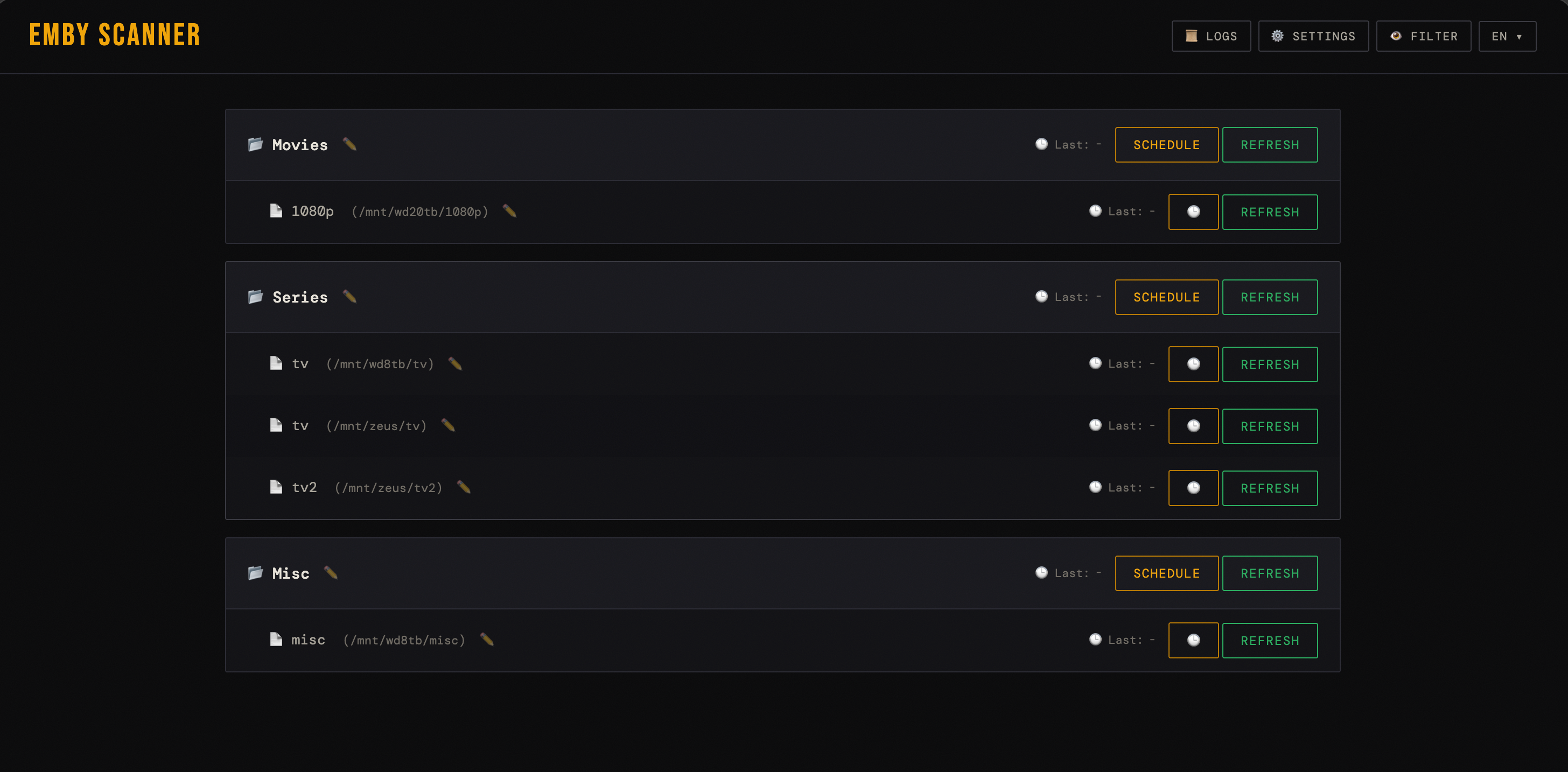
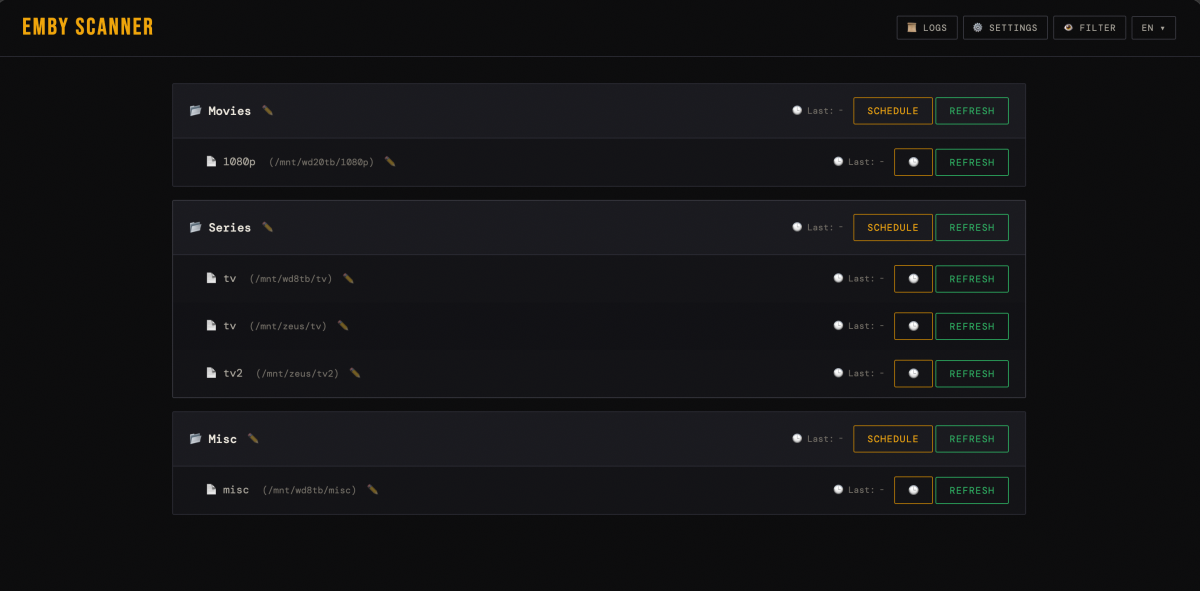
Hi, I created simple application to schedule Emby library scan. Of course we have in-build setting to scan our library, so maybe I will exaplain why I created separated tool for that. In my scenario, movies and tv series are on several HDDs, most of them are full so there is really little chance, that something will be changed there. This is the reason why I decided to sleep those drives to save some energy. In-build Emby scanning mechanism scan every drives and we can't distinguish which drive or path should be scanned or excluded. It leads to spinup every drive in my server once Emby start scanning for changes in my library. Someone tell - we can select real time monitoring feature - yes, we can, but it don't work some mount ways (like SMB shares etc). Also, with enabled this feature, when we restart Emby server application again every HDDs spins up. That's why I decided to write my own way to scan Emby library maybe for someone will be useful, maybe not - but it's already developed so I can share it with you Main features: - we can trigger specific library to refresh manually from dashboard - we can set up scheduler to refresh only selected libraries periodically - we can hide some libraries from the UI to keep app interface clean and easy to find relevant libraries - it's created to work in docker - so run it should be quite easy for everyone If someone have some issue or ideas - feel free to tell me about that. link to repo: https://github.com/BoskiAlvaro/Emby-Scanner
 1 point
 -
Finally grabbed some time to come back to this. Try this version. v5 - Code cleanup - CONFIG section added in the script (10 positions in the order of priority for Custom Release Type grouping) - Subtitles added for both RT and Decade labels - AlbumArtist's MediaInfo row added - Clickable Headers - Clickable Number of tracks As always, try it on a vanilla/no-Custom CSS server instance first. albums_groupby.js1 point
-
Many thanks for your reply, you are right, i unplugged my usb hard drive to transfer the Emby files, its all working now1 point
-
Thank you both so much! I just checked Emby on Roku, and it looks like it's working perfect now.1 point
-
Thanks for the info! I'll rework the algorithm. Will ship it in the next release.1 point
-
Oh nice ! I didn't think to check on user preferences ! I was looking on general preference / mediatheque preference. That's perfect ! Thanks a lot1 point
-
Is it possible to display the IMDB and Critic ratings in the home screen? Like in "Latest Media" ? Is this a setting I'm not aware of, or not currently possible, and thus a feature request ? Thanks, Shibb1 point
-
I'm eagerly awaiting this feature.1 point
-
Yes, I updated. Still have the issue though. I think I will just re-encode these episodes when I come across them. It only happens occasionally but I just wanted to see if it might be a problem with my system, but apparently it's the files.1 point
-
Not a big smartthings user, but yes you can use it to power up your TV, auto start an app at certain times, etc using the smartthings phone app to configure. I don't think it will configure anything past starting Emby though. There's also a setting on Samsung TVs to autostart the last app used when powering up. That requires you to power off the TV while using Emby (once you exit it's no longer the last app used). That may bring you back to where you were when powering off too. My basement got flooded this past weekend, so my TV and stuff is all unplugged and I can't really check how I've got things setup right now.1 point
-
This happens with absolutely all files (mkv or mp4) that have embedded subtitles; there's no exception, it's not a matter of some working and others not. Are you an Emby developer? Does that mean that after four months the Emby team still hasn't identified the problem?1 point
-
If you can't reproduce it, you probably have a different setup. This happens on EVERY MKV with embedded SRT, so if you've tried one or two of those then the problem is elsewhere. There's no ambiguity about this, it's not "certain files". It's all of them.1 point
-
Note that, from what we have been told, it is not the splash screen which makes the program slow to start - it is loading the Windows code to run the program which is slow, and the splash screen is thought to be a better look than a blank screen for that period. Paul1 point
-
+1, this would be great1 point
-
FreeBSD support for HEIC has been such a bottleneck for organizing my media library lately. While waiting for a more permanent fix in the backend, I’ve just been batch converting my mobile uploads to JPG before adding them to the server. I found https://www.thetoolapp.com/heic-to-jpg/ to be really handy for this since it’s quick and doesn't seem to strip the quality like some other converters do. It’s definitely a lot easier than fighting with library dependencies for now!1 point
-
Not currently. You can lend your support here:1 point
-
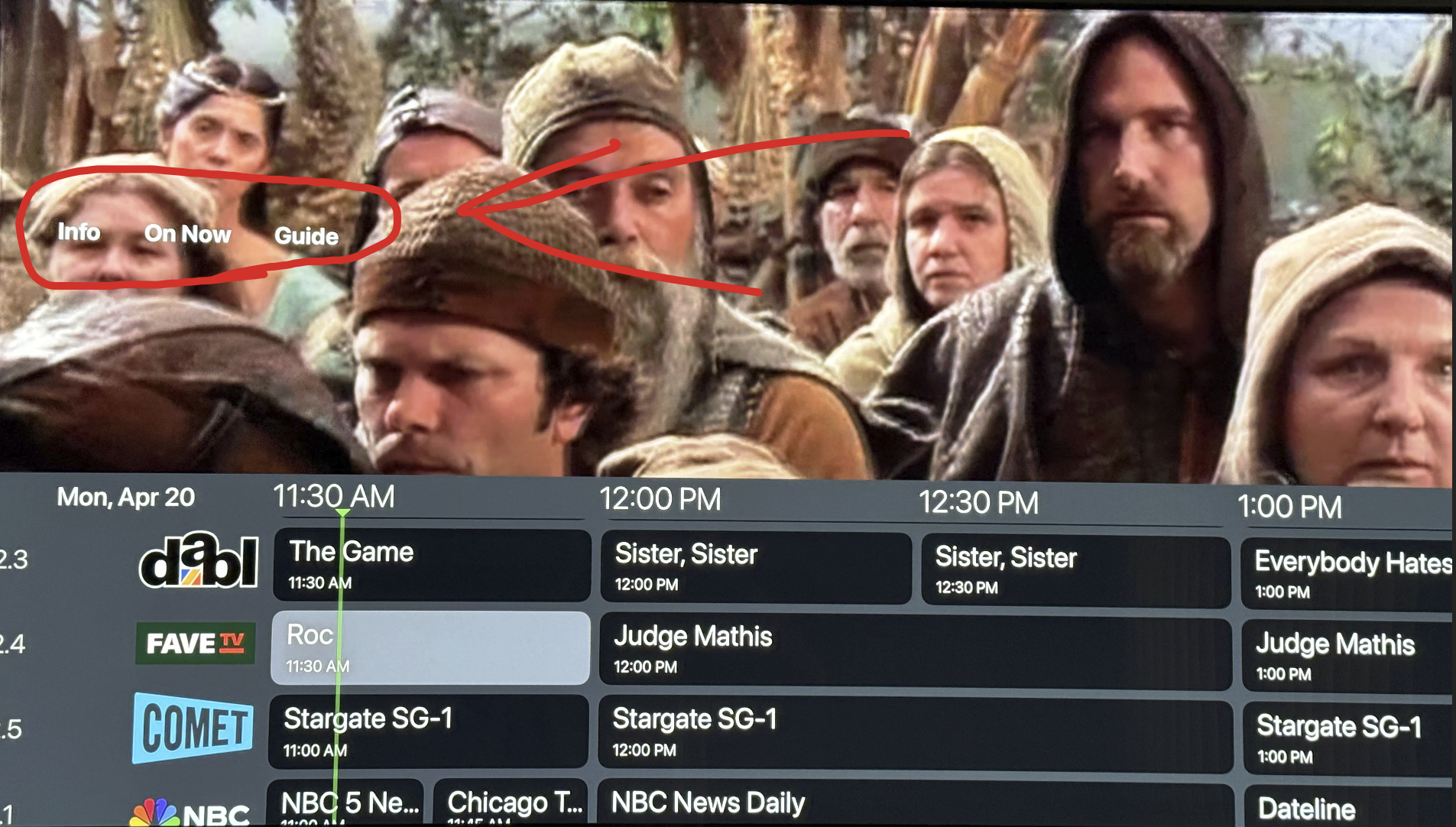
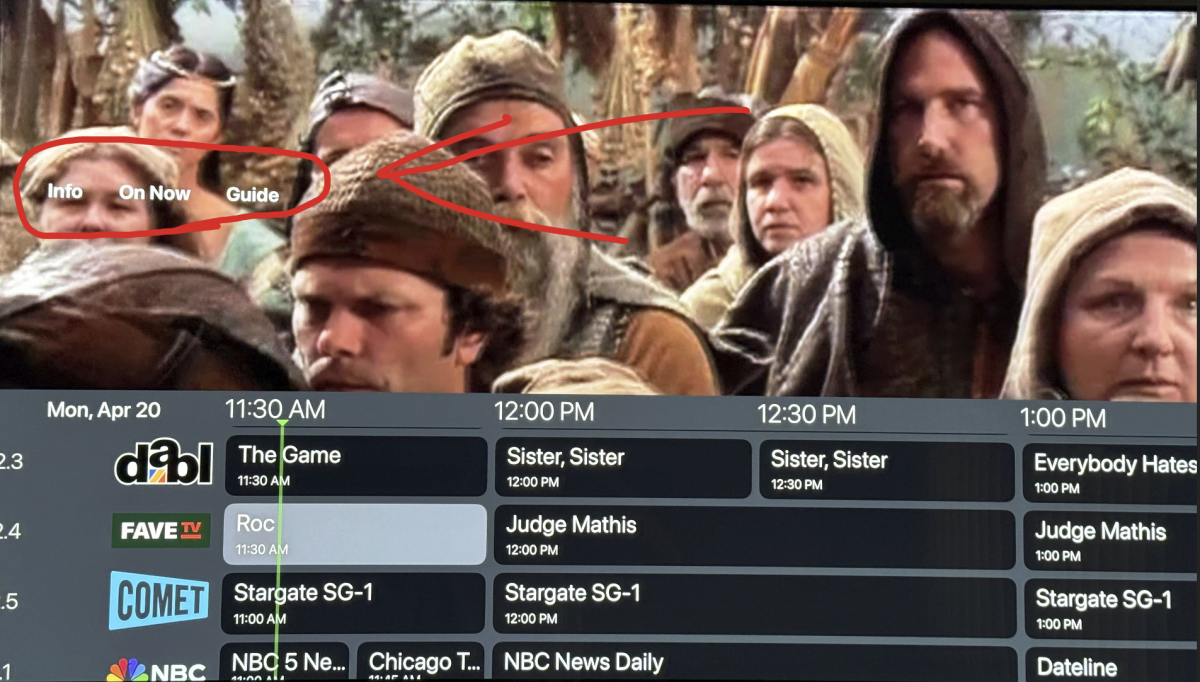
I also wanted to point out that the Live TV Guide is slightly messed up when you access it while watching a program, when you scroll to it while watching it drops the guide down to the lower half of the screen while the UI elements get raised way above the guide. This started when I updated the Emby App to 2.0.5 on the Apple TV. Here is a picture that demonstrates the issue.
 1 point
 -
+1 Same issue on Apple TV 26.4 and Emby app 2.0.5 (3) and LG webOS app 1.0.50. Emby server 4.9.3.0. @CricardI have the same experience as you. It's been an issue for a while. It even happened on 4.8.11 which is why I updated to 4.9.3.0. It seems to be a client issue, not a server issue. Either the client app loses track of the stream, pauses and then resumes where it left off 10-15 seconds later, best case scenario. Worst case scenario the Apple app crashes to home screen or the screen save just kicks on, it has happened to me twice. Works well on the Windows store app though.1 point
-
@Luke, if you need someone to test something for you, let me know.1 point
-
@Luke Same problem here. Client: Apple TV 2.0.5 Server: Emby Server 4.9.3.0 on Darwin 21.6.0 My gut feeling is that it might be related to subtitles or it might be related to the AppleTV screensaver. This has happened to me for a month or two but I think the behavior has slightly changed, possibly after a recent update of my server. Before the update of the server to 4.9.3.0, the subtitles stopped working ~5 seconds before the crash. The behavior after the update is that the subtitles work until the crash, but right after the crash, the AppleTV turns into screen saver mode. I am sorry I cannot be more sure about when/what happened. I have treated Emby as an appliance that just works, not like an application I have to debug. The change in behavior may have been caused by something else or it might be just random.1 point
-
Thanks for following up.1 point
-
@LukeGood morning Any update for this issue? Same problem here.1 point
-
I am having the same experience.1 point
-
I have had issues with the app just crashing randomly on multiple apple tvs. It runs for a few days most of the time before it does so. Emby server seems to have no issues.1 point
-
Yes I did , all is auto-update I even manually checked all latest versions1 point
-
just an update , i take it back it didn't solve the problem watched a movie now after about 15 minutes crashed again..so EMBY Team we would love some inpout.1 point
-
Hi , I'm the one who posted this issue , last night apple tv version 2.0.5(3) dropped (auto updated) and it seemed to fix the crash problem, i watched two full episodes in total of about 2 hours straight no crashes , can the EMBY Team please give us a brief as of what was the issue and was it specifically addressed in that release ? thank you , write if it helped you too Emby Windows server version is 4.9.3.0 (not sure if it was updated too)1 point
-
I was able to resolve the issue. I just accessed the TrueNas Jail and ran: pkg update -f pkg install dotnet8 libass fontconfig freetype2 mbedtls3 fribidi gnutls iconv opus sqlite3 libtheora libva ocl-icd libvorbis webp libzvbi libraw ImageMagick6 tesseract intel-media-sdk libunwind libinotify openssl icu krb5 libexif libjxl libheif libimagequant openexr openjpeg orc pango tiff This reinstalled the dependencies. After a restart of the Emby server, the Software decoders were present and my movies played.1 point
-
i have all metadata lookup for recordings off. I still believe it would be great if emby got the backdrop from the guide instead of using the poster as the backdrop.1 point
-
I notice the same thing happens with music. After turning on music, walking away and not touching it, at about 30 minutes the log will say it disconnected and the AppleTV app will shutdown. To watch a complete movie, it seems like you have to keep giving it input with the remote. Sometimes with video, the shutdown will happen immediately after selecting something from the library. The app crashes, the show never plays on the TV, but the server will report that it started playing it and it will later show up in the "Continue watching" section with a minute or two watched.1 point
-
this is pretty bad i’ve been around forever and this is the biggest problem i have faced. The dev team is very talented so i know they can fix it or maybe we can revert to a previous version ? i’m not sure though. i am a premier user too.1 point
-
Can we please get an update on the issue ? it’s a denial if service situation or do they fix just premiere users issues ? I paid for the app for external streaming , but now I need to pay Plex they don’t have this issue1 point
-
my other apple tv is doing the same thing a lot worse it’s a generation older1 point
-
...I have no idea what any of that means, either.1 point
-
Also having this same issue, any word on a fix yet?1 point
-
I am having an issue where shows i am watching stop playing and just exit to the tv show main page as if i stopped playing it. I look in the log and it still shows im currently watching. This has been happening every day for the past week. Happens every couple of hours.1 point
-
Having the exact same issue on exactly the same HW. Adding my +1 for an update1 point
-
Here is the log file the crash happened (this time) after 29 minutes of play it happened around 8:45 AM (plus minus 10 minutes) movie file that was playing : Shelter.2026.HDR.2160p.WEB.h265-ETHEL.mkv Thank You embyserver.txt1 point
-
Hi its ok i found my problem it was related to the user associated with the email sued by emby connect Thanks1 point
-
Hi, more options to control home screen display are planned for future updates. Thanks !1 point