Leaderboard




Popular Content
Showing content with the highest reputation on 04/11/26 in Posts
-
Updates: Return of the header, you can change the frost, disable it, etc. from this area in the variables, I also added in a variable for padding in the media details areas, so it does not sit right up against it. /* EFFECTS (SIDEBAR, HEADER, AND DIALOG POPUPS*/ --sidebar-blur: var(--blur-heavy); /* Frost blur intensity: var(--blur-heavy), var(--blur-light), or none */ --sidebar-bg: var(--navy-base-alpha-75); /* Frost transparency intensity: var(--navy-base-alpha-75), var(--black-alpha-80), var(--black-alpha-95), etc, or var(--retro-navy) to disable */ --header-blur: var(--blur-heavy); /* Set to 'none' for a completely clear header, or var(--blur-heavy) / var(--blur-light) to enable frost */ --header-bg: var(--navy-base-alpha-75); /* Set to 'transparent' for a completely clear header, or use a translucent color to enable frost */ --header-border: var(--standard-border-thickness) solid var(--gold-alpha-15); /* Set to 'none' to disable, or var(--standard-border-thickness) solid var(--gold-alpha-15) to enable */ --header-content-padding: 20px; /* Media details header padding, push the content down from the header */ Fixed more random icons that did not receive the gold color If a filter is applied the filter icon will now have the gold color around it indicating a filter is in use. Backdrop poster animations, and new variables added for that --backdrop-anim-toggle: imgZoomFadeIn; /* Set to 'imgZoomFadeIn' to ENABLE the backdrop animation, or 'none' to DISABLE it */ --anim-backdrop-mask: linear-gradient(to right, transparent 0%, var(--pure-black) 40%), linear-gradient(to top, transparent 0%, var(--pure-black) 40%); --backdrop-image-scale: 80%; /* Percentage of screen to use for backdrop posters (It will always pin to the top right of the screen) */ Bugfix for the list view star hover Media card hover shadow fix Reduced seasonal variable lines to easily enable/disable. Some Live TV fixes And many more bug fixes. I know the variables have been changing a lot lately, I'll try to be better on showing section 1 changes going forward, so you can just update section 2 downwards. Got an idea or found an issue? I'm always listening. Feedback is always welcome. Emby Navy and Gold v4.108.css3 points
-
DVD and Bluray subs are called VobSub and PGS. As I recall, Subrip was originally named after an old program (called Subrip) which ripped text from VobSub (and subsequently other graphical formats) using OCR. The extension SRT is short for SubRip Text, I think. Paul2 points
-
Home Screen Companion Plugin https://github.com/soderlund91/HomeScreenCompanion Below is a summary for this plugin, visit GitHub for latest release and full documentation. Home Screen Companion is a plugin for Emby Server that automatically manages home screen sections using tags and collections for your Movies and TV Shows — and keeps your home screen sections in sync across multiple users. It works by connecting one or more sources to a tag and/or collection in your Emby library. Sources can be external lists from Trakt, MDBList or TMDb, rules-based filters on your own library, AI-generated recommendations, or your existing local collections and playlists. Each source runs on a schedule, and the plugin makes sure your tags and collections always reflects the current state — adding and removing movies and series automatically. The plugin can then use the tags or collections to create a home section and give you a living and curated home screen experience. With Home screen companion you can also manage the home screen sections for all users - copy, manage and create home sections directly from selected source. No need to set it up for every individual user, just copy it from one user and you can have a server wide home screen! Important Requires minimum Emby server 4.10.0.10 Key Features Different source types — External List, Smart Playlist, AI List, Local Collection, Local Playlist Automatic tagging and collections — items are added and removed as lists change Advanced scheduling — annual, weekly, or specific date windows Per-entry home screen sections — automatically managed sections for any tag or collection Home screen sync — mirror one user's home screen layout to any number of other users Top-List — Create a "Top 10 movies of today", and the plugin will create a new home section for selected users with numbered posters Home screen sync — mirror one user's home screen layout to any number of other users Source Types External List Connect to curated lists on Trakt or MDBList. The plugin fetches the list on a schedule, matches items to your library by IMDB ID, and keeps tags and collections in sync automatically. Smart Playlist Build dynamic lists directly from your library using a flexible rule builder. No external service needed — the plugin scans your library and tags items that match your criteria. AI List Generate recommendations using AI. Write a natural language prompt and the plugin calls an AI model to produce a list of movies and shows, then matches them against your library. Local Collection and Local Playlist Tag items based on an existing Emby Collection. Combine with scheduling to create time-limited promotions of curated content — no external API needed. Tags The plugin take the source type you have and put a tag on Movies and Series. You can choose at what level to put the tag, either the Series, Seasons, or the episode. Collections Any source type can automatically maintain an Emby Collection alongside its tag. Playlist Any source type can automatically maintain an Emby Playlist for all or selected users. Scheduling Set up advanced rules when the tag or collection should be active. For example you only want to tag a Christmas list during December, or you only want your collection be available during Halloween. With the scheduler, tags and collections get added and removed automatically. Home screen Add a dedicated home screen section to any tag/collection entry. The plugin creates, updates, and removes the section automatically on each sync, no manual Emby configuration needed. Just select your source and enable the home screen option - and you will have this source as a row on your home screen for all selected users. Home Screen Sync - server wide home screen With this function you can easily copy a users full home screen sections to all other users. No need to set this up for every user now! Just configure the home screen sections and library order for one user, and you can have a server wide home screen that looks the same for all selected users in the blink of an eye. Top-List The plugin can create a "Top 10" style of home section for selected users. This can be done by either manually select what movies you want, or use existing tags to have a list that is auto-updated. Installation Download the latest .dll from the Releases page (GitHub). Place the .dll file in your Emby plugins folder. Restart Emby Server. Screenshots More screenshots in below spoiler1 point
-
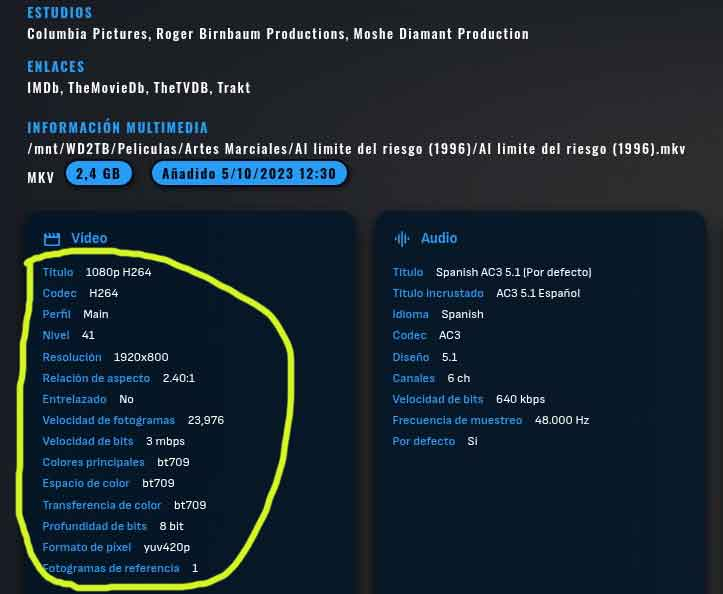
I've downloaded the latest version and I'll try it out. But I wanted to ask you a question. At the end of a movie's information page, for example, in the multimedia section. How can I change the font size in that specific area? I've attached a screenshot with the text circled, and I'm referring to the part that's in blue. Thanks
 1 point
 -
I can confirm this issue is resolved on latest beta1 point
-
So there's something really wrong with those people. It even says "Android TV", at least, on the front and back of the box. Anyway, it was just my opinion.1 point
-
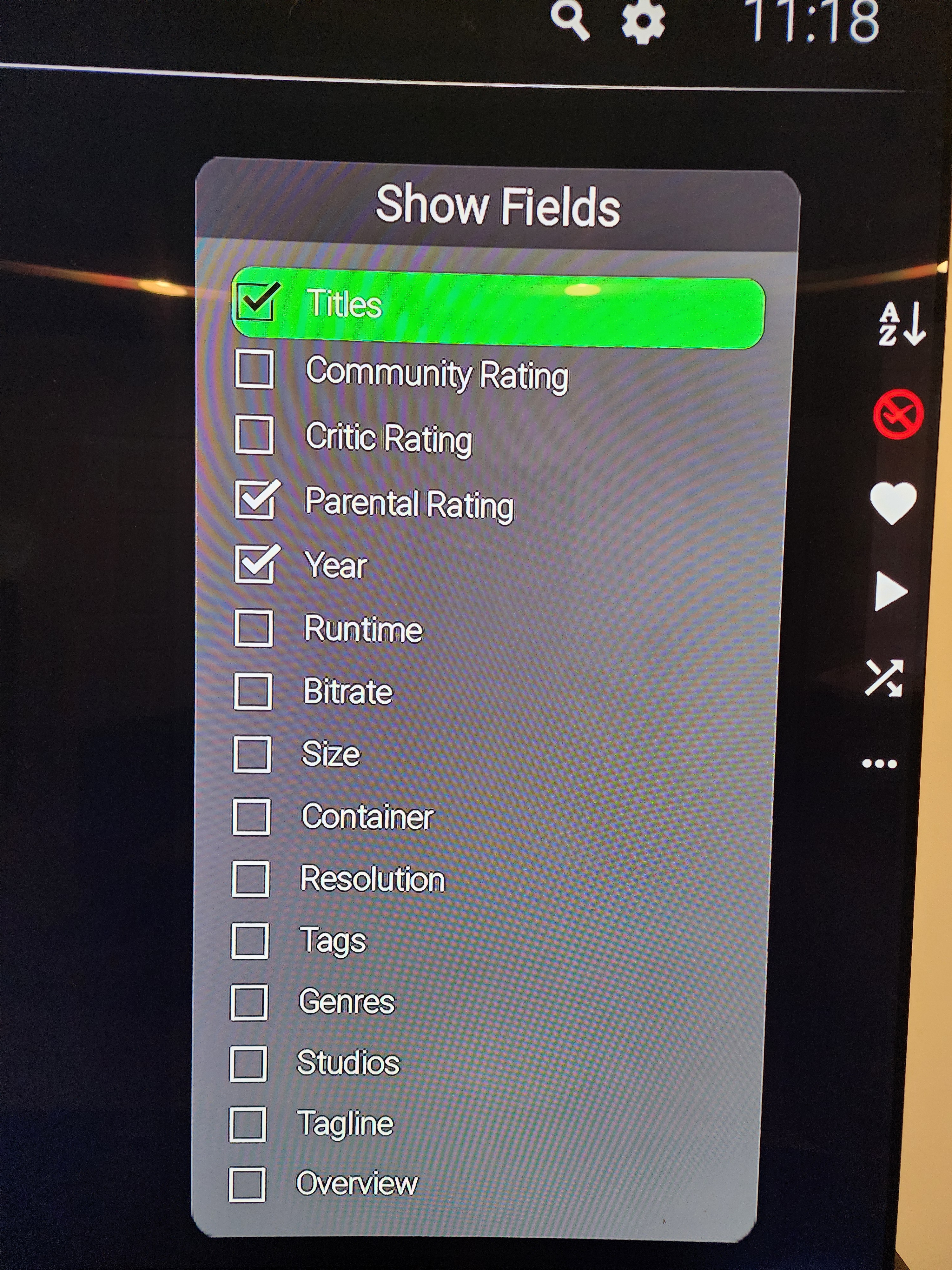
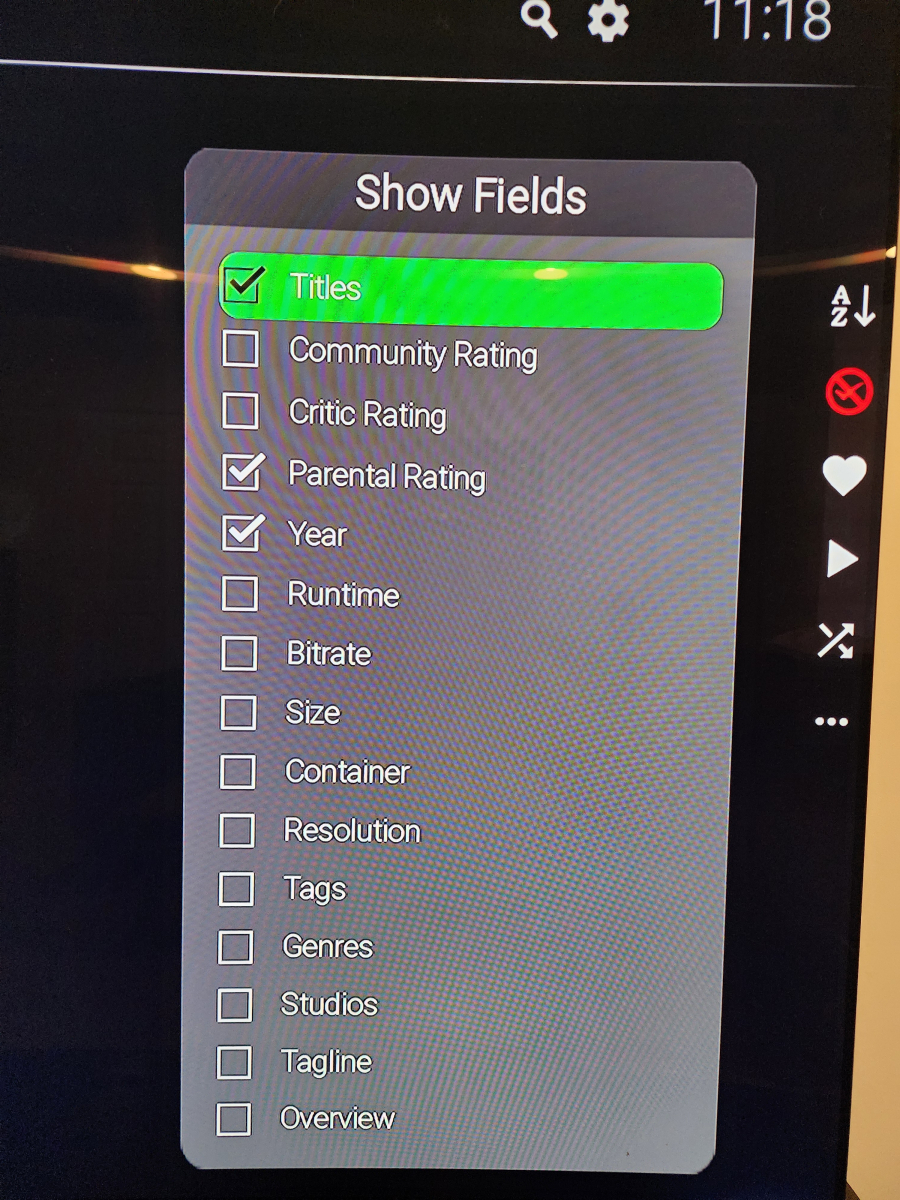
In a libraries there is a settings section where you can toggle attributes on or off.
 1 point
 -
Sorry but I can't agree with you on that. If someone pays $200+ for a box and doesn't know that it runs Android TV... Also, in that case, you had to do it to several TV box brands/models.1 point
-
That has nothing to do with any of this; the logs clearly indicate that there is a problem.1 point
-
Hi Luke, Sorry was away for a few days and only back home now. Scanning all libraries updated nothing, the issue was persisting; So I reverted to a backup from before the issue. Everything seems to be ok now. But no Idea what the cause was.1 point
-
Any update on this? A couple of short concurrent searches are enough to lock up the server entirely.1 point
-
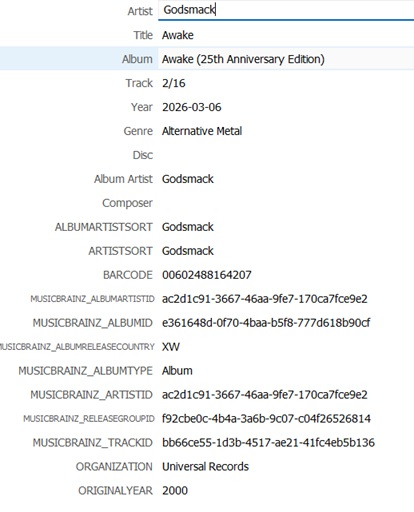
If this were to be implemented I would like an option to display the original release year instead of the year field. This would require Emby to display ORIGINALYEAR which MusicBrainz can already automatically supply to mp3tag and Picard. From what I understand this information is already stored in Emby but not displayed anywhere. https://emby.media/community/topic/94691-music-tag-original-release-date-tagorigyear-andor-tagoriginalyear/
 1 point
 -
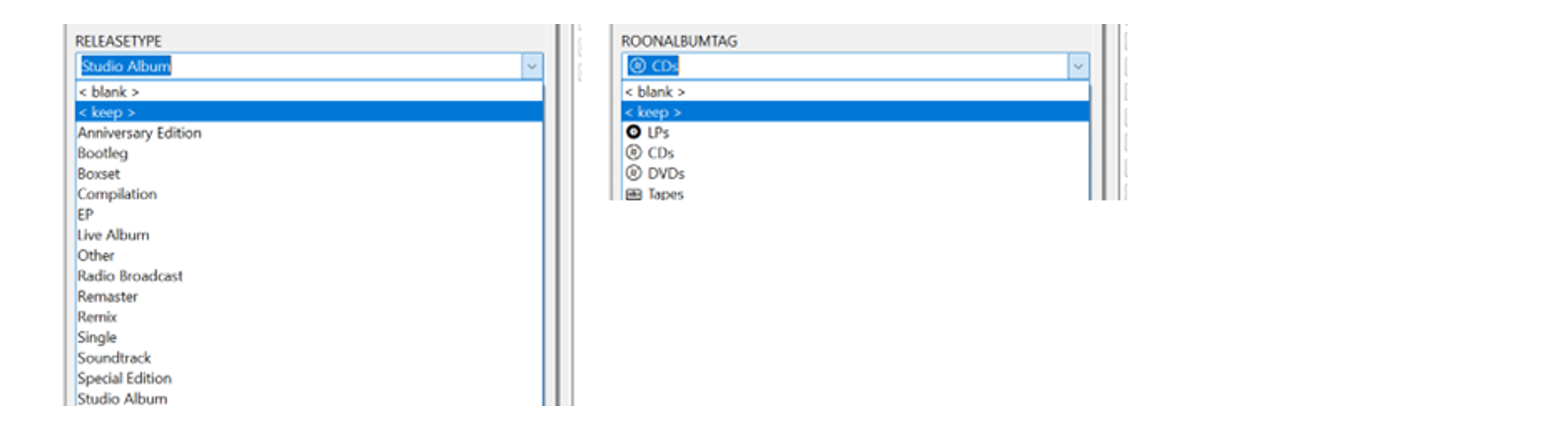
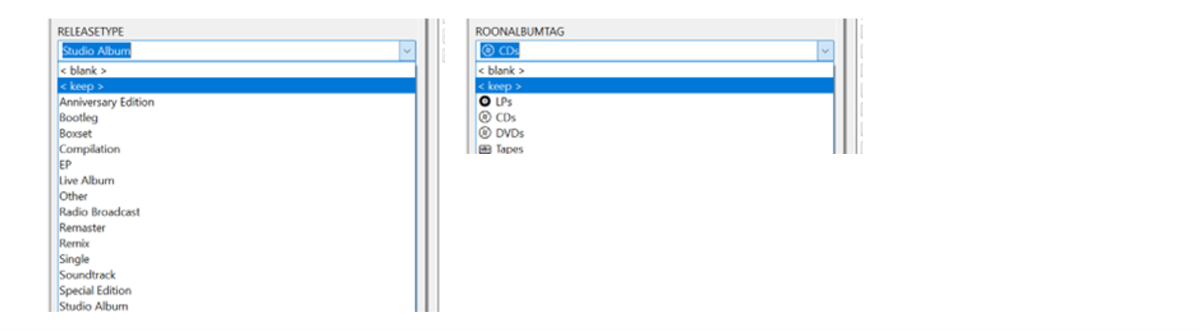
@GrimReaper Just a FYI progress update – and well, the more I use this, the better I am liking it! Still doing a lot of fine-tuning from the music side to streamline the tagging process and get the grouped sections aligned better with my library. I added some custom drop-down menus into Mp3tag – so it’s very quick to add the new tags now: It’s unbelievably super-fast now using the ‘Importer’ to remap the individual tags to the group tags/headings in Emby. There’s no way this would be practical to do with Mp3tag and Emby alone. (I’ll give a separate update on the ‘Importer’ use a bit later on…) I’m also just started experimenting with some new Decade headings to match with the Release Type headings. Will probably scale it down a bit from what I have now: A couple of script changes make it easy to try different scenarios (e.g.) Add: const decadeLabels = { "1950s": "The Rockin' 50s", "1960s": "The Swinging 60s • British Invasion | folk-rock tones | psychedelic color waves", "1970s": "The Classic 70s", "1980s": "The Synthetic 80s", "1990s": "The Indie 90s", "2000s": "The Global 00s", "2010s": "The Trendy 10s", "2020s": "The Emerging 20s", }; (e.g.) Add/change: const label = decadeLabels[decade] ? ` • ${decadeLabels[decade]}` : ""; header.textContent = `${decade}${label} • ${groupAlbums.length}`; I imagine the Custom Release Type sort will be my main ‘go to’ view. It’s already helping me easily see missing Studio Albums from an Artist’s discography. Just compare the new page view directly to the MusicBrainz main Album discography section for well-known popular Artists. Still a lot to tag, organize and experiment with, but so far so good...!!!


 1 point
 -
@hdsuisseThere's a new Dev version 2.1.8.0 in the plugin catalogue. Although it hopefully fixes your problem also with the Export Stream Type "Universal", i suggest you to switch to the new Stream Type "Direct". That one has less overhead. However, read the description of that setting carefully to understand the consequences!1 point
-
@Lukehave you any update ? problem to dev it ? Need something ? Please keep us in touch we-re waiting it from 6 years ago1 point
-
Any updates since December last year ? First M1 has been released 6 years ago and still no proper support of hardware acceleration on the Mac Mini which is probably the best suited machine to host an Emby server.1 point
-
I have played around a bit and am finalizing this feature. As I suspected, the options are still available (but not in the Emby UI), so we can utilize this hidden feature and expose it in the plugin. I have built a proof of concept that works quite well, but it needs some polishing before release.1 point
-
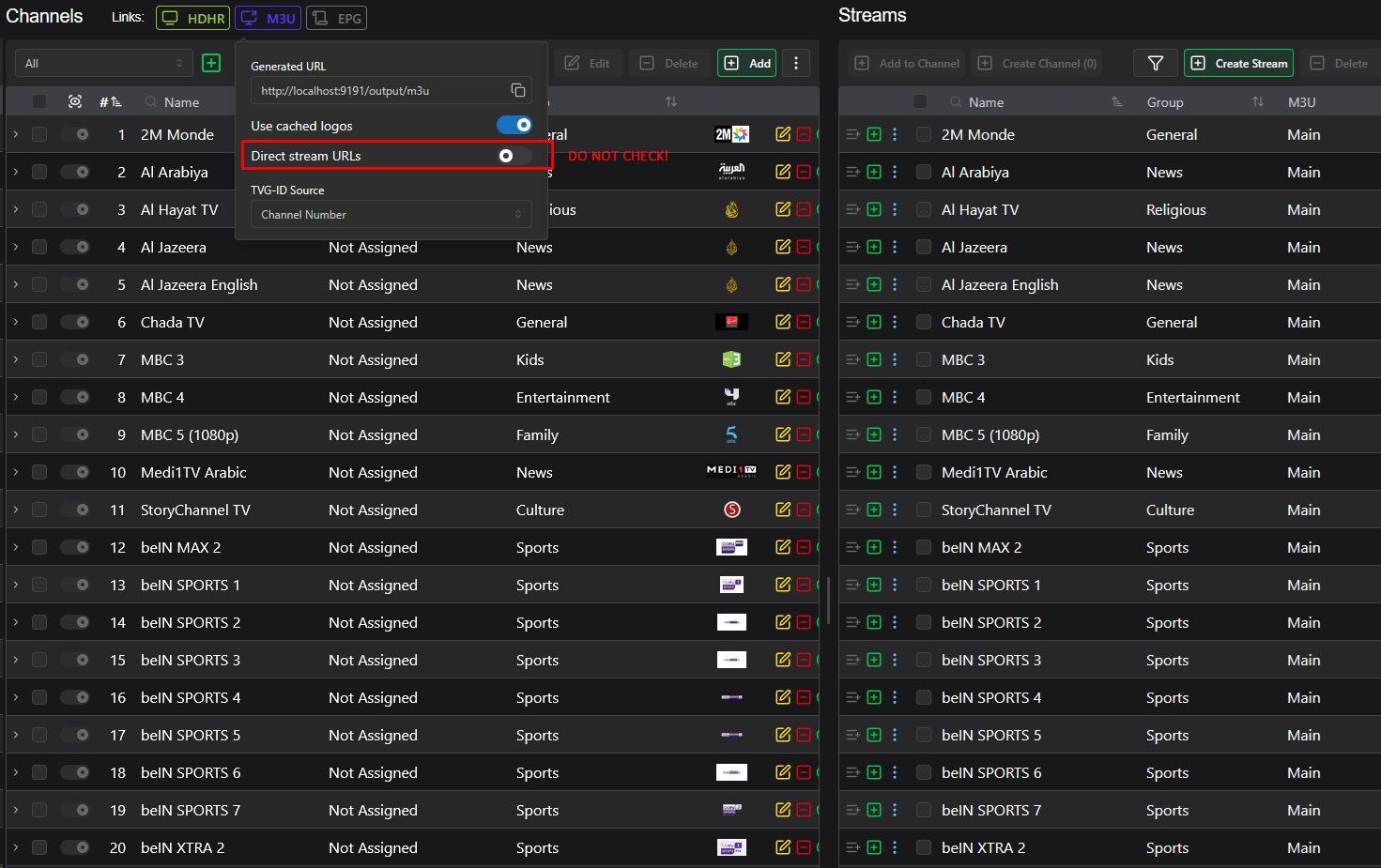
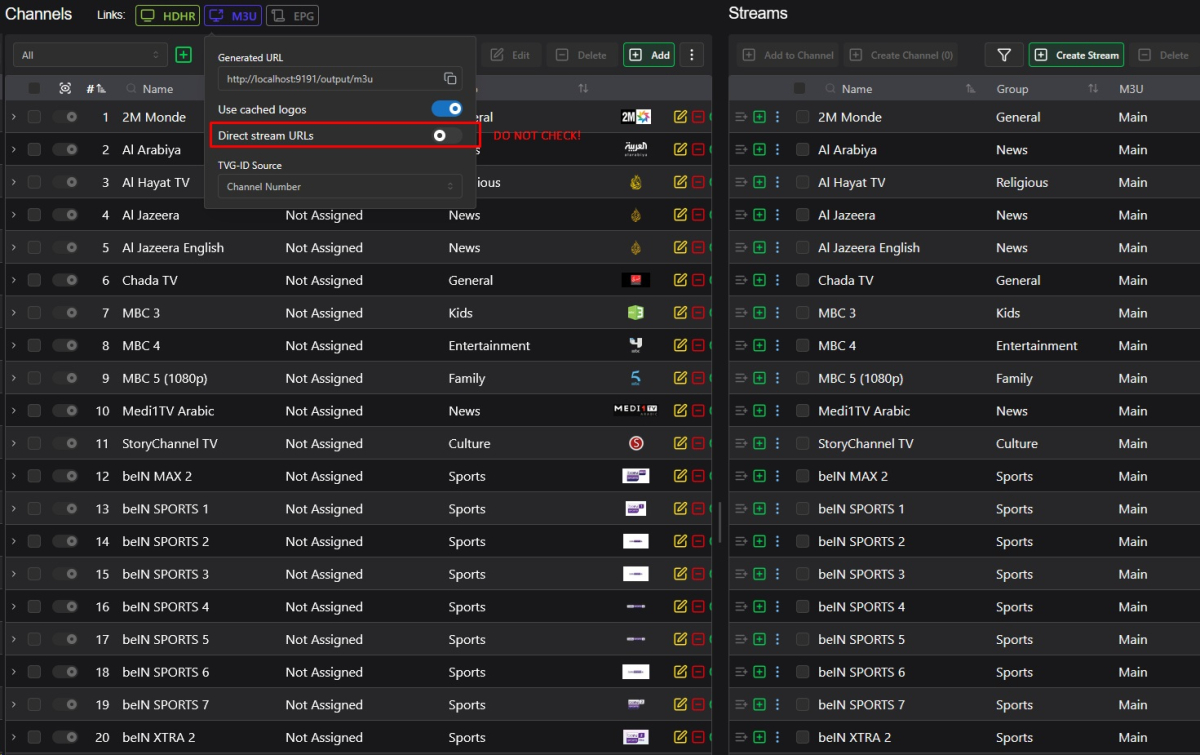
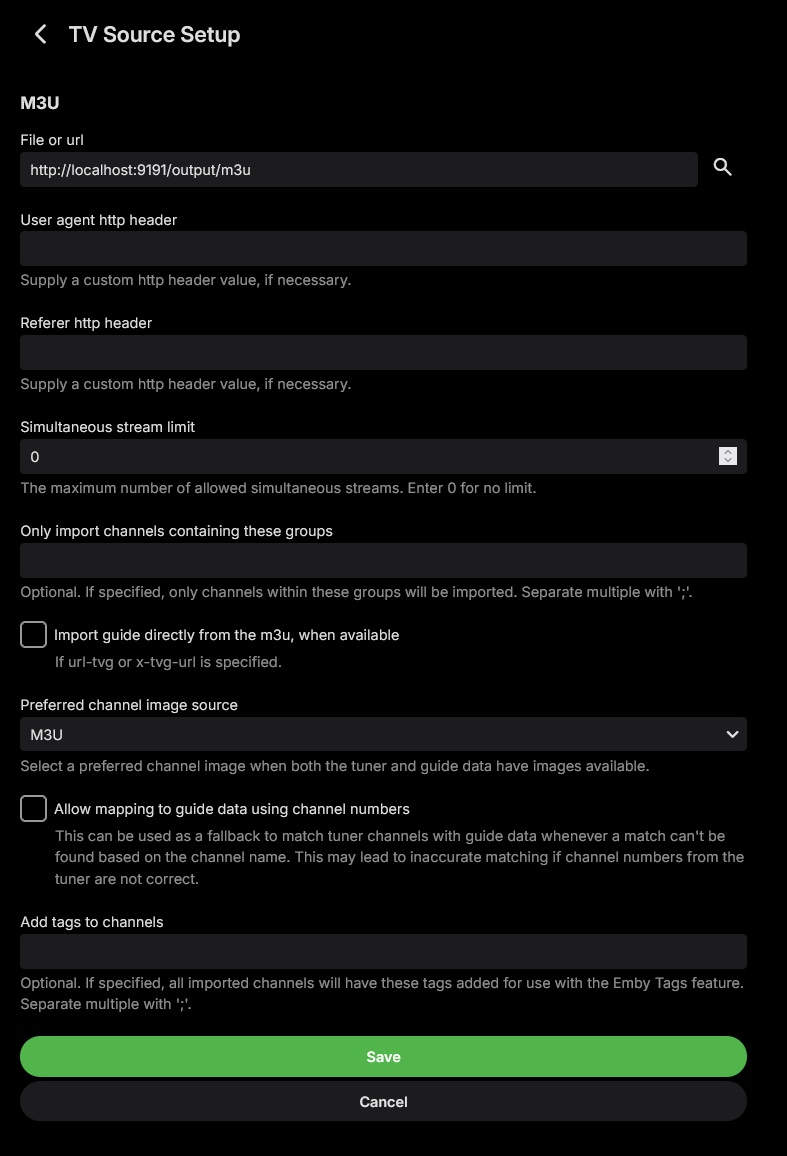
For those who are still having the Forbidden issue, I highly recommend you self-host Dispatcharr via Docker. It makes everything a breeze. Just make sure you don't check the Direct Stream box, and you don't even have to to fill out the user-agent and referrer fields during M3U Tuner setup. See the screenshots below: If anyone needs more details about how to achieve this, I'll be happy to help. Take care, y'all!
 1 point
 -
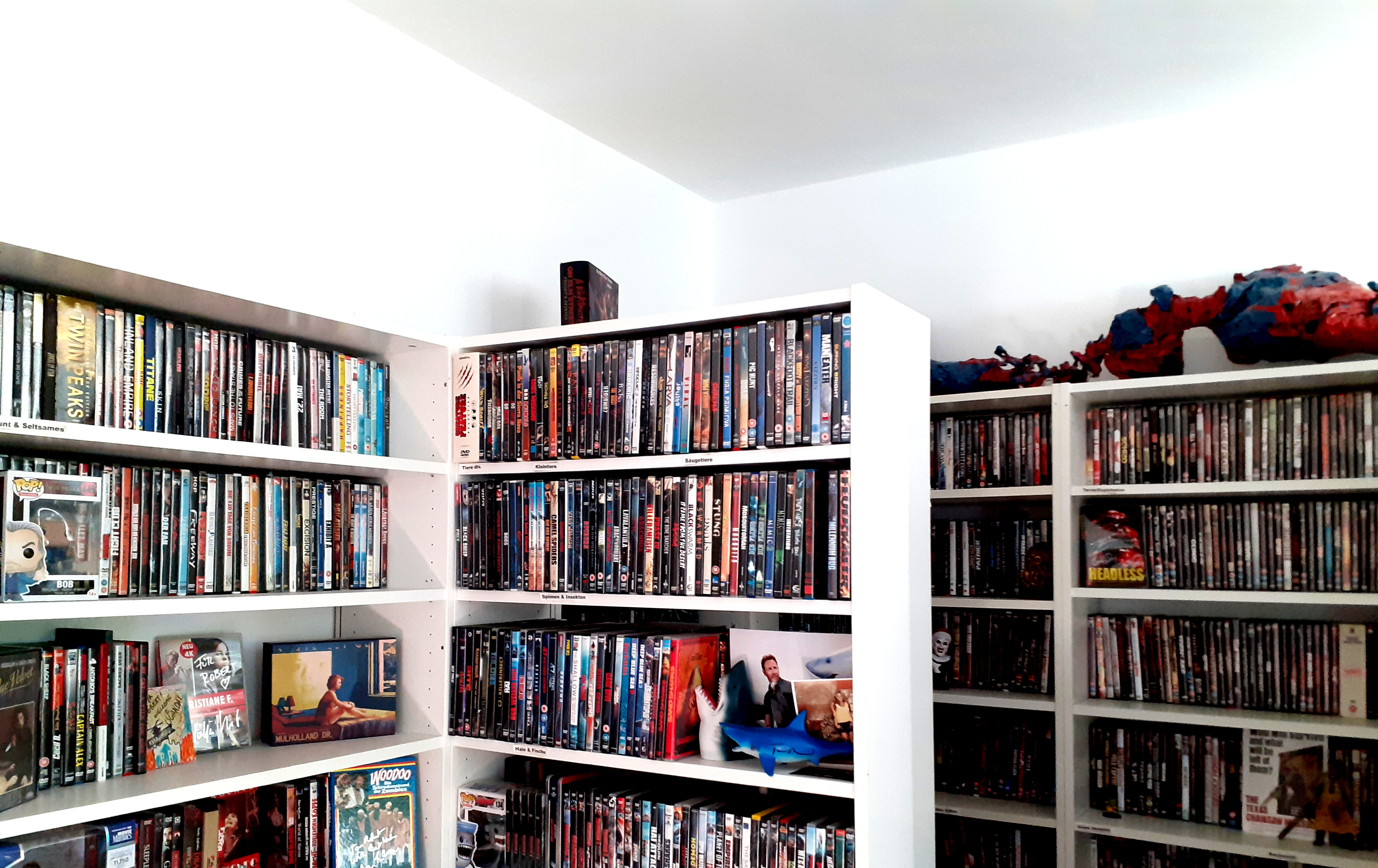
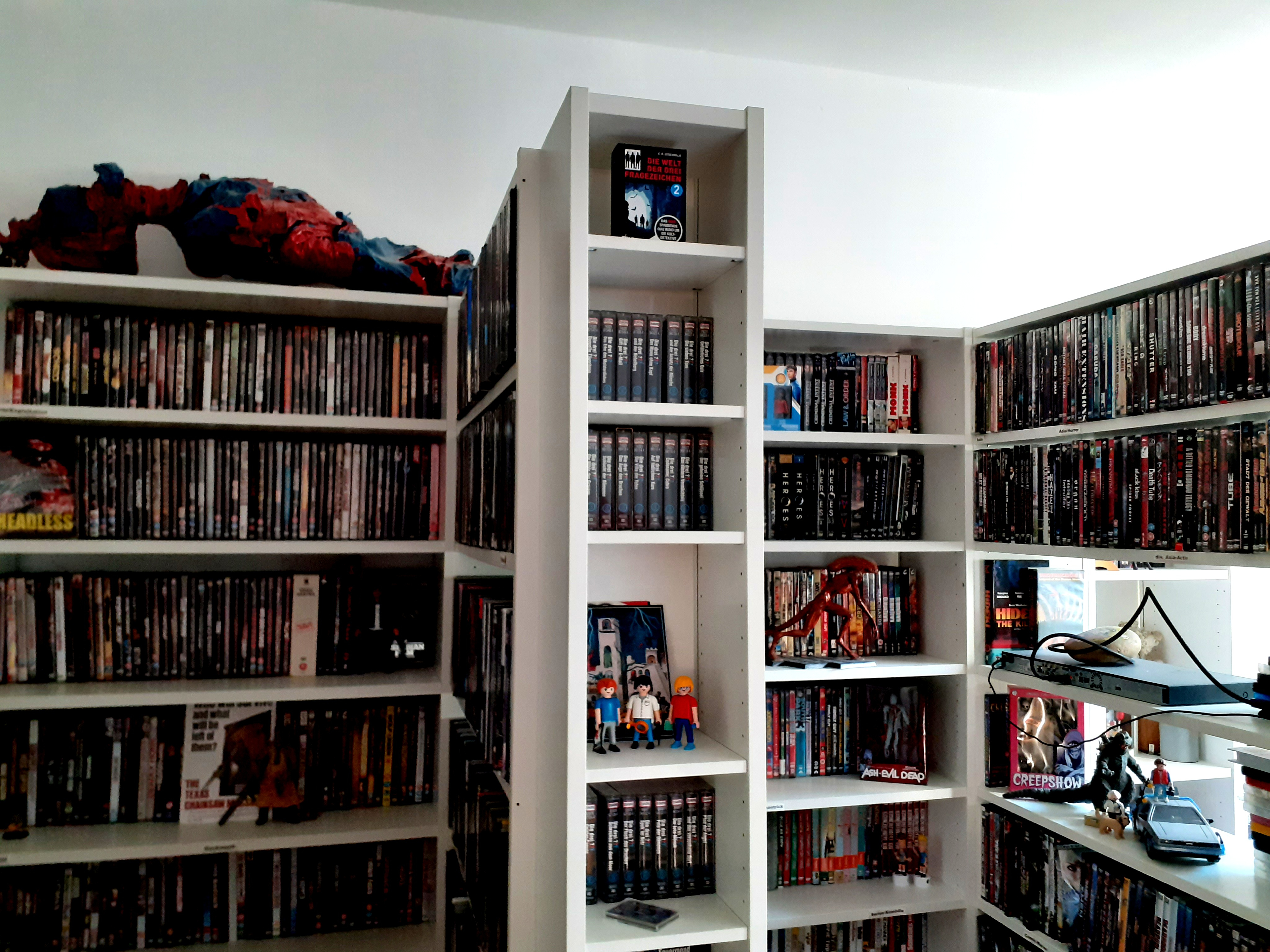
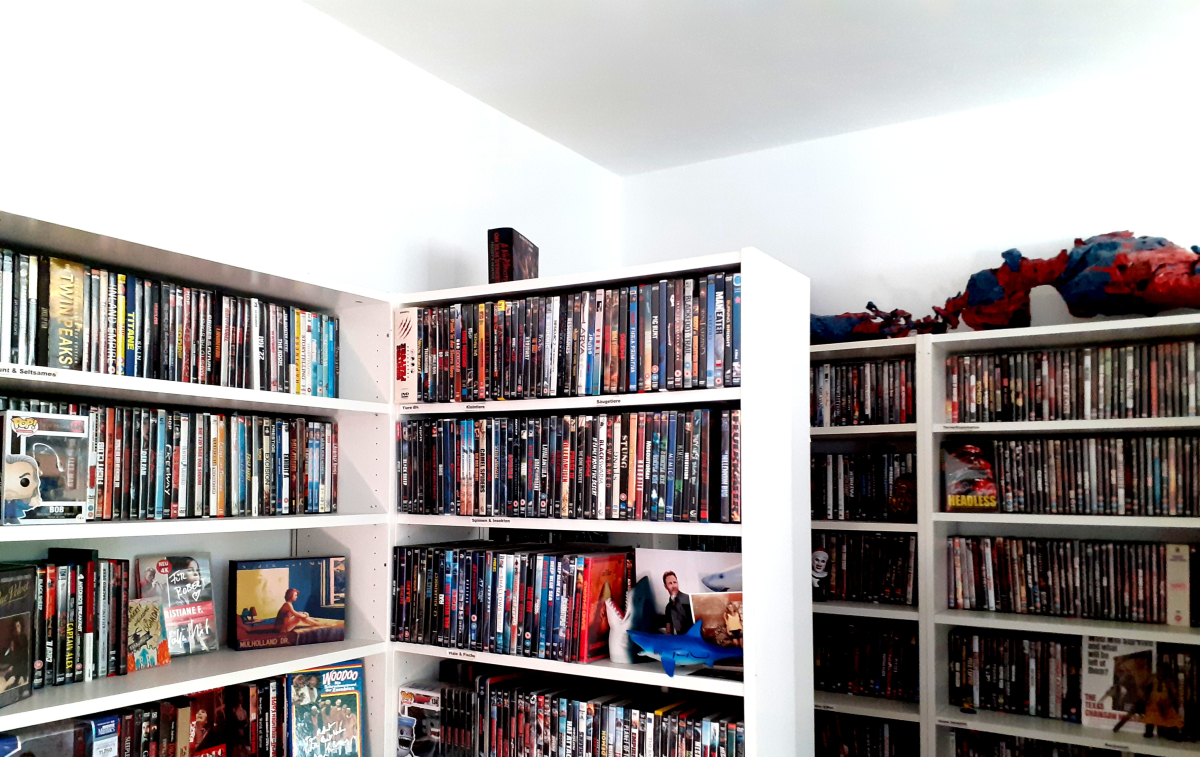
When someone tells me "physical media is dead". (And this is only half of the room.)
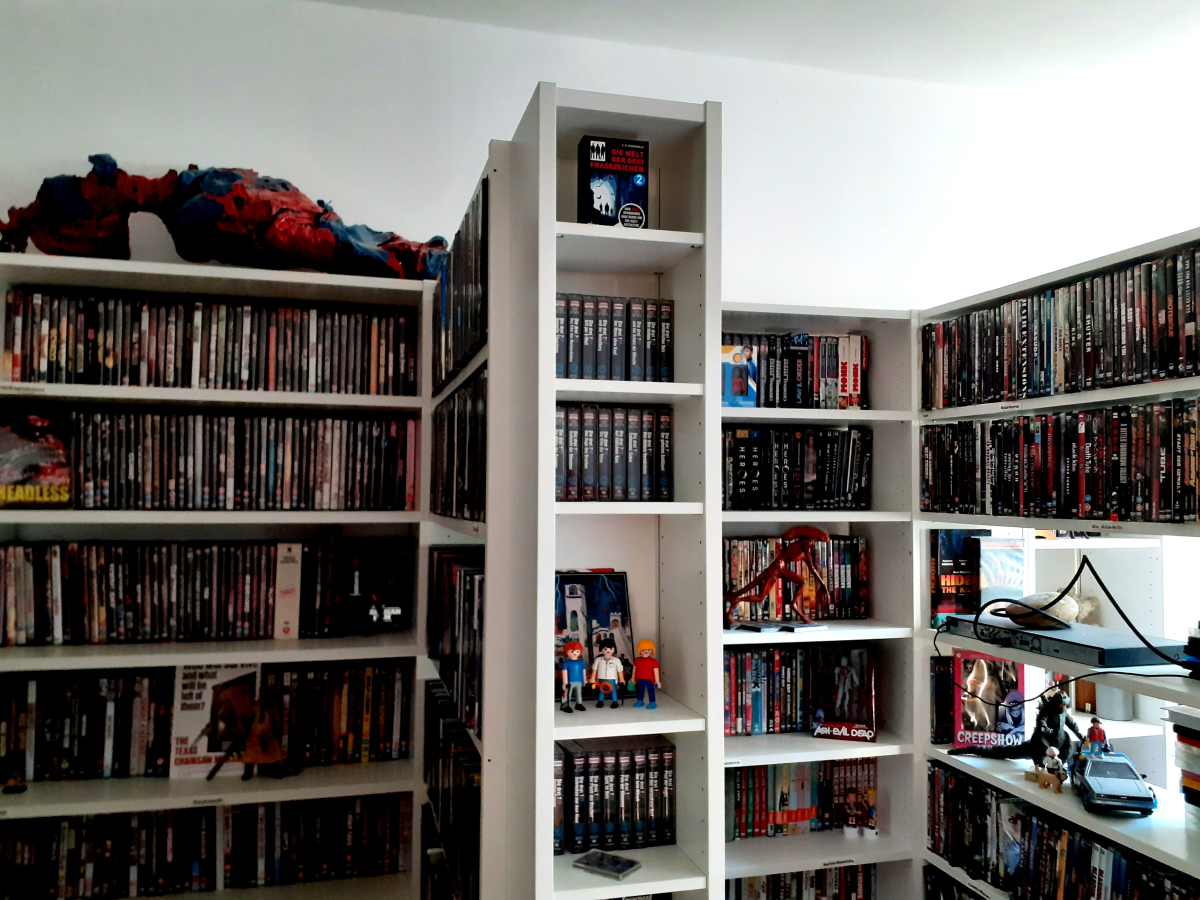 1 point
 -
No problem at all! I'm happy to try and help if it means we can get this feature, but no pressure on the Emby team, as I know how busy they are! But if this feature could ever be introduced I think it would be great! I think we've gone back and forth on this a few times in this thread, but you don't lose anything by doing this, as you'll still have all your metadata, etc., in NFO files alongside the ISO files. This just gives the flexibility to be able to play either an ISO as a disc (using something like Kodi), or play the video files directly from within the ISO using Emby, without having to have 2 copies of each video - it's literally the best of both worlds! And for discs that use branching to support multiple versions of a film, this helps save additional space as you don't need to rip the film multiple times. Ultimately I think it's just a choice thing - should we ever be able to complete and implement this feature, it gives people like myself who want to use ISOs the ability to do so, but it's not forcing anyone else to use the feature, and people who don't want to can just carry on as they are. I think ultimately that's the best solution? Edit: Just to add to the conversation on metadata - at least on my part, there is no expectation of Emby fetching metadata for ISO files. My hope is just for the ability to play video files directly from within an ISO, and I'm happy to create/manage the metadata/NFO files manually. For anything that I take the time to rip directly as an ISO, I'm happy to "curate" the metadata accordingly through manual means. Truly, for me the goal would be to have the ISOs (and associated metadata) on a read-only volume, representing my "perfect" archive of my discs.1 point
-
Hi everyone! I saw this project and I'm excited to see how it develops. @PeckmoreThanks for trying to offer a solution for those who want to keep their ISO files. I'll be keeping an eye out and hope it's available soon1 point
-
Hi, it's on my list for review. Thanks.1 point
-
4k bluray has a lot of more quality than any platform. And this is something that no will change in long term. No talking about how to play dolby vision second layer that only isos can be played. So for some people that cares about image quality having duplicated same film is no option.1 point
-
Hello As audio is going to be fully driven by tags in the upcoming Emby Server versions, I‘m wondering which tag to choose for the reader(s) from audiobooks...? So which tag Emby is going to use when audiobooks section will be more polished and Emby will introduce a reader database field? Mp3tag doesn’t even provide a “reader” tag or similar, so I’m unsure. I want to make my files future proof for the upcoming releases of Emby server...1 point
-
We are just providing links by device since some users may not know a Shield is running Android TV. Those images are from Emby for Android TV.0 points