Leaderboard




Popular Content
Showing content with the highest reputation on 04/04/26 in Posts
-
As many of us, I am not a native english speaker, nor are many of my friends and family that use my Emby instance. Thus, I am constantly asked for subtitles for various tv-shows and movies. Now I have a VIP account on Opensubtitles.com and that is well and good, but often the subs are missing or sync is wrong. I have used AI tools both as a hobby and professionally for several years already, but until these last months, getting reliable AND cheap translations of whole movies and episodes has been a challenge.. that is .. until now. I have made a project that uses whatever llm you would like, either local, if you have some hefty hardware, or via API calls to commercial LLM's like chatgpt, claude, deepseek etc. This project has A LOT of redundancies built in, and uses batch translation to keep context, and ensure the llm understand the actual plot and handles slang and such in a good way. It is super easy to use, just edit the config files to reflect what are your target language, point the script to a folder with either a tv-series, a movie, or even a whole library, and it will go forth and find ALL embedded subtitles in mkv's extract one (there is a priority list you can use) translate it, and mux it into the mkv. For other file formats, eg. .mp4, .avi etc, it uses external files, and will translate those, and putting them back with the right language tag and filename. There is A LOT more to this, but if I can come with a simple suggestion: Use Deepseek API. It is really good for translation, and it is so cheap to use, I still can't wrap my head around it. If you need something like this, take a look at my repo, where all you need to know is, including one line installers. The project is of course fully open source, MIT license, so you can do with it what you want, and also it includes script wrappers for both powershell for use on windows, and bash scripts for use on Linux. (debian / ubuntu). One more thing, just to get it out of the way.. I take no responsibility for anything that happens by using the script. I have done all in my power to make it idiot-proof (mostly for myself :-)) but you never know what some people are capable of.. so use on your own risk.. Here is the repo: https://github.com/dexusno/Translate_Subs Best regards, dexus - Norway.1 point
-
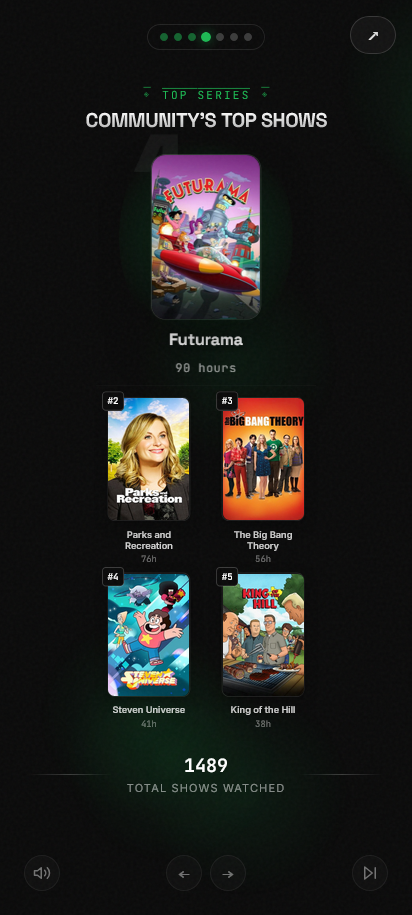
A Spotify Wrapped-style year-in-review for Emby. Runs in docker. Before I get into the features, you should know the requirements. Emby does not keep detailed play history stats by default, so we need one of two outside tools: Emby Playback Reporting Plugin (available in the Emby plugin repo) or Tracearr Features: Emby authentication - Added security via Emby authentication. Users must log in to see stats URL parameters - Provide URLs with a pre-selected time-frame Community watch stats - See stats for the whole server like total watch time and top movies/shows Individual watch stats - Individual users can see their own watch stats Share Cards - Download individual stat cards to share Flexible Time Ranges - Support for both yearly and monthly "Wrapped" views High-Quality Visuals - Automatically fetches higher resolution posters and artist images ... and more Feedback is welcome here or on github See even more features and screenshots at https://github.com/CtznSniiips/emby-wrapped
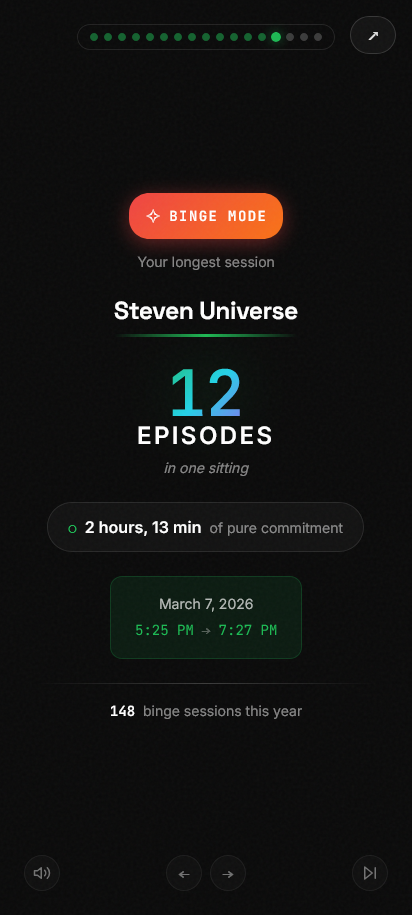
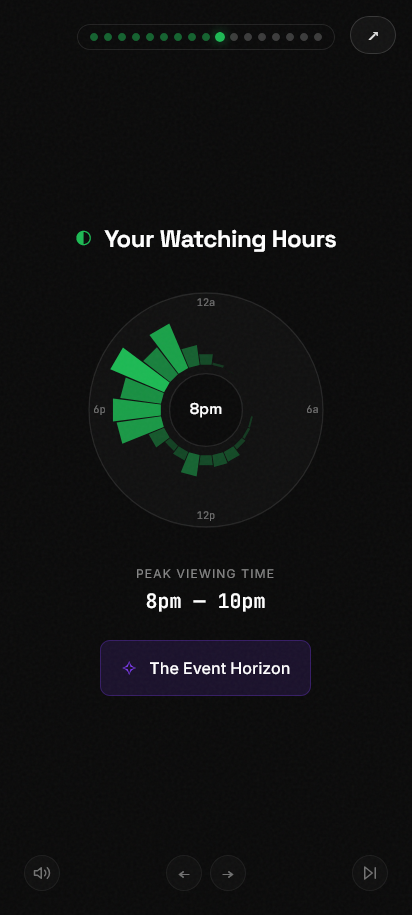
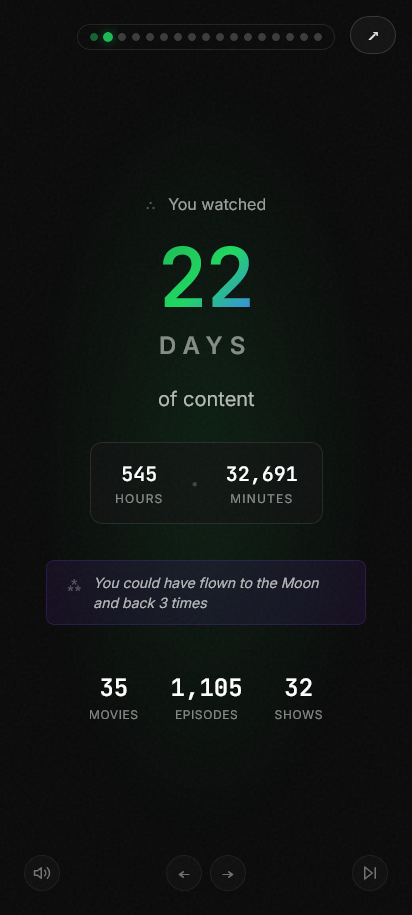 1 point
 -
Hi everyone, having a very strange issue with Emby on one of my Apple TVs. Everything was working up until a few days ago. Now, any video I play has no audio. After a bunch of troubleshooting, I was able to get audio to work only if I changed the playback settings to use the ATV native player. Setting it to auto or MPV gives no audio. This is happening regardless of the codecs; every video has the same issue. It is also only happening on one Apple TV. I have three, and everything works fine on the other two. I have tried restarting the server, restarting the Apple TV itself, and uninstalling and reinstalling the Emby app. I've also tried to force transcoding (the videos usually direct play) and the issue persists. Any help on this would be greatly appreciated.1 point
-
GUI was getting overwhelmed with all the stuff crammed in, needed some breathing room. v0.9 - GUI reworked emby_album_tag_importer.py1 point
-
Done. Done. Done.1 point
-
Yea this is a good way of doing it. A little verbose, especially if it wraps to multiple lines on a small screen. But it’s effective.1 point
-
I completely understand, and want to be able to achieve exactly the same. This worked in the early Emby beta to assign a tag to that collection, but they removed that option in an update. I believe this might still be available under the hood, for example to add a subtitle is still possible to achieve even though Emby removed that option from the native menus. I have focused on other things for the plugin, but now might be a good time to start investigate this a bit more!1 point
-
The more complex the code introduced, the more likely it is some unexpected/unintended results will occur down the line. That said: v0.8 - Complete GUI overhaul (you won't be able to skip over Import Mode now ) emby_album_tag_importer.py1 point
-
"goto :eof" means what in other languages may for instance be called "return" - both for the internal procedure and the command as a whole. Or looking at it another way, "call" pushes the current context onto the stack before jumping, and "goto :eof" pops the last context off the stack and returns to it. I think the Windows command line language is possibly the worst of the many I have studied over the last sixty years. Paul1 point
-
Well... they should have a relationship. Really items shouldn't be duplicated (or more) just because they happen to be in different libraries. And even if they need to be short term (until it gets fixed) there should be some way to determine which one shows up first. I'd assume Emby has some type of algorithm that determines this? I understand I could hide certain libraries but that's more of a short term workaround than a solution.1 point
-
Windows updated to 8148 ... and Emby is working again! Thanks all for the info and help! Have a good weekend!1 point
-
Personally, yes1 point
-
HI, yes we can add this. Thanks.1 point
-
Yes thanks1 point
-
Not exactly. The usb downloads are just snapshots of where we are on the day they are packaged. We don't currently have an update in Samsung review, although I imagine we will be submitting pretty soon. The last update just finally got through Samsung review about a month ago, but that doesn't mean we immediately turn around and submit another one. That happens once we wrap up what we're working on and we feel like it can make it through the review process successfully. Additionally, LG has a policy where after a few consecutive submission rejections, they threaten to remove your app from the store for wasting their time. because of that, we take even longer double, triple, quadruple checking everything.1 point
-
@yockerit will be in their next app updates. Thanks.1 point
-
Because your files are owned by unRaider (1000) and Emby runs as nobody (99), Emby only has the permissions of "Others", which is Write. It's likely you require Write AND Execute on a directory to create or delete files within it. You can try one of the below options: Change the Emby Docker UID/GID to match unRaider, i.e. change PUID to 1000 and PGID to 100 -- i would also check that UMASK is set to 002 If you prefer to keep Emby running as default nobody (99), you need to ensure the media folders allow users (GID 100) group to have full control and make sure Emby is part of that group. To reset all the existing files on the share, you can use the New Permissions tool within Unraid to reset the "multimedia" share with perms like 777 or 775. With this, you'll need to make sure your Zorin OS is allowing that group to write. How are you mounting the share in Zorin? Check that the /etc/fstab also using UMASK of 002. Try option 1 first as its the easiest and fastest to get you going.1 point
-
Maybe I posted this problem in the wrong section of the Forum as Emby Server is running on a Terramaster NAS!!! I found a solution to the problem. For information: My Nas has network connections one is 192.168.1.244 and the other is 192.168.1.245. When I updated Emby Server two weeks ago my PC connected on .245 instead of .244, So I fixed the ip addresses when I connect to the server with 192.168.1.245/8096 it works just fine and if I connect with 192.168.1.244/8181 it also works.. I had been trying to connect with 192.168.1.245/8181 the same port as the .244 connection so I guess that was the reason it failed.. Anyway all sorted now Thanks for the help.. Bob1 point
-
And i was an idiot and forgot that i had quoted you. @GrimReaperto the rescue!1 point
-
There is an app in the Play Store called BT Remote. It is free has no ads, atleast so far, and works MUCH better than any oter Bluetooth remote for Android I have tried. I cannot 100% recomend it as its interface is quite primitive and it does not work on many of my devices giving an error that say that a service is not installed. In fact it only works, for me, on my Motorolla phone but does not work on my LG phone or my Fire Tablet or an older moto. phone. It does not appear to have any real drawbacks so it can be tested without any real problem. If you search for "Bluetooth remote" in the play store it is about the third or fourth hit returned. BTW: The logo for this app is dark in color so that makes it easier to find in the play store. It is easy to use but its interace is not customizable but, I think it will be updated soon. "I could be wrong, but I don't think so." It's a jungle out there.1 point
-
That was indeed the part of the issue. Turns out my server installation corrupted and wouldn't let me access those user permissions. I had to uninstall and reinstall the server and import my configs back but I then got access to those permissions and the problem is solved. Thank you so much for the help.1 point
-
Thanks!!!!
 1 point
 -
Thanks Luke!1 point
-
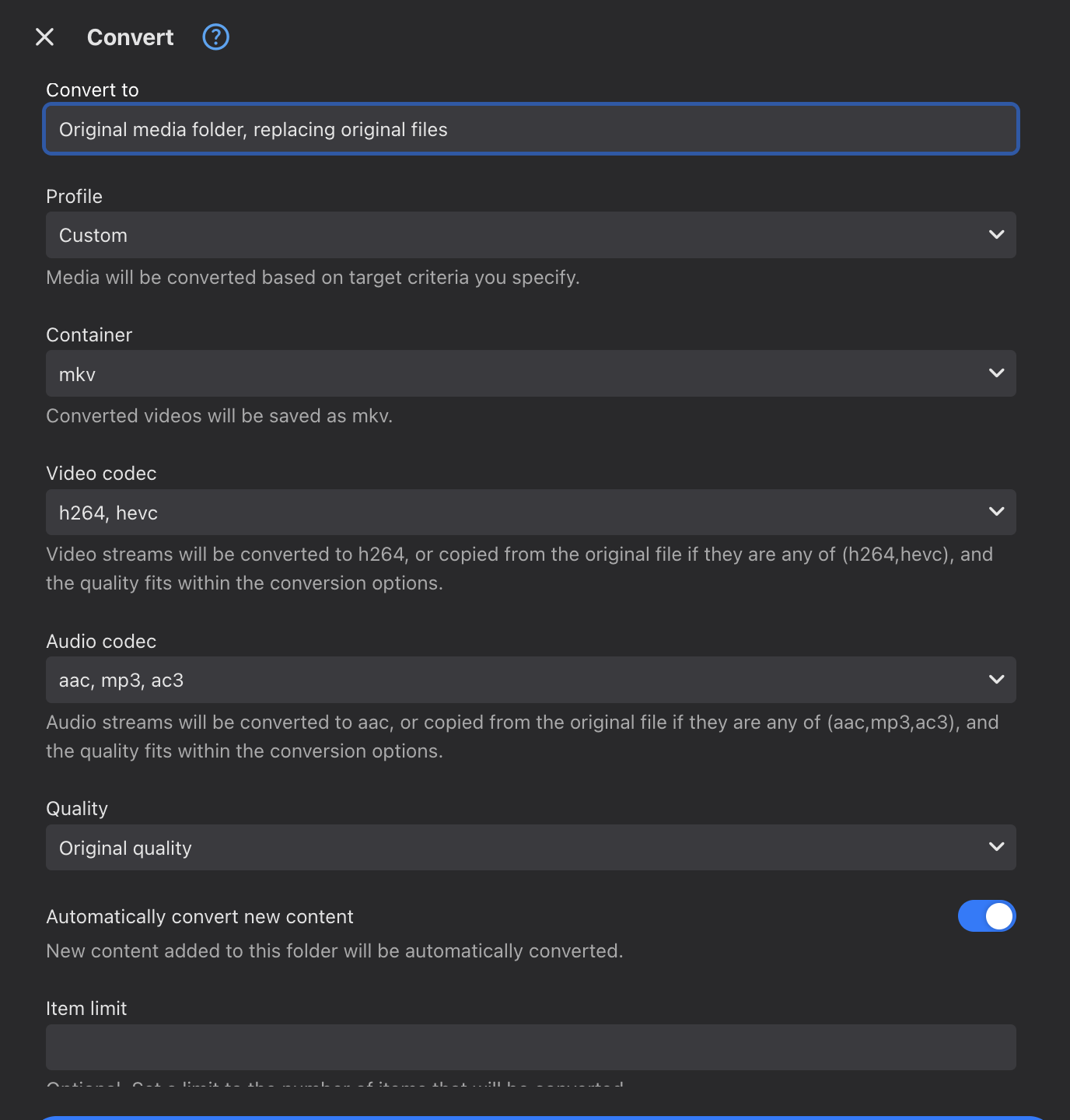
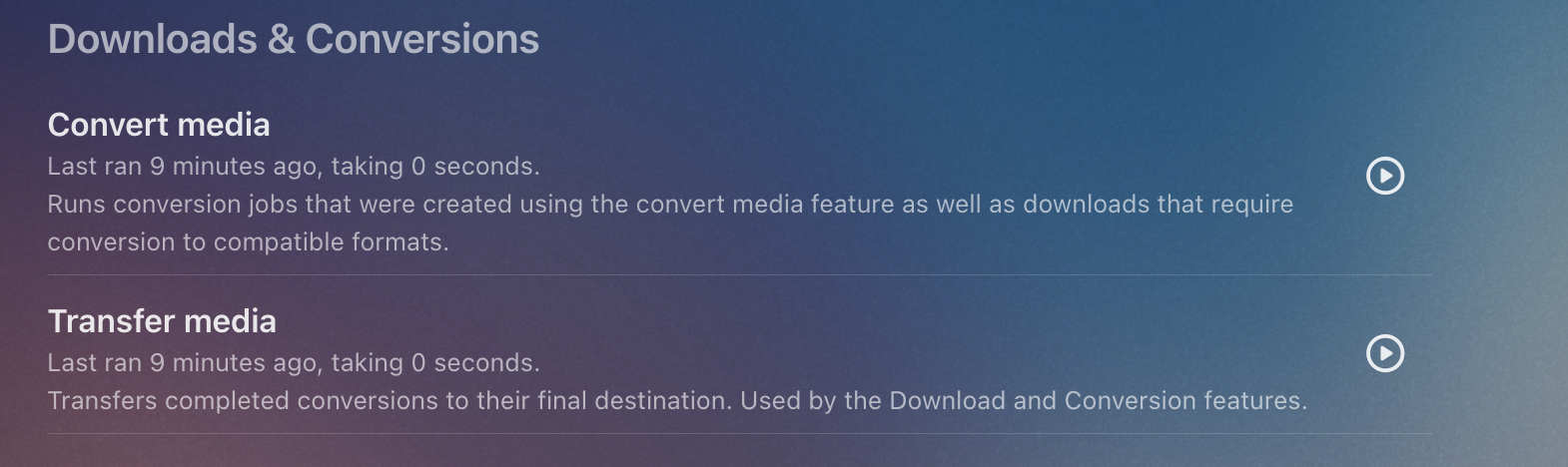
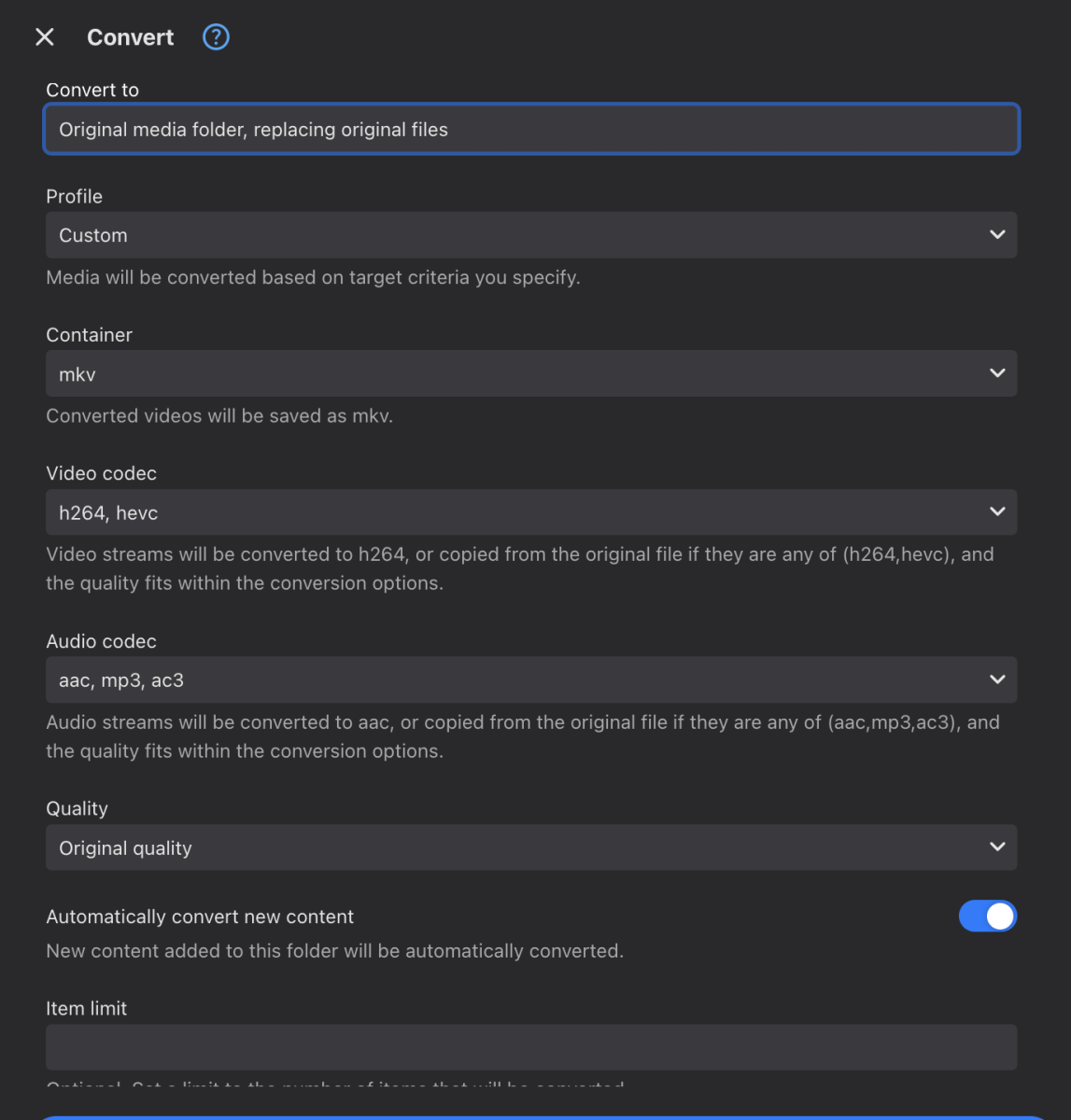
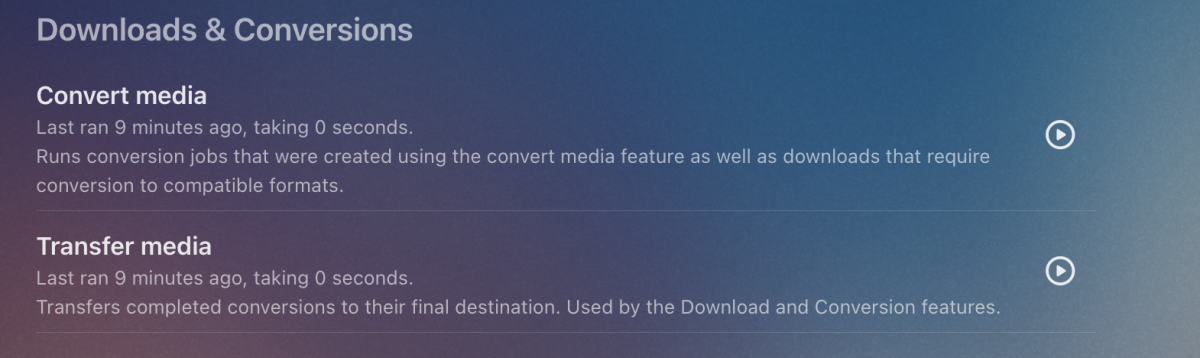
I'll test on a few devices tonight and confirm Yes. Click the ... menu on the Media Folder on the Dashboard for your recorded shows, the select Convert I select these options, you may want something different. After that, you can review and edit these options from the Conversions section on the Manage Server page You can adjust how often the conversion job runs in the Scheduled tasks section, mine runs hourly
 1 point
 -
Good Call! I was searching for categories of movies a couple months ago & never cleared the filters when I stopped looking. Once I cleared the filters, the "missing" movies all showed up. Thank you!!1 point
-
Stumbled across this thread as i had a similar issue where aac stereo audio on my samsung Q65 tv that was playing direct would play fine for a minute or two then just cut out. Stopping the stream and resuming playback would bring the sound back for a minute or two and then would cut out again. I narrowed this down to any aac audio stream that was greater than 160kbps had this problem. This is also clarified by the OP's images where the stream with the issue was 199kbps and the stream without an issue is 130kbps. So for anyone else experiencing this try down sampling your audio to 160kbps and the problem should be solved.1 point