Leaderboard




Popular Content
Showing content with the highest reputation on 03/24/26 in Posts
-
Netflix and AppleTV use DD+ Atmos not TrueHD Atmos. The Emby app should pass DD+ Atmos also. As far as I know Sony apps still don't passthrough TrueHD. However, if you want to test this out turn off audio transcoding on the server. This will tell Emby to just pass the audio untouched and let the hardware try and handle it. Edit: if you try turning off audio transcoding make sure it's actually coming out as TrueHD and triggering Atmos. Some devices will auto convert using hardware to something like PCM 2.03 points
-
To enlarge on this a little: the way to get separate folders to remain visible as such in Emby is to specifically avoid using the names it recognises - precisely because those get combined! However, if these "unrecognised" folders contain names which Emby recognises as being specials (e.g. with s00e0n in the name) these may appear in the Specials folder as well - care and experimentation is required to get a tidy result, and future versions of Emby may break it again, because it's not supported. Paul3 points
-
@NeminemTks. In summary, due to the very small image being processed, even with h/w tone mapping being applied, it takes longer to move the data into the GPU to then process it and move it back, than it does to simply process it directly in the CPU. If you want things done quicker, then running multiple instances of the BIF generator with Emby on different parts of the library is the way to go.2 points
-
Got a Sony from around that time my self and as FrostByte says you will only get Atmos with eac3 formats. If you want all sound formats you will need an external player like for example a Nvidia Shield.2 points
-
@brothom Hey, this is a reply in reference to your other topic that is now closed and was redirected here. https://emby.media/community/topic/146994-tbpm-metadata-tag-filter/#comment-1513763 Perhaps the plugin mentioned in this current topic may be useful for you... BUT ALSO... In general (in case you don't know already) you can get any of your individual song/track embedded Tags, that Emby doesn't support now, into Emby using ROONTRACKTAG. While the following approach is not a magic silver bullet, it can be quite useful: In Mp3tag, bulk copy wanted tags to a custom ROONTRACKTAG field. Rescan relevant files in Emby to import them into Emby Tags. Then, use the Smart Playlists plugin to create smart playlists based on these Tags. I'm fairly certain you'll figure out the details, if it's of any benefit for you? Cheers!2 points
-
New version up (v2.4.0) on yocksers/EmbyCredits Github. Added: Audo-Restore Markers. This will try and detect when Emby have changed the time markers in videos and run a backup restore if the credit markers have been removed. Tracer, this will show videos that have been added and not have detection run on them yet. Changed: Small cosmetic changed. Please note: The Auto-Restore Markers requires automating backup running for up to date backups to use. Also it's not a be all end all solution to Emby removing time markers, it might still fail to notice when it happens sometimes. A real solution would require a fix to Emby it self. It does limit it happening most of the time! Thank you to all who helped!! You know who you are! Special thanks to @Neminemfor being ready to help testing as always!! @GrimReaperI added the functionality you suggested to the editor, thanks for the suggestions!2 points
-
Try this one. I believe your NAS uses an ARMv8 based chip rather than an Intel x86/64 chip. https://github.com/MediaBrowser/Emby.Releases/releases/download/4.10.0.6/emby-server-synology72_4.10.0.6_armv8.spk2 points
-
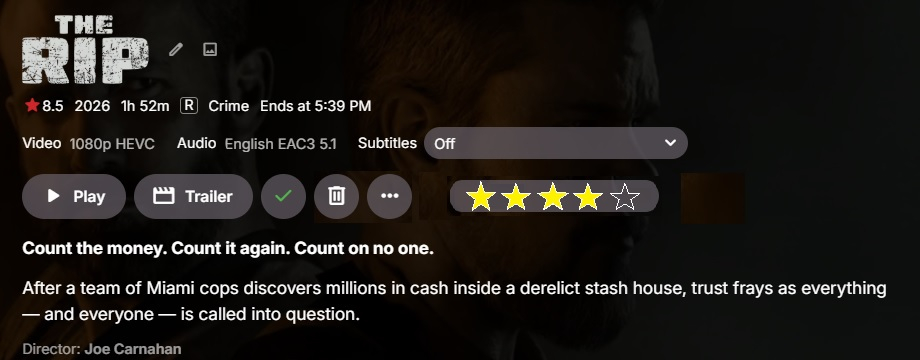
This should have been handled a decade ago BUT people keep trying to complicate a simple rating system. This isn't Plex. Stop trying to add every stupid nuance to a really simple thing. Look... in Filters, I see that I can toggle on Favorites. If I do so, do I see your favorite movies? No. I see the movies that I favorited, no one else. All I've been asking for is a simple 5-star button so that I can rate a movie or show after I am done watching it. Example below (I should have made the stars Green). At this point, instead of the Favorite toggle in Filters, you are given the choice of choosing your rating 1-5 and any other filter selection you would like, such as year (or years). Now, I am able to see my 4-star-rated movies from 1984 or my 5-star-rated movies from the 90s. There is no reason to expand this feature further. I do not need to see what others like or don't like. I don't need to average my rating against every Emby user in the world. I don't need my rating to transfer to Trakt or iMDb or anywhere else. Just a small ratings section within the database. The same database that keeps up with my Played stats. Please... please... can we get some traction on this feature?
 1 point
 -
HI, yes I agree that this would be a neat feature.1 point
-
This has been talked about here + other places but same conclusion.1 point
-
I do think it's a good idea and something we can look at.1 point
-
The new version should have it fixed.1 point
-
Use a different IPTV provider or if you want to record, get a Formuler box. Providers are cheap, and it's relatively easy to switch. This is not an Emby problem and honestly Emby should not be used for watching IPTV.1 point
-
Collection pages should have the option to adjust the poster image sizes. It just goes to a default size that I can't adjust. The main Movies, TV shows, etc views allow me to adjust image size but not collections. This results in me having different image sizes throughout my catalog. I think this functionality should be added.1 point
-
Got it. I think that it should have that option. I will put in a feature request1 point
-
Thanks. I just noticed the issue might be coming from the Emby server, since it happens here as well as on iOS and Android.1 point
-
Thanks It Worked1 point
-
Buongiorno Luke, ti ringrazio, ma ho risolto. Ho disinstallato Emby dal Nas ed ho rifatto l'installazione da zero. Ora ho solo un problema che con Apple TV da remoto con protocollo HTTPS, non riesco a vederlo e non capisco il perchè (HTTP non ho provato) Con Firestick invece non ho problemi. Grazie per l'interessamento.1 point
-
Hi, we'll take a look at it. Thanks.1 point
-
Ok finally got them working after renaming things around. Thanks!1 point
-
Tivimate has this as well and I use that for my live tv viewing so I didn't follow up.1 point
-
We are working on getting a new stable release together. Thanks.1 point
-
Forgot to change the main page to say that the latest version can always be downloaded at: yocksers/WatchParty-for-Emby Github.1 point
-
And if you don’t choose media type at all? I don’t have any high hopes it will pick up the music videos, the plugin is built with movies and shows in mind. But I believe it to be an easy fix to add support for music and music videos. I’ll look into it!1 point
-
Update: Moved to 4.10.0.6 problem still exists.1 point
-
HI, we are working on improving this. Thanks.1 point
-
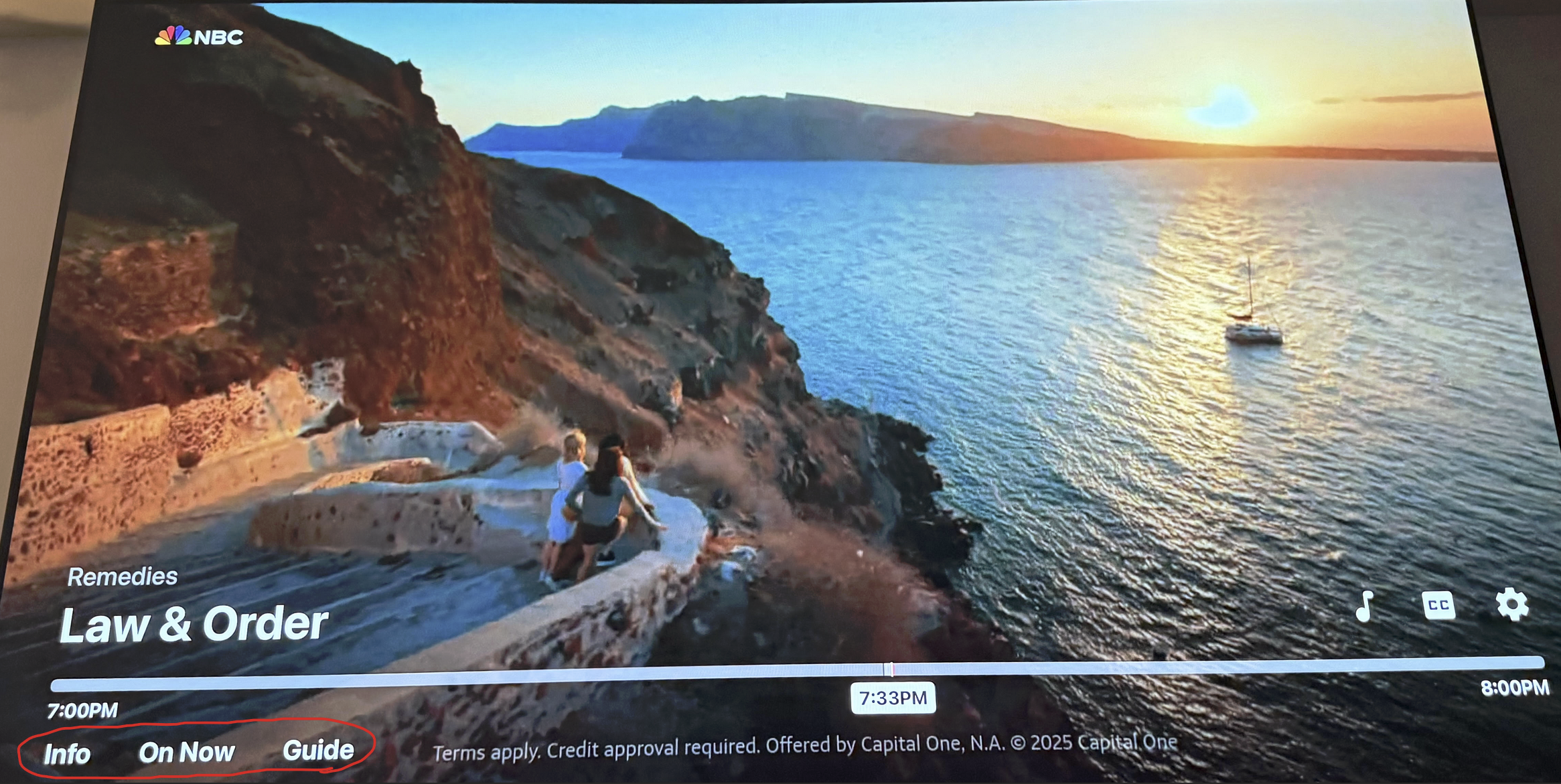
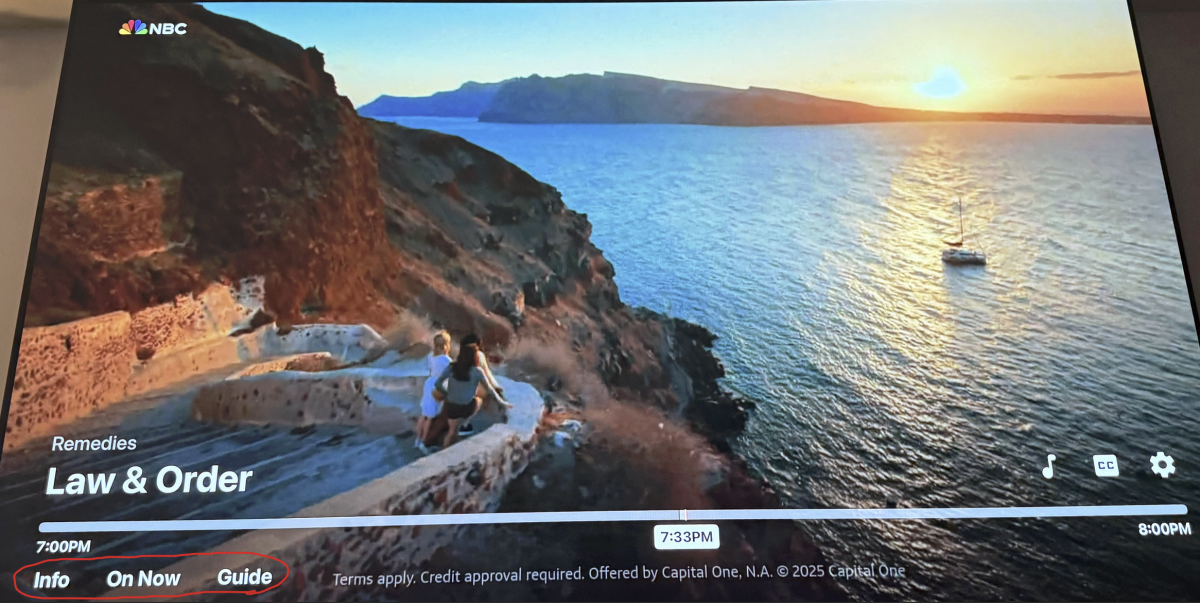
I also wanted suggest a change to the Info/On Now/Guide Section (I circled it in red) at the bottom when playing content, it would be nice to have the ability to move these around as I would like to have the guide be the first thing i see when i scroll down when watching something.
 1 point
 -
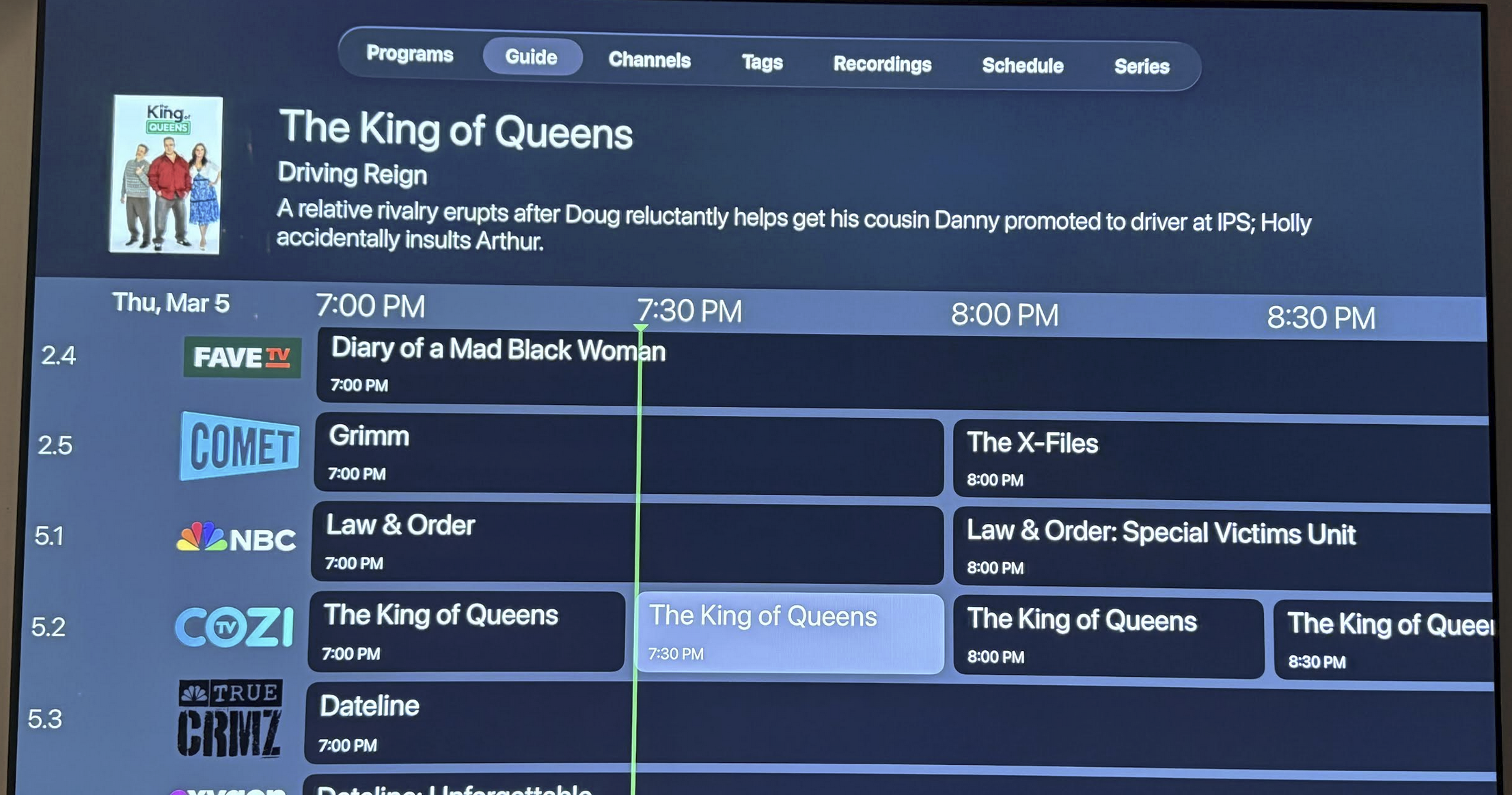
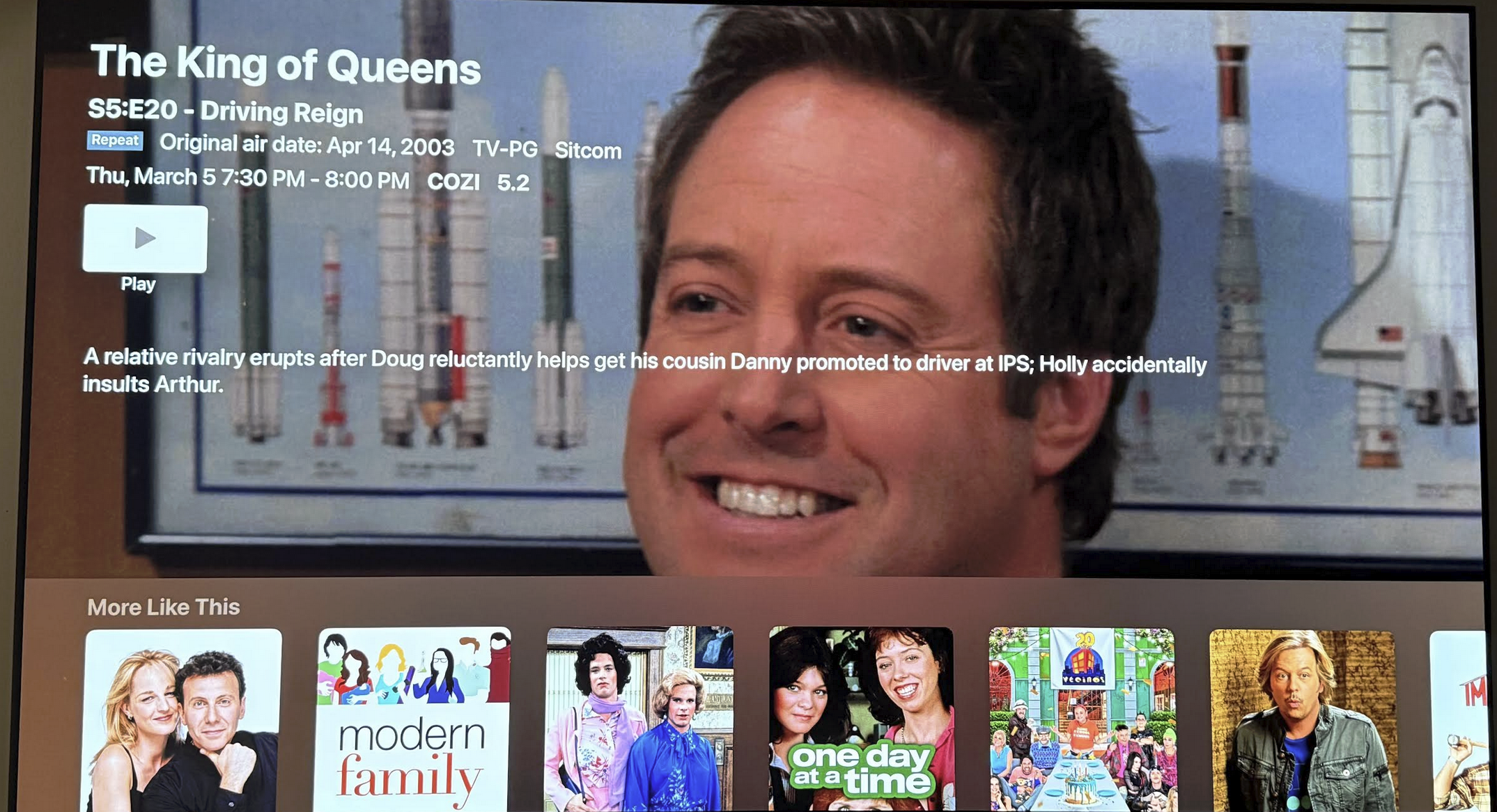
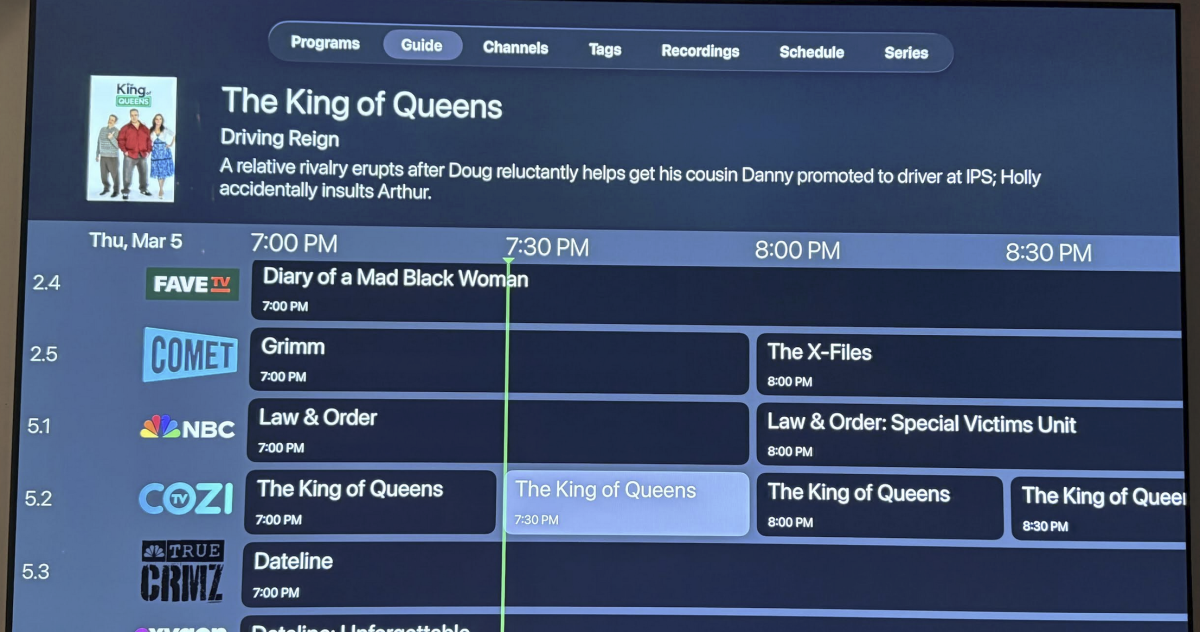
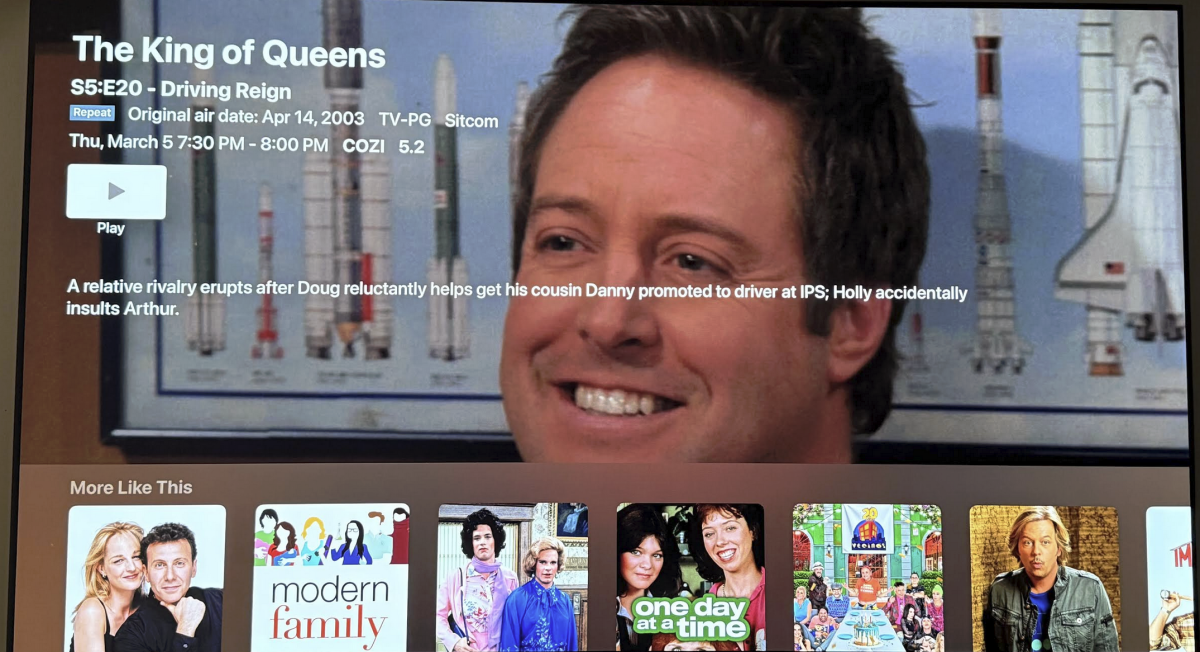
This is the Guide View on the Apple TV, as you can see it only shows the name of the episode for the TV show. When I click on the episode I can see the Season and Episode Number as well as other information such as if its a Repeat which is not shown in the guide.
 1 point