Leaderboard



Popular Content
Showing content with the highest reputation on 03/21/26 in Posts
-
Beta if people want to help test. I've been testing and re-testing this for a while now and i seem to have gotten the auto-restore fixed so that time stamps gets restores after Emby removes them. Would love more to test it so it's sure to be bug free. WARNING!!! This is a beta and there might be bugs, as always use at your own risk. EmbyCredits.dll
 3 points
 -
As there are so many different music genres it would be great to have the possibility to add a description to each music genre. Similar to the Band Info. And it would be great that paragraphs would be shown correctly when done and not only one long text block.2 points
-
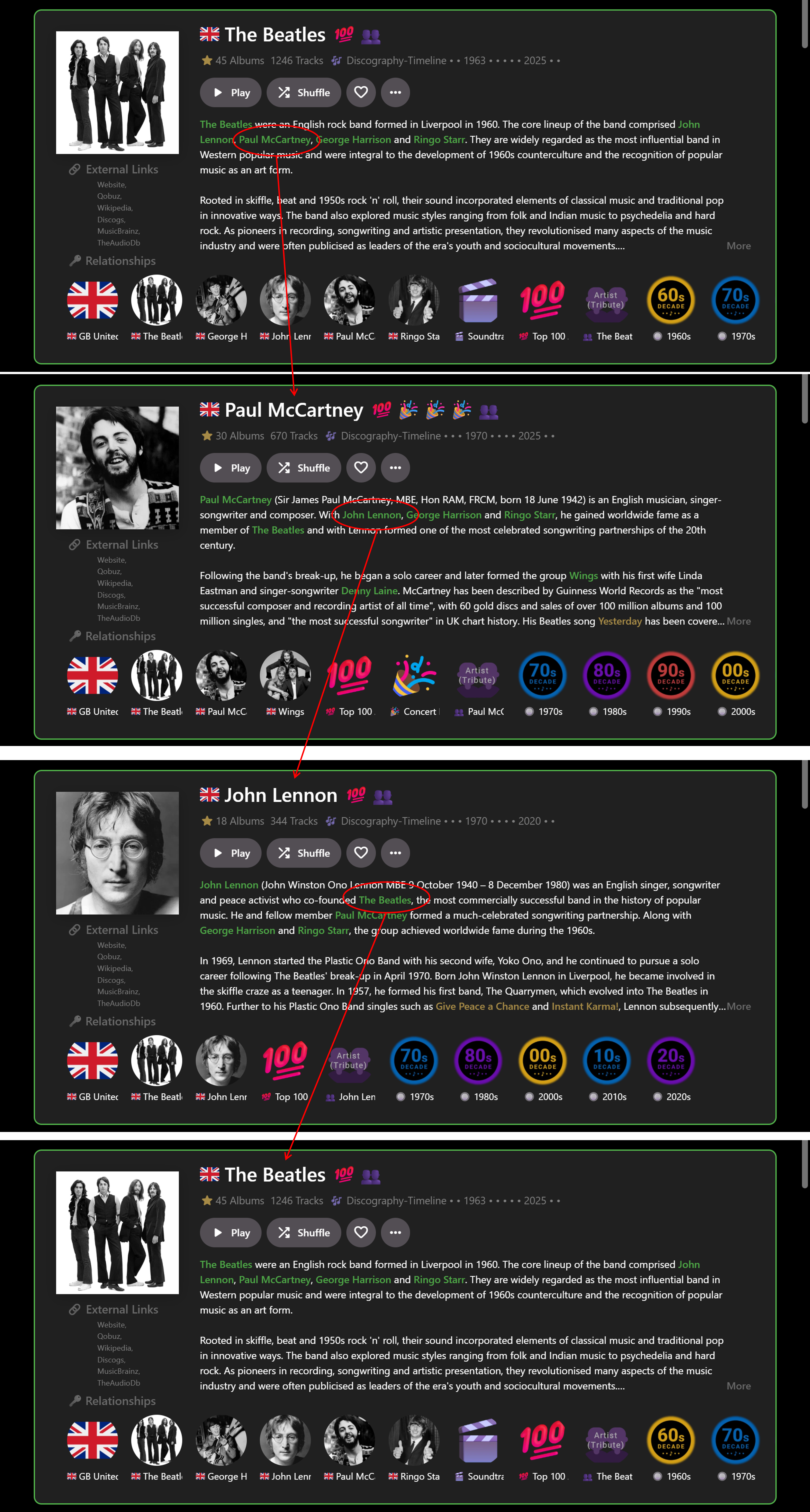
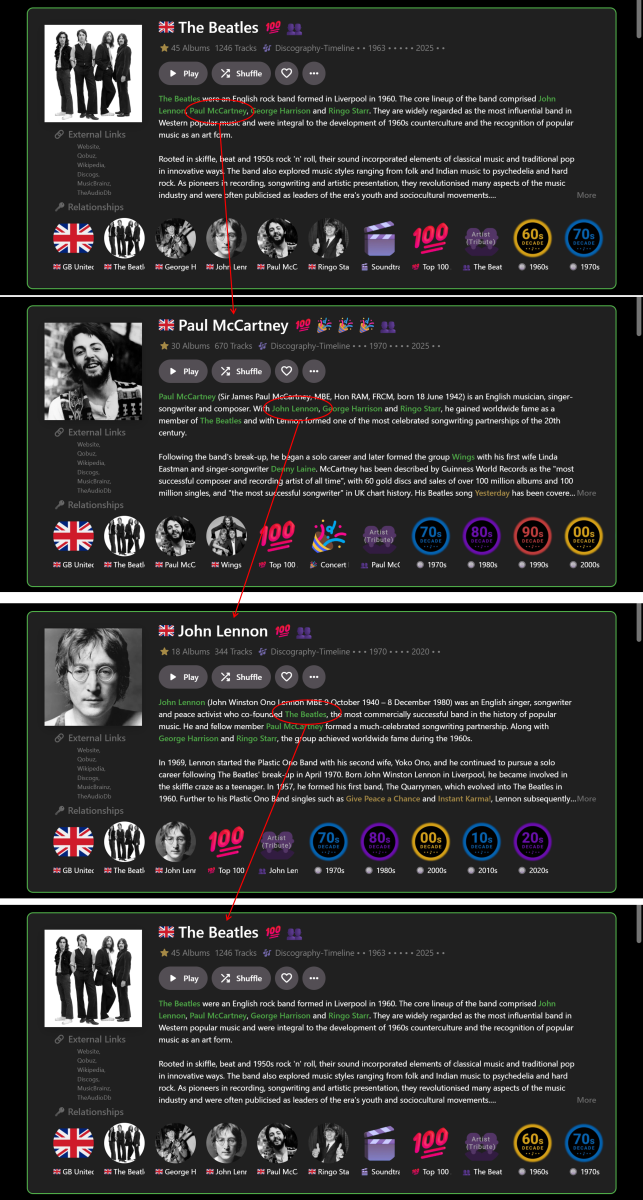
… I’ve recently been experimenting with this a bit more and figured out a way to get it partially working on a limited basis for the web app in Chrome, for my own use: With custom HTML/CSS added within Emby: Use HTML to tag the required entities in the Overview you want to link to (e.g.) <b>Artist</b> (as per my previous post). Use CSS to color highlight the entities (as per my previous post). With custom JavaScript, run from a browser extension: Find the <b>Artist</b> tags. Use a look-up table to map the Artist names to their Artist ID numbers. Create internal links from the Artist ID numbers. All of the above is relatively straightforward BUT the tricky part is that Emby web client is a Single Page Application using Document Object Module processes (I think this is the correct technical terminology). Therefore ‘back’ navigation can easily break the links, so auto page refreshes are needed to rerun the Javascript and restore the links. It really needs a plugin – but that is way beyond what I can figure out myself! Anyway, even with my limited experimenting the result, so far, is a GAME-CHANGER for me. No longer is Emby constrained by (mostly) tree-like branch structure browsing e.g. Genre>Artist>Album>Song>Back>Back>Back. Now I have a Roon-like user experience for music e.g. Artist>Artist>Artist>Artist… in whatever order reading the Overviews takes me. E.g.: When I find more time, I may extend this from just Artists to Albums and Songs? I don't want to post any code that isn't robust and I also don't want to give any detail tips that may help anyone implement dangerous linking. But perhaps the idea has merit for future good features. For a wider proper implementation by Emby it may mean looking at all the Overviews and matching text strings to IDs across the whole range of options. I guess this would be a large task to implement across all the apps…??? Cheers!
 2 points
 -
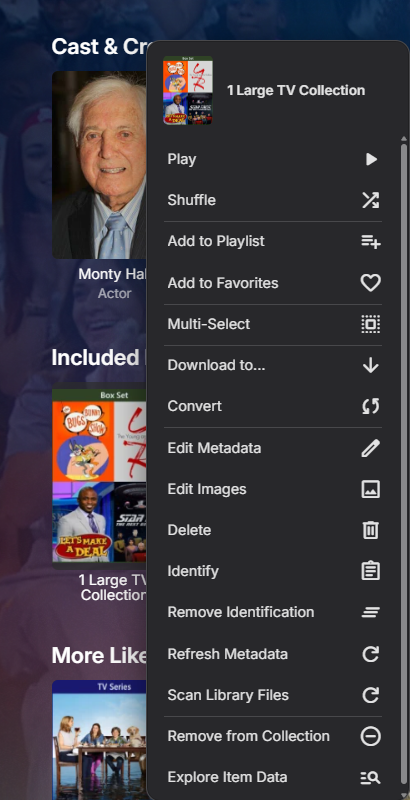
On a movie or episode's item details screen, if it's in one or more collections there's an "Included In" section which lists the collection(s) that item is, well, included in. It would be nice to have "Remove from Collection" as an option on the three-dot menu of these collections, to enable quickly removing an item from multiple collections, or quickly removing an item from a collection if the error is spotted on the item details screen.1 point
-
Hello, most of my client apps have now updated to reflect the change made in 4.9.3.0: Update mixed content tabs to combine Movies & Shows This has obviously combined both the Movies and Shows tab into one - is there a way to reverse this so they are split again? As far as I’m aware, in the current configuration there’s no way to browse all TV Shows or Movies separately.1 point
-
Android beta 3.3.32 on Google TV with basic remote input. Pressing left on the D-pad from the guide currently produces a flyout with the options in this order with the initial selection being the username at the top. Username servername Settings Search Home My Media I propose that when the guide is up front, the left-hand flyout menu should have the "Channel tags" at the very top. The initial selection should be "Any." The order should be as it is in the m3u channel list, not alphabetical. We can sort them as we like that way. Making it editable within Emby is less important and could come later. Right now this app is really clunky in the guide for TV input remotes that don't have number pads. The Android TV Emby app works around this with a "#" button that brings up an on-screen number pad, and it also has a shortcut to "channel tags". However, both require you to go to the top of the guide first. Let us press left and pick our group. Thanks Emby team!1 point
-
Left/right navigation of the Home screen (w/ a mouse) has been in various stages of boned for the last few days. Originally, all rows were shifted all the way to the right, requiring navigation back to the left-most item (most recent). Now most rows appear centered w/ navigation buttons @ both ends of each row, but unresponsive to mouse clicks. I imagine this has to do w/ the ongoing beta customizations? I've seen similar discussions elsewhere, but unrelated to Theater. Given the dynamic update nature of Theater, this seems to have slipped in w/out any changes on my part? Guide has been fine. Unsure what info beyond a description would be helpful, but ask away. TIA1 point
-
I agree this would a welcome addition. Basically what apps like IMPlayer and others do. There needs to be some way to quickly filter channels on the guide, especially when there can be hundreds now w/ iptv. And it's even more important on the TV clients (Apple TV, etc) vs mobile (which have filtering options on the guide) since navigation is more limited. I keep checking every Testflight in hopes it pops up.1 point
-
Again: why does it matter?1 point
-
Thanks for the suggestion, but that's all a bit more involved than just blocking any URI without "/emby" in it. That, and I do use the web interface for my own admin duties while logged in locally. I actually like the web interface for everything but playback. Everything is fine the way it is - I'm just saying a built-in magic switch to disable browser access on a user level wouldn't be a useless thing.1 point
-
CS, If you really don't like Web access to be used, then just turn off all web using the advanced css style. Set the whole page div display to none or something similar. You could also update an announcement to users if they do try to login via web, to just go get some other app. The dashboard admin gives you an option to include text on the login page. Finally, just tell your members to access in whatever way you prefer when they join. Emby is designed for a small group for personal use. I would think telling your members how you want them to sign in should be fairly easy to do.1 point
-
Nice info and examples on Music Genres: https://www.musicianwave.com/top-music-genres/ Another nice breakdown: https://rebelmusicz.com/music-genres-list/ Overkill list... https://en.wikipedia.org/wiki/List_of_music_genres_and_styles1 point
-
Here's a fix for: - Removed pill buttons that should not be there - Removed oval for actor's names - Fixed music artists, would be a square when you hovered over them. I'll look into adding in some variables (I like that idea) and looking into a couple other small things. But trying to squash the bugs before I add in a few more theme elements. Emby Navy and Gold v2.10.css Thanks!1 point
-
SS, Sub timings are not adjusted with CSS styles. They are timed from either the separate subtitle file or inside the embedded subtitles in the media with a .mkv format container (H.265). Do you mean that some text is being cut from view? Are these subtitles, titles of actors, media content or something else. Subs usually means subtitles, like English appearing in the media when characters speak another language.1 point
-
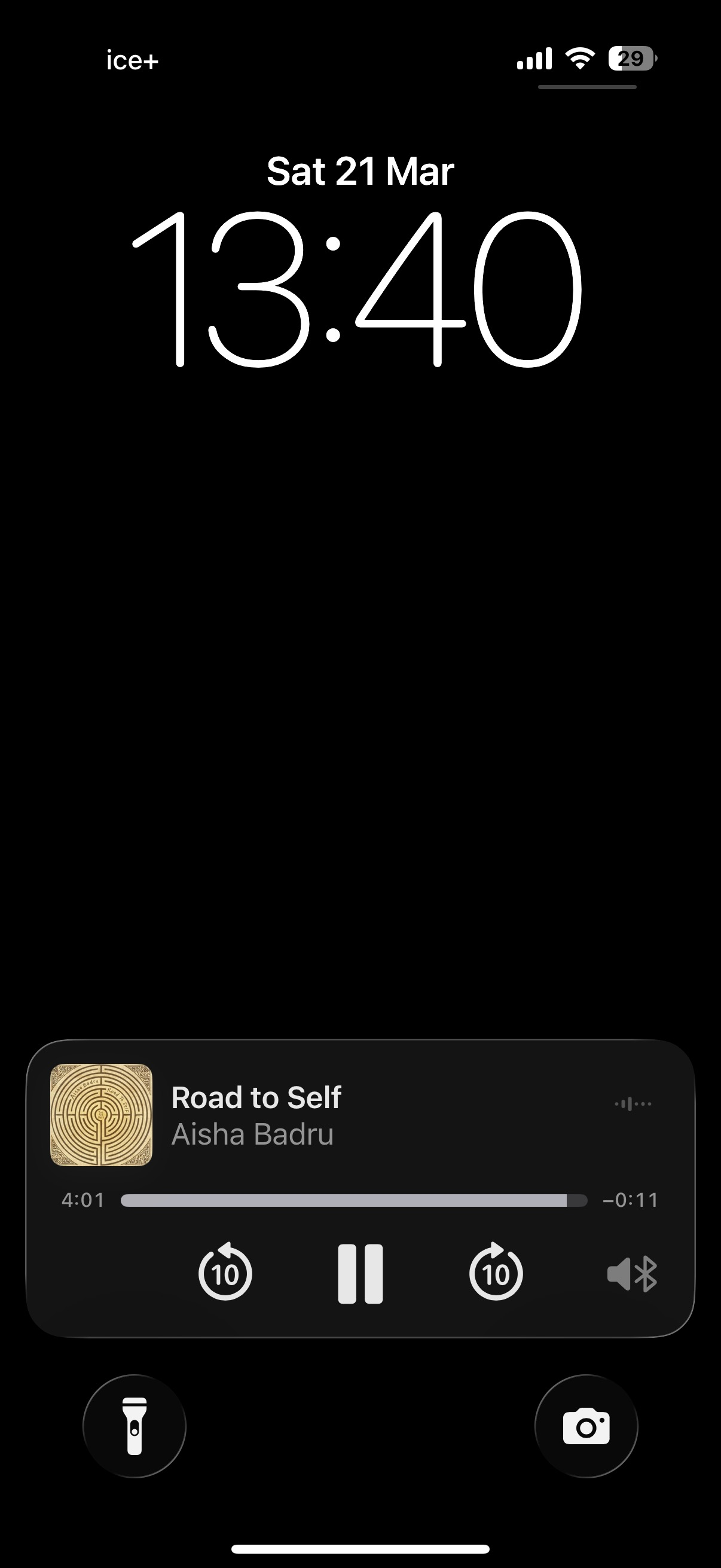
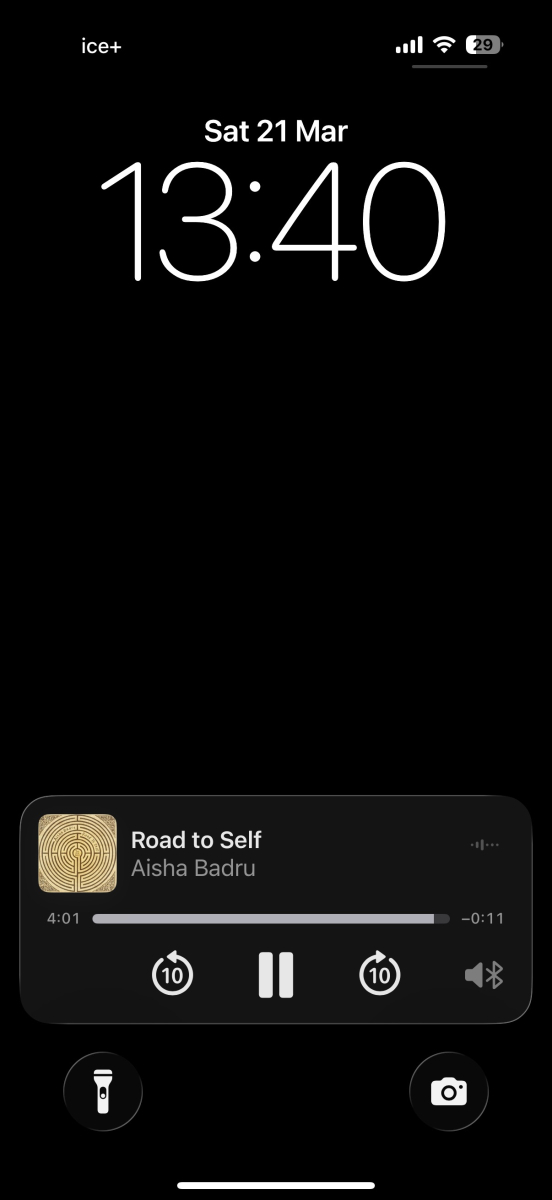
Did you find a solution? This is seemingly still not fixed. When playing music. The pause button are shown, and -/+10 sec backwards/forwards. There is no way to skip forward/backward. Running Emby for iOS 2.2.51 EDIT: Add screenshot. Im talking about the lock screen controls EDIT2: Never mind. This is running the web app in safari, not the ios app itself.
 1 point
 -
What do you mean? It is there in my test in 4.10.0.6
 1 point
 -
 For you - it is a bug. For the others - it ain't, as it is by design (and has always been so). As already said:1 point
 -
It doesn't do anything for security, but from a purely administrative point of view there's a perfectly fine case for wanting the option to ban browsers. It goes like this: Browsers (often) suck, and as an admin I'd rather avoid dealing with the issues they present. And in my experience they seem to have issues with emby at least once in a while. Recently I tried to watch an old video on my server with a modern up-to-date browser, and I got no sound. Then I tried it with the iphone app - worked great. Tried androidtv - works fine. Tried several other videos with the same browser - no problems. The same situation has happened in the past, and I don't feel the need to fix it, because I feel it's irrational to expect any browser to work in all cases. That's why I tell my friends and family to forget using a browser with my server. If it's technically infeasible to build a switch to ban browsers, then oh well, but it would be nice to have. And for anyone wondering, blocking URI paths that do not contain "/emby" works perfectly well to effectively ban browser access for anyone casually checking to see if it will connect. It won't stop your mom from hacking her way in, but she's probably not going to do that.1 point
-
Thanks very much Apotropaic, you are right and now that I re-read the M3U content I can see that the editor seems to be putting the channel name as the EPG-ID. I’ll do both - I’ll check the settings within the editor - but also interested in Dispatcharr so will do some reading thank you again, much appreciated1 point
-
Are you sure it hasn't been detected, but as an alternate version of something else? Paul1 point
-
Collections are just a grouping. Like tags, or genres, or studios/networks, or playlists, etc. You will only the see the primary items in the group. You must enter one of those items to see its details view which will then show the extras, features, deleted scenes, etc which are related to that primary item. A collection itself doesn't understand the concept of extras.1 point
-
Just switched to the Music Assistant beta branch just to try this out, and it's working great for me. Was worried it wouldn't work, as my Emby and HA/MA instances are not on the same network, but was able to point it via an IP and it all works flawlessly. Very happy with this, was plugging my laptop into my home AV set up every time I wanted to stream music from Emby, but now it's all cast-able from MA.1 point
-
I released v1.0.3.8 of the RatingPosterDB Emby plugin, it should resolve all reported issues, along with adding a LOT of new features: - Themes! - Theme position - Font size / weight - Image preview area in the settings - Many many new stylings settings and much more A full list of all plugin settings can be seen here: https://github.com/RatingPosterDB/RPDB-Emby-Plugin/blob/main/README.md#settings-screenshot If you find any issues with this new version, please make sure to notify me.1 point
-
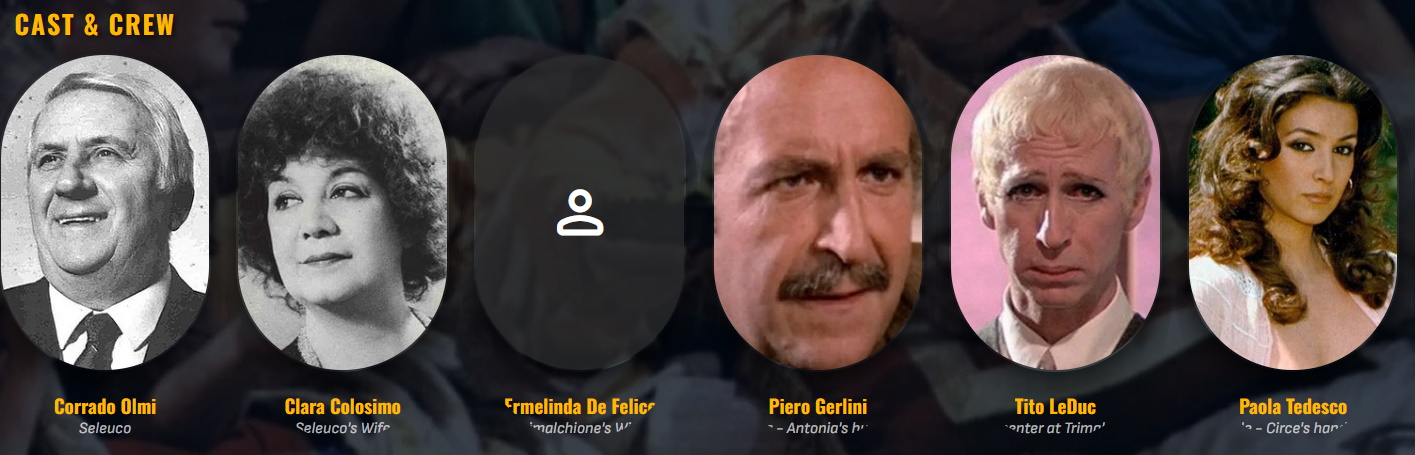
Hi Aleas, I Used the app "Cursor" (with AI integration) to try to fix the cut-off issue with the oval shaped photo's after pasting the CSS file content into Cursor. It did work for me Here is what Cursor gave me: Fix applied (cast text no longer cut off) The clipping was caused by the oval border-radius being applied to the entire cast card (.peopleSection .card), which also contains the text. I changed it so: Only the portrait image stays oval The card wrapper is square and allows overflow, so text can’t be masked Here are the relevant lines in your CSS now: /* --- Cast Portraits (Oval) --- */ /* IMPORTANT: Do NOT round the whole card (it clips the text). */ .peopleSection .card, .personCard, .peopleSection .cardPadder-portrait, .peopleSection .cardBox, .personCard .cardBox { border-radius: 0 !important; overflow: visible !important; } /* Round ONLY the portrait image containers. */ .peopleSection .cardContent-background, .peopleSection .cardImageContainer { /* This creates the oval by making the height greater than the width */ border-radius: 50% / 40% !important; } .peopleSection .cardContent-background, .peopleSection .cardImageContainer { box-shadow: 0px 10px 25px rgba(0, 0, 0, 0.7) !important; border-radius: 999px !important; /* Ensures the container follows the oval */ overflow: hidden !important; } /* ... */ /* Optional: Centers the text perfectly under the ovals */ .peopleSection .cardText { text-align: center !important; width: 100%; } /* Safety: ensure cast text area is never clipped */ .peopleSection .cardText, .peopleSection .cardText-first, .peopleSection .cardText-secondary { overflow: visible !important; text-overflow: clip !important; }1 point
-
Aleas, Nice work. You can also use variables in CSS to let the user decide if they want a hover pop-up or not. They would have to go in and change a variable declaration, which can be at the top of the CSS style. I mention this, because I see you are making choices that maybe users want to have an option. I also have an extensive custom CSS style. With a lot of variables, it does get rather complex and is not as user friendly. https://emby.media/community/topic/133592-custom-theme-state-street-theater-ver-1-desktops-notebooks-mobile/page/2/ :root { /*** Style settings available to user. Only change the values to the right of the variable names: (--hpPromo:, --hpPromo-bgsize: ...) */ --hpPromo: url(https://www.slashfilm.com/img/gallery/rocky-has-the-greatest-training-montage-of-all-time/l-intro-1677777434.jpg); --hpPromo-bgsize: cover; /* cover; */ --hpPromoBorderWidth: 3px; /* 3px; */ --hpPromoBorderColor: #50668F; /* #50668F; */ --hpPromoBorderLine: solid; /* solid; Or dotted, dashed, groove, double, ridge, inset, outset or multiple in the order: top right bottom left */ --hpPromoBorderRadius: 1em; /* 1em; Promo images corner rounding */ } /* Line 3763 */ .view-home-home > div.scrollFrameY.flex.flex-grow.tabContent.tabContent-positioned.emby-scroller.scrollY.overflowYScroll.flex-direction-column.is-active.homeSectionsContainer.focuscontainer-x.focuscontainer-y.navout-up > div > div:nth-child(1) > div.emby-scrollbuttons { background-image: var(--hpPromo); background-size:var(--hpPromo-bgsize); border-width: var(--hpPromoBorderWidth); border-color: var(--hpPromoBorderColor); border-style: var(--hpPromoBorderLine); border-radius: var(--hpPromoBorderRadius); }1 point
-
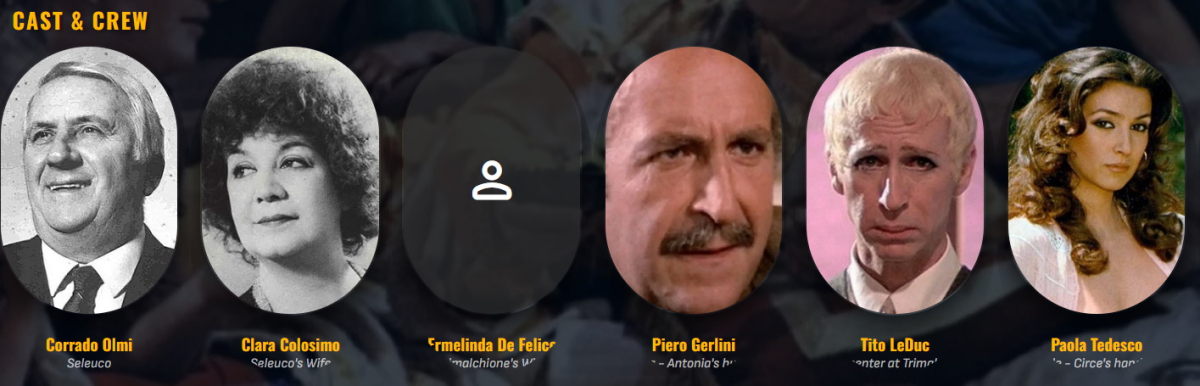
I absolutely love this theme! Thanks for all the effort. I do have two odd things I cannot manage myself, I think: In some desciptions, like woth Actors: the 'rounded' style cuts of the text fater several characters. (See: rounded issue.jpg) The other thing is that when in 'Movies' (in my setup, that is my Movies catalog), it gives me options in the top of the screen that I seem not to be able to change. When I turn this CSS of, several optyions aren't visible. (See: Options issue.jpg) For me, options I do not need to see are: 'Shows'; 'Photo's'; 'Album Artists'; 'Artists'; 'Album'; ''Tags'. In the CSS file, I do not find them. I don't really know how this happens and how this can be changed?
 1 point
 -
Emby Theater has basically been unusable for the past week. The workarounds are onerous, and the devs have essentially been silent. As a user it would be nice to have some certainty that if I don't update anything on my end then I should be somewhat protected from breaking changes being pushed through from the backend. Or at the very least, some kind of quick resolution when problems are highlighted. Could you please provide an update as to when or if the horizontal navigation issue will be resolved for the legacy version of Theater?1 point
-
I asked an AI engine if there were any problems with 4.9.3.0. It came back with; Common Bugs in Emby Server 4.9.3.0 User Interface Issues Media Layout Changes: Many users have reported that the update has altered the media layout unexpectedly. The new layout can be confusing, especially for those using remote controls on TVs. Default View Settings: Users are experiencing difficulties reverting to the old "Folder View." Changes made on the server side do not apply to user accounts on different devices, requiring manual adjustments for each user. User Configuration Problems Local Device Storage: User configurations are stored locally on devices, meaning that changes made on the server do not propagate to all devices. This can lead to inconsistencies in user experience across different platforms. Difficulty in Navigation: Some users have noted that the new layout is not user-friendly, particularly for those using devices like Fire Stick remotes, leading to complaints about navigation issues. Feature Requests Server-Side Layout Control: There is a demand for a feature that allows server administrators to enforce a specific layout for all users. This would simplify management, especially for larger user bases. Recommendations for Users Adjust User Settings: To revert to the old layout, navigate to Emby Server -> Users -> (select user) -> Edit this user's profile -> Display -> Set Preferred TV Show display to "Always show season folders." Feedback to Developers: Users are encouraged to provide feedback regarding these issues to help improve future updates and features. So I have to edit this on all the users, potentially on multiple devices. Why on earth would you make a decision to change the GUI without consulting the customer base? I am very reluctant to make this upgrade, as the skill level of my users is somewhat non technical. On the next upgrade, give us server side control, that way we can choose what layout we want. Remember Emby is a business, and customer service is paramount, or you'll go the way of Novell. (Who you probably haven't heard of, but they had 80% of the server market, were technically superior to the competition, but ignored their customer base and went their own way)1 point