Leaderboard




Popular Content
Showing content with the highest reputation on 03/10/26 in Posts
-
I'm currently working on a play count for all users, so with that you almost get what you are looking for. I might look into adding watchtime aswell. Will be in the next update Working on this right now, will be in the next release. We do still need it if you use external list for example, or local collection. Thank you! And thanks for trying it out!4 points
-
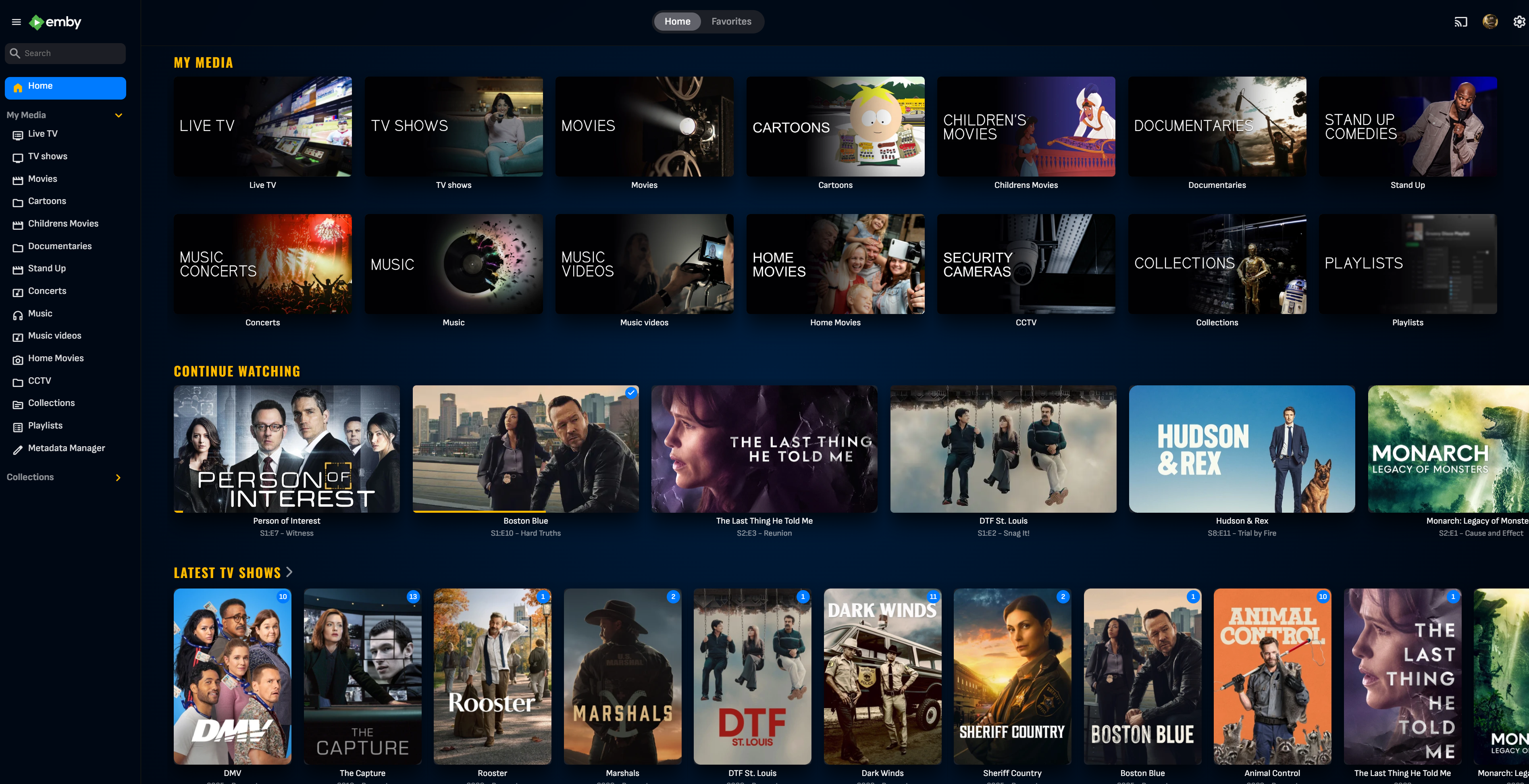
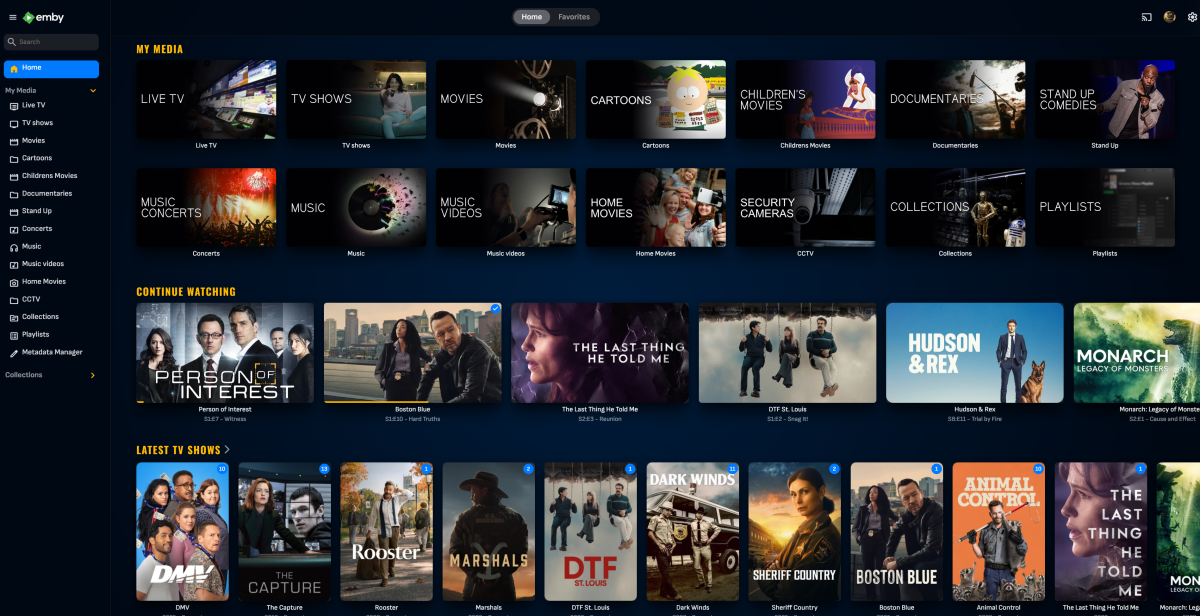
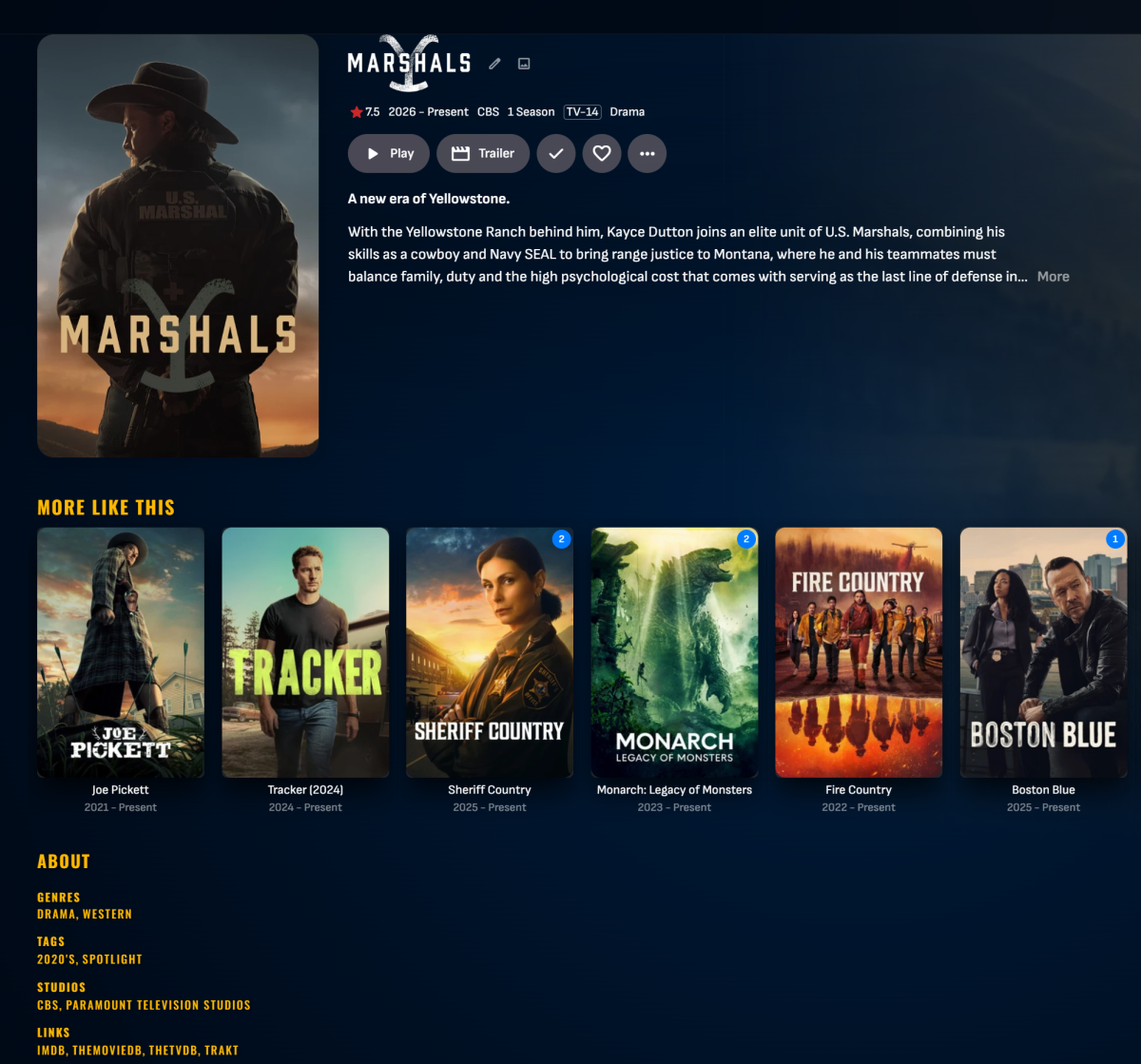
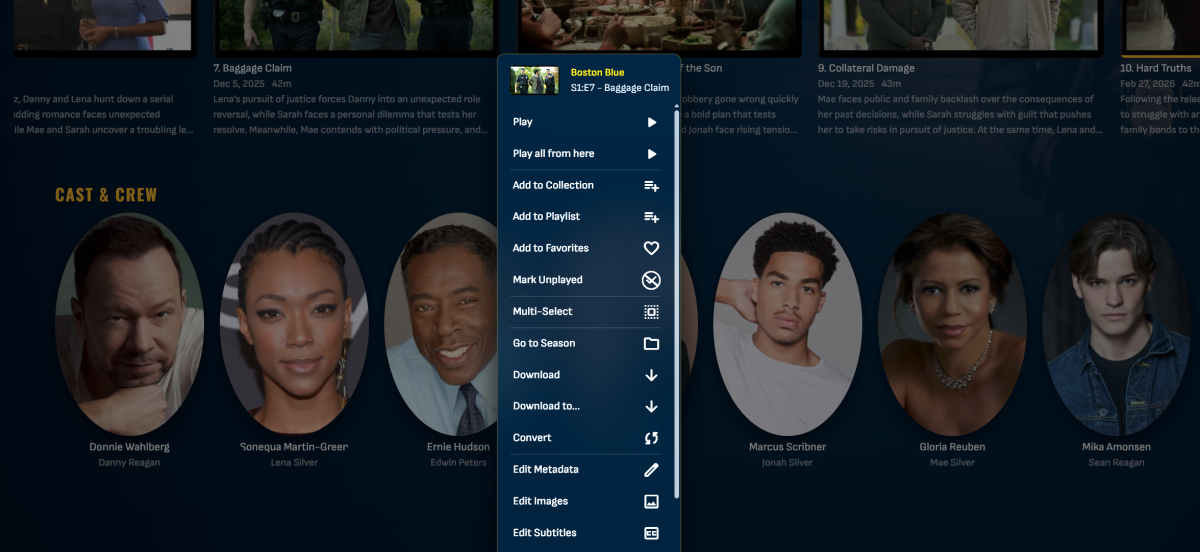
Just starting to get my hands wet w/ Emby themes and trying to design my own for once. Mostly used AI to help generate this but I feel it looks good so far but still a work in progress... Feel free to share any updates you make.. (Currently only works properly on the 4.9 Stable release.) Edit: Updated to fix backdrop bleeding. For version updates, always check latest posts in the thread. Emby Navy and Gold v4.46.css
 2 points
 -
New stable release - Version 3.1.1.0 Download .dll and full release notes: https://github.com/soderlund91/HomeScreenCompanion/releases/tag/v3.1.1.0 This release contains all features from latest beta and also improvements to mostly the smart playlist feature. Note Make sure to back up your settings before updating, just in case. Both the plugin and Emby (user data) Note Included a .NET V6 release, this is for MacOS or legacy support. This version is NOT tested. New (introduced in 3.1.0.0-beta) Section management: Added function to manage a users home screen sections. You can now reorder sections directly from the plugin itself Create home screen sections: Added ability to create a new home screen section directly when creating a tag or collection. Updates Smart playlist / local media information Added more filter for local media information Date added Date modified File size Last played (per user or all users) Watched / Unwatched (per user or all user) Play count (per user or all user) Added option for partial or exact matches fore some filters Added premade filters for local media information, to use as inspiration or examples, or of course as is. Created a function where you can save and load a set of filter Other Made the "Schedule badge" in the header standing out more when priority override is active Created a duplicate function to each entry (the copy will be placed at the top of the list) Improvements Optimization improvements using local media information Created a flag for Tag and Home screen section in the header of each entry. Removed the source counter to make room. (introduced in 3.1.0.0-beta) Updated the "Help" window Fixes Bug fix: Fixed an issue when menu was not visible in light theme (introduced in 3.1.0.0-beta) Bug fix: Fixed a bug where the UI in Home Screen --> Manage didn't show Thanks to all testers and all ideas for features! If i may say so myself this is turning out to be a pretty good plugin, and a lot of this is thanks to you guys! HomeScreenCompanion.dll HomeScreenCompanion_NET6_MacOS.dll1 point
-
@Luke @softworkz @ebr1 point
-
Right click on it, or long press - "Remove from Continue Watching"1 point
-
A logical point. Try renmaming the problem ones with the two suggestions above and see if that works. Another issue I've seen is that with Apple iOS hardware you can add a "forced space" different quotations single and double and a few other odd characters that look normal, but won't match in an online search. Sometimes typing a title out on a MacOS keyboard gets one of these odd characters.1 point
-
Yay! Here's hoping we won't have to wait half a year again for the next update.1 point
-
Started with Jellyfin but it lacked support for Samsung and at the time LG TVs as well. Would most likely have stayed with Jellyfin if not finding an article about Media Servers by chance where Emby was mentioned. Emby needs better "advertising", most people i ask only knows about Jellyfin and Plex. A family member kept bugging me about not being able to connect to my server, turned out he had installed the Plex app because he thought it was the only media server out there.1 point
-
I understand and very much so appreciate the effort you put into this. If only all software was supported as well as Emby is. You guys are the gold standard.1 point
-
I tried MediaPortal before switching to Emby. Only thing MediaPortal could do that Emby can't is tune FM radio stations. MediaPortal being chained to the Windows Media Center and DLNA ecosystem made it impractical when the decision was made to cut the proverbial cable.1 point
-
Late to the conversation but everything I've seen in TVs has been trash compared to the NVIDIA SHIELD TV. It's obvious the TV's have very anemic processors and GPUs in them because they lag frequently doing basic animations. No such performance issues with the SHIELD. On to top of that, SHIELD has native support for MPEG2 so no transcode is required when streaming from like an HDHR. TVs choke trying to decode MPEG2. As ebr said, choose TV based on picture and especially sound quality (some TVs have the tinniest of laptop speakers). Ignore the "smart" component of it entirely. Buy "smart" capability separately. I'm still using SHIELDs I bought a decade ago.1 point
-
Hi, I installed the standard Emby version 3.5.30 (emby-android-google-armeabi-v7a-release.apk from the GitHub releases page). In this version I can play STRM files that contain YouTube links. However, the playback has lag delays and buffering every 5 seconds... I tested it with this link: https://www.youtube.com/watch?v=DgQi9B0trqI The internet speed test on my streamer shows about 96 Mbps, and it is connected using an Ethernet cable, not WiFi. The video is played using Direct Play. On my computer, the same video plays in 1080p without any lag or freezing. I also tested 4K videos using the YouTube app on the same streamer, and they play without any problems, no lag and no buffering. So it does not seem to be a hardware or internet speed issue.1 point
-
I use selfhosted Wireguard my self. No need for 2fa for me when only i have the keys. Other users that use my VPN have their own network and shares so can't harm anything. Different needs for different uses ofc.1 point
-
Hi, what about the Upcoming TV section in Emby apps?1 point
-
Exactly how is you folder naming, season and episode naming? Here is how I do it, and that only fails on edge cases, like "#1 HAPPY FAMILY USA" Folder : Ash vs Evil Dead (2015) [TvdbId=296295] Season : Season 01 etc. Episode : Ash vs Evil Dead - S01E01 - El Jefe [Bluray-1080p].mkv1 point
-
HT, I avoid using so many dashes and I think I never have your issue. Dashes are used inside EMBY to break apart name from subtitles to make subtitles drop down lists not repeat the title. Emby is already using dashes to change titles around. I believe dashes can throw off comparing your title against the imdb or other online list of episodes that don't have dashes. I think that is where your title confuses the online search code that can't handle the dashes. I use names like this: The Magicians S02E13 We Have Brought You Little Cakes (2015) - 1080P Online database matching can run into all sorts of issues if you don't use the exact format recommended. Think about this. How can a new online search code be tested against 10,000 possible name variations that people come up with? It can't. It works if you have the exact title they ask for. Hope that helps.1 point
-
I would like to have the ability to check if a movie is already in my library before scheduling a recording in the DVR. The only way to do it now is to make a search. This mean going from on screen to another. It is already possible to not record an episode of a serie that already exist in the library. A similar option should be available for movie, One suggestion is to have a seach display on screen when scheduling the recording of a movie, in order to inform if the movie is already in the library or not. Hope this help!1 point
-
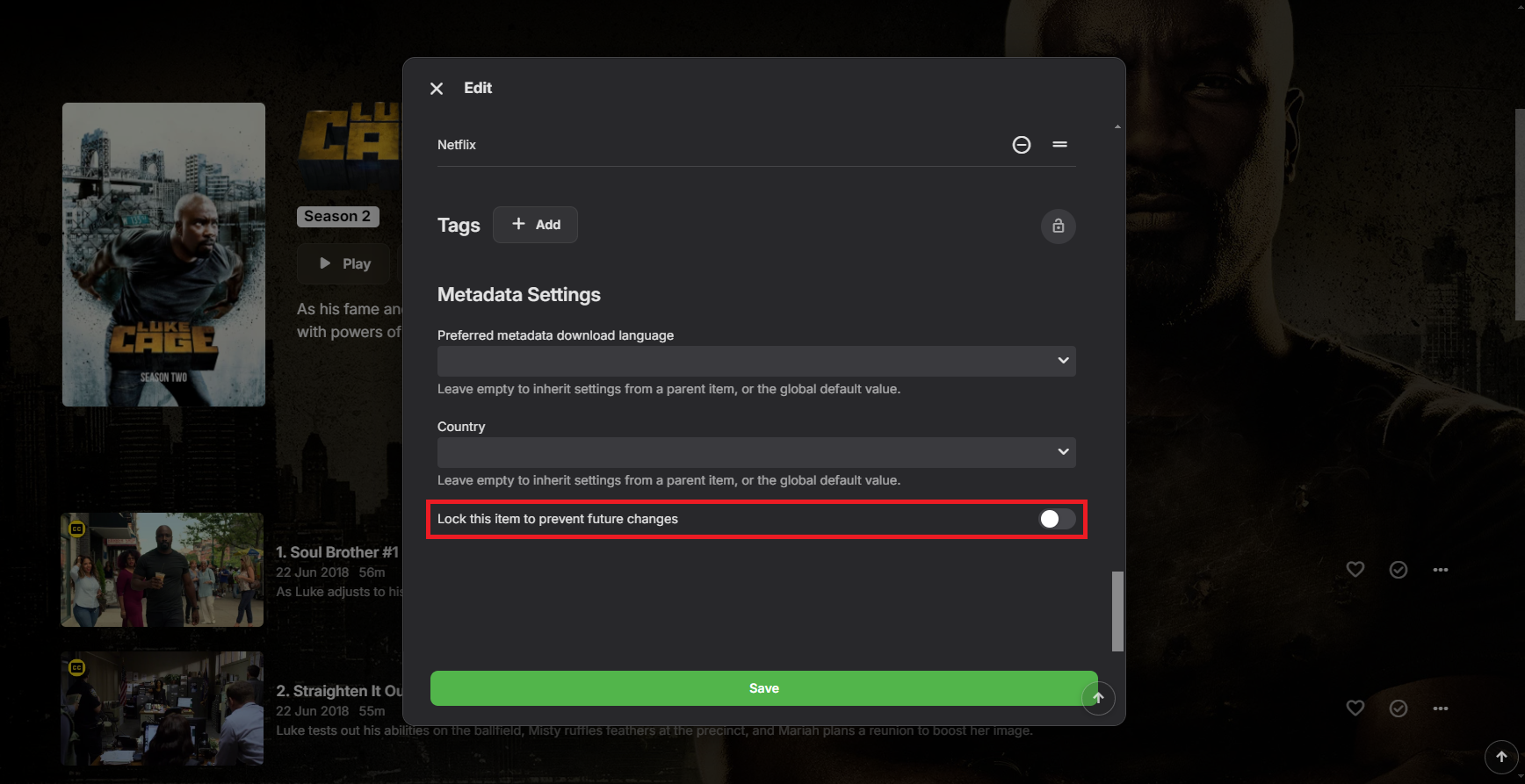
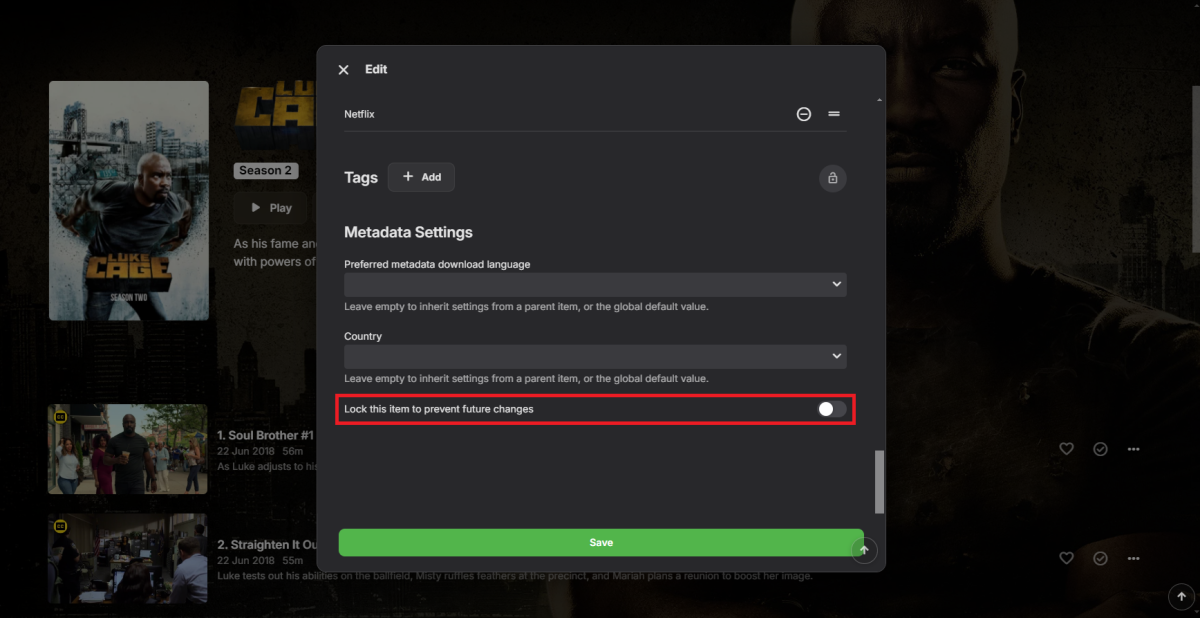
You can lock that item (or particular fields individually) to prevent any future changes.
 1 point
 -
Not knowing your setup, wild guess would be that something in your filefolder naming/structure (an any level) is throwing parser off. Since it's a single episode only, you can edit metadata manually, it shouldn't take more than a few minutes for that. Or if you're really keen on troubleshooting/automating it, post your complete structure here so maybe something can be glimpsed.1 point
-
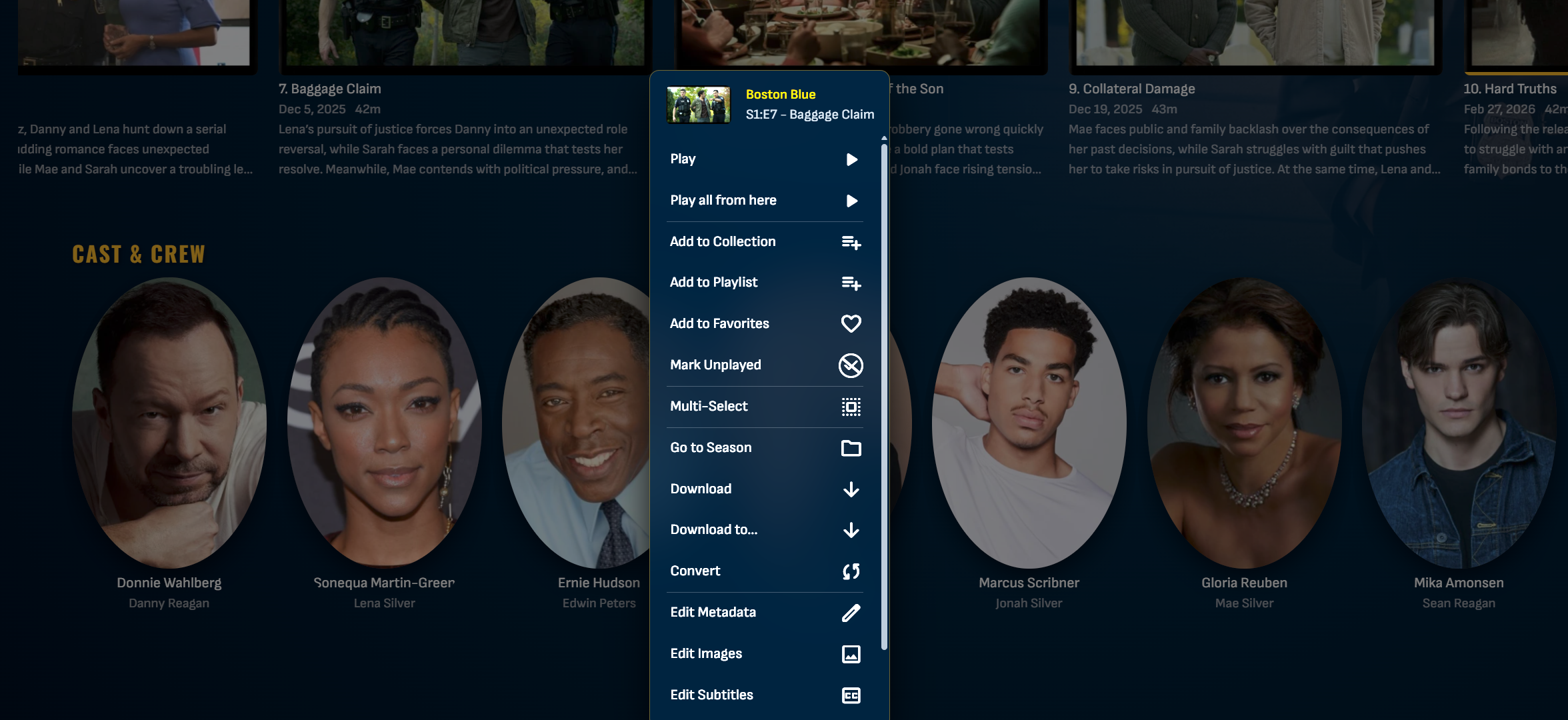
It has been merged under Luke Cage S01E01. If yo go to S01E01 episode details view, you'll see a Version dropdown with both of those episodes. If you scroll further down, you should see "Split Versions apart" button and both episodes details/paths.1 point
-
How is that episode named? You can also attach its NFO here.1 point
-
Any updates on this? @tielvis it possible to add image/poster to the plugin settings?1 point
-
The limit actually exists to try and make it harder to illegally use the platform. Just as a reminder, your license is for personal use.1 point
-
When download a subtitle the list of languages to choose from is way to long. I wish there were a setting so we could choose between show only ‘these languages”, or maybe chose favorites that will always be on top in the now LONG list. Takes for ever to scroll within the apps, or a fast scroll (left/right buttons for example).1 point
-
+++++++++++++++1 I think in 2026 it is not a nice to have feature, but a must have. As streaming providers also can do this. Please. @Lukeany more exact info than it's possible?1 point
-
Dlna is pretty much feature complete for me but i would like to make one small request and ask if a few additional music view types could be added. Most dlna servers I have used (mediamonkey,plex,xbmc,ect..) offer music views that are only available in the media browser server (, album, songs, genre, ect...) Could we add these views to dlna as well? The reason i would like these views added is two fold. 1. Many of us use dlna to isten to music on various devices, from bose to audio video receivers to even using it to play music on gaming consoles, i currently cant access some of my music because the dlna server client seems to default to the "album artist" level, some of my music is comprised of compilations or various artist movie soundtracks and appear to only be accessible in the "album" view on the media browser server (possibly also in the "artist" only view). So some of my music i cant currently play over dlna because its not presented. 2. I had made a request for instant mix in the dlna client as well, but that is not really necessarily, i looked into if plex offered this when they added shuffle a few months ago, and i noticed they did not add shuffle to dlna. I learned on the forum it was not added because almost all dlna devices can shuffle (the ones i use xbox and my avr appear to be able to shuffle themselves), however the issue remaining is their is no way to load all songs, you cant make the player shuffle your library if you cant present all the songs. Plex has a large amount of requests for a "songs" presentation over dlna since its one the only one they neglected or forgot to add over dlna. I would like to see it in the server dlna along with the other music views so it will be possible for a user to shuffle ones entire library using a dlna device. At the moment i can only shuffle a single album.1 point
-
I never even though about this. Importing my karaoke collection into Emby. I'll 1+ this as well.1 point
-
Thank you so much for your time and explanation; the information is very valuable for a better understanding of the cache flow. I will be monitoring and commenting further. Best regards.1 point
-
Could you allow users to customize the order of movies in collections instead of only having it by alphabetical or by release date? Example: I want to have a collection of Batman movies, both animated and motion pictures but want the motion pictures together followed by all the animated ones. With the current order options, this isn't possible. Thanks!1 point
-
When can we expect M4 Mac Mini Hardware Acceleration?1 point
-
Ok, I've had this problem on Synology (7.2) where my emby server is suddenly using all of my memory. I have 8Gb installed on a 1019+ system, emby server using 6Gb making system completely unresponsive. Interestingly, I have 2 other servers running - one on a debian minimal install with all the same scheduling (mine was also scanning every 12 hours). That is running at around 1.5Gb (from 32Gb installed on ryzen 7 5825U processor). This server only has 3 libraries as opposed to the 7 I have on the Synology - same libraries just use as a backup for emby server on Synology. The 3rd server I am experimenting with is a new unraid server running on a ugreen nas (12th Gen Intel® Core™ i5-1235U, 32Gb ram - I'm thinking or replacing the debian one). It has same 3 libraries as my debian instance - and that is running at 6Gb memory using all the same settings - scanning etc... All 3 servers are running the latest 4.9.1.90 emby server version with debian running from a straight docker compose file, unraid running from their app install (also docker) and Synology running from the direct download from emby themselves. I have always installed the latest stable release. This problem has only surfaced from the 4.9 install - I had no issues from the previous version and never had to restart the emby server to release the memory on Synology before. At the moment I did change the scanning settings to 1 per week on synology, twice per week on debian and left the unraid version untouched from default to see how things go though i think I might have to look at the unraid version if the memory keeps increasing. (the unraid server is only 3 weeks old at the moment which is why I'm just at the experimental stage of things) All media files are held on my Synology with mounted filesystems running on both debian and unraid. Playback from Synology has always been a bit sluggish compared to the other two systems but the Synology system is now 6 years old. If anyone is interested I can post an update as to how things are going in the coming weeks1 point
-
Hello everyone, It's great to have options for every single existing language in the subtitle Download options to integrate with the Plug-ins, however, in the TV/Web Client, it's annoying to have to scroll down several pages between 2 preferred languages (i.e. English and Portuguese for example have 89 entries in between). Despite of the time required to scroll between selections, it also consumes a lot of remote control batteries Would be possible to edit the combo list to show only the preferred languages on the top or somehow sort the order manually to present only some selected languages first (English, Spanish, Portuguese, Italian then the remaining for example ) ? Please also advise if there's a possible workaround (meaning edit a file/DB in the server to change the alphabetic sorting in the language selection), it would be a great relief. Thank you very much !1 point
-
Thanks for your prompt answer, but I might not have expressed myself clear enough. During playback, if you try to manually download the subtitle, this very long list for select the language appears. If we should sort the list with some preferred languages, it would avoid to scroll down between 2 main languages for example (English and Portuguese are 90 entries apart) Cheers1 point
-
+ 1 interested about it, I'm surprised that is not standard feature. We could setup all languages we want metadata so one NFO per language is downloaded and displayed depending on the user language1 point
-
Looks like a lot of work but similiar has been ask for. I see this requiring database changes forcing entire library rebuilding though.1 point
-
Thanks for your response. Unfortunately I‘ve deactivated the memory compression so this couldn’t be the cause to my issue.1 point
-
I have tested this script, it works fine by itself. Only the indication of video resolution and audio language should appear automatically when the library is scanned. Now this information only appears after playing a video (Playing 1 second is sufficient but difficult to set the library correctly for 4000 films). For the rest TOP script1 point
-
Link to the overview and script is here :- https://emby.media/community/index.php?/topic/98184-create-multi-metadata-language-libraries-from-your-existing-libraries-via-strm-files/1 point
-
Yep - just tested - it works great I now have a French library, which grabbed all the French metadata - and the videos are from the English library via strm files. I just need to check how strm permissions work across libraries - as I guess the idea is to permission the users to only show the French libraries (in my example) but this may block the strm - not sure at this point.1 point
-
I have Dutch, English, Spanish and German in my family... With a 80TB library that is really cost prohibitive...1 point
-
Hello, It would be nice to be able to download/set metadata in several languages for the same movie. The movies title/description/... could then be displayed to the user using their interface preference/localization. For example, if you download metadata in English and German, someone using a web browser in English would get information about movies in English and someone using a web browser in German would get information in German. If there is no information in the user's language, the default one would be used.1 point
-
I have all of my nfos and posters in English and would like to keep them that way. ...but I have a user profile which I would like to have spanish language as much as possible (synopsis, titles, movie posters) Ideally, I would be able to save a -spa.nfo file and preserve the original .nfo file next to it. Same with the poster.jpg I would like to have a poster-spa.jpg or something similar This way the profiles would load the appropriate language. Is this possible? thanks in advance.1 point
-
Tat, Consider you may have a collection of media that has not perhaps been conformed to all one standard and limited to specific codecs and bandwidth that are compatible and works for your hardware and for all your users. Yes, of course, Emby's advantage is that it can take care of that for you. But there can be limits. Maybe some of your media has timeline errors that only show up if you run a error probe check. Or some of your media might have a combination of high bit rate, high frames per second, high end audio and graphic subtitles all at once. This combination can be handled by Emby... but some server capacity and bandwidth for some remote users with different players and networks might NOT work 100%. OK, I understand you do not want have to test, remux or renecode your content, so it's all within some limit to make sure everyone can view it. But if you did do that, your issues might go away. Emby is suppose to be able to handle that. All online commercial streaming sites already do this automatic remux and limits all of their content, before any media even appears on their site. You are asking Emby to handle all the options that is not even done by any competitive service. Plex doesn't offer that. I believe Plex uses their servers. Online Netflix, Hulu, or Prime doesn't do that, their content is all remuxed and tested. I think that getting to the bottom what you're experiencing is that you are pushing the limits, beyond what can be expected to be handled automatically for every case on every media combination. If you want less errors, for the most part, you should use media that has bandwidth limits, specific audio codec and limited subtitle types so your media is more consistent. Using media that has many differnet issues, that might even have some uncaught file or timeline errors is always going to cause your streaming to run into problems.0 points
-
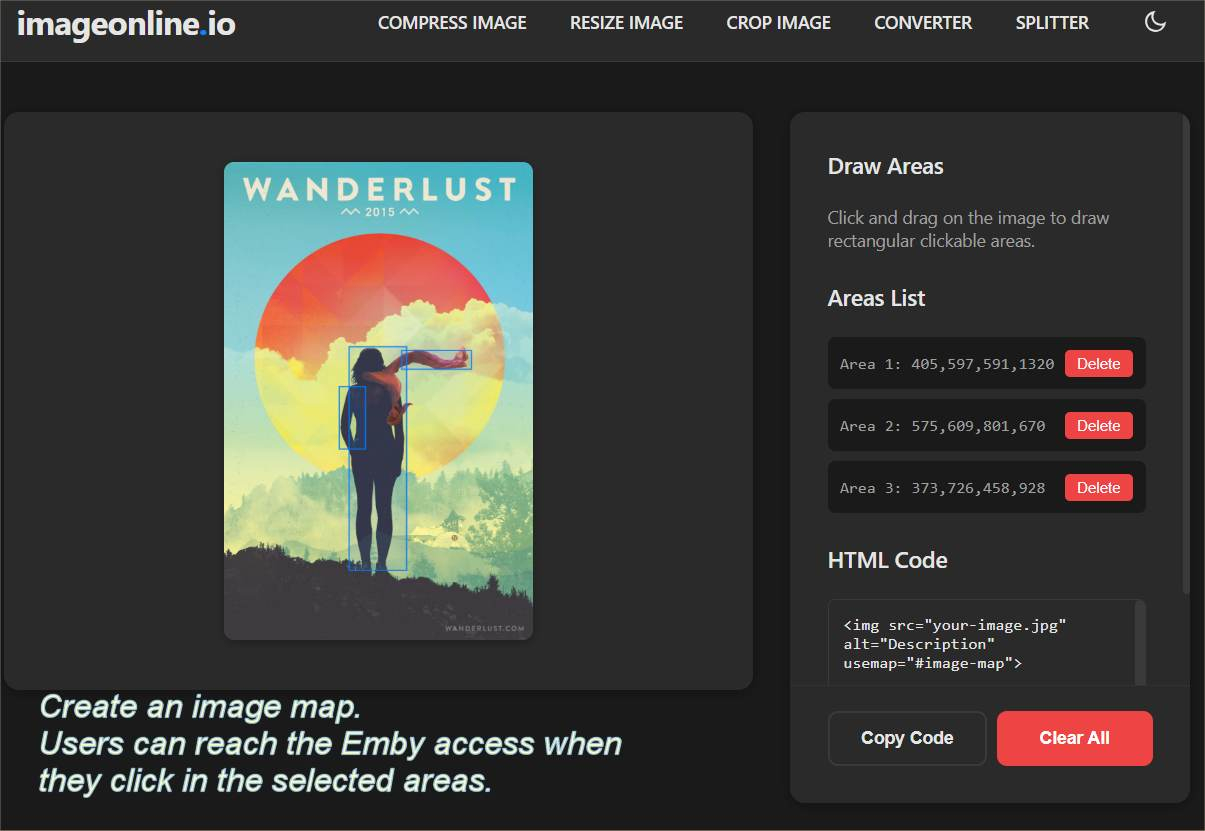
Media I, Security idea that might be useful for users who like using the web client only. I like setting up a hidden page online on a website I control, with a fun image and an image map. The user clicks some part of the image and they are taken to the Emby IP address. Security benefits: You set the IP address and the port, inside some area of the image of some fun photo (image map). It is less likely to be grabbed by any bot. https://imageonline.io/image-map-generator/ https://www.image-map.net/ Users get a link to the hidden page, where you put any promotions, updates, notices or reviews. If you decide to change the port or have to move to a new IP address, you update the hidden page link and you're done. You never have to suggest users go to an IP address, which, for many mobile browser is not actually easy or practically impossible to do. Example code to be added to a page where you are the admin of the site. (It does not work with social media member sites). Replace the 192 address with your remote access address. <a href="http://192.168.1.5:8096"><img src="your-image.jpg" alt="Member only access to the media server" title="Member only access to the media server" usemap="#image-map" height="750" width="500"></a> <h1>Welcome to Ralph's collection</h1> <p>Some promotion or review...</p> <map name="image-map"> <area shape="rect" coords="405,597,591,1320" href="#" alt="Area 1"> <area shape="rect" coords="575,609,801,670" href="#" alt="Area 2"> <area shape="rect" coords="373,726,458,928" href="#" alt="Area 3"> </map>0 points
-
Metadata/images currently are still limited to one language for all users. You can not have a item in two different languages for metadata/images unless you are going to duplicate your media and assign languages to each library.0 points