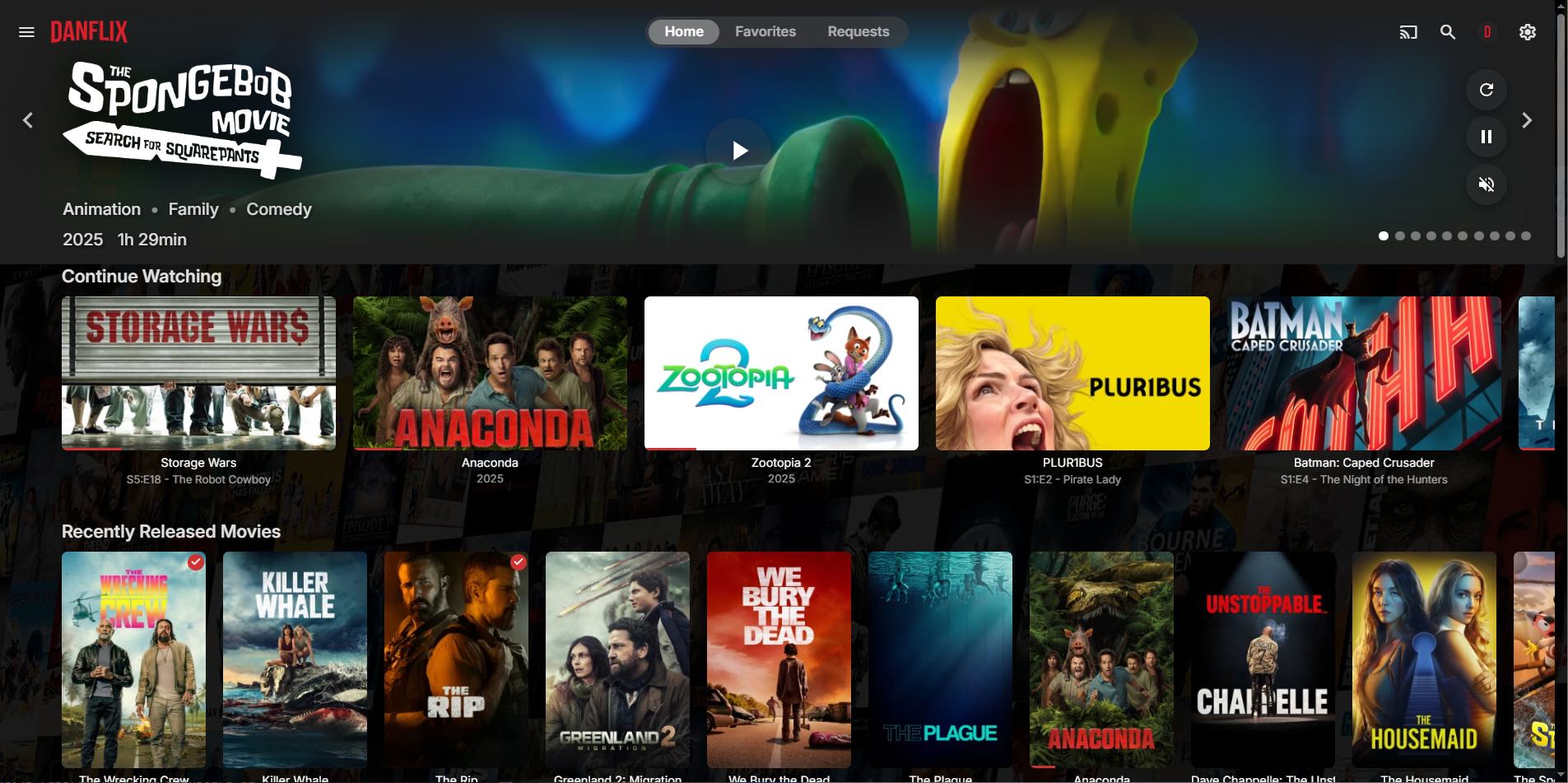
Leaderboard




Popular Content
Showing content with the highest reputation on 02/06/26 in Posts
-
@yockerI made a quick and dirty unRaid guide in you github discussion. To keep in there. unRaid PaddleOCR setup guide. · yocksers/EmbyCredits · Discussion #52 points
-
I restructured the repo a bit, bumped version and added my own JS scripts that have no own repo inside Addons folder. For everyone using this theme via import url, please use this one from now on. @import url("https://cdn.jsdelivr.net/gh/v1rusnl/Embymalism@latest/Embymalism.css"); Old css are inside Archive folder. https://github.com/v1rusnl/Embymalism2 points
-
Could most likely be fixed with some simple automation but can't be arsed.. Not me using danish subtitles.2 points
-
At the rate you develop @yocker- I'd imagine you'll crack that automation in minutes ....2 points
-
Absolutely - some great info there. I'm also in the Enterprise space, I've previously worked with EMC Symetrix SAN's and NetApp filers but then moved into Networks & Security many years ago. I expect many will consider my home network OTT which, as you have done for storage, is built using Enterprise level methodologies (dmz's, perimeter zones, reverse proxies, IPS's blah blah). I will certainly follow up on checking my long term backups again as un-reproducable things like digital photo's & home video I've never really given much thought to ensuring they are recoverable - assuming the media is reliable. I do have multiple copies - but I have no checksum to suggest all the multiple copies are 100%.2 points
-
Ask and you shall receive: https://github.com/music-assistant/server/pull/30962 points
-
Be able to create playlist based on a certain criteria, like genre and or year, in order to create a dynamic playlist that it refreshes automatically when new content is added. This way you can for example, create a tv comedy playlist from the 90's, or a new sci-fi Movies playlist. Some other criteria for rules could be the rating, watched/unwantched, score, tags, language, audio codec, etc The possibilities could be endless1 point
-
If you watch a movie and have to download a subtitle, often there is a required subset to make the playback with subtitle proper. The intention is now, that you setup the offset, but it will be kept per movie and downloaded subtitle (please note that new versions of a subtitlecould be downloaded). Expected function: Next time starting the same movie wiht the yame subtitle, the offset from last time is automatically applied.1 point
-
It's working! I decided to try a reverse proxy to take https://subdomain.domain.com and send it to https://localhost:8920. I also set Secure Connection Mode to Handled by reverse proxy. Out on my DNS host I have an A record for subdomain.domain.com that returns the 192.168... address which is the address for the Synology Emby server. It's a beautiful thing. However, I don't really have a need for Chromecast since I use Emby Roku on our TVs. I just dont like things that should work, but don't. Jim1 point
-
That's interesting... non of my collections have any cast / crew at the collection level. They do all match themoviedb as the link at the very bottom reflects the correct link to the themoviedb.1 point
-
The rewind issue has fixed with the more recent versions of Emby Server and the Emby app. I would recommend updating if you haven't already.1 point
-
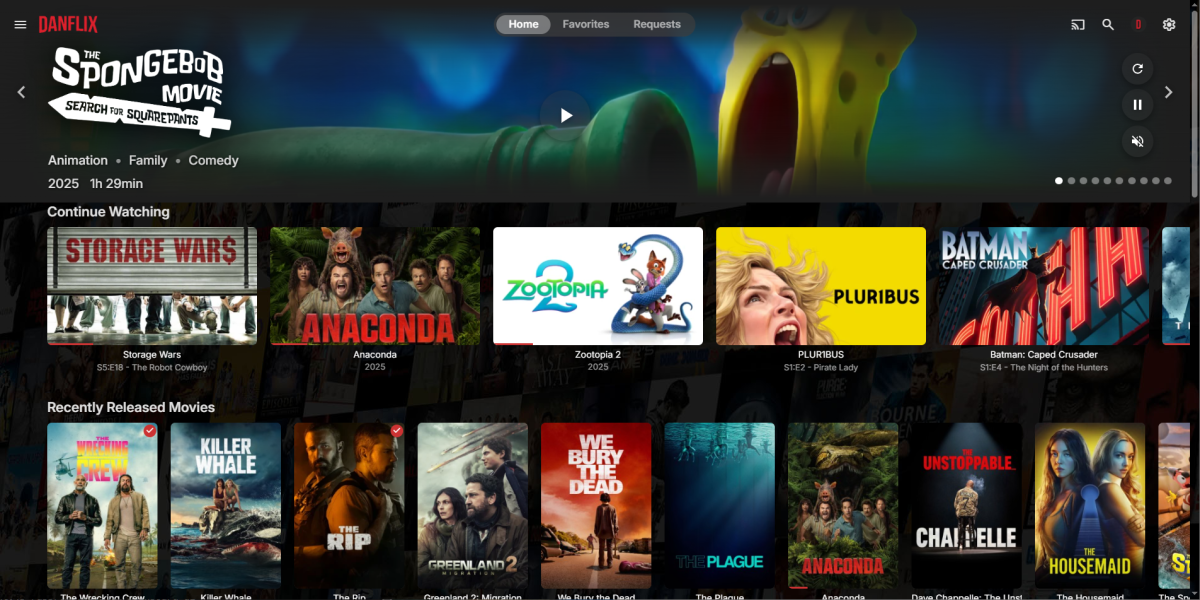
Thanks! I moved the overview text to the right but in cases where the description is long it overlapped some of the other screen elements so I opted to hide it altogether. I also centered the Play button in 1080 mode but in 4K mode it doesn't stay centered vertically. Couldn't figure out how to make that relative to the container height so still messing with that. For some reason I lost the ratings badges lol. Not a big deal for me though. It's been fun tinkering with this.
 1 point
 -
Then its settled, it's Gremlins'...1 point
-
How do you have embedded subtitles that are not in sync with the audio? BTW - our feature only works with external subs.1 point
-
It would be nice if you could save the subtitle offset per episode/movie once you find the correct setting. It is a great feature that you can set the offset but once the correct value is found the viewer should be able to save it back to the server for future lookup. Would be nice if the saved value was automatically applied when the show is watched again rather than having to lookup and reload it.1 point
-
New version out (v2.1.1.0) on yocksers/EmbyCredits Github. Added: Support for PaddleOCR. PaddleOCR supports GPU hardware acceleration with Nvidia GPUs for faster detection. Use: yock1/embycreditpaddle:latest as the docker container. Note: The container image is very big, will take 20GB+ after install. Instructions are in the setup guide of the plugin settings. Option for anime specific detections, this is to improve detection for anime. Changed: Removed some irrelevant settings. Cleaned up the settings. Improve detections. Fixed: Small bug with episode comparison. Minimum number of keywords come in some cases not be respected by the plugin. --- PaddleOCR is a faste, more modern version of Tesseract and supports Nvidia GPUs. There are cons to using it over the Tesseract. First of it's VERY large and takes 20GB+ of space. Second It WILL take all your GPU if it can while scanning. I don't know how to install it on Unraid with it using appdata cache, if any one can make a small guide for people i would very much appreciate it! Important: PaddleOCR is NOT mine and is from: PaddlePaddle/PaddleOCR: Github. All credit for PaddleOCR goes to them or who ever made it. Special thanks to @Neminemfor helping with this plugin!1 point
-
New verison 1.3.1.0 v1.3.0.0 Blacklist: Enter items you want to exclude from the tag/list UI updates: Remade the tag list so you can enter multiple URL for same tag. Some other UI improvements, example better support for light Emby theme. v1.3.1.0 Fixed a bug with limit list not showing in settings. https://github.com/soderlund91/AutoTag/releases/tag/v1.3.1.0 This one should work with both Emby server 4.9 and 4.101 point
-
Meant, it can't do danish so have to go whisper -> google translate. That amount of work causes some.. Strange translations some times.1 point
-
Guten Tag 7 Ich würde es super finden wenn man sich über die Oberflache direkt mit Emby Connect verbinden könnte statt die Server über extra seiten zu verbinden1 point
-
Ya it's odd. I think the problem just started in early January and I rolled back to a December build but still had the problem. There may be a newer version than 4.9.1.0 that it works on but I saw that build suggested and went with it after trying a few december betas without it working right. I bet they'll have it fixed in a week or two and then I'll upgrade. Might be some combination of the .49 LG update change as well as server changes that made me have to go further back to the 4.9.1.0 but just a wild guess. If anyone finds a newer version than 4.9.1.0 that works let me know.1 point
-
BRUUUUUH I was searching for the issue of a movie not showing up, well, it did show up before I started messing with the metadata because it wasn't showing up correctly. I checked again and verified that, yes, this sequel was displayed as another version of the primary. So I investigated why.. It's because I placed the video in a folder with an incorrect year. Corrected that and all is well. My aging eyes.1 point
-
Will be fixed in next version.1 point
-
That's great to hear! Sometimes we don't get any answer after some time and then I assume it won't happen. Thank you1 point
-
My IT professional career is in the enterprise space so I've tried to adopt a lot of the enterprise methodologies where it's reasonable to do so with my homelab environment. If I could run my own SAN I totally would! I don't have a dedicated cluster for testing for example, I do everything in my "production" cluster, but I can spin up a test VM in that infrastructure if needed. My career and hobbies collided so my skills and knowledge go all the way up and down the stack, from network ingress all the way down to how data is stored on platters/NAND and consideration of factors like EMI, transport errors, even incorrect CPU calculations. While my actual role revolves around application support/development I have been pulled in to support issues in all areas of the infrastructure and it's allowed me to have a very broad base to work from. I may not have experience with every technology or product, but I can generally pick up anything really quickly. Again, overkill for most people to treat my environment/services like an enterprise. I'm not aiming for 5 9's of uptime, that's something like 5 minutes out of the whole year, but if I can 2 or 3 9's of uptime I think that's really cool for a homelab. You're likely correct that more than likely the player/ffmpeg would be able to handle small errors if they do happen in the data, unless you get really unlucky with what becomes corrupted. I do agree that it's all able to be recreated if something were to happen - and there is time/effort involved in doing that - my philosophy is around what is the most approachable option. It could take me weeks to recreate things without a solid backup or some kind of list of what I had or spot checking everything to find something wrong, whereas building an array the right way the first time that has redundancy might be a few thousand dollars up front, but what is my time and peace of mind worth? If all I have to do is swap a drive and walk away (which I can do while the system is online with hot plug, and still have full access to all the data) and just check on it occasionally until it's done then I'm happy with that design. I'm also thinking about the future of the data and it's why I want to prevent bitrot from happening if I can because some of it cannot be replaced, old photos and videos from devices or drives I don't have anymore. It would suck if it's (silently) corrupted on the main array, because that means the backup is corrupted too. A lot of the media I'm collecting now I don't have time to watch, but later in life when I have more free time I'll have an opportunity to do that and I want my data from 20+ years ago to be safe and corruption free. I've carried a lot of it forward from years gone by, and I hope to continue to do that. Another point that I didn't specifically touch on was performance, you get a lot more speed out of the drives working in tandem rather than being limited to the throughput of 1-2 drives which can significantly speed up operations. It's not really needed most of the time and again most people probably won't care, but performance is something that's important to me. My array handles more than just housing media but it's still mostly "write once, read many". I like having one place for everything, logically separated by datasets/folders which can have their own policies if wanted. You could specify this dataset has compression, or deduplication, or different record sizes because the files are all small/large. There's lots of flexibility within a single array. With regards to your "point in time" this is what makes ZFS snapshots so powerful, and it's what I utilize on the arrays as part of the backup strategy. If I end up overwriting a file by accident I can just look in the hidden snapshot directory and recover it, or if I want to see what folders I had at that point in time I can do that going back across multiple snapshots. I've utilized the snapshots in the past at a file level but also at an array level, I was building a new array for my media and instead of replacing one drive at a time until the new space became available (which is something you can do as well, and I have done that before) I just took a snapshot and used zfs send | zfs recv to send the dataset up to that snapshot which is the bulk of the data, then at the end I just create another one to send any differential data, stop the arrays and swap the drives over (again completely online with hot plugging) and start the array back up and I'm ready to go with minimal downtime of any applications/services that use the array. Technically my backup array is only needed for a few hours each day as part of daily differential for my media array, hypervisors, and firewall, but it runs in a VM in my cluster so it's always available. With the recent improvements to ZFS I finally have the ability to add drives to the VDEV with raidz expand, I just can't change the parity level - I would need to add an entirely new VDEV that has the parity layout I want and then I believe as long as it has the space you can remove the other VDEV and it will move all the data over, otherwise you have to make a new array. But that's where the zfs send | zfs recv to do a block level copy of the data to the new array comes in, so it copies at max speed the entire time because it's not copying files it's copying chunks of block level data, all those millions of little files that slow down a transfer are a complete non-issue - and I can even do that over the network with SSH if I want, it doesn't have to be on the same system. I've done something similar before with LVM and pvmove but never specifically tried removing a VDEV with ZFS, I've only removed drives from a VDEV where space allowed and then readded. I don't fundamentally disagree with your approach, it certainly works for you and lots of other people and it's probably unlikely that anything catastrophically bad will happen. It's a pretty longstanding product with a large user base and is a very simple way for Windows users to have access to a pretty solid array (storage spaces is garbage), but I hope I've highlighted some of the risks of relying on a single drive over long periods of time - whether that be a drive used for data, or a drive used for parity - and that it helped peak a curiosity to learn more about what is really happening down on the hardware level.1 point
-
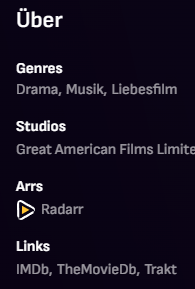
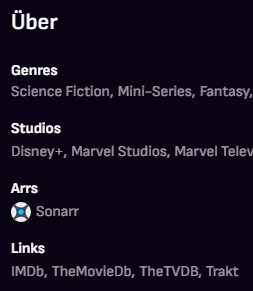
As Happy2Play mentioned, this just works in the Web version. But it's good enough for me when I administrate via WebUI. On every movie or TV Show page is a link to the Arr page of the item. Sometimes the Arrs give an error "failed to load from API", if so just refresh with F5. 1. Open emby-arrs.js and add your Arr URLs + API Keys. 2. Paste modified file inside /system/dashboard-ui/ (Windows) or your OS equivalent 3. Make a backup of index.html in the same folder and add <script src="emby-arrs.js"></script> before </body> tag at the end of /system/dashboard-ui/index.html 4. Refresh Emby webpage. But beware: Every user sees the link so make sure your Arrs are just reachable by you. emby-arrs.js
 1 point
 -
Grundsätzlich sollten Filme in eigenen Ordnern anliegen oder zumindest eine Id, wie von IMDB enthalten, damit sie einwandfrei identifiziert werden können, wenn sie keine eigene NFO Datei haben. Emby bietet dir leider keine Möglichkeit, einzelne Filme hinzuzufügen. Dein Film ist schon in der Datenbank, eventuell falsch gescraped oder als Version eines anderen Films mit ähnlichem Namen. Wie ist denn der verständige Dateiname? Hast du NFO Dateien für deine Filme?1 point
-
Maybe ai can help resolve this argument...1 point
-
I use Bazarr and Lingarr for translations.1 point
-
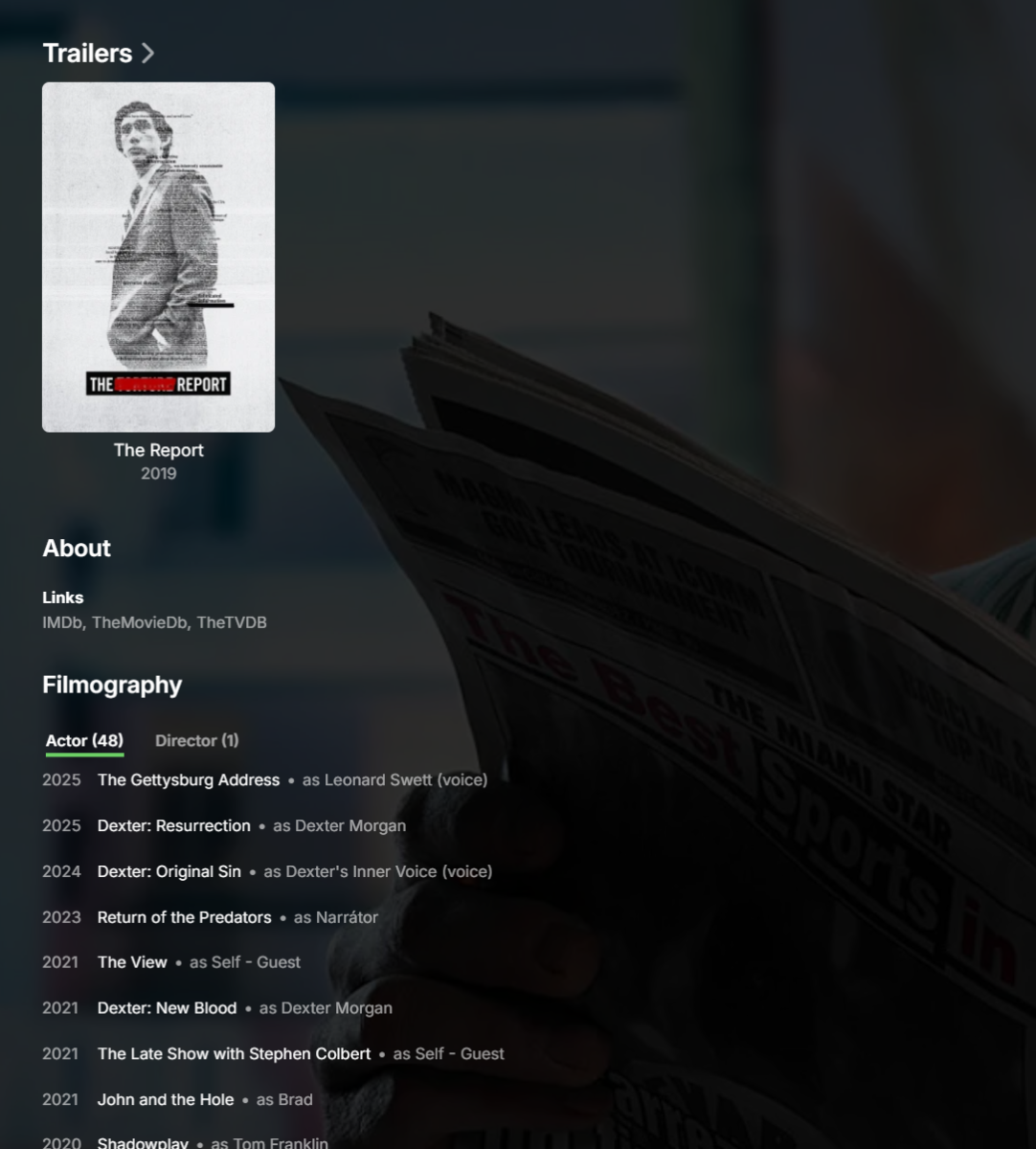
Updated screen:
 1 point
 -
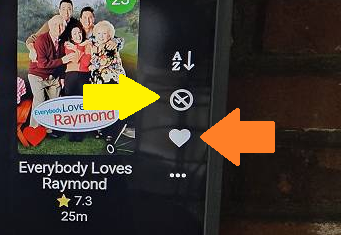
The yellow arrow points to the icon that allows you to filter by unwatched. The orange arrow points to the icon that is used to filter to just your favorites. Presently, the Roku only has these simple filters. There are plans to expand this to allow more filters. I just cannot say when.
 1 point
 -
I will go out on a limb here since you have been so gracious to give us your time. I know it took awhile to write your post. Because we value that time I will respond to most of your points. Otherwise they may never get answered. Keep in mind, some of what you are asking cannot be answered directly. I am just a team member. I cannot speak for the entire team. I am just speaking for myself. The reason the star/options isn't being used for context is because at this point, quite honestly, IMO, no one has really complained about it. The app is developed to a far enough point now that those actions could now be considered. The other apps on Roku have updated to adopt the star/options button for context menus. We could do the same. I agree. What do you mean? Can you show where this is inconsistent? This will happen eventually. We will use the same star/options button as other apps. Indeed. We will eventually get to this point and it will happen just like context menus. Just cannot say when. We are working on updates. It is just hard to go into details without saying too much. Suffice to say, yes, we don't have one.. yet. Hmm. What is wrong with the logo? Merely on oversight on our part. We can add the other button, sure. This is by design. We can only offers options which we have framework built in the Roku app to support. People asked where are those options in the Roku app. We added them as stubs which reference back to the web app. The Roku is very limited in how large the app can be in size. We have to be very careful that the additions we make are worth the cost to include them. This is why some things may look jaggy or blurry with icons or images. We cannot afford the cost to include them at the full size because the bytes they consume could be used for actual code. There is a trade-off that must happen. We have tried to offer the best options most users would appreciate. We have both. In the settings under "Preferred TV show display". If you choose "Show all episodes of all seasons together" it will display all episodes in a row. It will also give you series tabs above the row. If you move to these tabs and press OK you can go to season view in vertical mode. If you move to those tabs and wait a bit the row at the bottom will adjust to match the season you are focused on. There are also "Show all episodes for only single season shows" and "Always show season folders" options too. You pick the one right for you. One of them can do both. I agree. The themes are not there because there is a complexity to adding them. The cost factor of do these include different images/icons which consume up bytes of space in the app package? We must be very careful how we spend those bytes. That is really the honest answer. If we do it now will that limit what we can do later. Then we have to remove old functionality to allow new. Or they would have to get dumbed way down once we get to a certain point. That is honestly why. If we get to a point where we can splurge on themes of course we would want to. That would be fun to make and fun to use. But it might blow the budget. That is why we have to be careful on how we approach everything on the Roku. This also factors into the image/icon budget thing. But most of the accent color is just that. Color changes. But one thing still takes new images to change color. We would have to change how that thing is built to make it able to just accept color changes. Then it wouldn't cost us anything but lines of code to add this feature. I am sorry on this one. The Roku interface doesn't include anyway to modify the offset. We are using the standard Roku video player to render the subtitles. Yes. We do eventually plan on this happening. It just doesn't have a timeline, but it is on our issue tracker as missing from the app. Yeah. The navigation uses the down keypress from the buttons to dismiss the OSD. If we were to change that and now have labels underneath it that you must navigate through it might cause people to become upset. Rather than change that trained behavior they were just added as icon buttons like the rest of them. It is just a design consideration we did to keep it simple. The "streaming cards" at the bottom of the web app. I know exactly what you mean. You are the first to question their absense in quite some time. They are on the issue tracker as missing from the Roku app. I can elevate the issue and raise it. This is one of the few missing things from the details view. You cannot change quality when the item is buffering. Once the item is playing the OSD is able to spawn and you can use the cog/gear and the video quality option. You can also access it from the settings. On the Roku many things are tracked when you start to play something back. There are lots of moving parts that get set in motion. If we allow you to reset all this as the playback is buffering there are so many ways things can do wrong. We tried to allow users to change subtitles/audio/quality before the stream starts and during buffering and it was just maddening to keep all those variables in sync. A serious headache mind trap of logic must be developed to do that. This is why so many other apps do not do that. The star button should open the settings on the home, library, and search screens. On the library screens it will also ask if you want to open application settings or set a default tab. The details screen is meant to lack those so you get to see the backdrop unobstructed by that overhang. The overhang has the buttons and tabs and such. I understand what you mean though. I also suffer the same and have to press back until the overhang appears then can press star. This was due to the simplicity of the Roku app. We aren't using the mini-keyboard. We use the full-size keyboard which allows style changes. So you can type a double quote. In order for search hints to appear we would need to have some area designed to contain them that you could focus on and select from. Rather than delve into that we chose to keep it very simple. The voice remote is fully functional on all the keyboards/pinpads. You do not have to type. You don't like the chunky/clunky segmented spinner? We have had that for so long. That sleek slender spinner is part of the Roku UI layer. They spinner changing is indicative of when the hand off to the video player has occured. The percentage buffered only appears when it takes longer than it should. If it takes longer than 5 seconds to start video the percentage buffered will show in the middle of the spinner. There are placeholders used on the grid. It allows loading these. But on the rows we do not know how many items are going to show ahead of time. With the grid you know on the first fetch you have 300 items out of 6000. So you know when loading more you can request 300 and show placeholders on those. But on the rows, it works differently. Each row title appears and then the entire row begins to fetch data top to bottom each row list. Then as the row has no data you see the row title disappear. The other rows move up to take its place. We do show placeholders. The first item in each row will be a loading spinner. That is until the row loads. The loading spinner is a single spot in the row because there is no concept of how many items will actually populate with data. It is very hard to next to impossible to change the code to do this without incurring time penalties. Time penalties are when you try to code around an issue. It adds overhead that must get executed. Then it might be slower to render having to wipe out all those placeholders and replace them. That is likely how it will get done. Exactly as you have described. 1. The crash should not be happening. It is probably some exception when a value is expected to be there but instead finds a null. There are a few spots where Roku says values will always be there. But we have found that isn't always true. This is probably one of those times. If after this happens you can immediately restart the app and send debug logs it will give us the reason. You can run the app in debug mode. It will just run a little slower since it is logging. A few hundred milliseconds slower. You may not even notice. Then when in that mode if you experience any crash, relaunch the app and immediately send a debug log. Then make a post on Emby forums in the Roku section mention you sent logs. The username that sent the logs and the time in EST. Then it will be possible to spot exactly where this is happening. Thanks. 2. We have fixed this bug. I know exactly the one you are talking about. The fix for that should already be in Beta or soon to be in Beta. I hope that answers your questions. Hopefully I do not get in trouble. I am just trying to keep the userbase from giving up hope on the Roku app. We are trying to do right by you guys. I do appreciate the post too. It is very hard for people to be critical when they don't want to be mean. I don't see it as mean. It is what it is. You don't have to be afraid of hurting our feelings or coming off the wrong way. You want a kick ass personal media player for your personal collection. You deserve it. We are trying to fill the goal. Without knowing where we are doing right, or doing wrong, or doing it different. We can only assume. Thanks for helping us and giving us clues. I do appreciate the time it took for you to make your post. If you find any other issue, complaints, or concerns please bring them up. Thanks again for your time. Merry Christmas and Happy Holidays. Stay safe.1 point
-
Hello Emby Team, Adding to this thread to voice that i would like this potions I’d like to request a new feature: Multi-room synchronized playback — the ability to play the same movie or TV show across multiple Emby devices in the same house, all perfectly in sync. Why This Feature Matters During Christmas, holidays, birthdays, parties, and family events, many of us want the same movie, music video, or background visuals playing on every TV in the home. Right now, there is no simple way to sync playback across multiple Emby clients inside the same household. What This Feature Would Do Choose a video Select multiple Emby devices in the house All screens play the same content at the same time Sync stays tight if the host pauses, plays, or seeks Why Emby Is Perfect for This Emby already supports remote control and Watch Together. Expanding this to local multi-room playback would be an amazing upgrade and a feature no other media server (except Apple TV via AirPlay) can currently offer. Thanks for considering this — it would be incredibly useful for holidays and gatherings.1 point
-
I have found that the vast majority of apps I frequently use already support dark mode between iPhone/iPad/Mac and can match the system's automatic switching mode. So I hope Emby, as a software I often use, can support automatic switching between dark and light modes; If automatic switching mode is set, Dark/light mode will be used by default, and other modes will not be available. For users who wish to use automatic switching mode and single theme mode, they can each choose their favorite theme mode. The above content comes from translation software, I hope it can clearly express my suggestions.1 point
-
I think the devs should consider going into politics, they've certainly mastered the art of not answering the question.1 point
-
If emby incorrectly identifies a piece of media as something that you already have; it'll show up as a different version under the existing item instead of as a new item. Can be a little hard to find sometimes. One way to check what emby thinks a file is: enable nfo writing, then go look at the nfo file emby creates to see what it was identified as. As Neminem suggested though; adding the IDs to folder/file names makes the automatic matching pretty much perfect. If you use tools like radarr/sonarr, you can edit the naming settings to include those automatically for you.0 points