Leaderboard




Popular Content
Showing content with the highest reputation on 01/30/26 in Posts
-
Just a quick update, the Commercial skipping on Virtual TV is working again, but only on one of my Apple TVs which is the only one that really uses the commercial skipping, the other ones don't skip commercials when using Virtual TV still but that's alright. I've switched over to a M4 Mac Mini for my server recently and it still wasn't working but out of the blue one day the commercials started skipping again but only for that one Apple TV. Very strange behavior. Virtual TV version 2.1.7.4 Com Skipper version 2.1.1.1 Emby Server version 4.9.3.0 Apple TV 4k 3rd version 26.1 (Com Skipper works on this one) Apple TV 4k 3rd version 26.2 (Com Skipper doesn't work on this one with Virtual TV consistently) Maybe the tvOS version is the reason its having issue. idk. I'll update this thread if I ever figure out why is doesn't/does work.2 points
-
Ok so its the 41 embedded subs that causes issues. I use Tdarr to process my media, and have that strip out subs.2 points
-
repopulating od drive took forever, its now about 98% complete. hopefully over the next 5 days will be uneventful and it wont delete all.2 points
-
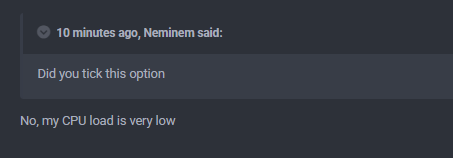
This also works with GPU, even though its not worded like that.
 2 points
 -
Updated screen:
 2 points
 -
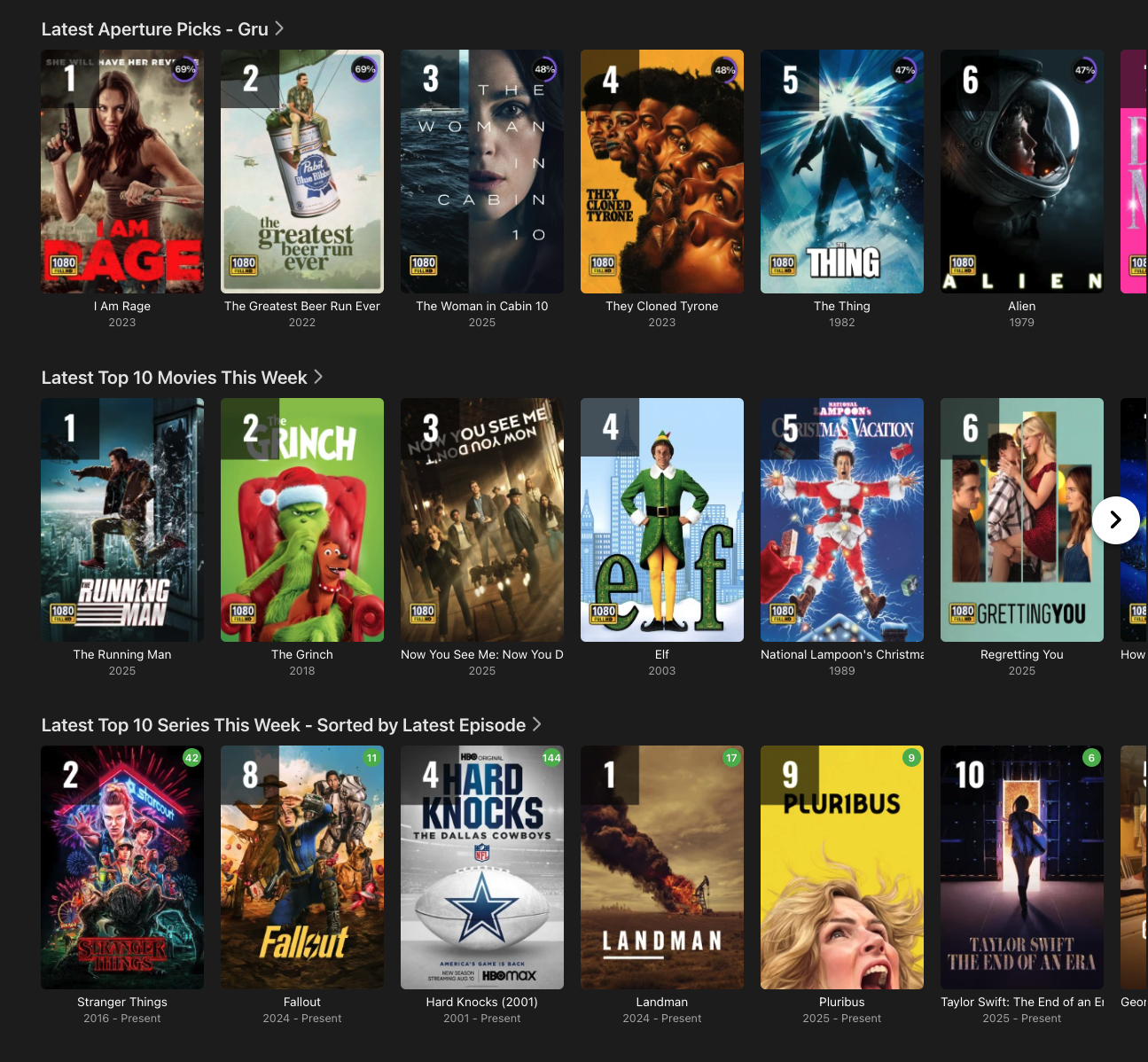
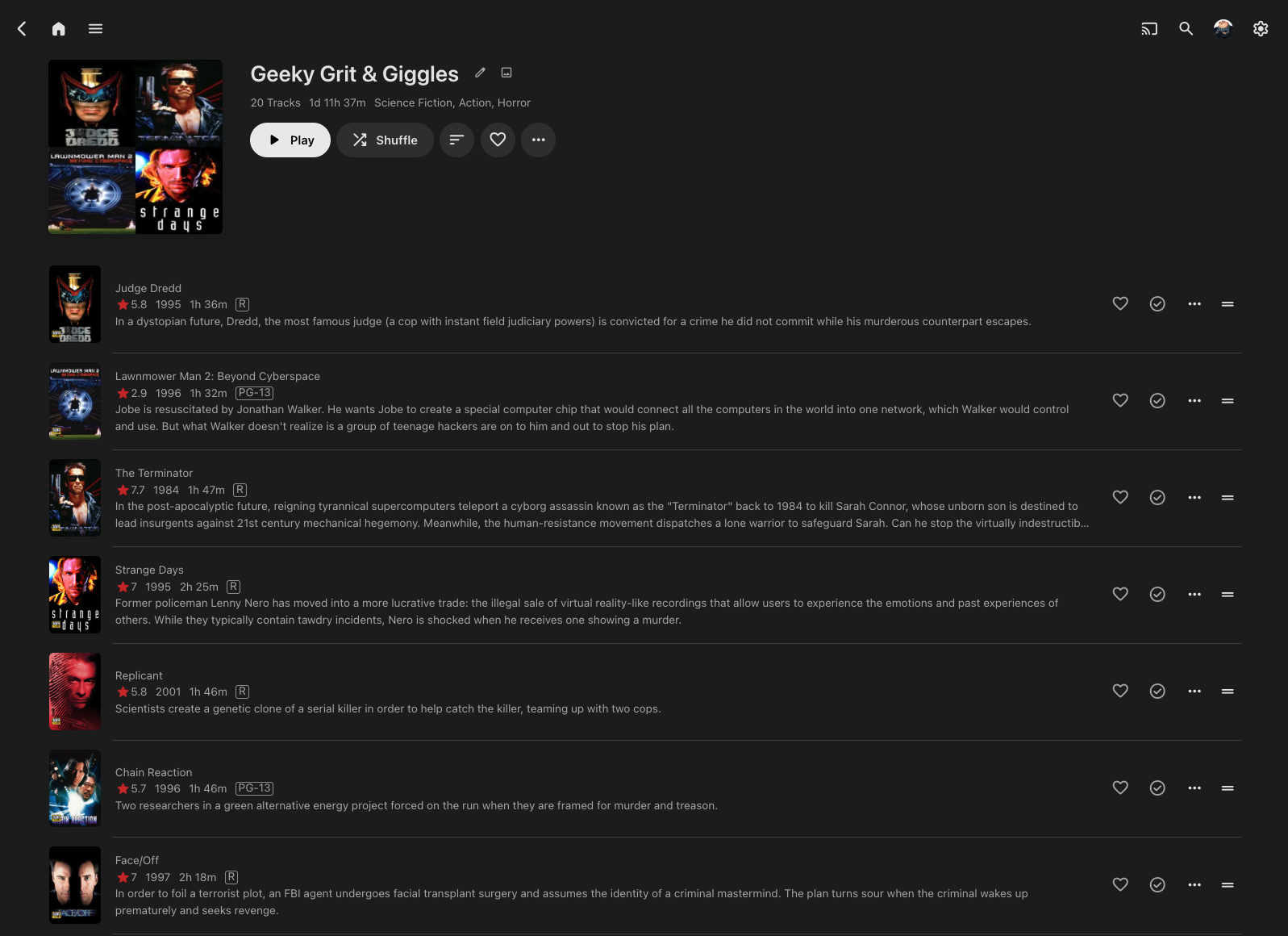
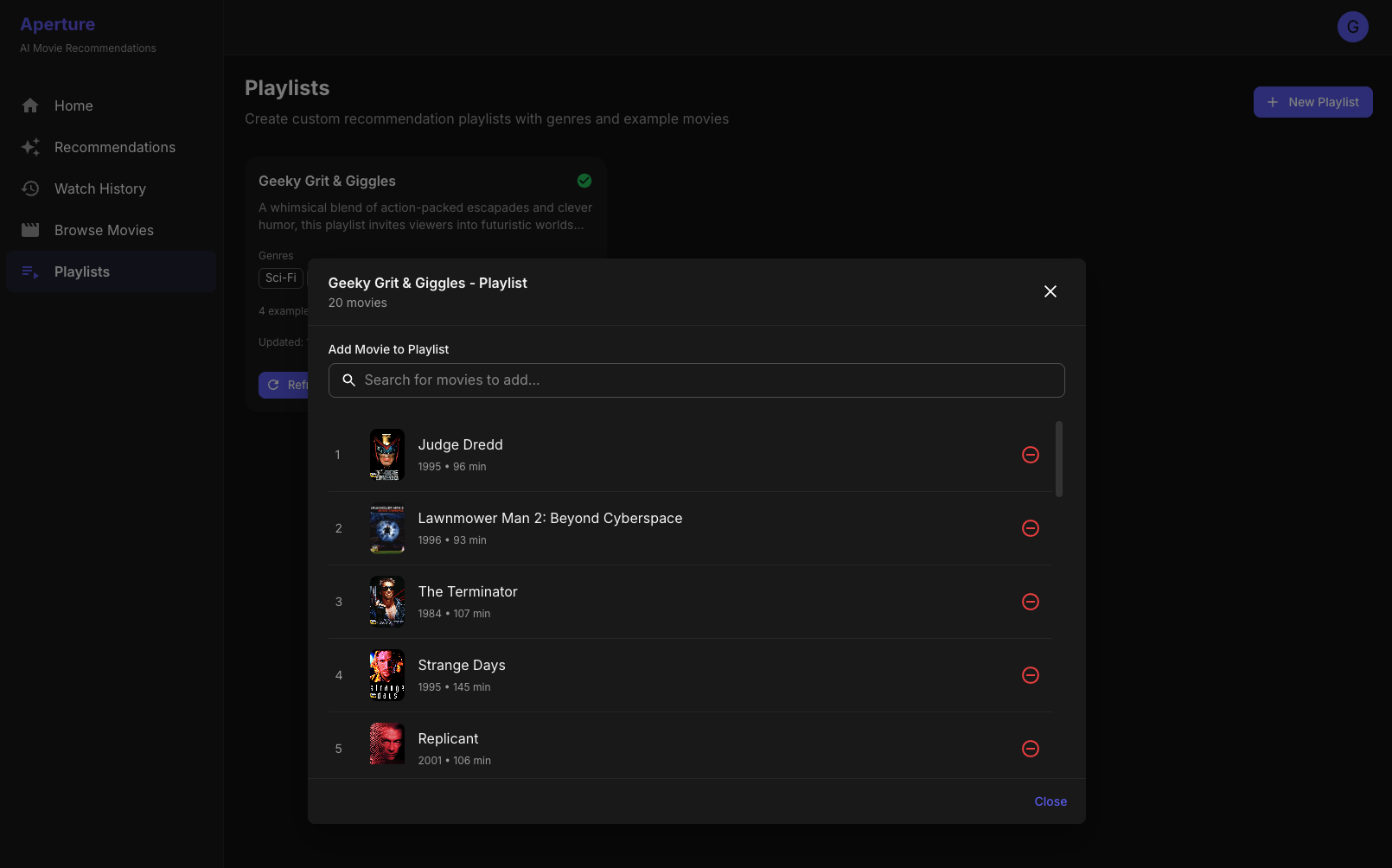
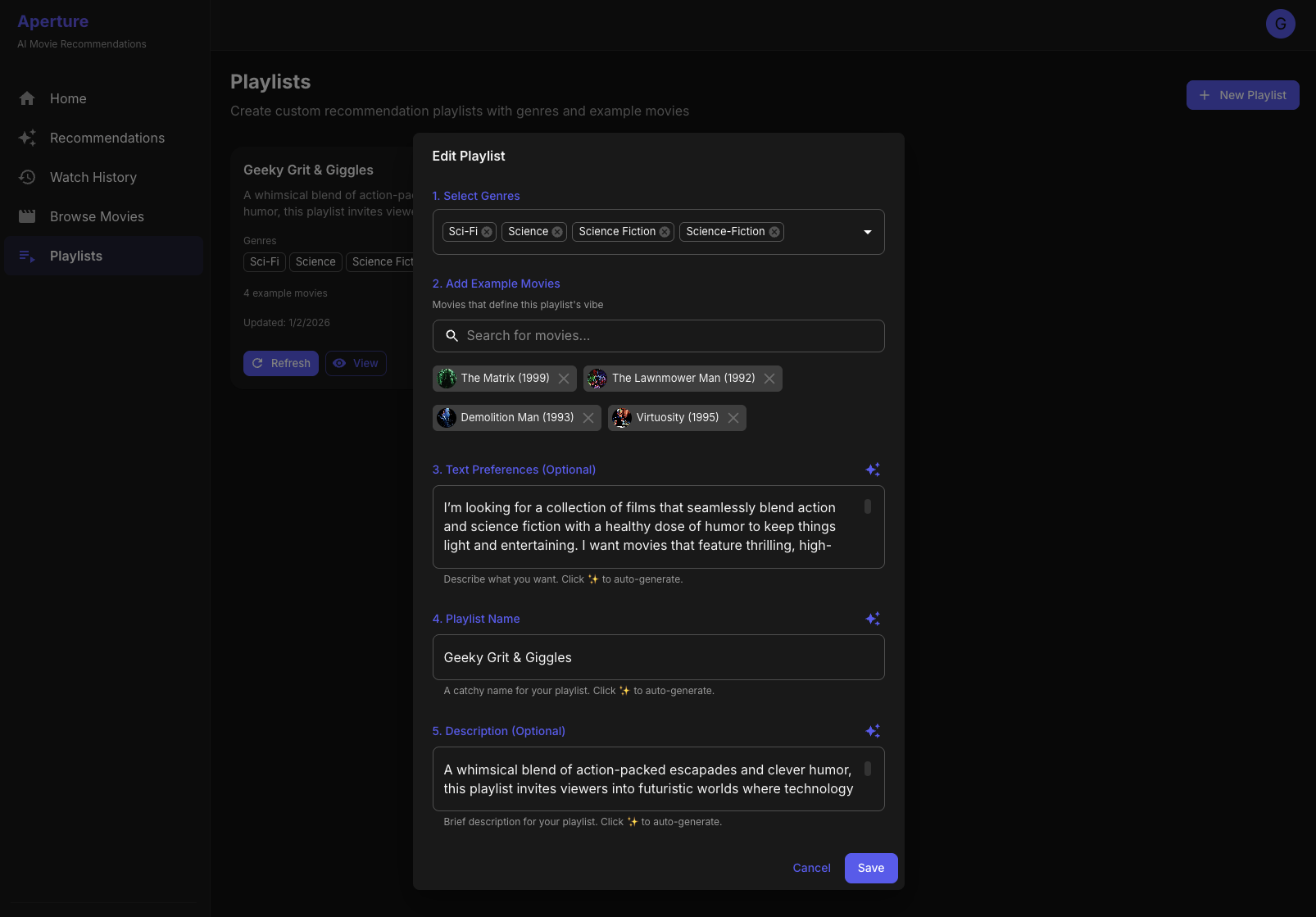
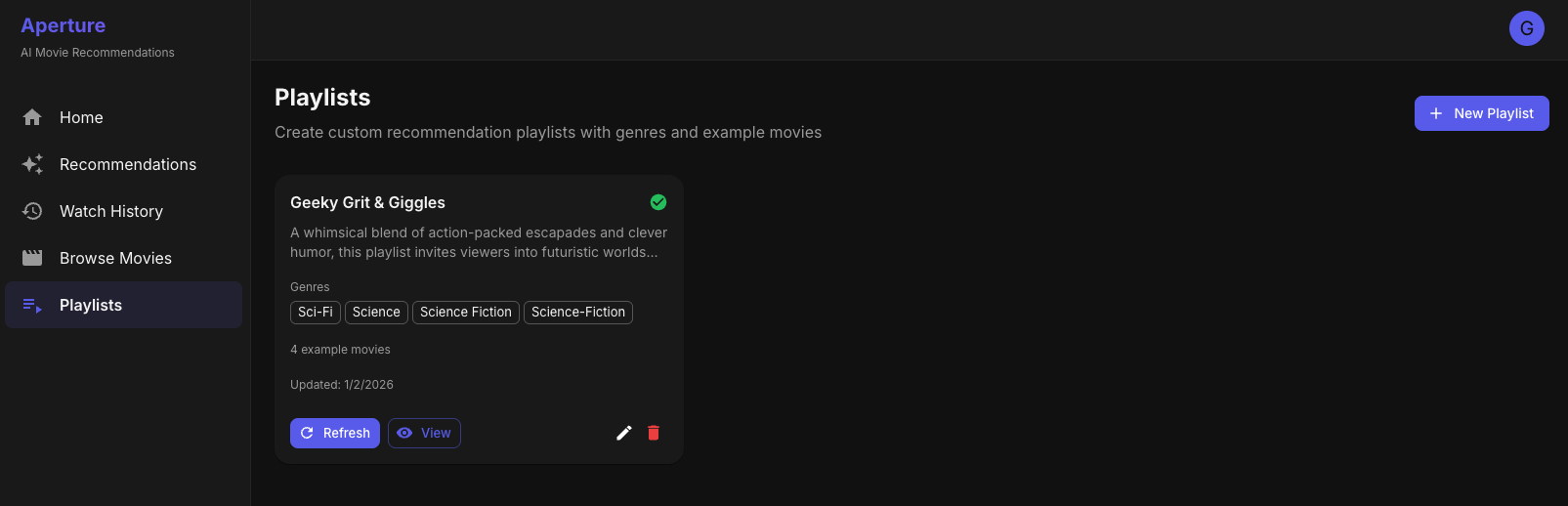
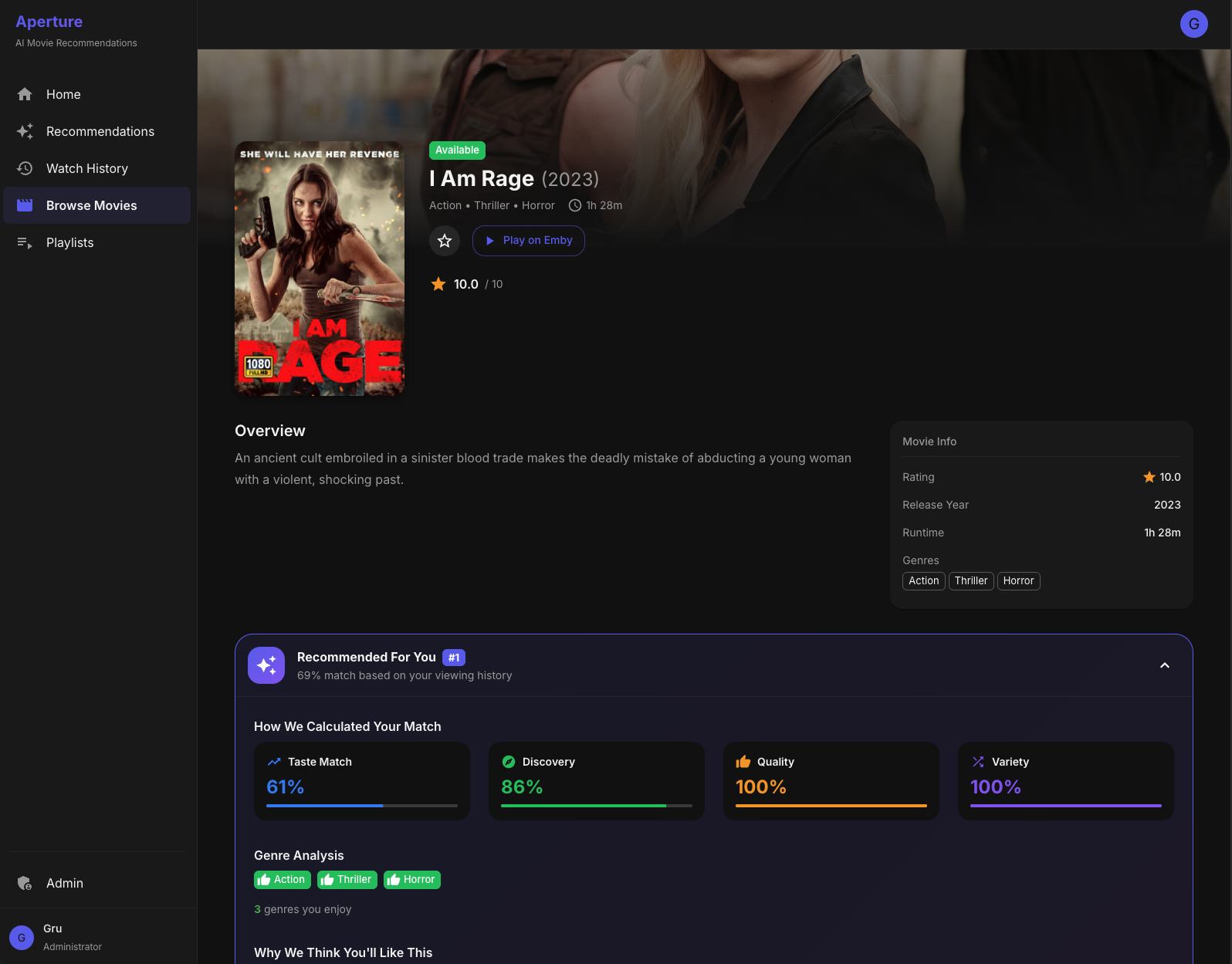
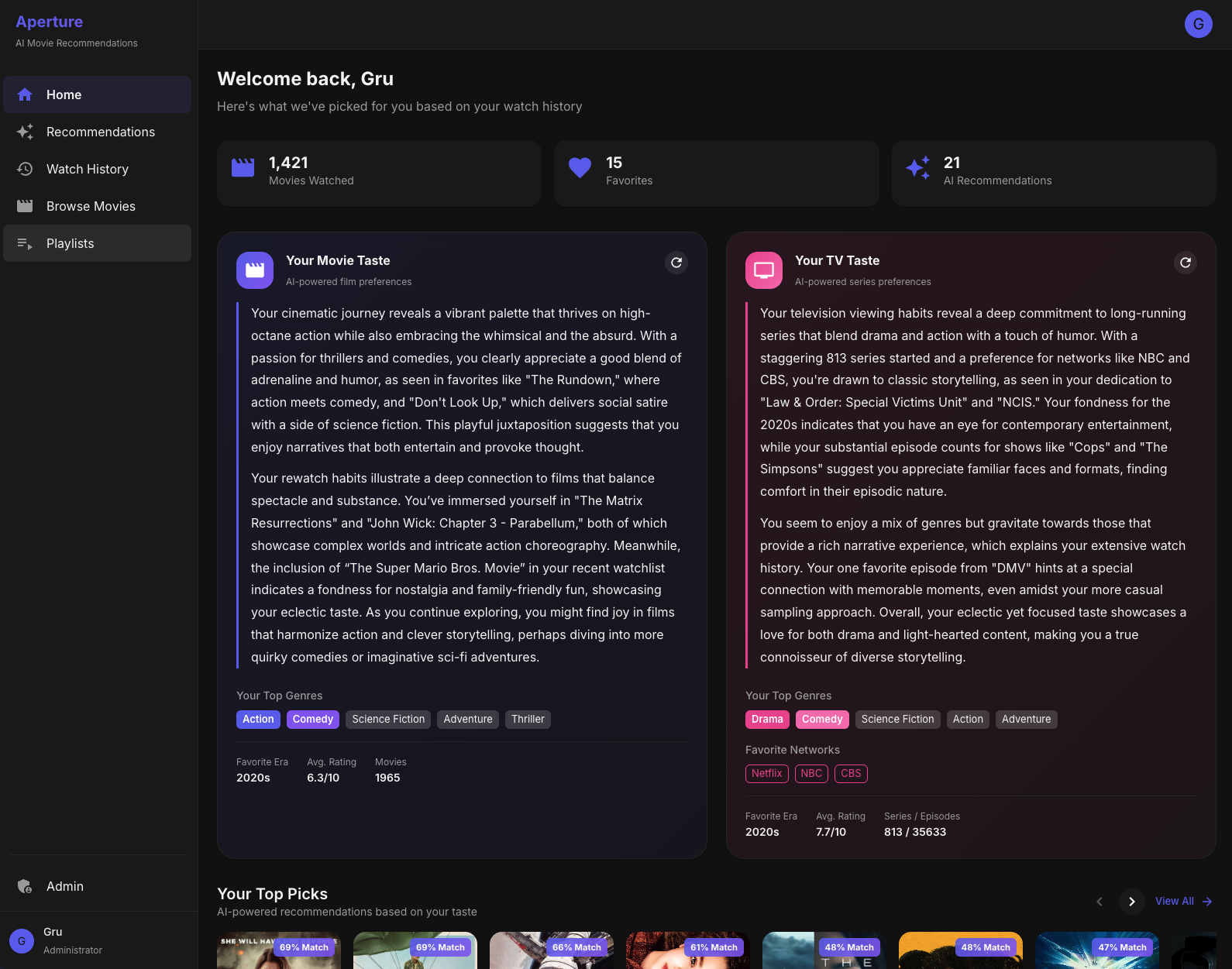
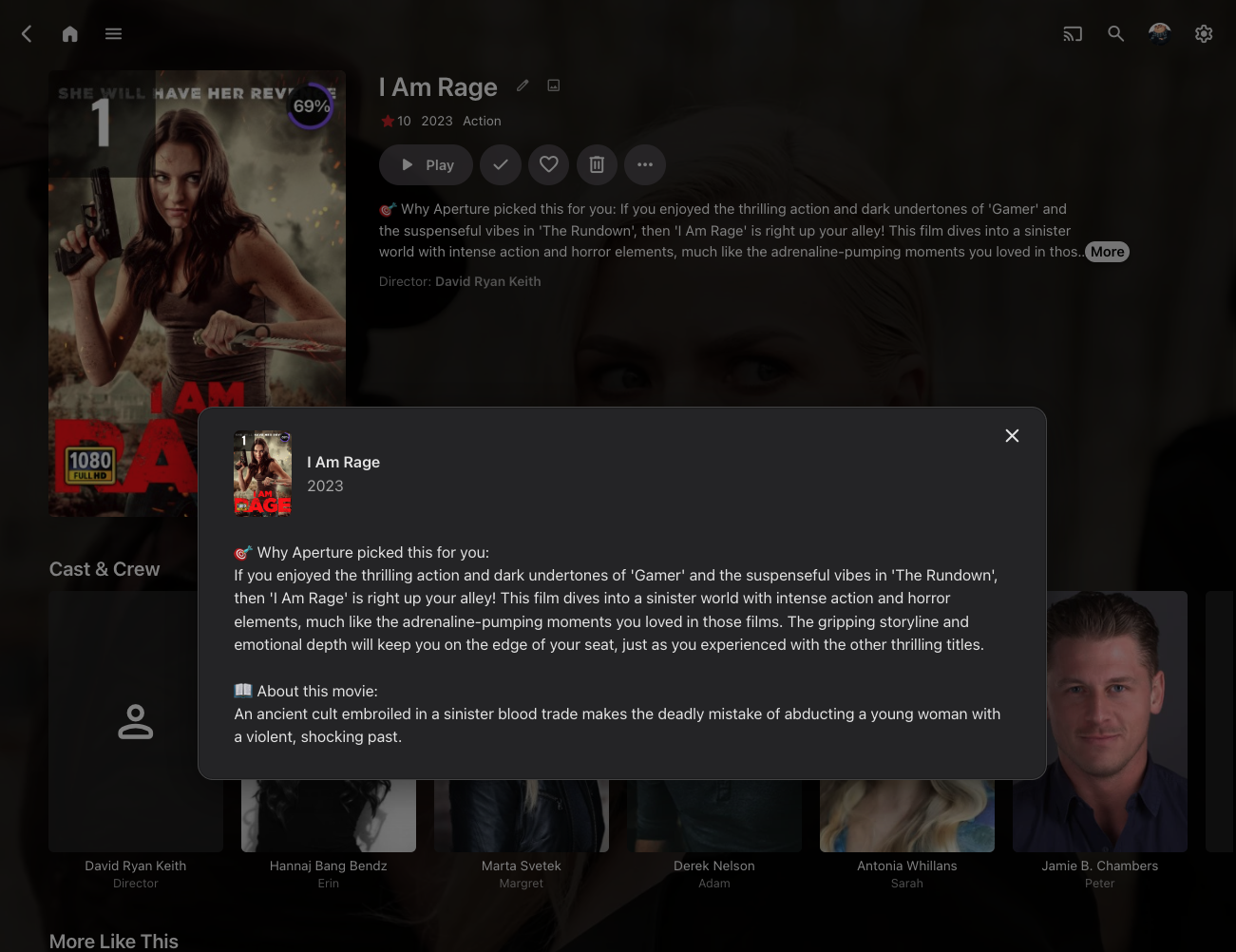
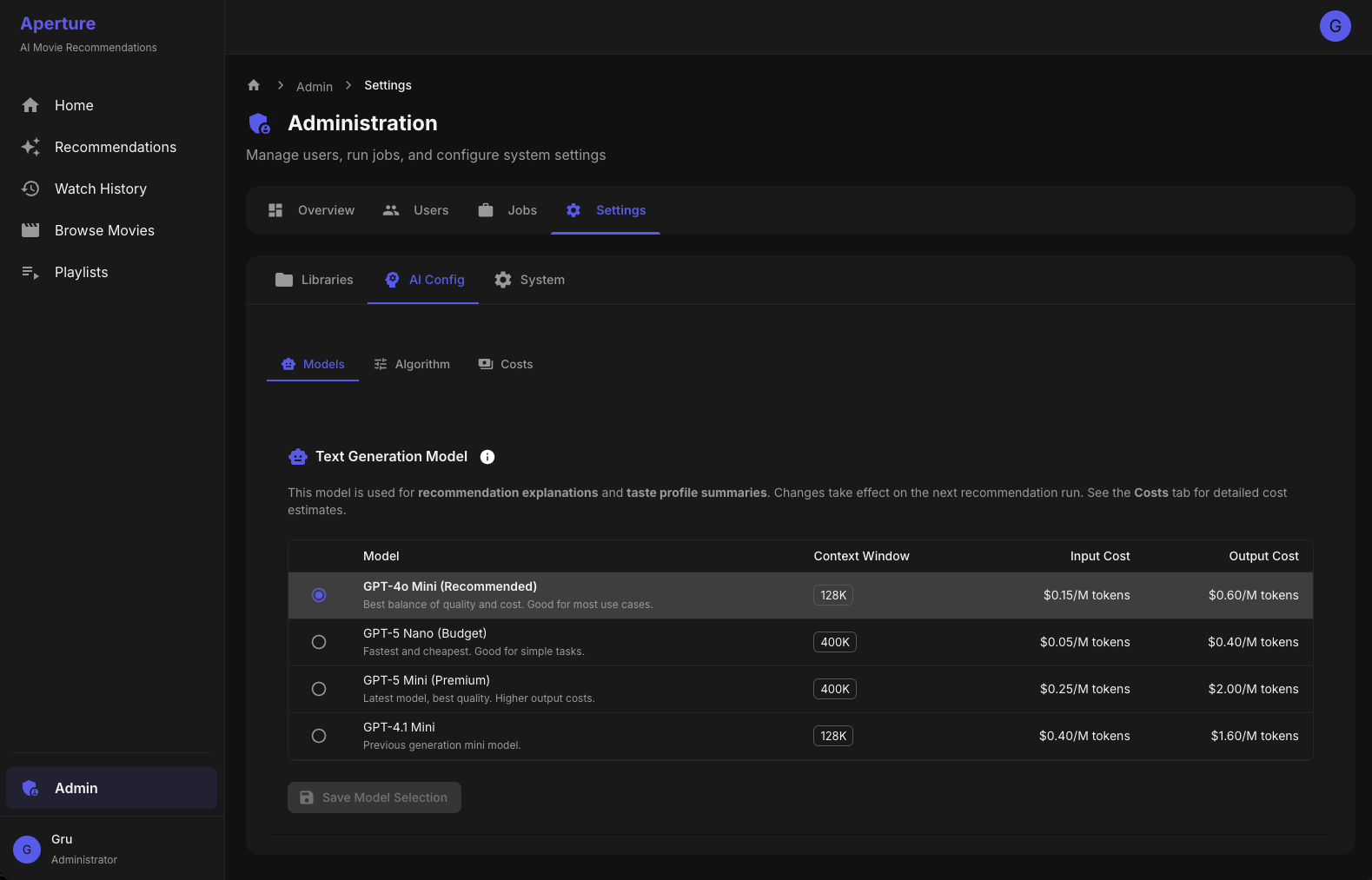
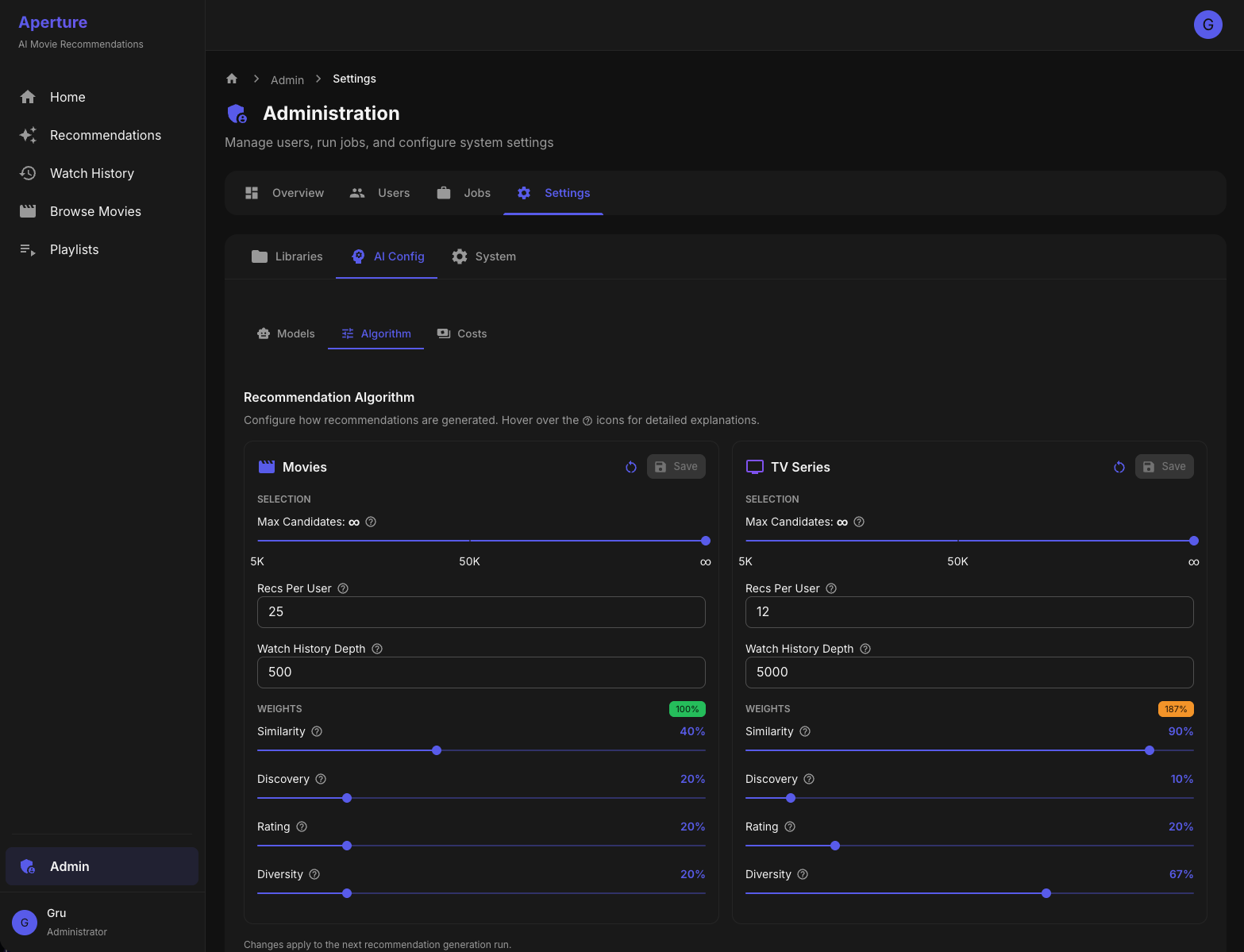
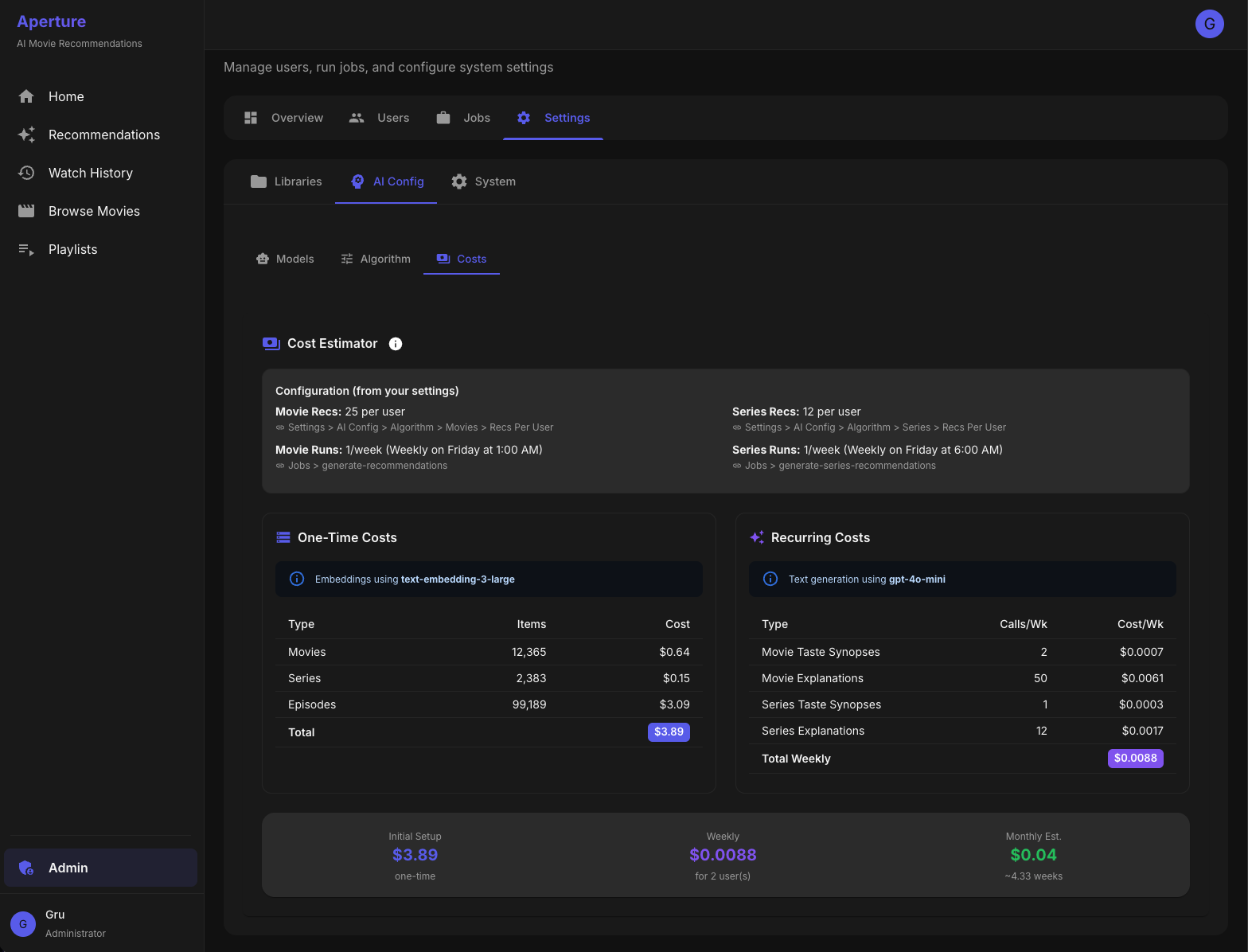
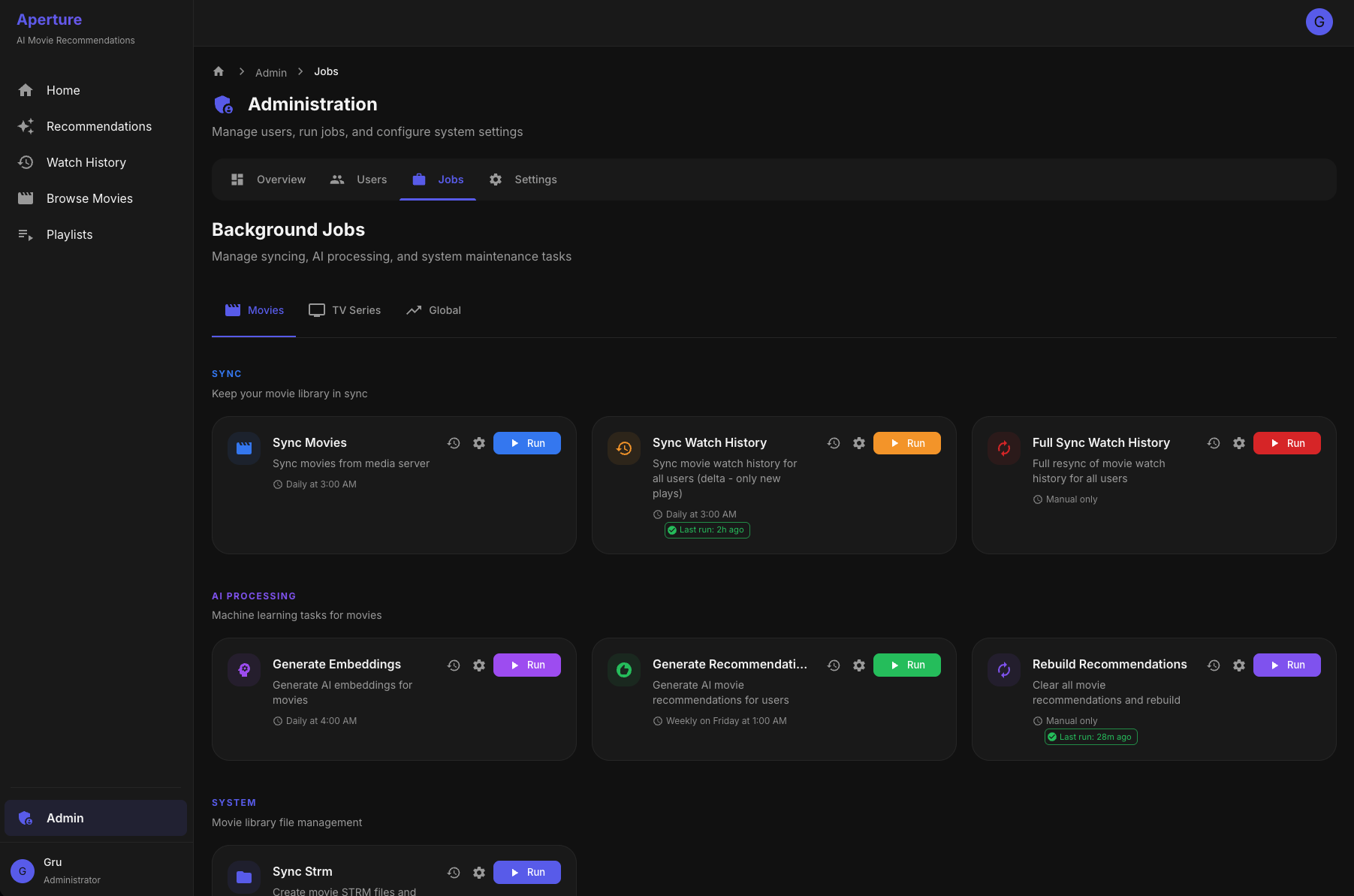
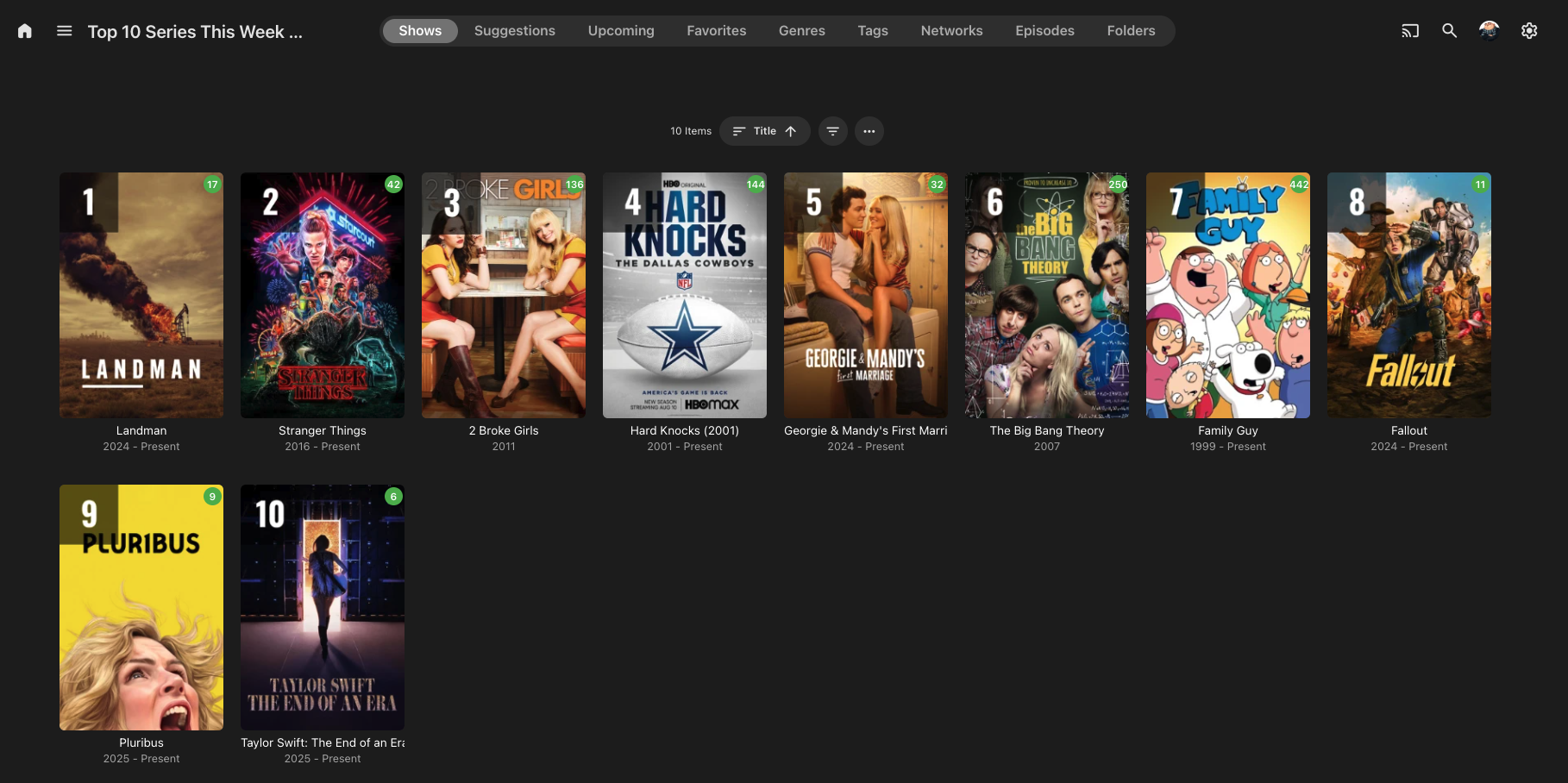
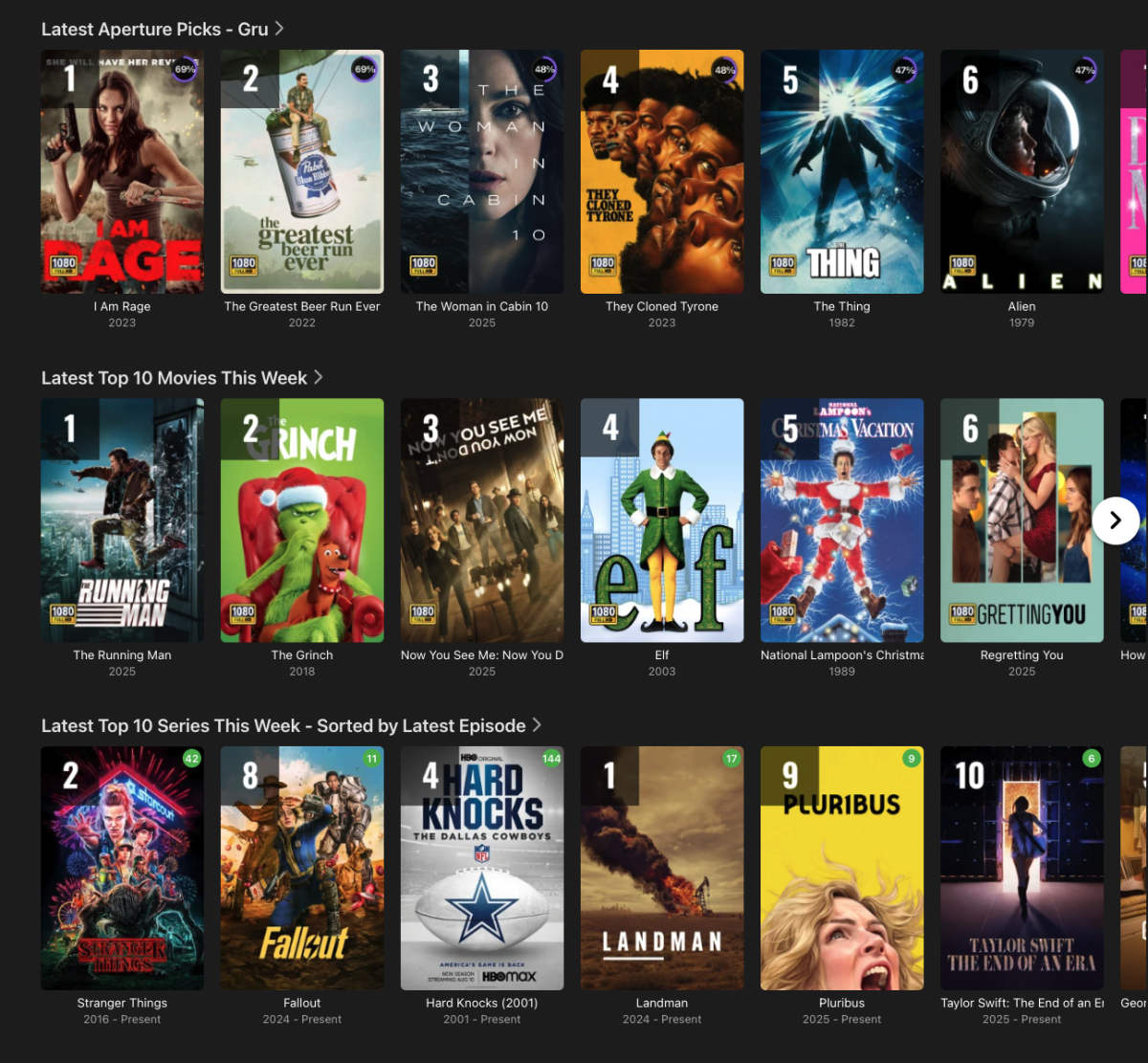
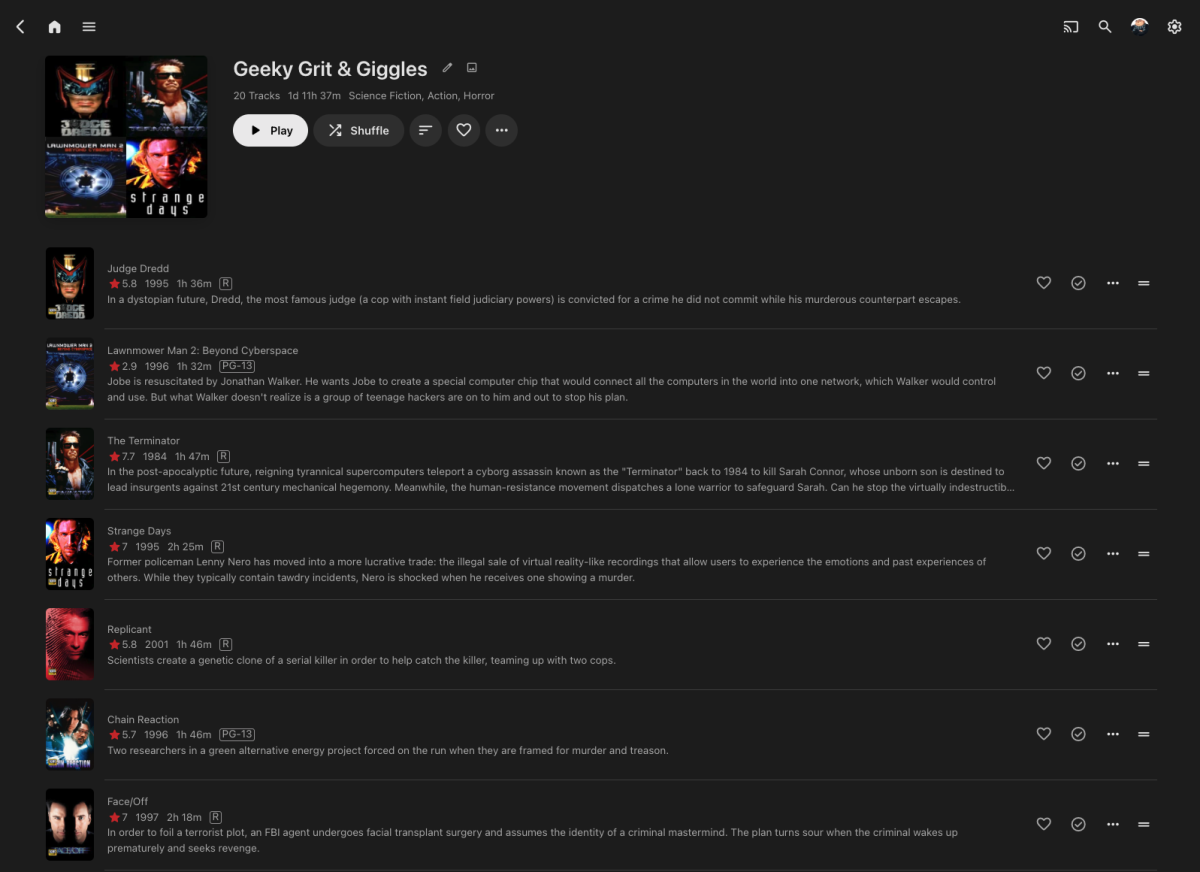
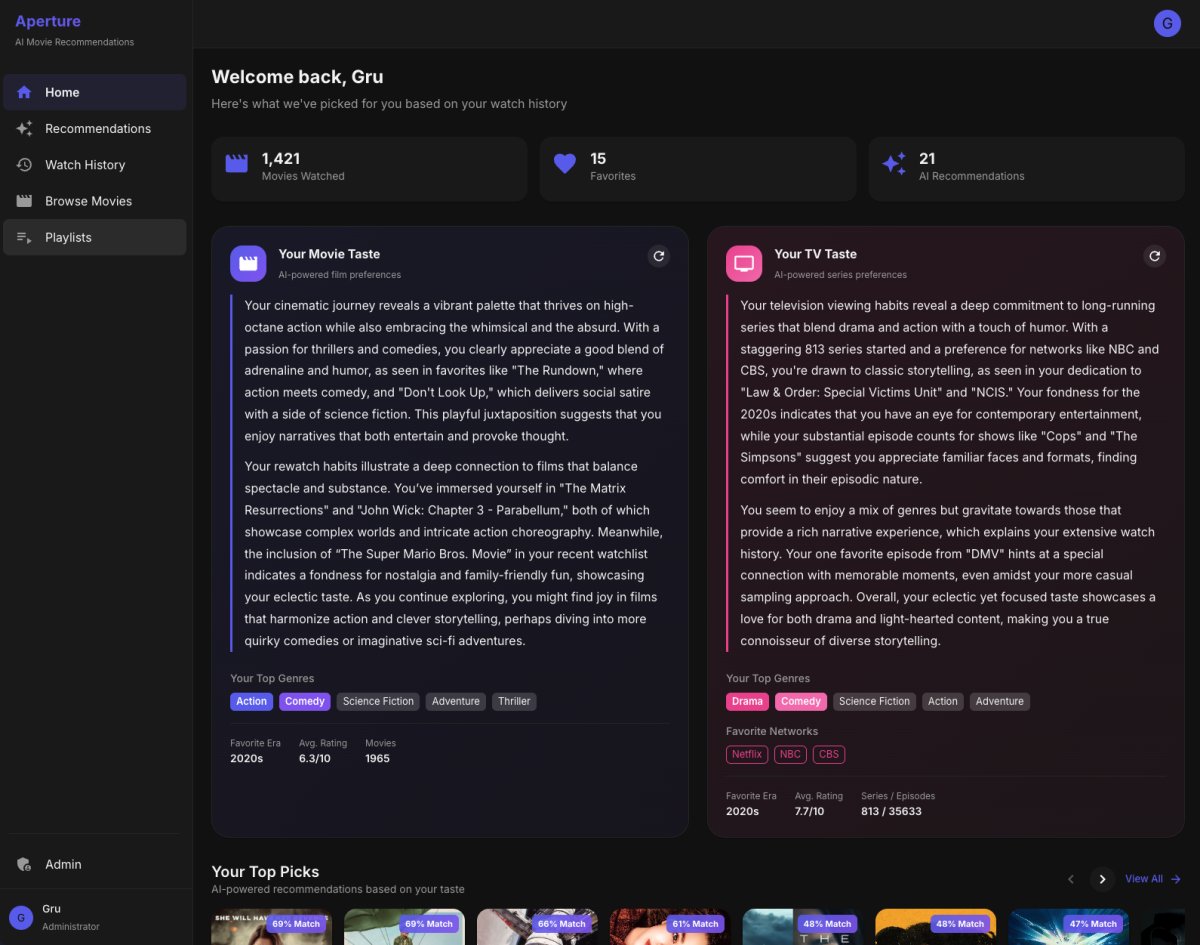
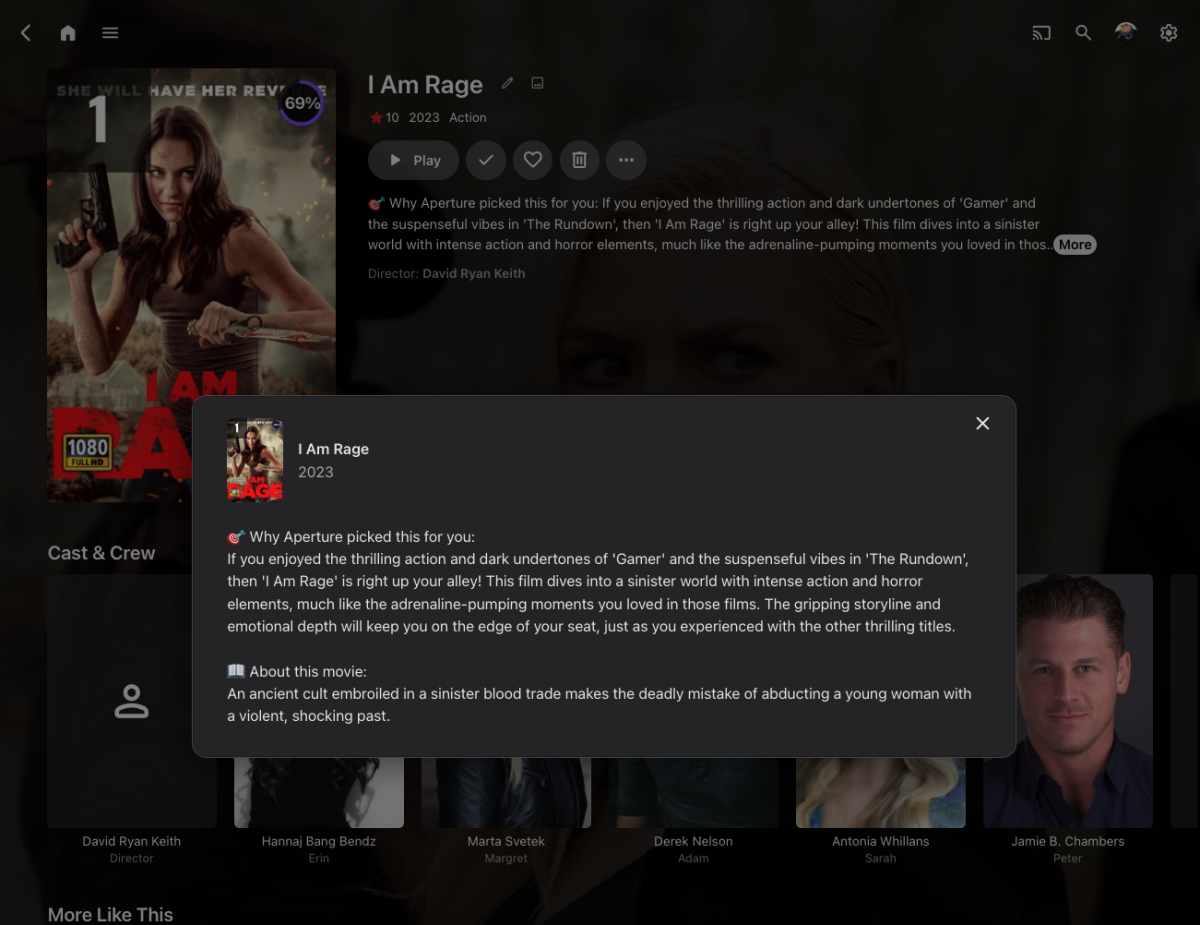
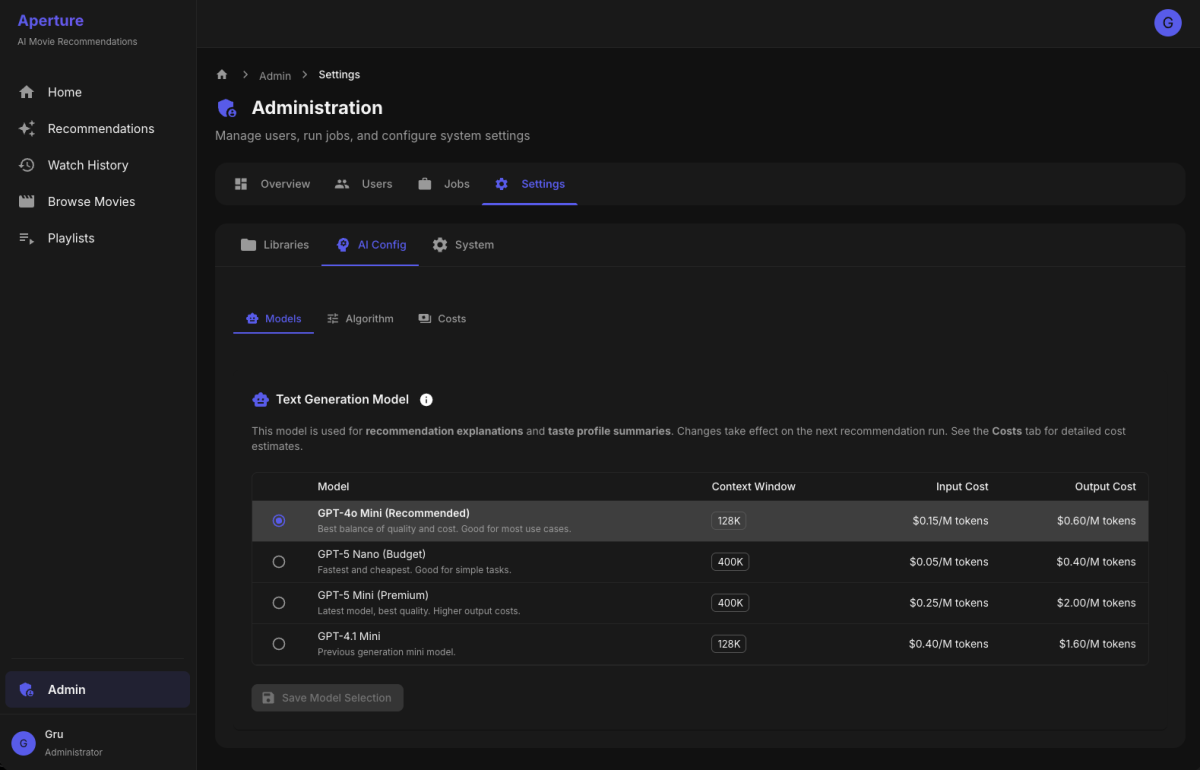
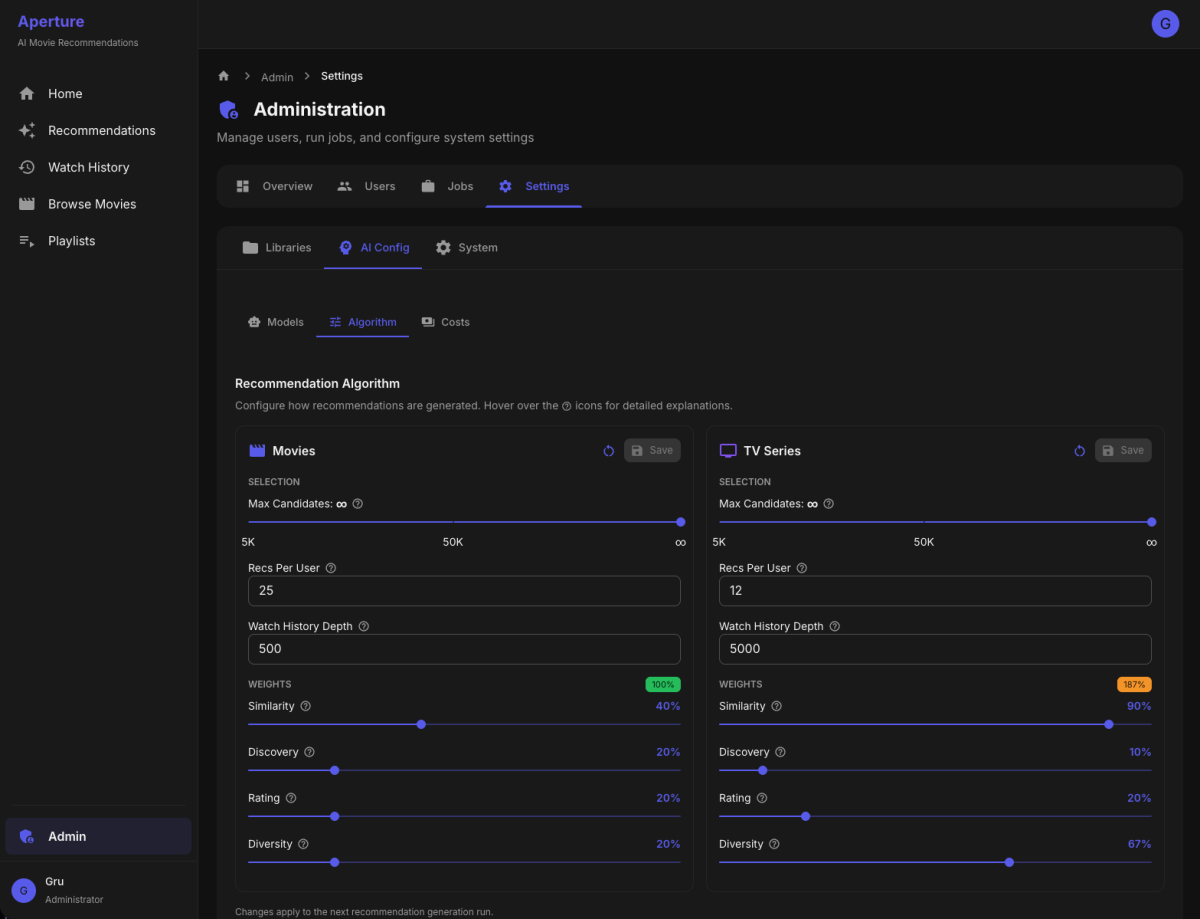
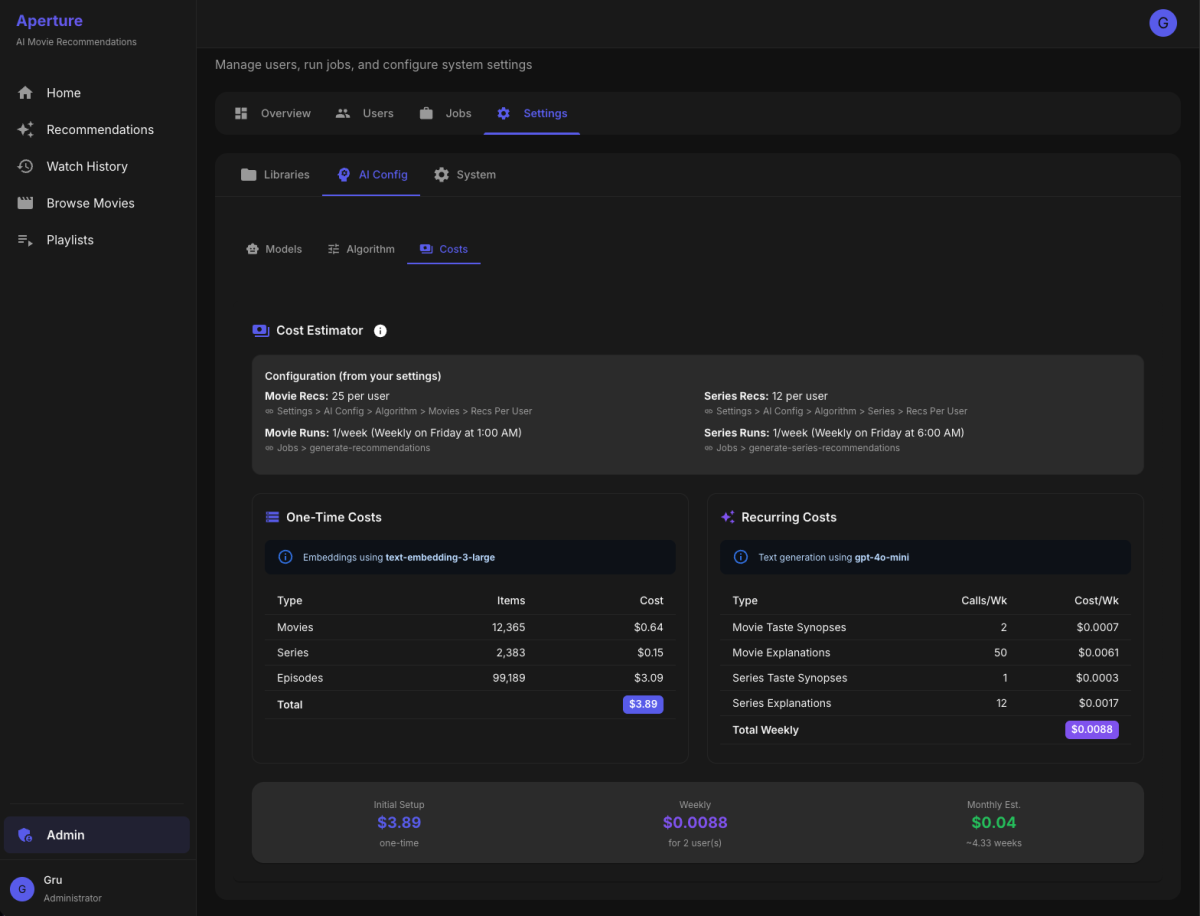
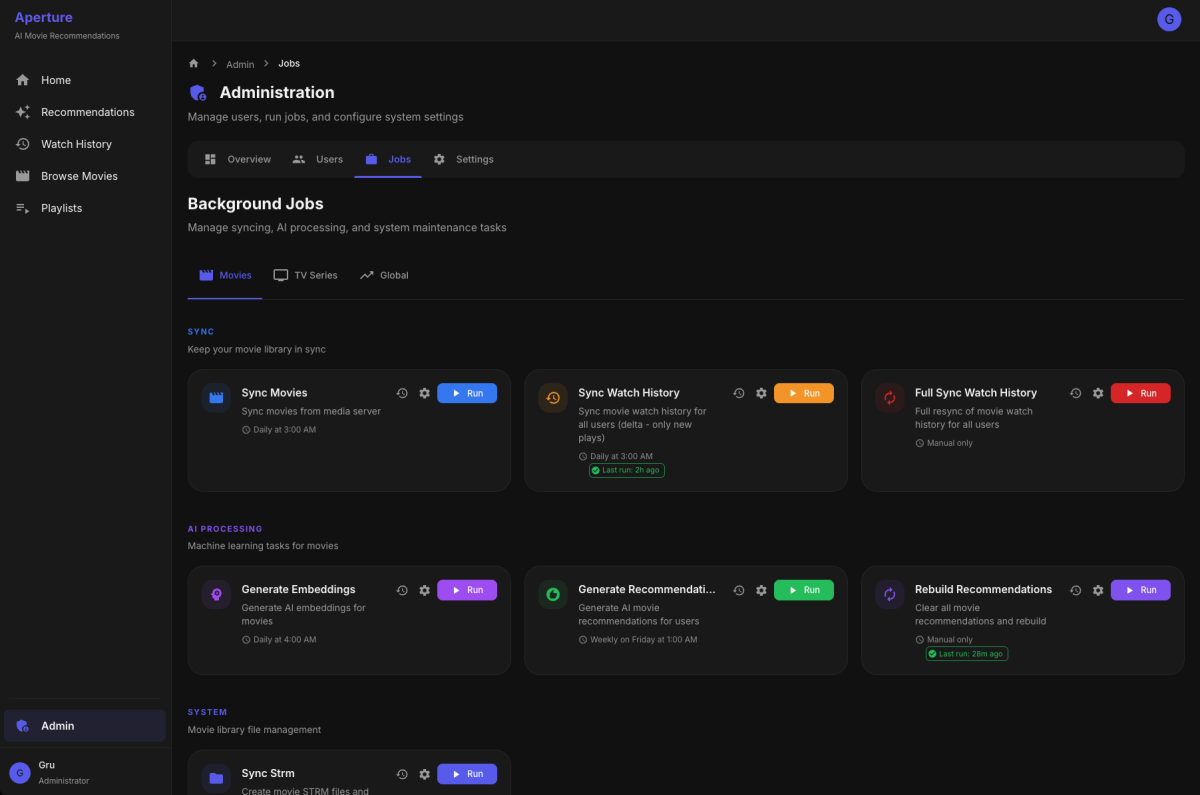
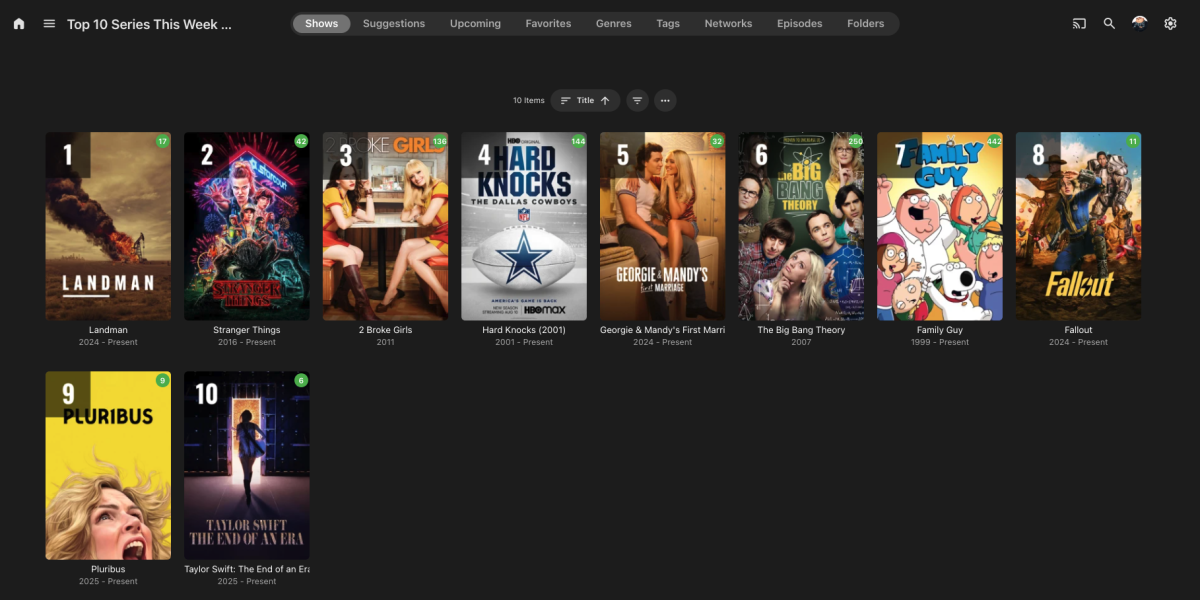
What It Does Aperture is a self-hosted recommendation engine that creates personalized "For You" libraries in Emby. It analyzes your watch history and uses AI to suggest movies and TV series you'll actually want to watch—complete with explanations for why each title was picked for you. Features Personalized Recommendations Per-user recommendation libraries - Each enabled user gets their own "Recommendations" library Movies and TV Series - Separate recommendation pipelines for each media type AI-generated explanations - Every recommendation includes a personalized "why you'll like this" explanation Ranked posters - Custom poster overlays showing rank and match percentage Exclude watched content - Option to only recommend unwatched titles Top Picks (Global) Popularity-based libraries - "Top 10 Movies" and "Top 10 Series" based on what's trending across all users Configurable popularity formula - Weighted combination of unique viewers, play count, and completion rate Time window - Only count watches from the last X days Auto-enabled for all users - Everyone sees the same Top Picks User Management Import users from Emby - One-click import of all Emby users Per-user controls - Enable/disable AI recommendations for movies and/or series independently Taste profiles - AI-generated synopsis of each user's viewing preferences (e.g., "You gravitate toward cerebral sci-fi and morally complex antiheroes...") Watch history sync - Delta sync support to only fetch new watches Algorithm Settings (Separate for Movies & Series) Recommendation count - How many titles to recommend per user Candidate pool size - How many candidates to consider before final selection Watch history depth - How many recent watches to use for taste profile Scoring weights: Similarity weight - How much to favor titles similar to user's taste Novelty weight - How much to favor titles different from what they've seen Rating weight - How much to factor in critic/audience ratings Popularity weight - How much to favor widely-watched titles Diversity factor - Ensure variety in genres/styles AI Configuration Embedding model - Uses OpenAI text-embedding-3-large for semantic understanding Text generation model - Selectable GPT model (gpt-4o-mini, gpt-4.1-mini, etc.) for explanations and taste synopses Cost estimator - Real-time cost estimates based on your library size and settings Library Configuration Source library selection - Choose which Emby movie/TV libraries to include STRM output path - Configure where recommendation libraries are written Library naming - Customize the names of generated libraries Job Scheduling All jobs support cron scheduling with these operations: Sync Movies/Series - Pull metadata from Emby Generate Embeddings - Create vector embeddings for new content Sync Watch History - Update user watch data (with delta sync) Generate Recommendations - Run the recommendation pipeline Sync STRM Files - Write recommendation libraries to disk Refresh Top Picks - Recalculate popularity rankings Monitoring Job run history - Track when each job ran, duration, and success/failure Real-time job progress - Live streaming logs while jobs run Database statistics - View counts of movies, series, episodes, embeddings, etc. How It Works Library Sync - Aperture syncs movie/series metadata from your Emby libraries Embedding Generation - Each title is converted into a vector embedding capturing its "essence" Watch History Sync - Tracks what each user has watched Taste Profile - Builds a vector representing each user's preferences Candidate Generation - Finds unwatched titles similar to user's taste Scoring & Selection - Ranks candidates and selects diverse top picks Explanation Generation - GPT writes personalized "why you'll like this" for each pick STRM Library Creation - Generates virtual library with STRM files, custom posters, and NFO metadata Tech Stack Backend: Node.js/TypeScript with Fastify Frontend: React with Material UI Database: PostgreSQL with pgvector for similarity search AI: OpenAI for embeddings and text generation Deployment: Docker The Result Users see personalized recommendation libraries right in their Emby home screen with suggestions that actually make sense—no more endless scrolling wondering what to watch next.
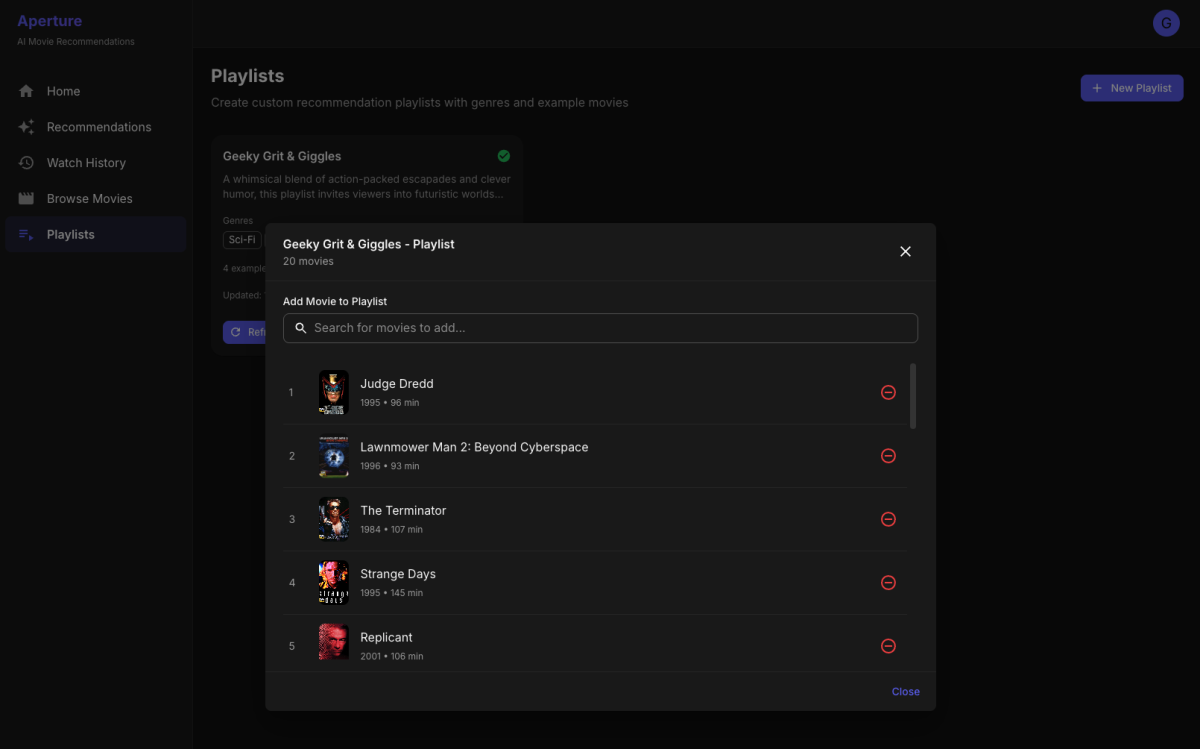
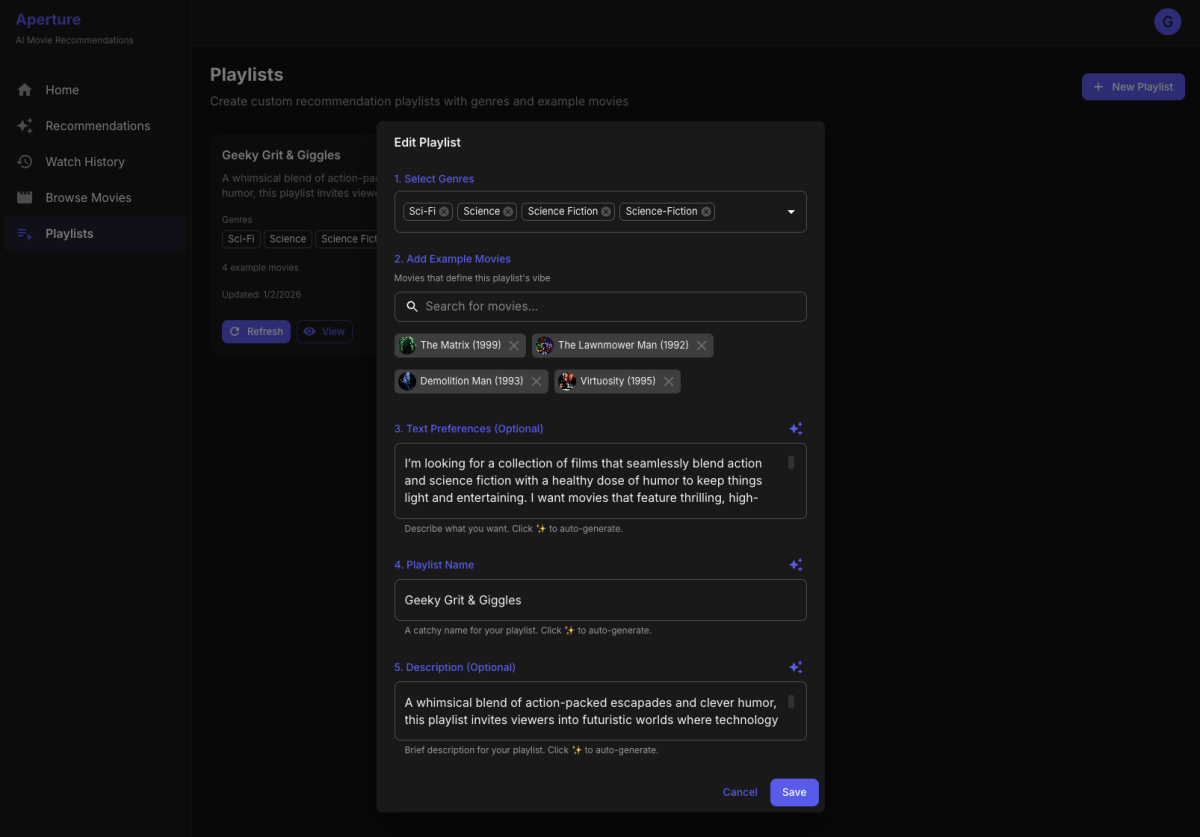
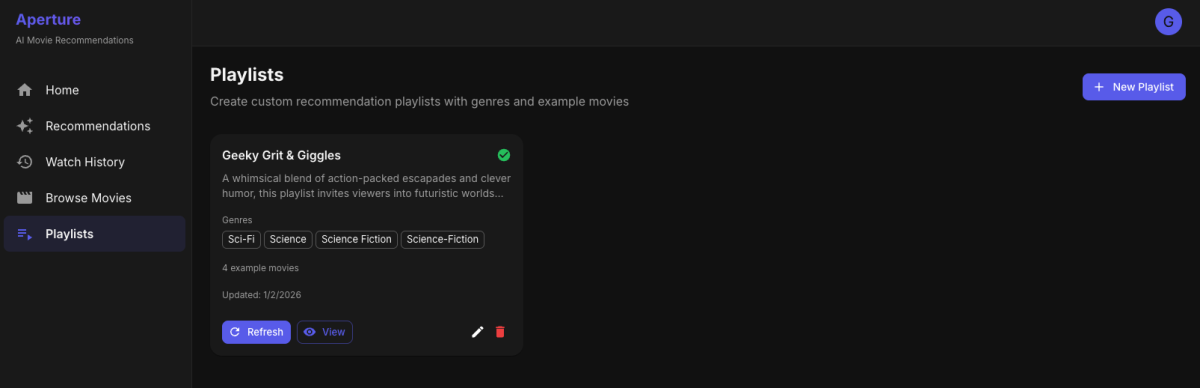
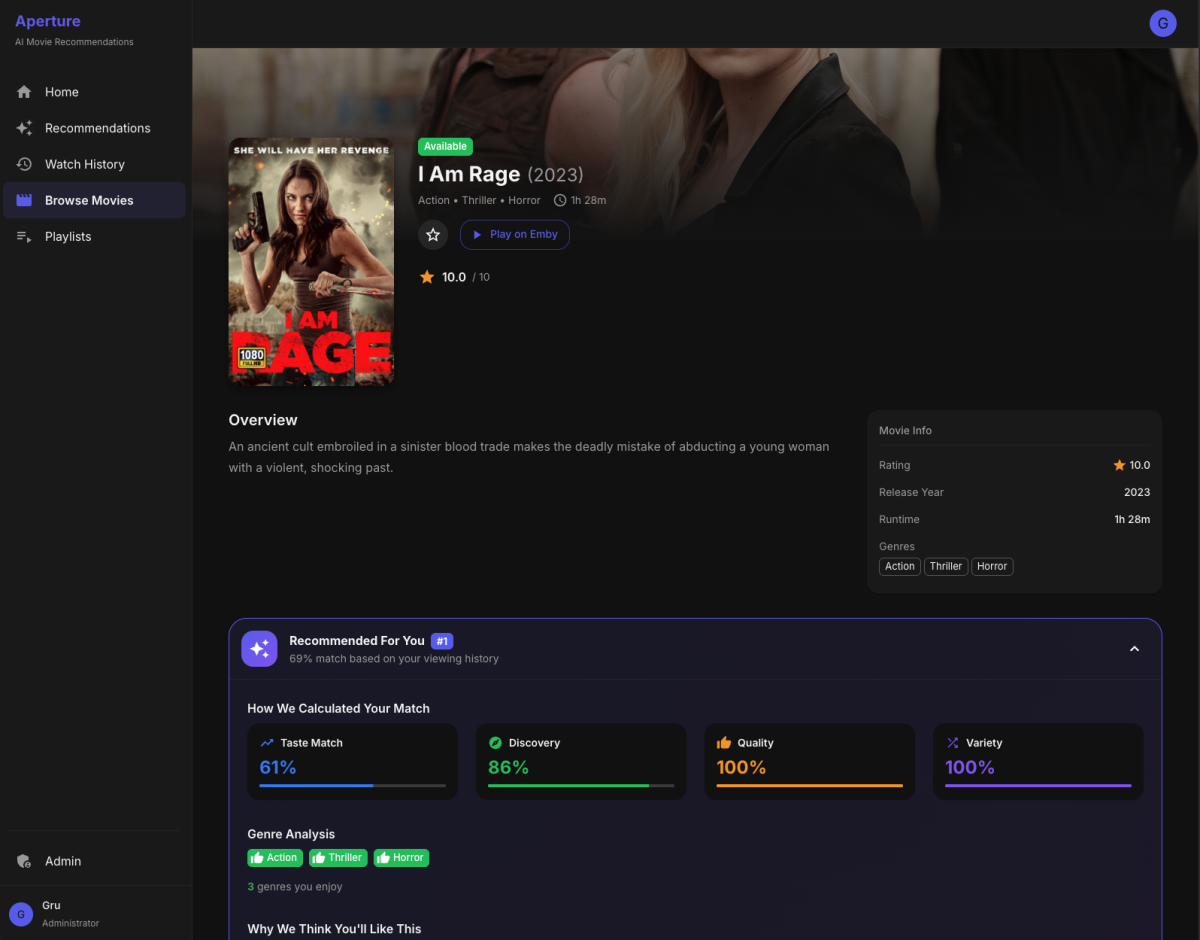
 1 point
 -
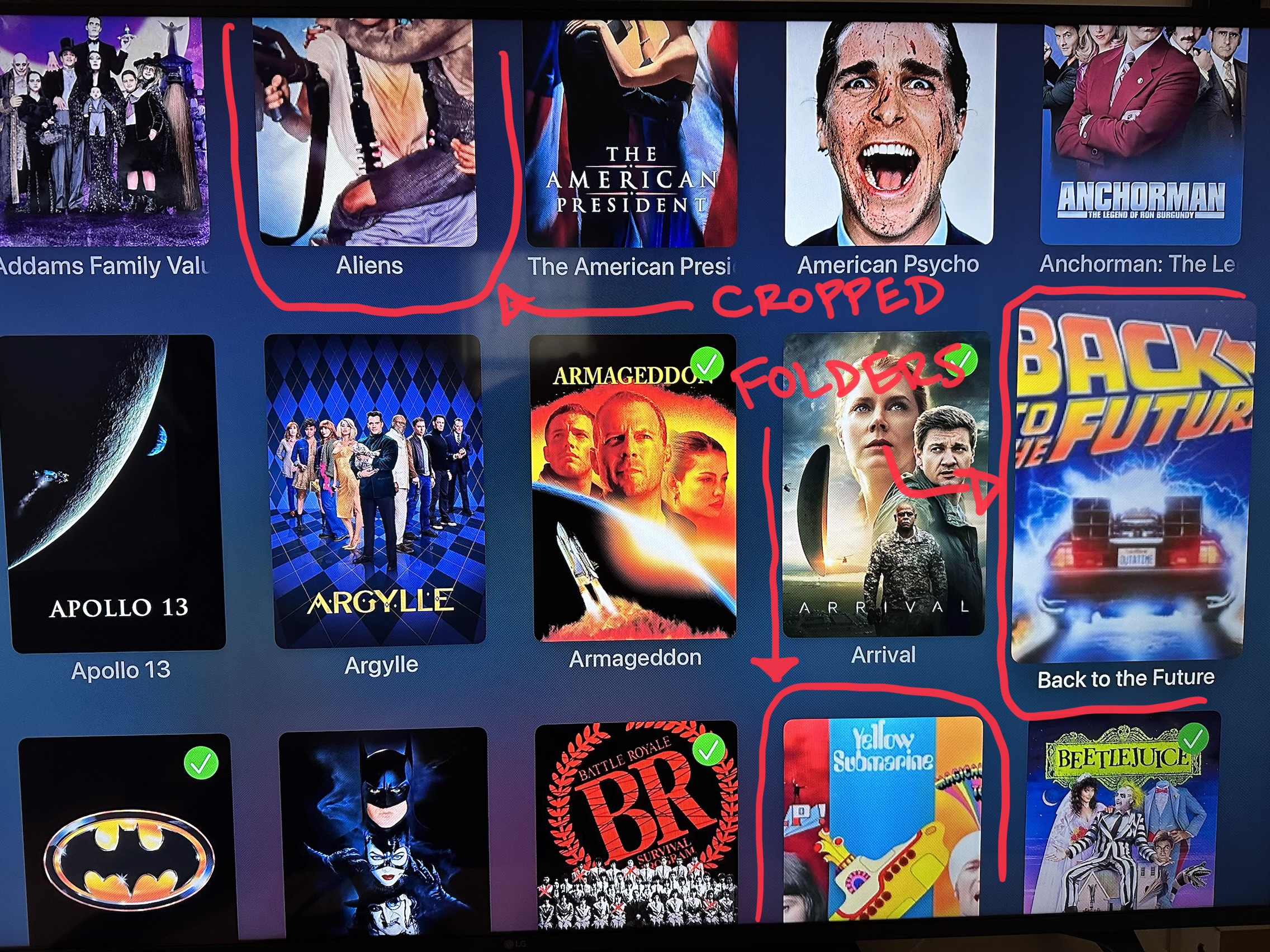
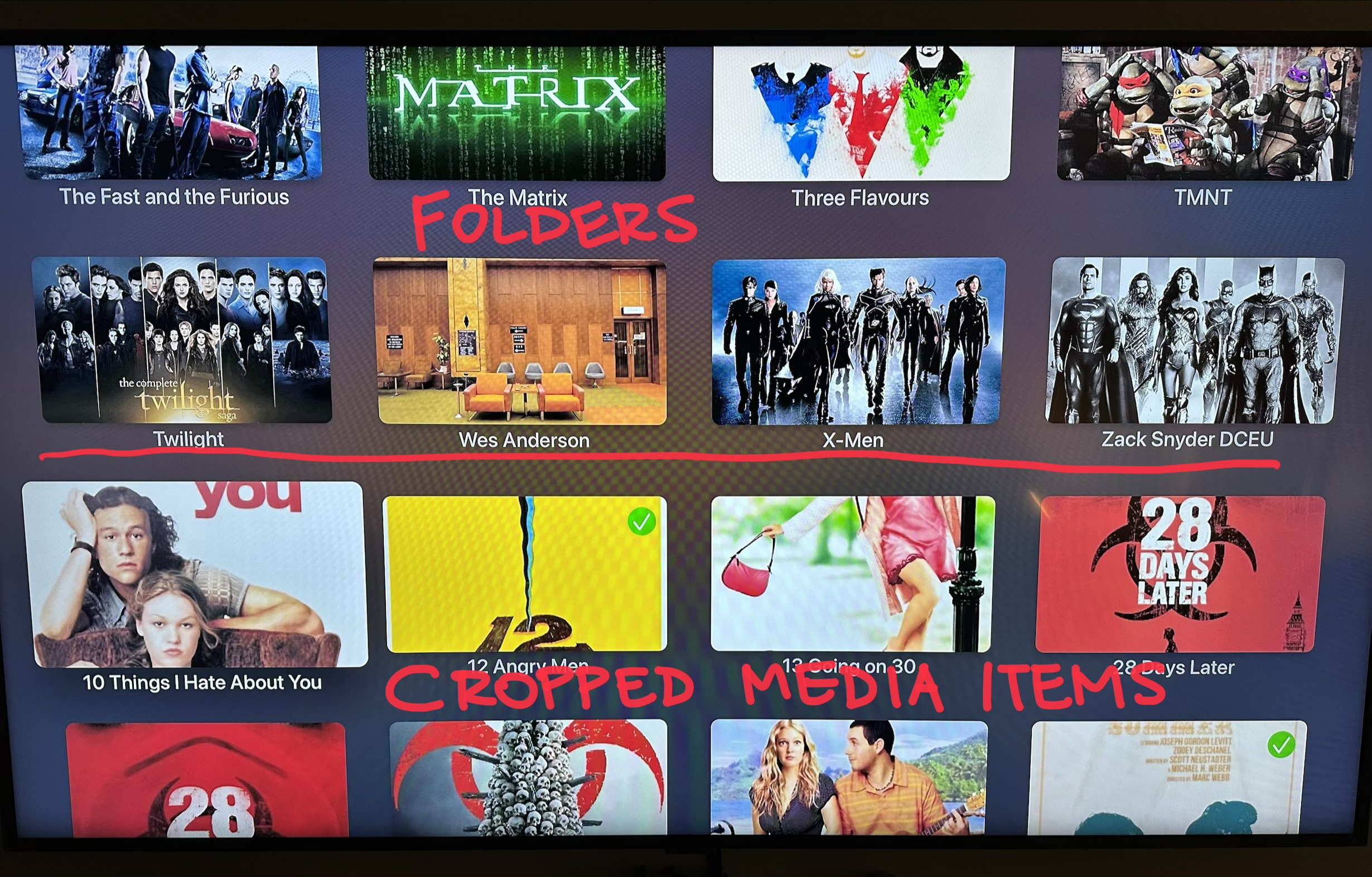
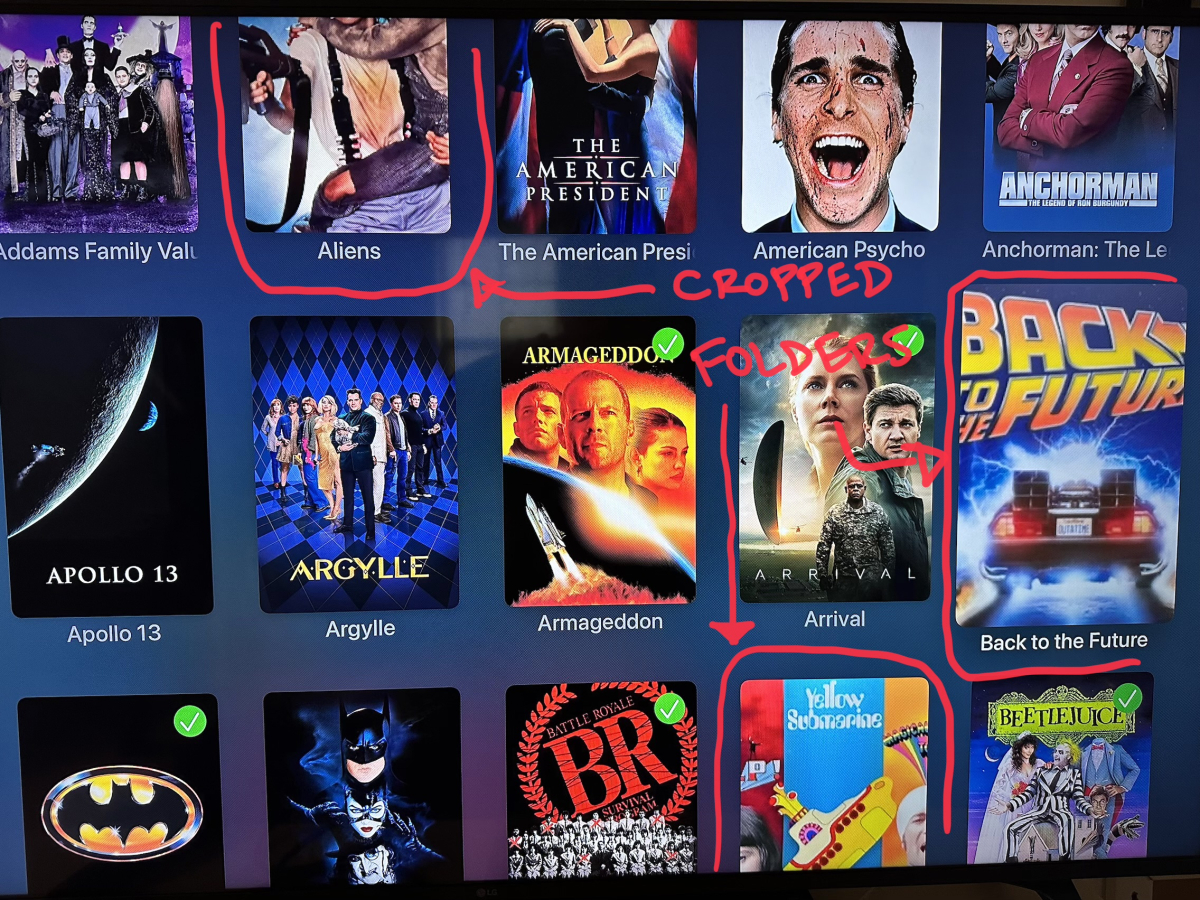
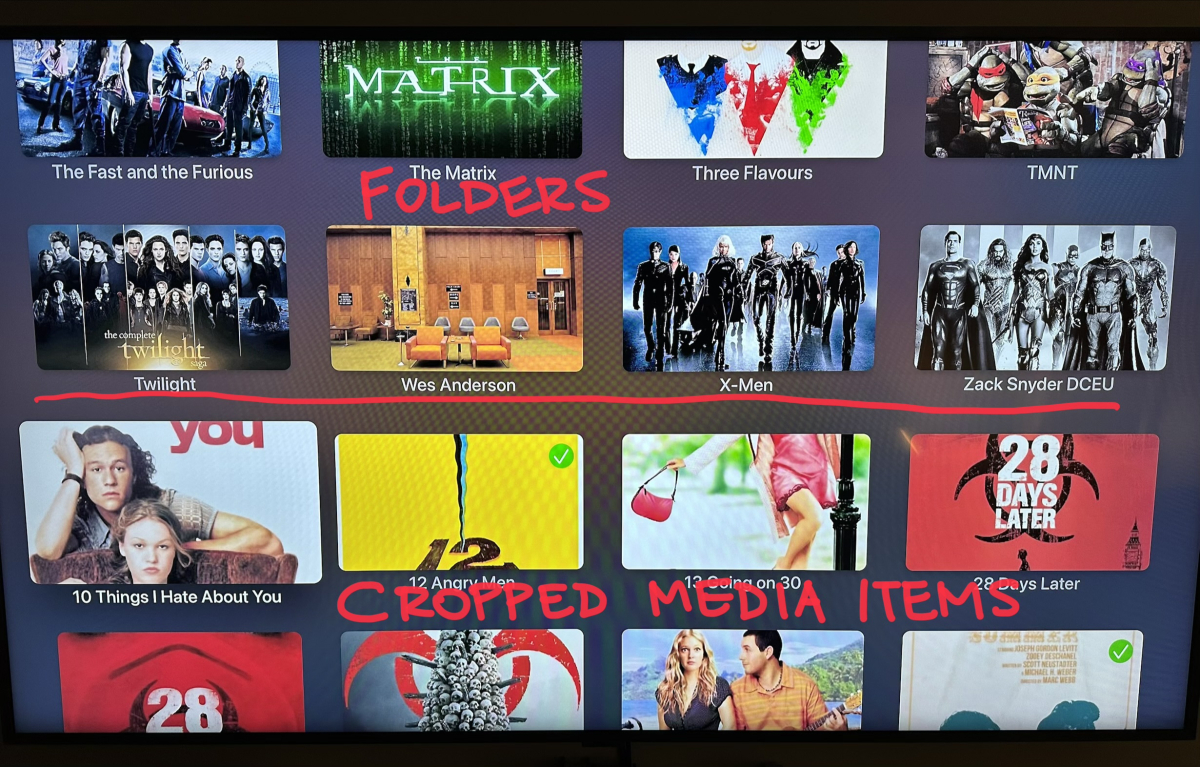
On the AppleTV Emby app I have noticed (since November) an issue when using the Folder View for Movies and/or Mixed Content Libraries. Specifically, whatever orientation the first item in the display is situated seems to dictate the dimensions for all images in the folder, which results in artwork either being cropped on the top/bottom or on each side. For instance, in my Mixed Content Library (on Folder View), when I sort by FileName, the folders are listed first (which is great) and I have custom artwork for each folder that is in landscape. Prior to November (which is when I installed Emby 4.9.1), the primary image for each item would be displayed in whatever orientation was defined (be it landscape or portrait). Since the first item in this view is landscape, all items in this view have landscape images, which crops the top/bottom on any Media Item which has a primary image as Portrait. On the flip-side, if I choose Title as the sort method, then the first item in the view is a single Media Item, which has its Primary image in Portrait orientation. But what that means is that when the view gets to my folders, with their primary image in landscape, the folder art gets cropped on the sides into portrait. My main reason for thinking this is an AppleTV issue is that the Web Interface, as well as the Emby Apps for iPhone and iPad do not behave this way. So far this has been local to the AppleTV app. I have observed it on all the AppleTVs I have used. They are all running tvOS 26.2 and the Emby App version is 2.0.3 (2). I wasn't sure if this was something other people had experienced or brought up.
 1 point
 -
@Luke Hi, I’m experiencing a consistent UI display issue on Apple TV 4K devices with the Emby app. Issue: While scrolling the Movies library and Home Screen, poster images flicker between the correct poster and a generic white logo. Happens on local and remote connections, all user accounts. Reinstalling the app does not resolve the issue. Other Emby clients (web, iOS) display posters correctly, so this appears Apple TV app-specific. Environment: Apple TV model: 4K tvOS version: 18.6 Emby Apple TV app version: 2.0.1. (7) Emby Server version: 4.8.11.0 Steps to reproduce: Open the Movies library or Emby Home Screen on Apple TV. Scroll through the movie posters. Observe flicker between poster and generic image. Additional notes: Issue occurs consistently on two Apple TV 4K for all users, local & remote connections. Reinstalling the app and switching networks do not help. Short video of the flicker attached. Performance of all HW components is good, and with all other clients browsing is very fast and displays correctly. In addition, when scrolling through the movie library fast (long press "arrow down") it stops every few seconds, even if I did not reach the end of the list yet. Then I need to press "arrow down" again for it to continue. Sometimes it does not continue to the end at all and I need to exit the screen and try again. Request: Any guidance or confirmation if these issues are known bugs would be appreciated. Thanks! IMG_0876.MOV1 point
-
The Emby app keeps transcoding my AV1 video instead of playing it directly, as it used to do. I’m curious to know what I did wrong. the dashboard say convert to compatible codec. emby ipados ver2.2.46 ipad m1(m1 not support av1decode but its can direct play with older emby app version) its directplay with ip16(support av1) just fine1 point
-
As of EMBY server update to version 4.9 the folder view has change to a "windows explorer" like structure in which single item movies are not display as movies anymore but as folders. This is being discuss here: So the official request is to go back, or at least implement a legacy view, so we can have the folder view we've been having since the beguining of time. Thanks1 point
-
I've decided to try my hand at creating a dashboard that will allow you to control multiple servers in a single pane of glass. I originally designed it to work for Emby but then added Plex and Jellyfin support as my "oh, this seems interesting" factor grew. I know there are Dashboards for each platform, but none seem designed around multiple servers. So this project will display all your servers, how many viewers, detail about their sessions, etc. You can scan libraries and even search for users/media that are active across all servers. I'm finding it a hoot to play with so I thought I'd share it if anyone wants to give it a go. My thought behind this was to quickly see connected users and be able to search by a username and find out which server they are on, what kind of container they are watching - quickly for troubleshooting. Yes, the built in dashboards are FAR more extensible, but this was originally conceived as a Home Assistant dashboard I could have running on a tablet. I'm *not* a coder - I have some "better than basic" understanding of PHP but I'm an old dude and therefore behind the times. I did make use of the "Jules" platform to assist in the coding. Bascially, please be gentle, I'm sure there are 1000 ways for this to be improved ... I just wanted to play an little and try to give something back to a community I care so much for. The project is on GutHub @ https://github.com/Tophicles/dash - screenshots and docs are there.1 point
-
Are there plans to add Theme Videos to Apple TV?1 point
-
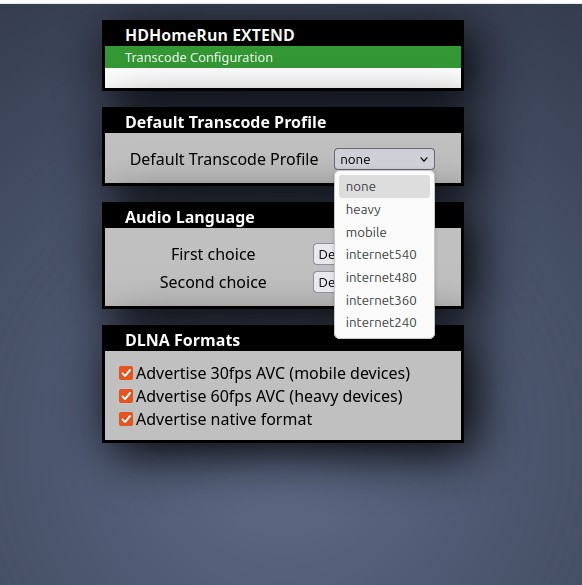
I appreciate everyone trying to help out with this! It appears that the only way to fix this is to disable the transcode function in the HDHomerun. See attached. I had it set to "heavy" by default which seemed to work with Plex but didn't with Emby. (I just didn't see a need for a full bandwidth MPEG-2 ATSC stream, so I thought it was better to have the Extend transcode. But by setting the HDHomerun to "none" then Emby will stream TV channels in 720p/1080i. Thanks for your help everyone!
 1 point
 -
I've been converting media files on my Emby server which works fine, it's just slow because I don't have the hardware on there like I do on my PC. Enter this script, which is designed to match Emby conversion settings and allows for processing multiple files at once. Designed to use a GPU for processing. You could use Handbrake, but then you have to move files around. This just finds the video files, converts them using ffmpeg, and can replace the old file to keep your library clean. There's some flags you can add as well such as changing the quality and parallel processing to speed things up. https://github.com/wpbryant/emby-conversion1 point
-
I would love to be able to force CPU encoding for conversions. Hardware transcoding is great for handling multiple real-time streams with low latency, but is not ideal when it comes to archival purposes. cpu-based encoding for conversions is preferrable (for those with the resources to handle it) as it offers better bitrate efficiency and overall more consistent, higher quality encodes. Especially when encoding to lower bitrates, there is a noticeable increase in quality when using software/cpu based decoding&encoding.1 point
-
Yes that is how the Apple TV+ app does it, it only shows when swiping. It would be nice to have the option for both swiping and clicking.1 point
-
Mostly that seems to be: - Release new feature that the Devs or "Commercial" Customers want - Spend multiple releases fixing regression issues caused by lack of proper testing process - Spend refactoring code for this weeks newest release of .NET1 point
-
Luke, Thanks for your response. I'm really enjoying Emby. I've just about got everything that I had on Plex moved to Emby. The flexibility of Emby is very well received.1 point
-
Okay, I just have to deactivate subtitles and it runs smoothly1 point
-
3D Does'nt work, 2D works quite well. In the end i have used Skybox VR with my SMB share, which works great for 3D movies.1 point
-
Con remuxear se refiere a "convertir" el archivo mp4 a mkv. No es tardado ya que no recodifica nada, solo cambia el contenedor donde están las pistas de video y audio tardara aproximadamente lo mismo que tardarías en copiar el archivo. Una de las maneras fáciles diría que es usando MKVtoolnix GUI. A manera sensilla es abrir el programa, arrastrar el archivo a la ventana y darle abajo en el botón de "Start Muxing"1 point
-
Stranger and stranger.. since that last batch I haven't gotten any more. I have changed NOTHING since the first go around. Time will tell...1 point
-
Hey Luke! I confirmed Emby was on that version last night and in my initial plays, it was no longer happening. I think its safe to call this one closed and if I see it again, I'll grab another log for you. Appreciate you and the team for the quickly addressing the issue!1 point
-
If you are in need of the media file or some other information related to this issue feel free to contact via pm! Thanks!1 point
-
Hi Luke, I have installed both beta client and server on RpI5, will try it out in the coming days and post what i found in the Beta feedback forum, but so far everything looks sweet1 point
-
Hi, No this is just a code that you run from your terminal/command prompt at the moment. My ambition is to make it into a fully functional plugin, but that is beyond my knowledge and lack of time is also a factor.. Anyway.. Download the file “auto_tag.py” and place it wherever you want on your computer. Edit the file in a text editor according to the setup instructions. I have left a few examples in the code for both Trakt and MDBlist. Then run the code by typing “python3 /path/to/the/file/auto_tag.py”1 point
-
A short video of it in action.... MultiDash.webm1 point
-
Thanks @Lukethats what I thought and had setup. Everything was fine until i added that expansion to the primary NAS and lost the libraries for some reason, been a week now and it's all rebuilt finally1 point
-
Try the different video quality presets under Video Player, I believe it's Balanced by default. Energy efficient might work better for that device.1 point
-
Just trying the beta now (used THIS). Surprisingly, Dolby Vision and HDR10+ are working on my SDR screen with tone mapping on client side instead of server side (which is nice!) Atmos and DTS:X working using HDMI audio pass-through without issues. System used, a not-so-new laptop (MSI PS42 8RB with an i7-8550U + nVidia MX150) on the latest stable Bazzite build, plugged into an Onkyo AV receiver for the audio pass-through test. I don't have an HDR capable screen on hand, so I can't test that part. Tons of dropped frames on some difficult videos (8K using direct play and stuff like that), but I'd say that it's mostly the laptop's fault (not powerful enough).1 point
-
HI, yes it supports both HDR and passthrough. I would check out the plethora of video settings in the app.1 point
-
hi, yes, we are still looking at this. Thanks.1 point
-
Opensubtitles.org is shutting down for good. Opensubtitles.com will be the forward option. Emby already made the transition. So this is a notice for all not using the Emby plugin. OpenSubtitles.org API - Final Shutdown Notice - OpenSubtitles forum1 point
-
Regarding the points raised about the Recency Factor, I would hesitate to enforce this strictly. In Emby, "Recently Added" items are already in the spotlight, as most users sort by date added or have "Recently Added/Released" sections on their home screens. To me, the primary value of an AI recommendation engine is discovery—finding content I wouldn't normally see without scrolling endlessly through the library. While a bias toward recent releases might suit general audiences, it doesn't apply to everyone. I think it makes more sense to profile a user's watch history based on preferred decades and adjust suggestions accordingly. For example, it doesn't make sense to apply a heavy weight to a new John Wick movie just because it’s "new," especially if that user has a long history of watching exclusively 60s Film Noir or 80s Horror B-movies. Regarding Reducing Repeat Surfacing: This could be problematic depending on the user's viewing habits. Not everyone binges content. Many family members might only watch a couple of movies a week at most; some might not log in for weeks, while others watch daily. If the scheduler runs every few days and applies a "cooldown" penalty to items just because they were suggested in a previous run, who wins? The casual viewer might miss out on a great recommendation simply because they didn't log in fast enough to see it before the system cycled it out.1 point
-
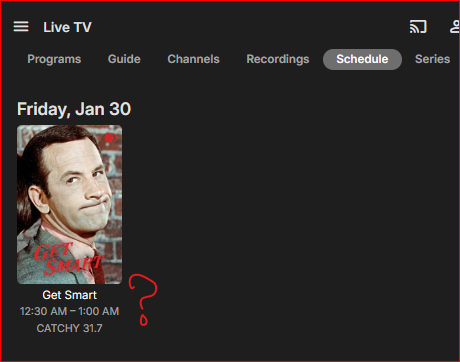
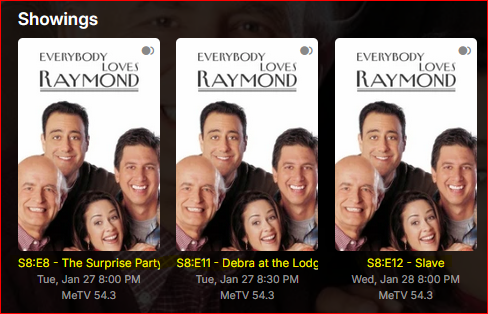
Add season, episode, and title information to shows on Live TV > Schedule page, just like it is shown everywhere else.
 1 point
 -
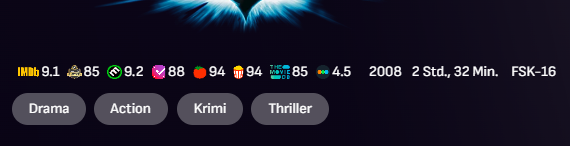
@Pejamas But as always...just working in Web Client and just with modifying Emby server webfolder files and scripts that scrape MDBList and TMDB. It could be so easy.
 1 point
 -
Just to set some expectations for those running the full sync - expect 3 days for the full sync to proceed in this order (these were my times from a Canada location): 1. Local Channels = 45 min (for All Canada) 2. Music = 13 hrs 3. Talk = 23 hrs 4. Sports = 3.5 hrs 5. By Location = 23 hrs 6. By Language = 30 min (English) 7. Podcasts = 6.5 hrs 8. Favorites = 1 min At the rate of 20 queries per minute (1 query per 3 seconds), that was roughly 86000 queries for my full sync!1 point
-
Hi, we haven’t gotten any new info from them yet but it’s also not yet March either. But as we get closer we can ask them for an update.1 point
-
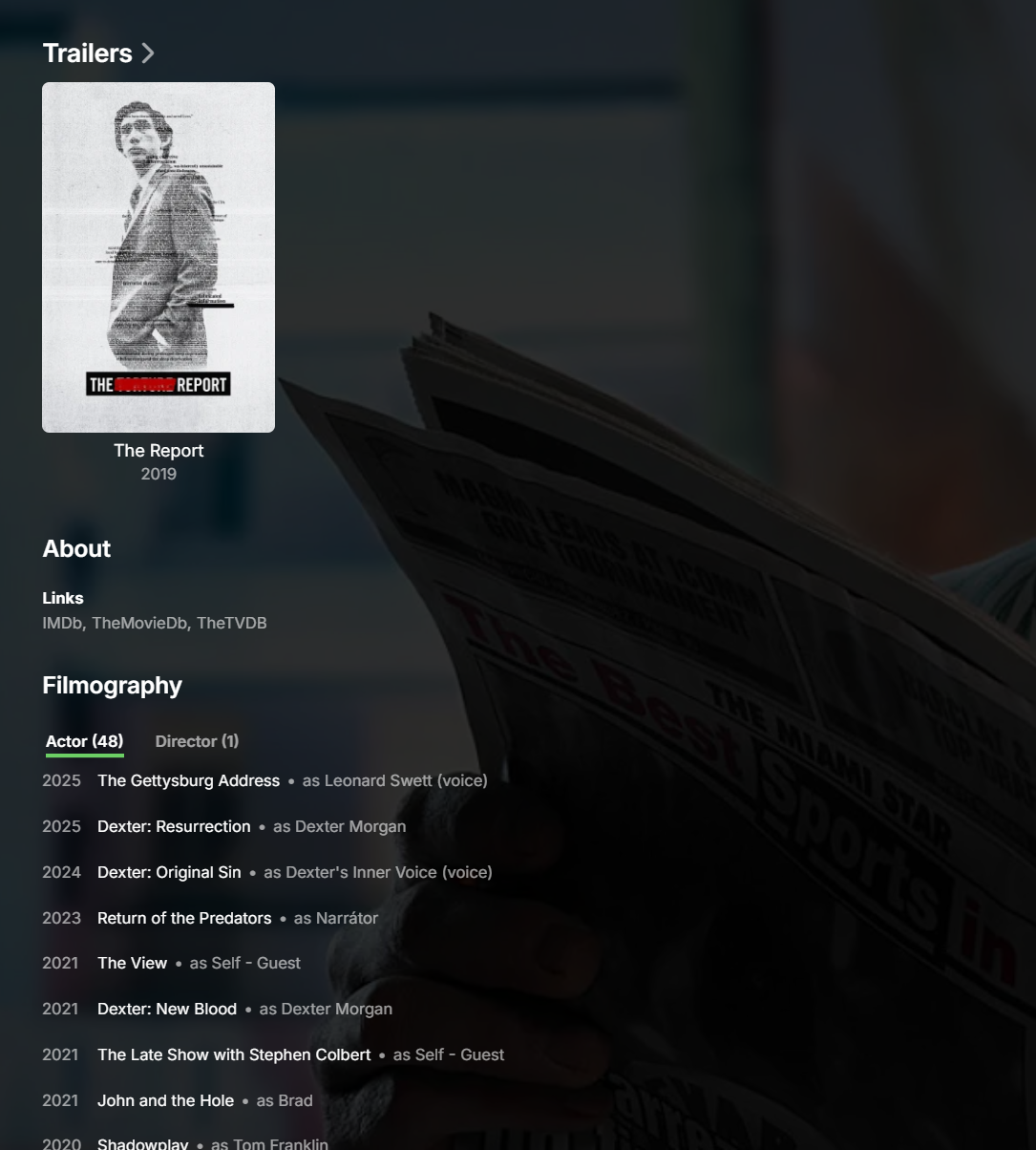
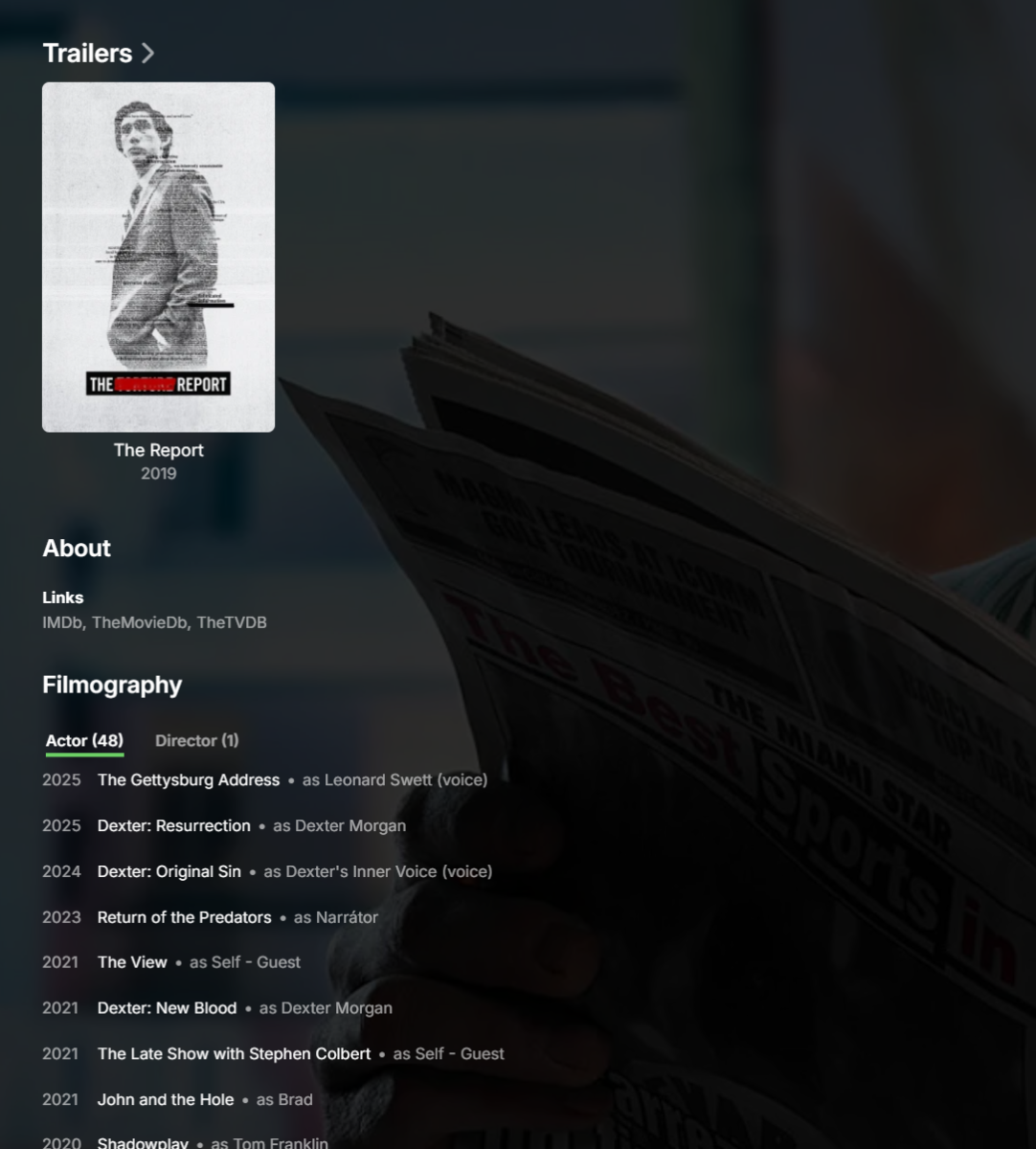
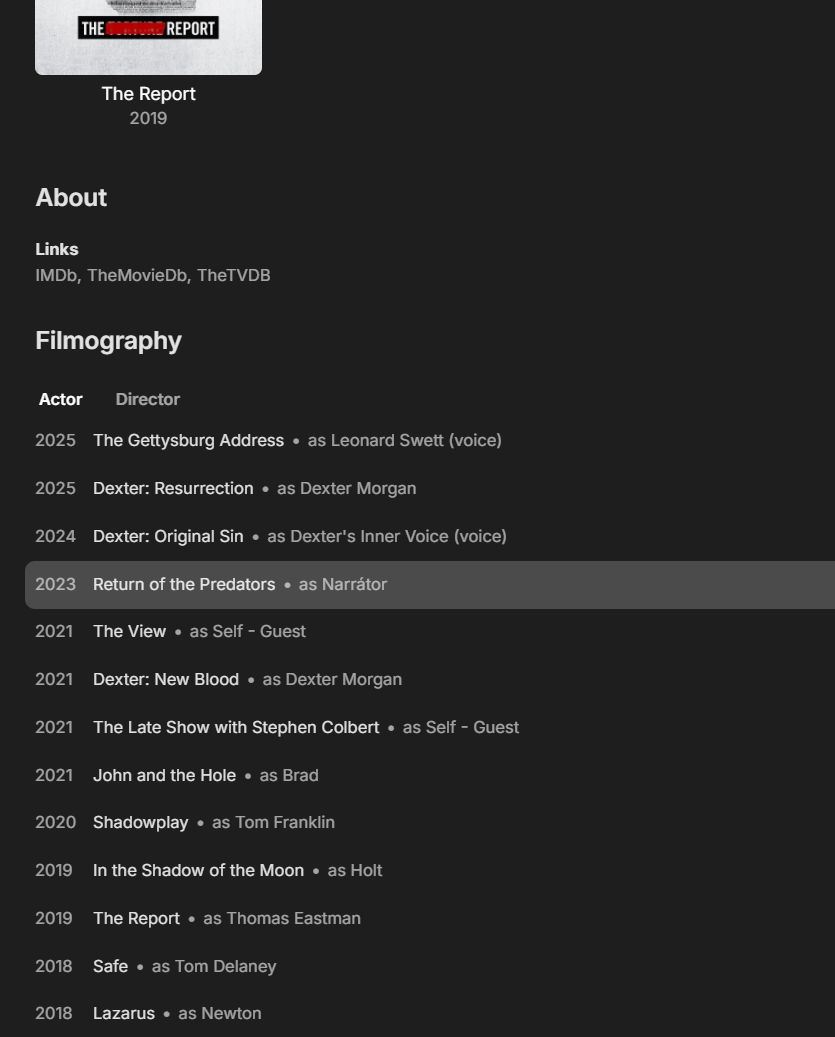
Hi, Filmography coming very soon at the bottom of person detail screens:
 1 point
 -
Hi, we are still looking at this. Thanks.1 point
-
6 years, but monthly payments for premiere subscription including live tv are steady, and very stable. Why would you do anything about it, you already have the money, right ?1 point
-
So that answer is even more concerning @ebr. The project was ready "a few years ago" (your quote), but now it's not because management's decision was to sit on it? Very nice!1 point
-
Perhaps a few years ago but a lot has changed. When we are able to pick this back up, its going to take some work before it is even ready for beta.1 point
-
Emby for LG 1.0.50 has been released. Here are the highlights: Resolve playback error on some 2018-2019 models Merge Movies and Shows into a new Movies & Shows tab in mixed content libraries View the full article1 point
-
For me, the older version works just fine. I don’t really notice any difference. At least, it’s smoother when fast-forwarding than transcode file.1 point
-
It plays fine to the untrained eye but only because it is tone mapping. It isn’t fully using Dolby Vision’s brightness levels. You can test it yourself by using Infuse (might need the free trial), connecting to your Emby server and playing a DV file. You’ll see it’s brighter and colours are richer.1 point
-
Emby for Apple TV 2.0.3 has been released. Here are the highlights: Improve performance of detail screens Fix playback crash related to live tv subtitles Add resume button for in-progress recordings Support new auto remote quality option in 4.9.2 server View the full article1 point
-
With Steam Machines coming in the new year, this might finally be a good replacement for Nvidia Shields as a set-top device. Emby available within Steam would be ideal, but a Linux version that works and works from Game mode would be extremely desirable.1 point
-
I put my +1 on the top post, and just wanted to further comment that a fix which restores the original functionality is absolutely necessary to support my continued use of Emby. There is no workaround in the current system. The suggestions made by the devs so far are incomplete. To replace the functionality we used to have, we would need: recursive nested collections auto-create/auto-update/auto-delete collections based on folders (because manually making a collection for every folder and maintaining it is a ridiculous amount of work) combined Movie/TV tab for Mixed Library and other affected content types (@Luke at least seems to want to build this) the ability to hide individual collections from the "Collections" view (since right now, I only have about a dozen collections, which I actively use as an alternate navigation view to find content that spans folders, such as holiday titles, etc.) but I'm literally going to need a hundred collections to recreate the nested folder structure as nested collections to get them to display correctly in the Movies/TV combo tab. So some Collection-view related enhancements would be desirable to allow the Collection view to have any utility at all, otherwise it will simply be redundant to any other view. Alternately, the devs could keep the folder metadata layer that they insisted on stuffing into Folder View, provided that they also add a means of uncrippling the Folder metadata, by adding an option that single-title-folders would automatically inherit (and utilize!) all fields from their child title, and the UI would also be updated to allow "identification" and "edit metadata" actions on the folder level to propagate down into child single-title content. Meaning that it would work exactly the way it did before, just with an extra folder metadata layer which now has extra logic to automatic getting copied around, instead of being naturally collapsed. (It seems needlessly complicated compared to what we had, but if there is a reason we have to have a folder layer for single-title-folders, this is a way of making it functional instead of pointless.)1 point
-
If you’re new to the world of media servers, you might be wondering what they are, why people use them, and where Emby fits in. Whether you have a collection of movies, TV shows, music, personal videos, photos, or all of the above, a media server helps you take control of your entertainment. Let’s break it down. So, What Is a Media Server? A media server is simply a system that allows you to store your media in one place and access it from anywhere — your TV, phone, tablet, computer, or even while on the go. Instead of hunting through drives, folders, or different apps, a media server organizes and presents your library in a clean, familiar interface with artwork, descriptions, cast info, and more. Think of it as your personal streaming service that is built around your collection, not someone else’s. An important note and one we can not stress enough, is that Emby does NOT provide any movies, shows, channels or other media. Emby is only for organizing and streaming YOUR own content. Why Choose Emby? There may be several media server solutions out there, but Emby has a philosophy that sets it apart: Your Media. Your Way. With Emby, you are in control! Your library is yours, your privacy is yours, and your server is yours. No forced cloud accounts. No data harvesting. No locked-down ecosystem. Emby is built around choice and customization, allowing you to decide: Where your media is store How your library looks Who can access it What devices you stream to Whether you want to manage media manually or automatically All while keeping your experience intuitive and easy. Beautiful and Powerful Emby automatically fetches artwork, metadata, and episode information to make your library look amazing. The apps are clean, fast, and available across: Smart TVs Streaming boxes like Fire TV, Apple TV, Shield, Android TV Android, iOS, and tablets Game consoles Web browsers And with Emby Premiere, there's even more! You can unlock powerful features like: Offline downloads DVR with Live TV Advanced parental controls Hardware transcoding for smooth streaming Whether you're just starting or you're a longtime media enthusiast, Emby scales with you. This Is Just the Beginning Over the next few days, we’ll walk through: How to install Emby How to add your media Tips for organizing your library And how to stream anywhere So stay tuned — your personal media journey is just getting started. Your Media. Your Way. Welcome to Emby. View the full article1 point