Leaderboard




Popular Content
Showing content with the highest reputation on 01/24/26 in Posts
-
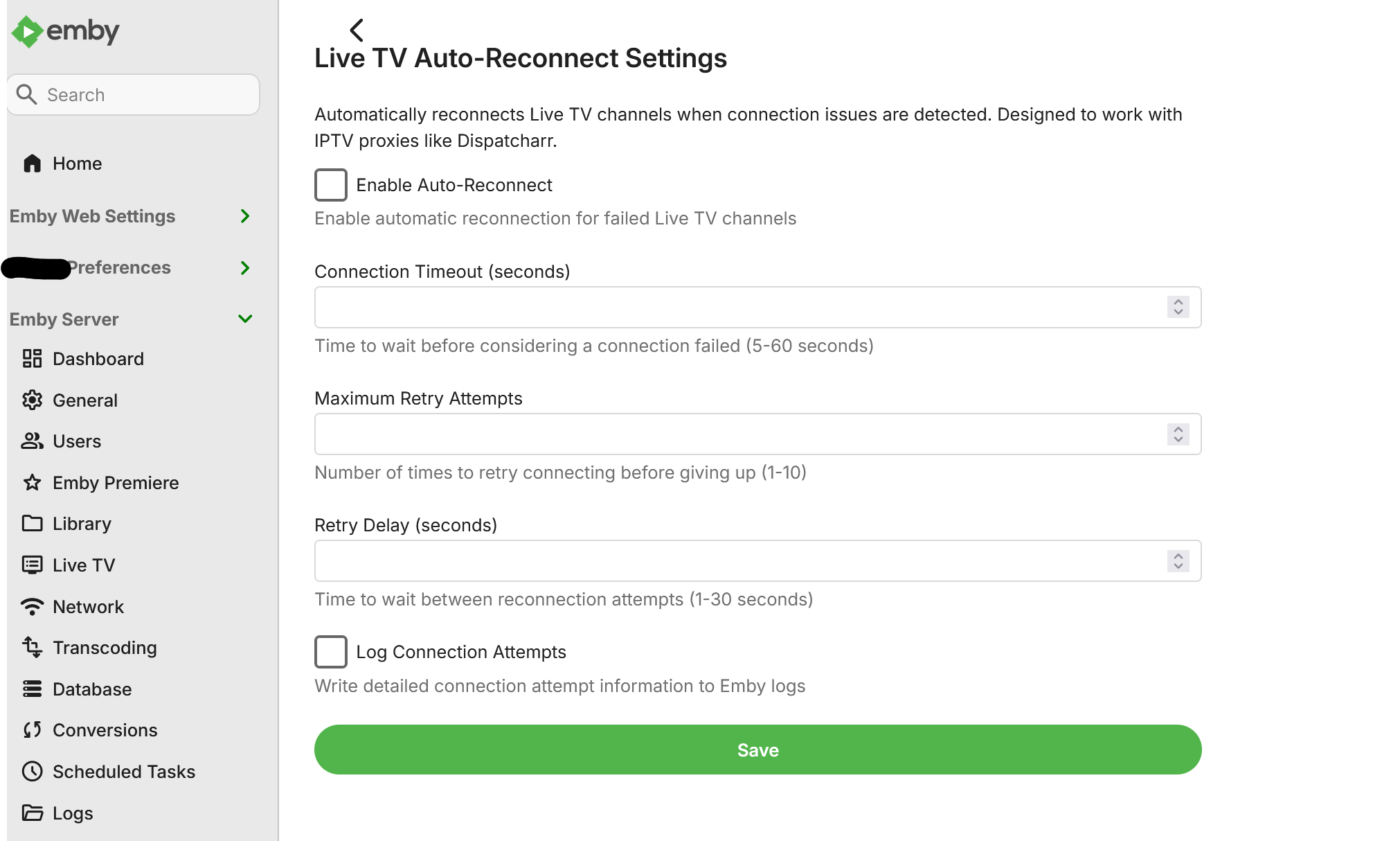
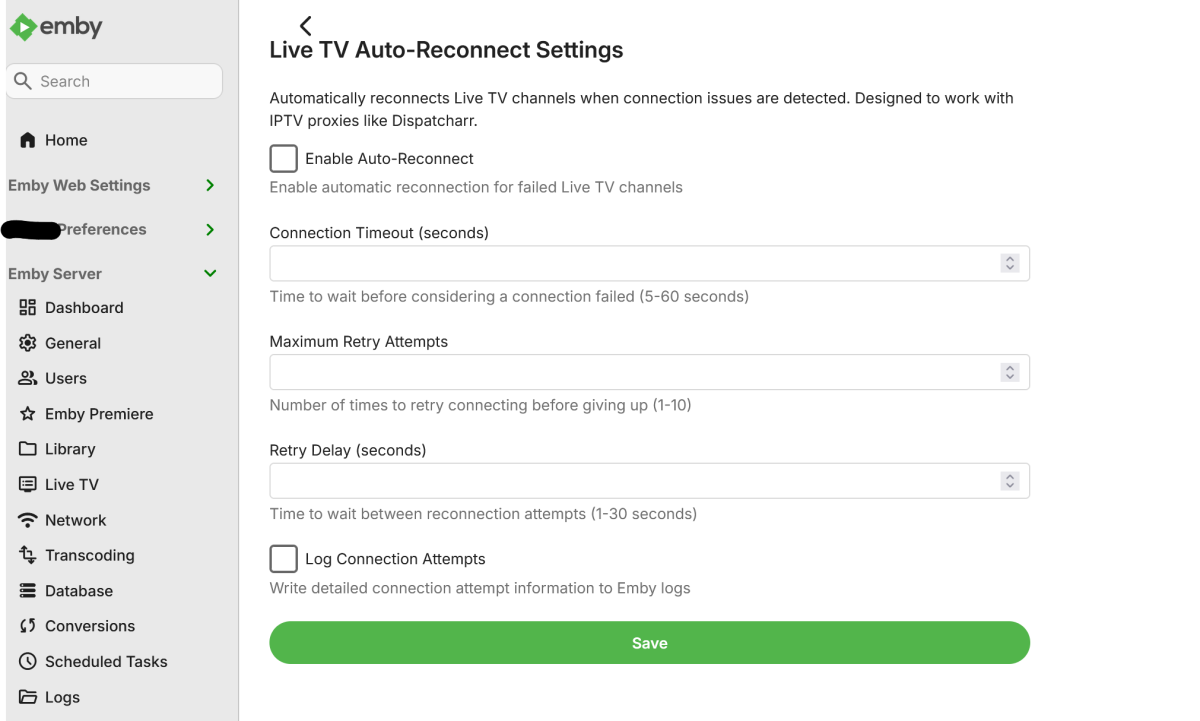
I use Dispatcharr as an IPTV proxy that assigns multiple backup streams to each channel. When a stream experiences issues (buffering, stuttering, or complete failure), Dispatcharr automatically fails over to the next available stream in the sequence. Current Issue: When Emby encounters a problem connecting to a Live TV channel, it tends stops the connection attempt entirely after a few seconds. Even though Dispatcharr switches to a backup stream on the backend, Emby has already stopped trying to connect and does not automatically retry. Requested Solution: Add configurable settings for Live TV channels: Connection timeout duration (time to wait before considering a stream failed) Auto-reconnect behavior (automatically retry connection after timeout) Number of retry attempts This would allow Emby to detect when a stream has failed and automatically reconnect, which would then pick up the backup stream that Dispatcharr has switched to. Also, as a bonus, adding native Xtream Codes (XC) functionality would be greatly appreciated.3 points
-
Early in the 4.9 beta program we were assured multiple times that this would come in "the next beta program". Well, there were a couple of other small beta subprograms which kept the 4.9 moniker, but now they are clearly in the next beta program, as they've changed to 4.10. Of course, not all new things will be added at the same time, but if it doesn't appear in this beta, people who chose to take them at their word will be very disappointed indeed. Paul2 points
-
At this point, Emby's parental controls should probably just be renamed "Parental Suggestions". Data leaks and bypasses have been a recurring problem for years now. Given how often these leaks pop up and how little is done to fundamentally fix the logic, it's clear that parental controls aren't taken seriously. Even when they do eventually fix something, it feels like they're playing whack-a-mole and more issues just pop up.2 points
-
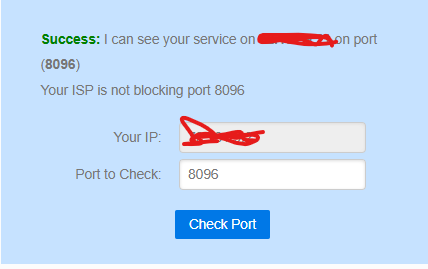
Seanbuff, Thanks for the information. I had success using information you sent me. I found another setting in my firewall that I enabled and we're good now. I completely revamped my internal network so more than likely I missed a configuration. So much for my Rookie mistake.
 2 points
 -
Thank you very much. That worked. I appreciate your help.2 points
-
The default sort order is set to 'Folders'. I would prefer to have all libraries I select to default to release date. I know I can manually set it, but I have to do that for every folder in the library. I would like to see the ability to have it automatically set the default sort order for all new folders I create.1 point
-
Not at the moment - no. But like I mentioned in the beta forum, one of the private beta testers was running Bazzite and had no problem installing all the betas. Please see here: https://emby.media/community/index.php?/topic/145424-new-emby-linux-beta-228100-beta/#findComment-15016441 point
-
Obviously Emby has a carefully planned really really really carefully thought out very very very long range roadmap which we are not privileged to see.1 point
-
Thanks for pointing it out, I should have searched better1 point
-
Problem seems to be fixed. Thank you!1 point
-
Not sure how +1 this feature request, but we sure do need a custom sort option.1 point
-
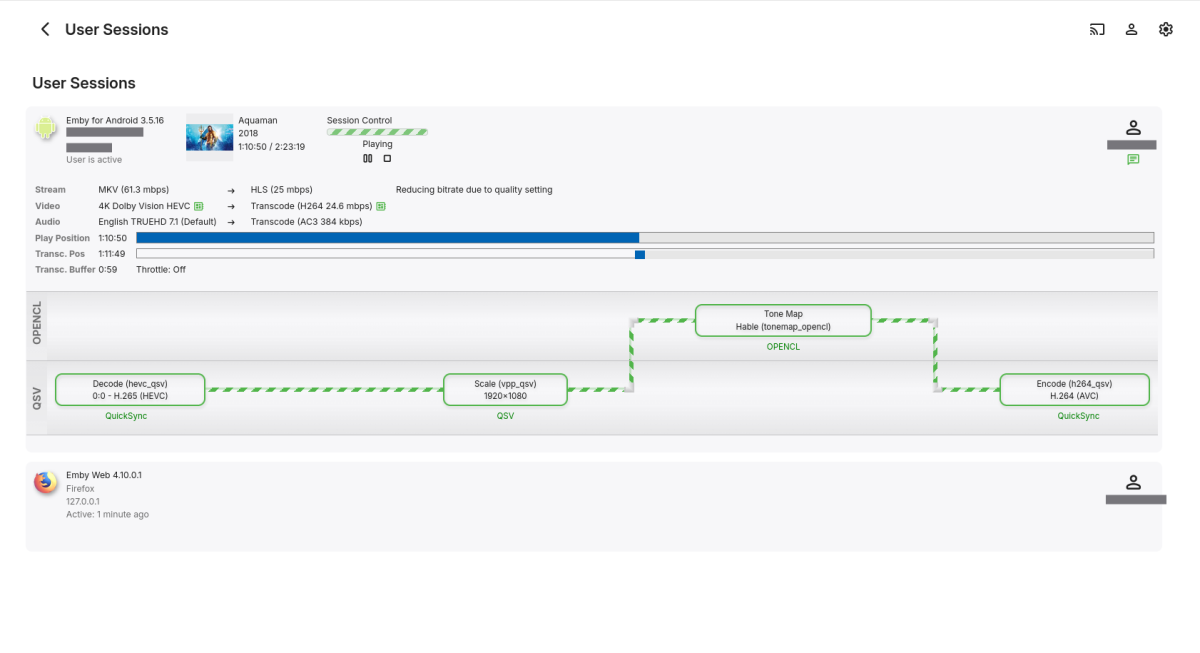
4.10.0.1 Beta Released! QSV working again!
 1 point
 -
Working great for me! You can follow its progress & feedback here: https://emby.media/community/index.php?/forum/188-linux-beta/1 point
-
Ok in last beta we see some new feature, for organizing home screen, good move, much needed step, but if u ask yourself why are we waiting 6+ years for tvnext in beta, look no further, lead developer is responding to every post on forum that has any connection to home screen and he is announcing it in every thread And remember when ebr told us that Andorid TV app cant be worked on since they got no time, well there you go, they are posting like minions on every post instead of making a thread about it and go use time on some important stuff we wait years for.1 point
-
1. Fire Up Emby 1.0.50 2. Homescreen is displayed (TV horizontal view) 3. Use arrow keys on LG Remote Control to scroll to the right to see "Latest Episodes" section 4. Screen does not move content to the left as you scroll right. Thus, unable to see that section at all.1 point
-
@Happy2PlayI only have Primary, banner and logo checked. My list doesn't include Disc and Thumb? On latest version of Emby. @LukeFor the first time in weeks it didn't do it last night, will post log when it rears it ugly head again.1 point
-
After testing (Thanks @Neminem) it seems like it might not be the plugin that has a problem but the ffmpeg that Emby uses and/or Emby it self. I will keep looking at it but don't think there's much i can do.1 point
-
Hi. We wouldn't be able to integrate with that kind of media acquisition.1 point
-
Thank you Luke for the quick explanation! Good to know it's not a bug. I have disabled the automatic triggers in the library scan settings instead. Problem solved Have a nice day1 point
-
yes and yes. i did a test and re started firewall on qnap, libary has returned as empty, repopulating now and firewall disabled. will give it 4 days once populated to see if this is whats triggering it.1 point
-
This is fantastic! Cannot wait for the release and to give it a test drive. Thank you for listening to the community.1 point
-
Please inform me about the update that would be appreciated:)1 point
-
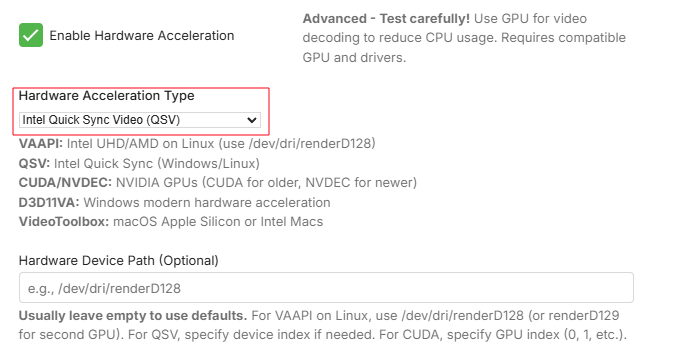
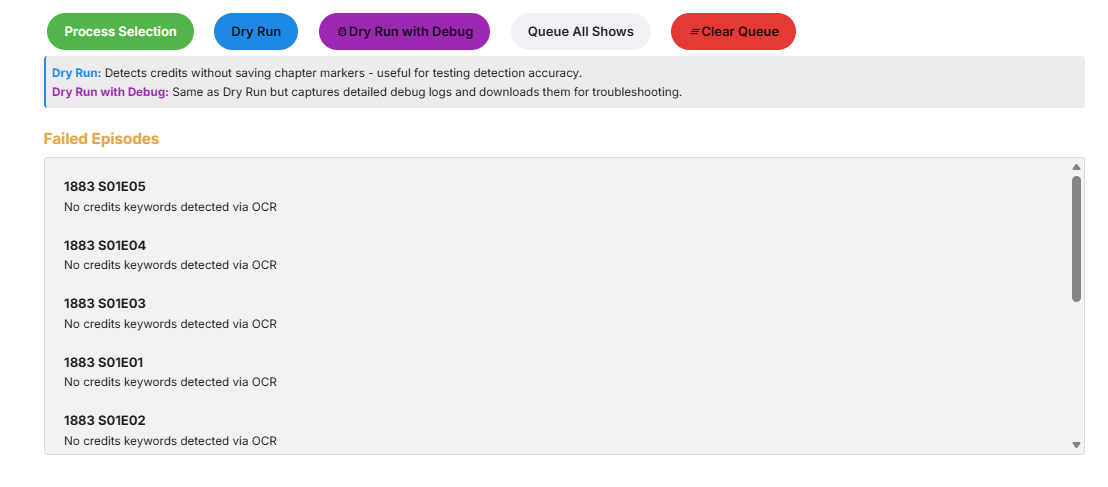
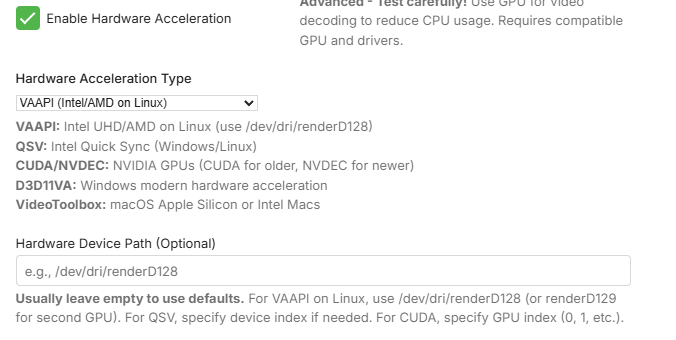
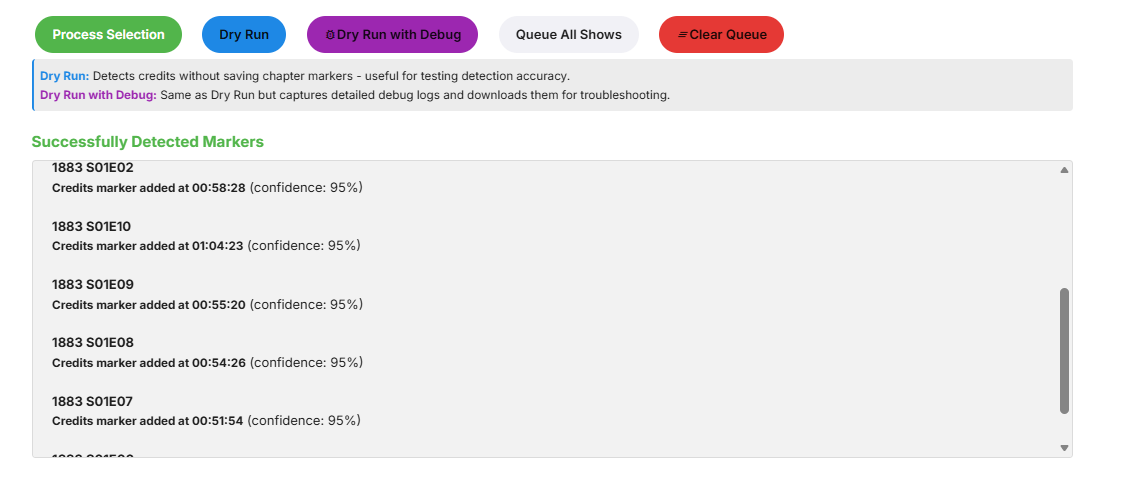
@yockerTesting it now QSV test : Hmm with QSV they all fail. credits-detection-debug-2026-01-24T07-33-34.log VAAPI test : credits-detection-debug-2026-01-24T07-46-46.log VAAPI is working fine. QSV issue in Emby's drivers I guess. And here are server logs, with debug enabled. embyserver (15).txt
 1 point
 -
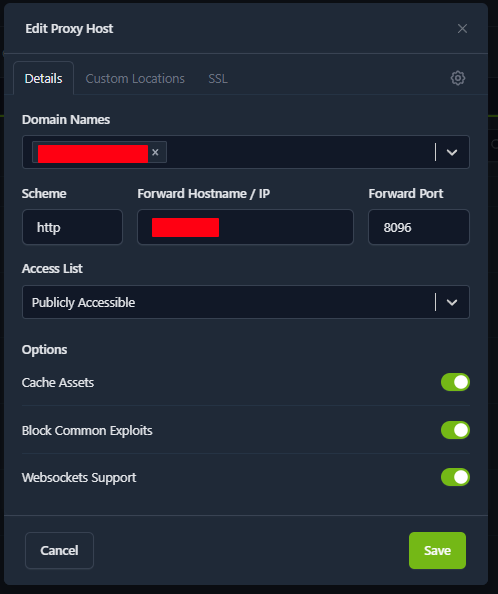
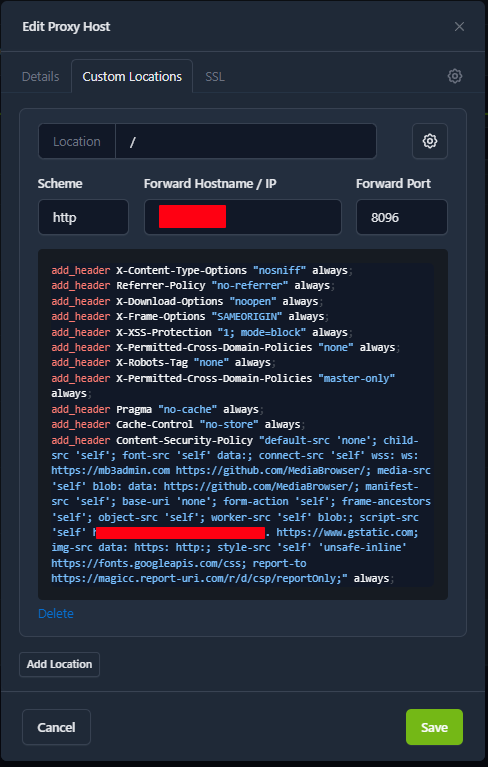
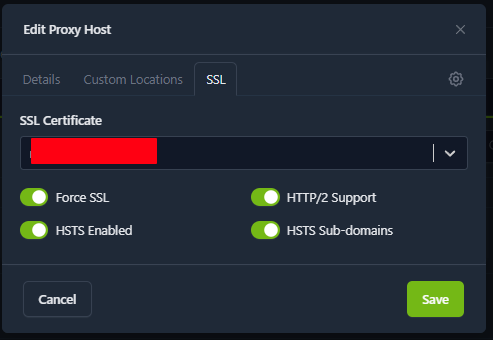
I use this config in NPM official docker image. Never used NPM+. Advanced config. Remember to edit https://your.domian.com
 1 point
 -
OK we'll have an update out very soon. Please let us know if that helps. Thanks.1 point
-
Ive set this up behind nginx proxy and its great. My only feature request right now outside of some kind of admin panel is even though i made a specific watch together account and only gave it access to my movies and tv shows folder it still shows every single category i've created on my server. I have the docker set to only login with the user and not the API so even though it sees the the collections it doesn't load anything inside them at least.1 point
-
I believe StarLink uses CGNAT so you'll have to use a solution like Tailscale or ZeroTier to VPN into your network for remote access. Just as a general FYI for your knowledge though you generally would need to port forward on both the ISP gateway (in this case you can't if they are using CGNAT) as well as your Ubiquiti router if it's also running a private network and not just extending the private network from the ISP gateway - you would port forward from the ISP gateway to the Ubiquiti router, then you would port forward from the Ubiquiti router to your server device.1 point
-
I created the directory of folders. Openned that directory (which contained all the sub folders), Held the right mouse key down, selected that folder -held the shift key down and clicked on the last folder in the directory. A menu came up, I clicked on Add to collection and named the collection, it worked. All set Thanks1 point
-
Example configuration page.
 1 point
 -
Final update for the night, direct ip:port works, so it has to be seomthing to do with TLS or the reverse proxy itself. I tested without any headers, so its not there. It has to be something specific to my configuration, I can't be the only person using https://github.com/ZoeyVid/NPMplus + Emby.1 point
-
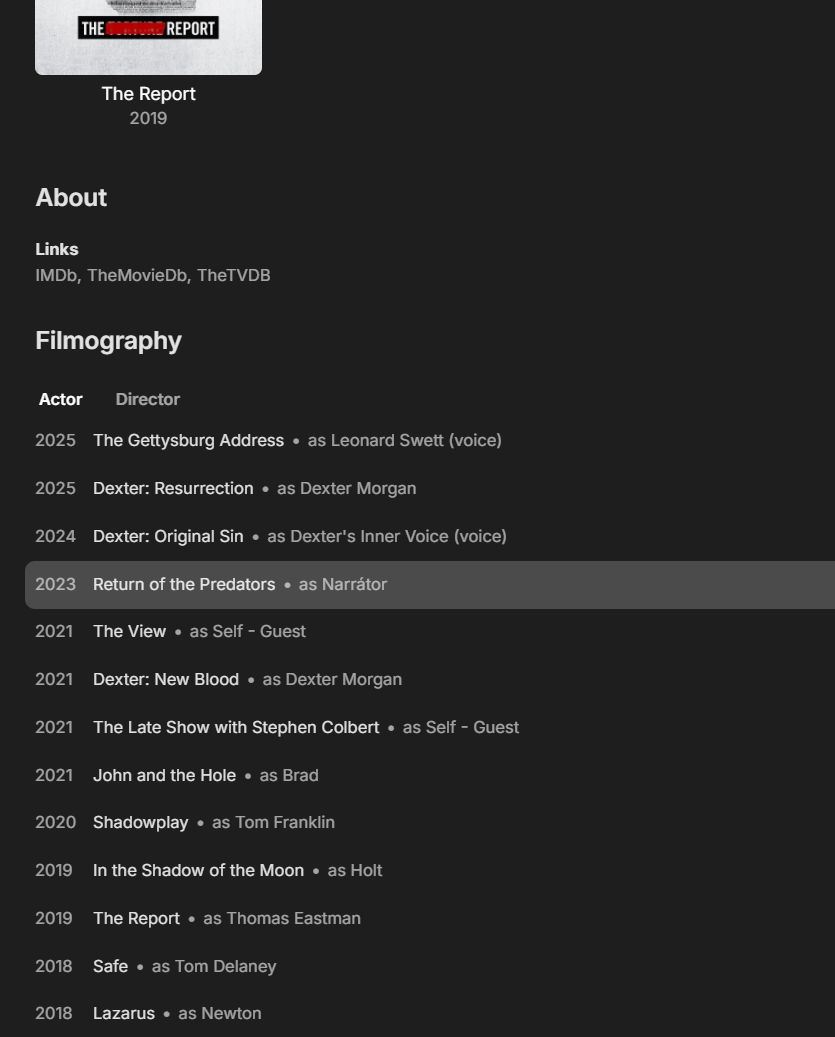
Hi, Filmography coming very soon at the bottom of person detail screens:
 1 point
 -
I agree it would be nice and sixteen pages make it clear to the devs that users want MFA for Emby. If they decide to implement we can expect more than sixteen pages of users unhappy with the method chosen but we have to wait for the bridge to get built first.1 point
-
Between the 2nd or 3rd Apocalypse's Horseman1 point
-
Emby for LG TV's 1.0.50 has been released. Stay tuned to the blog for the release announcement.1 point
-
Just that the sort doesn't end up in the order if expect.1 point
-
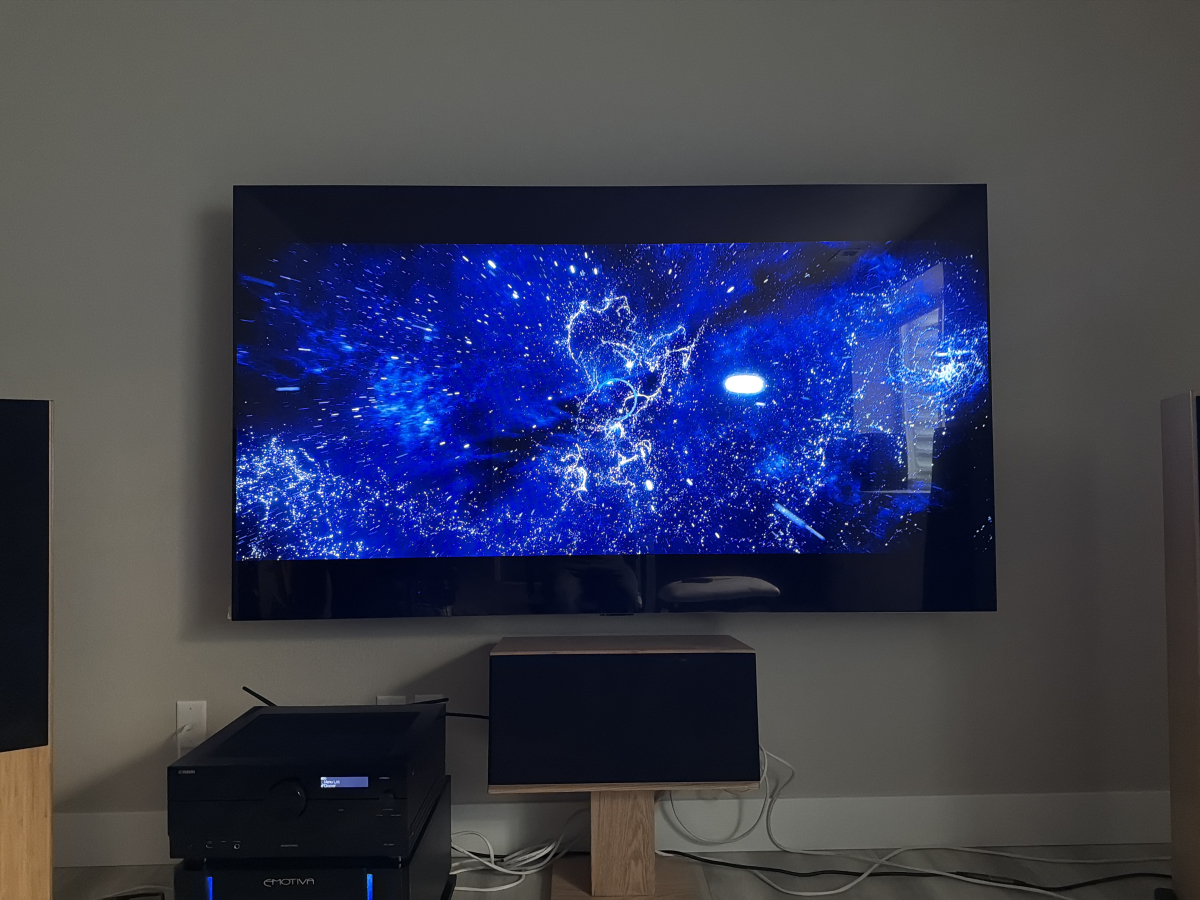
I have the same issue. Movies play for about 10 seconds and freeze at the exact same frame every time. They never recover, though I've only left them for a few minutes. I don't believe that 10 seconds is a magic member. Some movies played for more like four or five seconds. I can skip ahead, they will play for another 5 to 15 seconds. This is on an LG C5.
 1 point
 -
Thanks for your concern. As for my original problem. it was solved. However, I suspect that what your asking is whether moving TheTVDB to the bottom of the metadata downloaders worked. Let me recap everyting just to make sure there are no misunderstandings. Disabling TheTVDB solved my problem. I reenabled TheTVDB metadata dowloader and moved it to the bottom of the list as @GrimReaper suggested but, because my problem was solved, I didn't test it. Since you asked, I copied the movie out, deleted it in emby and copied it back in. After a scan of the library, the movie showed up correctly. Hopefully that answers your question. I do think that default position of TheTVDB should be at the bottom of the metadata dowloaders when it's a movie library. That's assuming it would be a trivial change.1 point
-
To be fair, no one should be tone mapping, EVER.1 point
-
@LukeI found this old thread where Anthony was developing another version of Email Notifications. He had used MailKit in there but I don't know how to install that version. https://emby.media/community/index.php?/topic/84782-email-notifications/ Github Repo https://github.com/AnthonyMusgrove/email-notifications/1 point
-
I hope you all had a good holiday! I did some testing with other apps on my phone casting to my Chromecast most notably the PBS app. What's interesting is I have not encountered a single skip or lag after many hours. I'm wondering if that's because PBS doesn't need to do any transcoding since they control the source file format or do work upfront? Is it possible for to configure Emby to something like that? Thanks and happy new year!1 point
-
@sh0rty It should work now. I copied the fix i had added to individual items and it works now, so very fast and easy fix. Problem was that i had it look in parent directories which Emby does not use for collections. MetaExtractor.dll1 point
-
@sh0rty @rbjtech Added TVDB and collections artwork. Consider it a beta please. MetaExtractor.dll1 point
-
@rbjtech Been thinking about and looking into the TVMD thing and yeah.. I should implement that (at least as an option) but i don't like putting it into the NFO files so will keep the JSON. Would indeed make the backups more "portable" with little to no complexity added. I'm looking into making it soon. Many thanks for mentioning it! Also need to make a schedule task now that i think about it, just a generally good idea for backups.1 point
-
I have added the intro skip backup and restore. !!!!! Please test on a test server !!!!!! From the testing i have done it works but i'm only one person. In other words, please consider this a beta! Also remember that new settings does not take effect before you press save!! I need to fix that as well. @FrostByteThe new names are in this as well, see if this works better. I will add a way to customize the names before taking it out of beta. MetaExtractor.dll1 point
-
I had this issue and fixed it by disabling HEVC encoding on the server1 point
-
I added your request. In settings you will find a button named "Export to custom folder" when checked a setting for where to save will show up. All data saved will mimic the library structure of the media having been extracted. Like for example: /action/Arnold flying hes choppa (2056)/Arnold flying hes choppa (2056).nfo Same with artwork. Enjoy and thanks for the idea. MetaExtractor.dll1 point
-
Any way to split Music in Emby either on server or else where by RELEASE TYPE? For example: Albums EP's LIVE One section has the ALBUMS, then maybe the next section has EP's and then a section for LIVE.. I guess that might be a FEATURE.1 point
-
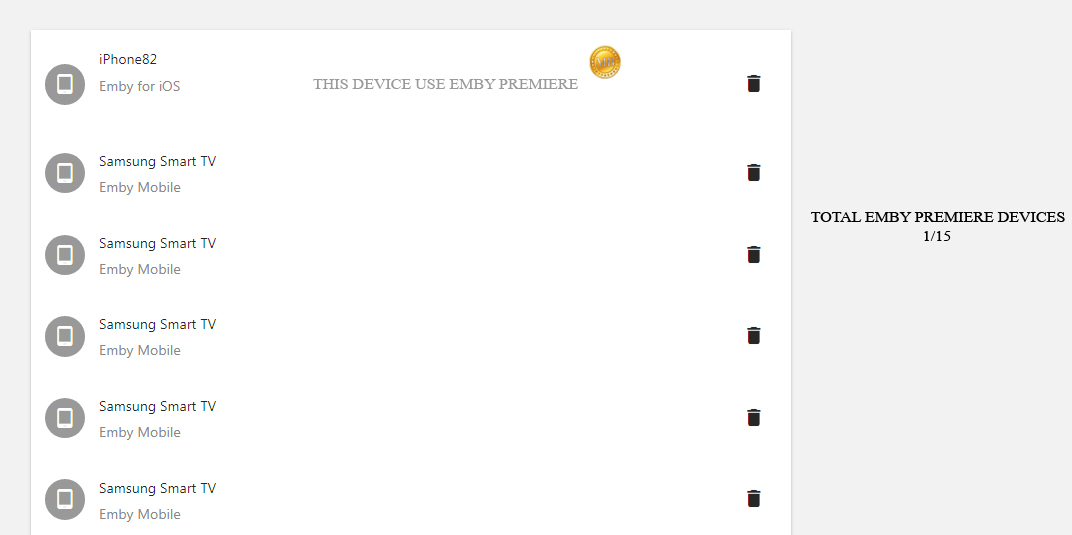
I have seen many people asking for the 15 devices limitation. Could it be possible to add a counter for understand wich device uses Emby Premiere? Something like this : Understand which device uses emby premiere and which no?
 1 point
 -
I’d love to stay, but absolutely need offline support. id pay double the membership if it just had offline support. I just don’t understand why a lifetime membership would require internet connection to see if your membership is current… if I have internet, I’ll be streaming1 point
-
Thanks for the quick reply. I'll read your post, however your summary has me concerned. This is the same issue I had with Plex... ITS A LIFETIME SUBSCRIPTION!!!! Why in the world would it need to go online to verify the "lifetime subscription" is still active? Plex works for about 3 weeks, then it dies if not online. The only feature I want from Premiere is the Linux player client.1 point










(1)(1)(1)(1).thumb.jpg.b48588c08b9d9a9c78b081d5b100545e.jpg)