
Leaderboard




Popular Content
Showing content with the highest reputation on 01/23/26 in Posts
-
I use Dispatcharr as an IPTV proxy that assigns multiple backup streams to each channel. When a stream experiences issues (buffering, stuttering, or complete failure), Dispatcharr automatically fails over to the next available stream in the sequence. Current Issue: When Emby encounters a problem connecting to a Live TV channel, it tends stops the connection attempt entirely after a few seconds. Even though Dispatcharr switches to a backup stream on the backend, Emby has already stopped trying to connect and does not automatically retry. Requested Solution: Add configurable settings for Live TV channels: Connection timeout duration (time to wait before considering a stream failed) Auto-reconnect behavior (automatically retry connection after timeout) Number of retry attempts This would allow Emby to detect when a stream has failed and automatically reconnect, which would then pick up the backup stream that Dispatcharr has switched to. Also, as a bonus, adding native Xtream Codes (XC) functionality would be greatly appreciated.4 points
-
Hi, Filmography coming very soon at the bottom of person detail screens:
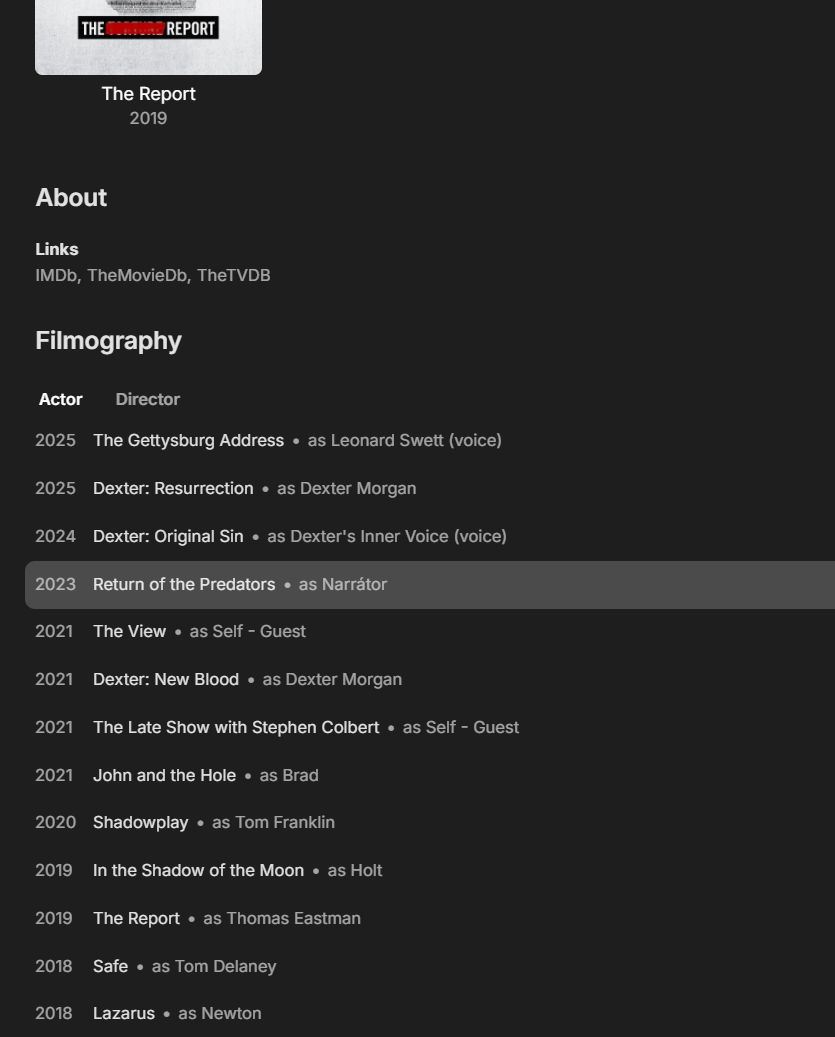 4 points
 -
Hi, Filmography coming very soon at the bottom of person detail screens:
3 points
-
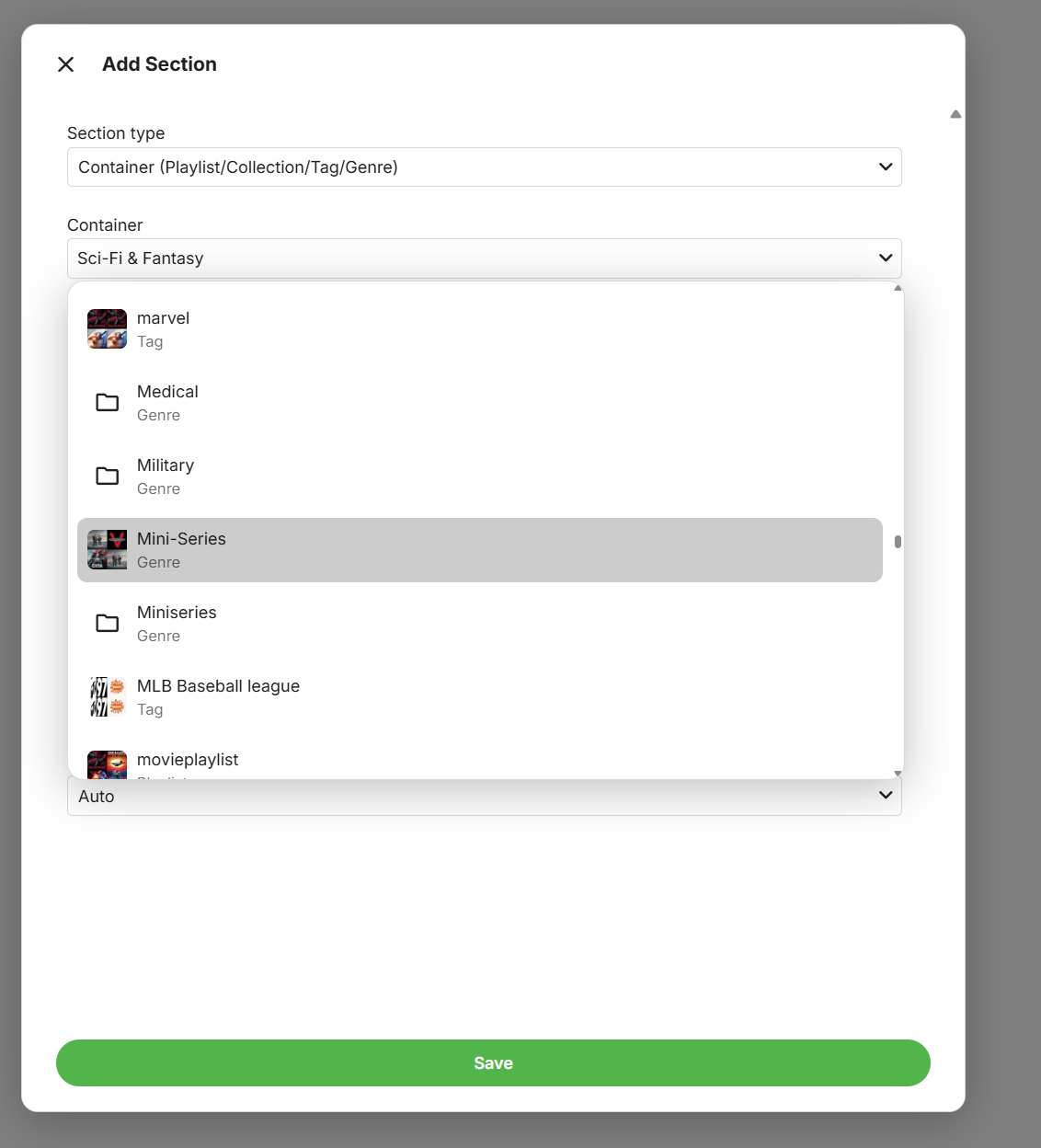
This is about to land on the beta channel as you'll be able to design your own home screen sections:
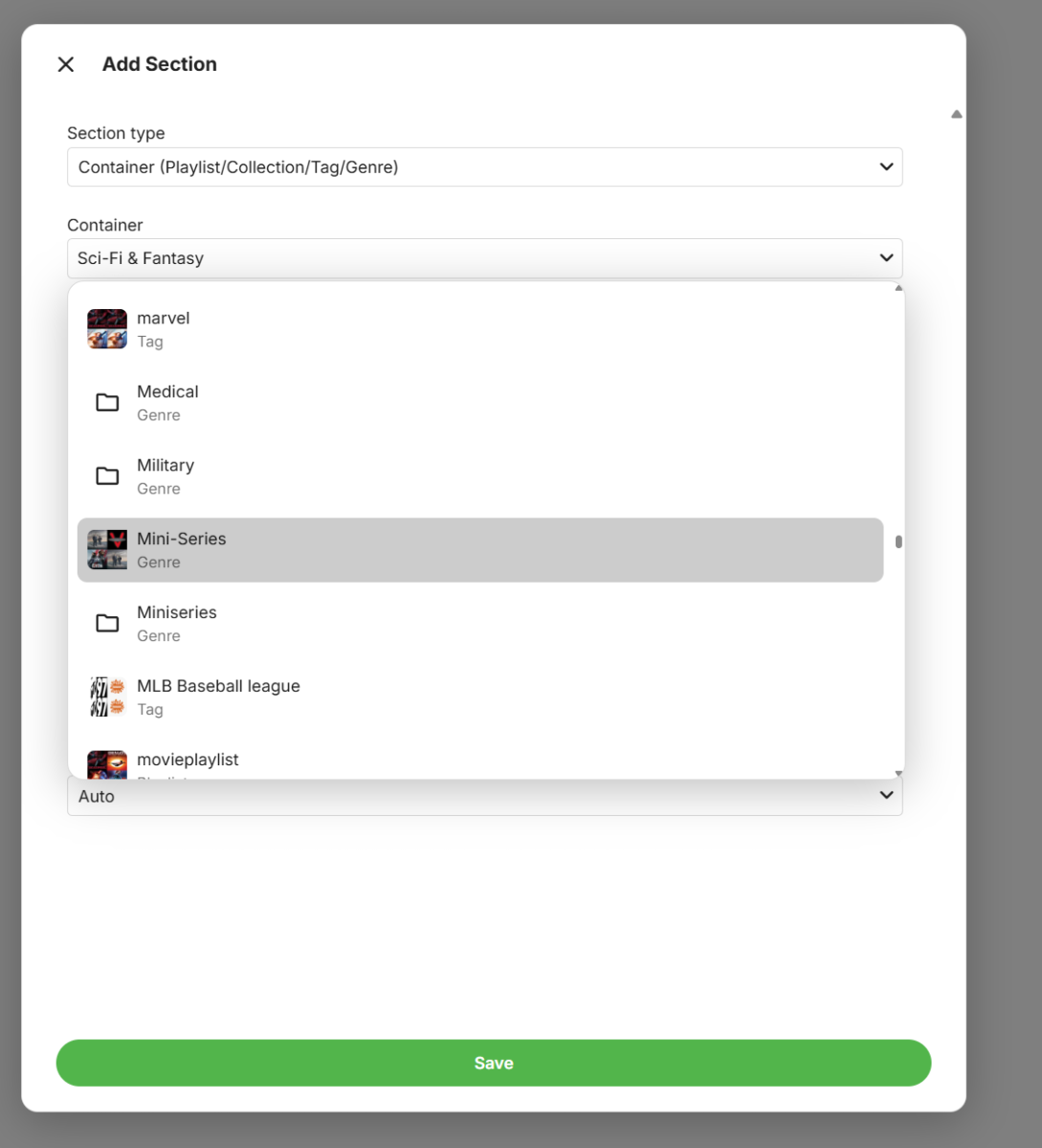 3 points
 -
To my knowledge it's been this way for a very long time as long as you're using throttling, I only have 30 days of logs and I updated the other day so I can't say that definitively for earlier versions but it makes sense it's always been like this. The speed calculation is basically an average rate over the whole duration so it takes a couple seconds to get up to full speed, and then if you add into the calculation a lot of time where it's not doing anything, it's going to bring that speed down closer to real time but slightly above since it's still transcoding faster than real time, the average is just brought down from the pauses.2 points
-
Would also be interesting to see if we can get some kind of graph data in the Stats for Nerds side in the other clients like web/android/chromecast.2 points
-
Hi, Filmography coming very soon at the bottom of person detail screens:
2 points
-
Hi, Filmography coming very soon at the bottom of person detail screens:
2 points
-
I am not a troll. I didn't think verifying 2FA was a thing I needed to do in 2026...2 points
-
This will be on the beta channel any day now as you'll be able to design your own home sections:
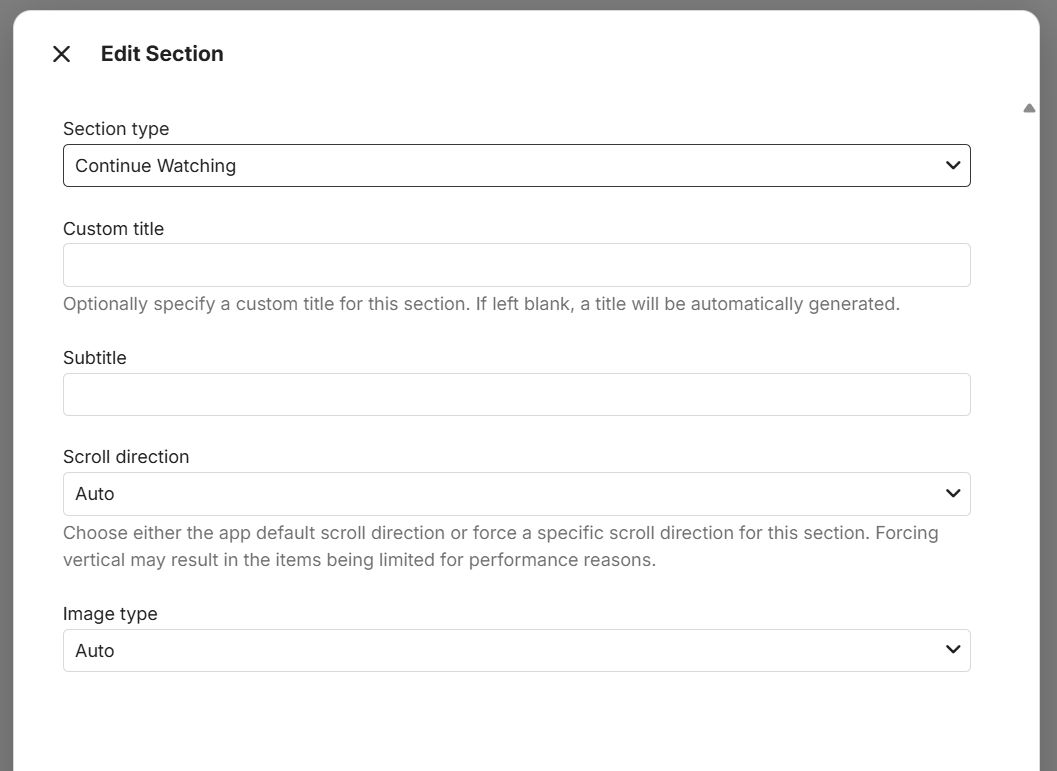 2 points
 -
Just wanted to share this Ratings Sync plugin. Seems to work well. I'm not the author nor associated with them. Just thought folks would find it useful.1 point
-
This did it! Thank you for your help!1 point
-
I rebooted a couple of times and eventually it did update. Seems Emby needs to add some error trapping and messaging around update ...1 point
-
@Luke need to get this in the next update Thanks again, @sa2000!!1 point
-
For now mannish but it will be in the store soon.1 point
-
Hi, it is the option called startup behavior.1 point
-
You're right. I was expecting each entry to show the work done and rate for that segment but instead it's an overall value that's averaging down as the video streams. The increment for the "frame=" value stays pretty consistent which to me indicates the actual speed is not changing.1 point
-
I guess it is the new normal though I hadn't noticed what the newer releases were doing. I ran a test to see if it's consistent and sure enough it is. The playback started at full speed until it hit the first throttle event. 11:47:45.264 elapsed=00:00:00.26 frame= 37 fps=0.0 q=26.0 q=-1.0 size=N/A time=00:00:00.62 bitrate=N/A throttle=off speed=2.32x 11:47:45.769 elapsed=00:00:00.77 frame= 167 fps=0.0 q=26.0 q=-1.0 size=N/A time=00:00:06.04 bitrate=N/A throttle=off speed=7.83x 11:47:46.268 elapsed=00:00:01.27 frame= 291 fps=229 q=24.0 q=-1.0 size=N/A time=00:00:11.21 bitrate=N/A throttle=off speed=8.82x 11:47:46.770 elapsed=00:00:01.77 frame= 420 fps=237 q=26.0 q=-1.0 size=N/A time=00:00:16.59 bitrate=N/A throttle=off speed=9.36x 11:47:47.273 elapsed=00:00:02.27 frame= 550 fps=242 q=25.0 q=-1.0 size=N/A time=00:00:22.02 bitrate=N/A throttle=off speed=9.67x 11:47:47.773 elapsed=00:00:02.77 frame= 685 fps=247 q=20.0 q=-1.0 size=N/A time=00:00:27.65 bitrate=N/A throttle=off speed=9.95x 11:47:48.276 elapsed=00:00:03.27 frame= 822 fps=251 q=26.0 q=-1.0 size=N/A time=00:00:33.36 bitrate=N/A throttle=off speed=10.2x 11:47:48.775 elapsed=00:00:03.77 frame= 963 fps=255 q=28.0 q=-1.0 size=N/A time=00:00:39.24 bitrate=N/A throttle=off speed=10.4x 11:47:49.279 elapsed=00:00:04.28 frame= 1098 fps=256 q=27.0 q=-1.0 size=N/A time=00:00:44.87 bitrate=N/A throttle=off speed=10.5x 11:47:49.779 elapsed=00:00:04.78 frame= 1224 fps=256 q=26.0 q=-1.0 size=N/A time=00:00:50.13 bitrate=N/A throttle=off speed=10.5x 11:47:50.282 elapsed=00:00:05.28 frame= 1350 fps=255 q=25.0 q=-1.0 size=N/A time=00:00:55.38 bitrate=N/A throttle=off speed=10.5x After that, when throttling stopped it kept going at a slower rate. 11:48:27.426 elapsed=00:00:42.42 frame= 3774 fps= 89 q=27.0 q=-1.0 size=N/A time=00:02:36.48 bitrate=N/A throttle=off speed=3.69x 11:48:27.925 elapsed=00:00:42.92 frame= 3899 fps= 91 q=26.0 q=-1.0 size=N/A time=00:02:41.70 bitrate=N/A throttle=off speed=3.77x 11:48:28.425 elapsed=00:00:43.43 frame= 4030 fps= 93 q=26.0 q=-1.0 size=N/A time=00:02:47.16 bitrate=N/A throttle=off speed=3.85x 11:48:28.926 elapsed=00:00:43.93 frame= 4164 fps= 95 q=25.0 q=-1.0 size=N/A time=00:02:52.75 bitrate=N/A throttle=off speed=3.93x Lower and lower with each throttle on/off cycle. 11:50:29.102 elapsed=00:02:44.05 frame= 6699 fps= 41 q=19.0 q=-1.0 size=N/A time=00:04:38.48 bitrate=N/A throttle=off speed= 1.7x 11:50:29.550 elapsed=00:02:44.55 frame= 6807 fps= 41 q=19.0 q=-1.0 size=N/A time=00:04:42.99 bitrate=N/A throttle=off speed=1.72x 11:50:30.050 elapsed=00:02:45.05 frame= 6935 fps= 42 q=19.0 q=-1.0 size=N/A time=00:04:48.32 bitrate=N/A throttle=off speed=1.75x 11:50:30.551 elapsed=00:02:45.55 frame= 7065 fps= 43 q=17.0 q=-1.0 size=N/A time=00:04:53.75 bitrate=N/A throttle=off speed=1.77x Until it settled on a rate that was just above the video stream frame rate, to the end of playback. 12:22:39.116 elapsed=00:34:54.11 frame=52971 fps= 25 q=24.0 q=-1.0 size=N/A time=00:36:48.41 bitrate=N/A throttle=off speed=1.05x 12:22:39.614 elapsed=00:34:54.62 frame=53096 fps= 25 q=22.0 q=-1.0 size=N/A time=00:36:53.62 bitrate=N/A throttle=off speed=1.06x 12:22:40.117 elapsed=00:34:55.12 frame=53222 fps= 25 q=22.0 q=-1.0 size=N/A time=00:36:58.88 bitrate=N/A throttle=off speed=1.06x 12:22:40.617 elapsed=00:34:55.62 frame=53343 fps= 25 q=24.0 q=-1.0 size=N/A time=00:37:03.93 bitrate=N/A throttle=off speed=1.06x1 point
-
Sometimes the host operating system holds on to a file, which can prevent the update being completed. Try restarting the device on which Emby is running. Paul1 point
-
I think I fixed this... my fault. The problem is with MCE-Buddy which moves encoded output to another directory of which needs to be defined as a Library in Emby... with Real-Time monitoring enabled.1 point
-
OK. thanks. For those who are as dim as I am, the changes are made at - Settings/Library/3 dots/Edit/Metadata savers and Settings/Library/Advanced/Metadata path.1 point
-
Audio transcoding is incredibly lightweight, wouldn't consider it a bottleneck at all.1 point
-
I updated to version 1.2.8 and can confirm after 12 hours of "updating internet channels" it is still successfully sending queries, receiving responses, and populating additional channels. The 1 query per 3 seconds appears to have resolved the http 429 - too many requests issue. However - be aware of a few things: 1. the progress bar does not move on the "updating internet channels". You would have to look at the log to confirm it is still processing, or occasionally check in the TuneIn folder to see that additional groups are still being populated. 2. It first populated my "Local Channels" in about 45 minutes (for Canada), then started on the Music folder. After 12 hours it has 16 of the 25 Music genre folders populated. Expect a very long time (days) for the full sync to complete. For those that only want to populate their "Local Channels" and "My Favorites", I still recommend appending &c=local to the end of your latitude/longitude field in your TuneIn Plugin settings, so it only sync's those 2 folders. It should populate your "Local Channels" (your country) within a few hours. For example, someone in Toronto would use 43.653225,-79.383186&c=local and their "Local Channels" becomes "All Canada" with 13 province sub-folders populated. I have not tested for any other countries but assume it would work the same when run from a different location with those lat/long numbers entered. I believe the &c=local in the query is using geo tracking to determine the location and query results for the "Local Channels", not necessary the lat/long actually entered in the plugin settings. I haven't tested, but assume you would have to run through a VPN to another country ISP during the "Internet Channels Update" if you wanted your "Local Channels" from another country. My thanks to Luke for updating the delay and releasing the new plugin version!1 point
-
And then I would look into a drive pooling solution so you will never have an issue with this again. I use StableBit DrivePool.1 point
-
Thank you very much for the update! Please continue to keep us posted. It sounds like you have an angle to replicate this behavior, but let us know if we can provide any logs or other information. I did test what happens if I remove literally everything from the folder except the movie itself, and I still had the collapsed entry showing up as a folder instead of a title. But my testing was on the beta; not sure if the 4.9.3.0 release changed anything relating to this function relative to 4.9.4.1.1 point
-
It appears to be the same reason as was for the 2-part Italy episodes you had in this forum topic and reproduced by me here Basically we have an issue where we appear to be going by the episode title when determining if we have the episode already. Both S07E24 and S07E25 have the same title but is in 2 parts There is already an open issue on this with the Emby Server team The diffs between the 2 airings guide data for S7 E24 and S7 E25 are Both airings have this episode title "episodeTitle": "Robert's Wedding",
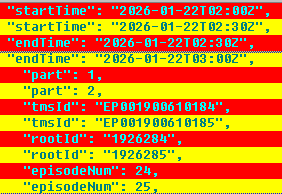 1 point
 -
Nice, thank you. Will test it.1 point
-
on windows its more simple folders manipulations much handy and on my subjective opinion its faster but mb just seemed so now scan work great and all my library (90 tv shows 2000+ episodes) scanned fast in case if someone from my region (Russia) themoviedb and fanart is blocked and needed bypass by vpn just added their domains to proxy or vpn and all work great This all domains: image.tmdb.org tmdb.org api.themoviedb.org themoviedb.org fanart.tv1 point
-
OK please try version 1.2.8 of the plugin. Thanks.1 point
-
I am having a lot of success with 4.9.3.0 and how I set up the M3Us to create the strm files as Luke suggested a while back. I'll give the webstreams plugin a try too. The M3U tuner is working well and very stable with the IPTV sources that I have been using. M3U4U is the other helper that's filling up any empty EPG data. Sometimes when the IPTV stream freezes, if I click on the end of the timeline the stream might restart. If not, I back out to the guide and restart the IPTV stream from the channel in the guide. I've wondered if the importmap for the play channel could be called to the videosd playback page and save us on some of the extra clicks. Cheers folks! It's working better than ever.1 point
-
Backup & Restore1 point
-
Might be a browser extensions, They are like phone apps, every where are for every thing.1 point
-
OK I'll do it in the morning, she who must be obeyed is watching eastenders1 point
-
WOW Awesome and thank you!1 point
-
HI, yes we are planning to add this. Thanks.1 point
-
I have been using the Emby app on my TV for many years and using internal subtitles was never a real issue until now. For a little over a week now the positioning of the subtitles is wrong. It looks it puts the subtitle in the negative space around my top left corner as the end of the sentences is my top left corner. I'm not sure what went wrong. I know I did an update a few weeks ago but also have been watching after that update without problems. To fix it I did a factory reset of my TV in the hope it completely would clear the Emby app to make sure nothing was wrong there but it didn't solve the issue. But also not sure if the factory reset really did clear everything. I assume that it's in the Emby app on the TV and not related to the server but I'm kinda stuck getting this resolved. Playing with settings in the Emby App didn't make any difference. When I force a transcode subtitle burn in it's fine but I don't want to always transcode.1 point
-
Hi, this has been identified as an issue in the server and we’ll be getting an update out for the server soon to resolve it. Thanks.1 point
-
For video stuttering, please try Emby for Android 3.5.25 and let us know how that compares: https://emby.media/emby-for-android.html Thanks.1 point
-
Why would you mess with user defaults? Like your snazzy new thing? just tell people about it and let them make up their own mind FFS.1 point
-
I also have circa 70TB digitised, its quicker than you think. I used BOX4 (free and GUI) to do it en masse to Dolby Digital 5.1 640kbps (this is still a good bit rate for DD and you wont hear any worse sound quality). The tool allows you to untick soundtracks and subtitle tracks you dont want and can do mp4 to mkv and vice versa. Use a sample track first so you set up the (few) options so you dont have to configure every time. It leave s the picture at original quality, just a re-encode of the sound tracks you choose to change format, and you can leave other tracks in original quality should they already be AAC or AC-3 (DD). You may have several tracks in your video file for example.... https://www.videohelp.com/software/BOX41 point
-
It goes faster than you think if you automate it.1 point
-
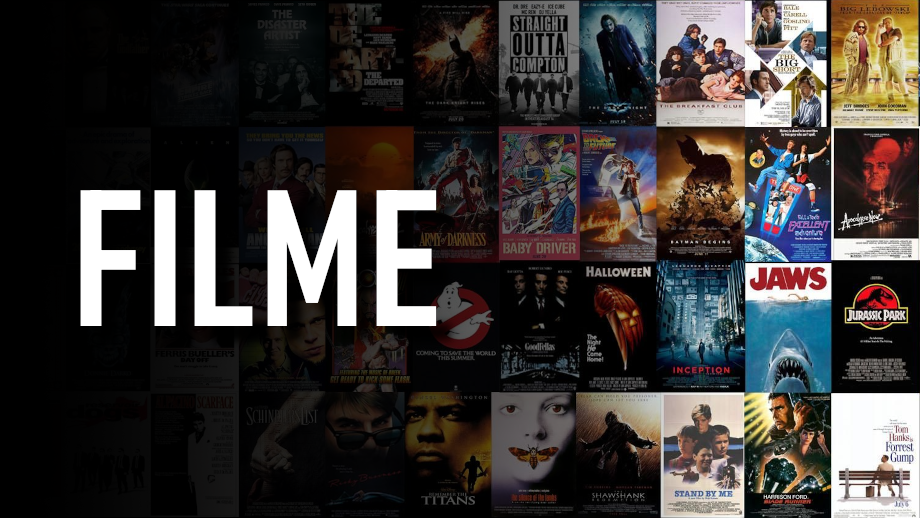
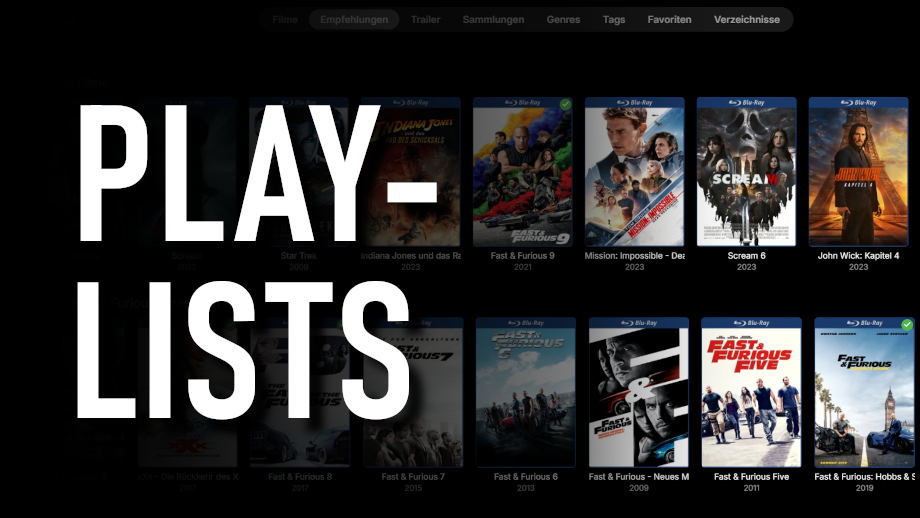
These images were inspired from many of the Libary images posted by members. These were made by 1 of my Sons.










 1 point
 -
Thanks for sharing! For those who want to maintain the same font, here is the font link: https://www.dafontfree.io/bahnschrift-font/1 point
-
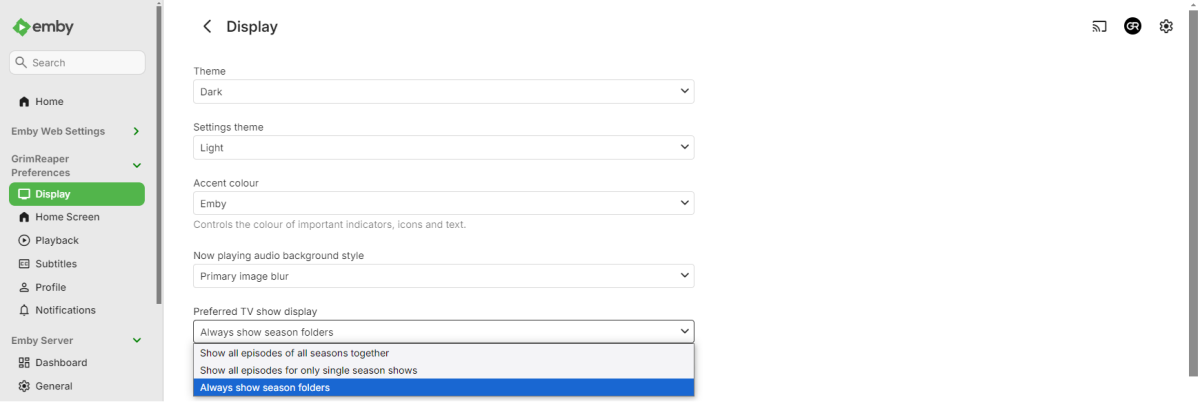
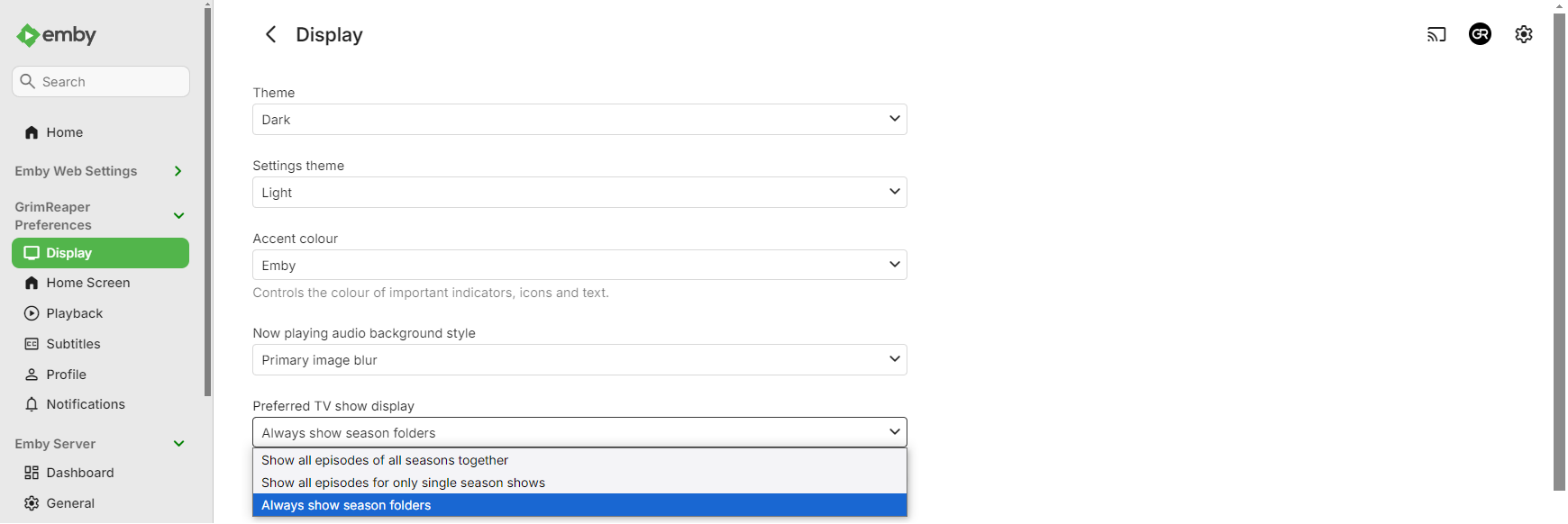
Select "Always show season folders" under your user's Display preferences.
 1 point
 -
Hi, yes we should add a way to link them.1 point
-
Hi, the server beta channel has an updated intel driver in case that might help. We will have that on the release channel very soon.1 point
-
Hey, I would like to request a better "Refresh Metadata" experience, especially when refreshing a whole library. My experience after starting the refresh is the following: The progress jumps to 90% very quick and the last 10% are slow (which is where the actual work happens i guess). Would be nice if you can rework the progress indicator to represent just the items that are refreshing (e.g. 1000 items -> 1 is fully done -> 0.1%) and also display the progress as a task in the dashboard (like the library scans). A cool extra thing would be the possibility to cancel a refresh task and notifications for started, done, aborted. Thanks for reading and please let me know if thats something you would like to change/implement.1 point
-
@LukeI'm having the same problem. I'm a user planning to switch from Plex to Emby and have already purchased a lifetime membership. I've been exploring the new features for the past few days, and my biggest issue is that I don't know if the commands I set are actually being executed. Regarding the "refresh metadata" display, on Plex, for example, there's a very obvious spinning circle indicating it's in progress. I often wait a long time, only to find it's not running at all when I check back later. Another problem is that when I refresh a TV series, shouldn't all the videos within it be refreshed at once? But the opposite is true; I wait a long time with no response until I refresh them one by one...1 point
-
You need to append drop shadow manually after inserting your text of choice. Gimp_Gradient_Library.xcf






 1 point
 -
Can generally recommend theposterdb.com. Customized nearly my whole library with pictures of those. The free Account is sufficient. Fan of DIIIVOY and RedHeadedJedi1 point




















.thumb.jpg.ccf5fd5c50269f407148fbd429681c66.jpg)


