Leaderboard




Popular Content
Showing content with the highest reputation on 01/22/26 in Posts
-
There will be one forthcoming.5 points
-
I have been a big fan of Emby for the past three years. I installed it on my Synology NAS and I use it daily on my Fire TV. As a language learner, I love watching movies with dual subtitles because it helps me pick up a lot of vocabulary in a short time. I often pause when I need a moment to understand and learn new words in my target language. Before, my workflow was tedious: I had to extract subtitles from the movies, merge them on Windows, and then upload them again to Emby. It was very time consuming. So I developed a small plugin that makes the process instant, directly from Emby’s configuration page. At first, I tried to code everything by myself, but I must admit it was much easier with Claude You can try it here: https://github.com/smkerz/EmbySubtitleMerger/2 points
-
Install the Diagnostics Plugin and there's a new section on the left side bar near the bottom called User Sessions.2 points
-
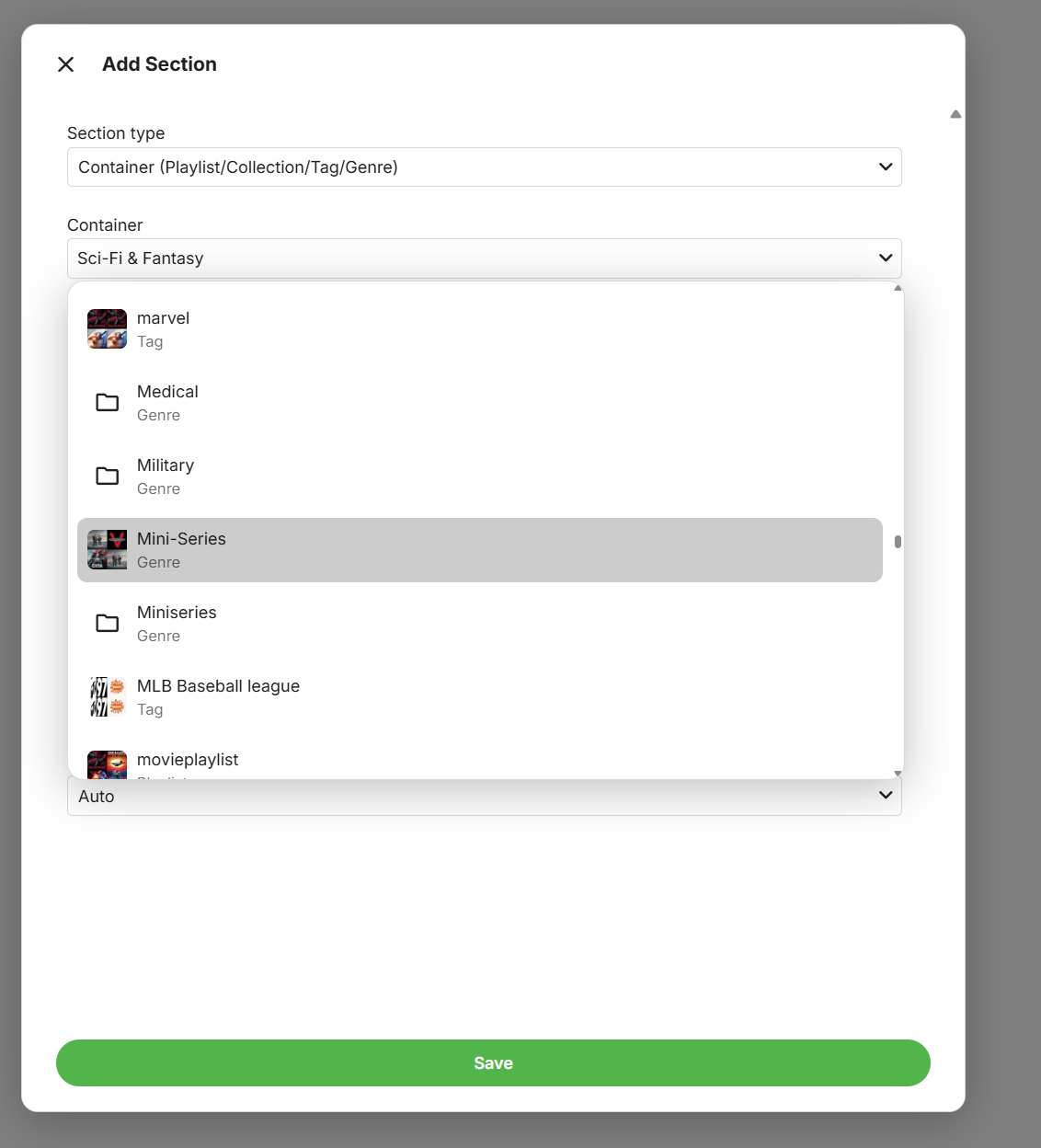
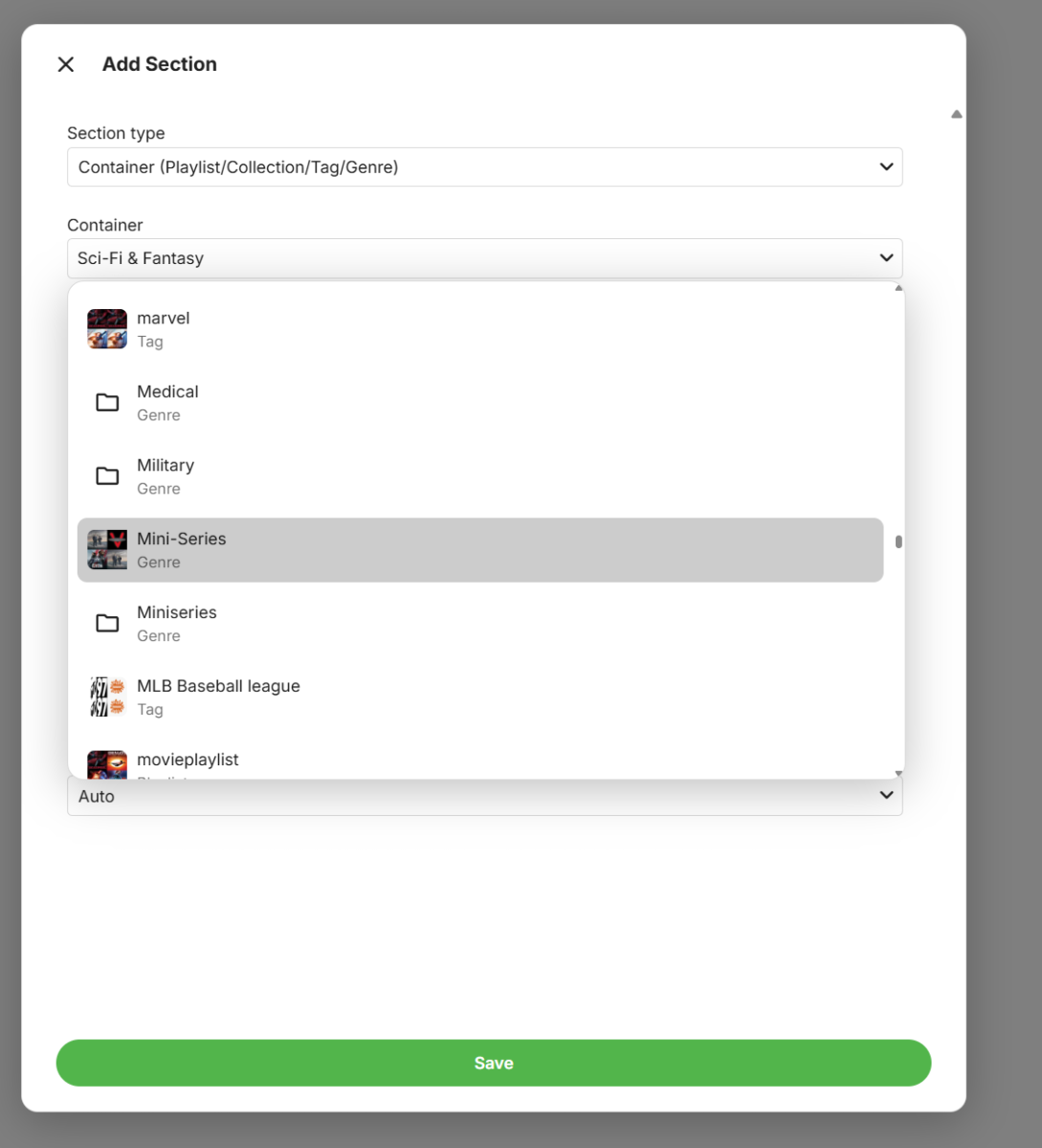
This is about to land on the beta channel as you'll be able to design your own home screen sections:
 2 points
 -
Jep all I ever see is 95% None above or below. Its ether fail or 95%2 points
-
@Luke any ETA?2 points
-
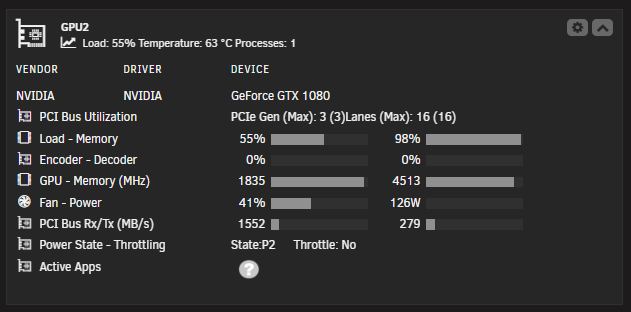
I run it on this. But I have seen it max out VRAM and stall, but 30sec later it continues. I'm guessing it retries for those 30sec, and then discards the image, and moves on.
 2 points
 -
So that answer is even more concerning @ebr. The project was ready "a few years ago" (your quote), but now it's not because management's decision was to sit on it? Very nice!2 points
-
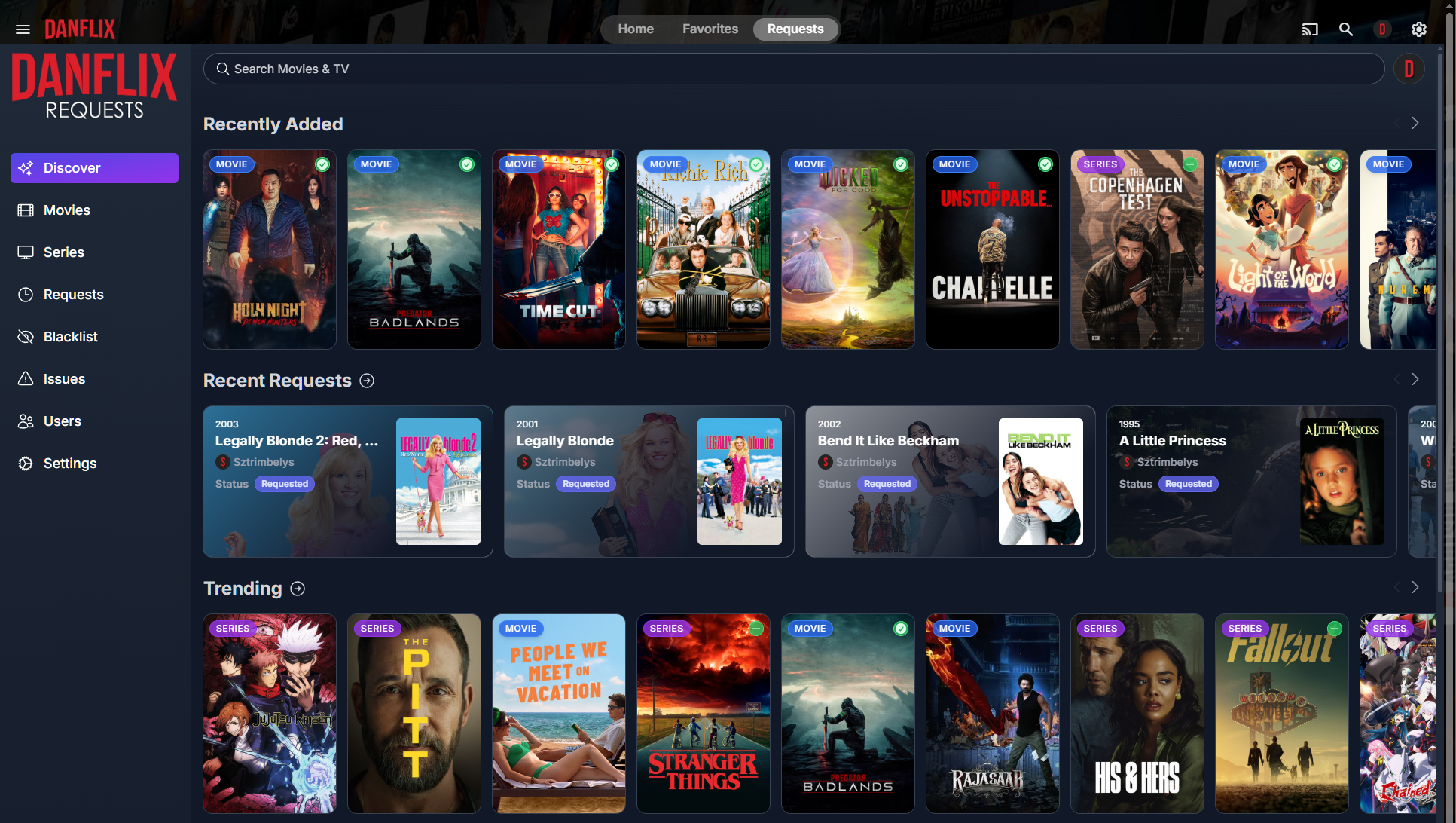
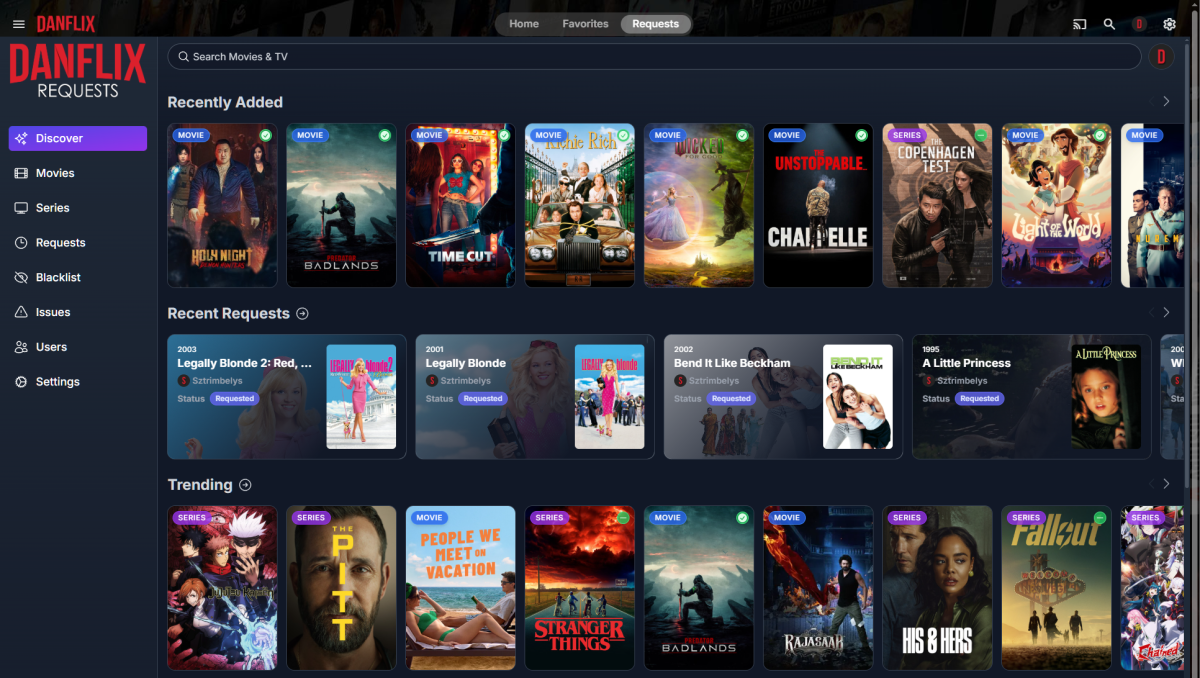
I was checking out Jellyfin and noticed they have a Custom Tabs plugin that can add new tabs to the Home/Favorites menu. So I added a "Requests" tab which launches Jellyseerr in an iframe and it was awesome. Unfortunately there's no such plugin for Emby that I could find. So I resorted to modifying web files and wrote a script I can run whenever the container needs to be re-built. Here's what it looks like un-selected: Selected: The only thing I have left to do is implement SSO so users don't have to login to Jellyseerr manually. Instructions in next post...

 1 point
 -
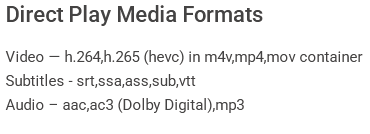
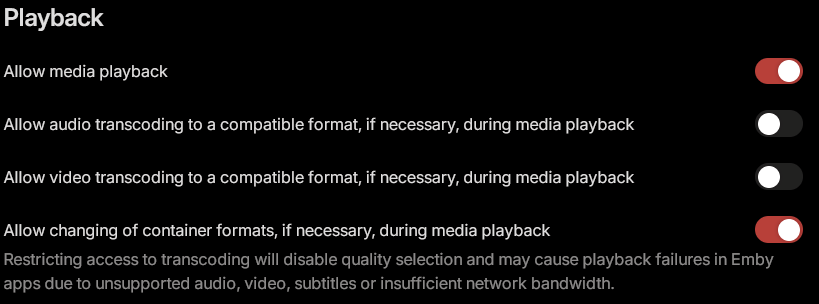
I see Emby's page for Apple TV supported formats doesn't show PGS subtitles as being able to direct play. I found that you can get the Apple TV (at least the 4k 3rd gen, which is all I have) to direct play PGS Subtitles without the server transcoding by disabling video transcoding for the user. Also the same goes for playing the TrueHD audio format, if you disable audio transcoding it will direct play it to the device. (The Apple TV converts it to LPCM which is another lossless format, but you lose height channels from what I've heard. I would keep allow changing of container formats as it seems necessary to display Closed Captioning on Live TV I'm not sure how this works just wanted to point it out as I didn't see any information on this and just stumbled upon it.
 1 point
 -
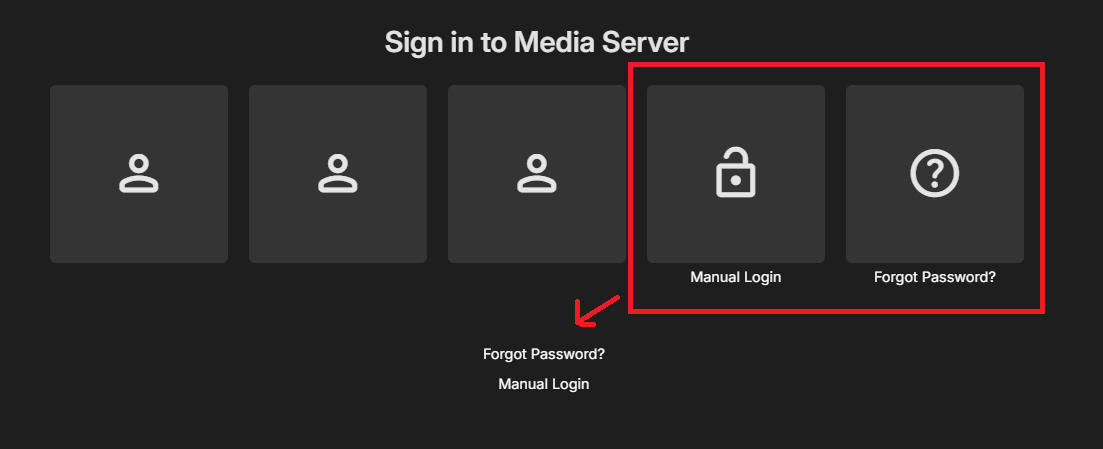
Hey everyone, I was wondering if anyone knows if it's possible to modify the login screen to replace the large "Manual Login" and "Forgot Password?" boxes with smaller links below the list of users? I've mocked up a version in paint to demonstrate what I mean. It's obviously just a preference I have, mostly due to the Samsung TV app making those 5 boxes so huge and pushing them to 2 lines, but I'd love if we could have an alternative login page layout like the above. Keep up the great work, love the app and have done since MB3! Thanks, Michael
 1 point
 -
Weird thing is that there were recording timers created for season 8 episodes, but none for season 7.1 point
-
Definitely an issue with the standard Android app, and has been reported previously. When backing out of playback to a detail screen and there is a resume point, the 'Resume' button should have autofocus but it doesn't always work. Hopefully @Lukecan find a permanent fix for this annoyance.1 point
-
So, in case anyone's wondering how to pull the logs from a FireTV, here's how I managed it. Might be common knowledge to some but was new to me.I nowhere saw anything when I googled about "debug mode" or anything like that in the Emby App. I saw "Share" for the logfiles, but any option under there did nothing. This is how I eventually was able to gather my logs for a support issue. I hope this helps anyone who got as lost as I did! Ha! I did all this on a Mac but I'm sure the steps are the same on other platforms (apart from terminal etc). 1) Put your FireTV into Developer Mode (Home -> My FireTV -> press center button seven times) 2) Go into developer options and enable ADB Debugging. 3) Go into the Emby for Android App and click on the User Icon (top right), go to App Settings -> Logs -> Settings and enable app logging. 4) Exit out of the App and re-load it to enable logging. 5) Grab a copy of the SDK Platform Toolkit from https://developer.android.com/tools/releases/platform-tools 6) Find out the IP address of your FireTV (Home -> My FireTV -> About -> Network) 7) Extract the toolkit and change to it's folder, then run the following commands: MAC / LINUX ./adb connect FIRETV_IP:5555 WINDOWS adb connect FIRETV_IP:5555 You may have a prompt on the FireTV to accept ADB debugging and trust this network / pc. Now, you can "follow" the emby log as you perform the actions to replicate your issue or collect the data requested and output that stream to a text file. In my case, it's a file called "emby-firetv-log.txt" on my Mac's Desktop folder. MAC / LINUX ./adb logcat -v time | grep -i mb.android > ~/Desktop/emby-firetv-log.txt WINDOWS adb logcat -v time | findstr /i mb.android > "%USERPROFILE%\Desktop\emby-firetv-log.txt" The command breakdown is to tell the FireTV to follow the system log, but look for entries matching "mb.android" (the app name) and then output those logs to the file. 8 ) Close Emby when you're done and then stop the command (usually Ctrl Z or Ctrl C) - the log will be in the file in the location you chose to put it. 9 ) Go into the Emby for Android App and click on the User Icon (top right), go to App Settings -> Logs -> Settings and disable app logging. Restart to take effect. I hope this helps people, I had a heck of a time trying to find out how to copy the logs.1 point
-
Do you have any logs for 8:30 pm (scheduled time) when Emby would have been running 2026-01-21 19:32:59.226 Info Main: Shutdown complete1 point
-
Update: chmod -R 755 /media and it was now accessible Relocated all the emby working folders to the m.2 I added to the unas for apps, created a /apps/emby directory and subs for transcode, cache, metadata, etc then chown -R emby:emby emby and chmod 755 -R /apps/emby and everything seems happy now If this is incorrect, PLEASE advise. Thanks!!1 point
-
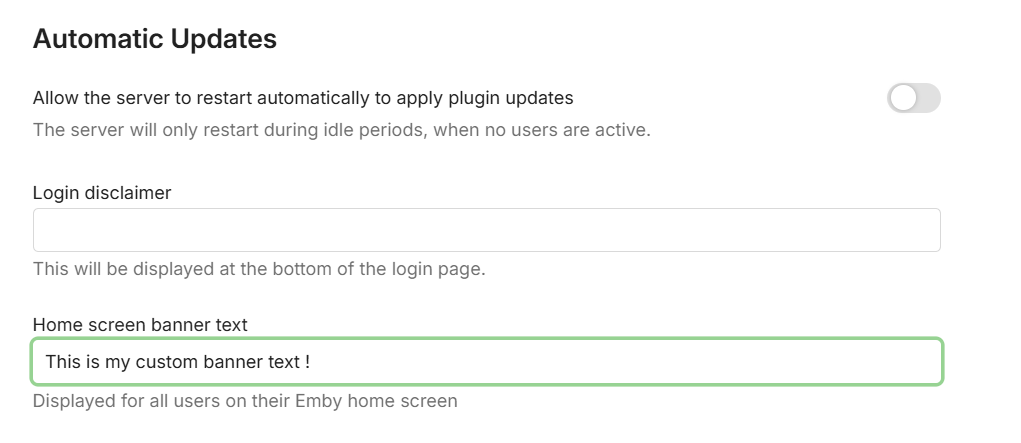
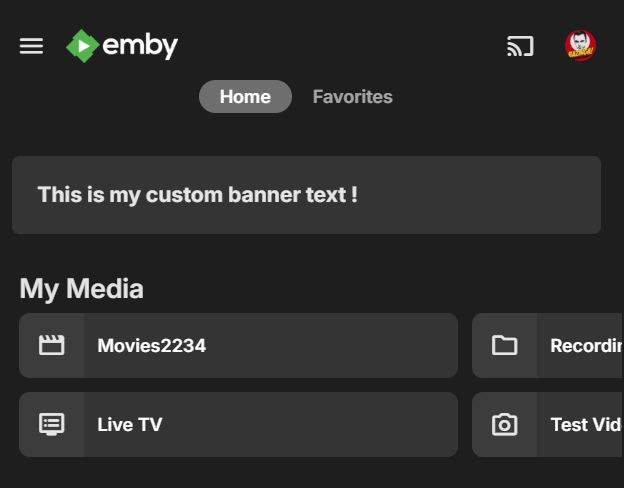
Regarding a banner, this is going to happen in two stages. First, on the beta channel we're about to give you something quick and easy: Then later we're going to remove this in favor of a more powerful system where you can have multiple banners, filters for who will see them, the ability to dismiss them, etc.
 1 point
 -
Sorry but I haven't had the shield hooked up in a long time so I cannot test. Perhaps someone else who still uses it can.1 point
-
Getting mine setup and going today. I'm old to emby but relatively new to linux so be gentle lol. CLI Deb install went perfectly. I can't add my media libraries though. I assume it's a permissions issue (this is where I struggle the most with nix) since "access is denied". I can see the /volume1/media directory in the Emby GUI, but nothing inside that directory. Are y'all accessing the libraries through SMB or directly? I'd prefer directly, but don't know how to do this. Pls help! PS: +1 on the native, @Luke. I think that will be awesome!!1 point
-
OK we are still looking at that. Thanks.1 point
-
I had seen that mentioned in the other threads but I appreciate the update here. Thanks!1 point
-
This is about to land on the beta channel as you'll be able to design your own home screen sections:
1 point
-
HI ,yes we can look at improving this. Thanks.1 point
-
OK I'll do it in the morning, she who must be obeyed is watching eastenders1 point
-
Okay, maybe I'm wrong but I had this exact discussion with TheGru two weeks ago. I'm not tech savvy enough to explain clearly what I think is wrong in the way you approach the problem but if you tried my suggestion and it didn't work than somebody else has to chip in. Good luck!1 point
-
Yay! Finally! Thanks guys1 point
-
That would be an extremely rare experience. Obviously, you can see how we wouldn't have survived to this point if that were true for any significant number of installations. So, we should get to the bottom of your situation. Have you posted details of these issues?1 point
-
Hi Luke, LG TV App 1.0.50 not available on my LG 77C4 ?!? Other LG TVs already got it.1 point
-
In this case windows, the OS effectively sets which GPU to do based on its own internal metrics. However an application can directly overwrite the choice in one or two ways. The "generic" method the app can change it is to simply use calls that only on device driver supports. You will get an error if that GPU is not available. Ie picking the nvidia_hevc codec vs a generic hevc codec. Thats effectively what happens when you transcode using ffmeg and select a particular hevc driver. You can also, specifically set the GPU with a device ID in the application. However, I am not sure if its possible to do so inside JavaScript applications running on a chromium core (Edge, Safar and Chrome all do). In windows, you can set in the settings system that any particular application or app use a particular GPU. Ive done so for the Emby App from the Windows Store. I have a number of 4k movies, that the embedded GPU cant keep up with, but the daughter card nVidia handles it no problem,. Its not a network bottle neck, I upgraded to a 10gbe direct connection, and then titrated it down to a 1gbe and it didnt matter. I also ran it running the server on the client machine itself with a localhost connection. It turned out to be the GPU being chosen. Using the Emby App is fine, and handles it. But was hoping for a webclient solution, without forcing all instances of the webrowser to use a particular GPU, as I would much rather have that balanced by the OS. I do use the browser for more than just Emby after all1 point
-
Haven't seen this version, just installed it. Need to test now. Will give you feedback.1 point
-
This is a server issue not a client issue. It happens on browser, apple tv app, android tv app... please fix this old bug in the server.1 point
-
Just an update for easy installation in Unraid. Both applications are available now in the CA store. Aperture & Pgvector.1 point
-
Credits Detector — Mozilla Firefox 2026-01-22 12-33-44.mp4 You can set the worker, thread and core count to match your CPUs for the tesseract and you can get very fast speeds out of it. What you see in the video is where it's set to use maximum. Could probably improve EmbyCredit settings a bit as well but just put it at 10 frames at a time. So it's not because the CPU version is slow, it uses a very small and efficient model. By default it's set relatively low so as to not absolutely nuke some systems from orbit.1 point
-
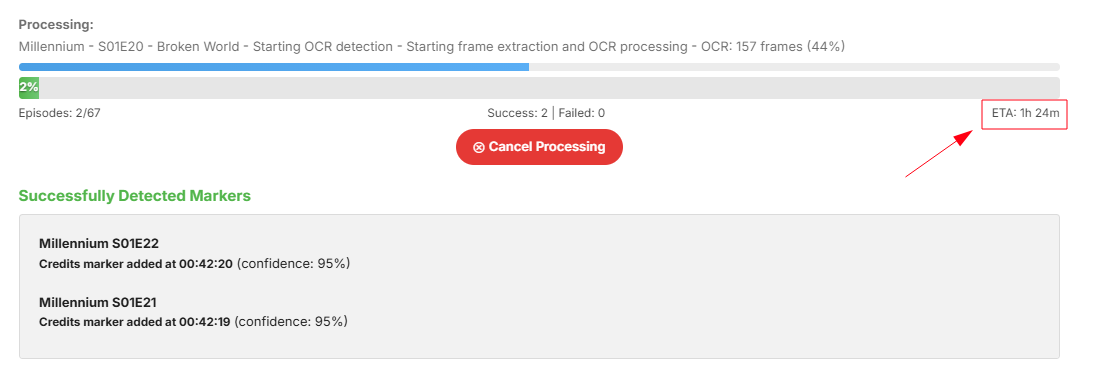
Will rerun it with CPU Stay tuned for email screenshot
 1 point
 -
Hi Quickmic Thanks for the reply. I am running plugin version 12.4.5 and just run it with the default settings. I haven't modified anything within the plugin. As a test, I was watching a video and then went to my Emby server and ran the scheduled task scan media library. When I ran that task I could see the black flicker at top of video that you can see in the video clip I sent through. The only setting within Pause Sync that stops this from happening is if I grey out the option Scan media library. The weird thing is that during video playback it only shows a black flicker with no progression information. If I stop the video playback while the scan media library task is running on my Emby server i can see the progression information, ie the red circle going round with the percentage information On side note I am using the Bingie skin for Kodi, I haven't tested using default Estuary skin.1 point
-
Hi, yes in the recent builds.1 point
-
I think this should be resolved in the next update to the app. Thanks.1 point
-
Unfortunately still having the same two issues. It only works when I enable "Force Transcoding" Thanks1 point
-
that did the trick!1 point
-
So here's something for people to play with. Been toying with some tesseract and others with GPU support for people who want that. I have sadly not found anything that i would deem fitting for the plugin but i kinda don't want to throw out the work done. So here is a version of EmbyCredits that support PaddleOCR with Nvidia GPU support. At yock1/paddleocr-api | Docker Hub you can find the PaddleOCR. It is very fast when set up correctly but just way to big for my liking. That shouldn't stop people from having a little fun trying it if they want. DO NOTE THAT: The docker image is big.. I mean really big! 20-40GB depending.. Also you need to add "--gpu all" to make it work. I do NOT support this version as it was just to test with!! This is NOT an official version of EmbyCredits!!! You all got that? Good.. Then have fun. EmbyCredits.dll1 point
-
是的,非常抱歉,我排查出来是windows映射存储,映射的Z盘没有权限。在embysever管理台添加媒体库的时候没有Z盘,只能使用网络文件夹。1 point
-
Thank you @NevRimes, I hear (or read) your pain. I am running Synology DS224+ with DSM 7.3.2 - hence using 64bit x86 emby package 4.9.3.0. I looked at all recommendations from your thread such as ensuring all users have remote access enabled etc. Based on the information in that thread, I am considering now a complete re-install of emby from scratch, unless there is any better way of approaching an "emby-reset".1 point
-
I received a firmware update on my LG TV today which finally adds Eclipsa Audio support, however, since the Emby app still doesn't support the codec, when I attempt to play any of the above videos an error message is displayed. I hope you implement it. Thank you.1 point
-
I disagree. His point was that it should be expected that software like this has 2fa built in. It never even occurred to him that it wouldn't be.1 point
-
Not sure I get your point @BillOatman, just because you don't use it, we should change? I use Emby for Live OTA TV as my daily driver, and I'm just asking for an already completed project ready for public beta testing to be released. Why is that an issue for you, if you don't use it?1 point
-
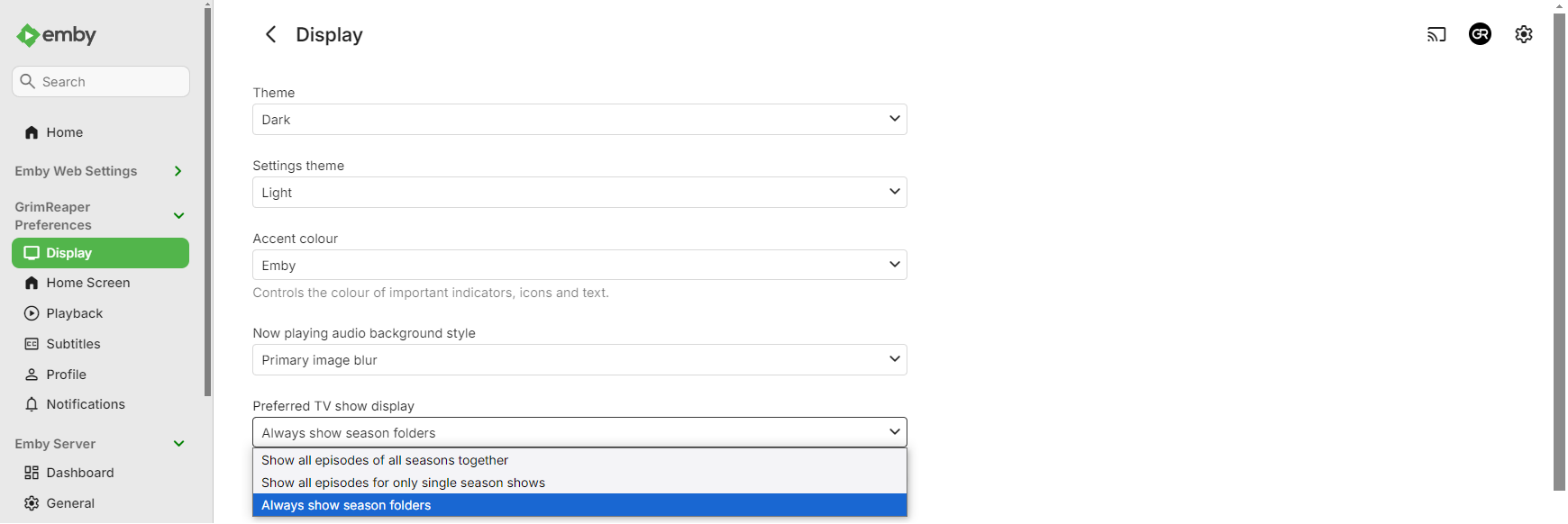
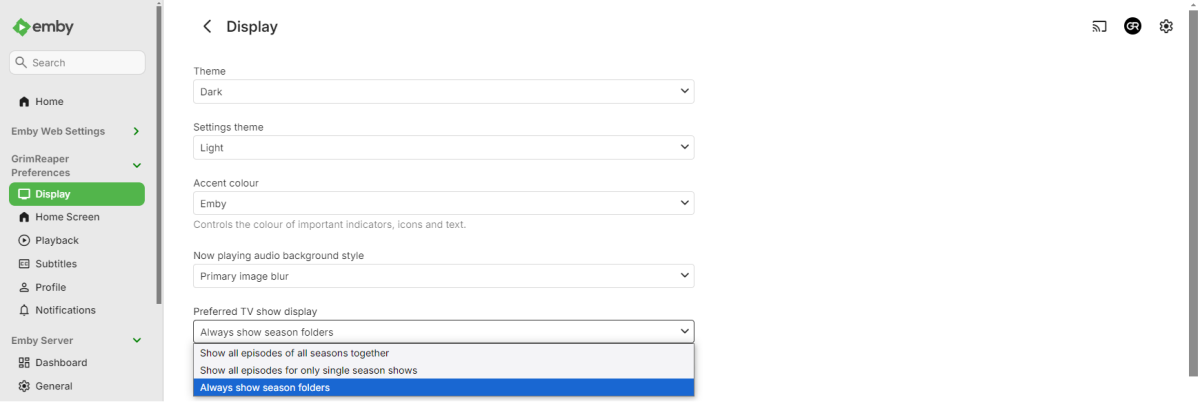
Select "Always show season folders" under your user's Display preferences.
 1 point
 -
Why would you mess with user defaults? Like your snazzy new thing? just tell people about it and let them make up their own mind FFS.1 point
-
Feature Request: Have User Groups and all settings applied at the Group Level That way you can just assign users to the appropriate Group and all settings will be inheritated.1 point
-
Good luck, 5 years waiting ....1 point