Leaderboard




Popular Content
Showing content with the highest reputation on 01/20/26 in Posts
-
Emby for LG TV's 1.0.50 has been released. Stay tuned to the blog for the release announcement.5 points
-
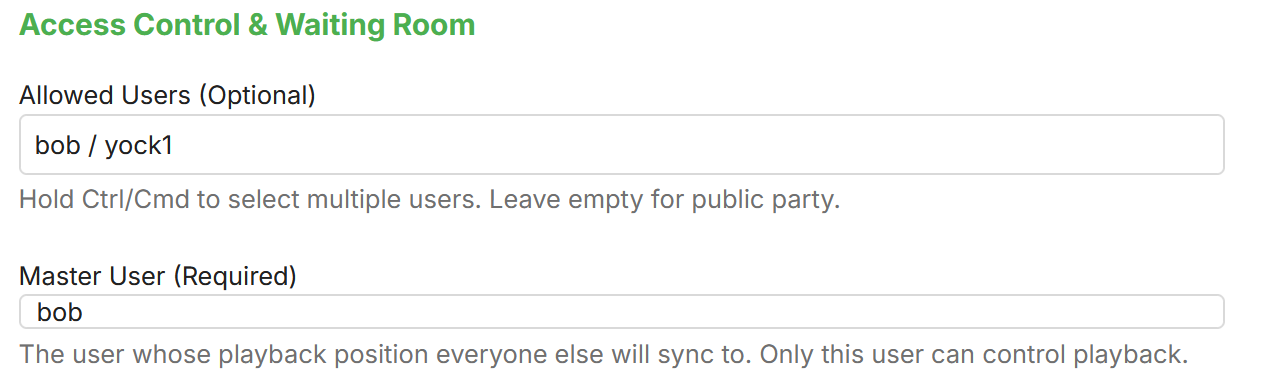
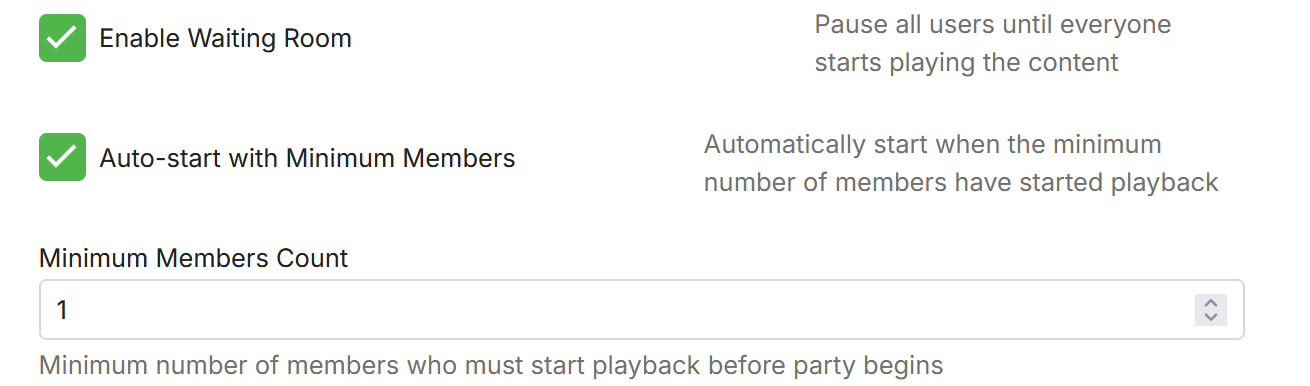
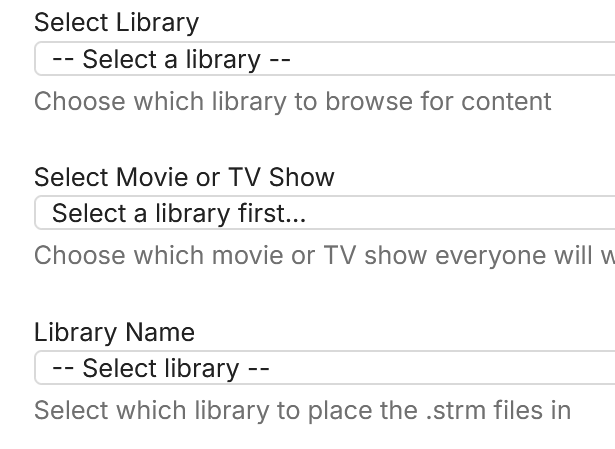
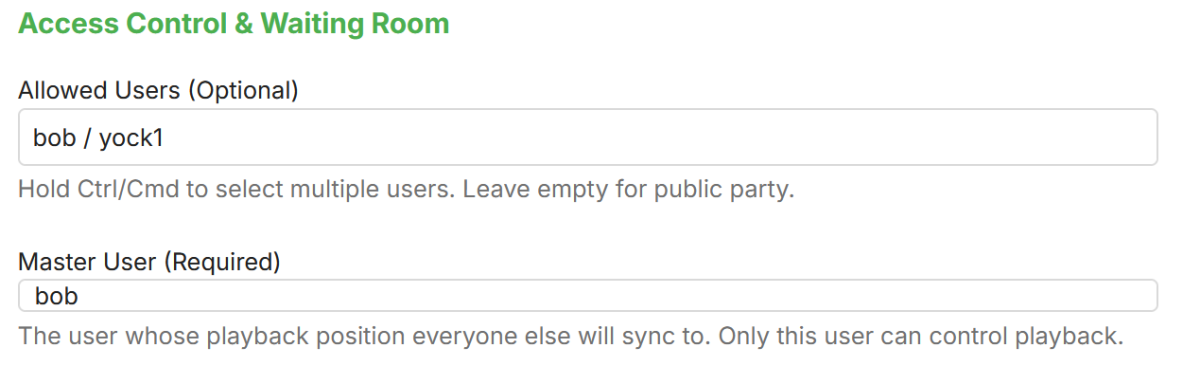
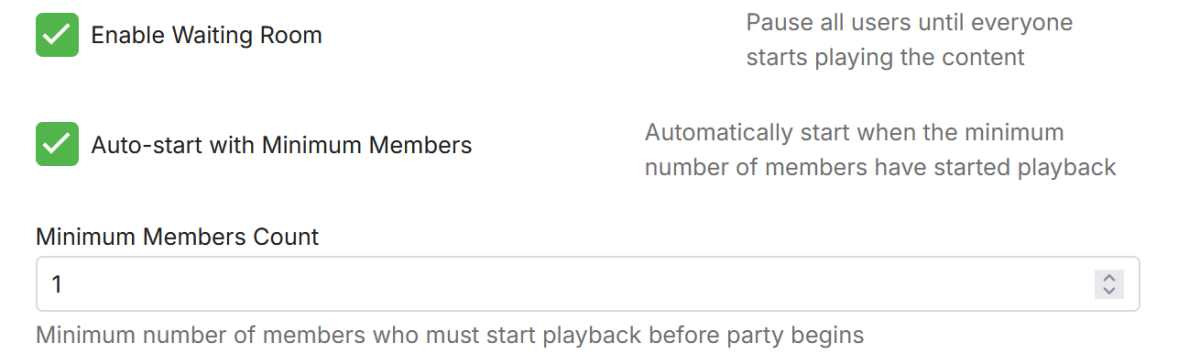
Here is my take on a watch party plugin. yocksers/WatchParty-for-Emby - Github The way it works is that you choose a movie, what people to join and how syncing should work. The plugin makes a STRM file in a library chosen in the settings (i recommend making a separate library for this!!) User starting that file will be synced together. There are extra configurations that can be set to customize it more. There is also an external webpage where users can add more watch parties without having to have admin access to Emby, this can be configured to have a custom password for security reasons. This webpage needs to be binding correctly in the docker version of Emby. In Windows version of Emby you might need to run "netsh http add urlacl url=http://*:8097/ user="Everyone" to give permission in the firewall. This webpage also has a dedicated chat for each watch party. How to create watch party: Choose movie and what library to place the STRM file in: Set users as master: And then press create watch party. The movie should now show in the configured library and when the amount of people configured have joined it will start. Please report any problems and ideas for the plugin either in here or to me in a private message. Latest version can be downloaded at: yocksers/WatchParty-for-Emby Github. Lastly: If this plugin doesn't fir your needs then i encourage everyone to also look at the Watch Party solution that Oratorian made!! It's well made and might fit your needs better.

 2 points
 -
@GHynsonthat's strange, I've changed the Display settings via Chrome on my desktop and these changes are now also available on Google Chrome app.emby.media, the Emby Android app (same phone) and my Samsung TV. I didn't have to change these settings for each device, they were all inherited in my case. Are you sure you're using the same account on the different devices?2 points
-
I can confirm that 1.0.50 works for me on OLED55B8PUA.2 points
-
Emby for LG 1.0.50 has been released. Here are the highlights: Resolve playback error on some 2018-2019 models Merge Movies and Shows into a new Movies & Shows tab in mixed content libraries View the full article2 points
-
New PUBLIC TESTING version available 12.4.5: Delta changelog 12.4.4 -> 12.4.5 fix progress position2 points
-
New version up (v1.5.1.0) on yocksers/EmbyCredits Github. Added: Scheduled task for backups. Settings can now be accessed via the Emby side bar.2 points
-
The Emby server is a multi-threaded application and that htop output is showing all of the threads. That output is showing the server startup command line and arguments, not ffmpeg or ffprobe processes. Those are the startup parameters. When ffmpeg is used it will show as a separate process with its own threads. If the server is idle, not streaming or scanning, then you shouldn't see active ffmpeg processes.2 points
-
This has already been requested and on my todo list.2 points
-
The data is looking a lot better. Thanks for following up.2 points
-
The recently released Firefox MKV support doesn't allow for partial retrieval of the video content it seems. You can disable it by going to about:config and changing media.mkv.enabled to false.2 points
-
Thanks for a wonderful program. Now can i play MKV, ISO, Video_TS, Bd_folder and BD iso on my Samsung TV, from the EMBY server on a Windows PC I can stream musik MP3 and FLAC to my Denon AVR from my phone. Record TV works fine I have delete Plex. The last thing i use KODI to is play SACD.ISO and SACD-DSD files That will be grat if EMBY can that, and i can delete KODI, and use EMBY to all. Best Regard Niels1 point
-
A swipe-to-switch setup would be a sweet quality-of-life upgrade, especially for quick-binge folders. I’ve played around with short-form stuff a lot, and after using Famoid to boost engagement on my TikTok clips, I got used to that fast scroll vibe, so having something similar in Emby would feel pretty natural. If the devs pick it up, it could make hopping through videos way smoother.1 point
-
Correcto, ya está operativo1 point
-
Siiiiiiiii. Ya funciona Lucas. De lujo muchas gracias1 point
-
Yes, it's available on the LG store in France and the update works. Thanks.1 point
-
V1.0.50 works fine.1 point
-
Yeah it was the nextup.plugin. Thank you very much. I didnt remember I installed it.1 point
-
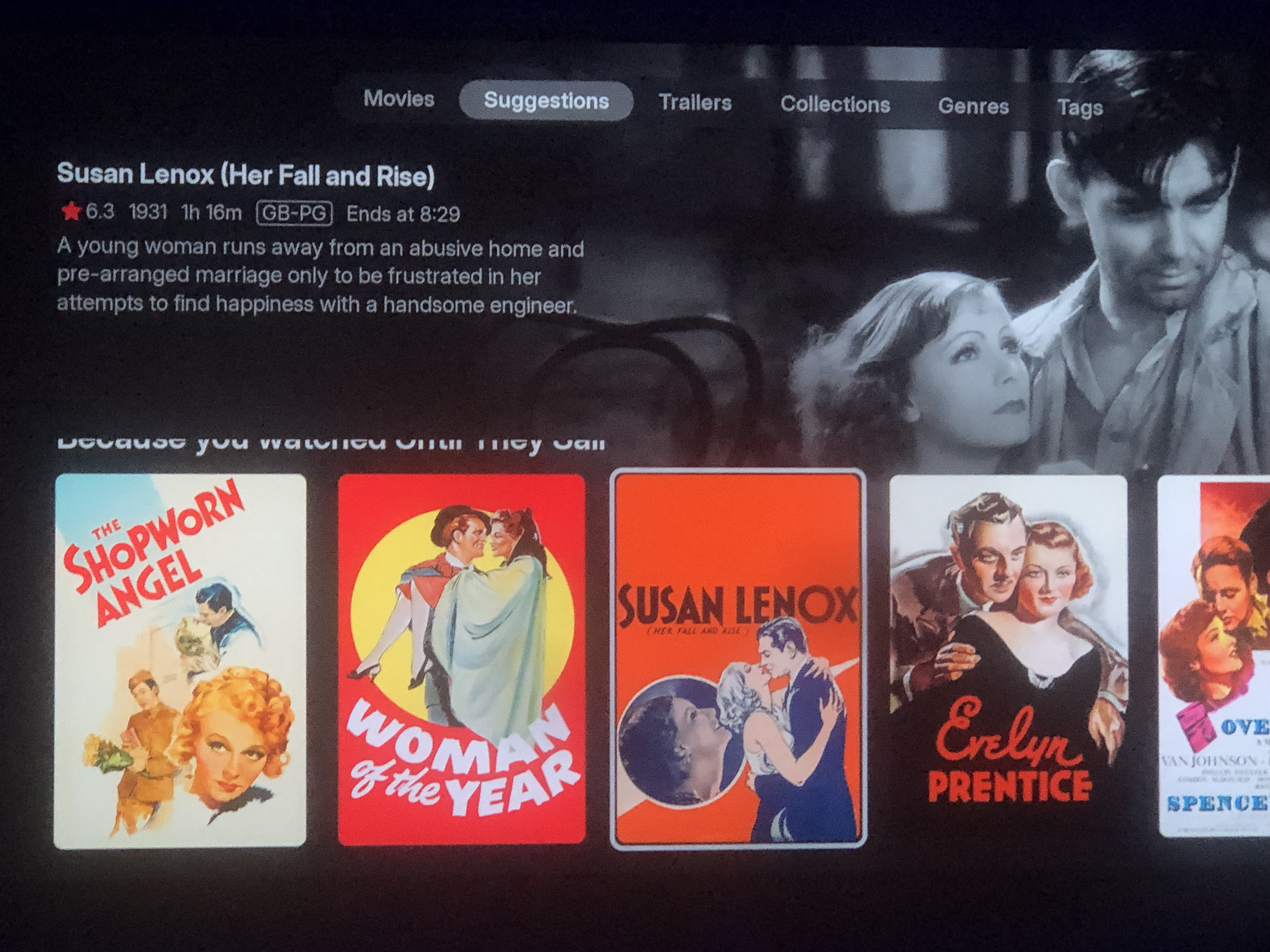
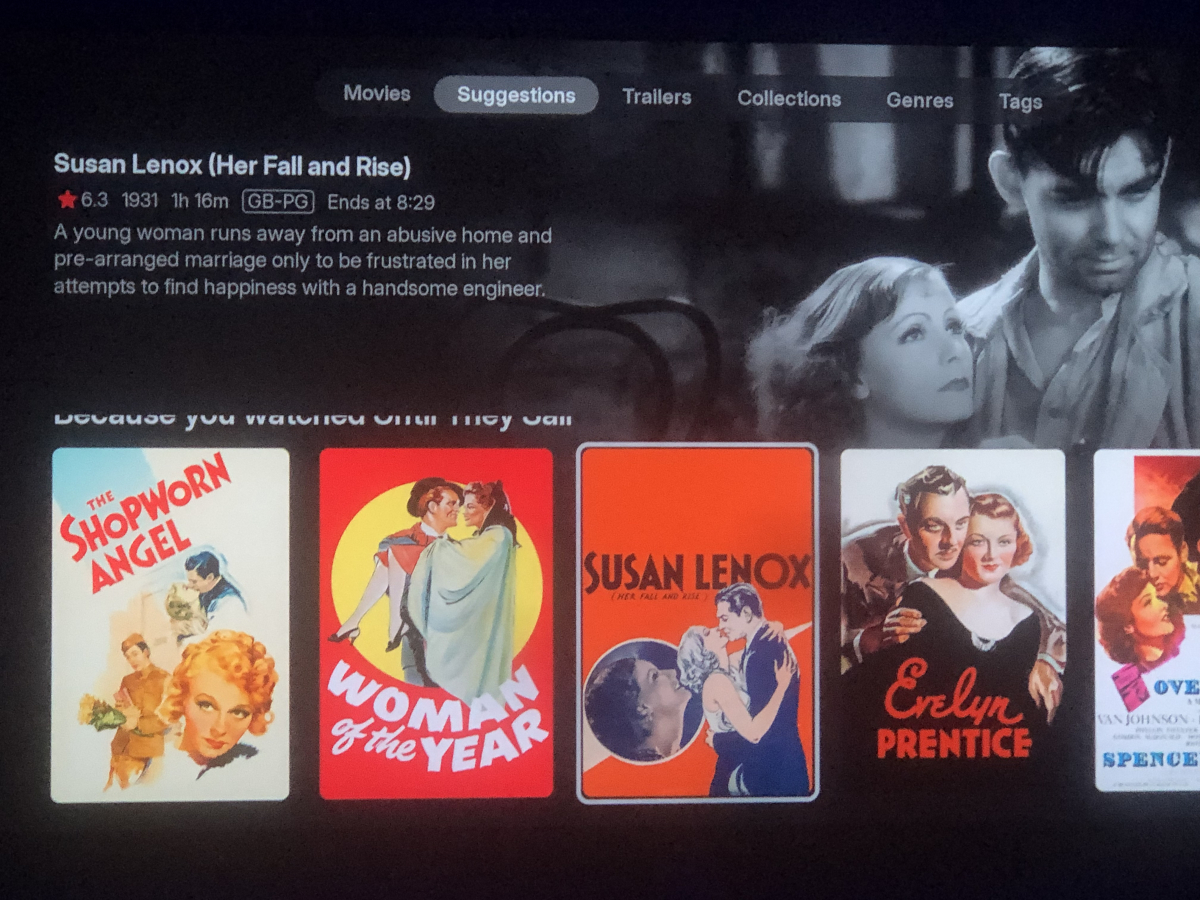
I also noticed in movies under suggestions. When I scroll down it cut half the title “because you watched ………”
 1 point
 -
@Lukeupdated this morning. Unfortunately the issues raised here are not resolved. I still see continue watching instead of Legacy Next Up although it is set in settings and the horizontal listing does not scroll right still1 point
-
Hi, apologies for the disruption. LG does not offer a mechanism to instantly revert to a previous, already-approved binary. Therefore the only option was to submit a new update.1 point
-
@TheGru it was not PlaybackReporting, it was the ChapterAPI intro detection plugin. The idea was people could share their detected intros Audio CromaPrint detections so other could just use them from a global library but I was never able to get anyone interested, there were a few users that helped out and we ended up with a few series with AudioCroma prints in the DB but it was not enough to take off and I ended up pulling the pin.1 point
-
Yes please. This is the only reason why I haven't made the switch.1 point
-
hola, me paso lo mismo pero lo solucione cambiando el destino de la descarga1 point
-
HI, we'll take another look at it. Thanks.1 point
-
mp4 played next episode. The problem I have, all my files are MKV. The emby server has no issues playing MKV files.1 point
-
There are many ways to handle it but right now Canva or Photoshop is your friend.1 point
-
Any plans for image generation? Nothing too crazy, generating library cover images based on the library name text. I changed my "Top Pick - Movies" to "Trending Movies" It would be cool if I didn't have to manually create a new cover image with the matching text. Could this be done with stable-diffusion? I realize this is kind of a one and done type task but it would be neat to have the capability all in one spot. Aperture already made me upgrade my GPU from a 3060 12gb to a 3090 24gb this week....I want to make good use of it1 point
-
I'm sure it can but it's definitely not something that is impacting every single mkv. For example try another one, or try with an mp4 and see how things go.1 point
-
I could add a randomization job I suppose. Make it optional and you could define in the job scheduler how often it ran. I would need to implement a Fisher–Yates shuffle and map it to the current calendar in order to make it work but sure. Once I get all these bugs I created sorted out, i'll add it to the "roadmap"1 point
-
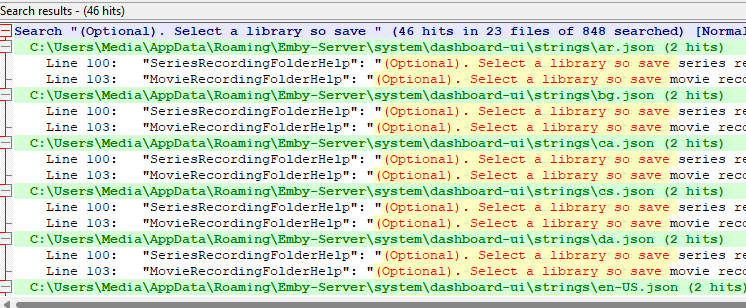
Yep all the translation files in the strings folder.
 1 point
 -
plugin.service.emby-next-gen-12.4.3 With the help of group members, the Chinese translation has basically been comprehensively revised. resource.language.zh_cn.zip1 point
-
Hi, thanks for reporting. We'll take a look.1 point
-
Aperture v0.6.1 Release Notes This release brings expanded Top Picks sources, TMDB integration for popularity rankings, language filtering, auto-request support for Jellyseerr, and several important bug fixes. Thank you to everyone for testing and reporting issues! Top Picks: Multi-Source Popularity Top Picks now supports multiple popularity sources beyond just local watch history and MDBList. You can now choose from: New Popularity Sources Source Description Local Watch History Based on what your users are watching (renamed from "Local") TMDB Popular Most popular movies/series on TMDB TMDB Trending (Today) What's trending today on TMDB TMDB Trending (Week) What's trending this week on TMDB TMDB Top Rated Highest rated content on TMDB MDBList Custom curated list from MDBList Hybrid Blend local watch history with any external source Hybrid Mode Improvements Hybrid mode now lets you choose which external source to blend with your local watch history: TMDB Popular TMDB Trending (Today/Week) TMDB Top Rated MDBList This gives you fine-grained control over how your Top Picks are curated. Preview Modal A new preview modal lets you see exactly what items would be included in your Top Picks before saving: View matched items (already in your library) See which items are missing Test different source configurations Language Filtering for Top Picks Filter Top Picks results by original language: Multi-select language filter - choose which languages to include (e.g., English, Spanish, Korean) Include unknown languages option - toggle whether to include content without language metadata Separate settings for movies and series Dynamic filtering in preview modal - filter results on-the-fly to see counts Applied everywhere - filters work for popularity lists, preview, and auto-requests This is especially useful when using TMDB sources, which may include content from many countries. Series Season Selection for Requests When requesting missing series through Jellyseerr, you now get season-level control: Season selector modal opens when requesting a series Choose specific seasons to request instead of the entire series View season details including episode counts and air dates Integrated with preview modal - request seasons directly from Top Picks preview Auto-Request Missing Top Picks New Jellyseerr integration for Top Picks! When enabled, Aperture can automatically request missing Top Picks items through Jellyseerr: Configuration Enable/disable auto-requests separately for movies and series Set limits on how many items to request per job run (default: 10) Custom schedule via cron expression (default: weekly on Sundays) How It Works Top Picks job identifies popular content not in your library Auto-request job checks which items are missing Requests are submitted to Jellyseerr automatically Your library grows with trending content your users want Bug Fixes Fixed: Setup Wizard Not Displaying The setup wizard wasn't appearing for new installs or when admins tried to re-run it. This was caused by OpenAPI response schemas not matching the actual API responses, causing Fastify to strip required fields. Fixed: Poster Images Not Loading Poster images on the Browse page and movie/series detail pages weren't loading. The response schemas used camelCase property names (posterUrl) while the API returned snake_case (poster_url), causing the fields to be filtered out. Fixed: Custom Model Creation Adding custom AI models (for Ollama, OpenAI-compatible, OpenRouter, or HuggingFace) failed with "Bad Request" error. The API schema validation used incorrect enum values for the function field. Fixed: Top Picks Preview The Top Picks preview modal wasn't showing results for external sources like TMDB Popular, and the "Missing" tab was disabled. Completely rewrote the preview functionality to properly fetch and display both matched and missing items. Fixed: Various API Response Issues Multiple endpoints were returning empty objects or missing fields due to schema mismatches: Backup list/create/restore endpoints Media server configuration Library settings Job scheduler status Trakt configuration Update Instructions For Docker Users # Pull the latest image docker compose pull # Restart with new version docker compose up -d Database migrations will be applied automatically on startup. Auto-Request Auto-request is disabled by default. To enable: Navigate to Settings → Top Picks Enable auto-request for movies and/or series Configure request limits Ensure Jellyseerr is configured in Settings → Integrations1 point
-
Found the bug, just fixed it. I am going to roll out 0.6.1 in a few minutes1 point
-
I had a few movies in each folder that remained displaying as folders. To resolve I deleted everything from within the folder apart from the movie, however I have now noticed that is was only affecting folders with the "extrafanart" folder within. Deleting those resolved it for me. Not sure if this is the issue with the Synology, but thought I would mention it.1 point
-
Looks like that's fixed it for me! Thanks!1 point
-
That did the trick @quickmic. After updating to v12.4.3 the TV library scan completed without issue. I've attached a Kodi.log that captures the timeframe of the scan in case there is anything you want to see. Thanks! kodi.log1 point
-
So your link to a thread that's over 10 years old—apparently you haven't managed to implement such a feature in those 10 years, which I find really unfortunate. I have to admit, there's a lot going on with the emby fork right now, and it's completely free. I paid money for Premiere, and many features are outdated or non-existent. Suggestions and requests are usually not fulfilled or only years later, e.g., the ffmpeg update that finally displays HDR10+ at the bottom of the metadata, or HDR10+ overlay doesn't work either. Even better, 2FA for Emby admins. With my Asustor standard on Emby, you'll search in vain for something like that...1 point
-
I will test it.1 point
-
Dude use caddy server or anything, emby has nothing to do with ssl certificates1 point
-
So you want Emby to be your letsencrypt provider. Setup a reverse proxy with Let's Encrypt that can handle it for you.1 point
-
I think so, it seems to struggle with like 4k-> 1080 - that or there's some other issue going on. I have an old processor for now(i5 8400) so I grabbed the arc to do quicksync instead (and maybe some other server related stuff)1 point
-
Yup, server info was correct. I was able to debug and this was an ssl cert renewal error I was failing to diagnose further upstream. Apologies for the inconvenience.1 point
-
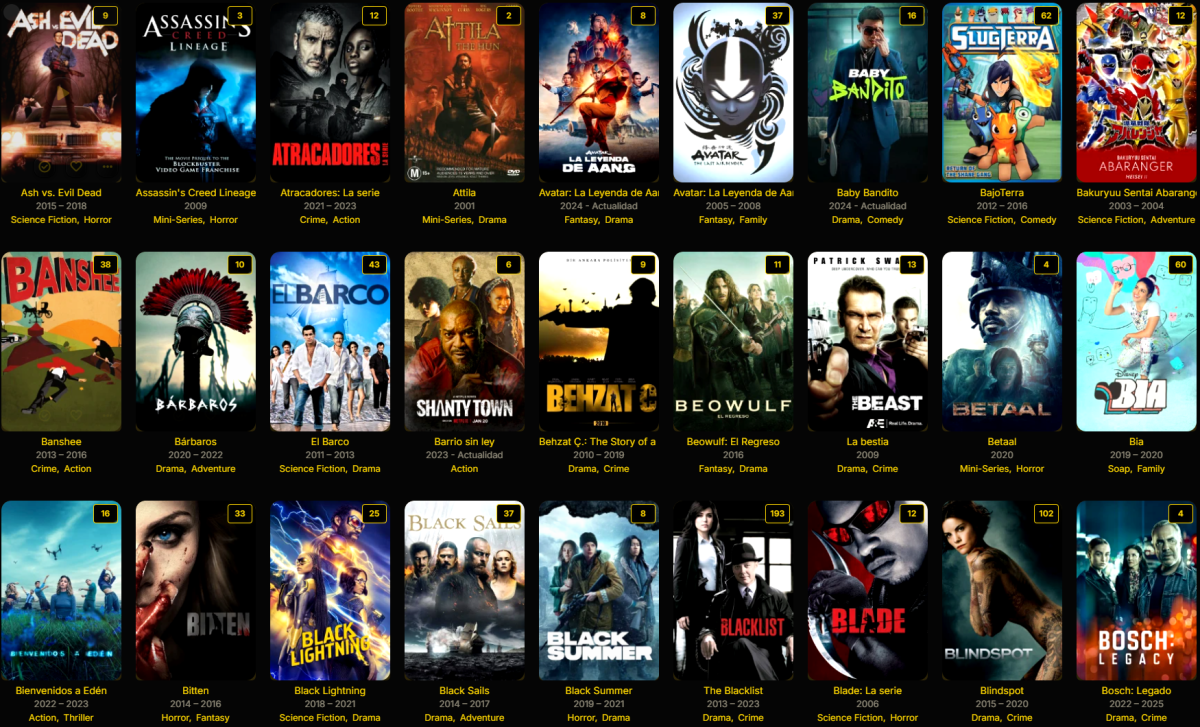
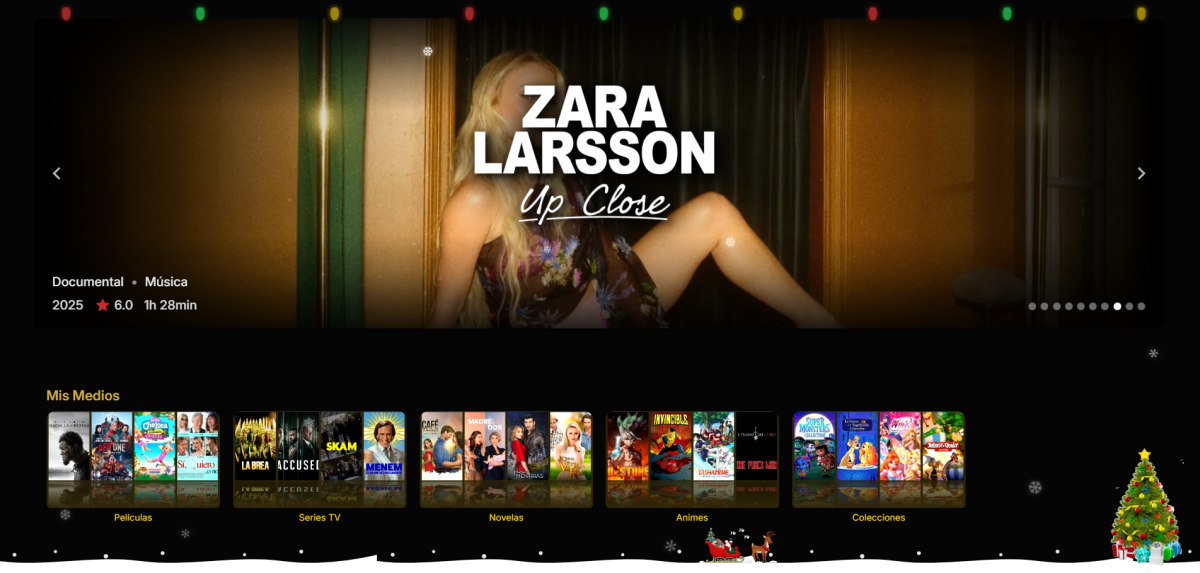
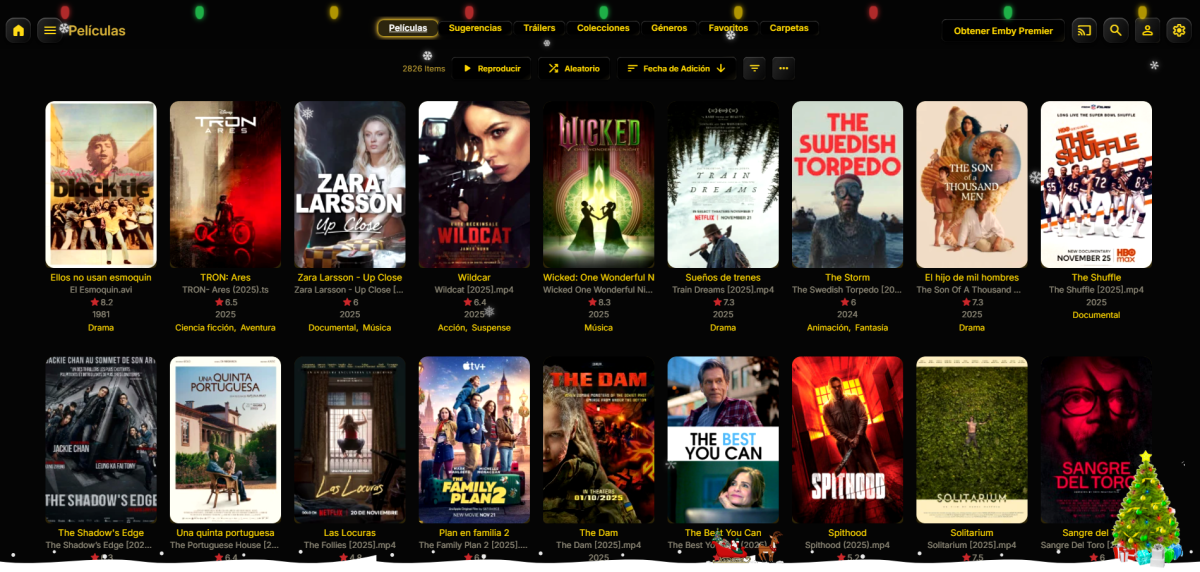
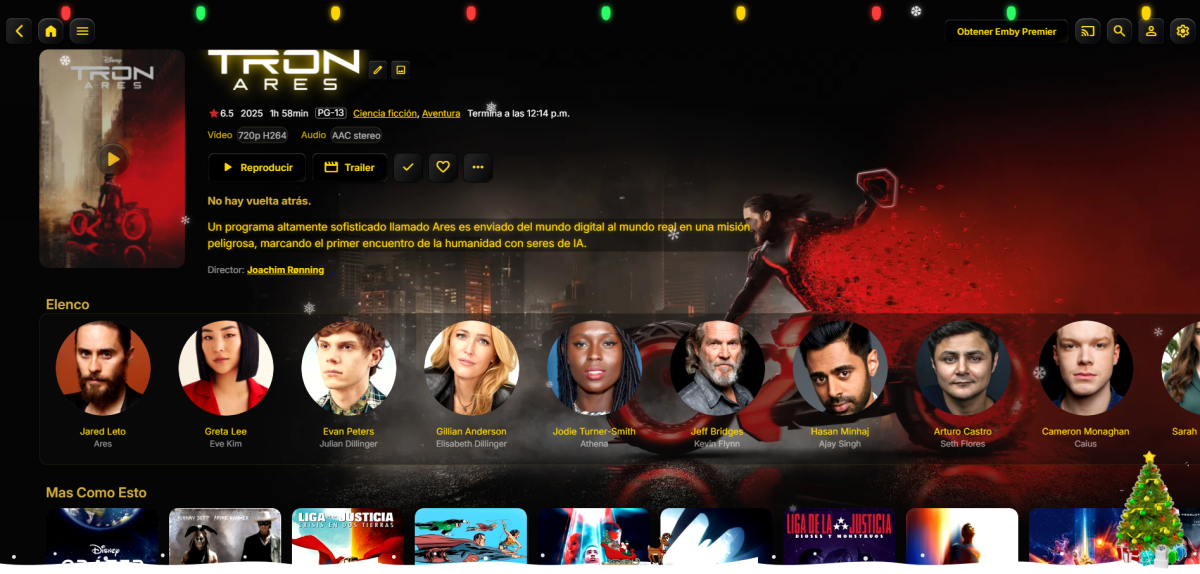
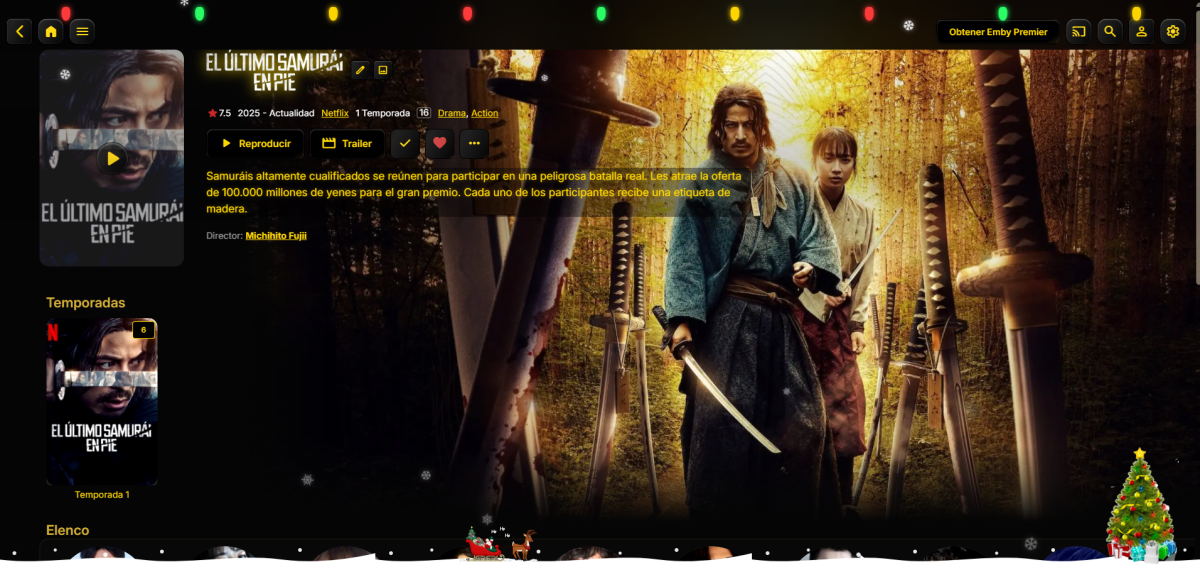
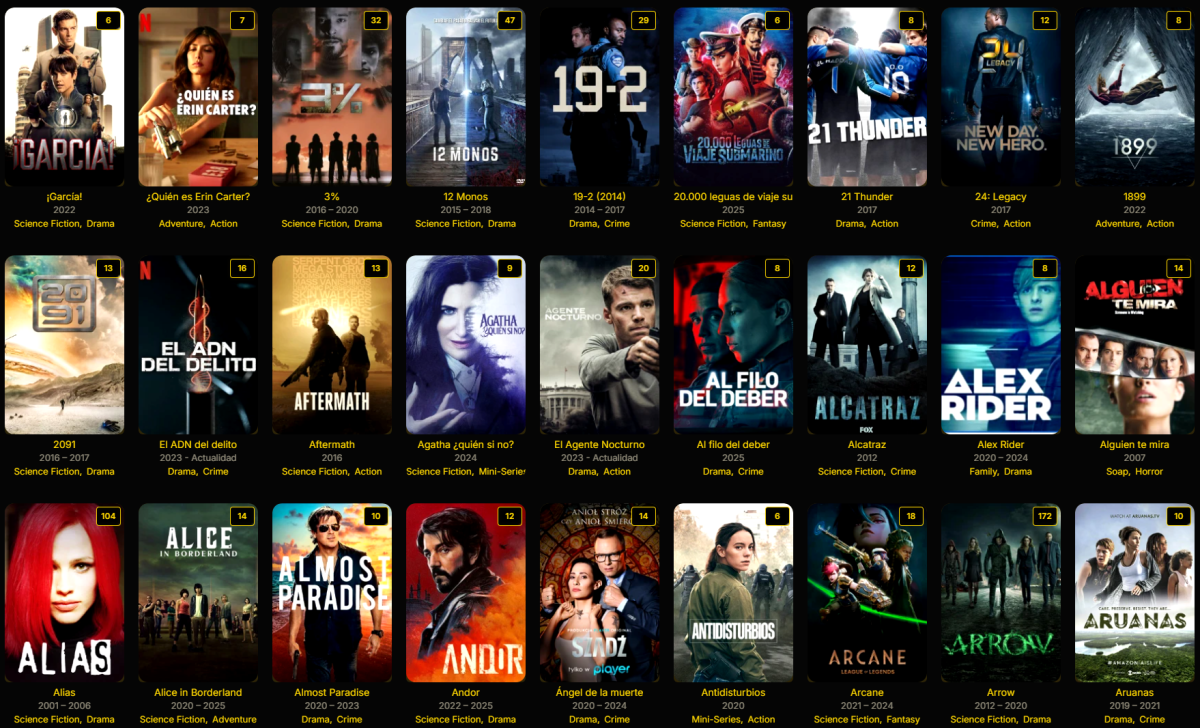
así ha quedado mi tema, que opinan
 1 point
 -
Thank you guys for your answers. I will be downloading video (or converting) with supported codecs.1 point
-
I don't understand why this change is so trivial to the Emby team. Over a dozen users across multiple forum posts have agreed that this is a problem. This is just straight up bad user experience. Every user on my server that reports this behavior describes it as a "bug" because it doesn't make sense. I understand the timeout for playback controls, but for the timeout to exist on screens that the user needs to stay on for an unknown amount of time to READ makes ZERO sense. I have yet to hear a single good argument from the Emby team as to why this makes sense from a UX perspectives. Why does the Windows app let you choose when to minimize when the other platforms don't? Don't say anything about mobile vs desktop experience, that's irrelevant here. @Luke @ebr1 point
-
https://letsencrypt.org/ the free certificate authority it in public beta now and allows everybody to get valid free SSL certificates. It would be nice to have support for getting SSL certificates via their ACME protocol directly from emby. This would make it really easy for people to setup secure access to the server from the internet.1 point
-
Emby for Samsung Tizen SmartTV's (2015 J-series to Present) Download: https://emby.media/emby-for-samsung-smart-tv.html 2.3.7 (05/24/2026) Increase size of spotlight 2.3.5 (04/23/2026) Updates related to new home screen features with 4.10 server 2.3.4 (03/24/2026) Fix startup crash regression on older devices 2.3.3 (03/13/2026) Support new home screen features with 4.10 server 2.3.2 (02/11/2026) Fix regression with older devices 2.3.1 (1/29/2026) Improve error handling on audio track changes 2.3.0 (1/1/2026) Fix some dialogs being cut off on older models Fix volume control for youtube player 2.2.9 (12/11/2025) Merge Movies and Shows tab in mixed content libraries 2.2.8 (11/20/2025) Fixes for live tv guide rendering on older devices 2.2.7 (10/31/2025) Fixes for YouTube playback 2.2.6 (10/19/2025) Show person age Improve now playing music background 2.2.4 (09/17/2025) Fixes for horizontal home screen 2.2.1 (09/07/2025) Add new option to hide episode spoiler information Fix video being improperly stretched in some situations 2.2.0 (09/02/2025) Fixes for horizontal home screen 2.1.9 (08/24/2025) Fix detail screen regressions with collections and actors 2.1.8 (08/22/2025) Improve horizontal home screen 2.1.7 (08/21/2025) Support new 4.9 server features Various scroll fixes 2.1.5 (08/01/2025) Background fixes 2.1.4 (07/25/2025) Fix regression in metadata editor 2.1.3 (07/23/2025) General performance improvements 2.1.1 (05/26/2025) Add display option to automatically jump through folders containing single items 2.1.0 (05/01/2025) Fix various display quirks on older models 2.0.6 (04/26/2025) Fix regression causing app to not load on older models 2.0.5 (04/24/2025) Fix regression causing app to not load on older models 2.0.4 (04/21/2025) Add option to control video player long press behavior Improve support for fonts embedded within .ass subtitles (with 4.9 server) 2.0.3 (04/12/2025) Improve performance 2.0.2 (03/25/2025) Fix loss of focus in the video player when seek bar is disabled 2.0.1 (03/20/2025) Support sleep timer in the audio player 1.9.8 (03/03/2025) Add options to force transcoding for certain formats 1.9.7 (02/07/2025) Ensure 16:9 aspect ratio is shown fullscreen 1.9.6 (01/07/2025) Support Remove from Continue Watching under TV -> Suggestions 1.9.5 (12/19/2024) Fix playback settings screen not loading 1.9.4 (12/17/2024) Quality detection fixes 1.9.3 (12/12/2024) Increase default remote quality 1.9.2 (12/05/2024) Support sorting playlists and collections by date added 1.9.1 (11/06/2024) Bug fixes for music video screens 1.9.0 (10/07/2024) Resolve top portion of some screens being cut on specific devices 1.8.8 (08/26/2024) Improve general navigation performance Fix played indicators showing during backdrop screensaver Avoid stream copying interlaced video 1.8.7 (07/27/2024) Live TV Guide fixes for older devices Now playing screen layout fixes 1.8.6 (07/02/2024) Fix header background being lost on older devices 1.8.5 (06/25/2024) Add theme song volume setting 1.8.4 (06/18/2024) Live TV Guide scroll fixes 1.8.3 (06/12/2024) Fix regression in audio play queue screen 1.8.2 (05/30/2024) Support shuffle state in the audio player Support incremental seek speed Improve performance 1.8.1 (05/23/2024) Auto-scroll guide to last played channel Show more rows in video OSD guide Improve performance 1.8.0 (05/13/2024) Make subtitle offset dialog easier by converting to a slider 1.7.9 (04/26/2024) Fix unnecessary transcoding of flac audio files 1.7.8 (04/09/2024) Group collection items by media type 1.7.7 (03/15/2024) Fix add to play queue missing from context menus 1.7.6 (03/06/2024) New screen for music genres 1.7.5 (02/08/2024) Live TV Guide layout fixes 1.7.4 (01/22/2024) Fix seek bar regression 1.7.3 (01/20/2024) Fix seek bar regression 1.7.2 (01/19/2024) Fix regression causing some settings screens to not be reachable 1.7.1 (01/15/2024) Various user interface bug fixes 1.7.0 (12/27/2023) Various user interface bug fixes 1.6.9 (12/21/2023) Various user interface bug fixes Support channel up/down buttons to change channels during live tv playback 1.6.8 (12/11/2023) Improve dialog menus throughout the app 1.6.7 (11/12/2023) Fix startup error on older models 1.6.6 (11/10/2023) Improve Korean subtitle font Add release date to playlist and collection sort orders 1.6.5 (10/11/2023) General performance improvements throughout the application Support the new profile pin feature in conjunction with Emby Server 4.8 1.6.4 (09/14/2023) Make more fields available in lists 1.6.1 (08/14/2023) Fix regression with Emby Connect pin code sign in Fix regression causing home screen settings to display incorrectly 1.5.9 (08/12/2023) Fix regression on older devices causing lists to render with blank text 1.5.8 (08/10/2023) Add option to hide media info from detail screens 1.5.7 (07/12/2023) Various fixes and improvements with back button behavior and left nav menu Various performance improvements 1.5.6 (06/14/2023) Rework app exit menu Support left sidebar by pressing left on the left edge of most screens 1.5.5 (05/16/2023) Add flatten series display option 1.5.3 (04/06/2023) Add View Lyrics context menu option 1.5.2 (03/06/2023) Rework add to collections/playlists user interface 1.5.1 (02/10/2023) Various user interface bug fixes 1.5.0 (01/11/2023) Various user interface bug fixes 1.4.9 (12/13/2022) Support sorting playlists Fixed HLS subtitles not rendering correctly on certain models 1.4.8 (11/17/2022) Add Played filter for audio books 1.4.6 (10/20/2022) Subtitle selection fixes 1.4.5 (10/18/2022) Fix regression when playing H265 1.4.4 (10/17/2022) Various user interface bug fixes 1.4.3 (10/13/2022) Various user interface bug fixes 1.4.2 (10/05/2022) Various user interface bug fixes 1.4.1 (9/28/2022) Fix regression with 2015/2016 devices Various video OSD fixes 1.4.0 (9/28/2022) Various video OSD fixes 1.3.9 (9/20/2022) Fix nested dialog focus regression Various video OSD fixes 1.3.8 Various video OSD fixes 1.3.7 Various video OSD fixes Various subtitle fixes Add option to control rating information display at the start of playback Updated now playing design for music in the background 1.3.6 Various video OSD fixes Various subtitle fixes 1.3.5 Various video OSD fixes 1.3.4 Add home screen focus preview option Make play from beginning always visible Update runtime on detail screen when changing video versions Add ends at directly to video player Update video OSD layout to reduce button clicks Move subtitle offset feature into subtitle menu Update Live TV guide design Various right to left (rtl) fixes 1.3.3 Fix loss of header on certain devices 1.3.2 Updated design for Movie Suggestions and TV Suggestions tabs Various performance improvements Fix blue radiance theme not working on some models 1.3.1 Improved right to left (RTL) support Fix playback progress bar on older models 1.3.0 Initial right to left (RTL) support Various video playback fixes 1.2.9 Add new fields that can be selected for display in lists Improve video detail screens Add new theme options Various improvements to video OSD and audio now playing screens 1.2.8 Improve video detail screens Support new accent color display option (2018 models and newer) Support lyrics Support new manual recordings feature Various improvements to video OSD and audio now playing screens 1.2.7 Improve video OSD menus Improve visual seeking support in video OSD 1.2.6 (29/04/2022) Samsung store version 1.2.6 Improve visual seeking support in video OSD 1.2.5 Improve visual seeking support in video OSD 1.2.4 Improve visual seeking support in video OSD 1.2.3 Fix remote control regressions in certain models 1.1.1 Fix support for play button press on Live TV Guide slots Support keyboard input on search screen 1.1.09 Support A-Z picker with descending sort order 1.1.08 Fix regression with 2015 & 2016 devices 1.1.07 Live TV Guide layout fixes Video OSD layout fixes 1.1.06 Fix regression with playpause remote button Fix regression causing progress bar to not show on audio OSD 1.1.05 Add new option to display logos as titles on detail screens Improve audio book detail screens 1.1.04 Various subtitle fixes 1.1.03 Close chapter menu when selecting a chapter during playback Add workaround for 2022 models that don't support embedded subrip subtitles Add subtitle background color and opacity options Various subtitle rendering improvements 1.1.02 Various fixes with new video OSD features 1.1.01 Various fixes with new video OSD features 1.1.0 Add Info, Chapters, On Now and Guide sections to video OSD Minor adjustment of detail screen buttons Improve performance of playlist detail screen Add sort by track number option to folder views 1.0.99 Update top tabs design to support more than seven tabs 1.0.98 Improve WMC theme 1.0.97 Fix blue radiance theme background color Live tv guide layout fixes 1.0.96 Various subtitle fixes Fix navigational input occasionally skipping over certain form fields 1.0.95 Various fixes with horizontal home screen 1.0.94 Add more field options for display in lists Improve single channel program list display Improve list navigation performance 1.0.93 Various ass/ssa subtitle fixes for 2016 models Fix wrong subtitles being selected in certain situations 1.0.92 Various ass/ssa subtitle fixes for 2015 models Various fixes for new multi-select filters Support for new features in upcoming 4.6 server release such as Live TV channel grouping 1.0.91 Fix regression saving certain settings 1.0.90 Various ass/ssa subtitle fixes Support multi-select filtering 1.0.89 (01/15/2021) Restore preview feature for 2016 models and up Various ass/ssa subtitle fixes 1.0.88 (12/21/2020) Resolve click through problem on certain 2015 devices 1.0.87 (11/18/2020) New: modified Home Screen like web client New: modified Now Playing like web client Fixed: an issue where some TV models couldn't select certain folders 1.0.86 (10/20/2020) New: added new transitions found in other clients Fixed: navigational problem with photo albums 1.0.85 (09/29/2020) New: added feature to change subtitle offset New: added feature to download subtitles during playback' Fixed: navigational problem within settings 1.0.84 (09/10/2020) Various navigation fixes 1.0.83 (08/29/2020) Fixes an error preventing the app from loading on some model TVs 1.0.82 (08/27/2020) Navigation fixes and internal changes 1.0.81 Improve ass/ssa subtitle rendering Improve performance of text-based subtitles (srt, vtt, etc). 1.0.80 (07/01/2020) 1.0.79 (06/01/2020) Improve Live TV Guide 1.0.78 Improve Live TV Guide performance 1.0.77 Various performance and scrolling improvements 1.0.76 Various fixes for rendering ass/ssa format subtitles 1.0.74 Improved performance of navigating large lists 1.0.73 Redesign add to collections & playlists Fixed problem where subtitles weren't selectable when more than one audio track was present 1.0.72 (01/31/2020) Samsung store version 1.0.71 (01/01/2020) Added ability to change font size and color of SRT format subtitles in settings Added remotes with combined Start/Pause button can now start items from Home page Added selecting Info using remote on Home page brings up playback menu for highlighted item Added clicking Back/Return from Home page brings up the Settings/Exit page instead of exiting the app 1.0.70 (12/01/2019) Added support for internal ssa/ass subtitles 1.0.69 (11/01/2019) Updated music OSD Return/Back button on remote will remove OSD while playing movies 1.0.68 (10/3/2019) Fixed an issue on some models where the active poster wasn't being highlighted 1.0.67 (10/01/2019) Restored counts on list screens Added "Are you still watching?" in settings Fixed an issue which caused some models to start with just a black screen 1.0.64 (09/01/2019) 1.0.63 (08/01/2019) Update detail screen buttons to newer design Improve app performance 1.0.62 (06/30/2019) Fix spinning circle when pressing FF/REW on some TV models Fix check boxes not changeable on some TV models Fix a problem where the second video in a series would play shadowed if transcoding occurs Updated playback icons Added support for WMA music 1.0.61 (07/01/2019) Samsung store version 1.0.61 (2019/05/21) Improve app performance Expanded sorting and filtering options Improved subtitle support Support multi-version movies with version selection prior to playback Improved uniform design with other Emby apps 1.0.53 Fixes details pages not fully loading causing endless spinning circle 1.0.43 Fix double subtitles issue 1.0.42 (2018/07/06) Improve navigation performance Various subtitle fixes Update filters and sorting options on all list screens Improve Live TV recording layouts 1.0.34 Add filters and view settings Improve live tv guide layout 1.0.32 Add new theme feature 1.0.25 Improve automatic bitrate detection within local networks Improve navigation performance Announcement 1.0.24 Various subtitle fixes New DVR features - manage series recordings 1.0.23 Improve direct play of high bitrate & 4K content 1.0.22 Improve direct play of high bitrate & 4K content New vertical layouts Full support for Live TV Guide New Live TV features - view series recordings, better suggestions, improved recording layouts, and more 1.0.21 Improve direct play support for high bitrate content, including 4K video Update to latest Emby Theater interface 1.0.20 Resolve issues related to subtitles Improve direct play of high bitrate & 4K content 1.0.18 Fix next episode auto-play crashing the player Use native tizen fast-forward and rewind functions Update to latest Emby Theater interface 1.0.17 Add delete button to video detail screens Improve Live TV program detail screen Always show scenes at bottom of detail screen 1.0.16 Resolve video OSD staying visible permanently on certain models Improve external subtitle support Emby for Samsung Orsay SmartTV's (2014 H-series / 2015 J-series Entry) official app notes 0.122 (2018/10/29) Final release, Samsung is no longer taking inputs for their legacy OS as of Oct 2018 0.120 (2018/09/07) Fixed focus issue on subtitle selection screen 0.116 (2018/07/06) Improve navigation performance Various subtitle fixes Update filters and sorting options on all list screens Improve Live TV recording layouts 0.113 (2018/03/20) Added support for additional subtitle formats 0.112 (2018/02/19) Add new sort feature Fix a couple of issues on the add new server page 0.111 (2018/01/02) Improve navigation performance Add option to switch to vertical home screen 0.110 Add new themes feature 0.105 Initial release Announcement --------------------------------------------------------------------------------------------------------------------------------------------------------------------------------------------------------------------------- Emby for Samsung Orsay SmartTV's (2012 E / 2013 F / 2014 H / 2015 J-series Entry) community app notes 2.2.9 (2021/06/17) Fixed a problem affecting TVs that don't support 60fps Final release, no longer being developed. 2.2.8 (2020/09/18) Fixed a problem with selecting LiveTV channels 2.2.7 (2020/01/23) Fixed a couple navigational errors - thanks ogry 2.2.6a (2020/01/21) Fixed a problem where episodes were not being shown under season folder 2.2.6 (2019/07/05) Remove sha1 password Update authentication to use pw field Removes Genres itemcount from queries and overlays Fix bug preventing IME from showing Server by name will use default port 8096 if not entered 2.2.4 Modified max bitrate for transcodes 2.2.3 Fixed: Unsupported audio codec selected when transcoding. Added Live TV back in (beta) Prefer backdrop images to screenshots for episodes on the home screen. 2.2.2 Minor audio playback change to maintain server compatibility. See here. 2.2.1 Fixed: Menu Screen goes up and down when scrolling after a movie is finished (thanks @shorty1483 ). Corrected codec support for J4300, J5200, J5300, J5500, J6200, J6300, J6400 and K8500 (thanks @Jay204 ) 2.2.0 See here. Emby for Samsung Orsay SmartTV's (2011 D-series) third party app notes 1.0.10 (2019/07/05) Remove sha1 password Update authentication to use pw field Removes Genres itemcount from queries and overlays Fix bug preventing IME from showing Server by name will use default port 8096 if not entered Final release, no longer being developed. 1.0.8 Fixed DTS playback1 point