Leaderboard




Popular Content
Showing content with the highest reputation on 01/16/26 in Posts
-
Where did you get that generalization that IPTV users are "keeping Live TV going" @emveepee? I'm an OTA user and yes, my HD Homeruns are older, but I'm waiting for the FCC decision before buying new equipment. In any case, a purportedly much better Live TV experience that is ready to go into public beta is being held for way too long!2 points
-
@ebr @Luke Have you changed how scan library and metadata refresh works? It seems to remove all chapter markers not of the normal chapter type now so that a new intro skip detection (and indeed this plugin) has to run detections again. I don't recall it being that way before.2 points
-
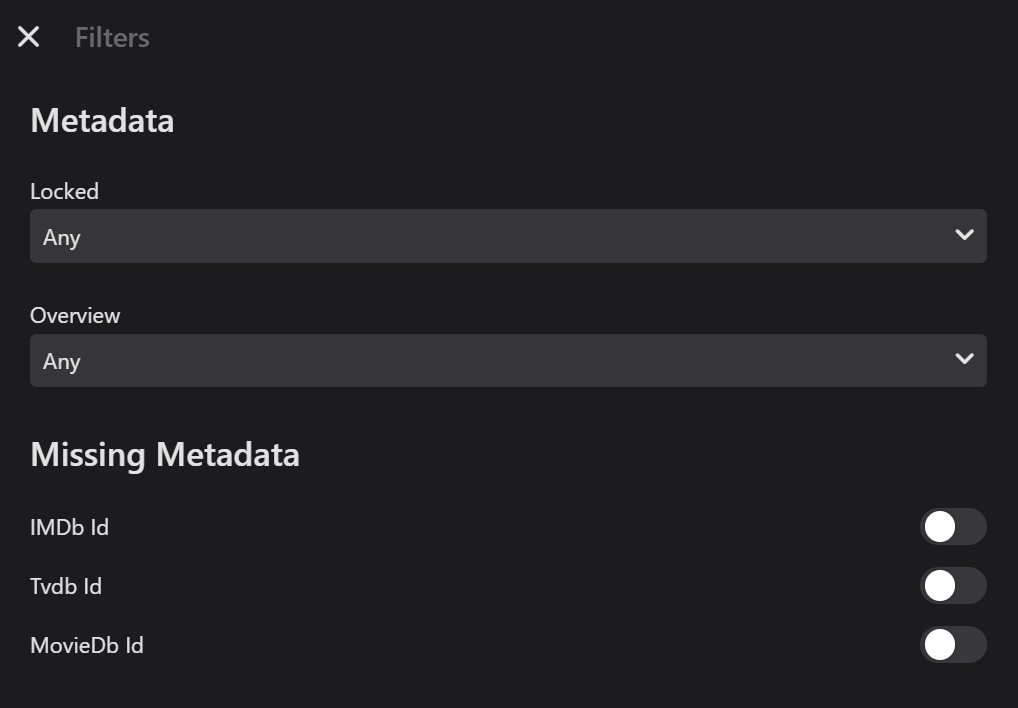
Hi, Emby currently allows filtering by Missing Metadata Ids for Movies and TV shows for the standard metadata Providers: It would be really useful (for me anyway) if Emby could extend this basic functionality to Music for AlbumArtists/Artists/Composers and Albums. Presently (I think) there are only the options to filter by Locked and Overview Metadata for Music. Would it be feasible to add Missing Metadata filtering for MusicBrainz Id, Discogs Id and TheAudioDB Id for the Music pages? Would anyone else find this useful as well? Thanks for considering.
 2 points
 -
Same episode TVDB TMDB as they role all series/season/episode

 2 points
 -
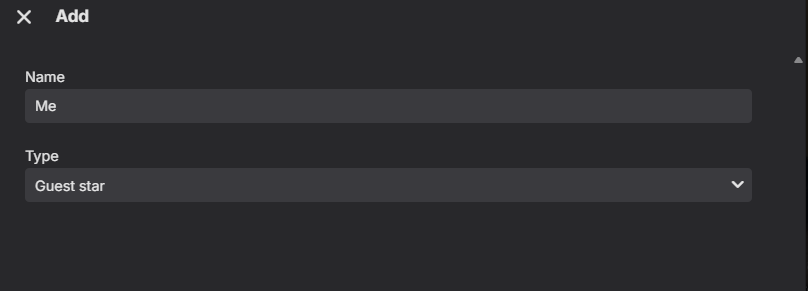
At the same time @Luke Guest Stars don't have a Role option.
 2 points
 -
Come on people, it'll get here. Admittedly I've moved expectations from the end of the year (only 5 years ago remember) to the end of next year to the end of the decade, but its a comin'...2 points
-
Be able to create playlist based on a certain criteria, like genre and or year, in order to create a dynamic playlist that it refreshes automatically when new content is added. This way you can for example, create a tv comedy playlist from the 90's, or a new sci-fi Movies playlist. Some other criteria for rules could be the rating, watched/unwantched, score, tags, language, audio codec, etc The possibilities could be endless1 point
-
As the title says, @softworkz teased all of us in another thread for me to post this. The number one improvement I check on this forum hoping there are updates to, sadly not so much.1 point
-
My request is to be able to chose to add items to the home screen. Specifically in my case, I am thinking of playlists and collections. Here's some reasons I'd like to see this: The home screen is the first piece of the user interface a person will see when they pull up Emby. I often places movies in bulk into my media library. This sometimes means people never see the new movie I've made available. Happens a lot, actually. While all movies are searchable or can be found by sorting, I believe the interface would benefit from having the customization option. I have created a "Justin Recommends" collection and would LOVE to be able to put that on the home screen. By keeping this optional, no one is forced to use it. If you don't have a use-case, then it's just a feature. If you look at things like Netflix, many movies and shows get "featured" and by doing that, a lot of people end up watching that wouldn't otherwise (imagine if The Tiger King was just another buried documentary you had to hunt for, no one would have heard of it). I appreciate your time. If you've considered this before and decided against for reasons other than difficulty implementing the feature, I'd ask you to reconsider. I believe that being able to customize our servers helps us personalize and tailor them to our audience and our needs, and that helps promote a feeling of ownership. I also truly believe that this small change could lead to some powerful results. In my case, I know that it would be of huge benefit to accomplishing what I would like to do with my Emby server. Thank you.1 point
-
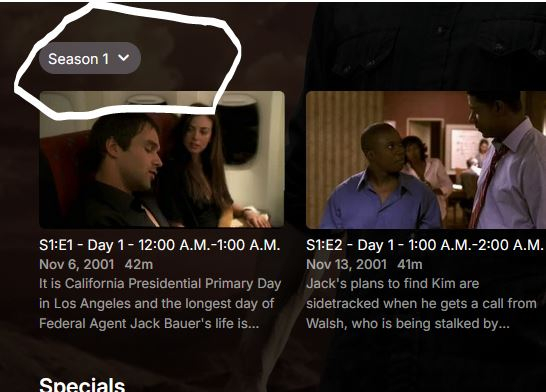
This new view really sucks ball. Whoever designed it should be taken out and thrashed. It was bad enough when it was only for single season episodes but I see it now applies to everything. I really really really don't understand how you people intentionally screw up anything that works. Unreal.
 1 point
 -
There are ways around it. One way is to make the AI work with a plugin made to do the stuff. That way the AI can't do anything else than what the plugin can.1 point
-
Hi, I have an idea. It's a little bit crazy, but hear me out. What if you started testing the apps before you pushed them to production? That way, all of your LG users' apps wouldn't have to be broken now. Thank you for considering this idea!1 point
-
Install docker desktop on Windows, go to the repo and read all the documentation, if you can't figure it out there is a Support Questionnaire in the repo you can copy, fill out and submit via PM1 point
-
I’ve seen folks handle this gap by running their photos through tools that tag faces or objects before Emby scans them. Something like Social Media Reverse Image Search can give you quick face matches, which you can then use to organize folders more cleanly. It’s a bit of a workaround, but until Emby rolls out anything built in, pre-tagging your camera uploads can save you some headaches.1 point
-
@classiccollect1stop yelling "All caps" means you are yelling.1 point
-
Is it possible to split this into 'show under latest media' as one check box and 'show in continue watching' as another checkbox?1 point
-
"Has Anyone Integrated AI With Emby?" I can't think of a quicker way to cause a mass defection from emby. Well over half of people HATE AI, myself included.1 point
-
I have just uploaded to 4.9.3.0 and everything is back to working tip-top! thank you for your support and to the whole emby team! have a great 20261 point
-
I would 100% use this feature. Multilingual households are more common every day and the fluency of individuals varies widely. I think it could be a unique selling point. No other media management app advertises this to my knowledge so it could be a tipping point feature to choose Emby over others. As for placement, there should be options for placement along with click-to-drag and a bit of intelligent spacing when placed close together.1 point
-
@NeminemI didn't know about Lingarr, thanks! Looks like Bazarr supports it as a translation service too.1 point
-
If you're looking for the best free self-hosted solution, check out dispatcharr1 point
-
@pingelYou can use this tool to do it1 point
-
I would find this useful too1 point
-
He is asking if Premium is offering a better experience in ways he might not be aware of. Not so difficult to understand and useless to reply the way you do.1 point
-
Si funziona ma ho paura che da un giorno all'altro non funzioni più. Chiedevo alla community se ci fosse un alternativa.1 point
-
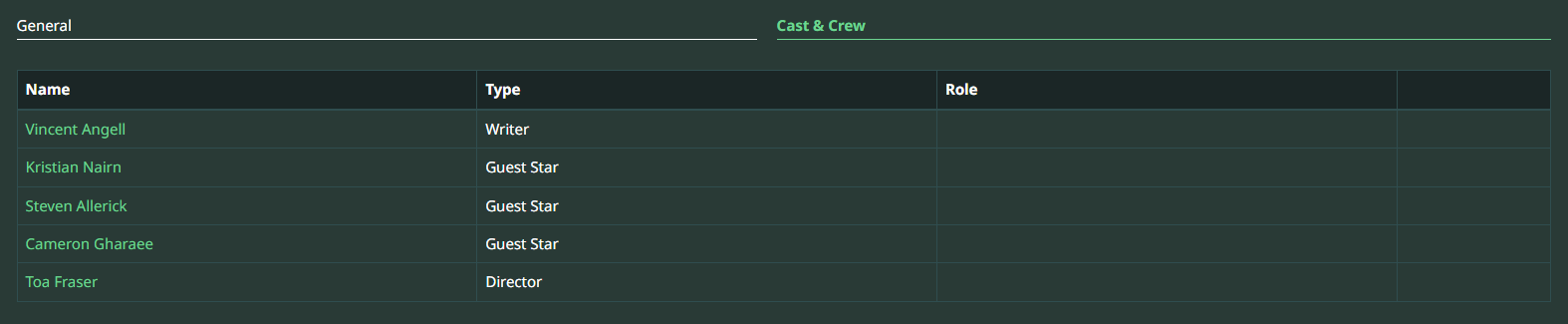
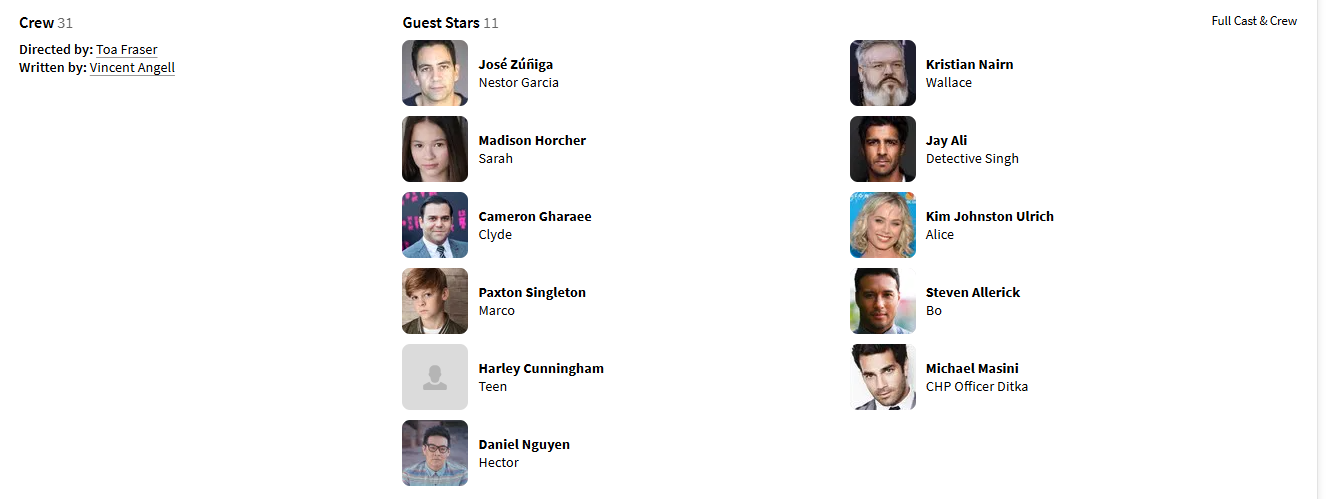
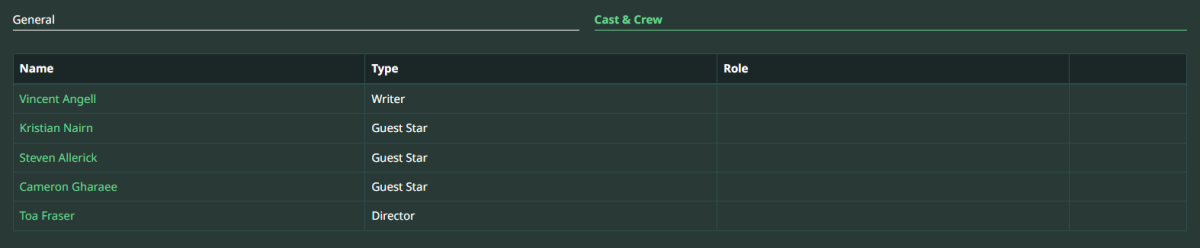
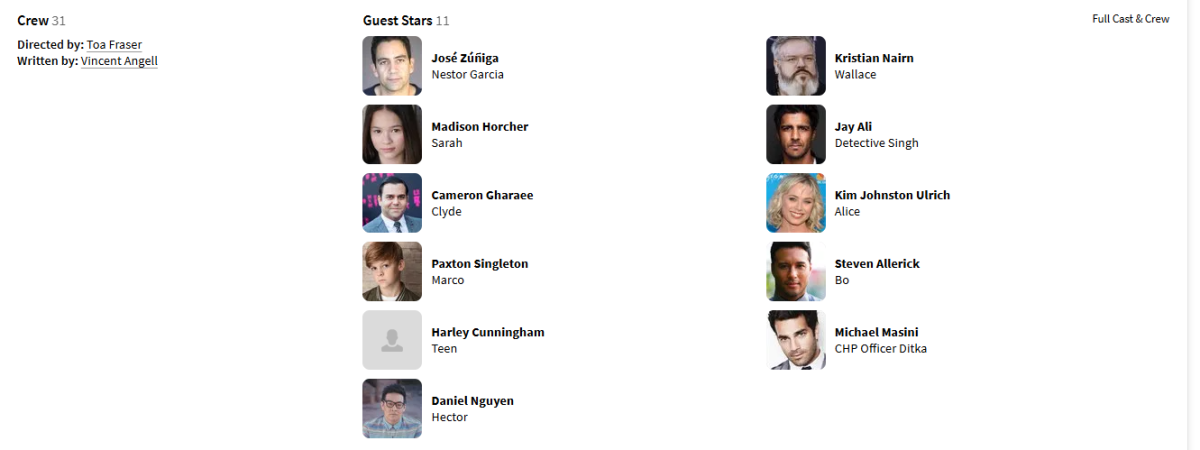
TVDB is the only one that provides them as Guest Star (no Role/Character). Believe the only option is to not use TVDB as primary episode provider. TMDB example same episode
 1 point
 -
the issue would be sanity checking the MDB list against what exists in your libraries in order to build outputs, not a big deal but my fear becomes people asking "Why doesn't Movie X show up in my Emby Library? I see it on the MDB List!!! I hate you, build better software.. You suck!!" lol1 point
-
it could, but it doesn't currently. I think I have a solution to hide things from continue playing to prevent that, but it would require the latest beta emby server, and I am still testing if it works or not1 point
-
It does somewhat make sense - but I can also see OP's point. Maybe some other scheme where total duration is also denoted, like 1:39:45 of 3:15:50 or 1:39:45 (3:15:50) or 1:39:45/3:15:50?1 point
-
Sorry, the message was not for you. I just quoted without looking. Edit: I have actually made an original language function for the next version.1 point
-
In Australia we just got HD on majority of channels the traditional tv will be here for another 20 years at least1 point
-
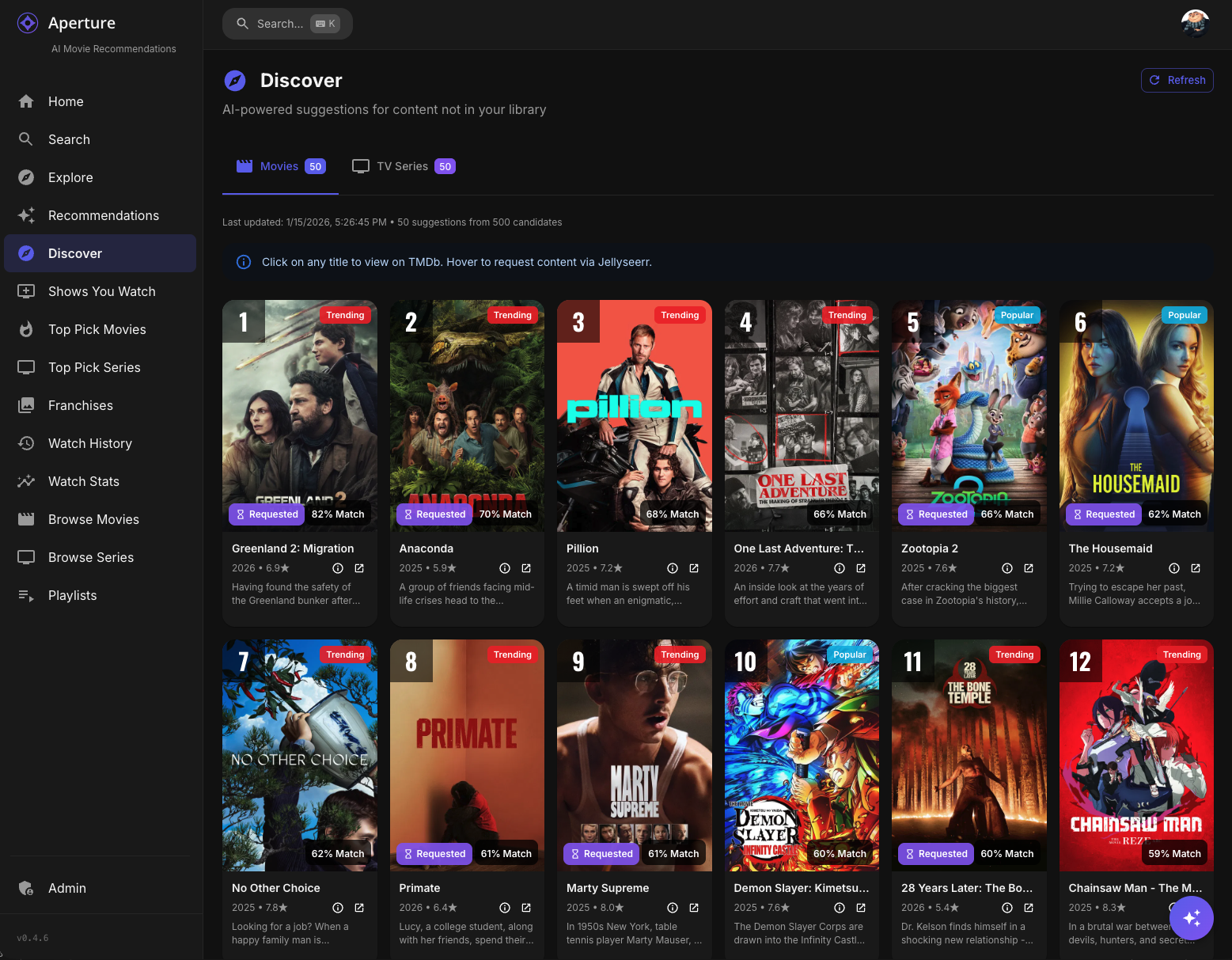
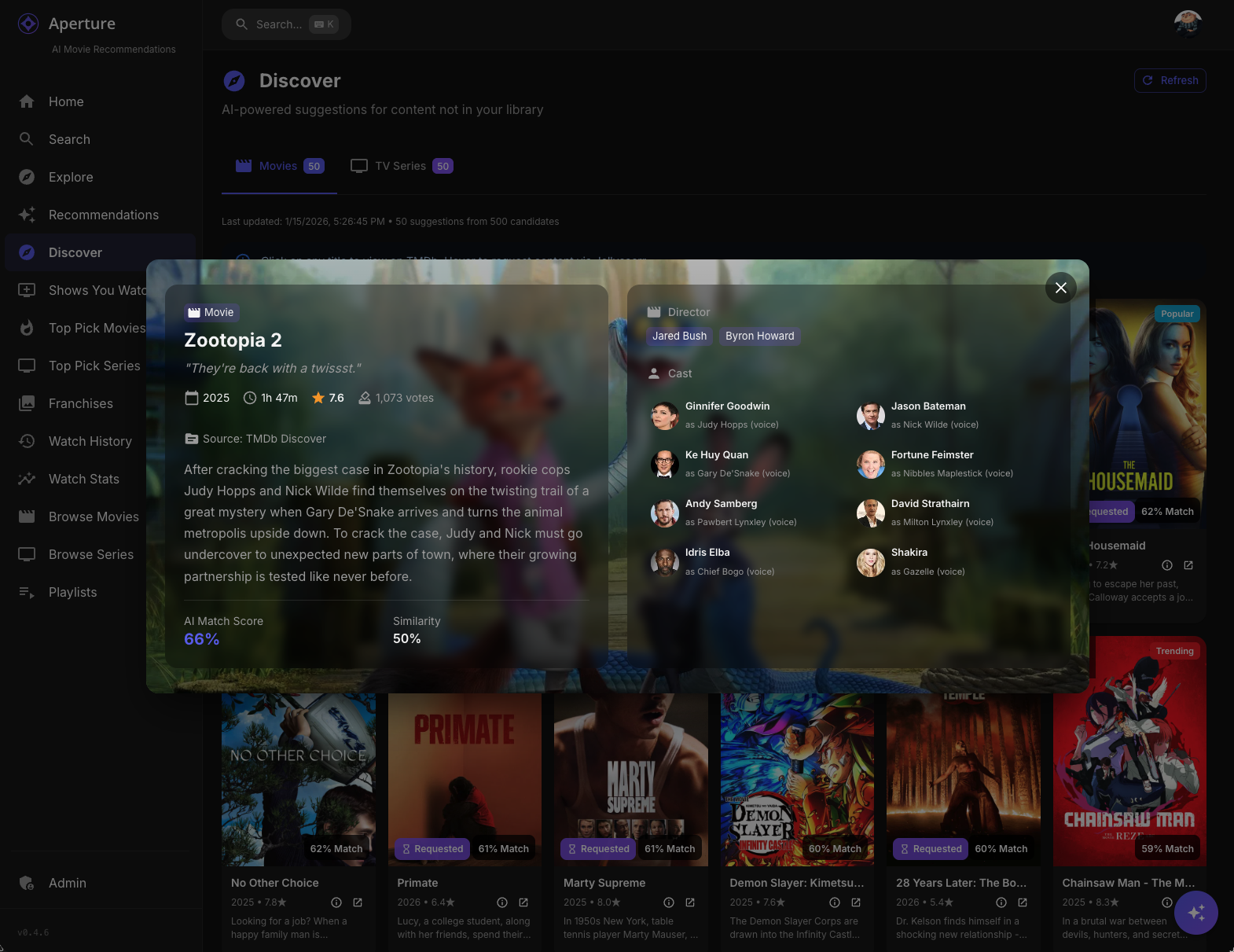
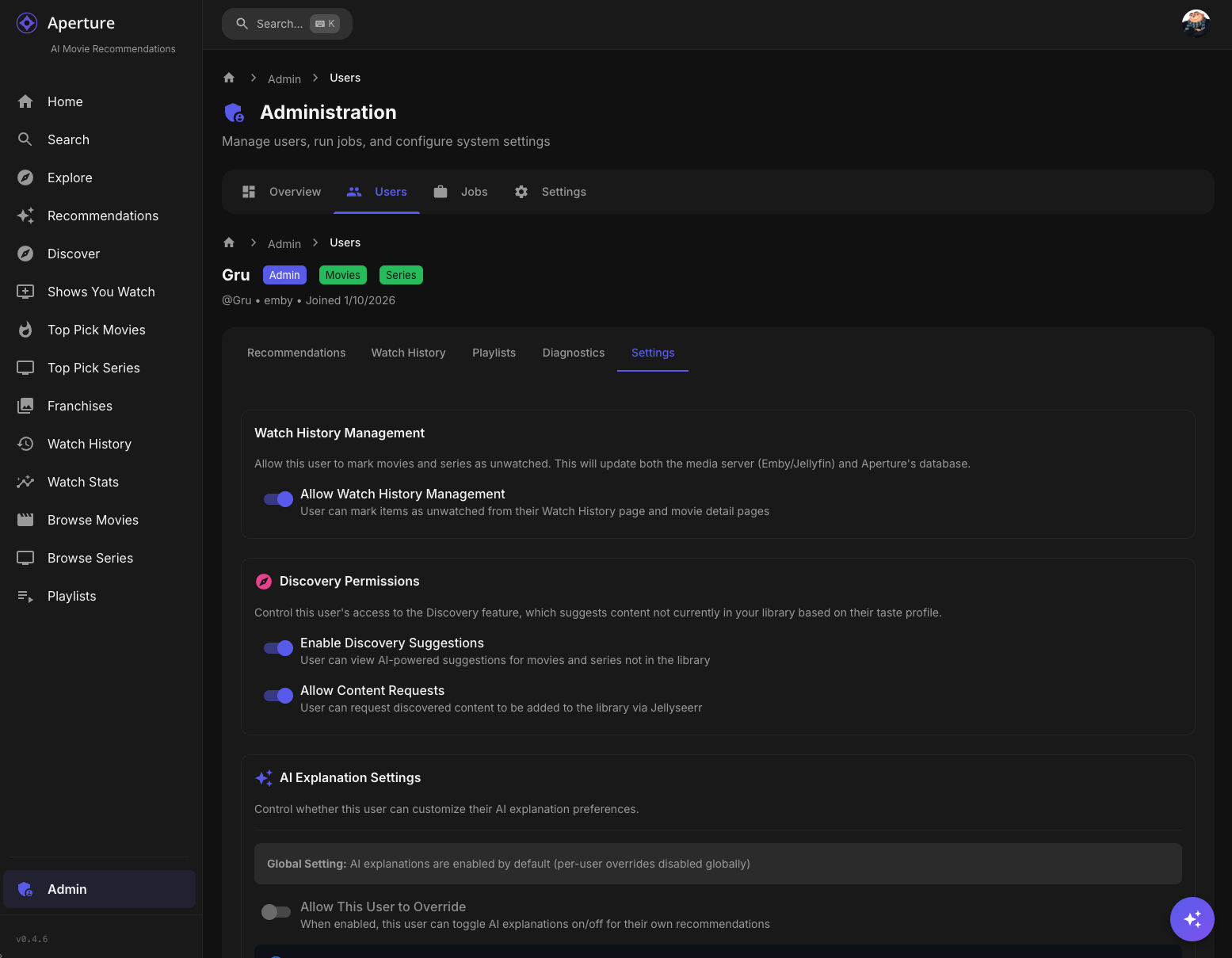
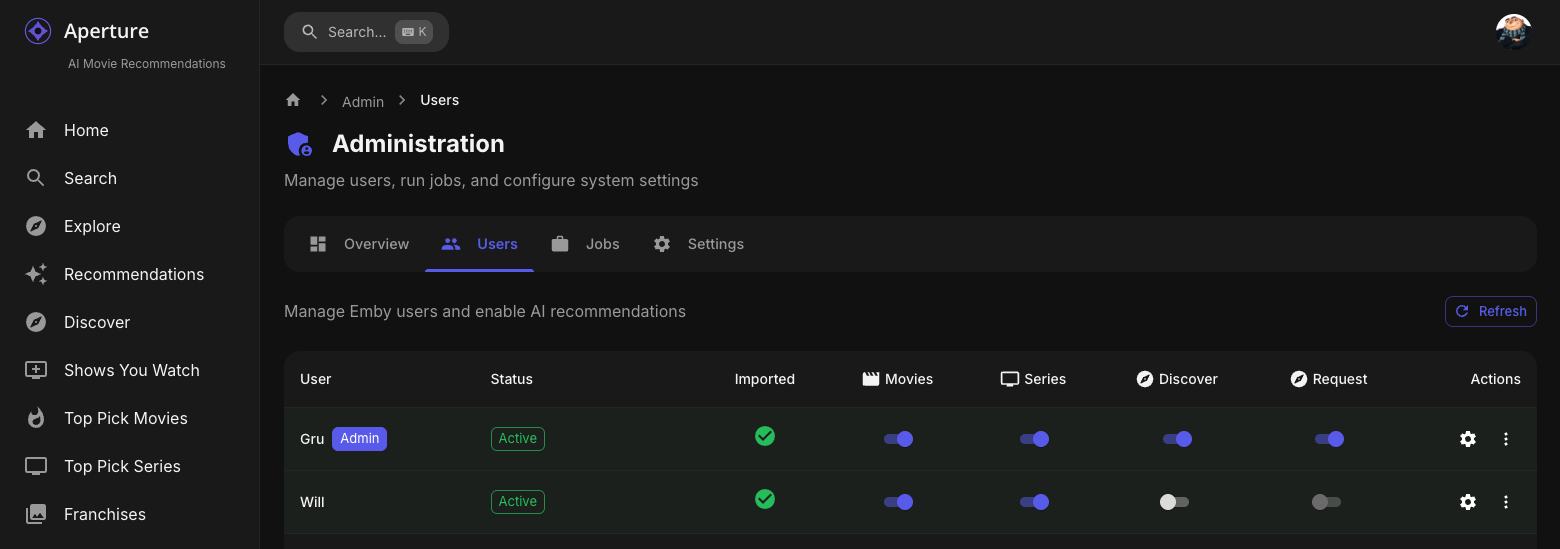
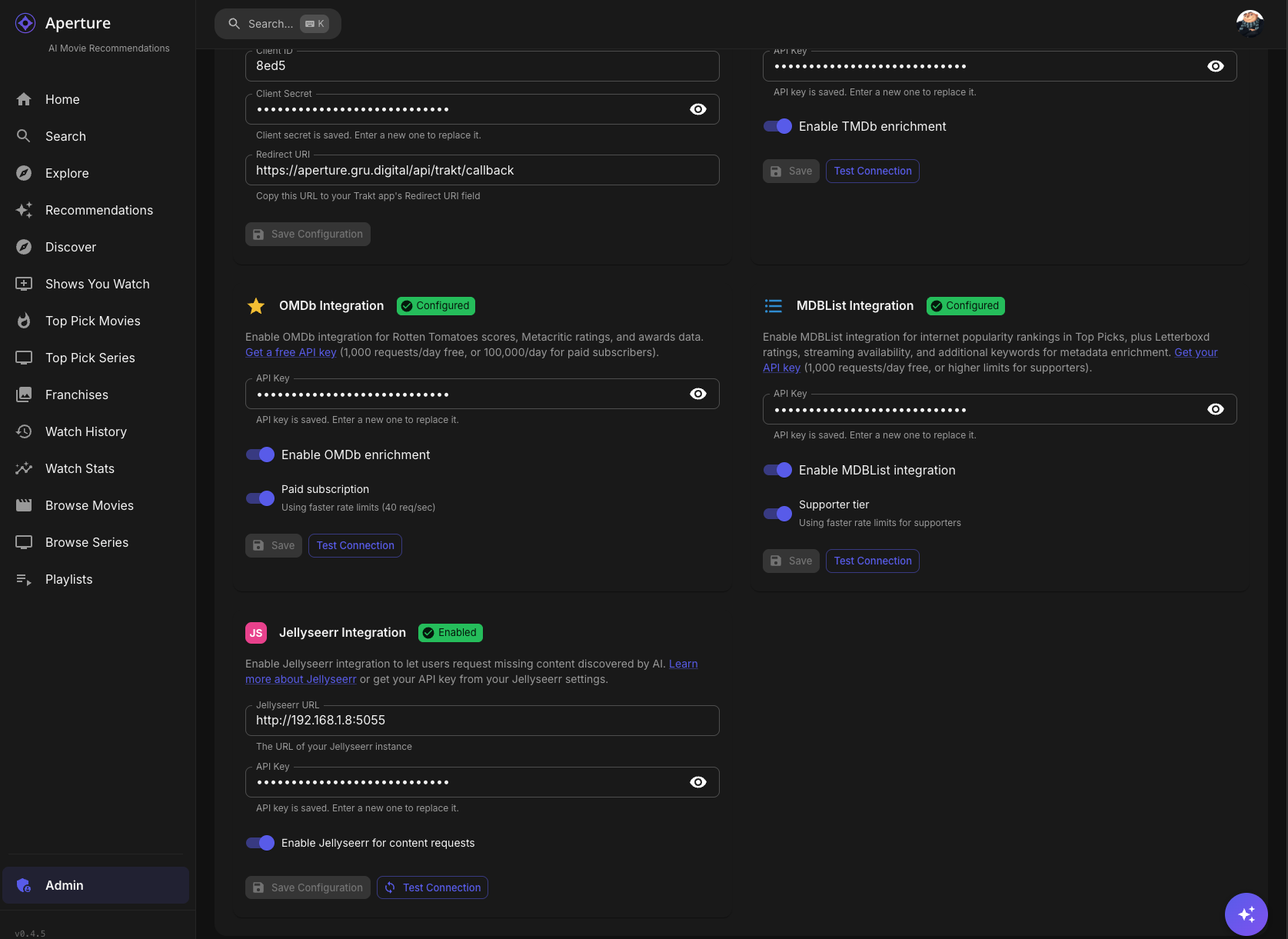
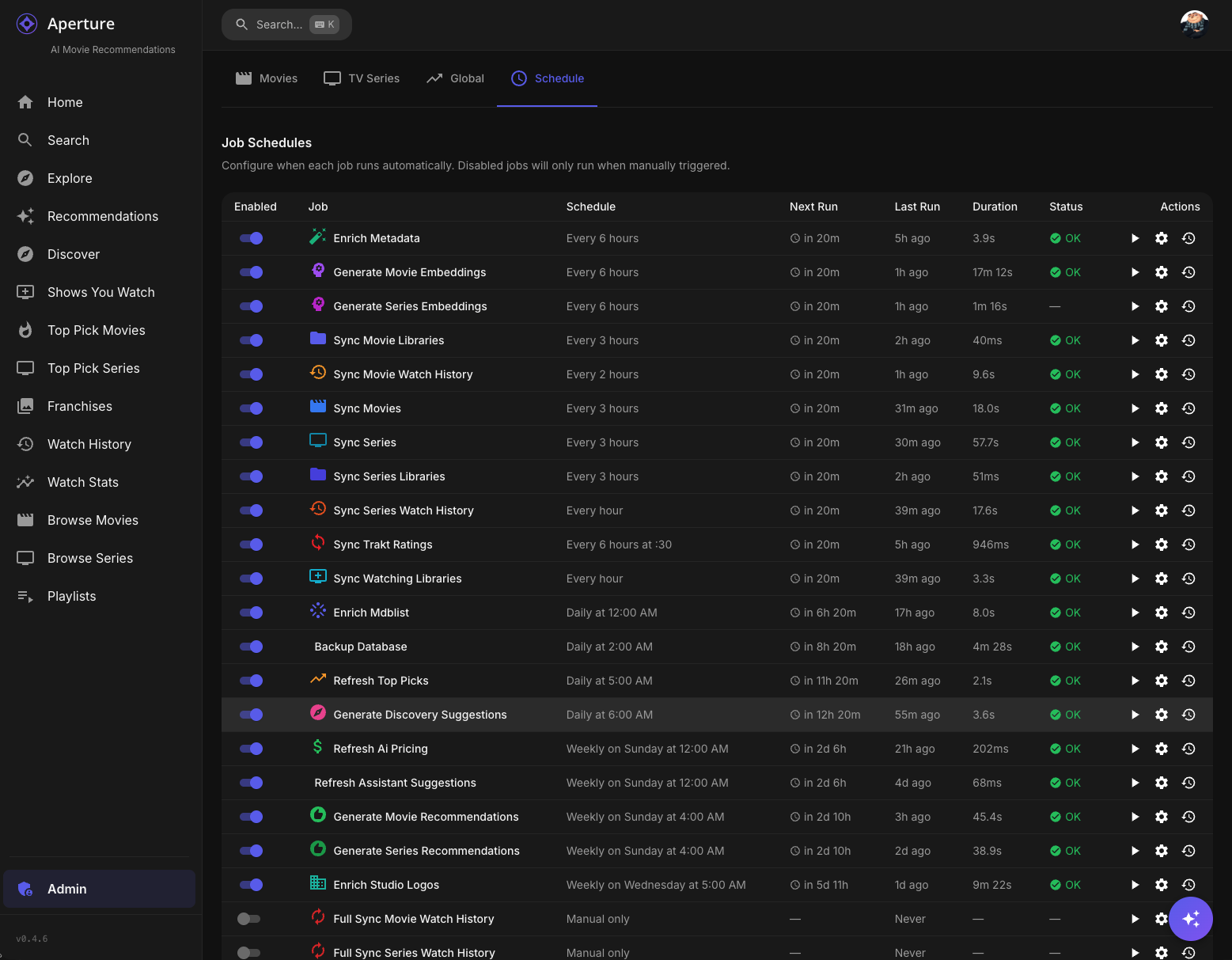
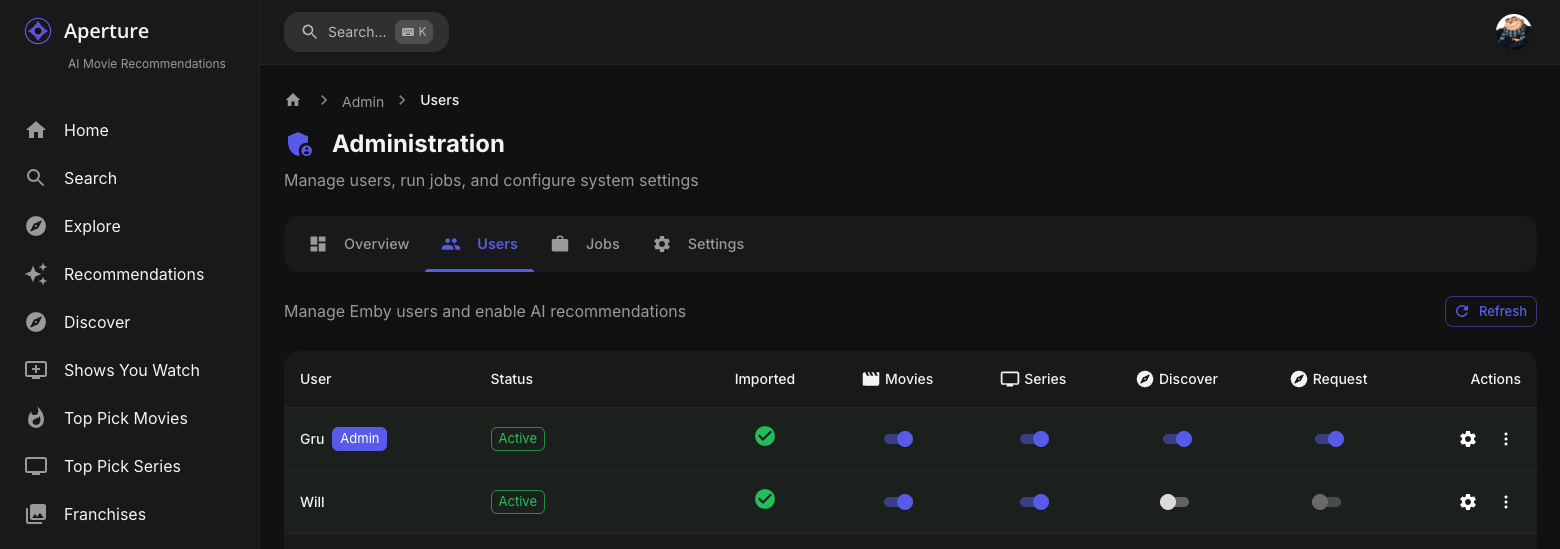
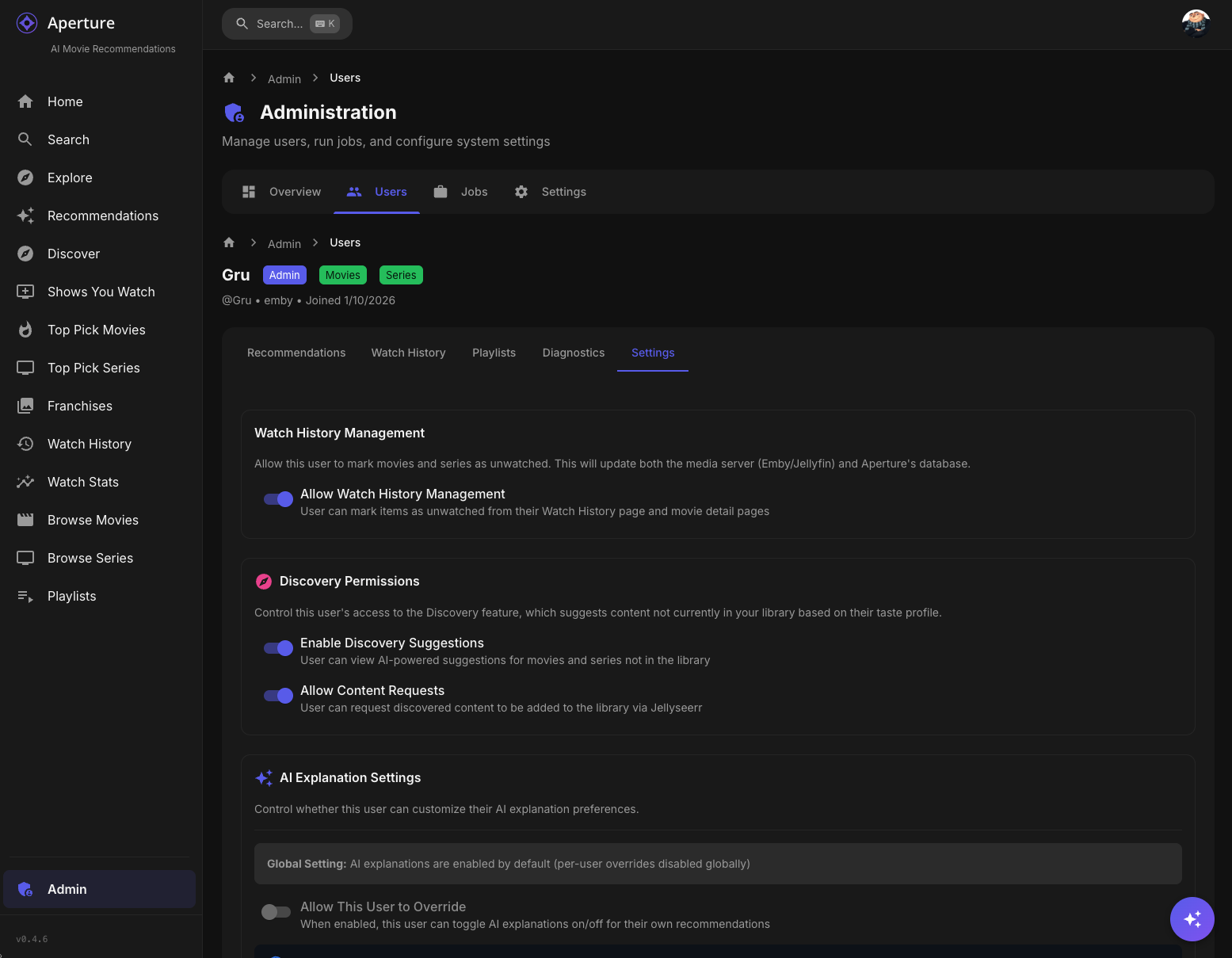
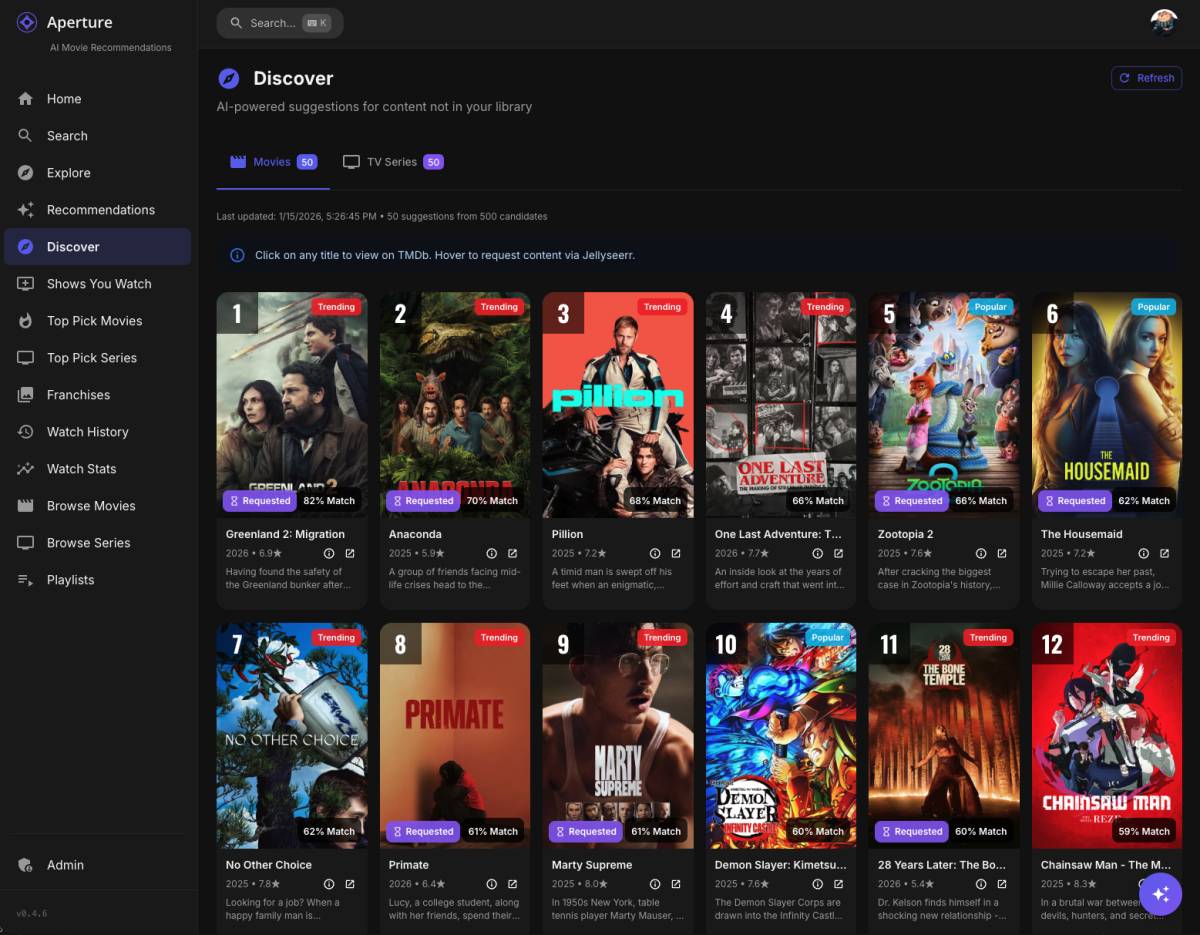
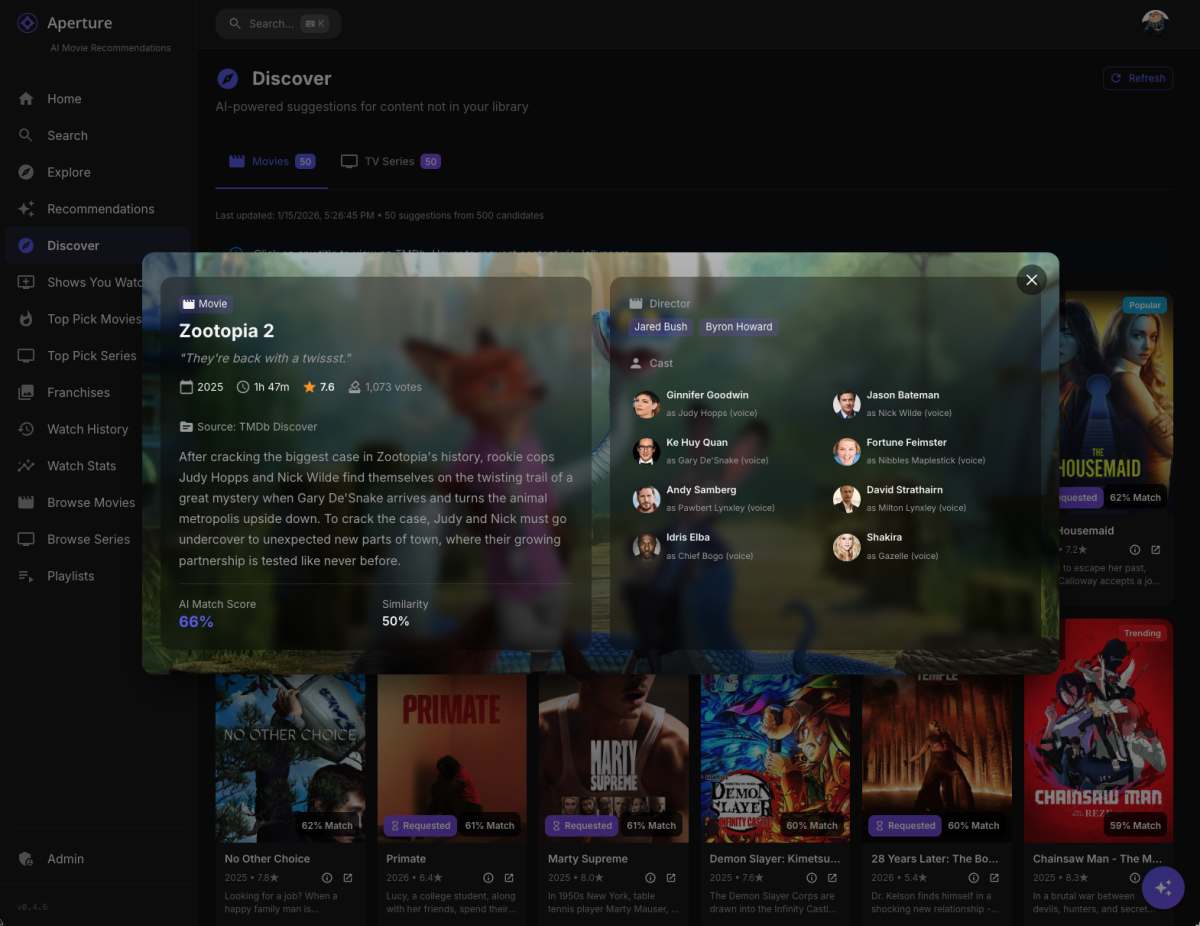
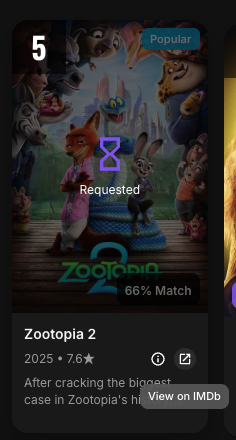
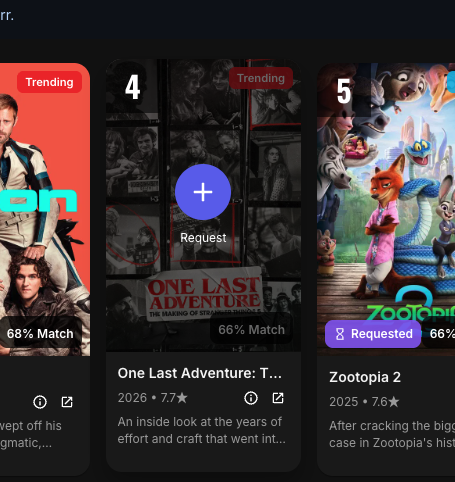
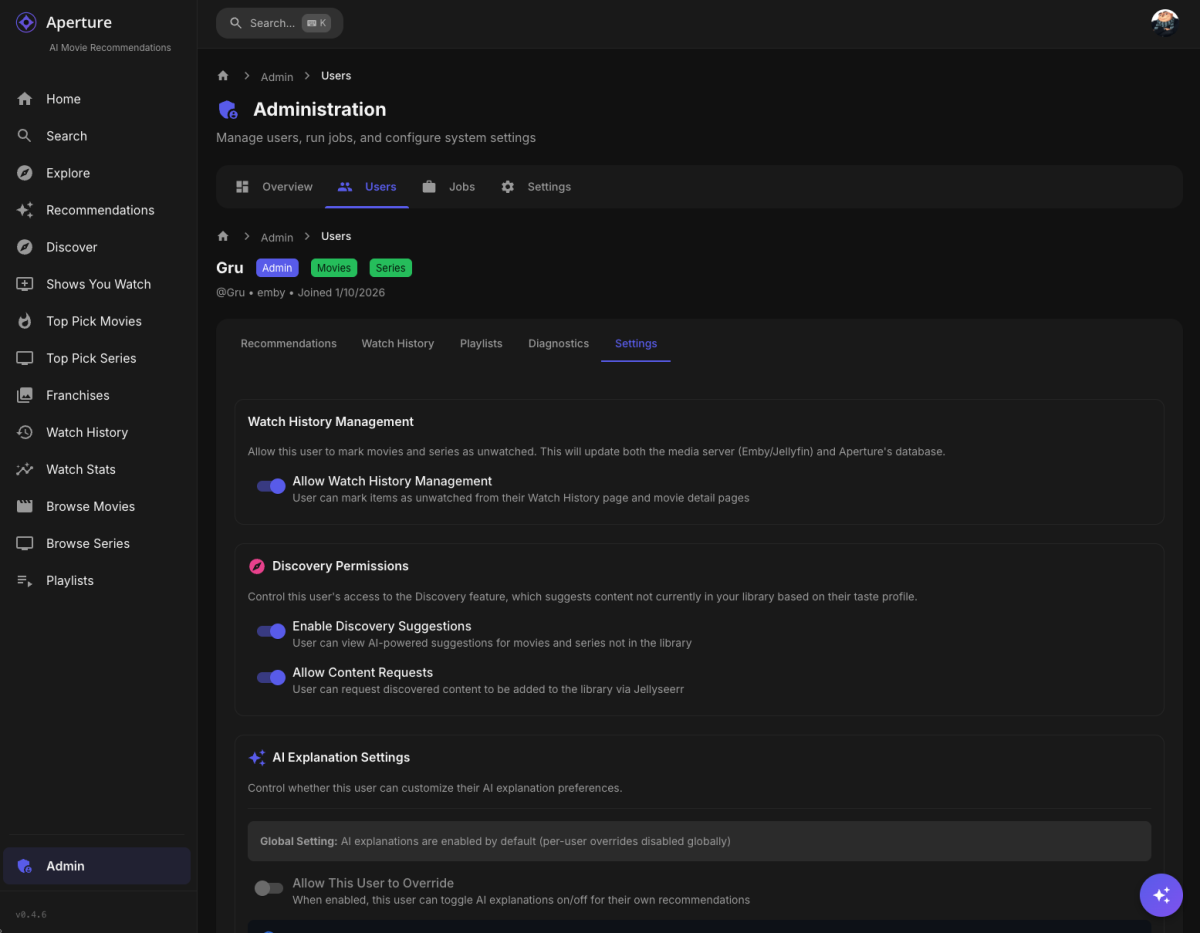
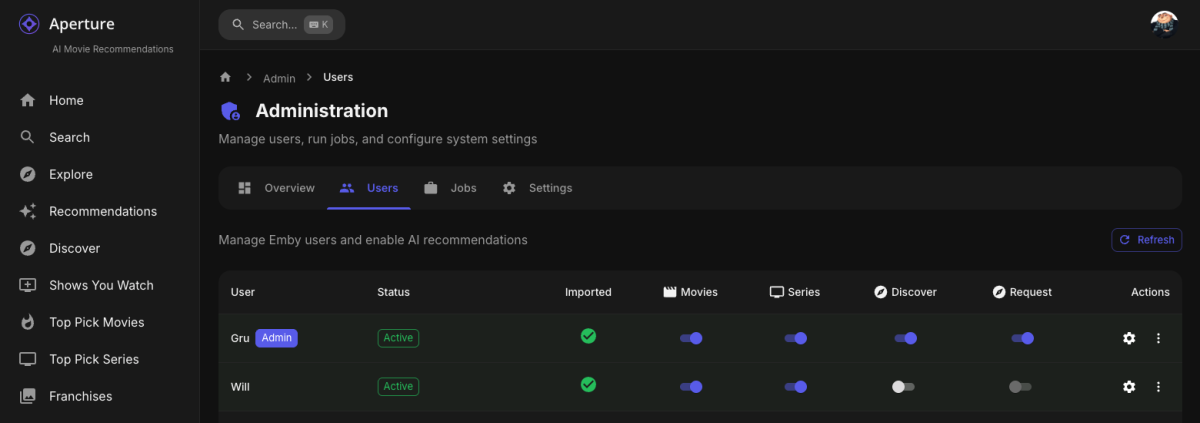
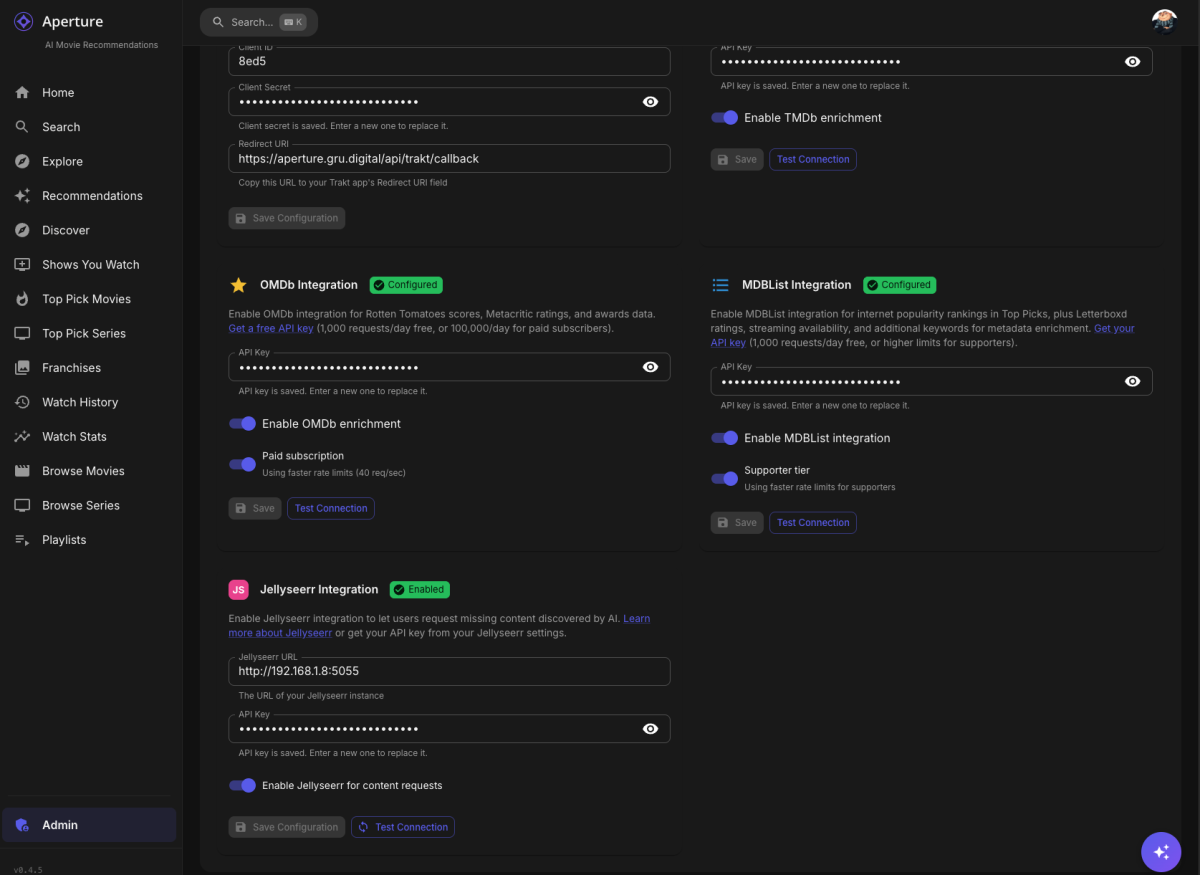
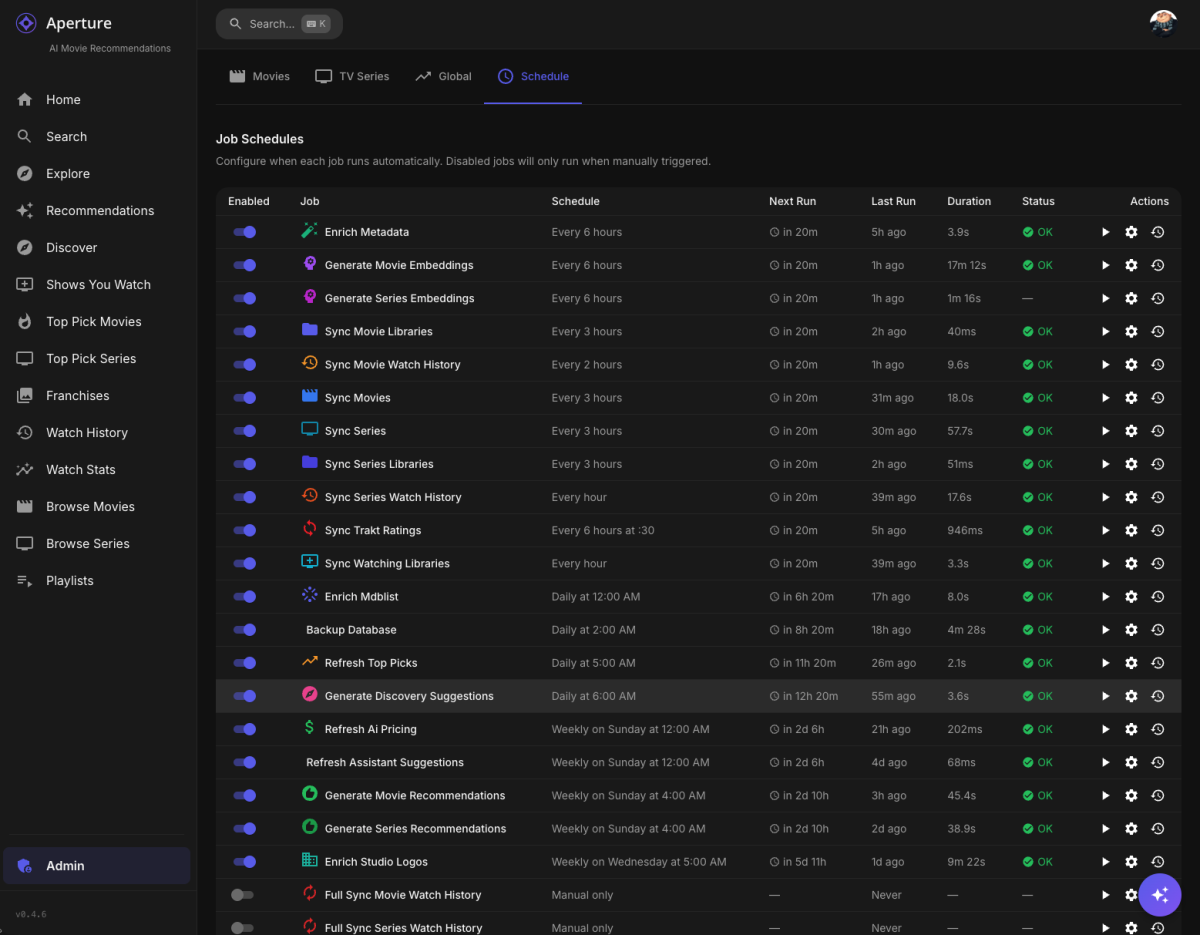
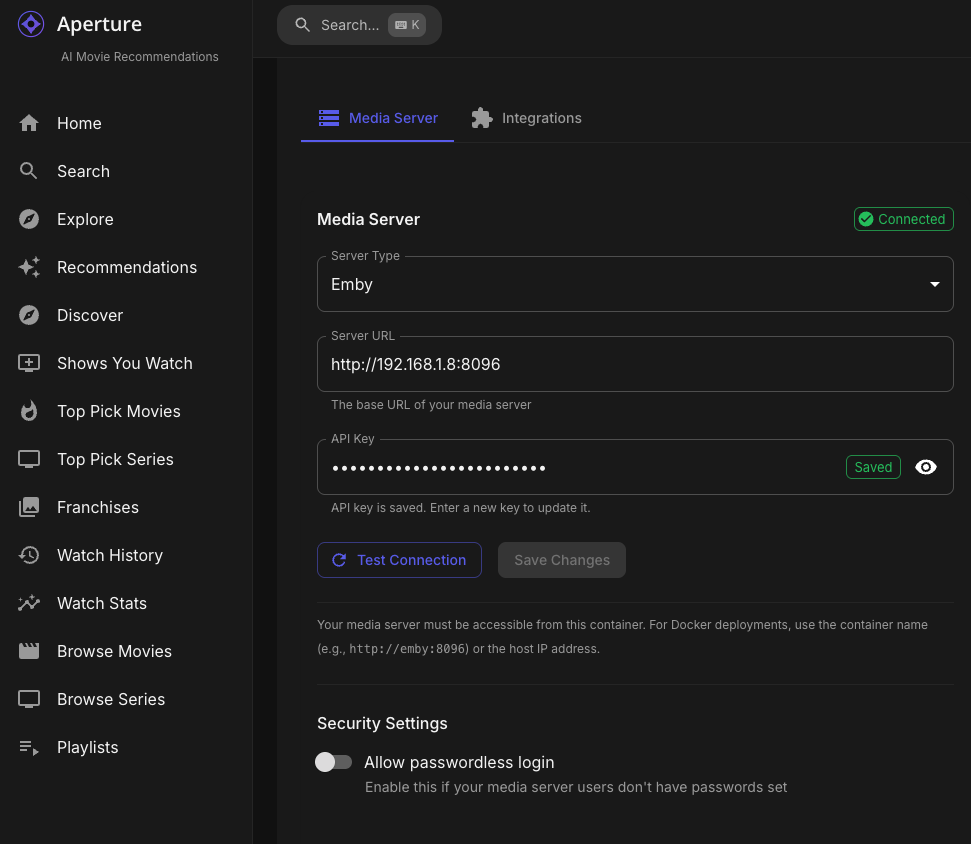
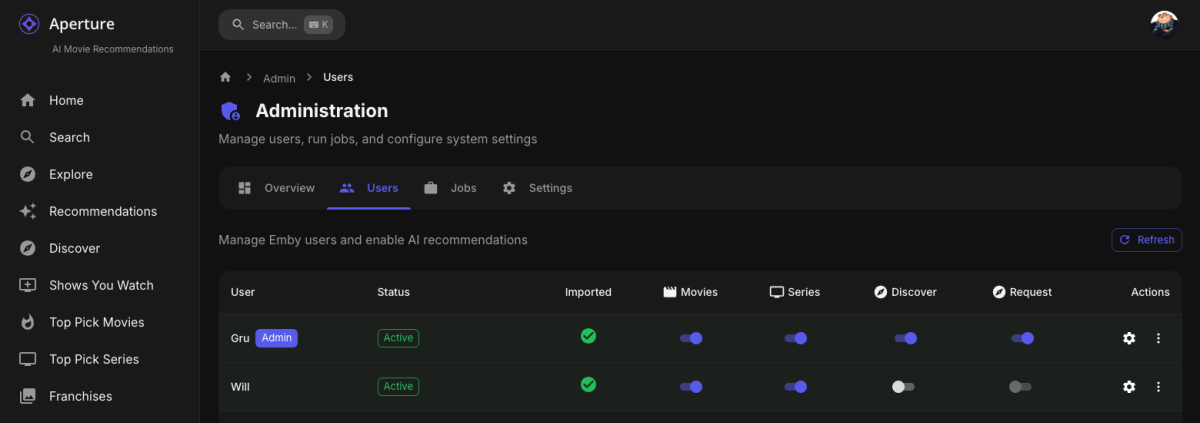
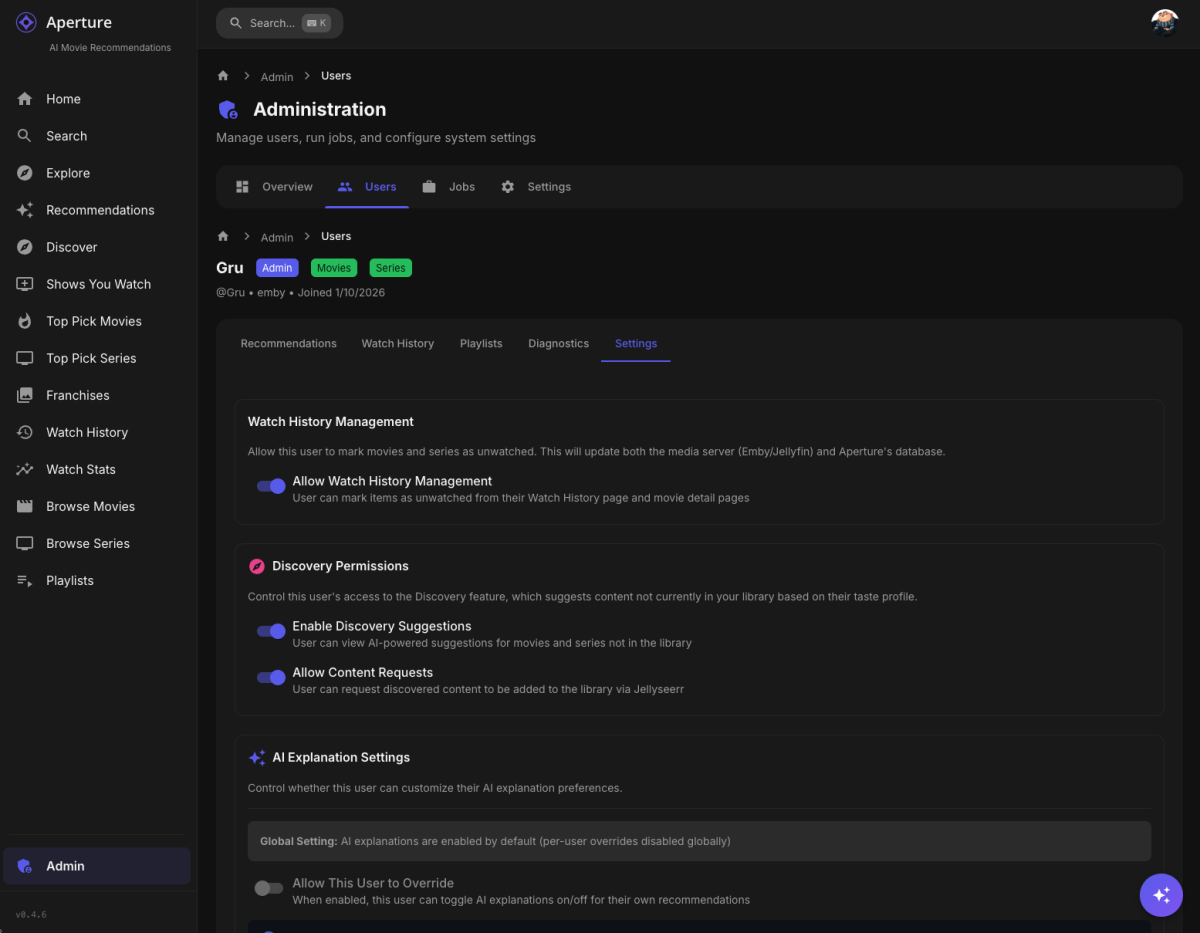
Aperture v0.4.6 Release Notes Hey everyone! This release introduces the Discovery feature (thanks to @FlameRed for the idea!)— AI-powered suggestions for content not in your library — plus full Jellyseerr/Seer integration for requesting missing content. If you've ever wanted Aperture to help you find your next favorite movie or series that you don't already own, this update is for you! Discovery Feature What It Does Discovery analyzes your watch history and ratings, then suggests movies and TV series you might love but don't have in your library yet. It pulls candidates from multiple sources and ranks them using AI scoring. Candidate Sources TMDb: Recommendations — Based on content you've watched recently Similar Titles — Based on content you've rated highly Discover — Popular/trending content meeting quality thresholds Trakt: Trending — Currently hot content Popular — All-time popular content Recommendations — Personalized Trakt picks (if user has linked Trakt account) AI Scoring Each candidate is scored with weighted factors: Similarity Score (50%) — How well it matches your taste profile Popularity Score (30%) — General audience popularity Recency Score (20%) — Bonus for newer releases Final results are ranked and cached per user. Discovery Page Navigate to Discovery from the sidebar to see your personalized suggestions: Movie/Series tabs — Switch between content types Ranked cards — Mirrors the Emby Rank Style Now! Source badges — See where each suggestion came from Match percentage — AI confidence in the recommendation Manual refresh — Regenerate suggestions on demand Detail Popper Click the info icon on any card to see: Fanart backdrop — Beautiful full-width backdrop image Full metadata — Year, runtime, rating, vote count Cast & Crew — Top 8 cast members with photos, clickable links to person pages Director/Creator — Clickable links to director pages Score breakdown — AI match and similarity scores Original title — For international content Already Requested and ability to Request!!! . Jellyseerr/Seerr Integration Request Missing Content Found something in Discovery you want? Request it directly from Aperture! Configuration Navigate to Admin → Settings → Integrations to configure: Jellyseerr URL — Your Jellyseerr instance URL API Key — Get from Jellyseerr → Settings → General Enable toggle — Turn request capability on/off User Permissions Control who can request content in Admin → Users: Discovery Enabled — User can see Discovery suggestions Request Enabled — User can submit requests to Jellyseerr If Discovery is disabled for a user, requests are automatically disabled too. Request Status Pending — Request submitted, awaiting approval Approved — Admin approved the request Declined — Admin declined the request Available — Content has been downloaded and is ready Request status is shown on Discovery cards with visual badges. Discovery Background Job generate-discovery-suggestions A new daily job generates discovery suggestions for all enabled users: Default schedule: Daily at 6:00 AM Per-user generation — Each user gets personalized results Statistics tracking — Candidates fetched, filtered, scored, stored Run history — Track when suggestions were last updated Prerequisites Check The job shows a warning if prerequisites aren't met: Jellyseerr must be configured (for request functionality) At least one user must have Discovery enabled Passwordless Login For Media Servers Without Passwords Some Emby/Jellyfin servers don't require passwords. Aperture now supports this (Thanks @TeamB!): Configuration Enable in Admin → Settings → Media Server → Security Settings or during initial setup wizard: Toggle "Allow passwordless login" Users can then log in with just their username Login Page Behavior Password field shows "(optional)" when passwordless is enabled Helper text explains the configuration Submit button enabled with just username Enhanced User Management New User Permissions Two new toggles on the Users page: Discovery () — Enable/disable Discovery suggestions Requests () — Enable/disable Jellyseerr requests User Detail Page The individual user settings page now includes: Discovery toggle with description Request toggle with description (only shown when Discovery is enabled) UI Improvements Discovery Cards Beautiful card design with: Poster image with fallback Rank badge (top-left) Source chip (top-right) Match percentage (bottom-right) Request status badge (bottom-left when applicable) Hover overlay with request button Technical Details New Database Tables discovery_runs — Track job executions per user Run statistics (fetched, filtered, scored, stored) Duration tracking Status (running, completed, failed) discovery_candidates — Cached recommendations Full metadata (title, year, poster, backdrop, genres, etc.) Cast & crew info for detail popper Score breakdown Source tracking discovery_requests — Track Jellyseerr submissions Request status Jellyseerr request/media IDs Link to discovery candidate New Migrations 0080_discovery_feature.sql — Main tables and user columns 0081_discovery_imdb_id.sql — IMDb ID for direct linking 0082_discovery_cast.sql — Cast/crew metadata columns New API Endpoints Discovery: GET /api/discovery/movies — Get movie suggestions GET /api/discovery/series — Get series suggestions POST /api/discovery/refresh/movies — Regenerate movie suggestions POST /api/discovery/refresh/series — Regenerate series suggestions GET /api/discovery/status — Get user's discovery status GET /api/discovery/prerequisites — Check if prerequisites are met Jellyseerr: GET /api/jellyseerr/config — Get configuration PUT /api/jellyseerr/config — Update configuration POST /api/jellyseerr/test — Test connection GET /api/jellyseerr/status/:mediaType/:tmdbId — Get media status POST /api/jellyseerr/status/batch — Batch status check POST /api/jellyseerr/request — Create request GET /api/jellyseerr/requests — Get user's requests Auth: GET /api/auth/login-options — Get passwordless setting Settings: GET /api/settings/media-server/security — Get security settings PATCH /api/settings/media-server/security — Update security settings New Core Modules @aperture/core/discover: pipeline.ts — Main discovery generation flow sources.ts — Fetch candidates from TMDb/Trakt filter.ts — Filter out library/watched content scorer.ts — AI scoring algorithm storage.ts — Database operations types.ts — TypeScript interfaces @aperture/core/jellyseerr: provider.ts — Jellyseerr API client types.ts — TypeScript interfaces Upgrade Instructions For All Users Update Aperture — Pull the latest version Run migrations — Automatic on startup (0080, 0081, 0082) Configure Jellyseerr — Admin → Settings → Integrations (optional but recommended) Enable Discovery — Admin → Users → Enable for desired users Run Discovery job — Or wait for daily schedule For Jellyseerr Users Get your API key from Jellyseerr → Settings → General Enter URL and API key in Aperture settings Test connection Enable request permissions for users For Passwordless Servers Go to Admin → Settings → Media Server Enable "Allow passwordless login" in Security Settings Users can now log in without passwords Enjoy discovering new content!

 1 point
 -
Hello, so i have installed the 2.1.31G emby android tv beta and trailers are working, thanks. There was a message in this version to switch to the emby android version wich is more up to date. Is the android TV version will be abandonned and i have to definetly switch to the android version?1 point
-
I have now been running the beta for a week or so and the unresponsive remote issue has not happened even once. Thanks Emby. I hope this is not just false good behavior. I have, a couple of times, seen a different issue that is every bit as intermittent as the remote issue. What happens is that I return from playing something, it appears that what I was playing does not matter, and then quickly switch to a different library. The new library accesses with absolutely nothing displayed on the screen except a small amount of the top of the screen menu. If I exit and wait a few seconds and reenter the library displays normally. No amount of waiting or remote presses cause the screen to refresh when the problem shows itself but, every time but one, the library shows correctly after a slower exit and reenter. Only once did the problem not correct after an exit and reenter and that time I moved very fast so whatever resets may not have had time to do so. This will be hard to test but I will keep my eyes open for it and try to get a bit more info for you to mull over. Again the problem this thread was started for seems fixed. Thanks. Gee. It's fun breaking things. If you want you can break this issue out into a separate thread. I was just too lazy. BTW: I did see this once or twice when I was running the release client.1 point
-
That sounds a fairly typical 'save money now, put all your eggs in one basket, what could possibly go wrong' type scenario to me. Or am I being cynical.1 point
-
Not sure what you mean by "What Screen"? I was mainly inquiring to see if there was a setting or a way to turn them off in the Manage Emby Server panel, so that it hides it from all my users. That way the custom library images showcased what library it was.1 point
-
This has been working well for me on latest LTS Ubuntu. Thanks to the team for all the work that has gone into this.1 point
-
Hello, j'ai refait "Actualiser les métadonnées", relancer "Video preview thumbnail extraction", tout est rentré dans l'ordre. Merci1 point
-
Emby Server 4.9.3 has been released. Here are the highlights: Update Intel drivers on Linux platforms Add user option to set user's auto remote quality Add library option to use legacy folder scanning method Music transcoding fixes Add landing tab option for book libraries Support volume control with youtube trailer player Update mixed content tabs to combine Movies & Shows Fix maintenance mode blocking some settings screens Fix embedded audio fields not getting rescanned on file changes Fix loss of genre and collection images after deleting a movie View the full article1 point
-
I agree, they need to do something with their design. Even the Emby website feels outdated and even has very old screenshots1 point
-
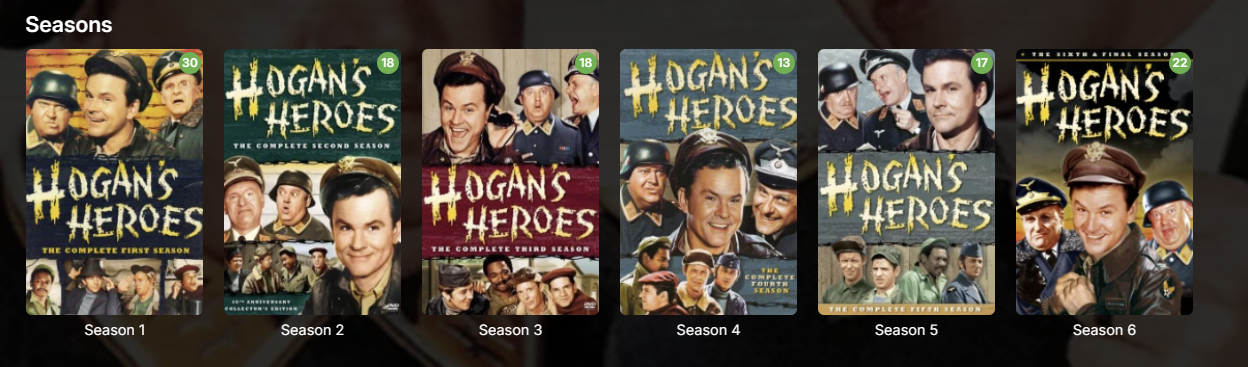
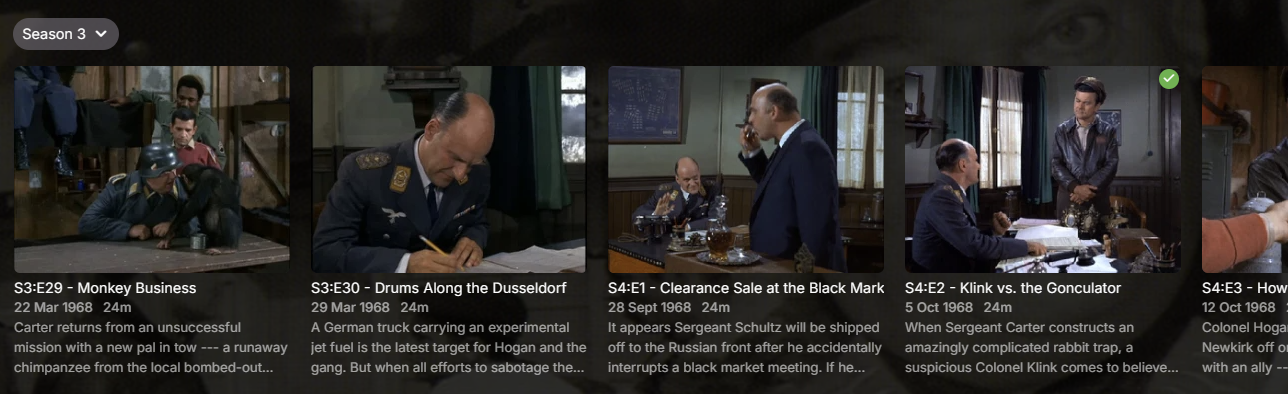
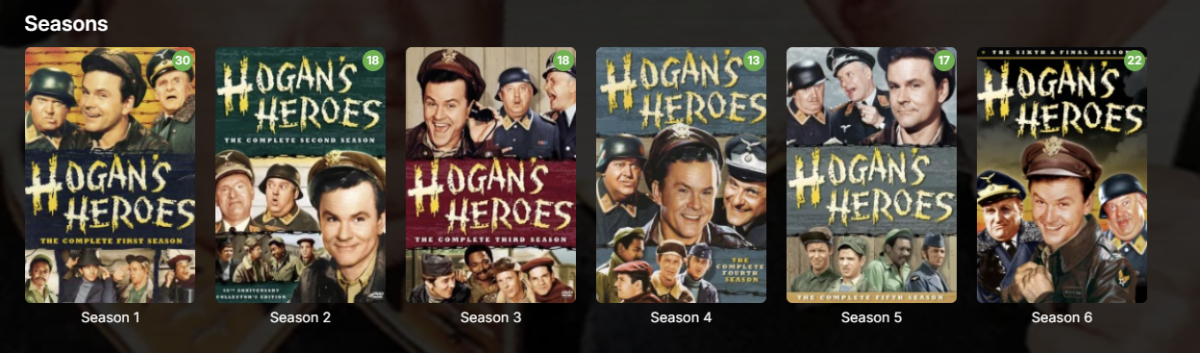
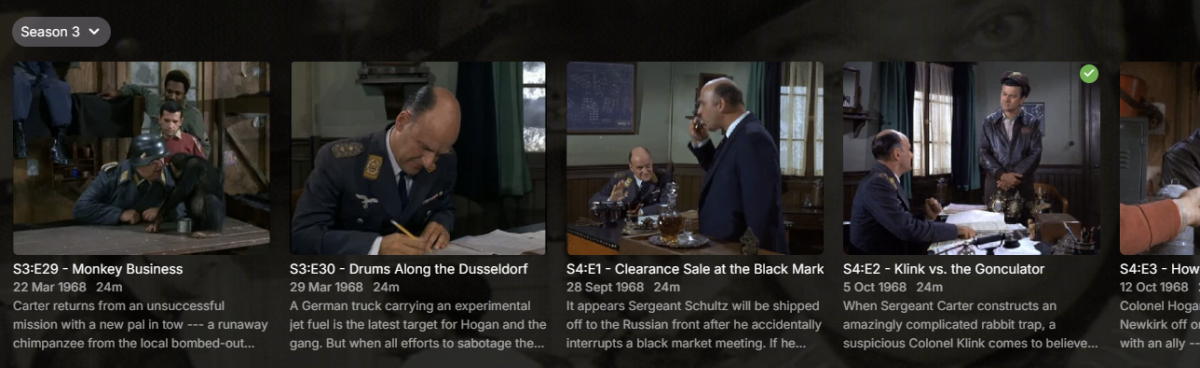
I'm not sure what kind of attitude that is. My streaming ecosystem is Emby and that's essentially all we use, so I couldn't give a rat's about what Netflix does. Clearly this attitude means you intentionally forced this behaviour on users for whatever reason, yet it's clearly missing from the release notes: Nowhere there does it say you've changed this behaviour and nowhere is it made easy to revert for all users, hence this thread. I fail to see how you feel this: is a better experience than this: Especially with that tiny Season 3 drop-down which is so easy to miss and obliterates the pretty season cover art many of us curate. It's worse with a mouse. If I want to look at all episodes in Season 4, in the old view, I click Season 4 then I can scroll with my mouse. I can't scroll with my mouse with this new behaviour and instead must click, click, click all the way to what I want. Considering how you seem to approach most feedback in these forums, I don't expect you to revert this unwelcome behaviour and will have to suck it up. I will, however, request you be more upfront next time and include major forced behavioural changes in the release notes so we're aware of it. Ideally, there should be a way for users (not Luke et al.) to apply our standard configuration to all users as well, without having to sign into each user account individually.
 1 point
 -
so your making **** decisions by just copying others then, fair enough. where can we find this default for all users, or did you just force it in the update?1 point
-
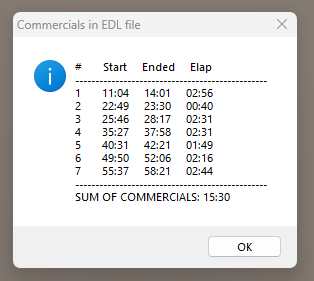
I'm new to Emby and trying to get commercial skipping as good as Plex did. Still trying to work out some of the glitches, but I wanted a way to see what the EDL file was saying (in a more readable format) so I wrote a small Autoit script (viewEDL) that displays the times that commercials were flagged. Makes it easier to see what's going on! Here's a zip that contains the AU3 source and the EXE if you don't have Autoit installed. viewEDL.zip
 1 point
 -
FYI I'm working on a patch to update to the latest version and improve parts of the official freebsd package, and will probably be taking over maintenance of the package from now on.1 point
-
I can't imagine any LLM or prediction AI features I would even want in Emby. If one comes along, a plugin would suffice. But if it were put into base Emby, having an "on" switch (anything like this should be opt-in IMO) would be fine with me.1 point
-
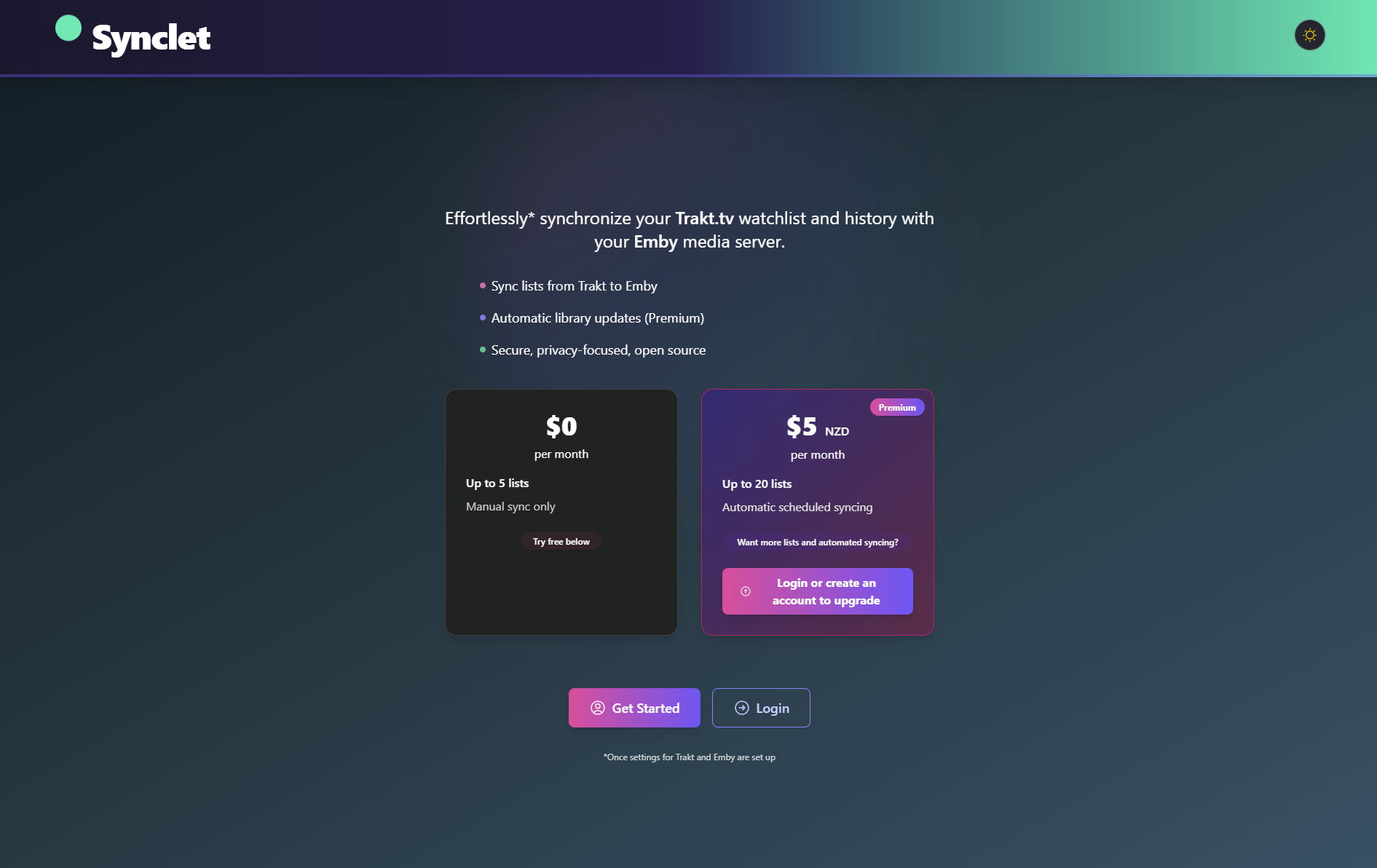
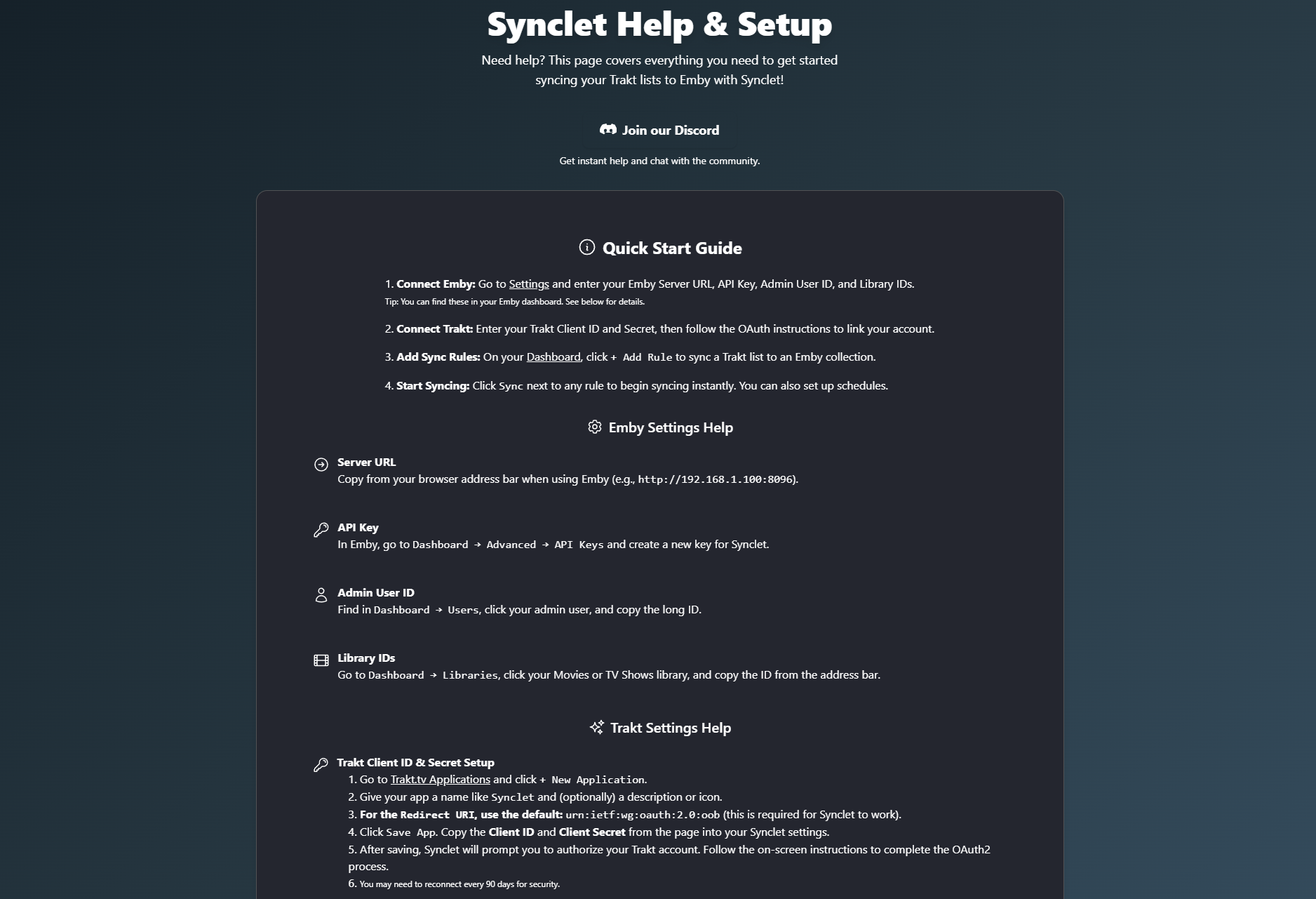
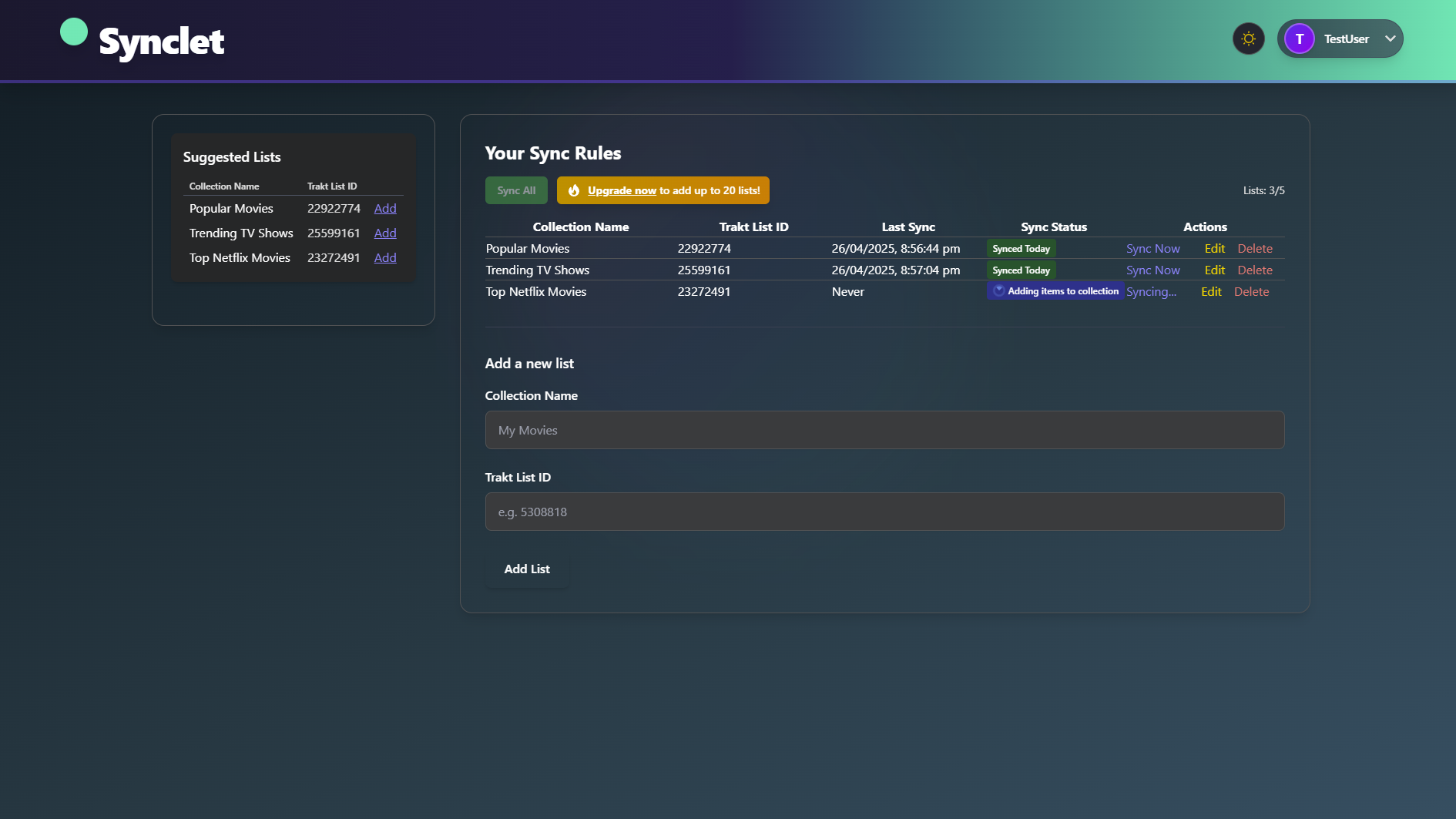
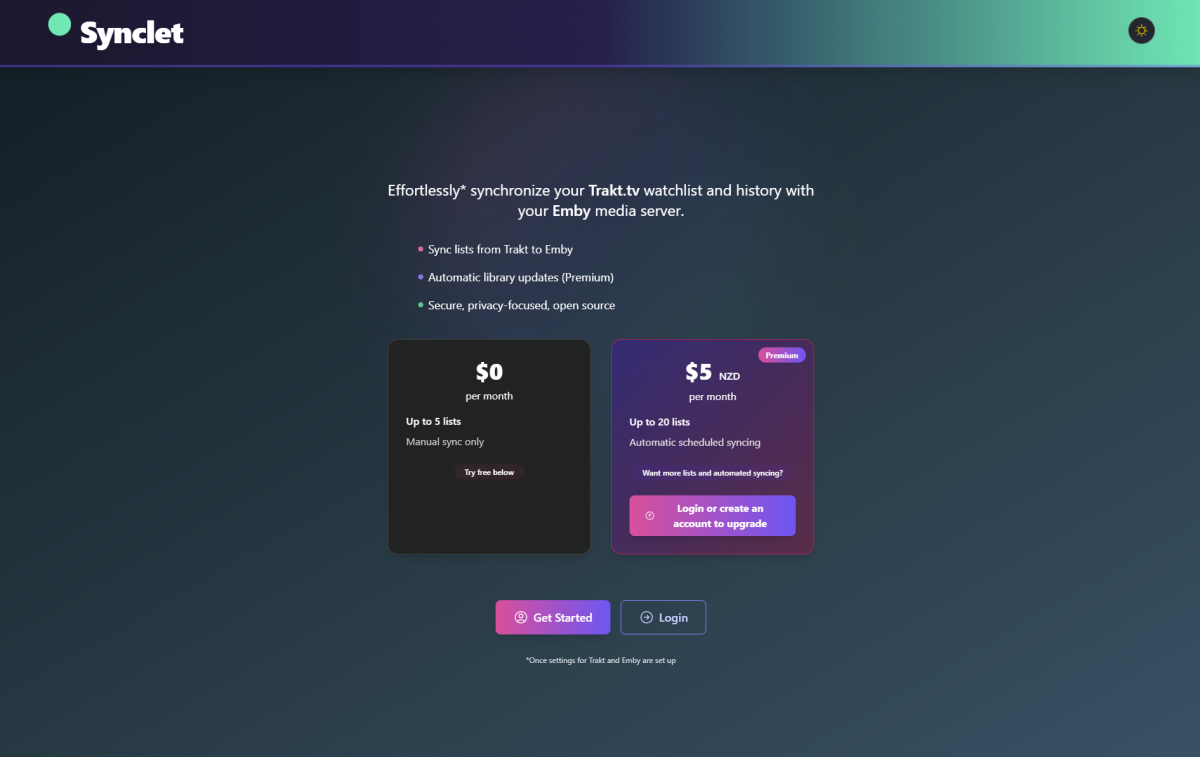
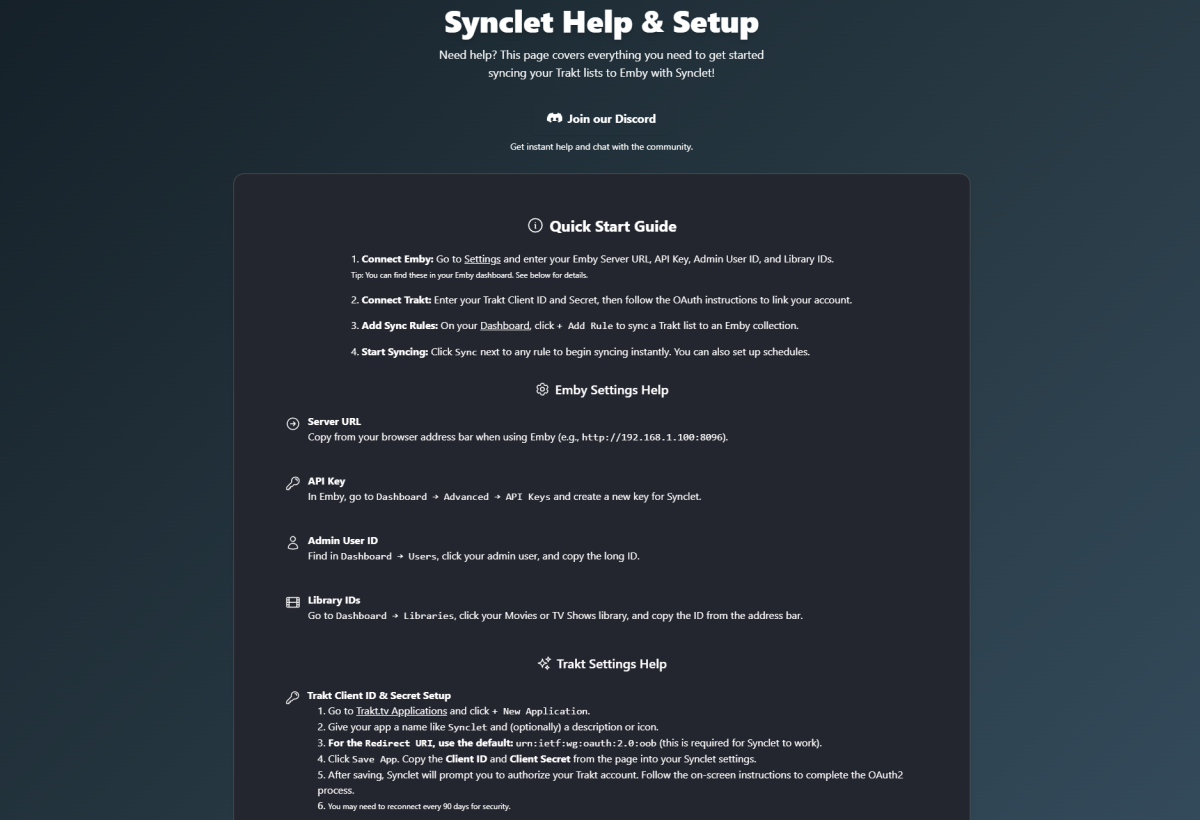
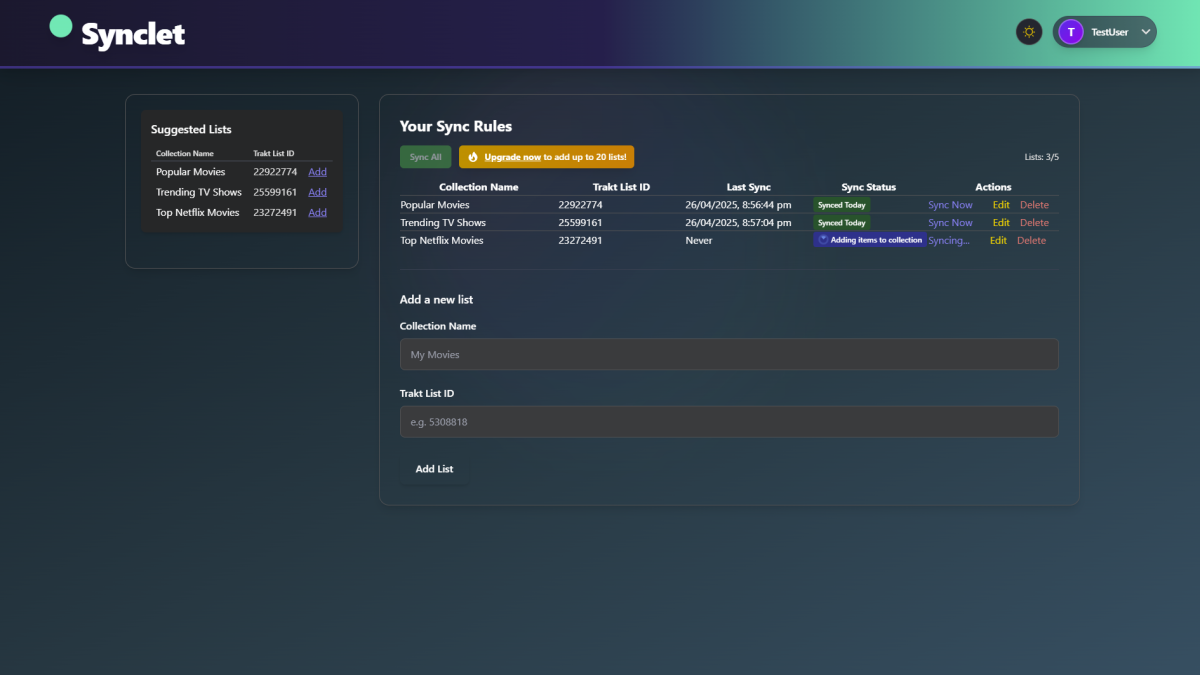
Website: https://synclet.cloud Hey all!, I’m excited to share Synclet, a web application that makes it easy to keep your Emby collections in sync with your favourite Trakt.tv lists! Is it free? Well... yes and no Free: Up to 5 lists & Manual Syncing Paid: Up to 20 lists and scheduled syncing ($5 NZD a month so approx $3 USD) Have pay for the server its running on! What does Synclet do? Sync Trakt Lists to Emby: Automatically or manually sync any public Trakt list (yours or others) to an Emby collection. Great for keeping up with curated lists, watchlists, or recommendations. Dashboard: Manage all your sync rules in one place. See which Trakt lists are linked to which Emby collections, and trigger syncs or remove rules with a click. Flexible Scheduling: Choose how often each rule syncs (daily, weekly, etc.), or run on demand. (Premium feature) Settings: Configure your Emby server (URL, API key, library IDs) and Trakt credentials (OAuth2, client ID/secret) securely. Premium Features: Paid users can unlock more sync rules and advanced scheduling. How does it work? Connect Emby & Trakt: Enter your Emby server details and authorize with Trakt.tv. (full instructions are located here Help – Synclet) Create Sync Rules: Choose a Trakt list and link it to an Emby collection. Automatic or Manual Sync: The app will keep your collections updated according to your schedule, or you can sync on demand. Technical Details Runs as a web app (Next.js frontend, Node.js backend) Supports PostgreSQL for reliable storage Secure: All actions require authentication; API keys and CSRF protection are enforced I am still in the early stages of this website, there will be way more features to come! Open to feedback: I’m actively developing and would love suggestions! Discord: https://discord.gg/Snz7yB4UZP or leave a comment here!
 1 point
 -
From a trustworthy point of view, I find it difficult that I need to grant an external website access to my library via API Key directly. I personally run Emby in combination with an external auth solution in front of it, and I would never ever tear down this wall for anything external. But thanks for you effort!1 point
-
Hi, are you still having an issue with this?1 point
-
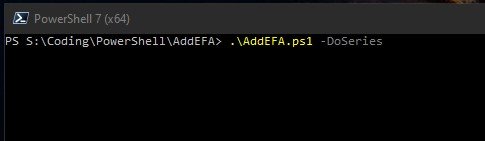
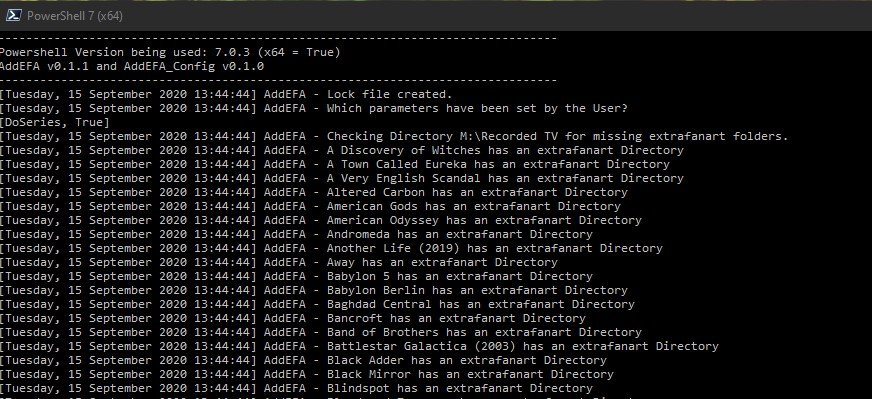
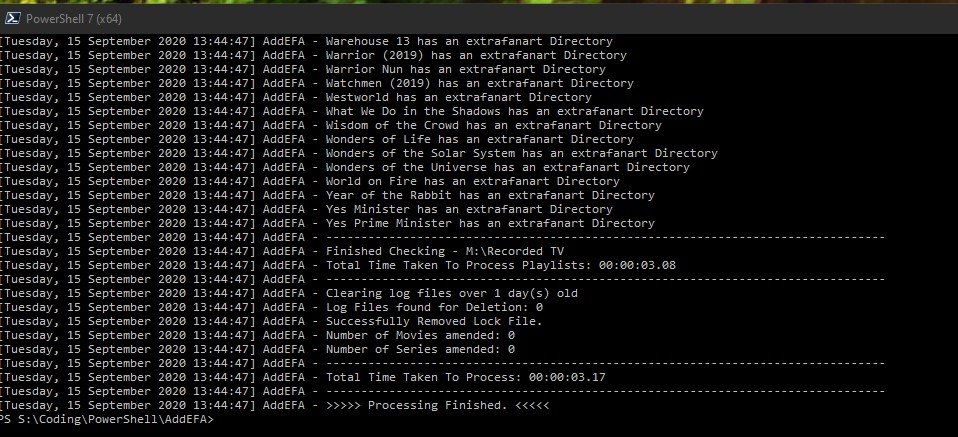
(15/09/2020) If like me you liked the Extrafanart sub directory to store all the downloaded fanartX.jpg files to keep the main item folder clear of clutter then you are in luck. Context In a recent beta / nfo plugin update the creation of extrafanart directories was remove (as Kodi does not support them anymore) and now fanartX files are saved to the main folder of an item. So this script allows you to clean up this situation. The script is setup to work with Movies and Series (TV Shows) only at present and not Mixed content folders either - maybe a future update might cover this but for now only run it against supported structures. User Notes - (version 1.2) - thanks to @CBers and @FrostByte for proofreading. AddEFA - script to add extrafanart directory and move the fanartX files to it from the main directory of a newly added item - Movie or Series 1.0 Basic Function 1.1 This script is to add the extrafanart directory back since in the last few beta server versions the support for it was removed when a new Series or Movie is added to Emby. 1.2 It also moves fanartX.jpg files to the extrfanart directory if they exist. 1.3 The extrafanart directory is not created if no fanartx files exist in the main directory for the item. 1.4 It leaves the fanart.jpg in the main directory of the item. 2.0 Script Requirements 2.1 The script is written in Powershell for version 7.0.3 2.2 The script requires at least Powershell 7.0 - Powershell can be downloaded from https://github.com/PowerShell/PowerShell/releases/tag/v7.0.3 - the latest Release version is 7.0.3 as of 15/09/2020. Remember to set the execution policy you require - Google it if you are not sure. 2.3 If you try and run it in Powershell 5.1/6/0 etc it will abort and not run as some of the code is PS 7 specific. 2.4 Powershell 7 and 5.1 etc can coexist on the same machine with no issues (Windows) 3.0 Setup Requirements 3.1 I have attached to the first post a zip file (AddEFA.zip) containing 3 files 3.2 AddEFA.ps1 - the main script file, AddEFA_config.ps1 - config file for the main script file (more on this below) and these user notes. 3.3 Also in the zip file is a logs folder which the script will look for to write its log file too. The location of the logs folder can be changed in the _config file. 3.4 Unzip the file to your location of choice - the main folder for the script (AddEFA) can be changed to anything you like. BUT the ps1 files should not have their names modified. 3.5 Open the _config file in any text editor and amend the setting you want and don't forget to save it after you change things! 3.5.1 Log_Path - where you want the logs saved 3.5.2 MovieBaseDir - full paths to one or multiple movie root folders - unc paths are supported - Enclose BaseDir folders in single quotes(') and separate by commas. 3.5.3 SeriesBaseDir - as above - Enclose BaseDir folders in single quotes(') and separate by commas. 3.5.4 Log_Retention - how many days you want to keep the logs for. 3.6 Why a config file - for convenience - you can replace the main ps1 file and not have to keep updating your paths etc if I need to release a new version. 3.6.1 I anticipate that the config file format will not change - with current plans - but if I add some other functionality that requires it you will get a new version etc - and only at that time would you need to edit the config again - other than your own changes. 4.0 Running the script 4.1 First you need to open a PS7 console window - there are various ways to do it - I will just do the one that most will be able to follow. 4.1.1 Start>Powershell>Powershell 7 (x64) will open the console window. 4.1.2 Navigate to the folder where the AddEFA.ps1 and config files exist 4.1.3 To run the script you need to type the following 4.1.4 .\AddEFA -DoMovies -DoSeries and then hit return - if you have things configured correctly the script will be off to the races. 4.1.5 Notice the full stop before the \ above? It's needed don't forget to type it - otherwise PS will complain! 4.1.6 The -Doxxxx are called parameters and at least one needs to be supplied - i.e. without them the script will do nothing much. You can supply both or singly - up to you. 4.1.7 If you get errors see below. 4.2 The script will write to the console window at the same time as the log - they are essentially the same - so if things fly by and you can't read what's happening - go see the log file. 4.3 When running the script it creates an AddEFA.lock file to the script directory. This is to prevent the script from being run twice or more concurrently - i.e. stopping multiple scripts fighting over files! 4.4 Once the script completes - the lock file is removed. 4.5 Once complete then your Movies/Series should have been updated where necessary - see log file for details of which was amended or not and why. 4.6 Beyond the scope of these notes but it's easy to schedule this script to run via task scheduler or the Emby ScripterX Plugin for say every couple of days - depending how much on average you add to your server. 5.0 Limitations / Restrictions 5.1 The BaseDir's you give the script, in the config file, need to have a structure which needs to be followed - see below. 5.2 MovieBaseDir\<movie individual main directory> - for me that would be M:\Movies\22 Bullets (2010) or M:\Movies\300 (2007) etc where M:\movies is the BaseDir 5.3 SeriesBaseDir\<Show individual main directory> - for me that would be M:\TV\Babylon 5 or M:\Movies\Catch-22 etc where M:\TV is the BaseDir 5.4 If you have any movies which are not in their own directories within the MovieBaseDir - put them in separate folders - or don't run the script if this is an issue 5.5 Equally the same basic structure is expected for Series - i.e. nothing not in a folder within the baseDir for Series - i.e. no loose episodes etc 5.6 If you say have your movies in Alphabetical groups say \movies\A-H, \movies\I-R etc then add those as the baseDir in the config as you can have more than one. Each of these directories will be processed one after the other. 5.6 Any other eclectic folder structure and you are on your own! Results might be weird! 5.7 The config file must be in same folder as the main script. 6.0 Errors you might see 6.1 These are common errors due to incorrect config/ finger trouble 6.2 You forget the full stop before the \ 6.3 You spell the parameters wrong 6.4 A lock file exists in the script folder - either another instance of the script is running or shock horror the script crashed last time - this never happens ... 6.5 The baseDir paths you have given are invalid/not accessible 6.6 The log_path is invalid/not accessible etc - not going to try and cover everything under the sun! 6.7 Either PS or the script will indicate what is wrong for most of the common errors - read what they say and you should be able to figure it out. 7.0 Summary 7.1 The script has been tested by myself and @cbers/@frostbyte and if they can get it to work so should you 7.2 If PS is new to you then you have a smallish learning curve to climb but its not huge - Google can help here. Example Screenshots Fig1 - about to run script - note PS has its current directory - pointing at the script directory Point 4.1.2 above Fig 2 - Script Running against my TV library Fig 3 - Script has finished in just over 3 seconds. Its not amended anything as no new TV shows added recently. Files - AddEFA.zip - as decribed in 3.1 above. AddEFA.zip I will try and respond to queries/issue with the script when i can - i here most days so should respond quickly. What i'm not going to do in this thread is answer PS issues other than directly related to this script. But i will if they are posted elsewhere if i can answer them. I want to keep this thread on track and not wander off on some winding road to nowhere Think That's It Have Fun PenkethBoy
 1 point
 -
Hi Guys, I recently moved from Kodi with MySQL for lack of proper multi user management and server side support, I have to say I'm impressed with Emby. Together with the Kodi Plugin it really takes the solution to a whole new level, count me in among the supporters! One feature I would like to see is the ability to recommend movies or shows to other users: I share my Library with close friends and family but it is a big library so they are always calling me to recommend them a movie to watch. It would be really cool if after watching a movie I can click a Recommend button and choose the users I think would like the movie, then it is displayed on their suggested movies at the top with the name of the user who recommended it... Sorry if there is something like this is already there, I am new to the interface and don't fully know it but could not find such feature... Thanks!1 point