Leaderboard




Popular Content
Showing content with the highest reputation on 01/13/26 in Posts
-
Changed every one of my users except my admin account, as people keep saying these changes should never be forced by default and for crying out loud can we please get some global admin features, I am sick to death of having to go through 40 users every time something like this happens, even disabling access to a library takes maximum effort.5 points
-
If you run docker, you could check out https://www.tracearr.com/3 points
-
I’ve been saying this for years. Is a media server not a book library or even a photo library. They’re clearly spread too thin to be adding all these features that will be forgotten. Why would anyone use Emby for photos when immich and other alternatives exist? They need to refocus on Movies, Shows and Music, some client apps don’t even work properly when playing media3 points
-
And as far as I'm concerned Emby should of stayed just video and music. PLENTY of great E-book readers / organizers. Should also add backup on Jellyfin works straight out of the gate. No having the permissions issues one can with Emby.3 points
-
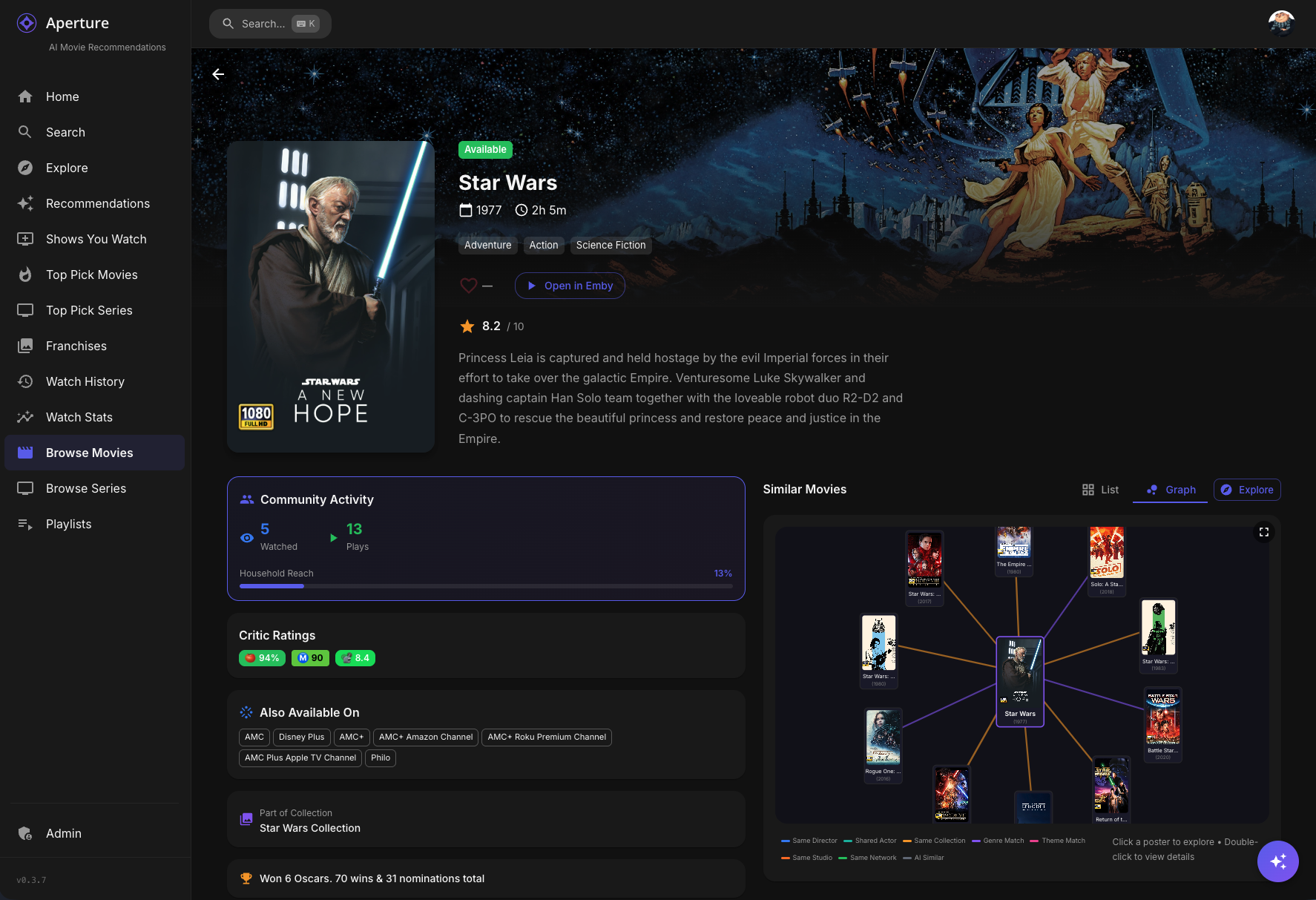
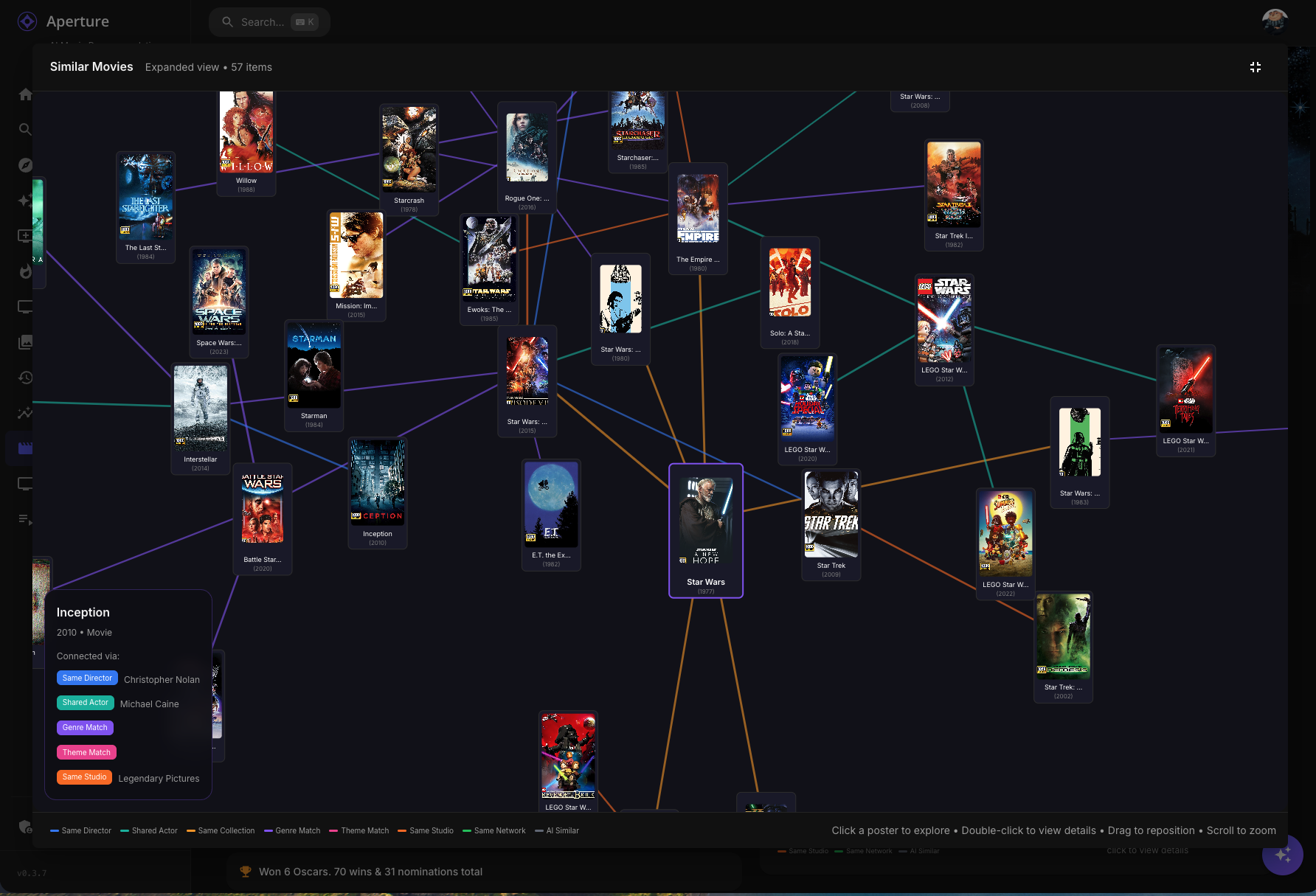
A little sneak peek into what's coming: Similarity Graphs
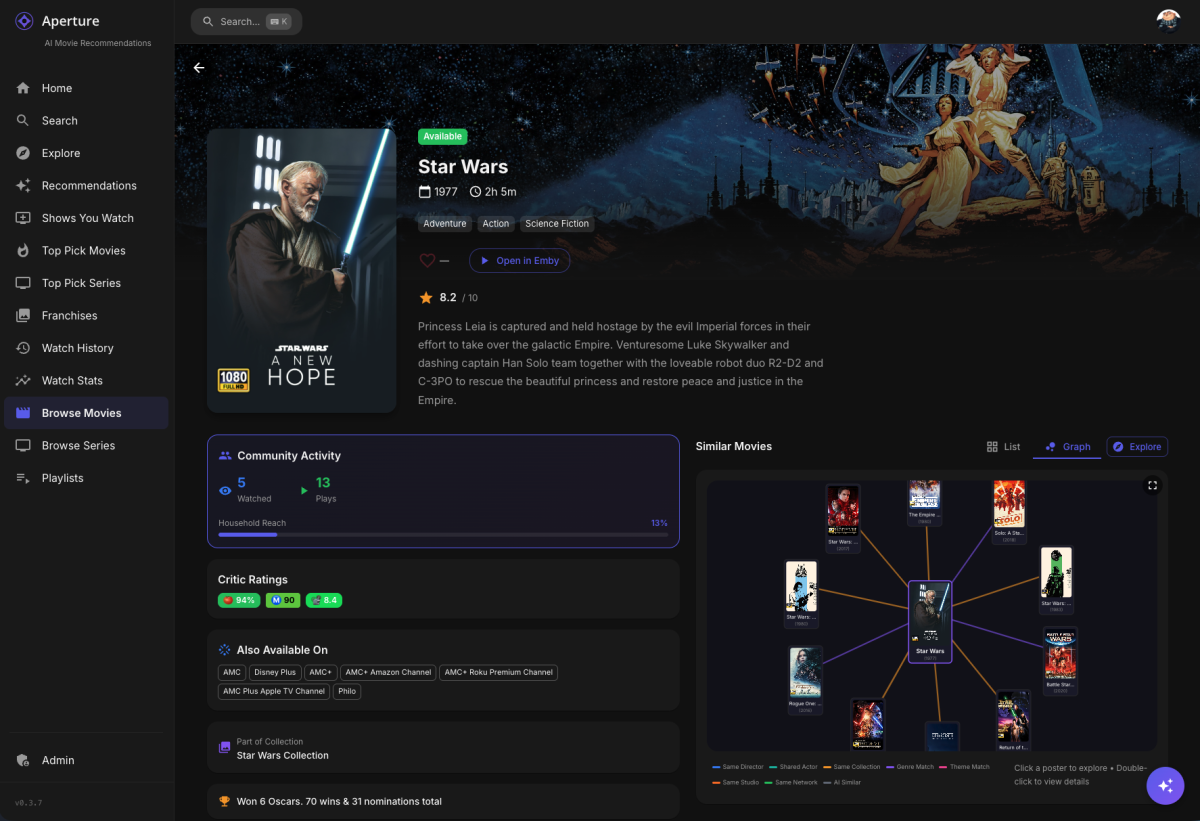
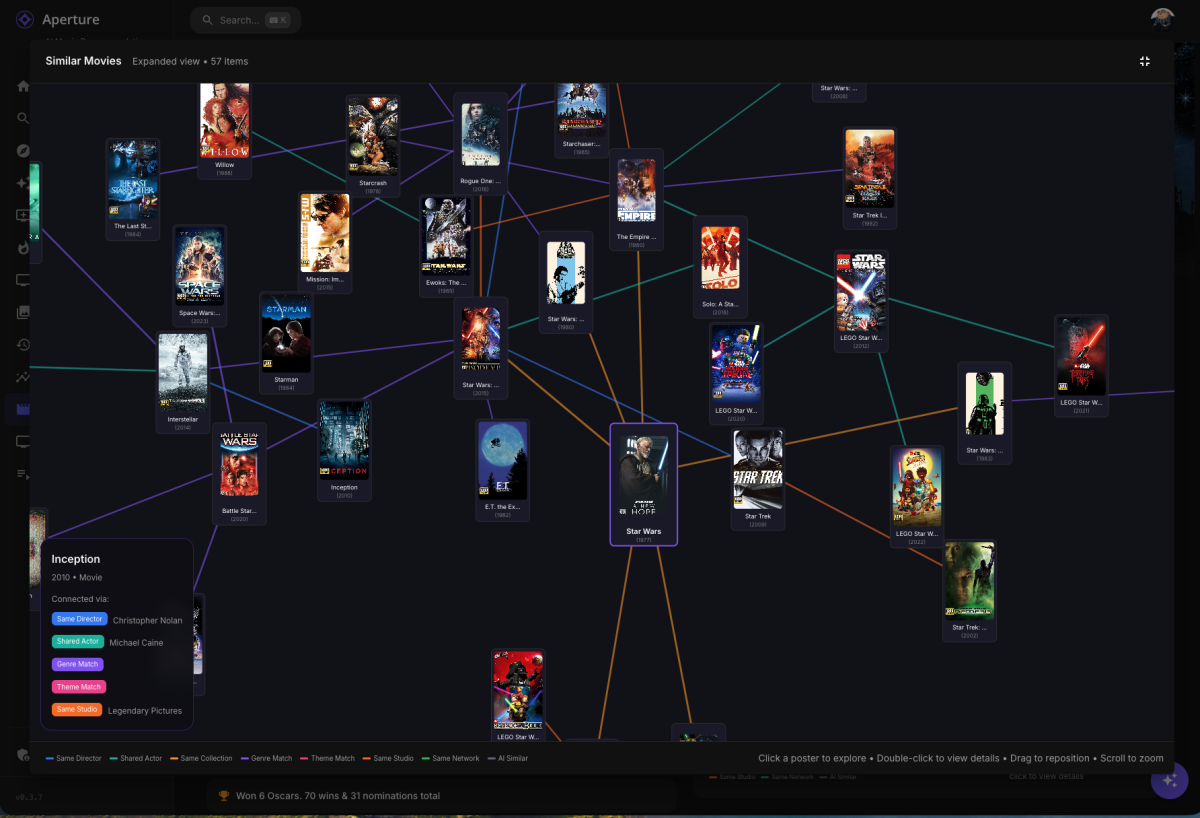 2 points
 -
Themes are the smallest problem. Most clients / server features don't allow to customize almost anything. When was the last time we had a NEW feature that was customizable by emby admin? All i remember and i m using Emby for 12 years are forum threads with discussion with emby devs what feature will look and what it will do, and countless discussions....? We are doomed with what Luke saw last week somewhere on some apple bullshit...2 points
-
A well balanced and setup multi-channel incl height (atmos/dts-x) is a gamechanger imo. Unless you have the levels setup properly (you'll need a AVR for this most likely), then all you generally hear is the dominent left, right and center. Properly setup Atmos with real height speakers (sorry, Atmos projected from floor speakers is a poor experience imo) can transform a movie into a fully immersive experience. For gaming (assuming it supports Atmos) it again transforms gaming giving you the audio to react to first in that speaker direction or above you, gaming is not just a visual experience anymore.2 points
-
Clearly not, hence why more of us are coming out of the woodwork. Seeing as you explicitly chose Always show season folders, it would explain why you weren't affected by it and hints towards why we were. I suspect the preference was null before, thus, up to Emby's discretion. When they initially introduced Show all episodes only for single season shows, we all got that because there were no preferences prior, hence we went along for the ride. When they changed the fall-back default to something else with the most recent update, those of us who liked Show all episodes for only single season shows (previous default) were changed to the new fall-back, because we hadn't explicitly selected Show all episodes only for single season shows when it was first introduced, because, why would you if it's working? You weren't affected because your users had a preference explicitly defined.2 points
-
+1 for being a terrible idea to enforce this as a default view for all users. A lot of defaults in Emby are not ideal (eg. sort by title) and it's a shame that there is still not a feature for admins to change such settings for all users in one go. Having to enter to each user profile > preferences and make changes is time consuming.2 points
-
OK, so 1 query per every 3 seconds seems to be a stable query rate (requestIntervalMs = 3000). At 2000 and 2500, the TuneIn server was inconsistently throwing http response 429 still. Enumerating the "Local Radio" (All Canada) folder/subfolders took 45 minutes for the ~920 queries to complete them all successfully. It then started to enumerate the "Music" folder, after an hour it was still enumerating the first genre folder and went down a rabbit hole of enumerating deeper into nested "More Channels" folders within it. I'm sure it would have ran for hours/days/weeks if I didn't stop it. And after "Music" it would have next enumerated the folders: Talk, Sports, By Location, By Language, Podcasts....then would jump out of the enumeration to grab My Favorites. I personally didn't need anything more than my Local Radio (All of Canada including Provinces and Cities) and My Favorites. So I found adding &c=local to my latlon field in the plugin will skip the root of the enumeration from Local Radio,Music,Talk, Sports, By Location, By Language, Podcasts; and will instead starting the enumeration with the Local Radio as the root and will skip those other folders. Then once complete it successfully grabs the Favorites. So for example in Toronto, Canada - the following entry into the latlon field of the plugin would get you 2 fully populated root folders: Local Radio with all the channels in Canada + Favorites: 43.653225,-79.383186&c=local My personal testing plugin .dll is version 1.2.7.1, please PM me if it is required for testing. Not my plugin so I don't want to post the compiled version. Hopefully @Lukecan set this 3000 delay in the git source code and compile an updated version of the plugin for proper release through Emby install/update mechanisms. I don't think I'll be going any further into the code re-write (other than possibly hardcoding/forcing the &c=local on the latlon variable). Due to the TuneIn server requiring query delays to enumerate everything, it no longer seems feasible to be using a global scope for those other folders. I'm thinking we either just continue to use it to get "Local Channels" and Favorites as I am above, or someone needs to give the plugin a serious re-write to be more focused and reduce the massive amount of enumeration required.2 points
-
Thanks for the suggestion. I ended up recovering the installation folder from a pc back and then manually updated emby server and this solved the issue and I'm now back up and running.2 points
-
Major achievements? Honestly, I’m struggling to find any. From a user perspective, 2025 has mostly felt like a year of dodging critical bugs while the features nobody asked for continued to underwhelm. What I’d like to see for 2026 is for the dev team to actually enroll in a Security 101 course. It’s becoming a bit pathetic how often fundamental security best practices are ignored or treated as "low priority" while the community is left to find and document the holes ourselves. For instance, we’re still dealing with: Unauthenticated Access to Private Data: We are literally on page 6 of a thread where anyone can access library images just by knowing an ID. No token, no login, no problem. The response time on fixing basic privacy leaks is glacial. Unauthenticated access to images by itemid Permissions Bypasses: Having "Critical Security Vulnerability" in a thread title regarding Live TV permission bypasses should usually warrant an immediate emergency patch, but here we are. Critical Security Vulnerability: Live TV Permission Bypass PIN Bypasses: The fact that a simple "Home" button press can bypass security PINs is a masterclass in "Security by Wishful Thinking." Security Issue: Using home button makes PIN bypass possible And then there is the "Universal" Android app. It’s truly a "major achievement" to spend years trying to replace the perfectly functional Android TV app with a bloated, stuttering "one size fits none" mobile port. It fails miserably at providing a smooth 10-foot experience, yet the devs seem hell-bent on sunsetting the one version that actually works for TV users. If the goal for 2025 was to prove that a paid product can have slower security responses and worse UI regressions than its free competitors, then mission accomplished. Ultimately, for 2026, the devs need to start concentrating on legitimate bugs and community concerns instead of @Luketreating this like his own personal pet project. This is a paid product with a community of users, not a private sandbox where critical security and usability issues can be hand-waved away just because they don't fit a specific internal vision. Fix the foundation before adding more "achievements" to the pile.2 points
-
Biggest so far(....) isn't Embys, its Sh0rtys banner thing that shows how good Emby can look (but doesn't).2 points
-
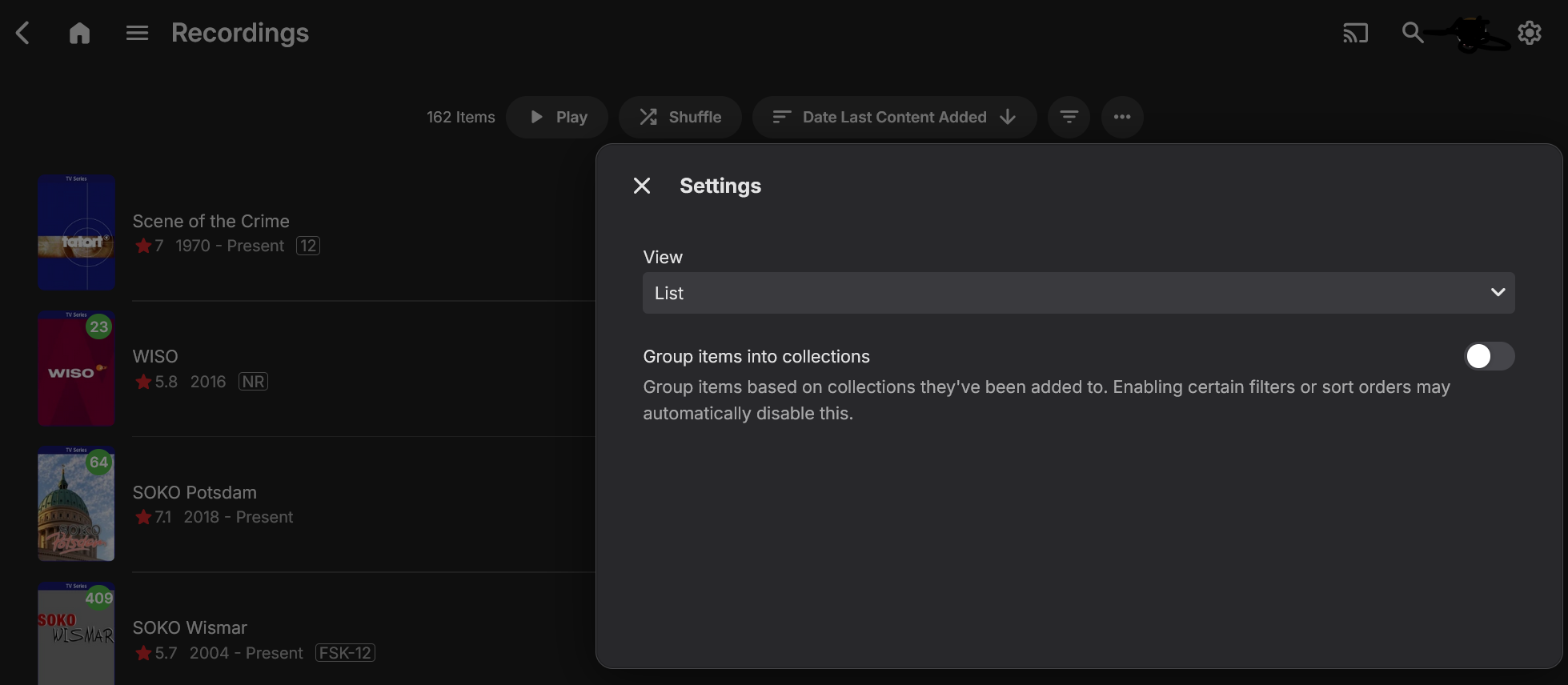
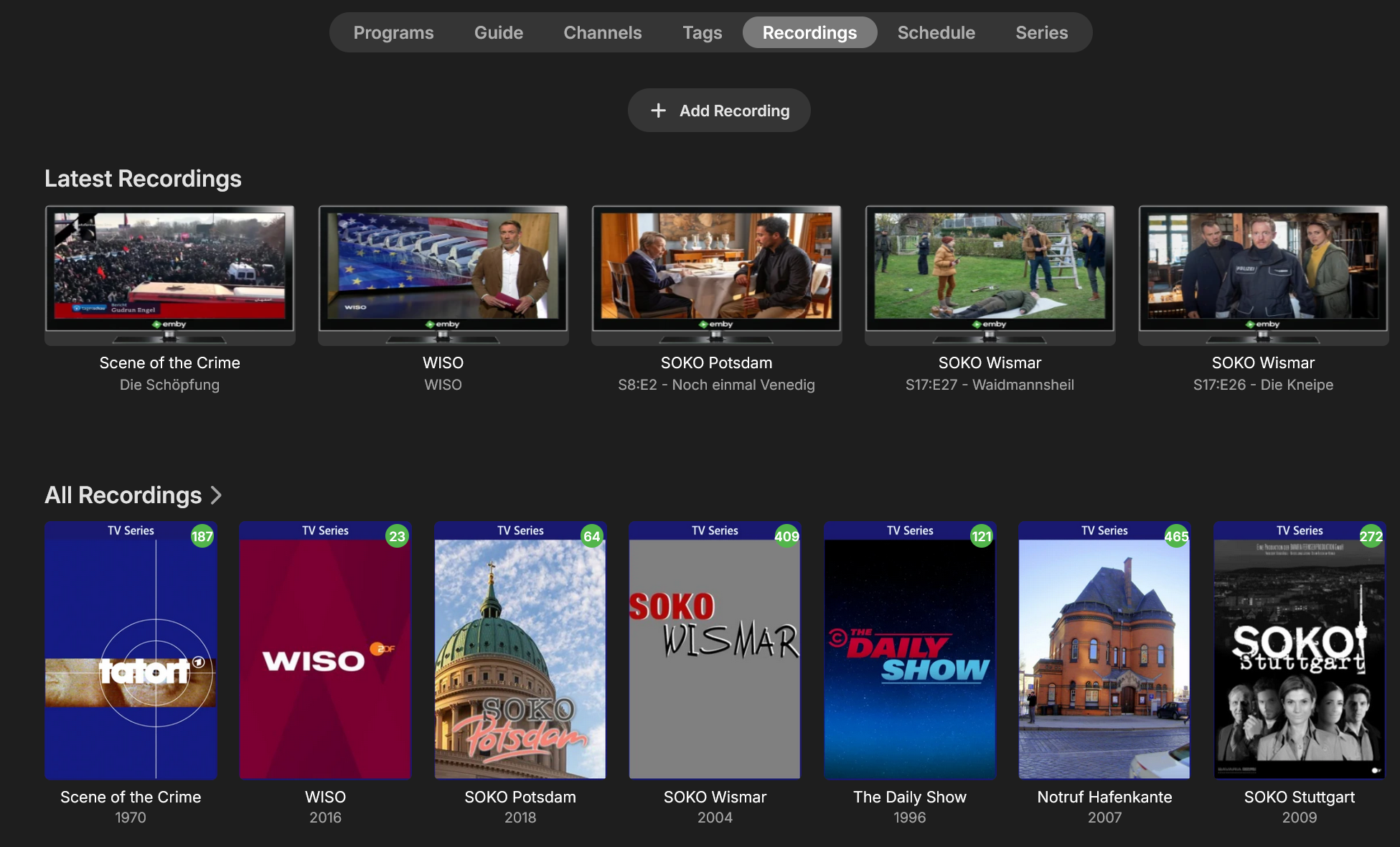
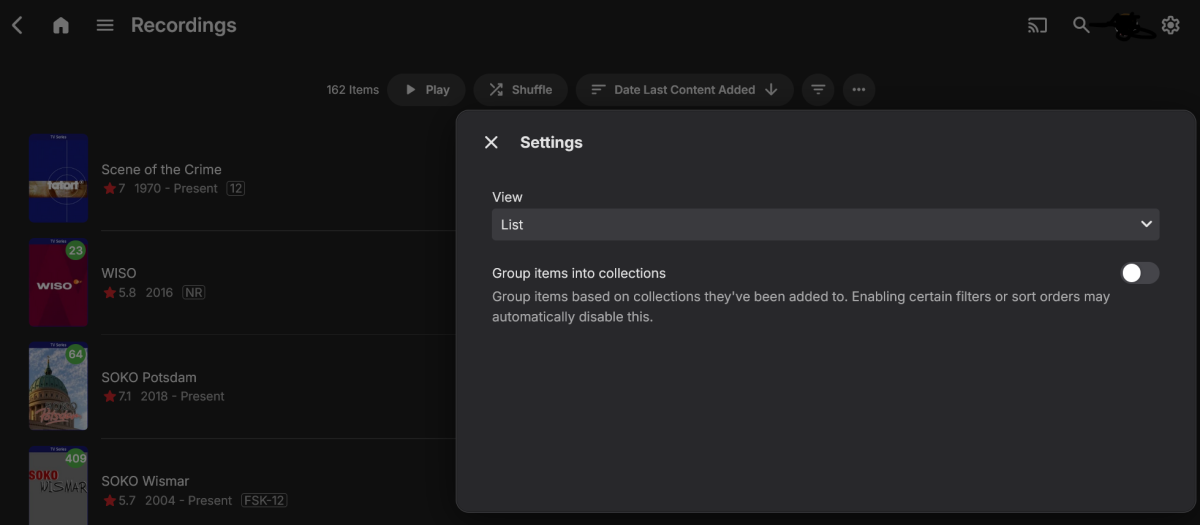
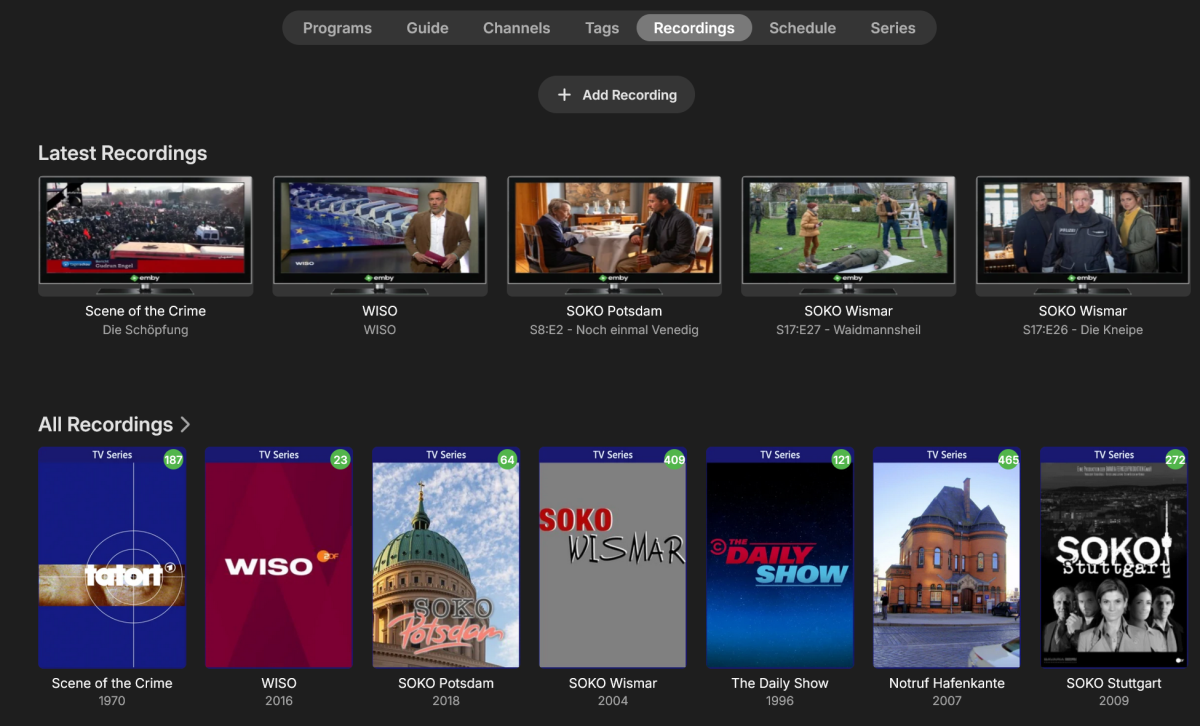
So I just finally upgraded from 4.8.9 to 4.9.3. I have not yet found the exciting new stuff (blog post coming?) but I have found one major issue already. I used to be able to go into recordings and list the shows in reverse order of recording date/time, so from newest (top) to oldest bottom. If I try that in 4.9.3, no matter what I select, the recordings cannot be listed by individual recordings but they are grouped by show, independent of whether grouping is turned on or off (see screenshot). This view was always the easiest to identify and delete bad recordings. Unfortunately it is no more. On the topic of Live TV recording, I see no progress here. I thought this would have been high on the list. Whoever the loud voices among the users are who drive the selection of features for development, they seem to have done us a disservice. Hopefully they got want they wanted and perhaps they can tell use about these upgrades. Sorry, I really wanted to be more excited with this first upgrade in two years, but somehow I am not feeling it. I want to end with a shoutout to the dev team. This is still the best media software around. Thank you for the continued effort!!!
 1 point
 -
Hello! I recently upgraded to to 4.9.3.0 for the setting auto remove quality for users however I get unexpected behavior with it. I tested it with two different clients AppleTV and Roku and only the apple TV seems to respect this setting. I verified both were set to auto for the remote streaming quality. I've also noticed that the Samsung App (Tizen) doesn't seem to respect it either however i don't currently have access to a samsung tv to verify if its set to auto. Are there only certain platforms currently supporting this feature and if so which ones? Thanks!1 point
-
For others the new version adding plexignore helped resolve this problem1 point
-
Re: "The specified path does not exist" error Thanks for reporting this @tcx4c70 - you've identified a gap in the setup process! What's happening: When Aperture creates libraries (AI Recommendations, Top Picks, etc.), it writes files to /aperture-libraries/ inside the Aperture container, then tells Emby to create a library pointing to a path like /mnt/ApertureLibraries/top-picks-series. The problem is that /mnt/ApertureLibraries/ is a hardcoded default. If your Emby container has the aperture-libraries volume mounted at a different path (like /data/ApertureLibraries/ or /volume1/aperture/), Emby can't find it and throws "The specified path does not exist". The fix (coming in the next release): I'm adding a File Locations configuration step: In the Setup Wizard - A new step will ask: "Where does your media server see Aperture's libraries?" (e.g., /mnt/ApertureLibraries/) "Where does your media server see your media files?" (e.g., /mnt/) In Admin Settings - Under Setup → Media Server, a new "File Locations" section will let you update these paths anytime. How to find the right values: Open any movie in Emby, go to Media Info, and look at the file path. If it shows /data/Movies/SomeMovie/file.mkv, your media server path prefix is /data/. Your Aperture libraries path would then be wherever you mounted the aperture-libraries volume that Emby can see - something like /data/ApertureLibraries/. Workaround until the update: If you need this working now, you can set it directly in the database: INSERT INTO system_settings (key, value) VALUES ('media_server_libraries_path', '/your/actual/path/') ON CONFLICT (key) DO UPDATE SET value = EXCLUDED.value; I'll post here when the update is released.1 point
-
If we did exactly what was requested here: We would be favoring the 1% scenario over the 99% one. That would just be bad design. Instead, we favor the much more likely scenario and I offered a way to address the 1%.1 point
-
It goes faster than you think if you automate it.1 point
-
@Lukegood idea, this post was too broad. I've created a new thread that handles this specific issue.1 point
-
FINALLY! I asked about an xml file for the third time, and they pointed me to the correct "Guide Data File". Its pure xml and it fixed the issue. Thanks Luke U Da Man.1 point
-
Yes, if you use an Intel ARC it will take care of everything and use the hardware encoding features of Emby, which is a Premiere feature.1 point
-
Thank you, very much appreciated!1 point
-
Hi, yes we can look at that. Thanks.1 point
-
Yes that may be the solution. Can you put on list to implement please?1 point
-
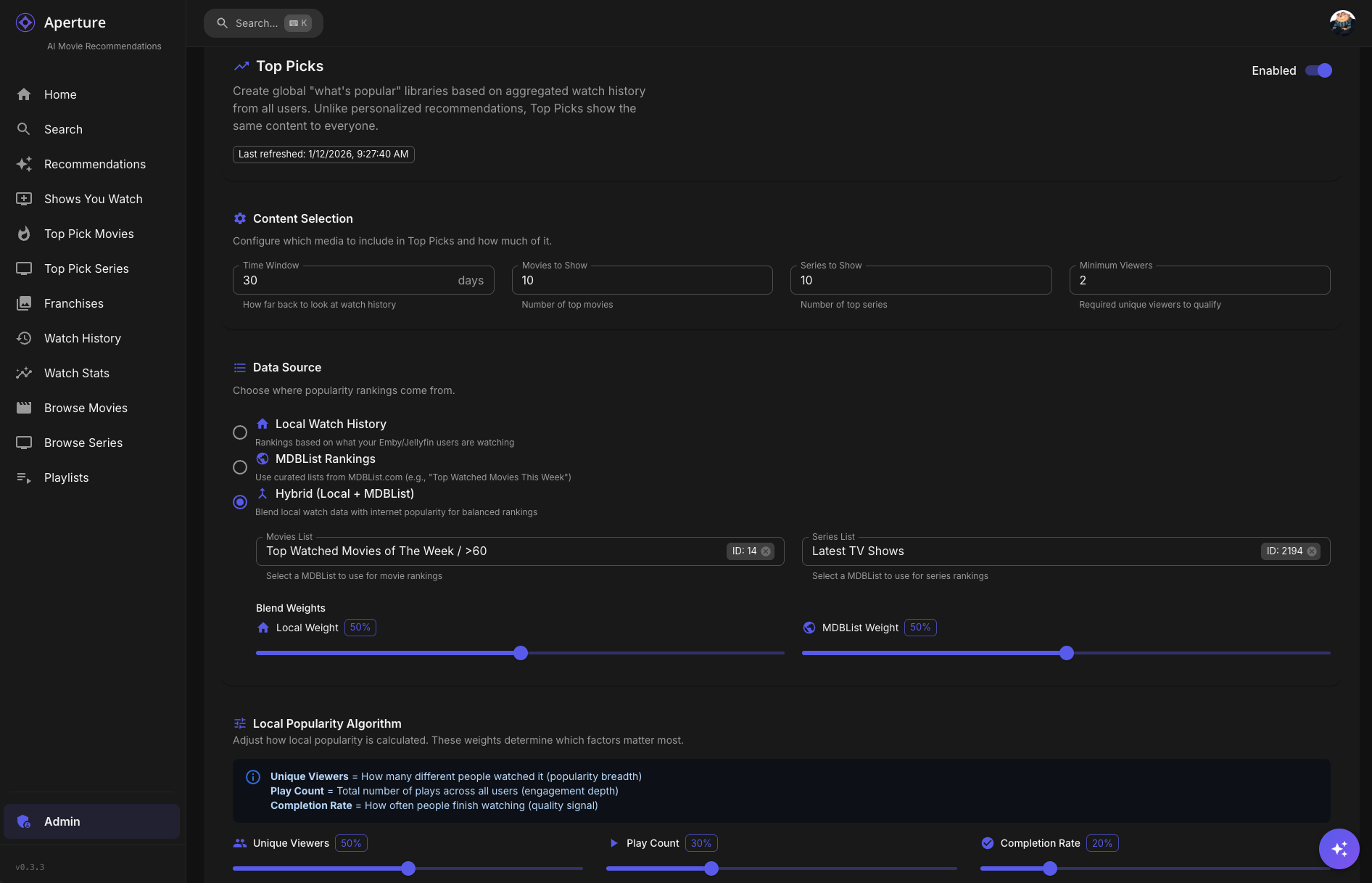
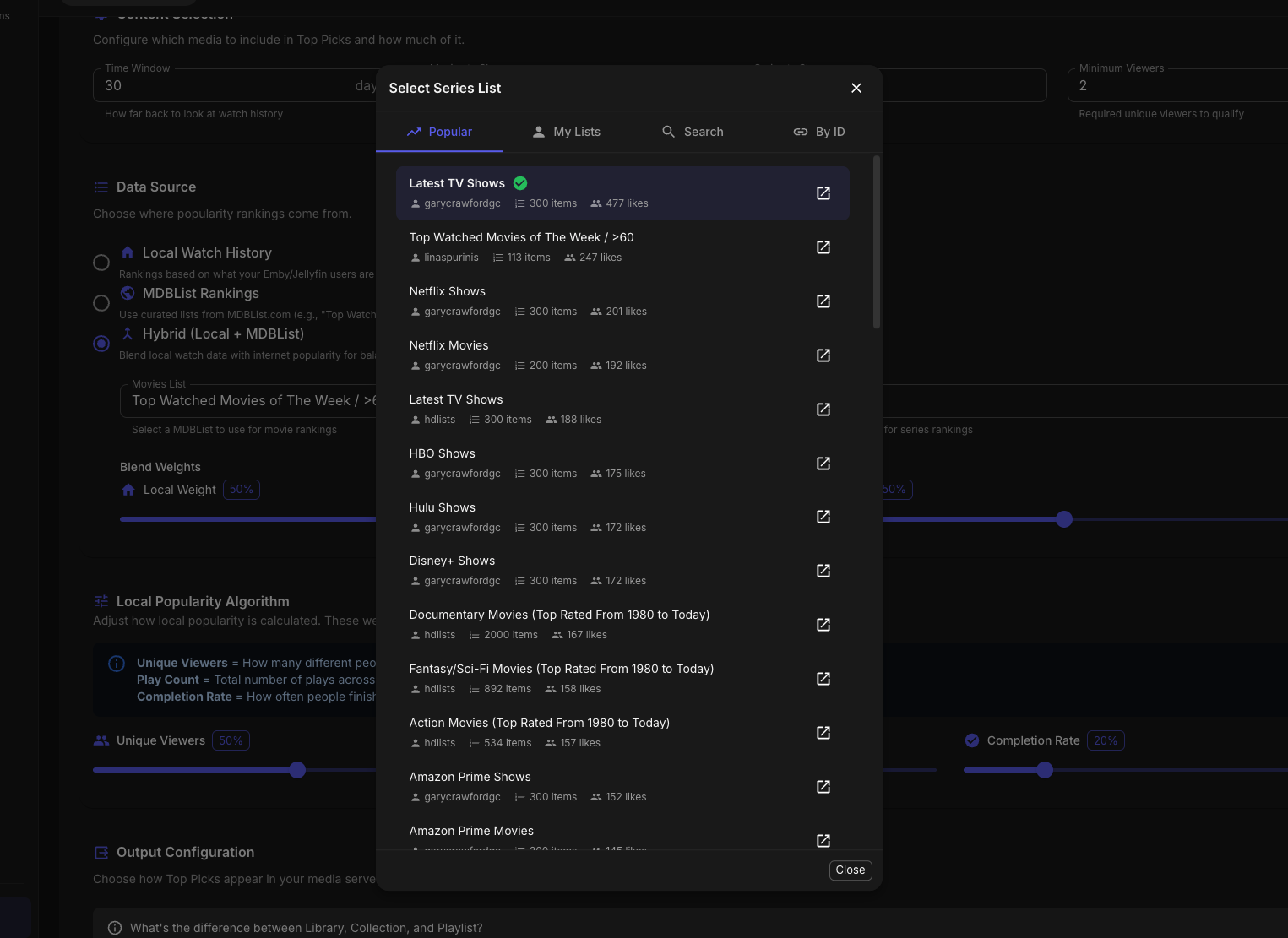
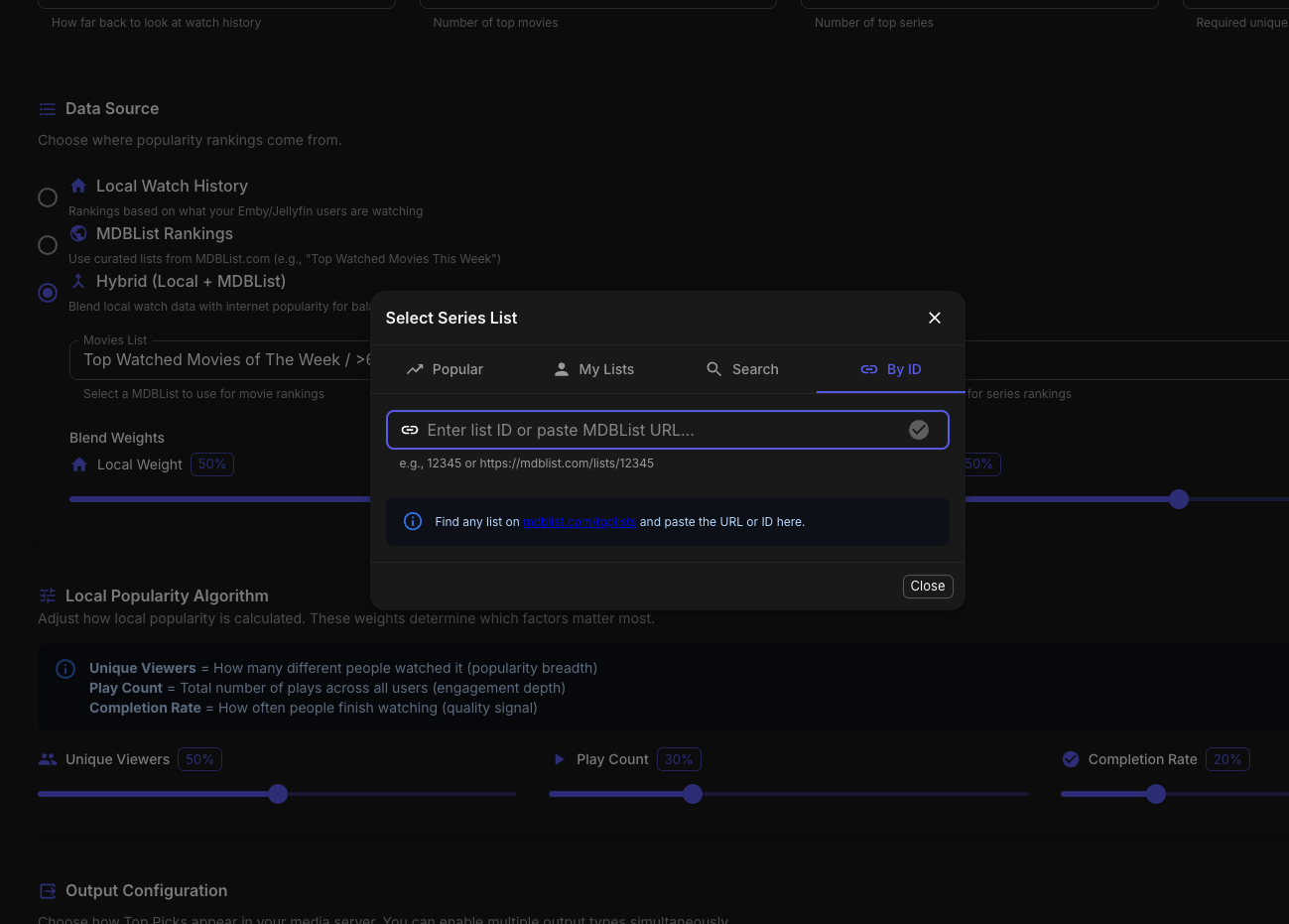
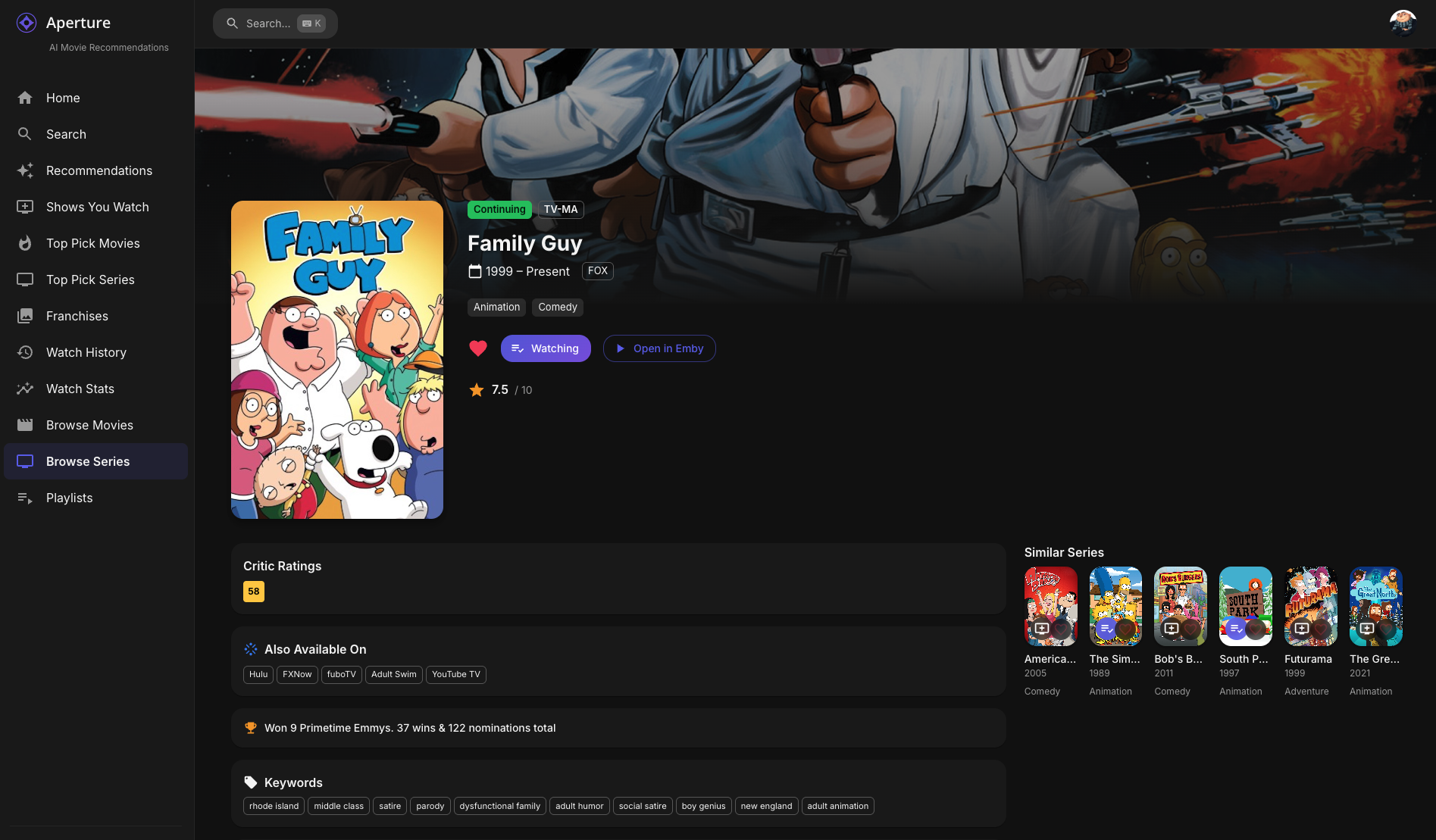
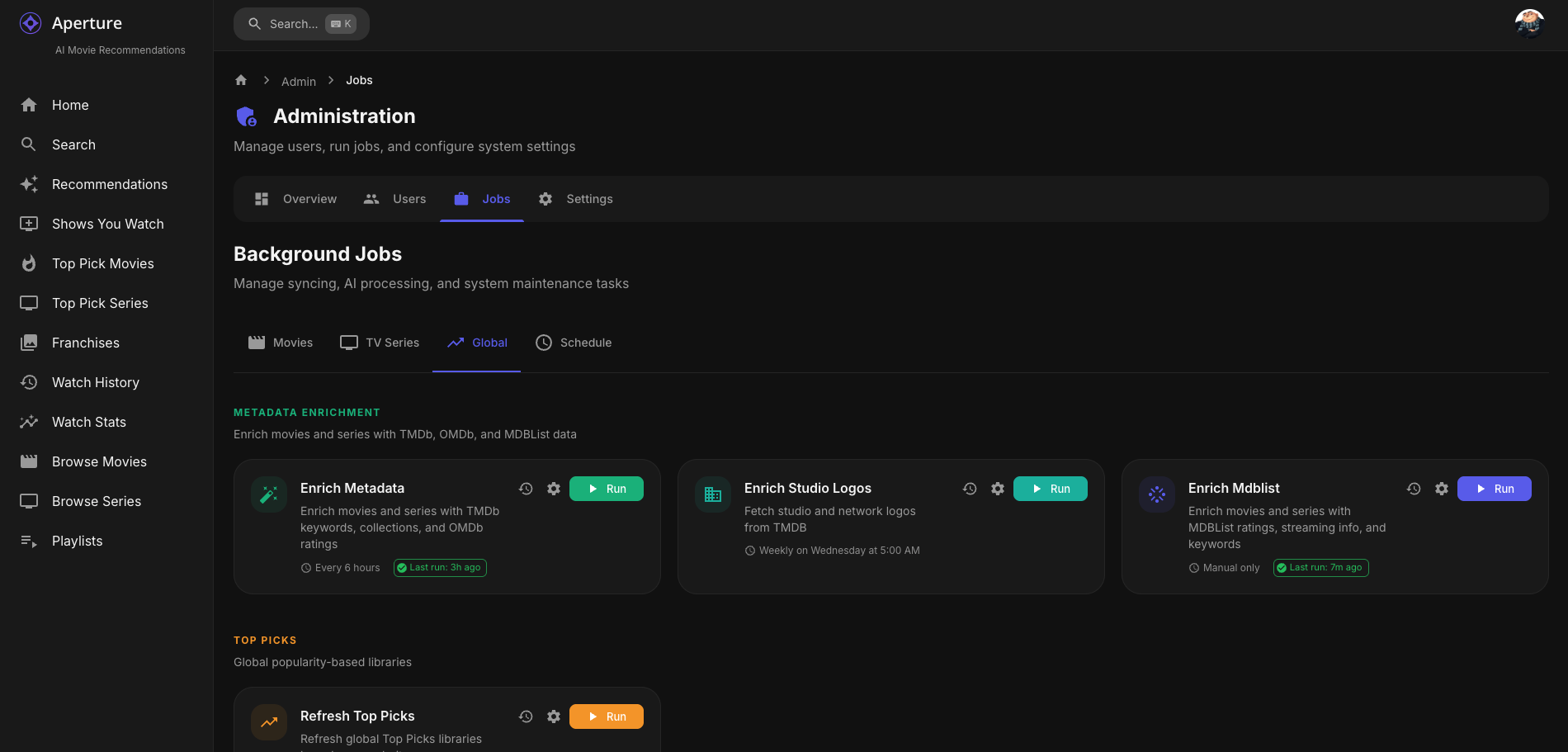
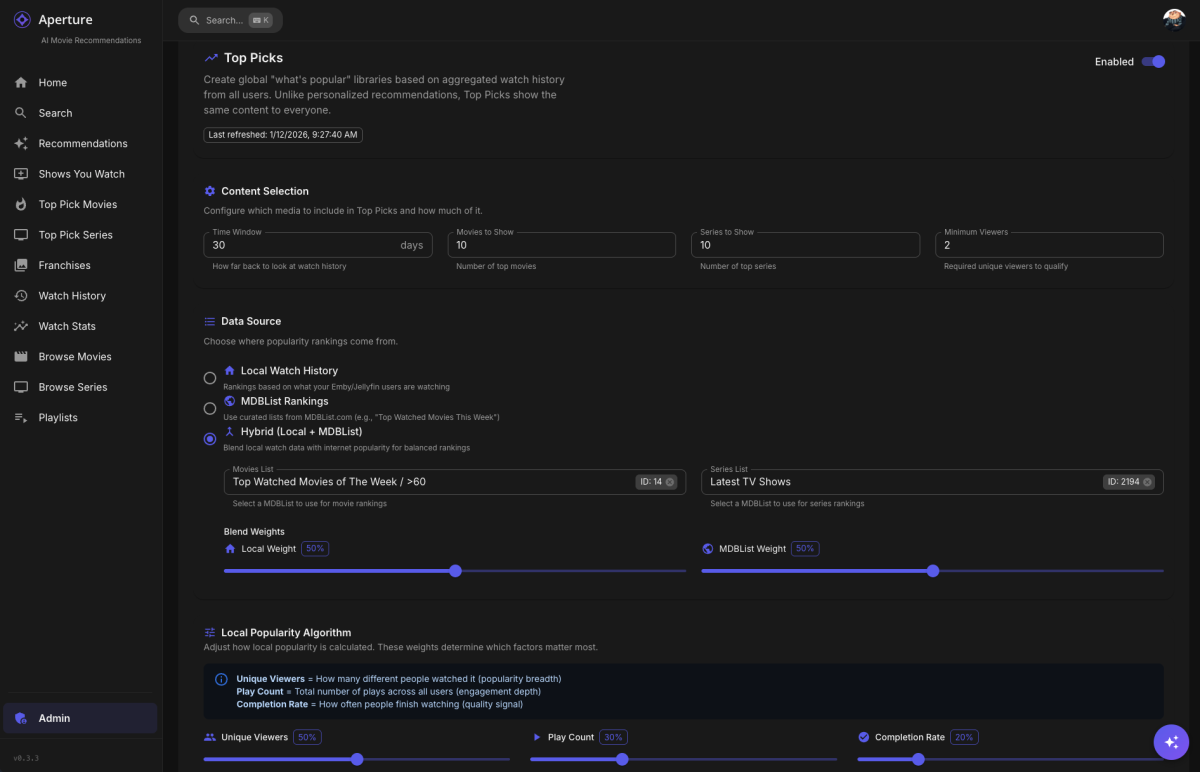
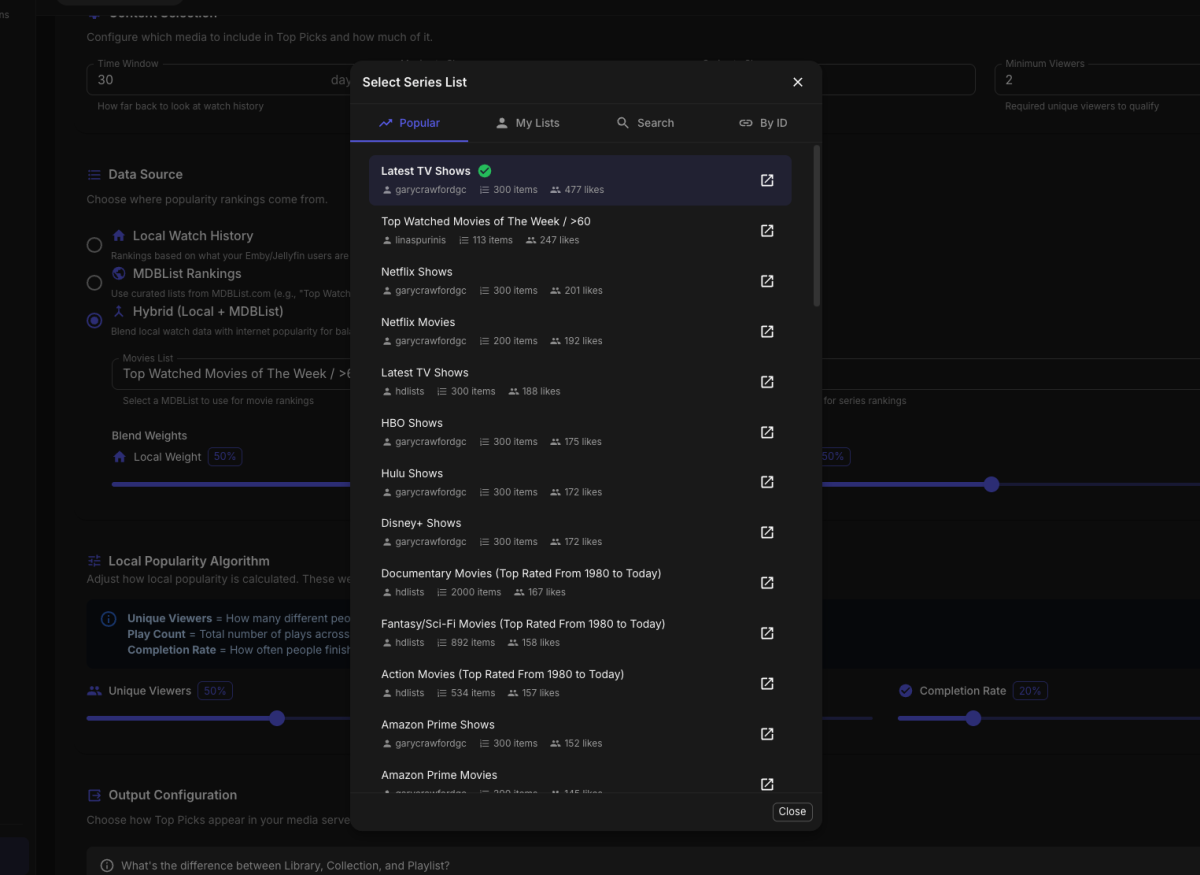
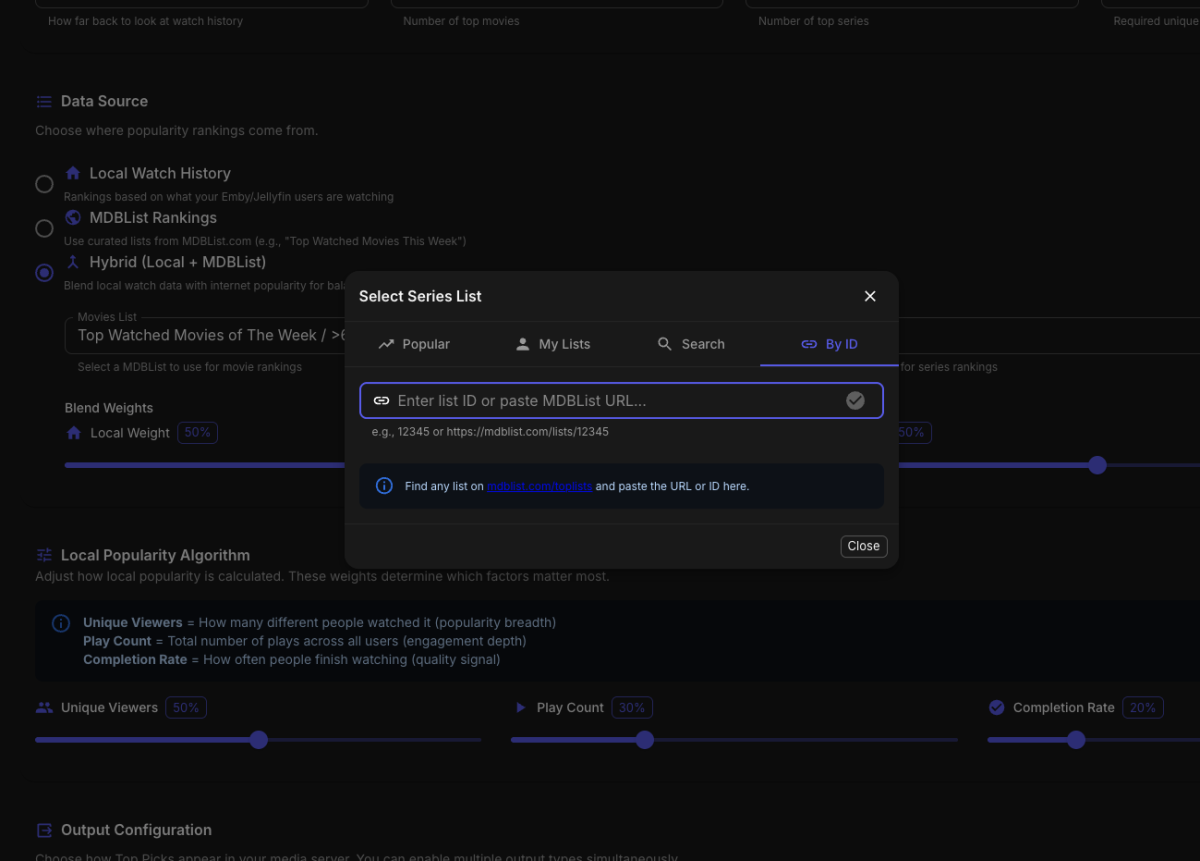
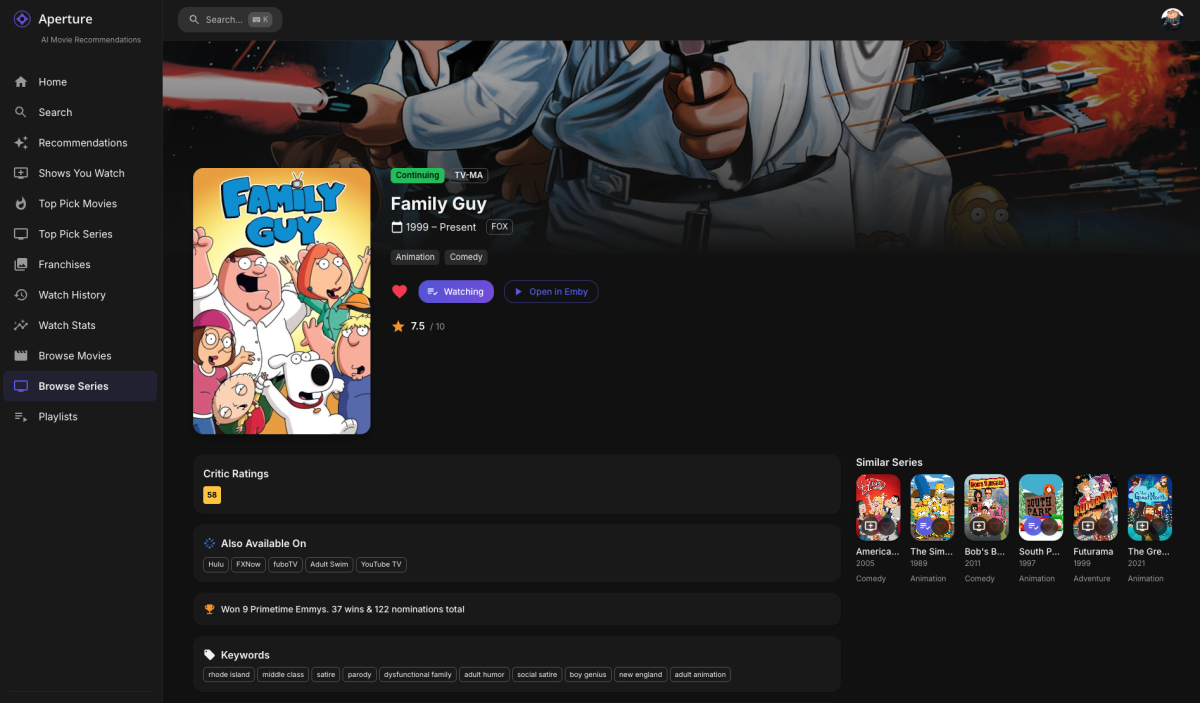
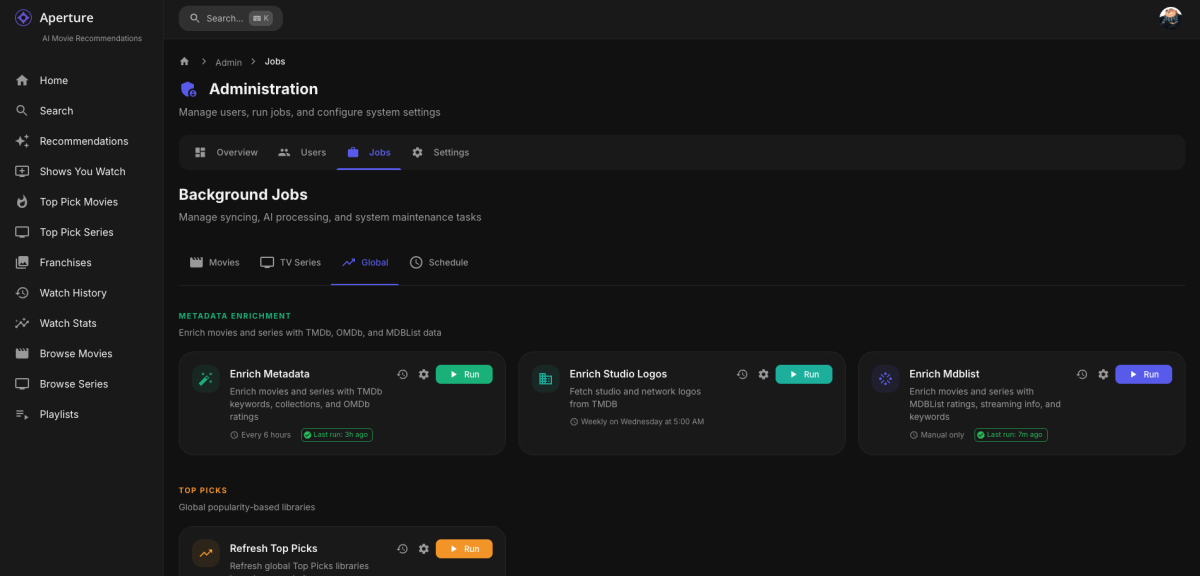
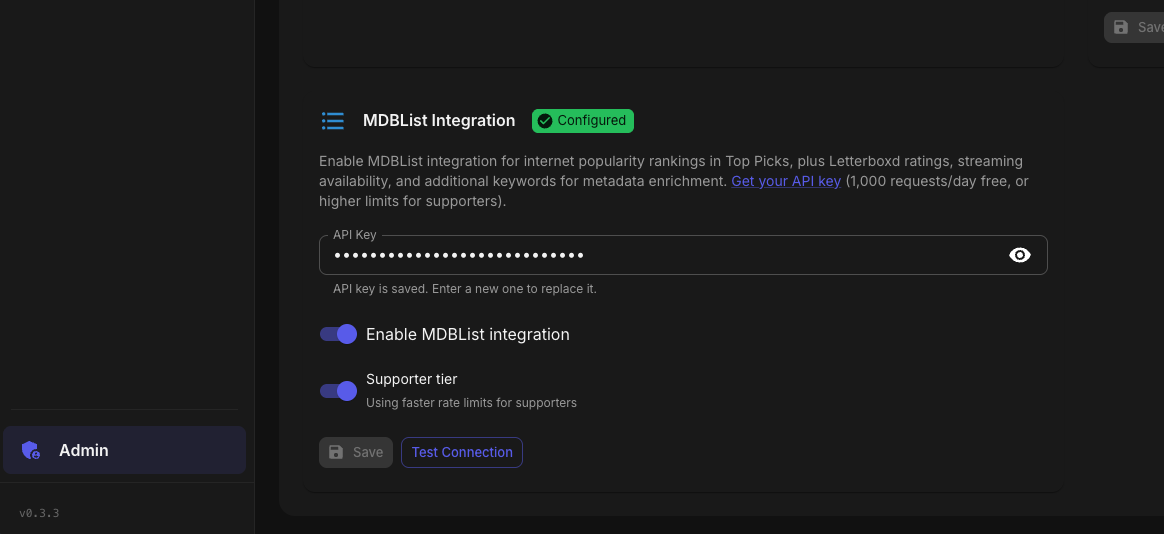
Oh I saw it alright, and built it and some other feedback in! Aperture 0.3.3 Release Notes MDBList Integration & API Error UX Hey everyone! I'm excited to release v0.3.3 with some highly requested features, including full MDBList integration for external influence over TOP PICKS when you don't have many users or don't want to use their watch history, and a way to blend both data sets too, as well as a much-improved way to handle API errors to help anyone running in to issue with things like Open AI quotas or Rate limits with OMDb or MDBLists. How to Update Pull the latest image and restart your containers: docker compose pull docker compose up -d Docker Compose Files: Platform File Standard docker-compose.yml Production docker-compose.prod.yml Synology docker-compose.synology.yml QNAP docker-compose.qnap.yml Unraid docker-compose.unraid.yml New to Aperture? Check out the Getting Started Guide on GitHub. MDBList Integration You can now connect your MDBList.com account to Aperture! This opens up several new capabilities: Top Picks from Internet Popularity Choose between Local (your Emby users' watch history), MDBList (curated internet lists), or Hybrid (blend of both) as your Top Picks source Search and select from thousands of public MDBList lists like "Top Watched Movies of the Week" Great for smaller households where local watch data might not represent broader popularity Metadata Enrichment New Letterboxd ratings displayed on movie/series detail pages MDBList aggregated scores Streaming availability - see where content is also available to stream (Netflix, Prime, etc.) in an "Also Available On" section Additional keywords from MDBList Setup Head to Settings → Integrations to add your MDBList API key. Free tier users get 1,000 requests/day. Toggle the "Supporter Tier" option if you have a paid MDBList subscription for higher rate limits. API Error Alerts This one's for everyone who's been confused by cryptic error messages! I've completely overhauled how API errors are displayed: User-Friendly Error Messages Clear explanations of what went wrong (rate limits, billing issues, invalid API keys) Color-coded by severity: Red - Action required (auth/API key issues) Amber - May need attention (rate limits, account limits) Blue - Informational (service outages, will auto-retry) Actionable Guidance Direct links to fix issues (e.g., OpenAI billing page, API key settings) Reset time display for rate limits ("resets in 3 hours") Dismissible alerts so you can acknowledge and move on Covers All Integrations OpenAI TMDb Trakt OMDb MDBList Check the Settings → Integrations tab to see any active API issues. Enhanced Detail Pages Movie and series detail pages now show: Letterboxd rating badge (when available) Streaming providers section showing where else you can watch Languages & Countries extracted from OMDb Other Changes New enrich-mdblist job for fetching MDBList metadata (manual trigger in Jobs page) OMDB now extracts spoken languages and production countries Database migration adds support for all new enrichment fields Post-Update Steps After updating, the database migration (0067_mdblist_integration.sql) will run automatically on startup. To populate the new metadata fields: Configure your MDBList API key in Settings → Integrations Run the Enrich MDBList job from the Jobs page Thanks Thank to you everyone who has messaged here or privately to add features or who have found bugs and who have contributed code directly to the project. Keep the feedback coming!
 1 point
 -
Ok I suppose the latest recordings header could be made clickable1 point
-
I see the page shown below. This does show in individual latest episodes but without the details, such as duration which I need most to weed out and delete prematurely aborted, short recordings.
 1 point
 -
Thanks for posting again about this issue, @cp41. If it was not for you I would probably think I was losing my mind with my environment not working correctly. I too want a fix for the Synology NAS, but in the hopefully short meantime (optimistically assuming a fix is in progress) it would be nice to just get an acknowledgement from the devs that they have in fact confirmed that there is a bug on that platform. Just to make sure that the two of us are not both crazy...1 point
-
Hi, yes this is something we can look at, thanks.1 point
-
The AMD graphics will "do the job". It won't be as good as Intel or Nvidia, but it would be sufficient as everything is usually transcoded to h.264, which most hardware encoders are extremely good at, at this point. The i7-7700 would be sufficient for most of what you would be doing if it's a personal media server. If it's not, the Quadro could step up, but it's performance would be not up to par in regards to the quality that the i7-7700 could produce as it's from Maxwell generation, which was garbage at NVENC. If you're really concerned, get an Intel ARC graphics card like an A310 or A380 and use one of the AMD systems and call it a day. As for using Linux, it's its own can of worms and has problems when using quicksync. Take a browse through the linux server sub for the usual issues. Windows is "easier" and more friendly if you're not up to troubleshooting common problems with Linux permissions and crappy drivers. Now, as for your hard drives, Blues are fine. It doesn't really matter unless you're anal about using server grade or NAS grade drives. A drive is a drive is a drive, unless the drive is SMR. Blues will work, and unless you're streaming multiple 4k remuxes, (10 or more) have more than enough data throughput to saturate your internet bandwidth as not many people have access to 2.5gbit or higher internet upload. The slowest WD Blue is 147MB/s, which is more than a gigabit a second in regards to network speeds (1176mbit to be exact). To give you an idea, your average 1080p is anywhere from 10-15mbit (1.25-1.875MB/s). So you'd need to stream upwards of 100 movies to full saturate a single drive, in theory.1 point
-
I restarted my server and upgraded so I don't have the logs. This isn't a new issue though Luke, you know that. Has anything been done to fix this issue?1 point
-
luke, idk what the last update did, but i think we maby in the green now. I noticed this moring watching live IPTV no buffer and not a single channel stop. But i do not see anything is the update that would have linked to this? Also got a report from another person stating running better on pause and resume live IPTV with no glitch. but i'm still keeping an eye on it. just in case1 point
-
When using Mixed Content library type, it is especially important to follow Emby's Movie and TV naming guidelines closely, as the folder structure is the main thing which enables Emby to decide which items are of each type. Paul1 point
-
Hi, new to Emby but I'd echo Grimgrim's request, being able to pass inline search terms via URL would be properly handy.1 point
-
Any word on the functionality not working for Synology NAS?1 point
-
Well hopefully we get it soon1 point
-
Not necessarily for additional ratings , but omdbapi.com is very generous with free api calls and up to 100000 for 1 dollar per month. I would love the ability to query based on imdb ID and get back the "Country" as a flag in the poster. Maybe I am a minority here with a lot of non-english movies where audio track language is not correct in quite a lot of items. So this would solve my problem with country flags. Merely a suggestion! Example output for api call omdbapi.com/?apikey=<apikey>&i=tt0120669&plot=short {"Title":"Fear and Loathing in Las Vegas","Year":"1998","Rated":"R","Released":"22 May 1998","Runtime":"118 min","Genre":"Adventure, Comedy, Drama","Director":"Terry Gilliam","Writer":"Hunter S. Thompson, Terry Gilliam, Tony Grisoni","Actors":"Johnny Depp, Benicio Del Toro, Tobey Maguire","Plot":"An oddball journalist and his psychopathic lawyer travel to Las Vegas for a series of psychedelic escapades.","Language":"English","Country":"United States","Awards":"1 win & 3 nominations total","Poster":"https://m.media-amazon.com/images/M/MV5BNjFkNjdiZjUtNzUzNy00NWM5LWFlNDUtNTRiYmJiZWNiYjkwXkEyXkFqcGc@._V1_SX300.jpg","Ratings":[{"Source":"Internet Movie Database","Value":"7.5/10"},{"Source":"Rotten Tomatoes","Value":"51%"},{"Source":"Metacritic","Value":"41/100"}],"Metascore":"41","imdbRating":"7.5","imdbVotes":"316,089","imdbID":"tt0120669","Type":"movie","DVD":"N/A","BoxOffice":"$10,680,275","Production":"N/A","Website":"N/A","Response":"True"}1 point
-
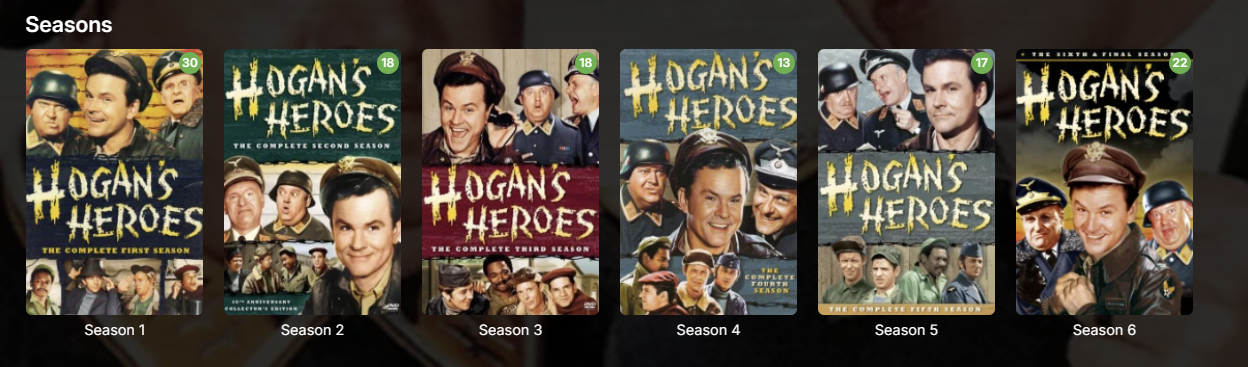
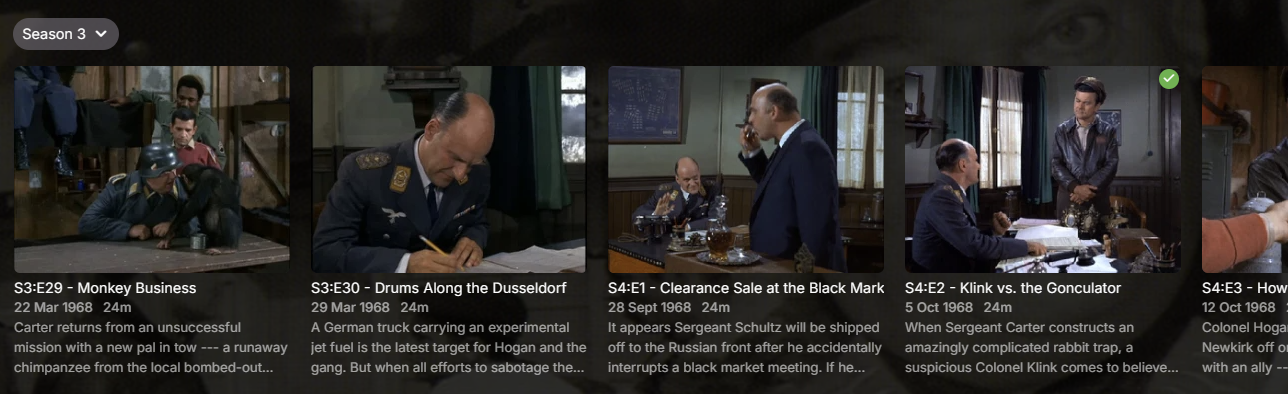
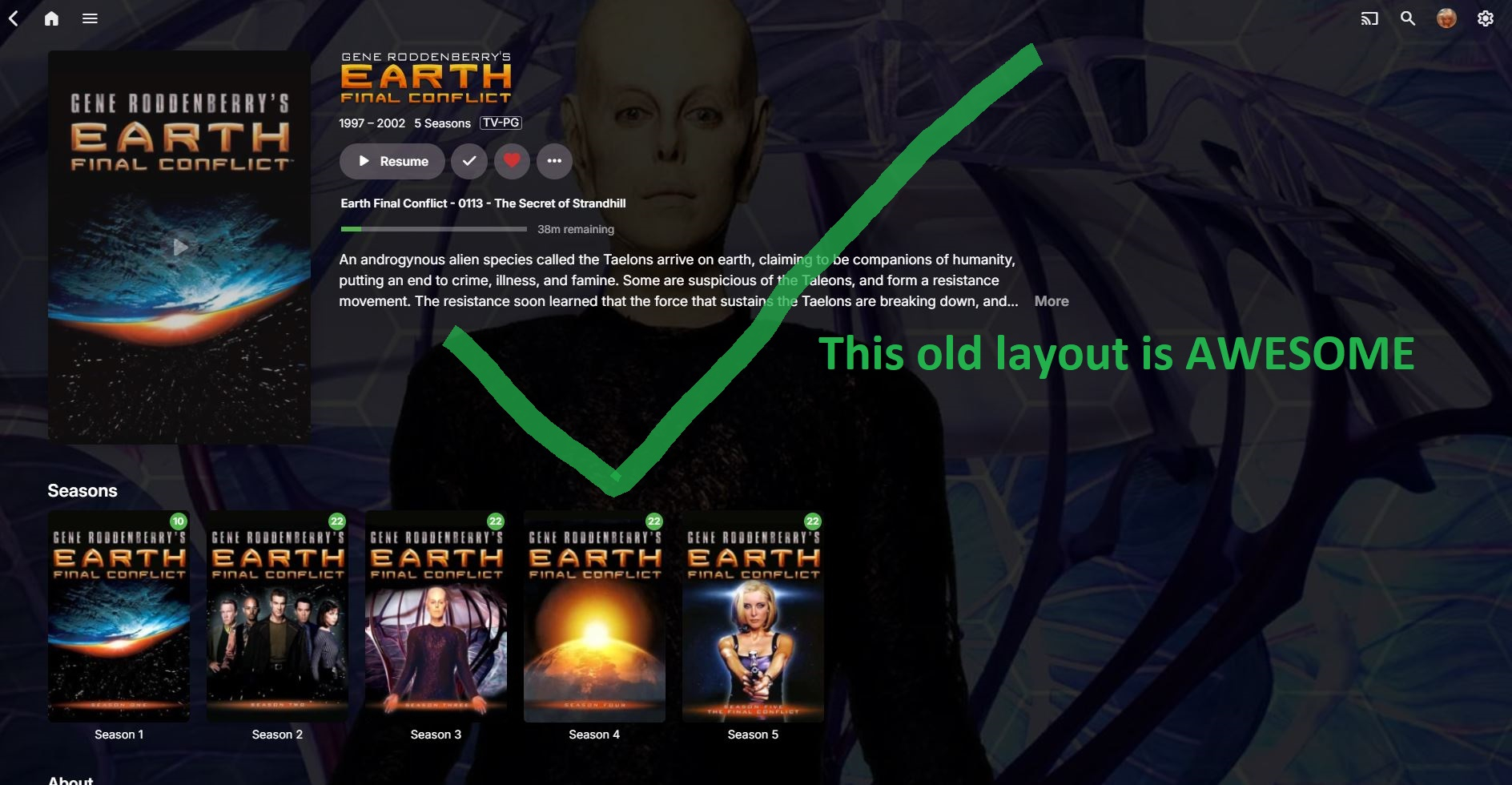
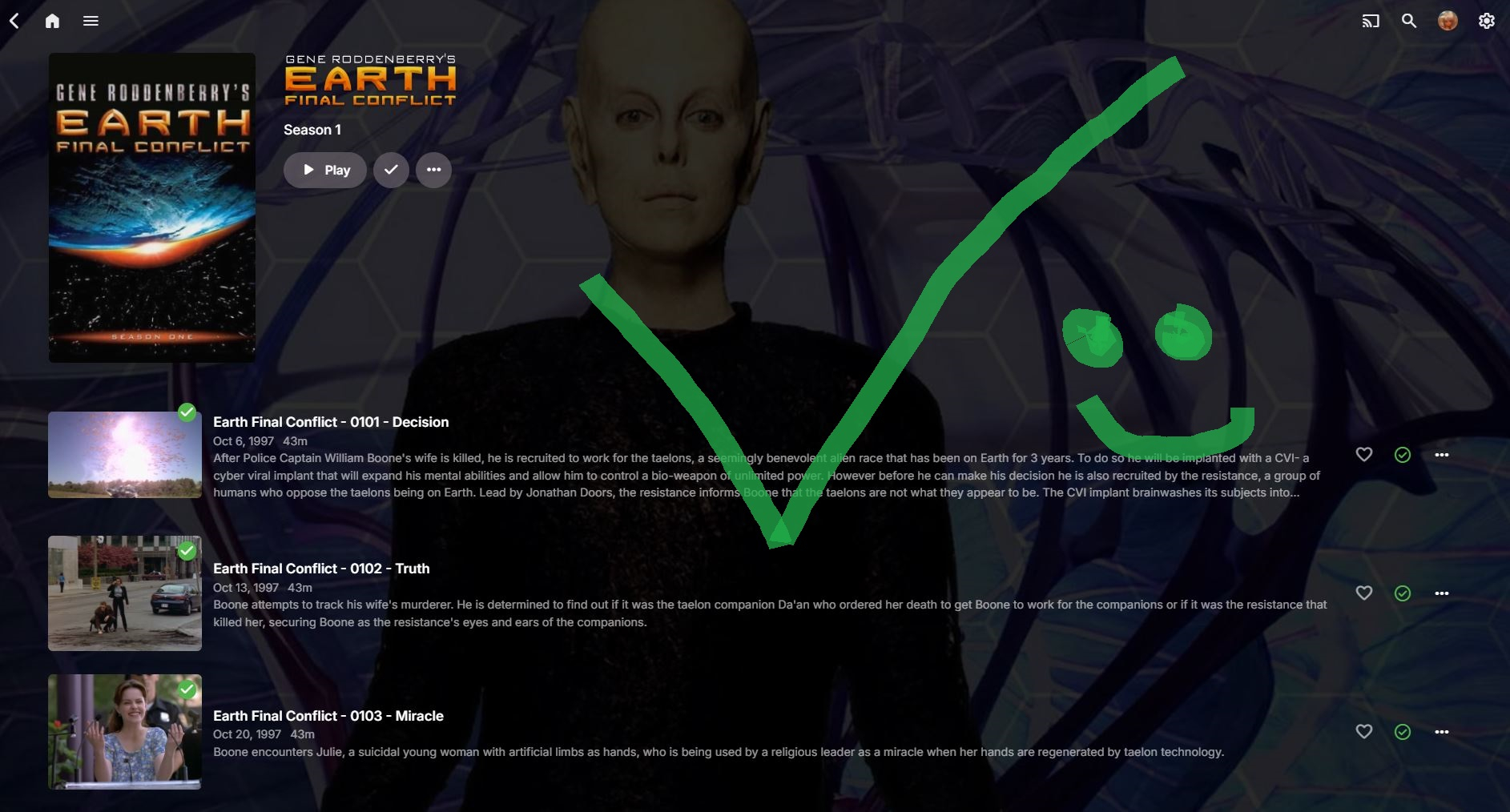
I'm not sure what kind of attitude that is. My streaming ecosystem is Emby and that's essentially all we use, so I couldn't give a rat's about what Netflix does. Clearly this attitude means you intentionally forced this behaviour on users for whatever reason, yet it's clearly missing from the release notes: Nowhere there does it say you've changed this behaviour and nowhere is it made easy to revert for all users, hence this thread. I fail to see how you feel this: is a better experience than this: Especially with that tiny Season 3 drop-down which is so easy to miss and obliterates the pretty season cover art many of us curate. It's worse with a mouse. If I want to look at all episodes in Season 4, in the old view, I click Season 4 then I can scroll with my mouse. I can't scroll with my mouse with this new behaviour and instead must click, click, click all the way to what I want. Considering how you seem to approach most feedback in these forums, I don't expect you to revert this unwelcome behaviour and will have to suck it up. I will, however, request you be more upfront next time and include major forced behavioural changes in the release notes so we're aware of it. Ideally, there should be a way for users (not Luke et al.) to apply our standard configuration to all users as well, without having to sign into each user account individually.
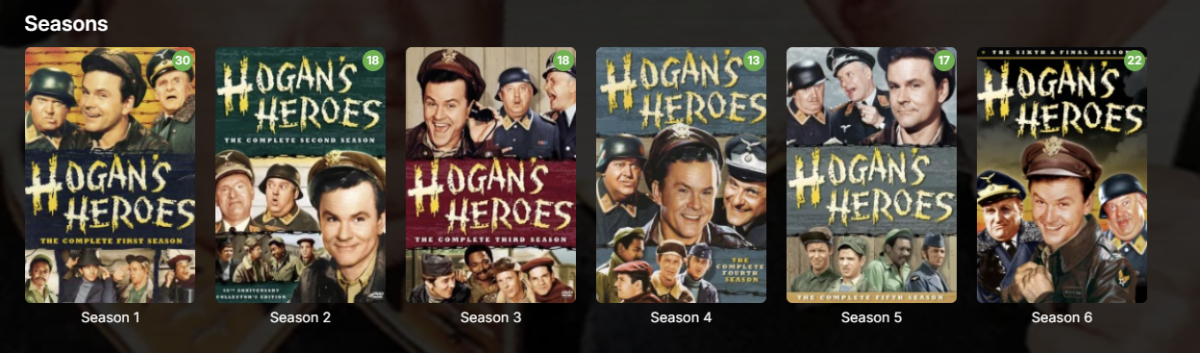
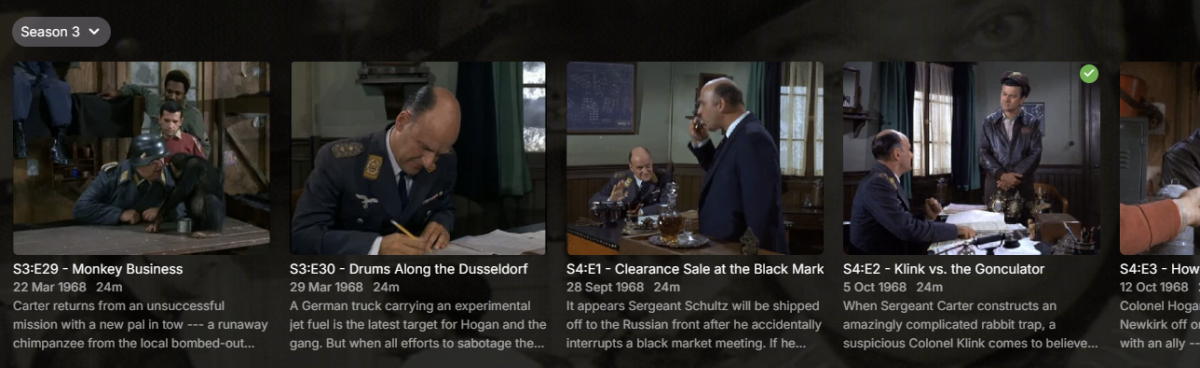 1 point
 -
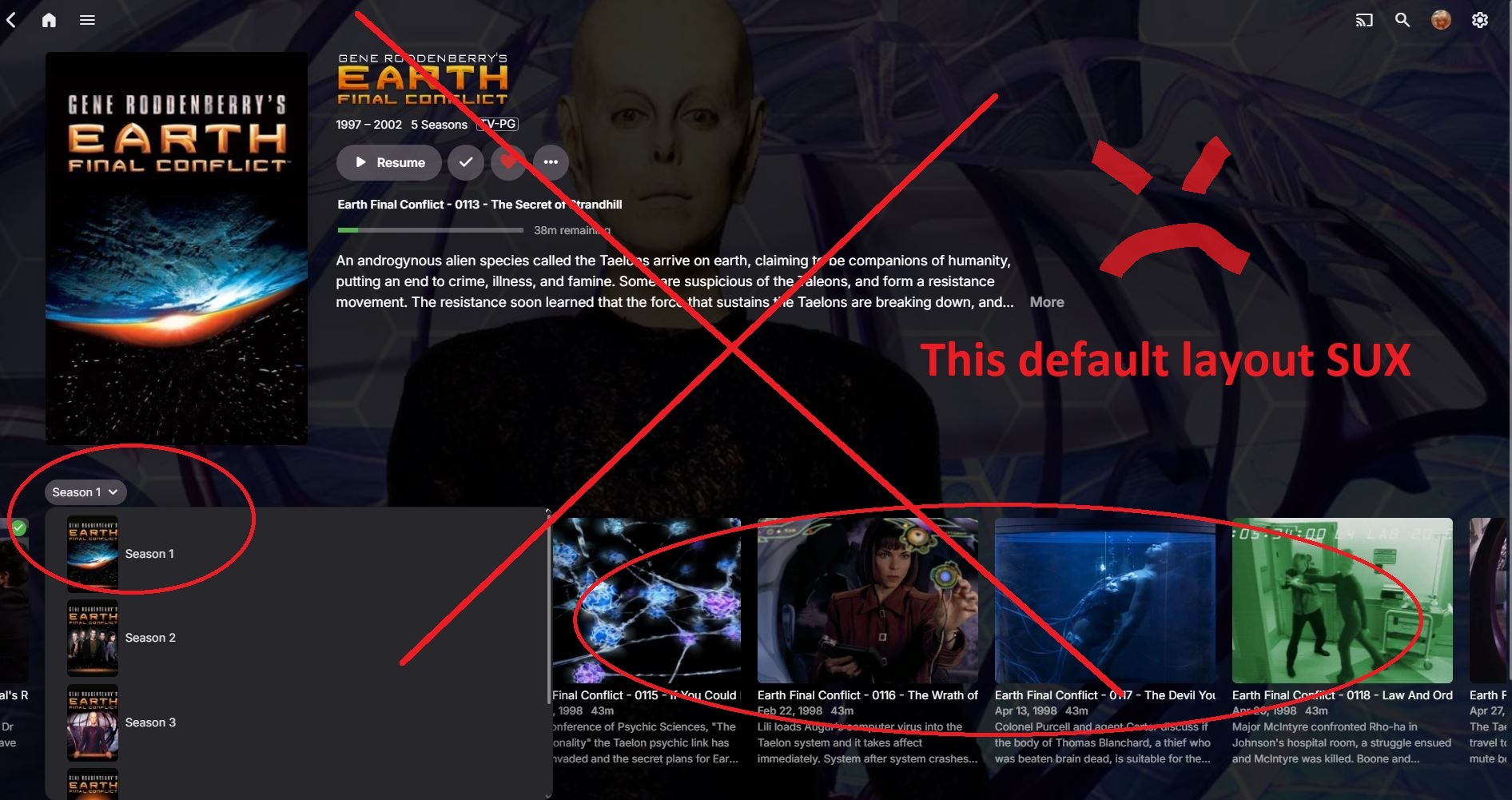
Ok, so I was able to revert back to "Folder Views" on my emby server admin account via the users display preference. But there seems to be no way to force or push legacy folder view to user accounts on the remote end. That mean's emby admins will have to go through every single user account and change the users display settings. (not good if you have a couple hundred users) Also having issues with end users not knowing how to "default Folder View" their layout, especially remote users using TV's with Fire Stick remotes (getting complaints of users not being able to navigate with the new layout on a TV remote) In short, the new layout sux, the old layout should be pushed by default.
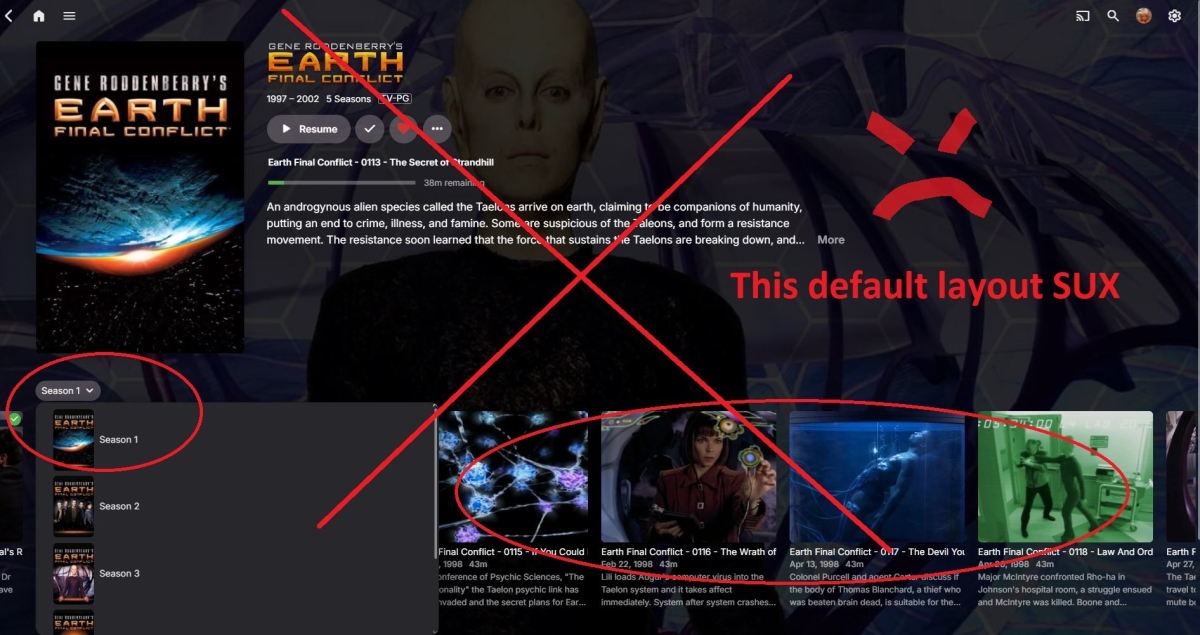
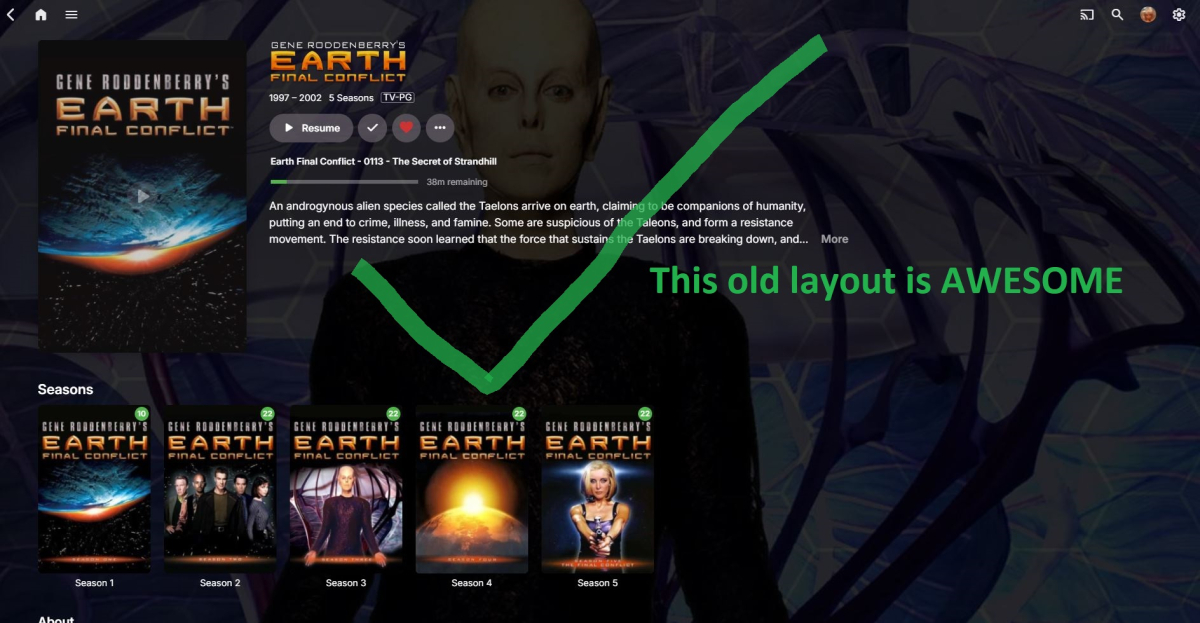
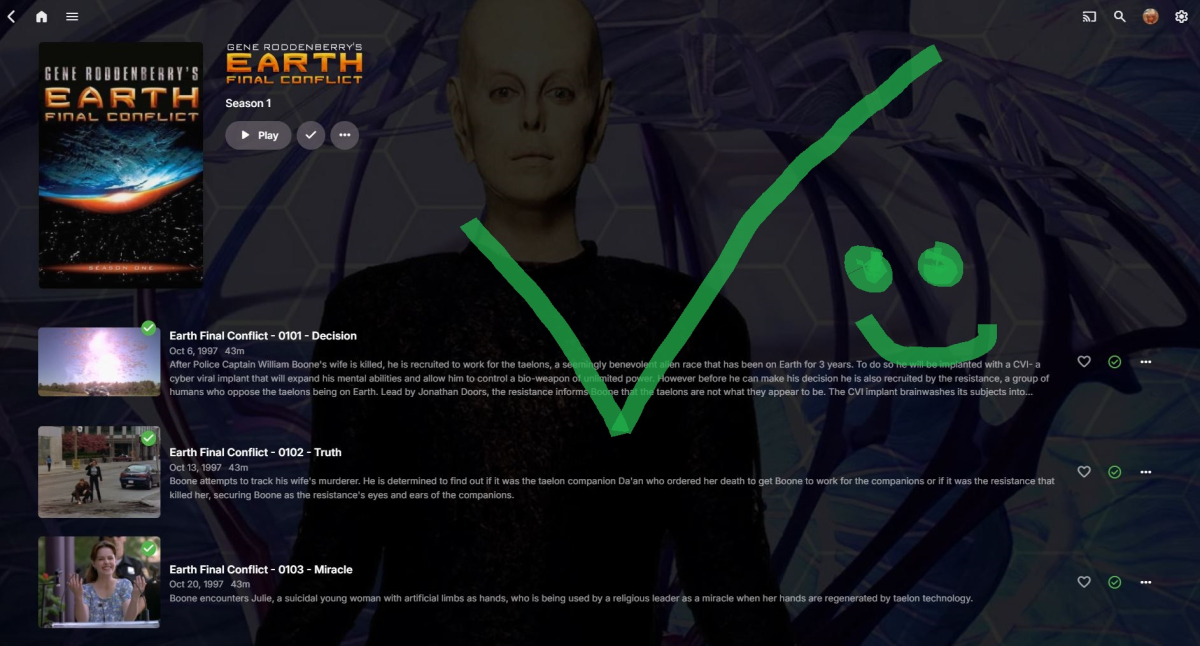 1 point
 -
Hi I was just using one of these as an example. But I just checked they are showing in all of my videos with external subtitles. Sorry I guess false alarm. Marking this as closed. Thank you for patiently trying to resolve it with me. Just the one recommendation for the back button behaviour thing. One real life scenario was I binged watched 10 episodes of a show, the back button took me though all 10 episodes before going back to home screen.1 point
-
When we introduced all the tone mapping stuff a few years ago, we started with a small group of testers for gathering feedback. We also had exposed TonemapParameter and DesaturationStrength (OpeCL/VAAPI/QSV, CUDA and CPU) as options but there was little interest at that time so we hid it for simplicity and not to overwhelm users with tons of parameters. These are all still there, just commented away. Could be quickly re-enabled, in the UI hidden by an "Advanced" toogle. Not sure what @Lukethings about it... Maybe not every single parameter but algorithms for sure, there wouldn't be much point in updating without making use of the added features.1 point
-
This x 1,000! @ebryour point about prioritization of resources is of course correct, but there are very few users here who understand why Emby dev team isn't prioritizing basic usability issues in video and music, before spending time on nice-but-tangential functionality. A rock-solid, secure, smoothly-functioning platform is going to attract a lot more new, paying users than adding and polishing quirky, non-critical functions like photo galleries and ebook reading.1 point
-
The included PDF or the first post in this thread.1 point
-
Well, when you click download it doesn’t show any progress information at all. You click it and simply wait for it to magically appear in downloads. Not even a simple progress indicator, pause, resume… nothing. This has been discussed on the forums for years — not once or twice, but many more times. Then, the top banner that the user below posted is simply a CSS tweak for the web client generated by AI. It has nothing to do with a real implementation across all clients. The message that says “contact the administrator” should be the only thing shown, but instead the option to pay appears, and you can actually pay. Why does a client have a “pay” button? Isn’t the license supposed to be tied to the server? Having clients see payment options is a horrible experience for a family server. It sounds like “I’m giving you a service, pay for something you haven’t paid for.” On the other hand, the device limit is a joke. Not because the number is high or low, but because you’re paying for a service that you self-host, and on top of that you upload all the content yourself. So Emby’s only real contribution is providing a nice interface. Limiting by devices is, in my opinion, shooting themselves in the foot and pushing people toward solutions like Jellyfin or Plex, which don’t have that limitation. You justify it as a way to prevent misuse or reselling the service, but people who want to resell a service already have Plex, which has no device limit, and Jellyfin, which has no limits at all. Why would anyone who wants to profit choose Emby when Jellyfin is free? Those of us who use Emby want an experience clearly superior to Jellyfin, and that’s why we’re willing to pay extra for it. But right now, I see fewer and fewer benefits to paying. You only need to try Jellyfin apps like Wholphin or Streamyfin to realize that those two apps are already quite polished and offer features that are superior to what Emby currently provides.1 point
-
Hi. From your perspective, what are these "leaps and bounds"?1 point
-
My big pet peeve with Emby is thrusting new features on users by making them default instead of telling users there are added features and how to set them instead of leaving a users PERSONAL preferences alone. EDIT: Just installed Jellyfin to test it out again and have to be bluntly honest, and that is it a heaping pile of horse manure compared to Emby.1 point
-
For me, with the evolution of Jellyfin, it makes less and less sense to use Emby every day. I’ve been using Emby for several years and I haven’t seen any significant changes for a paid app. On the other hand, Jellyfin has experienced strong growth in improvements, which is going to be a serious blow to Emby. In many aspects it’s already far ahead of Emby, and there’s very little left before paying for Emby no longer feels worth it. I don’t know what Emby is thinking, but they haven’t known how to take advantage of the opportunity they had, and Jellyfin is overtaking them by leaps and bounds. It’s a shame, because I’ve been subscribed to Emby on a monthly basis for several years, and I increasingly feel that paying for it is less and less worthwhile.1 point
-
has to be smart playlists for me. they are rocking my world right now...... oh hang on, they never got delivered1 point
-
a free app to manage permissions instead of using the multipule comand solutions that dont work for everybody not terminal savy, the App is Eiciel and is so simple to use just click and add emby user to my media folder, https://rofi.roger-ferrer.org/eiciel/1 point