Leaderboard




Popular Content
Showing content with the highest reputation on 12/31/25 in Posts
-
Happy New years from Denmark2 points
-
Looks like a DNS issue InnerException: System.Net.Http.HttpRequestException: No such host is known. (api4.thetvdb.com:443) InnerException: System.Net.Http.HttpRequestException: No such host is known. (api.github.com:443) InnerException: System.Net.Http.HttpRequestException: No such host is known. (api.opensubtitles.com:443) InnerException: System.Net.Http.HttpRequestException: No such host is known. (api.themoviedb.org:443) InnerException: System.Net.Http.HttpRequestException: No such host is known. (artworks.thetvdb.com:443) InnerException: System.Net.Http.HttpRequestException: No such host is known. (assets.fanart.tv:443) InnerException: System.Net.Http.HttpRequestException: No such host is known. (image.tmdb.org:443) InnerException: System.Net.Http.HttpRequestException: No such host is known. (mb3admin.com:443) InnerException: System.Net.Http.HttpRequestException: No such host is known. (private.omdbapi.com:443) InnerException: System.Net.Http.HttpRequestException: No such host is known. (www.mb3admin.com:443)2 points
-
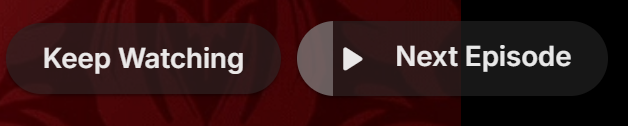
Tired of seeing end credits before Emby loads the next episode of your favorite TV show? Now you can remove that iritation! EmbyCredits detects those end credits and add a marker for Emby to use so end credits can be skipped. In the catalog under Metadata or at: https://github.com/yocksers/EmbyCredits This is either by done chroma fingerprinting and comparing the episodes or by the plugin extracting png/jpg images of the TV show, sending them to a tesseract docker container, the tesseract finds a match and reports that back to the plugin that then adds the skip to Embys database. Emby then shows a "Keep Watching | Next Episode" when it sees the marker. NOTE: Requirements: yock1/embycreditocr installed if OCR detection is wanted (recommended and most precise method). In the plugin you add the Tesseract server IP: IMPORTANT!!!!! As the plugin extracts a lot of images it needs a custom folder to do this as to not fill up Emby docker disk images so set this setting: Then add some keywords to search for (i have added a few but for more precise detection you should add some more that are fitting to your library). Choose a library or a single episode and press process. The plugin can also be set to run as a scheduled task or auto detection for when new shows or episodes have been added to Emby. Speciel thanks to friends who helped developing and @Neminemfor help with testing! If you like this plugin then please consider donating at https://buymeacoffee.com/yockser so i can sit back and relax once in a while with a nice coffee. Disclaimer: Use at your own risk! The plugin has been tested and re-tested but bugs are devious little things that can creep in unnoticed. Do with the plugin what ever you want, change the code, call it your own creation or even take money for it.. I don't care. The original will be here for free!
 1 point
 -
Hi, I've noticed that when playing episodes in a series that sometimes when it stars the next episode that there is no video. The background image for the series is shown and the audio of the episode plays, but no video. Log file attached, most recently occured at 4:50/51 pm local time 28 December 2025. embyserver.txt1 point
-
I built a tool for my own use to create better playlists for background viewing, and it's evolved a bit since then. I'm sharing it in case anyone else finds it useful. It's called MixerBee, and it can create interleaved TV mixes, movie playlists from filters, schedule them to update automatically and more. It also has an optional AI feature. The project is on GitHub if you want to give it a try. https://github.com/tophers/MixerBee1 point
-
I have a folder for anime and another one for movies. When accessing the anime folder, I'd like to use an external media player called "dandanPlay" as it provides enjoyable subtitle experiences for anime watching. For playing the files in the movie folder, I prefer using "Emby For Android" due to its superior video quality. However, it's quite inconvenient to switch between the two and adjust the playback options at the bottom of the settings each time. Here are some suggestions for "Emby For Android": 1. I hope to have the ability to choose different media players for each library, allowing flexible selection of players for each library. 2. Furthermore, after setting the default media player for an entire library, it would be even better to have the option to select individual media and apply specific media player settings. Some of my media files are quite old, and only Kodi can decode them successfully. I would like to have separate player settings for these specific media. In summary, the desired feature includes setting a global media player within the app, then being able to customize the player for each library, and finally having the option to set individual media player preferences for specific media files. I hope to achieve this level of flexibility. Thank you. The above content was translated for me by ChatGPT. The original text is as follows: 我有一个动漫文件夹和一个电影文件夹,当我使用动漫文件夹的时候,我希望调用其他播放器(dandanPlay),因为它能提供弹幕让我观看动漫更有乐趣。而播放电影文件夹内的文件时,我更乐意使用Emby For Android,因为它有更好的画质表现。但是每次动漫和电影切换又必须在设置里面调整播放选项的最下面,就很麻烦。 以下是我对与Emby For Android的一些建议: 我希望能对每一个库分别选择播放模式,能灵活的选择每个库是使用哪种播放器播放。 在此基础上,设置完整个库使用的播放器后,还能对单独的媒体选择那就更好了,因为我的有些媒体过于老旧,只能用kodi才能成功的解码,我想针对这些媒体进行一个单独的播放器设置。 整体逻辑如下:app内设置全局的播放器,然后在库中,可以针对库设置播放器,然后对每个媒体设置单独的播放器。我希望能达到这样的效果 谢谢1 point
-
Be able to create playlist based on a certain criteria, like genre and or year, in order to create a dynamic playlist that it refreshes automatically when new content is added. This way you can for example, create a tv comedy playlist from the 90's, or a new sci-fi Movies playlist. Some other criteria for rules could be the rating, watched/unwantched, score, tags, language, audio codec, etc The possibilities could be endless1 point
-
My request is to be able to chose to add items to the home screen. Specifically in my case, I am thinking of playlists and collections. Here's some reasons I'd like to see this: The home screen is the first piece of the user interface a person will see when they pull up Emby. I often places movies in bulk into my media library. This sometimes means people never see the new movie I've made available. Happens a lot, actually. While all movies are searchable or can be found by sorting, I believe the interface would benefit from having the customization option. I have created a "Justin Recommends" collection and would LOVE to be able to put that on the home screen. By keeping this optional, no one is forced to use it. If you don't have a use-case, then it's just a feature. If you look at things like Netflix, many movies and shows get "featured" and by doing that, a lot of people end up watching that wouldn't otherwise (imagine if The Tiger King was just another buried documentary you had to hunt for, no one would have heard of it). I appreciate your time. If you've considered this before and decided against for reasons other than difficulty implementing the feature, I'd ask you to reconsider. I believe that being able to customize our servers helps us personalize and tailor them to our audience and our needs, and that helps promote a feeling of ownership. I also truly believe that this small change could lead to some powerful results. In my case, I know that it would be of huge benefit to accomplishing what I would like to do with my Emby server. Thank you.1 point
-
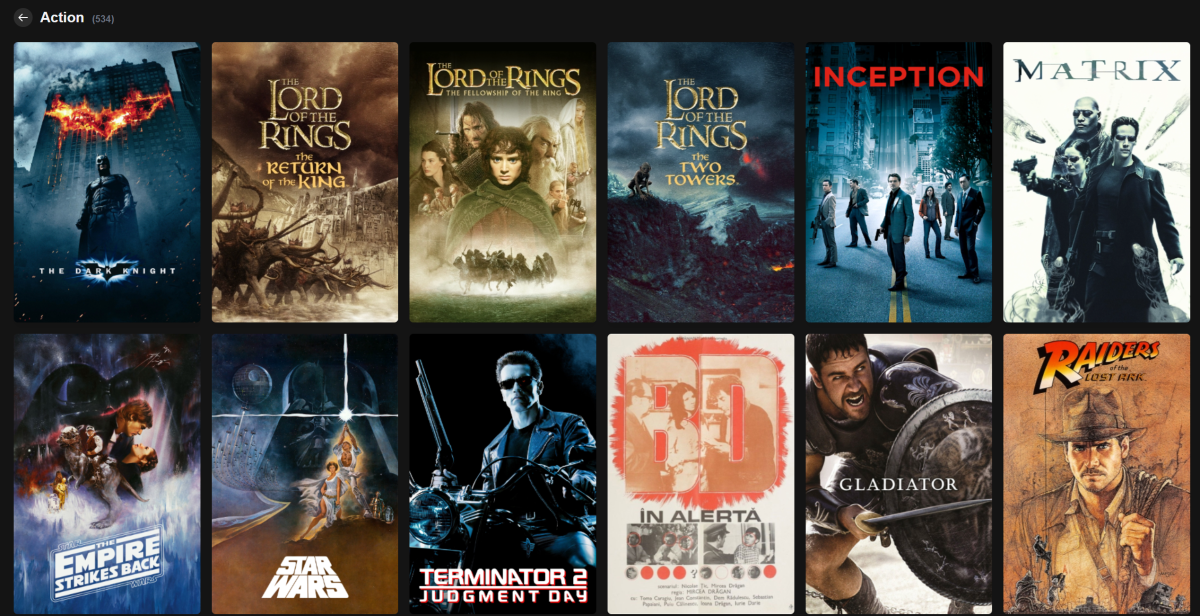
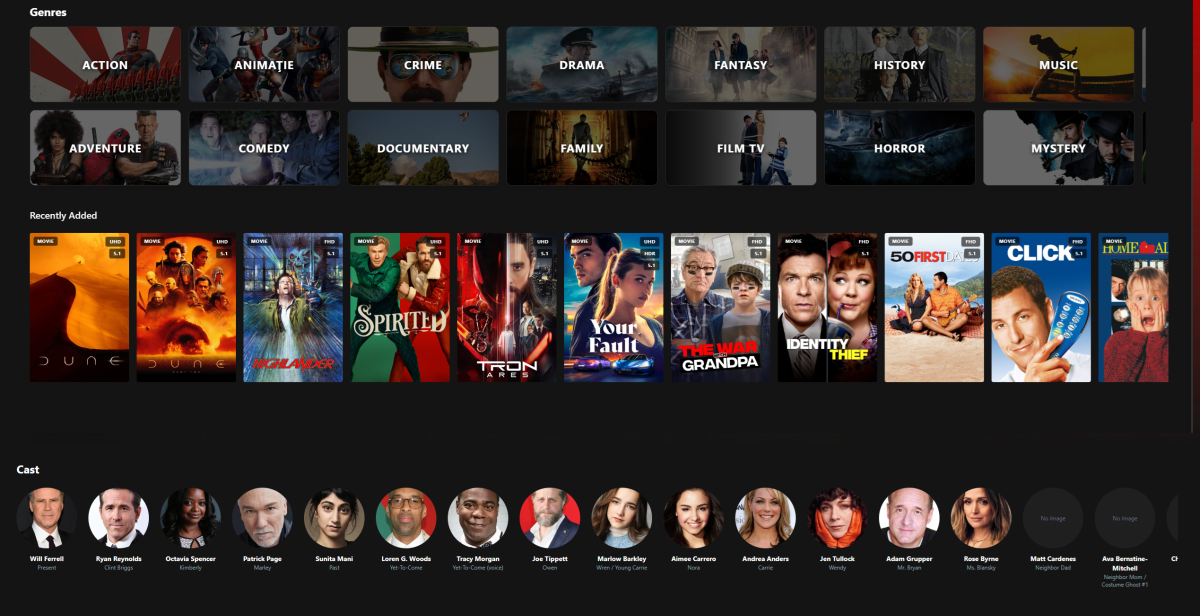
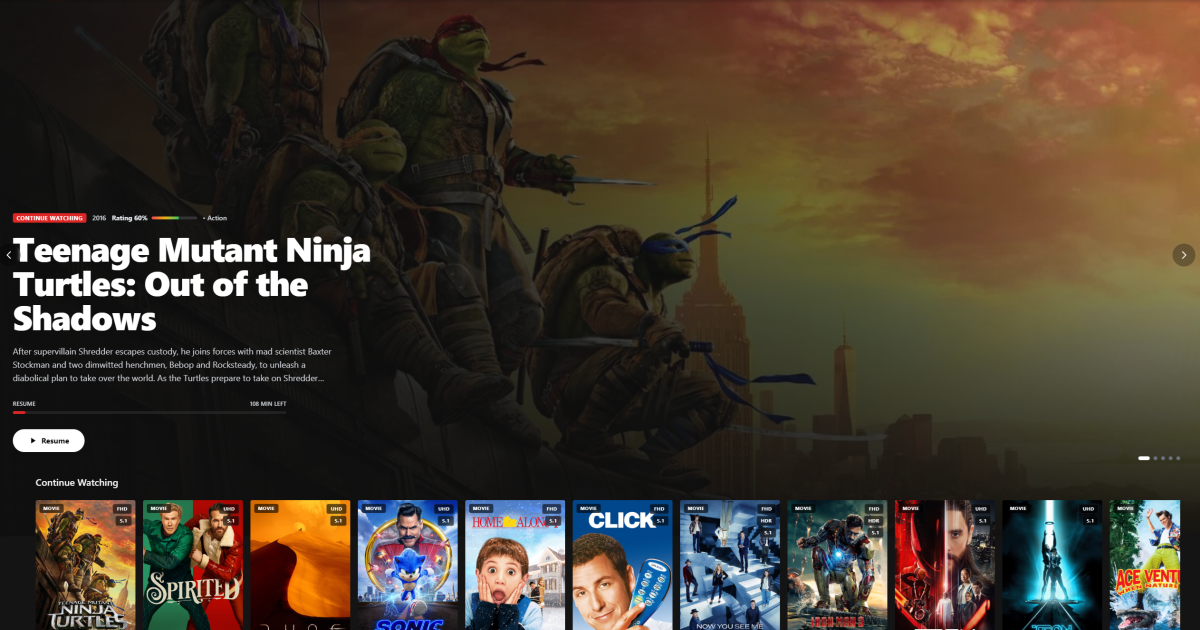
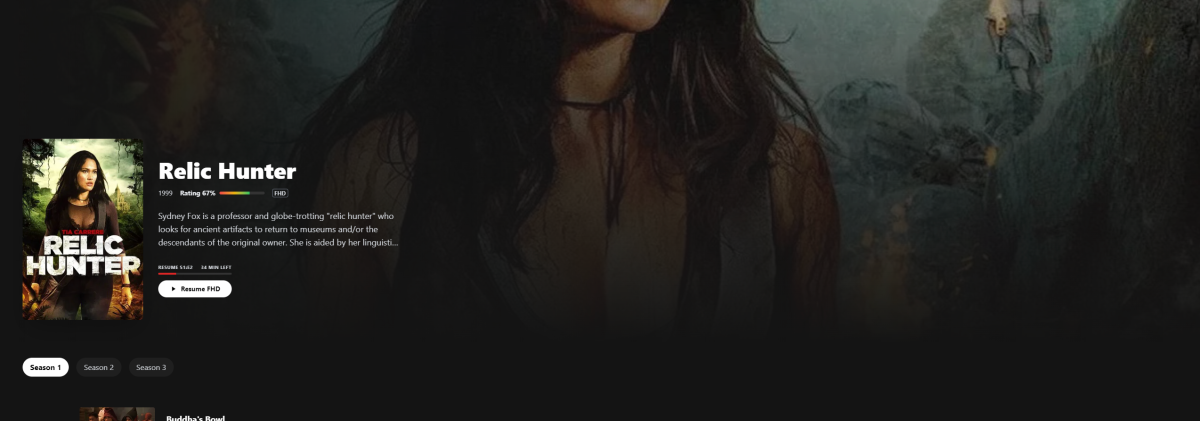
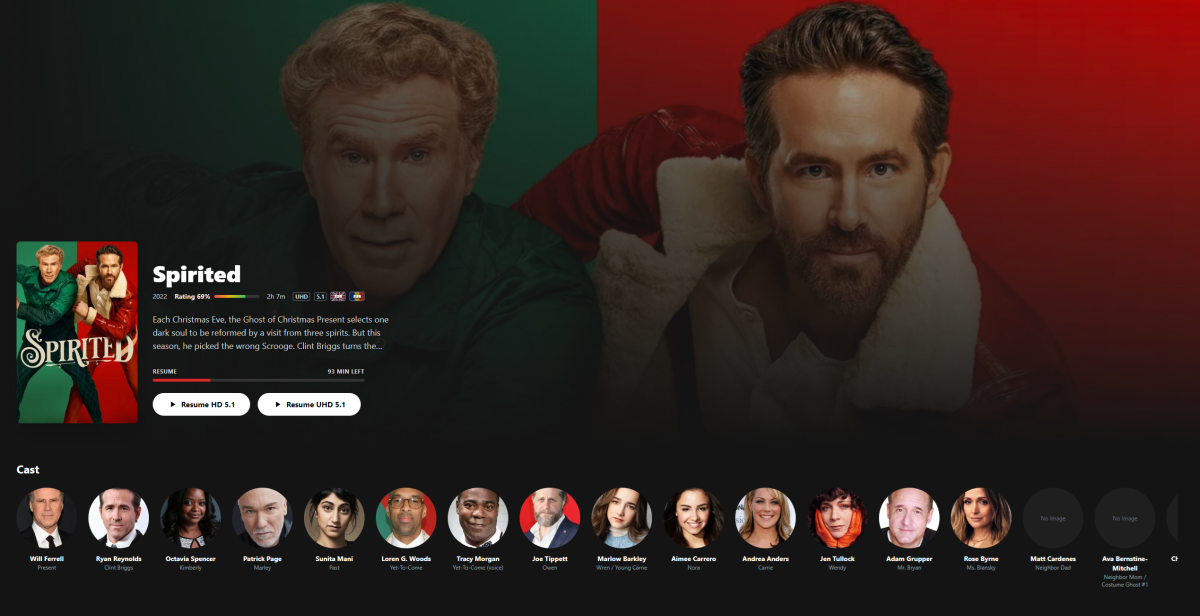
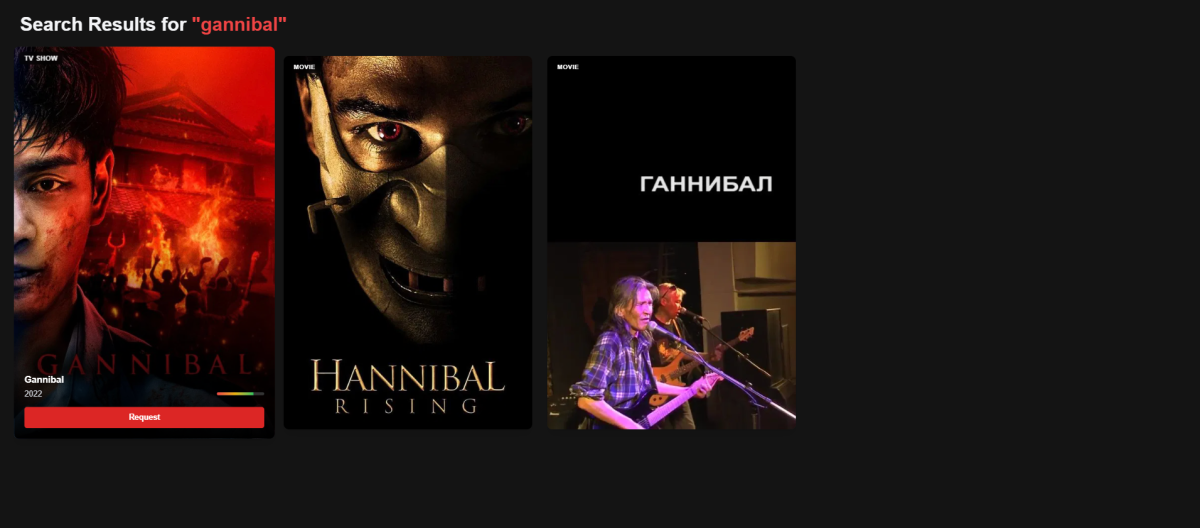
Hi everyone I’m currently building Zerk Play, a standalone native desktop application for Emby servers, and I wanted to share the idea here to gauge interest and collect feedback. The goal is to offer a premium, binge-focused experience that goes beyond what the standard Emby web client can do—both in UI polish and in how discovery, playback, and requesting content work together. Core Idea Zerk Play is designed around three principles: Native Performance – Runs as a dedicated desktop app (Electron), not a browser tab. Unified Discovery – Search once: if it’s on your server, play it; if it’s not, request it instantly. Binge-First UX – Seamless “Next Up”, skip options, and immersive player controls. Key Features (Implemented & Planned) Unified Search & Requests (Emby + Jellyseerr) This is the main differentiator. Search queries your local Emby library and TMDB at the same time Clear status indicators: Available (already on your server) Requested Processing / downloading One-click requesting via Jellyseerr without leaving the app Smart Library Normalization (No Duplicates, No Chaos) Zerk Play is aware that many users organize their media across multiple folders—by quality, codec, source, genre, or personal preference. Automatically detects and groups identical movies/shows across different folders (e.g. 4K / 1080p / REMUX / Anime / Genre-based directories) Presents one clean entry per title, instead of cluttered duplicates Seamlessly exposes: Available qualities Different versions (HDR/SDR, codec, bitrate) No need to reorganize your filesystem—Zerk Play handles the mess for you The goal is simple: your library looks clean and unified, regardless of how complex it is on disk. Advanced Custom Player Built for power users and long watch sessions: HLS streaming via hls.js with adaptive bitrate Manual quality selection (Direct Play, 1080p, 720p, etc.) Fast audio & subtitle switching “Next Up” overlay with countdown, episode info, and instant play—ideal for binge-watching Modern “Zerk” UI A UI designed to feel closer to Netflix than a traditional media server client. Dark + red custom theme Dashboard sections: Continue Watching Top Rated Recently Added Visual Genre Explorer with randomized backdrops pulled from your own library Smooth transitions and animations powered by Framer Motion Security & Privacy Tokens and credentials stored securely using system keychain integration Direct connection to your Emby server (no third-party relays) Technical Stack (for those interested) Desktop: Electron Mobile & TV: Capacitor Frontend: React + TypeScript + Vite Styling: Tailwind CSS Routing/State: React Router + Context API Playback: Desktop: Custom HLS player Mobile/TV: Native ExoPlayer (Android) / AVPlayer (Apple) Multi-Platform Plan: Zerk Play is designed with Android, Android TV, iOS, iPadOS, and tvOS in mind from the start. Native Playback Bridges This is not just a web wrapper. Android / Android TV Direct bridge to ExoPlayer Direct play of high-bitrate MKV HEVC/H.265, HDR10 / Dolby Vision DTS / TrueHD passthrough Apple (iOS / tvOS) Native AVKit / AVPlayer System-level Picture-in-Picture AirPlay 2 support Better battery efficiency than web playback Adaptive Input System The UI adapts automatically to the device: TV Mode: Full D-Pad / remote navigation with proper focus handling (no mouse emulation) Touch Mode: Gesture-based controls (seek, volume, brightness) Desktop Mode: Mouse + keyboard shortcuts for power users Current Status Active development Desktop app is nearing feature completeness Android TV native bridge is currently in progress Not publicly available yet Looking for Feedback I’d really appreciate input from the community: Would you use a client like this? How do you currently handle duplicate movies / multi-quality libraries? What do you feel is missing or poorly implemented in existing Emby clients? Thanks for reading and looking forward to hearing your thoughts!
 1 point
 -
How can I turn these bars off? They appear when playing an item. Its complexly useless and distracting.
 1 point
 -
My TV is a 2019 OLED55B8PUA. WebOS version 4.4.3-22.1 point
-
My LG is 2019 release.1 point
-
Mi televisión es del 2019 LG 70UM7100ALEXA - Smart TV UHD 4K de 177 cm (70") Works With Alexa, Procesador Quad Core, HDR y Sonido Ultra Surround, Color Negro1 point
-
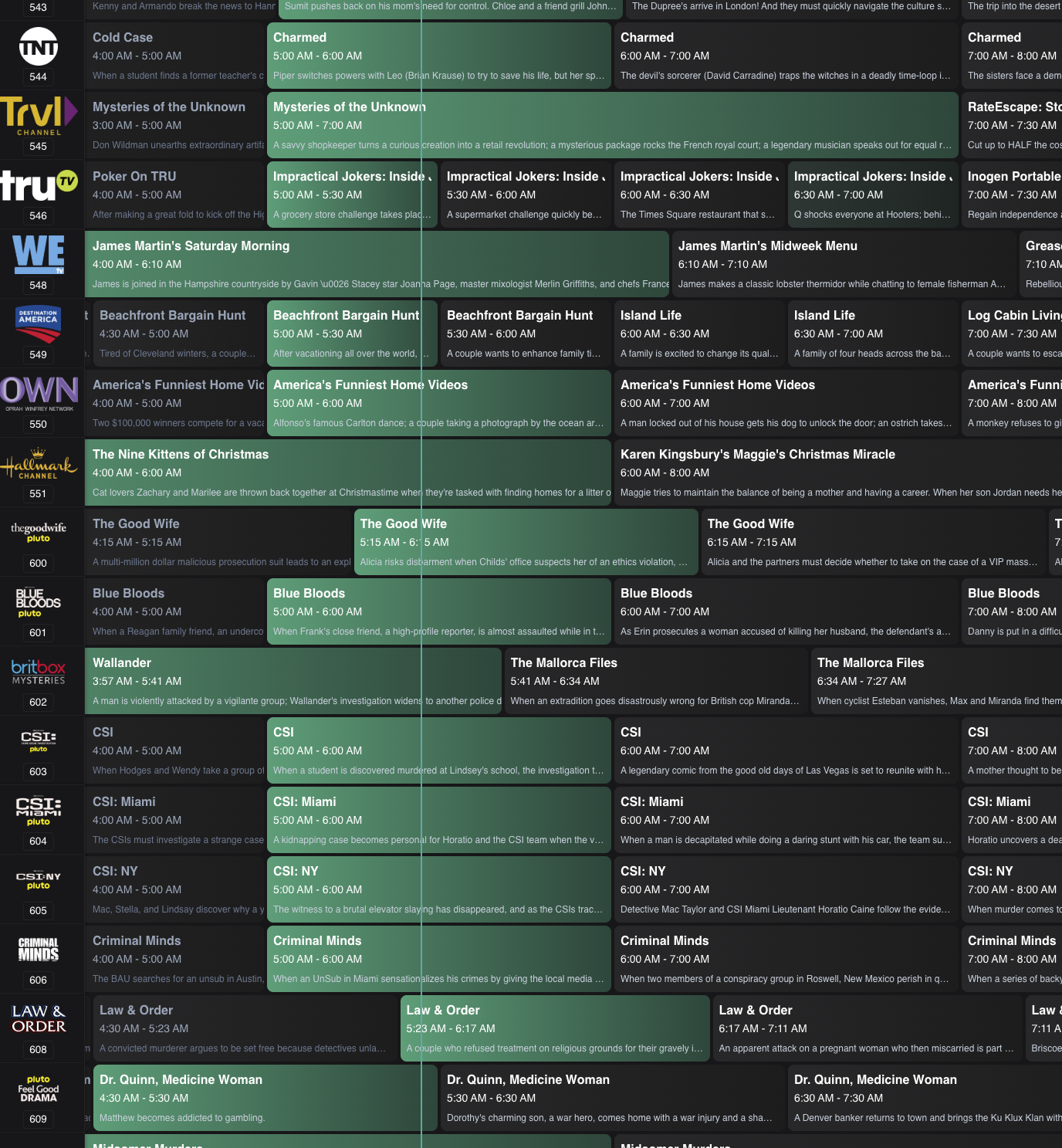
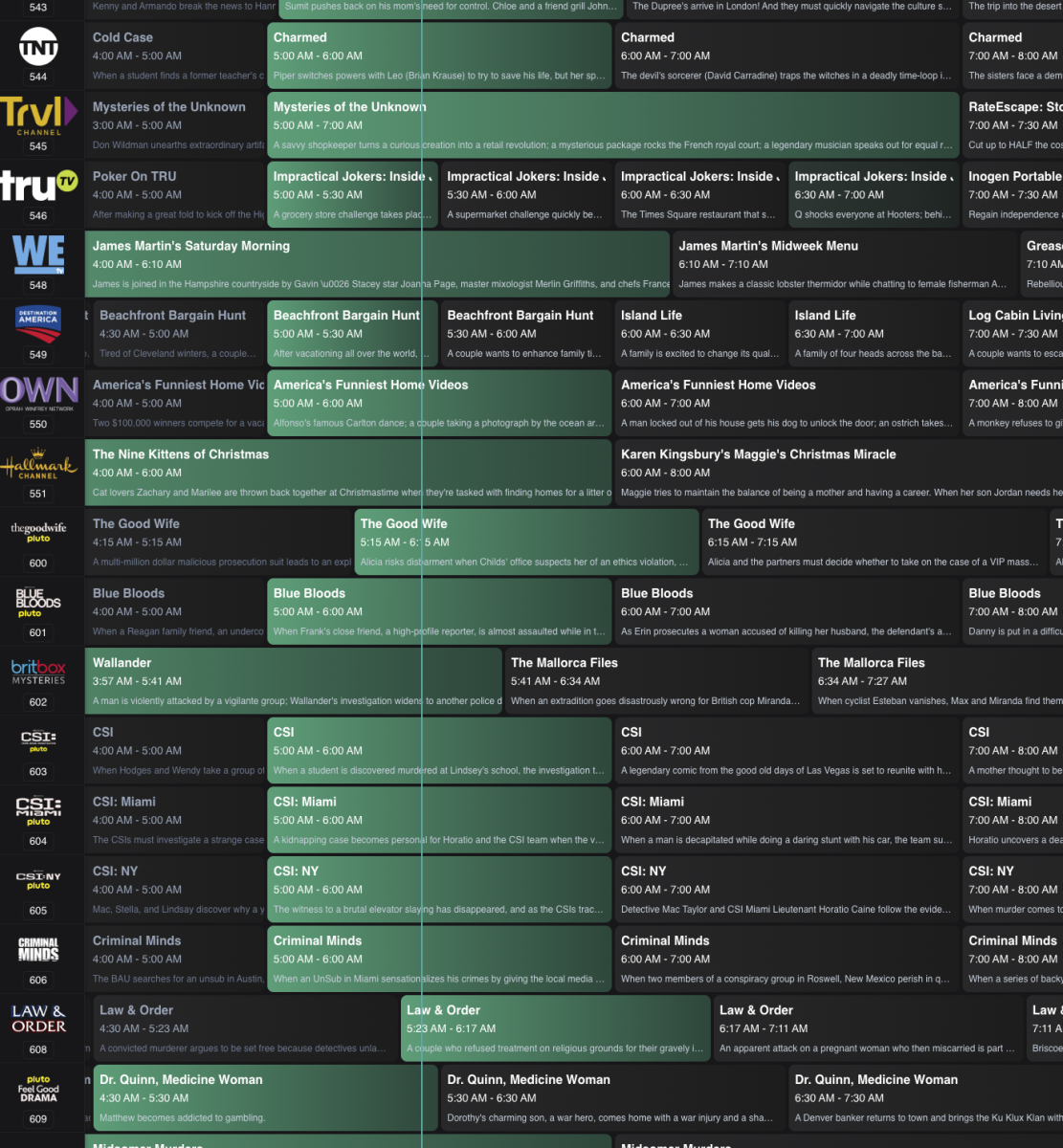
Would it be possible to have the option to highlight the current program for each channel in the live tv grid guide? I happened upon this example from Dispatcharr and was surprised how much more scannable it made the grid, when looking for something to watch. Thank you for considering.
 1 point
 -
I'm not sure how the AndroidTV app is doing it - but simply copy that - On my OLED using AndroidTV both the normal text and subs seem perfectly suited to a dark room contrast, not too bright, not too dim.1 point
-
Sorry. Didn't put myself very clearly, which isn't unusual. Was thinking more of your third image - but of course people like different things, hence this excellent theme.
 1 point
 -
Those names could be embedded titles, I guess. What's the (advanced) library setting controlling the use of embedded titles set to for that library? Paul1 point
-
Thank you GrimReaper, that did the trick.1 point
-
@Happy2Play@Luke@Neminem Thanks, I've begun adding the folders for the extras and will start updating the poster afterwards. Hopefully, the majority of poster images will force the format change in appearance, as you've mentioned. And manually remove those quotes. I won't be totally giving up on Plex just yet, though. It has its problems, but out of the gate, the setup appearance works for me. Hopefully, with some time, Emby will win me over.1 point
-
I'm doing the same testing on a separate testing server. Although same library but mounted as a RO library.1 point
-
Thank you for the link. Downloading now. I should have time this afternoon to discover what is going on with this video and why it isn't playing. I will post back in this thread with what I've found. Thanks again for the sample.1 point
-
Thanks. Looking at the end credits that have been successfully set over the last 20hours for the scan I started yesterday, the end credits are based on the average for quite a few of them. So I have a bit of clean-up to do to delete the credit markers for those series. Once I've done that I'll update to the new version of the plugin and give it another go. I think I'll limit my testing to single series moving forward instead of initiating a full library scan.1 point
-
Was removed in this version, as it was flaky / wonkery at best. Not sure if it will return later, in a new form. Only Dev can answer this, but dev is out of town atm.1 point
-
Salut Pour la partie Windows je pourrais pas trop t'aider parce que je me garde à distance de ce truc Mais si je comprends bien tu as déja monté ces volumes réseaux des NAS sur la machine Windows qui héberge ton serveur Emby ? Si oui il suffit d'indiquer directement le point de montage dans Emby comme un disque local sans passer par le montage distant du volume. Si ce n'est pas le cas, cela sera peut être plus simple de faire comme ça que d'essayer de les monter dans Emby ? Vince1 point
-
Runs smooth like butter since months or should I say years?, so a huge kudos again for @Amything1 point
-
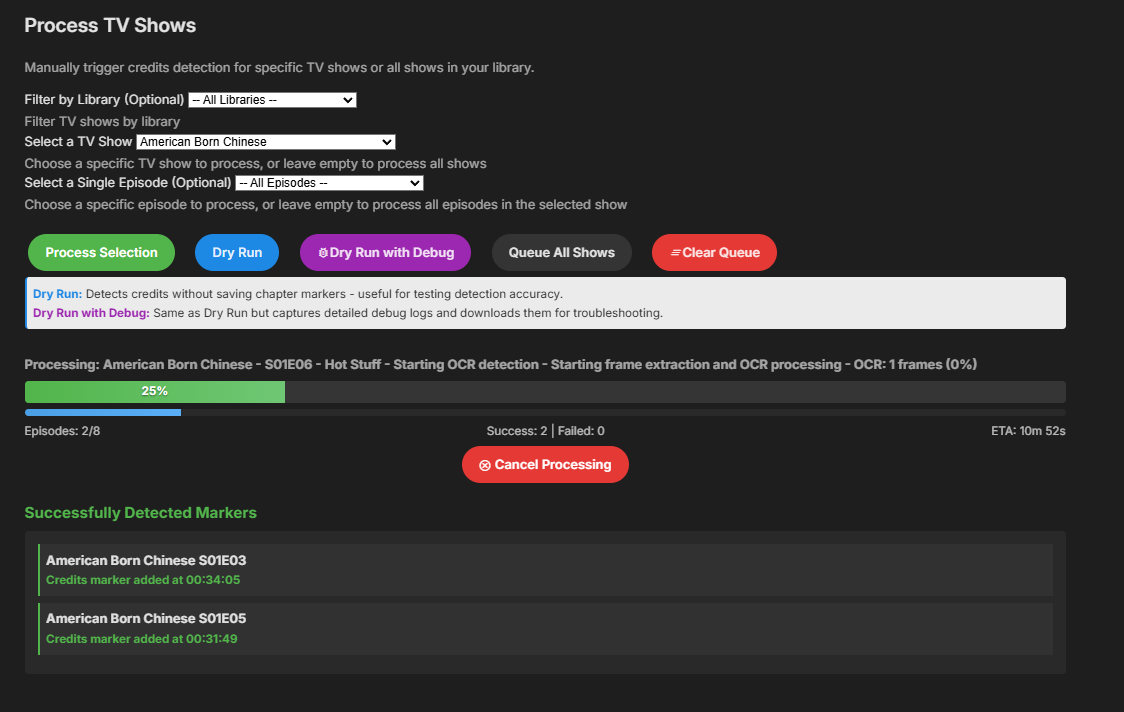
Hi people @yockerhad to rush out of the house, to get to a New Years parti But he / she / it had me test this version. And its again packed with new features But it also fixes issues with Dry run with debugging sending logs before job finish. And Manuel processing not showing Successes / Failed. Have a go at it, and I guess he / she / it will be back after New years, with more fun stuff EmbyCredits.dll
 1 point
 -
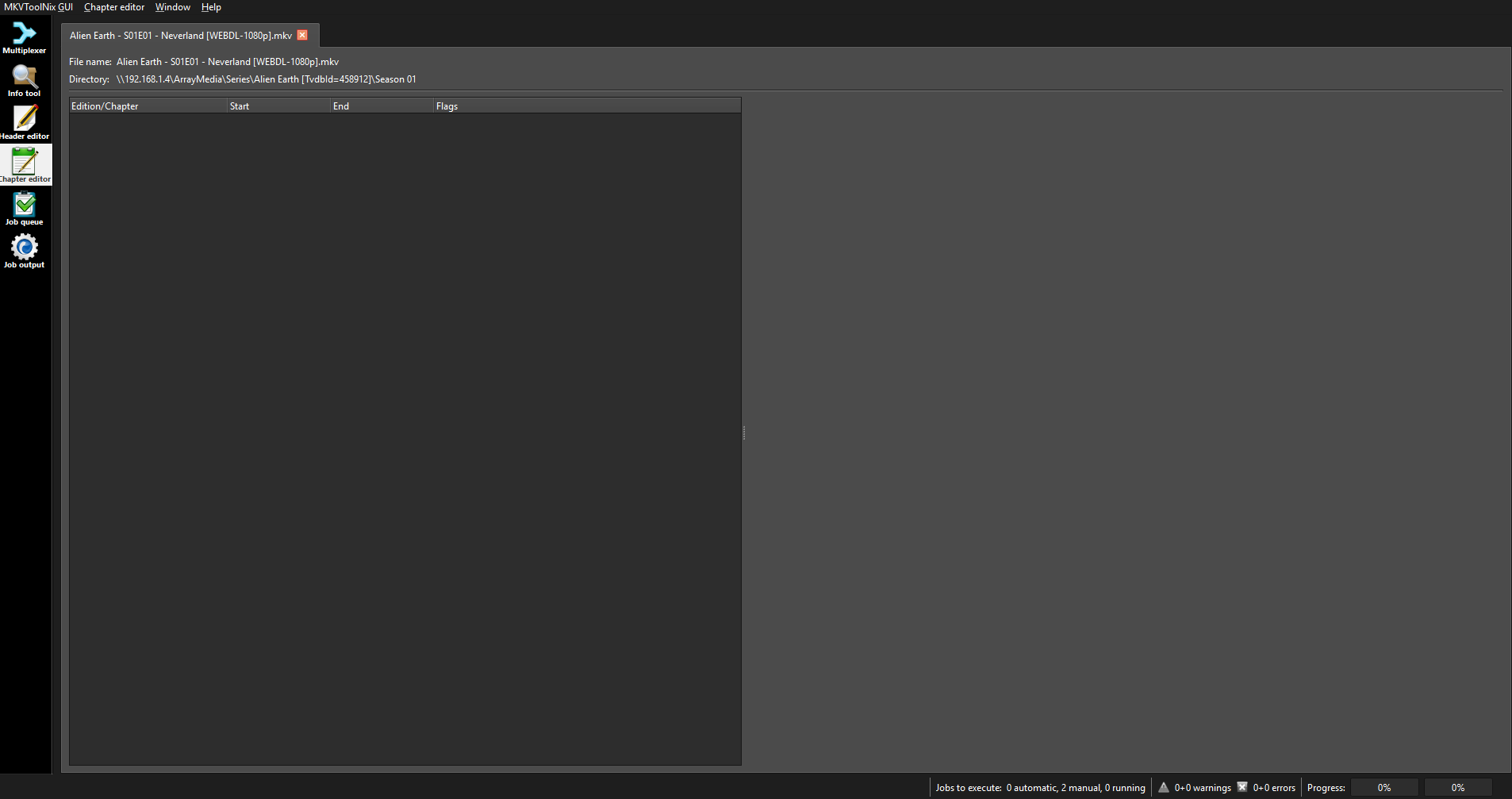
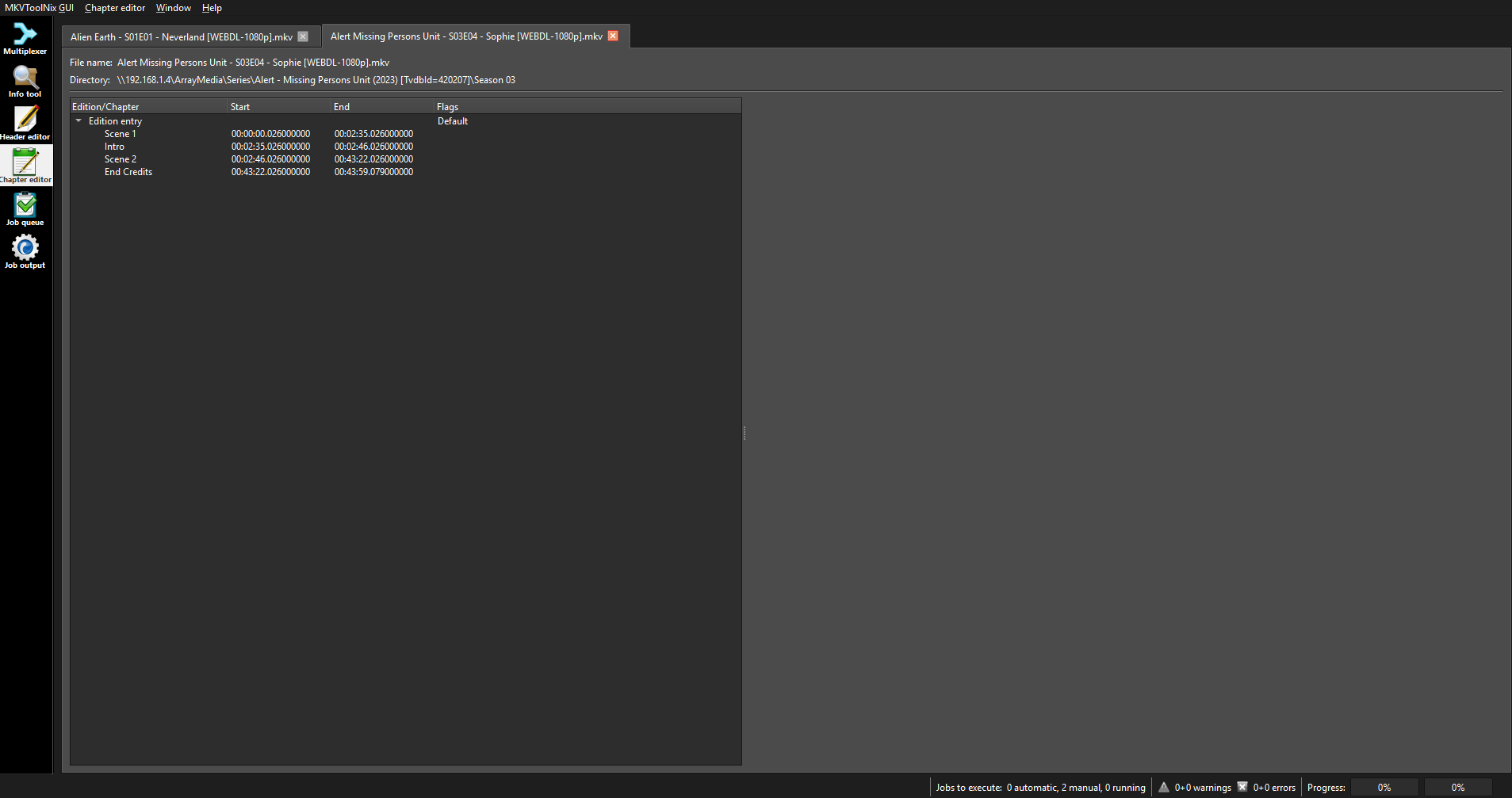
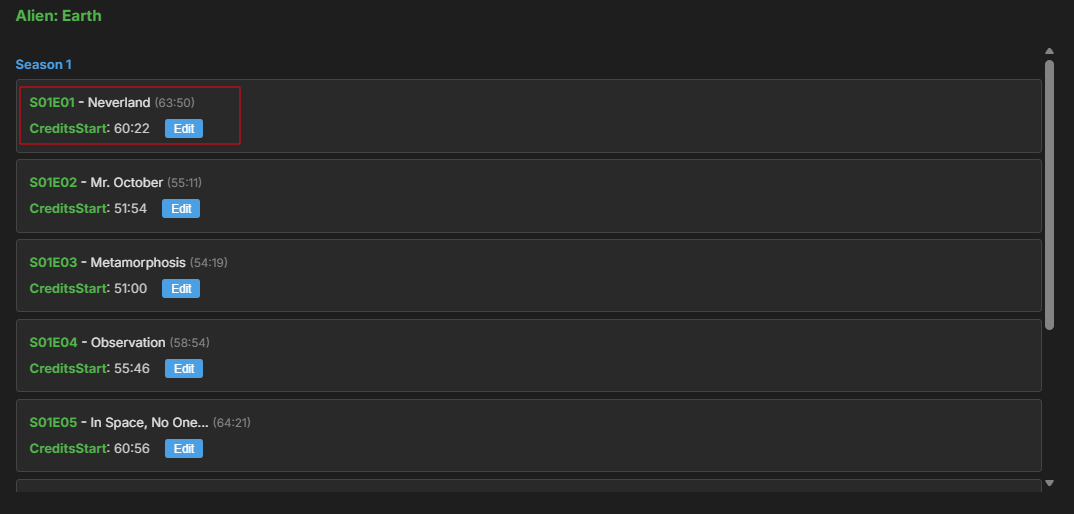
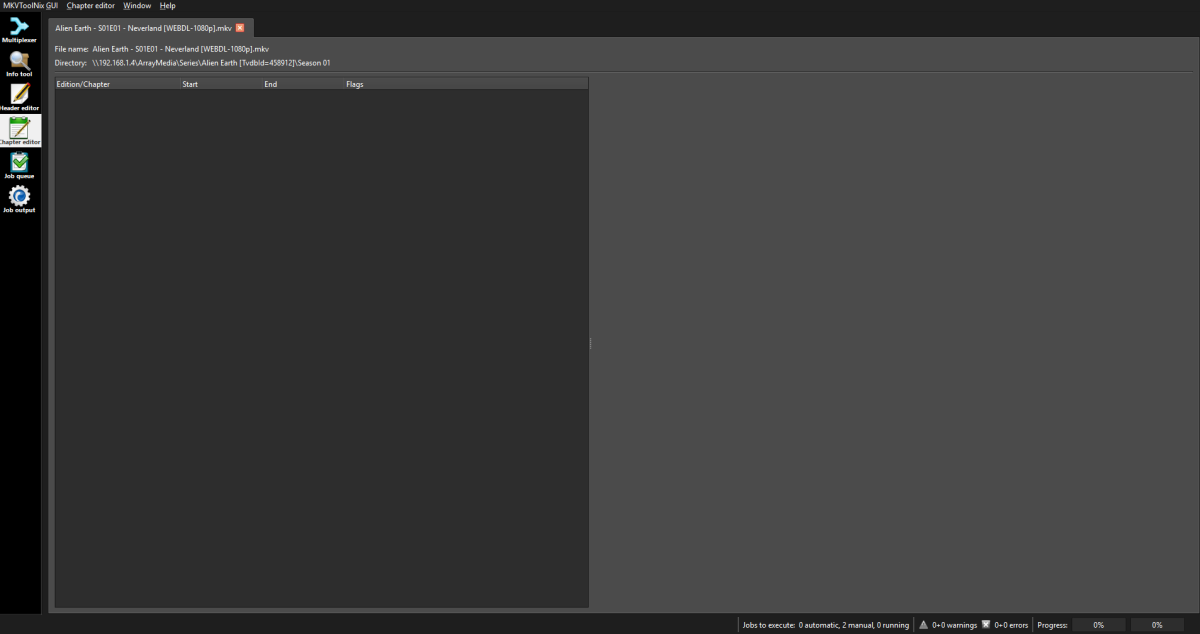
As far as I know the plugin does not write to your media files, only to Library.db. So what ever you see in the file using MKVToolNix was already there, before using the plugin. Example. Here is a episode I have not processed with this plugin. Those are in the MKV file with out involvement by this Plugin.

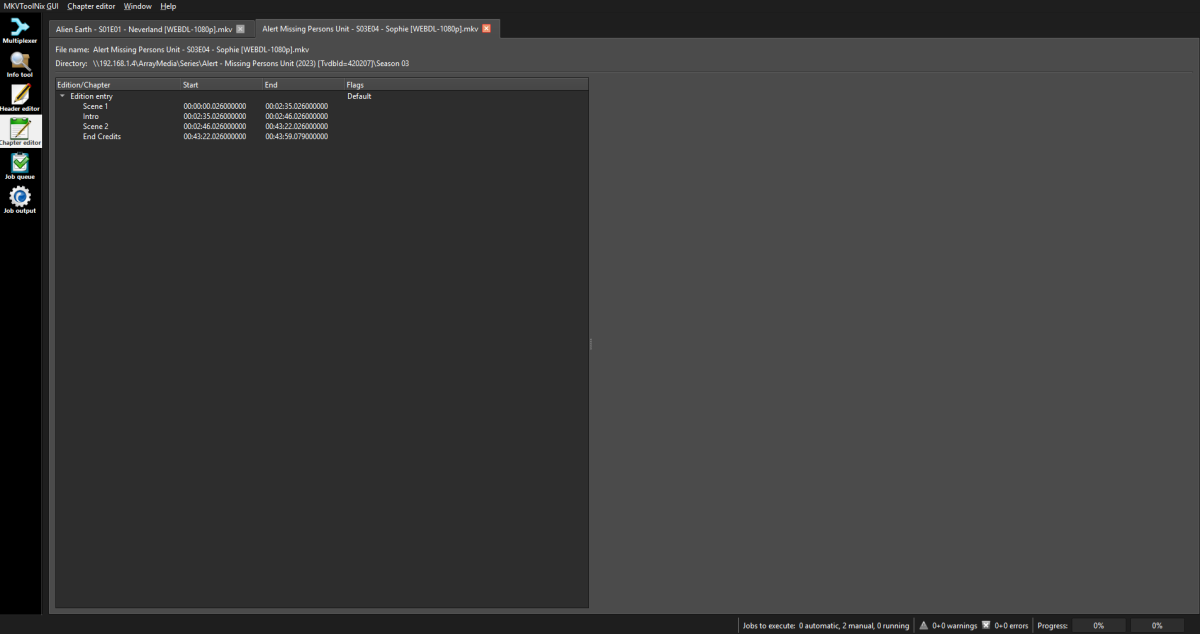 1 point
 -
They are actually doing this to combat piracy. In the EU firesticks are notorious for being used to watch football. The leagues claim they lose billions a year in fees to people who can't watch their teams legally due to black outs. Everyone should just refuse to buy new Amazon devices as you no longer own your device as per the TOS you have to agree to.1 point
-
Hi, this says ignore everything under info, but not info itself. Try just: classics-1980-1989/AfterMASH/info1 point
-
New release.1 point
-
.embyignore requires file contents in it. .embyignore can operate exactly like legacy .ignore if the only thing in it is "*". So create .embyignore as a blank text file containing a single asterisk and add it to every location where you currently have a .ignore file. I am keeping both. Who knows what could change in the future without warning. Adding .embyignore for additional functionality is great. Suddenly no longer honoring .ignore files that are already present is bewildering and inconvenient. Making this change to the filesystem with no warning on a routine upgrade is unfathomable stupidity. I am now spending hours of evening after work cleaning up .nfo and thumbnail files from previously hidden directories in my media library.1 point
-
Docker won't help if your host lacks video drivers.1 point
-
The Movie Naming article has now been updated. @DMazerI have gone for your year band categorization in the examples !1 point
-
@ebr Sorry for bothering you but would it even be possible for this plugin to get into the catalog because of what has just been discussed?1 point
-
Depending on the app/platfrom, Full Playback will either be free or limited by number of devices or dependent on App Unlock/active Premiere subscription. Emby Premiere Feature Matrix1 point
-
I have added this to our tracker. The fix for this is already being worked on. Sorry I didn't add this sooner. Reference: Issue #1753: [LiveTV] tags are not scoped resulting in far too many tags appearing in selector1 point
-
I don’t use Emby’s built-in notifications myself, because when I add new content, users tend to experience those notifications as spam. I’ve created a PowerShell script that uses the API key to query Emby and separates the new content into movies and series/TV shows. The genre is included, and for movies only I added a trailer option—if a trailer is available, it will be shown.Emby new content by week.ps1I also added the IMDb rating, and if that rating is unavailable, the script falls back to Rotten Tomatoes. When I upload multiple seasons with episodes, they are grouped together. The PowerShell script is triggered by a scheduled task, (windows pc) which in my case runs once per week at 15:55, because my weekly cycle runs from 16:00 to 16:00 the following week. The script has been tested in both Gmail and the Outlook client. I’ve attached the script and two examples. text in my screenshot is dutch In the script, you only need to fill in the URL, API key, and your mail settings at the top, and the recipients at the bottom.
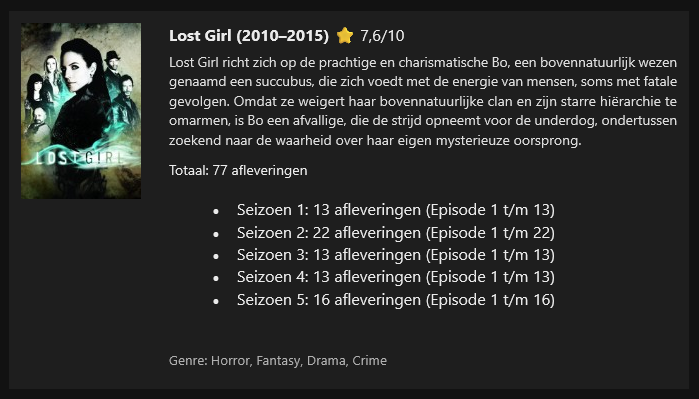
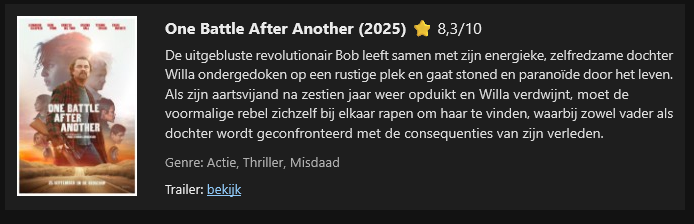 1 point
 -
+1 For giving the ability to add custom playlists or collections to the home page as horizontal listing for all users (ie from the original post, similar to how netflix, plex can do etc) - not on the favourites page, which is not the same thing (favourites is a seperate page involving more clicks, and also is only relevant to the user logged in). Netflix or others would use the feature as seasonal lists which could be turned on or off (xmas movie list). ie, a typical use case in emby is generating a smart collection (example); 1) a recently added movie to the library within the last 14 days which 2) has not been watched, and 3) is highly rated (IMDB >7) 4) rated PG13 or below called "Must Watch collection", which could be displayed in the home page above the "Recently Released Movies" default section in Emby. Example below of a plex library with smart collections on the home page
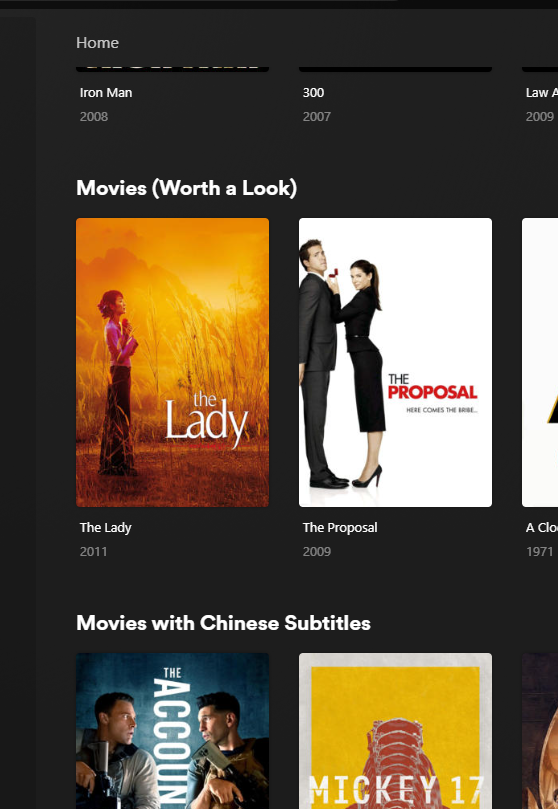 1 point
 -
Not sure if a request was submitted for this and if so I apologize for asking for the same request but I was wondering if it might be a possibility to give us the option to add or pin individual movies from generated collections made from ACDB.TV and from manually created collections to the homepage so that they will show and be displayed on the homepage just like latest movie, latest new releases etc... Example:: Like we see on Plex, Netflix, Prime TV, Apple TV and so on. "True Story Based" collection "Trending Now" collection "Top Movies with" actor and or director collection "If you like" Genres collections (mystery, sifi) Can have the option of being accessed and displayed without having to go to the collections tab/folder to access and play the movies or content from that collection. I look forward to your reply and thanks in advance.1 point
-
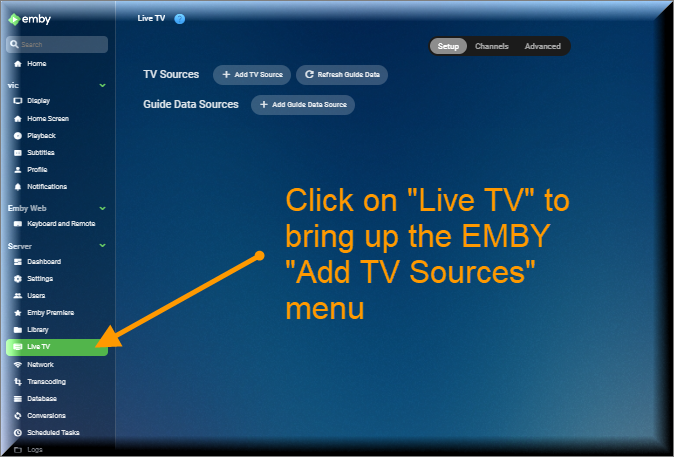
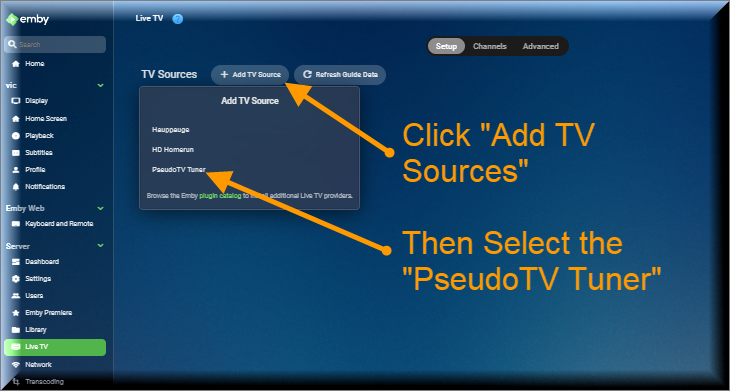
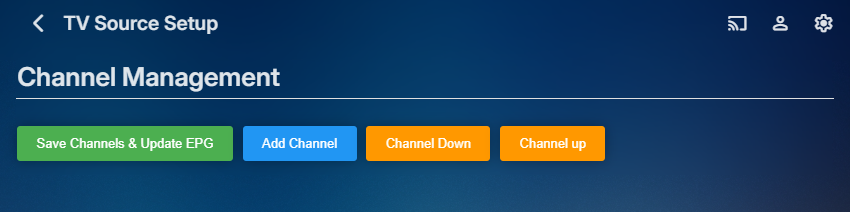
The Pseudo TV plugin is composed of two parts. The first part is based on a TV Tuner Platform created by @Luke. He called the plugin "VirtualTvExample." The second part is a Javascript program that provides a simple GUI for creating and adding channels to the TV Tuner. The code for both parts is attached below. I created the javascript code and several C# additions to the tuner. @TZTZorocomposed the CSS code. PseudoTV is open source and free for everyone to use. PseudoTv is tested on Chrome and Edge. Other browsers may work. I just don't know. To install PseudoTV, copy the plugin dll below to the EMBY plugin directory and RESTART EMBY. Follow the instructions below to bring up PseudoTV. Next add the TV Source for PseudoTV. If you have an Old PseudoTV Tuner installed, you must delete the old tuner before installing a new one. Select the PseudoTV Tuner to bring up the Channel Management menu. Use this menu to Add channels to the Emby EPG (Electronic Programming Guide). Click the Add Channel button to add a new channel. The two videos below, explain basic channel building. Querry-1.m4v The next video is also about channel building, but instead of using an Emby query, media is selected directly from the Emby libraries. File-1.m4v The remaining videos introduce the PseudoTV tool. The first is called the Library Explorer. With it you can navigate across your Emby libraries and view their contents. Libraryexplorer-1.m4v This video explains the Metadata Editor. Metadataeditor-1.m4v Another useful tool is the Playlist Editor. Playlisteditor1-1.m4v The description of the Playlist Editor is continued below. Playlisteditor2-1.m4v The latest plugin (dll) and the source code (zip file) are attached below: PseudoTV.dll PseudoTV.zip
 1 point
 -
As probably all know, you can manage playlists in Emby and even download files based on those, but you cannot export those same playlist m3u files themselves via UI. Yes, you can dig into filesystem and copy these out manually, but it is not very convenient. Permissions to do so, could be tied into collaboration permissions, currently it has view/edit and it may make sense include export as edit permission (AFAIU, it gives effectively “full” permission as RW to particular playlist anyway) Why this functionality would be beneficial? It would allow better/easier integration with other media apps/scripts running on the same server.1 point
-
I would like to be able to add a section "Watch Again" that keeps track of what user recently watched, and show a scroll list of that on the home screen. Also, would like to be able to add a custom section as mentioned above.1 point
-
A separate tab isn't the home screen.1 point
-
I believe is a important feature for backup and management our playlist. Are there news about it?1 point
-
The Android TV version I think is the one exception that handles it client-side and doesn't tie into the shared setting. Perhaps @ebrcan change that. So yes that one will require setting up.0 points
-
I ran into this in the US some time ago for Firestick. The workaround was turning on Developer mode inside Firestick, getting the Downloader app and then finding Emby through that. Maybe this will work with VegaOS. This problem is sort of typical. Firestick wants to insulate it's users from any 3rd party problem apps. That way Amazon pays less answering support queries. Even sending back a standard response can grow to a larger support issue and cause bad word of mouth. I've worked with customer support for many companies, but always at the tech advising level, where I informed support what bugs are happening. This is just a guess. I can dig through and find step by step, but it's probably out of date. Just search for this online. There are a lot of posts. There may be a few in the Emby forum as well. Hope that helps. https://duckduckgo.com/?q=downloader+app+for+Firestick+change+to+developer+mode&ia=web0 points