Leaderboard




Popular Content
Showing content with the highest reputation on 12/18/25 in Posts
-
I see what you guys mean now. I was thick! Very sorry about that. Yeah collections do save some artwork but i made the plugin to save for the physical files only. I can look into making it save the artwork for collections also.2 points
-
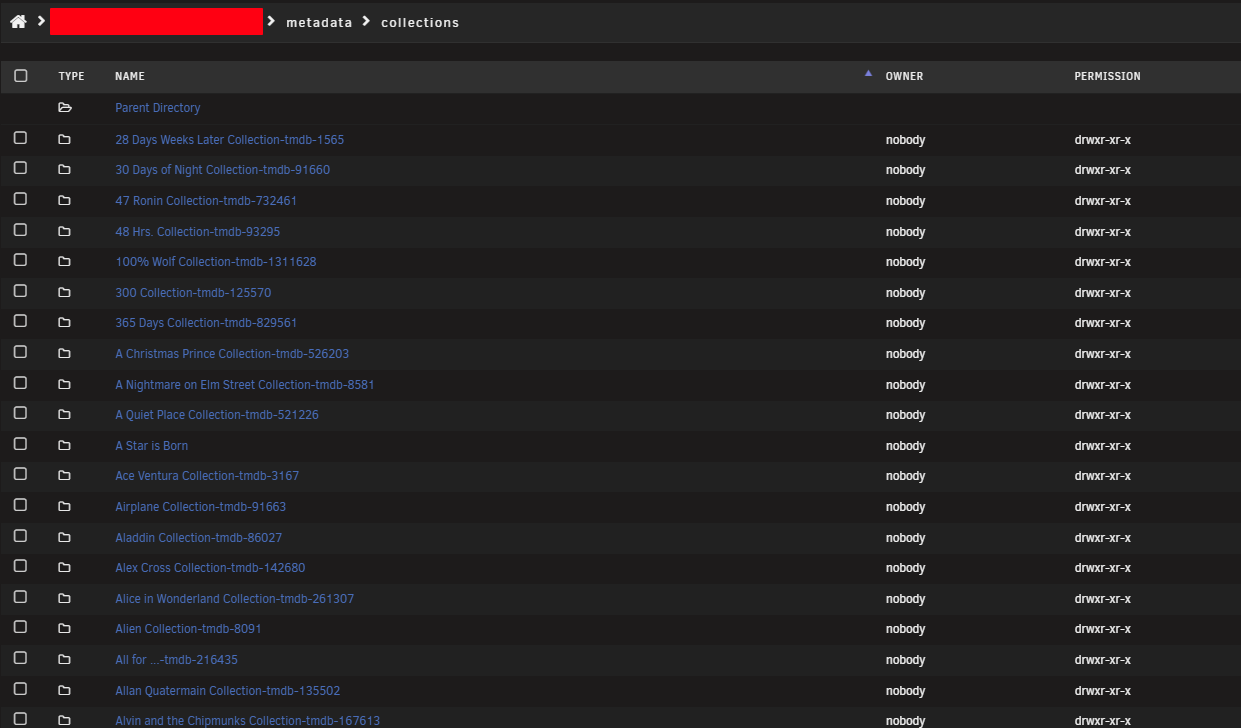
Ah ok, now I understand. I did use the plugin to extract the files to a custom folder solely. It would be nice if the plugin could export the collection folders from /metadata/collections to the custom folder as a backup for the collection poster.jpg and collection.nfo, but just for collections still in Emby because it seems old collections not present in Emby anymore are still in that folder. That's what I mean. Is this possible at all? Also, a scheduled task would be nice to backup everything to an external export folder regularly for the cases when e.g. the Arrs upgrade an item and delete the artwork (sic!) or if Emby loses a collection image, which is not uncommon atm... @NeminemYes Sir! I hope this is the actual one that's used by Emby2 points
-
I'm not against it per se, just that my initial user experience so far was less than ideal, so I was sceptical. Now if it behaves in the next couple of days, I might consider it.2 points
-
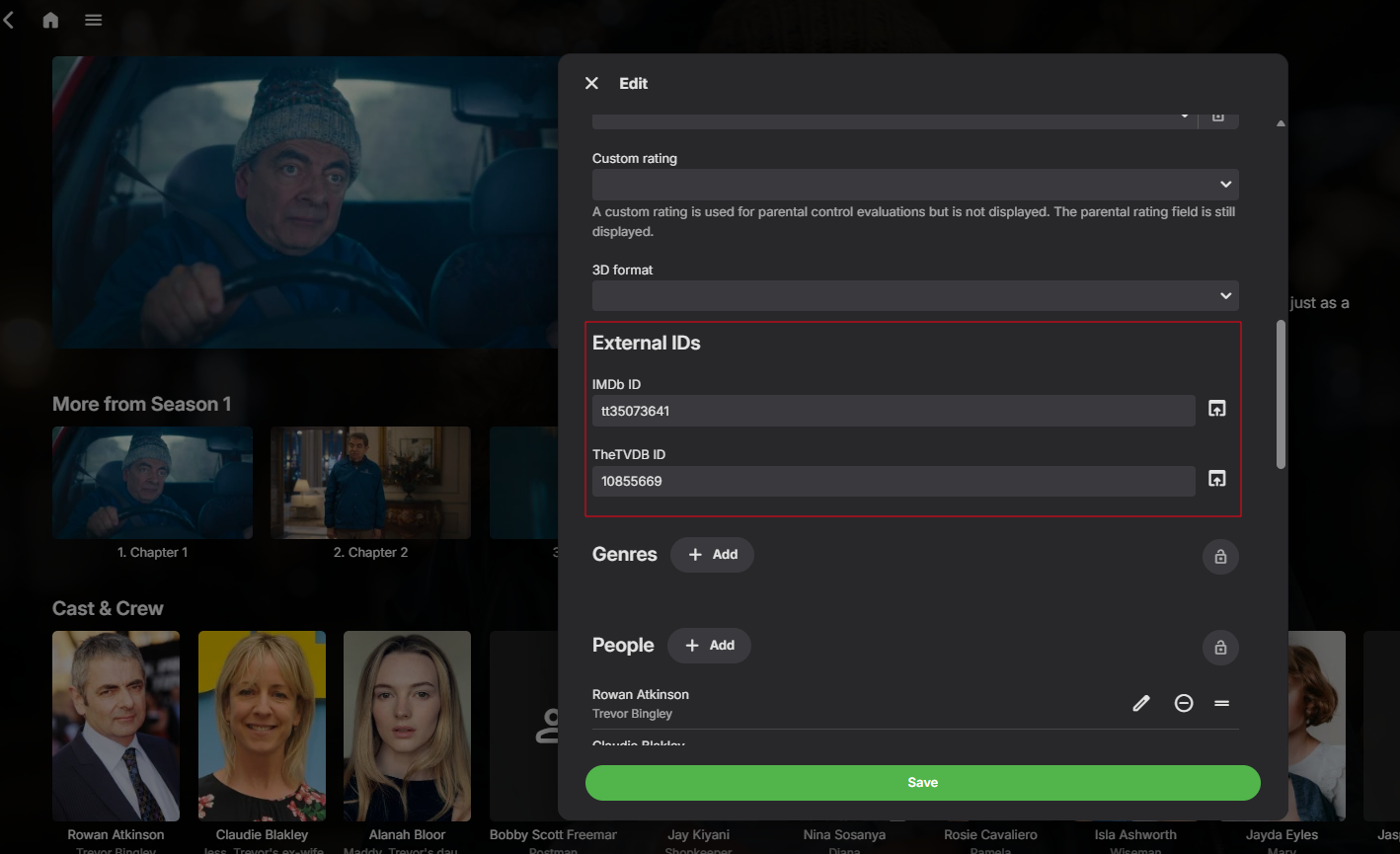
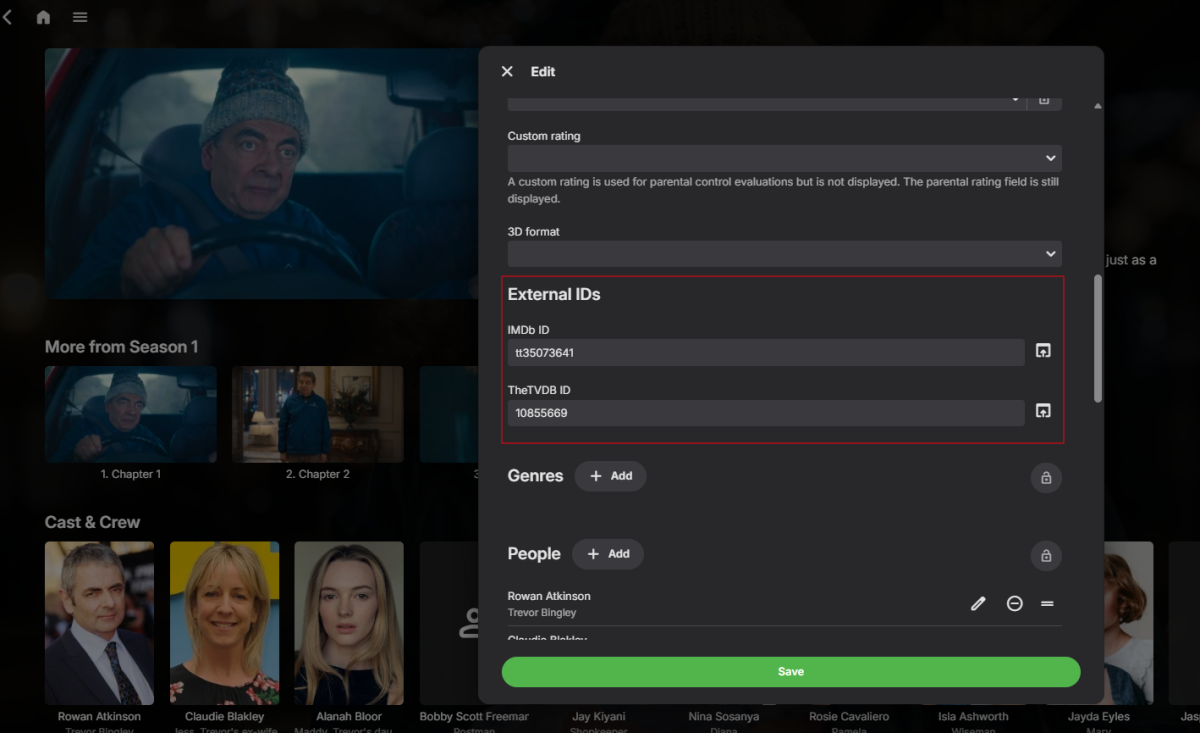
Hmm just wondering if tmdb id is the right one to use. Looking at episode level metadata I don't see tmdb id. It might be me misunderstanding this
 2 points
 -
The timeout needs to be removed, and left up to the user to close off the infomation.2 points
-
No. This is when I am reading the info description or viewing cast. For it to timeout and disappear while I may potentially be reading is just bad UX to be honest... The Windows app does it right with a simple down arrow to minimize
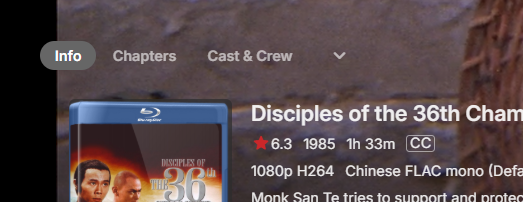 2 points
 -
Well, I was going by what I thought I saw on the Android TV app when we played it last night - I thought it said part 2. Looking at it now it says part 1 and it looks like it is part 1. So no issue, sorry for the confusion.2 points
-
Here is the latest list of versions for Emby software across the server and clients. Emby Server Stable: v4.9.5.0 (2026/05/18) Release Notes Beta: v4.10.0.14 (2026/06/04) Release Notes For other platforms, please refer to the download page. Emby for Android TV Google Devices Stable: v2.1.23 (2025/12/27) Beta: v2.1.46 (2026/04/15) Amazon Devices Stable: v2.1.23 (2025/12/27) Beta: v2.1.46 (2026/04/15) Stable Release Notes Beta Release Notes Universal Android app Stable: v3.5.16 (2026/01/26) Beta: v3.5.36 (2026/05/10) Release Notes Download the latest Beta here. Emby for Kodi See here for the latest information. Emby for Roku Stable: v4.1.63 (2026/05/04) Release Notes Beta: v4.1.64 (2026/05/13) Release Notes Emby for Windows (Windows Store for PC & Xbox One) Stable Release Notes Beta release notes Emby for Linux Beta Release Notes Emby for Samsung Smart TV (Orsay) E-series to H-series TVs only Release Notes Emby Theatre for Samsung Smart TV (Tizen) Release Notes Emby Theatre for LG Smart TV Stable: 1.0.50 (2026/01/19) Emby for iOS Stable: v2.2.53 (2026/05/16) Stable Release Notes Beta: v2.2.52 (2025/04/11) Beta Release Notes Emby for Apple TV Stable: v2.0.3 (2025/12/26) Announcement Beta: v2.0.6 (2026/04/11) Release Notes Emby for tvOS (Apple TV) Stable: 2.1.6 (2022/12/23) Release Notes - TBA Beta: 1.5.1 (10) (2021/03/02) Beta Release Notes Emby For MacOS Stable: 2.1.6 (2022/05/09) Details here. I will keep this post up-to-date as much as possible, but please send me a PM about anything I haven't updated, or is missing. Special thanks to @Borskfor supplying a lot of the updated information. Thanks.1 point
-
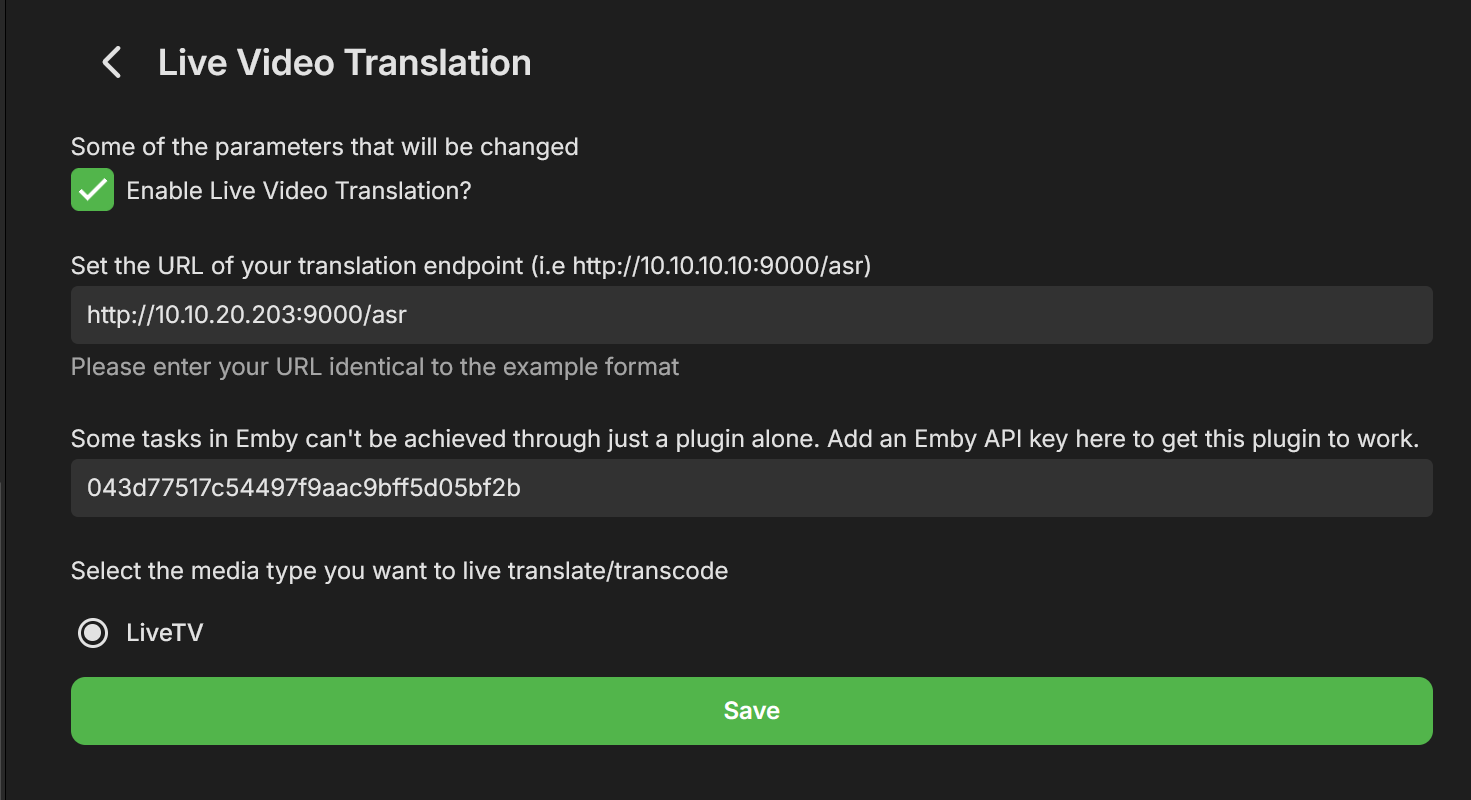
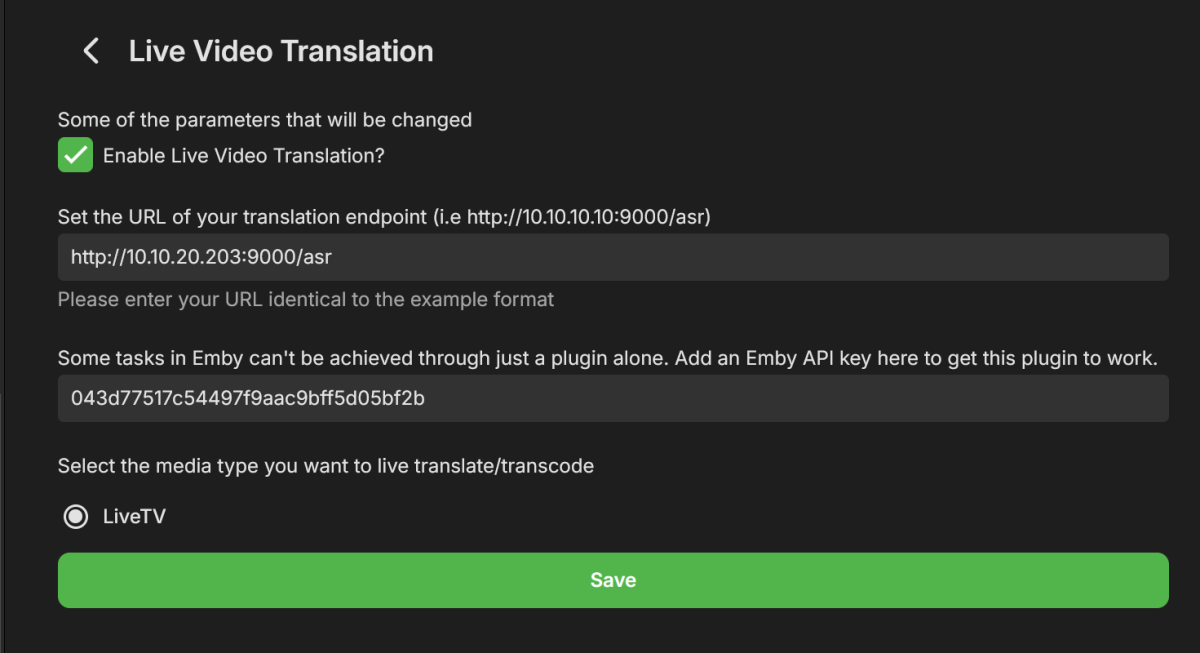
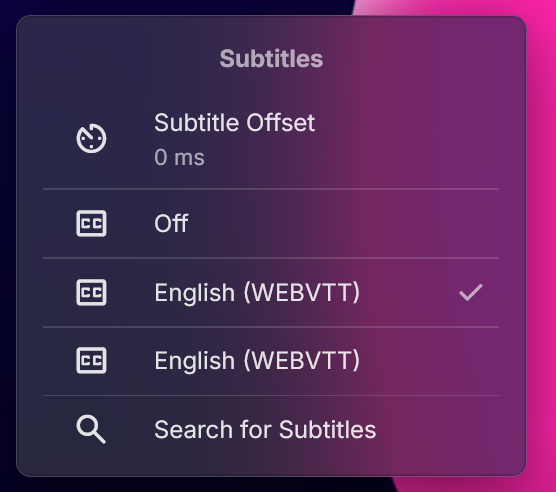
Hey All, After a few weeks of work I'm happy to present a new plugin Beta, called "Live Video Translation". The plugin uses Whisper, Open Ai's translation/transcription service (https://github.com/openai/whisper), to generate translated subtitles on the fly. This allows you to watch TV with live generated subtitles. If the original source is detected as English you'll get transcribed subtitles (English to English). If the original language is any of the supported languages, you'll get English subtitles. Languages supported are: https://github.com/openai/whisper?tab=readme-ov-file#available-models-and-languages How to Install 1. Run the following Whisper docker container somewhere that emby can access it. Make sure to run this docker container using the "GPU" flag. I have not tested CPU mode, but we do need good performance here which may not be available with just a CPU and LLMs. https://github.com/ahmetoner/whisper-asr-webservice 2. Run the docker container using either the "small" or "medium" models. In my testing at 1070 was good enough to keep up with near real time translation using small or medium models. The model download took about 10 minutes the first time. 3. Place the attached dll into the plugin directory. 4. Configure your plugin like so, with the full URI to the Whisper service, and with an EMBY API key. There was one thing that can't be accomplished with just a plugin. (a rapid way to add a library and scan just that library for new files). 5. Click on "Enable" at the top, and restart emby. How it works Currently the plugin only supports LiveTV. There are free LiveTV providers on the first few results of google that can allow you to test this for free. 1. User finds a Live TV Channel in Emby and Clicks "Play" 2. Plugin detects that the user wants to watch a Live TV Channel (and only live tv for now) 3. Emby starts playing the Channel, while in the background the plugin also starts consuming the same channel using ffmpeg. (For a short period of time there are 2 separate connections consuming the same channel) 4) The plugin adds a temporary library to emby that contains a single file. That file is a link to play the translated Channel Stream. It does not scan all the files that ffmpeg is creating, just a static stream file which points to our Plugin API, which serves files for that translation session. 5). The plugin starts creating chunks of the video and translating it, and generating a valid stream that emby can play. 6) Once a buffer of a few files has been created, the Plugin stops the initial stream, and starts the newly translated stream and immediately: - Pauses it - Displays a message to the user to wait for ~20 seconds until a bigger buffer is created - Restarts playback about 20-30 seconds passes These delays are very conservative to allow for any LiveTV ingestion hiccups. I have been able to watch near real time, with just in time delivery of the subtitiles, but have noticed certain IPTV providers hiccup and don't serve video in a timely manner, so this is a way of riding out those hiccups. 7)The new TV stream uses WEBVTT subtitles, which means emby properly parses them, and you can adjust the subtitle offsets, even though they should already be pretty accurate. 8 ) When the user stops playback (only on stopping playback, not closing an app, or closing a browser window), the ffmpeg consumer is killed, the folder deleted, and the newly added library is deleted. The library may still show up if you navigate home immediately, but if you refresh the page it'll be gone. Caveats/Future Improvements - The logs for this plugin, for this Beta, are very verbose in order to help troubleshooting. - Sometimes an IPTV provider is rocky and does not serve video files in a timely manner. Which means you'll be watching the translated stream and it'll overrun the buffer. This happens infrequently in my testing. - I have two test instances a) Windows with CUDA , I had to disable hardware transcoding to get this to work, unsure why. b) Linux with CUDA, works fine with hardware trans-coding enabled. - If there is interest in this I could add live translation to TV Shows/Movies. - I don't control the translation. Sometimes AI hallucinates, but overall it is very good. Sometimes if there is no audio, it seems like the docker container returns "Thanks for watching". - Sometimes the pausing/message on screen does not work. If it's been longer than 30 seconds feel free to click play in the translated stream. Questions for the devs - Sometime the plugin consuming FFMPEG receives corrupted packets from the provider and isn't able to handle it, and it stops. - Sometimes emby's consuming FFMPEG (the ones that consumes the plugin's translated stream) consumes a corrupted packet, and just stops consuming the stream. I'm unsure which one is the problem first here. Seeking guidance from the devs on how I can modify my translation ffmpeg command to account for this. You'll see what the translation ffmpeg command is in the logs shortly after a playbackstart. The translation ffmpeg command just "consumes" the stream to output video files, translation is done separately. - Sometimes sending a command like this, just does not work. Almost as if my code skips it, but it should be called each time. var pause_request = new PlaystateRequest { Command = PlaystateCommand.PlayPause }; _sessionManager.SendPlaystateCommand(null, sessionId, pause_request, CancellationToken.None); Troubleshooting If this isn't working for you, please provide: embyserver.txt - this will have a link to your IPTV in it, and maybe a username, you can obfuscate that if you'd like. The most recent ffmpeg logs which represent the emby's ffmpeg that is trying to play the translated stream. What OS are you using, is hardware trans-coding enabled? Occasionally monitor the buffer health (look at how much video is "left" in the stream). It should be growing as you watch) If it isn't that means either the translation or consuming ffmpeg has encountered an error and I'll need to see the logs as to why. If you watch that same TV channel, with the plugin disabled, does it fail in a similar way? Please provide an ffmpeg log of that. Thanks! LiveVideoTranslation.dll
 1 point
 -
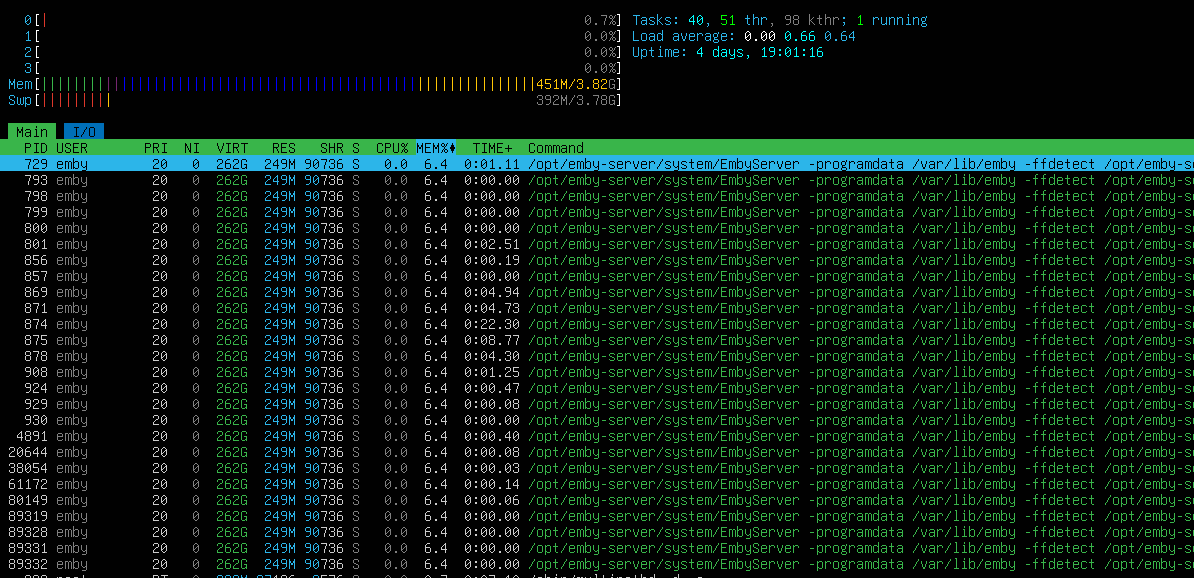
Hello Found out that if emby work for a while (day and more) RAM fills to limit In processes found that started many same emby processes Is that normal?
 1 point
 -
This topic has been discussed before, and I've chimed in before. Compressing and archiving the backup into a single file needs to be an option, if not the default behavior, especially when a single backup is hundreds of megabytes if not gigabytes on disk. Since the files are so small, they can take up much more disk space than their collective sizes because of sector size. If the file is 1KB, and a sector is 4KB, then you have a 4x increase in disk usage. If the backup solution requires they be uncompressed, then I'm afraid the backup solution needs to be reworked.1 point
-
Are you mounting the nfs share to the host, then bind-mounting the folder on the host to a folder in the container like any other folder? Or are you directly mounting the network share to the docker container? I'm using the former and haven't seen issues. Occasionally my network share will be offline for things like maintenance or a power loss, but when it remounts to the host the containers have no problem accessing it again as if it never left.1 point
-
No. See here: An image library may have issues in dealing with urls having ipv6 IP addresses, but it surely won't have issues with host names as an image library is very unlikely to go so low-level that the IP address type would matter at the network level.1 point
-
Hmm wondering if it's this path @sh0rtyis looking at.
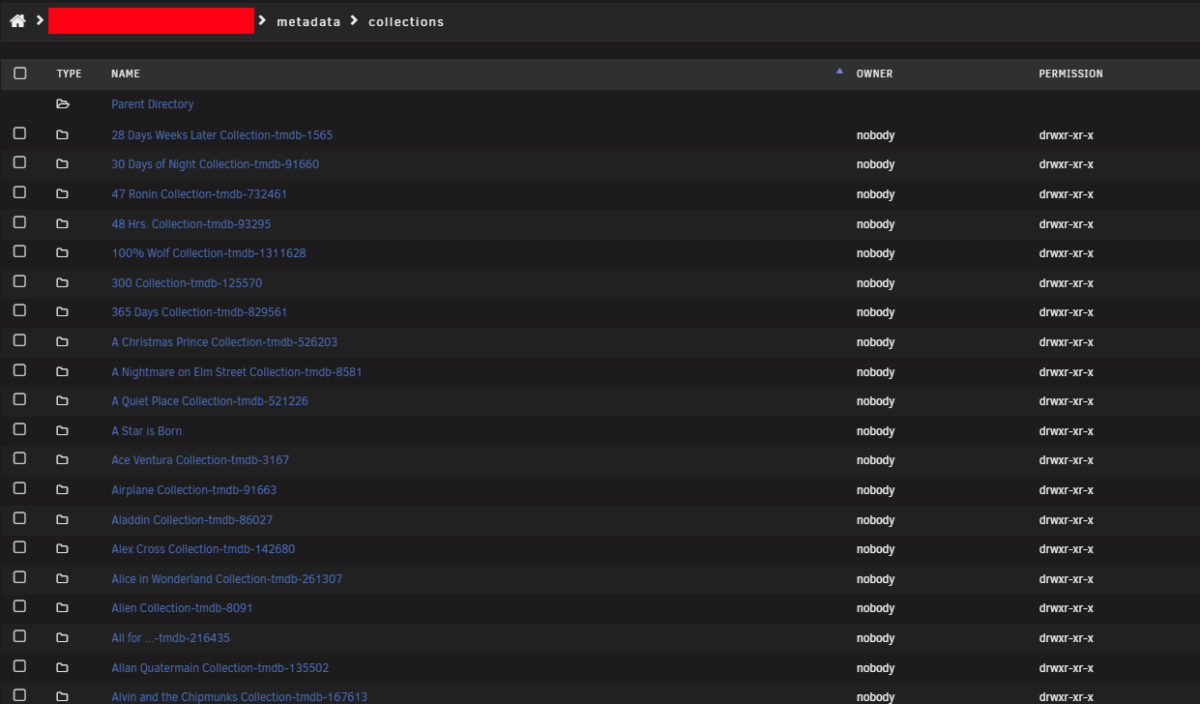
 1 point
 -
I'm not familiar with the actual issue, but thinking about the discussion made me wonder whether you couldn't work around this by using a hostname to connect to the Emby Server? I also don't know your setup, but in any case, there should be a way to make this going.1 point
-
Let us know how it goes. Hope it answers some of your issues1 point
-
It is well worth the lifetime cost in my opinion! You'll have access to full playback on all the client apps, and hardware accelerated transcoding.1 point
-
Yep sorry you are right - tvdb or imdb have episode id's, tmdb doesn't have episode level.1 point
-
Yes browsers can't handle PGS subs, and even some client devices can't, so it has to transcode the video to burn them in. Without premiere it's limited to CPU only, which per your logs is fast enough to do it, but it's working pretty hard to do it. This would be faster/less resource intensive if utilize the QuickSync encoder on the CPU, but that requires premiere. Alternatively, yes, SRTs are basically universal since it's just text, so it may not need to transcode the video as long as the browser supports HEVC playback, it will still transcode the audio to AAC or MP3 though (if audio track is AC3/EAC3 or other formats like DTS or TrueHD).1 point
-
Scratch that, checking the “access devices by name” setting has resolved the issue.1 point
-
No, but the TVDB is there which is what i absolutely, 100% sure and of cause meant. Good catch!1 point
-
That would be great and effectively replace the now unsupported/broken Introskip backup/replace Plugin. Once we have the portable data (in JSON, linked by a common provider such as tmdb episode id etc), then it can also be imported into other apps such as JF. Shame there is not a kodi standard for this type of metadata that all the apps can share and use.. JF appears to have done the most work towards this with their 'Media Segments' concept. Link Emby started it but sadly never went beyond the IntroStart/IntroEnd data.1 point
-
Let's see if I can bring some light to this: I'm actually in 4.9 Have some "movie type" libraries created long long ago. "Folder view" for this libraries still function same as in 4.8 However If i create a new "movie" type library in 4.9 It will perform with the new "folder view" and not the 4.8 type folder view. So yes, the new option for legacy view should be avaliable for "Mixed" and "Movie" folder types to get the full 4.8 "Folder view".1 point
-
Was able to throw together a script that uses FFmpeg on a youtube playlist URL when someone visits the TV channel. Used the M3U TV source to tune to that URL. It's just pulling a random video from a given playlist URL right now. Not sure if there's another way to do this, but it hits most of what I was looking for.1 point
-
@rbjtech Been thinking about and looking into the TVMD thing and yeah.. I should implement that (at least as an option) but i don't like putting it into the NFO files so will keep the JSON. Would indeed make the backups more "portable" with little to no complexity added. I'm looking into making it soon. Many thanks for mentioning it! Also need to make a schedule task now that i think about it, just a generally good idea for backups.1 point
-
OK we'll try to chase it down. Thanks.1 point
-
thank you1 point
-
HI, if you enabled saving images to media folders, they will be there. Otherwise they will be in the server's internal metadata folder.1 point
-
Um... i'm not in that camp, so +1 for context menus. I would use it daily. I agree that most like roku for the simplicity of the app selection/home screen interface, but once I'm in the app I would like the enhanced functionality.1 point
-
Hi, I have the same complain on auto selection. May I ask to add an option to the server when checked, instead of auto selection it suggests the user to pick the version they like to play? In my case I have 2 versions of movie: 4k remux and 4k web dolby vision version. I prefer the last one and know that I need to pick it from version list before hitting Play, which I might forget to do. And even after I picked the version I like, started watching, and then hit Back on remote control, Emby automatically swiched back to bluray version. So I have to pick again another version. And that is really annoying. Moreover with tv series its even worse - going back afer each episode starts playing to pick the version I like is nightmare - there would be great if the popup dialog I spoke above included "Remember selection" checkbox for tv series. I know it's not a critical thing as you might think and affects small amount of users, but from user perspective having this dialog would resolve most of issues discussed ear6in this topic.1 point
-
To be fair - there is a whitepaper that was published post the incident detailing how they did this via the auto-update on the Plugin side of things - relying 100% on user activation. They did not remotely have the ability to change anything. It's all here via the blog -1 point
-
The Movies Library already has the option to collapse, BUT it still treats the collapsed Items as "Folders" and not "Media Items". So even though it prevents the extra click, it still does not promote the metadata to the top level. I guess we would like to make it clear that the Legacy View should act like version 4.8 where collapsed items are treated as single Media Items and not just folders minus one click.1 point
-
It would be great to have that option in movie-type libraries too... Any idea when we can get this update? Or any beta users to weigh in about this issue?1 point
-
..and this is the fundamental problem. On a cold restore, your id's will be different. I can probably bring some experience into this - as I was part of the original Introskip Plugin and worked with Cheese on the Introskip backup/restore (the original idea for it in the first place came from me ..) The metadata for IntroStart/IntroEnd/CreditStart/CreditEnd (the hidden chapters) should imho just be stored in the NFO - unrelated to the emby id - use a 3rd party provider for the key - tmdb episode id would make sense. The plugin just needs to read this, THEN associate to the emby id (it will have the same key as a provider), re-sort the chapter timestamps and write the new chapter info. From memory, emby doesn't 'need' the original files created to analyse the Intro but will attempt to do so if they don't exist - so some fudging may be needed here. As you have released the source, I may take a look and try and help if I can.1 point
-
HI, we have not yet added support for this feature to Emby for LG, but we will in an upcoming update. Thanks.1 point
-
I would like the ability to adjust the playback speed of my videos and recordings. YouTube.com does this and i think it is a very convenient feature to have.1 point
-
The same issue has occurred on several of my computers, just as shown in the video above.1 point
-
I have a library of a little over 57000 videos, and when I put them on shuffle I notice something peculiar. If I first sort videos by recently added I get a ton of recently added videos, but if I reverse the sort so the oldest videos are at the top I get old videos. I understand that there is chance involved here, but the results I am getting seem astronomically unlikely if this was actually a fair shuffle.1 point
-
I'm about to go through the same. Appreciate the write up. Fingers crossed!1 point
-
LiveVideoTranslation.dll Attached here, it's unclear that it's in the last post.1 point
-
This is a great idea for providing subtitles on-the-fly when there are no subtitles available. I started using gui-subtrans to generate subtitles with LLMs but it's a slow process. One cool feature of gui-subtrans is that it feeds small batches instead of line by line so the LLM has bigger context to provide a more accurate translation.Is there a similar feature in Whisper ASR that can be configured? One more thing: you noted that "Windows with CUDA , I had to disable hardware transcoding to get this to work, unsure why". Does that mean that we need to disable Cuda transcoding in Windows Emby server for this to work?1 point
-
I create collections for different users of my server that I only want viewable by them. I may create a "Recommended Movies Collection" for my son and his family and I don't want this collection to show for other users or even myself. I also use the Smart Playlist plugin to create different collections that I use for my ErsatzTV Server (Live channels) or for sharing with different users and I don't want these to show up for other users or on my Kodi. On my Kodi I just want the Movie sets to show and none of the other collections I have made for others. I used to be able to mark these collections with the tag no_kodi and restrict them for my kodi user and it would keep the collection out of view. That was really nice. It's less about hiding movies with this use case but more about having the ability to use Collections for specific users without having everyone's collections view full of other people's collections. Hiding certain collections. I hope that makes sense.1 point