
Leaderboard




Popular Content
Showing content with the highest reputation on 12/12/25 in Posts
-
@FrostByte @Luke Added in the libaries and its scanning, will take a very long time as theres a lot of content, i`ll get back to you lads when it completes Big thanks to you both for the help and tollerating all the questions/posts2 points
-
+1 A range of 0.25 to 3 in steps of 0.05 would be amazing. Just slider and a number input as well.2 points
-
Similar to this old post, I'm suggesting a tab that would be titled Watchlist and could be placed in between Suggestions and Favorites. The functionality would pretty much be a copy of Favorites, just with a + symbol added next to the heart and other symbols that let you favorite a movie etc. The previous post had mentioned extra functionality such as automatically removing a movie from Watchlist after it has been watched. This would be nice, but is unnecessary because after watching a movie you can simply click the + symbol a second time to remove it from Watchlist. I would imagine this would be very easy to implement as a rebranded copy of Favorites. Adding other features could come later. Edit: added link to old post1 point
-
Could you allow users to customize the order of movies in collections instead of only having it by alphabetical or by release date? Example: I want to have a collection of Batman movies, both animated and motion pictures but want the motion pictures together followed by all the animated ones. With the current order options, this isn't possible. Thanks!1 point
-
Give it to my roommate. If it's unbreakable he'll still manage to break it.1 point
-
Lets wait and see how Gracenote respond1 point
-
Just a heads up for anyone following this. I had to readd and rescan all the media folders and i then had to create a new user for the media to show up on the home screen (for some reason it wouldnt let me do that on the original user) but everythings back up, now the joyus task of going through all the metadata and making sure its correct for each movie/tv show etc.....see you lads in a few months..... Once again thanks to @FrostByteand @jake and anyone else I missed who contributed to helping me sort this out1 point
-
I will find another way to break it.1 point
-
Ohh okay thanks man, i will disable that. I found out that emby did not have any folder permissions on all three folders/movies. So i changed that manually and created a new scan on emby scheduled tasks. And now it works again, so the conclusion must be that when I moved the folders/movies over it took folder permissions with it! Thanks for your help and assistance guys1 point
-
Working now! Thanks mate!1 point
-
This is what I see also. 5 to 10 seconds depending on the search words and about 1 second for same search in quotes. As the unquoted search is looking for everything that contains either word.1 point
-
Jurassic was 1 second for me Jurassic Park was 5 to 6 seconds.1 point
-
I missed a folder when uploading the files to Github, fixed now. Thanks for reporting this!1 point
-
BTW I'm not sure if the error's on my side, but I was not able to build 5.42.0 from source. VS gave me an error regarding non existent EmbyIcons.ImageProcessing namespace in EmbyIconsEnhancer.cs. I manually added the folder "ImageProcessing" with a small "ImageProcessingCapabilities.cs" and I was able to build. Could it be that something is missing in the source code you uploaded to GH?1 point
-
can't test1 point
-
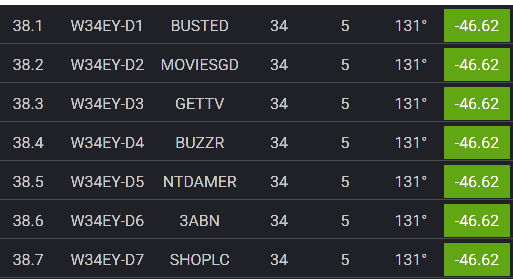
I am looking into it. First check on channelmaster - they do not show as available channels for the zip code : https://www.channelmaster.com/pages/tv-antenna-map-huntsville-al-35810#address=35810 Checking https://www.rabbitears.info/market.php for the Hunsville, Alibama market just shows them as InfoMercials and does not give the actual callsigns: 38-08 34.1008 W34EY-D Infomercials 38-09 34.1009 W34EY-D Infomercials 38-10 34.1010 W34EY-D Infomercials I have submitted a request to Gracenote. Does the DVR show the actual callsigns for each of these 3 stations?
 1 point
 -
Sure, will fix it when i'm done with the new version of another plugin.1 point
-
FWIW, I made a workaround by implementing a webhook and my own custom python script (which a small HTTP server to receive the webhook) to make changes. Once user is created or its policies modified, the webhook is called and the python script enforces/overwrites some settings via API. So I don't need to do it manually for like 1 user per year I might add1 point
-
Hello +1 for this feature. Very annoying to pass via the record pop-pop. I want to play directly the channel when i click on it (via Guide, ...)1 point
-
I can look into making it possible for custom naming but it will be after the intro skip.1 point
-
Wating for introskip support. Great job @yockeras always !1 point
-
hello... I was able to make a smooth transition from old Nas to new Nas...in terms of remote access....work in progress for me as my fibre provider in France (SFR) uses ipv6 versus ipv4 so I've not been able to remote connect for a over a year... need to look into Port Forwarding for ipv6... haven't had time..1 point
-
Thanks. An option in the future to save using the new Emby filenames would do wonders for my OCD1 point
-
Will check. Thanks for the update.1 point
-
Thank you this would be great for both video and audio1 point
-
I removed those. I'll report back with any updates.1 point
-
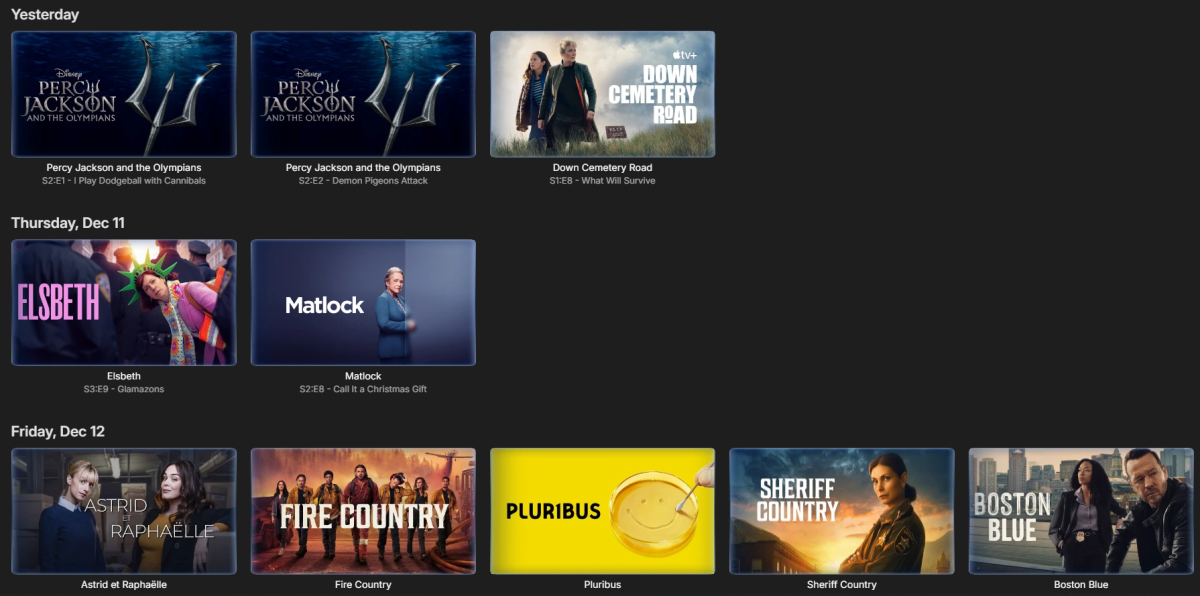
As a last resort I decided to Kill the Library and re-add it and that fixed the problem. Apparently the library database was somehow corrupt and none of the built in features would fix it. So it's fixed.
 1 point
 -
That worked for that title, so I refreshed metadata for the entire library, and as far as I can tell, that has reset the order and actors are first again. Thanks!1 point
-
Reply to a post in the unRAID support forum.1 point
-
Hi Luke, I have replied in a PM for you, thanks.1 point
-
Yes, but most platforms don't provide control over this. For example, the web app uses the browser video player, roku uses the roku video player, smart tv apps use the system video player. They don't expose any buffer size control to developers so you get whatever the system provides. It is really only on devices where we embed our own player that we could do this, e.g. android, windows and iOS/apple tv (to some extent). For apple devices I say to some extent because although we do embed our own player, we prioritize using the device's native player for any media that it can handle.1 point
-
OK sorted. I've been out of the loop with emby for a bit, I removed the wmc server plug in, set the wintv & extender to auto start & emby now see's the tuner. Emby has come a long way. I appreciate the help from the emby community.1 point
-
Some client apps having a logging system and can send logs to you (Emby devs, that is), then the user goes to this forum and tells you some identifying info so you can find the logs. That is awesome. So, why doesn't Emby have a common (among clients and server) mechanism for sending logs for support, since they are often requested? The mechanism could assign a unique ID (maybe an easy 6 characters?) and show it to the user so the user can advertise it on the forum. It could also ask for which logs (all or just certain ones). I'd think this would make it easier for you and the user to resolve issues. A downside would be that other users wouldn't have access and possibly offer assistance like when the logs are attached to the post.1 point
-
The article has been updated. Also added a paragraph in Secure Your Server article1 point
-
Thanks for sharing.1 point
-
Why don't we work on why it's buffering instead of trying to tweak the issue?1 point
-
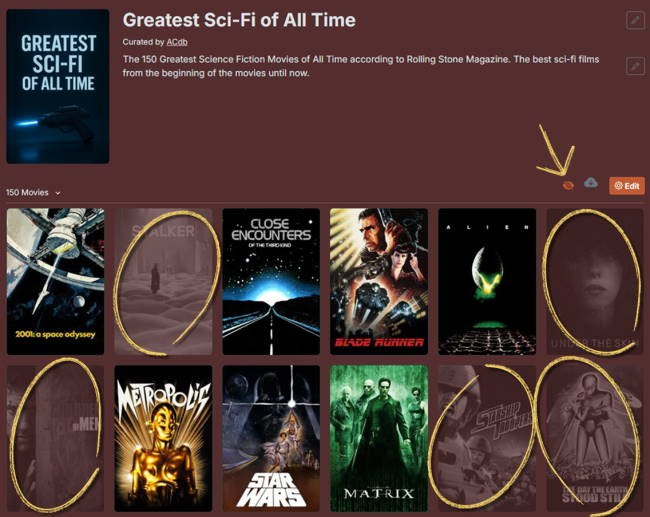
Yes, 3 collections for free, then there is a 20 collections tier for $2 or about 2 Euro. To discover media outside of your library, you can add a collection, sync it to your library and then on the website you will be able to see which items you are missing. I want to add trailers to collections so that if you’re missing items, you can at least watch the trailers for the ones you don’t have. The problem is there’s no clean way to serve trailers that I know of. I haven’t found any API I can tap into, so the only options are workarounds, and none of them feel right.
 1 point
 -
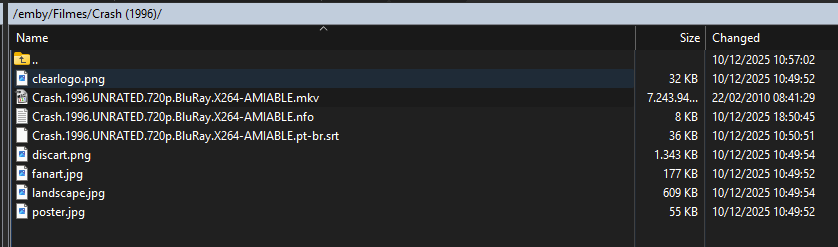
I never change this option before. I found it and change to the correct one tks
 1 point
 -
I found the issue. It was a networking / firewalling /routing issue because of a failed primary connection. Sorry for the inconvenience. Strangely enough it did allow for the existing mapped shows to be seen over the secondary connection, but new folders weren't. reactivating the primary connection did the trick.1 point
-
Forgotten to write here that the new version (v5.42.0) is up on Github. Can of cause also download it here. EmbyIcons.dll1 point
-
Learn more about Emby for Amazon Alexa. View the full article1 point
-
Ok so quick update on this that I think should be easy to test, I recently moved to having SRT subtitles available because I have heard they are much more reliable. But I recently found that only on the emby mobile app, when I use SRT subs on certain shows, everytime I pause and play the show the subtitles duplicate and just stack up on top of each other. It does not happen to me on the web app when I try it. If you'd like any logs from me or anything like that let me know but I think it is essentially the same issue, just wanted to state it's also occuring with external subs.1 point
-
OK we are looking into it. Thanks.1 point
-
It works!!!! Thank you Dius1 point
-
Hey Guys Just to jump on this and give you my 2c After reading the above i decided no holding back and installed the Android Emby app.(I had been using the EMBY TV app until this point) I really tried to like it but frankly it is NOT a smooth user experience, with momentary pauses, glitches (as mentioned by other users). Also the UI is not snappy or as pleasing to the eye as The Emby TV app. Truth be told, When i purchased EMBY it was on the strength of the EMBY TV app, and if i had made the mistake of using the EMBY android app first , i would probably not have purchased Emby. I really think you have a winning formula with the Emby Tv app, and it will be a mistake to discontinue service on it , instead bundling it into a janky do-it-all app , at least until that app can return the same experience. Even if google won't allow it on the app stope, and we have to go through the mission of sideloading isSTILL a better option than the do-it-all1 point
-
If it is not starting anymore then that is different from the times for which you provided server logs - 14th and 18th October. Maybe there is database corruption. If it is not launching anymore, you could get the contents of the logs folder directly and zip and send to me privately as the logs would not be sanitized The logs are in this folder /Users/xxxxx/.config/emby-server/logs where xxxxx being your macOS user name Not sure why you say that. I was trying to establish if the attempt to connect to the server can be seen in the embyserver log - when we know exactly what time you did a specific connection test and can then see what is in the log. And when supplying logs best to cover the time from when the emby server was launched. If that was too long ago (logs get purged after 3 days) then best to relaunch emby server and do a test on fresh logs. The 14th October log did show what looks like a remote connection getting through 2025-10-14 13:51:06.712 Info SyncService-0HNGBC6JSFGHC:00000004: http/1.1 POST http://emby_remote_ip:8096/emby/Sync/data. Source Ip: emby_remote_ip, UserAgent: okhttp/4.12.0 2025-10-14 13:51:06.723 Info SyncService-0HNGBC6JSFGHC:00000004: http/1.1 Response 200 to emby_remote_ip. Time: 11ms. POST 2025-10-14 13:58:51.890 Info SyncService-0HNGBC6JSFGIA:00000003: http/1.1 POST http://emby_remote_ip:8096/emby/Sync/data. Source Ip: emby_remote_ip, UserAgent: okhttp/4.12.0 2025-10-14 13:58:51.891 Info SyncService-0HNGBC6JSFGIA:00000003: http/1.1 Response 200 to emby_remote_ip. Time: 1ms. POST http://emby_remote_ip:8096/emby/Sync/data. The raw log files would have shown which remote IP address these came from Some observations from the logs you provided already - one may be relevant: One of the logs show both wifi and ethernet active - on IP addresses 192.168.68.51 and 192.168.68.58. The automatic port mapping for port 8096 could have been to either - it would have been random - whichever Emby Server saw first. This means that your mac needs to always have both of these interfaces active because you do not know which of the two the auto port forward was done for. Of course it is also important that these IP addresses are dhcp reserved in the router so that they do not change. If the one that has the port forward drops off then emby server would try to switch it to the remaining network interface - but we have a 1 week lease for the port forward and the router won't allow a change to the port forward to a different IP address until that 7 day period expires. So make sure both these IP addresses are active on the mac. On windows we have a product like upnp wizard which lets you view the port forwards that are active - so you can see which local ip address has the 8096 port forward Other observations: There are loads of errors logged relating to the "Iconic Image Enhancer 2.7.1.0" plugin. You could remove it and bring it back later in a controlled test You are running with a DB Cache of 2Gb (2048 Mb) - in Emby Server 4.9.x we now have multiple db connections and having a massive cache size would not be appropriate. Suggest you switch that to the default size of 128Mb1 point
-
This. At least for lower speeds. I find 1.15x to be ideal as anything faster is very noticeably sped up and a bit hard to follow. After watching for a while I can increase the speed to 1.25 or 1.50, but starting at a lower speed helps me acclimatize. YouTube now has a slider to change speed in increments of 0.05x at the top of the speed menu. I think this would be a good idea. Quick shortcuts for larger increments and a slider for smaller ones.1 point
-
EmbyWatch - A brilliant app built by a community user! One of the best things about the Emby community is the creativity that comes from it. Every so often, one of our users takes their love for media servers to the next level and builds something that makes life easier for the rest of us. Today, we’re excited to share EmbyWatch, a brand-new Android app developed by community member @asgard25It is an an incredible example of what happens when passion and innovation meet. A User-Built Tool, Made for Admins What makes this story special is that EmbyWatch wasn’t created by a company or a professional app studio. It was created by one of YOU! — just someone who wanted to make managing a server more intuitive and accessible from anywhere. Want to be even more impressed? This is only the second Android app that asgard25 has developed! EmbyWatch is designed to help server admins and advanced users keep track of what’s happening on their Emby setup in real time. It’s not about playback or browsing media, it’s about giving you the tools to monitor, manage, and control your server, all from your phone. Powerful Features at a Glance EmbyWatch brings a surprising amount of functionality for such a young app. Here’s what it can do: Real-time monitoring: See who’s watching what, where they’re streaming from, and how much bandwidth they’re using — all live. User management: View your users, check activity history, and even send messages directly to connected users. Device overview: Identify every connected client, from smart TVs to mobile apps, with connection times and device info. Library insights: Quickly review all your media libraries with detailed counts and metadata. Task control: Run or schedule maintenance tasks like library scans and metadata updates remotely. Plugin visibility: See your installed plugins and available updates. Logs and server details: Access logs, CPU load, uptime, and more — wherever you are. Notifications and widgets: Stay informed with live alerts and optional Android widgets for quick monitoring. For anyone managing a shared server, EmbyWatch feels like having a live dashboard in your pocket. A True Example of Community Ingenuity We love seeing users like asgard25 take their experience with Emby and turn it into something that benefits everyone. EmbyWatch really is a reflection of how open and flexible the Emby ecosystem can be when people put their ideas into action. This project shows exactly what makes our community special, a shared passion for improving and creating! So whether you’re managing your own home setup or running a multi-user server, EmbyWatch offers a simple, powerful way to stay connected to your system. Huge thanks to asgard25 for sharing EmbyWatch with the community and for showing what’s possible when creativity meets passion. We’re proud to see our users building tools like this that make Emby not just a media server, but a thriving ecosystem shaped by its fans. If you’re an admin or an advanced user, check out EmbyWatch on Google Play and see how it can make managing your server easier than ever. We can’t wait to see what asgard25 — and others in our amazing community — build next. View the full article1 point
-
Hi Guys, I recently moved from Kodi with MySQL for lack of proper multi user management and server side support, I have to say I'm impressed with Emby. Together with the Kodi Plugin it really takes the solution to a whole new level, count me in among the supporters! One feature I would like to see is the ability to recommend movies or shows to other users: I share my Library with close friends and family but it is a big library so they are always calling me to recommend them a movie to watch. It would be really cool if after watching a movie I can click a Recommend button and choose the users I think would like the movie, then it is displayed on their suggested movies at the top with the name of the user who recommended it... Sorry if there is something like this is already there, I am new to the interface and don't fully know it but could not find such feature... Thanks!1 point
-
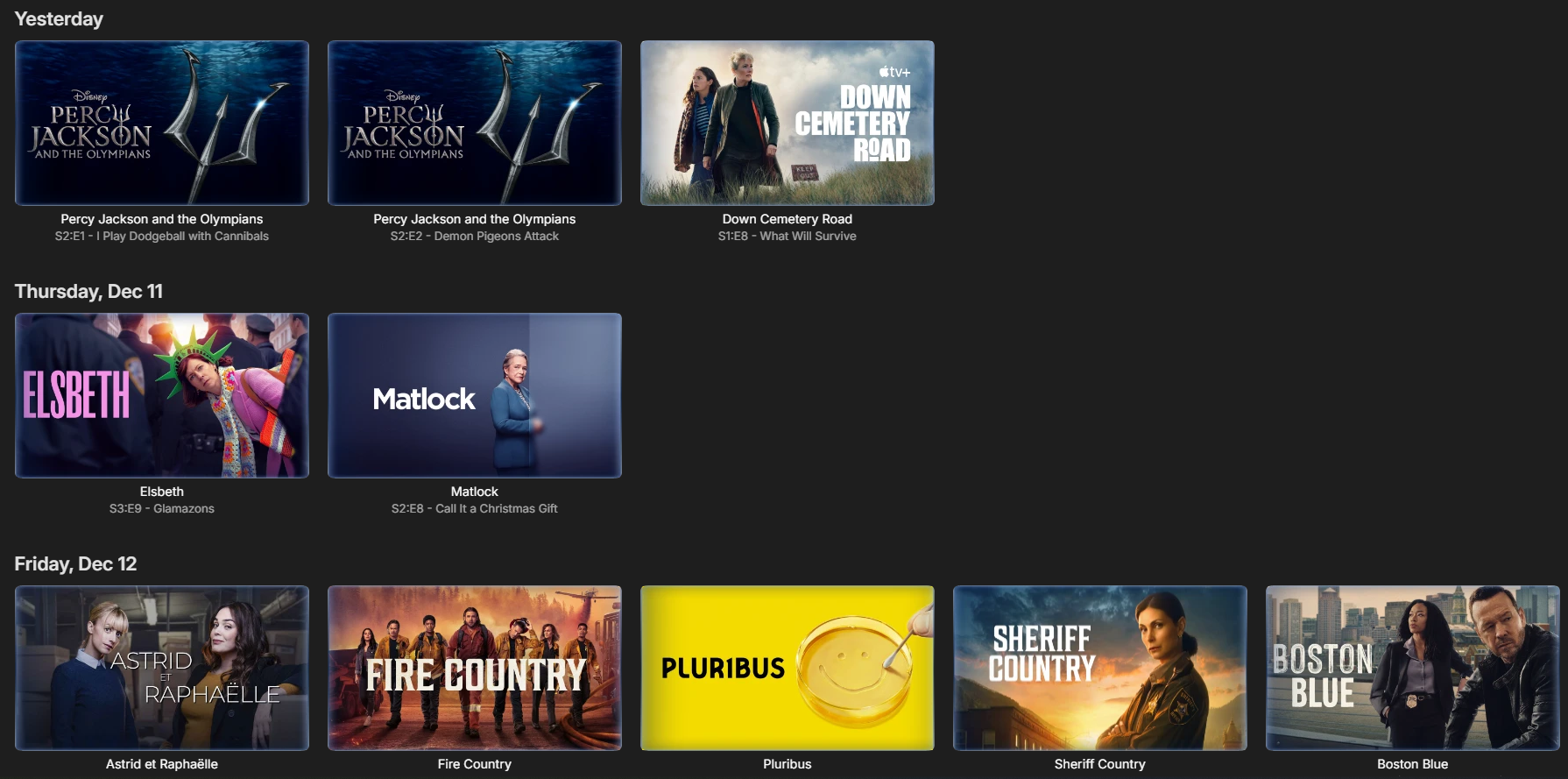
Often times when I see "Reason for transcodng: Media bitrate exceeds limit." in the info I wonder, what kind of internet connection do they have? I know this can cover multiple scenarios like bandwidth limit set for user, server, client side quality setting, as well as AUTO bandwidth detection... Can you PLEASE add to the dashboard the returned client bandwidth capabilities? The value you are getting from the client that tells emby its bandwidth abilities. While you are at it tighten up the spaces between lines on the transcode items, and align the results to the right instead of center.. MAYBE SOMETHING LIKE THIS :1 point


















.thumb.png.f4cb0545e98b51fd9b00e427622ab761.png)



