Leaderboard




Popular Content
Showing content with the highest reputation on 12/11/25 in Posts
-
It would be nice to automate the submitting of necessary logs for trouble shooting. Maybe a button that is labeled "Submit Logs" would be great!3 points
-
I’ve been trying out Emby on the KICKPI KP2 Google TV Stick over the past few days. It’s a small Google-certified device based on the Amlogic S905Y4 chip. For anyone curious about the hardware, here’s the product page:KICKPI KP2 Google TV Stick Since it runs Android 12 (Google TV), installing Emby from the Play Store was straightforward. The app found my server right away, and basic playback (H.264 / H.265) worked without issues. I’ve only tested a few files so far, but navigation and loading feel smooth. Network-wise, it’s dual-band Wi-Fi, and the device supports 4K output. Nothing unusual there, but it seems stable enough for normal use. Just sharing this in case anyone is looking at smaller Google TV sticks for running Emby. If anyone else has tested this model, I’d be interested to hear your results too.2 points
-
It says it right in the log file when it probes media. ffprobe is used to provide all the information about the file and its contents.2 points
-
For OPNSense users yeah. I'd like to just see a stripped down Emby server app that displays messages to users that is client aware.2 points
-
If you don't want to fix the actual problem and you want to keep pointing at the client buffer then I'm just going to stop responding. I'm trying to help you fix the buffer issues that you're experiencing. But if you don't want to diagnose, and keep pointing that the client buffer. Nobody can help you.2 points
-
Been using Emby across 5 households for over a year now and one of the biggest issues now days is pausing/buffering for some households. I'm still trying to collect definitive data to isolate the problem such as confirming for sure that the Emby server network isn't limited on its end (unlikely). However some households never have the problem, and at least one of the households that does have the problem has some home network issues I'm aware of. One of the key problems I think some households suffer is inconsistent bandwidth due to their home wifi and/or other users on the network. Whilst this is not Emby's problem, I do think the Emby client is not buffering long enough to allow the client to deal with intermittent network problems. Emby Apps used in various households: AndroidTv 2.0.83g Android App IOS App Server: Windows 4.7.11.0 What are the current buffer values on clients and can they be increased? embyserver-63813484800.txt embyserver-63813571200.txt embyserver-63813312000.txt embyserver-63813398400.txt1 point
-
OK sorted. I've been out of the loop with emby for a bit, I removed the wmc server plug in, set the wintv & extender to auto start & emby now see's the tuner. Emby has come a long way. I appreciate the help from the emby community.1 point
-
HI, no ETA but it's something we plan to add. Thanks.1 point
-
Multiview rocks! Bonus feature in that it does not hang all the time. My Saturdays and Sundays are much happier now! THanks for the heads up!1 point
-
Thanks for the list as I was thinking to try that but not sure which plugins to prioritise ! Change has been quite surprising in term of speed of the server whatever to browse in medias or play/start a media I'll reinstall plugins one by one to find out which one is the problem. I still have sometime some freeze of the server during 30/40s but it doesn't affect streams playing only browsing interface, will update if problem lasts.1 point
-
The current maintenance mode is useful but it only works when the server is fully running. When the server must be shut down for OS updates, hardware work, filesystem repairs, or when it cannot start due to a bad update or storage issue, users see nothing. Ideally maintenance mode could function independently of the main Emby instance, so users always receive a message even when Emby itself is offline. Something like: Standalone (separate lightweight service) Can on another host or container. Exposes a minimal subset of Emby’s HTTP API (e.g., /emby/system/info, basic discovery endpoints). Always returns a standardized “maintenance mode” response that clients will interpret and display. Running another server in maintenance with shared storage, and switching to the maintenance server when needed could work as well with a fair amount of messing around to keep token continuity I believe.1 point
-
Yes.1 point
-
Yes they are dedicated buttons for stop, previous, play/pause, and next. Thanks for letting me know that you're seeing it working on the 2.273.2.0 beta, I don't have access to the beta right now. The linux client is currently 2.277.0, and yes I do believe they share a lot of underlying code. Looking forward to an update going out for the Windows app, since it's been almost a year.1 point
-
Correct. That setting does not have any effect on the client playback buffer. That is controlled by each player in each client app (which is different on pretty much every platform).1 point
-
x265/HEVC behaves differently than x264/AVC and there is a lot of subjectivity involved in assessing the results, but here in this article the author argues strongly for converting 8bit to 10bit HEVC, at least for Anime quote: https://kokomins.wordpress.com/2019/10/10/anime-encoding-guide-for-x265-and-why-to-never-use-flac/#which-x265-encoder-8-bit-10-bit-or-12-bit1 point
-
Yes, 3 collections for free, then there is a 20 collections tier for $2 or about 2 Euro. To discover media outside of your library, you can add a collection, sync it to your library and then on the website you will be able to see which items you are missing. I want to add trailers to collections so that if you’re missing items, you can at least watch the trailers for the ones you don’t have. The problem is there’s no clean way to serve trailers that I know of. I haven’t found any API I can tap into, so the only options are workarounds, and none of them feel right.
 1 point
 -
@Lessajare those the physical dedicated media control buttons on the keyboard. like next, previous, play/pause and stop ? If they are, I sadly see the same thing in 2.234.2.0 But the good news is that using Beta 2.273.2.0 they work. I think the linux and windows beta client have somewhat the same code base.1 point
-
Forgotten to write here that the new version (v5.42.0) is up on Github. Can of cause also download it here. EmbyIcons.dll1 point
-
Also check fts_search9 the titles are duplicated on that table too That saved me another 3GB on the .db file1 point
-
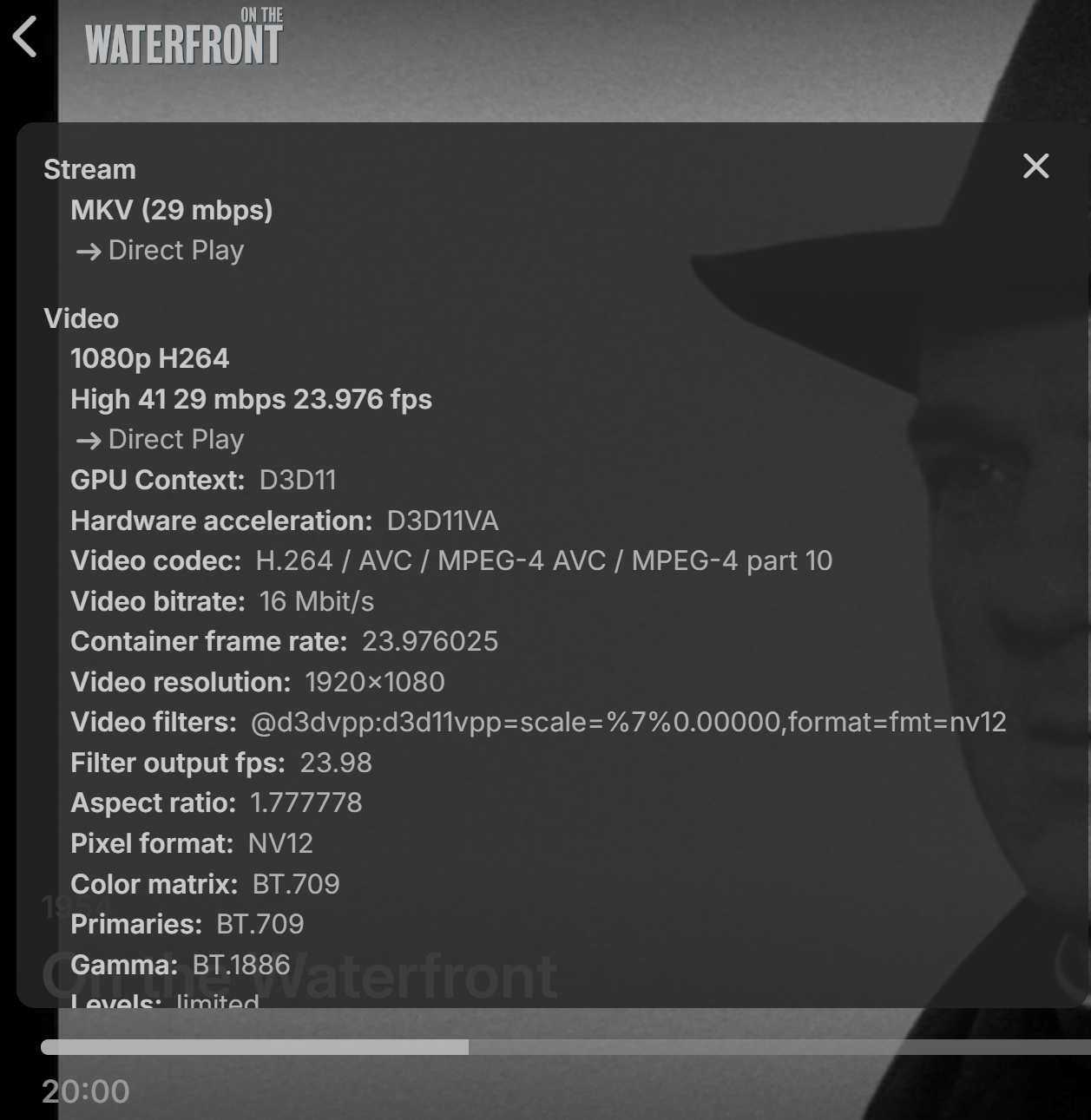
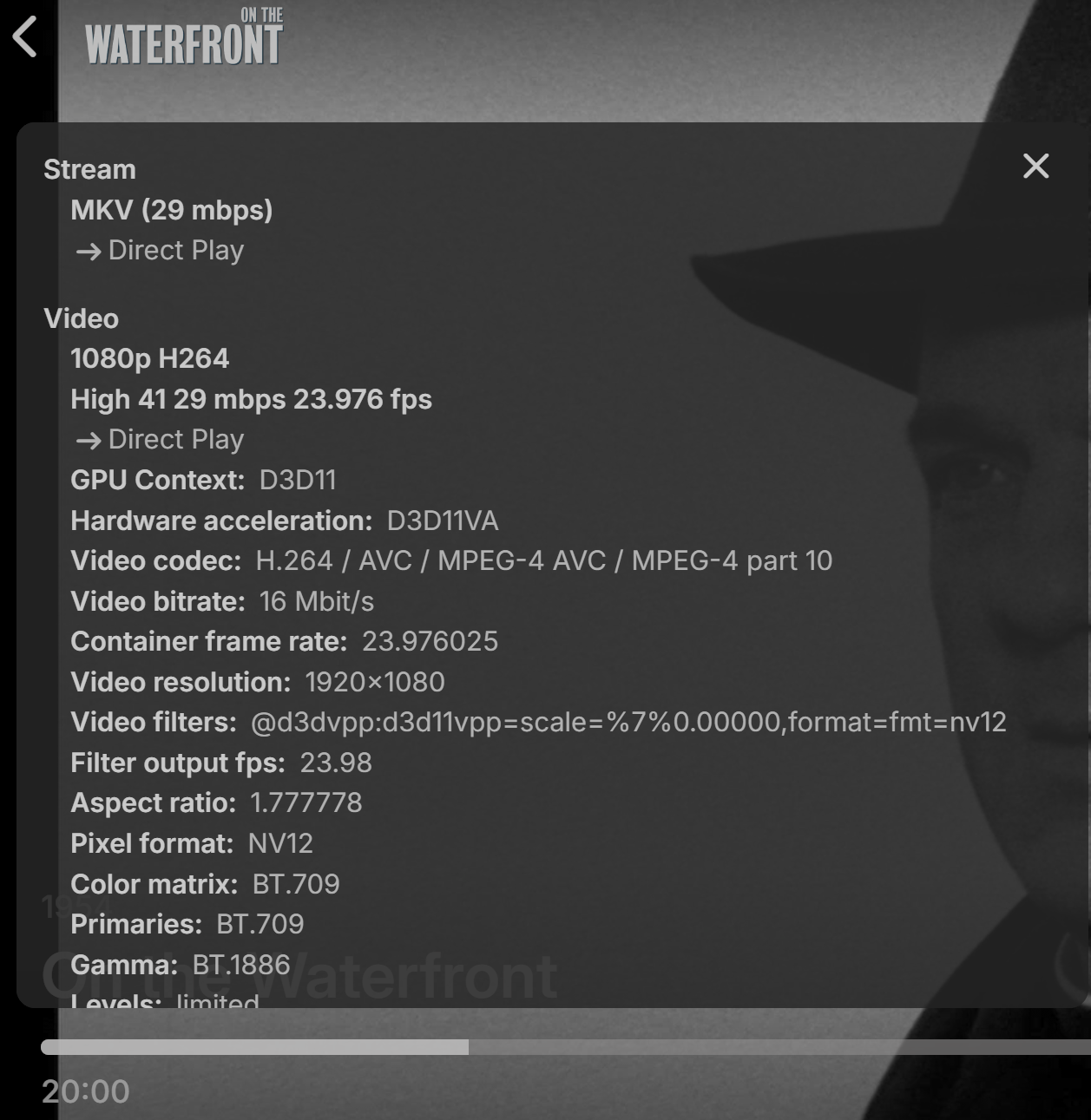
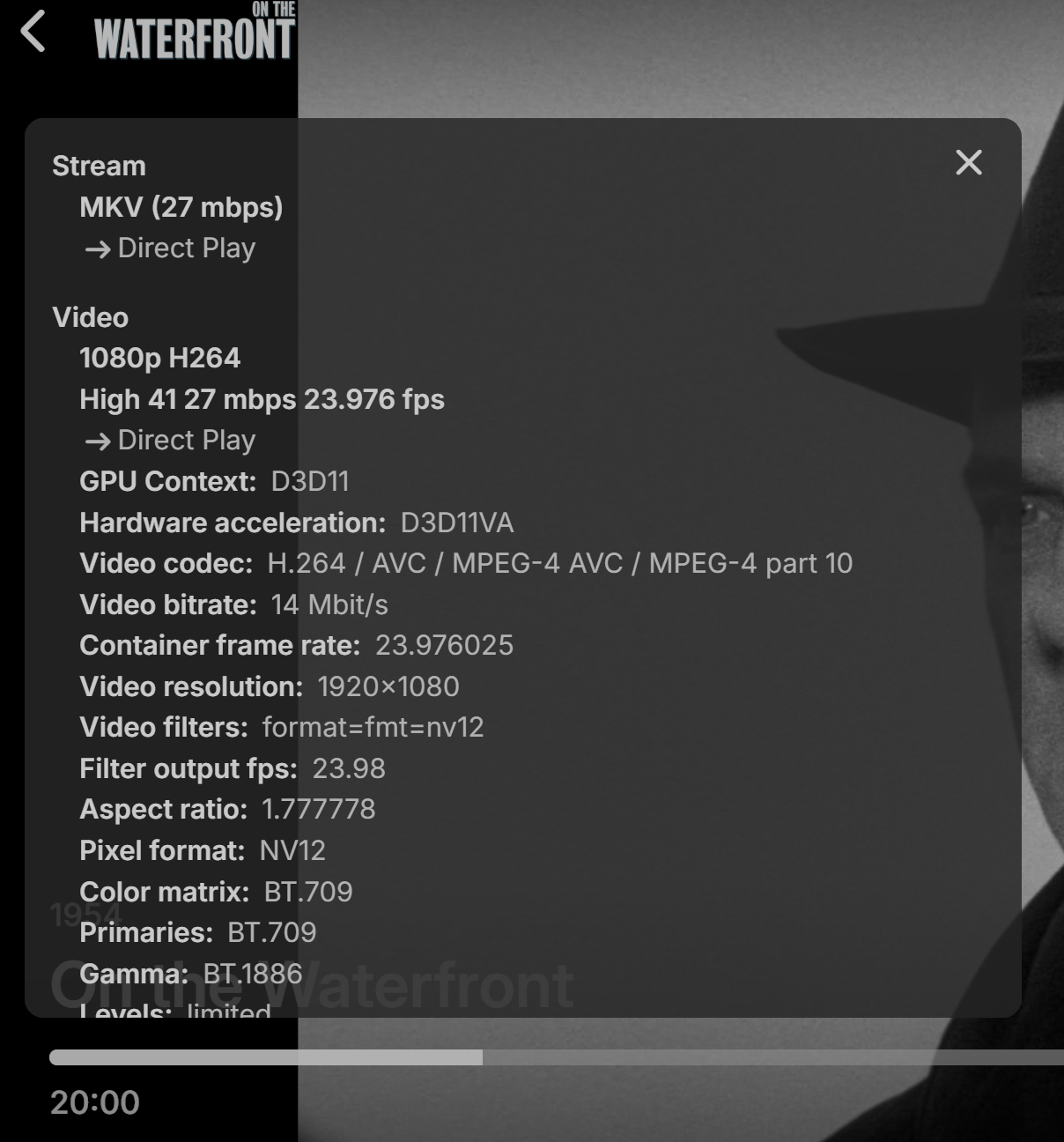
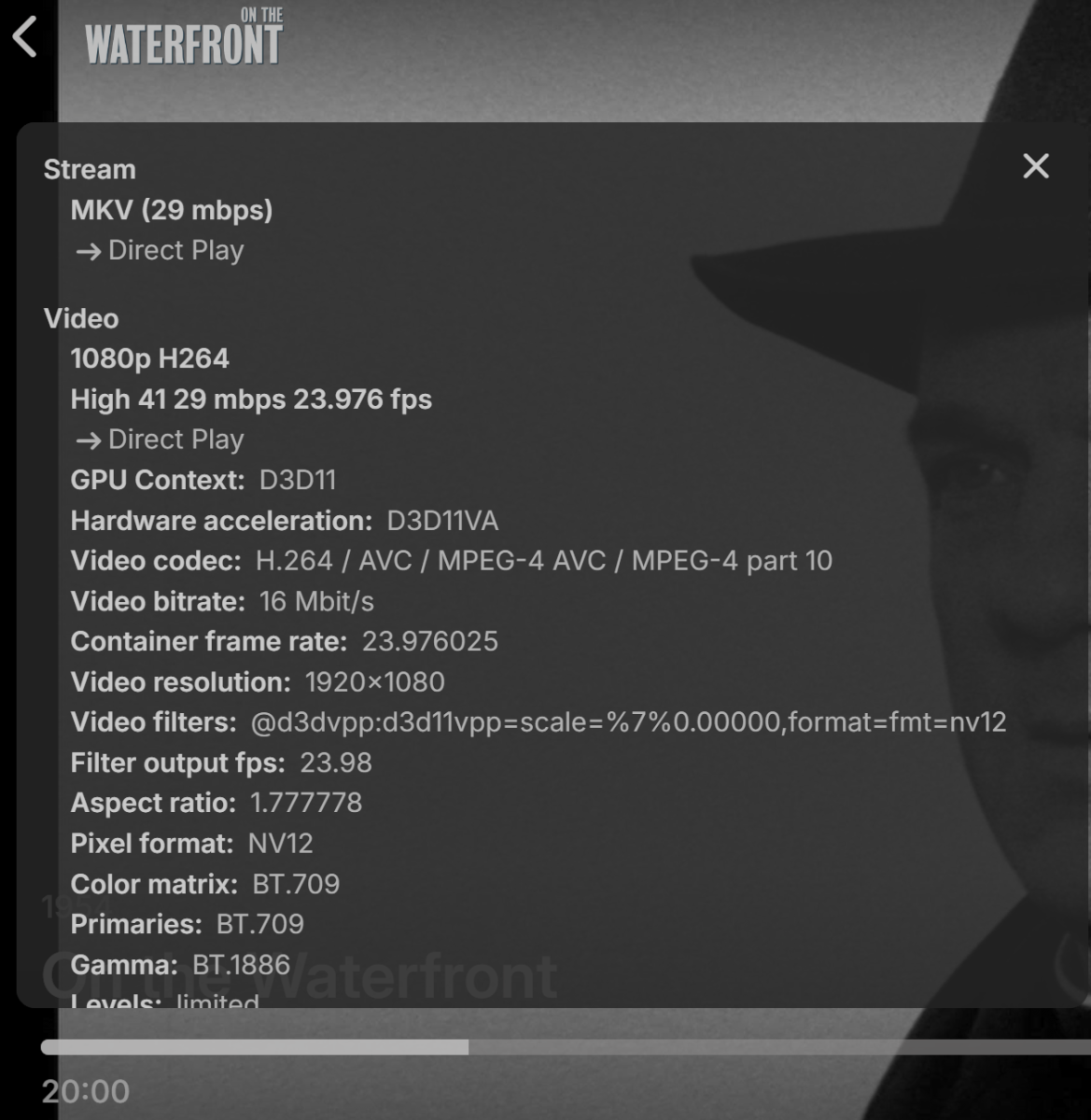
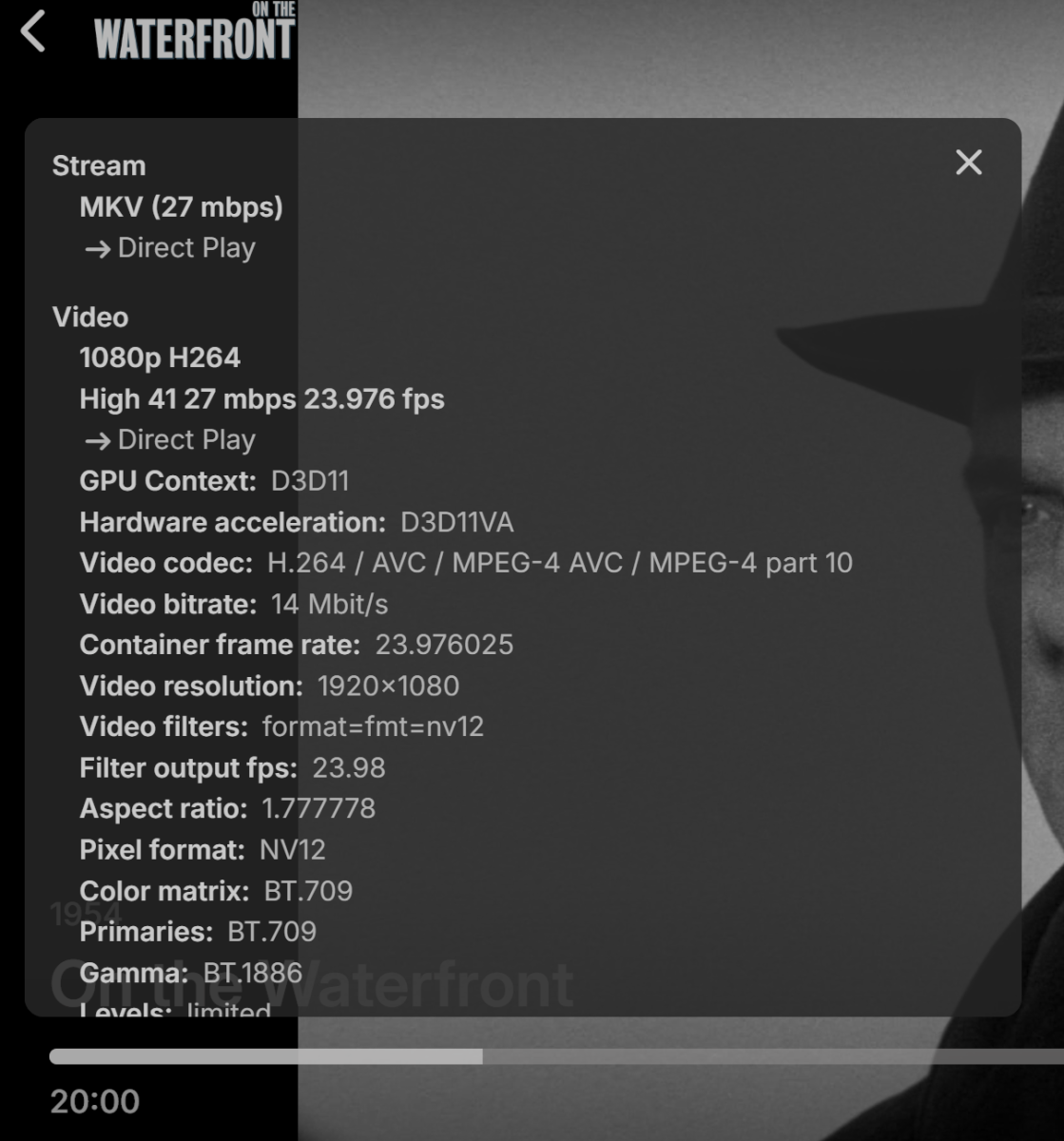
Hi Lessaj, It seems seems reasonable to look at the 3 files and see if there was any difference in bitrate.. since they were all the same movie, same cut, same encoding. the only difference being aspect ratio and slight file size differences. I played the movie out to the 20:00 mark and paused it to screen cap the 'Stats for Nerds' for each version. Here is Bx66x1 Here is Cx85x1 And lastly Ax33x1 Only the last video ( 3rd in the list ) seems to have any difference 27mbps vs 29 on the first 2. Don't ask me what this means. But I'd love to hear any theories you guys have.. Another strange thing I noticed while making this comparison.. I would switch to the next version.. But Emby would allow 'resume' play from where I paused the video on the different version.. That sounds like a bug to me.. Yes, these 3 versions are identical in story, audio. etc. but there are other movies where different version contain or omit particular scenes.. With those changes Emby should not allow them to resume from the same point on the different versions.. they should be treated individual. have individual resume markers for each version. Thanks again Lessaj for your input!
 1 point
 -
Have you even tried? I've never had to use any external service to get live tv working. Don't get me wrongs it has its flaws but for basic live tv functionality just run it direct through Emby.1 point
-
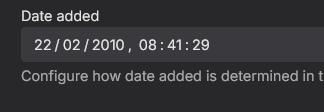
And @cyberrepdoes the help text underneath the date added value point you in the right direction of how to make changes? (If you wish to change it).
 1 point
 -
Letzendlich funktioniert das Primär wie ein DNS. Das heißt wenn Du Dich an mit Emby Connect anmeldest musst Du die IP oder Domain des Servers nicht kennen und Emby Connect kümmert sich auch um den Zugriff auf Deinen Server. Voraussetzung ist, dass der User auf deinem Server ebenfalls mit Emby connect verknüpft ist. Das ganze kostet nichts und bringt keine Nachteile. Es ist auch nicht mit Emby Premiere verknüpft sondern nur ein reiner Vermittlungsdienst zwischen einem Client und Deinem Server. Der komplette Datenverkehr läuft nach wie vor nur über deinen Server und nicht über connect. Emby weiß nicht was, wer und wieviel da gestreamt wird.1 point
-
Hi, please try removing these plugins: CoverArt 4.1.28.0 Disk Space 1.0.6.4 Emby Data Explorer 4.9.1.13 Iconic Image Enhancer 2.7.1.0 Playback Reporting 2.1.0.7 Statistics 3.4.2. Then restart the server and see how things compare.1 point
-
Don't confuse two different and unrelated things. Emby controls and changes the BITRATE, not the transfer rate. Yes - The bandwidth AUTO detection feature in Emby has always been broken. It's SUPPOSED to detect the available bandwidth between the server and client to set the BITRATE limit for a better streaming experience. But it doesn't work and falls back to a hardcoded value that more often than not is too low and causes unneeded transcoding and server overhead. Bandwidth and transfer rate - This is infrastructure and the Emby client and server are just nodes on the network. The Emby server does not manage or control or even care about this when it sends data to a client. Regardless of the media streaming bitrate value the Emby server sends segments/packets to the client as fast as the network allows. A 10mbps and a 40mbps stream get sent to a client at network speed, not at the bitrate, and as many segments/packets as the client wants are sent as fast as they can go. On a fast network the client playback buffer stays topped off. But on a slow or unstable network with changing bandwidth and if stream bitrate is close or above what's available you can end up with an empty buffer (underruns). Pauses and hiccups. The better solution for these cases is to lower the BITRATE or increase the bandwidth. As I understand it some client platforms don't allow control of the playback buffer, but I don't know which do or don't.1 point
-
@sa2000 can you update this wiki page. Emby Connect | Emby Documentation And add the importance of local password even when using Emby Connect. Admin think its secure to NOT use password on local user accounts when using Emby Connect. And this is insane that the documentation does not mention this. Edit. Also since Emby DOES NOT enforce a password policy this makes unknowing Admin wide open to attacks.1 point
-
It would be helpful if the developers stated whether or not they plan to fix this issue with nested folders, which is a concern for many of us and has complicated our lives. In my case, I've reverted to version 4.8, but I'd like to know if it will be the last version I can use with nested folders.1 point
-
From my observation it will pick the highest bitrate video it can direct play or that the device advertises support for. Without the mediainfo for each file, but assuming same size audio track, the 1x66 version is the largest file, so it must have the highest bitrate (albeit not by much more). I think the order ends up being the same as file sizes but I pretty much only have 2 versions max so I'm not sure without testing.1 point
-
Right the order is based on what was determined to be the most efficient version to play based on the client and all of the relevant playback settings that would affect that. Support for different editions is something that is planned for future updates. Thanks.1 point
-
Man, this is superdope!
 1 point
 -
Will be in the next release.1 point
-
New version up (5.41.0) Added: Setting for lazy loading of posters, this makes it so posters are not drawn unless they are viewed making it require less CPU when scanning libraries. Caching for commonly used icons. Very minor performance uplift. Import and export profile options. Added image fallback, if the plugin for some reason can't draw a poster it will revert to normal Emby posters and in some rare instances prevent a crash of Emby. Changed: Moved some settings to the advance tap. Fixed: Cache improvements. Fixed small bug with SkiaSharp disposal. If you encounter any problems or have any ideas for the plugin then please report them to me and i will look into it asap, Download here on the page or on https://github.com/yocksers If you like the plugin and would like to show your appreciation you can donate a coffee at: Buy me a coffee this is by no means required!!! EmbyIcons.dll1 point
-
Sounds like the biggest blocker for SSO/OAuth is that it needs to work on so many systems. For systems that don't have password managers/passkeys, etc., why not display a QR code for mobile sign in?1 point
-
Would really like a multiview for live tv!1 point
-
In order for it to work like other streaming apps since those seem to work for you and you're pointing at the buffer on emby.. emby uses a different type of stream than those other apps. It requires a constant data stream. Example, you may have a fiber line with 1000 MB up and down but you got a Wi-Fi router, your daughter has a laptop a phone and her own TV connected to the Wi-Fi she decided she wants to update her Sims game and wants to download 20 gigs at Max speed. Her laptop can only take 20 to 30 MB from your router leaving you with a trickling speed to watch emby with. Yes routers are supposed to prioritize video and audio but they don't always work. And then your lady friend wife whatever, has her phone and tablet connected at the same time, she decides it's time to go to work, she walks out the front door jumps in the car, her Wi-Fi signal on her phone goes down to -85 or worse which is trickling between losing the connection.. it stutters the hole wi-fi system and now all the devices are all trickling on 1 MB. And then as she pulls away and loses signal it disconnects causing a 3 to 5 second Wi-Fi pause on all the devices. Before completely disconnecting and the Wi-Fi routers then actually able to spit out 20 to 30 MB again. And then you wonder why? Because you have one Wi-Fi name on a dual band router and even though it's supposed to separate and switch everything between 2G and 5G it still got his glitches and still has everybody running on 2G or you're in the middle of a football game and multiple devices at the location are switching between 2G and 5G causing glitching on the Wi-Fi. And then if you don't have fast internet and you got DSL which seems to run like crap when streaming emby unsteady copper wires going down the road. Or if you're trying to get by with cheap internet because of a budget, now you're capped out with Wi-Fi problems because you need to have separate names for your 2G and 5G. And then you're trying to run it on a budget device that may not have a dedicated video card. So now your transcoding on a device that is not strong enough to transcode on top of all these other issues. I'm not saying that this is your scenario, but I'm sitting in an example for everything that can possibly go wrong including everything going wrong at the same time. If you don't diagnose it and start from the beginning, you're going to scratch your head blame it on a buffer from the client and still wonder why YouTube plays fine. The dev team has not implemented an adjustable buffer on the client side since the beginning, and to be quite honest with you I don't see them wasting their time on adding the option to resolve problem or problems that can be resolved by fixing the actual issues. They would have to rewrite the complete streaming code, and I believe that would break a lot of devices and would not be backwards compatible. I do not see them rewriting the streaming code to adjust a client to try to prevent buffering from ongoing issues.0 points
-
Because it does? When I enable the third option, the player shows the quality selection dropdown. When it's disabled it doesn't show the quality dropdown anymore on all aforementioned systems. This is how the player looks like for my user(s) with the third option disabled and this is also reflected on at least Chromecast, Emby Android and Samsung TV. After switching the option back on the quality selection is shown again: If switching the third option off has no effect on the UI, why is the quality selection dropdown gone when deselected and more importantl; how did this LG TV decide that "4000002" is the max bitrate when there is no (displayed) option for it? Is this unintended behaviour?
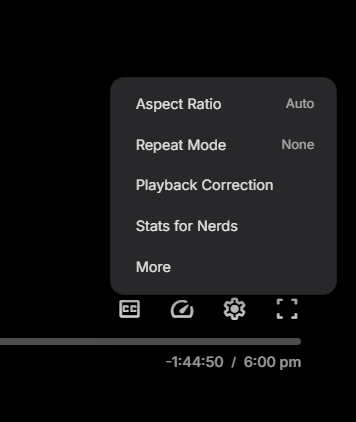
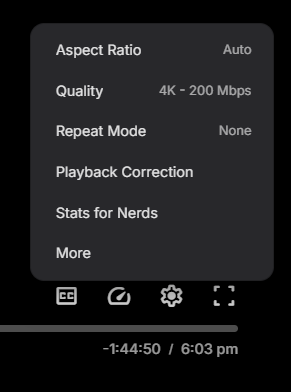 0 points
 -
Hi, there's already an open request for this or something functionally equivalent. Please join in and contribute to the existing discussion at:0 points
-
Hi, I'm trying to hide a specific media library for a user via the API. In version 4.8, I was able to do this by setting Policy['BlockedMediaFolders'] = ['the block lib name'], and it worked well. However, in version 4.9, this option seems to have been removed. Now, I have to first retrieve all media folder GUIDs, remove the one I want to hide, and then set Policy['EnabledFolders'] to the remaining GUIDs. I also need to make sure Policy['EnableAllFolders'] = false. Additionally, when displaying libraries, I need to consider whether EnableAllFolders is set to true. So my question is: was BlockedMediaFolders removed in version 4.9.1.80? And is my current approach the correct way to hide a media library for a user? Thanks in advance!0 points





.thumb.png.f4cb0545e98b51fd9b00e427622ab761.png)