Leaderboard




Popular Content
Showing content with the highest reputation on 12/01/25 in Posts
-
Dear all, I want to give you a quick update on this. I was able to test a direct connection with my friend. This was a very quick and dirty test. I simply opened my router and my friend connected to my public ip. No Tailscale no Cloudflare involved. So far the buffering issue was not present anymore and the streams were running fine. But we did another test as I don't want to open my router permanently. I rented a small VPS and installed a wireguard connection between the VPS and my Emby server. Furthermore I installed caddy on the VPS and reverse proxied my public emby URL through the wireguard connection to my Emby server. Works like a charm by now but we will keep testing.3 points
-
Hey Guys Just to jump on this and give you my 2c After reading the above i decided no holding back and installed the Android Emby app.(I had been using the EMBY TV app until this point) I really tried to like it but frankly it is NOT a smooth user experience, with momentary pauses, glitches (as mentioned by other users). Also the UI is not snappy or as pleasing to the eye as The Emby TV app. Truth be told, When i purchased EMBY it was on the strength of the EMBY TV app, and if i had made the mistake of using the EMBY android app first , i would probably not have purchased Emby. I really think you have a winning formula with the Emby Tv app, and it will be a mistake to discontinue service on it , instead bundling it into a janky do-it-all app , at least until that app can return the same experience. Even if google won't allow it on the app stope, and we have to go through the mission of sideloading isSTILL a better option than the do-it-all3 points
-
Should work now. This is not my plugin so all i've done is run it through an AI therefor can't guarantee nothing else is broke. SmartPlaylist.dll Emby.SmartPlaylist.Plugin-master.zip3 points
-
If i am reading this correctly in my limited understanding the user is asking for.... A simple “set it and forget it” server-side default settings template. The server admin sets **their** recommended options once, and all users automatically start with those same defaults. Users can still change their own settings afterward, but the baseline should come from the server without the admin needing to manually configure each user one by one. It saves the admin from manually configuring every new or existing user, keeps the every user experience consistent, and reduces support or confusion for less-tech-savvy users.2 points
-
This is mainly for @Luke @ebr @GrimmReeferand other mods that I have interacted with before. I have been quite active in these forums in most all topics even though I do not use many of the features involved. Due to my health failing further than it has in the past I have decided to not post, or read, the messages that do not involve the features I do not use like Folder view, trailers, anything involving music (except for a little use of audiobooks), fancy display issues, subtitles, multiple versions, searching, actors, Book reader or any other of a number of features I do not use. I also will not be testing features that I don't use. I have enjoyed reading and even commenting on many features that I don't use but that must end. I tire easily now and simply must reduce the interaction with a lot I used to do on the internet. I am even reducing my posting in soccer forums and I love soccer. I just want to supply a reason why I will be posting a lot less and not say goodbye. I do not intend to leave and my doctor informs me that my life is not in danger unless I allow myself to become too tired too often. Now I will drop back into reading mode unless something happens that interferes with my use of Emby. Thanks for reading this and please keep Emby active.2 points
-
It's working as a manual speed, but it if quits completely then I'll try a factory reset2 points
-
HLS streams using HEVC on Apple devices must be delivered in fragmented MP4 (fMP4) containers rather than MPEG-2 TS. In addition, each fMP4 segment carrying HEVC video needs to be properly identified with the vtag:hvc1 (or equivalently the hvc1 four-character code) so that Apple’s playback stack can correctly recognize and decode the HEVC video track. Failure to use fMP4 containers or to tag the segments with vtag:hvc1 may result in playback incompatibility on Apple platforms. By the way, I have been pointing this out for quite a few years on multiple occasions, and it has consistently been ignored. As of today, in order to play HEVC MKV content in Emby on Apple devices, we can only either use the MPV-based player or remux the MKV to MP4 with the appropriate hvc1 tag, preferably the MPV player since native HEVC MP4 playback often suffers from buffering issues. Therefore, when using Emby it is not possible to simply remux HEVC for delivery over MPEG-2 TS, and the video must be transcoded in order to be distributed using MPEG-2 TS.2 points
-
That's awesome and very much needed!2 points
-
@Lukeany idea when we can see this option in the beta branch?2 points
-
We have been talking it over internally and it's going to be a little different from what I previously showed. Instead it's going to be a default remote auto quality per user, so that as long as they leave their quality setting on auto, you can control what that value will be.2 points
-
For some reason, HEVC streams ALWAYS seem to transcode to H264 with Emby when forcing native AVKit player. This is a waste of resources and isn't necessary. When I disable server transcoding, it attempts direct play but no video is displayed . Looking at the logs, I see ffmpeg missing "vtag:hvc1" which is an absolute requirement to get AVKit to recognise & play HEVC streams natively. Manually remuxing the exact same files with ffmpeg allows it to play perfectly fine in Emby (even Dolby Atmos and Vision logos show on TV with this setup). It's a rather trivial fix that I hope the devs here include soon as it will allow Emby be become much more performant and efficient and will improve handling of Dolby files on Apple devices.1 point
-
I moved from Plex to Emby and even though I think Emby is superior in its flexibility there are some things I like better with Plex, especially in terms of its looks. This theme is trying to fix that by making it a bit more similar to Plex but with some, in my opinion, improvements. The CSS is attached to this post for anyone interested and below are some screens to show it off Good to know I only use Chrome so I can't guarantee this CSS works as expected in other browsers. If you want the sidebar menu to look like in the screens, make sure to pin the sidebar. Watched badge/banderoll is inverted which means that the badge will not be shown if media have been watched, like in Plex. For desired look, please use the "Dark" theme for both Theme & Settings theme in the display settings. Emby-Stable-style-v3.6.txt





 1 point
 -
Hi everyone, I wanted to share a solution I built with a lot of help from ChatGPT. I’m not a programmer, but I needed a smart, automatic way to clean up old movies and TV episodes on my Emby server. Since I couldn’t find anything that did what I wanted, I ended up putting together a Docker-based pruning script. It’s been working really well for me, so I’m posting it here in case it helps someone else. What This Does This script automatically deletes media based on real viewing activity across all users on the server. The retention values below are fully customisable – see the Environment Variables section. Movies Deleted if no user has watched them in 120 days Or if never watched, deleted only if older than 120 days TV Episodes If played at least once → delete after 90 days with no recent activity If never played → delete only if older than 180 days The script talks to Emby via the API and calls DELETE /Items/{Id}, so items are removed cleanly from the library and the filesystem. No orphaned metadata. Why I Built It I share my Emby with multiple users Storage was growing fast I wanted cleanup based on what people actually watch, not just file dates I wanted different rules for movies and TV And I’m not a programmer, so it needed to be simple and repeatable This solution is: Docker-based (works nicely on Unraid (My Setup), Synology, Linux Docker, etc.) Configurable via environment variables Safe to test using dry-run mode Setup Overview I’ll show the steps using a Linux/Unraid style setup with nano, but the same idea works on any box with Docker. Folder structure Create a folder for the script and Dockerfile, for example: mkdir -p /mnt/user/appdata/emby-prune cd /mnt/user/appdata/emby-prune Step 1 – Create the Dockerfile (with nano) In a terminal on your server: cd /mnt/user/appdata/emby-prune nano Dockerfile Paste this into nano: FROM python:3.12-alpine WORKDIR /app RUN pip install --no-cache-dir requests COPY emby_prune.py /app/emby_prune.py CMD ["python", "/app/emby_prune.py"] Save & exit: Ctrl + O, Enter to save Ctrl + X to exit Step 2 – Create the Python Script (with nano) Still in the same folder: nano emby_prune.py Paste the entire script below into nano: import os import sys import requests from datetime import datetime, timedelta, timezone def parse_iso(dt_str): if not dt_str: return None # Emby uses ISO 8601 with offset, e.g. 2024-02-10T12:34:56.0000000+00:00 dt_str = dt_str.replace("Z", "+00:00") try: dt = datetime.fromisoformat(dt_str) # Ensure timezone-aware; assume UTC if none if dt.tzinfo is None: dt = dt.replace(tzinfo=timezone.utc) return dt except Exception: return None def get_env(name, default=None, required=False): value = os.getenv(name, default) if required and not value: print(f"Missing required env var: {name}", file=sys.stderr) sys.exit(1) return value def fetch_users(session, emby_url, api_key): """Fetch all Emby users.""" params = {"api_key": api_key} r = session.get(f"{emby_url}/Users", params=params, timeout=30) r.raise_for_status() users = r.json() print(f"Found {len(users)} users in Emby.") return users def fetch_user_item_userdata(session, emby_url, api_key, user_id, item_id): """Fetch per-user item data (UserData) for given user and item.""" params = { "api_key": api_key, "Fields": "UserData" } r = session.get(f"{emby_url}/Users/{user_id}/Items/{item_id}", params=params, timeout=30) r.raise_for_status() data = r.json() return data.get("UserData") or {} def main(): emby_url = get_env("EMBY_URL", required=True) # e.g. http://emby:8096/emby api_key = get_env("EMBY_API_KEY", required=True) # Defaults: movies 120d, TV played 90d, TV never-played 180d movie_days = int(get_env("MOVIE_PRUNE_DAYS", get_env("PRUNE_DAYS", "120"))) tv_days = int(get_env("TV_PRUNE_DAYS", "90")) tv_never_played_days = int(get_env("TV_NEVER_PLAYED_DAYS", "180")) dry_run = get_env("DRY_RUN", "true").lower() == "true" now_utc = datetime.now(timezone.utc) cutoff_movies = now_utc - timedelta(days=movie_days) cutoff_tv = now_utc - timedelta(days=tv_days) cutoff_tv_never = now_utc - timedelta(days=tv_never_played_days) print(f"Emby prune starting (movies + TV, any-user mode)") print(f" URL : {emby_url}") print(f" Movie cutoff : {cutoff_movies.isoformat()} (older than {movie_days} days)") print(f" TV cutoff (played) : {cutoff_tv.isoformat()} (older than {tv_days} days)") print(f" TV cutoff (never played): {cutoff_tv_never.isoformat()} (older than {tv_never_played_days} days)") print(f" Dry run : {dry_run}") print("") session = requests.Session() base_params = {"api_key": api_key} # 1) Get all users try: users = fetch_users(session, emby_url, api_key) except Exception as e: print(f"ERROR: Failed to fetch users: {e}", file=sys.stderr) sys.exit(1) if not users: print("No users found – aborting.") sys.exit(0) page_size = 200 start_index = 0 total_deleted = 0 total_candidates = 0 while True: # 2) Get movies + episodes params = { **base_params, "Recursive": "true", "IncludeItemTypes": "Movie,Episode", "Fields": "Path,DateCreated,Type,SeriesName,SeasonName,IndexNumber,ParentIndexNumber", "StartIndex": start_index, "Limit": page_size, } r = session.get(f"{emby_url}/Items", params=params, timeout=60) r.raise_for_status() data = r.json() items = data.get("Items", []) total_records = data.get("TotalRecordCount", 0) if not items: break for item in items: item_id = item.get("Id") name = item.get("Name", "Unknown") path = item.get("Path") date_created = parse_iso(item.get("DateCreated")) item_type = item.get("Type", "") # For episodes, we can build a bit more context (optional) series_name = item.get("SeriesName") season_num = item.get("ParentIndexNumber") episode_num = item.get("IndexNumber") # 3) Look at all users' UserData for this item most_recent_play = None total_plays_all_users = 0 for user in users: user_id = user.get("Id") user_name = user.get("Name", "Unknown") try: ud = fetch_user_item_userdata(session, emby_url, api_key, user_id, item_id) except Exception as e: print(f"Warning: failed to fetch UserData for item {item_id} and user {user_name}: {e}") continue lp = parse_iso(ud.get("LastPlayedDate")) pc = ud.get("PlayCount", 0) or 0 total_plays_all_users += pc if lp: if (most_recent_play is None) or (lp > most_recent_play): most_recent_play = lp stale = False reason = "" if item_type == "Movie": # Movie rule: stale if no plays in movie_days if most_recent_play: if most_recent_play < cutoff_movies: stale = True reason = f"movie: last played by some user at {most_recent_play.isoformat()}" else: if date_created and date_created < cutoff_movies: stale = True reason = f"movie: never played by any user; created {date_created.isoformat()}" elif item_type == "Episode": # TV rule: # - if played: stale if last play older than tv_days # - if never played: stale only if older than tv_never_played_days if most_recent_play: if most_recent_play < cutoff_tv: stale = True reason = f"episode: last played by some user at {most_recent_play.isoformat()}" else: if date_created and date_created < cutoff_tv_never: stale = True reason = f"episode: never played by any user; created {date_created.isoformat()}" # Unknown type: skip if not stale: continue total_candidates += 1 # Nicely formatted label for episodes if item_type == "Episode" and series_name: if season_num is not None and episode_num is not None: label = f"{series_name} S{season_num:02d}E{episode_num:02d} - {name}" else: label = f"{series_name} - {name}" else: label = name print(f"[STALE] {label}") print(f" Type : {item_type}") print(f" ID : {item_id}") print(f" Path : {path}") print(f" Reason : {reason}") print(f" Total plays (all users) : {total_plays_all_users}") if dry_run: print(" Action : SKIP (dry-run)\n") continue del_params = {"api_key": api_key} del_url = f"{emby_url}/Items/{item_id}" try: resp = session.delete(del_url, params=del_params, timeout=60) if resp.status_code in (200, 204): total_deleted += 1 print(" Action : DELETED\n") else: print(f" Action : FAILED (status {resp.status_code})\n") except Exception as e: print(f" Action : FAILED ({e})\n") start_index += len(items) if start_index >= total_records: break print("") print(f"Scan complete.") print(f" Stale candidates : {total_candidates}") print(f" Deleted : {total_deleted} (dry_run={dry_run})") if __name__ == "__main__": main() Save & exit: Ctrl + O, Enter Ctrl + X Step 3 – Build the Docker Image From the same folder: cd /mnt/user/appdata/emby-prune docker build -t emby-prune . You should see something like: Successfully built ... Successfully tagged emby-prune:latest Environment Variables (Retention Rules) These control how aggressive the pruning is: Variable Meaning Default MOVIE_PRUNE_DAYS Movies: del after X days inactivity 120 TV_PRUNE_DAYS TV: del after X days if episode was played 90 TV_NEVER_PLAYED_DAYS TV: delete after X days if never played 180 DRY_RUN Preview only (true / false) true EMBY_URL/EMBY_API_KEY Your Emby server base URL/API http://server:8096/emby Generate an API Key Step 4 – Test with a Dry Run (Safe Mode) This does not delete anything, just prints what would be removed: docker run --rm \ --name emby-prune-test \ -e EMBY_URL="http://YOURSERVER:8096/emby" \ -e EMBY_API_KEY="YOUR_API_KEY" \ -e MOVIE_PRUNE_DAYS="120" \ -e TV_PRUNE_DAYS="90" \ -e TV_NEVER_PLAYED_DAYS="180" \ -e DRY_RUN="true" \ emby-prune Check the output Make sure the stuff marked [STALE] looks sensible Step 5 – Run for Real (Optional) Once you’re happy with the dry-run output, you can run it for real: docker run --rm \ --name emby-prune-run \ -e EMBY_URL="http://YOURSERVER:8096/emby" \ -e EMBY_API_KEY="YOUR_API_KEY" \ -e MOVIE_PRUNE_DAYS="120" \ -e TV_PRUNE_DAYS="90" \ -e TV_NEVER_PLAYED_DAYS="180" \ -e DRY_RUN="false" \ emby-prune Set the schedule to: e.g. Weekly, Monday, 03:00 Final Notes This has been running nicely on my Emby setup: Library stays tidy Storage doesn’t explode Old/watched stuff eventually ages out New and recently watched content is kept All rules are tweakable via environment variables I may update when I get time to do the following ( No promises!) whitelists, never delete tags notifications logs to file1 point
-
Could the way User Settings are handled be changed so that: 1 - Every setting that is changed via the Admin/Server - Users settings page becomes the new default for that particular user (instead of the Emby supplied default). 2 - Any setting that is changed appropriate for an end user to change from within that particular user account being signed in is saved at the local device level, and would be used instead of Server specified defaults. This wouild: A - Allow us to adjust the default behavior when NO local settings exist. B - Still have local device specific settings override what have been set as Server defaults. (Allowing the same User to have different settings per Device - as it is now.) It doesn't seem like the logic would be that much different than it is now. Assuming if no local settings already exist today, the Server has to pass along what it has them as for a starting point. The change wouild just be allowing us to alter what any of those base default settings are.1 point
-
This is another ardent request to have Emby write the active queue to a persistent memory location, at least when playing music. Many devices close Emby and lose the active play queue when the user switches focus to a different app for too long, when the device runs out of dynamic memory, or when simply too much time has elapsed. There are many good feature requests in this forum that would enhance Emby, but fixing this issue would address an actual problem that many users currently face every time they queue up more music than is played in one continuous session. Can you please bump this up the queue (no pun intended) of Emby issues to address?1 point
-
To my knowledge no. But will test to confirm. https://emby.media/support/articles/Movie-Naming.html#id-tags-in-folder--file-names1 point
-
You are reading it correctly, for it to be done programmatically/automatically; we're just trying to provide some insight to the user which is under the impression that it cannot be achieved in any way currently (it can be done manually): Hopefully they'll get there.1 point
-
Or even both. You can use more than one in the path.1 point
-
AI hallucinating, what a surprise. If using imdbId, "tt" is mandatory prefix, that is standard IMDB nomenclature. Though tmdbid (if TMDB is your preferred meta-downloader) is preferred, as imdbId is used only as a lookup on online providers databases (TMDB, TVDB, OMDBApi) - if it's not added, there'll be no hits.1 point
-
thank you everyone1 point
-
yes it's good with the solution but it's not normal1 point
-
With Steam Machines coming in the new year, this might finally be a good replacement for Nvidia Shields as a set-top device. Emby available within Steam would be ideal, but a Linux version that works and works from Game mode would be extremely desirable.1 point
-
Hi, thanks. This is on our to do list for review. Thanks.1 point
-
For the Roku specifically, the user experience would be terrible because the Roku cannot run multiple apps at once. On other platforms it may be possible but this just isn't our intended goal (aggregation of media streaming sites) at this point in time so it isn't a very high priority.1 point
-
Nothing new here as the server has always done what is happening here from my experience. But yes there is a difference in Streaming vs Direct play when it comes to file delivery. Even if both are not converting anything. Until the server gets new ignore Auto Quality setting one has to adjust all clients manually.1 point
-
Checked a couple hours later, and all is now working. Thanks all for your help!1 point
-
+1 for country filter1 point
-
1 point
-
No, it was not messy data. Removing the two shows mentioned above (that lacked any IDs in the NFOs) didn't change anything upon re-testing. However, I just moved the Drive, He Said movie to a different library and scanned it there. This time, it left Smallville Eric's profile alone and created a new Eric with its own IDs, as it should. My guess as to the difference: "To Watch Movies," in the past, used to have 1) no NFO usage and 2) would scrape TMDB for data. Those were both changed, but perhaps there were some remnants of this scraped data persisting somewhere? I think i will re-create this library with the newer settings from the start. I will say: NFO support is one of the strong points for Emby for me vs the competition. I love being able to precisely define the data, rather than relying on scraping the sometimes incomplete or inaccurate data TMDB has.1 point
-
Well in that case Track 1: Default Track 2: Forced Track 3: N/A Track 4: HI1 point
-
Salut, "/volume1/EMby server/Backup" j'ai bien cette adresse dans le cartouche de la première fenetre avec les 4 cases vertes des données à sauvegarder mais si je regarde dans le dossier il n'y a rien. voila ce que j'ai comme message suite à l'erreur de sauvegarde: Échec de Sauvegarde sur BeliSyno 01/12/2025 00:10 Access to the path '/volume1/EMby server' is denied. at System.IO.FileSystem.CreateParentsAndDirectory(String fullPath, UnixFileMode unixCreateMode) at Emby.Server.Implementations.IO.ManagedFileSystem.CreateDirectory(String path) at MBBackup.ServerEntryPoint.ExecuteBackupInternal(PluginConfiguration configuration, CancellationToken cancellationToken, IProgress`1 progress) at MBBackup.ServerEntryPoint.ExecuteBackup(PluginConfiguration configuration, CancellationToken cancellationToken, IProgress`1 progress)1 point
-
Hi, we are looking into it. Thanks.1 point
-
It's most likely just days away. That will be interesting! To set expectations straight: The video path is controlled by the app, mpv.conf customization is not supported (won't work), which means that things like SVP4 can only work when we explicitly implement them. Thanks1 point
-
Well that definitely shouldn't happen because AVPlayer is capable of tone mapping on the fly when required. Apple's iOS/tvOS EDR tone mapping is top notch. I couldn't reproduce this behaviour on my system with the native player on Emby because all the H264/HDR10 files I have wouldn't play in mkv or even mp4 . It just says no compatible streams found which I suspect is due to Emby's device profiles preventing playback, not actual platform limitations. Interestingly though from my testing today: HDR/Dolby Vision seems to be partially broken on tvOS 26. QuickTime player on my MacBook correctly detects videos as HDR10/DV with both mp4 and HLS. When I AirPlay them from macOS QuickTime player to tvOS 26, it gets tone mapped to SDR. Before tvOS 26, the TV would switch to HDR/Dolby Vision. Even air playing home videos shot on my iPhone 15 in Dolby Vision (mov files) still plays as SDR when air played from the iPhone. This again wasn't the case before iOS/tvOS 26. I wonder if this is what you're experiencing. Looks like I'm not alone in this: https://www.reddit.com/r/appletv/comments/1nj4ib7/tvos_26_4k_60_fps_dolby_vision_video_playback/1 point
-
Hi everybody, sorry long week ad couldn't do more test. So: 1. This seemed to have solved the situation for new movies 2. Not sure this is working for movies that were previously detected by emby but without metadata. It did not update and did it myself. But then I had no other specimen to test onto Thank you so much for your support. If I still notice some strange behaviour related to this, I'll post here. Now I need to solve my dual language *arr stack. None of the media app I am using are really adapted for dual/multi language setup Emby is maybe the only one that is working as intended thanks to the subfolder language setup. Kudos for this option1 point
-
It's frustrating, I just spent days with MP3Gain doing over 150k tracks to find the emby ignores it, other players are fine. 8 years later, cmon?????????1 point
-
Something like a new tab on the users page where the default options can be configured would be awesome! That would then apply to all users created by plugins, as long as they don't override them. And also pre-select those configurations in the New User form in the admin menu. Would love that!1 point
-
It sound like auto negotiation is failing. I have seen that on some old equipment in the past, specialty if connected to a POE switch. Not sure if that's the case here.1 point
-
I just was going through some of my movies on Emby via roku ultra... and I noticed this. The movie was Butterfly Effect from 2004. It was h.264 level 4.1 and AAC 2.0 audio in an MKV container... I noticed immediately when the movie started and the label/production popping up that the motion had dropped frames... It's so weird because I had watched that file before, although it wasn't on Emby.... I think it might have been Plex... What I ended up doing was taking the file, remuxed it through MKVtoolnix, even though it was ALREADY a MKV... Whatever the hell that did? I do not know... but it fixed it.... my question is....how? I wonder what was causing that? It played back totally smoothly on VLC on my laptop with no frame drops/stutter... It started making me paranoid... so I went through other random movies on Emby and they all played fine....No big deal... just not sure what happened with that.1 point
-
My experience is as Q-Droid noted. when using the ":latest" tag you get the latest stable build. all the numbered tags are beta versions.1 point
-
Thank you, good to know. I ended up folding and making a duplicate of the folder in a shared location. Kind of annoying but not the end of the world.1 point
-
Sorry for just now responding; that was the issue! I can get the videos in vp9 or avc and they work great.1 point
-
You can expect the latest tag to reference the newest stable release and the beta tag to reference the newest beta release. There can be delays between the Emby software releases and the image builds on Docker hub so a lag is not unusual. Compare the image digest hash value on Docker Hub to find/verify which numbered releases are referenced by the latest and beta tags.1 point
-
Hi Luke, Same here — I’ve run into the same issue after updating to 4.9.1.80. Before, in folder view, if a folder contained just one movie, clicking that folder would take me straight to the movie’s detail page. That was perfect, and I’ve used Emby this way for years. Now, even if there’s only one movie inside, Emby adds another subfolder (like A → B → movie), so I have to click through one more level. It makes browsing my library much less convenient. I’ve seen the suggested workaround, but honestly it feels a bit clunky and not what we really want. We just want the original simple folder behavior back — or at least a global option that lets users choose between the new and old style. It would be great if this setting could apply to Movies, TV Shows, Mixed Content libraries, and any other content type that uses folder view — so that the experience is consistent across all libraries. Please consider restoring or adding this option in a future update. The old folder view worked beautifully for many of us longtime users. Thanks a lot for listening and for all your hard work on Emby!1 point
-
Is it possible to have a banner on the front page, and/or popup to announce maintence going on with the MediaBrowser service. It would be nice to be able to announce a maintenance to family and my kids who are at their moms. Anyone else think this would be neat? thanks!1 point
-
Hi, I don't want to 'spam' the existing topic for the LDAP Plugin with my current issue, since I think, the existing Topic is already hard to follow... I have setup an Samba4 Server and configured the LDAP Plugin for the User-Login accordingly. The whole User-Search Filter is: (&(sAMAccountName={0})(&(objectCategory=user)(!(userAccountControl=514))(memberof=cn=emby-users,OU=Groups,OU=Home,DC=home,DC=caina,DC=de))) All of this is working fine - My AD Structure is like this: Nearly everything is working as expected - Users, that are in the Group "Emby-Users" will have access to Emby, users, which are not in that Group do not have access to Emby. Except of one thing: Users of the Group "Emby-Users" have only access to Emby, if they are also within the default Group of "Domain Users" and if "Domain Users" is set as their Primary Group. As soon as I remove the User from the "Domain Users" Group, they do not have access to Emby anymore... But, this is a requirement, since some users are "external" users and should not be part of the Domain Users Group like some others. Sure, this isn't an issue from Emby - but maybe, someone will have an Idea where I could / should have a look - to get this kind of configuration work...?? The Emby Log is showing "user not found" when I try to login a user that is not part of the Domain Users default group Thanks and with best regards, Christoph1 point
-
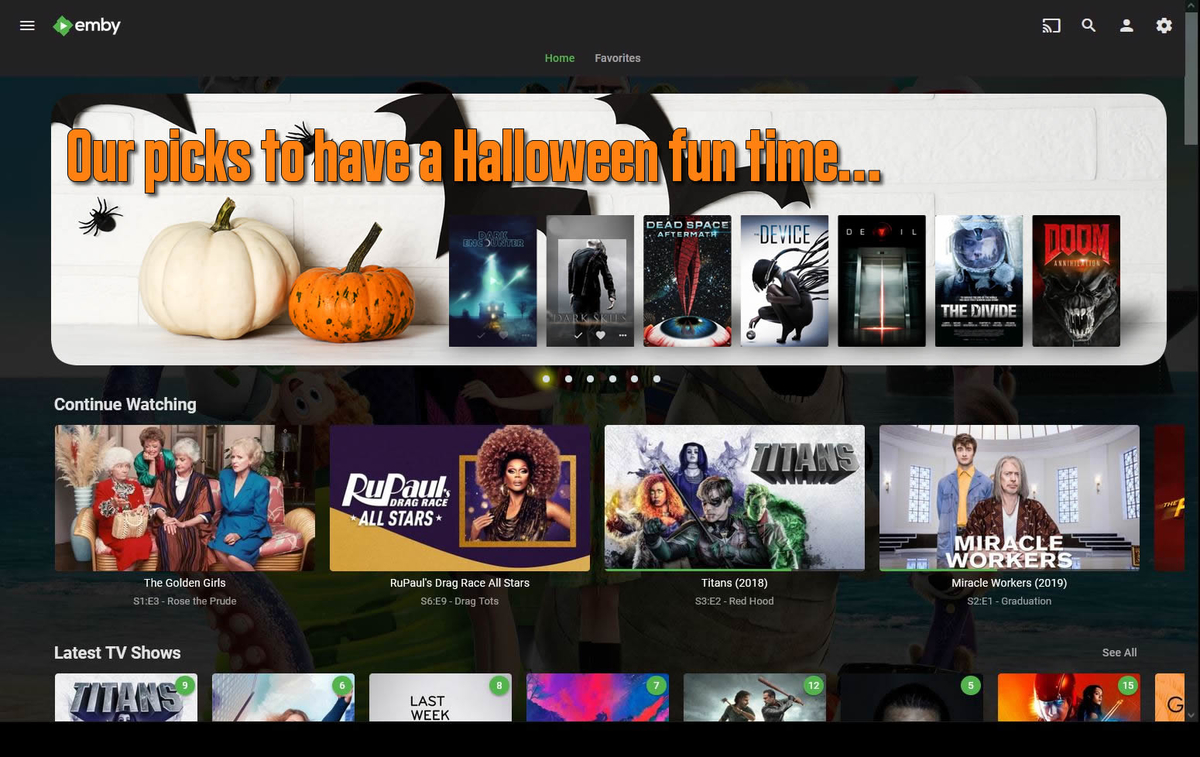
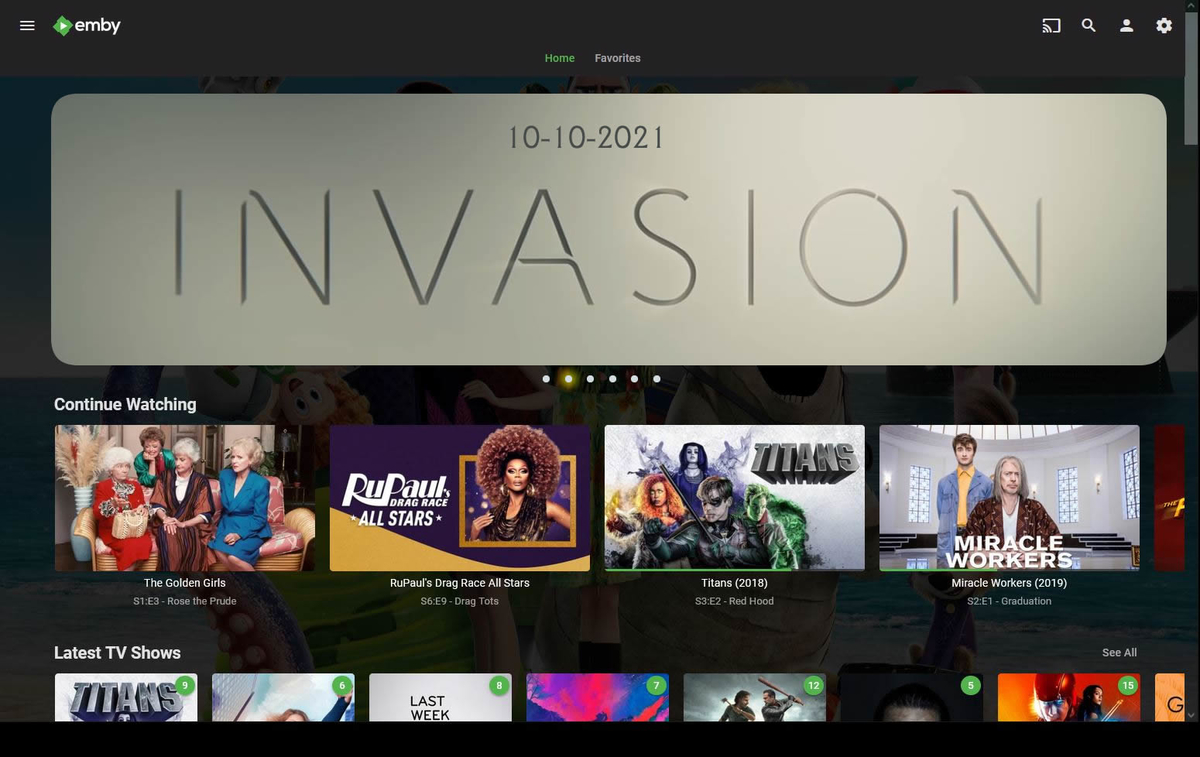
Any news guys? Simple will be the idea, let the user upload any image and just allow to link it to a play list or a specific movie/series. no more than 6 or 7 items. And to turn it on and off if they want to. Off by default for people that does not know how to use it.
 1 point
 -
On the subject of adding a "spotlight" section. You guys should take a look at ici.tou.tv, which is a french canadain streaming site. When viewed through a web browser, they have a spotlight section which has four items in a rotation, piled on the right side, a nice idea in my opinion. Actually, i think the whole site is pretty nice and slick. The Apple version features an extra wide image, that not a whole lot of people would have, but you guys can use Thumb type images which is a lot more available, and if none is present just use one of the backdrops or fanart that you add text to identify the show or film. ...and as far a having it on or off, it could be added as one of the Home Screen options. You want it on top of the home screen, or at the bottom, or not preset at all... emby has got you covered! As always, just my two cents. Cheers!1 point
-
Receiving the below error when using a SSL certificate, is there an issue with how the checksum works? I am attempting to authenticate with the administrator account for testing purposes. Thanks! 019-07-11 11:47:59.498 Error UserManager: Error authenticating with provider LDAP *** Error Report *** Version: 4.1.1.0 Command line: /system/EmbyServer.dll -programdata /config -ffmpeg /bin/ffmpeg -ffprobe /bin/ffprobe -restartexitcode 3 Operating system: Unix 5.0.10.300 64-Bit OS: True 64-Bit Process: True User Interactive: True Runtime: file:///system/System.Private.CoreLib.dll Processor count: 2 Program data path: /config Application directory: /system System.Security.Authentication.AuthenticationException: System.Security.Authentication.AuthenticationException: The remote certificate is invalid according to the validation procedure. at Novell.Directory.Ldap.AsyncExtensions.WaitAndUnwrap(Task task, Int32 timeout) at Novell.Directory.Ldap.Connection.Connect(String host, Int32 port, Int32 semaphoreId) at Novell.Directory.Ldap.LdapConnection.Connect(String host, Int32 port) at LDAP.AuthenticationProvider.Authenticate(String username, String password) at Emby.Server.Implementations.Library.UserManager.AuthenticateWithProvider(IAuthenticationProvider provider, String username, String password, User resolvedUser) Source: LDAP TargetSite: Void WaitAndUnwrap(System.Threading.Tasks.Task, Int32)1 point
-
Hi, given that this plugin targets a niche audience, unfortunately spamming that thread might be the best way to get the attention of knowledgeable users who can help with this. You could just link to here instead of re-posting the entire thing though. Thanks.1 point