Leaderboard




Popular Content
Showing content with the highest reputation on 11/24/25 in Posts
-
As of EMBY server update to version 4.9 the folder view has change to a "windows explorer" like structure in which single item movies are not display as movies anymore but as folders. This is being discuss here: So the official request is to go back, or at least implement a legacy view, so we can have the folder view we've been having since the beguining of time. Thanks3 points
-
I do. What i do not understand is why was the option "CollapseSingleItemFolders" not exposed as a new GUI option inside of the library settings? Why don't you let your users decide if they have the one presentation or the other?3 points
-
Nah! Just put a warning under that option.2 points
-
The Connecting from Client Apps article has been updated. Thanks for raising this.2 points
-
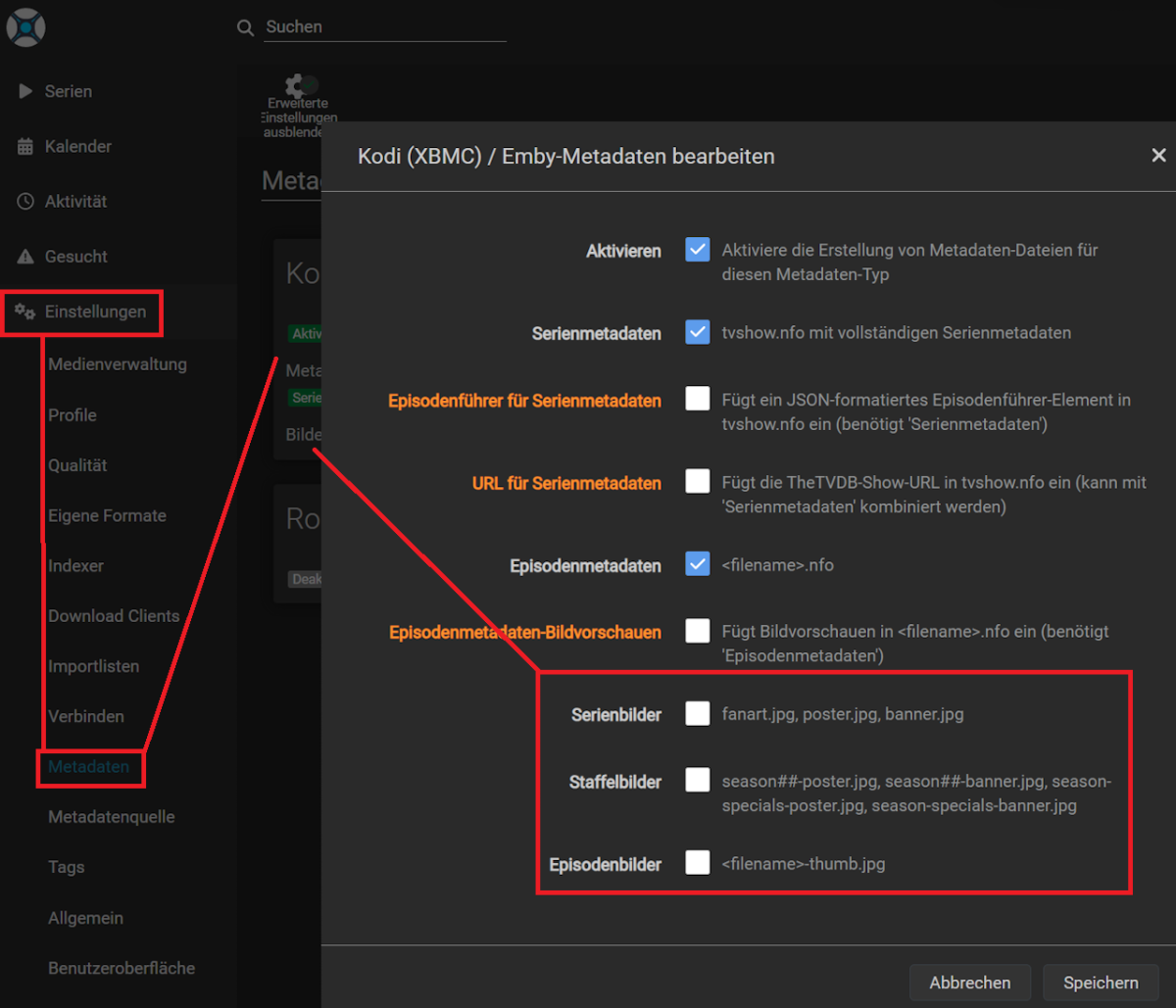
That's correct. As I wasn't able to find a reason for cover downloads by Emby and Happy2Play confirmed there's no log entry stating an unwanted cover download by Emby I had a flash of inspiration. And guess what ... The culprit wasn't Emby, it's the Aaaars. For anyone coming over this thread, by google or for whatever reason, here's the solution: Thanks for the support @Happy2Playand @Luke
 2 points
 -
Another vote for reverting this or making the old way at least an option. The new way is useless in Folder View. Since I have 2 movie libraries, one still behaves the old way and one the new, the old way code is still there somewhere (structure-wise both libraries are identical ultimately ending with a single folder with a single movie, ie Radarr layout).2 points
-
TheTVDB now supports more alternative orders than just Aired/Absolute/DVD. Can Emby query these additional orders and add them as options? Two examples of shows I've seen this used are Re:Zero which has a "Director's Cut" display order and Money Heist which has a "Netflix" order. https://thetvdb.com/series/re-zero-starting-life-in-another-world https://thetvdb.com/series/la-casa-de-papel1 point
-
Hello, Is it possible that in a version of emby a "ping pong" is performed in websocket to maintain a connection via a reverse proxy? Let me explain. Apart from reverse proxies such as caddy or traefik (for those I know) there is no real timeout for websockets. For reverse proxies like haproxy or nginx, the timeout is defined either by default or by the user. In the case of haproxy or nginx, if someone pauses a video that lasts more than an hour (a movie, for example), the websocket timeout will occur before the end of the movie. Or if, when playing an episode of a series lasting 40 minutes, the viewer pauses the video for 20 minutes, the connection will be closed before the end of the episode. Having the client send a message and the server reply every X seconds/minutes would eliminate the problem and prevent the connection from staying open for 1 hour for no reason, as in the nginx configuration. Also, I saw a message saying that if a connection was closed unexpectedly, for resource reasons, there was no attempt to reconnect. Why not set up a number of reconnection attempts? For example, the client tries to reconnect 3 times, and if none of the attempts work, the connection is aborted. This would, I think, allow better websockets management and avoid connections being open for hours. Or even when changing networks (LTE->wifi or wifi->LTE), this would make it easier to re-establish the connection than quitting the application and reopening it. To avoid sending just a "ping" and a "pong", useful information can be sent through websockets when the client supports them, such as the position of the video playback (which is currently sent via http), because a request via websocket is faster than an http request and sends, with the same information in the body, less data than an http request.1 point
-
I'd like a way to set the primary thumbnail image to the current frame during playback in the web interface. I have a library set to content type "Home Videos & Photos". Emby does a pretty nice job choosing a frame from each video to use for its primary thumbnail image, but sometimes I'd like to choose a different frame. I can do this manually by playing the video, taking a screenshot, choosing "Edit images" from the "..." menu, clicking the "+" button, uploading the image, and selecting "Primary" as the type, which replaces the existing image. If I want the image to be a full frame then I need to wait a few seconds for the web interface to disappear before taking my screenshot, as there doesn't seem to be a way to dismiss it. And then the image I save is in a different resolution than the automatically generated ones. So although it's possible to generate my own thumbnails, it's a bit of a hassle. Since Emby Server obviously already has the capability to generate a primary thumbnail from a frame of video, it would be really nice to have a way to tell it to do this from a frame chosen manually during playback. I'm thinking a little snapshot button could be added to the playback interface. Or if that's too obtrusive, hide it behind a "..." menu. A related request: It would be great to be able to pick which of the items inside a folder would be used for the folder's thumbnail. These are small issues but would be really nice for organizing collections of home videos and other media that can't be easily looked up in databases.1 point
-
This is a smaller extras request that I haven't seen posted yet. While it's being decided how extras are advanced, can we get a sorting order for the various extras folders? Right now, I can sort them into Interviews, Deleted Scenes, Specials, etc. However, once uploaded to Emby they just mash together alphabetically, leaving you with this: Deleted Scene, Interview, Deleted Scene, Special, Featurette, Interview, Behind the Scenes, Featurette, Featurette, Deleted Scene, Special. It would be great if each Extras folder had a numbered value. That way the line in Emby looked more like: Interview, Interview, Deleted Scene, Deleted Scene, Deleted Scene, Behind the Scenes, Featurette, Featurette, Featurette, Special, Special. This would go a long way in making the Extras look much neater in their current state.1 point
-
It would be great if emby can advance over the typical media servers by offering an animated hover thumbnail to videos. maybe in m3u8, webm, mp4 or gif format? There are several libraries on github that can do the task of generating the files needed for the thumbnails with a quick google search I found the following: https://github.com/grafov/m3u8 , https://github.com/tjenkinson/hls-live-thumbnails , https://github.com/video-dev/hls.js/, https://github.com/flowplayer/flowplayer-thumbnails I think it is up for the user to use these libraries to generate animated thumbnail on the video. What emby should do however is give support to animated video or gif on hover. I have not seen this feature implemented at another media server. I am aware that emby has the animated backdrop support to some extent. But this different. Netflix currently uses this feature on a tvshow/movie level and not on each single episode. I know the emby developers here are against animated thumbs.. Imagine browsing through your library with all thumbnails animated.. it will be distracting and messy! thats is why I think animatition on mouse over (or on selection in case of tv apps) would be the best idea to satisfy both sides.1 point
-
Yes, i know. Emby server is installed on a windows machine. When browsing through media i can hover with the mousecursor over. This doesn't work my way: viewing or listening to media with nvidia shield android tv box. I'd like to see whole titles on the Emby client android app too.1 point
-
HI, apologies for the disruption. We are rebooting our musicbrainz server. It should be back up shortly.1 point
-
Thanks, that makes sense — I should’ve clarified that some of those United States | X categories were being created on my side before import. My main request isn’t about Emby generating names, it’s about management once the M3U is loaded. With very large IPTV playlists (tens of thousands of channels) the Live TV category list becomes huge, and there’s currently no way to: hide certain groups, blacklist groups, or collapse them by region. Even with a perfectly cleaned M3U, every single group-title still shows up in the main Live TV view. Is there any plan for: per-source or per-user group hiding, or some kind of “show only these groups” / “hide these groups” option? That’s the big thing I’m trying to solve so the lineup is actually navigable.1 point
-
It's an impossible task to produce something that will please both nerds AND newbs. The team's overarching theme in this forum is "We don't like options because it makes support more difficult". They seem to be searching for the conditions that will please 51% or more, so they can call it a day. I'm not calling it laziness - just a particular strategy. It's understandable - we all want to make things easier for ourselves - but what makes emby easier to support often makes it more frustrating to customize. And since customization is what makes things easier for nerds, we find ourselves at odds with the team. Personally I believe both nerds and newbs want options. The newbs just don't know it yet. The inference I draw from this post is that it has to be one way or the other, so whichever side is more vocal wins. Correct? But what if it's 51/49? Or 60/40 or even 70/30? Do you really want to ignore that many? Nerds need to be able to organize their files. There are good reasons to do so, such as to make backups easier. I'm sure there are lots of others, but that would be the big one for me.1 point
-
But I think what this still comes down to is that you're not getting fast enough transcoding, right?1 point
-
I am now on ATV release 2.0.2 from Nov 21st and the issue with "generic logo images" flickering seems resolved. This was really fast, thanks a lot The "screen-refresh- flickering" remains, but this is a separate issue, and I understand it is hard to resolve. It is not a big deal. I can immediately scroll up, no issues. I am sorry, I must have been mistaken, all I can see is the area with small dots when scrolling fast through the movie lib. The problem that I cannot scroll through my whole movie lib with one keypress on my Apple TV remote remains. As you already said, it really seems to be related to the way the remote functions. I use the ATV-remote with touch disabled in the ATV settings. If I remember correctly this has not always been like this - it used to work in the past. To test, I activated touch, and when scrolling through the lib via touch, it works very well, fast and all the way to the last library item. Interestingly, when scrolling from bottom to top, I have no problem. I also tested the "long-keypress down" to scroll through items in other ATV apps, and there it works. It stalls for a very short moment at some points, so also far from perfect, but I can always scroll to the end in all apps I have tested. One minor thing, just for info, in the 2.0.2. release, under "latest movies" I now find around 400 items. I do not know if this is intended Let me know if I can help regarding the remote-control topic.1 point
-
My 2c If looking at a 2025 Synology DS model and hardware transcoding is something you need then stay clear of the Ryzen models and get one with an Intel processor. As far as I've seen hardware transcoding still works with Emby on newer models with gpu and DSM 7.3. That would limit you to a DS225+ or DS425+. However, even if you get a model with a gpu Synology is still using the older J4125 and have been using them for several years now. If needing to transcode a lot of bigger 4K movies, you might consider using the NAS for storage only like suggested above and getting something else which can transcode faster to run Emby server. Or, maybe a different brand of NAS. Qnap has some pretty good hardware specs. I don't use transcoding at all so went with a bigger Ryzen unit (old DS1821+ with added memory) which allows expansion and runs Emby server just fine for my needs. I don't believe the new DS225+ or DS425+ have expansion ability. One of the biggest mistakes I made with my first NAS was knowing exactly how many drives and how big of drives I needed. I also like DSM much more than the others NAS OS's. I'm very happy with my setup and speed and throughput is never an issue for me. I also use my NAS for Surveillance Center for my many IP cameras and don't notice any detriment to running it and Emby sever on the same device.1 point
-
I don't care. If someone puts gasoline in their diesel car despite the warning label, they will have to learn it the hard way.1 point
-
It will only convert if necessary.1 point
-
Then just go for that!!!1 point
-
Worked like a charm. Thank you again for the help and sorry for the panic this morning. No idea why it changed but very happy to have the old view back!1 point
-
@luke sorry to be a nag, but this navigation issue is driving me up the wall man. lol Please can we do something to improve this?1 point
-
Yes I second this request. Its making scheduling more like an actual TV station where a period/day/time is split up into blocks. Another prime example to add to the above is, here in the UK main channels would do "kids shows" when schools end on a daily basis (ie. 3pm to 5:30pm) every day, and then something completely different on the weekend. Very much like how TV channels used to work in the 90's, 00's (i know its a bit different today though still similar). Another example would be music channels like MTV, between 10am to 1pm show rock music videos, 1pm to 3pm show pop music etc etc. This could be built into the existing way you setup a channel, you have an option of keeping it the same as-is (so as not to break existing installs), or a "blocked" setting where all the playlist/rules etc based settings are along with a time period., so you could create multiple blocks per day/24hr period.1 point
-
@justinrhChannel 48.7 WAFFDT7 has now been corrected and is linked to 365BLK1 point
-
Sie können dieses Forum-Konto verwenden, es ist identisch mit dem Connect-Konto. Emby Premiere und Emby Connect stehen in keiner Verbindung zueinander.1 point
-
This plugin accomplishes at least in part something I've long desired to do with my collection. That said, I wish that it could segment a channel into scheduled programming blocks automatically instead of having to clutter up things with playlists; and having Bumpers being constrained to the Home videos and photos libraries is just a headache since I already am using those for Home videos and photos, and already have bumpers saved in each movie/show's existing file structure alongside the trailers and other extras. Being able to have a pool of shows on rotation at a specific time on particular days of the week and times of the year would be above-and-beyond amazing; incorporating Trailers and Commercials would be chef's kiss to top it off. Say for example I were to build a single channel with a priority-stacked block of shows that runs on Tuesdays and Thursdays from 1400-1700 with a pool of shows and movies, and it would assign shows to fill that period, running through each season and episode sequentially with each recurring at the same time slot until the series has no more episodes to play before assigning a different show to that time slot that isn't already running. I could then also have another block on the same channel scheduled to run Mondays, Wednesdays, and Fridays at the same time with a different pool of shows, and entirely different schedules of blocks at other times being at the bottom of the stack. At the top of the stack would be seasonal scheduled blocks, such as a Christmas or Halloween special block that runs only during time slots within particular date ranges. Any schedule conflicts would be resolved by the priority stack, with higher stacked blocks overruling lower stacked blocks. Perhaps a future version might incorporate such an idea?1 point
-
I, for one, don't understand what that means. Is it some kind of Android code or is it just some buzz word intended to confuse the issue. I guess I do not really care much anymore as my health is getting worse and I really only want to watch or listen to my media. If I just had the name of the app that works as on my Shield I have FX installed but it has no ability to display PDFs and FX is what Emby launches as an attempt to play PDFs. It would also be good if someone would inform us of how to make an app be the one launched for PDF reading. I am not an Android expert and I just use the devices and info like "Emby uses the default app" is totally useless to me. I am quite good with Windows but not with Android. Shoot I don't really like Android and all I want is to use my devices and not understand them. I am good with Windows but Android makes me feel like the boy in a Fire Side comic strip where he is sitting in class at school and raises his hand and says: "Mrs. Brown, can I go home now. My brain is full." Since Emby does NOT have PDF reading built in all I want is to know is EXACTLY how to make it work. No "default app" or "It just works" I just want to make my Emby on my Shield and/or my Fire stick work correctly for reading PDFs.1 point
-
I have registered there 3 times over the years. I had to straighten out the account names and passwords.1 point
-
Hi, we'll have a new ffmpeg build on the server beta channel in the near future, so stay tuned for that. Thanks.1 point
-
In the meantime, you can do it out of playback:1 point
-
I know this issue is being covered in a few different posts at this point, but it is disappointing that it has been over a month and there is still no significant engagement from the devs to address the actual problem. @Zelig has helpfully started a new post to consolidate this issue. Please add your support there. I don't know how many people are following this topic, so I will politely mention all of the posters here who have either already stated their support for fixing this problem, or at least are directionally aligned with not breaking things in the software that used to work. Not that I want to put words in anyone's mouth or attribute any particular position. I'm just asking everyone here to please read the new post. Anyone who wants to see this changed back, or just wants the devs to attempt to make a really convincing explanation as to why this is an improvement, please look at the new post and give it a +1 (and perhaps also a comment if you are feeling exceptionally passionate). @Halliphax @xLifu @spard4 @cptlores @yetisquatch1 point
-
Hello, is there any news on this topic?A friend (a Plex enthusiast) showed me how to sort in Plex; simply drag and drop within the collection. How much effort would it take to define a custom sorting order for collections? Is it possible to expedite this with a donation? :-) Regards1 point
-
Thanks for starting this post to consolidate everything. It would be nice to have a path forward. For the sake of documenting the full record, this has also has been discussed here: And here: And here: And most likely a bunch of other places, too.1 point
-
Please please please. Just give us the option.1 point
-
Your library images issue is not related to these threads, it’s a plugin issue. I’m away from my main computer in the next few days, but I will make an update soon.1 point
-
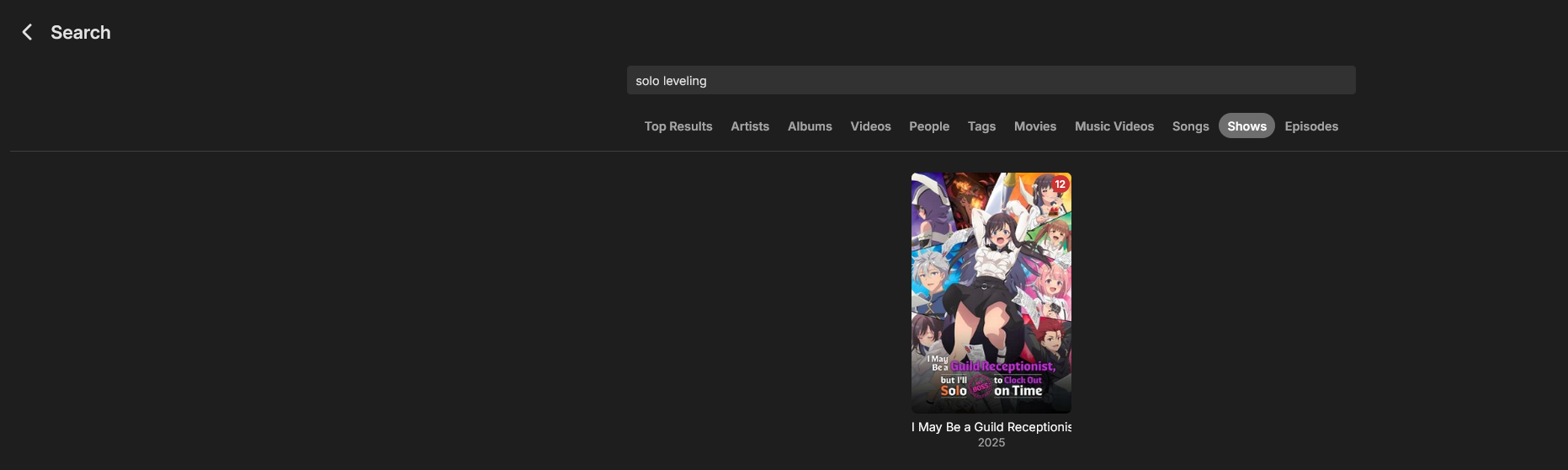
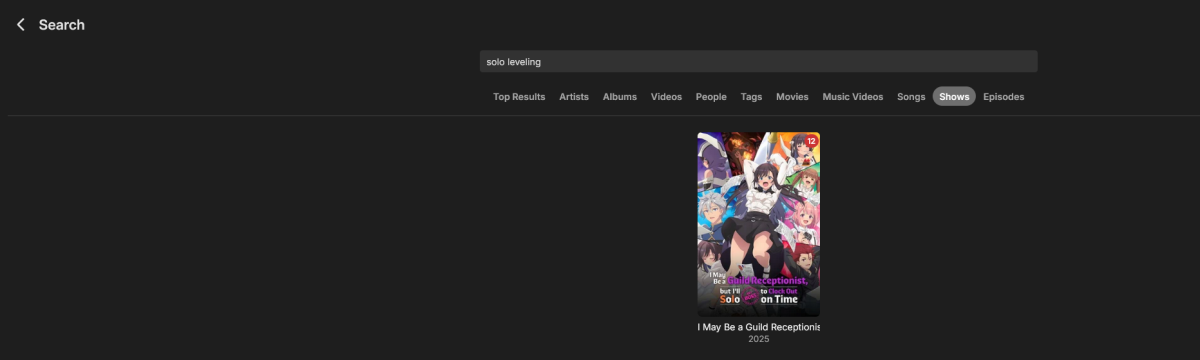
No parental configuration was done by me, because it's my Server and I'm the only user, but with multiple devices (I love the sync features and the organization). Filters were cleared. Are there any other way to restrict based on tags? I'll check anyway. The Search doesn't get any correct hits. A lot of other things were "Solo" or "leveling" are found but not the right thing. It's as if the two series aren't processed / catalogued. EDIT: You were spot on with the parental control: It was some parental control setting, that I don't know how it got there: It was configured to have this (seems like its the most mature configuration apart from having it empty): but it seems, that the two affected series would not match herein. After deleting the configuration, the two shows appeared again Thank you so much - i went nuts for finding the cause. Have A Nice One.
 1 point
 -
Wasn't able to get it working so I used the audiodb plugin instead and that's working.1 point
-
Ah shame. Okay. I hope a feature to force a reset to all tag images could come soon. It looks really messy right now.1 point
-
Shutting down a docker container is similar to shutting down a host system; when the shutdown command is received, all the running applications are told to shutdown gracefully then the system/container waits for that to actually happen before shutting itself down. You don't have to worry about stopping the server app before shutting down the container.1 point
-
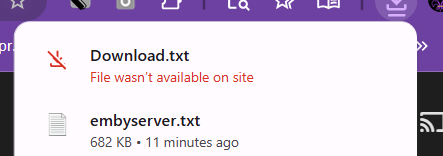
Alright, I found this solution. This is really stupid. I have 2 drives, a 1 TB SSD that runs my wikis and whatnot, and then a 4 TB HDD that is for storage. I use emby unconventionally to host videos related to my wikis. I renamed a folder in my cache drive from "MDFW" > "MDFW Museum" to host old versions of a couple of my wikis. Despite selecting the CACHE drive, for some stupid ass reason, it renamed the MDFW folder in my hard drive as well to MDFW Museum. I realized the issue when my friend suggested the 'file' was corrupted*, so I tried to download a video, and it gave me the "File not on server" message. I went to the hard drive folder and found that the MDFW folder had been renamed. emby seemed to be in a state of limbo, where it still showed the videos and images, but couldn't find them on the server. * I tried multiple videos from 2 different admin accounts on 2 different devices, so I was pretty sure that wasn't it, unless my hard drive had been corrupted.
 1 point
 -
Updated to the latest Whisper1 point
-
Hi all, I would like to share with you a project I am working on, so you might enjoy it as well. Playarr is the evolution of the former tools AGTV2STRM, *tream2Emby, and IP TV STRM Manager, combining all their strengths into one unified, powerful platform. What It Does Aggregates Content: Combines movies and TV shows from multiple IP TV providers (AGTV & *tream Codec) into one unified library Rich Metadata: Enriches your content with TMDB metadata (posters, descriptions, cast info, ratings) Multi-User Watchlists: Personal watchlist management with automatic content filtering per user Client Support Playarr supports a wide range of media clients: Emby/Jellyfin/Kodi - Via Strmarr integration for STRM file generation M3U8 Playlists - Compatible with any M3U8-based IP TV player *tream Code API - Full compatibility with any *tream Code API client Stremio - Native Stremio addon support for seamless streaming Web Interface - Manage everything through a modern, user-friendly UI Why Playarr? One platform replaces multiple tools. Get a unified content library, automated updates, smart deduplication, and support for your preferred media client—all in one solution. Get Started Repository: https://github.com/elad-bar/playarr Check it out, star it if you find it useful, and share your feedback.1 point
-
HI, yes right now we are currently waiting on app updates to get released. Once that finishes then we'll submit another country expansion request to add Brazil. Thanks.1 point
-
There was only one thing I preferred about the android version that the android TV did not do and it seems like they’re taking it away. So if you had the section in the home screen settings, checked that says “use a layout on the home screen that shows a detailed preview of the selected item”. With that you could scroll across my media and above that you would have a random series or movie from that particular section that would show up and it was just a neat little thing when you have a ton of stuff sometimes it was nice to see something random that would catch your eye. But otherwise the android TV version is far superior. It’s smoother the icons load faster. For instance, I am Onn Pro only 4k and I’ve also tried it on a GX1 rocktek rtd1325 chip which has 4 GB of RAM. And from launch it takes the android version about 10 seconds to load the icons that are on the screen and then as you scroll down, it will load the icon on the far left first and then slowly glow across sometimes other times it’ll load icons in the middle, but leave the far left and right icon off until you scroll down and back up. On the android TV version it is almost instant that the icons load up and as I scroll down, it takes two seconds if that for the icons appears they go across the screen. And you never end up with missing icons loading. The voice command works better and you have a regular keyboard if you don’t want to use the voice rather than the weird ABC layout.1 point
-
Reading though these posts is like going back 5 years in time, where all of the questions have already been asked As most people here know, I am an ardent ATV app user, but even I have to admit that the Universal Android app has come a long way in those 5 years, but it still isn't as good as the ATV app! The ATV app is buttery smooth, as it has been built for a specific platform, whereas the Universal Android app has been shoe-horned into the same space. There are currenrtly 95+ pages discussing the differences between the app in the link above, with many items still outstanding. I can't see how 2 apps developed for the same device/platform are so different in the way they act, seeing as they were developed by the same team of developers. Anyway, until there is no other choice, I will continue to use the ATV app, and try and report all of the issues with the Universal Android app, when I see substantive changes.1 point
-
Actually, I'm going to rename the database to add plus to it. That way there is not any conflicting issues with auto organize.1 point
-
-1 How hard is it to use file explorer to cut and paste a folder?1 point
-
Honestly, I just don't see this as a core function of our system and it carries with it a lot of risk (massively altering the actual media file system locations). Moving items to different physical locations and/or between libraries is really as easy as moving the files, adjusting the Emby library configuration and running a library scan. If you store the metadata with the media this will be a pretty fast operation and will preserve any customization you have made.1 point
-
Yes please, I like jumping to certain scenes to test/show off my home theater and this would make launching the video right at the correct spot possible.1 point






















.thumb.png.f4cb0545e98b51fd9b00e427622ab761.png)