Leaderboard




Popular Content
Showing content with the highest reputation on 11/18/25 in Posts
-
I have been working on this for a while now and want to see if there is any interest at all for something like it. Anyone familiar with Unraids plugin named "Fix common problems" will instantly know what this is intended to do, for those that don't, the idea is to scan logs for errors in the Emby logs, show and if common known problem explain them and show a solution to the problem. The plugin is far from complete and might take a long time to finish (if it gets finished at all, no promises at all!!) because of all the possible problems that the plugin needs to recognize. Right now all it can do is find problems and report that the problem is there. I would just like to know if there is any interest in this before i use more time working on it.5 points
-
Yes the reported issue was fixed in 4.9.1.36 webstreams * Fix playback of audio items2 points
-
Can we get the ability to create read only API keys? Or even better, the ability to control the scope of each API key eg similar to user permissions. As an example use case, I have set up Jellyseerr which links in to emby via the API to read media, users, sync libraries etc to function. However it needs no ability to write and modify my emby settings and configuration (*as far as i know from my limited current experience with it). If my jellyseerr were to be compromised eg through a vulnerability in a dependency or the jellyseerr code itself (supply chain attacks are getting ever more common) then the attacker would have full access to the emby server via the read / write API key and could attack my emby server from that. I understand that this is likely a niche request from a security conscious user but it would be a real bonus to emby imo2 points
-
Turns out Emby had randomly started picking an IPv6 address as the external WAN. Bizarre. I've forced it to use my static IPv4 instead under Network > External Domain. Problem resolved. I'll look into why it might have done that.2 points
-
Yes, that's exactly what the issue was. Couldn't see the wood for the trees. Appreciate the assist.2 points
-
So we're now at beta version 4.9.2.6 and still no TVNext feature addition! Come on @Lukeand @ebr!2 points
-
I frequently use the filter of Unwatched for movies and TV shows. And with music, you get recommendations based upon "similar" artist or songs. I would like a flag option to mark media as "Not Interested" or whatever verbiage would be better for the masses. This would have to be at the user level and not stored in a NFO file since I would like to filter out things my family likes, but only on my profile. As my libraries grow, I am having more content for my family. Since I am the only male in the house, my users have tastes that are distinctly different from mine. Whether it be real surgery shows, true murder, sappy romances, or telenovelas; these are things that I will never - and I do mean never - watch. The same thing goes for the music collection. I don't mind classic musical soundtracks, but my daughters collection of Broadway musicals is vast. And annoying. Now I could make them as Watched, but then that would go into the algorithm "Since you watched this, you might like this...", I would like to avoid doing that. I've poked around quite a bit, but I don't see anything like this currently nor did I see anything like this requested. If it has been requested but called something else, I would love to know about it so I can like that post. Thanks in advance.1 point
-
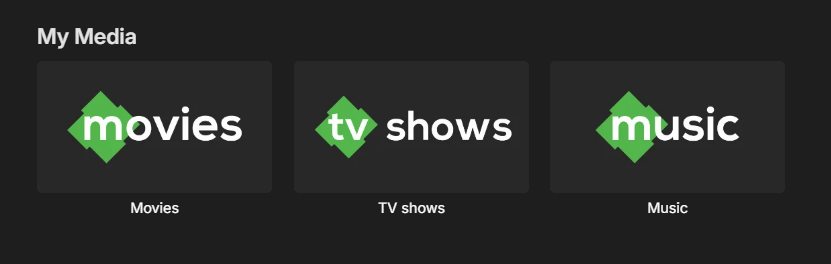
I made some simple icons for the "My Media" section inspired by the emby logo and figured I'd share. SimpleEmbyIcons.zip
 1 point
 -
I recently installed an Amazon firestick to my tv and installed my Emby server. When I tried to play movie I received a message: Premiere Device limit exceeded. I do not have a Premiere subscription. I only use the server. How can I fix this issue?1 point
-
This was not an easy ride, but finally I managed to make this work with @adminExitium's answer. Perfect now! SD Card folder is empty when there is no SD card inserted, and it gets populated when there is a card presented (on library scans). I can use Emby to delete wrong/irrelevant media files from SD cards1 point
-
He may still be on vacation.1 point
-
This doesn't look like a problem with webstreams. It is a problem with your stream url. This url redirects to an html web page: http://s3.voscast.com:9966 This url goes straight to an audio stream: http://s3.voscast.com:9966/; You cannot configure the plugin with web page urls. They need to link directly to an audio or video stream.1 point
-
When sorted by title, you get the quick links on the RHS with # A-Z which is great for getting to the general location of a movie There really is no reason these quick links couldn't be made available for the other sorting mechanisms. Container - List the container (or the first letter of the container name) Bitrate - List large groupings of the bit rates Ratings? List the rating numbers or "stars" Date Based? List groupings of the dates (year if few, months if too many for a year) Director name (or other name) use the same as the title etc etc The one I would use is the date based one (I typically sort by date added or title) Thanks Scott1 point
-
I'll go play the video and create a new one right now.1 point
-
They let me know they're going to do some testing and they'll get back to me.1 point
-
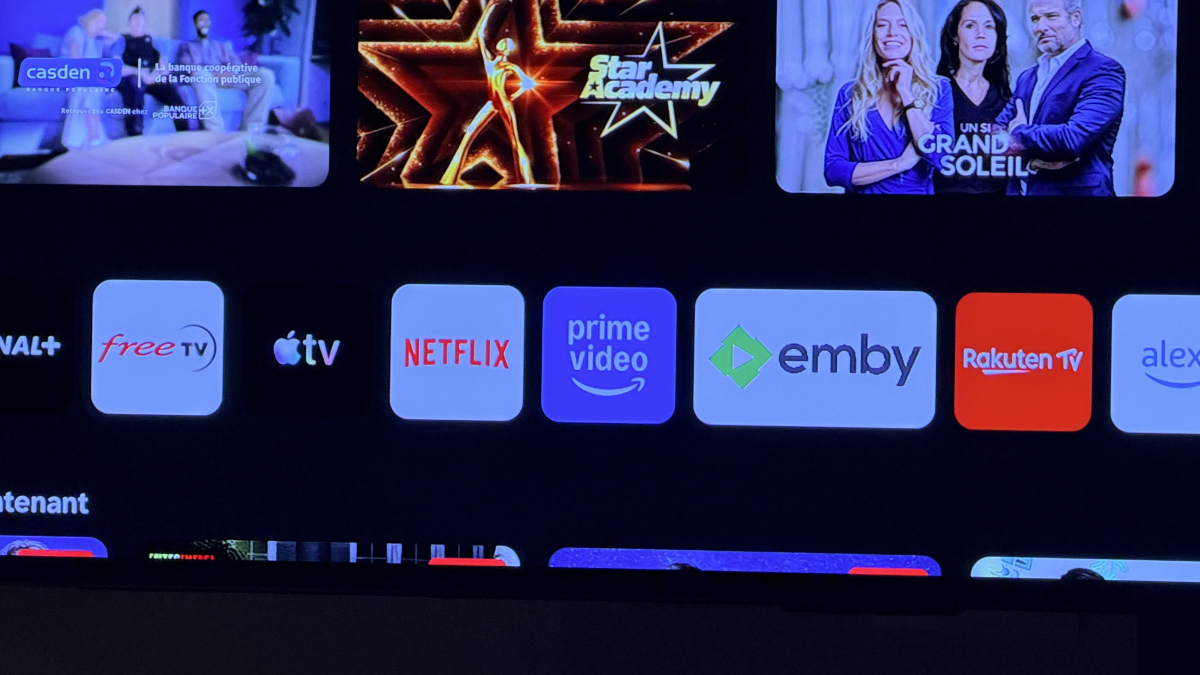
Apres plusieurs redémarrage de la tv j'ai fini par avoir un logo. Pas du même format que le reste mais c'est pas grave.
 1 point
 -
Ahh OK thanks again for your assistance. Within the season view, there is a green check mark. A given played episode was disappearing from the “More from season 1” banner list within the episode view — and now seems to ve there with a green check mark after a little while. Played episodes are indeed not visible in the “up next” view within the series view. Which of course is fine. Apologies but yes the “more from season x” banner did seem to be behaving differently for at least a moment. Regardless, as long as episodes are there in season view like in your Mr Bean photo, I am good. Submenus / subscreens in Emby for series / season / episode and related banners etc are a bit different but yes I understand now. Cheers1 point
-
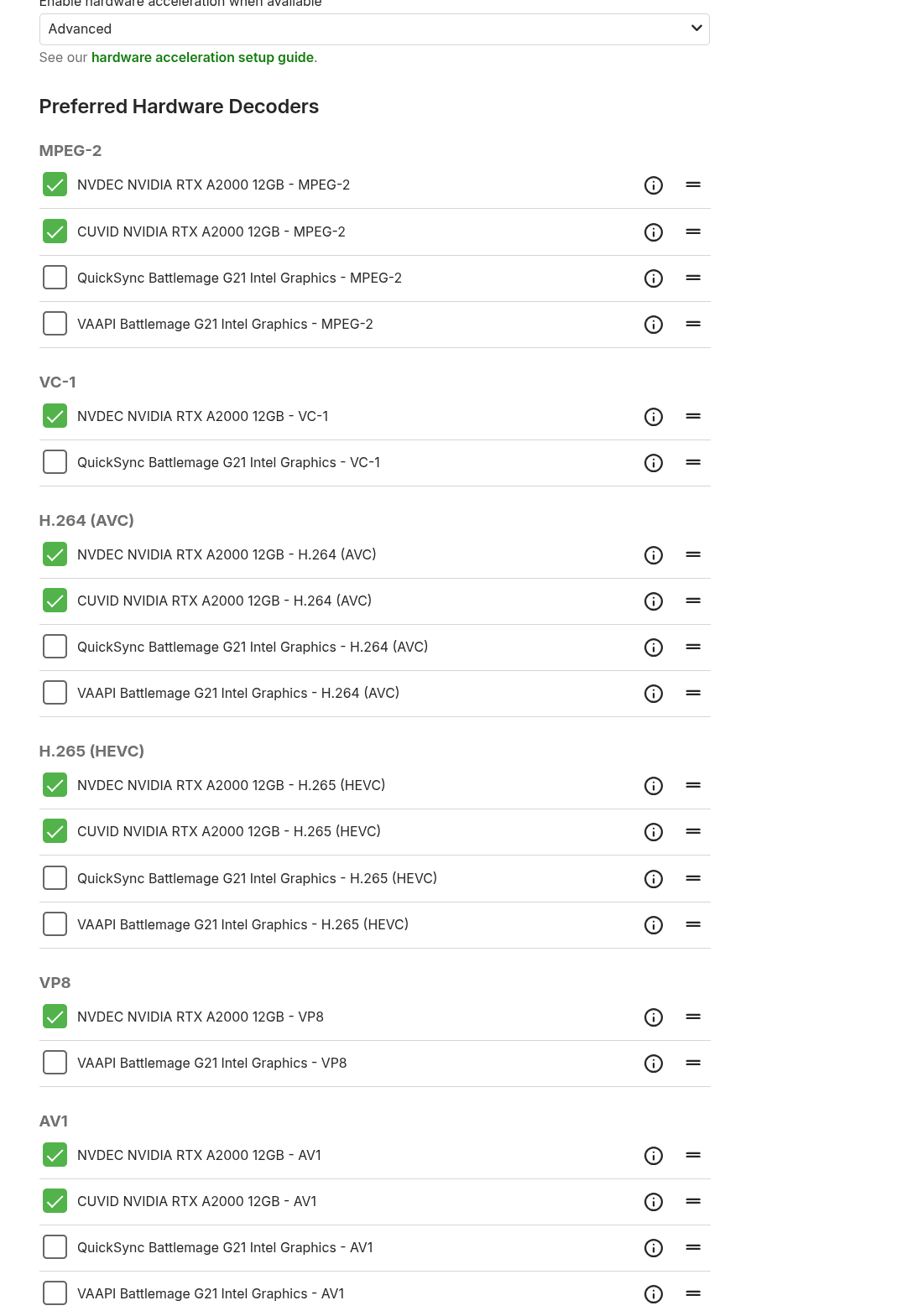
The same model running Docker is experiencing the same issue... It shows that incompatible streams cannot be played. According to AI, the GPU of this model is too new, while the driver is too old, and this particular chip could not be found.1 point
-
Sorry. I answered the private message as well. I got the flu/COVID/Ebola...whatever it was had me down and out for about a week and a half. Then had preplanned travel. Back now and I will do the test this evening.1 point
-
There's no difference! What I want is exactly what @marriedman and @guynammedbilly asked in their respective threads (all three different from @Guest Arg's "Ignore list" request). Besides, if my request had been different from theirs, I would have created a separate thread.1 point
-
Not really sure how gamescope would come into play here but there has been testing of the app on a Steam Deck. @DJAndieK@hukt_own_fonikz1 point
-
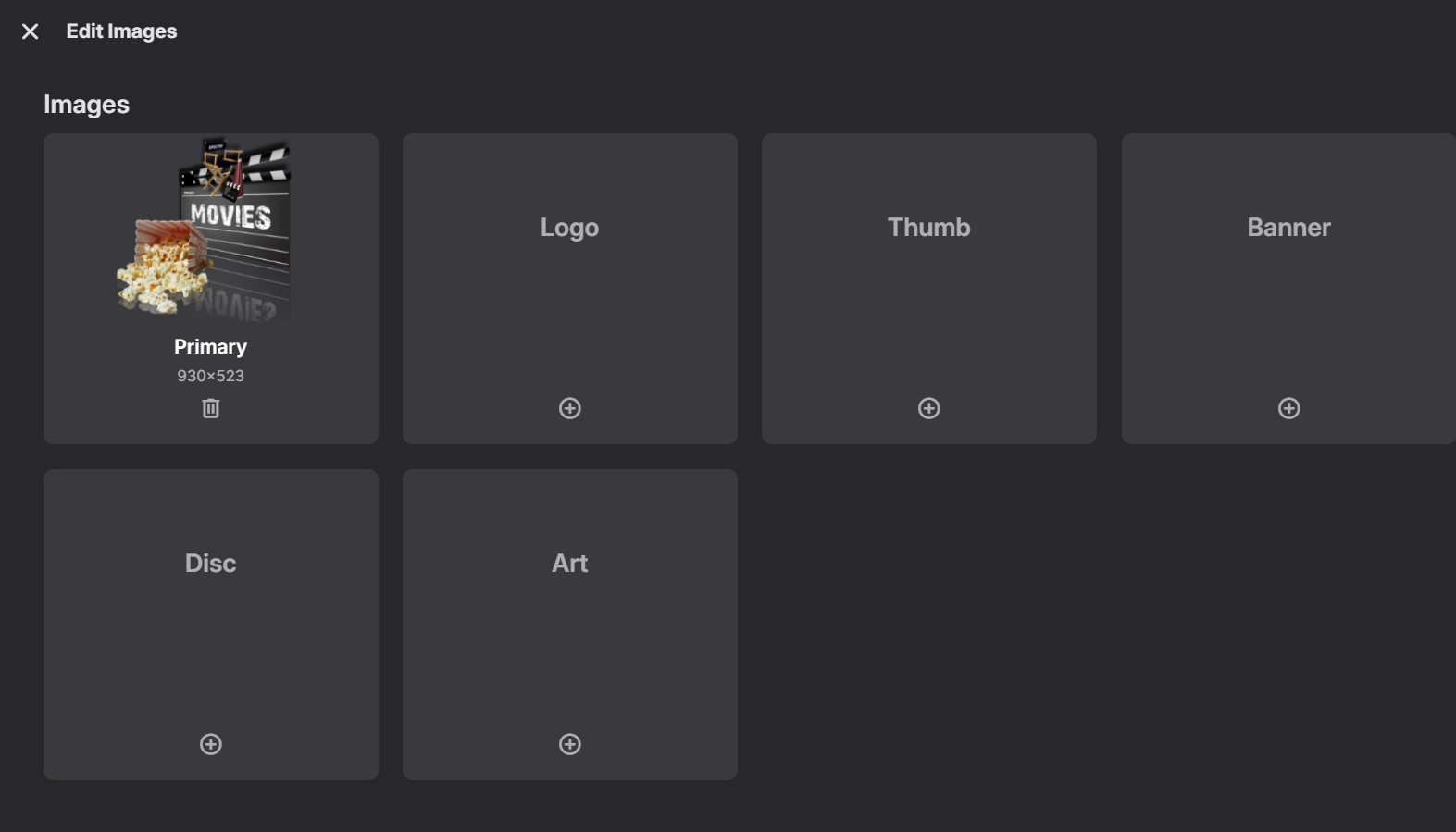
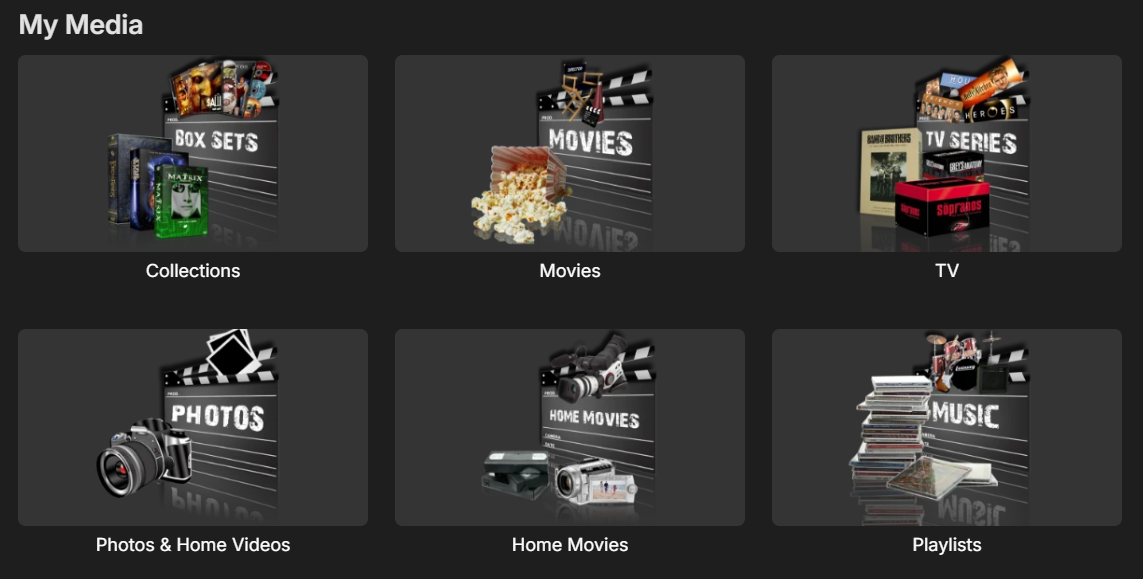
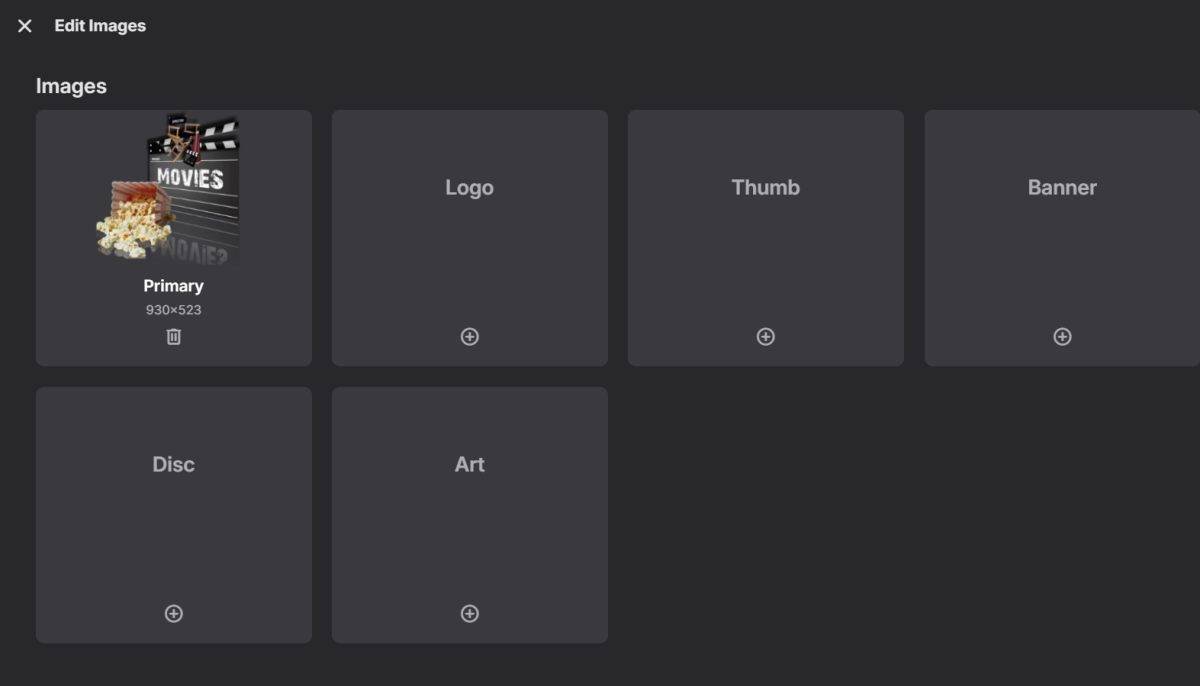
Ok, I set the images back last night 11/17... we'll see how long they last. Here's a sample of how it looks right now. and if I got to edit images, this is what I see I'll let you know if anything changes.
 1 point
 -
Thank you for your help. I certainly will do that. But I need a couple of days to check if that works because this doesn’t happen every day. I hope you don’t mind. I leave the subject open and I give you a shout in a couple of days, maybe two or three weeks.1 point
-
You actually shouldn't be seeing E15 as a separate entry anyway - but what you should be seeing is E14 as "14-15. Lecture Circuit (1), Lecture Circuit (2)". Your naming scheme doesn't appear to be one of the supported naming conventions for multi-episode files, try renaming that file (and *arr pattern) to: S01E14-E15, scan media library.1 point
-
I believe you have to do a refresh metadata and replace all the existing images to force everything old to go into your folder. Just note this will take a while to do if you have a large library...1 point
-
Task Scheduler is working now on Startup Sorry after long searching I found it. Sorry for that1 point
-
Thanks for the offer. Im going to try myself for a few days...can't keep asking all the time, need to figure it out for myself, if I can1 point
-
it was added to the latest server release, unfortunately defaulting to on. I've left it on, awesome new feature.1 point
-
That works for me. How have I never seen that button!?!?!?!?!?!?!?!? Thanks!1 point
-
Ok, thanks for the reply.1 point
-
Thanks, it has worked in the past on my shield. Oh yeah, I see it greyed out on my app options, (App Settings-General Display) as well. Checked but greyed out. I'll mark this as a bug, thanks.1 point
-
Thank you! The GitHub Link is a scrollable page, that allows you to select more pages going back in history. Clicking the version number shows a pull down menu listing all the version releases, allowing you to pick each one individually.1 point
-
I have come across Tailscale being used and the local IP used by Tailscale vpn was one in the CGNAT range. Maybe that is what you have rather than a public / WAN IP from your ISP that is CGNAT I would like you to get me the following: If you have a windows PC on the same network as the WD MyCloudPR4100, do the following - with tailscale vpn running, in a cmd.exe window, get the output from "ipconfig /all" - best to direct the result to a file, e.g. ipconfig /all > "%LocalAppData%\ipconfig-with-tailscale.txt" and in a browser, enter url "http://api.ipify.org/" and note down the displayed IP Address repeat these with tailscale vpn not running, so: - with tailscale vpn disabled, in a cmd.exe window, get the output from "ipconfig /all" - e.g. ipconfig /all > "%LocalAppData%\ipconfig-without-tailscale.txt" and in a browser, enter url "http://api.ipify.org/" and note down the displayed IP Address You can send me the files and the 2 displayed IP Addresses in a private message For the WD MyCloudPR4100, restart Emby Server, wait 5 minutes and then download the Emby Server logs and let me have that latest embyserver.txt log together with what Network Settings you have changed in the Emby Server settings and one final bit of info, login to your router and see what the IP Address is shown for WAN - you can include that or screenshot with the info you will send me by private message If you have a windows PC on the same network as the WD MyCloudPR4100 you are trying to configure for Emby Server, get and share the output from "ipconfig /all" in command line for when tailscale is running and also when it is not - so i can compare. Also in a browser, do a And for the Emby Server on the WD MyCloudPR411 point
-
I just Refreshed, Scanned, and Identified. Now the missing episodes are shown.1 point
-
I guess I did But... from a user point of view, when you are deleting a few songs and albums, after a while you tend not to read the deletion dialogs and I accept there may have been a chance I could of deleted a wrong album. But I would never have thought there would be a chance to delete my entire music collection. I just dont think EMBY should have the ability to delete your entire music collection. Just one click of the button and its all gone. Can I request you add a piece of code that checks for this: ---------------------------- If "the deletion folder" = "Library folder" display message "unable to delete this file" otherwise Delete folder ----------------------------- In my case the code would look like this and would follow the green highted code and therefore safeguard my entire music collection If "/Shared Musc/Music" = "/Shared Musc/Music" Display message "unable to delete this file" end of process otherwise Delete folder ----------------------------- Hope this all makes sense FYI - I'm thrilled to be able to use EMBY, its the best Media server out there by far, beautiful screens and a powerful server. I truely appreciate all the teams hard work that goes into it.1 point
-
Hi, sorry did not see the reply. Yes I uninstalled and reinstalled both Tailscale and Emby on both machines, the issue remained. I have been using the web interface to download when needed and am not having other issues so did not continue troubleshooting. Downloading continues to work from Wireguard.1 point
-
I defiantly shut the Emby Server done, but didn't do a restart, will try that if it happens again, thanks1 point
-
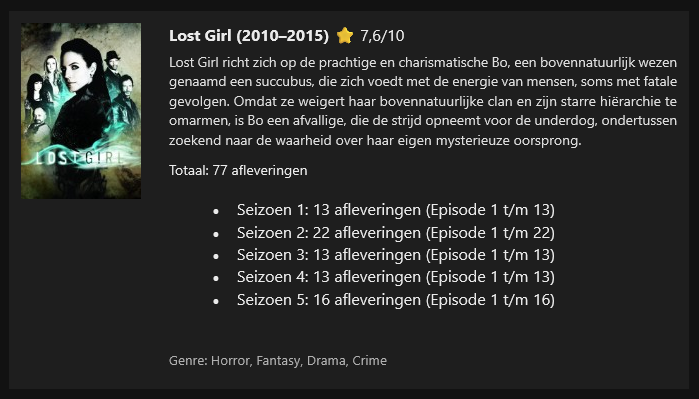
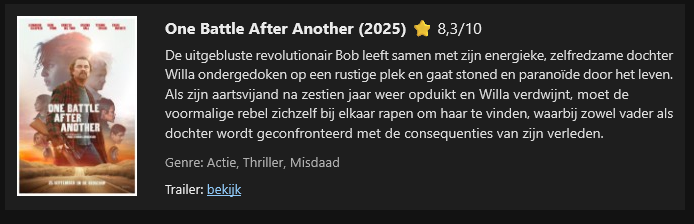
I don’t use Emby’s built-in notifications myself, because when I add new content, users tend to experience those notifications as spam. I’ve created a PowerShell script that uses the API key to query Emby and separates the new content into movies and series/TV shows. The genre is included, and for movies only I added a trailer option—if a trailer is available, it will be shown.Emby new content by week.ps1I also added the IMDb rating, and if that rating is unavailable, the script falls back to Rotten Tomatoes. When I upload multiple seasons with episodes, they are grouped together. The PowerShell script is triggered by a scheduled task, (windows pc) which in my case runs once per week at 15:55, because my weekly cycle runs from 16:00 to 16:00 the following week. The script has been tested in both Gmail and the Outlook client. I’ve attached the script and two examples. text in my screenshot is dutch In the script, you only need to fill in the URL, API key, and your mail settings at the top, and the recipients at the bottom.
 1 point
 -
Yes I kept getting the same issue, I've binned it off in favour of a Windows device instead. Shame as I wanted a 'portable' server. But if it's a limitation of the device I get it.1 point
-
In 2.5 hours it’s due to run.1 point
-
Sure, so I having both on that screen - like both Album and Song - would be great.1 point
-
I actually have noticed I think the past 3 days I have been getting the User Activity Report emails, but not the new media added emails so something is happy, at least for the past 3 days1 point
-
Version 2.2.7 probably hasn't completed testing by Samsung yet. I would just stick with the beta version for now if trailers are something you need.1 point
-
I finally found the issue. I had a library conflict between host and emby image. I had to remove the followings from my docker-compose to work: - /usr/lib/x86_64-linux-gnu/dri:/usr/lib/x86_64-linux-gnu/dri:ro - LIBVA_DRIVER_NAME=iHD - LIBVA_DRIVERS_PATH=/usr/lib/x86_64-linux-gnu/dri In the end here is how it looks like : emby: container_name: emby image: emby/embyserver:beta restart: unless-stopped logging: driver: json-file options: max-file: ${DOCKERLOGGING_MAXFILE} max-size: ${DOCKERLOGGING_MAXSIZE} labels: - org.hotio.pullio.update=${PULLIO_UPDATE} - org.hotio.pullio.notify=${PULLIO_NOTIFY} - org.hotio.pullio.discord.webhook=${PULLIO_DISCORD_WEBHOOK} ports: - 8096:8096/tcp network_mode: host # Enable DLNA and Wake-on-Lan environment: - UID=${PUID} # The UID to run emby as (default: 2) - GID=${PGID} # The GID to run emby as (default: 2) - GIDLIST=44,993 # host GIDs for video, render - TZ=${TZ} - UMASK_SET=022 volumes: - /etc/localtime:/etc/localtime:ro - ${DOCKERCONFDIR}/emby:/config:rw - ${DOCKERSTORAGEDIR}/media:/data/media:rw devices: - /dev/dri:/dev/dri device_cgroup_rules: - 'c 226:* rmw' #explicit that this container is allowed to use Intel’s GPU device nodes.1 point
-
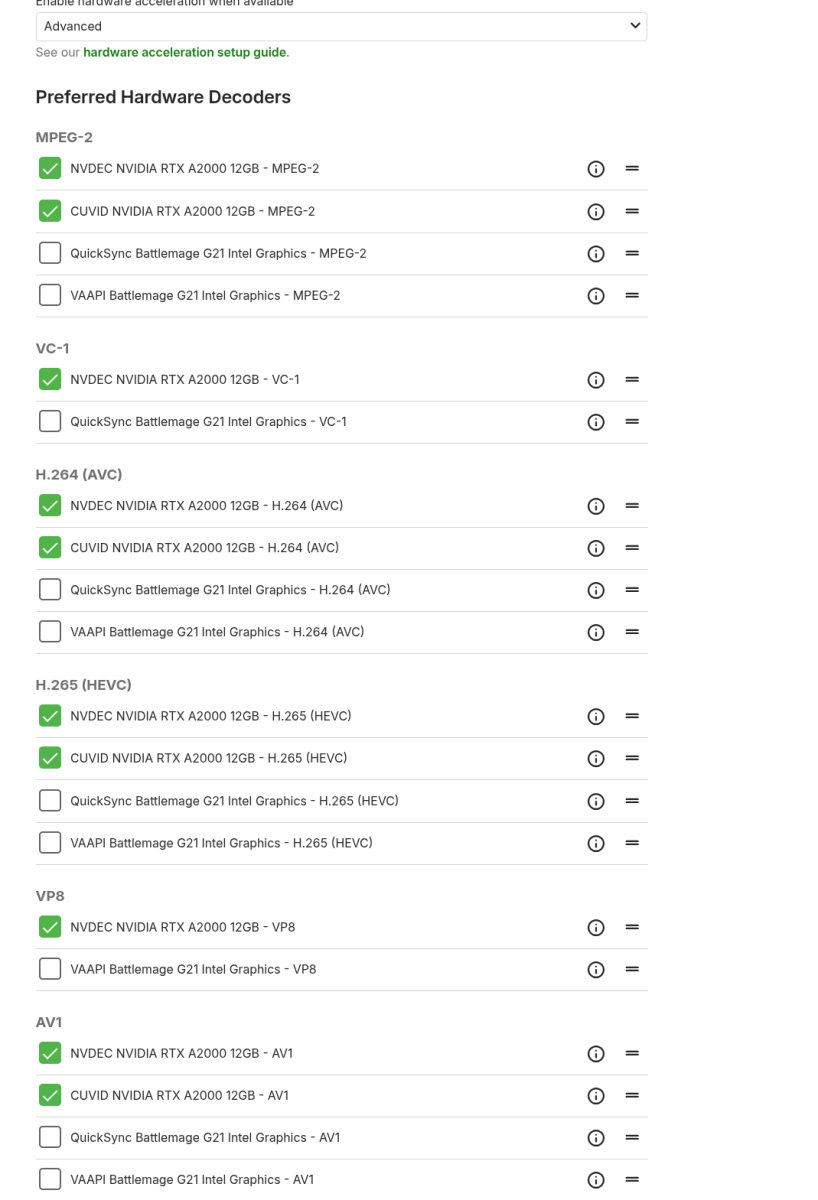
@Lukejust installed the beta and it works! Thanks!!
 1 point
 -
As part of my slow migration process toward Emby, I was missing Tautilli's fantastic 'newsletter' functionality. So Grok and I worked on a very basic Python proof-of-concept which I though I'd share with the community. The below script will create an html file containing all media added in the last week. If you call it without an argument, it will ask you which libraries should be included. Otherwise you can call it with the '--libraries x,y,z' argument and it'll immediately process. It's not pretty, but the basic functionality is there. I hope it helps anyone else needing this capability. import requests import json from datetime import datetime, timedelta import getpass import random import argparse # Configuration EMBY_SERVER = "http://your-emby-server:8096" # Replace with your Emby server URL API_KEY = "your-api-key" # Replace with your Emby API key USER_ID = "your-user-id" # Replace with your Emby user ID # Headers for API requests headers = { "X-Emby-Authorization": f'MediaBrowser Client="Python Script", Device="Script", DeviceId="001", Version="1.0.0"', "X-Mediabrowser-Token": API_KEY } def get_libraries(): """Fetch available libraries from Emby.""" url = f"{EMBY_SERVER}/emby/Library/VirtualFolders?api_key={API_KEY}" try: response = requests.get(url, headers=headers) response.raise_for_status() libraries = response.json() return [(lib["Name"], lib["ItemId"]) for lib in libraries] # Note: Use ItemId instead of Id if applicable except requests.RequestException as e: print(f"Error fetching libraries: {e}") return [] def get_user_selection(libraries): """Prompt user to select libraries.""" selection = input("\nEnter the numbers of the libraries to process (e.g., '1,3,4'), or 'all' for all libraries:\n> ").strip().lower() if selection == "all": return [lib_id for _, lib_id in libraries] try: selected_indices = [int(i.strip()) - 1 for i in selection.split(",")] return [libraries[i][1] for i in selected_indices if 0 <= i < len(libraries)] except (ValueError, IndexError): print("Invalid selection. Processing all libraries.") return [lib_id for _, lib_id in libraries] def get_recent_media(library_id, start_date): """Fetch media added in the last week for a given library.""" url = f"{EMBY_SERVER}/emby/Users/{USER_ID}/Items" params = { "ParentId": library_id, "IncludeItemTypes": "Series,Movie,Episode", "Recursive": True, "Fields": "DateCreated,Overview,SeriesName,ParentIndexNumber,IndexNumber,ImageTags", "SortBy": "DateCreated", "SortOrder": "Descending", "Limit": 1000, # Set a high limit to fetch many items "api_key": API_KEY } try: response = requests.get(url, headers=headers, params=params) response.raise_for_status() items = response.json().get("Items", []) # Filter items where DateCreated >= start_date recent_items = [item for item in items if item.get("DateCreated") and datetime.fromisoformat(item["DateCreated"].rstrip('Z')) >= start_date] return recent_items except requests.RequestException as e: print(f"Error fetching media for library {library_id}: {e}") return [] def generate_html(media_by_library, selected_library_ids, library_dict): """Generate HTML file with media grouped by library, then by series for episodes.""" # Collect all unique series and movie IDs for random background selection all_item_ids = set() for lib_id in selected_library_ids: media_items = media_by_library.get(lib_id, []) series_dict = {} movies = [] for item in media_items: if item["Type"] == "Episode" and "SeriesName" in item: series_name = item["SeriesName"] if series_name not in series_dict: series_dict[series_name] = { "SeriesId": item.get("SeriesId", ""), "Episodes": [] } series_dict[series_name]["Episodes"].append(item) elif item["Type"] == "Movie": movies.append(item) all_item_ids.update([data["SeriesId"] for data in series_dict.values()]) all_item_ids.update([movie["Id"] for movie in movies]) # Select random backdrop if available background_url = '' if all_item_ids: random_id = random.choice(list(all_item_ids)) background_url = f"{EMBY_SERVER}/emby/Items/{random_id}/Images/Backdrop?api_key={API_KEY}" # HTML content with improved professional dark theme, no italics, and background image html_content = f""" <!DOCTYPE html> <html lang="en"> <head> <meta charset="UTF-8"> <meta name="viewport" content="width=device-width, initial-scale=1.0"> <title>Recently Added Media</title> <link href="https://fonts.googleapis.com/css2?family=Roboto:wght@400;500;700&display=swap" rel="stylesheet"> <style> :root {{ --bg-color: #121212; --text-color: #e0e0e0; --header-color: #ffffff; --card-bg: #1e1e1e; --accent-color: #b0b0b0; --shadow-color: rgba(0, 0, 0, 0.3); }} body {{ background-color: var(--bg-color); color: var(--text-color); font-family: 'Roboto', sans-serif; margin: 20px; line-height: 1.6; background-image: url('{background_url}'); background-size: cover; background-position: center; background-attachment: fixed; }} .overlay {{ position: fixed; top: 0; left: 0; width: 100%; height: 100%; background-color: rgba(18, 18, 18, 0.7); z-index: -1; }} h1 {{ text-align: center; color: var(--header-color); font-weight: 700; margin-bottom: 40px; }} h2.library-header {{ grid-column: 1 / -1; color: var(--header-color); font-weight: 500; font-size: 1.8em; margin-bottom: 10px; padding-bottom: 10px; border-bottom: 1px solid var(--accent-color); }} h3 {{ color: var(--header-color); font-weight: 500; margin-bottom: 10px; }} .container {{ display: grid; grid-template-columns: repeat(auto-fit, minmax(300px, 1fr)); gap: 20px; max-width: 1200px; margin: 0 auto; position: relative; z-index: 1; }} .card {{ background-color: var(--card-bg); padding: 20px; border-radius: 8px; box-shadow: 0 4px 8px var(--shadow-color); transition: transform 0.2s, box-shadow 0.2s; }} .card:hover {{ transform: translateY(-5px); box-shadow: 0 6px 12px var(--shadow-color); }} .card-content {{ display: flex; align-items: flex-start; }} img {{ max-width: 120px; height: auto; margin-right: 20px; border-radius: 4px; box-shadow: 0 2px 4px var(--shadow-color); }} ul {{ list-style-type: disc; padding-left: 20px; margin: 0; }} li {{ margin-bottom: 8px; }} .synopsis {{ font-size: 0.9em; color: var(--accent-color); }} </style> </head> <body> <div class="overlay"></div> <h1>Media Added in the Last Week</h1> <div class="container"> """ for lib_id in selected_library_ids: lib_name = library_dict[lib_id] media_items = media_by_library.get(lib_id, []) if not media_items: continue # Group episodes by series series_dict = {} movies = [] for item in media_items: if item["Type"] == "Episode" and "SeriesName" in item: series_name = item["SeriesName"] if series_name not in series_dict: series_dict[series_name] = { "SeriesId": item.get("SeriesId", ""), "Episodes": [] } series_dict[series_name]["Episodes"].append(item) elif item["Type"] == "Movie": movies.append(item) # Sort episodes within each series by season and episode number for data in series_dict.values(): data["Episodes"].sort(key=lambda e: (e.get("ParentIndexNumber", 0), e.get("IndexNumber", 0))) # Add library header if there is content has_content = bool(series_dict or movies) if has_content: html_content += f'<h2 class="library-header">{lib_name}</h2>' # Add series cards for series_name, data in series_dict.items(): series_id = data["SeriesId"] html_content += f""" <div class="card"> <div class="card-content"> <img src="{EMBY_SERVER}/emby/Items/{series_id}/Images/Primary?api_key={API_KEY}" alt="{series_name} poster"> <div> <h3>{series_name}</h3> <ul> """ for episode in data["Episodes"]: season = episode.get("ParentIndexNumber", "N/A") episode_num = episode.get("IndexNumber", "N/A") synopsis = episode.get("Overview", "No synopsis available.") html_content += f""" <li>S{season:02d}E{episode_num:02d} - {episode['Name']}: <span class="synopsis">{synopsis}</span></li> """ html_content += """ </ul> </div> </div> </div> """ # Add movie cards for movie in movies: movie_id = movie["Id"] synopsis = movie.get("Overview", "No synopsis available.") html_content += f""" <div class="card"> <div class="card-content"> <img src="{EMBY_SERVER}/emby/Items/{movie_id}/Images/Primary?api_key={API_KEY}" alt="{movie['Name']} poster"> <div> <h3>{movie['Name']}</h3> <p class="synopsis">{synopsis}</p> </div> </div> </div> """ html_content += """ </div> </body> </html> """ # Write to file with open("recent_media.html", "w", encoding="utf-8") as f: f.write(html_content) print("HTML file 'recent_media.html' generated successfully.") def main(args): # Calculate date for one week ago start_date = datetime.now() - timedelta(days=7) # Get libraries libraries = get_libraries() if not libraries: print("No libraries found or error occurred.") return library_dict = {lib_id: name for name, lib_id in libraries} # Print available libraries print("\nAvailable Libraries:") for i, (name, _) in enumerate(libraries, 1): print(f"{i}. {name}") # Get user selection if args.libraries is not None: selection = args.libraries.strip().lower() if selection == "all": selected_library_ids = [lib_id for _, lib_id in libraries] else: try: selected_indices = [int(i.strip()) - 1 for i in selection.split(",")] selected_library_ids = [libraries[i][1] for i in selected_indices if 0 <= i < len(libraries)] except (ValueError, IndexError): print("Invalid command line selection. Falling back to interactive prompt.") selected_library_ids = get_user_selection(libraries) else: selected_library_ids = get_user_selection(libraries) if not selected_library_ids: print("No libraries selected.") return # Fetch recent media for selected libraries media_by_library = {} has_media = False for lib_id in selected_library_ids: media_items = get_recent_media(lib_id, start_date) media_by_library[lib_id] = media_items if media_items: has_media = True if not has_media: print("No media found added in the last week.") return # Generate HTML generate_html(media_by_library, selected_library_ids, library_dict) if __name__ == "__main__": parser = argparse.ArgumentParser(description="Generate report of recently added media in Emby libraries.") parser.add_argument('--libraries', type=str, help="Libraries to process, e.g., '1,3,4' or 'all'") args = parser.parse_args() # Prompt for configuration if not set if EMBY_SERVER == "http://your-emby-server:8096": EMBY_SERVER = input("Enter your Emby server URL (e.g., http://localhost:8096): ").strip() if API_KEY == "your-api-key": API_KEY = getpass.getpass("Enter your Emby API key: ").strip() if USER_ID == "your-user-id": USER_ID = input("Enter your Emby user ID: ").strip() main(args)1 point
-
MUMC (Multi-User Media Cleaner) v5.11 Release MUMC (pronounced Mew-Mick) will query your Emby libraries for movies, tv episodes, audio tracks, and audiobooks. Then delete media items you no longer want taking up disk space. Cool! How Do I Use This? Install the latest release version. Customize your configuration yaml. Schedule MUMC to run periodically. Enjoy no longer worrying about how much disk space is left. How MUMC works: Use filter_statements or filter_tags to tell MUMC how to query your libraries for potential media_items ready to be deleted. filter_statements apply filters to specific media_types (e.g movies, episodes, audio, etc...). filter_tags use tags to apply filters to specific media_items and their children (e.g. movie, series, season, episode, album, audio, etc...). Use behavioral_statements or behavioral_tags to tell MUMC how to compare a media_item between one or more users to determine if it satisfies the criteria to be kept or deleted. behavioral_statements define the keep or delete criteria that applies to specific media_types (e.g movies, episodes, audio, etc...) and the specified conditional_behavior (favorited, whitetagged, blacktagged, whitelisted, blacklisted). behavioral_tags use tags define the keep or delete criteria that applies to specific media_items and their children (e.g. movie, series, season, episode, album, audio, etc...). Use the configuration builder/editor to select the desired combination of users and libraries. Individually select users and libraries. Select only users; all libraries automatically selected according to each user's access policy. Select only libraries; selected libraries applied to all users according to each user's access policy. Select nothing; all libraries selected for all users according to each user's access policy. Point MUMC to one or more instances of Radarr and Sonarr. When a media_item is deleted from Emby: Unmonitor and/or Delete movies, series, and episodes for Radarr/Sonarr. Configure how MUMC treats remaining episodes: Keep a minimum number of episodes regardless of played state. Keep a minimum number of played episodes to ensure the "Next Up" functionality works properly. Configure MUMC to keep or delete the remaining played episodes after the series has ended. Configure how MUMC matches a media_item to its blacklisted/whitelisted parent library: byId Default behavior. byPath Use when a library has subfolders that are blacklisted and subfolders that are whitelisted. byNetworkPath Use when a library has subfolders that are blacklisted and subfolders that are whitelisted. All subfolders must have a network share path defined.1 point
-
I don't want to sound argumentative, but no one has the ability to click a heart on that post. It's missing entirely. Without the ability to support it, it cannot garner support. That being said, it doesn't appear as though anyone else has requested this feature since so you are correct that "no one" besides me likes the idea.1 point
-
This would be a direct duplicate of this, no?1 point
-
This is similiar to a lot of requests for a 'hide' function - essentially the opposite of a 'favourite' It obviously needs to be user selectable from the clients and maybe even an option to be done on a genre or other group level.1 point