Leaderboard




Popular Content
Showing content with the highest reputation on 11/16/25 in Posts
-
OP has not visited the forums in quite some time, I'll temporary append the first post, but as with any tutorial, guide or how-to (in particular for matters not strictly related to Emby): always DYOR first.3 points
-
Really it has been in different areas since 4.6. But as code changes and simplified it gets applied to more areas. And we have to find other workarounds. Personally try to remove all the horizontal scrollers and increase item limits to like three rows.2 points
-
The AndroidTV and Universal Android apps behave differently in this regard. The ATV app stops streams, closes session and exits when you press the Home button on a remote. The Android app leaves a paused but active session behind. The issue reported in this thread is that anyone can resume a session that was closed using the Home button without reauth when the app is configured to show login and prompt for PIN. This can be a problem for users with different accounts and parental controls. It's not too much to ask the devs to make a new Android app they developed behave like the old Android app they developed, is it?2 points
-
I tried to disable iGPU in BIOS, and then the issue was solved.2 points
-
Bump I'm currently adding a large number of movies/shows (about 30k video files). The initial scan is taking many days (which I know also has to do with some of the library settings I have turned on) but it would be great to show total number of files and how many it's processed so far. All I see is a percentage that moves about 1% per day after it hit 90%. I started watching the server logs just so I have confidence that something is happening.2 points
-
A new plugin is in the Emby plugin catalog for Emby Premiere users, largely developed by @softworkz. This plugin requires Emby Server version 4.9.1.27+, so unless you're running that, you will not see it. WebStreams This is designed to be a better version of the IPTV plugin. You can now import both single streams as well as M3U lists into Emby Server. Eventually we may also add RSS support and merge the podcasts plugin into this. Beyond RSS, there is also the potential to support other formats if there's enough demand for them. Features Import both single streams and M3U lists into Emby Server TV episodes within M3U are displayed with Series and Season hierarchies, just like regular libraries (make sure to select the appropriate content type when adding a source) Rich metadata support using MovieDb and TVDB (make sure to select the appropriate content type when adding a source) Ability to filter what gets imported Known Issues We need to add more visibility into the server's background refresh queue. You can see the progress of it on the webstreams config page. Currently if you restart the server in the middle of this, then you will need to run the refresh channels scheduled task.1 point
-
First and foremost: 1. This is heavily vibe-coded with the help of Claude Sonnet 4.5 and just a proof of concept (though it's fully functional on my side)! 2. Tested with stable Server 4.9.1.80 on a 1080p-Screen 3. Pretty sure that the code is not the best and shpuld be reviewed by anyone with good js-Skills. 4. This Banner just works on the Web Client. I hope one of the experienced devs here can make more out of it, e.g. a Plugin. Perhaps something like that can be incorporated as a menu option by Emby itself in the future. What the Spotlight does: On every Homepage load the Spotlight takes 10 items (Movies/TV Shows) from 50 latest Releases in the library and displays them as a slideshow. Banner is clickable to get to the item detail screen. Ratings are also included. Download from: https://github.com/v1rusnl/EmbySpotlight 20251005-1807-48.9352916.mp4.b64639dcb41419847c7795874d16a84b.mp41 point
-
Following up on the earlier thread Home button only pauses, I figured I'd post this separately since it's a related but distinct issue that still needs attention. When you press the Home button on Android, Emby doesn't actually end or time out the current session and just pauses playback instead. This means that if you later reopen the app (even a day later), you're still logged in. This completely bypasses the intended PIN protection and now gives any other user full access to your protected libraries, plus full access to the server configuration settings. In that previous thread, @Luke mentioned that Emby should automatically time out after 10 minutes, but that's not working as intended. I've confirmed this multiple times on different Android/Google devices. I can press Home and leave the app closed overnight, but when I open Emby again the next day I'm still logged in. Could we please get clarification on whether this behavior is expected, and if not, when a fix might be implemented? This seems like a significant security concern, especially on shared devices, and it's worked like this for well over a year now as far as I know.1 point
-
This is another ardent request to have Emby write the active queue to a persistent memory location, at least when playing music. Many devices close Emby and lose the active play queue when the user switches focus to a different app for too long, when the device runs out of dynamic memory, or when simply too much time has elapsed. There are many good feature requests in this forum that would enhance Emby, but fixing this issue would address an actual problem that many users currently face every time they queue up more music than is played in one continuous session. Can you please bump this up the queue (no pun intended) of Emby issues to address?1 point
-
Hi, yes are new app is about to launch. Thanks !1 point
-
Delete the file device.txt and restart Emby server. It'll generate a new one and that should fix it.1 point
-
Yeah, hence was curious why the OP expects it to be made official, it is more likely that it'll just become more convoluted and you'll need to find more imaginative workarounds.1 point
-
I installed the last availabale version of Emby for Samsung TV like it says here: https://emby.media/community/index.php?/topic/31461-emby-for-samsung-smarttv-release-notes-tizen-orsay/ The trailers are back!1 point
-
Just to warn you about a 4.8 downgrade of emby server on Synology: From my experience, the recent App versions are not fully compatible with it anymore (you can't access the administration via app anymore).1 point
-
@yockeris right this is just a file replacement and Emby will see it as the original file and be happy. The good thing about this is that you don't mess with the internals of the container.1 point
-
Looks like you have to edit the sectionscontroller.js to remove data-virtualscrolllayout="horizontal-grid" and add css "flex-wrap: wrap" to targets child element for your CW row. As all code is getting to generic as sections are gone now.1 point
-
True, but you do what you can until it gets fixed1 point
-
Yeah, it's likely a combination of features in the new app causing the problem and the workarounds are no more than that. For some reason the devs still haven't acknowledged the problems and their response is to state how they think the app should work, not how it's actually working. This isn't helpful but that seems to be the usual approach whenever someone points out that the new Android app hasn't reached feature parity with the ATV app. There are other platforms, like Roku, for which they stated it wasn't an option available to the app and "proper exit" was the only way to avoid runaway sessions. But we know that the AndroidTV app can close cleanly with the Home button so the new Android app should be able to do the same. You also posted in this thread so you know the Home/Exit thing seems to affect more than PIP and session timeouts.1 point
-
Android TV can play music when the app is in the background. IMO, if you put the app in the background - by any method - and don't return "immediately" (within some reasonable timeframe like just a few minutes) and you have the PIN configured and you aren't actively playing something that is visible/audible, then the app should re-prompt for the PIN.1 point
-
No, just that all of those will end up in the same "Extras" row in the UI (Item detail view), which is about the opposite of what the OP is asking for, I would assume threy are expecting each extra type to be displayed in its own row (per-folder type); IMHO that'd be a tad excessive, but it's up to @Luke.1 point
-
I just tried to search for subtitles again and it's working now. I'm seeing search results with opensubtitles and I can download them. Many thanks to those that contrributed.1 point
-
Basically any change can be a breaking change for someone - simply due to a sheer number of configurations/setups and databases in circulation (there are 10+ years old incrementally updated databases around), it is illusory expecting that all changes will work on all systems all the time, or which one should fall into "breaking" category, hence the beta cycle (granted, Emby's releases might not be ideal, there should be at least another, Alpha/Nightly level IMHO, but that is a topic for another discussion) in order to reach, as far as practically possible, wider usebase. But what works for one doesn't have to necessarily work for another (and it often doesn't) - and vice-versa. You don't get a pop-up, but you can easily get a sort-of: disable Automatic updates. You'll be notified in your Dashboard that a new server version is available (hence "sort-of" popup), but it will require active user interaction to actually update (you can inform yourself of changes from the same Dashboard, as per previous post, and decide whether to proceed with the update or disregard it/cancel). Regardless of that, instead of relying/hoping/expecting that someone can divine or guess how will the update process go on your particular setup, you can: 1) Have a viable backup strategy in place (that does not apply to Emby only, but should be a common/general practice) 2) Do not jump on the latest-and-greatest version immediately upon release (disable Automatic updates as per above), give it few days and/or weeks until early adopters report ongoing issues, any widespread issues will/should be dealt with relatively quickly, by maintenance release following shortly thereafter; FWIW my main server is still on 4.8.11 0, my testbed server with portion of my library and subset of users is on 4.9.1.90 until I'm confident enough that it's reasonably safe to bring my main server up-to-date (and I have a beta instance to help testing latest version and another stable instance for forum troubleshooting and another beta instance for same purpose... ). In short: hope for the best, prepare for the worst, and you'll hardly ever be caught off-guard. Cheers1 point
-
It really depends on what signal the button actually sends to the Server. As the Roku isthe same way as the home button does not signal the server to Stop, so content can/will still be playing until the server kills the connect when actually identified. So could be as long as the Are you Still watching messaging.1 point
-
Great to hear and thank you for reporting the issue!1 point
-
I have retested with 1.4.9.0 and it's working as expected! With playback set to 720p 4 Mbps the 1080p version is now able to be played with transcoding and the 4k is stopped as it should, and with it on auto or max both direct play. Thanks!1 point
-
I am also quite unhappy how updates are communicated here in general. I don't want to dig out a change log somewhere posted on the forum as customer and guess which of the changes might be breaking changes. Another prime example was the sudden popup un my emby app that administration via app is not possible anymore. Turns out there was a update of the server that rendered the whole update feature of the app useless. Things like that, or possible changes that affect possible data loss like with meta files should be announced more visible on the website or blog with a warning included that a breaking change might affect users. This communication is vital to keep customers happy. This unrealibilty is one of the main reasons I hesitate going to buy emby premiere1 point
-
I think the main problem here is your understanding of the Home button. It's not designed to log you out or end the app. It's designed to take you to the Home screen, leaving the app in memory. You can use an app switcher to quickly go back Better to actually exit the app, using the back button and the exit option. The security issue is actually how you are using the remote.1 point
-
voilà, il est enregistré sur une mémoire USB1 point
-
That's what got me though.. I checked the most recent log file (the embyserver.txt it created at startup) and didn't see it... either something weird was going on behind the scenes or (more likely) I was tweaking out and made a typo when trying to search the path to my certfile in the logs I was tired, it was like 3:30 AM and I was about to lose it.1 point
-
OK. Lets move on then. May have been just weirdness as it has worked flawlessly since - on Roku.1 point
-
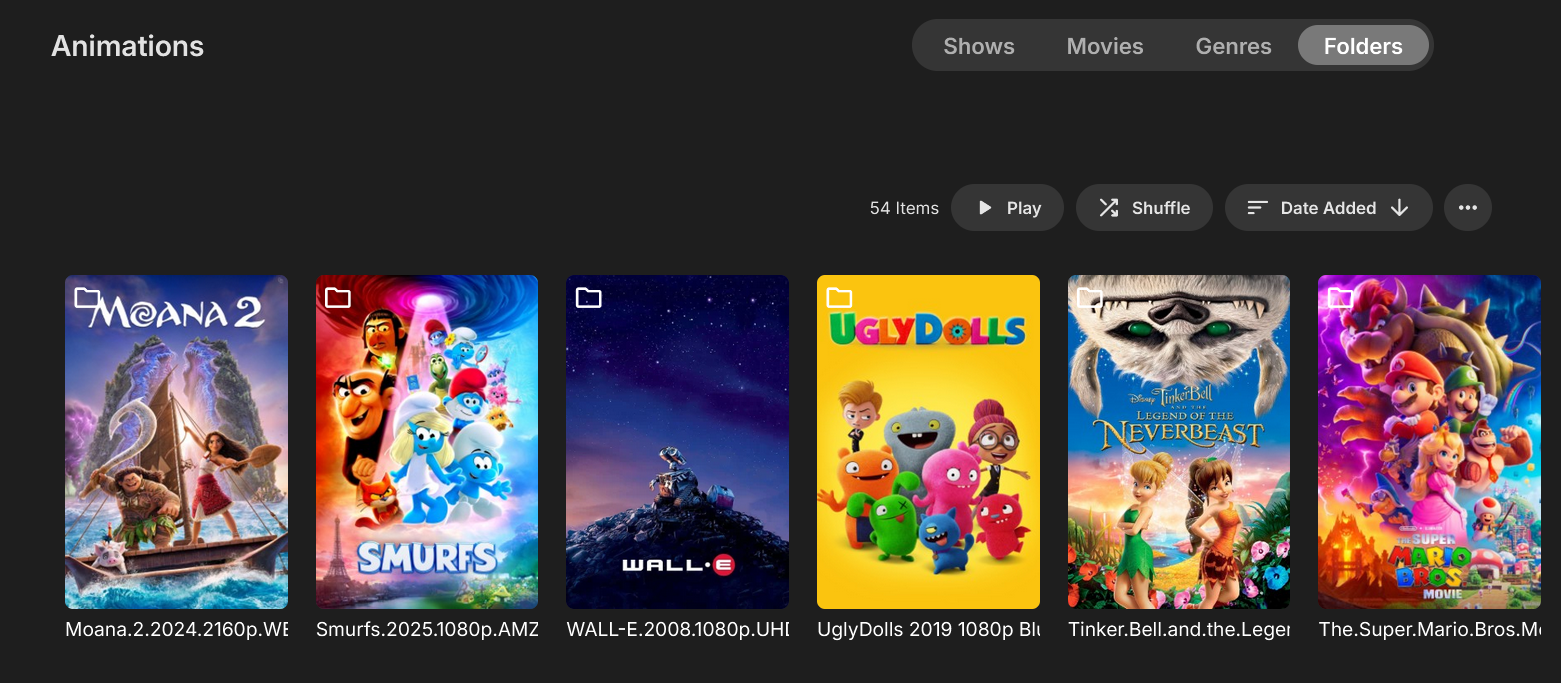
But nested collections are absolutely necessary in order to replicate the view that is available with the old Folder View. I would rather have the old Folder View than nested collections, honestly (although nested collections would still be great). But it would take a lot of work to create all of the collections and subcollections to match the folders and subfolders I already have in my filesystem. It's much less useful. Cross-posting to the discussion on the related topic:1 point
-
Totally agree. @GrimReaperand I had this exact discussion a while back in this same thread. I know I can change metadata providers, or manually edit the genres, but doing this to the level I would prefer is tedious, and would further defeat the purpose of having the Genre View available for any of viewers that might actually want to navigate my content using a Netflix-style approach. I too really prefer the 1:1: title navigation that Folder View offers. Emby needs to be fixed to accommodate both approaches like it used to. I think that my library (generally a family-oriented collection of titles, and probably smaller than most of the long-time users here--but still large enough that rebuilding the entire thing when the metadata gets whacked is very undesirable) is just better organized when I control the categories. I have no desire to grow my library to a massive size or abdicate management of the whole thing to Radarr. But the dev's current approach seems to be geared only towards those types of users. Granted, there are ways of separating libraries to keep children's content separate from the other media, but my kids are now old enough that I don't mind keeping anything that isn't explicitly rated-R in our main library so it is all readily available in one place. And I can easily categorize things by having a folder for "Children's Shows", etc., to group together all of the really kiddie stuff that they have outgrown. It's nicely organized from the file system perspective, and in the future if they have kids of their own (or just want to rewatch for childhood nostalgia), I can just give them a single folder with all of their old titles that they used to watch when they were little. Pulling out a particular category of such titles using the now exclusively-supported approach of a flat folder structure would be an absolute pain in the neck. Meanwhile, Genre View is largely a wreck, which I do edit from time to time when it gets really unwieldy. But the online providers are just setup way too broadly in general. I'll add a few more examples to your list above: "Muppets Take Manhattan" shows up in "Romance" "Bluey" and "Peanuts" appears alongside "Seinfeld" and "Friends" in comedy. "Star Trek" TV shows are both "Action", "Adventure", "Drama" (and some are "Mystery") when in reality no person in their right mind would ever need or want to find it anywhere other than "Science Fiction". Meanwhile, the "Ice Age" short "No Time For Nuts" gets a "Science Fiction" designation because the plot involves time travel, but there's no reason this needs to be categorized any differently than all of the other Ice Age titles. *** You may be hosed if you upgraded a month ago and the backups have already rotated out, but there is some means of salvaging your setup on a temporary basis if you still have a backup of your pre-upgrade database. See the various posts above.1 point
-
Actually kinda infuriating, i just tried the "fix" here of "Auto open single items in folder view" but it's not great. ...like someone said it doesnt show folders as played. Kinda lame. Btw, the reason I insist on folder view is because i categorize my movies by genre. When I'm in folder view the movie/genre relationship is 1-to-1. I have a single folder for "Super Hero Movies". But if I try to use the movies tab the same movies show up in multiple places. Super Hereos show up in "Action" Snoopy Movies show up in "Comedy" Documentaries show up in "music" It means if i'm browsing for a movie, no matter what I do, I see the same movies multiple times. It's worse than Netflix.1 point
-
I have an extensive music library and set up playlists with hundreds of songs across many albums to play at work & elsewhere. I, too, find that I have to adjust the volume for many songs. At work, when I am sitting near my iPad, I can tap the volume button up or down easily enough (though annoying). I love the flexibility that EMBY provides to play my selections from my nearly 1.5 TB of recorded music, but the volume fluctuations are a real pain. I (and other users) would like to see a solution to this problem worked on in a timely fashion, PLEASE!!!1 point
-
The Emby for Android TV app looks, runs, and plays better and it should be updated. Even the movie thumbnails look better on Android TV app.. Why? I have no idea but they do.1 point
-
If you’re new to the world of media servers, you might be wondering what they are, why people use them, and where Emby fits in. Whether you have a collection of movies, TV shows, music, personal videos, photos, or all of the above, a media server helps you take control of your entertainment. Let’s break it down. So, What Is a Media Server? A media server is simply a system that allows you to store your media in one place and access it from anywhere — your TV, phone, tablet, computer, or even while on the go. Instead of hunting through drives, folders, or different apps, a media server organizes and presents your library in a clean, familiar interface with artwork, descriptions, cast info, and more. Think of it as your personal streaming service that is built around your collection, not someone else’s. An important note and one we can not stress enough, is that Emby does NOT provide any movies, shows, channels or other media. Emby is only for organizing and streaming YOUR own content. Why Choose Emby? There may be several media server solutions out there, but Emby has a philosophy that sets it apart: Your Media. Your Way. With Emby, you are in control! Your library is yours, your privacy is yours, and your server is yours. No forced cloud accounts. No data harvesting. No locked-down ecosystem. Emby is built around choice and customization, allowing you to decide: Where your media is store How your library looks Who can access it What devices you stream to Whether you want to manage media manually or automatically All while keeping your experience intuitive and easy. Beautiful and Powerful Emby automatically fetches artwork, metadata, and episode information to make your library look amazing. The apps are clean, fast, and available across: Smart TVs Streaming boxes like Fire TV, Apple TV, Shield, Android TV Android, iOS, and tablets Game consoles Web browsers And with Emby Premiere, there's even more! You can unlock powerful features like: Offline downloads DVR with Live TV Advanced parental controls Hardware transcoding for smooth streaming Whether you're just starting or you're a longtime media enthusiast, Emby scales with you. This Is Just the Beginning Over the next few days, we’ll walk through: How to install Emby How to add your media Tips for organizing your library And how to stream anywhere So stay tuned — your personal media journey is just getting started. Your Media. Your Way. Welcome to Emby. View the full article1 point
-
I joined this forum specifically for this topic. The update broke my mixed library folder view. Ive gotten it mostly back to normal with some CSS to hide the folder/type icons on all the poster images; as well as the turning on the 2 optional settings mentioned in above posts. It still looks broken while viewing on my Roku TV though as images all have grey framing and I cant remove the file/type icon on images from Roku. Luke... 100% need the Movies/TV tab (preferably as the first tab) in mixed libraries that functioned just like the folders tab did before. BTW, you guys probably dont get enough praise... so great job on a great program!1 point
-
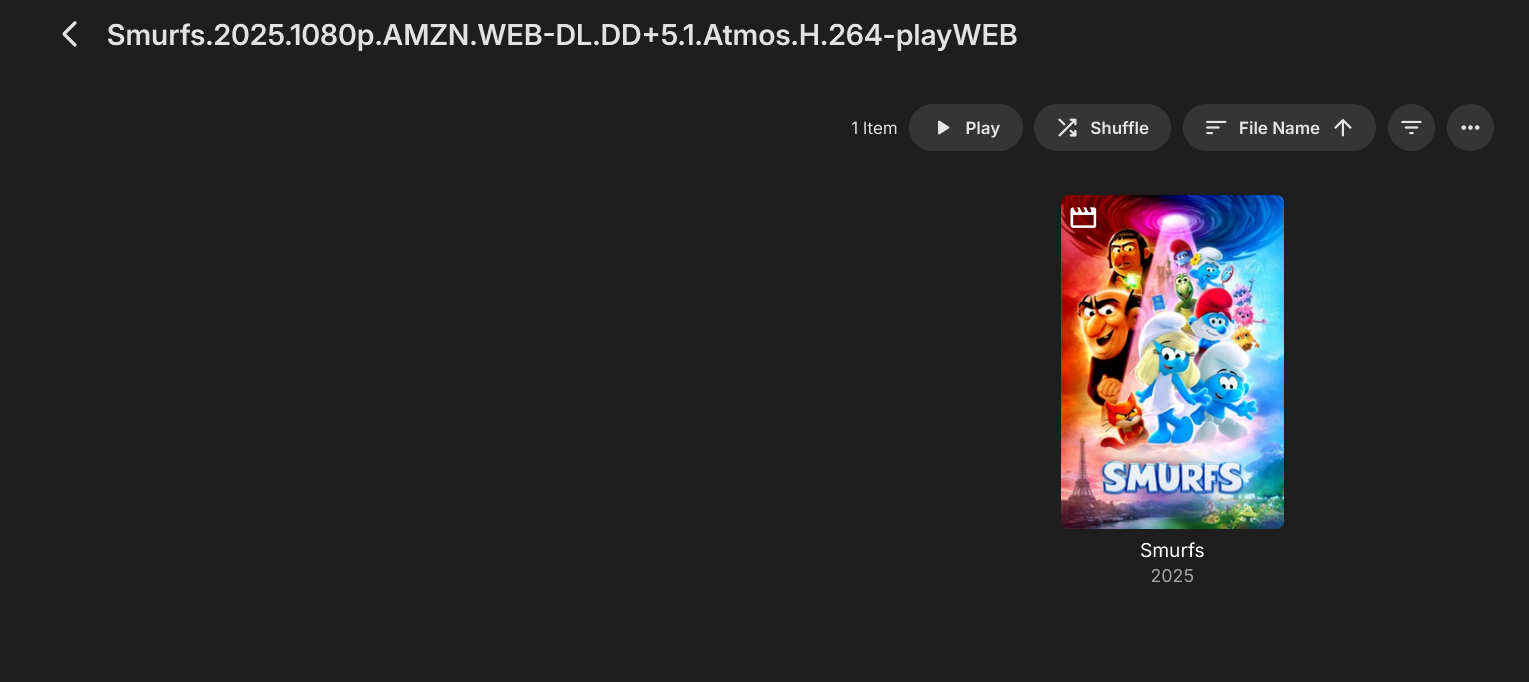
But the issue is that the configuration option they gave us isn't a complete toggle. It eliminates a click from a UI perspective, but does not address the fact that single-title-folders are now treated differently than they were before. I'm still trying to understand why this change to Folder View was implemented. Folders were obvious before, except for single-title-folders. And I don't understand the need to now identify single-title-folders as "folders" instead of "titles". I'm not sure who that serves--if you're just trying to make it easy for someone to find their file in the filesystem, it's still pretty obvious what parent location it is in, and the full path can be displayed in the file info block. Moreover, you could've thrown a folder icon on the image without changing how it actually worked.1 point
-
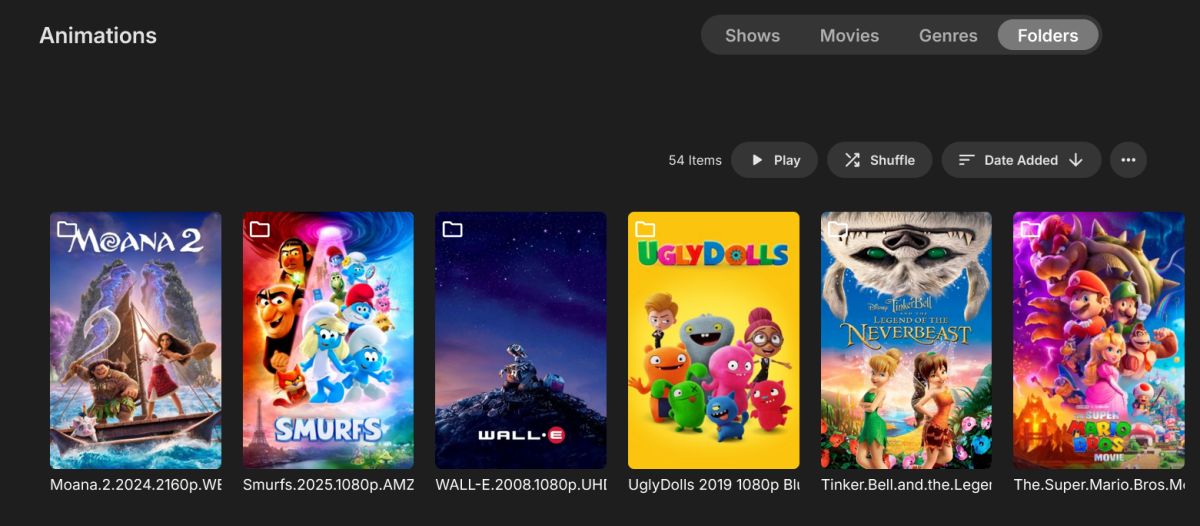
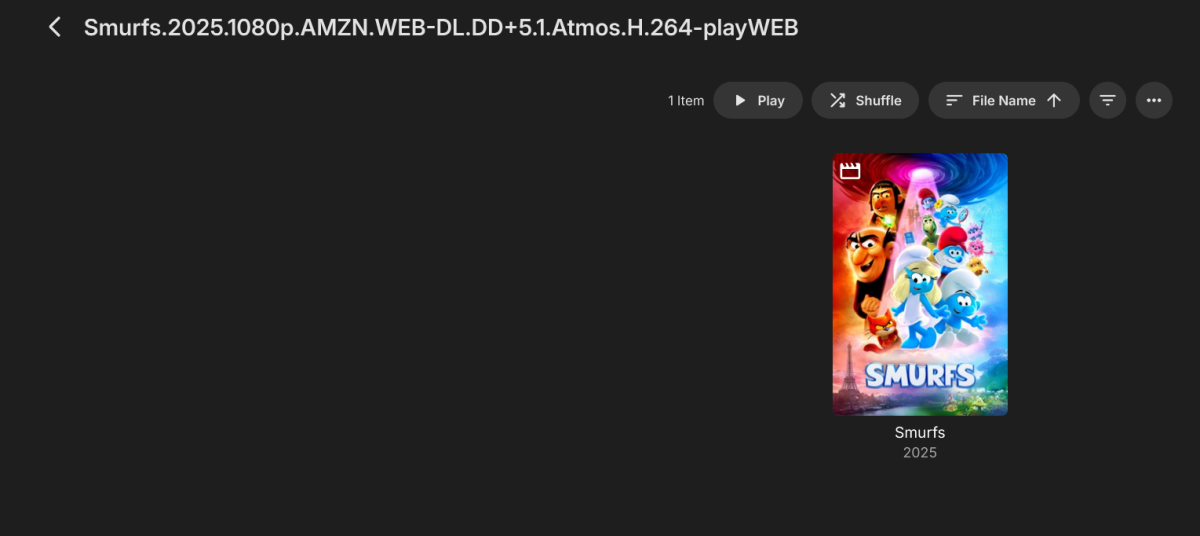
When the Library was set to be viewed by Folders, it used to combine both Movies and Shows, but now it doesn't. The Merge option does combine them again, but they are completely messed up. It shows the name of the folder instead of the name of the Movie/Show, and it opens the folder before it opens the Movie/Show content. Is there a way to revert to the previous setting? Thanks!
 1 point
 -
Hello again Emby community! So long story short, I'm developing on the plugin again as time permits. I essentially started from scratch, which is what I think my mind needed to look at the project in a new way, design-wise that is. This time around, instead of doubling up on Emby's REST API calls or using the SQLite database, I am using the internal .NET API that was already available to me via the plugin itself, and things are already looking much, much cleaner! Since I had a few GitHub stars on the original repo, I am just reusing it for this new effort. The good news is that I have successfully gotten the following three endpoints working successfully: /rest/ping /rest/getLicense /rest/getArtists Not much I know, but I'm hoping things will go quicker as I hit more of Subsonic's API methods. I'll report back when I'm near or at an initial release, but in the meantime, feel free to track progress at the repo.1 point
-
Rename C:\Users\MYUSERNAME\AppData\Local\Packages\EmbyMedia.EmbyTheater_svmepx4c03f7m\LocalState to something else to keep a copy, then: mklink /J "C:\Users\MYUSERNAME\AppData\Local\Packages\EmbyMedia.EmbyTheater_svmepx4c03f7m\LocalState" <my other place>\LocalState1 point
-
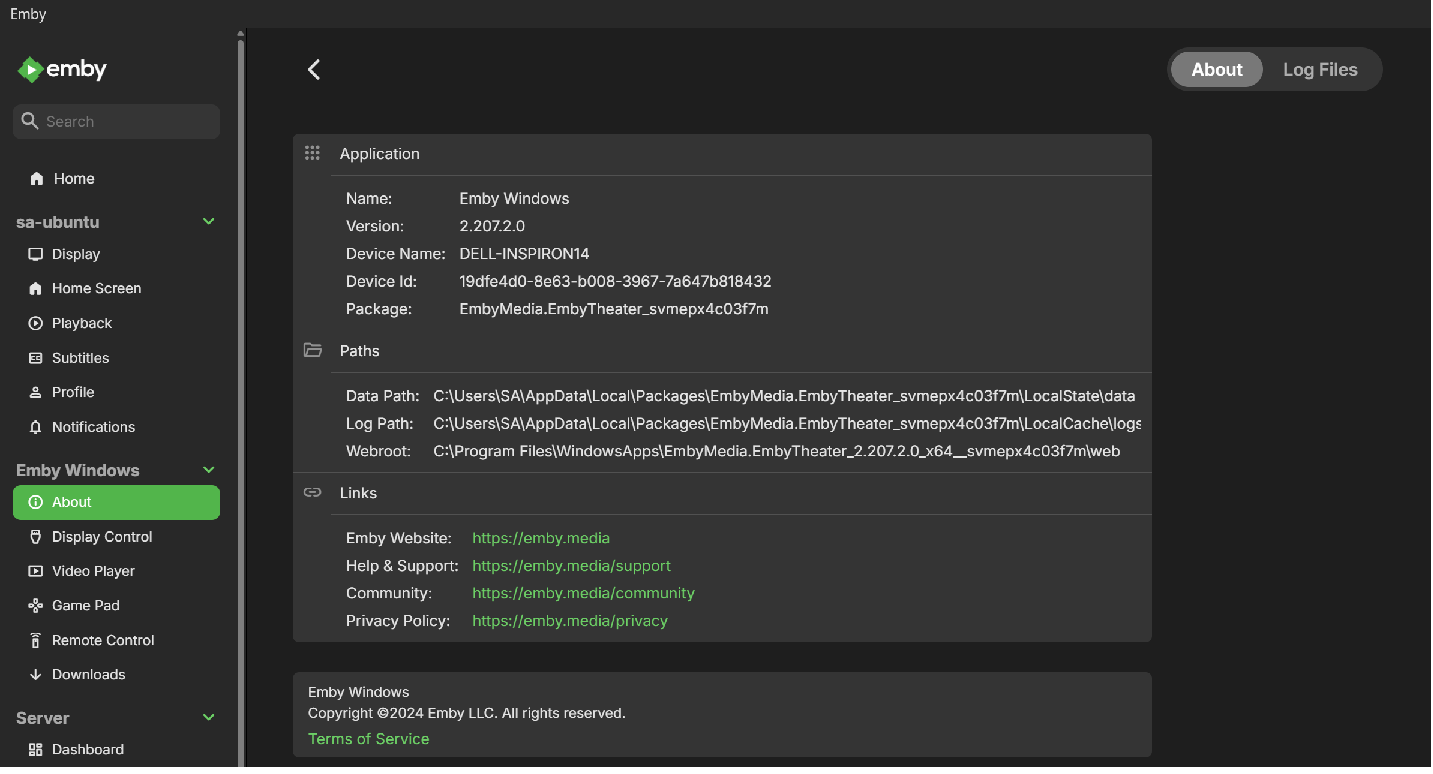
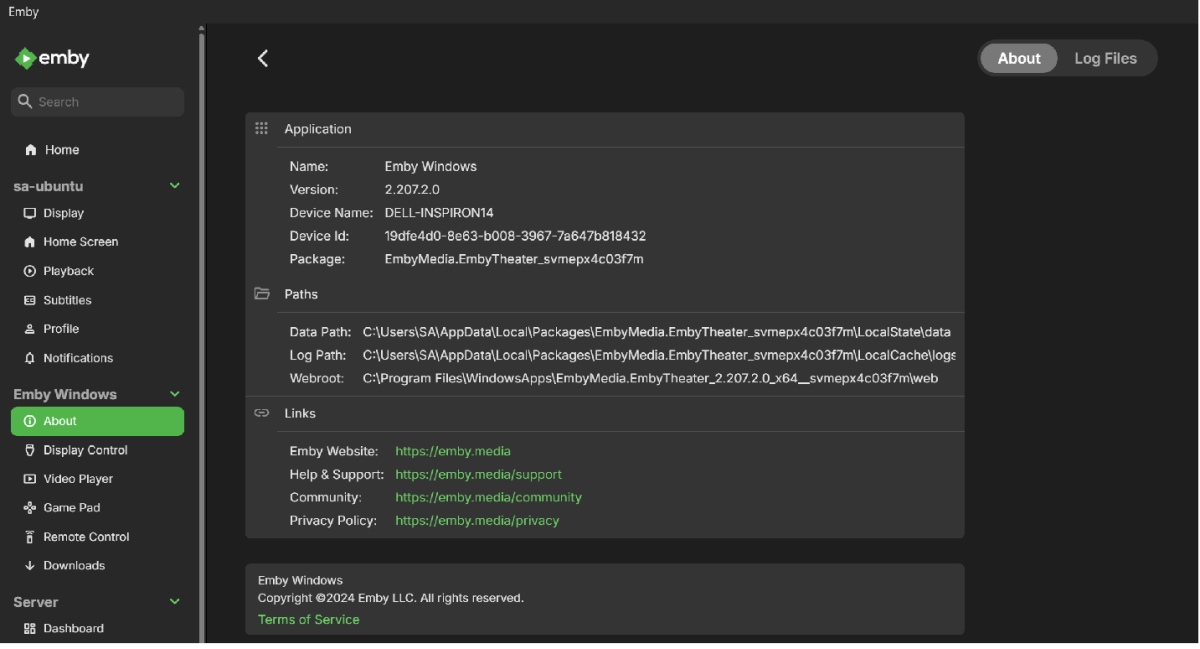
The windows app that is now available in the Microsoft Store is the new Emby for Windows app - current version 2.207.2.0 If you go to App Settings for this app and Select "About" you will see various paths displayed The Downloads go into folders below syncItems folder under the data path
 1 point
 -
It would be nice if we had an option to enable a notice message. This message could be used to tell the end users of changes or updates to the server. I visualize it being a link from the main interface you can click on to read? somewhere the end user would see it from their streaming device or web.1 point
-
My Emby users and I regularly communicate about matters relating to Emby; often about recommendations, service, and requests. A 'simple' message system within Emby would be very welcome. So here is a user communication feature request starter. As an admin, on the web client, I want to control users permissions to send messages to none selected users all users As an admin, on the web client, I want a user setting "hide this recipient from send message interface*" [y/n], default to hidden. As any user on the web client, I want to send messages to selected [multiselect] user(s)/ all users. I want to construct messages using URLs (inc. links to media items) and text in the body alongside a subject. As a user I would like to be able to be able to compose new messages from "[my ]messages" form and from the context menu on media items (auto populate body with link to media item). As an admin I would expect to see hidden users* when selecting recipients. As any user on any client (initially web client), I want an indicator** for 'new messages' and a link to "[my ]messages" form on the home page. "My messages" sorted by sent recent first, showing "date sent, subject, sender". I want to be able to click on a message to see the subject/body detail...automatically set opened message as old. The UI should allow the reader to navigate to library URLs. **Perhaps a pulsing user profile icon would be a good new message indicator with "[my ]messages" being a menu item under the user profile icon. thanks for considering.1 point
-
im royaly peeved off, please update your guide to reflect that square-space who now own the domain purchasing doesnt support dynamic DNS or direct hosting. i just wasted money that could have been better spent0 points






















.thumb.jpg.21d888786f2104b4f688825203ce7598.jpg)