Leaderboard




Popular Content
Showing content with the highest reputation on 11/04/25 in Posts
-
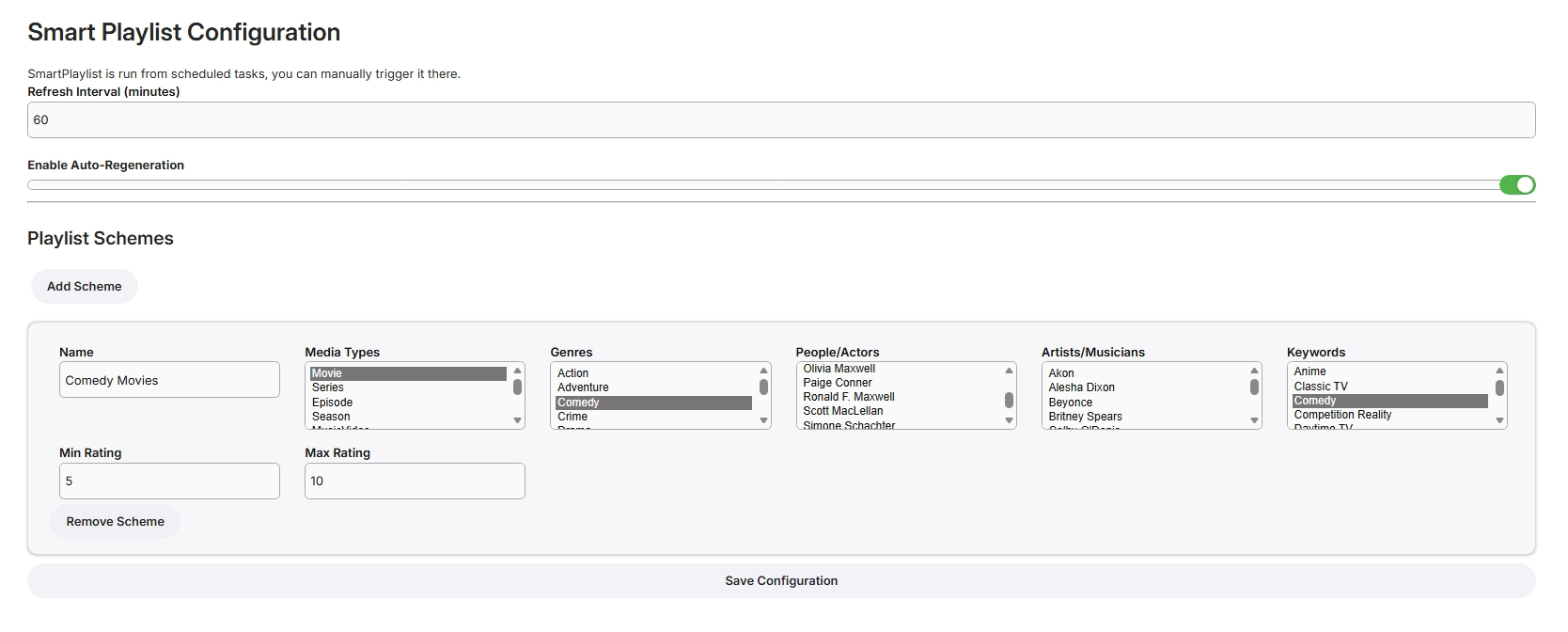
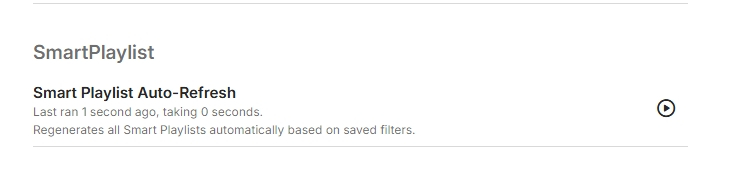
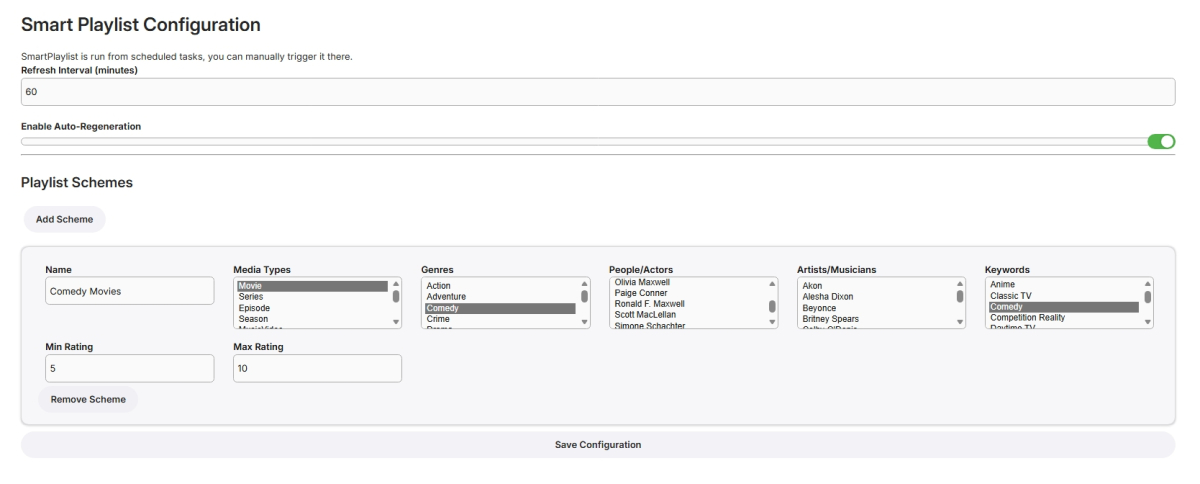
I have never used smart playlists so wasn't exactly sure what to build but here goes... Create Lists Here, add new schemes for more lists From scheduled Tasks Playlists are generated in the playlist library, only minimally tested! SmartPlaylistPlugin.dll
 2 points
 -
The ATV apps stops streaming when you hit the Home button. The console might show the session but no active playback. Does the stable release of the Android app have an option to disable PIP?2 points
-
Any reason to not make the Android app put up the Exit dialog when pressing Back just like the ATV app does? I thought feature parity was the goal for the Android app. How about putting up a pumpkin when I press Back on the new app. That would at least look like some effort has gone into this.2 points
-
@FrostBytethat a workaround @LukeWe need the old Exit option when clicking the "Home" button, that canceled streams and properly closed the app. Or at least the option to enable that behavior2 points
-
Hello, I was working some more on this and reading other Emby forum posts, and I realized I mistakenly forwarded the public ports directly to my Emby Server, forwarding 80 to 8096 and 443 to 8920, which is not correct with a Caddy reverse proxy. Because I'm running Caddy, I needed to forward the public 80 and 443 ports to the 80 and 443 ports of Caddy, because Caddy listens on those ports. I did, and it works now!2 points
-
MERCI!!! Effectivement la dernière mise à jour m'avait tout décoché...2 points
-
Sorry about that, I’ve reverted to the backup server until I can determine the issue. That’s what happens when you put a new server up too soon before bed2 points
-
Tagged on Discord also as it looks like other are seeing issues also.2 points
-
Hi, I've sent a message to their lead dev about this. Thanks.2 points
-
Hello All!! I am so sorry it's taken so long for me to reply. I've changed my setup to mount the SMB share to the local Linux host, then mapped that mount point to Emby via docker compose. Since then, all is well Without wanting to sound like a D, the conversion seemed to lose tooich quality so I think I'm looking at handbrake or similar to retain quality whilst converting to common formats. Either way, Emby is awesome. I love it. X2 points
-
Actually, today I was (or rather, I tried to be) testing the other app on my two TVs. Honestly, it was impossible — the movies kept freezing constantly. I checked the option to force transcoding (I use AV1), and even then, it was still impossible to watch anything. On some videos, it even threw an error when starting and wouldn’t play at all. I understand that you want to make an all-in-one app — I guess it takes less time than maintaining two separate ones — and I also understand that it probably works fine on powerful TVs. But here in Latin America, there are many TVs that don’t have powerful processors, and even less RAM. I really hope the Android TV app doesn’t get removed, because otherwise, even though I’ve purchased the license, I’ll have to migrate to another platform — not because I dislike the new interface, but because I simply can’t use it.2 points
-
ability to be able to add a collection into another collection. ie: Spiderman Collection into a SuperHero Collection. like i could with mediabrowser with shortcuts. TIA1 point
-
While using lockdown mode you have the option to deactivate it for certain apps as they might not work properly. This can be done under the lockdown mode settings page. Emby for example is such an app that don’t work properly with lockdown mode1 point
-
OK you'll have to wait for an update to come through the Samsung store then.1 point
-
It is something we can look at.1 point
-
It appears that this issue is no longer happening, I am not sure why, it could have been an update, but I do not pay attention to when they occur.1 point
-
Never thought Richard Ayoade would say that to me! Seriously though, many thanks to you too!1 point
-
New release v1.4.6 Added: Ability to terminate paused streams after "x" number of minutes. Download here or on WatchingEye Github WatchingEye.dll1 point
-
Yes, I know I can use the back button to exit in both apps. But, the new app does NOT stop playback like the AndroidTV app does! In the new app, when using the Back button, it continues to play forever until it's force stopped. In the AndroidTV app, as soon as I hit the Back button, playback stops in the Dashboard and the tuner is released! That's the whole point of my original post.1 point
-
Thanks for following up.1 point
-
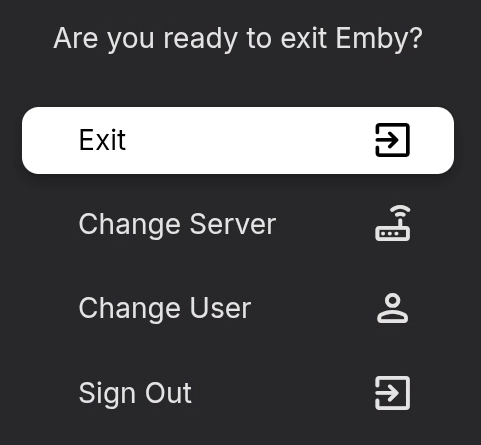
It does ask with 3.5.16.
 1 point
 -
Using exit from the menu or settings does close the new app. It's just the Home button doesn't, which I believe is normal. Most people don't want to take all those steps though. v .16 did change the Exit behavior on the menu somewhat. It now asks.1 point
-
Thanks, I was able to solve it by re-entering the EMBY PREMIERE key.1 point
-
OOOO such a great suprised ! Thank you @Lukefor all the efforts ! HDR and Dolby visio is finally working on 2.0.1 !! Thank you so much for you effort.1 point
-
On Chromecast with Google TV, you can not do that though. Agreed that you can do that on the Shield though. But it will just have to be muscle memory unless the devs feels like they should make change on how it behaves.1 point
-
Got it and it works. Thanks!1 point
-
"a jack of all trades, master of none".. So focus on the core video hosting features and make improvements related to that. Install Immich or PhotoPrism if you want a proper solution focused on handling large photo collections.1 point
-
Look in your server log or go to Emby Dashboard-three dots menu-View Server Info to see your Emby cache location. Then you will delete the fanart-movies/fanart-tv/fanart-music folders if applicable.1 point
-
Hi Luke, I am in the main menu of the Apple tvOS Emby App and attempting to navigate from that menu into a show's/movie's menu where I can then select episode's/movie's Play button. It is the menu between the main menu and playing the video where I get that "invalid arguments" error. Oddly enough I've discovered the Resume Play feature works for me. What I have been doing as a workaround is beginning to play an episode in a browser window on my Windows PC, skip ahead a few minutes, then go to the Apple TV "Continue Watching" feature in the main menu and resume play, but select the play from beginning option. The menu works fine in this case.1 point
-
@Luke gracias por estar atento a este tema. lo solucioné como lo comenta el usuario @katiracloud la única forma fue borrar y volver a crear las librerias con la configuración deseada desde el inicio1 point
-
Buenos días, A mi se me presento el mismo evento Cuando las librerias existen no funciona el agrupado automático, sigue duplicando las caratulas por cada archivo que encuentre (tanto para las entradas nuevas como para las existentes) Borre las librerias y las configure con agrupado automático desde el inicio y funciono perfecto, incluso con los nuevos items que adiciono posterior a la creación. Gracias por la ayuda!!!1 point
-
That's the way to do it. Once you add the subnet router it effectively as they say: " Subnet routers let you extend your Tailscale network (known as a tailnet) to include devices that don't or can't run the Tailscale client." So devices like a Roku are covered even without the client installed. It does one other important thing which is allow local routing for your Tailscale devices. Without it everything goes through their DSU, so out to their DSU, back to a second device, which makes things slow.1 point
-
Personally, I would lean towards the Google streamer instead of the Fire. Fewer ads, more up to date Android and Amazon is discontinuing their Android-based devices.1 point
-
just to update I have not had a single crash since making the last changes on the 24/101 point
-
Clic sur la roue crantée tout en haut à droite dans l'interface web d'Emby -> Médiathèque dans le menu vertical de gauche -> clic sur les 3 petits points de la bibliothèque que tu veux -> modifier -> Modifier et là dans la popup qui apparait tu peux choisir les agents que tu veux activer et l'ordre dans lequel ils seront utilisés. Si tu fais des modifications là il te faudra ensuite relancer un scan complet de la librairie si tu veux que la modif s'applique aussi aux médias existants.1 point
-
Did try version 3.5.16, first impression is that looks like it is now working. Also while playing around and trying to find fixes turned of decoding on server side for user, it didn't fixe the crackling for version 3.5.15, but it did fix different issue for me - when playing some songs would randomly crash the app, but now finally no more app crashing for me with decoding off over mobile network.1 point
-
Comparing it to the difference between all the other sections, it's probably twice as large as it should be. It looks completely fine on a phone though.1 point
-
Please try Emby for Samsung 2.2.7:1 point
-
Thank you again! I just delet the Emby for Android TV and install Emby for Android (without "TV") app: the trailers are working on my Formuler! I will check for the Sony TV, but I suppose the solution should be the same. So, I should find a way to do for the Samsung TV. Thank you if someone have any idea.1 point
-
its a .strm file which points to my iptv provider1 point
-
HI, we are looking into this. Thanks.1 point
-
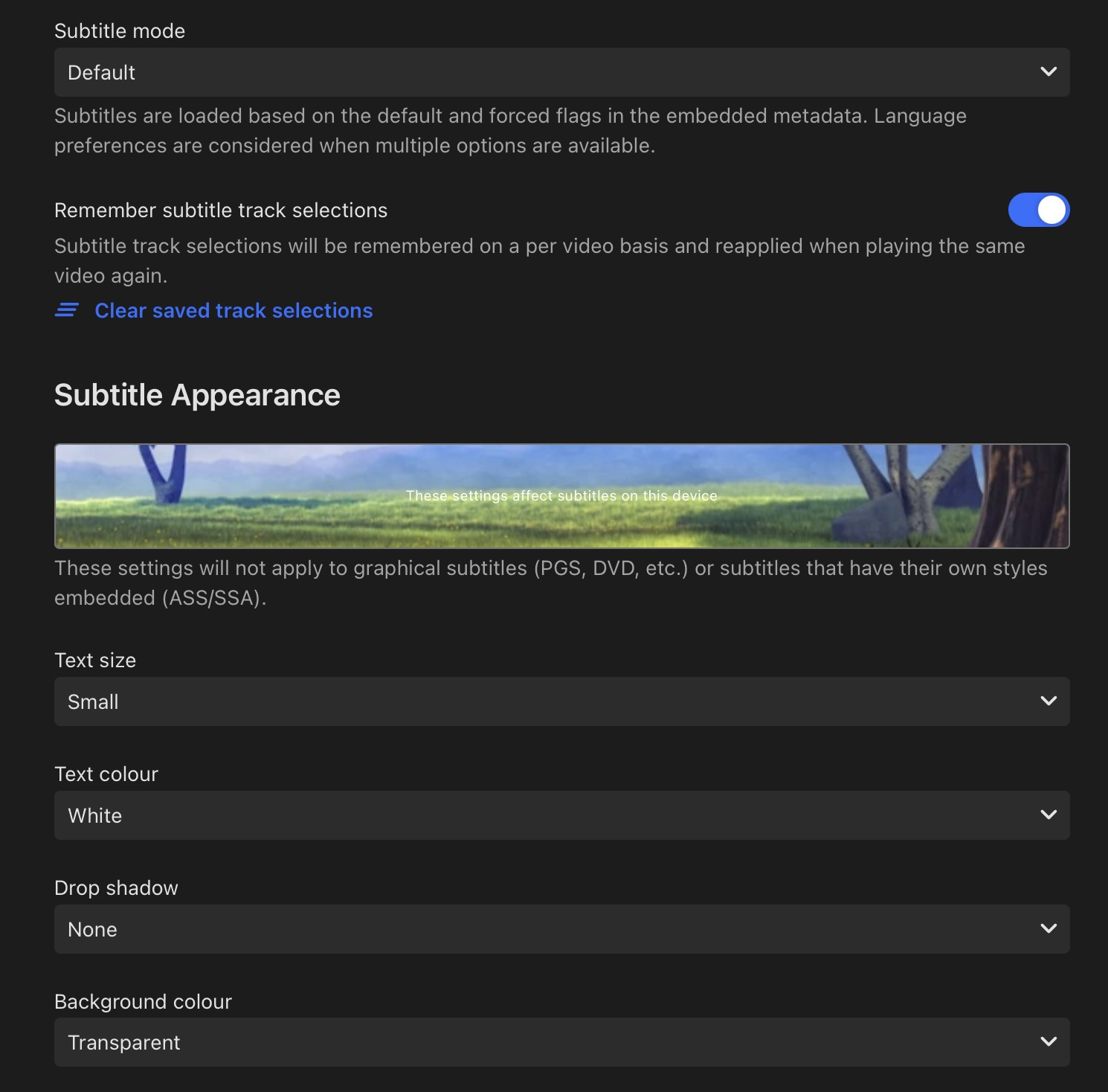
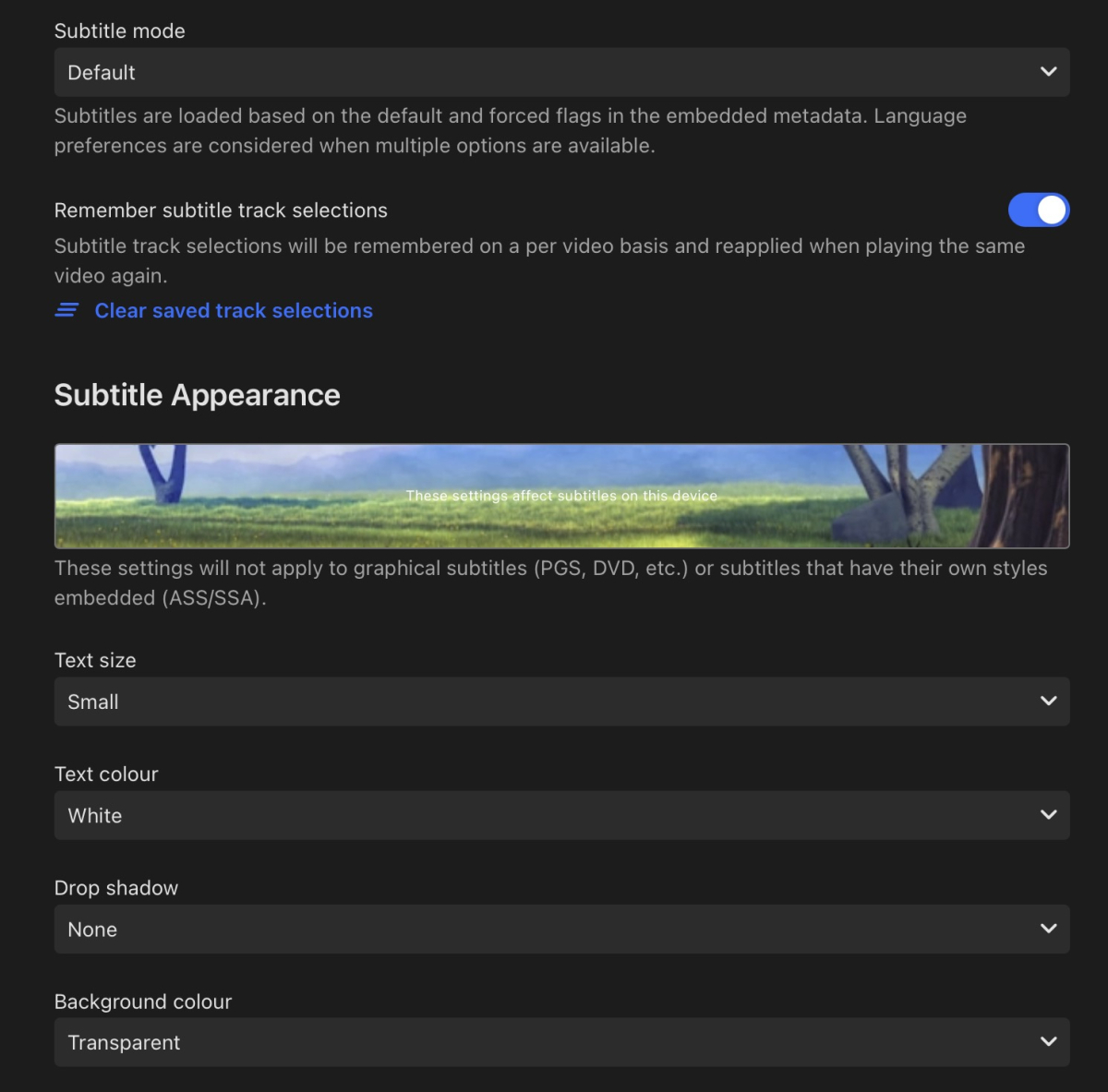
Update: stuttering/frame drops only happens when subtitles are displayed(dialog) After more extensive testing, I found it's definitely the subtitle setting options. * Background colour enabled: unwatchable, stuttering/frame drops. * Drop shadow enabled: minimal stuttering/frame drops. * Drop shadow and background colour enabled : unwatchable. It’s like watching in slow motion. With all settings disabled, stuttering/frame drops issues are solved. I hope this helps.
 1 point
 -
I'd like to see a feature where on a piece of content there was a button to report a playback error or such. I have a lot of content that I haven't watched that friends have requested - if there was a simple button they could click that pings me a message letting me know there's an issue with the file that'd be great.1 point
-
Not a Synology user either but with a little work you copy the dll to the correct programdata/plugins folder not system/plugins and set the correct permission it should theoretically work. As mentioned in other plugin topics. Look at a server startup log for when plugins load for path or go to your Emby Dashboard and click the three-dot menu - View Server Info to see your Program data path or the Help doc (Emby Server Data Folder | Emby Documentation).1 point
-
Hi Luke, it seems that I haven't quite noticed that before, but now that i've drilled into it some I see more of what you were saying. I'm starting to discover a few things I haven't before which is a little surprising considering how long I've been using Emby. So basically past the Global tabs they should be broken down more based on how I categorize the media. Appreciate the help!1 point
-
@Stranger7 Hi, we’ll take a look at this. Thanks.1 point
-
The website has finally created an official API. I am making some changes to the plugin to make it compatible with the current plugin. With this change, we should no longer face any problems.1 point
-
Restart your Emby server and attach the new server log. It could be something as simple as file ownership or permissions on the keystore.1 point
-
I get the concern, and it’s smart to be cautious. But Tailscale is actually designed for people who don’t want to mess with their router or open up ports. It uses secure technology called WireGuard that’s trusted by a lot of companies, and it keeps everything private and encrypted between your own devices. You log in with your own account like Google or Microsoft, and you stay in control the whole time. There’s no need to change your router settings or expose your network to the internet. And if you don’t like it, you can uninstall it and everything goes back to normal. Honestly, it’s much safer and simpler than opening ports on your router exposing your network to the masses. IJS1 point
-
Yeah I'm having a similar issue, and figuring it may be a combination of things. My situation: (sorry to possibly hijack, but it's a similar situation) Running IPTV through Threadfin with GlueTun VPN on Synology NAS) and Emby Server on the same NAS (Yeah, I know I need a better server HAHA Emby stream starts on TV in about 10 seconds, plays for about 20 minutes and freezes. I am going to do a log check and see what happens, but will be watching this thread.1 point