Leaderboard




Popular Content
Showing content with the highest reputation on 10/14/25 in Posts
-
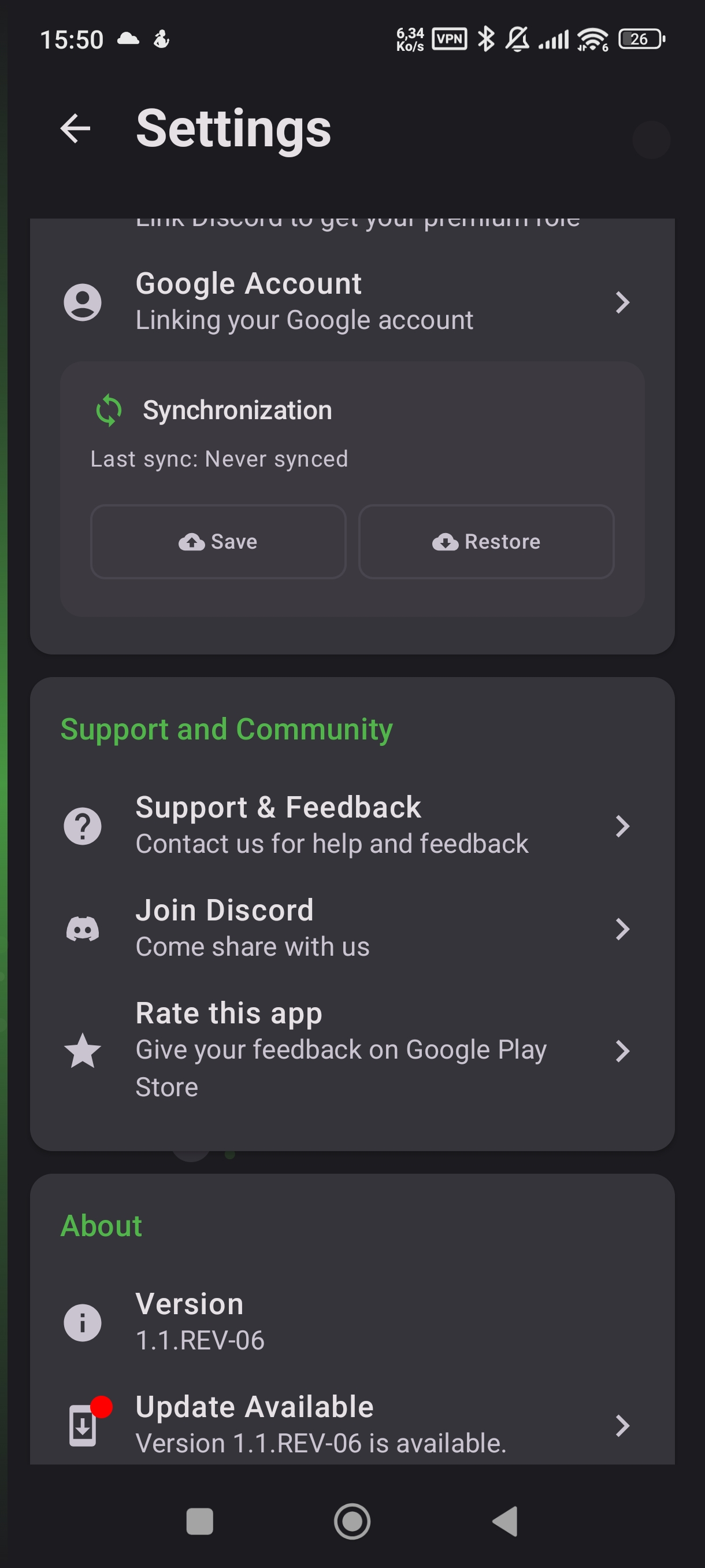
Discord button in the app.2 points
-
Just installed and bought the premium. I'm liking what I'm seeing already. If you need another beta tester, I'm down if you are... just need to find the Discord link.2 points
-
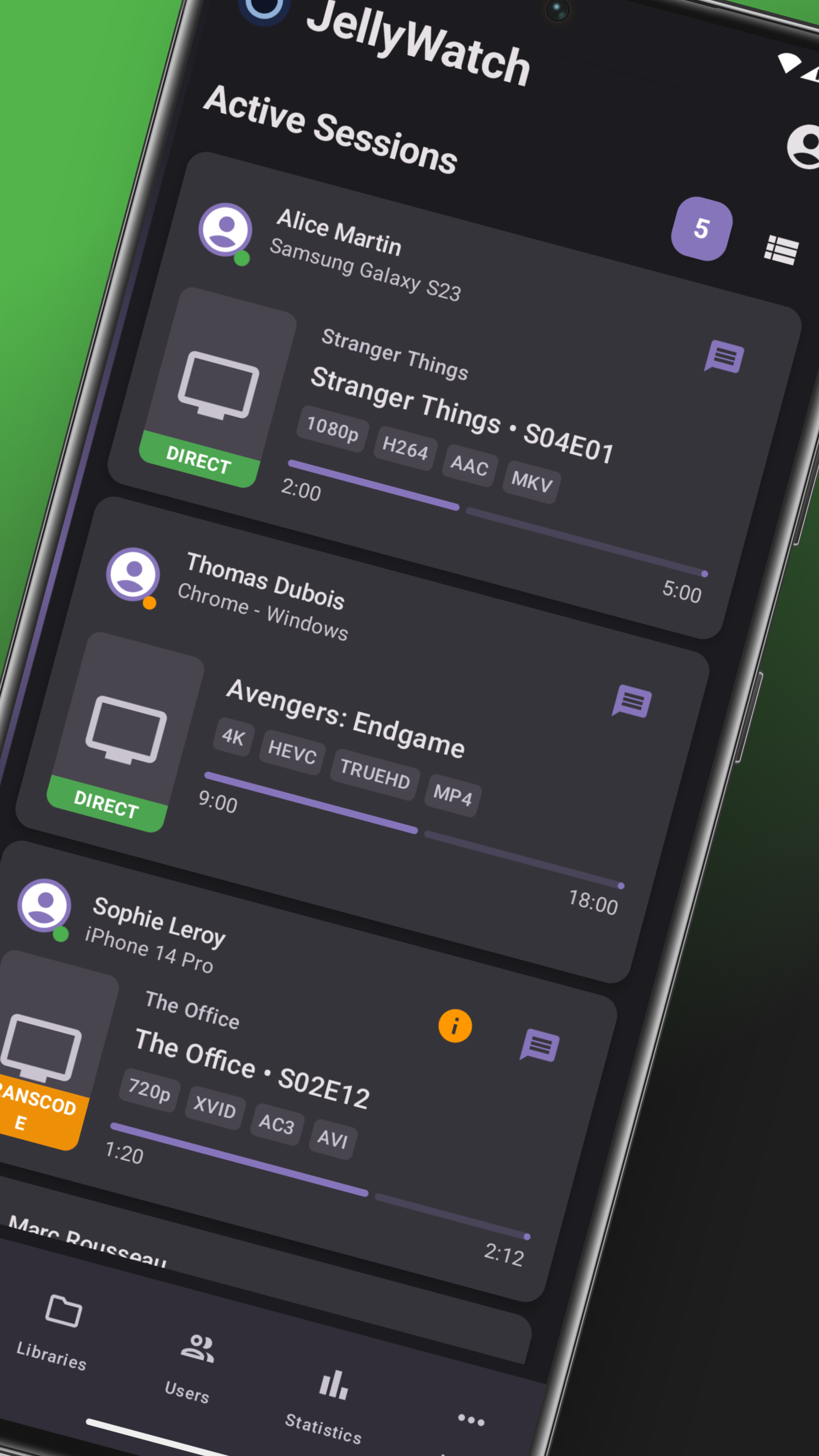
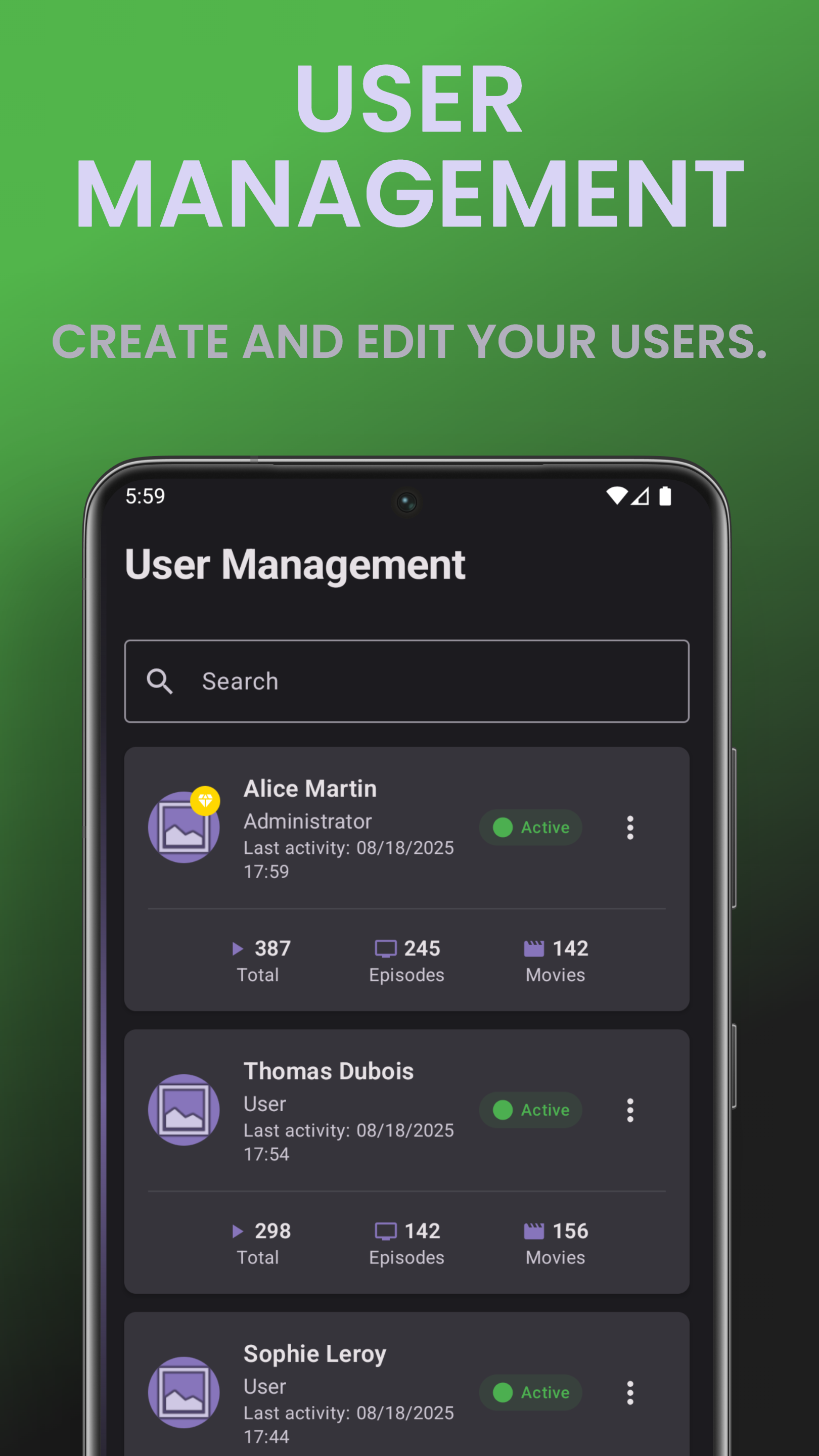
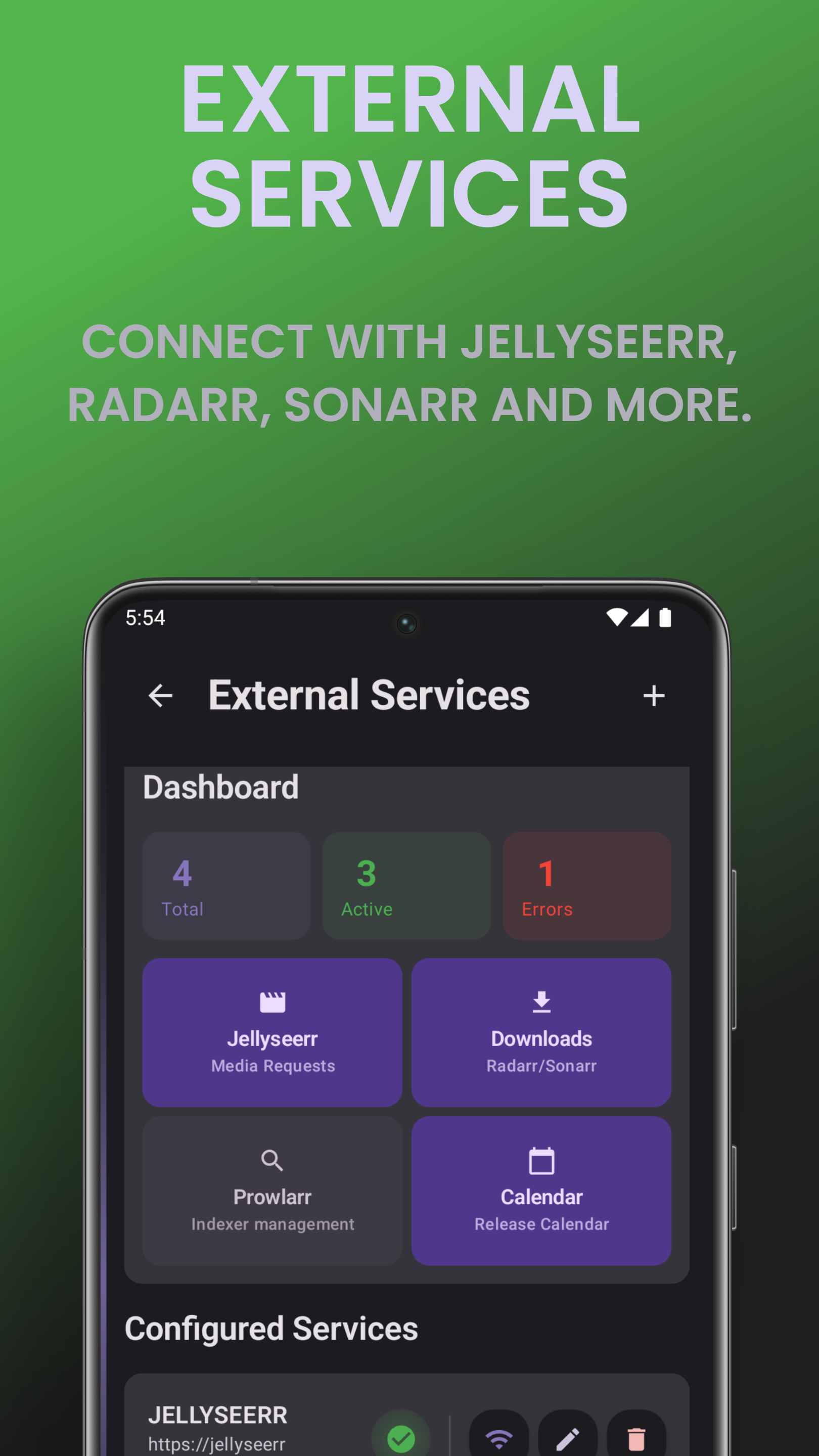
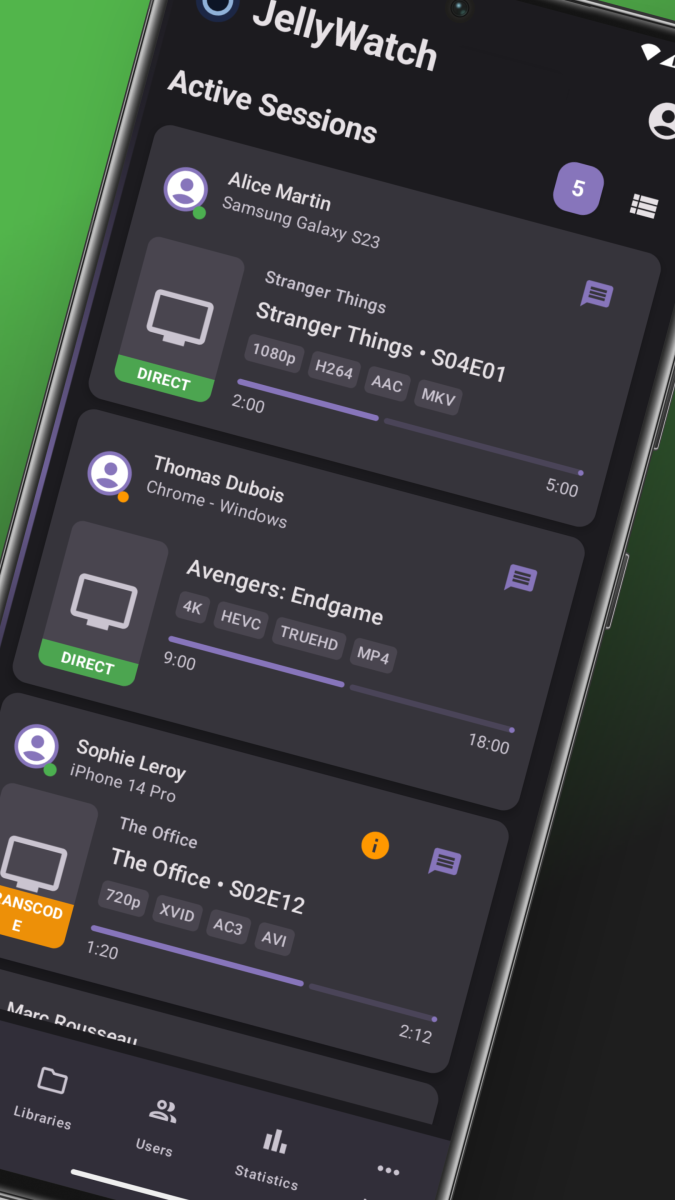
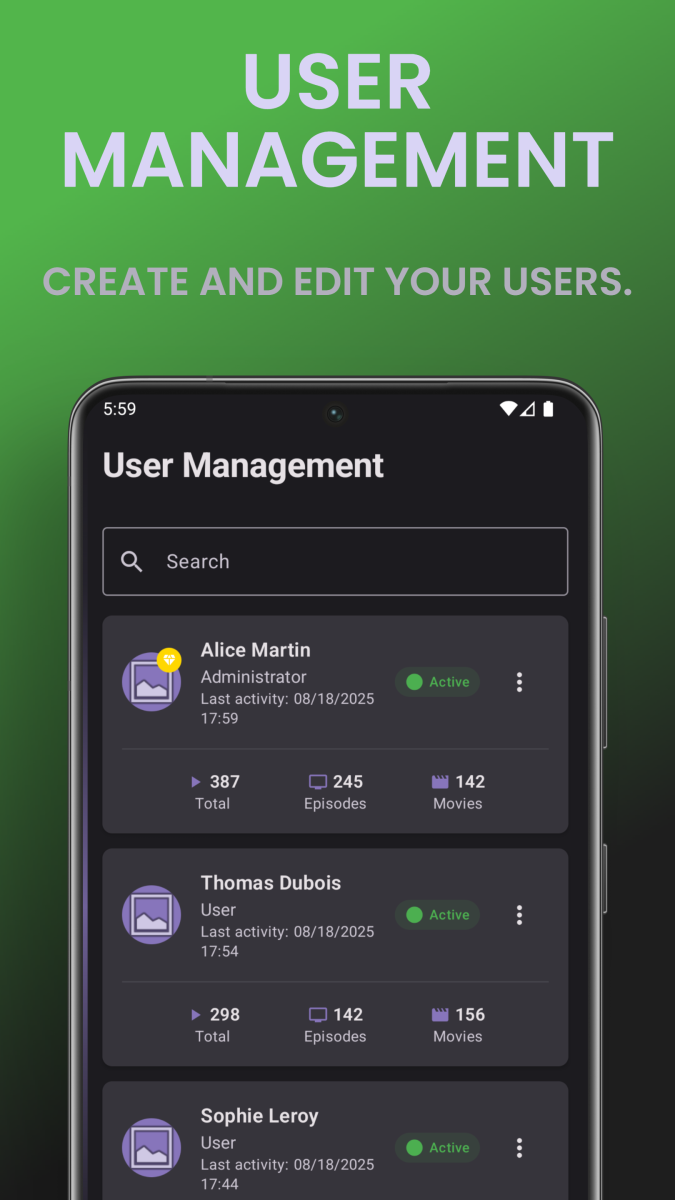
What is EmbyWatch? EmbyWatch is an Android app designed to monitor, manage, and control your Emby Media Server remotely. It’s made primarily for admins and advanced users who want to keep track of what’s happening on their Emby setup in real time. Google Play Store link: https://play.google.com/store/apps/details?id=com.embywatch.app What Does EmbyWatch Do? Unlike the standard Emby app (which focuses on media playback), EmbyWatch is built for: Real-time session monitoring (who’s watching what, from where) User and device management Accessing logs, tasks, and server statistics Performing remote administrative actions (restart, stop, trigger tasks, etc.) Main Features Category Description Real-time monitoring View active sessions: who’s streaming, what media, playback progress, codec, bitrate, etc. User management Display user list, recent activity, permissions, and even send messages to connected users Connected devices See all connected clients (TVs, phones, browsers) with connection times and device details Library overview View all media libraries (movies, shows, music, photos) with item counts and stats Scheduled tasks Check and run scheduled tasks (library scans, cleanups, metadata refresh, etc.) Plugins / extensions View installed plugins, versions, and update availability System / network info Access server technical details (OS, version, IPs, ports, uptime, CPU load) Logs & history Browse detailed logs with filters (by user, event type, time range) Basic playback support Start media playback directly from the app (for supported formats) Notifications & widgets Notifications for new sessions or server events + home-screen widgets for monitoring Highlights Clean and responsive interface Works with multiple Emby servers Real-time monitoring dashboard Perfect for admins managing shared servers Available in multiple languages (including English & French) Limitations This is not a full media player app – it’s focused on server monitoring and control. Some features require administrator access to your Emby server. Certain sections may still be in beta or vary depending on Android version. Includes in-app purchases for premium features. Summary App EmbyWatch Platform Android Link Play Store – EmbyWatch Language English / French / more Developer EmbyWatch.app App Type Server administration & monitoring tool
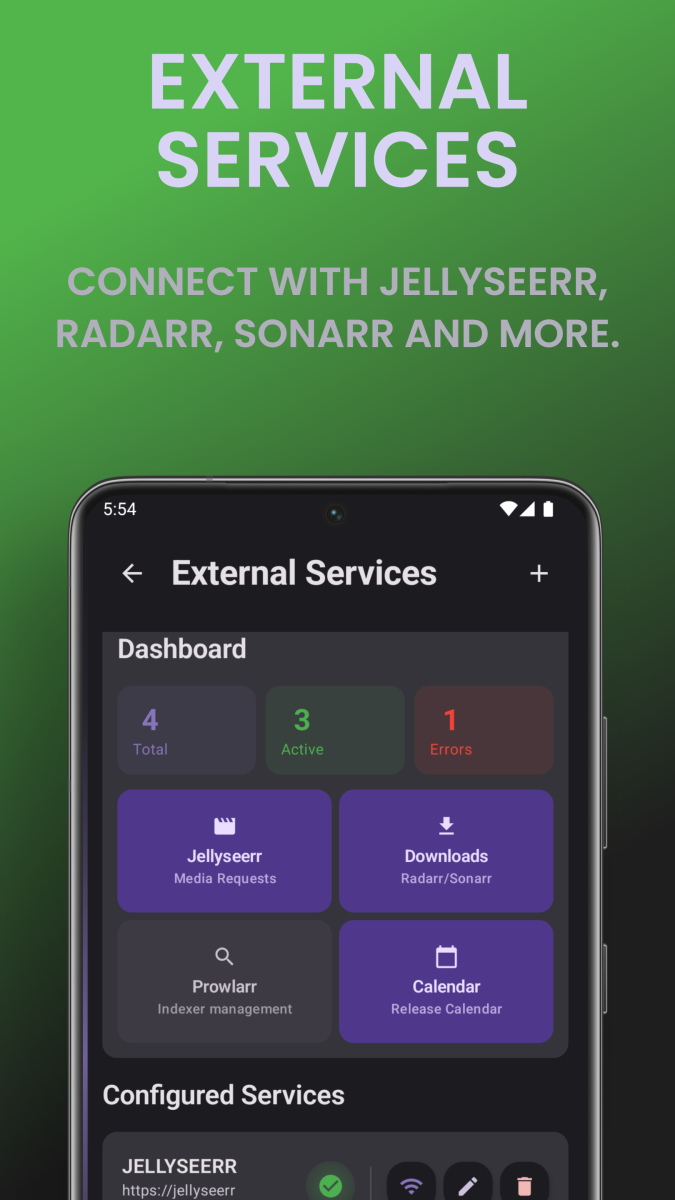
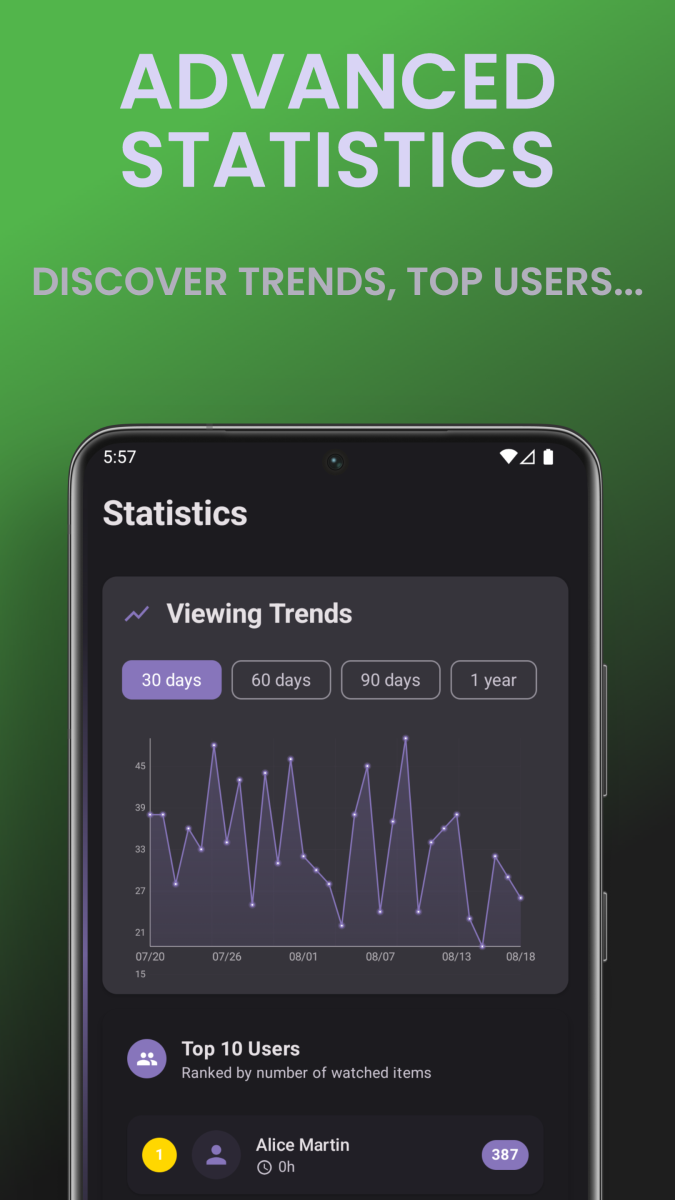
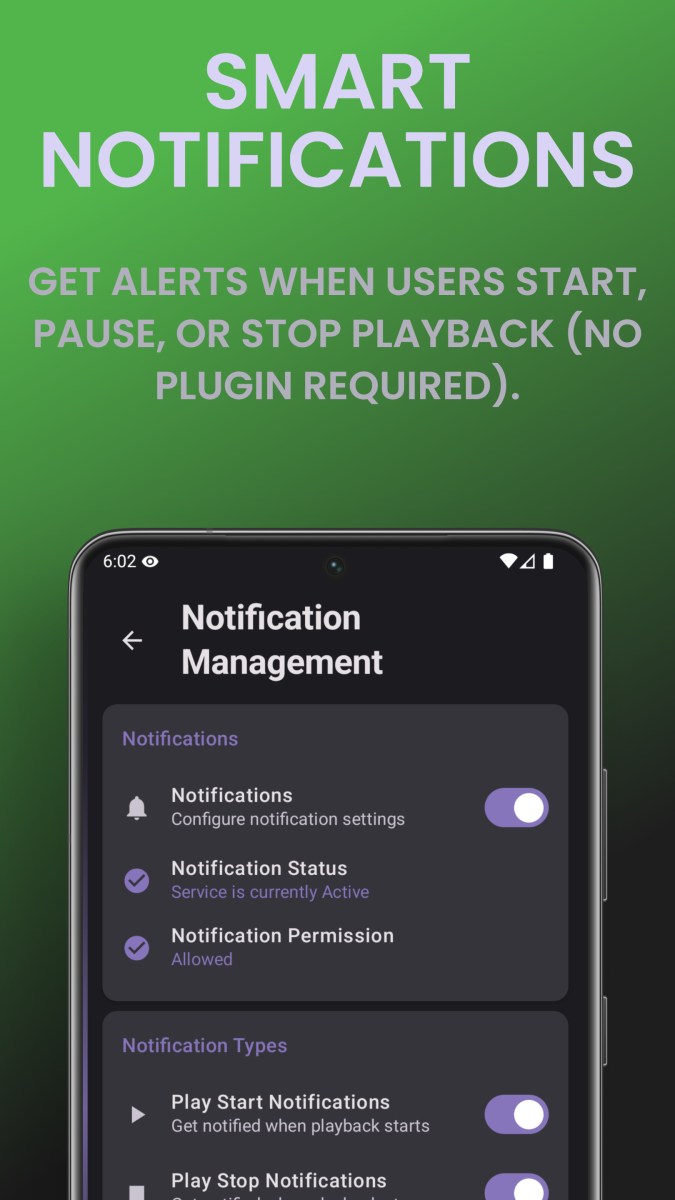
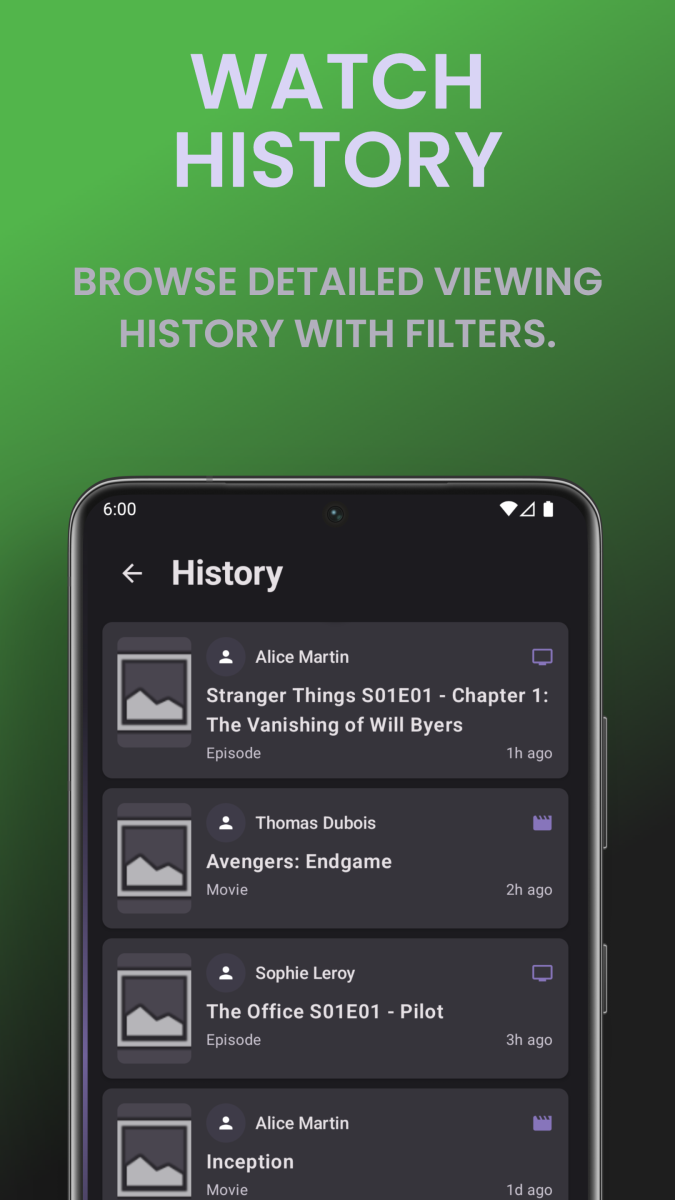
 1 point
 -
Is there any way to revert to the colon? Prior to 4.9: 4.9:
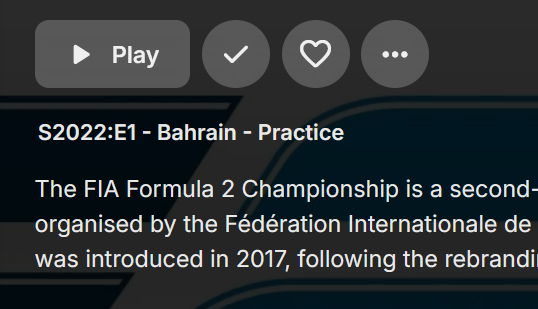
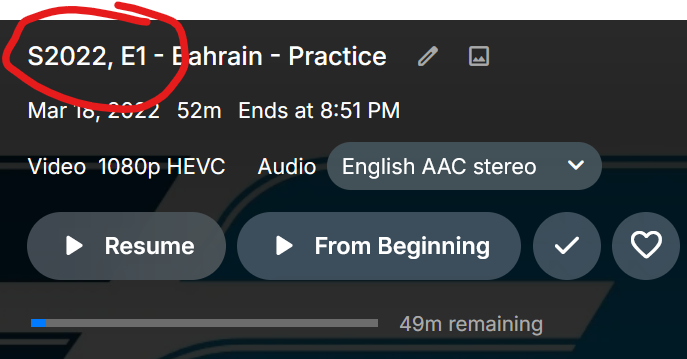 1 point
 -
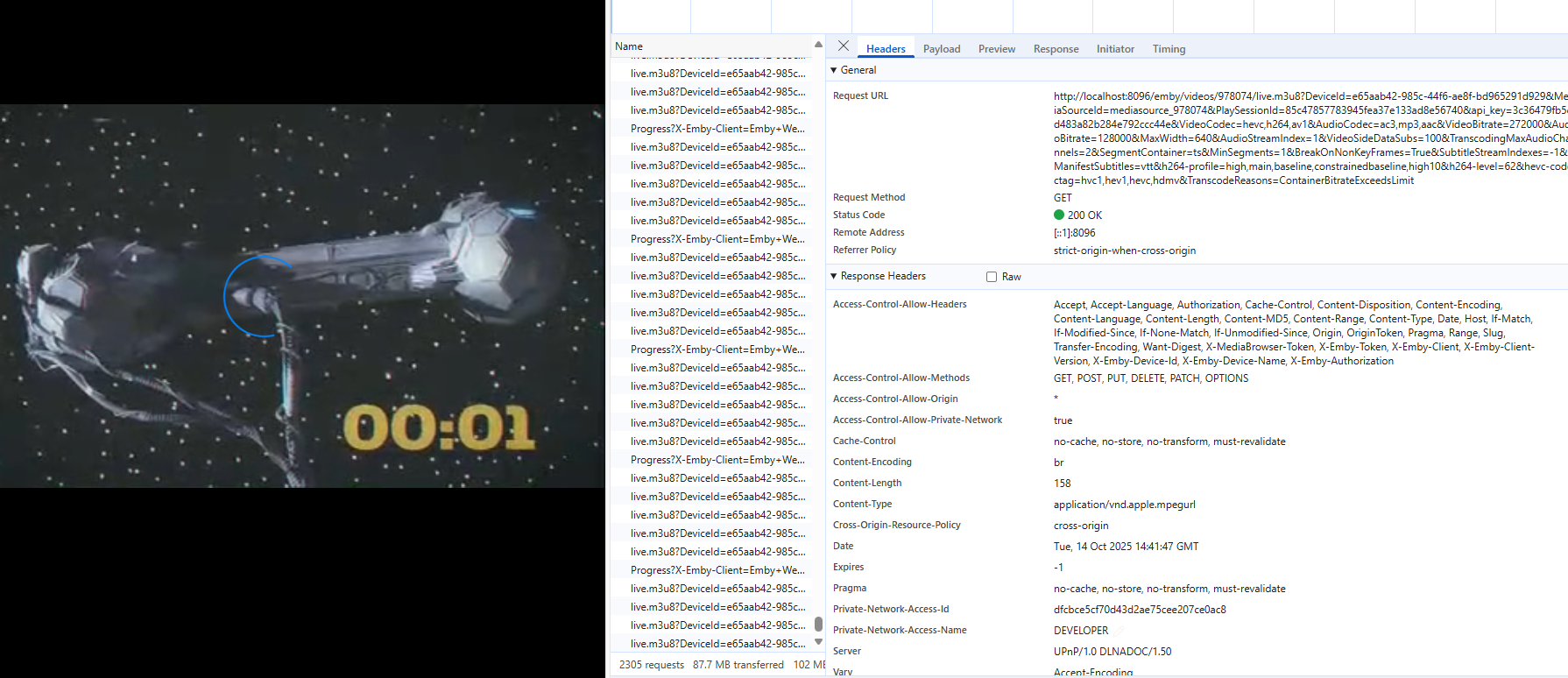
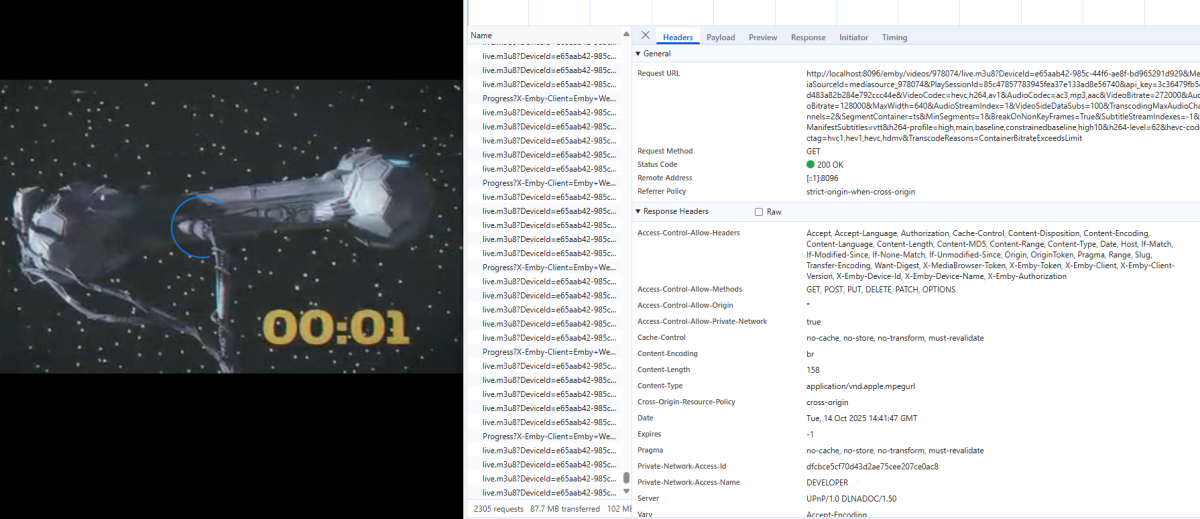
@Luke I took the Emby IPTV plugin and enhanced the UI to handle m3u files. I can now add hundreds of channels easily. During my testing I noticed that when using HLS you catch the "buffer stalled error" when frame changes occur, but you don't handle the error itself. I suggest that when this happens that you remove the playing HLS and instantiate a new one to continue playing. This has worked for me in the past. Otherwise, the screen will stay frozen with a spinning spinner. I admit that this suggestion creates a brief disruption (a second or two) but for the user, the program continues to play. This almost always happens when the playing media switches to or from a commercial. On a second topic, the IPTV plugin supports file urls. Can I use this plugin option to play Emby Library content? If so, what would the URL look like? I am trying to learn more about this plugin and the IChannel interface. Vic P.S. I just noticed that I could mitigate the stalled buffer problem by just changing the "quality" setting to cause HLS to reboot so to speak. This parameter is changed in the client, and the results are transmitted to the server. Is there an interface where I can do this my self? Another interesting point is that the client is still sending progress reports (same progress with no changes) and receiving HLS data, but the screen is not displaying anything. Perhaps this is why changing the resolution (quality) switches the plugin to displaying again.
 1 point
 -
I had looked at the data in the playlist files in a text editor from the terminal that were repopulated before the server "found" them and repopulated them into the UI, all the data was all wiped out at some point since then because I went to the Emby UI and looked they were empty (after that I went and into the terminal and opened them in a text editor and in fact all the files are now empty). Thankfully I have a backup of the ones that will be hardest to recreate. HS1 point
-
Yeah I was just wanting to use the default settings that emby does to get a better idea of how it may perform because with the default 1080 or 2160 I get half of the frames per second vs what I get when emby is encoding the video.1 point
-
OK we'll take a look at this. Thanks.1 point
-
Hi. a playlist of this type http://password:login@domen:port/60FPS.m3u8 embyserver.txt1 point
-
RE Playlists: The strangest thing just happened. I added one of the smaller play lists manually, planning to add them one at a time as I have a chance starting with the smallest ones. Once I added it, I went off to do something else for a while, when I returned most of my previous playlists had populated. The act of adding a playlist must have forced a rescan of playlists maybe? In any event I'm happy enough they're back. It looks like the playlists that had .m3u files associated with them are the ones that repopulated. It appears that the newer ones did not repopulate, that's okay with me since in my case the newer ones that don't have .m3u files are the ones that are much easier to recreate. This is similar to what happened when I made a change to one of my users and things started populating (described in my second post to this thread)1 point
-
Gracias Con esto puedo solucionar mi consulta.1 point
-
Just want to point out that there are also security controls at the artist level (one level up from album). HS1 point
-
Hi, we'll take a look at these. Thanks.1 point
-
They are special episodes. All it's doing is splitting them onto their own line and separating them from the regular episodes. The title of the section is Specials, not Extras. I think this is an error with the german translation.1 point
-
1 point
-
But is it planned to have an e-book reader included or do we have to download an external app?1 point
-
In my mind, I hope that doesn't get added back. I have asked for Latest TV and Latest Movies to have their links removed. If people want it, then it need to be optionalised, so that people can turn it off/on as required.1 point
-
To be clear, this Feature Request is for additional development by the Emby team to enhance Native playback options. This would enable much better performance across devices (including Roku i expect) and allow the plugin makers to focus on new features and not have to manage multiple solutions for playback. I just mentioned the "Seasonal Viewing" in my post because it's been a few years waiting for this to be implemented and we are back to the major US holiday months. I am reactivating my VirtualTV Halloween stations again, and still without having a native solution to start play from a live position (number 2 above) and working with a wonky (but functional) Roku solution. I just want it to be reliable, work natively, and launch reasonably fast across all devices.1 point
-
Thanks for the quick reply. And Thanks for the information. It worked.1 point
-
Paring down my groups and channels with https://m3u4u.com (free) and using the new M3U link with Emby worked great. Then adding MYEPG ($6/yr) with Luke's help got me a great setup! I appreciate all in this community who have helped me and hope this helps others. Emby Rocks...1 point
-
sorry for delay. The issue for me is solved with the last emby update 4.9.1 point
-
No. Because you get the correct info after a force close of the app which also resets the playback engine or the websocket connection. One of those two things is the culprit i think.1 point
-
4.8 (/list/list.html?type=nextup) 4.9

 1 point
 -
Hi, TrueNAS scale is still providing the beta version (4.9.2.3beta) only, and there is no option to update to the latest stable version (4.9.1.80).1 point
-
It worked. I downloaded and installed the latest version from your website, and now it's version 4.9.1.80. Thanks.1 point
-
I figured out #3, Also deleted the series folder and have been testing a small local .m3u file with various settings but still getting c:\x\Series\ at start of title and no metadata. My .m3u list is structured as follows: #EXTM3U #EXT-X-SESSION-DATA:DATA-ID="com.xui.1_5_13" #EXTINF:-1,Very Scary People S04E11 http://xx.xz:2052/series/xxxxxxxx/xxxxxxxxx/1230415.mp4 The Movies, .m3u structured the same way, worked great. Thanks for the previous post on filtering. Also thanks for this very cool plugin.1 point
-
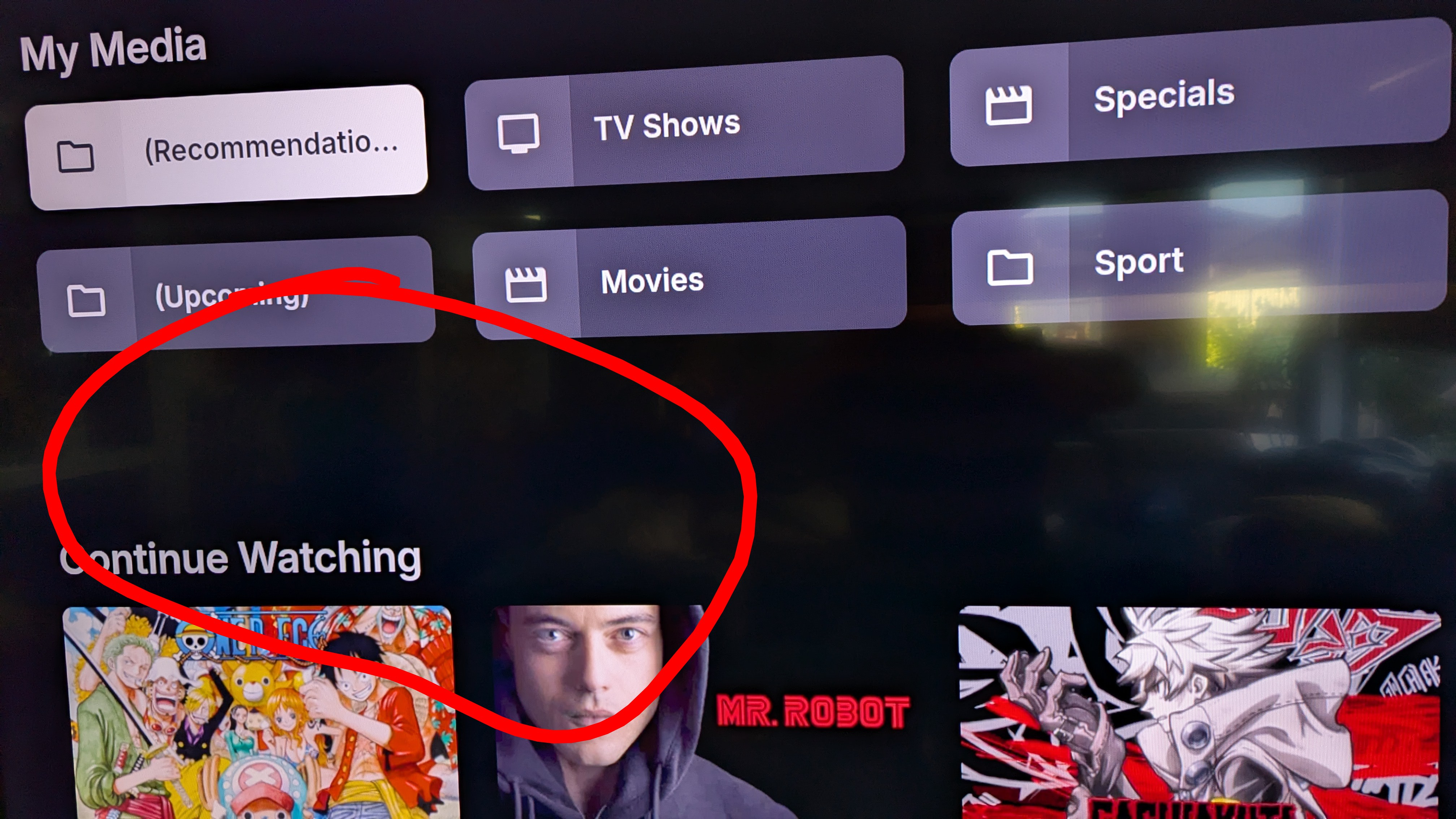
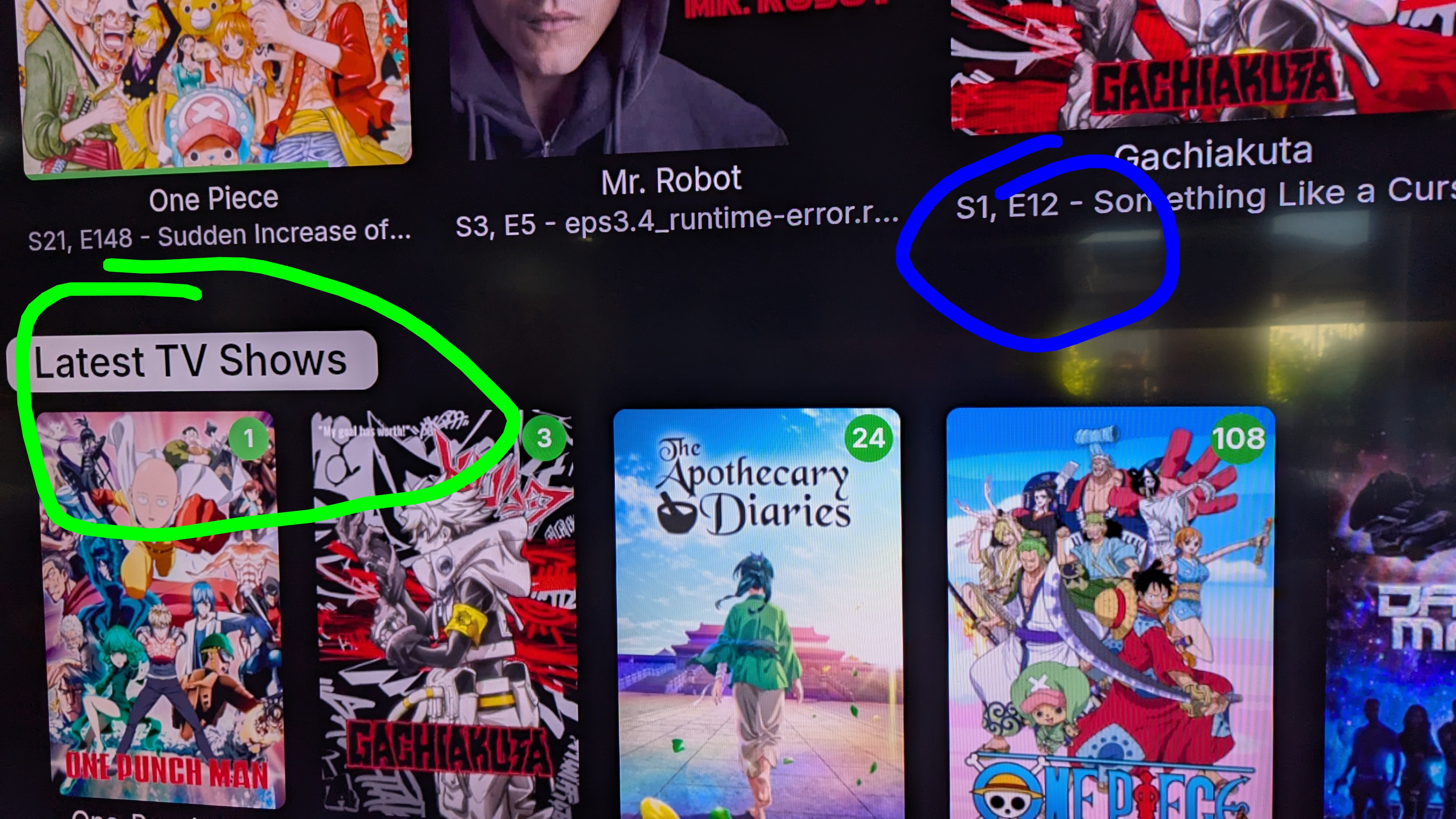
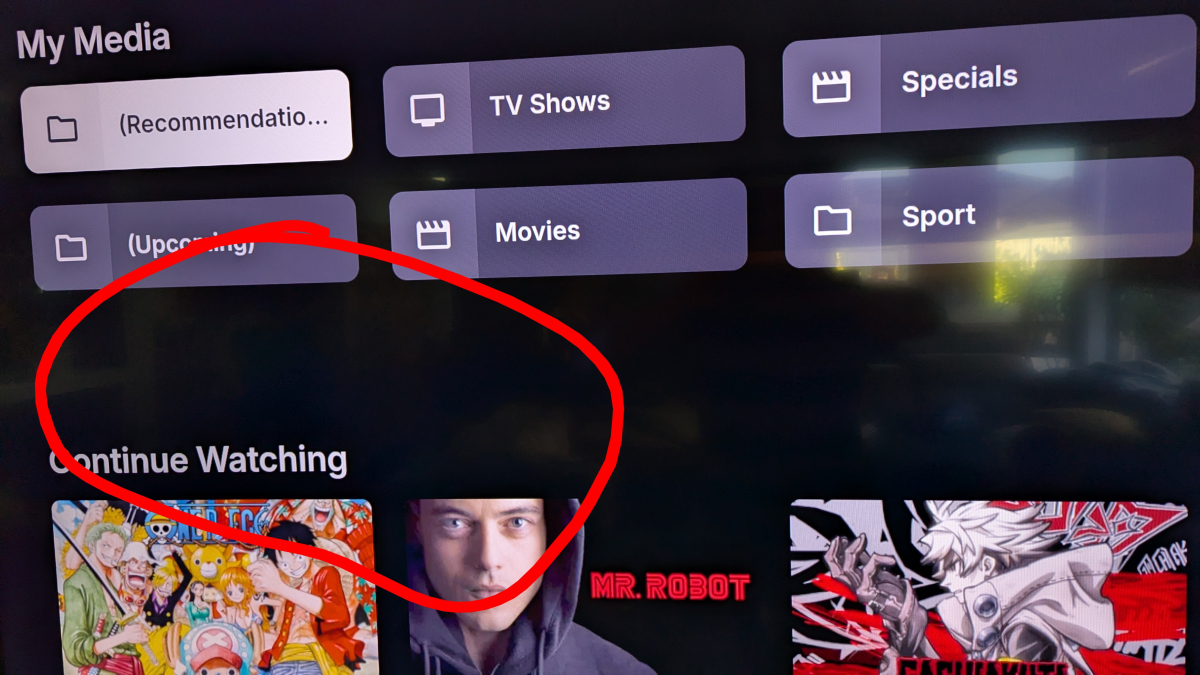
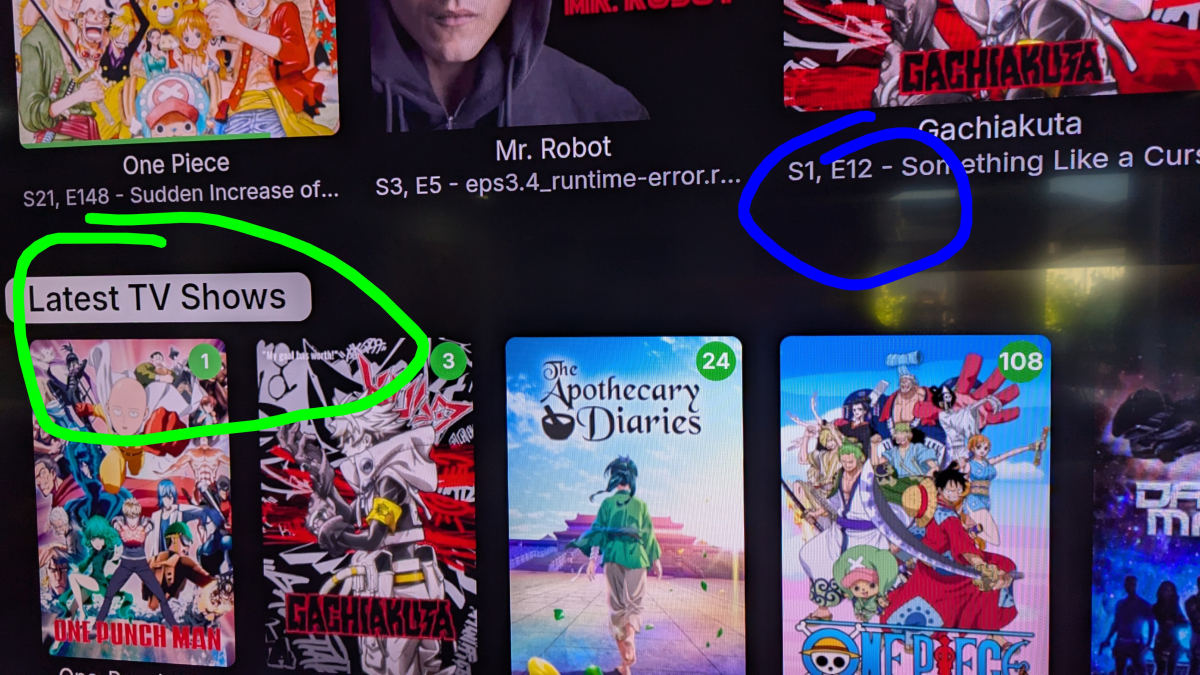
In red below, large margin in vertical mode. In blue, episode formatting doesn't look as good as before and in green, selectable heading which seems larger and didn't used to be selectable, used to allow you to only select though the titles which is way better.
 1 point
 -
Thanks, seems to be fixed now1 point
-
1 point
-
+1 for seasonal/block programming! Erasztv does block programming and it’s a really nice feature.1 point
-
@LukeWhy did you "Thank" me being frustrated over ruining more recordings because I did not know they were active?1 point
-
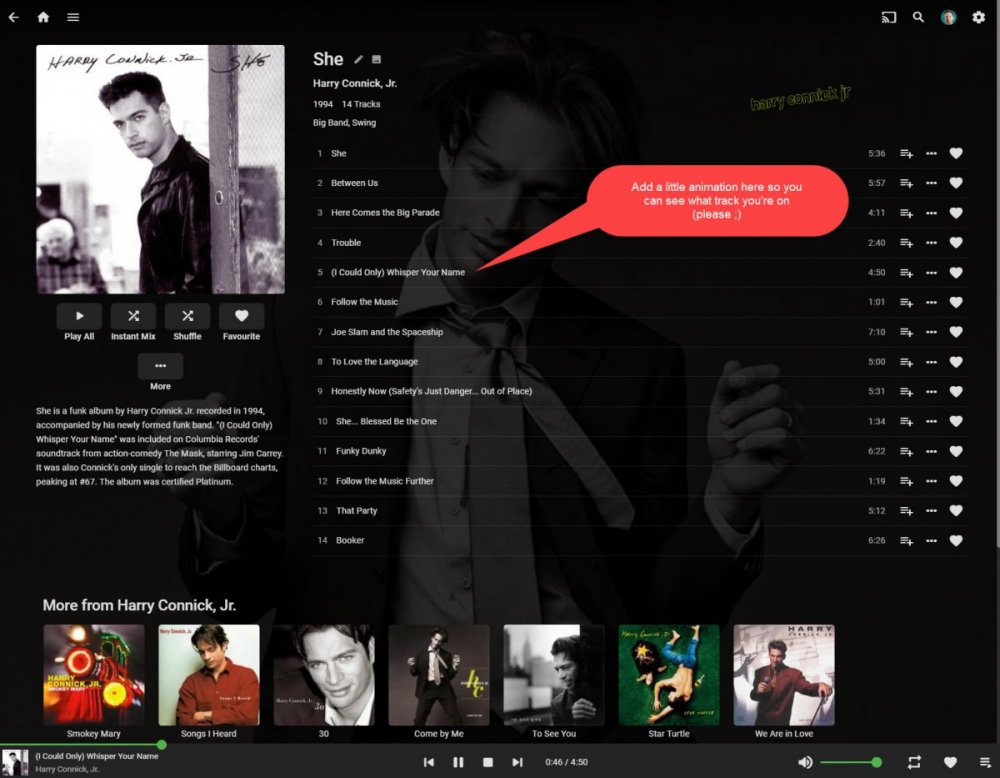
Hi there! It would be great if you could indicate the currently playing on the album track list (like it does on the play queue with the animated equaliser bars) This seems to be pretty common functionality and is means you don't have to scan through track names to work out how far through and album you are.
 1 point
 -
1 point
-
As a follow up to this post; I downloaded the latest nightly build of TinyMediaManager 5 and the fix for cast and crew was in there. I rewrote all of my movies NFO files (approximately 2500 on a networked server) in the time it took me to go downstairs and make a sandwich and come back upstairs. So in summary, quick and easy and it will work for all platforms. Unfortunately this will only work for those that have their library set up as NFO file only metadata. I can't offer any insight on people who rely on scrapers.1 point
-
Hello Thanks for your feedback. You can disable analytics in the application settings1 point
-
Mira y es de la pagina web de DIGI. https://www.digimobil.es/preguntas-frecuentes/fibra/digi-usa-cg-nat1 point
-
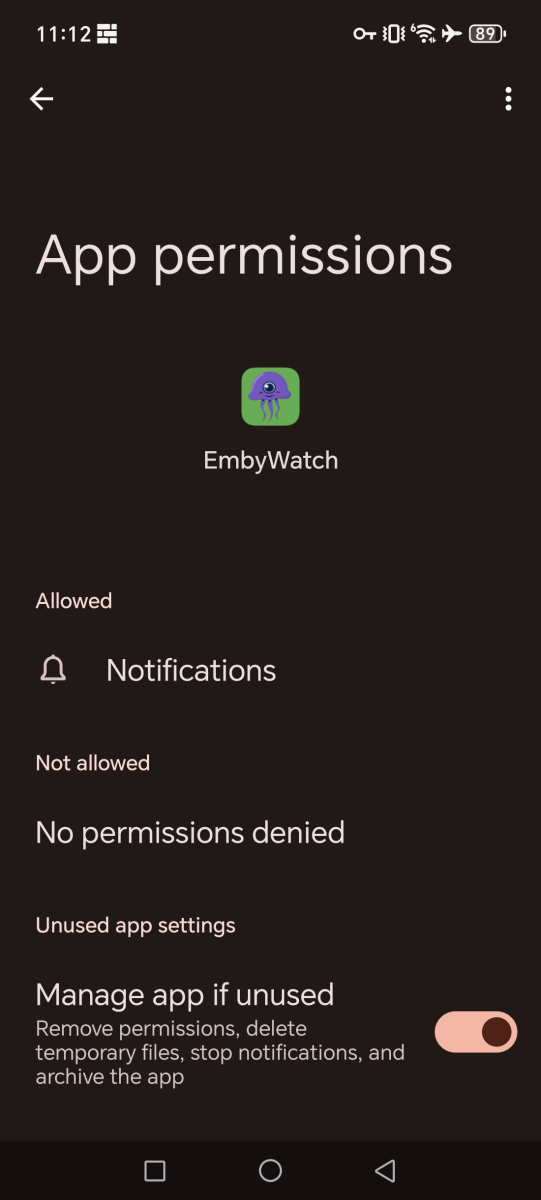
You'd need to support such statements with some proof, else it might just come off as slander. I'm sure anyone interested in the app would appreciate that info. I can second that, no additional permissions were required upon install.
 1 point
 -
@vincenkindly share where you are seeing such information collection?1 point
-
Perfect, thanks a lot!1 point
-
You forgot to indicate that it's also spying abusively on user device. It collects gps position, postal code, first and last name of user among other informations App deinstalled and banned here from all my devices.1 point
-
To follow up on this: TMM Dev was (grudgingly) accepting, fix will be in tomorrow's Nightly, followed by Pre-Release and Release versions in due time. https://gitlab.com/tinyMediaManager/tinyMediaManager/-/commit/d8231e8e307beefa6b6007035901199eb8c5612f1 point
-
HI, it will be revised in an upcoming 4.9.x release. Thanks.1 point
-
Regarding dialects, we have decided not to add any to our language set. This is not about that we'd have anything against dialects - it's merely for practical reasons. In fact, we have removed some languages while setting up the new translation site, like for example: be-BY: Belarussian: In Belarus, people speak Russian and the official language is Russian. Belarussian is a very traditional language that only a certain percentage of people are familiar with and is rarely spoken gsw - Switzerdütch: Considered a dialect, sounds funny, but has little value for anybody, because everybody who knows Switzerdütch can at least speak one other language very well or usually even better The problems with those languages in the context of Emby translations are these: At some point, somebody had convinced us to add such language With good faith and energy they started translating But some time later, interest was lost - and nobody else had interest in translatiing to this language Finally, this ended up in a situation where translations were sparse - very sparse, with the effect that in Emby Server and apps, like only one or two strings of 10 were in that language and everything else in English => This makes no sense - such minimal-translated languages are not useful for anybody, not even fans of that language What goes on top of that: There aren't any automated translations available for those languages, so we have no chance to ever fill any blanks. That's why we don't add dialects or rare languages anymore. Now we have - for the first time - a fixed set of 51 languages across all our projects. Adding an additional language will need to be backed by a serious justification.1 point
-
Just tried what doozah mentioned by the Android app has also updated unfortunately. @Luke far too many years ago to remember the media centre plugin, I was there, but my brain has removed that memory. I think we need to consider the functionality removal of this change rather than looking at long term history. The fact is, the previous view was working well for recordings, and the new view is not. When consolidating the views, the existing view obviously was not considered which is kind of disappointing, to a) remove it without a forthcoming deprecation status, b) considering how users are actually engaging with the Live TV system. I'm currently using the windows app, as most of my watching is Live TV which has been seriously impaired due to this un welcome change.1 point
-
It prompted you if you had many recordings do you want to chnge to title view said no and that was it. You always had an option to change the view later on this is all we are asking that there is an option. For some users series view may be perfect I delete after i watch unless it is a movie some I keep. I am sure many of us are in the same boat. We were all looking forward to a new release but this is a horrible disappointment and it needs to be changed back or an option like in WMC so its your media and display how you want it.1 point
-
This is a horrible view please revert back to how it was originally or have an option at least. I can't speak for others but in our household it's watch and delete. Instead of improving emby it seems backwards by changing things that work. This needs to be urgently fixed. In Emby Theater it's still the same phew if that changed it will be the end of emby in my household.1 point
-
The problem with the series view is: 1. Series with no episodes still show up. 2. It is not easy to see how much is recorded and how much you need to catch up with. 3. Having 20 series icons with 1-2 episode each increases the number of clicks to get to the recordings. (There could be 3 episodes each in their own season). Makes navigation painful. 4. As this is live TV there are often repeats (here in Australia the XML TV guides are not properly tagged as repeats). So there is a lot of cleanup to do with random episodes in different series. 5. I have been using the TV -->Recordings view exclusively as the Direct Recordings view was series based. Any PVR i have used in history has always just shown the individual recordings, the series view has taken away this normality for me, and not sure why. I couldn't see this in the changelog that the episode view was being removed either. If there could be an urgent option to change the view between these it would be great, as I'm considering downgrading. 10 year Emby supporter.1 point
-
I feel honored, next year, it will be 10 years since I started this... I do love Emby!1 point
-
The Firecube I have has a NIC built in. It's only 100Mbps, which I can't understand why that would do that with a GB connector is like 3 cents more. With a speed test I get 90Mbps wired, and 485Mbps wireless. I have tried both Wired and Wireless and experienced the same issues. I picked this MiniPc up on Black Friday for $140. The problem is the wife factor. If I'm home and set it up it's great, but the second I leave the house she tries to watch something and all hell breaks loose and I hear about it for MONTHS about what a waste of money everything was if she can't ever use it.1 point