Leaderboard




Popular Content
Showing content with the highest reputation on 10/09/25 in Posts
-
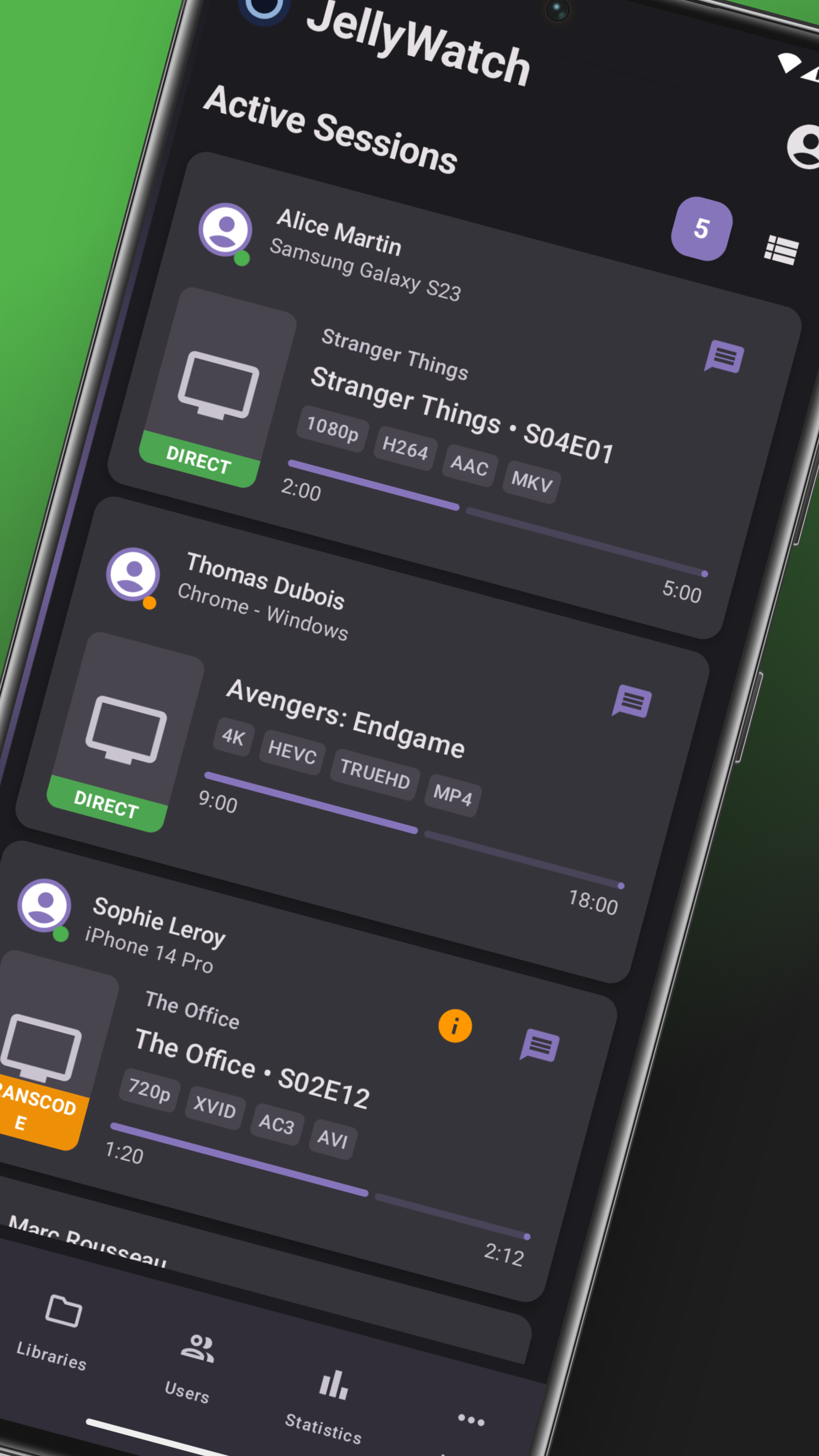
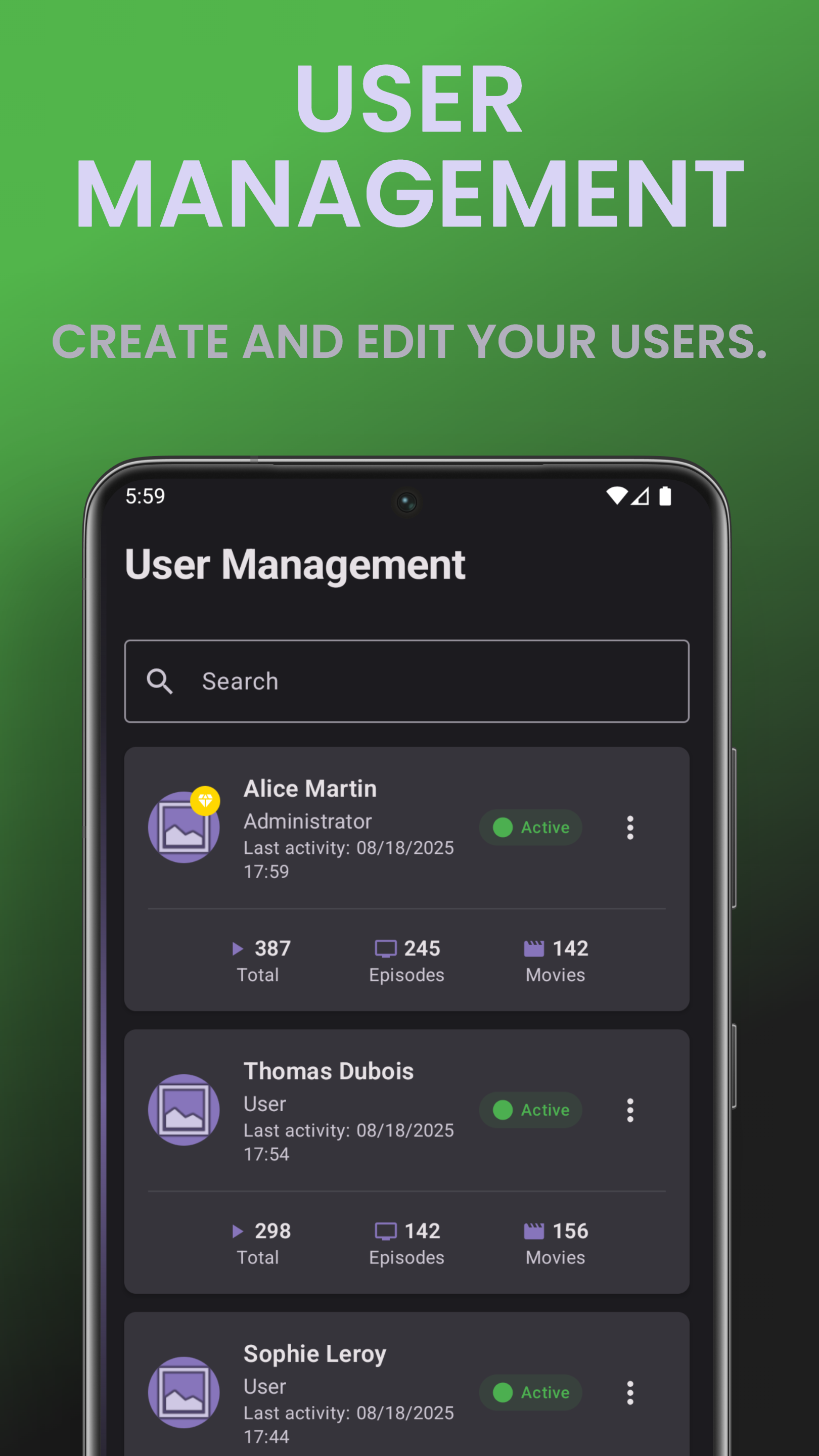
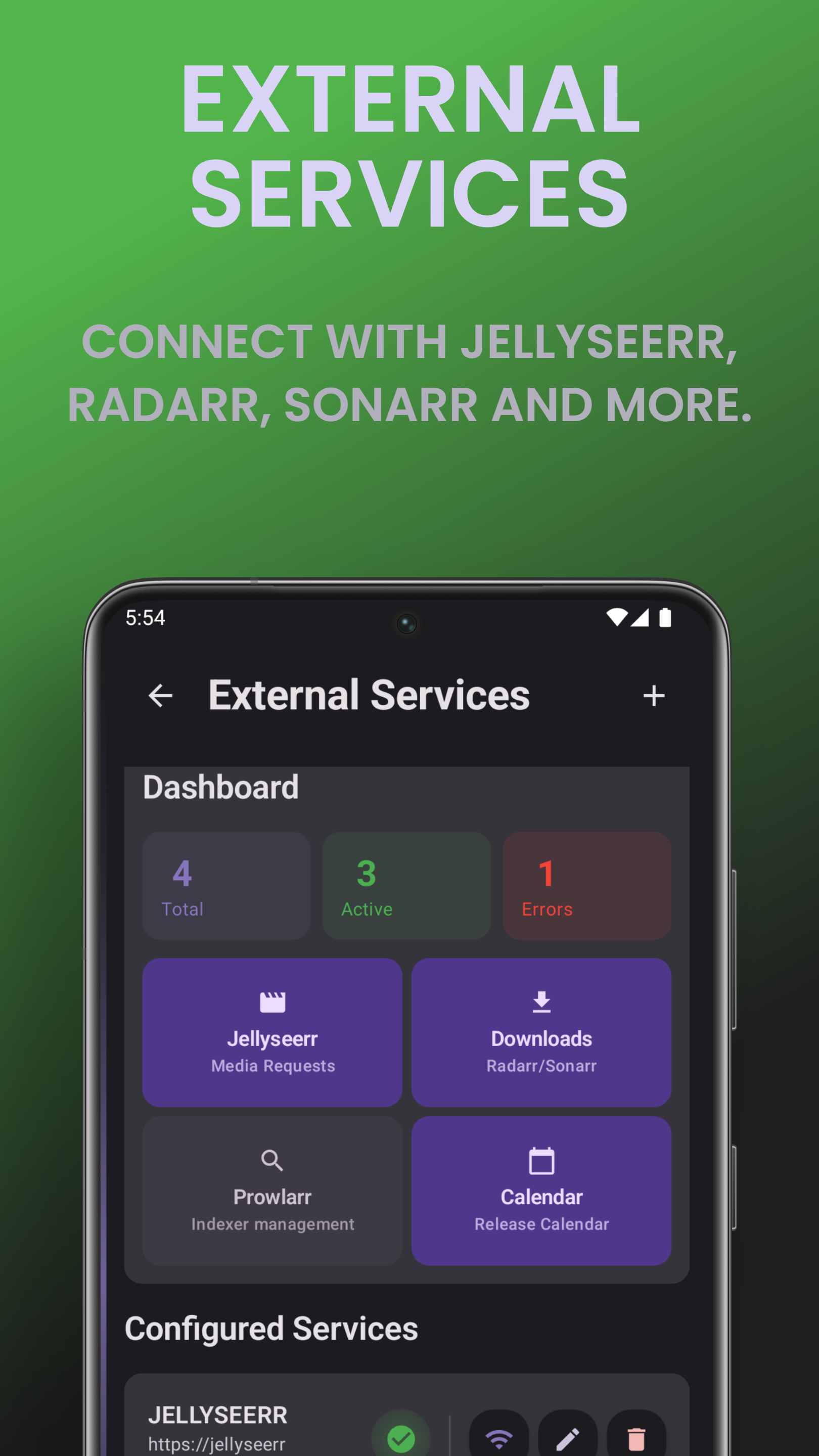
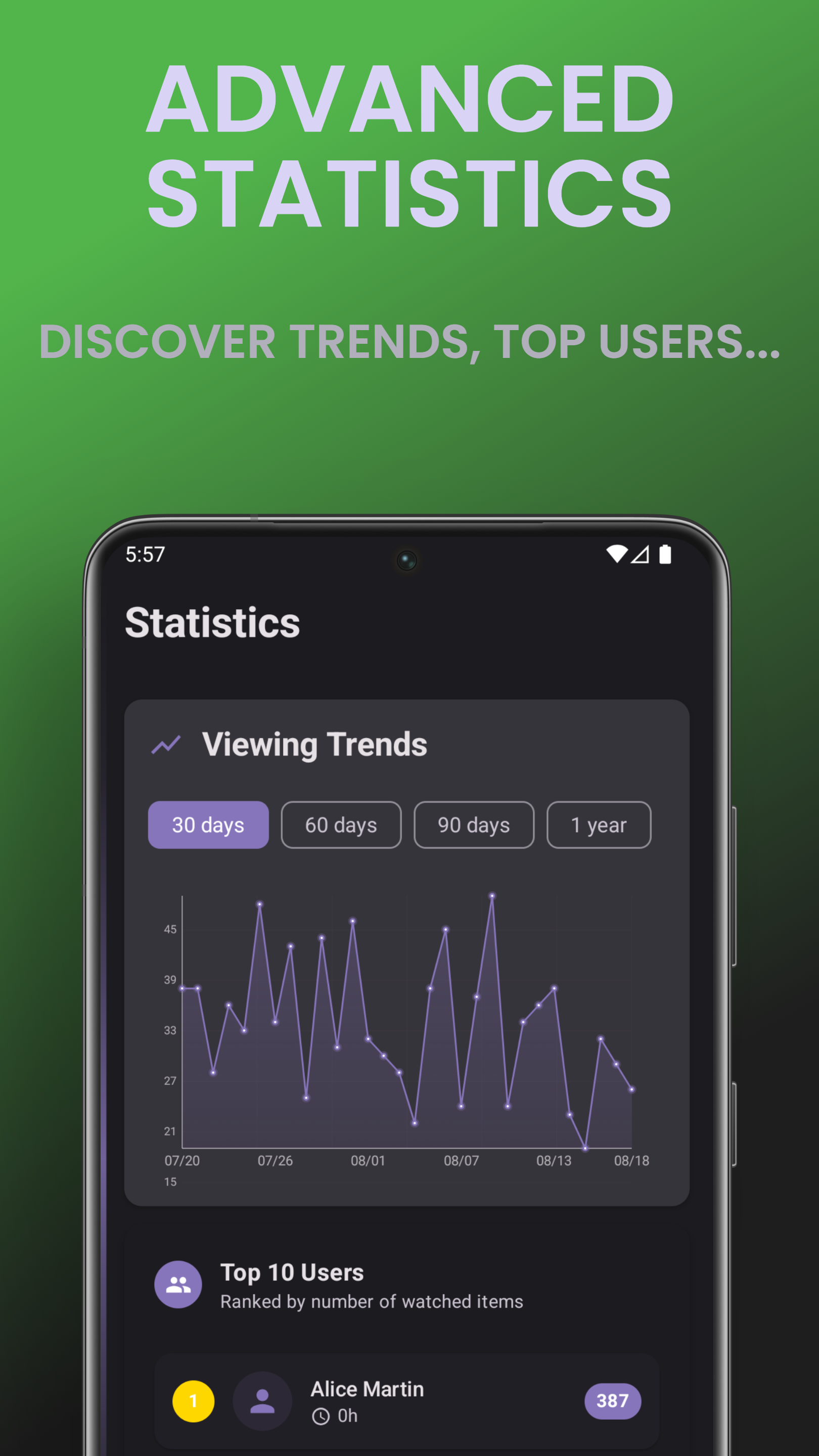
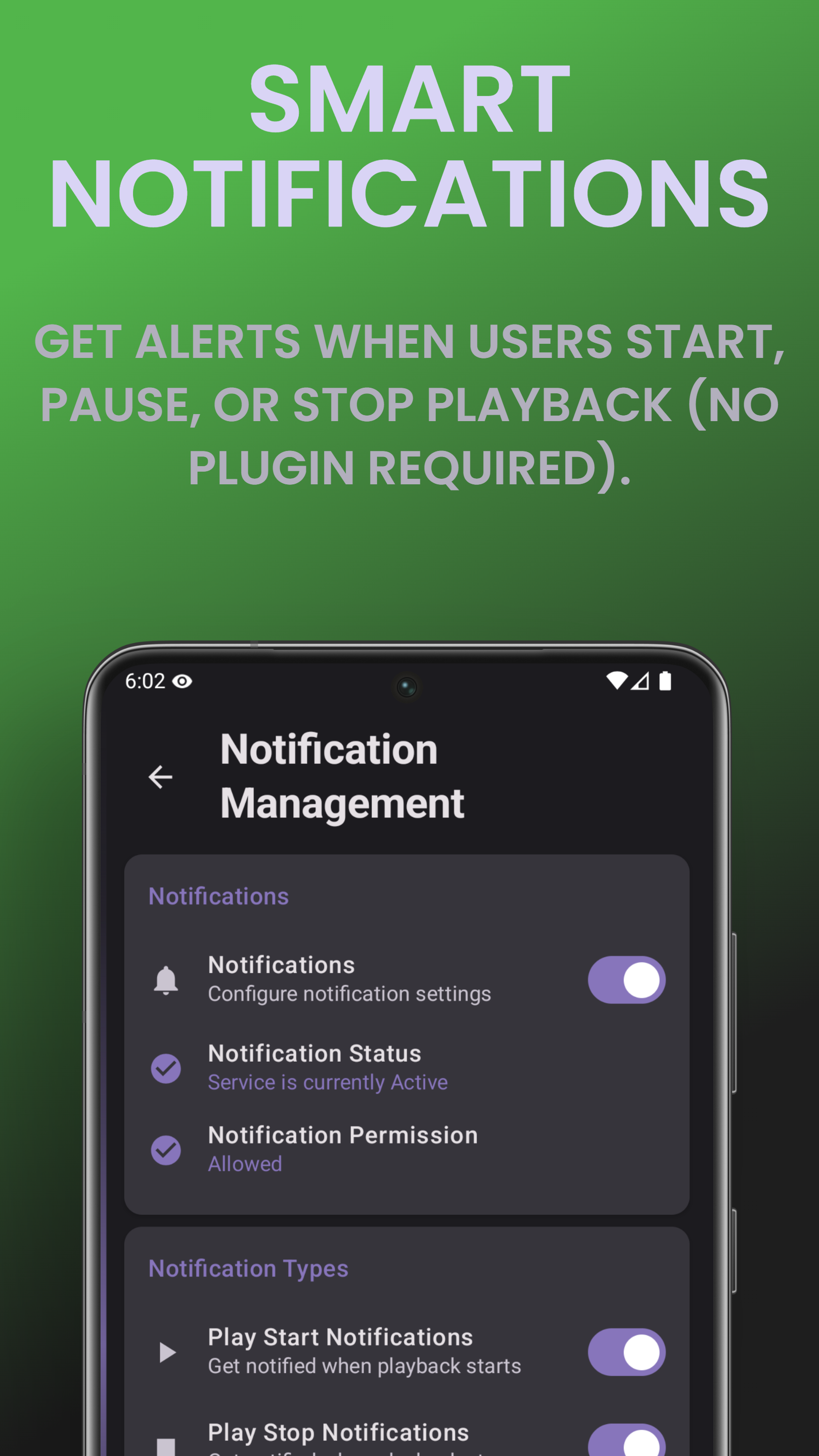
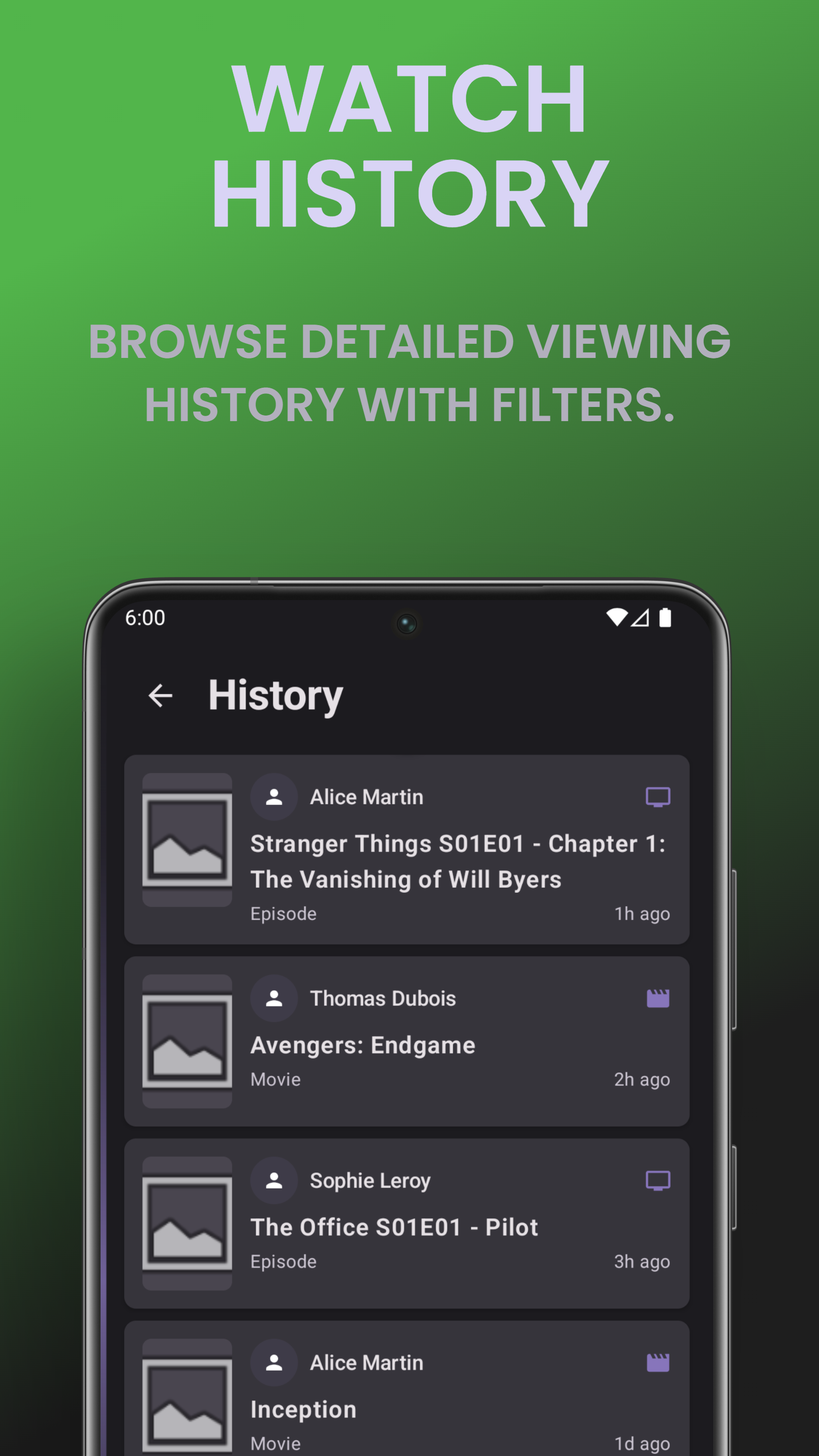
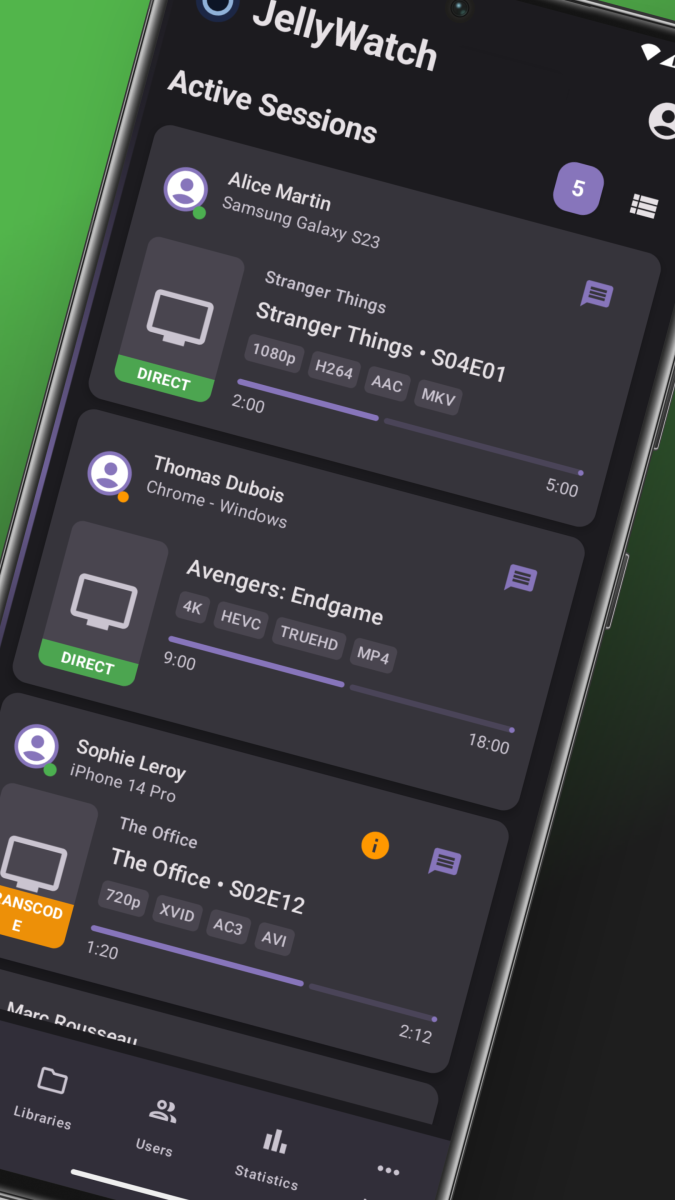
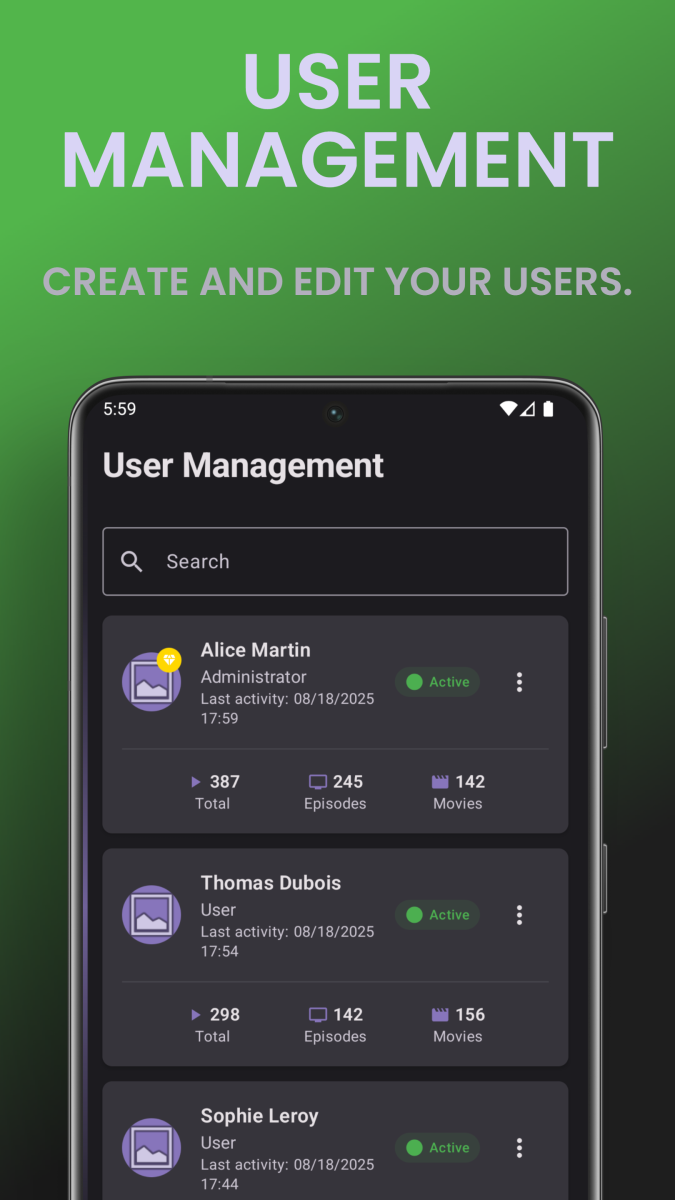
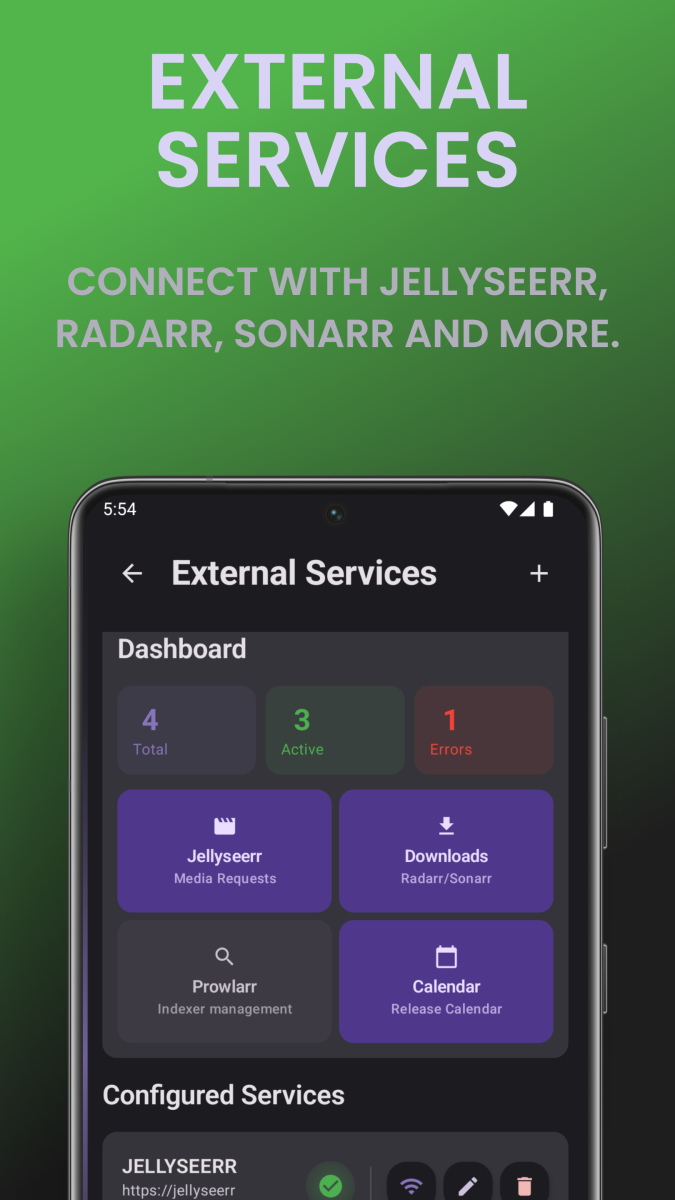
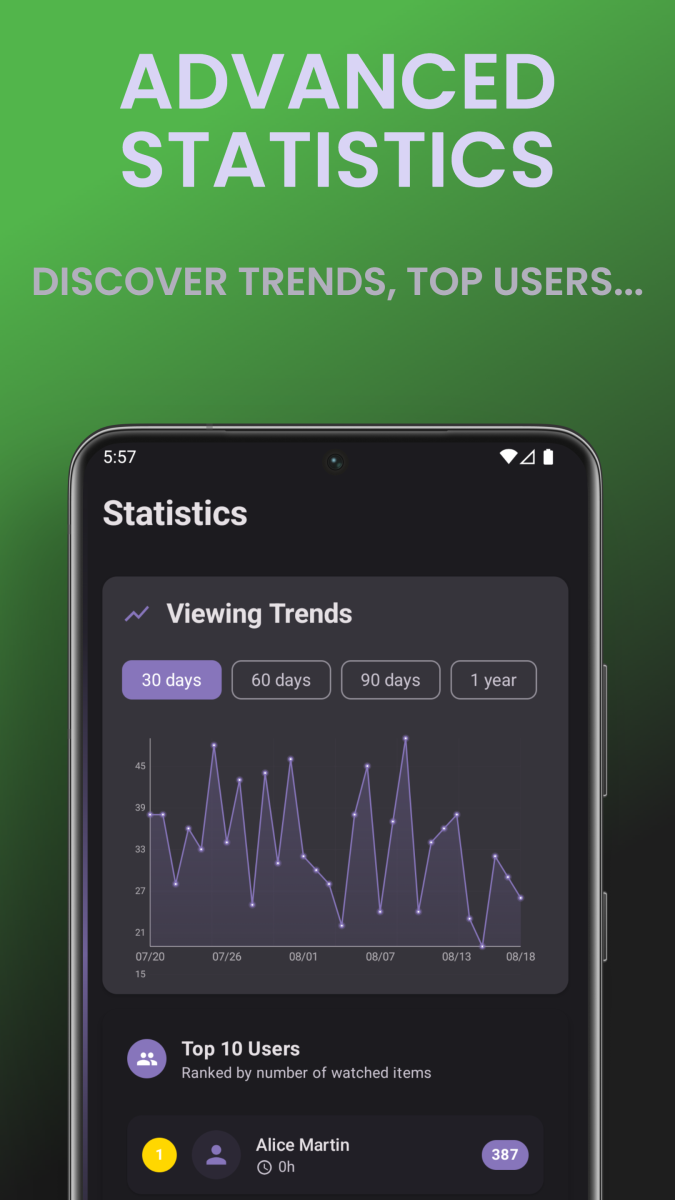
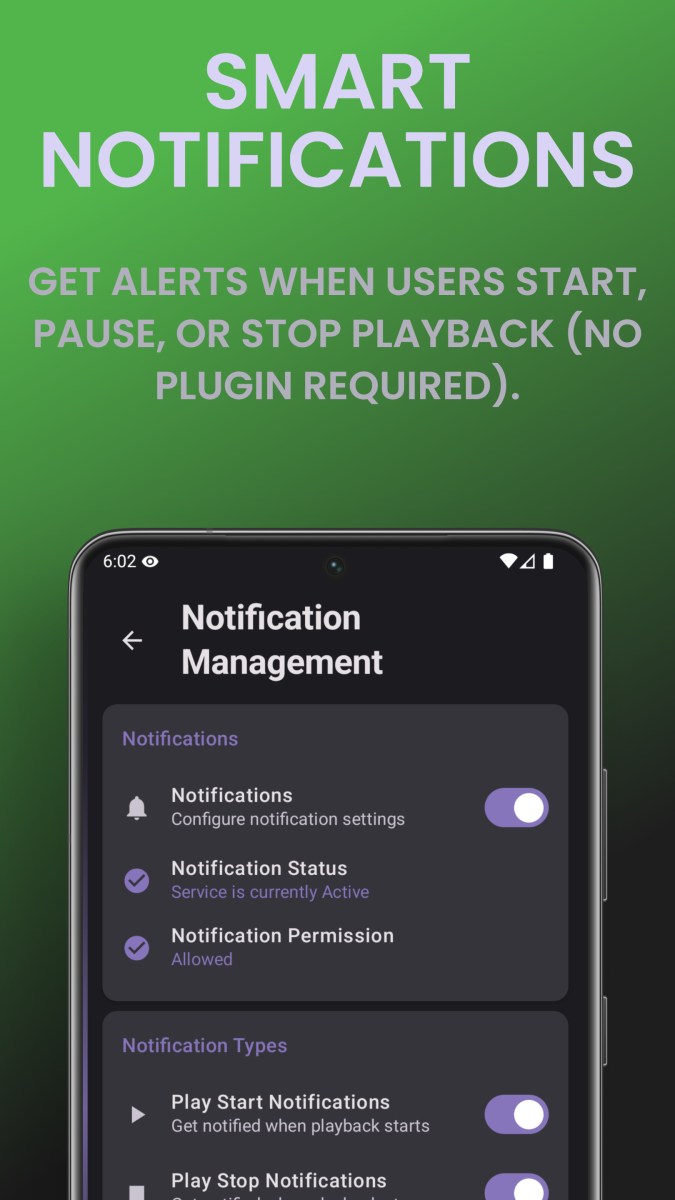
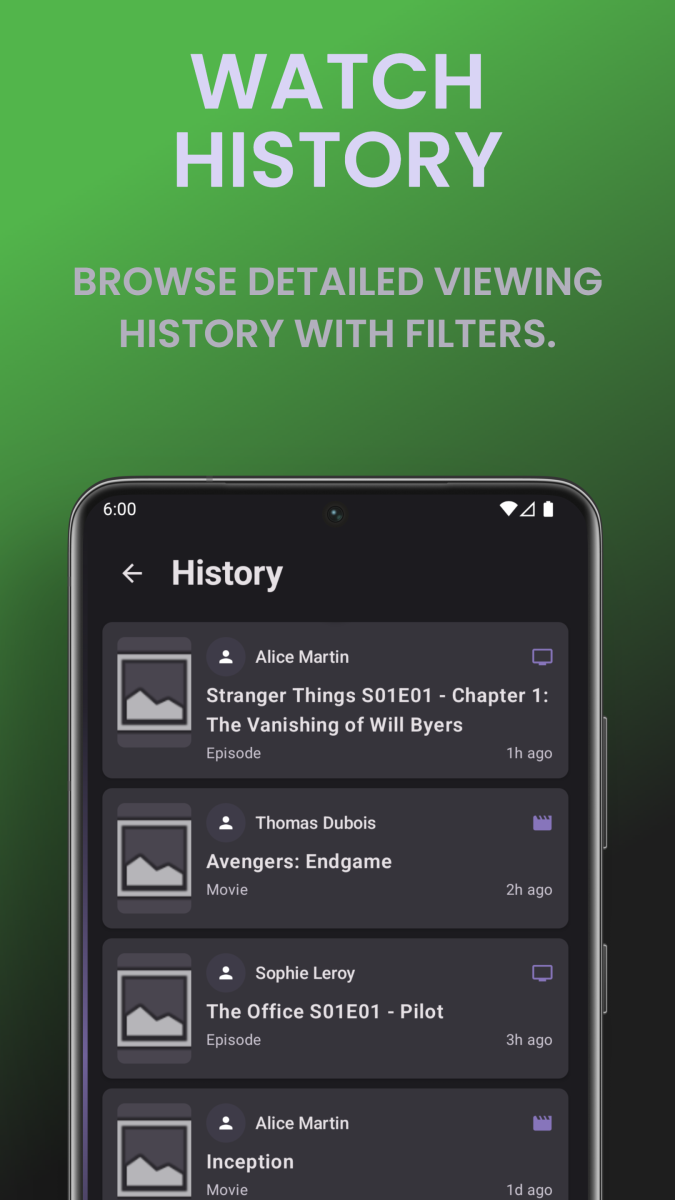
What is EmbyWatch? EmbyWatch is an Android app designed to monitor, manage, and control your Emby Media Server remotely. It’s made primarily for admins and advanced users who want to keep track of what’s happening on their Emby setup in real time. Google Play Store link: https://play.google.com/store/apps/details?id=com.embywatch.app What Does EmbyWatch Do? Unlike the standard Emby app (which focuses on media playback), EmbyWatch is built for: Real-time session monitoring (who’s watching what, from where) User and device management Accessing logs, tasks, and server statistics Performing remote administrative actions (restart, stop, trigger tasks, etc.) Main Features Category Description Real-time monitoring View active sessions: who’s streaming, what media, playback progress, codec, bitrate, etc. User management Display user list, recent activity, permissions, and even send messages to connected users Connected devices See all connected clients (TVs, phones, browsers) with connection times and device details Library overview View all media libraries (movies, shows, music, photos) with item counts and stats Scheduled tasks Check and run scheduled tasks (library scans, cleanups, metadata refresh, etc.) Plugins / extensions View installed plugins, versions, and update availability System / network info Access server technical details (OS, version, IPs, ports, uptime, CPU load) Logs & history Browse detailed logs with filters (by user, event type, time range) Basic playback support Start media playback directly from the app (for supported formats) Notifications & widgets Notifications for new sessions or server events + home-screen widgets for monitoring Highlights Clean and responsive interface Works with multiple Emby servers Real-time monitoring dashboard Perfect for admins managing shared servers Available in multiple languages (including English & French) Limitations This is not a full media player app – it’s focused on server monitoring and control. Some features require administrator access to your Emby server. Certain sections may still be in beta or vary depending on Android version. Includes in-app purchases for premium features. Summary App EmbyWatch Platform Android Link Play Store – EmbyWatch Language English / French / more Developer EmbyWatch.app App Type Server administration & monitoring tool
 3 points
 -
To be fair, the people who run betas are a small proportion of their users, and the complexity of Emby and the range of its client devices mean that there are bound to be issues which only arise on release. I know some users will see this as a weak excuse - but it's the real-world experience of many software developers. Paul3 points
-
Problem was solved, see here: https://emby.media/community/index.php?/topic/143147-problemreport-trailers-on-moviepage-dont-play-youtube-error-153/3 points
-
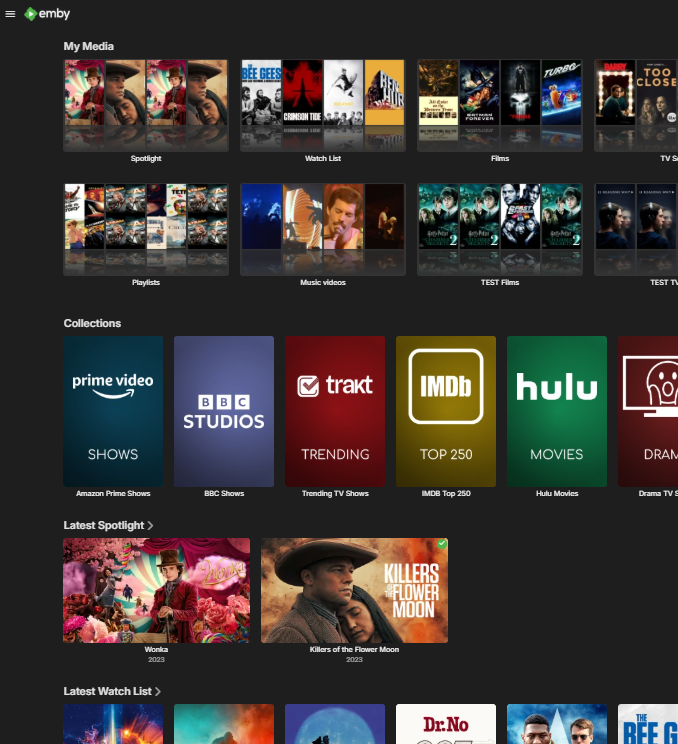
My understanding is 'Smart Views' (the next priority according to a recent post from @Luke) should be allowing us to display the results of smartlists on the home screen - but whether that includes enhancements to 'how' those objects lists are displayed remains to be seen. The ideas of 'Spotlights' is not new, it's been around for years to be honest and various 'hacks' have been attempted - but without a way to display them as spotlights, their effectiveness is limited. Heck, I've been running my own implementation for years (that works in all clients) simply by using playlists to add to a spotlight library (and a watchList as well) - works fine - but I want the contents of that spotlight library shown as the top 3rd of a page banner - like the CSS in the thread - not hidden in the 'Latest' section. If we have the flexability to add these new display types per library or Smart View and location for that row - then this enhancement will be extremly well received.
 2 points
 -
Try enabling this
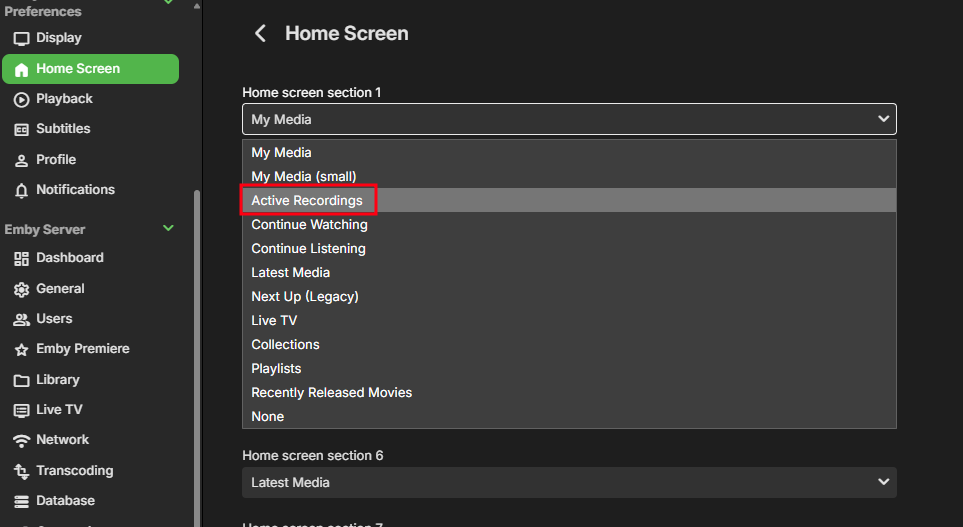 2 points
 -
Now that 4.9 has been released when can we expect tvnext to be in beta channel for testing2 points
-
It has an updated Intel drivers, but that comes with the possibility of new problems so it will need to stay in beta for a little bit. But yes, testing and feedback on it would be helpful in the testing area.2 points
-
A "disruption" would be something that can easily be reverted. This isn't as bad as when you guys accidentally deleted peoples entire movie folders, but this certainly isn't a "Whoopsie guys, my bad, tee-hee" moment either.2 points
-
Hi, Just upgraded to 4.9.1.80. I have noticed the Live TV --> Recordings view is now seasons view rather than the old flat episode view. How can this be changed back? As Live TV is recorded and can be out of order, and I keep the episodes relatively clean, it was much easier to find episodes in the old view, particularly when lots of different series are recorded with only 1-2 episodes each. I have had a look around and can't find an obvious method. Thanks1 point
-
Agree.1 point
-
I think the system should warn you when you request a restart. Something like: There are three active playback sessions and one active recording. Restarting will terminate these. Are you sure?1 point
-
Hello @TheLivingBubbaSorry for the slow response. This has been a bad week for me. I have been sick. I can''t start playing a channel where you left off because the playing of content from the EPG is controlled entirely by Emby. I can only populate the EPG. I think you can do what you want with a playlist. Vic1 point
-
It's not now, but it was previously. Thank you for updating the status.
 1 point
 -
Can you please try uninstalling any emby apps (make sure they are uninstalled, not just removed from the home screen) then remove power from the tv for a few minutes, then reinstall whichever Emby app you prefer, although i would recommend the app store version. Then please try trailers again after that1 point
-
Yeah, this particular change isn't working out too well for me at all. Viewing my media through the folders tab made managing everything easier. Wish there was a way to revert on my server, but it doesn't seem so.1 point
-
Oh hell, that was a plain typo. I've fixed it in that post. Of course you get better metadate when setting it to the language of the titles in the source. Thanks for spotting this!1 point
-
The new update required a library re-scan for me, and this then killed my 'recently added' view as everything was stamped with the date of the scan. I made a comment on another thread that I'd found a basic solution to my problem, and @seanbuffsuggested it may be helpful to people in this thread. When I started looking into the issue (via both directly in the SQL database, and basic API queries), I found that the original "DateModified" field was not changed after the re-scan. Whilst this field is not a perfect replacement for the date added, it was a far better solution than having everything set for today's date. Note this fix is not for the faint of heart -- proceed with caution. FIRSTLY BACKUP YOUR INSTALLATION. It works for me, but I can't be responsible for any disasters that may befall you for using it. You're going to need the following: An API key (Settings -> API Keys) An admin User ID (Settings -> Users -> Admin user -> The number after "userId=" in the URL field) Update the variables at the top of the script, leave "DRY_RUN" as true for your first attempt, and verify it looks about right. If all goes well, change the DRY_RUN field to False and run again. I hope this helps anyone with a similar issue. emby_date_sync.py1 point
-
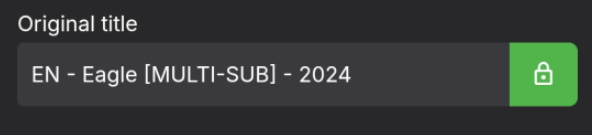
Correct. But the identification will be much better when the titles are in Spanish. What I had already though about is to add a list of strings to the configuration for cleanup. There you could enter things like "[MULTI-SUB]" and then they would get removed from the titles.
 1 point
 -
Small inconveniences are often a cost of progress1 point
-
Hi, it would be the same as if you created a movie library with those kinds of file names. If the names in the m3u are really bad, then you might not want to use the internet metadata features.1 point
-
Glad to hear yours is sorted. Your script might be able to help out others who were also affected here: Others may be interested, if you're happy to share1 point
-
Hi, thanks for the feedback ! Apologies for the disruption regarding date added.1 point
-
Sorry for spamming here but new beta version. v5.39.6 Changes: Should have some noticeable performance increases for most people. More efficient cache should keep memory usage lower. Deleting profiles works. Changed how Skiasharp is used (the part that draws the icons onto the posters) should increase performance and memory usage as well. Added a (real) memory usage meter in the troubleshooter section. This is mostly for testing the plugin and not really that useful for any one so you can ignore it. Please note: Enabling deep look up for collections (Icons for collections) will slow it all down a bit again. Sadly not much that can be done about that and is a trade off to be able to have icons on collections. As before: WARNING WARNING WARNING!! This is a beta and while it should work 100% and have been tested by my self, there might still be unforeseen bugs. If you encounter any problems while report them to me and i will look at it asap! EmbyIcons.dll1 point
-
The next app update also has an option to configure the up button behavior, which would allow you to press the up button during video playback and jump right to chapters.1 point
-
Hi, can you please show screenshots of this? Thanks !1 point
-
HI, what you describe was happening by accident. What we need to do is make sure the downloaded version gets the intro skip information. We'll take a look at that. Thanks.1 point
-
I initially did this I did this via the Android app. However, I went to the my server on Windows after your post. I saw the "notice" help text in the library options. I reselected not to group versions. I'm now rescanning the metadata. Thanks for your input!1 point
-
Awesome. What it accomplished was making something that I've been using fine for the better part of a decade unusable.1 point
-
Hi, we'll take a look at this. Thanks for reporting.1 point
-
BBC streams now working in the browser Still crashes the android app but I guess that'll be fixed in the future1 point
-
I do often compare the Apple Music and Apple Music Classical apps. You can even view the same content in one or the other, which is handy. Very similar but the Classical app has more data, like Orchestras, Instruments, that you can index on.1 point
-
Thank you for reporting! It's actually an old bug that i'm still working on, still working on it. No idea why it doesn't work, i tried everything and it should work but just doesn't. I will make it my top priority after the performance improvements.1 point
-
Oh how I wish this was available on the non web clients .. This appears to have everything I want on a 'landing page' - it spotlights a new Movie - it looks interesting - I hit play. Bingo.. a perfect user experience ..1 point
-
The setting Luke refers to only addresses the extra click for the final step of actually playing a title. For anyone that uses Folder View for both navigating/watching and doing configuration for their content, the click-through option is not good enough. There are several active threads relating to different aspects of this change, but it's all the same issue, relating from this rather significant change in how single-title-folders are managed by the system.1 point
-
I was, in fact, using .NFO's, thankfully. 24 hours later now that the dust has settled, it appears that only 40 of my movies had their "Date Added" screwed up. Unfortunately, it appears this reset all my cover art and media for the entire movie library though, which is what took so long. Still not happy about this, but it is much less disastrous than it first appeared. Again, whether or not we have backups is irrelevant when you were given the feedback in beta. You are effectively blaming the user here and chastising them for not having backups, instead of owning up to the fact that you knew about a bug and didn't bother to address it because you didn't think it would affect that many people. Beta is where you make your mistakes, not on full releases. I would imagine the vast majority of your user admins running servers are pretty hands off when it comes to day to day operations. That is the entire point of these automated systems that find and download and slap pretty covers on all our movies and shows before sorting them all nice. That's great that you want to dive into all of that, but the rest of us don't want to spend all day mucking about with setups, or fixing things that should have been caught in beta releases (which we intentionally don't sign up for, because we want the WORKING product, not the bug filled one). To be frank, this is some amateur bullshit. I'm just thankful that this most recent F-up wasn't more costly.1 point
-
@archecon @gillmacca01 @goin3d @horstepipe @zofiel @ryzen5000 @WDPR4100 @bruor @r5yk5 @barazin The issues you have brought up should be fixed now. Please try this: https://emby.media/community/index.php?/topic/142334-new-webstreams-plugin/page/8/#findComment-14760761 point
-
I imagine the solution involves refreshing all your metadata with NFOs enabled before upgrading. But that's just my imagination. Actual instructions from people in the know would be much better.1 point
-
I have backups out the wazoo, but I'd rather have everything set to avoid ever needing them.1 point
-
So this is somehow my fault, even though this was reported in beta testing? Cool. And instead of taking that feedback, and maybe running a file structure check (or whatever gibberish makes sense in response to your jargon) that would alert the user that their database was about to be trashed and they might want to back up some things before making this seemingly routine but actually catastrophic update, you just decided that a few casualties were acceptable for progress? Cool.1 point
-
Bang up job there team, way to iron out the bugs after it was reported in the beta Guess I get to start from scratch....again......in 24 hours when this finally rebuilds1 point
-
My Media libraries were also badly corrupted by this same bug. For now my Emby docker is turned off. Like Kramerika wrote, my TV Show libraries survived but my movies library metadata was wiped out. I am in process of trying to fix this major snafu, hopefully what JoLarsson outlined will work for me. I normally have media managed by external metadata manager. I will be recreating all the NFO files from an external process (which I had done before) and setting those files as immutable using "chattr". Then I will be sure to disable Emby from writing NFO files and ensure the global library advanced setting to "read dates from files" instead of when added to the library. I think the step after that will be remove all my libraries from Emby and redo the entire scan. I expected better from Emby.1 point
-
It seems that the new update destroyed 5 of my Libraries from a total of 7. Every item shows as being added today. All of them are in a messed-up order. Every image and all the changes I made to them are gone. I tried to look for a way to revert to 4.8.11.0, but it seems that it's not possible unless I reinstall everything from scratch? Why on earth was this update released as stable? Lesson learned: Emby is the new Microsoft. Never ever have automatic updates enabled!1 point
-
We are not using WMC.1 point
-
I've held off on the new update for now. But I have made a copy of every NFO that exists in my library on the off chance that when I do bite the bullet, I can restore my NFO's if needed. Unfortunately for anyone that's had their library screwed by the new update it's going to be too late for them. I can't see any way they can fix their libraries after the fact. If anyone wants a hand with that hit me up, I have created a batch file that copies my entire library directory structure with nothing but the NFO's copied. 42000 ish NFO's only took up 200MB. I have to agree with queenbuzzo's comment ...... And then you thought it was a good idea to release this anyway?1 point
-
And then you thought it was a good idea to release this anyway? What is the way forward here now? How can this be fixed?1 point
-
OK, this will be in the next update to the Emby LG app. Thanks.1 point
-
I can’t figure it out either don’t like this view1 point
-
So if you have Android I've recently discovered the symfonium app. Have only just started using it, but the ux definitely has a more premium music feel to it. It also solves one of the biggest pet peeves I've had with the Emby android app. In Emby android if I switch from being on wifi (lan) to mobile data (wan) it craps out and I have to completely close out the app and reopen so that it connects via wan address. In symfonium it just automagically works without all the fuss.1 point
-
You two go get a room, and leave us rest bitching about 5+ years of waiting for functional IP TV in emby.1 point
-
Is there a way for us here to get any of this legally with English content? Unfortunately my German is very very rusty, in fact at this point it is mostly a archaeological dig.1 point