Leaderboard




Popular Content
Showing content with the highest reputation on 10/06/25 in Posts
-
I've added the ability to choose days as well as time in the time window. I hope that helps. Get it at Github - WatchingEye4 points
-
3 points
-
Where you configured your library initially: Settings>Library tab in the sidebar>Edit desired library.3 points
-
This is awesome: HAHAHA way to go I always enjoy the little things
 2 points
 -
glad it was just this, i uninstalled the app and reinstalled, and the trailers started working again. thanks for posting the solution, could not find anything using the search on error 1532 points
-
Ok actually, I think I've figured out the solution to this problem and my other problem (GPU acceleration). It is possible that the problem is the following: I am running on Debian testing, yes @vincenyou were right I get kernel updates quite often Therefore, if I update my Linux (apt dist-upgrade), I end up updating the computer But let's say the NVIDIA drivers are the same (not updated during the dist-upgrade) Then, after reboot (and possibly also without reboot)-> boom, new kernel, new headers (most likely NOT downloaded automatically), nvidia drivers are not available (and possibly other drivers too?) In any case it means that this /dev/dri:/dev/dri -> causes a crash and the Emby container won't even start And guess which error I get when this happens? -> s6-svscanctl: fatal: unable to control /var/run/s6/services: supervisor not listening So the solution is: Don't be a dumbass like me and don't install Debian testing. But more accurately, if you do update your Linux and you get a crash on Emby it might most likely be a problem of -> new kernel -> new headers must be downloaded -> driver needs to be recompiled and modprobed in the kernel Good news is: As far as I know, realizing this, made me solve my crashing issue AND I managed to have GPU acceleration (transcoding with GPU) on Emby+Linux+Docker. And because I'm super nice I wrote a little tutorial there2 points
-
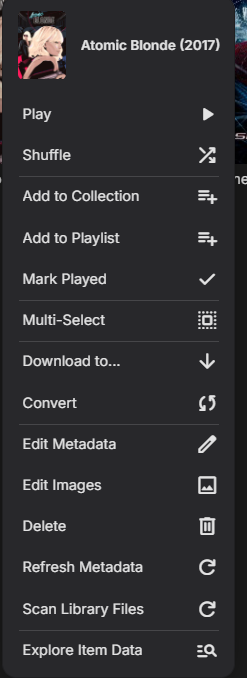
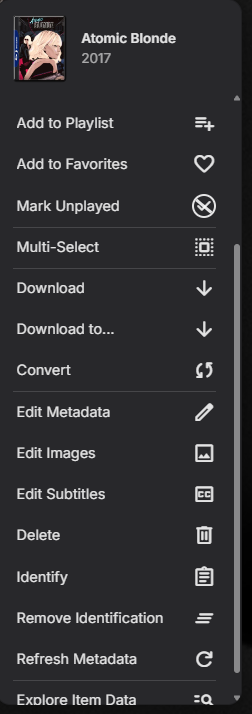
A wild guess is you cannot Identify a folder you can only identify actual media. So the question is in what view are in? Folder view Actual Media View after scrolling the context menu
 2 points
 -
Well done @sh0rty- it looks great - sadly I don't use the web clients, so not usable for me but another step forward using great design and aesthetics to showcase Emby capabilities. I remain disappointed that 'Smart Views' didn't make it into the last Beta (as indicated..) and this would have hopefully also created a framework to display the results of the Smart Views in various ways - incl singular 'spotlights' such as this. The key issue is it needs to be done at a core/system layer with full API support - and of course, be compatible with all the 'universal' clients out there. Lets hope the Smart Views is a priority for the next Beta... @Luke2 points
-
Dear Luke and SA2000, Emby is certainly also popular running on Windows, thus a description / instruction for Windows would be highly welcome ! Thanks & best regards, Peter2 points
-
Yeah I don't like the idea of recordings showing up there either.2 points
-
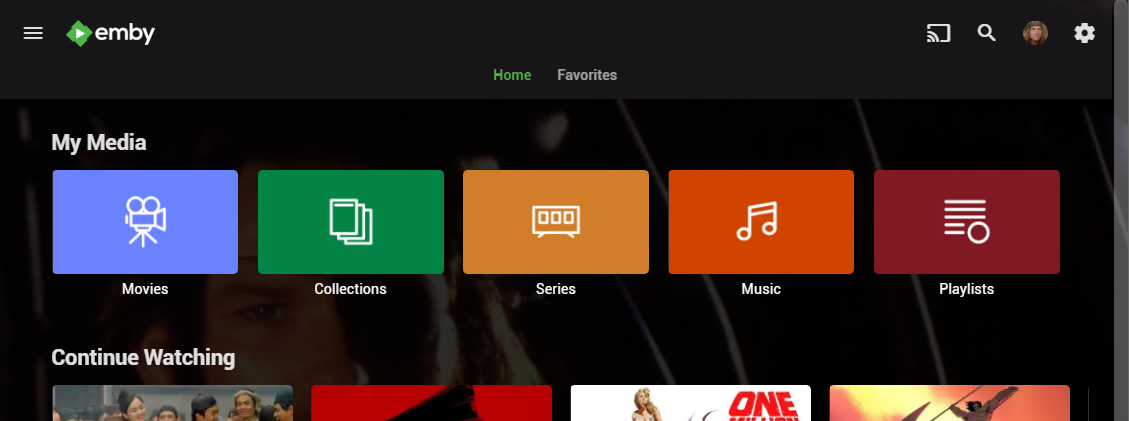
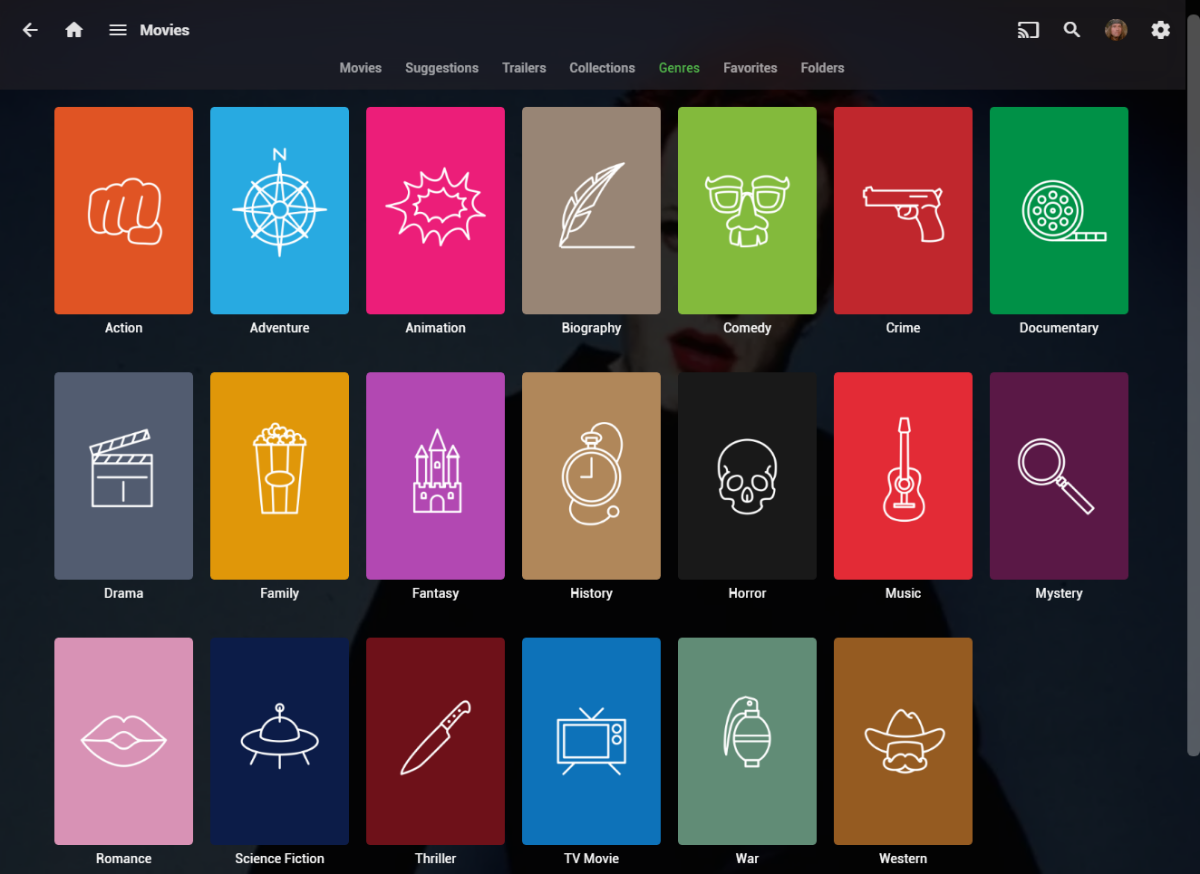
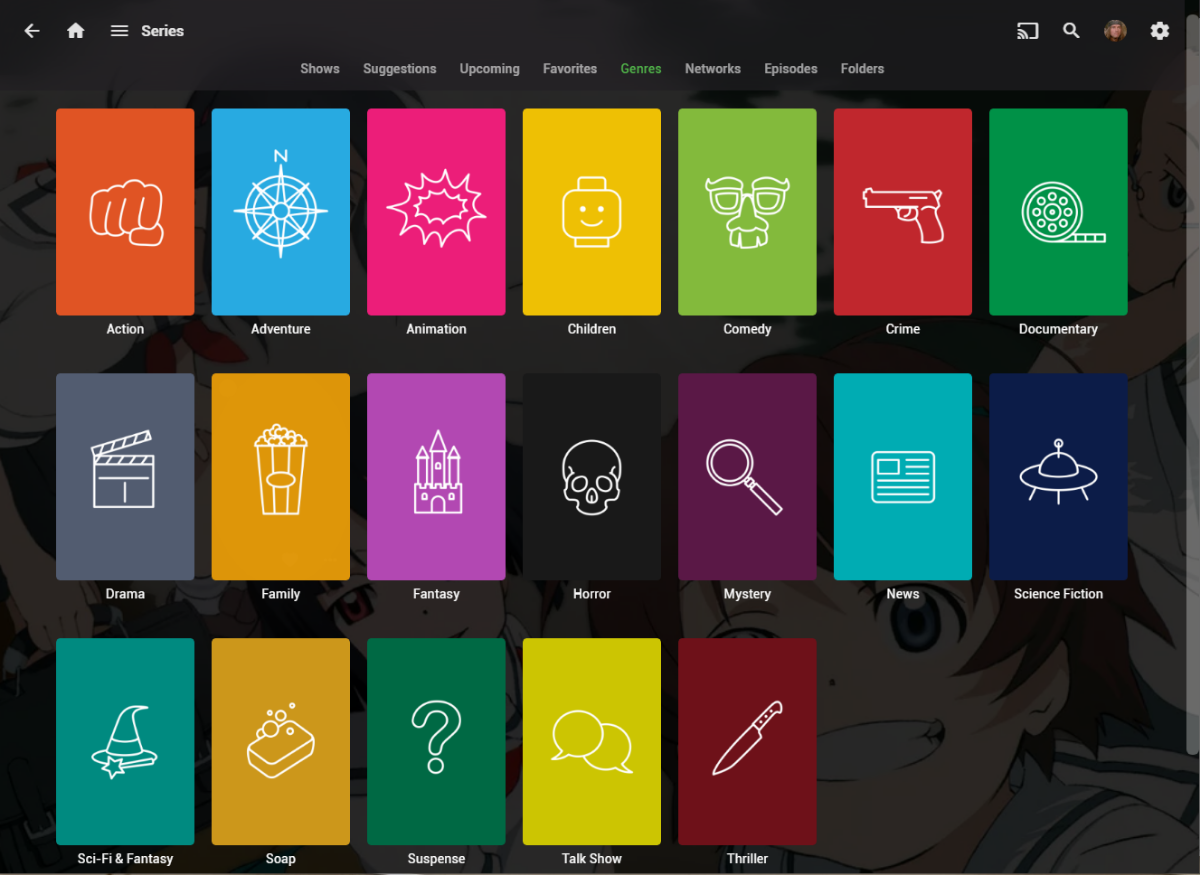
I wanted a colorful, but minimalist set of Library and Genre icons for when I'm using Emby on Roku, and something that stood out dramatically from the movie posters and thumbs. Here's what I did for the My Media set. Here's my Movie Genres: And the Series Genres RAR file attached with the full set as PNGs, and there is some in the archive not shown above (like Sports and Adult). Enjoy! -Mickey EmbyIcons_v4.rar
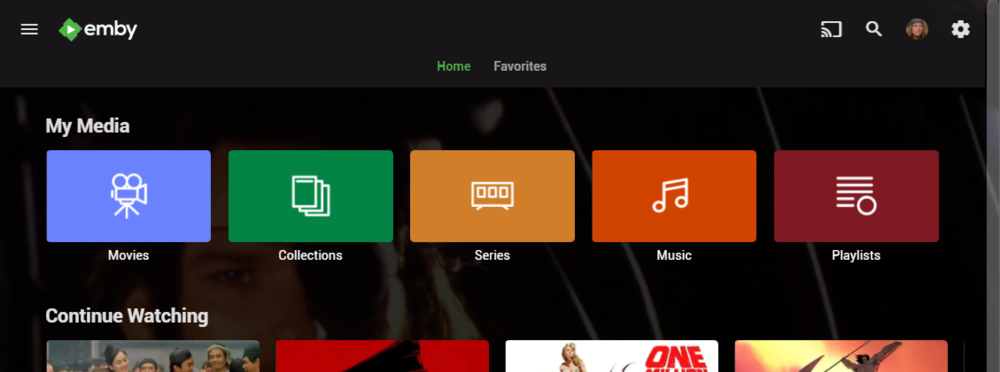
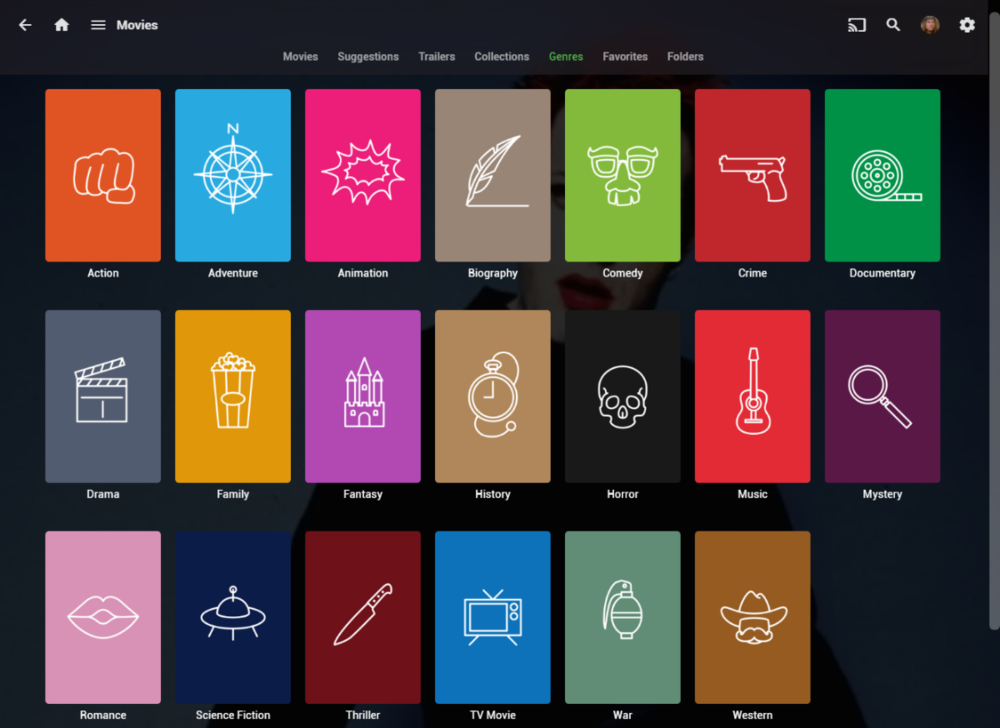
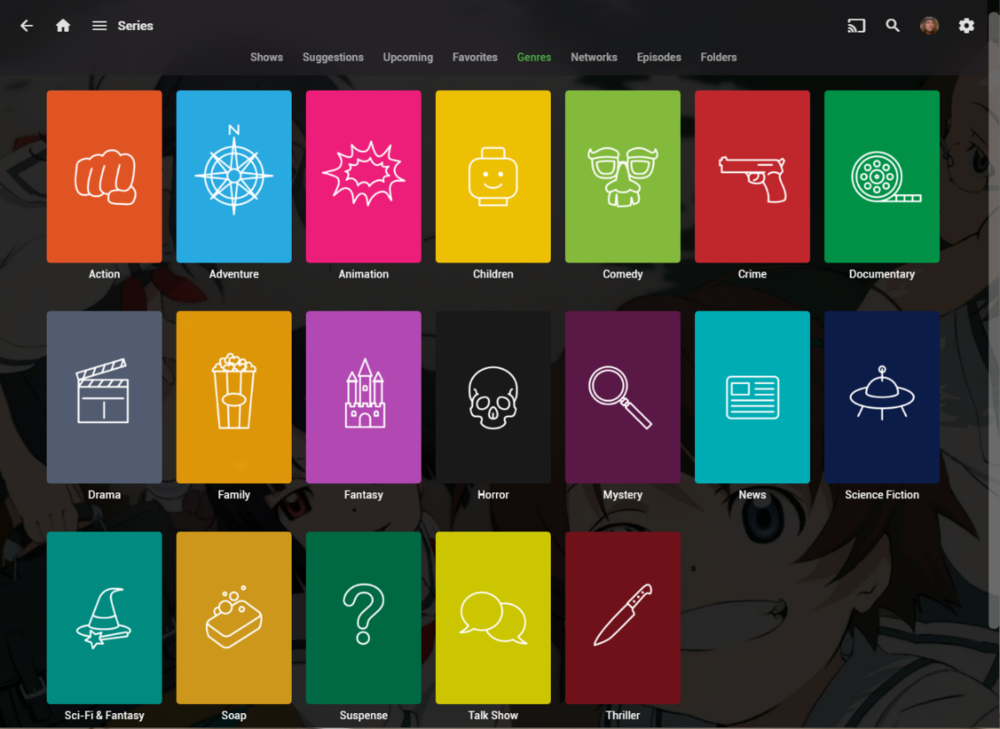 1 point
 -
I hit "play all" on a collection and it doesn't show the next film in "Next Up" after I quit out of it. This is apparently intended behaviour, and the same applies to playlists. This is absurd. Why even have the "play all" option? Who's sitting down to watch a full collection's worth of films, or a full playlist? I have playlists for The Prisoner for its various episode orders, and there's no way I'm getting through them in one sitting. I was going to make that my next show to watch but if I'm going to have to keep track manually of my progress through the playlist it makes the playlist fairly pointless TBH. There's no reason playlists or collections shouldn't show up in Next Up.1 point
-
Hello Emby team, I am the developer of JellyWatch, an Android application designed to monitor and administer Jellyfin servers (for example: active sessions, users, tasks, etc.). Currently, JellyWatch only supports Jellyfin, but I would like to add the possibility to connect to and interact with Emby as well (e.g. viewing sessions, users, etc.). Before starting development, I would like to confirm whether such integration is allowed, in accordance with your terms of use, licenses, or available APIs. Here are some of my questions: Does Emby allow third-party (non-official) applications to access the server via the API for monitoring and management functions? Are there any legal or contractual restrictions (license, copyright, API terms of use) regarding the use of parts of the Emby API by unofficial client applications? If yes, what are the conditions to comply with (API key, attribution, brand usage, usage limits)? Is there any official Emby API documentation I should follow to ensure compliance? If the integration is permitted, are there any technical or version constraints (Emby server versions, API stability) I should keep in mind? I am fully committed to respecting any clauses, attributions, or rules you set, and I am open to collaborating with you to ensure the integration remains compliant. Thank you very much for your time and your feedback. Best regards, Max1 point
-
Correct as it is written to the branding.xml while editing css files directly will not survive a server update as the entire system folder is replaced.1 point
-
Wouldn't the folder view for the library accomplish this? It really seems unnecessary to add several libraries for the same type of content when you can just add multiple folders to the same library.1 point
-
@pbathuk We are looking into this. Thanks.1 point
-
Here is the server logs. After 6-7 hours and a few restarts it seems to have resolved itself. Nothing changed on the SMB share or the copy of the file locally. Not sure what happened. embyserver-63895368435.txt1 point
-
Someday in the future the flag will be removed and every install will be the same. It was never meant to be a personal preference although some have discovered it and used it as such. It is more of new vs old scanning.1 point
-
Hi, Emby does not need internet metadata for TV shows to appear, but the initial library scan does have to be completed. So for example, if you had internet metadata disabled, that would be fine.1 point
-
1 point
-
Hi, there's already an open request for this or something functionally equivalent. Please join in and contribute to the existing discussion at:1 point
-
Stepping out for a bit but if anyone else has not help you out by the time I have return I will take a look.1 point
-
Look in a different js file. For windows >= 2200px wide it uses the first number of items, otherwise it uses the second.1 point
-
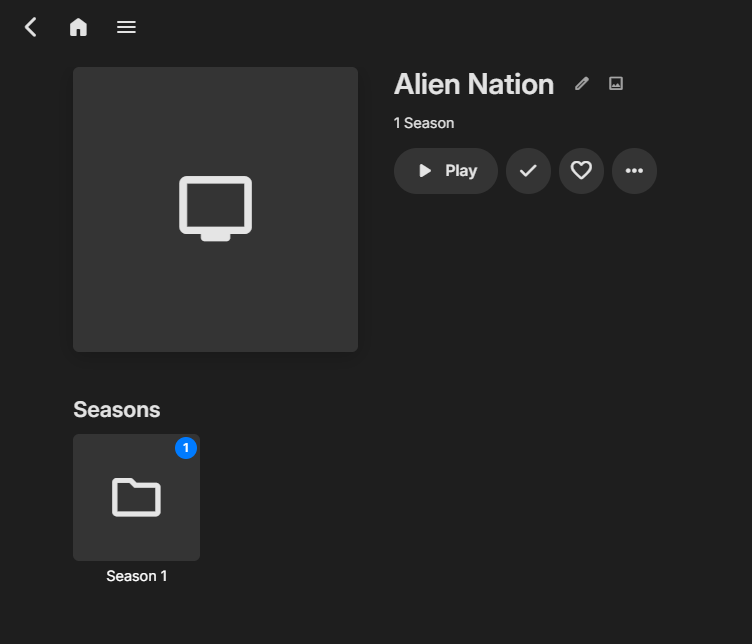
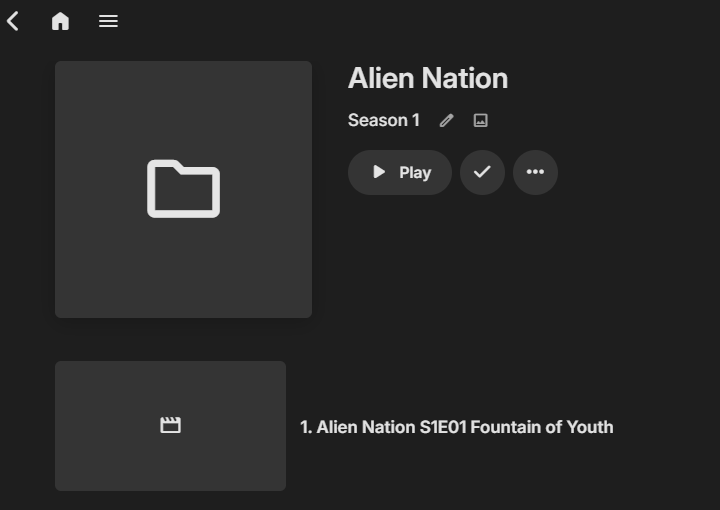
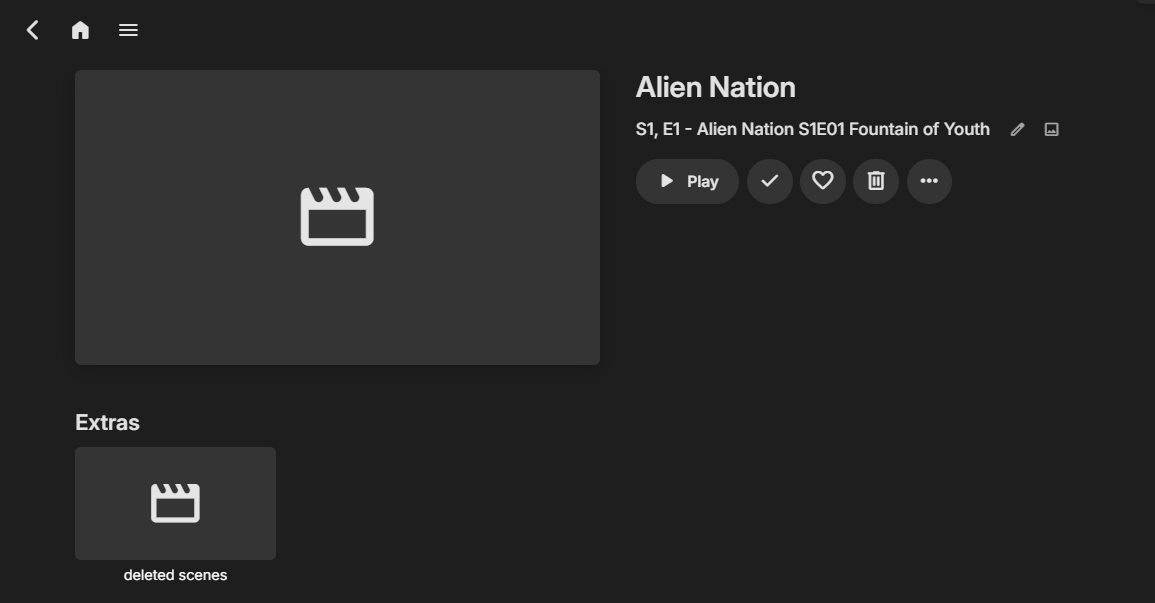
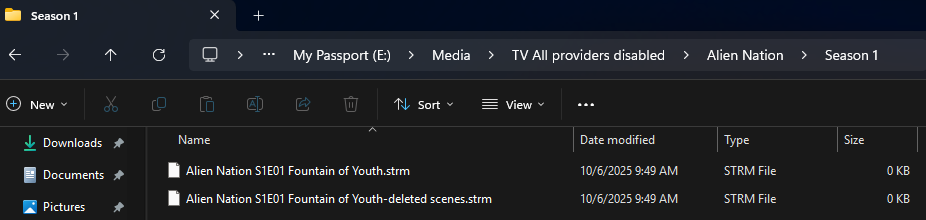
If there is no online metadata you may run into issues of Emby making it something it is not per online provider queries. But proper naming and structure will present a series. Library no providers enabled Yes reading existing images and nfo file should work but many need to be locked for anything that does not exist online as provider queries may rewrite the nfo to something else.
 1 point
 -
Will have to test or search as I am not positive your naming scheme is supported S#E## But appears to be anything_s1e2.ext But probably need to see the server log for a specific example to see possibly why identification in not working automatically. As for these type of extra the should be at episode level requiring and additional folder layer or correct naming extension. https://emby.media/community/index.php?/topic/55915-emby-server-theater-additional-extrasspecial-folder-types-for-tv-series-similar-to-movies/page/3/#findComment-11892251 point
-
All good now -- Thanks Word to the wise (when using Portainer) -- BACKUP your docker compose files -- sounds simple , but can save heartache!1 point
-
Just to add a slightly different perspective-- I use playlists to curate a selection of tv shows for my kids. This way when they want to watch a series, it is easy to skip over boring or potentially scary episodes without me actually having to remove those particular episodes from my library. Echoing several of the comments above, I find Emby currently has limitations with this approach: When entering the playlist, the playlist display always starts at the top of the playlist, resulting in a need to scroll through lots of previously-watched titles to find the next unwatched one. (And ideally, the playlist ought to auto-scroll down to the first unwatched title after the latest watched title, in the event we decide to further skip over episodes in the playlist itself.) After picking and watching an episode from the playlist, "Up Next" will display the next episode from the series, not from the playlist, which means that by using the "Up Next" suggestion the viewer is now outside the curated playlist. Implementing the "Playlist Up Next" option as suggested above would be a good way to fix this issue. I understand that people who use playlists differently may not want the playlist to auto-scroll past all the watched titles. Assuming that the devs don't think this request warrants a per-playlist configuration setting (and it probably doesn't), I think implementing a global playlist auto-scroll toggle would be a good starting point, possibly also in tandem with a "return to top" button (which is slightly more useful than a "jump to next" button). I get that in order to implement the second bullet, Emby would need to track some additional context to know "how" a particular title was played; it would nevertheless be a very helpful change from a user perspective.1 point
-
Yes, it would be better to control Alerts. For me now it's just words in right corner as in alerts section I looked for "problems" not information what was done. For that maybe can make link in sidebar? Where can see information about general server events like recordings, updated apps, scheduled tasks done e.t.c. and leave alerts for failed jobs, logins. For example, sometime scheduled jobs failing, but no alerts for them. Need to check Scheduled Tasks page to see if everything works fine.
 1 point
 -
1) There are topics where it appears library setting are getting disabled so I would double check all your library settings. 2) do images exist with media or is Emby saving to /metadata/library folders? As that is current issue of uses losing their info that is not saved with media do to the update removing all content and readding, so all images and metadata are lost when not saved with media causing this new date added issue. (but not truly known why library is removed and readded) 3) As for placing folder and backdrop images we would need to see the server log for that specific example as I can only guess a permissions issue.1 point
-
Of course! Here's one way: 20251006-1555-36.4772867.mp4 Note that exclusion is better than selecting all others, because then you won't get any new ones that might be there in the future.1 point
-
Just thought I'd say I really like these and they're what I use for my library. great work! Here's one I made myself for podcasts

 1 point
 -
Yes because that is the update we submitted over a month ago that they finally released. We now have a new update in the pipeline. Hopefully, they are quicker this time. Edit: I just saw they released our update early this morning.1 point
-
I've Unmarked it - mark whichever post you desire.1 point
-
You can use it already even it's tagged as public testing. 12.X major change is supporting Kodi 22 and it's still alpha. Current stable (11.X) supports Emby 4.9.X server.1 point
-
Hi. If you customize metadata, we strongly suggest saving that to NFO files as this will be sure and preserve those customizations in just about any instance. Perhaps we should put a message in the metadata editor any time you save an edit and don't have this option enabled...1 point
-
New version up v1.4.2.0 Added: Days users can watch have been added to the time window. Changed: Moved external website and API settings to the right tap in the settings. Updated dependencies to the latest Emby stable. Get it at Github - WatchingEye1 point
-
Really looking forward to the update of this plugin. At the moment I'm using strm-files; having the possibility to avoid that and still have the library functionality for VOD's is fantastic. On that note - is there a guesstimate on when the updated release of this plugin will arrive?1 point
-
I can't remember. The docs are also not clear about that. It will take me some time to setup a test environment again.1 point
-
My problem device is a Roku Streambar Pro as well . Emby Version 4.1, build 49 Launch app, logo, exit to Roku. Cannot access any options, or anything. Reinstalled app, reboots, updated server, etc. Working on all other roku devices but the roku soundbar. Hope it's fixed soon. I would also consider being a beta tester for the sound bar.1 point
-
Hello, Sorry for the delay in responding. I ran some tests. I can't find anywhere on my phone how to disable this. And to answer your question, I haven't used the cast function between Emby on my phone and my TV. Actually, it's in my Android TV's settings. There's a function to allow smartphones connected to the same network to control the Android TV. I disabled it, and now it's fine Thanks1 point
-
For sure not me, .Net technology is not for me1 point
-
Hi. Thank you for the suggestion. I already did and increased the copies to 90, which should be enough for the future, but since the fixes and changes seem to take a while to be implemented, I was trying to find a fix before that happens, as right now my libraries are a mess.1 point
-
What I've noticed so far are words that I think are very hard to read and understand. Long words put together that I don't really think is Swedish. I'll give you some examples. Ljudbakgrundsutseende - I don't understand what that is since the alternatives I can choose from are "Bakgrund" and "Huvudbild suddig" Genrevisningsgräns - It took me some time to understand what it means. I think it would be easier to understand if the translation was "Gränsvärde för visning av genrer". There is space enough for displaying this text. I have to say that I'm allergic to long "constructed" words put together that's hard to read and understand. I have seen 100's of them in the app.1 point
-
1 point
-
I would strongly suggest voicing feedback to Roku to allow for a more flexible beta approach.1 point
-
Hi, try using the image editor to delete the existing images. Then run a library scan and see if that helps create new ones. Please let us know how that goes. Thanks.1 point
-
Keeping Entertainment Family-Friendly: Setting Up Kid Accounts and Parental Controls in Emby One of the most powerful features of Emby is the ability to create individual user accounts. This becomes especially useful for families as parents can give kids their own profiles while keeping control over what content they can access. In this guide, we’ll walk you through how to set up kid accounts and enable parental controls in Emby, step by step. Why Create Kid Accounts? Age-appropriate viewing: Ensure younger family members only see content suited to them. Personalized experience: Kids can have their own watchlists, progress tracking, and favorite shows. Peace of mind: Parents maintain control over what media is available while keeping the main library unrestricted. Step 1: Create a New User Log into your Emby Server Dashboard. Go to Users in the left-hand menu. Click + Add User. Give the account a name (e.g., “Kids” or your child’s name). Choose whether it will be a local user or linked to an Emby Connect account (for remote access). Step 2: Assign Libraries When setting up the account, you’ll have the option to choose which libraries the user can access. For example: Allow access to “Kids Movies” and “Cartoons.” Block access to “Horror,” “Adult Shows,” or any other unsuitable libraries. This ensures your child only sees the content you approve. Step 3: Enable Parental Controls Within the user’s settings, navigate to Parental Controls. Here you can: Set movie and TV show ratings (e.g., allow only PG or below). Restrict unrated content if you prefer. Block specific titles that you don’t want accessible, even if they meet rating criteria. Step 4: Add Playback Restrictions Emby also lets you manage how and where kids can watch content: Limit streaming devices (e.g., only the living room TV, not mobile). Set time restrictions for viewing. Disable certain features like live TV or external plugins. Step 5: Test the Account Once set up, log into the kid’s account yourself to confirm: Only age-appropriate content is visible. The playback settings behave as expected. The account has a fun, personalized feel for your child. This way, you can make adjustments before turning it over to your kids. Conclusion By creating dedicated kid accounts and using Emby’s robust parental controls, you’ll give your children a safe and customized experience while maintaining control over the family media server. It’s simple, effective, and ensures that everyone enjoys Emby their way. View the full article1 point
-
It varies but is shown in the top section of a server log or via dashboard three dot menu, server info.1 point
-
This basically does exist, just not in a very easy to find manner: https://emby.media/community/index.php?/topic/75510-42032-vacuum-database-config-switch/ I do agree that a check-mark box or something would be handy. Many of us just use a cron-job or some other mechanism to fire this process off. As an example, here is my script that I have in /etc/cron.monthly: #!/bin/bash ls -lh /var/lib/emby/data/library.db > /root/emby-db-clean.txt systemctl stop emby-server.service xmlstarlet ed --update "/ServerConfiguration/VacuumDatabaseOnStartup" --value true /var/lib/emby/config/system.xml systemctl start emby-server.service sleep 30 ls -lh /var/lib/emby/data/library.db >> /root/emby-db-clean.txt1 point






.thumb.png.1ddf135ad99a72646a26d671a28ffe35.png)



















.thumb.jpg.d1639af2d080f59454a5d8102bcb977e.jpg)