Leaderboard




Popular Content
Showing content with the highest reputation on 10/04/25 in Posts
-
Hi guys. We’ve got this resolved and will be submitting an update to Roku ASAP. Thank you all.5 points
-
Same thing here. Roku 3 with latest updates and latest (Linux) Emby server. Tried factory resetting the Roku and restarting the Emby server with no luck. I removed the Roku device from the server expecting to be asked to reconnect/authenticate but app still crashes back to the Roku Home screen and the Roku device does not reappear in the server 'Devices'.5 points
-
Hi guys, apologies for the disruption. We are looking into this. Thanks.4 points
-
Hello, I searched the forum and found situations similar to mine but not quite so I thought I would start a new topic. I have a Roku 3 device. It's been working fine and after finishing up a viewing, I logged out. This is in the log: 2025-10-03 22:47:15.433 Debug SessionManager: Removing active session DeviceName: RecRoomRoku ReportedDeviceId: 083dee1a-e885-58e1-8679-3b5cfb30bbf8 DeviceId: 134 Then after a while I came back to watch something else and as soon as I clicked on Emby, I would get the logo followed by Welcome to Emby, then it just goes back to the main Roku app screen. I tried this over and over without luck. I also tried restarting the Roku box both with the interface and by unplugging it. Nothing helped. I reinstalled the app. That didn't help. I removed the Roku box from the Devices list in the Emby server. Still get the same behavior. I have the latest Emby server fully updated with latest plug-ins running on Windows. The Roku box has the latest updates and same with the Roku app. These loading attempts are not showing up in the Emby server logs. I also have no trouble loading other apps on that box such as YouTube and Netflix. I also have no trouble loading Emby on other devices like on my web browser or phone. One more data point: I'm running 4.1 build 49. Also the Roku Emby app (same version) is running on my Hisense RokuTV without problems. So it appears only to be the Roku 3. Did something get messed up when I logged out or when I removed the device from the Emby server? Any ideas?3 points
-
Okay, first of all, thanks so far, guys. I can use emby so far. Its only this one message at the first startup. i can deal with that. If something new comes up here, I'll of course try things out and report back. Greetings from Germany2 points
-
Registered to say same problem here. Also Roku 3. Also build 49. It worked Monday. Something is clearly wrong with the Emby app and this version of Roku. I tried factory resetting the Roku, but still nothing. App starts up, says Emby logo. Then "Welcome to Emby" and crashes back to the home. Honestly Roku has sucked for a while now. Laggy, full of ads, tracking your apps, now they have forced arbitration and brick your machine if you don't comply. This might be an opportunity to jump ship to something better.2 points
-
I'm getting this same thing too. It was working on both my Roku 2 and my Roku 3 yesterday just fine. Got home tonight and went to watch some stuff off the server and it immediately crashes when trying to load into the "Welcome to Emby" screen. I don't see anything in my logs in Emby so I don't think it's even hitting the server before the crash. This is happening on both devices. I've tried everything that the others above me have tried (restarting, rebooting router, rebooting this computer where the server is, uninstall/reinstall of Emby on Roku, etc...), but the same issue. This seems like a global issue with older Roku models perhaps. I don't see that there was an update to the Roku device (last was in July). Not sure when the latest Roku Emby app was released and updated, but maybe that's the issue with the older models? I do have a newer Roku (Roku Express) and that connects without any issue.2 points
-
Oh, don't tell me, mine is going ballistic.2 points
-
Any updates on this? I have a DS918+ (with a slightly older QuickSync version than the DS220+), and I'd like to also wait until there's a confirmation that the new branch's HW transcoding works OK.2 points
-
I am experiencing this in the Web interface using the latest Chrome and Vivaldi. Steps to reproduce: Open Library and scroll down Right-click or use "More" button Select either of the following: Edit Metadata or Edit images Edit something and Save or Search for and select a new image Go back to libary What happens: I am taken back to the top/beginning of the library. Expected behavior: my scroll position in the library is maintained. 04.10.2025_17.19.14_REC.mp41 point
-
actually not because i already added the missing images manually but what i mean is if i add a new movie, there was a poster but no background image, i recorgnized this for all movies i added the last 2-3 days. But maybe the update of the plugin fixed this, but i can't say for sure because i don't have new movies added since the plugin update1 point
-
Hello, I can also confirm that I have both a Roku Streambar Pro and Streambar running version 14.6 with Emby Version 4.1, build 49 and the Emby app stopped working last night. I have performed all the troubleshooting steps that others have tried. I have other Roku Ultra devices in the house that are all still working. Thanks.1 point
-
OK sorry that was stupid. audio transcoding was turned off again so scrolled down and realized I had to save settings. looked lore like a page saving settings on the go don't know why I thought that. now it's working true HD converted to ac31 point
-
Hey I was also having this problem. I got cloudflare all set up, worked in the browser and not the app. I have it set up as Https. I found the solution was to leave the port BLANK in the app and it worked right away. I think the port is already accounted for in the cloudflare tunnel.1 point
-
Right, duh, I was looking for a bar. And previously the volume icon was only muting, but now it displays a bar first before muting. So just missing a stop button at this point.1 point
-
Ive the newest firmware for the Samsung QN85A installed: 2220.91 point
-
Hi, we'll take a look at it. Thanks.1 point
-
It does1 point
-
Yes adding the providerid to naming scheme would always get the correct version do to the quirks of their multiple release date system.1 point
-
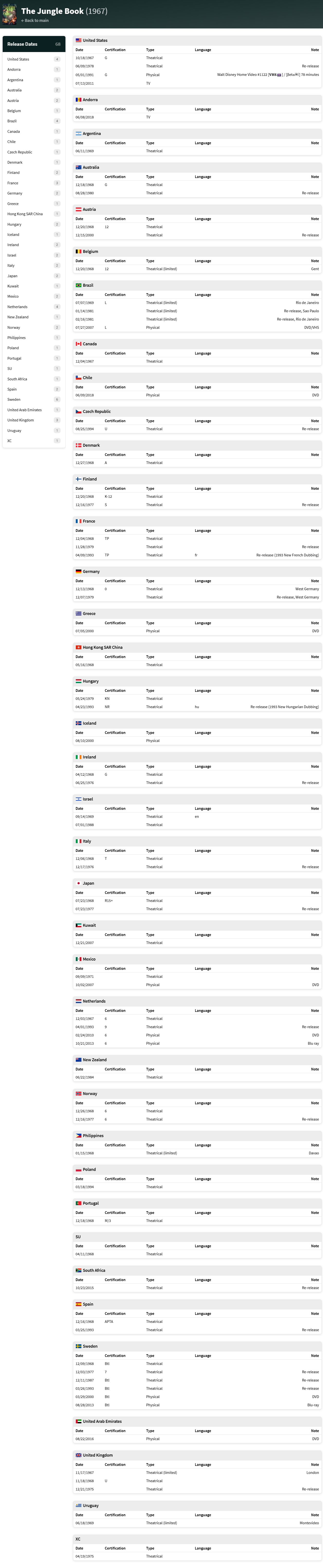
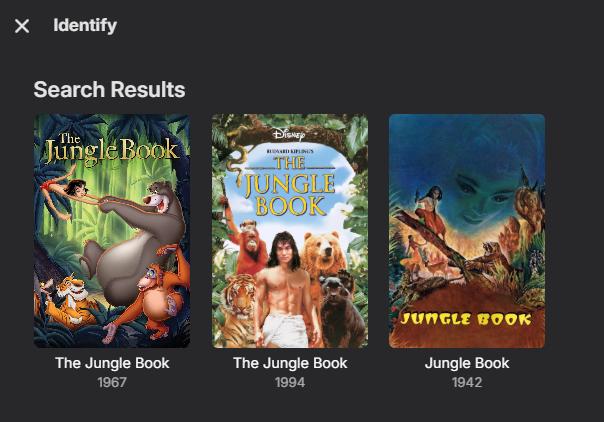
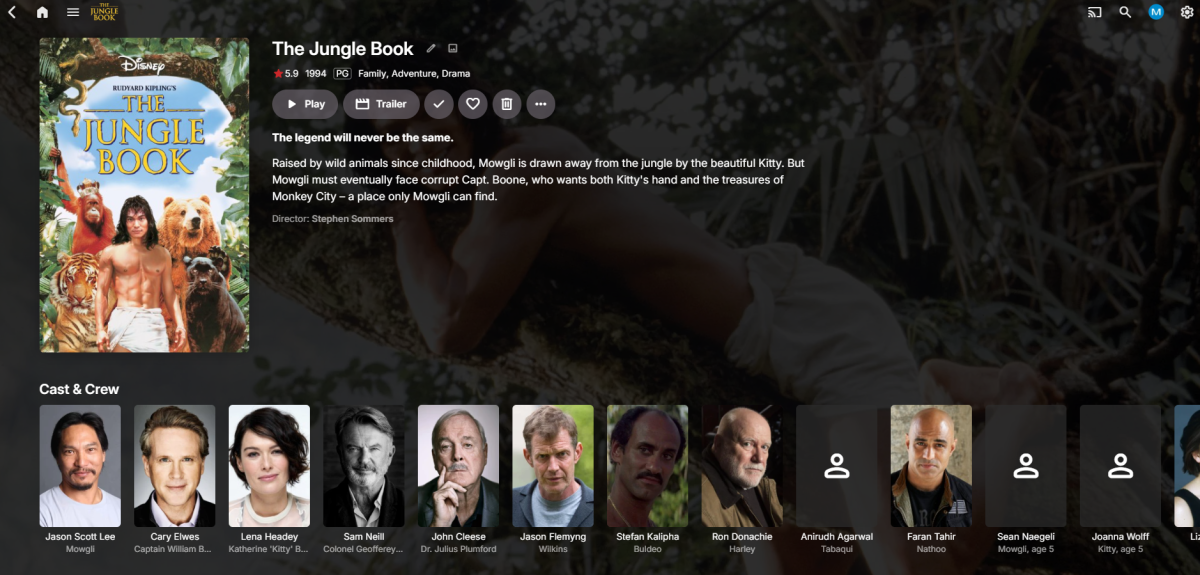
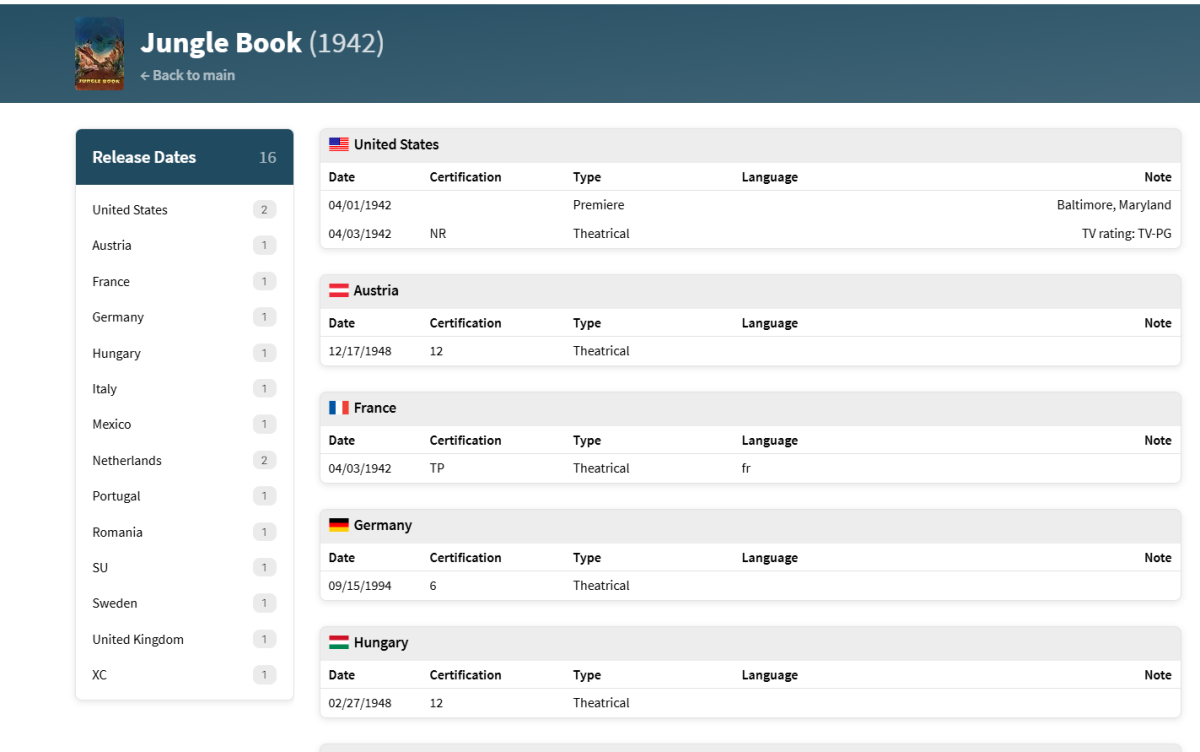
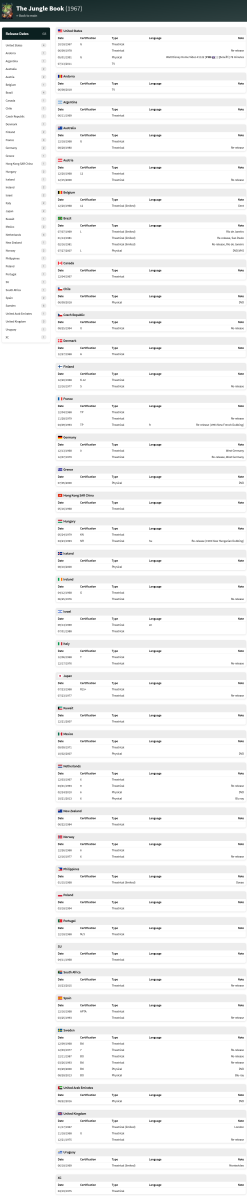
What is your library metadata provider order? But even with year the api list 3 versions as the 1967 version has other countries with release date of 1994. Reidentifed by name and selected middle version and had to refresh the page to update the new api data The issue is other country release dates as all the versions has a 1994 release date somewhere. 1967 So this specific example will probably be wrong all the time per their multiple release date system.
 1 point
 -
I think there is an app option to configure whether it exits on back1 point
-
Your post is a bit confusing pal. TV theme songs uses a different source and download logic to the other three however the other three all use the same so if one is working they all should be. The unavailable message is quite normal, media fire do it as a way to throttle the links. I've been back and forth with them quite a bit about it and even after confirming with them I'm using their API correctly, they still do it. If you've registered relatively recently, you might have just hit them a little too hard with lots of downloads so given some time of the scheduled tasks running they'll eventually download. Have you got literally no TV theme songs, TV heme videos or Movie theme videos downloaded? What you'll often see is the plugin going back again to attempt to redownload those it's been told are available but failed previously then continues to until it eventually succeeds.1 point
-
This error is in you logs. The configured user limit (8192) on the number of inotify watches has been reached, or the operating system failed to allocate a required resource. Try this1 point
-
Yeah it should be primarily french content !1 point
-
Thank u 4 info. I’ll be waiting then….1 point
-
@ebr I have the same issue and agree it does not resolve the underlying issue. I have tried all the other treatments and it does not fix it and as stated most TMDB posters are 1000x1426px so something needs to be done on the emby or cover art side to resolve the issue really.1 point
-
Thanks, I'll check that. Is it synced content?1 point
-
For the EPG, why not use Emby guide data. You can get up to 14 days of data1 point
-
Just wanted to chime in, looks like Luke and team are on it but here's some more data if this helps. I have five Roku 3's in the house and none of them will load the emby app anymore, they all did this fine about 4 hours ago. Now, as others have reported the EMBY app just keeps crashing (won't even stay loaded to show the "add a server manually" option just crashes as others have said back to main roku app screen). Though Android devices (tablet and phone) and the samsung tv emby app all work fine. Once this Roku 3 issue happened and rebooting etc didn't fix it, I immediately went to my server and saw it was saying that the new EMBY version had been updated and it needed me to restart (was on 4.8.11.0, the update of course to 4.9.1.80 but the dashboard hadn't updated the rev to the new version yet) this all on a windows 7 x64 machine. So I thought ok maybe an issue with the update, so restarted 3 times and now everything displayed 4.9.1.80 and Still Samsung TV EMBY App worked and android phones but still not working on the Roku 3 EMBY app. I rolled back the EMBY server to a full clean backup I made a week ago and turned off auto updates and still everything works fine on 4.8.11.0 fine except the Roku 3 EMBY APP. So something happened (an update?) to either the Roku 3 or the Emby app on the Roku 3? Hopefully the EMBY team can track down what happened soon as this has crippled my media streaming capability. I would like to check out the new version 4.9.1.80 since it doesn't look like that's was causing the Roku 3 issue but I'm going to wait until things get back to just being at a functional status once more.1 point
-
All sorted. I got the issue after the latest update, rebooted the device and all is good.1 point
-
I cannot edit my previous post. I can confirm that the server is not contacted - no traffic is coming from the Roku app to the server at all. There was no update, no network configuration changes, and both the Roku app and the server are local to the house. It just... stopped working. What on Earth would cause this?1 point
-
Can confirm. It was working when we started watching a movie at 8:15PM EST. It was not working at 10:30PM. Latest version installed, Server reinstalled and Roku app reinstalled, everything power cycled. Still nothing. It just opens up, a spinny disk appears for a second, and then it crashes back to the Roku home screen. The server is otherwise working normally and functions on all other devices, just not the Roku. Correction: it was an older version, I'd upgraded but not restarted. Upgraded now.1 point
-
Because I am used to organizing and categorizing with folders, the folder tab is more convenient for me.1 point
-
I'll second this behaviour - noting that it may take a day for emby to rebuild one library for me given its size (it's been at 91% for five hours). Meanwhile the resource drain is throwing up server unreachable errors when trying to watch anything from the other libraries.... Perhaps we can work on an update that doesn't remove entire libraries for next time.1 point
-
So not me being an idiot. Many thanks!1 point
-
Thanks Luke1 point
-
Hi, what's happening is the folders don't have images, so the UI is grabbing the images from something underneath. When this happens, the aspect ratio of the inherited image isn't being passed along, so this needs to be looked at. Thanks.1 point
-
I searched and didn't find anything, so I thought I'd request a modification to your docker logs to continue outputting after the "All entry points have started" message? Ideally, this could be governed by an environmental variable for those who don't want to worry about their docker logs directory getting blown up. To be clear, I want to see output from Emby Server logging when I run something like docker logs EmbyServer -f.1 point
-
FYI for anyone who uses the LSIO Emby Server docker package, you can achieve this by adding this Universal Docker Mod: https://github.com/linuxserver/docker-mods/tree/universal-stdout-logs Similar to @matty87asolution above, you can then direct specific logs to STDOUT and view them in apps like Dozzle, etc1 point
-
I'm not entirely sure it was the the 4.9.1 versions fault.. I recently migrated Emby to a new server, and got "OK" from everyone that Emby was still working. Then I upgraded to 4.9.1 and this issue started getting reported to me. However, I am unsure if that was just unlucky timing, and the issue would have been reported on the old version as well. Anyway, the solution was to have them logon to app.emby.media and deleting my server associated with their Emby Connect account. After that I removed and re-added their Connect-email to each user. That fixed it instantly.1 point
-
Ok...no Problem, very importent is, the system works 1A...and that is it !!! THNAKS for that...;)1 point
-
Turns out I had not properly deactivated the previous tunneling solution I was using, so traffic still went through that tunnel instead of my secure Pangolin tunnel. Everything is fine now lol1 point
-
I posted this separately before I saw this. Since I got no response there, I'll chime in here. I have had a related experience. My movie library metadata was completely reset. For whatever reason, this did not affect my other libraries including TV shows. I first noticed it in my collections. I had lots of custom collections of movies. I added TV shows to some of them. The only collections to survive the update were those with TV shows, and they only include the TV shows, not the movies. I then checked my movies and any custom images or titles I had assigned were gone. I do not store NFO files in each movie folder. Very annoying as there was a lot of effort put into that which I will have to start over on now.1 point
-
I completely reset the windows client and the Android Client, youtube trailers works for now. I also try this on the Samsung Client later and report it here.1 point
-
Amtssprache ist immer noch Hochdeutsch. Gendern ist lediglich eine moralische Modenschau der Konzerne, früher nannte man das „jemanden mit dem Arsch ins Gesicht springen“.1 point
-
OK thanks for the update. We are working on chasing this down.1 point
-
@quickmic I'm having a strange issue with dynamic nodes/documentaries/folder view. I have been seeing shows from the root folder that have not been placed in a folder showing up in other folders. For example: Folder\Show\Show.mp4 Will show up in other folders such as: Folder\Show(and shows above)\Season\Show.mp4 I end up with 25-30 shows that should not be in that folder. I'm not seeing this issue in My Roku boxes or Emby android app. If you need further info, or a log. Let me know. Thanks!1 point
-
wont be useful for me until there is a banner message for future outages. anytime i need to take server down its when the baremetal needs a reboot. like the idea though1 point
-
So what exactly is the use case here?1 point
-
I've contributed by paying for my lifetime license in full. Beyond that, if I were going to spend my time supporting a project then it would be a free and open source one like Jellyfin. Considering Emby is a closed-source, proprietary software product I'm not sure how you would expect such considerable outside contributions in the first place? I'm sure something could be shoehorned in through the plugin system, but at that point it'd be better off as it's own separate software. Emby's live TV worked well enough when I first started using it in 2020. A lot has changed in 5 years and many companies have evolved, but Emby's live TV offering has remained pretty much stagnant and fallen way behind in that time. So which do you think is better for Emby here? 1). Users to express their frustrations and give Emby some feedback on where the system is lacking while trying to stick with it. 2). Give up on Emby entirely and silently move onto better things. Personally, in hindsight I kinda wish I had gone straight to the second option instead of wasting so much time with the first.1 point