Leaderboard




Popular Content
Showing content with the highest reputation on 08/18/25 in Posts
-
This is good advice. If you edit the (Emby database) metadata in Emby only, then you may lose it all on a library rescan! If you don't understand music embedded metadata, then you may need to research this a bit more. Start here: https://emby.media/support/articles/Music-Naming.html A good approach after ripping/downloading music is to next check the embedded metadata (Mp3tag or Picard) and then import into Emby. Yes. Emby does read music embedded metadata.2 points
-
When it comes to music Emby is more reliant on the embedded metadata to get all relevant info from enabled metadata providers. Per the KB all tracks need the same AlbumArtist and Album info to be grouped into said album. Emby does not edit/write embedded track data so you have to use really any software available for that purpose such as Picard/MP3Tag or any other track editor out there. As Emby just uses ffprobe to read existing data. Yes there are some cases of no info and Emby tries to use structure/naming but 99% of the time embedded track data is required. But very specific examples are needed along with server log for that example.2 points
-
MKVToolNix only copies the streams - there are not altered in any way, only the packaging and metadata, But you can avoid even the unnecessary copying (if the file is already MKV) by using JMKVpropedit, which can also be used for batch changes. Paul2 points
-
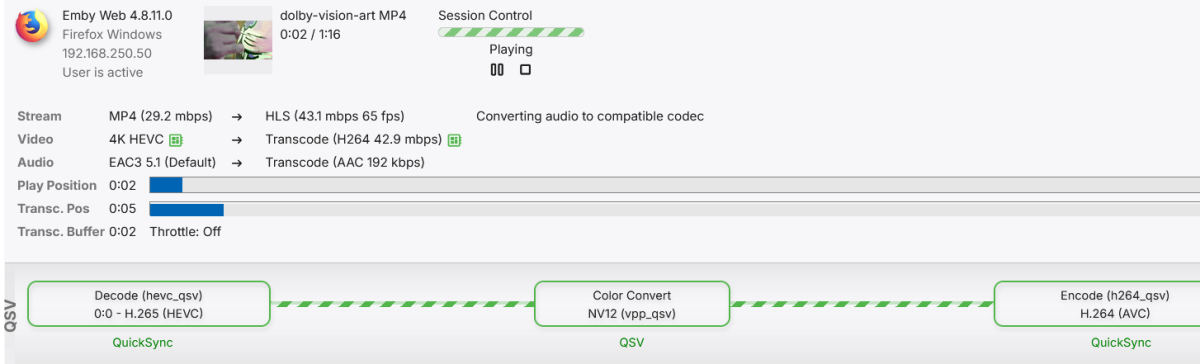
Is this your server or someone else's? If it's yours, why are you not posting the data from the user sessions tab? It will tell you exactly what you need to know. Install the diagnostics plugin if this is your server, and the user sessions tab will show up in the left tab when you manage your server. Click on it while you are playing something and it will tell you exactly what is going on.
 2 points
 -
Hi, I’d love that audio and subtitles choice would be saved per show, according to what you select on the last episode you watched. The main audio/subtitles parameters is a good point but there are many cases it is not enough and you need to adjust audio and subtitles at the beginning of every episodes. For example i like to watch Casa de Pale in Spanish with french subtitles, The Big Bang Theory in English with french subtitles, French TV shows in french without subtitles, ....1 point
-
Yes... 2 days is the minimum interval. I'd like it to be as frequent as every 15 minutes.1 point
-
I think we found the solution. The original aspect of the content is 9:14 (tall, skinny), and we had the editor stretch the content to 16:9, then when it hits the processor, it scales to fill the screen in the correct aspect. To answer the question, the resolutions of the two we were having issues with were... 1920x2700 & 1440x21601 point
-
Good evening, I had a second internet connection installed at home so I could test it properly. After analyzing it, version 3.4.74 is fine and everything is working normally. However, version 2.1.26a has significant download speeds exceeding 10 Mbps. I made two videos, each several minutes long, to demonstrate the problem and the irregularity.1 point
-
Hi, it can't be forced enabled on the server but our apps enable it by default. The only way it would be off is if the user disabled it.1 point
-
As an avid Emby user and have Sonos all through the house, I actually switched to Android from iOS for my phone because of an app called Symfonium. I can cast my emby library to Sonos from it with zero issues ever. I am pretty sure it is using uPnP. I have an old Play3, Sonos Connect and Play5 gen 2. All work flawlessly.1 point
-
All seems to be working again, thanks.1 point
-
You might also want to research MusicBrainz. If you have the MusicBrainz IDs (MBIDs) embedded into your music files, and MusicBrainz enabled as a data fetcher, then Emby should mostly fetch the relevant Artist data from the MusicBrainz database and populate your Emby music library accordingly. Good luck with getting it all sorted and having fun with Emby!1 point
-
Depending on how your music files were ripped/downloaded, they may have incomplete and/or incorrect metadata. That's why you should ideally check it with a music tagging program.1 point
-
I missed this aspect... you would possibly be better off ripping your CD files as FLAC (no loss of sound quality, and they take up about half the space). As best as I understand, FLAC files are more favorable for metadata.1 point
-
I'd love to see this as well.1 point
-
1 point
-
Hi Happy2Play; This worked a treat, thanks for this! I added that StrmExtract plugin, and all my channel strm's run first time now after a server/emby reboot. Thanks a heap! Off to get a Premium License I think. Thanks to all those who made Emby what it is!1 point
-
That sounds painless enough. THANKS1 point
-
You don't need to know how to code at all for this to work. Open the code with the csproj file, add icons to the Embeddedicons folder, right click the icons in the folder view, select properties and in the first drop down menu choose "embedded resources on the added icons. Then go to the top of visual studio, go to build and press build solution. In the folder where you opened the csproj file you go to bin/debug/net6.0/ and the dll will be there.1 point
-
I've reported this issue in the past as well, and pressing down shouldn't be the answer, especially if you just want to read the INFO tab. Having it disappear after a few seconds is a PITA.1 point
-
Isn't some of this data skewed as your media is on network shares, so you get up/down to media and up/down to client? ie Man-in-the-Middle OP may want mod to remove non-anonymized transcode logs.1 point
-
Bazinga! I did not even notice that. I believe I left it in Auto. I've just tested it out now and was able to explicitly set it to TV mode and it looks much better. External players option is there and pass thru audio settings are there as well. Thank you!1 point
-
It is using all instances of {name}-{artwork}.ext now interestingly, even using the multi version naming conventions. I'll need to try to replicate the original behaviour I was getting where it was overriding {name}-{artwork}.ext artworks.1 point
-
didn't change anything. Just moved them to Movies and rescanned. In the long run, not worth the time you guys are good enough to lend and my tearing my hair out. As long as Emby sees it as a playable file, that'll do for this one collection. Thanks Luke & H2P1 point
-
Since i cant edit again i am only doubleposting to report that the problem is resolved and port forwarding solved the issue. i also figured out how to reserve my media servers ip but i dont know if that helped with this particular issue, just adding that information for anyone reading this in the future.1 point
-
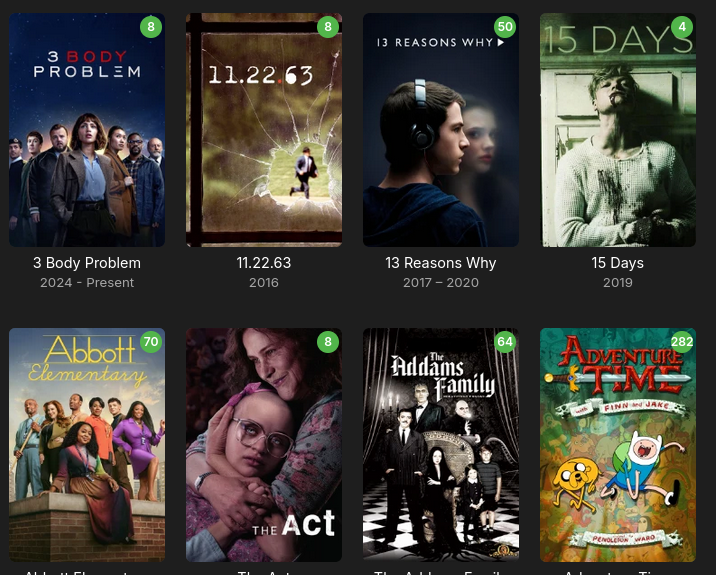
Thanks for all the assistance this morning! I'm happy to report that after the 2nd metadata refresh completed, everything looks normal:
 1 point
 -
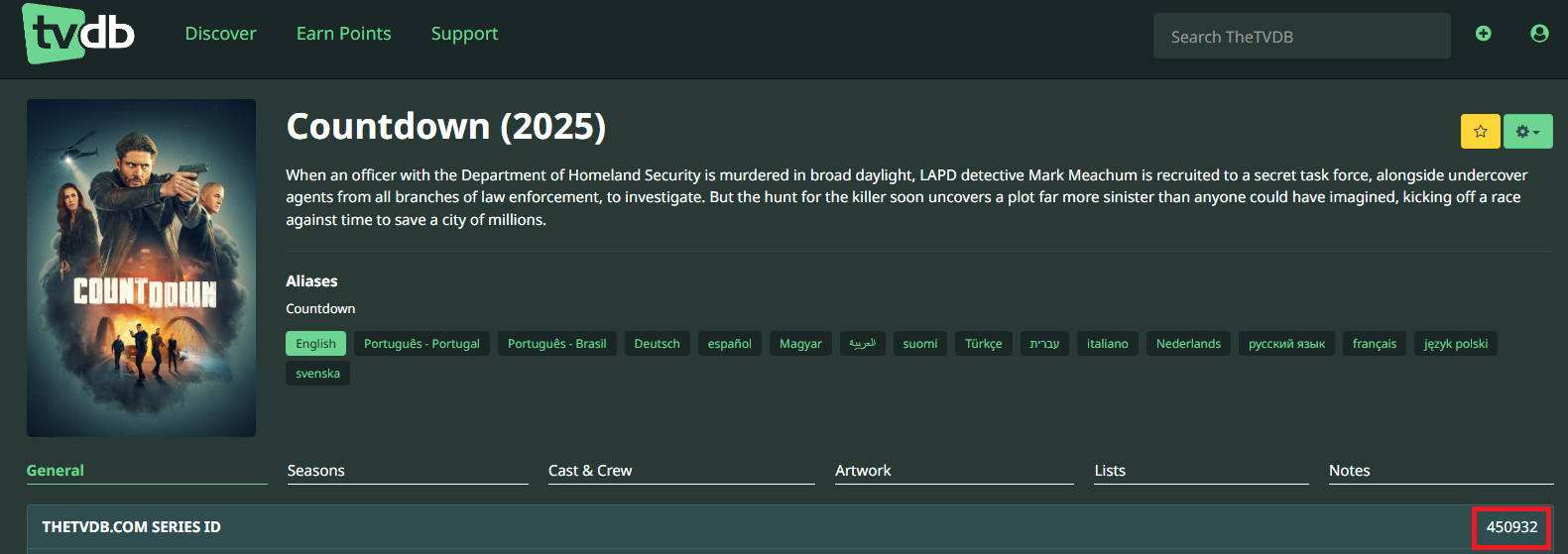
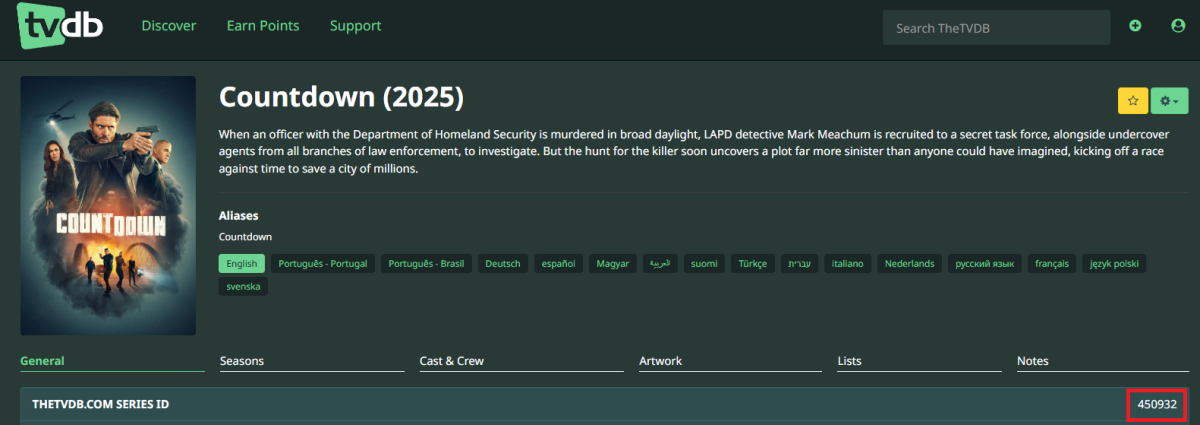
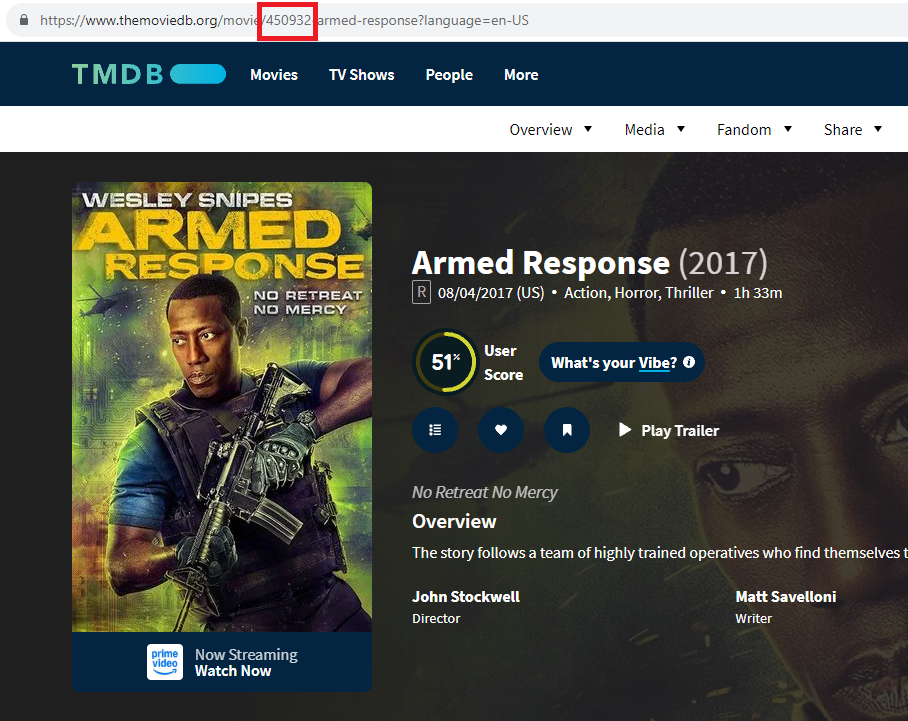
Those items likely share same ExternalIds from different online providers, i.e. item 1`s TVDBId is same as item 2's TMDBId. It is not common occurrence, but it does happen. Check their metadata/Externalds and delete/change some of those that you might find less needed/useful. Edit:
 1 point
 -
No problem at all! If you know how to use Visual Studio you can add new icons to the code it self, the icons are in Embeddedicons/ Just remember the icons use the naming convention hdr_ instead of hdr. (as in a "_" instead of a "." as the first seperator) as other wise they would be registered as some region thing. You can add more than what are already there as long you use the correct naming convention as well. Remember to make them a embedded resource in the settings and you are off to the races after a compile.1 point
-
That's just a worker-pool but not a micro service architecture. Most important for Emby is live-transcoding, and a single such transcoding job cannot be scaled by employing multiple nodes. Well - that's one of the points I tried to explain earlier: With an in-process db like SQLite, you need no caching because re-retrieving the data from the in-process database is (overall) much cheaper than using a caching server. (also, it's Redis, not Reddis) "Just don't have", "someone just needs", "you could write",... That's a lot of hot steam, mixed up with a few buzz-words, but essentially pointless in total.1 point
-
TBH I use Tdarr automation to do this, it's simple remux of the media file, done in 1 min or less. If that not good enough, then take a close look at the 1 encoding your media.1 point
-
Unfortunately, that has never mattered in the world of consumer electronics. Beta was far superior to VHS - still lost. HDDVD was arguably superior to BD - lost. Laser disc... etc. The fight isn't over yet but, at this point, Dolby is clearly winning. Like 170 to 30 when it comes to HD disc releases. And, I think even most of those 30 are dual.1 point
-
In my family it is me (a 79yo great grandparent) who runs an Emby server and gives the younger family members access to it. They seem to cope without a kiosk mode... Paul1 point
-
Add new values to VideoRangeValues in "types/level.ts" export const VideoRangeValues = [‘SDR’, ‘PQ’, ‘HLG’, ‘DolbyVision’, ‘HDR 10’] as const; However, I would prefer the server to return the canonical VIDEO-RANGE to fix this issue1 point
-
Hi, we are still working on this so stay tuned. Thanks.1 point
-
Emby Server 4.9.1.8+ will now have a book reader in the web app for the following formats: PDF EPUB MOBI FB2 CBZ CBR Please try it out once available and report your experience in the Testing Area of the community: Thanks !1 point
-
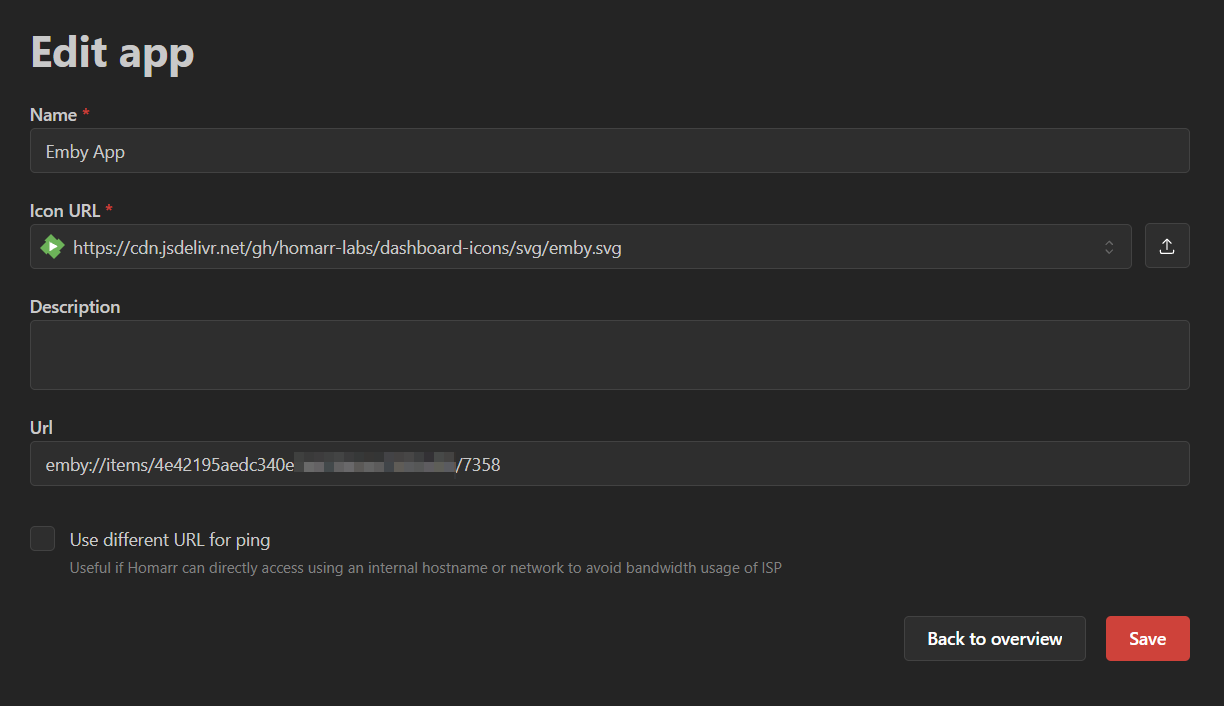
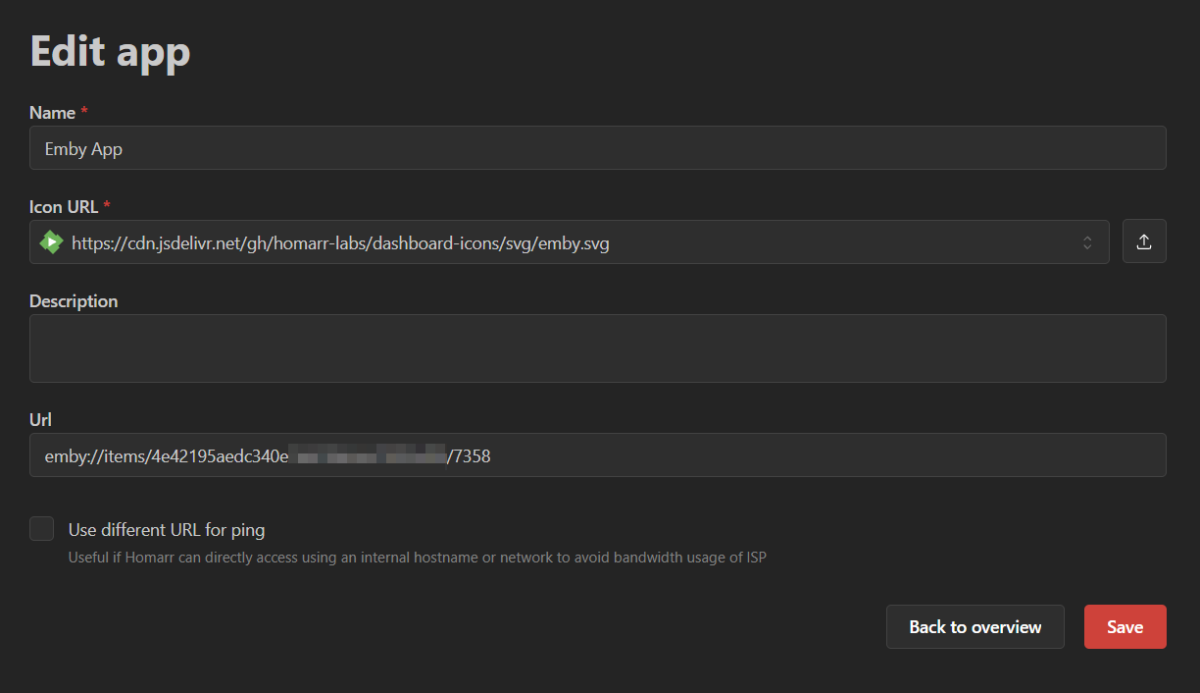
Okay, I just installed Homarr and tested this. It works by opening the Android app on the device directly to the desired item, which is what I think you wanted? As per the comment that I first linked you, @Luke outlines the format you need: So when you create your app in Homarr, your URL should look like this: You can get your SERVER_ID and ITEM_ID by selecting an item within the Emby web app and copying the relevant parts from the URL in your browser eg: https://my.emby.server:8096/emby/web/index.html#!/item?id=7358&serverId=4e42195aedc340exxxxxxxxxxxxxxxxx
 1 point