Leaderboard




Popular Content
Showing content with the highest reputation on 08/09/25 in Posts
-
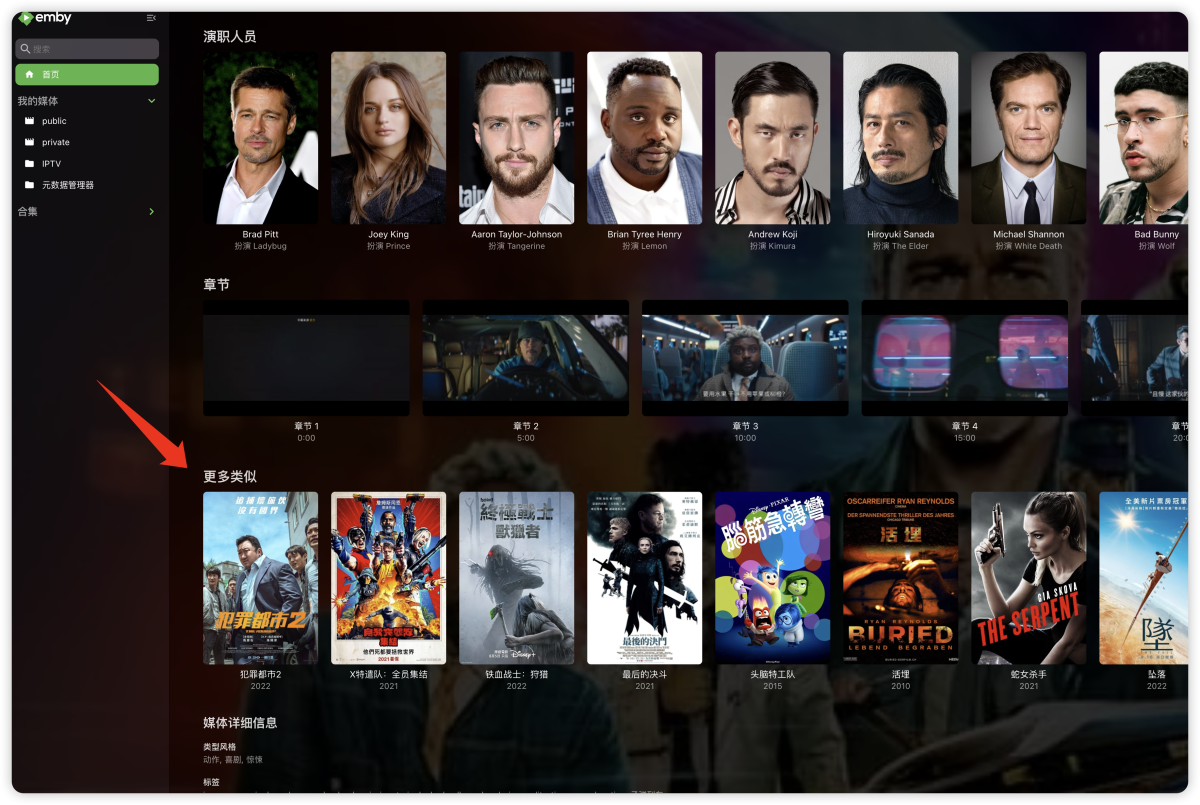
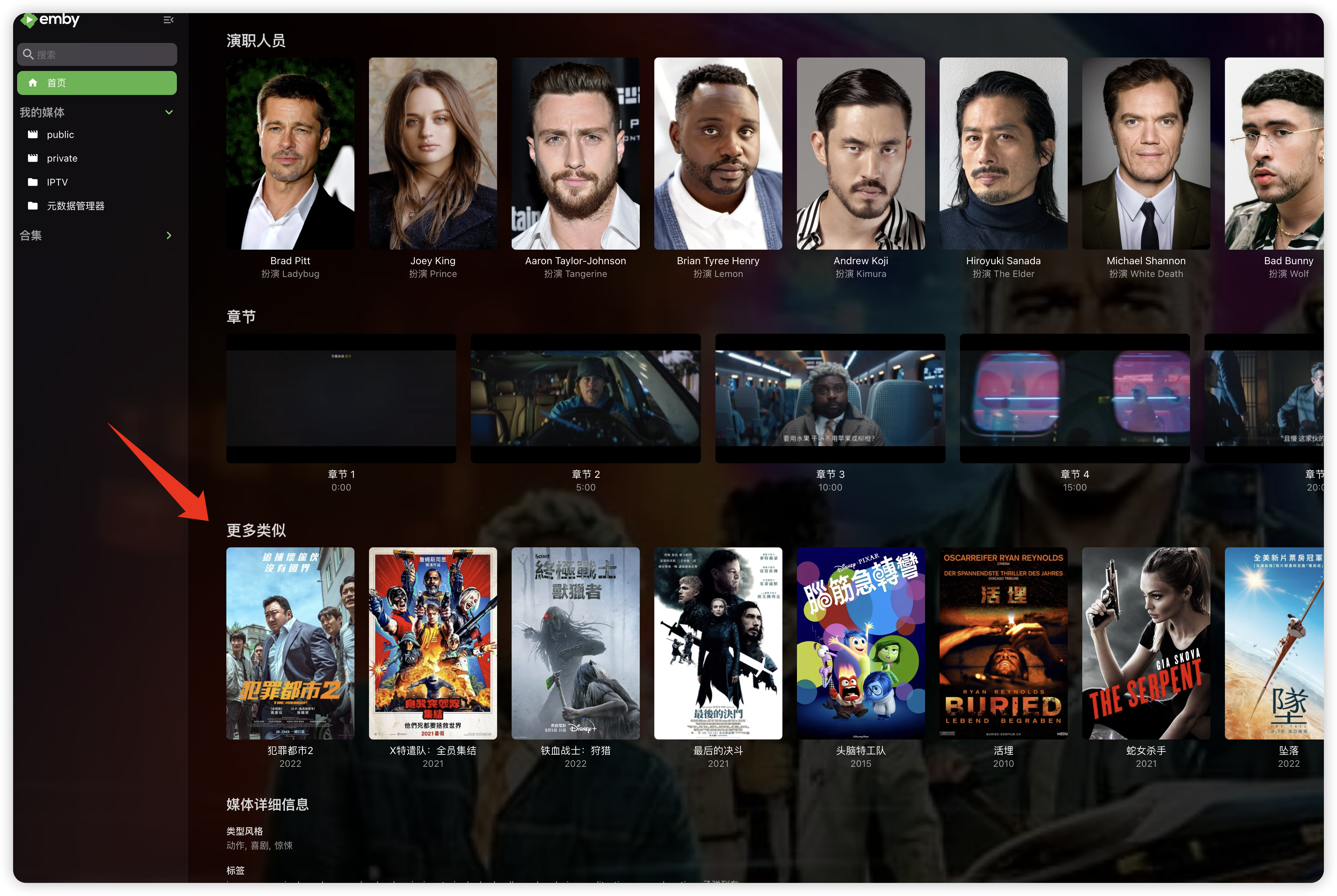
"More like this" will recommendations are made based on multiple media libraries,I don't like this, I prefer him to only recommend similar ones in the current media library, otherwise I would rather turn it off. What should I do?
 2 points
 -
It would be extremely beneficial to be able to set the default for the collaboration. I want the default to be 'collaborative' but I have to go in and change it for every new playlist. Then I need to go in and change each person from 'view' to 'edit'. I understand the use of this function, but having a default setting that is so far from what we need is frustrating.2 points
-
It’s been so long, and they still haven’t done anything—no simple way to disable it until a proper solution is found. This "feature" is frustrating and unnecessary, and it’s upsetting not being able to change it. I feel betrayed by my own server. It’s incredibly frustrating, embarrassing, and just plain stupid!2 points
-
Yes we need more option to customize the UI of Emby.2 points
-
One more that want the option to disable the "More like this" (on all platforms and without changing nothing on the YAML or adding CSS codes). It can't be that hard/time consuming to do this.2 points
-
Is there plans on the roadmap for OpenID. I have searched but not found any indication this is in development. With many admins taking up SSO through Authelia or Authentik to enhance security it would be great for Emby to support it. One of the easier open standards is OpenID which the aforementioned support. Users could continue to use LDAP if they wish while others can use the arguably better SSO experience.1 point
-
Hello guys , im using DUNE HD 4k PRO VISION which is linux based system and has android system installed on top of it. long story short i installed Emby for Android TV , the problem is the Emby Player doesnt play any HD audio codecs like DOLBY TrueHD 7.1 or DTS-HD the video would start but doesnt play and has no audio at all , just frozen. the only solution is to enable "Use External player for Videos" in the playback settings menu and would just play the movie using KODI or DUNE or VLC or any other player. my small request is : can we please add a feature in EMBY to have the Use External player for Videos on demand with each video (like right click , open in external player) in addition to keeping it in the playback settings as it currently is. thanks in advance guys , this would really be appreciated1 point
-
I'm going to take a different approach. The nvidia shield has an option to use an external hd instead of using its tiny internal drive. So I'll use a bigger drive. I could also just point the transcoding temp folder there as well. It's a workaround. I'll reply at some point with how large the temp file can get just from watching one hd movie. I wonder if people doing the live TV streaming were having this same issue?1 point
-
I would just change the naming of the shows that aren't being recognised properly to ensure that they are recognised - but of course, as these are your torrent directories (as per your other thread), you can't - another reason why using them directly in Emby isn't a good idea. Paul1 point
-
Hi @LukeI was just looking at converting all of my DVDs to ISOs, and saw this post for the IsoMounter with Emby Server Beta. I installed the plugin, restarted my server, and was able to play a DVD without fail. It loaded really quickly. It doesn't seem to grab any of the metadata information, unless the file is named similarly to the title of the media, in my case a movie: The Martian. What does fail, however, is any Blu-Ray disc. Not sure if that's supported yet, or not. Upon trying a second DVD, The Iron Giant, Emby plays (some portion of it), but I can't figure out what title it's playing. All it does is play a 28-29 second piece before stopping, and looking at any similar length titles doesn't match up with what is played. I think the title it (attempts) to play is the trailer: Title 8, which is only 2:24 in length. Not sure why it only manages 30 seconds of it though. Edit: I suspect my trouble with DVD ISO playback is happening more with older DVDs. Still ripping more, so I'll update this as I expand my tests.1 point
-
Images inside media folders always take precedence over every other source! If you edit images inside Emby, it has to delete those images, otherwise the next library scan will bring it back.1 point
-
https://www.phoronix.com/news/FFmpeg-Vulkan-AV1-Encoding1 point
-
Thank you for reporting this. I see that none of the 35.x channels are in the OTA lineup for zip code 38654 On checking the channels on https://www.channelmaster.com/pages/tv-antenna-map-olive-branch-ms-38654 and for Memphis, TN on https://www.rabbitears.info/market.php? shows that these channels are being broadcast by WTME-LD. Wikipedia entry for WTME-LD shows these channels to be from a Low Power station. Unfortunately, Gracenote would only look into requests from us for adding channels to lineups for full-power stations. Otherwise, if a channel is not in the gracenote database, it would be the station itself that would need to contact Gracenote and ask for their channels to be added. They would probably have to pay for their channels to be included. See if you can get in touch with the company responsible for WTME-LD and suggest to them that they add their channels to the Gracenote database. I can try and send a request to Gracenote ti check one of these channels to see if if it is in their database. I will let you know when i receive a response1 point
-
Thanks for confirming.1 point
-
Thanks Luke. Knew I'd seen it.1 point
-
Nope, just tried the same files and had no playback issues under 3.4.74.1 point
-
Using HTTPS automatically defaults to port 443. If you are running your Emby Server with HTTPS on a different port i.e. 8920, then you will always need to enter it. So in order for you to use your https domain without having to enter a port - you will need to make use of port 443. A few things you can check: Check with your ISP, do they allow you to use port 443? If so, change the configuration in your routers port forwarding to listen for 443 instead of 8920 Then in your Emby Server 'Network' settings, set your Local and Public to 443 (yes they can be different but lets keep it simple to start with) If that works, then happy days. Alternatively, considering running a reverse proxy to handle this for you (including the cert renewals) - Caddy is a very simple and effective tool1 point
-
Yes it related to video file. I tried another 4k hevc video and it is working perfect.1 point
-
Yeah, like @sh0rtysaid, it's totally fine to have a movie in multiple collections.1 point
-
Simply not true. See example The Godfather from my server:
 1 point
 -
Hi, we'll take a look at it. Thanks.1 point
-
Can you put this in your server plugins folder: IsoMounter.zip Then try refreshing metadata on an iso, followed by attempting to play. Thanks.1 point
-
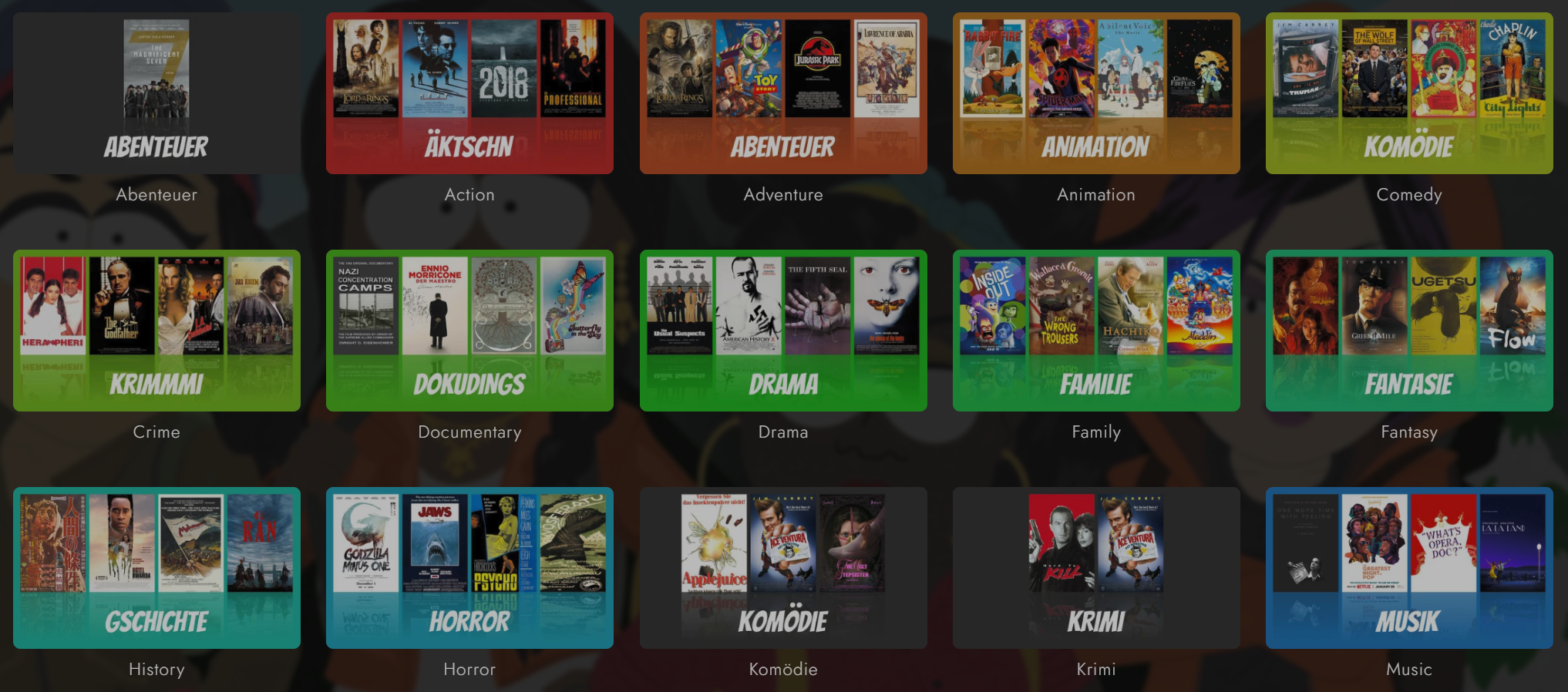
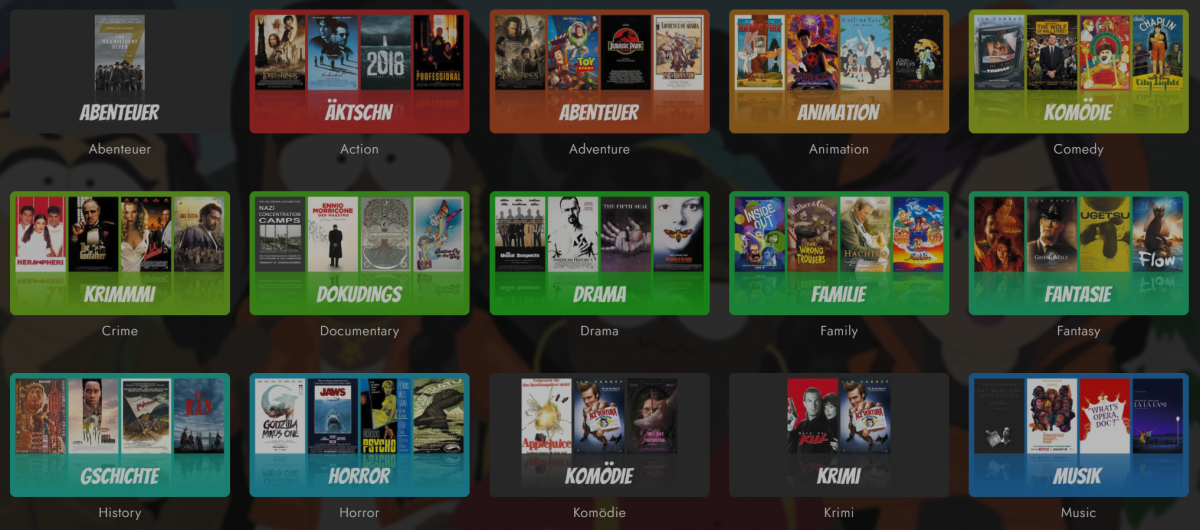
Ei Gude, Ich habe das Skript soweit fertig gemacht, ist noch etwas roh aber sollte grundsätzlich funktionieren. Es hängt als Zip an. Am besten in einen eigenen Ordner entpacken. emby_genre_thumbnails.zip Die aktuell verwendete Schrift heißt Bangers (bei Google Fonts); verwendete Schriften müssen im Ordner "fonts" liegen. Für Schriften von Google jeweils auf der Seite den Button "Get font" rechts oben anklicken, dann "Download all". Die verwendete Schrift Bangers wird aus lizenzrechtlichen Gründen nicht mitgeliefert. Eventuell muss auf dem System auch ImageMagick installiert werden. Das Skript musst du noch anpassen, öffne die main.py in einem Editor und trage deinen Server, API Key, Schrift etc. ein, passe deine Genres an und setze die Optionen wie es dir passt. Frag gerne nach falls du eine Option nicht verstehst. Nach der Installation kannst du das Skript mit python main.py starten. Installation siehe main.py Weil ich im Marketing nicht gut bin, habe ich mir von ChatGPT noch Promotion bauen lassen ------------------------------------------------------------------------------------------------------------------- REVOLUTION für Emby! – Genre Cover Generator – Nie wieder hässliche Genre-Bilder! Automatisiere jetzt dein Cover-Game! Langweilige, bunte Platzhalter in Emby? NICHT MEHR! Mit dem Genre Cover Generator katapultierst du deine Mediathek in eine völlig neue Liga: Automatische, professionelle, stylische Cover & Banner für jedes Genre – komplett ohne Aufwand! Was macht das Tool? Automatisiert ALLES: Holt für jedes Genre die coolsten Poster & Fanarts direkt aus deiner Sammlung Baut daraus in Sekunden individuelle Cover, Banner & Backdrops Sorgt für knallige Farben & ein einheitliches Look & Feel Push-to-Emby: Auf Wunsch werden die Bilder automatisch auf deinen Server geladen – keine Handarbeit, kein Rumgefummel! Warum solltest du es ausprobieren? Deine Mediathek sieht aus wie NETFLIX – nur geiler & persönlicher! Endlich Schluss mit Chaos & Stilbruch – alles wie aus einem Guss Ultraschnell dank Multithreading – Genre-Flut? Kein Problem! Maximal flexibel – bunte Farben, jedes Format, jede Bildquelle einstellbar Das brauchst du: Python 3.9+ ImageMagick (Pflicht für magische Grafiken!) requirements.txt: pip install -r requirements.txt Deinen Emby-API-Key & Server-URL Einstellungen siehe main.py
 1 point
 -
I've just recently started using Emby for music streaming and want to +1 replaygain support. Unfortunately Emby is useless for a mixed playlist right now because of this and it's just making everyone annoyed when there are drastic level changes between tracks.1 point
-
I agree, being able to set the highlight color in the Emby Android app would be helpful. The Emby Android TV app not only highlights in a more visible color, it also slightly zooms in on the highlighted item image, making it easier to tell what's currently highlighted. The Emby Android app doesn't zoom in on the image and the white border is harder to see. This is one reason that's keeping me from using the unified Emby Android app on my TV.1 point
-
At minimum we should be able to disable this feature altogether. Ideally you could select which libraries are included in the "More like this" section. (Similar to how Home Screen customizations allows you to opt-out libraries from "Continue Watching" and "Latest Media")1 point
-
The current development/beta is huge in terms of changes from the last release but is nearing the end. Once that is released, the next server development cycle will begin which is when TVNext will be introduced.1 point
-
@Lukethx for looking into this. Ps.: back in the days i had it enabled, maybe there was some left over in the db. I think emby should clean all references when you diable the function (maybe with an question asking to delete all data). Also removed the "Live TV" named MediaItems from the DB, but it was a pain because it had constrints to other tables. But after i found those i yould remove them and "Live TV" is gone. thx1 point
-
6 years in the making? I wonder if this feature will ever see the light Yeah, I know “this is the way”, the emby way1 point
-
Fantastic! It took me to a minute to find the table under Metadata/Views/Video. But yes, I was able to sort and drill down by directory to find them. Thank you! Good idea! Unfortunately, I do not have it enabled as I do not allow Emby write access to my media.0 points
-
Unfortunately no it has not. As I have tried to explain multiple times: - The "jpg" files are part of the torrents, not Emby. I originally placed them there along side the torrents. Emby has never placed any jpg nor nfo files on my server, as I have never allowed it. - Emby only has read-only, and has only had read-only to this directory, and will remain read-only. - Emby, for some reason, indexes that Jpg file, and then tries to delete it when downloading a new Image to it's local storage directory. That latter part is the bug I need to file. Why is Emby trying to delete a JPG it did NOT place there and does NOT own, after it downloads the jpg to its local storage location? Because of the "error" posted in the OP, the Metadata never gets updated to use the new image storage location that I told it to download via the UI, because the overall transaction / method had an error.0 points











.thumb.png.f4cb0545e98b51fd9b00e427622ab761.png)