
Leaderboard




Popular Content
Showing content with the highest reputation on 07/27/25 in Posts
-
Hi, I created the subtitle plugin for SubSource (https://subsource.net). Please install it and let me know if there is a problem with it. Source code: https://github.com/nRafinia/Emby.Subtitle.SubSource Binary: https://github.com/nRafinia/Emby.Subtitle.SubSource/releases/latest Emby.Subtitle.SubSource.dll3 points
-
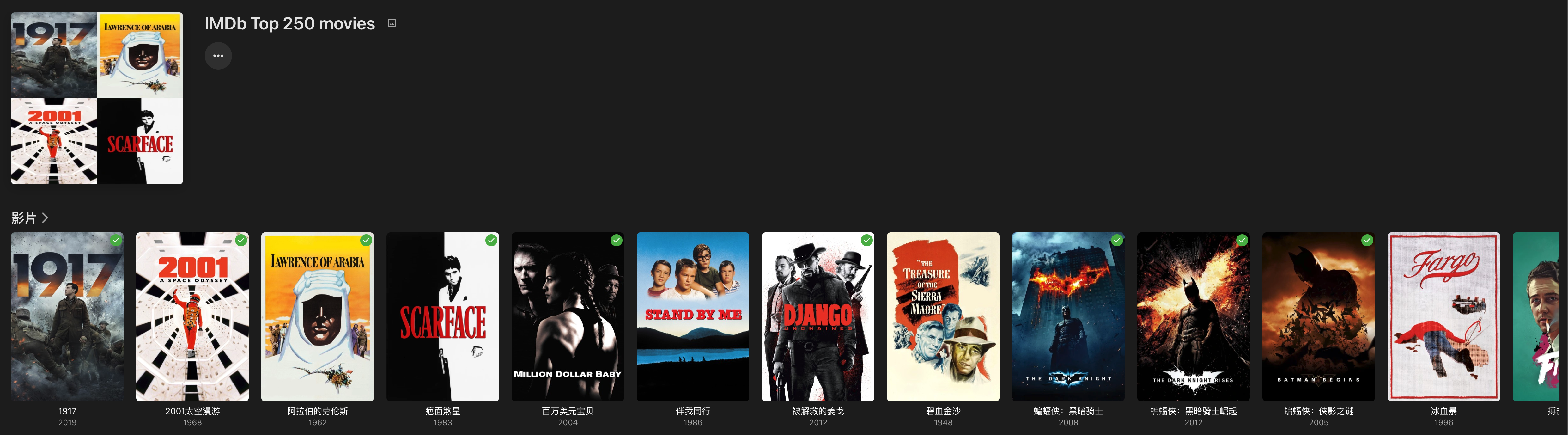
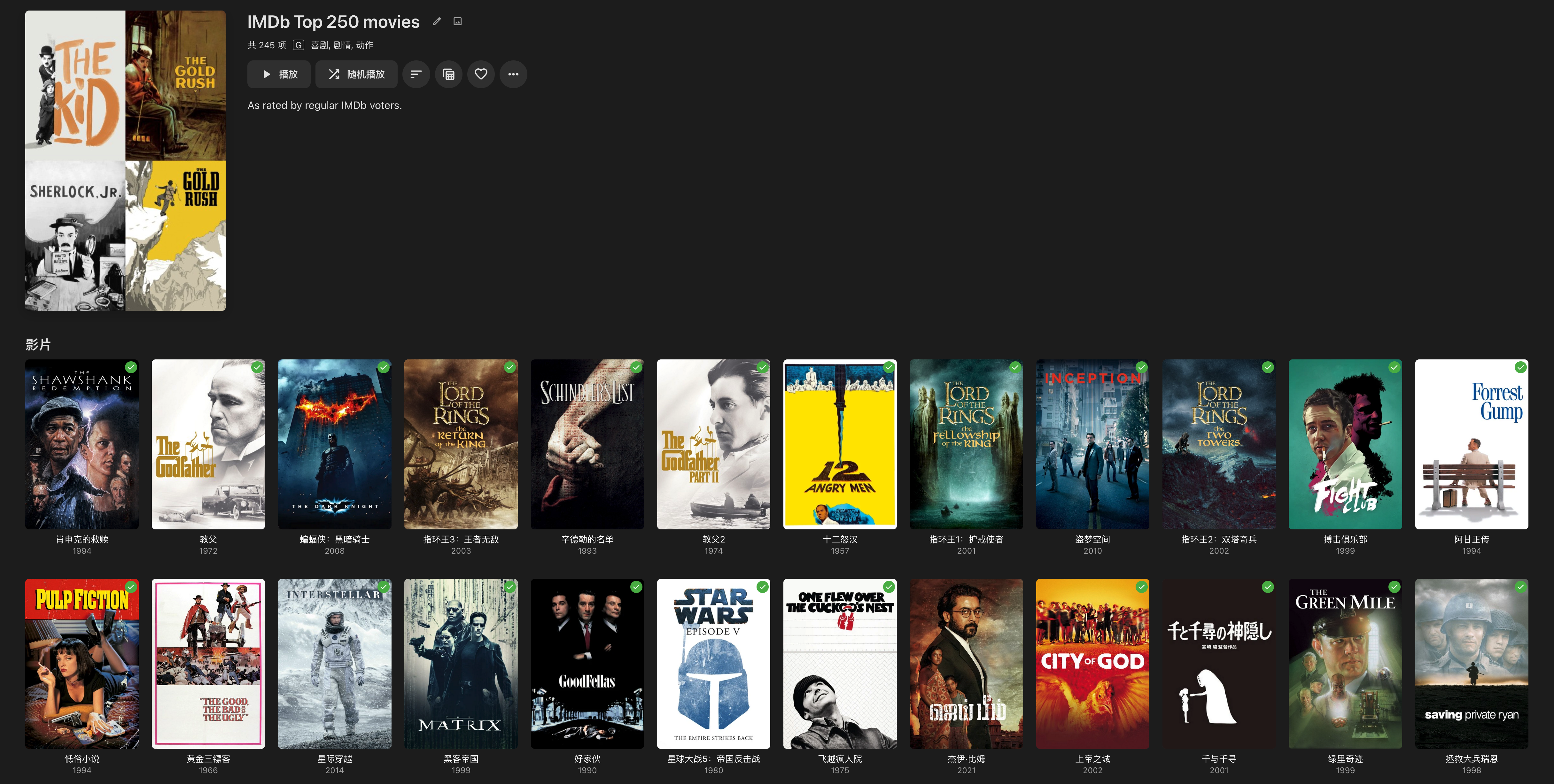
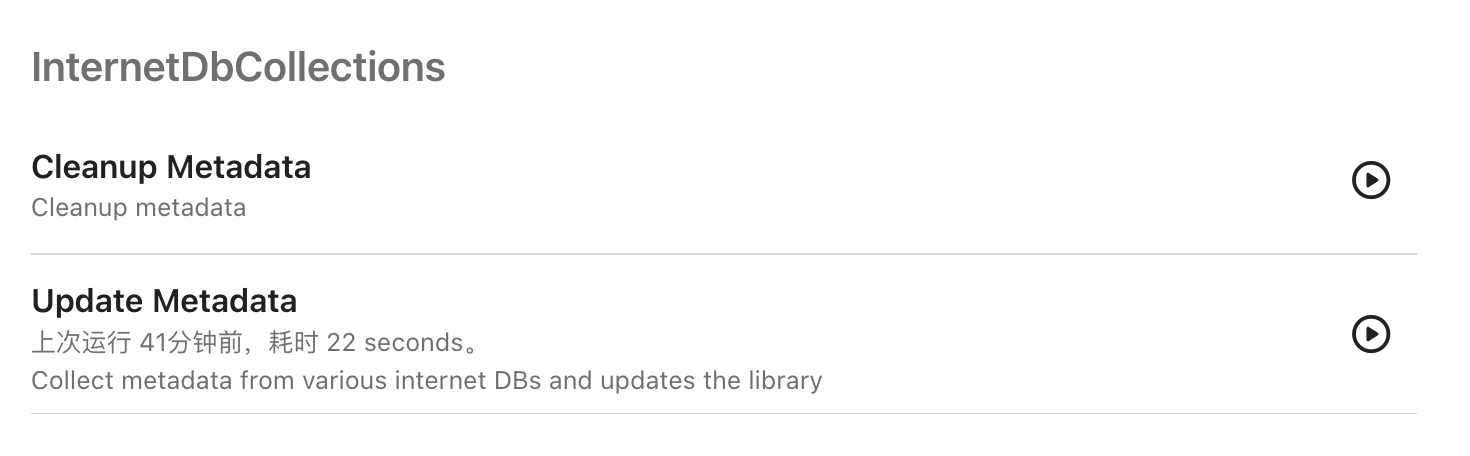
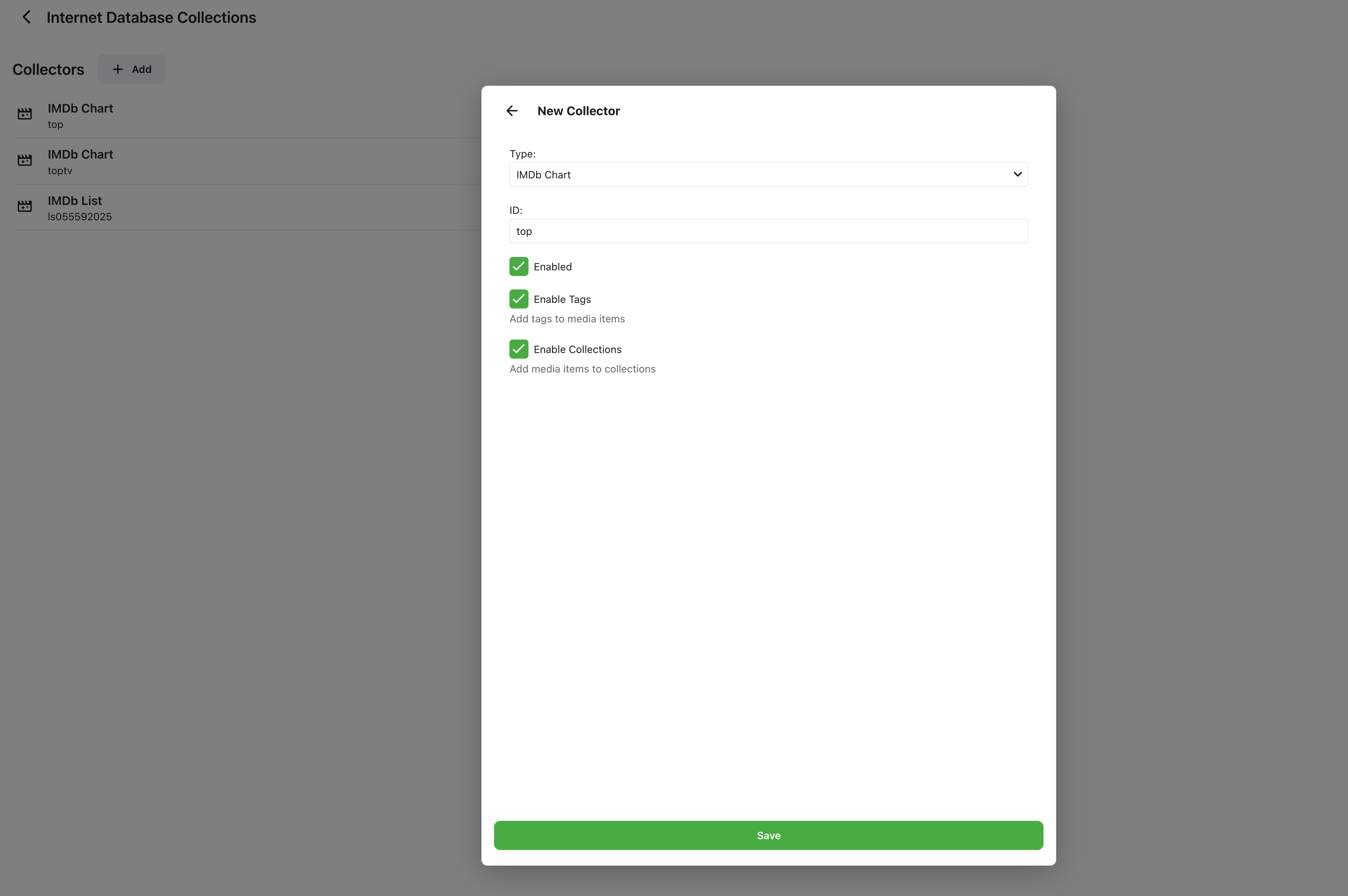
HI everyone, I just write an Emby plugin this weekend that can fetch metadata from popular internet database (such IMDb Top 250 movies/TV shows) then update tags/collections of media items in your Emby library. If you are interested in it, pls give it a try! If you have any thoughts, suggestions, pls reach out to me. NOTE: This plugin is under active development. It might be very buggy. I strongly recommend you to back up your data (library.db) before using it. Update tags: Update collections: Scheduled tasks: Configuration page: Emby.Plugins.InternetDbCollections.dll
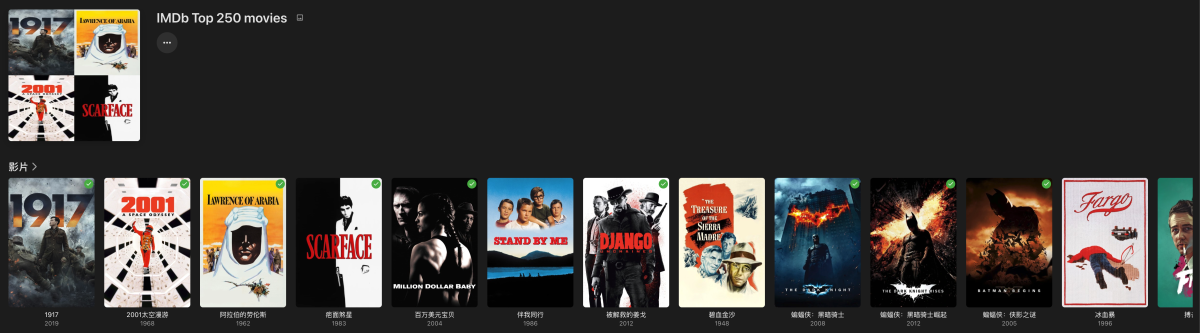
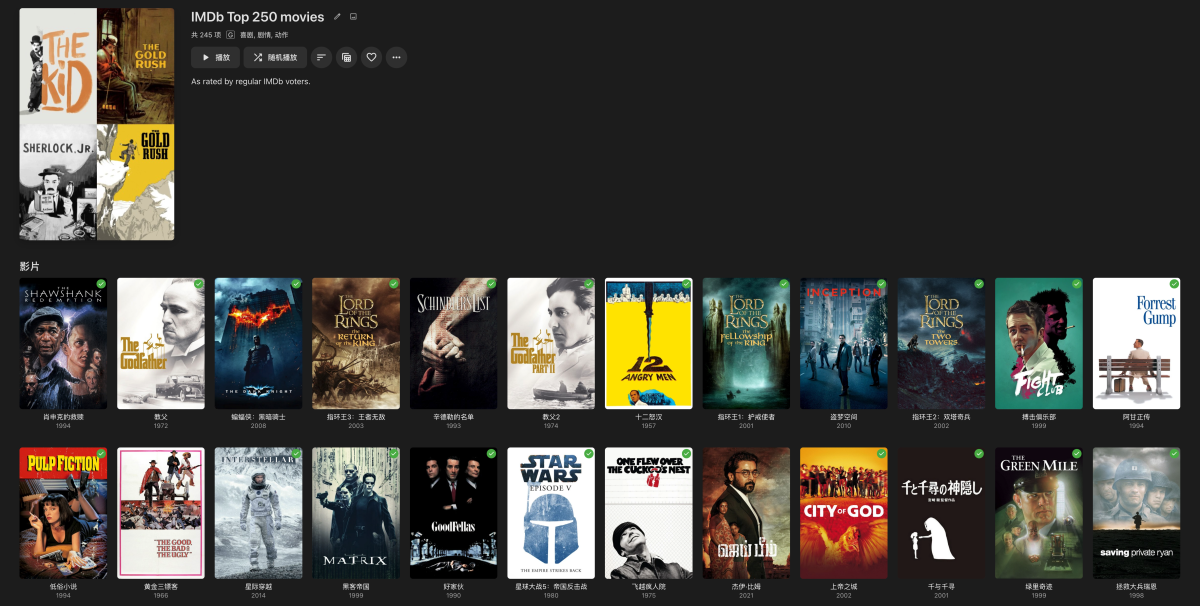
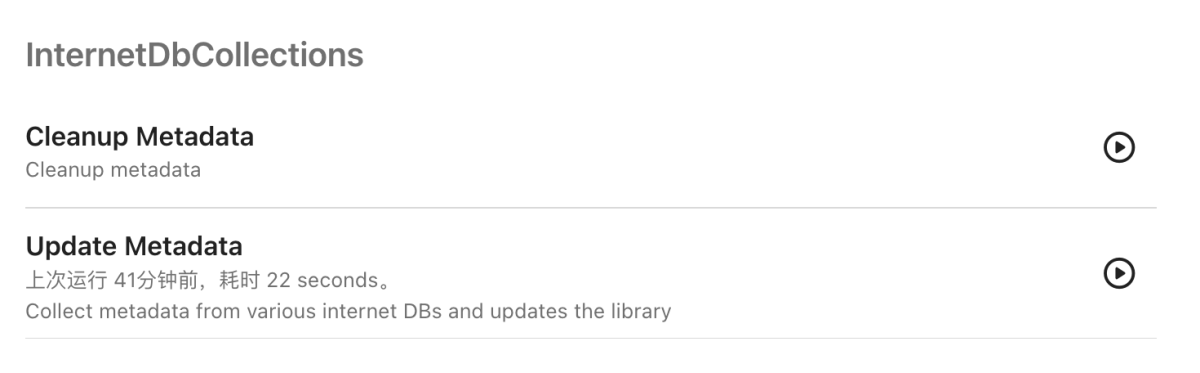
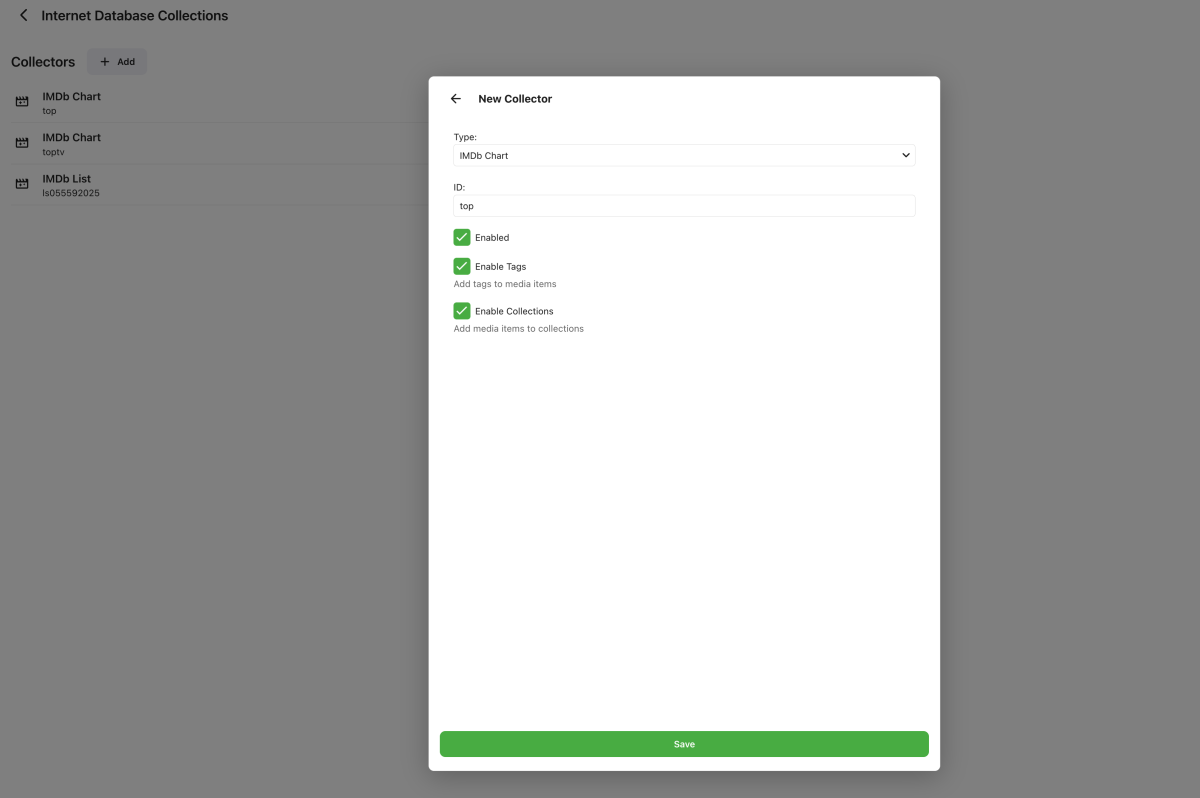 2 points
 -
@sh0rty @keitaro26 Try this, i removed the code preventing drawing on thumbs and banners plus made some settings for it. EmbyIcons.dll2 points
-
SubtitleEdit?2 points
-
The default sort order is set to 'Folders'. I would prefer to have all libraries I select to default to release date. I know I can manually set it, but I have to do that for every folder in the library. I would like to see the ability to have it automatically set the default sort order for all new folders I create.1 point
-
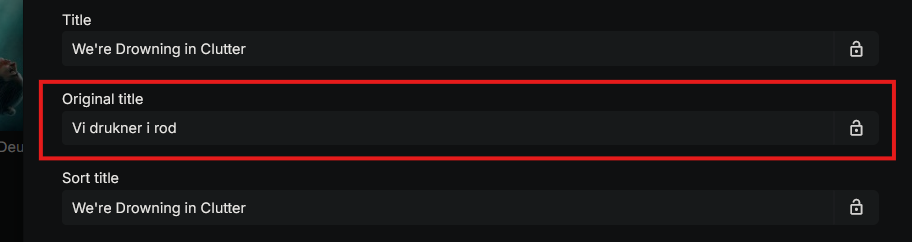
I know there's a similar request, but it's not exactly what I have in mind, so I will make a suggestion for the only feature I'm missing from Plex (All other things are way better here, so I have no intention of moving back) The ability to, on a library folder basis, to pick the language that titles are displayed in, not as a subtitle, or an extra title, just pick which language titles are displayed in - and most importantly, the ability to, on a per library basis, to select to show the original title of the movie. The last part is the most important one, and probably the easiest one to implement, since it seems like it's already available. As a non-english speaker, I would like english/american movies to be titled in their language, but my local movies and shows should have their local name. This information is already available in the metadata, but it's a bother to go change it manually for every thing, so would be nice to be able to set it as the default to be shown Thanks, and I appreciate all that you do
 1 point
 -
Yes that would be helpful. Thanks.1 point
-
You can't filter on Audio properties (nor Video nor Subtitles nor anything item-related) in TV shows main library view, as TV shows are collections of items; you can only filter in views and/or libraries where media properties make sense, like: TV shows-type library Episodes tab, Movie-type library Movies tab, Mixed content-type Movies tab etc. Edit: @Luke, maybe it would be beneficial for Episodes tab to have also a toggle "Group items into TV shows", akin to "Group items into collections" - it'd tidy up that view considerably, for those that have such preference.1 point
-
I've used both. Emby for Android TV isn't very good. Horrible if you want to play a long playlist. Dies after a few songs where emby for Android keeps playing and shows through the screen saver. Way better1 point
-
Even with the duplicate warning pop up, I still think this would be valuable information1 point
-
+1 because I'm getting really tired of translators creating abhorrent translations in my native language which also cause me not being able to find movies because their titles are butchered beyond believe.1 point
-
There's already an open request for this or something functionally equivalent. Please join in and contribute to the existing discussion(s).1 point
-
Thanks for the feedback, I'll check it again. The Series/Season progress might be a problem for dynamic nodes. The server doesn't report sufficient/accurate data to fully cover it. I see what I can do. HD, FHD etc should be easy to fix.1 point
-
it helped. thank you!1 point
-
I can confirm this and specify it a little bit more. For me mixed content continue watching is working for movies like it should it only fails for tvshows/episodes. And yeah the nodes for episodes/tvshows have missing infos and says web for all.1 point
-
More info shows now in the new version, but it says WEB for every show instead of HD, FHD, etc. It also does not show ratings or end/return date still. And lastly I cannot play content from continue watching it says playback failed after updating to the new version. I've reset nodes and database.1 point
-
Mixed content libraries make it much harder for Emby to sort out movies from tv shows. You can guarantee good results by following Emby's folder format and naming recommendations scrupulously. In mixed content libraries the folder structure is particularly important. Specifically: (1) Each movie in its own folder, whose name is that of the movie (with the date in brackets). (2) Each TV show in its own folder, with season subfolders (even for a single season show), and file names including e.g. SnnEnn as appropriate. (3) No putting movie or show folders into another folder, thus changing their level in hierarchy. Following these rules will assure you of good results. There are some ways to modify this which might work now, but the further you "successfully" depart from the base standard, the more likely it is that a future change in Emby might break it. For the range of acceptable file names, see the detail in: https://emby.media/support/articles/Movie-Naming.html https://emby.media/support/articles/TV-Naming.html Paul1 point
-
Ok so it must have been those from the ratingposterdb as here the poster are completely replaced thanks1 point
-
I think i understand you now. No, they didn't have icons in them unless there was a bug at some point, besides they would have been too small to see.1 point
-
@sh0rty Try this one. EmbyIcons.dll1 point
-
DTS is licensed and not all devices have that licensen in there FW. Thats why you are seeing this.1 point
-
Which platform your server runs on? There might possibly be some permission issues - next time you observe same occurrence, post server log. How to Report a Problem1 point
-
Maybe try the 'reset the Network' option on the TV. It's possible that the TV is having issues with your current WiFi channel, but if this file is working fine on all your other devices, then maybe there is a problem with your TV, When you are testing DirectPlay, if the file is within the TV's specs then it is really only a network problem. If it is just this file, then there may be an issue with the way that it was encoded which might not be working well for the TV.1 point
-
Works like a charm. Thanks you so much! It just does not work for season posters, e.g. when all the season episodes have DV, the season should also have the DV tag. But I don't know if that's an Emby limitation.1 point
-
Hi Luke, I was able to successfully update to 4.9.1.11 now that the dependency is on mbedtls3, thanks!1 point
-
Yes I can confirm closing and reopening hides the toggle. I can say this issue goes back to at least 4.9.1.8, which was the version Emby was at when I created the library and missed the option.1 point
-
I posted a guide using ddns & ssl certs with my qnap server, but should be fairly similar for any nas:1 point
-
Ainda é muito difícil da minha cabeça burra entender hehehe mas me deu uma semi luz, obrigado!1 point
-
Just to confirm, for anyone who may locate this later… YES, it is possible for a glitch to be reintroduced via restoring a backup even if it’s an otherwise clean install. I found out the hard way. Currently attempting to restore the backup I took of the clean install and hope that resolves the issues again.1 point
-
Hi, have you taken a look at our quick start guide? Quick Start1 point
-
So you have a DDNS domain. Do the people you got the domain from offer ssl certificates? That's the next step. Usually you need a domain, and a CSR (see below), and a web service to respond from your DDNS address to get a certificate. https://knowledge.digicert.com/general-information/how-to-create-a-csr What OS are you using?1 point
-
I added the second Movie library only as a test after the first Movie library seemed to lose its contents. It's almost like the first/original Movie library somehow lost access or connection to the folder path it was looking at, and I basically needed to make a new library to resolve it. Not sure how that happens but can probably chalk it up to something weird. Thankfully it was a library I don't use as often and watch status isn't too important. Hopefully 4.9's adjustments help.1 point
-
That is pretty much exactly what I do. I have had something like 5 drive failures in the last 10 years and the only time I lost anything important was about 3 years ago when I got clumsy and knocked three drives of their shelf when they were running. I had duplication turned on but redundancy does not protect from three simultaneous drive failures. Although DrivePool does assure that no duplicated file is duplicated on the same drive the original is on it does not protect from three drive failures at the same time. But, due to mainly luck I only had to re-rip four movies and one TV show. I had 12 drives at that time and I lost 1/4 of the available space so only losing four videos from losing three drives is not bad. BTW: I only use external drives for my pool and that makes adding drives to the pool pretty easy and DrivePool takes care of all balancing activities and assures that no drive is overused so that is one worry that is saved. Also Hard drives are pretty cheap at this time so adding more storage as needed is affordable even for those on fixed incomes, like me.1 point
-
Issue has been fixed. It was the reverse proxy through Cosmos. I missed setting up the proper settings in Emby itself. Resolved following the "emby setup" portion of the following guide:1 point
-
Hi, we are currently working on the build process for it. Thanks.1 point
-
The new version 5 is up! Download it here or on Githib - EmbyIcons. Added: 1. Icon manager, a tool to see what icons are missing for your videos, it is located in the settings. 2. Profiles to control how each library should look. 3. Setting to use built in icons, custom with built in icons as fallback or only custom icons. This was made to make it all easier for new users and users. 4. Added controllable priorities to icons so the order that the icons are shown can be controlled. Changed: 1. Moved the icon type selector to the Alignment and Layout to clean up the settings. You can now disable icon types by selecting disable in the drop downs instead. 2. Various small code improvements. Bugs: The folder view selector for the icons folder does not go away when pressing ok. Temp fix: Just press next to it or on the X. I just noticed that before i gathered it all into the release. If there are any problems then please don't hesitate to report them to me!! @CummingCowGirl This version should work for you as well as long as you use the built in icons. If you need some more then contact me and i will add them in the next release. EmbyIcons.dll IconExamples.zip1 point
-
Or we simply continue to use Audiobookshelf, which fits like a glove for this purpose. After all these years of hoping, I no longer see Emby developing into an equivalent of ABS regarding Audiobooks.1 point
-
You may want to take a look at the Floorp browser. It is virtually the same as FireFox but works, at least for me, MUCH better and is much faster for me.1 point
-
I'm rather new with Emby, what is router port forwarding and how can I do that?1 point
-
Emby for LG TV's 1.0.47 has been released. Stay tuned to the blog for the release announcement.1 point
-
Can we lock the chapters to keep them from being erased by metadata refresh?1 point
-
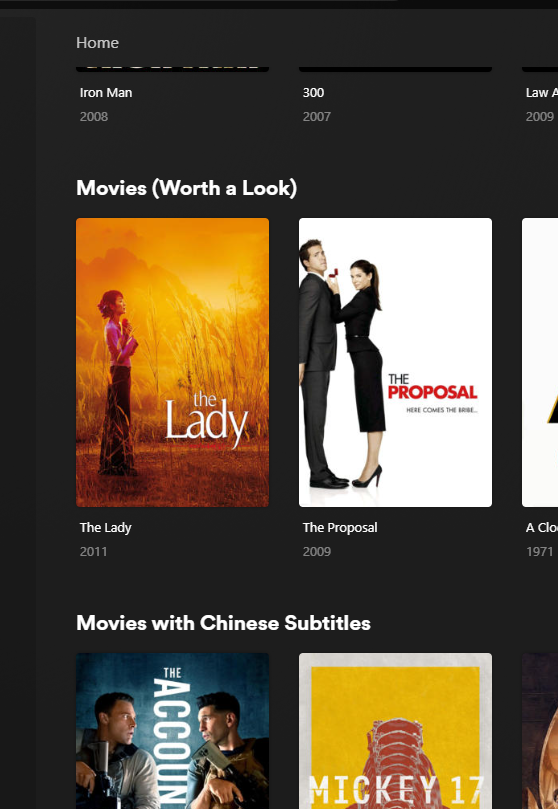
+1 For giving the ability to add custom playlists or collections to the home page as horizontal listing for all users (ie from the original post, similar to how netflix, plex can do etc) - not on the favourites page, which is not the same thing (favourites is a seperate page involving more clicks, and also is only relevant to the user logged in). Netflix or others would use the feature as seasonal lists which could be turned on or off (xmas movie list). ie, a typical use case in emby is generating a smart collection (example); 1) a recently added movie to the library within the last 14 days which 2) has not been watched, and 3) is highly rated (IMDB >7) 4) rated PG13 or below called "Must Watch collection", which could be displayed in the home page above the "Recently Released Movies" default section in Emby. Example below of a plex library with smart collections on the home page
 1 point
 -
I'm not sure where it came from but today "Spooky Suggestions" appeared on my Nvidia Shield (Android). FYI it's not on my LG tv app. The menus are orange too. Kind of cool. Would be cool if this showed up earlier in the month so we could watch more movies before halloween. Also would be neat if this was done for xmas and done earlier than xmas day. Many start on the 1st of the month.1 point
-
It never drew icons on the library folders them self. Sorry if i have misunderstood your message.0 points
-
I've been banging my head against the wall with this problem since you wrote it. Seems that there is a bug in Visual Studio or something that makes it so some names gets rejected when being embedded. I found a fix though and will apply it shortly.0 points
-
I can't sign in with EmbyConnect even though I use the right email and password. It just keeps looping and redirecting me to the sign in page again. It happends in both the webapp and in the IOS app. I've reset my password and reconfirmed and validated my email adress but still get the same error. Any thoughts?0 points






















.thumb.jpg.6c666f1cd8800f391f1574a4f8c6feef.jpg)


