Leaderboard




Popular Content
Showing content with the highest reputation on 07/25/25 in Posts
-
Ok so my request is to be able to search each library separate as it stands when you search it searches everything, and if like me you have 30k music tracks 10k books/comics 10k episodes and 10k+ movies, searching is slow so is it possible to have a search section for each library individually2 points
-
Just some hints at what's being worked on.. Not promising they all get implemented but just some stuff i'm working on/planning.2 points
-
Emby is great, really great. However, the download function is really lacking a lot of love and attention. Every time I have to use it, it's a pain. Here's some thoughts and feedback, but don't take it the wrong way, I appreciate all the effort put into Emby, else I wouldn't have bought into it No size on device for downloaded items. No info on whether it was encoded or not. "Ready to download" with no option other than cancel. No force start? No restart? No ETA for downloads, no progress bar, no speed indicator, no total size for remaining/queued downloads. A pause button would be great too, or option to pause download while streaming. When initiating download of an item, no info is show. Would be nice with file size and remaining free space on download target. Also, when choosing a lower bitrate, an estimate of the encoded filesize would be extremely helpful. Convert progress on server is sometimes extremely slow, in the order of several days for one movie, even though there are hardware encoders (4K HDR seems troublesome). Convert media in server management show no info whatsoever. Nothing about why, what, who, how etc. Nothing. No ETA either. Which hardware encoder being used would also be nice. Downloads are not shown in server management. Neither are queued encodes for download. Would be nice so you can see if downloads are done soon so you can reboot. "Manage downloads" is a big mix of movies and TV show episodes, hence a pain to locate a single movie or episode you want to delete. No sort function, no added dates, no file sizes.. Nothing. Downloads can't be removed from the download folder, you have to go to "manage downloads" and find it on the non-sorted list of hundreds of items. Download queue can't be reorganized or changed. Want to prioritize one over others? Can't. I hope at least some of the observations can be implemented. Thank you for reading this far on my semi-rant2 points
-
It'd be great if server admins could generate a QR code for a user to scan with their app to connect to a server, without using EmbyConnect.1 point
-
I'd really like to have 2 Factor Authentication added to the login screen. It's just this (optional) extra layer of security to help secure the server (which, especially if people use camera uploads) contains pretty private data. There are for every type of programming language quite a few libraries available, so implementation on a server shouldn't be too hard to realise1 point
-
Hi, Thank you for the great product. It is a pleasure to use it. I have seen some posts but they are years ago regarding my request. Is there a plan to have notification (when adding movies, shows, live tv etc.) from the emby app ? This means to get a push message on my android phone, iphone, windows app, etc. With 3rd party software its not so cool. Thank you.1 point
-
I really love MB as it is very close to a one-stop shop for all my media (Movies, TV Shows, Music, Music Videos, Live TV). I know it wouldn't be much use on a PC or Desktop, but I use MB on my tablet from time to time and it would be cool to read my ebooks(.epub and .pdf files) and ecomics (.cbz files) within MB. I've already got readers that I can use...just thought MB could get even closer to the one-stop shop for all things media1 point
-
It would be great if Emby could support playing music while reading a book (eBook/comic) on the same device, in the same app, and under the same user session. Use case: Many users enjoy listening to music while reading, especially on tablets or larger phones. Currently, Emby doesn’t allow both activities to happen simultaneously in the same session, forcing users to switch between apps or use a second device. This breaks immersion and diminishes the seamless experience. Suggested behaviour: When opening a book/comic, allow music playback to continue. Let users control music (pause/skip/volume) via a mini-player while reading. Avoid stopping the music unless there’s explicit media playback (e.g., video) that needs audio focus. Benefits: Enhances Emby’s versatility as an all-in-one media platform. Matches user expectations from modern multimedia apps. Improves usability for casual readers and families alike.1 point
-
this doesnt address a banner to let users know when the down window will be.1 point
-
Does this mean a scan/refresh will be triggered even if the only modification is date/time and nothing else or are other checks done for the event?1 point
-
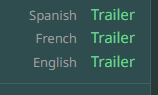
Per TMDB Where if you want to get technical TVDB has language trailers so you would not get them all anyways for the same movie. So in this case "eHp3MbsCbMg" TVDB (eng) was already gotten from TMDB in my test.

 1 point
 -
For movies we do actually, but we check the language set in tvdb and compare it against your preferred language.1 point
-
The extension that rsync will use as it's still transferring is a random string, but I do believe that the file names will also always start with a period so that they're "hidden" until the transfer completes. For strm files this should really be instant because they're tiny but larger files may not.1 point
-
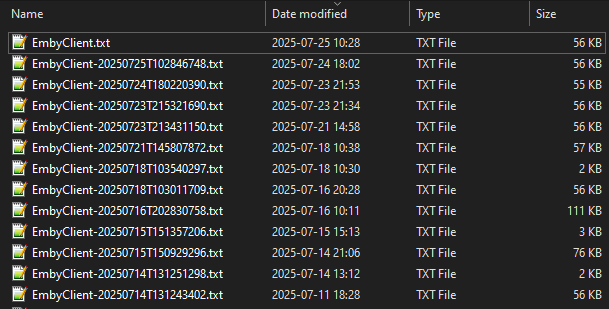
Thanks for the update, I continue to launch the app about once a day and has not repeated yet, uptime closing in on 16 days at this point.
 1 point
 -
I will admit that I have no idea what changed, but after tinkering with it a little while longer today, the following appears to work: headers = { "X-Emby-Token": API_KEY, "Content-Type": "application/json" } user_data = { "PlaybackPositionTicks": playback_ticks } for user_id in USER_IDS: url = f"{SERVER_URL}/Users/{user_id}/Items/{item_id}/UserData" try: response = requests.post(url, headers=headers, json=user_data) except Exception as e: any_failures = True log(f"[ERROR] Exception for user {user_id}: {e}") Sorry to waste your time, all looks good now and it's working correctly!1 point
-
1 point
-
@murxer831 point
-
Thanks, but in its current state, Emby isn’t really cutting it for. daily use. I really do hope it gets sorted sooner rather than later.1 point
-
OK we'll take a look at it. Thanks.1 point
-
Okay here is what you can try to do. 1 right click on the Emby Server app in Application folder 2 select show package contents 3 go to the folder called MacOS open it 4 find EmbyServer it will call it a Unix executable, and click on it. this will open a terminal window, just wait a browser tab should launch and Emby Server will start. You will not have the menu bar icon. Hope this helps.1 point
-
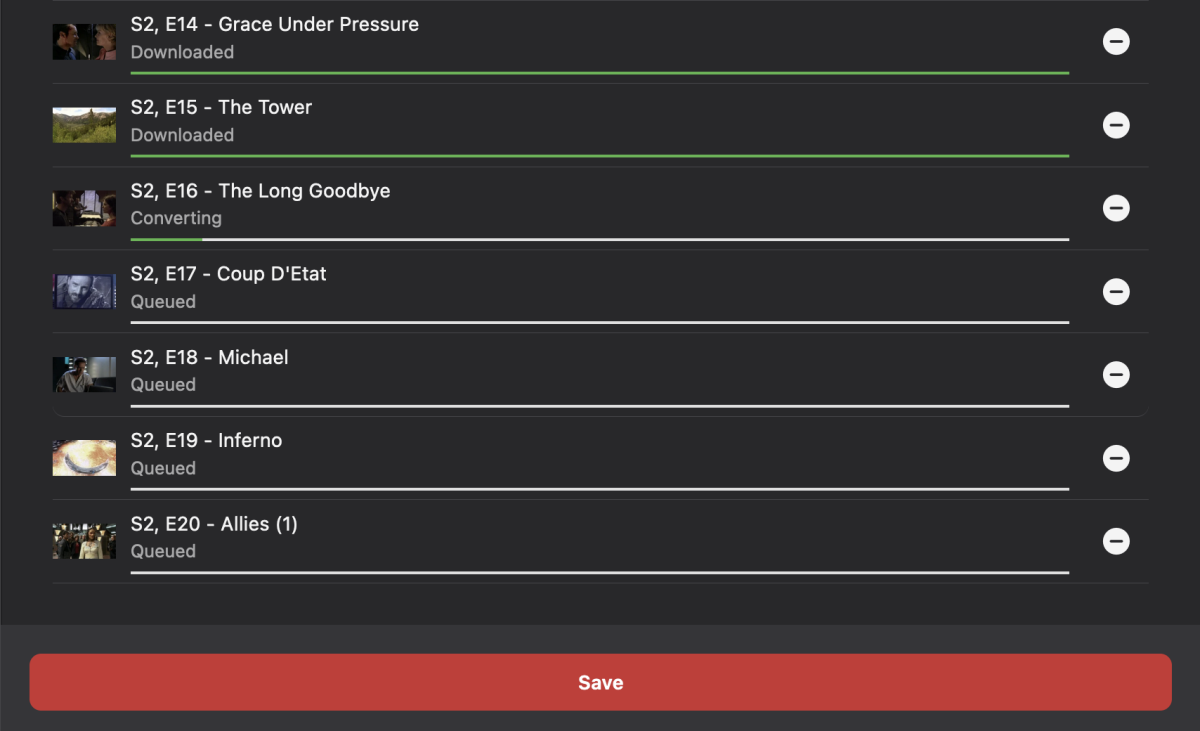
Hi all, Recently, in order to more efficiently use my storage space I have been enjoying using emby's conversion feature to convert and replace less frequently watched content with lower bitrate hevc/mkv files. Although I have the conversion thread count and performance settings set to max, one conversion job running at a time barely uses 15% of my R730's 48 CPU cores. Would it be possible to add a setting in the conversion menu called "Maximum parallel conversion jobs allowed" that defaults to 1 (one)? This would maintain the existing behavior but would allow us with many spare CPU cores to have more than 1 conversion job running and take advantage of our hardware. I've attached a screenshot of an example of a batch conversion job for a season of television that I feel would benefit from this added feature. Thanks for your consideration
 1 point
 -
I would like this for music file conversions as those may number in the high counts and wouldn't stress resources the same way as batch converting video files.1 point
-
This is bullshit..For 5 years now and the show "Yes"1 point
-
The point is that the application is made to work with the very specific MPV version that it is being shipped with. @generiq himself has made countless posts which are giving examples for why the Windows app will NOT work properly with other MPV versions. The next major update to the Windows app will ship with the then-latest-version of MPV and be adapted to this specific version. The existing gap here is impatience and the lack of understanding that we are (1) not working continuously on this app and (2) that we are not making risky changes outside of a beta phase, that require intensive work and testing , and (3) that talking up big and ranting loud is not going to change (1) or (2). The shown kind of behavior for trying to force us into taking actions may have seemed to work successfully in the past on a few occasions, but there, it had just coincided with our own goals. I cannot stress enough and want to be very clear, that loudly discrediting our app and talking bad about its video playback capabilities, blowing up details to the max and similar behavior is neither a legitimate nor a successful way to force any kind of actions upon us. But what it will achieve - if continued - is that it will eliminate all interest and willingness to collaborate on MPV integration details during beta phases in the future. This also applies to attempts, trying to force me into discussions by badmouthing and attacking me personally. This is not going to work and this is also the only statement on the subject that I'm going to make. Thanks sw1 point
-
Hello Im emby, how can i assist you, for example, you can say play a few songs.1 point
-
Welcome back to our Emby Community Spotlight series where we showcase real users and the powerful, creative, and often surprising ways they use Emby across different environments. In this edition, we’re featuring everything from a professionally calibrated home theater server to a budget friendly setup that just works. Whether you're building a server in your basement or streaming from a single-board computer, there's something to learn from each one of these users. 1. Modular, Scalable, and Always Moving Forward This user built their Emby setup with future expansion in mind, combining Unraid with Docker-based services, remote access capabilities, and a clean, efficient hardware layout. Motherboard: ASRock B550 Extreme4 CPU: AMD Ryzen 7 3700X RAM: 32GB GPU: NVIDIA Quadro P620 (for transcoding) Storage: 250GB SSD for Docker containers and VMs 4.5TB SSD media cache pool 4x12TB HDD array (36TB usable) HBA: LSI 9211-8i Chassis: Inter-Tech 4U-4410 Power: Corsair RM750i PSU Remote Access: Sipeed NanoKVM PCIe OS: Unraid Clients include a NVIDIA Shield TV for local playback, Emby for PC, Infuse for mobile, and Chromecast for travel. About 10 remote users also access the server via web and TV apps. 2. Professionally Tuned and Built for Total Reliability This setup blends enterprise-grade storage, a calibrated video pipeline, and TrueNAS reliability — all focused on delivering uncompromising playback quality through a single, optimized client device. CPU: Intel Xeon E-2124G RAM: 96GB ECC DDR4 Motherboard: Supermicro X11SCH-LN4F Storage: Boot OS (TrueNAS 25.04.1): 2x WD Red 500GB SATA SSD (mirrored) Emby App Storage: 2x WD Red 1TB NVMe SSD (mirrored) Media Storage: 6x 8TB WD Ultrastar DC HC510 SAS HDDs in RAID-Z2 HBA: IBM M1215 (IT firmware) Network: LACP trunked to switch, isolated subnet Power: Platinum Seasonic PSU + UPS Location: Basement, rack-mounted with adjacent core network gear Client: One — but it’s a serious one. A NVIDIA Shield TV Pro (2019) connects to a Lumagen Radiance Pro video processor, which handles upscaling, tone mapping, and color calibration before outputting to a professionally calibrated Panasonic 4K OLED. 3. Small Footprint, Big Results Proof that a setup doesn’t have to be expensive or complex to be effective, this user keeps it simple — and functional — with a low-cost SBC and NAS combo. Server Device: OrangePi 5+ Storage: 256GB eMMC CPU: 8-core RAM: 16GB Storage Backend: Synology DS224+ (2x 8TB WD Red drives) Networking & Extras: Ubiquiti UCG Ultra External backup drive System76 Meerkat for other services Clients: Android phones and tablets Roku Chromecast Web browsers Have a Setup Worth Sharing? We’re always on the lookout for more community submissions. Whether your Emby server is built for performance, portability, or just personal fun, we’d love to feature it in an upcoming spotlight. Submit your setup on the forums or reach out directly to be considered for a future blog post. View the full article1 point
-
Why it would be helpful: When using match frame rate and/or match resolution with any app - Emby included - (usually with external streaming devices rather than native tv apps), the display will briefly go black while the frame rate and/or resolution are switching, and audio will start playing while the screen is still black. Some apps (Smarttube is one of them) have the option to add a brief delay (0.25, 0.5, 0.75 seconds etc) to playback so that playback doesn't start while the display is still black, and if you choose a duration that works for your setup, the timing makes playback feel seamless.1 point
-
General info: I'm still working on the next plugin version with a couple of fixes. I hope I can release the new version by end of this week.1 point
-
Well as I said, I'm not exactly sure about the timezones but I can imagine you'll need a source timezone to "translate" the time from the source, to the target timezone. I did a double check on The UnXplained (2019) - s07e12 and I receive the following date: 2025-07-18T00:00:00.0000000Z which is displayed Jul 18, 2025 and is also shown on TheMovieDB https://www.themoviedb.org/tv/91371-the-unxplained/season/7/episode/12. @LukeI suspect no datetime formatting is actually done given the date in Emby always seems to match the date provided by the data provider (themoviedb, thetvdb, etc). I can't find any way to make the displayed date show as "another date", regardless of my local machine's timezone, browser locale or server timezone. I think what's going on here is: Expectation 2025-07-18T00:00:00.0000000Z in a -8 timezone = 2025-07-17T16:00:00.0000000Z Reality 2025-07-18T00:00:00.0000000Z = 2025-07-18T00:00:00.0000000Z. The above makes sense (to not translate the date according to timezone). The premiere date needs to be formatted according to the source timezone (for example GTM-5) and then converted to the local timezone (GTM+3), resulting in an 8 hour time different. Looking at TheMovieDB and TheTVDB I can't even find any premiere date timezones / release time zones tho.1 point
-
It was suggested I put in a request for this. Playing 2.5 hour long audio shows (not actual music files in my case) but it's considered "music" I suppose since it's in the music folder. the screen stays static the entire time.1 point
-
Hi. This will be coming soon to Roku.1 point
-
A @Lukementioned, sport events should probably be based by dates and probably cups. I've also checked a bunch of European matches, considering this seems to be a US initiative and those are also suprisingly accurate. Looking at thesportsdb.com structure it seems they figured out the most sensible formatting by themselves. An example: Soccer For home matches (https://www.thesportsdb.com/event/2192339-orlando-city-vs-new-york-city-fc) X:/Sports/Soccer/American Major League Soccer/2025/American Major League Soccer - y2025m07d17t001600 - Orlando City - New York City FC For out matches (https://www.thesportsdb.com/event/2192308-charlotte-fc-vs-orlando-city) X:/Sports/Soccer/American Major League Soccess/2025/American Major League Soccer - y2025m07d05t231500 - Charlotte FC - Orlando City Ice Hockey The above also seems to apply to other sport: https://www.thesportsdb.com/event/2250315-eisbären-berlin-vs-kolner X:/Sports/Ice Hockey/German DEL/2024-2025/German DEL - y2025m04d25t173000 Eisbaren Berlin - Kolner Lacrosse https://www.thesportsdb.com/event/2257685-buffalo-bandits-vs-saskatchewan-rush X:/Sports/Lacrosse/National Lacrosse League/2024-2025/National Lacrosse League - y2025m05d16t232300 - Buffalo Bandits - Saskatchewan Rush These are of course fully qualified to prevent any same-day matches and could be abbreviated to: X:/Sports/WhichSport/WhichLeague/WhichSeason/WhichLeague - y{year}m{month}d{date}t{time?} - Home vs Out Or maybe even just: X:/Sports/Lacrosse/National Lacrosse League - y2025m05d16 The filename itself provides enough information for the item to be found via the API (with date or even exact time matches, there's only 1 match that day). I couldn't find out if abbreviations works correctly via the API but if they do formatting could be cut down even further, but won't make the contents any more clear and only encourage users to "go wild": X:/Sports/NLL/NLL - y2025m051 point
-
Do we have any kind of timeframe for this?1 point
-
Emby for LG 1.0.47 has been released. Here are the highlights: Improve ASS/SSA subtitle rendering Add text size setting Improve the startup behavior option related to remembering login info Add option to auto-open single items in folders View the full article1 point
-
Thanks for the update. I've come across one other oddity with the ~new Windows app though likely a one off. I had a number of TV series that I deleted from the downloads settings page on the client device but all of their show pages still showed when going back to downloads just with no titles inside each season. Hasn't happened since and luckily enough it was easy to rectify. Just had to remove the entries from the EmbyClient.db. Resynced one of the deleted items and it appeared just fine, and disappeared when deleted as well.1 point
-
Another observation. I have apparently a single live stream according to Emby that has been streaming for a couple of days now. Attempting to stop the stream doesn't work via the web interface. Restarting the emby service doesn't work. Network graphs show no data (so it isn't actually streaming). Updating this morning from 4.9.1.1 to 4.9.1.5 didn't remove the stream from the activity list. Updating the OS (Debian) and then restarting didn't remove the stream from the activity list. I can confirm the AppleTV is fully updated and is not actually streaming anything.1 point
-
@thekingpin I would be curious what you choose as well? Like you I replaced emby music some time ago. For what it is worth, I am using Navidrome and find it an improvement.1 point
-
A banner at login is not as good as banner when logged in. Once logged in I'm never seeing that login screen1 point
-
We are working on adding this though.1 point
-
Just FYI, in Android TV, Fire TV and Roku, if you search from within a library, the results are limited to that library.1 point
-
Yes this is correct. The server dashboard also displays this location under the Paths section.1 point
-
Easiest way I’ve found is to show hidden files (ctrl shift period in newer versions of Mac OS) and just delete the Emby server folder from your root directory. I believe that gets rid of everything.1 point
-
I use louislam/uptime-kuma: A fancy self-hosted monitoring tool for this, on a separate host to do this0 points
-
I realize that, and its a really bad way of checking. @Lukehelp me out here...a file representing a title in the library should not be heedlessly re-scanned just because of a timestamp change. My lib with 80000 titles have re-scanned every day for years due to this. Check the path and filename. If its already scanned, why in gods name re-scan it ?0 points