Leaderboard




Popular Content
Showing content with the highest reputation on 07/03/25 in Posts
-
New version up 2.7. Changed: Much improved caching system. Should no longer aggregate episodes when browsing TV show libraries and instead use the cache as intended, improving performance a lot. Changed hashing system to a bit faster one. Fixed: Having comma in library names should no longer crash the plugin. Fix for community rating drawing so it will take smaller amount of memory (Minimum gain but better than nothing). Minor fixes for edge case situations. Reverted to old path handling to make it work again on some configurations. I highly suggest people use this version as the new cache really speeds things up when entering TV show libraries (Movie libraries always worked as intended). Download here or at EmbyIcon Github EmbyIcons.dll3 points
-
Your best best actually is to convince @Luketo look into that There's a momentum with Plex bad choices, people often say check Jellyfin but Emby is more mature and could take the place.2 points
-
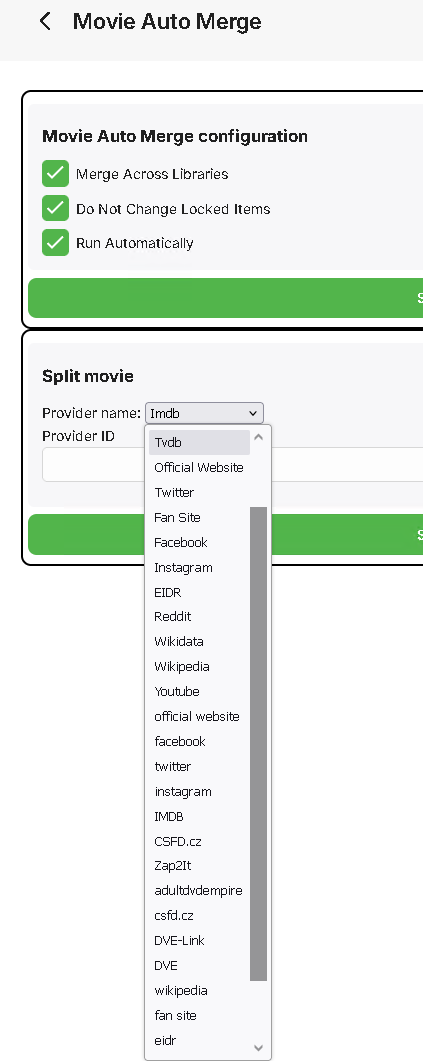
I developed an alternative to the AutoCollection plugin - the plugin that merged different movies with the same providerID into one. I missed the features in the original plugin - merging by Kinopoisk provider and splitting the movie by providerID. Features of the plugin: runs automatically on movie add (configuration "Run Automatically"). merge movies in separate libraries or between all libraries ("Merge Across Libraries"). ignore locked movies ("Do Not Change Locked Items"). merge can be invoked manually in Scheduled tasks - "Merge Movies" in the "Movie Auto Merge" section. global (all movies in all libraries) split can be invoked manually in Scheduled tasks - "Split Movies" in the "Movie Auto Merge" section. split of a particular movie in the plugin configuration by providerID (search in all libraries). merge by all available Emby metadata providers - IMDB, TMDB, Kinopoisk, etc. complementary merge, e.g. if the first movie has TMDB, the second - has IMDB, TMDB, and the third - has only IMDB, and all those movies are the same, they all will be merged into one movie. site: https://github.com/luzmane/emby.movie.auto.merge/releases/latest/download/MovieAutoMerge.dll1 point
-
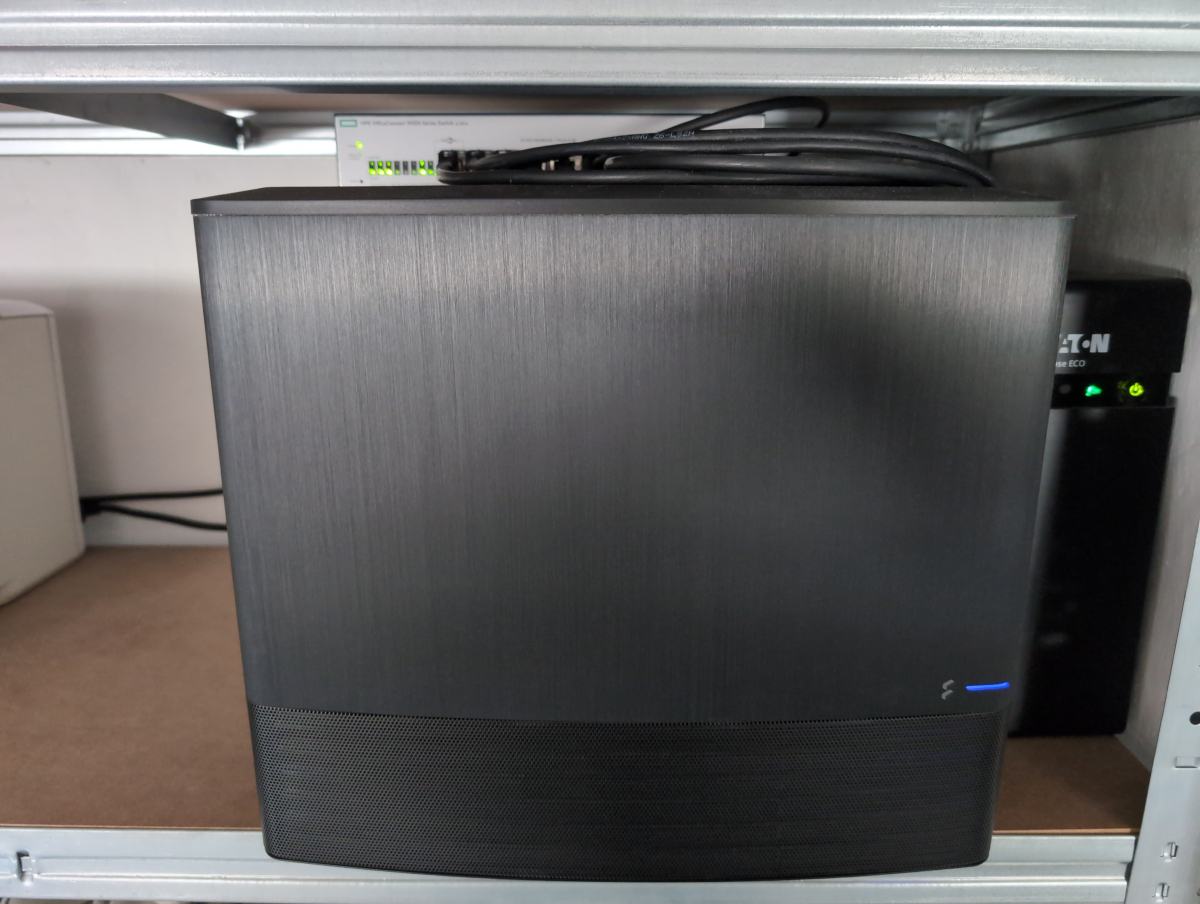
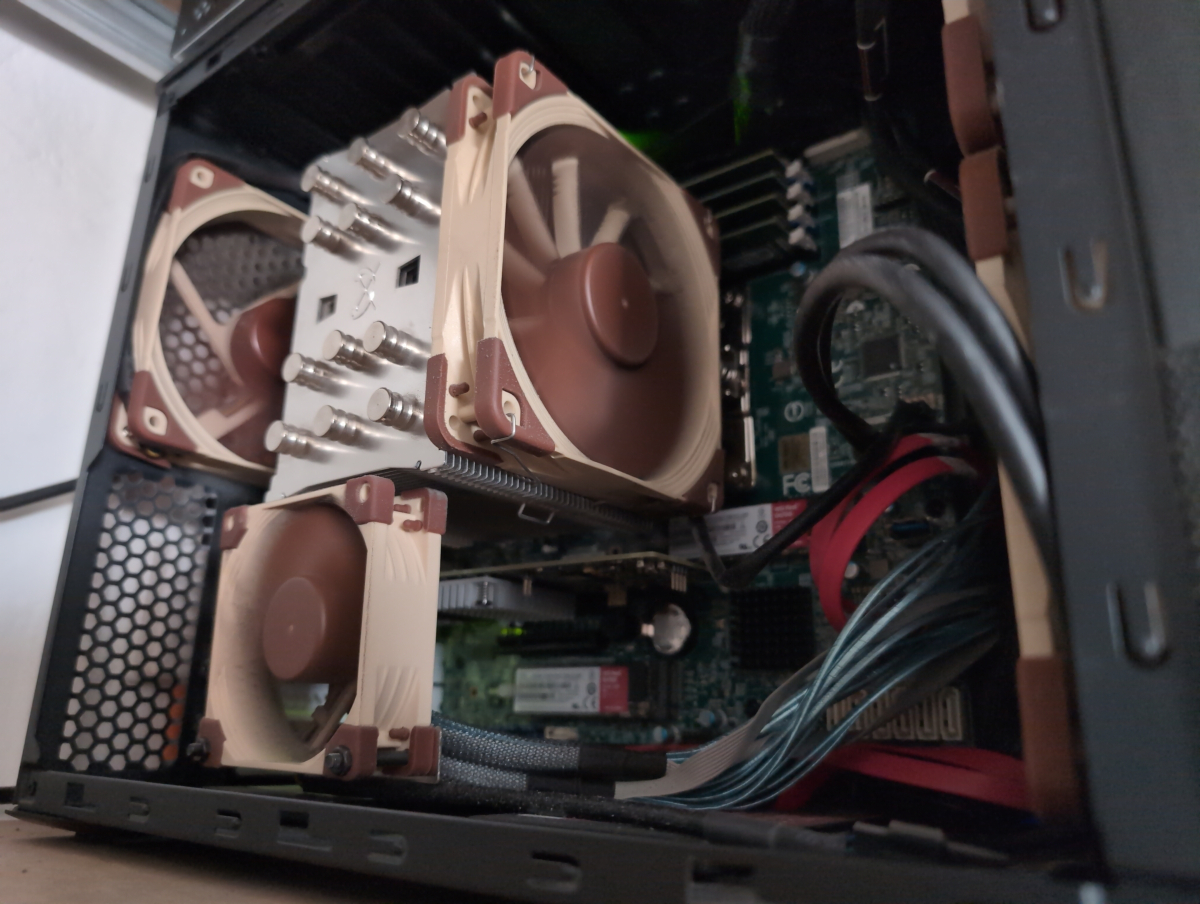
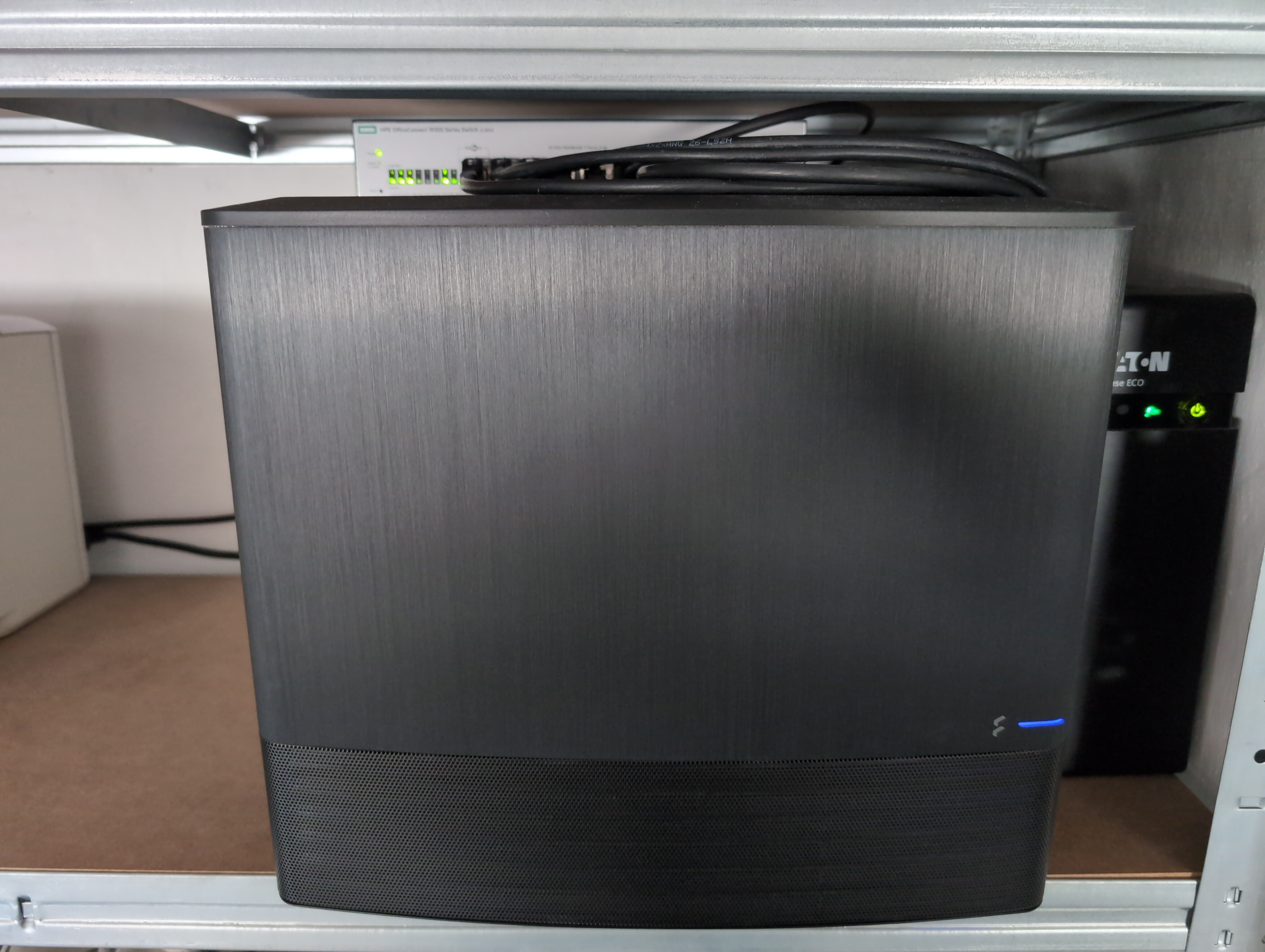
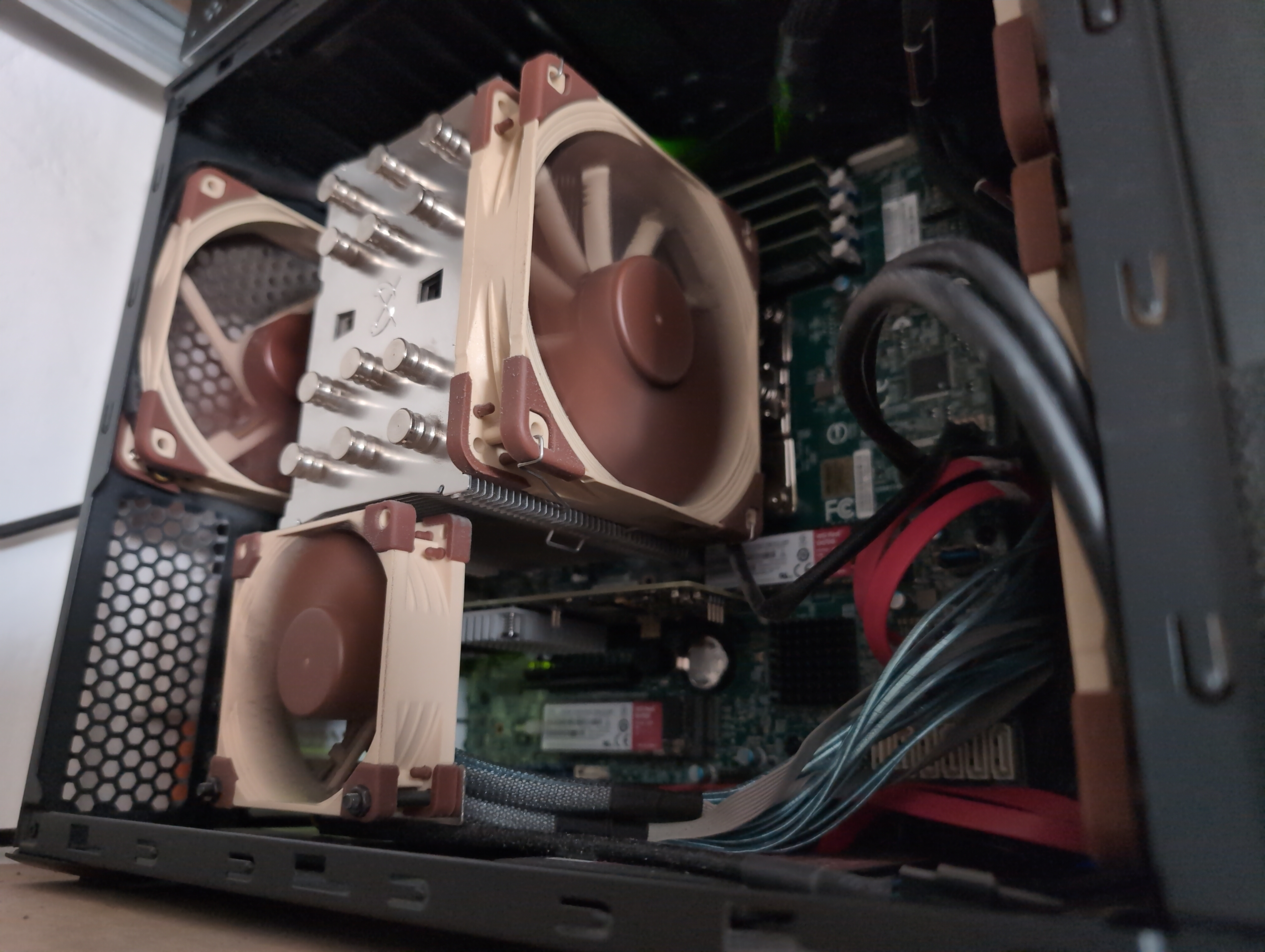
Here's a brief overview of my setup. At its core it's running a Xeon E-2124G with 96GB DDR4 ECC RAM on a Supermicro X11SCH-LN4F. The case is a Node 804, but with a spare side panel, so I could get rid of the annoying window. PSU is a platinum Seasonic. There's a UPS connected, so the server can safely shut down in case of a power outage. The OS is currently TrueNAS 25.04.1, on two mirrorred WD Red 500GB SATA SSD. Emby is deployed as an official TrueNAS "app", running on two mirrorred WD Red 1TB NVMe SSD. The data are stored on six 8TB WD Ultrastar DC HC510 4kn SAS 12Gb/s HDD attached to an IBM M1215 HBA with IT firmware on it. The disks form a RAID-Z2 array. There's also a cold backup server with more capacity, holding backups of everything. The server has its own subnet and is connected via LACP to the switch sitting on top of it. The server is located in the basement, sharing a shelf with the laser printer. In the room behind it is the pfSense router, the "core" switch, PBX, DNS resolver, syslog server and fiber modem. Effectively, there's a single emby client, an nVidia Shield TV Pro 2019. The Shield outputs to a Lumagen Radiance Pro (upscaling, color management, dynamic tone mapping), which outputs to a Panasonic 4K OLED. The video chain is professionally calibrated for SDR and HDR, both are output as DCI P3 to the TV by the videoprocessor. My content is exclusively 1:1 rips of all my DVD/BD/UHD BD (*.iso rip, converted to *.mkv, and then archived on the cold backup server). DV content with FEL has the FEL baked in currently, as long as there's no real direct playback solution with clients supported by emby. There is other content on the server, but that's managed elsewhere (like JRiver MC for music). Of all the solutions I tried, emby's what's just working. This doesn't sound like much, but it actually is. I've tried a lot of players, madVR HTPC, Oppo UDP-203, Dune HD Pro Vision 4K Solo, CoreELEC on Ugoos AM6B+, and I've thrown them all out because each and everyone struggles, stutters or outright fails from time to time. Emby with the Shield is miles ahead... There's so little trouble that I can finally spend my little free time actually watching my favourite movies or shows rather than constantly troubleshooting unreliable players. It's like peace of mind... Thank you so much for making and keeping it possible
 1 point
 -
@visproductionthe issue is strictly with Emby. When playing the same file via VLC, DTS:X is correctly sent to my soundbar and every channel works as expected. Emby has problems with either transcoding or passing the audio through. Also, this isn't a problem with the browser itself, since https://www2.iis.fraunhofer.de/AAC/multichannel.html works perfectly fine with 7.1 setup, which also doesn't work with Emby due to the reason given above.1 point
-
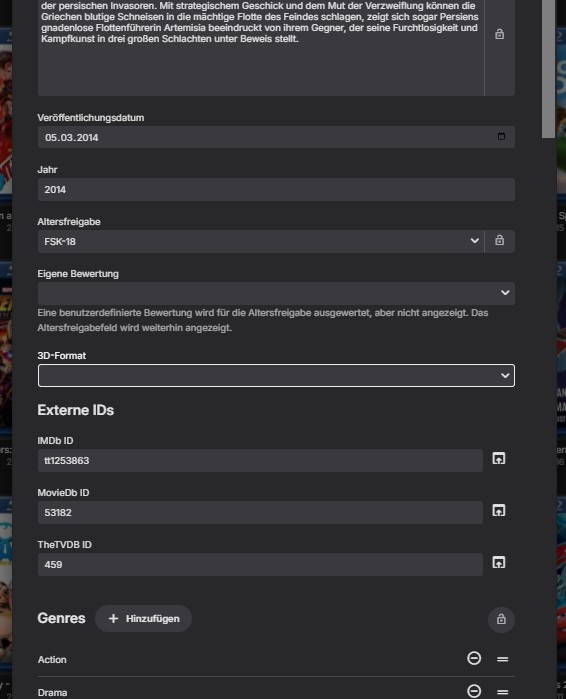
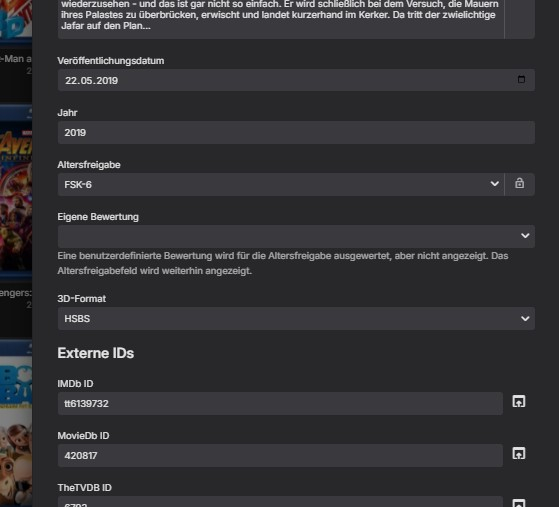
Ah, ohkai, nope, it's not displayed as 3D.... But the same DAtei, (codec) only different movie, is shown to me as HSBS Thanks, then I'll edit all the ones where it's not displayed...;)...thanks for the solution @ebr& @Luke!!!!
 1 point
 -
Okay, okay!!! I hear you guys. You want audio and video formats so i will f.ing add that!! Hope the devs of CoverArt and Iconic wont hate me for this. Also working on tag based overlays so you guys can add your own overlays. For example add a "bob" tag to a movie and bob.png will be overlayed. The audio and video formats are pretty easy to add but the tag system might take a little time. Sneak preview of the audio formats: Icons are cutesy of Craggles.1 point
-
I really wish i could fix that but i think it's a problem on your end and not the plugin, while not Arch i have tested on other Linux systems without problems. The settings have a better way of choosing the icons folder, maybe that will help a little. I will read up on it though and see what i can find out.1 point
-
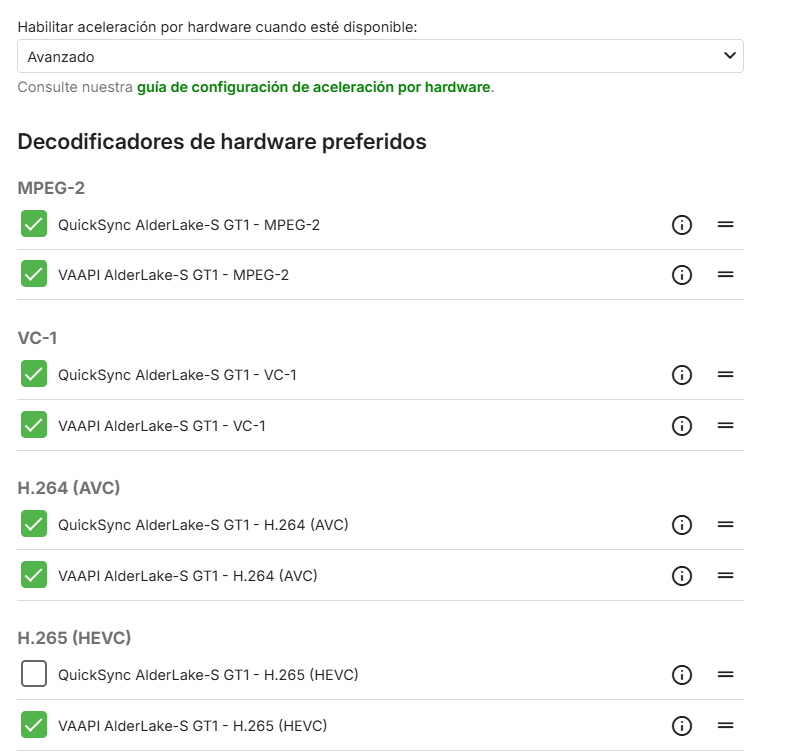
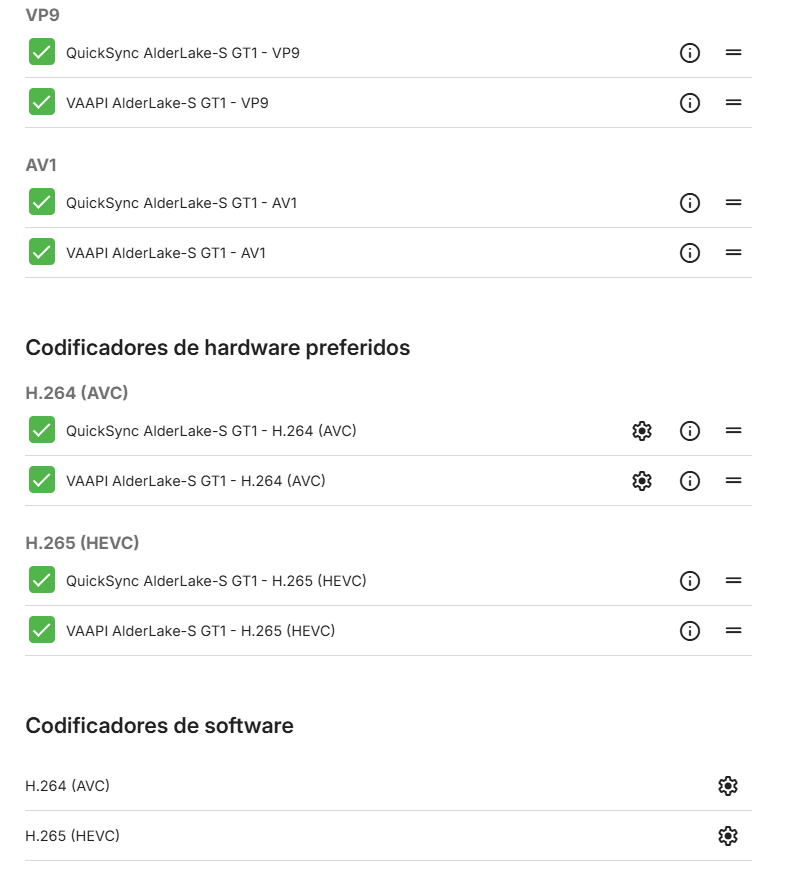
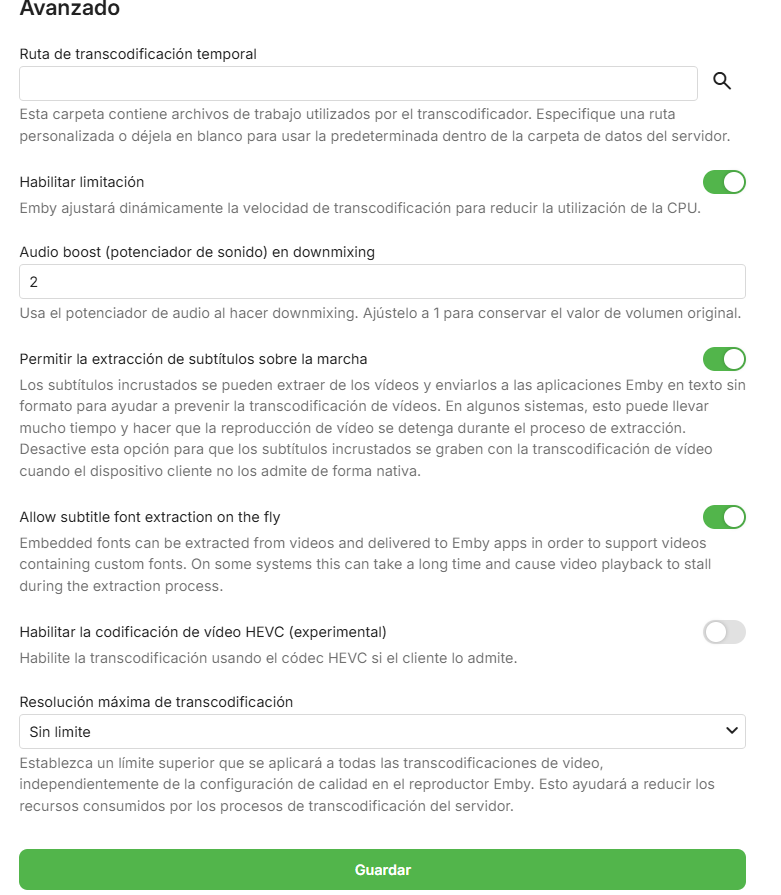
Im forcing on client changing the bitrate to a lower than movie. I tried with disabling tone mapping and same error.
 1 point
 -
I just realized the issue was with the subtitles themselves, they were mostly written in a single line instead of two, which made them stretch awkwardly across the entire width of the TV. Still, I feel like there should be a middle ground between the small and normal subtitle sizes1 point
-
well, finally got my emby server backup and online. ISP still needs to work out bugs. Tailscale works way better now ...but, fortunately i dont have to use that anymore. but, at least i have an option in the future. Even thought my modem and router were supposedly compatible i still replaced them and after a new cable line put to my house i started having moderately stable internet connections. but, im please that i can get to my server once again. Thanks to all for the assistance1 point
-
Hi, we'll take a look at it. Thanks.1 point
-
Hi. He means use the "Edit metadata" menu item on one of those items not showing the 3D text. Does that indicate that the item is 3D?1 point
-
I switched to Navidrome. I put a lot of effort into tagging my music, Navdirome picks up on metadata changes almost instantly. I use Symfonium as a client and the rest is history. I'm not dissing Emby and still use it for video, and, its worth the money. But like mentioned, the corporate style one line answer to a feature request from 2017 is laughable at this stage. We not asking for nrw construction of pyramids or reinvention of the wheel. I will add one extra postive note to Symfonium, the dev actually listens to the community and has implemented tons of feature requests. Thats something I can truly support going forward.1 point
-
OK we're looking into it. Thanks.1 point
-
I think i have actually finally, finally gotten the cache to work precisely like i want. In short: Huge performance improvement, no more slow downs when entering the TV show libraries so. Any one willing to help test this and report back on the performance? EmbyIcons.dll1 point
-
Thank you for the adoption by the developers. The untranslated parts of the embyforKodi (next-gen) 12.X.X plugin have been added, and partial corrections have been made to the original translations. resource.language.zh_cn.zip1 point
-
@cyberrephas this helped?1 point
-
Hi, Happy to open the share with my config: Rack server (processor Intel(R) Xeon(R) Gold 6130 CPU @ 2.10GHz, 64 cores, 128G of RAM) with up to 38 drives in it (so far "only" filled with 32 drives) running Debian 12 installed in a datacenter. Full IPv4/6 access. Medias storage and metadatas storage on ZFS volumes (storage space used for medias around 220To right now). Separate storage for medias and metadatas, and separate raid for OS. Stream to bunch of different devices. 2 pictures (one during installation in rack, and one during a reorganisation of the rack). The emby server is the machine with blue locker on drawers. Vincèn1 point
-
Search for "Emb" only, you'll have two apps listed.1 point
-
I agree that just having one would be optimal and it's the reason i added the HDR and resolution overlays. I just don't like stealing functionality from others so, at least for now, i won't add any more plus the plugin was made to get me some functionality i wanted my self. As said, you are welcome to add them your self if you want. All i ask is, please remember to keep it open source if you release it to other people!1 point
-
Emby team has already said this plugin causes issues with duplication of db items so no one should duplicate it. They said they would allow pinning of collections to the home page like plex does. That would resolve the issue but that’s been coming soon tm for a few years now.1 point
-
HI, why not just use his plugin with Emby?1 point
-
You can take my code as a base for implementation - it supports multiple providers1 point
-
@jelumJust for your info, you can extend provider ids in emby to be as many as are coded. Here is my plugin that does just that. I'll supply links incase you are interested. https://emby.media/community/index.php?/topic/120013-custom-external-links-provider-ids/ latest dll here: https://emby.media/community/index.php?/topic/120013-custom-external-links-provider-ids/&do=findComment&comment=1300870
 1 point
 -
@TolkienBardI am working on an updated guide and tooling to make it easier for those with minimal technical expertise. I hope to have it completed before the end of the month, but as I’m a full time single parent and work full time, I can’t promise it will be done by then.1 point
-
I've also found that in general, if you have a source with say DD or DTS (5.1) going into a TV via HDMI, then the TV has optical out to a receiver, that the TV downsamples the feed to 2.0 or 2.1 channels. It's this way with my Panasonic plasma and a few other TVs I've used over the years. So, while my TV can output DD 5.1 from its built-in apps (Netflix, Amazon, Hulu...) over the optical out to the AVR, the only 5.1 the TV will put out is that which it generates via its apps. This is very annoying. And, I agree with Doofus, generally everything should plug into the AVR first... except of course the return audio from the TV's own apps. Marc1 point



_svg.thumb.png.85e4ee6291ddd76347269c05175b5dda.png)