Leaderboard




Popular Content
Showing content with the highest reputation on 07/01/25 in Posts
-
So, in the meantime maybe do as yocker suggested and manually fix them yourself since Tizen can't do it automatically. At least until server adds the capability to rotate incorrectly positioned video files. Then you will be able to watch them.2 points
-
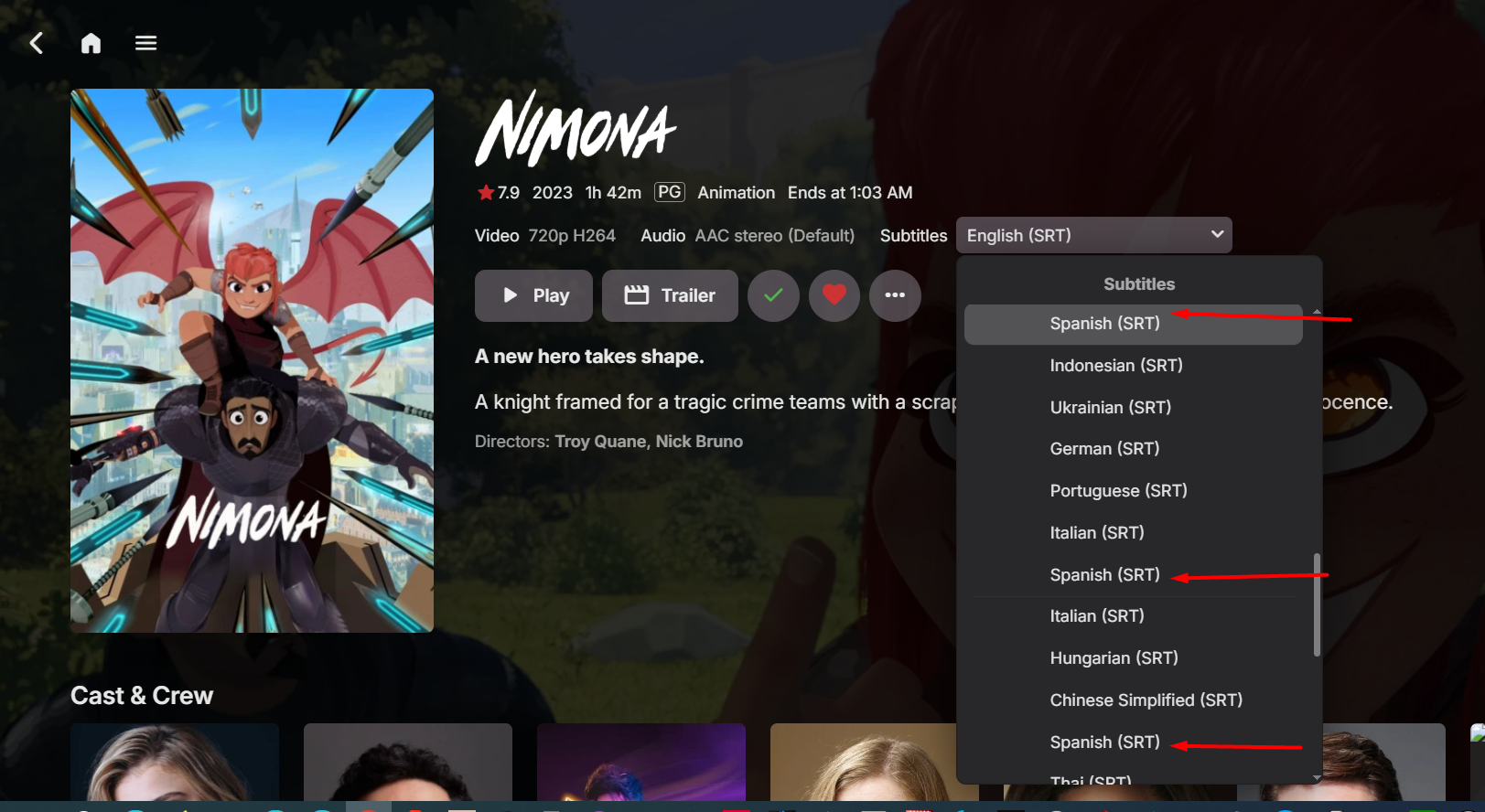
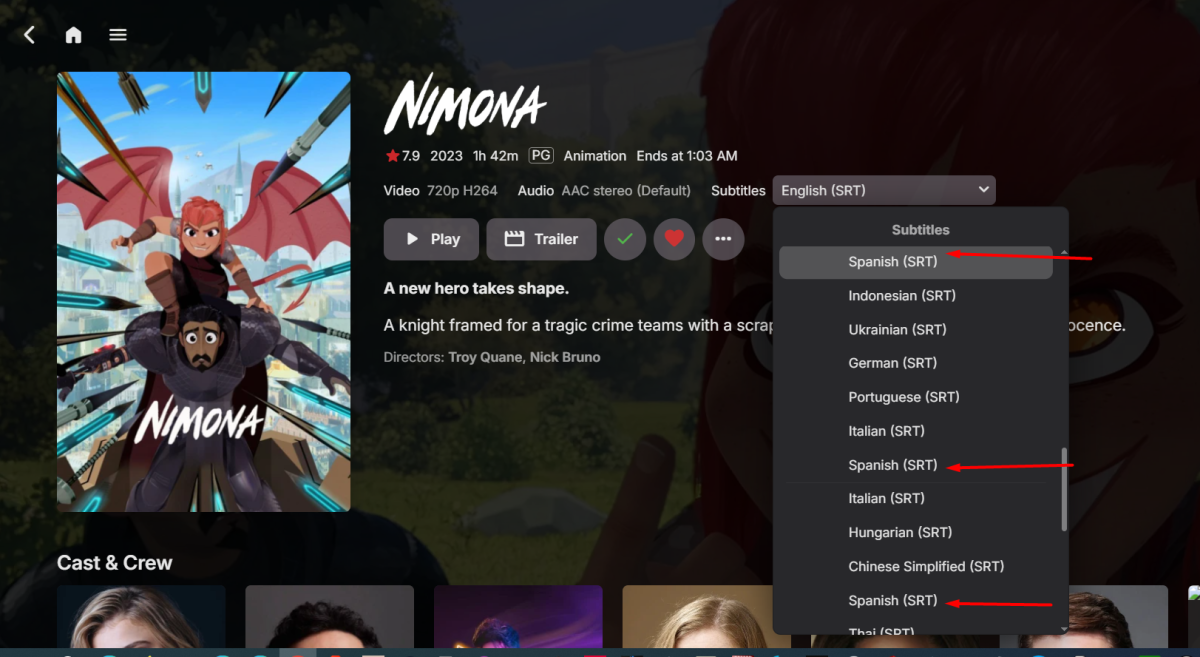
Thanks for your thorough response @visproduction This may be a "just me" situation but to add my context: > I mainly use a Tablet (iPad) or a TV to consume my Emby media, when on a TV I would prefer to not need a keyboard (use CEC form HDMI to control things), and many TV remotes do add some latency to the input key or cap the speed of repetition of a key, so slower "clicking" of options, but I still get a nice keypad number on the remote. > I host Emby for my brother, zero technical knowledge, and not a power user, who's 2 devices actually connect remotely to my Emby (VPN to keep my network from having other ports open) > I run Emby Server as a docker instance in my HomeServer Returning to the topics 1) Yes, I agree, a subtitle offset memory per user, just as it can store playback position per user. 2) I assumed that asking Emby to determine the correct framerate based on the video would be a lot more work and testing for the devs. than just having a box I can select and type/key-input the desired number. Having uneven jumps in scrolling could also confuse a basic user when increasing/decreasing the time of the subs. Jumping from 0 to ... lets say, 20 seconds using the arrow key from a TV remote is awful. The tablet is more hit / miss thing, faster with the slider but as you are pointing out, no fractions smaller than 100ms so no perfect syncing and making the arrows go lower than 100ms would add pain to someone that wants to jump to 20 seconds... (again, assuming no keyboard is involved). 3) and 4) I have OpenSubtitles plugin set up. No, it does not ask me for the name of the subtitles and in the Subtitle menu sometimes I end up with a repeated name for the subtitle or with just an "(SRT)", no language indicated. Real scenario, we had some family visiting and their kids didn't speak English, so we wanted Spanish subtitles. There was a sync issue so we ended up downloading additional subtitles, and they all ended up having the exact same display name in the subtitle menu, nothing to differentiate them. I'm attaching a screenshot. If my brother, or other users end up downloading extra subtitles for any reason, I wouldn't want to do cleanup after them entering my NAS and searching for the files, comparing, etc...each time they do. I much rather prefer to be able to "allow/disallow" subtitle renaming/deletion on this menu. Emby does not pull the actual filename of the subtitle, I'm not even expecting Emby to be able to change the filename. And yes, a "confirm" box after the change wold be ideal, again, for those users that have the permission. 5) As I said, outlier case but: From my iPad I'm on a IoT VLAN and so is my brother, we don't see the NAS from there. Also, just cleanliness of the process. iPad or PC, if Emby is already handling my subtitle management most of the time, why do I have to browse folders to get to upload a subtitle? I would prefer a more integrated experience, and Emby already knows where to put the file. This also would allow any other user with the right permissions (i.e., my brother) to upload a subtitle even if they don't have direct access to the NAS. Obviously I would restrict the filetype even if that's not a perfect security measure, but the permissions per user plus the filetype restriction might be sufficient. Not so far removed from also being able to upload individual movies directly from the GUI, but I don't want to deviate too much from the subtitle theme. 6) ..., same as 5, this point is a total stretch and I would not expect Emby to have VTT service within it. I was thinking on a way to connect it to a different external tool, and maybe self hosted (the idea of the plugin would be just to connect, or send the command to the external tool), the tool could get from Emby 2 things, the File path and the requested language. The plugin could send a command to the external tool (Docker instance of Whisper to keep things clean and separate) with the selected parameter (language) and the file's known path. If nothing else, Emby would automatically pick up the new subtitle after the next library scan. Whisper is a nice and simple tool to implement that can even be triggered through command line. Again, this is way past the other 5 ideas, but more and more self-hosted AI TTS and STT modules are out there (i.e, HomeAssitant integrations), so, it may be something to have on the radar. ...respectfully and hoping not to be a nag hehehe
 2 points
 -
If you want to delete those two folders and everything in them then SSH into your NAS like before and try the following: sudo -i sudo synopkg stop EmbyServer cd / rm -r /volume1/@appdata/EmbyServer rm -r /volume1/@appstore/EmbyServer If that doesn't work, then post the new screenshots2 points
-
Thanks. Got it. Found the answer almost immediately after posting.. Sometimes I can't figure out how to word the search query. Again thanks. Such a responsive and helpful group here! Very much appreciated.2 points
-
I'm a plex life time member, but I have been using Emby for over six years continuously, but there is a feature which I have always thought is missing in Emby which I would like and encourage the developer to consider including especially in this dispensation where families can social or commingle due to COVID 19. Today, I received a notification from Plex about it new feature titled Watch together you can read about it here https://support.plex.tv/articles/watch-together/ The feature allows friends and families at distance to watch same movies together instantly, you simply invite all your buddy, once they signed to the system which can be seeing in the server then play and pause as needed, this I think is cool feature should be added to emby. Let's here your though if Emby developer should consider adding this feature to our beloved Emby Media https://www.bing.com/news/search?q=Plex+Watch+Together&qpvt=plex+watch+together&FORM=EWRE1 point
-
I'd like to be able to allow users to download home videos and things, but not movies.1 point
-
Haven't had time to ask over on the truenas forum or try a bit by myself yet. Hope to get time for that in the coming weeks @Luke1 point
-
Got hardware acceleration working for a non-Docker Emby install on Ubuntu 25.04 (LXC Inside Proxmox) using this: apt update && apt upgrade -y && apt install vainfo intel-media-va-driver -y cp -r /usr/lib/x86_64-linux-gnu/* /opt/emby-server/extra/lib/ mv /opt/emby-server/lib/libstdc++.so.6 /tmp/libstdc++.so.6.bk && cp /usr/lib/x86_64-linux-gnu/libstdc++.so.6 /opt/emby-server/lib/libstdc++.so.6 # Finally to check if it worked root@emby:~# /opt/emby-server/bin/emby-vainfo Trying display: drm libva info: VA-API version 1.22.0 libva info: Trying to open /opt/emby-server/extra/lib/dri/iHD_drv_video.so libva info: Found init function __vaDriverInit_1_22 libva info: va_openDriver() returns 0 vainfo: VA-API version: 1.22 (libva 2.17.1) vainfo: Driver version: Intel iHD driver for Intel(R) Gen Graphics - 25.1.2 () vainfo: Supported profile and entrypoints VAProfileNone : VAEntrypointVideoProc VAProfileNone : VAEntrypointStats VAProfileMPEG2Simple : VAEntrypointVLD VAProfileMPEG2Main : VAEntrypointVLD VAProfileH264Main : VAEntrypointVLD VAProfileH264Main : VAEntrypointEncSliceLP VAProfileH264High : VAEntrypointVLD VAProfileH264High : VAEntrypointEncSliceLP VAProfileJPEGBaseline : VAEntrypointVLD VAProfileJPEGBaseline : VAEntrypointEncPicture VAProfileH264ConstrainedBaseline: VAEntrypointVLD VAProfileH264ConstrainedBaseline: VAEntrypointEncSliceLP VAProfileVP8Version0_3 : VAEntrypointVLD VAProfileHEVCMain : VAEntrypointVLD VAProfileHEVCMain : VAEntrypointEncSliceLP VAProfileHEVCMain10 : VAEntrypointVLD VAProfileHEVCMain10 : VAEntrypointEncSliceLP VAProfileVP9Profile0 : VAEntrypointVLD VAProfileVP9Profile0 : VAEntrypointEncSliceLP VAProfileVP9Profile1 : VAEntrypointVLD VAProfileVP9Profile1 : VAEntrypointEncSliceLP VAProfileVP9Profile2 : VAEntrypointVLD VAProfileVP9Profile2 : VAEntrypointEncSliceLP VAProfileVP9Profile3 : VAEntrypointVLD VAProfileVP9Profile3 : VAEntrypointEncSliceLP VAProfileHEVCMain12 : VAEntrypointVLD VAProfileHEVCMain422_10 : VAEntrypointVLD VAProfileHEVCMain422_12 : VAEntrypointVLD VAProfileHEVCMain444 : VAEntrypointVLD VAProfileHEVCMain444 : VAEntrypointEncSliceLP VAProfileHEVCMain444_10 : VAEntrypointVLD VAProfileHEVCMain444_10 : VAEntrypointEncSliceLP VAProfileHEVCMain444_12 : VAEntrypointVLD VAProfileHEVCSccMain : VAEntrypointVLD VAProfileHEVCSccMain : VAEntrypointEncSliceLP VAProfileHEVCSccMain10 : VAEntrypointVLD VAProfileHEVCSccMain10 : VAEntrypointEncSliceLP VAProfileHEVCSccMain444 : VAEntrypointVLD VAProfileHEVCSccMain444 : VAEntrypointEncSliceLP VAProfileHEVCSccMain444_10 : VAEntrypointVLD VAProfileHEVCSccMain444_10 : VAEntrypointEncSliceLP1 point
-
hi, are you sure that emby server has detected all of those as 3D?1 point
-
Ok, finally resolved, deleted docker installation of emby, and reinstalled from scratch. Now it's working VPN server and local. Closed1 point
-
It's evidently reporting different compatibility to what it was when I first set it up, though I've no idea why.1 point
-
When I developed this, I did not think if it will work with unsecured servers. My server was behind a secured https address. Someone above in the thread was able to solve this by using a proxy address (https://) from duckdns.org1 point
-
Yha, I have the Android TV Version, removed and installed the Android version. thanks1 point
-
I found it here, thanks1 point
-
Been working fine for me for since April without having to change to the beta servers and plugin 121 point
-
Thank you for the adoption by the developers. The untranslated parts of the embyforKodi (next-gen) 12.X.X plugin have been added, and partial corrections have been made to the original translations. resource.language.zh_cn.zip1 point
-
See this for the "issue" since 8 years: It's no issue, for me it's a bug because of false principles.1 point
-
Hi, yes we are looking into it. Thanks.1 point
-
I Will check it1 point
-
When your server is down you could manually redirect the Emby traffic to an Emby server on another machine. On that machine, have a single library and the picture for that shows "Server is down between this and this time". That way it would work for people using the Emby app. When you have planned a downtime use a library picture like that or a plugin to notify people when they run a video that the server will be down. I have plans to move my reverse proxy to another computer so that if the server is down and gives an error 404 users are instead redirected to another instance of Emby running on a low powered machine i have running anyway.1 point
-
That is not correct, embedded SubRip files are named as such, i.e. Eng (SUBRIP), while external SubRip files are named according their extension, srt, i.e. Eng (SRT) - so you can easily tell at a glance what subs are embedded and what are external ones. OpenSubtitles is just an online provider (one of several), that has nothing to do with sub format, don't see why that would warrant special/separate category/type.1 point
-
Will check when I get home.1 point
-
Removing the album, scanning the library, then re-adding the album worked. I have no idea why this fixed it, since I don't know why Emby thought to split the album in the first place. I hope the Emby team could look into this in the future, since the only thing I can possibly think of is the nonstandard character in the album name?1 point
-
Hi, how about with strm files? STRM Files1 point
-
Thinking out loud here. It properly happens because phones auto fixes the rotation when you record because people hold their phones in all kinda of ways. Maybe looking for a program that can fix the metadata or simply rotate it could be a temporary fix. Maybe Fileflows, Unmanic or Tdarr has something that can do it automatically so you just throw your files at it and it automatically gives you the finished video after.1 point
-
Thank you. I actually had that thought so I left one definite article between the two SortRemoveWords. Didn't seem to resolve the issue. After a few more tries, I gave up and just edited each Metadata. Took some time with almost 1,000 albums :-)1 point
-
Hi there, please attach the Emby server log from when the problem occurred: How to Report a Problem Also is there any chance you can capture a video? Thanks. Thanks!1 point
-
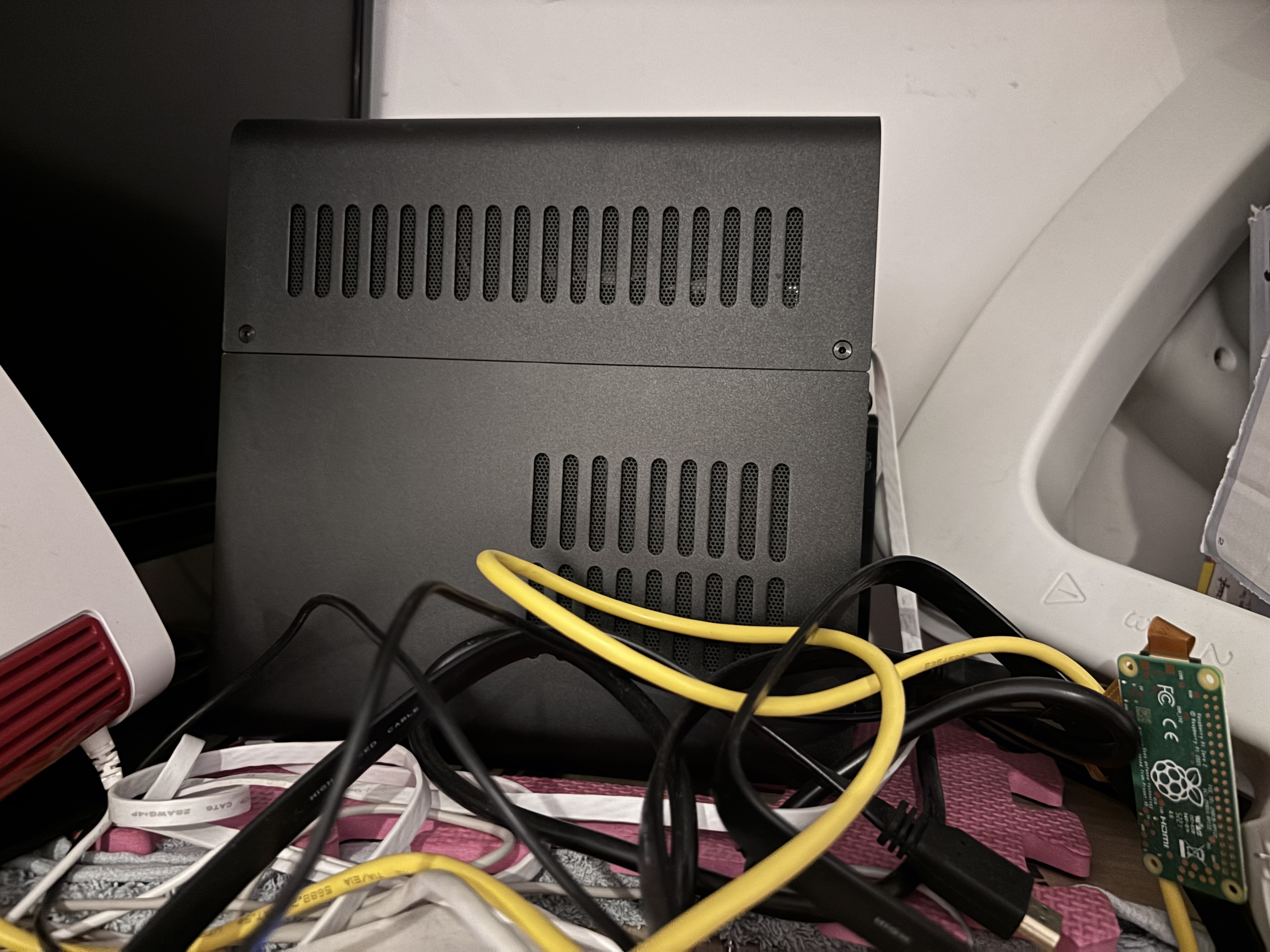
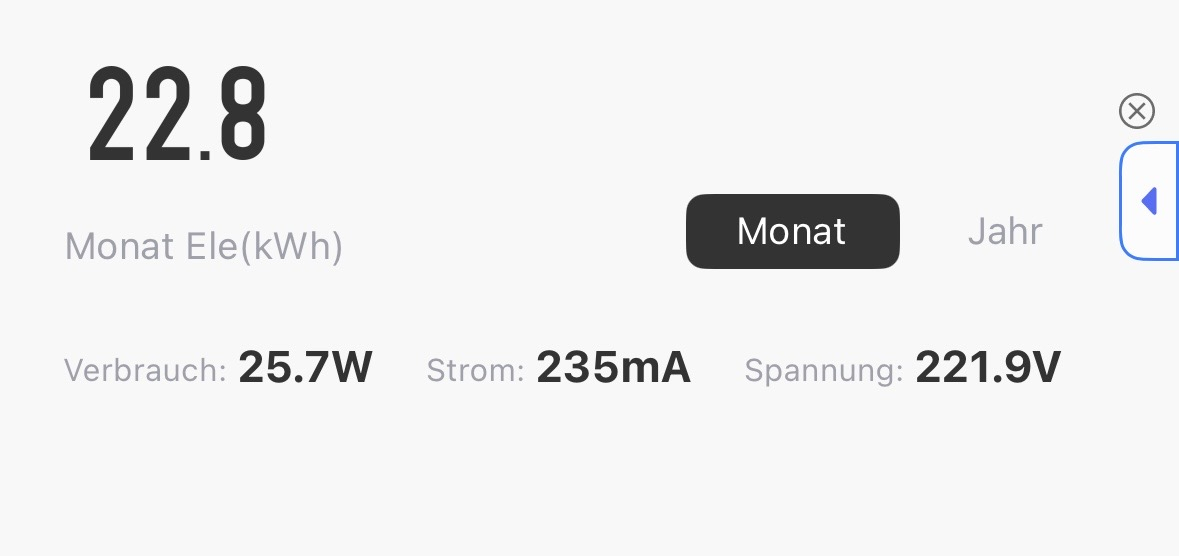
Just wanted to share my humble little NAS setup that’s been quietly powering my home for a while now — and Emby is absolutely the star of the show here. Hardware: Case: Jonsbo N2 (small, stylish, surprisingly roomy) Mainboard: GIGABYTE B760I AORUS PRO CPU: Intel Core i3-13100 (solid performance, low power draw) RAM: 64GB DDR5 (yes, I know, overkill — but LXC love it) Storage: 3x HDDs, total of 36TB usable, pooled with mergerfs Inside: a lightweight Ubuntu LXC container running Docker, which hosts: Emby (media server) Tdarr (AV1 re-encoding) Other small services () Power consumption: ~25.7W average It’s headless, sits on a shelf behind my monitor, and just works. No noise, no drama, no spinning fans of death. Why Emby? I’ve used Plex and Jellyfin before, but Emby hits the perfect sweet spot: Responsive UI Excellent transcoding support. Plays nice with remote users Mobile apps are actually good Easily reverse proxied behind Caddy with Cloudflare It serves my local and remote users effortlessly, even when pulling 4K content. Tailscale gives me secure access from anywhere (seriously, I streamed from a train once), and I’m slowly re-encoding older files to AV1 via Tdarr — Emby eats them without complaint. Yes, it’s a bit of a cable jungle — but that’s just the honest aesthetic of every good homelab. If you’re looking for a clean, quiet, efficient setup that doesn’t break the bank — the N2 + Proxmox + Emby combo is chef’s kiss. Happy streaming!
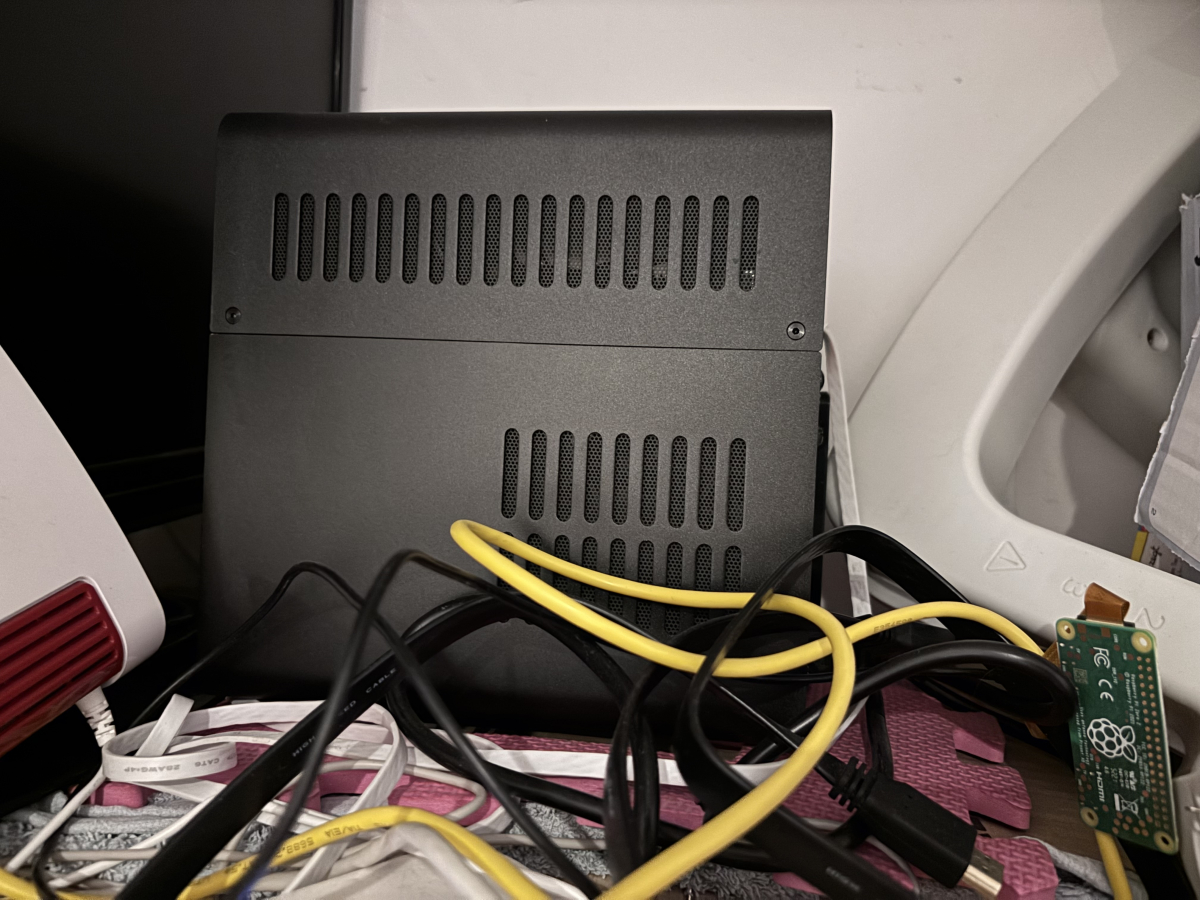 1 point
 -
Feature Request. A present I have several user accounts setup for family members. When we sit down together to watch a movie we currently log into one account (Mostly mine), so obviously only this account gets the watched status. What happens then is everyone uses my account because there's isn't up-to date and it's "just easier". This results in my account telling me I've watched something when I haven't... I would like the ability to log into my account and select/deselect which other users are present so that when a movie/TV episode is watched together, their watched statuses are updated accordingly? The next time you log in again all other users would have been deselected. It could be implemented so each user account can do this, or only select user accounts can. Even a special "Family" user account, or multiple viewers button as long as everyone's watched status is correct. Even just ticking the users present on the login screen before login into an account.1 point