Leaderboard




Popular Content
Showing content with the highest reputation on 06/21/25 in Posts
-
Having just lost all of my previous Introskip data from the old Plugin due to a corrupt db, needing me to create a new TV library (subsequently needing hours/days worth of re-detection using the Core Introskip) - would it be possible to include the Introskip 'hidden' chapter markers in the standard metadata/nfo emby processes ? ie 1. Save the Introskip MarkerType=IntroStart,EndEnd and CreditStart in the episode NFO file. 2. On a episode/show/library import - just read the NFO as you do now, and if the data is present, then use that in the Chapter Table instead of re-detecting it. 3. Ideally allow us to see/edit that data in the standard metadata editor for that episode, but the main concern is the ability to recreate it without the need for the emby db/chapter table / ItemId dependency. Thanks.2 points
-
Hi there mate, yes absolutely- this is exactly what you need. Let me know if you have any questions2 points
-
This might help you Never used it.2 points
-
The same premise as the video, just in text form: https://troypoint.com/stop-amazon-from-spying-on-you/2 points
-
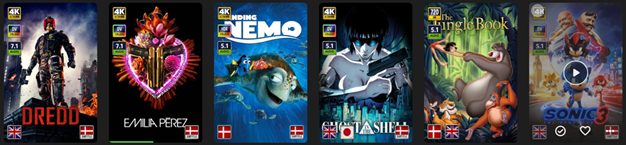
EmbyIcons, in catalog under general. Source code at: yocksers/EmbyIcons: Displays icons on posters in Emby depending on audio and subtitle languages. EmbyIcons enhances your Emby Server by overlaying informational icons directly onto media posters. Display language, codecs, resolution, ratings, and more at a glance with fully customizable profiles for different libraries. Features Extensive Icon Support: Audio/subtitle languages, original language, audio channels, codecs (audio & video), HDR/Dolby Vision, resolution, frame rate, aspect ratio, parental ratings, community ratings (IMDb, Rotten Tomatoes, MDBList audience scores), custom tags, and favorite counts Multi-Profile System: Create distinct profiles and assign them to different libraries for complete customization Flexible Layout Control: Position icons in any corner with custom priority ordering and horizontal/vertical stacking Series & Collection Aggregation: Smart detection shows icons only when all episodes/items share the same property (with Lite Mode option for faster scans) Profile Import/Export: Backup and share your profile configurations Icon Manager: Identify used, unused, and missing icons in your collection Series Troubleshooter: Find episodes with inconsistent properties causing missing icons MDBList Integration: Display Rotten Tomatoes audience scores with a free API key Live Preview: See layout changes in real-time before saving Advanced Settings: Fine-tune cache sizes, performance, and memory usage Icon Naming Convention Place your icon images in a folder on your server. Recommended: ~100x100px PNG with transparency. Supported formats: .png, .jpg, .webp, .gif, .bmp. Icons use the format: prefix.name.png (case-insensitive) Prefix Type Example lang Audio Language lang.english.png sub Subtitle Language sub.german.png og Original Language og.japanese.png ch Audio Channels ch.7.1.png, ch.stereo.png ac Audio Codec ac.dts.png, ac.eac3.png vc Video Codec vc.hevc.png, vc.av1.png hdr Video Format hdr.dv.png, hdr.hdr.png res Resolution res.4k.png, res.1080p.png fps Frame Rate fps.24.png, fps.60.png ar Aspect Ratio ar.16x9.png, ar.2.39x1.png pr Parental Rating pr.pg-13.png, pr.tv-ma.png tag Custom Tag tag.3d.png, tag.directors-cut.png rating Community Rating rating.imdb.png (none) Rotten Tomatoes t.tomato.png, t.splat.png (none) Popcorn-O-Meter t.popcorn.png, t.spilledpopcorn.png, t.fresh.png (none) Favorite Count heart.png Note: Rotten Tomatoes Popcorn-O-Meter requires a free MDBList API key configured in Advanced Settings. Configuration Overview Settings Tab Global Settings: Set icon folder path, loading mode (Hybrid recommended), output format, quality, and logging Profile Management: Create, rename, delete, export, and import profiles Per-Profile Settings: Assign profiles to libraries Enable/disable icon types with custom alignment (corner), priority, and layout (horizontal/vertical) Configure TV show/collection aggregation (Lite Mode, exclude Specials season, etc.) Customize rating score background (shape, color, opacity) Adjust icon size Icon Manager Tab Scan your library to identify missing, found, and unused icons. Perfect for organizing your icon collection. Troubleshooter Tab Series Troubleshooter: Find episodes with inconsistent properties (resolution, codec, etc.) that prevent series-level icons Aspect Ratio Calculator: Get the exact icon filename for custom aspect ratios Advanced Tab Fine-tune cache sizes, expiration times, concurrency, and MDBList API key. Default values work for most users.
 1 point
 -
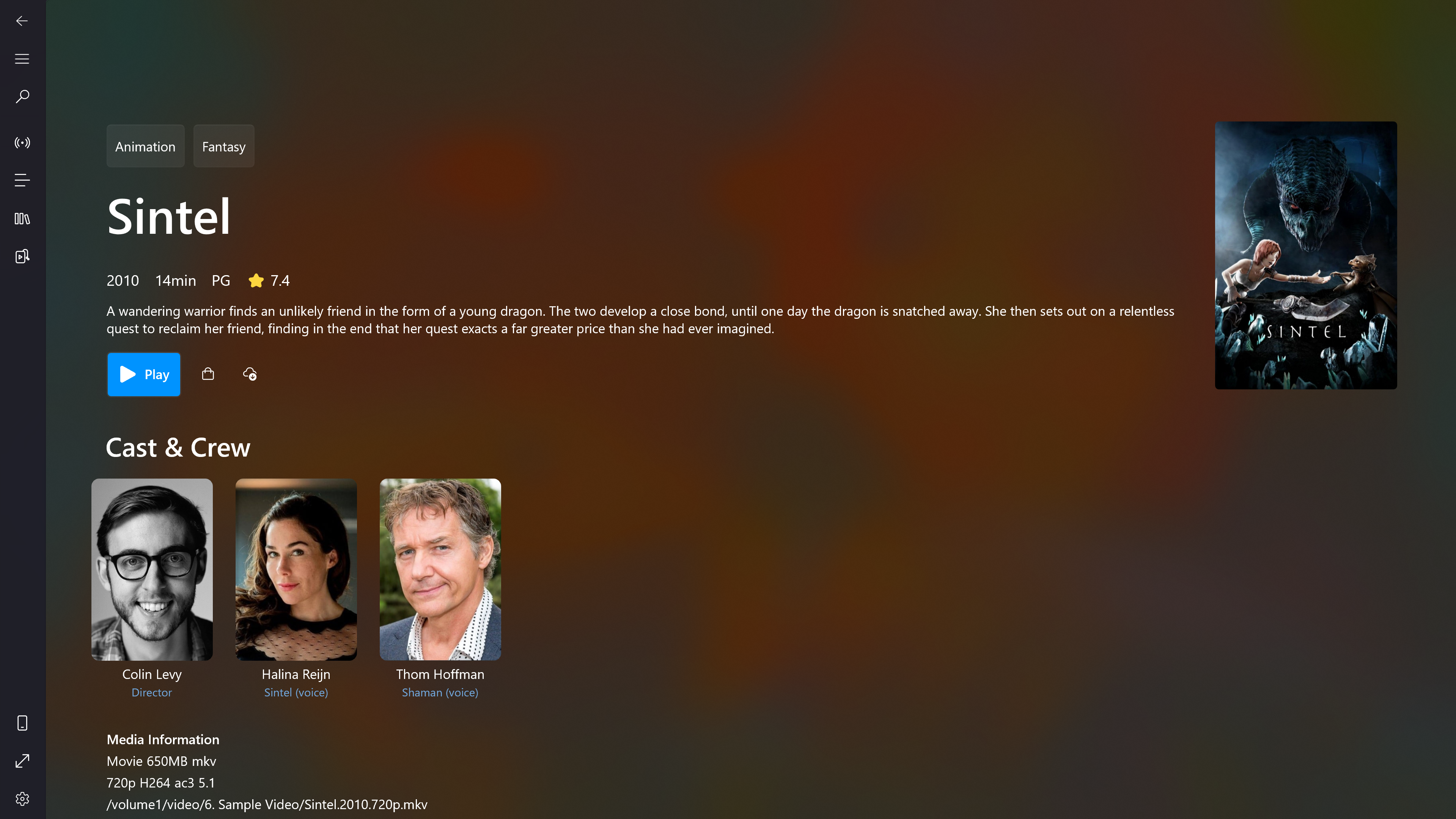
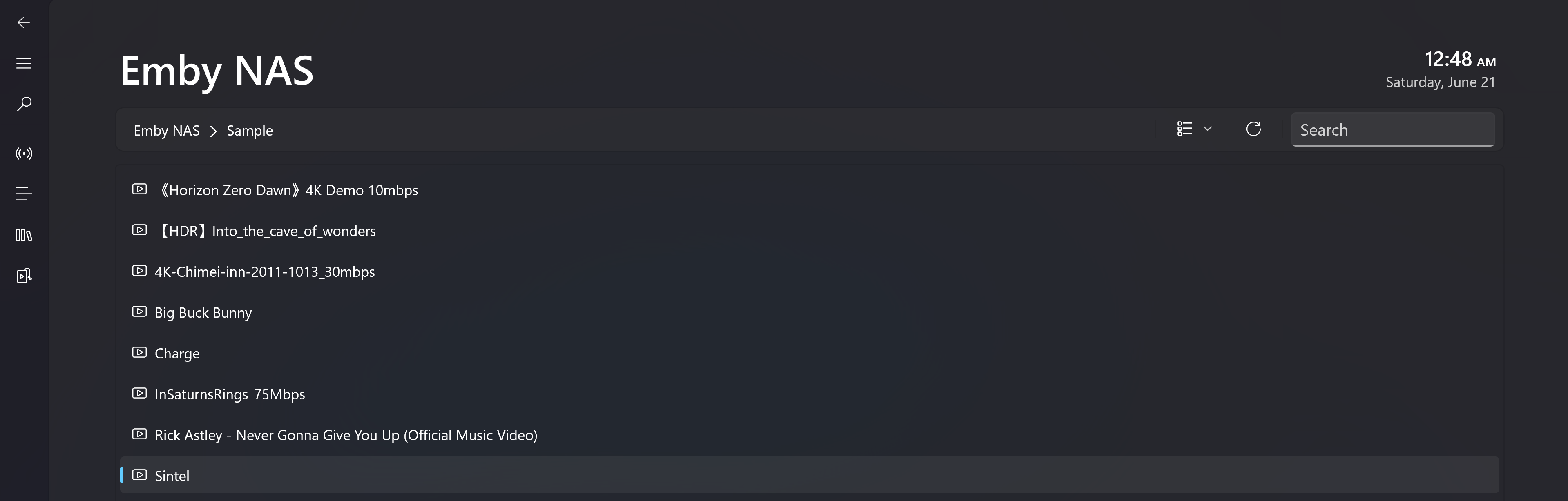
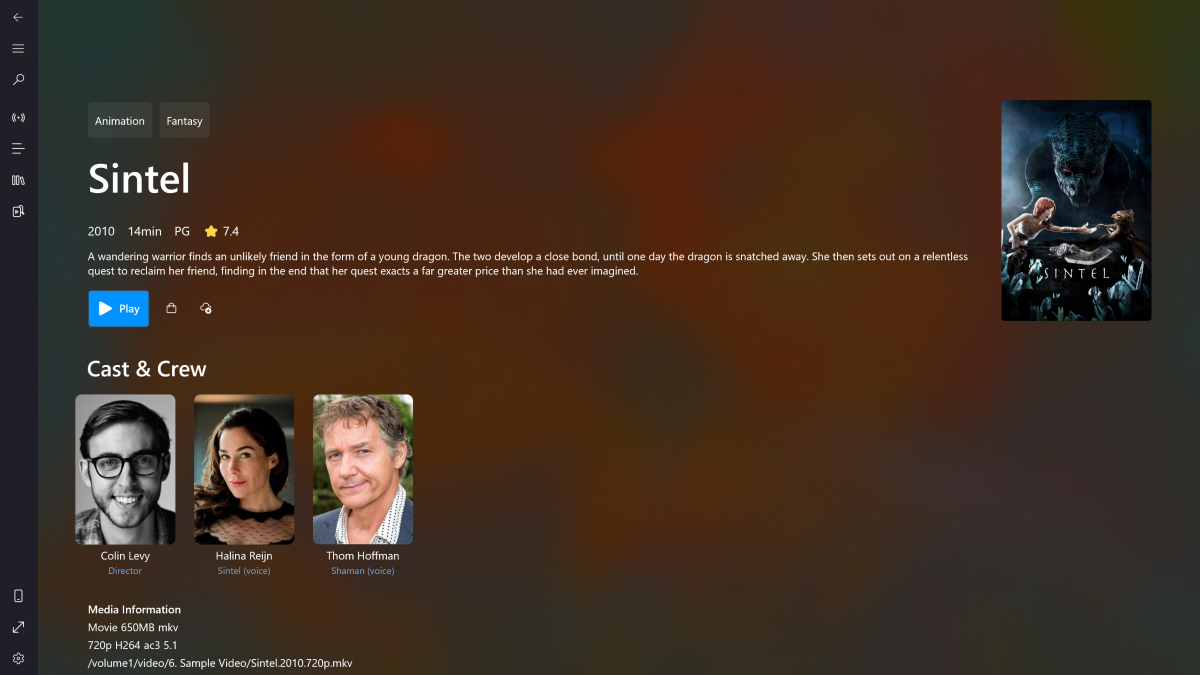
My app was initially designed to stream M3U8 content on PC and Xbox. Recently, I started exploring Emby on my NAS and found that integrating it wasn’t too difficult. So I implemented a set of minimum viable features - including directory browsing, media pages, and playback. I'd love for you to give it a try. Most features are available for free. Download Link -> Microsoft Store What's working: - Directory navigation and search - Media info including genres, release year, ratings, overview, casts, video and audio metadata etc - Native playback for Windows 10/11 and Xbox Series S|X. The full feature-set of Playback including audio, subtitle, video ratio, playback speed adjustment. Change audio output device. PIP mode on PC. - Subtitles (built-in and the first external subtitle provided by Emby) Screenshots: How to access the Media Hub: Known issues: - 4K HEVC playback on Xbox is not hardware decoded. It's using local server transcoding(Native HEVC decode for XSS|X is possible but I don't want to give up the background play feature, PC is using native decoder) - Only one external subtitle will be carried over to the video. Internal subtitles are fine - Xbox version won't resume play after leaving the playback page
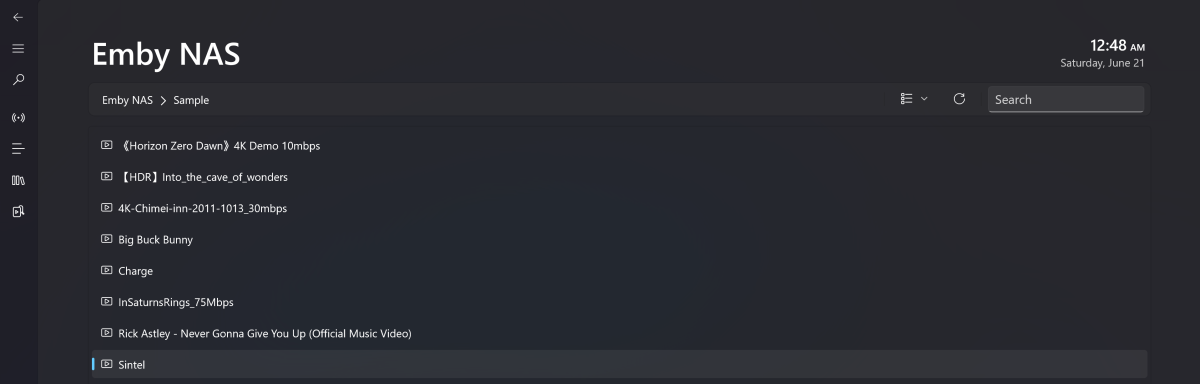
 1 point
 -
I recently found a need to look up additional information on a director. I was hoping to look at the director's profile and see not only the movies I had in my collection but also a list of other movies that they have directed. This would be displayed below the library's current movies. ex: My movies: Movie 1, Movie 2 Other movies by this person: Movie 3, Movie4 ================ This could help one expand their library and to discover a missing gem.1 point
-
Whs a better Idea is is to finally get per library search enabled, and search for settings enabled. Long long long long long overdue.1 point
-
At the bottom of the Identification section, click on the '+' next to "HeaderHttpHeaders":
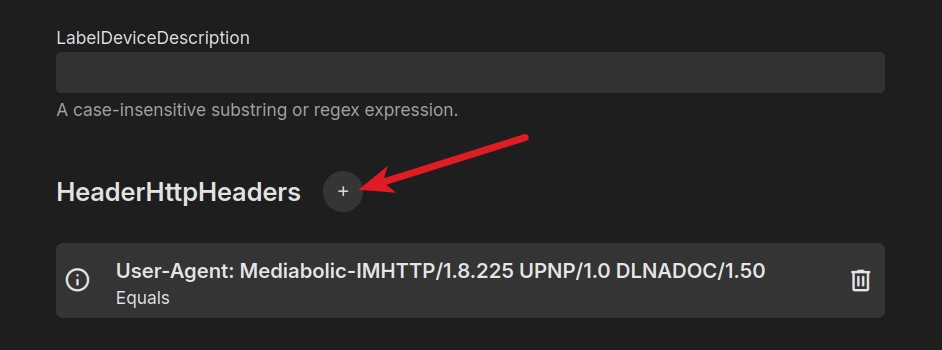 1 point
 -
I'm not so sure that I'm in the minority, this thread has 34 pages.Thanks for the random flame. If you have anything of particular value to add please do. FWIW I'm 'crying' because of the way it's implemented, not because it was added.1 point
-
Omg the horror! You chose to use a plunging that mimicked client side actions and now are crying when they add it to the base app. I’m sure you’re in the minority of users. Most people don’t use this plugin so the few that do might have to run a scan again it’s not that big of deal.1 point
-
Yeah i followed that discussion closely and decided not to try HDR10+ until later based on that, kinda stupid of me when i use titles anyway. Hmm.. Maybe a setting to enable/disable the naming detection to limit false positives would be the right thing to do.1 point
-
Keep in mind that there is a discussion also for ebr's coverart plugin not being able to set an overlay for HDR10Plus, because ffprobe and therefor Emby is still not able to identify HDR10Plus. It would need to parse the scanned file twice and looking for side_data (see discussion), so atm this is not implemented because of the many caveats. Because of that, I find your way of parsing the filename an interesting approach to be honest. Like I said, with this method, you could be the first to have a working visual plugin for HDR10Plus (e.g. HDR10+ without DV in track name, use hdr10plus.png in cover). Looking for the color profile could be Plan B if track name gives implausible results for example. But no matter what path you take, your plugin ist dope!1 point
-
I must admit i always thought main 10 is HDR, i just googled it and can see i was totally wrong about that. I will look into changing it, give me a couple a days. Thanks for reporting it!1 point
-
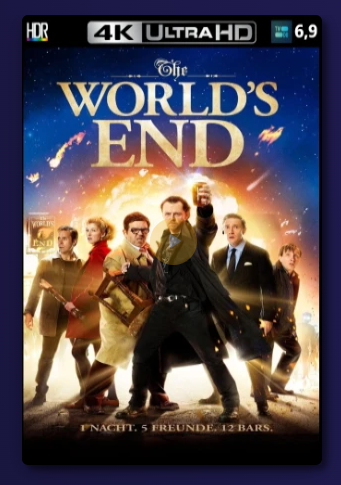
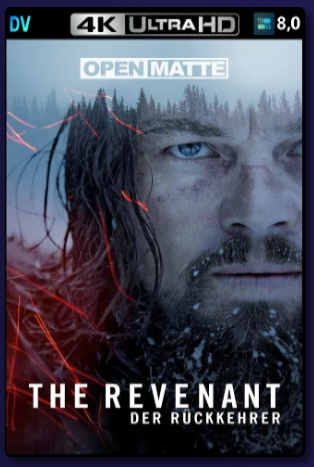
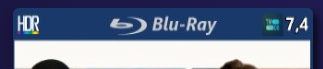
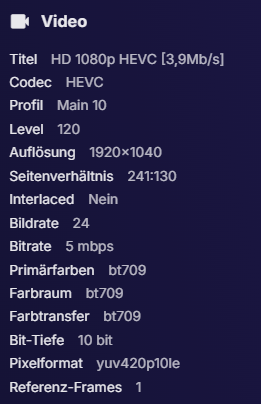
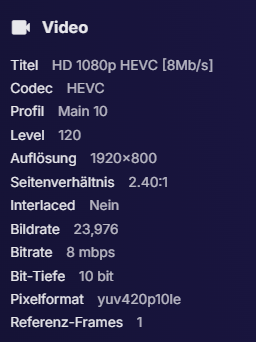
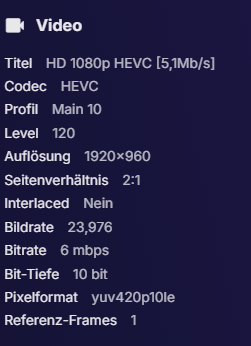
Man don't know how I missed this plugin until now. This is really sick and replaces the Sisyphean task with the Poster Overlay GUI or the coverart plugin overlays always being to deep for my favor. Keep up the good work mate! One thing I noticed though, I got a hand full of false positives with 1080p HEVC content. Just HEVC Main10 Profile seems to be enough for a plugin cover to be flagged as HDR, even the content is not HDR. Shouldn't the plugin just look for the Video Range (DolbyVision or HDR 10)? Movies with just Profile level Main are not affected.
 1 point
 -
Emby does not use IMDB for metadata. What metadata providers do you have enabled and in what order? Is this title on any of those sites?1 point
-
For the brave people out there. Here's a beta of a new version where i have added TVDB ratings overlays. Please report any problems that might pop up. It should be bug free but there's always a chance. EmbyIcons.dll1 point
-
ATV has been in maintenance only mode for a while now. They are slowly moving to the new standard Android app which you can either be downloaded from GitHub or from the Android store by searching "Emby". The version should be listed there. ATV and the new Android app can be run side-by-side if you wish.1 point
-
That really doesn't help anyone here using the plugin and most likely anyone that has a library already built around using the plugin will now be required to do a full rescan (metadata and all) just to have this feature work. Instead of doing it this way, where the plugin locks the it in the way that it does, why not adapt it to help everyone here instead of negating and causing anguish/more work for everyone in this topic.1 point
-
Try Dispatcharr. I recently installed it and it’s an excellent m3u curator that will feed Emby and best of all provides backup channel support.1 point
-
Lol, yea exactly what I was looking for, thank you.1 point
-
@seanbuffyou are awsome mate .you never going to guess why mine was not working this is what u get when u mess with stuff during night shift i had messed up the copy paste of the server id . By the way is there a list of working comands . If u ever think about setting up multi system streaming and need help setting up voicemeeter/matrix or just want to controll everything over network with midi give me a shout1 point
-
I haven’t received this yet but I’m watching for it….1 point
-
Thanks Luke, my wife looks forward to it1 point
-
Wow, life really gets in the way sometimes! Thank you for responding and I'm sorry for my delay in getting back to you. Yes, it is consistent every time we play, but what's weird is that the time delay is not the same for everything. Some are barely delayed while others are significantly delayed.1 point
-
Laughing, you've got me on that one. MY first was an 8088 XT fancy-pants with TWO 5.25 floppy drives. Using those drives is how I learned the hard way the difference between a colon and a semi-colon. PFS First Choice had the program on one disk and the dictionary on the other and you had to B: to use it. My probably ill-conceived approach will be to just wait until the current 16TB is down to maybe 500GB and then just start using the newly installed 6TB drive for anything new. I tested the situation by putting a couple new movies and a TV Show on that 6TB drive and as TMCsw said it would, Emby was completely happy to carry on with business as usual.1 point
-
I can answer that, at least from my point of view: The Emby "standard" app is less pleasant to use. There are a number of, from my point of view, really horrendous choices that make it less pleasant to use like dropping labels underneath the images on the Next up row. It has the advantage of using a somewhat better player but the does not make up for the inadequacies of the "regular" app. I know I will eventually be forced, kicking and screaming, to use the "standard" app and it does work but it is just unpleasant to use. I guess I should be glad that I have apps to use but I believe that usability makes a huge difference between the apps.1 point
-
Is it possible to have a QR code to scan with your phone when needing to add the PIN for Emby Connect? That way, when you need to login to your Emby Connect, you can just scan that with your phone. Then it takes you to the login page so you can add the PIN it gives you? That would be awesome to do instead of having to type out/copy the entire URL. Thanks for reading. ( I did search if this request already existed and nothing came up).1 point
-
Emby for Samsung Smart TVs 2.1.0 has been released. Here are the highlights: Fix playback error when resuming multi-version episodes from Continue Watching Add tabbed Books view Support sorting playlists and collections by Date Added Various fixes related to auto-skip intros Various fixes to the profile pin feature Various fixes to rewinding and fast forwarding by holding down left and right Fix photos not showing in collections Fix top portion of home screen cut off when scrolling down (only on certain models) Increase allowed range of subtitle offset Fix parental rating multi-select filter Fix series status filter Some models were on much older versions prior to this, and for those the list of changes will be much longer as it will incorporate a year's worth of development in some cases. View the full article1 point
-
While Emby already has recommendations built in based on previously watched items I find they are not all that helpful. They seem to be based on genre only, for example, because you watched a comedy here are other comedies in your library. I do like how the also directed by/appear in recommendations work though. What would be great is if Emby could incorporate Trakt's recommendations as they are much more sophisticated. Trakt's recommendations are not only based off of what you have previously watched but also what your Trakt friends and other Trakt users have watched. It takes user ratings and trending/popular media into account. Ideally Emby would include full Trakt integration allowing users to rate media after watching, view lists and recommendations, and view upcoming media all from within Emby but for now I think recommendations would be a nice addition. Trakt has the potential to give Emby that community feel and allow users to discover new media, find something to watch, and recommend media to other users. http://docs.trakt.apiary.io/#reference/recommendations1 point
-
Hi Guys, I recently moved from Kodi with MySQL for lack of proper multi user management and server side support, I have to say I'm impressed with Emby. Together with the Kodi Plugin it really takes the solution to a whole new level, count me in among the supporters! One feature I would like to see is the ability to recommend movies or shows to other users: I share my Library with close friends and family but it is a big library so they are always calling me to recommend them a movie to watch. It would be really cool if after watching a movie I can click a Recommend button and choose the users I think would like the movie, then it is displayed on their suggested movies at the top with the name of the user who recommended it... Sorry if there is something like this is already there, I am new to the interface and don't fully know it but could not find such feature... Thanks!1 point